 Скачать презентацию CS 4432 Database Systems II Data Storage 1
8de2c2bc5de9864d2e31fd12dc3c8cea.ppt
- Количество слайдов: 24



CS 4432: Database Systems II Data Storage 1
Storage in DBMSs • DBMSs manage large amounts of data • How does a DBMS store and manage large amounts of data? – Has significant impact on performance • Design decisions: – What representations and data structures best support efficient manipulations of this data? • To understand why the DBMSs applies specific strategies – Must first understand how disks work 2
Disks and Files • DBMS stores information on (“hard”) disks. • Main memory is only for processing • This has major implications for DBMS design! – – – READ: transfer data from disk to main memory (RAM). WRITE: transfer data from RAM to disk. Both are high-cost operations, relative to inmemory operations, so must be planned carefully! 3
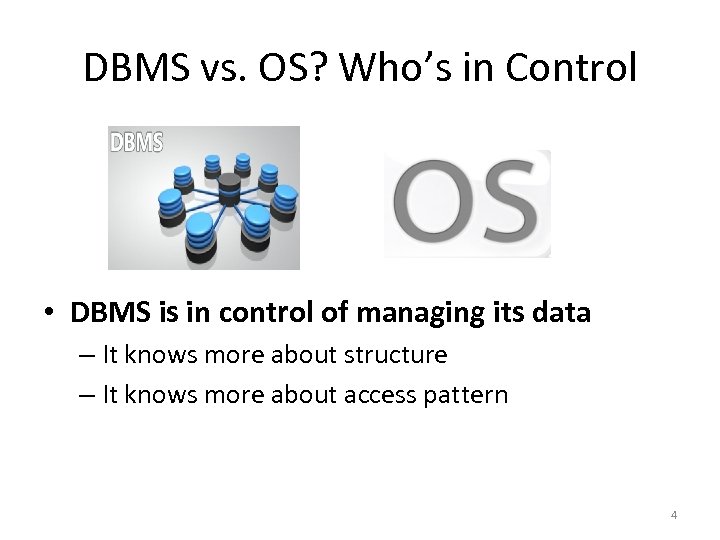
DBMS vs. OS? Who’s in Control • DBMS is in control of managing its data – It knows more about structure – It knows more about access pattern 4
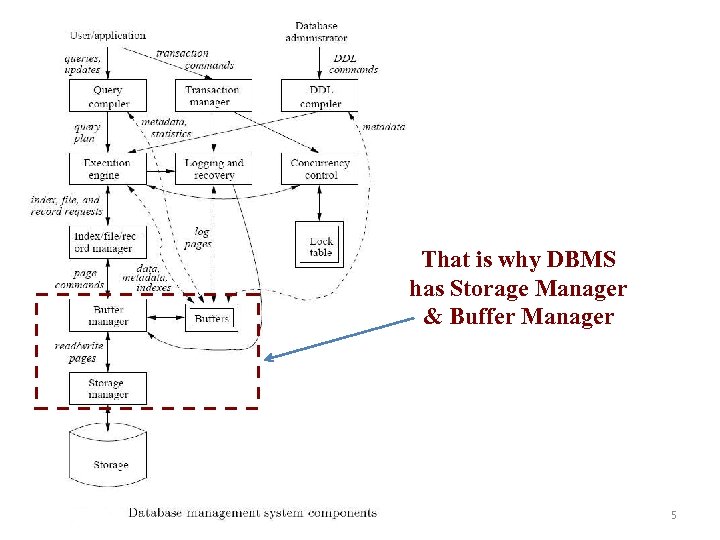
That is why DBMS has Storage Manager & Buffer Manager 5
Understanding Disks 6
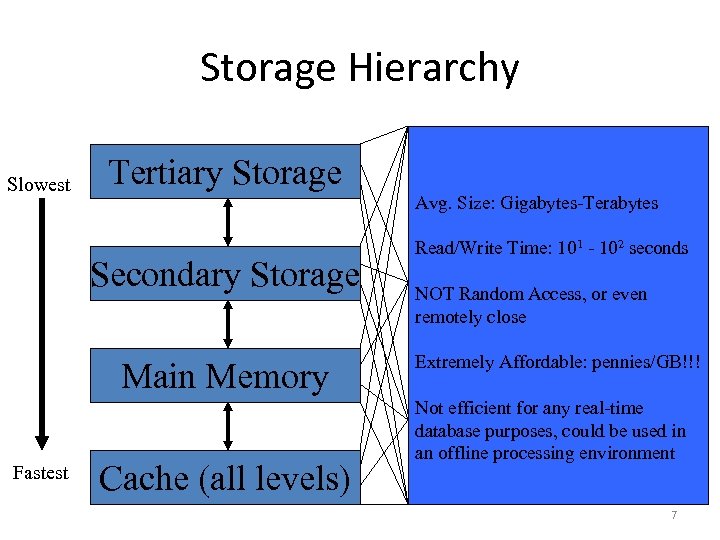
Storage Hierarchy Slowest Tertiary Storage Secondary Storage Main Memory Fastest Cache (all levels) Avg. Size: 256 kb-1 MB Avg. Size: 30 GB-160 GB Gigabytes-Terabytes Read/Write Time: 10 -8 seconds. Avg. Size: 128 MB – 1 GB 1 102 seconds Read/Write Time: 10 -2 -seconds Random Access Read/Write Time: 10 -7 to 10 -8 seconds. NOT Random Access or even Access, Smallest of all memory, and also the remotely close most costly. Random Access Extremely Affordable: $0. 68/GB!!! Extremely Affordable: pennies/GB!!! Usually on same chip as processor. Can be used for affordable. Becoming more File System, Virtual Not efficient for any real-time Memory, or for raw data access. Easy to manage in Single Processor Volatile purposes, could be used in database Environments, more complicated in an offline processing environment Blocking (need buffering) Multiprocessor Systems. 7
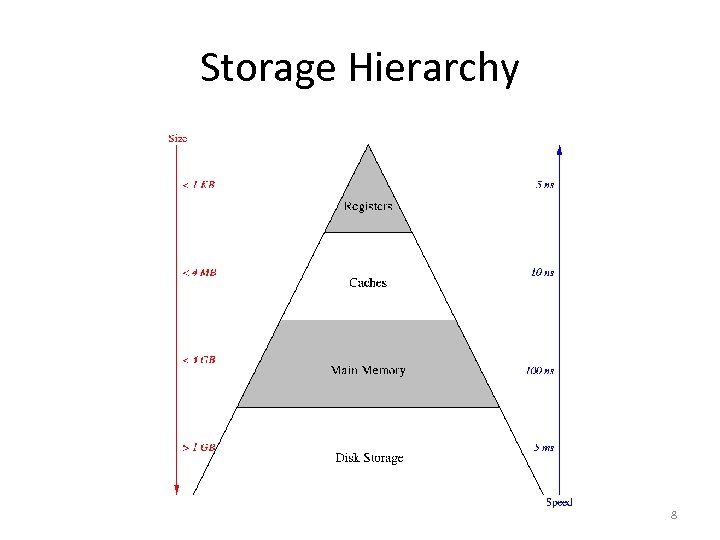
Storage Hierarchy 8
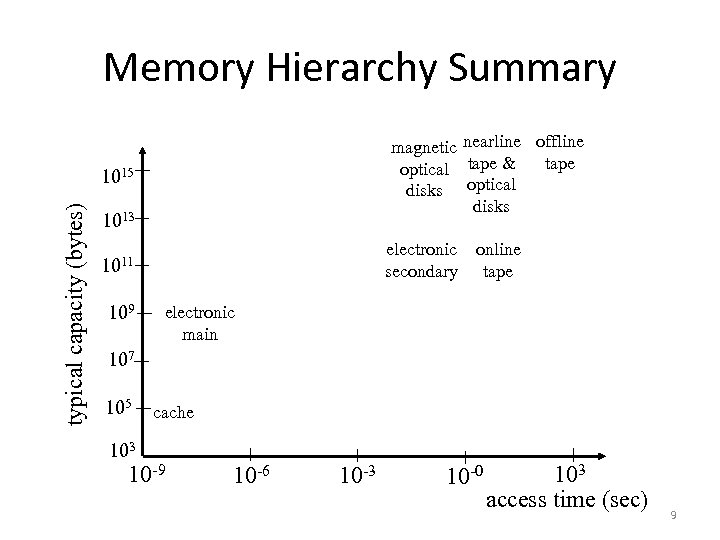
Memory Hierarchy Summary magnetic nearline offline tape optical tape & disks optical disks typical capacity (bytes) 1015 1013 electronic online secondary tape 1011 109 electronic main 107 105 cache 103 10 -9 10 -6 10 -3 10 -0 103 access time (sec) 9
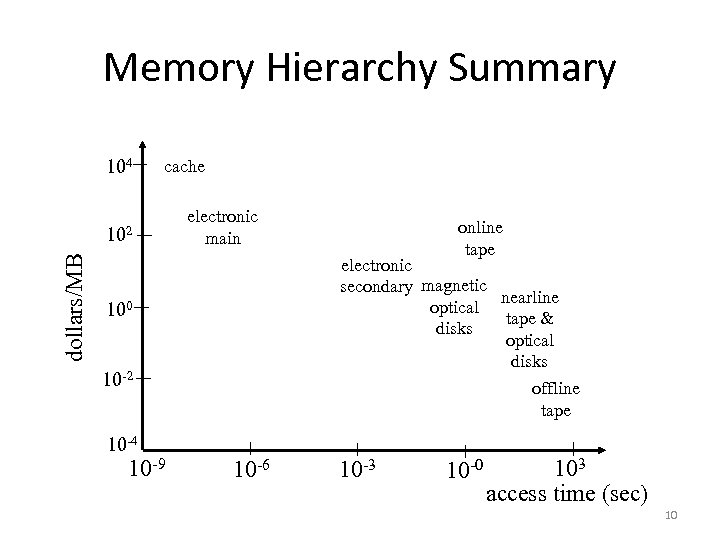
Memory Hierarchy Summary 104 cache dollars/MB 102 electronic main online tape electronic secondary magnetic nearline optical tape & disks optical disks offline tape 100 10 -2 10 -4 10 -9 10 -6 10 -3 10 -0 103 access time (sec) 10
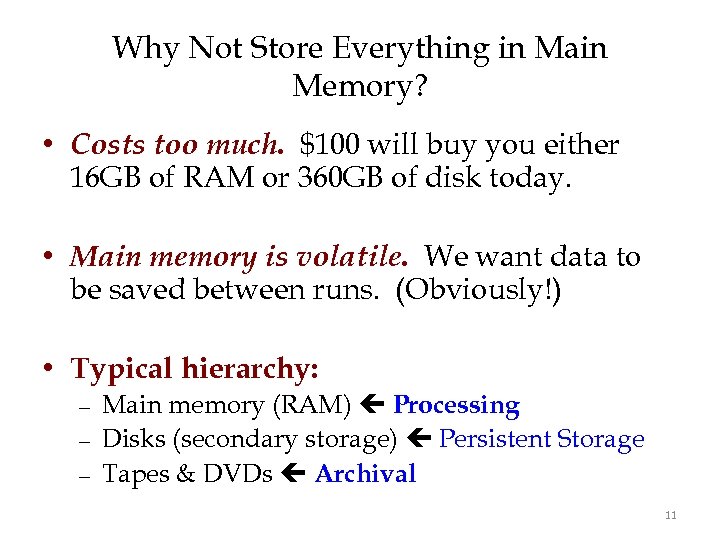
Why Not Store Everything in Main Memory? • Costs too much. $100 will buy you either 16 GB of RAM or 360 GB of disk today. • Main memory is volatile. We want data to be saved between runs. (Obviously!) • Typical hierarchy: – – – Main memory (RAM) Processing Disks (secondary storage) Persistent Storage Tapes & DVDs Archival 11
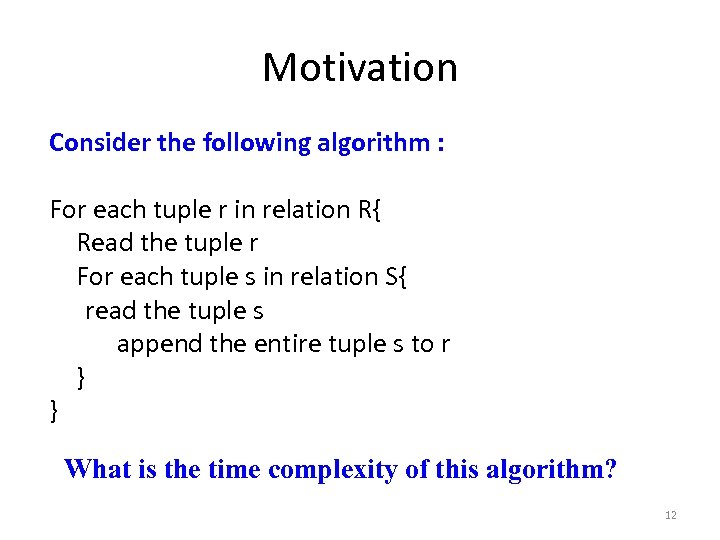
Motivation Consider the following algorithm : For each tuple r in relation R{ Read the tuple r For each tuple s in relation S{ read the tuple s append the entire tuple s to r } } What is the time complexity of this algorithm? 12
Motivation • Complexity: – This algorithm is O(n 2) ! Is it always ? – Yes, if we assume random access of data. • Hard disks are not efficient in Random Access ! • Unless organized efficiently, this algorithm may be much worse than O(n 2). 13
Disks: Some Facts • Data is stored and retrieved in units called disk blocks. – Disk block 512 bytes to 4 K or 8 K • Movement to main-memory – Must read or write one block at a time 14

Disk Components Platter (2 surface) 15
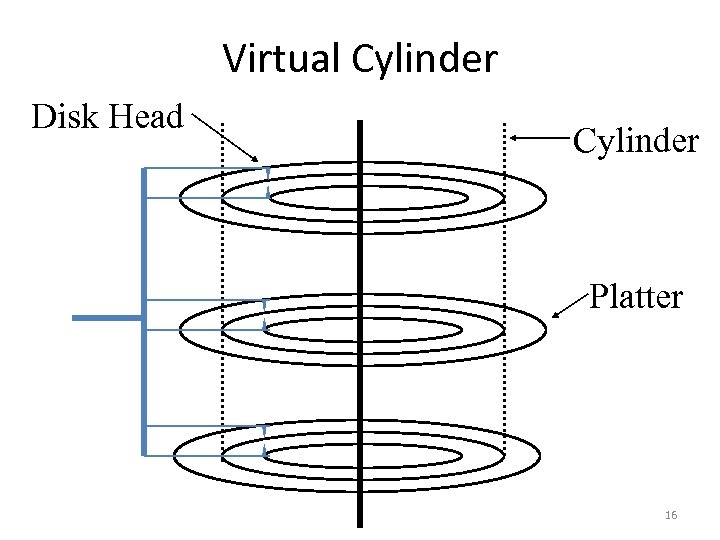
Virtual Cylinder Disk Head Cylinder Platter 16
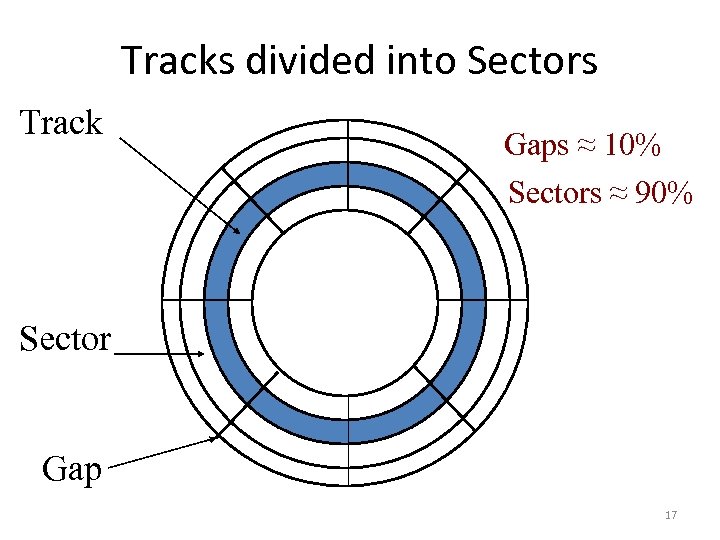
Tracks divided into Sectors Track Gaps ≈ 10% Sectors ≈ 90% Sector Gap 17

Movements • Arm moves in-out – Called seek time – Mechanical • Platter rotates – Called latency time – Mechanical 18
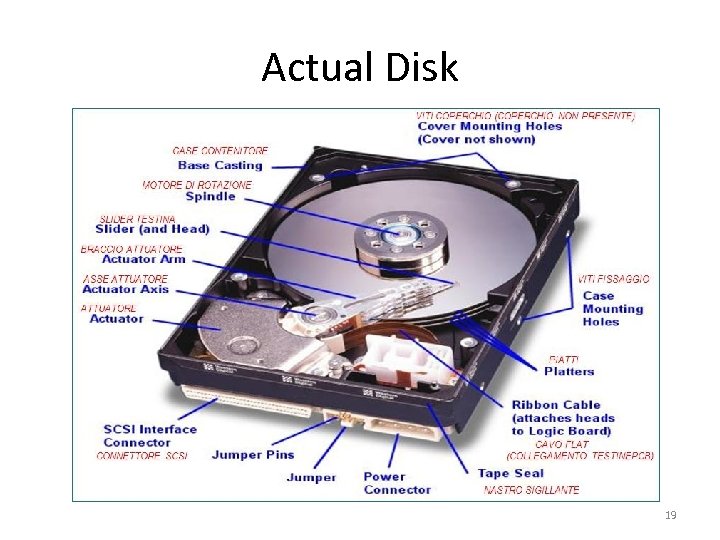
Actual Disk 19
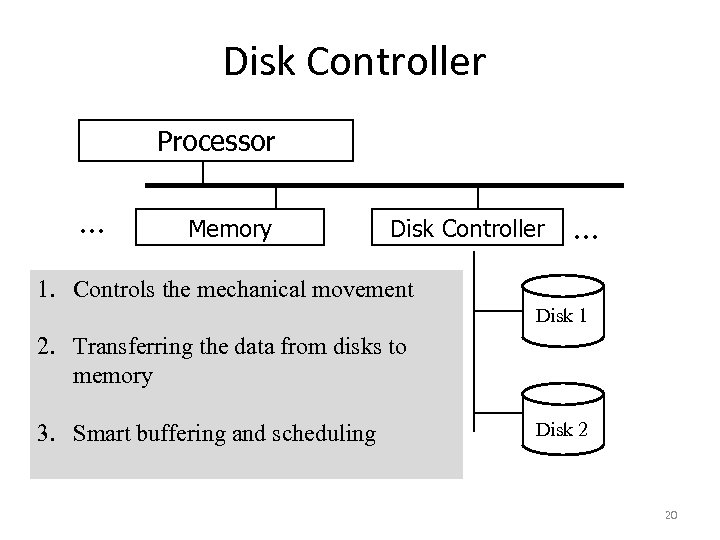
Disk Controller Processor . . . Memory Disk Controller . . . 1. Controls the mechanical movement Disk 1 2. Transferring the data from disks to memory 3. Smart buffering and scheduling Disk 2 20
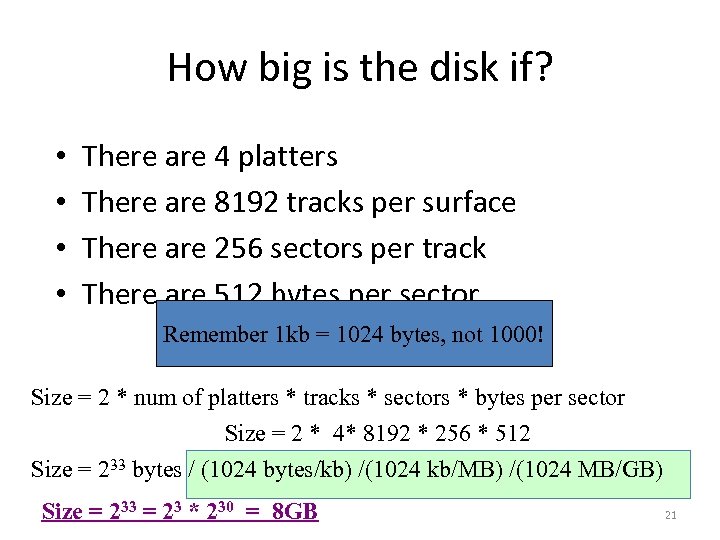
How big is the disk if? • • There are 4 platters There are 8192 tracks per surface There are 256 sectors per track There are 512 bytes per sector Remember 1 kb = 1024 bytes, not 1000! Size = 2 * num of platters * tracks * sectors * bytes per sector Size = 2 * 4* 8192 * 256 * 512 Size = 233 bytes / (1024 bytes/kb) /(1024 kb/MB) /(1024 MB/GB) Size = 233 = 23 * 230 = 8 GB 21
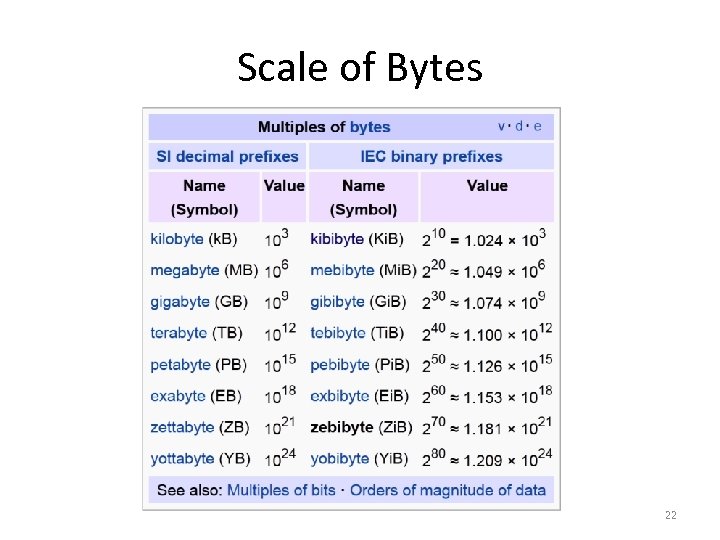
Scale of Bytes 22
More Disk Terminology • Rotation Speed: – The speed at which the disk rotates: 5400 RPM • Number of Tracks: – Typically 10, 000 to 15, 000. • Bytes per track: – ~105 bytes per track 23
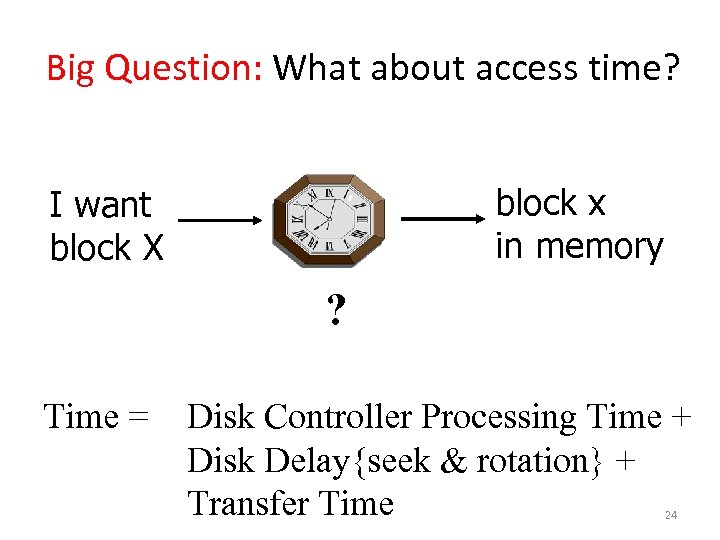
Big Question: What about access time? block x in memory I want block X ? Time = Disk Controller Processing Time + Disk Delay{seek & rotation} + Transfer Time 24
Скачать презентацию CS 4432 Database Systems II Data Storage 1
8de2c2bc5de9864d2e31fd12dc3c8cea.ppt