


 Скачать презентацию CS 431 Introduction to Operating Systems Modern Operating
8a574dfc101dc48045798861ad2ed615.ppt
- Количество слайдов: 29
 CS 431 Introduction to Operating Systems Modern Operating Systems By Andrew Tanenbaum The Linux Programming Interface By Kerrisk
 CS 431 Introduction to Operating Systems Course Objectives • To study and apply concepts relating to operating systems, such as concurrency and control of asynchronous processes, deadlocks, memory management, processor and disk scheduling, parallel processing, and file system organization CS 431 - cotter 2
 Course Outcomes • Demonstrate an understanding of: – the differences between processes and threads. – the different process or thread synchronization methods and the tradeoffs between them. – the different memory management techniques used in Operating Systems. – the different I/O management techniques used in Operating Systems. – the tradeoffs in design and implementation concepts used in the development of Operating Systems CS 431 - cotter 3
 Course Syllabus Course Meeting Time Tuesday and Thursday 2: 00 to 3: 15 pm Location Bloch 014 Instructor: Bob Cotter e-mail cotterr@umkc. edu Web page: http: //sce. umkc. edu/~cotterr Office Hours: Tuesday and Thursday 4: 00 to 5: 00 pm Location FH 450 P or by appointment Prerequisites: CS 291, CS 352 cs 431 -cotter 4
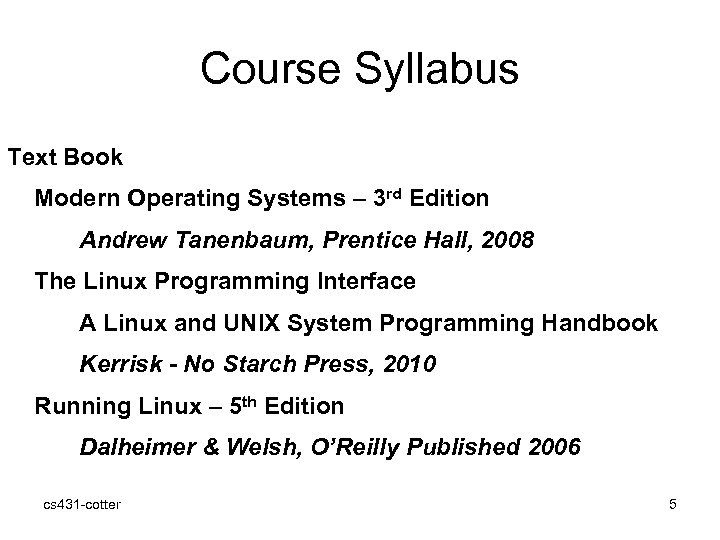 Course Syllabus Text Book Modern Operating Systems – 3 rd Edition Andrew Tanenbaum, Prentice Hall, 2008 The Linux Programming Interface A Linux and UNIX System Programming Handbook Kerrisk - No Starch Press, 2010 Running Linux – 5 th Edition Dalheimer & Welsh, O’Reilly Published 2006 cs 431 -cotter 5
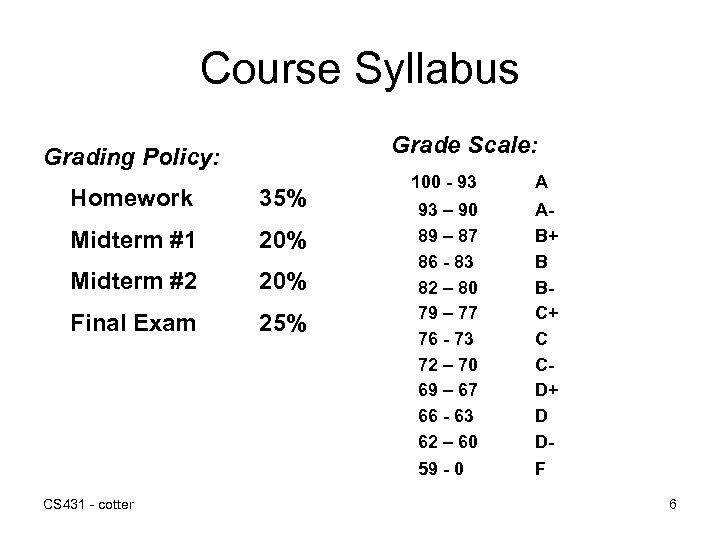 Course Syllabus Grade Scale: Grading Policy: 35% Midterm #1 20% Midterm #2 20% Final Exam 25% CS 431 - cotter A 93 – 90 89 – 87 86 - 83 82 – 80 79 – 77 76 - 73 72 – 70 69 – 67 66 - 63 62 – 60 AB+ B BC+ C CD+ D D- 59 - 0 Homework 100 - 93 F 6
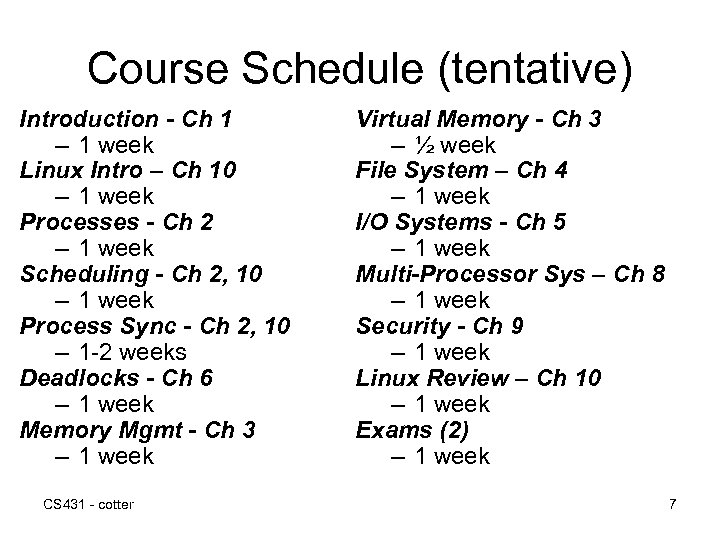 Course Schedule (tentative) Introduction - Ch 1 – 1 week Linux Intro – Ch 10 – 1 week Processes - Ch 2 – 1 week Scheduling - Ch 2, 10 – 1 week Process Sync - Ch 2, 10 – 1 -2 weeks Deadlocks - Ch 6 – 1 week Memory Mgmt - Ch 3 – 1 week CS 431 - cotter Virtual Memory - Ch 3 – ½ week File System – Ch 4 – 1 week I/O Systems - Ch 5 – 1 week Multi-Processor Sys – Ch 8 – 1 week Security - Ch 9 – 1 week Linux Review – Ch 10 – 1 week Exams (2) – 1 week 7
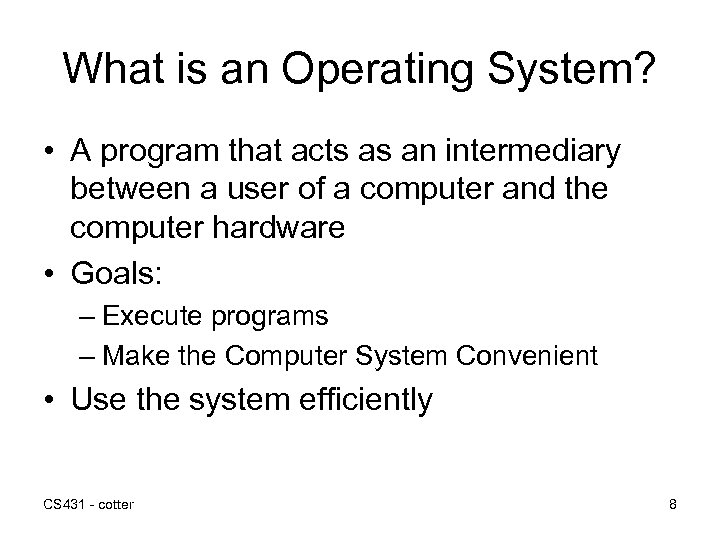 What is an Operating System? • A program that acts as an intermediary between a user of a computer and the computer hardware • Goals: – Execute programs – Make the Computer System Convenient • Use the system efficiently CS 431 - cotter 8
 What Is An Operating System A modern computer consists of: • • • One or more processors Main memory Disks Printers Various input/output devices Managing all these components requires a layer of software – the operating system CS 431 - cotter Tanenbaum, Modern Operating Systems 3 e, (c) 2008 Prentice-Hall, Inc. All rights reserved. 0 -13 - 6006639 9
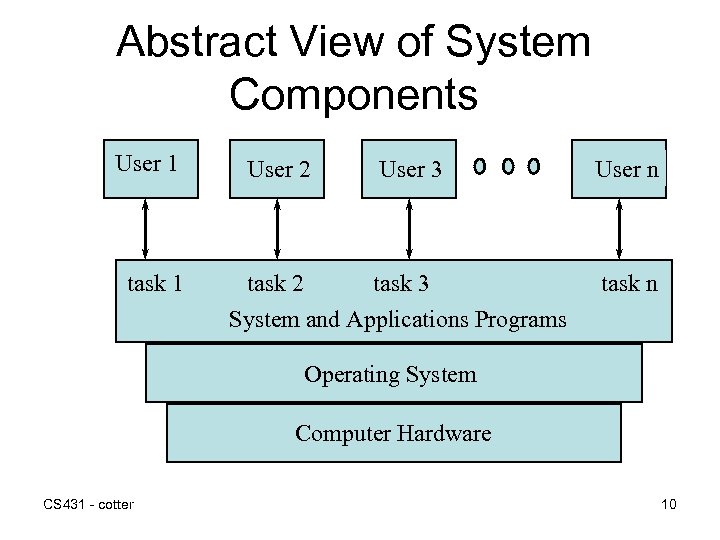 Abstract View of System Components User 1 task 1 User 2 User 3 task 2 task 3 System and Applications Programs User n task n Operating System Computer Hardware CS 431 - cotter 10
 Definitions of Operating System • Resource Manager – Allow multiple programs to run – Manage and protect memory, I/O, etc. • Control Program • Kernel CS 431 - cotter 11
 History of Operating Systems Generations: • • (1945– 55) Vacuum Tubes (1955– 65) Transistors and Batch Systems (1965– 1980) ICs and Multiprogramming (1980–Present) Personal Computers CS 431 - cotter Tanenbaum, Modern Operating Systems 3 e, (c) 2008 Prentice-Hall, Inc. All rights reserved. 0 -13 -6006639 12
 Simple Batch Systems • • First form of “shared” computing Few, large machines Specialized operator Secure CS 431 - cotter 13
 Batch System Process • • User != operator Programs submitted on cards Similar jobs “batched” Automatic job sequencing CS 431 - cotter 14
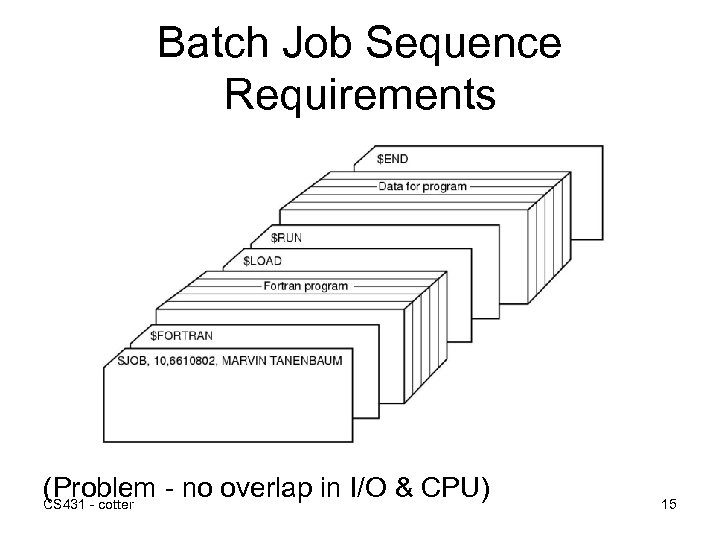 Batch Job Sequence Requirements (Problem - no overlap in I/O & CPU) CS 431 - cotter 15
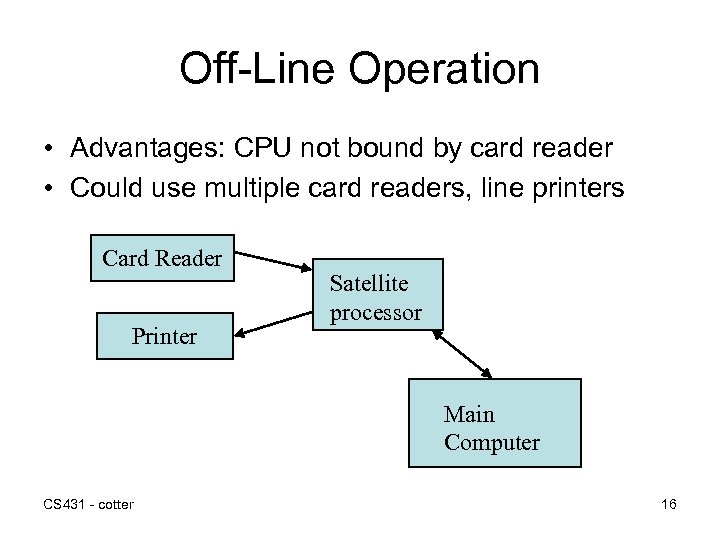 Off-Line Operation • Advantages: CPU not bound by card reader • Could use multiple card readers, line printers Card Reader Printer Satellite processor Main Computer CS 431 - cotter 16
 Spooling • • Use disk to store input and output Simultaneous Peripheral Operation on-line Significantly improves efficiency Creates a job pool (I/O vs CPU) CS 431 - cotter 17
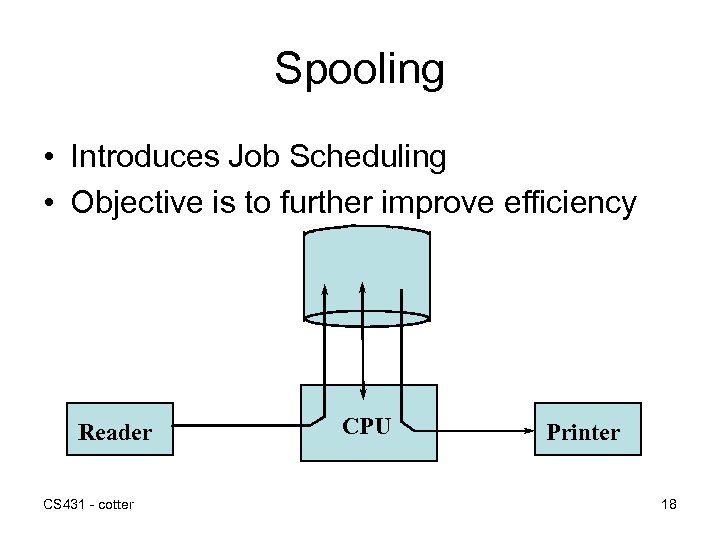 Spooling • Introduces Job Scheduling • Objective is to further improve efficiency Reader CS 431 - cotter CPU Printer 18
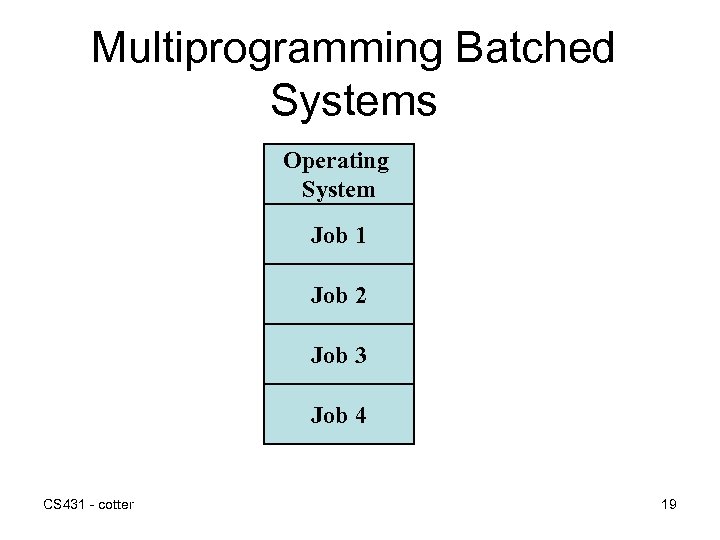 Multiprogramming Batched Systems Operating System Job 1 Job 2 Job 3 Job 4 CS 431 - cotter 19
 Multiprogramming Requirements • • I/O routine managed by system Memory Management CPU Scheduling Allocation of peripheral devices CS 431 - cotter 20
 Time-sharing Systems • Next logical extension • User jobs managed by Job Scheduler • User connected as a system peripheral device • User gets access to file system for data and code CS 431 - cotter 21
 Personal Computer Systems • • • Extends processing to the user Dedicated computer systems Complete set of I/O devices Improves convenience & responsiveness Security? ? ? CS 431 - cotter 22
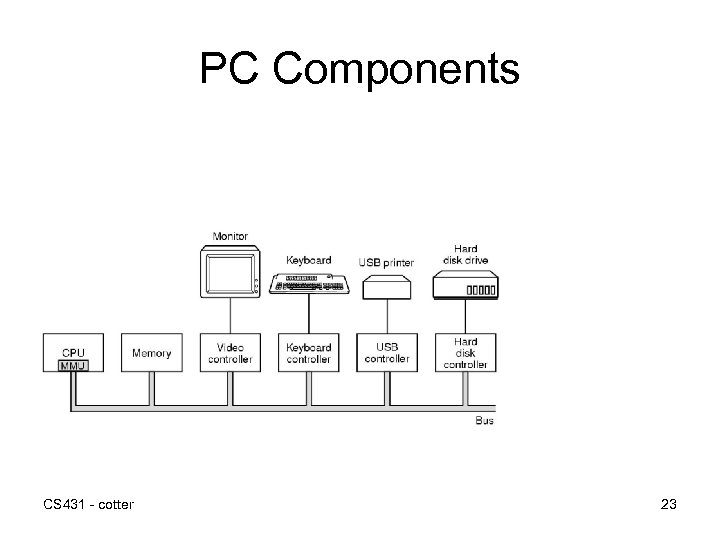 PC Components CS 431 - cotter 23
 Parallel Systems • Multi-processor systems • CPUs share resources • Increases throughput (more CPU power vs. I/O) • Improves Reliability… • Symmetric vs. Asymmetric multiprocessing CS 431 - cotter 24
 Distributed Systems • Communication between multiple processors • Processors are loosely coupled • Advantages – Resource Sharing – Computation Speedup (load sharing) – Reliability – Communication CS 431 - cotter 25
 Real-Time Systems • • • Used to manage dedicated applications Process Controls Telecommunications Operating constraints well defined & fixed Hard vs. Soft real-time systems CS 431 - cotter 26
 The Operating System Zoo • • • Mainframe operating systems Server operating systems Multiprocessor operating systems Personal computer operating systems Handheld operating systems Embedded operating systems Sensor node operating systems Real-time operating systems Smart card operating systems CS 431 - cotter 27
 Summary • Operating Systems evolved to: – Make computers easier to use – Improve the utilization of computing resources • Design and function of OS has evolved as the cost of resources goes down • OS is generally the most complex “program” running in a computing system. CS 431 - cotter 28
 Questions • What is spooling? What problem was it designed to address? • What are examples of computing systems that don’t need all of the components shown on slide 23? What are other common major elements that aren’t shown on this slide? • What is the major difference between a hard real -time system and a soft real-time system? What is an example of each? cs 431 -cotter 29