


 Скачать презентацию CS 351 Reference Material for these slides is
679878e2c05d0d4bcdd1533b332a6fb0.ppt
- Количество слайдов: 32
 CS 351 Reference Material for these slides is taken from many UML reference books. However, the two I most often used are: UML Explained, by Kendall Scott, © 2001 Addison-Wesley, ISBN: 0 -201 -72182 -1 (~$30) Teach Yourself UML in 24 Hours, by Joseph Schmuller, © 2002 Sams Publishing, ISBN: 0672 -32238 -2 (~$30) But, there are lots of others. (A quick count of my books related to UML = 15, including the material on UML in Deitel. ) © 2003 Ray S. Babcock
 CS 351 UML Unified Modelling Language 1980's = worst of the “METHOD WARS” In mid 1990's there were 3 main survivors Grady Booch - “Booch Method” James Rumbaugh - “Object Modeling Technique” OMT Ivar Jacobson - “Object-Oriented Software Engineering” OOSE These “THREE AMIGOS” joined forces at Rational to develop UML. In 1997 – Version 1. 0 of UML was submitted to the Object Management Group (OMG) www. omg. org © 2003 Ray S. Babcock
 CS 351 UML (cont. ) A UML consortium sprang up with members like DEC, HP, Intellicorp, Microsoft, Oracal, TI, Rational and others. Currently at version 1. 3 with version 2. 0 nearing completion. (See http: //www. omg. org) © 2003 Ray S. Babcock
 CS 351 UML (cont. ) What UML is: UML consists of a number of graphical elements that combine to form diagrams. What UML is not: UML does NOT specify a particular process. Often, since it was developed at Rational, it is described along with the Rational Unified Process. Others have special names like GRAPPLE (Guidelines for Rapid APPLication Engineering) and FDD (Feature Driven Development) © 2003 Ray S. Babcock
 CS 351 UML (cont. ) Which process you use will depend on which company you chose to work for. For this UML description, we will use the unified process described in many books. But, we won't do much with process in CS 210 since we are not doing software development. © 2003 Ray S. Babcock
 CS 351 UML Components The purpose of the UML diagrams is to present multiple views of a system; this set of multiple views is called a MODEL. The UML model of a system tells WHAT the system is supposed to do, NOT how to implement the system. For our purposes, a model is a set of UML diagrams that we can examine, assess, and modify in order to understand develop a system. © 2003 Ray S. Babcock
 CS 351 Class A class is a category or group of things that have similar attributes and common behaviors. e. g. class of washing machines. Attributes: brand name, model, serial number, and capacity. Behaviors: “add clothes”, “add detergent”, “turn on”, and “remove clothes”. © 2003 Ray S. Babcock
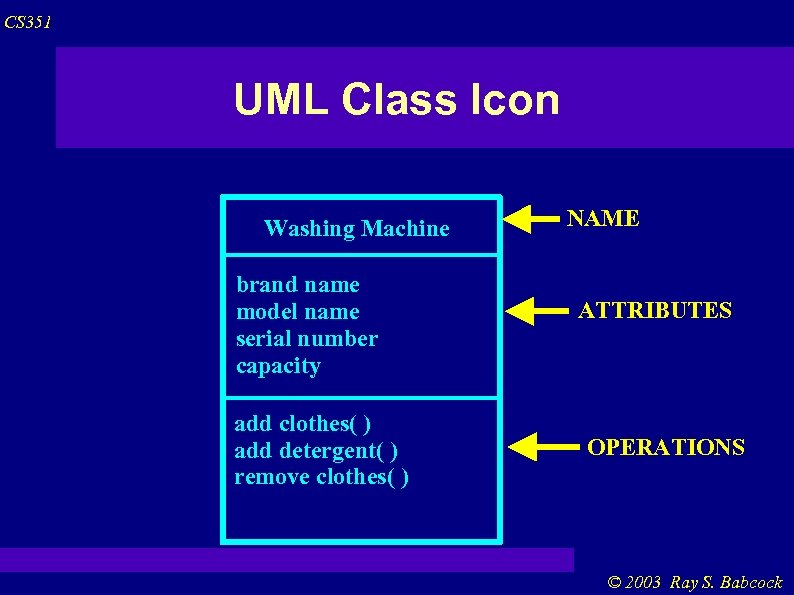 CS 351 UML Class Icon Washing Machine brand name model name serial number capacity add clothes( ) add detergent( ) remove clothes( ) NAME ATTRIBUTES OPERATIONS © 2003 Ray S. Babcock
 CS 351 Class Diagram A class diagram consists of a number of these class icons connected by lines that show the classes relate to one another. Fig 6. 25 in Deitel shows some example class icons without lines. A more extensive example class diagram is on the next slide. © 2003 Ray S. Babcock
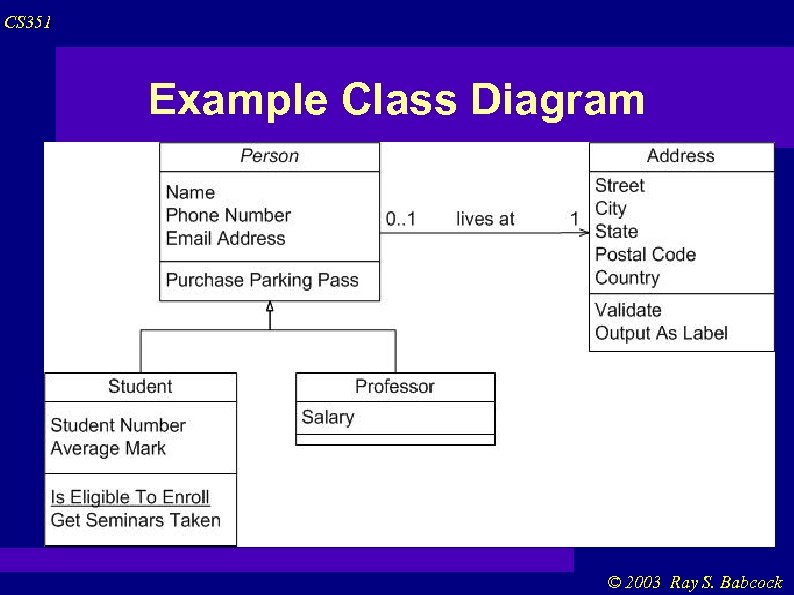 CS 351 Example Class Diagram © 2003 Ray S. Babcock
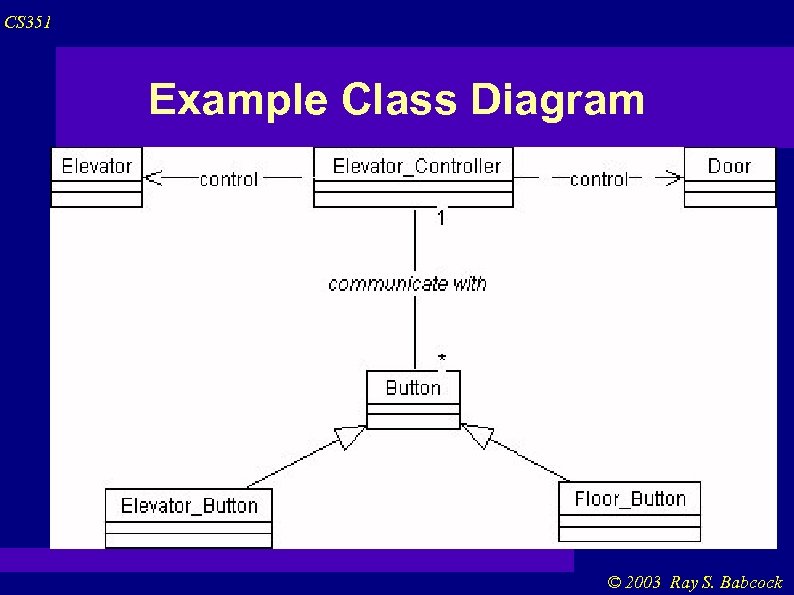 CS 351 Example Class Diagram © 2003 Ray S. Babcock
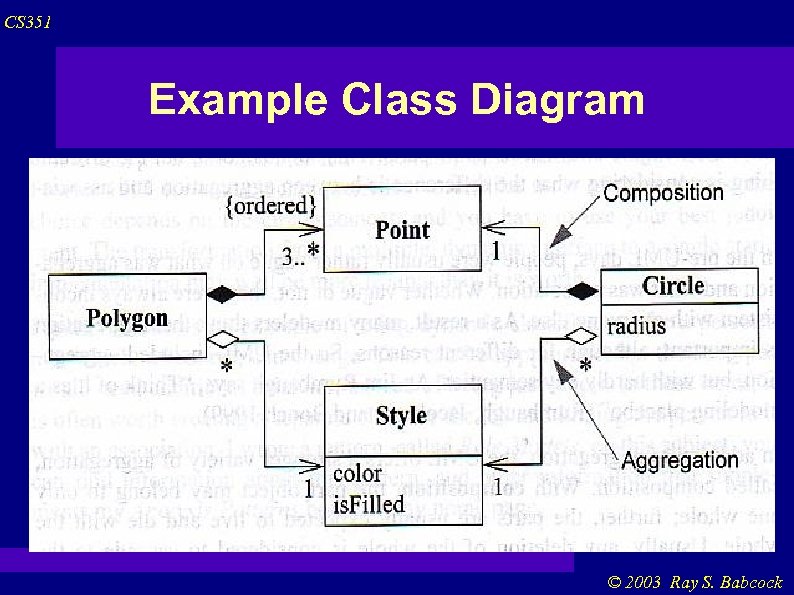 CS 351 Example Class Diagram © 2003 Ray S. Babcock
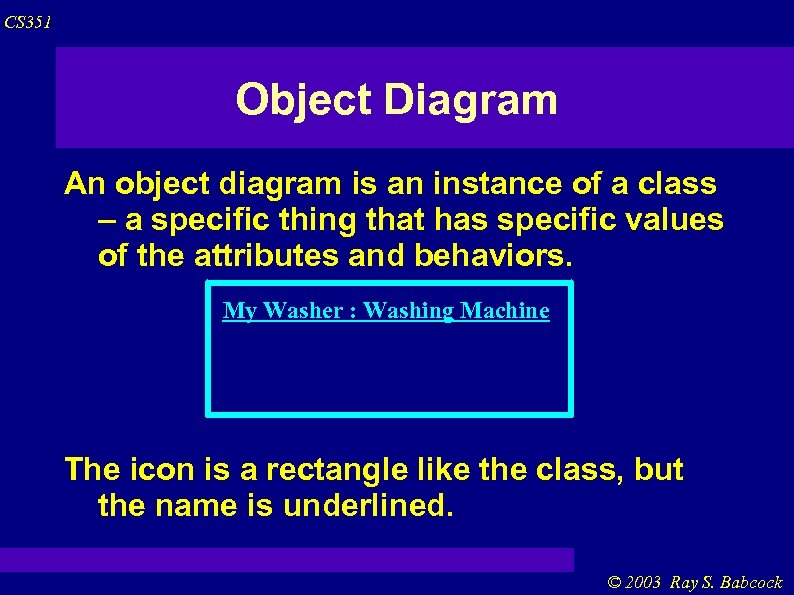 CS 351 Object Diagram An object diagram is an instance of a class – a specific thing that has specific values of the attributes and behaviors. My Washer : Washing Machine The icon is a rectangle like the class, but the name is underlined. © 2003 Ray S. Babcock
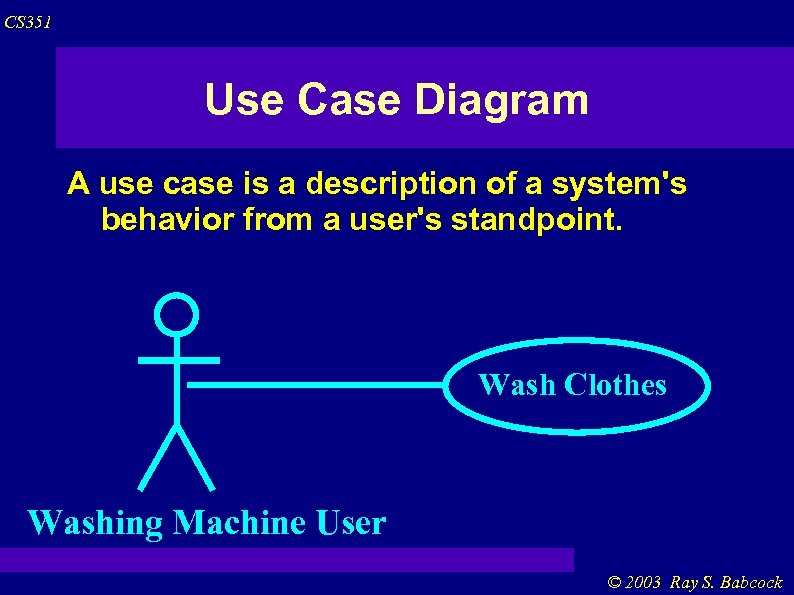 CS 351 Use Case Diagram A use case is a description of a system's behavior from a user's standpoint. Wash Clothes Washing Machine User © 2003 Ray S. Babcock
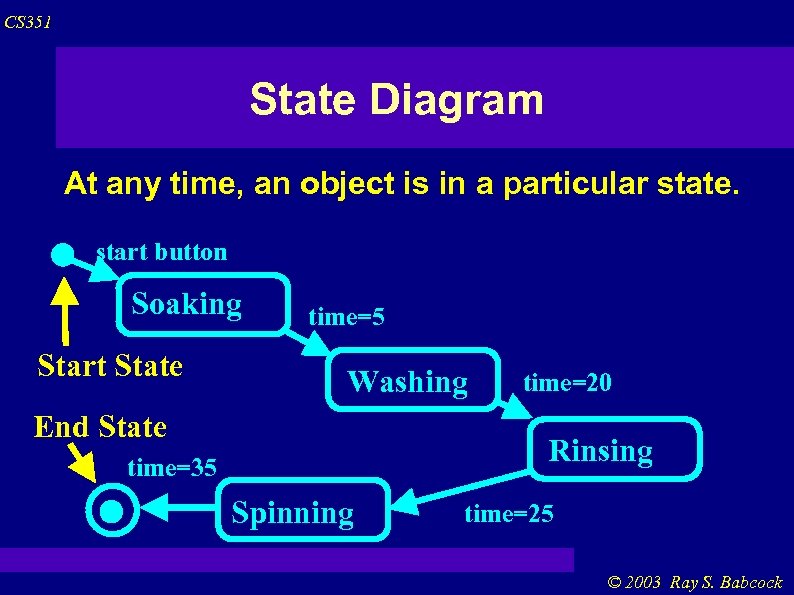 CS 351 State Diagram At any time, an object is in a particular state. start button Soaking Start State time=5 Washing End State time=20 Rinsing time=35 Spinning time=25 © 2003 Ray S. Babcock
 CS 351 Sequence Diagram The sequence diagram shows the timebased dynamics of the interaction between objects. © 2003 Ray S. Babcock
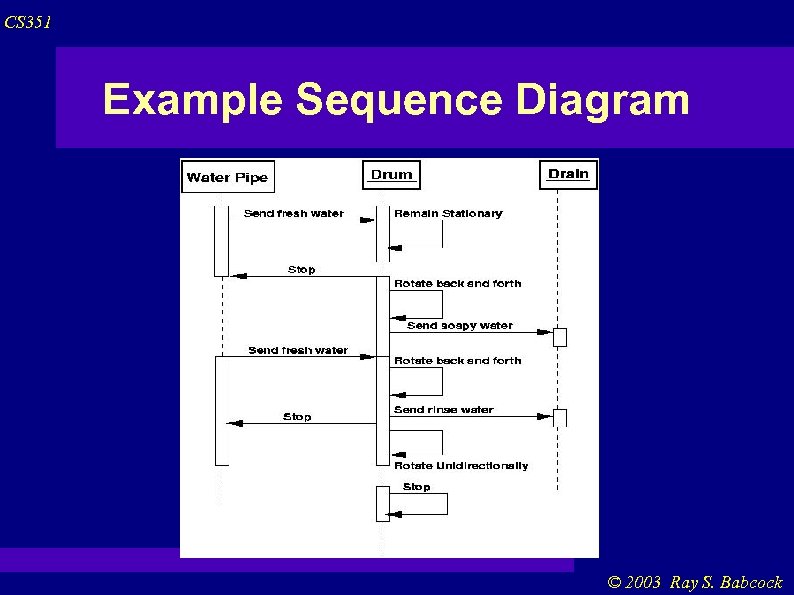 CS 351 Example Sequence Diagram © 2003 Ray S. Babcock
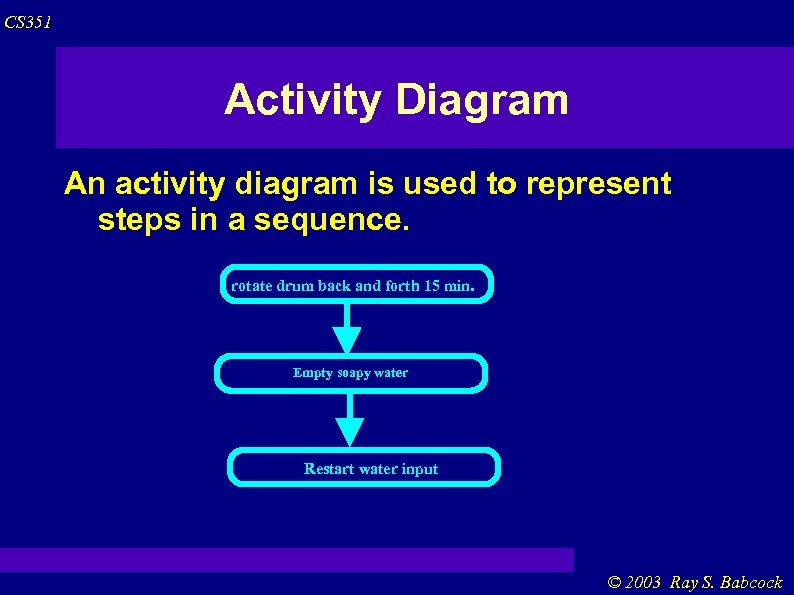 CS 351 Activity Diagram An activity diagram is used to represent steps in a sequence. rotate drum back and forth 15 min. Empty soapy water Restart water input © 2003 Ray S. Babcock
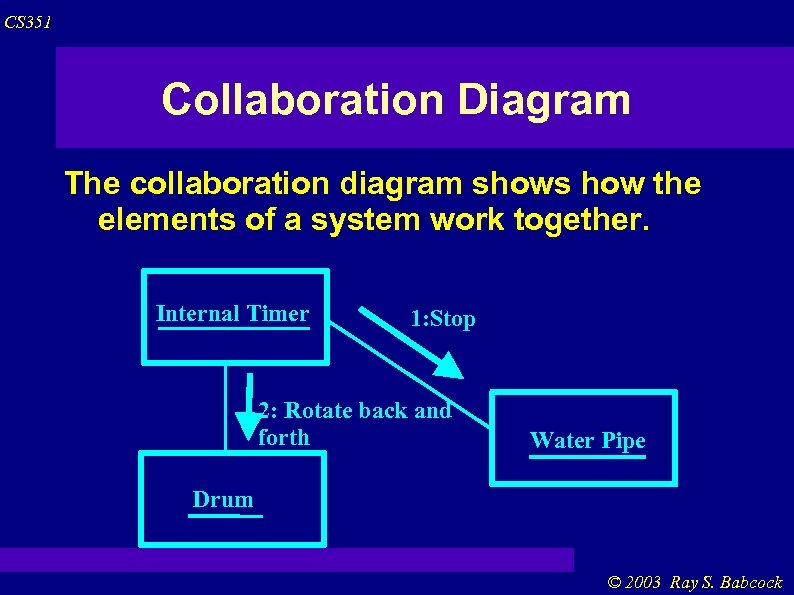 CS 351 Collaboration Diagram The collaboration diagram shows how the elements of a system work together. Internal Timer 1: Stop 2: Rotate back and forth Water Pipe Drum © 2003 Ray S. Babcock
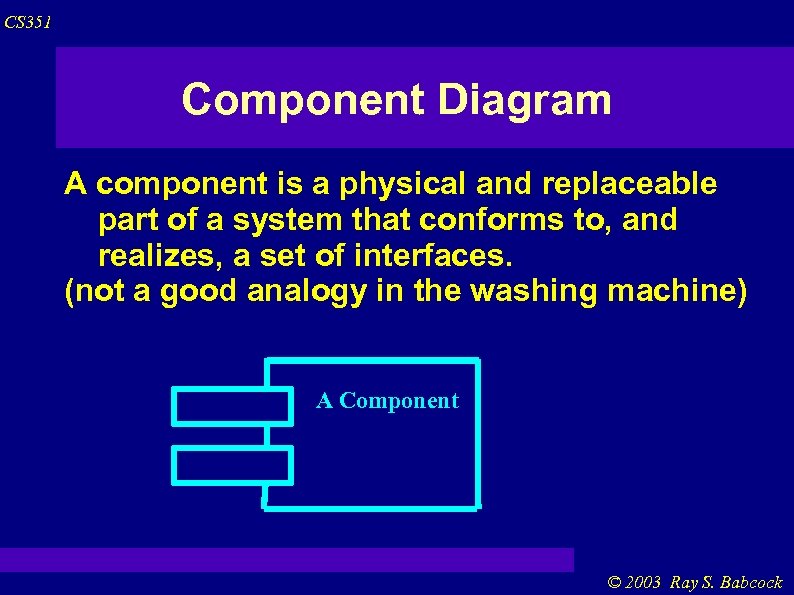 CS 351 Component Diagram A component is a physical and replaceable part of a system that conforms to, and realizes, a set of interfaces. (not a good analogy in the washing machine) A Component © 2003 Ray S. Babcock
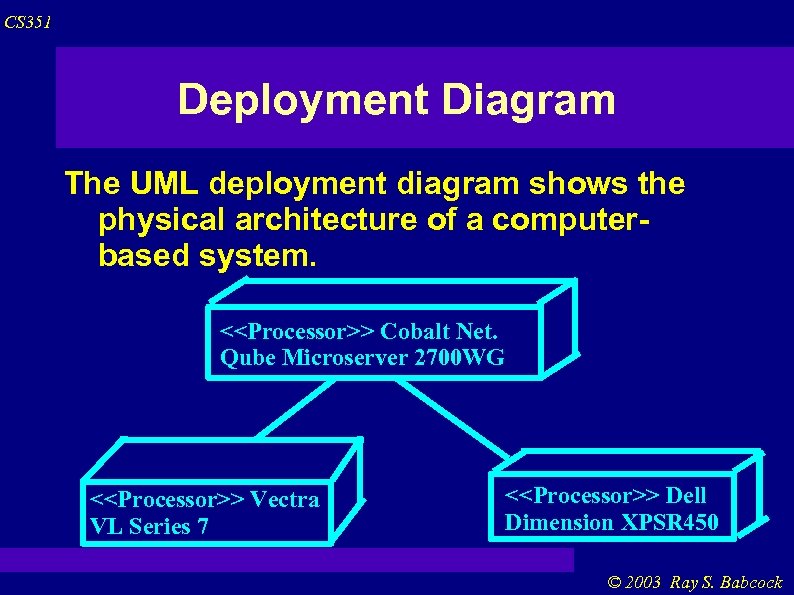 CS 351 Deployment Diagram The UML deployment diagram shows the physical architecture of a computerbased system. <
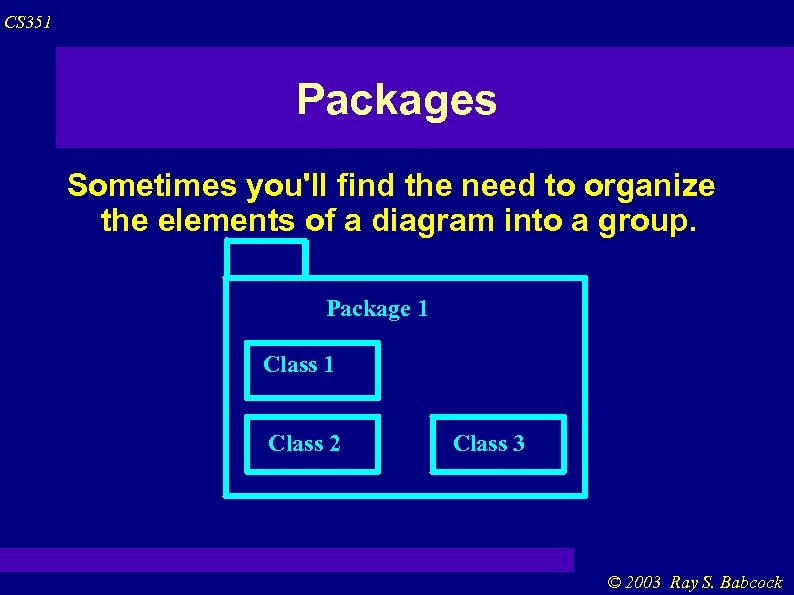 CS 351 Packages Sometimes you'll find the need to organize the elements of a diagram into a group. Package 1 Class 2 Class 3 © 2003 Ray S. Babcock
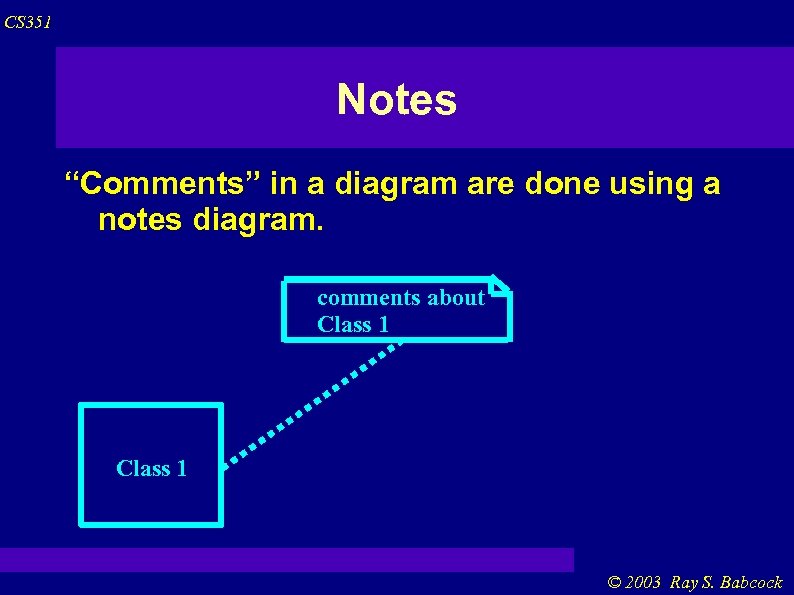 CS 351 Notes “Comments” in a diagram are done using a notes diagram. comments about Class 1 © 2003 Ray S. Babcock
 CS 351 Object Oriented (revisited) Abstraction Inheritance Polymorphism Encapsulation Message Sending Associations Aggregation © 2003 Ray S. Babcock
 CS 351 Abstraction means, simply, to filter out an object's properties and operations until just the ones you need are left. The abstraction level can change depending on your function. Think of an automobile from the following: Driver Designer Mechanic Police Officer © 2003 Ray S. Babcock
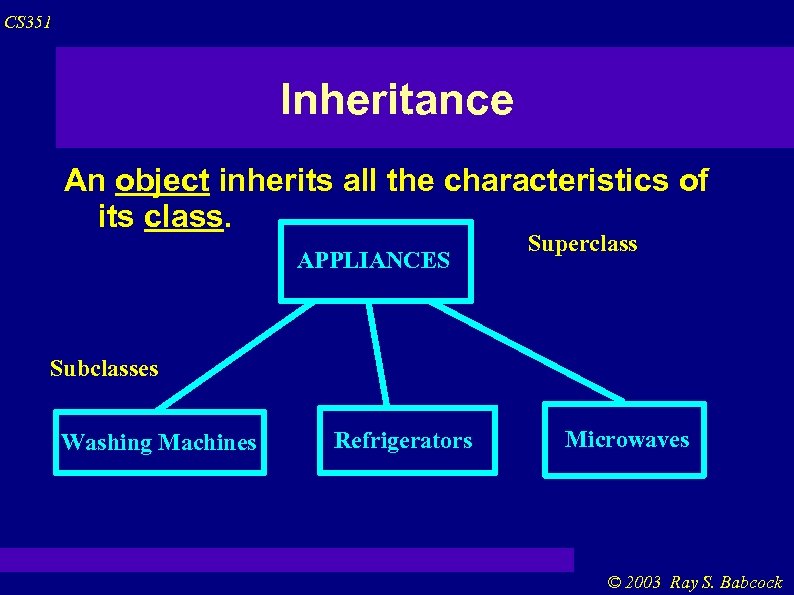 CS 351 Inheritance An object inherits all the characteristics of its class. APPLIANCES Superclass Subclasses Washing Machines Refrigerators Microwaves © 2003 Ray S. Babcock
 CS 351 Polymorphism Sometimes an operation has the same name in different classes. For example, OPEN. Open a door Open a bank account Open a window Open a package Open a newspaper Open a conversation The class knows how to respond to the open message. © 2003 Ray S. Babcock
 CS 351 Encapsulation In a TV commercial from a few years back, two people discuss all the money they'll save if they dial a particular 7 -digit prefix before dialing a long-distance phone call. One of them asks, incredulously, “How does it work? ” The other replies: “How does popcorn pop? Who cares? ” An object carries out its operations hidden from the rest of the world. © 2003 Ray S. Babcock
 CS 351 Message Sending In a system, objects work together. They do this by sending messagew to one another. One object sends another a message to perform an operation, and the receiving object performs that operation. Think of a TV remote control. You could get up and do it yourself at the TV (but you'd be drummed out of the couch potato society). The remote is another “interface” for the TV operations. © 2003 Ray S. Babcock
 CS 351 Association Objects are typically related to one another in some fashion. When using the remote control, there is a one-way association between you and your TV. Objects may have many other associations. Tom is a co-worker of Suzie. Tom is a friend of Suzie. An object may be associated with more than one other object. Fred rides in a bus. Fred rides in a car. © 2003 Ray S. Babcock
 CS 351 Aggregation Your computer is an aggregation of a CPU box, a keyboard, a mouse, a monitor, a CD-ROM driver, one or more hard drives, a modem, a network card, a printer and possibly some speakers. Your computer is “made up” from a number of different types of components. If doing away with one of the parts invalidates the whole, you have a composition. © 2003 Ray S. Babcock
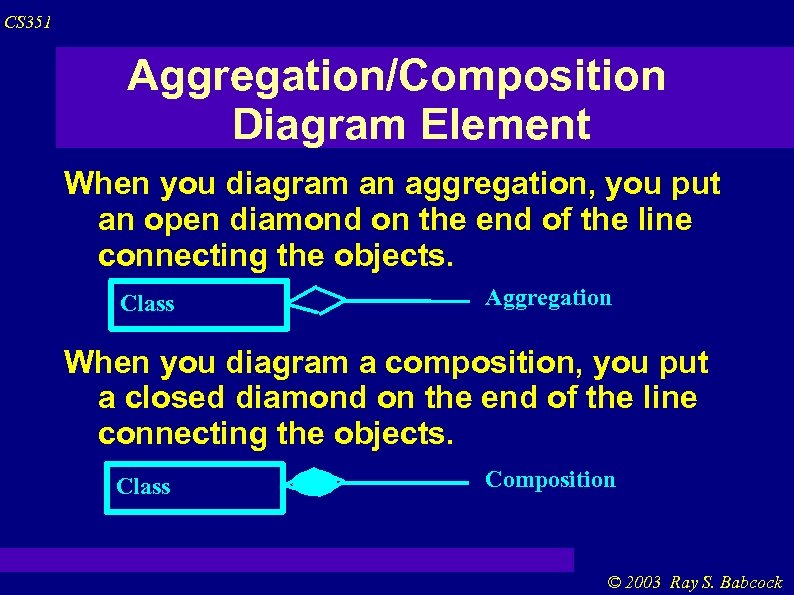 CS 351 Aggregation/Composition Diagram Element When you diagram an aggregation, you put an open diamond on the end of the line connecting the objects. Class Aggregation When you diagram a composition, you put a closed diamond on the end of the line connecting the objects. Class Composition © 2003 Ray S. Babcock