 Скачать презентацию CS 290 C Formal Models for Web Software
510f9f126528cd90d04b6f735a2791f5.ppt
- Количество слайдов: 29



CS 290 C: Formal Models for Web Software Lecture 5: Automated Extraction and Verification of Navigation Behavior Instructor: Tevfik Bultan
Model checking navigation in existing applications • The following papers using model checking techniques to analyze existing web applications without requiring manual specification of navigation models – “Automatic Extraction and Verification of Page Transitions in a Web Application, ” Atsuto Kubo, Hironori Washizaki, Yoshiaki Fukazawa, APSEC 2007 – “Verifying Interactive Web Programs, ” Daniel R. Licata and Shriram Krishnamurthi, ASE 2004 – “Veri. Web Automatically Testing Dynamic Sites, ” Michael Benedikt, Juliana Freire, Patrice Godefroid, WWW’ 02
![Navigation Bugs: The Orbitz Bug • [Step 1] A user enters the desired dates](https://present5.com/presentation/510f9f126528cd90d04b6f735a2791f5/image-3.jpg "Navigation Bugs: The Orbitz Bug • [Step 1] A user enters the desired dates")
Navigation Bugs: The Orbitz Bug • [Step 1] A user enters the desired dates and destination of his flight; he is then presented with a page listing possible flights, including Flight A and Flight B. • [Step 2] He clicks a link to open the description of Flight A in a new browser window. • [Step 3] Not being particularly enthused about that flight, he returns to the list of flights … • [Step 4] and clicks a link to load the description of Flight B, again in a new browser window. • [Step 5] Deciding that Flight A was better after all, he switches back to the window still on the screen showing Flight A … • [Step 6] and submits the form, causing a page confirming his reservation to be displayed. • [Result] Orbitz incorrectly makes a reservation on Flight B.
Navigation Properties • Property that user expects to hold: The data used for computation should always correspond to twhat the user saw on the last page he submitted • However, sometimes it may be better to have another property: – Amazon property: Once the user selects an item for purchase, it should be contained in his shopping cart • There are other properties that relate to navigation: – Password-page property: An authentication page should always be visited before accessing a certain controlled page
Model checking navigation properties • The goal of model checking navigation properties of web applications is to find violations of such navigation properties • Model checking exhaustively explores the state space of the application and looks for violations of the state properties
Web application model in Struts • The application model in Struts framework uses a set of pages and a set of transitions between pages • The page generation is separated from the processing – Page generation is handled with JSP – Processing is handled by action servlets • JSP and servlets can be developed independently and the associations between them are made using a configuration file
Web application model in Struts • The processing of the user requests is as follows; – The user sends form data as a request to the server – The server handles the request with and action servlet that makes calls to the business logic – The action servlet returns the processing results using a JSP
Navigation behavior in web applications • http is a stateless protocol • The state information for http sessions is held using – session cookies – or as part of the URI • However, clients can modify this content – so the server cannot control what will be the next request that will be sent by the client
Navigation behavior in web applications • In extracting a navigation model, we must decide what type of page transitions we are trying to model – In the most general case, we can assume that the user can transition from any page to any other page – Or we can allow transitions that only correspond to the links on the pages plus the backward or forward button of the browser – Or we can allow transitions that only corresponds to the links on the pages without using any navigation capability of the browser
Extracting navigation model for Struts • Kubo et al. extract a navigation model from Struts applications by focusing only links provided by the application • They analyze – the Struts config file, and – the JSP template files to extract this information • After extracting a finite state machine from the application they generate a PROMELA model that corresponds to the page transitions in the application
Extracting navigation model for Struts • Page transitions are inferred by investigating the Struts configuration files and JSP template files • They extract the following elements – file names of JSP template files – action attributes from html: form elements in the JSP template files – path attributes from action, forward and global-forward elements in the Struts configuration files • In the extracted finite state model the pages and actions are both mapped to states – One page can trigger multiple actions – Same action can be triggered by multiple pages
Extracting navigation model for Struts • Their analysis has limitations • They do not perform any analysis on the Java code and may ignore transitions among pages that are allowed by the application • After extracting the state machine model they also simplify it and eliminate or merge transitions which they find uninteresting from the verification perspective
Modeling user • After extracting the navigation state machine, they also generate a state machine that represents the user • The user can submit arbitrary requests to the web application – so the state machine modeling the user randomly generates requests in a loop and sends it to the web application
Generating the Promela model • Then, they generate a Promela model from the navigation state machine • They use an enumerated variable to represent the states of the navigation state machine • They generate a communication channel to represent the communication between the user process and the navigation state machine • They create one user process and one web application process and run them concurrently
Verifying the navigation model • They write navigation properties in LTL • They use the Spin model checker to check the properties on the Promela specification • Spin model checker outputs error traces for the properties that are violated • Experiments on a mail-reader finds a violation of a property but it turns out that the extracted model excluded a transition – It is necessary to analyze the Java code to extract that transition which is not done in this paper
Model checking web applications written in Scheme • Licata et al. extract a Web control-flow graph (Web. CFG) from web applications written in PLT Scheme • The Web. CFG represents the navigation behavior of the applications • They then use model checking techniques to verify properties on the Web. CFG • Web. CFG is constructed from the input program using standard CFG construction techniques
Model checking web applications written in Scheme • Web. CFG is constructed from the input program using standard CFG construction techniques • Each node in the Web. CFG corresponds to an operation – Each operation is represented as a node in the CFG
Model checking web applications written in Scheme • Properties are specified by first tagging the page elements (using Cascading Style Sheets) that will be used as atomic propositions • Then properties are specified as property automata – Recall that LTL properties can be written as automata • They expect the developer to provide explicit disctionarystyle mapping from field names to values (similar to Smart. Profiles used by Veri. Web). •
Model checking web applications written in Scheme • As a verification tool they use the FLAVERS toolkit. • In addition to verifying properties written as property automata, FLAVERS also supports constraint automata – The constraint automata specify the behaviors that should be ignore during verification • They use the constraint automata to restrict the navigation behavior so that spurious behaviors can be eliminated – Such as a user jumping to a page that is not reachable from the current page and that has never been visited before.
Navigation Verification with Veri. Web • Veri. Web is an exhaustive navigation testing tool proposed by Benedikt et al. • Rather than extracting a navigation model from a web application and then analyzing it using a separate verification tool, Veri. Web explores different navigation scenarios on the application directly looking for errors • By automating the navigation testing, Veri. Web prevents manual effort required in testing by “capture-replay” tools – In the “capture-replay” approaches different scenarios are manually explored and recorded and then later on automatically re-executed for testing
Challenging in Testing Web Applications • Web applications are complex distributed systems • They are frequently updated • It is hard to isolate the behavior of a web application since it involves many components (browser, server, back-end database, etc. ) – So, it is not possible to test the web application as a stand-alone application • Web applications are accessible by a large set of user which could be inexperienced or malicious – So, any user behavior is possible
Veri. Web • Veri. Web is a tool that automatically explores multiple navigation scenarios looking for errors – Like a crawler it exhaustively searches different navigation scenarios • However, it can also deal with forms which crawlers are unable to handle – Like a capture-replay tool, it can deal with dynamically generated pages • However, it does not require manual recording like capture-replay tools • It looks for standard errors like broken links, malformed URLs
Veri. Soft • Veri. Web uses a software model checking tool called Veri. Soft for exploration of the navigation behavior • Veri. Soft is a verification tool that explores the state space of programs • It is different than other model checking tools (such as Spin) in the sense that Veri. Soft performs a stateless search – It does not keep track of all the states it has visited – It can keep track of the states in the current search path to detect cycles
Veri. Soft • The key to state-space exploration with Veri. Soft is a choice function that determines what action to take next – such as what statement to execute, or which link to follow in case of web navigation • Veri. Soft systematically explores all possible actions by using different choices when it backtracks • It can guarantee complete coverage up to a certain depth
Veri. Soft • Since Veri. Soft does not record all the visited states, if two different scenarios bring the system to the same state, Veri. Soft may repeat exploration of the same scenarios after that state multiple times – This can lead to exponential blow up in the worst case • Veri. Soft uses partial-order reduction techniques to prevent this exponential blow-up – It keeps track of dependencies among different actions and does not explore all possible interleavings of independent actions • It only explores a representative interleaving • This is sufficient if the actions are independent
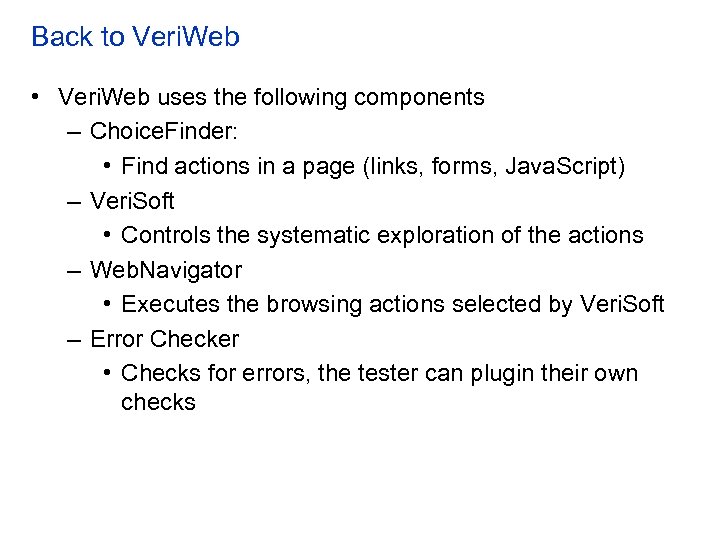
Back to Veri. Web • Veri. Web uses the following components – Choice. Finder: • Find actions in a page (links, forms, Java. Script) – Veri. Soft • Controls the systematic exploration of the actions – Web. Navigator • Executes the browsing actions selected by Veri. Soft – Error Checker • Checks for errors, the tester can plugin their own checks
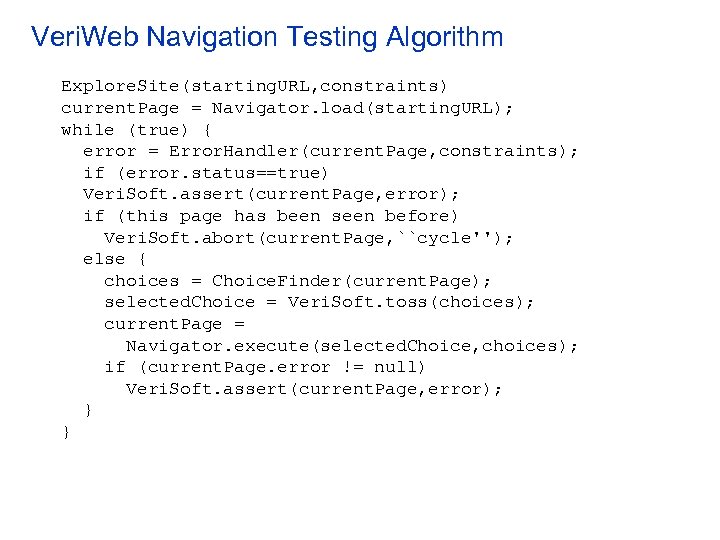
Veri. Web Navigation Testing Algorithm Explore. Site(starting. URL, constraints) current. Page = Navigator. load(starting. URL); while (true) { error = Error. Handler(current. Page, constraints); if (error. status==true) Veri. Soft. assert(current. Page, error); if (this page has been seen before) Veri. Soft. abort(current. Page, ``cycle''); else { choices = Choice. Finder(current. Page); selected. Choice = Veri. Soft. toss(choices); current. Page = Navigator. execute(selected. Choice, choices); if (current. Page. error != null) Veri. Soft. assert(current. Page, error); } }
How to deal with Forms? • Web applications ask users for input and their behavior change based on that – They may require user-name, password pairs – They may require search queries • Automatically generating different user-name, password pairs is unlikely to find a valid pair • Automatically generated search queries my result in a huge state-space
How to deal with Forms • In Veri. Web they require the tester to provide a “Smart Profile” • Tester specifies the set of data that can be entered to the forms – Valid user-name/password pairs – A subset of possible search queries that may lead to different/interesting behaviors • The test engine tries different combinations of the provided values • Veri. Web provides a format for specification of these profiles
Скачать презентацию CS 290 C Formal Models for Web Software
510f9f126528cd90d04b6f735a2791f5.ppt