


 Скачать презентацию CS 194 -3 CS 16 x Introduction to Systems
7ce1645c21c37ebcb4ef7f613b1625bd.ppt
- Количество слайдов: 32
 CS 194 -3/CS 16 x Introduction to Systems Lecture 18 Cryptosystems October 29, 2007 Prof. Anthony D. Joseph http: //www. cs. berkeley. edu/~adj/cs 16 x
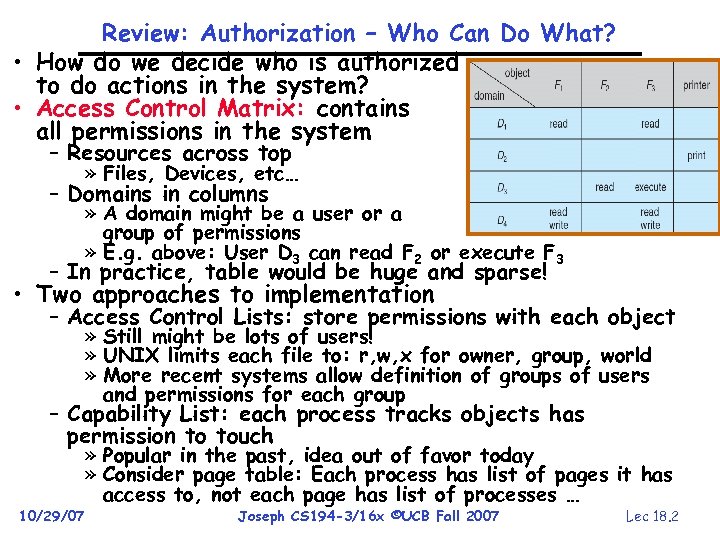 Review: Authorization – Who Can Do What? • How do we decide who is authorized to do actions in the system? • Access Control Matrix: contains all permissions in the system – Resources across top » Files, Devices, etc… – Domains in columns » A domain might be a user or a group of permissions » E. g. above: User D 3 can read F 2 or execute F 3 – In practice, table would be huge and sparse! • Two approaches to implementation – Access Control Lists: store permissions with each object » Still might be lots of users! » UNIX limits each file to: r, w, x for owner, group, world » More recent systems allow definition of groups of users and permissions for each group – Capability List: each process tracks objects has permission to touch 10/29/07 » Popular in the past, idea out of favor today » Consider page table: Each process has list of pages it has access to, not each page has list of processes … Joseph CS 194 -3/16 x ©UCB Fall 2007 Lec 18. 2
 Goals for Today • Security Mechanisms – Authentication, Authorization, Enforcement • Use of Cryptographic Mechanisms • Want to learn more about security? – Take CS 161 this spring Note: Some slides and/or pictures in the following are adapted from slides © 2005 Silberschatz, Galvin, and Gagne. Slides courtesy of Kubiatowicz, AJ Shankar, George Necula, Alex Aiken, Eric Brewer, Ras Bodik, Ion Stoica, Doug Tygar, and David Wagner. 10/29/07 Joseph CS 194 -3/16 x ©UCB Fall 2007 Lec 18. 3
 Protection vs Security • Protection: one or more mechanisms for controlling the access of programs, processes, or users to resources – Page Table Mechanism – File Access Mechanism • Security: use of protection mechanisms to prevent misuse of resources – Misuse defined with respect to policy » E. g. : prevent exposure of certain sensitive information » E. g. : prevent unauthorized modification/deletion of data – Requires consideration of the external environment within which the system operates » Most well-constructed system cannot protect information if user accidentally reveals password • What we hope to gain today and next time – Conceptual understanding of how to make systems secure – Some examples, to illustrate why providing security is really hard in practice 10/29/07 Joseph CS 194 -3/16 x ©UCB Fall 2007 Lec 18. 4
 Preventing Misuse • Types of Misuse: – Accidental: » If I delete shell, can’t log in to fix it! » Could make it more difficult by asking: “do you really want to delete the shell? ” – Intentional: » Some high school brat who can’t get a date, so instead he transfers $3 billion from B to A. » Doesn’t help to ask if they want to do it (of course!) • Three Pieces to Security – Authentication: who the user actually is – Authorization: who is allowed to do what – Enforcement: make sure people do only what they are supposed to do (we saw this topic in an earlier lecture) • Loopholes in any carefully constructed system: – Log in as superuser and you’ve circumvented authentication – Log in as self and can do anything with your resources; for instance: run program that erases all of your files – Can you trust software to correctly enforce Authentication and Authorization? ? ? 10/29/07 Joseph CS 194 -3/16 x ©UCB Fall 2007 Lec 18. 5
 Authentication: Identifying Users • How to identify users to the system? – Passwords » Shared secret between two parties » Since only user knows password, someone types correct password must be user typing it » Very common technique – Smart Cards » Electronics embedded in card capable of providing long passwords or satisfying challenge response queries » May have display to allow reading of password » Or can be plugged in directly; several credit cards now in this category – Biometrics » Use of one or more intrinsic physical or behavioral traits to identify someone » Examples: fingerprint reader, palm reader, retinal scan » Becoming quite a bit more common 10/29/07 Joseph CS 194 -3/16 x ©UCB Fall 2007 Lec 18. 6
 Passwords: Secrecy • System must keep copy of secret to check against passwords “eggplant” – What if malicious user gains access to list of passwords? Need to obscure information somehow – Mechanism: utilize a transformation that is difficult to reverse without the right key (e. g. encryption) • Example: UNIX /etc/passwd file – passwd one way transform(hash) encrypted passwd – System stores only encrypted version, so OK even if someone reads the file! – When you type in your password, system compares encrypted version • Problem: Can you trust encryption algorithm? – Example: one algorithm thought safe had back door » Governments want back door so they can snoop – Also, security through obscurity doesn’t work » GSM encryption algorithm was secret; accidentally released; Berkeley grad students cracked in a few hours 10/29/07 Joseph CS 194 -3/16 x ©UCB Fall 2007 Lec 18. 7
 Passwords: How easy to guess? • Ways of Compromising Passwords – Password Guessing: » Often people use obvious information like birthday, favorite color, girlfriend’s name, etc… – Dictionary Attack: » Work way through dictionary and compare encrypted version of dictionary words with entries in /etc/passwd – Dumpster Diving: » Find pieces of paper with passwords written on them » (Also used to get social-security numbers, etc) • Paradox: – Short passwords are easy to crack – Long ones, people write down! • Technology means we have to use longer passwords – UNIX initially required lowercase, 5 -letter passwords: total of 265=10 million passwords » In 1975, 10 ms to check a password 1 day to crack » In 2005, . 01μs to check a password 0. 1 seconds to crack – Takes less time to check for all words in the dictionary! 10/29/07 Joseph CS 194 -3/16 x ©UCB Fall 2007 Lec 18. 8
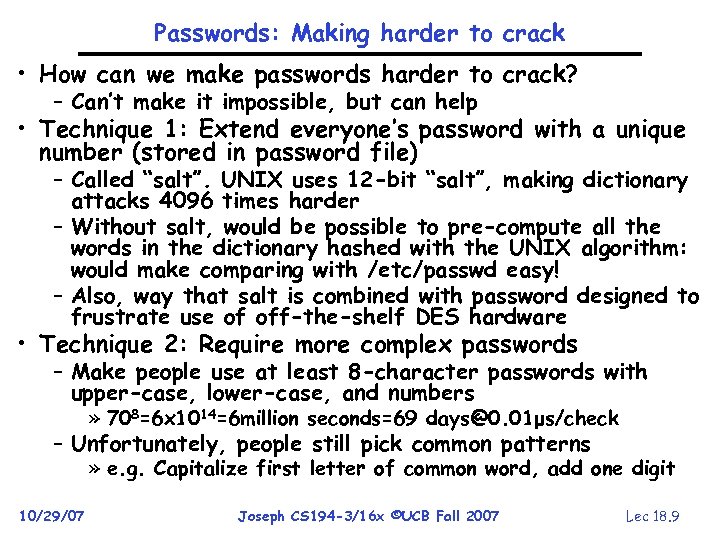 Passwords: Making harder to crack • How can we make passwords harder to crack? – Can’t make it impossible, but can help • Technique 1: Extend everyone’s password with a unique number (stored in password file) – Called “salt”. UNIX uses 12 -bit “salt”, making dictionary attacks 4096 times harder – Without salt, would be possible to pre-compute all the words in the dictionary hashed with the UNIX algorithm: would make comparing with /etc/passwd easy! – Also, way that salt is combined with password designed to frustrate use of off-the-shelf DES hardware • Technique 2: Require more complex passwords – Make people use at least 8 -character passwords with upper-case, lower-case, and numbers » 708=6 x 1014=6 million seconds=69 days@0. 01μs/check – Unfortunately, people still pick common patterns » e. g. Capitalize first letter of common word, add one digit 10/29/07 Joseph CS 194 -3/16 x ©UCB Fall 2007 Lec 18. 9
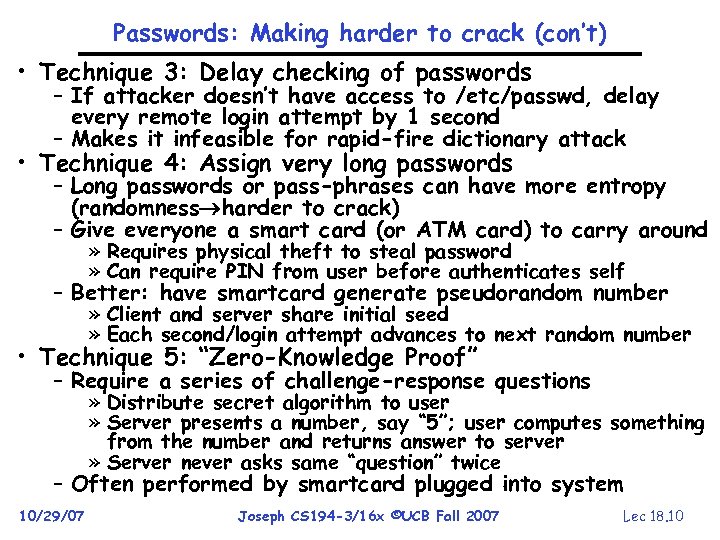 Passwords: Making harder to crack (con’t) • Technique 3: Delay checking of passwords – If attacker doesn’t have access to /etc/passwd, delay every remote login attempt by 1 second – Makes it infeasible for rapid-fire dictionary attack • Technique 4: Assign very long passwords – Long passwords or pass-phrases can have more entropy (randomness harder to crack) – Give everyone a smart card (or ATM card) to carry around » Requires physical theft to steal password » Can require PIN from user before authenticates self – Better: have smartcard generate pseudorandom number » Client and server share initial seed » Each second/login attempt advances to next random number • Technique 5: “Zero-Knowledge Proof” – Require a series of challenge-response questions » Distribute secret algorithm to user » Server presents a number, say “ 5”; user computes something from the number and returns answer to server » Server never asks same “question” twice – Often performed by smartcard plugged into system 10/29/07 Joseph CS 194 -3/16 x ©UCB Fall 2007 Lec 18. 10
 Administrivia • Project 2 code due Thursday 11/1 • Midterm 2 Exam: – Thursday 11/8 5: 30 -7 pm, 405 Soda – We’ll provide pizza and drinks • Project 2 feedback? – Google-IBM Cloud Computing Initiative 10/29/07 Joseph CS 194 -3/16 x ©UCB Fall 2007 Lec 18. 11
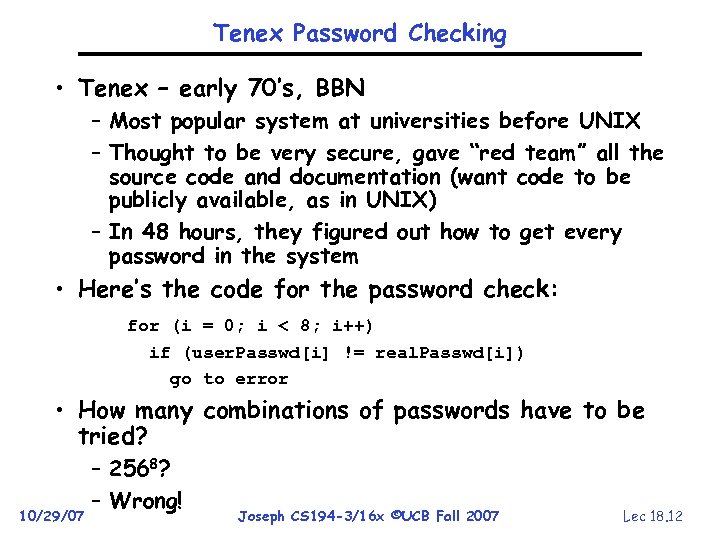 Tenex Password Checking • Tenex – early 70’s, BBN – Most popular system at universities before UNIX – Thought to be very secure, gave “red team” all the source code and documentation (want code to be publicly available, as in UNIX) – In 48 hours, they figured out how to get every password in the system • Here’s the code for the password check: for (i = 0; i < 8; i++) if (user. Passwd[i] != real. Passwd[i]) go to error • How many combinations of passwords have to be tried? 10/29/07 – 2568? – Wrong! Joseph CS 194 -3/16 x ©UCB Fall 2007 Lec 18. 12
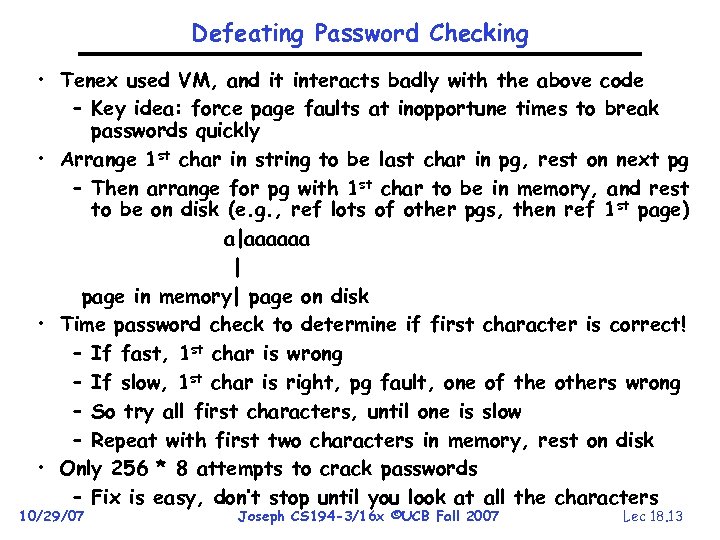 Defeating Password Checking • Tenex used VM, and it interacts badly with the above code – Key idea: force page faults at inopportune times to break passwords quickly • Arrange 1 st char in string to be last char in pg, rest on next pg – Then arrange for pg with 1 st char to be in memory, and rest to be on disk (e. g. , ref lots of other pgs, then ref 1 st page) a|aaaaaa | page in memory| page on disk • Time password check to determine if first character is correct! – If fast, 1 st char is wrong – If slow, 1 st char is right, pg fault, one of the others wrong – So try all first characters, until one is slow – Repeat with first two characters in memory, rest on disk • Only 256 * 8 attempts to crack passwords – Fix is easy, don’t stop until you look at all the characters 10/29/07 Joseph CS 194 -3/16 x ©UCB Fall 2007 Lec 18. 13
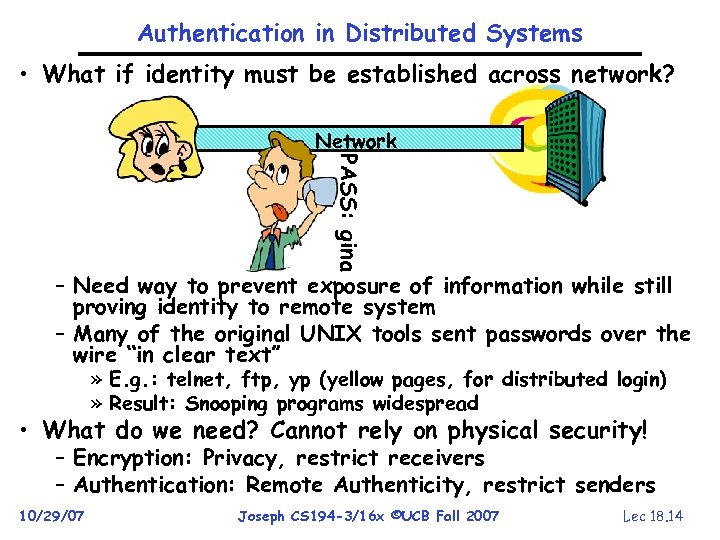 Authentication in Distributed Systems • What if identity must be established across network? PASS: gina Network – Need way to prevent exposure of information while still proving identity to remote system – Many of the original UNIX tools sent passwords over the wire “in clear text” » E. g. : telnet, ftp, yp (yellow pages, for distributed login) » Result: Snooping programs widespread • What do we need? Cannot rely on physical security! – Encryption: Privacy, restrict receivers – Authentication: Remote Authenticity, restrict senders 10/29/07 Joseph CS 194 -3/16 x ©UCB Fall 2007 Lec 18. 14
 Attacks on Cryptography • Direct attack – Example: exhaustive search • Known plaintext • Chosen plaintext • Usual assumptions: chosen plaintext attack; attacker knows encryption and decryption functions, but not key 10/29/07 Joseph CS 194 -3/16 x ©UCB Fall 2007 Lec 18. 15
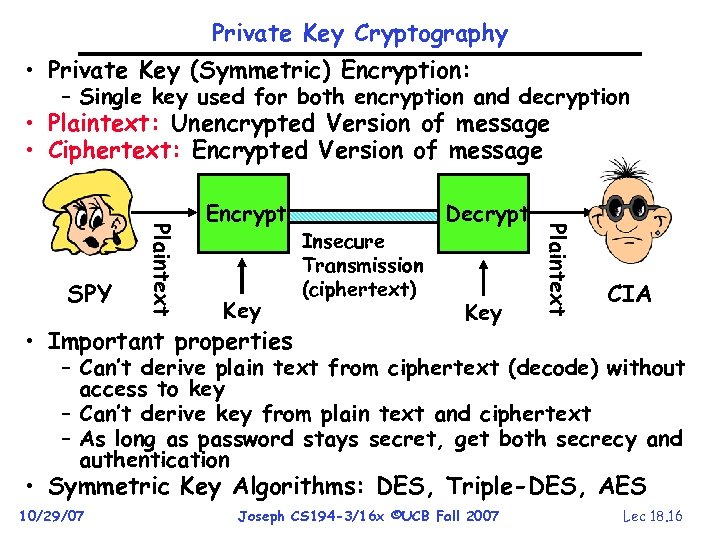 Private Key Cryptography • Private Key (Symmetric) Encryption: – Single key used for both encryption and decryption • Plaintext: Unencrypted Version of message • Ciphertext: Encrypted Version of message Key • Important properties Insecure Transmission (ciphertext) Decrypt Key Plaintext SPY Encrypt CIA – Can’t derive plain text from ciphertext (decode) without access to key – Can’t derive key from plain text and ciphertext – As long as password stays secret, get both secrecy and authentication • Symmetric Key Algorithms: DES, Triple-DES, AES 10/29/07 Joseph CS 194 -3/16 x ©UCB Fall 2007 Lec 18. 16
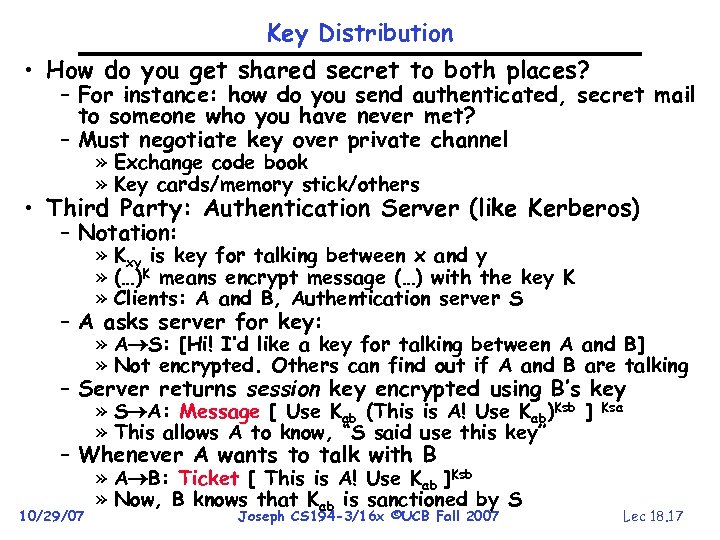 Key Distribution • How do you get shared secret to both places? – For instance: how do you send authenticated, secret mail to someone who you have never met? – Must negotiate key over private channel » Exchange code book » Key cards/memory stick/others • Third Party: Authentication Server (like Kerberos) – Notation: » Kxy is key for talking between x and y » (…)K means encrypt message (…) with the key K » Clients: A and B, Authentication server S – A asks server for key: » A S: [Hi! I’d like a key for talking between A and B] » Not encrypted. Others can find out if A and B are talking – Server returns session key encrypted using B’s key » S A: Message [ Use Kab (This is A! Use Kab)Ksb ] » This allows A to know, “S said use this key” Ksa – Whenever A wants to talk with B 10/29/07 » A B: Ticket [ This is A! Use Kab ]Ksb » Now, B knows that Kab is sanctioned by S Joseph CS 194 -3/16 x ©UCB Fall 2007 Lec 18. 17
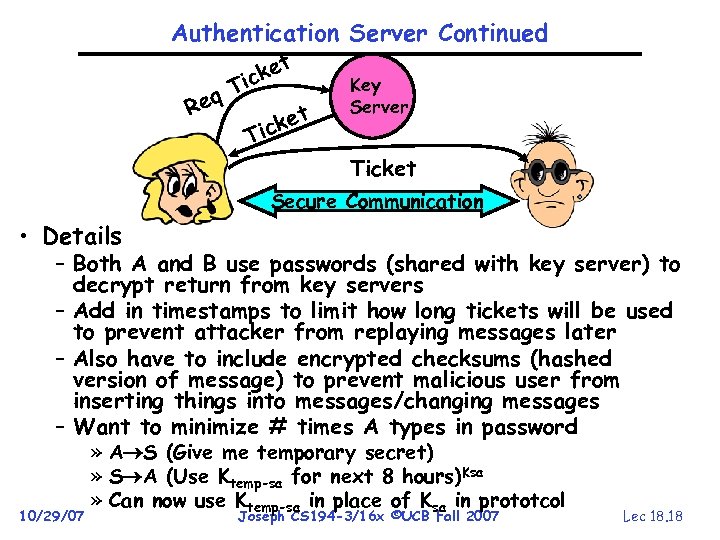 Authentication Server Continued ket ic q. T Re ket ic Key Server T Ticket Secure Communication • Details – Both A and B use passwords (shared with key server) to decrypt return from key servers – Add in timestamps to limit how long tickets will be used to prevent attacker from replaying messages later – Also have to include encrypted checksums (hashed version of message) to prevent malicious user from inserting things into messages/changing messages – Want to minimize # times A types in password 10/29/07 » A S (Give me temporary secret) » S A (Use Ktemp-sa for next 8 hours)Ksa » Can now use Ktemp-sa in place of Ksa in prototcol Joseph CS 194 -3/16 x ©UCB Fall 2007 Lec 18. 18
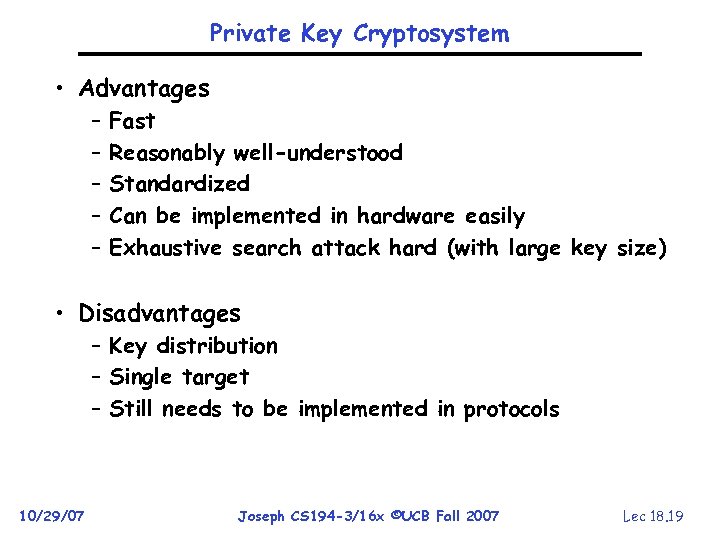 Private Key Cryptosystem • Advantages – – – Fast Reasonably well-understood Standardized Can be implemented in hardware easily Exhaustive search attack hard (with large key size) • Disadvantages – Key distribution – Single target – Still needs to be implemented in protocols 10/29/07 Joseph CS 194 -3/16 x ©UCB Fall 2007 Lec 18. 19
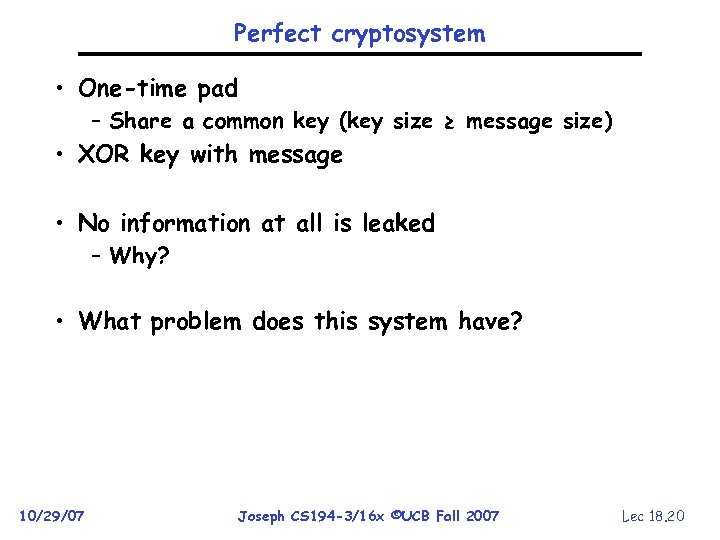 Perfect cryptosystem • One-time pad – Share a common key (key size ≥ message size) • XOR key with message • No information at all is leaked – Why? • What problem does this system have? 10/29/07 Joseph CS 194 -3/16 x ©UCB Fall 2007 Lec 18. 20
 Public Key Encryption • Can we perform key distribution without an authentication server? – Yes – use a Public-Key Cryptosystem • Public Key Details – Don’t have one key, have two: Kpublic, Kprivate » Two keys are mathematically related to one another » Really hard to derive Kpublic from Kprivate and vice versa – Forward encryption: » Encrypt: (cleartext)Kpublic= ciphertext 1 » Decrypt: (ciphertext 1)Kprivate = cleartext – Reverse encryption: » Encrypt: (cleartext)Kprivate = ciphertext 2 » Decrypt: (ciphertext 2)Kpublic = cleartext – Note that ciphertext 1 ciphertext 2 » Can’t derive one from the other! • Public Key Examples: – RSA: Rivest, Shamir, and Adleman » Kpublic of form (kpublic, N), Kprivate of form (kprivate, N) » N = pq. Can break code if know p and q – ECC: Elliptic Curve Cryptography 10/29/07 Joseph CS 194 -3/16 x ©UCB Fall 2007 Lec 18. 21
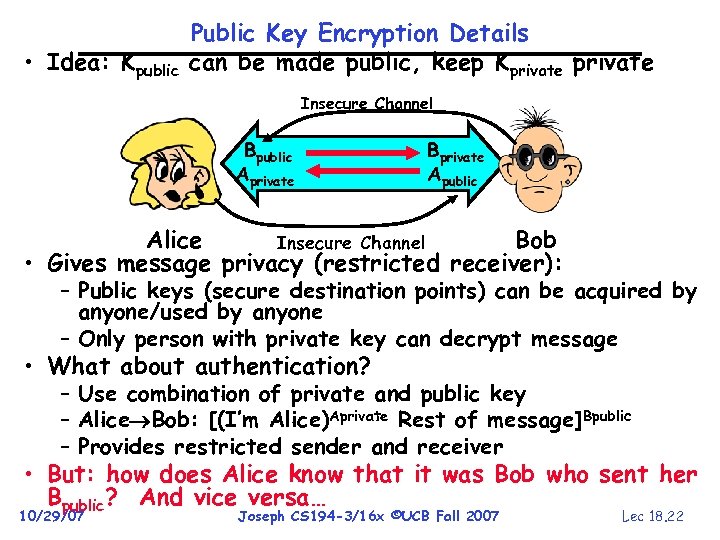 • Idea: Kpublic Public Key Encryption Details can be made public, keep Kprivate Insecure Channel Bpublic Aprivate Bprivate Apublic Alice Bob Insecure Channel • Gives message privacy (restricted receiver): – Public keys (secure destination points) can be acquired by anyone/used by anyone – Only person with private key can decrypt message • What about authentication? – Use combination of private and public key – Alice Bob: [(I’m Alice)Aprivate Rest of message]Bpublic – Provides restricted sender and receiver • But: how does Alice know that it was Bob who sent her Bpublic? And vice versa… 10/29/07 Joseph CS 194 -3/16 x ©UCB Fall 2007 Lec 18. 22
 Asymmetric crypto • Advantages – – Doesn’t require advance set up Strongest forms are as hard as factoring Perfect for solving key distribution problem Good for building protocols • Disadvantages – Slow, slow (& takes space too) – Secrecy & source authentication takes two encryptions – Need to find a way to prove “public keys” are honest » Role of a public key hierarchy 10/29/07 Joseph CS 194 -3/16 x ©UCB Fall 2007 Lec 18. 23
 BREAK
BREAK
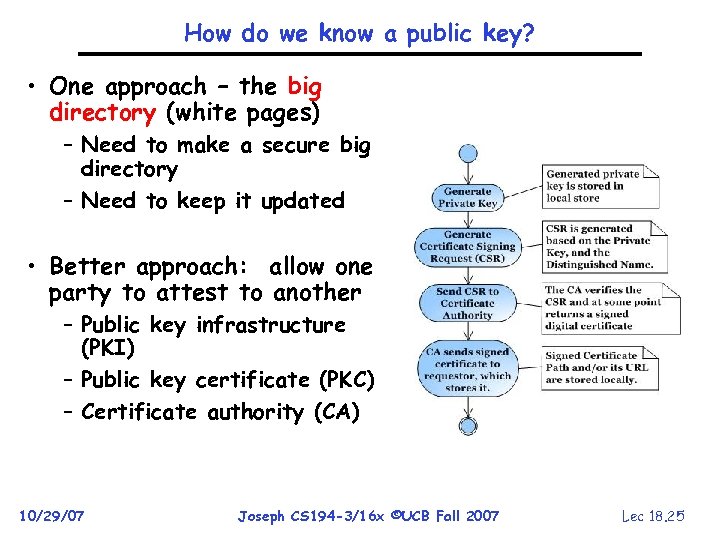 How do we know a public key? • One approach – the big directory (white pages) – Need to make a secure big directory – Need to keep it updated • Better approach: allow one party to attest to another – Public key infrastructure (PKI) – Public key certificate (PKC) – Certificate authority (CA) 10/29/07 Joseph CS 194 -3/16 x ©UCB Fall 2007 Lec 18. 25
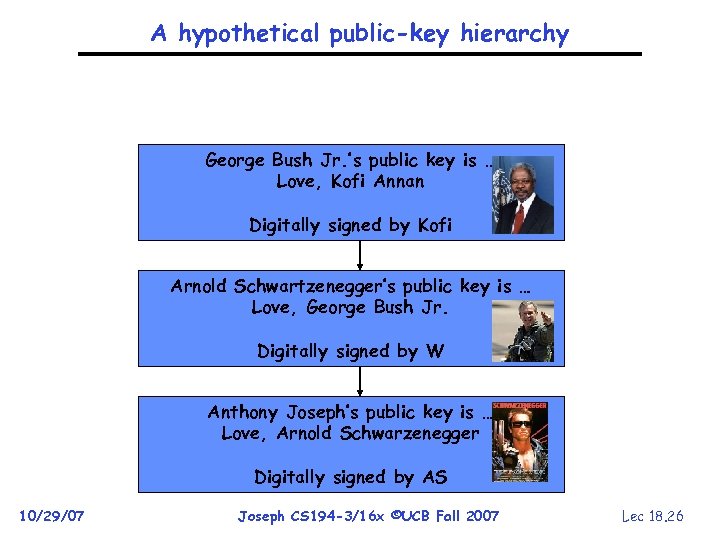 A hypothetical public-key hierarchy George Bush Jr. ’s public key is … Love, Kofi Annan Digitally signed by Kofi Arnold Schwartzenegger’s public key is … Love, George Bush Jr. Digitally signed by W Anthony Joseph’s public key is … Love, Arnold Schwarzenegger Digitally signed by AS 10/29/07 Joseph CS 194 -3/16 x ©UCB Fall 2007 Lec 18. 26
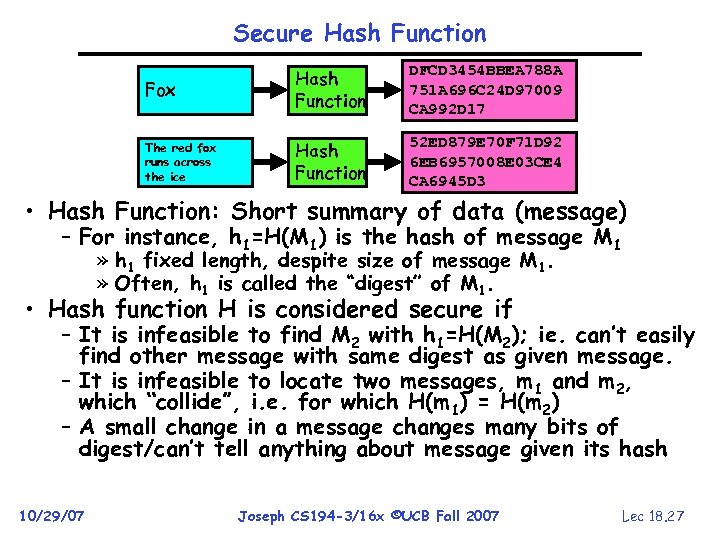 Secure Hash Function Fox Hash Function DFCD 3454 BBEA 788 A 751 A 696 C 24 D 97009 CA 992 D 17 The red fox runs across the ice Hash Function 52 ED 879 E 70 F 71 D 92 6 EB 6957008 E 03 CE 4 CA 6945 D 3 • Hash Function: Short summary of data (message) – For instance, h 1=H(M 1) is the hash of message M 1 » h 1 fixed length, despite size of message M 1. » Often, h 1 is called the “digest” of M 1. • Hash function H is considered secure if – It is infeasible to find M 2 with h 1=H(M 2); ie. can’t easily find other message with same digest as given message. – It is infeasible to locate two messages, m 1 and m 2, which “collide”, i. e. for which H(m 1) = H(m 2) – A small change in a message changes many bits of digest/can’t tell anything about message given its hash 10/29/07 Joseph CS 194 -3/16 x ©UCB Fall 2007 Lec 18. 27
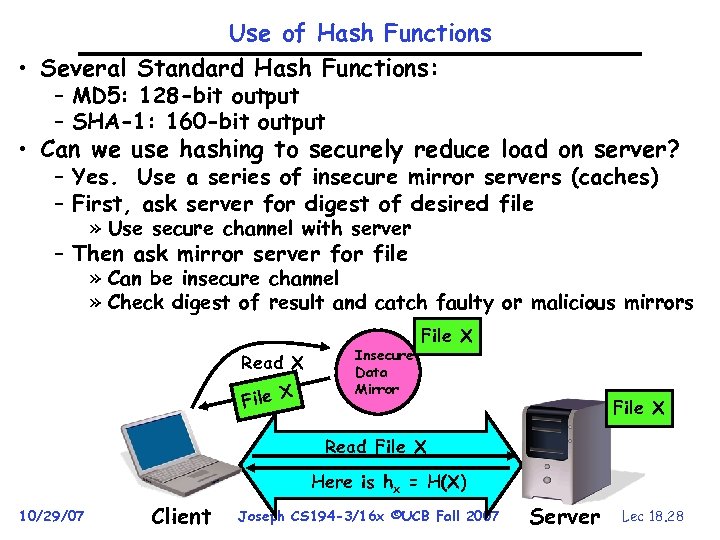 Use of Hash Functions • Several Standard Hash Functions: – MD 5: 128 -bit output – SHA-1: 160 -bit output • Can we use hashing to securely reduce load on server? – Yes. Use a series of insecure mirror servers (caches) – First, ask server for digest of desired file » Use secure channel with server – Then ask mirror server for file » Can be insecure channel » Check digest of result and catch faulty or malicious mirrors Read X File X Insecure Data Mirror File X Read File X Here is hx = H(X) 10/29/07 Client Joseph CS 194 -3/16 x ©UCB Fall 2007 Server Lec 18. 28
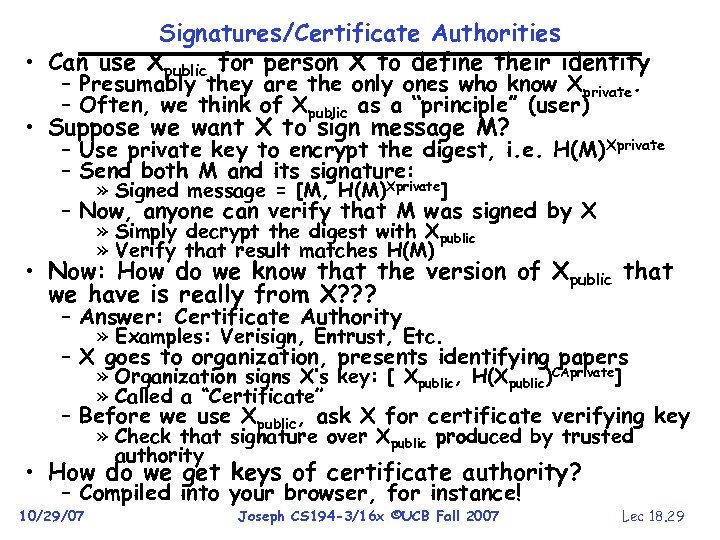 Signatures/Certificate Authorities • Can use Xpublic for person X to define their identity – Presumably they are the only ones who know Xprivate. – Often, we think of Xpublic as a “principle” (user) • Suppose we want X to sign message M? – Use private key to encrypt the digest, i. e. H(M)Xprivate – Send both M and its signature: » Signed message = [M, H(M)Xprivate] – Now, anyone can verify that M was signed by X » Simply decrypt the digest with Xpublic » Verify that result matches H(M) • Now: How do we know that the version of Xpublic that we have is really from X? ? ? – Answer: Certificate Authority » Examples: Verisign, Entrust, Etc. – X goes to organization, presents identifying papers » Organization signs X’s key: [ Xpublic, H(Xpublic)CAprivate] » Called a “Certificate” – Before we use Xpublic, ask X for certificate verifying key » Check that signature over Xpublic produced by trusted authority • How do we get keys of certificate authority? – Compiled into your browser, for instance! 10/29/07 Joseph CS 194 -3/16 x ©UCB Fall 2007 Lec 18. 29
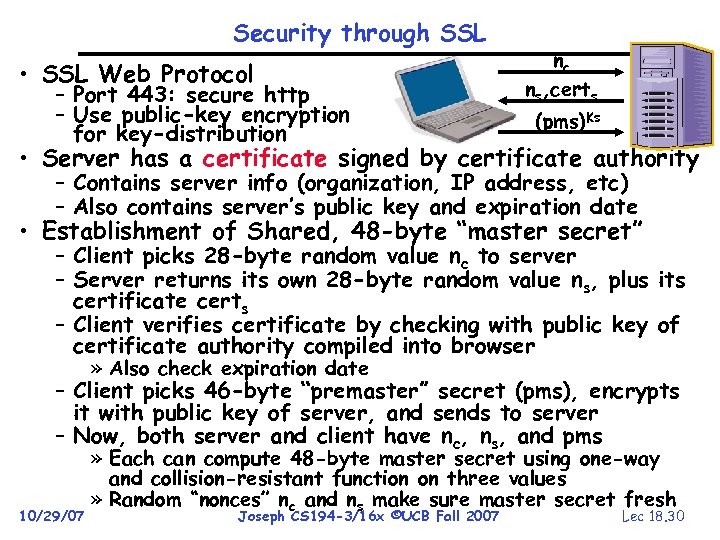 Security through SSL • SSL Web Protocol – Port 443: secure http – Use public-key encryption for key-distribution nc ns, certs (pms)Ks • Server has a certificate signed by certificate authority – Contains server info (organization, IP address, etc) – Also contains server’s public key and expiration date • Establishment of Shared, 48 -byte “master secret” – Client picks 28 -byte random value nc to server – Server returns its own 28 -byte random value ns, plus its certificate certs – Client verifies certificate by checking with public key of certificate authority compiled into browser » Also check expiration date – Client picks 46 -byte “premaster” secret (pms), encrypts it with public key of server, and sends to server – Now, both server and client have nc, ns, and pms 10/29/07 » Each can compute 48 -byte master secret using one-way and collision-resistant function on three values » Random “nonces” nc and ns make sure master secret fresh Joseph CS 194 -3/16 x ©UCB Fall 2007 Lec 18. 30
 SSL Pitfalls • Netscape claimed to provide secure comm. (SSL) – So you could send a credit card # over the Internet • Three problems (reported in NYT): – Algorithm for picking session keys was predictable (used time of day) – brute force key in a few hours – Made new version of Netscape to fix #1, available to users over Internet (unencrypted!) » Four byte patch to Netscape executable makes it always use a specific session key » Could insert backdoor by mangling packets containing executable as they fly by on the Internet. » Many mirror sites (including Berkeley) to redistribute new version – anyone with root access to any machine on LAN at mirror site could insert the backdoor 10/29/07 – Buggy helper applications – can exploit any bug in either Netscape, or its helper applications Joseph CS 194 -3/16 x ©UCB Fall 2007 Lec 18. 31
 Cryptographic Summary • User Identification – Passwords/Smart Cards/Biometrics • Passwords – Encrypt them to help hid them – Force them to be longer (avoid dictionary attack) • Private Key Encryption (also Symmetric Key) – Pros: Very Fast » can encrypt at network speed (even without hardware) – Cons: Need to distribute secret key to both parties • Public Key Encryption (also Asymmetric Key) – Pros: Can distribute keys in public » Although need some sort of certificate authority: Often called a Public Key Infrastructure (PKI) – Cons: Very Slow » 100— 1000 times slower than private key encryption • Secure Hash – Fixed length summary (digest) of data; security properties make it effectively hard to spoof • Signature over Document – Hash of document encrypted with private key 10/29/07 Joseph CS 194 -3/16 x ©UCB Fall 2007 Lec 18. 32