


 Скачать презентацию CS 152 Computer Architecture and Engineering Lecture 1
a99d48fb60c4ce36a2978dffd2cbde86.ppt
- Количество слайдов: 52
 CS 152 Computer Architecture and Engineering Lecture 1 Introduction and Five Components of a Computer January 21, 2004 John Kubiatowicz (www. cs. berkeley. edu/~kubitron) lecture slides: http: //inst. eecs. berkeley. edu/~cs 152/
 Overview ° Intro to Computer Architecture (30 minutes) ° Administrative Matters (5 minutes) ° Course Style, Philosophy and Structure (15 min) ° Break (5 min) ° Organization and Anatomy of a Computer (25) min) 1/21/04 ©UCB Spring 2004 CS 152 / Kubiatowicz Lec 1. 2
 What is “Computer Architecture” Computer Architecture = Instruction Set Architecture + Machine Organization + …. . 1/21/04 ©UCB Spring 2004 CS 152 / Kubiatowicz Lec 1. 3
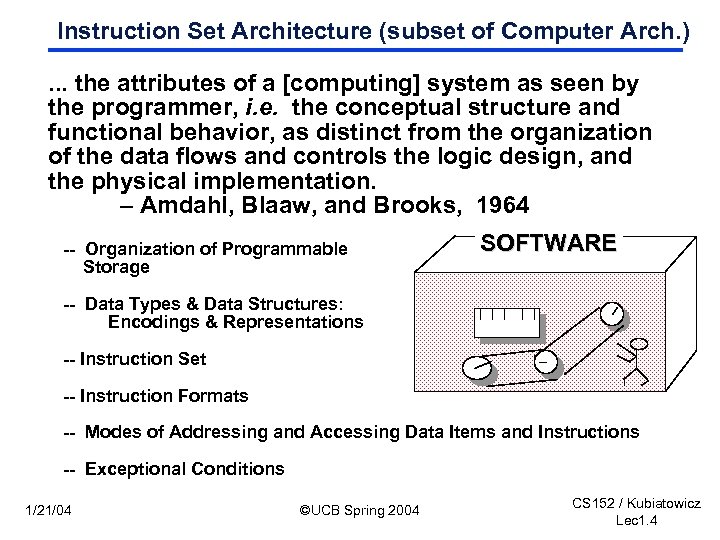 Instruction Set Architecture (subset of Computer Arch. ). . . the attributes of a [computing] system as seen by the programmer, i. e. the conceptual structure and functional behavior, as distinct from the organization of the data flows and controls the logic design, and the physical implementation. – Amdahl, Blaaw, and Brooks, 1964 -- Organization of Programmable Storage SOFTWARE -- Data Types & Data Structures: Encodings & Representations -- Instruction Set -- Instruction Formats -- Modes of Addressing and Accessing Data Items and Instructions -- Exceptional Conditions 1/21/04 ©UCB Spring 2004 CS 152 / Kubiatowicz Lec 1. 4
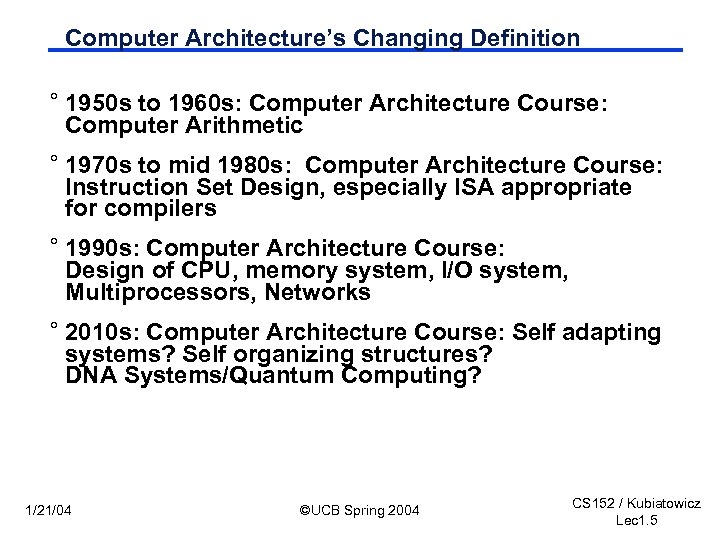 Computer Architecture’s Changing Definition ° 1950 s to 1960 s: Computer Architecture Course: Computer Arithmetic ° 1970 s to mid 1980 s: Computer Architecture Course: Instruction Set Design, especially ISA appropriate for compilers ° 1990 s: Computer Architecture Course: Design of CPU, memory system, I/O system, Multiprocessors, Networks ° 2010 s: Computer Architecture Course: Self adapting systems? Self organizing structures? DNA Systems/Quantum Computing? 1/21/04 ©UCB Spring 2004 CS 152 / Kubiatowicz Lec 1. 5
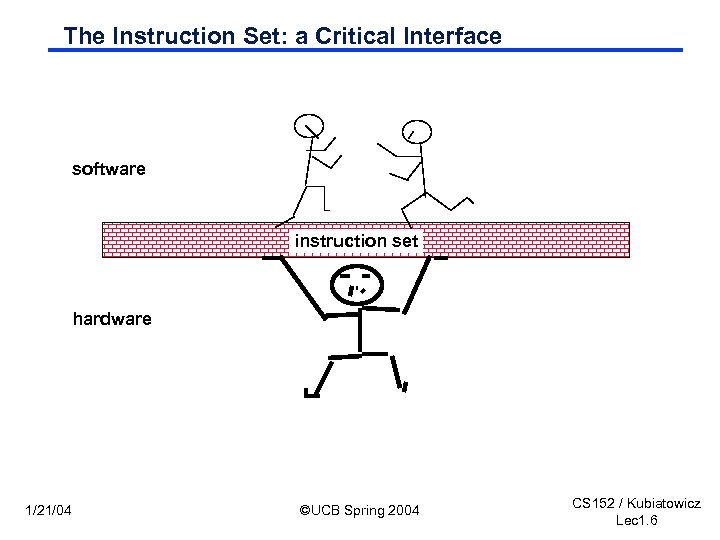 The Instruction Set: a Critical Interface software instruction set hardware 1/21/04 ©UCB Spring 2004 CS 152 / Kubiatowicz Lec 1. 6
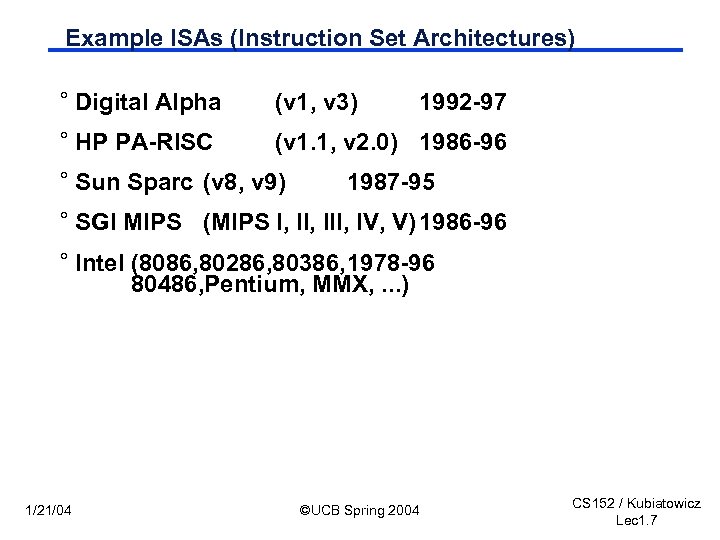 Example ISAs (Instruction Set Architectures) ° Digital Alpha (v 1, v 3) ° HP PA-RISC (v 1. 1, v 2. 0) 1986 -96 ° Sun Sparc (v 8, v 9) 1992 -97 1987 -95 ° SGI MIPS (MIPS I, III, IV, V) 1986 -96 ° Intel (8086, 80286, 80386, 1978 -96 80486, Pentium, MMX, . . . ) 1/21/04 ©UCB Spring 2004 CS 152 / Kubiatowicz Lec 1. 7
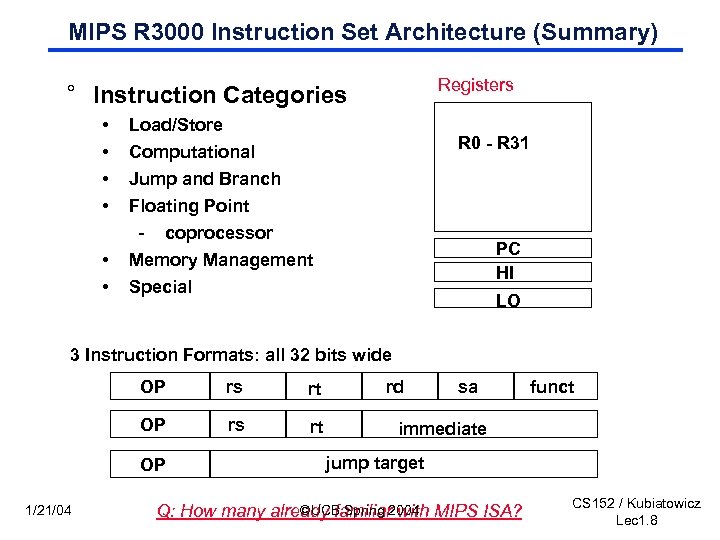 MIPS R 3000 Instruction Set Architecture (Summary) Registers ° Instruction Categories • • • Load/Store Computational Jump and Branch R 0 - R 31 Floating Point - coprocessor Memory Management Special PC HI LO 3 Instruction Formats: all 32 bits wide OP rs rt OP 1/21/04 rd sa funct immediate jump target ©UCB Spring with Q: How many already familiar 2004 MIPS ISA? CS 152 / Kubiatowicz Lec 1. 8
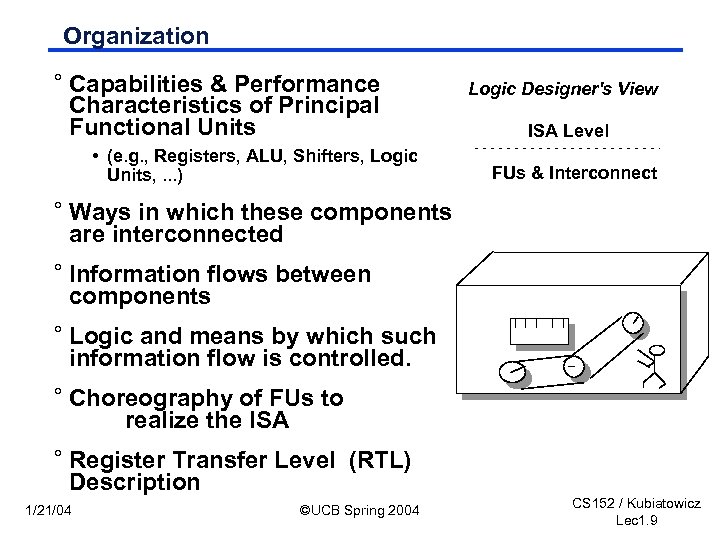 Organization ° Capabilities & Performance Characteristics of Principal Functional Units • (e. g. , Registers, ALU, Shifters, Logic Units, . . . ) Logic Designer's View ISA Level FUs & Interconnect ° Ways in which these components are interconnected ° Information flows between components ° Logic and means by which such information flow is controlled. ° Choreography of FUs to realize the ISA ° Register Transfer Level (RTL) Description 1/21/04 ©UCB Spring 2004 CS 152 / Kubiatowicz Lec 1. 9
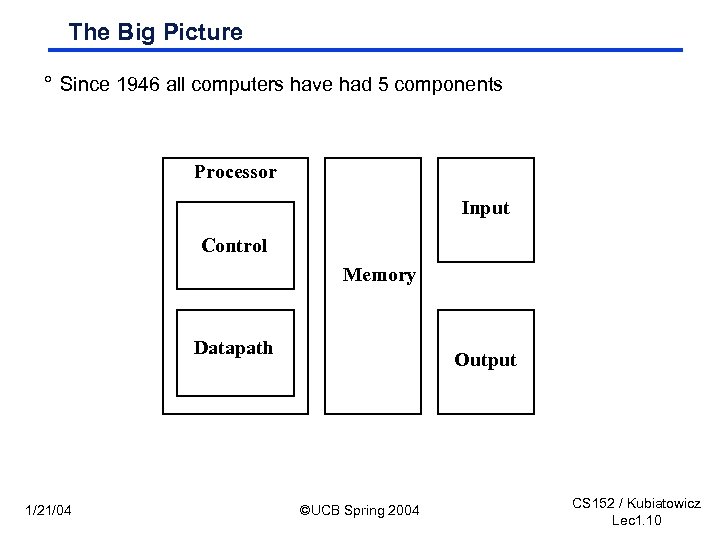 The Big Picture ° Since 1946 all computers have had 5 components Processor Input Control Memory Datapath 1/21/04 Output ©UCB Spring 2004 CS 152 / Kubiatowicz Lec 1. 10
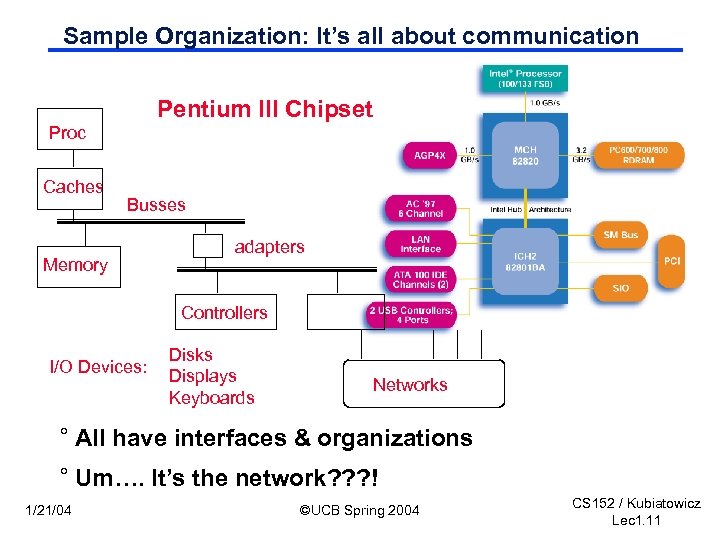 Sample Organization: It’s all about communication Pentium III Chipset Proc Caches Busses Memory adapters Controllers I/O Devices: Disks Displays Keyboards Networks ° All have interfaces & organizations ° Um…. It’s the network? ? ? ! 1/21/04 ©UCB Spring 2004 CS 152 / Kubiatowicz Lec 1. 11
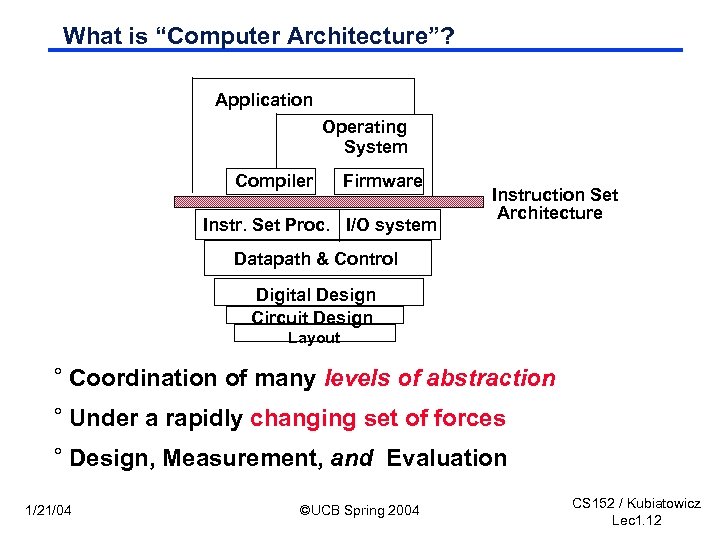 What is “Computer Architecture”? Application Operating System Compiler Firmware Instr. Set Proc. I/O system Instruction Set Architecture Datapath & Control Digital Design Circuit Design Layout ° Coordination of many levels of abstraction ° Under a rapidly changing set of forces ° Design, Measurement, and Evaluation 1/21/04 ©UCB Spring 2004 CS 152 / Kubiatowicz Lec 1. 12
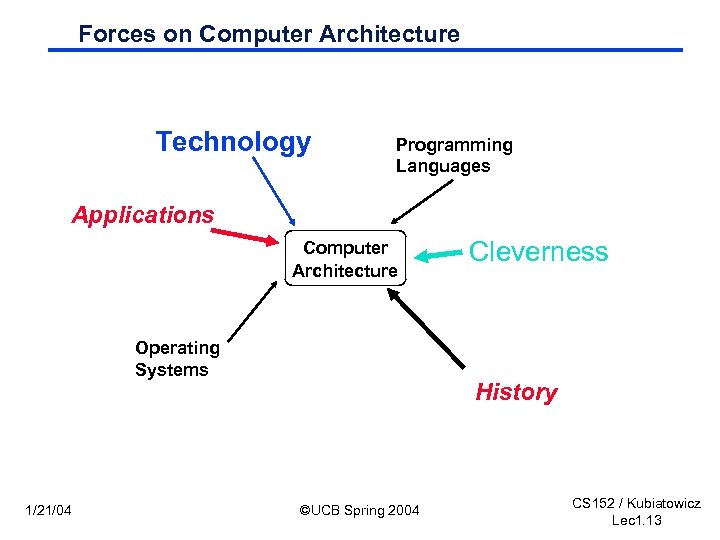 Forces on Computer Architecture Technology Programming Languages Applications Computer Architecture Operating Systems 1/21/04 Cleverness History ©UCB Spring 2004 CS 152 / Kubiatowicz Lec 1. 13
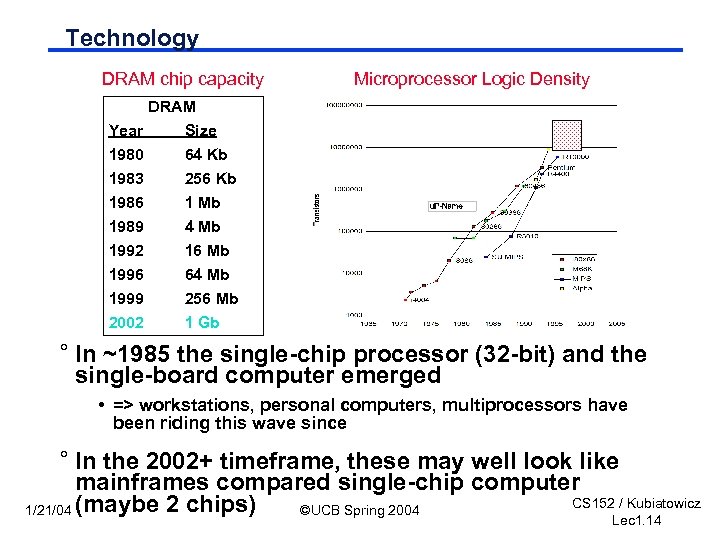 Technology DRAM chip capacity Microprocessor Logic Density DRAM Year Size 1980 1983 1986 1989 1992 1996 1999 2002 64 Kb 256 Kb 1 Mb 4 Mb 16 Mb 64 Mb 256 Mb 1 Gb ° In ~1985 the single-chip processor (32 -bit) and the single-board computer emerged • => workstations, personal computers, multiprocessors have been riding this wave since ° In the 2002+ timeframe, these may well look like mainframes compared single-chip computer CS 152 / Kubiatowicz 1/21/04 (maybe 2 chips) ©UCB Spring 2004 Lec 1. 14
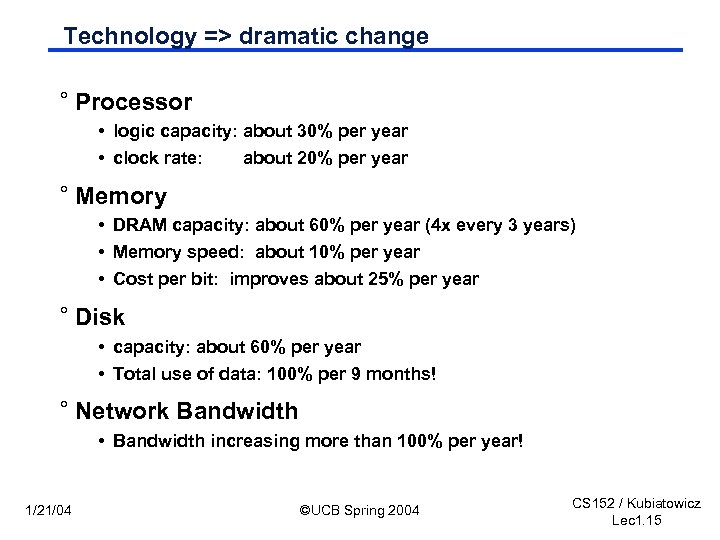 Technology => dramatic change ° Processor • logic capacity: about 30% per year • clock rate: about 20% per year ° Memory • DRAM capacity: about 60% per year (4 x every 3 years) • Memory speed: about 10% per year • Cost per bit: improves about 25% per year ° Disk • capacity: about 60% per year • Total use of data: 100% per 9 months! ° Network Bandwidth • Bandwidth increasing more than 100% per year! 1/21/04 ©UCB Spring 2004 CS 152 / Kubiatowicz Lec 1. 15
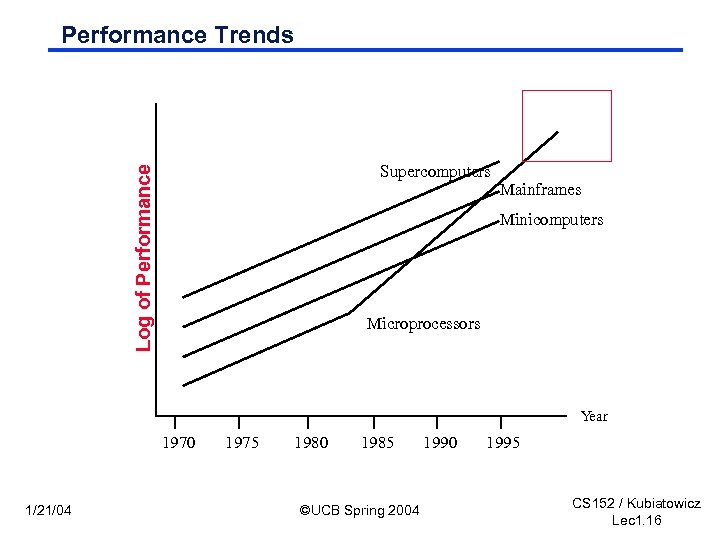 Performance Trends Log of Performance Supercomputers Mainframes Minicomputers Microprocessors Year 1970 1/21/04 1975 1980 1985 ©UCB Spring 2004 1990 1995 CS 152 / Kubiatowicz Lec 1. 16
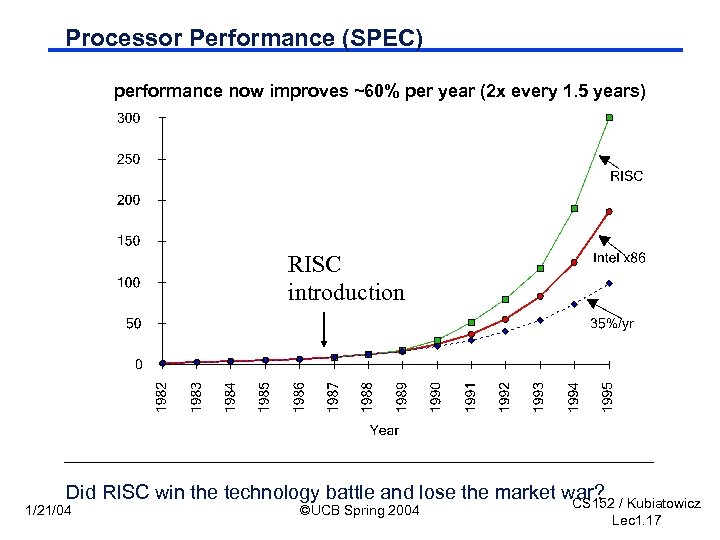 Processor Performance (SPEC) performance now improves ~60% per year (2 x every 1. 5 years) RISC introduction Did RISC win the technology battle and lose the market war? / Kubiatowicz CS 152 1/21/04 ©UCB Spring 2004 Lec 1. 17
 Applications and Languages ° CAD, CAM, CAE, . . . ° Lotus, DOS, . . . ° Multimedia, . . . ° The Web, . . . ° JAVA, . . . ° The Net => ubiquitous computing ° ? ? ? 1/21/04 ©UCB Spring 2004 CS 152 / Kubiatowicz Lec 1. 18
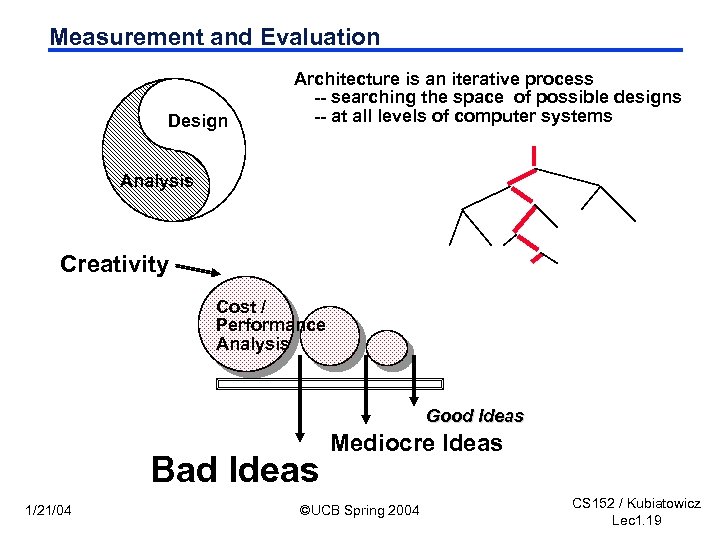 Measurement and Evaluation Design Architecture is an iterative process -- searching the space of possible designs -- at all levels of computer systems Analysis Creativity Cost / Performance Analysis Good Ideas Bad Ideas 1/21/04 Mediocre Ideas ©UCB Spring 2004 CS 152 / Kubiatowicz Lec 1. 19
 Why do Computer Architecture? ° CHANGE ° It’s exciting! °It has never been more exciting! ° It impacts every other aspect of electrical engineering and computer science 1/21/04 ©UCB Spring 2004 CS 152 / Kubiatowicz Lec 1. 20
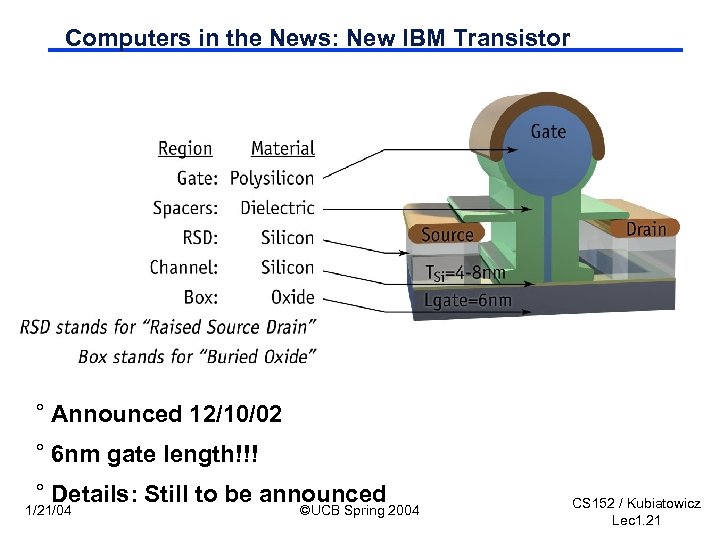 Computers in the News: New IBM Transistor ° Announced 12/10/02 ° 6 nm gate length!!! ° Details: Still to be announced 1/21/04 ©UCB Spring 2004 CS 152 / Kubiatowicz Lec 1. 21
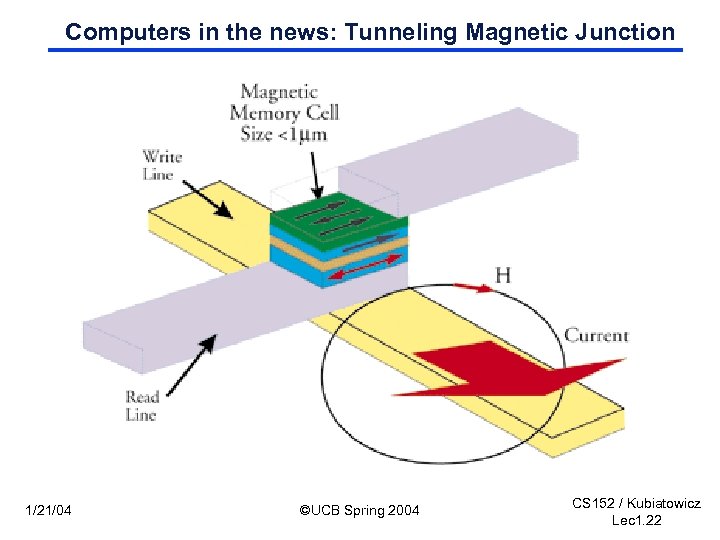 Computers in the news: Tunneling Magnetic Junction 1/21/04 ©UCB Spring 2004 CS 152 / Kubiatowicz Lec 1. 22
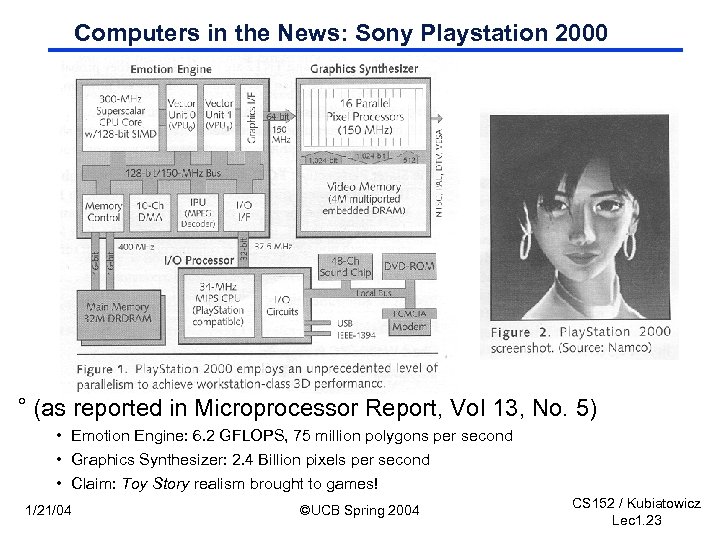 Computers in the News: Sony Playstation 2000 ° (as reported in Microprocessor Report, Vol 13, No. 5) • Emotion Engine: 6. 2 GFLOPS, 75 million polygons per second • Graphics Synthesizer: 2. 4 Billion pixels per second • Claim: Toy Story realism brought to games! 1/21/04 ©UCB Spring 2004 CS 152 / Kubiatowicz Lec 1. 23
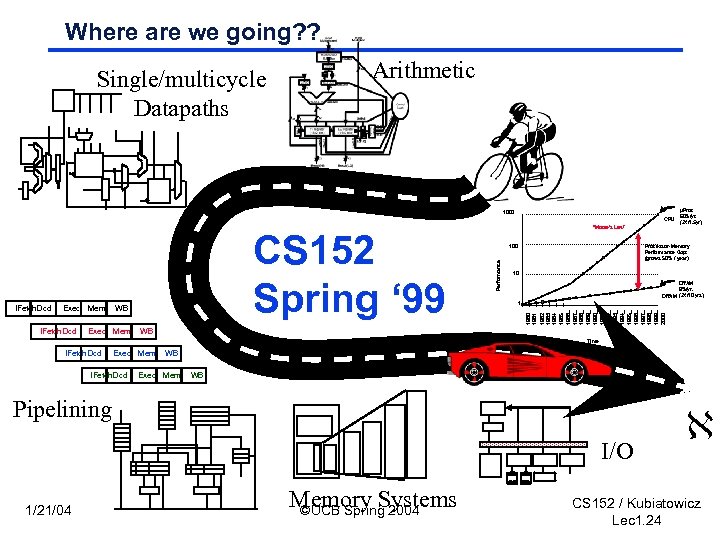 Where are we going? ? Single/multicycle Datapaths Arithmetic 1000 CPU IFetch. Dcd WB Exec Mem Performance Processor-Memory Performance Gap: (grows 50% / year) 10 DRAM 9%/yr. DRAM (2 X/10 yrs) 1 1982 1983 1984 1985 1986 1987 1988 1989 1990 1991 1992 1993 1994 1995 1996 1997 1998 1999 2000 Exec Mem 100 1981 IFetch. Dcd CS 152 Spring ‘ 99 “Moore’s Law” µProc 60%/yr. (2 X/1. 5 yr) WB Time IFetch Dcd Exec Mem IFetch. Dcd WB Exec Mem WB Pipelining I/O 1/21/04 Memory Systems ©UCB Spring 2004 CS 152 / Kubiatowicz Lec 1. 24
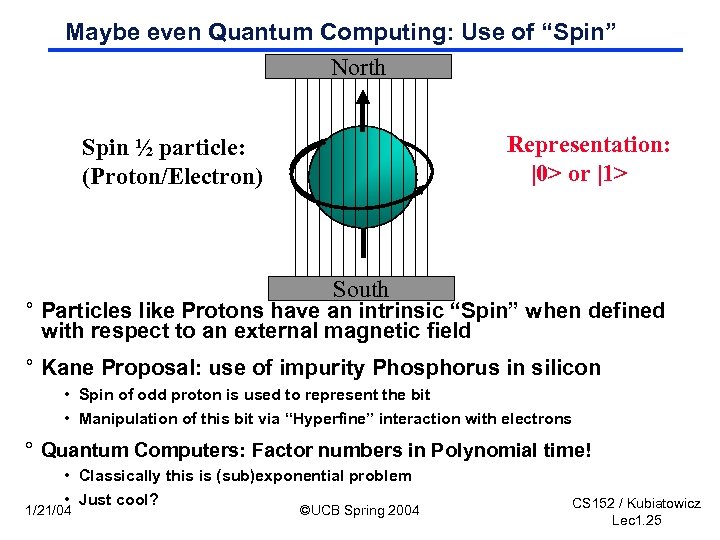 Maybe even Quantum Computing: Use of “Spin” North Representation: |0> or |1> Spin ½ particle: (Proton/Electron) South ° Particles like Protons have an intrinsic “Spin” when defined with respect to an external magnetic field ° Kane Proposal: use of impurity Phosphorus in silicon • Spin of odd proton is used to represent the bit • Manipulation of this bit via “Hyperfine” interaction with electrons ° Quantum Computers: Factor numbers in Polynomial time! • Classically this is (sub)exponential problem • Just cool? 1/21/04 ©UCB Spring 2004 CS 152 / Kubiatowicz Lec 1. 25
 CS 152: So what's in it for me? ° In-depth understanding of the inner-workings of modern computers, their evolution, and trade-offs present at the hardware/software boundary. • Insight into fast/slow operations that are easy/hard to implementation hardware • Out of order execution and branch prediction ° Experience with the design process in the context of a large complex (hardware) design. • Functional Spec --> Control & Datapath --> Physical implementation • Modern CAD tools ° BUILD A REAL PROCESSOR • You will build pipelines that operate in realtime • Some of you may even design out-of-order processors ° Designer's "Conceptual" toolbox. 1/21/04 ©UCB Spring 2004 CS 152 / Kubiatowicz Lec 1. 26
 Conceptual tool box? ° Evaluation Techniques/Testing methodologies ° Levels of translation (e. g. , Compilation) ° Levels of Interpretation (e. g. , Microprogramming) ° Hierarchy (e. g, registers, cache, mem, disk, tape) ° Pipelining and Parallelism ° Static / Dynamic Scheduling ° Indirection and Address Translation ° Synchronous and Asynchronous Control Transfer ° Timing, Clocking, and Latching ° CAD Programs, Hardware Description Languages, Simulation ° Physical Building Blocks (e. g. , CLA) ° Understanding Technology Trends 1/21/04 ©UCB Spring 2004 CS 152 / Kubiatowicz Lec 1. 27
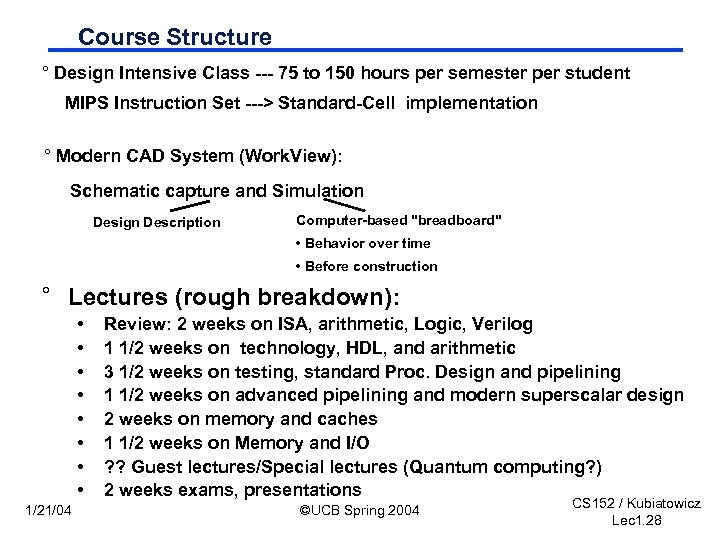 Course Structure ° Design Intensive Class --- 75 to 150 hours per semester per student MIPS Instruction Set ---> Standard-Cell implementation ° Modern CAD System (Work. View): Schematic capture and Simulation Design Description Computer-based "breadboard" • Behavior over time • Before construction ° Lectures (rough breakdown): • • 1/21/04 Review: 2 weeks on ISA, arithmetic, Logic, Verilog 1 1/2 weeks on technology, HDL, and arithmetic 3 1/2 weeks on testing, standard Proc. Design and pipelining 1 1/2 weeks on advanced pipelining and modern superscalar design 2 weeks on memory and caches 1 1/2 weeks on Memory and I/O ? ? Guest lectures/Special lectures (Quantum computing? ) 2 weeks exams, presentations ©UCB Spring 2004 CS 152 / Kubiatowicz Lec 1. 28
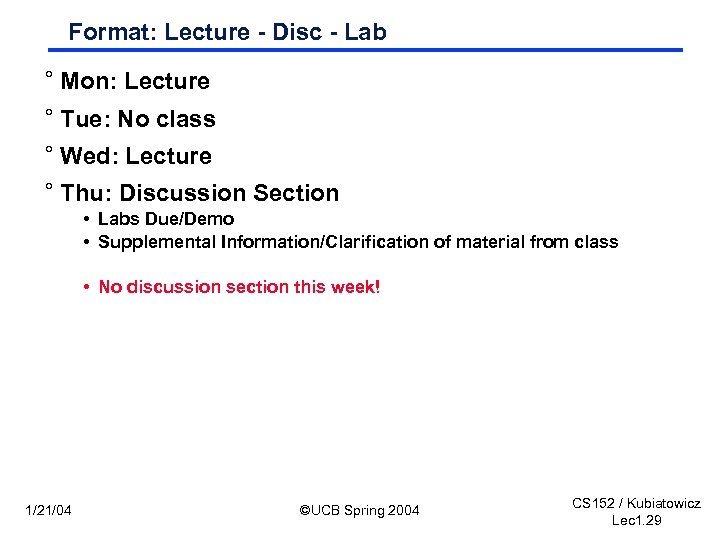 Format: Lecture - Disc - Lab ° Mon: Lecture ° Tue: No class ° Wed: Lecture ° Thu: Discussion Section • Labs Due/Demo • Supplemental Information/Clarification of material from class • No discussion section this week! 1/21/04 ©UCB Spring 2004 CS 152 / Kubiatowicz Lec 1. 29
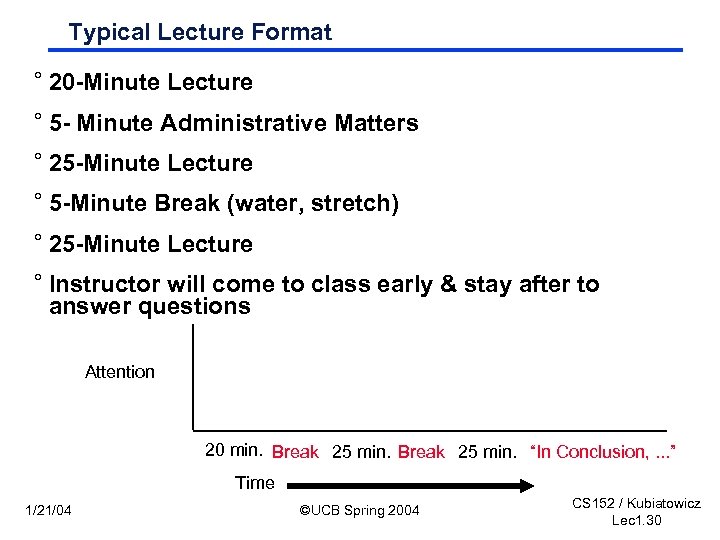 Typical Lecture Format ° 20 -Minute Lecture ° 5 - Minute Administrative Matters ° 25 -Minute Lecture ° 5 -Minute Break (water, stretch) ° 25 -Minute Lecture ° Instructor will come to class early & stay after to answer questions Attention 20 min. Break 25 min. “In Conclusion, . . . ” Time 1/21/04 ©UCB Spring 2004 CS 152 / Kubiatowicz Lec 1. 30
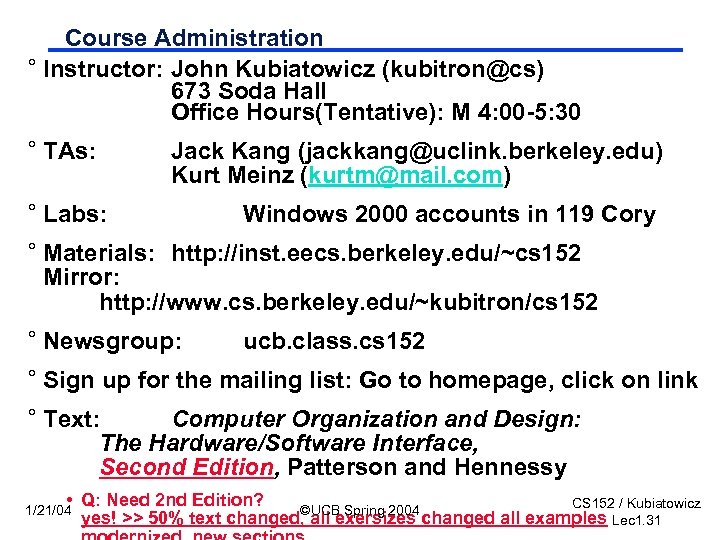 Course Administration ° Instructor: John Kubiatowicz (kubitron@cs) 673 Soda Hall Office Hours(Tentative): M 4: 00 -5: 30 ° TAs: Jack Kang (jackkang@uclink. berkeley. edu) Kurt Meinz (kurtm@mail. com) ° Labs: Windows 2000 accounts in 119 Cory ° Materials: http: //inst. eecs. berkeley. edu/~cs 152 Mirror: http: //www. cs. berkeley. edu/~kubitron/cs 152 ° Newsgroup: ucb. class. cs 152 ° Sign up for the mailing list: Go to homepage, click on link ° Text: Computer Organization and Design: The Hardware/Software Interface, Second Edition, Patterson and Hennessy • Q: Need 2 nd Edition? CS 152 / Kubiatowicz ©UCB Spring 2004 yes! >> 50% text changed, all exersizes changed all examples Lec 1. 31 1/21/04
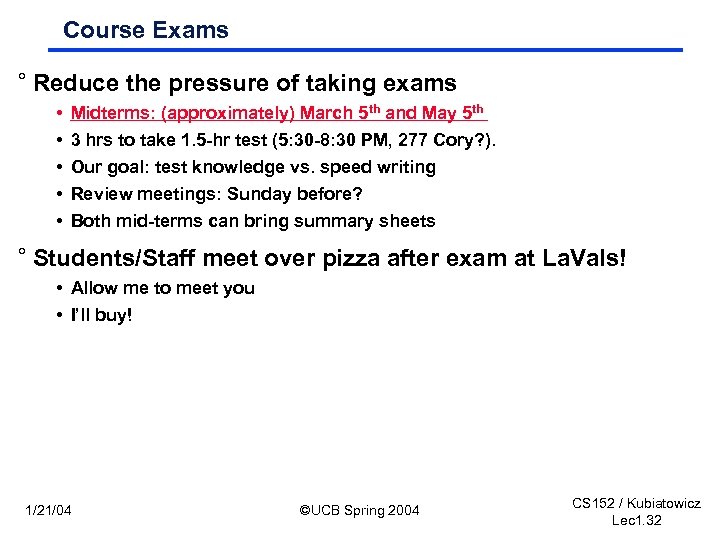 Course Exams ° Reduce the pressure of taking exams • • • Midterms: (approximately) March 5 th and May 5 th 3 hrs to take 1. 5 -hr test (5: 30 -8: 30 PM, 277 Cory? ). Our goal: test knowledge vs. speed writing Review meetings: Sunday before? Both mid-terms can bring summary sheets ° Students/Staff meet over pizza after exam at La. Vals! • Allow me to meet you • I’ll buy! 1/21/04 ©UCB Spring 2004 CS 152 / Kubiatowicz Lec 1. 32
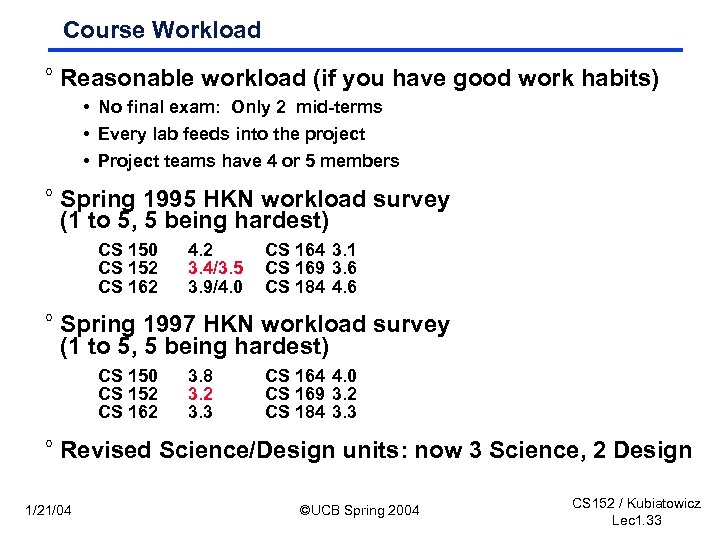 Course Workload ° Reasonable workload (if you have good work habits) • No final exam: Only 2 mid-terms • Every lab feeds into the project • Project teams have 4 or 5 members ° Spring 1995 HKN workload survey (1 to 5, 5 being hardest) CS 150 CS 152 CS 162 4. 2 3. 4/3. 5 3. 9/4. 0 CS 164 3. 1 CS 169 3. 6 CS 184 4. 6 ° Spring 1997 HKN workload survey (1 to 5, 5 being hardest) CS 150 CS 152 CS 162 3. 8 3. 2 3. 3 CS 164 4. 0 CS 169 3. 2 CS 184 3. 3 ° Revised Science/Design units: now 3 Science, 2 Design 1/21/04 ©UCB Spring 2004 CS 152 / Kubiatowicz Lec 1. 33
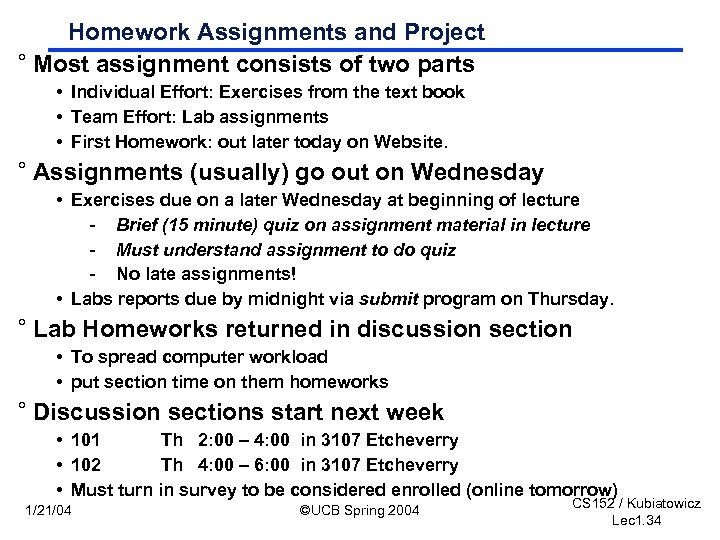 Homework Assignments and Project ° Most assignment consists of two parts • Individual Effort: Exercises from the text book • Team Effort: Lab assignments • First Homework: out later today on Website. ° Assignments (usually) go out on Wednesday • Exercises due on a later Wednesday at beginning of lecture - Brief (15 minute) quiz on assignment material in lecture - Must understand assignment to do quiz - No late assignments! • Labs reports due by midnight via submit program on Thursday. ° Lab Homeworks returned in discussion section • To spread computer workload • put section time on them homeworks ° Discussion sections start next week • 101 Th 2: 00 – 4: 00 in 3107 Etcheverry • 102 Th 4: 00 – 6: 00 in 3107 Etcheverry • Must turn in survey to be considered enrolled (online tomorrow) 1/21/04 ©UCB Spring 2004 CS 152 / Kubiatowicz Lec 1. 34
 My Goal ° Show you how to understand modern computer architecture in its rapidly changing form. ° Show you how to design by leading you through the process on challenging design problems ° Learn how to test things. ° NOT to talk at you ° so. . . • • 1/21/04 ask questions come to office hours find me in the lab. . . ©UCB Spring 2004 CS 152 / Kubiatowicz Lec 1. 35
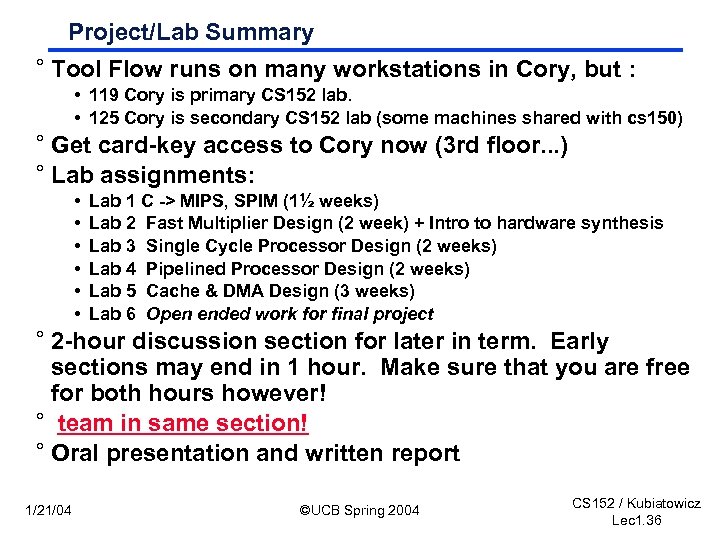 Project/Lab Summary ° Tool Flow runs on many workstations in Cory, but : • 119 Cory is primary CS 152 lab. • 125 Cory is secondary CS 152 lab (some machines shared with cs 150) ° Get card-key access to Cory now (3 rd floor. . . ) ° Lab assignments: • • • Lab 1 C -> MIPS, SPIM (1½ weeks) Lab 2 Fast Multiplier Design (2 week) + Intro to hardware synthesis Lab 3 Single Cycle Processor Design (2 weeks) Lab 4 Pipelined Processor Design (2 weeks) Lab 5 Cache & DMA Design (3 weeks) Lab 6 Open ended work for final project ° 2 -hour discussion section for later in term. Early sections may end in 1 hour. Make sure that you are free for both hours however! ° team in same section! ° Oral presentation and written report 1/21/04 ©UCB Spring 2004 CS 152 / Kubiatowicz Lec 1. 36
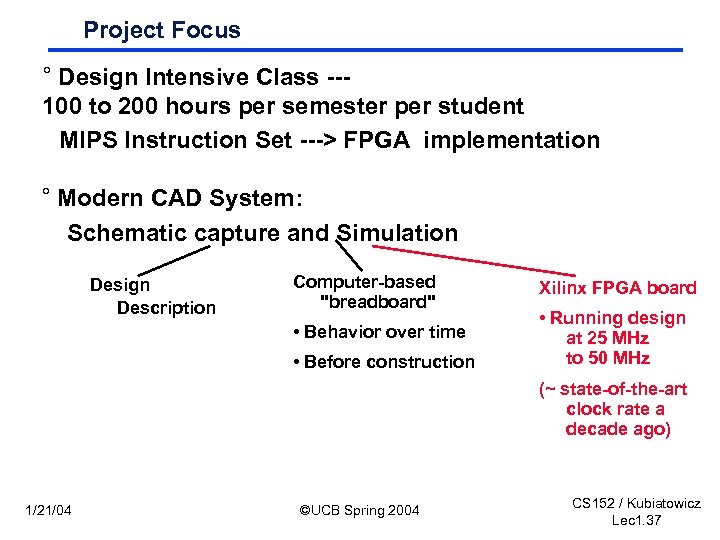 Project Focus ° Design Intensive Class --100 to 200 hours per semester per student MIPS Instruction Set ---> FPGA implementation ° Modern CAD System: Schematic capture and Simulation Design Description Computer-based "breadboard" • Behavior over time • Before construction Xilinx FPGA board • Running design at 25 MHz to 50 MHz (~ state-of-the-art clock rate a decade ago) 1/21/04 ©UCB Spring 2004 CS 152 / Kubiatowicz Lec 1. 37
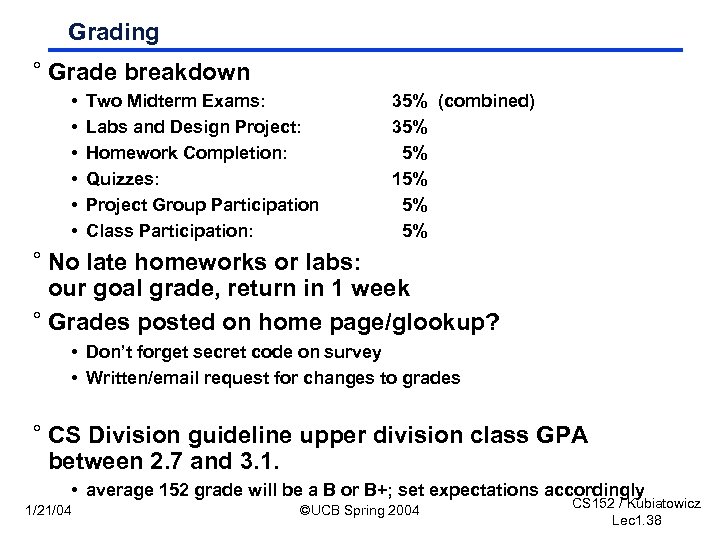 Grading ° Grade breakdown • • • Two Midterm Exams: Labs and Design Project: Homework Completion: Quizzes: Project Group Participation Class Participation: 35% (combined) 35% 5% 15% 5% 5% ° No late homeworks or labs: our goal grade, return in 1 week ° Grades posted on home page/glookup? • Don’t forget secret code on survey • Written/email request for changes to grades ° CS Division guideline upper division class GPA between 2. 7 and 3. 1. • average 152 grade will be a B or B+; set expectations accordingly 1/21/04 ©UCB Spring 2004 CS 152 / Kubiatowicz Lec 1. 38
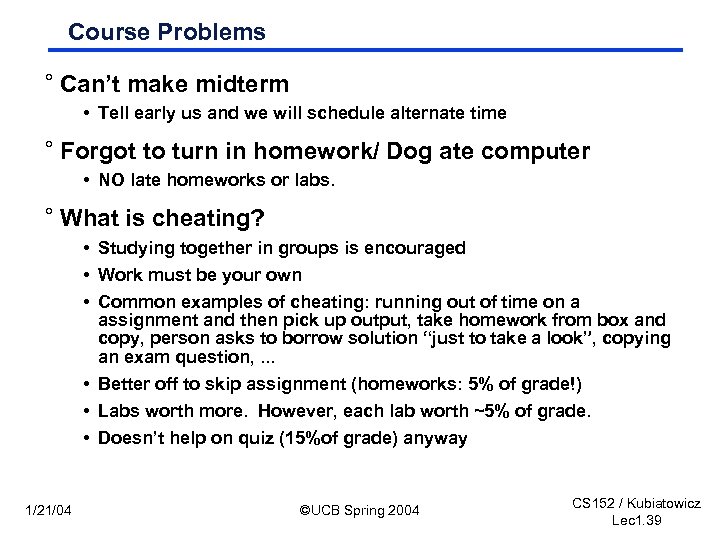 Course Problems ° Can’t make midterm • Tell early us and we will schedule alternate time ° Forgot to turn in homework/ Dog ate computer • NO late homeworks or labs. ° What is cheating? • Studying together in groups is encouraged • Work must be your own • Common examples of cheating: running out of time on a assignment and then pick up output, take homework from box and copy, person asks to borrow solution “just to take a look”, copying an exam question, . . . • Better off to skip assignment (homeworks: 5% of grade!) • Labs worth more. However, each lab worth ~5% of grade. • Doesn’t help on quiz (15%of grade) anyway 1/21/04 ©UCB Spring 2004 CS 152 / Kubiatowicz Lec 1. 39
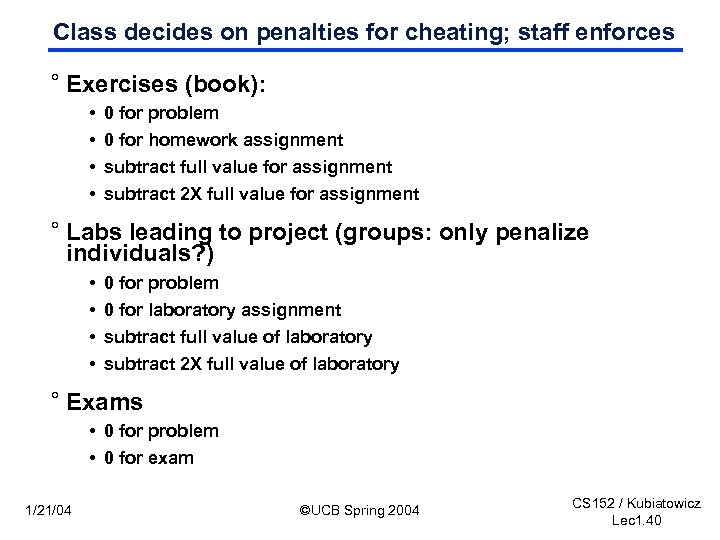 Class decides on penalties for cheating; staff enforces ° Exercises (book): • • 0 for problem 0 for homework assignment subtract full value for assignment subtract 2 X full value for assignment ° Labs leading to project (groups: only penalize individuals? ) • • 0 for problem 0 for laboratory assignment subtract full value of laboratory subtract 2 X full value of laboratory ° Exams • 0 for problem • 0 for exam 1/21/04 ©UCB Spring 2004 CS 152 / Kubiatowicz Lec 1. 40
 Project Simulates Industrial Environment ° Project teams have 4 or 5 members in same discussion section • Must work in groups in “the real world” ° Communicate with colleagues (team members) • • • Communication problems are natural What have you done? What answers you need from others? You must document your work!!! Everyone must keep an on-line notebook ° Communicate with supervisor (TAs) • How is the team’s plan? • Short progress reports are required: - What is the team’s game plan? - What is each member’s responsibility? 1/21/04 ©UCB Spring 2004 CS 152 / Kubiatowicz Lec 1. 41
 Things We Hope You Will Learn from 152 ° Keep it simple and make it work • Fully test everything individually and then together • Retest everything whenever you make any changes • Last minute changes are big “no nos” ° Group dynamics. Communication is the key to success: • Be open with others of your expectations and your problems • Everybody should be there on design meetings when key decisions are made and jobs are assigned ° Planning is very important: • Promise what you can deliver; deliver more than you promise • Murphy’s Law: things DO break at the last minute - Don’t make your plan based on the best case scenarios - Freeze you design and don’t make last minute changes ° Never give up! It is not over until you give up. 1/21/04 ©UCB Spring 2004 CS 152 / Kubiatowicz Lec 1. 42
 What you should know from 61 C, 150 ° Basic machine structure • processor, memory, I/O ° Read and write basic C programs • compile, link, load & execute ° Read and write in an assembly language • MIPS preferred ° Understand the concept of virtual memory ° Logic design • logical equations, schematic diagrams, FSMs, components ° Single-cycle processor 1/21/04 ©UCB Spring 2004 CS 152 / Kubiatowicz Lec 1. 43
 Getting into CS 152 ° If not preenrolled, Fill out petition form ° Fill out survey and return Monday in class ° Know the prerequisites • CS 61 C - assembly language, logic design and simple computer organization ° Prerequisite quiz on Monday 2/2; Pass/Fail • • • 1/21/04 UC doesn’t always enforce prerequisites TA’s will hold review sessions in section next Thursday+1 other time Need to pass prerequisite quiz to take CS 152 Previous preq quizzes on web pages. New material: something about single-cycle processor design…. ©UCB Spring 2004 CS 152 / Kubiatowicz Lec 1. 44
![Levels of Representation (61 C Review) temp = v[k]; High Level Language Program v[k]](https://present5.com/presentation/a99d48fb60c4ce36a2978dffd2cbde86/image-45.jpg "Levels of Representation (61 C Review) temp = v[k]; High Level Language Program v[k]") Levels of Representation (61 C Review) temp = v[k]; High Level Language Program v[k] = v[k+1]; v[k+1] = temp; Compiler lw$15, lw$16, sw $15, Assembly Language Program Assembler Machine Language Program 0000 1010 1100 0101 1001 1111 0110 1000 1100 0101 1010 0000 0110 1000 1111 1001 1010 0000 0101 1100 0($2) 4($2) 1111 1000 0110 0101 1100 0000 1010 1000 0110 1001 1111 Machine Interpretation Control Signal Specification 1/21/04 ° ° ALUOP[0: 3] <= Inst. Reg[9: 11] & MASK ©UCB Spring 2004 CS 152 / Kubiatowicz Lec 1. 45
Levels of Representation (61 C Review) temp = v[k]; High Level Language Program v[k] = v[k+1]; v[k+1] = temp; Compiler lw$15, lw$16, sw $15, Assembly Language Program Assembler Machine Language Program 0000 1010 1100 0101 1001 1111 0110 1000 1100 0101 1010 0000 0110 1000 1111 1001 1010 0000 0101 1100 0($2) 4($2) 1111 1000 0110 0101 1100 0000 1010 1000 0110 1001 1111 Machine Interpretation Control Signal Specification 1/21/04 ° ° ALUOP[0: 3] <= Inst. Reg[9: 11] & MASK ©UCB Spring 2004 CS 152 / Kubiatowicz Lec 1. 45
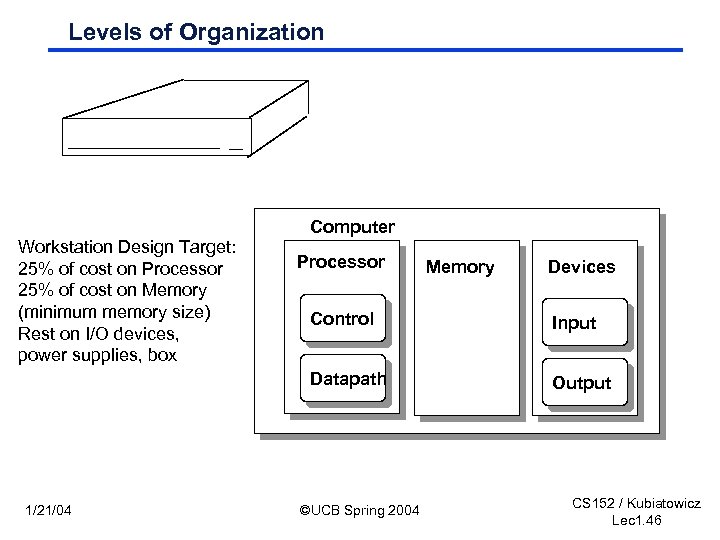 Levels of Organization Computer Workstation Design Target: 25% of cost on Processor 25% of cost on Memory (minimum memory size) Rest on I/O devices, power supplies, box Processor Memory Devices Input Datapath 1/21/04 Control Output ©UCB Spring 2004 CS 152 / Kubiatowicz Lec 1. 46
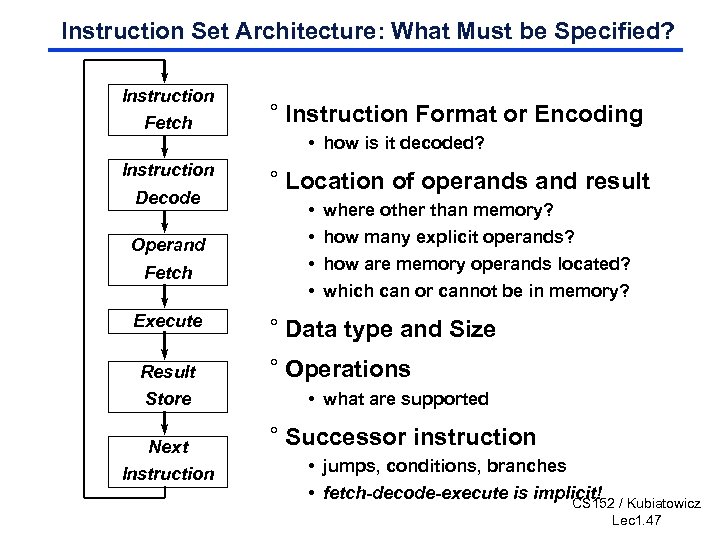 Instruction Set Architecture: What Must be Specified? Instruction Fetch Instruction Decode Operand Fetch Execute Result ° Instruction Format or Encoding • how is it decoded? ° Location of operands and result • • where other than memory? how many explicit operands? how are memory operands located? which can or cannot be in memory? ° Data type and Size ° Operations Store • what are supported Next ° Successor instruction Instruction • jumps, conditions, branches • fetch-decode-execute is implicit! / Kubiatowicz CS 152 Lec 1. 47
 Next Time: MIPS I Instruction set 1/21/04 ©UCB Spring 2004 CS 152 / Kubiatowicz Lec 1. 48
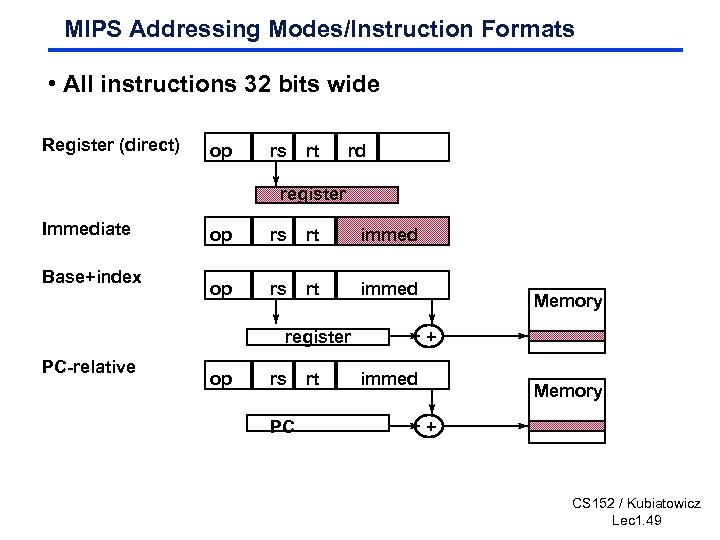 MIPS Addressing Modes/Instruction Formats • All instructions 32 bits wide Register (direct) op rs rt rd register Immediate Base+index op rs rt immed register PC-relative op rs PC rt Memory + immed Memory + CS 152 / Kubiatowicz Lec 1. 49
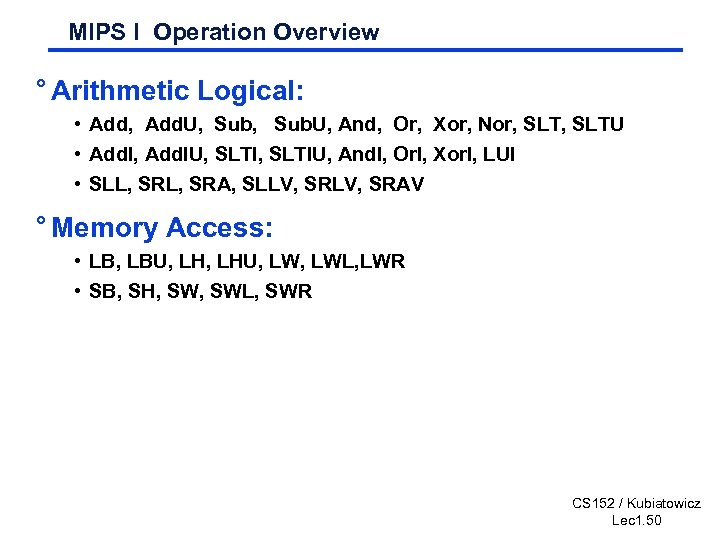 MIPS I Operation Overview ° Arithmetic Logical: • Add, Add. U, Sub. U, And, Or, Xor, Nor, SLTU • Add. I, Add. IU, SLTIU, And. I, Or. I, Xor. I, LUI • SLL, SRA, SLLV, SRAV ° Memory Access: • LB, LBU, LHU, LWL, LWR • SB, SH, SWL, SWR CS 152 / Kubiatowicz Lec 1. 50
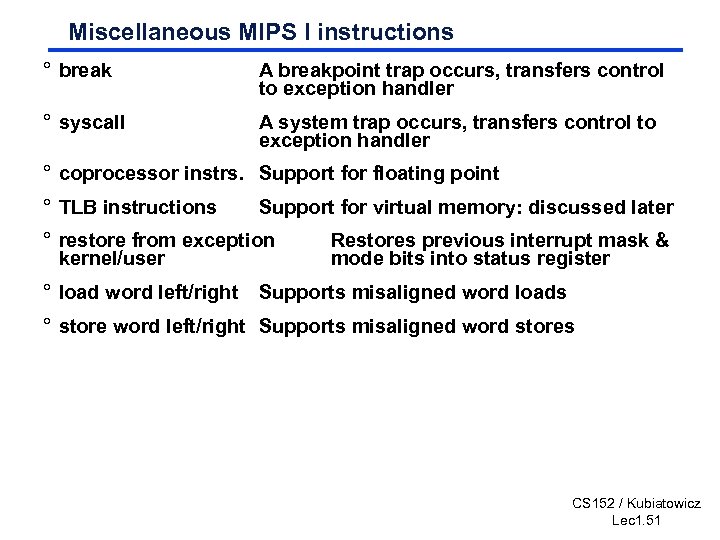 Miscellaneous MIPS I instructions ° break A breakpoint trap occurs, transfers control to exception handler ° syscall A system trap occurs, transfers control to exception handler ° coprocessor instrs. Support for floating point ° TLB instructions Support for virtual memory: discussed later ° restore from exception kernel/user Restores previous interrupt mask & mode bits into status register ° load word left/right Supports misaligned word loads ° store word left/right Supports misaligned word stores CS 152 / Kubiatowicz Lec 1. 51
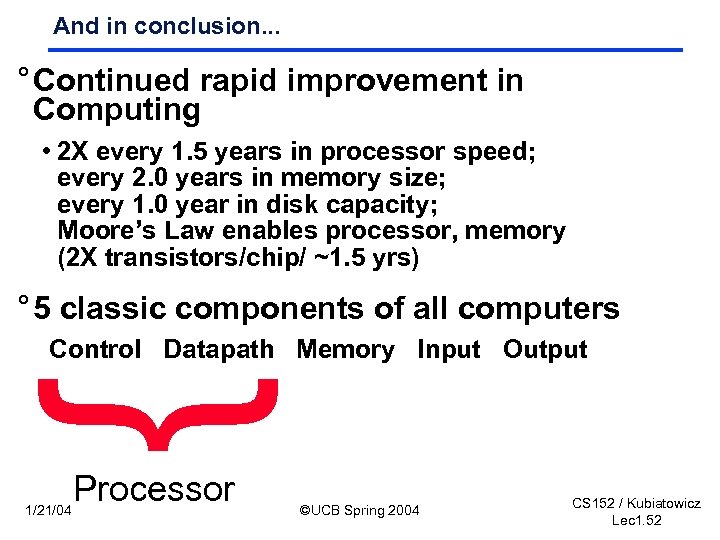 And in conclusion. . . ° Continued rapid improvement in Computing • 2 X every 1. 5 years in processor speed; every 2. 0 years in memory size; every 1. 0 year in disk capacity; Moore’s Law enables processor, memory (2 X transistors/chip/ ~1. 5 yrs) ° 5 classic components of all computers Control Datapath Memory Input Output } 1/21/04 Processor ©UCB Spring 2004 CS 152 / Kubiatowicz Lec 1. 52