


 Скачать презентацию CS 111 INTRODUCTION TO COMPUTATION Navpreet Singh Computer
acfde59a408687360fe2b141ce67dd16.ppt
- Количество слайдов: 46
 CS 111 INTRODUCTION TO COMPUTATION Navpreet Singh Computer Centre Indian Institute of Technology Kanpur INDIA (Ph : 2597371, Email : navi@iitk. ac. in)
 About Myself I am Principal Computer Engineer at IIT Kanpur and I manage the Campus Network and Internet Services of IITK. IIT Kanpur has one of the largest networks in the country. IITK Campus Network now has more than 12000 nodes providing connectivity to more than 5000 users in Academic Departments, Student Hostels and Residences. IITK has 100 Mbps Internet Connectivity. All application servers (Mail, DNS, Proxy Caching, Web etc. ) are maintained in-house. B. Tech (1990) and M. Tech (1996) from IIT Kanpur Working in IIT Kanpur for more than 16 years
 Course Content The course is divided into two parts Introduction to Computer Hardware & Software, Operating System, Computer Networks and Internet. Programming Techniques using C/Java/Python
 Course Content Lecture Topics There will be five Lectures. 1. Basic components of a Computer System: CPU; Memory; Disk Storage; Input/Output units; function of each component. 2. Hardware and Software; Systems Software and Applications Software; Client Server Architecture; Desktops, Works Stations, Servers & Clusters; Storage and Backup. 3. Operating System; Features of a widely used operating environment such as MS WINDOWS, UNIX or LINUX; comparison of operating environments; Introduction to UNIX/LINUX. 4. Introduction to Computer Networking. 5. Architecture of Internet; How the Web works; Network Security.
 Course Content Lab Topics There will be three Lab sessions. 1. Working in Windows Environment: 2. Working in Linux Environment 3. Network and Internet
 Course Content Term Paper Topics The topics of the Term Paper can be anything related to Computers Systems and Software which excites you. Some example topics could be 1. Grid Computing 2. Microprocessor Architecture 3. Comparison between Microsoft PC and Macintosh 4. Storage Technologies 5. Processor Families 6. Embedded Systems The Term Paper has to be done in groups of two. The presentations (PPT) will be of 15 – 20 minutes duration. These presentations will be done during two Lab session slots.
 Grading Guidelines One Exam: 20% Lab Assignment: 10% Term Paper: 20%
 Course References Online on the Web The Linux Documentation Project (LDP), http: //www. tldp. org/ Mirror: http: //www. iitk. ac. in/LDP Red Hat Linux, O'Reilly The course slides will be available at http: //home. iitk. ac. in/~navi/iiserbhopalcourse
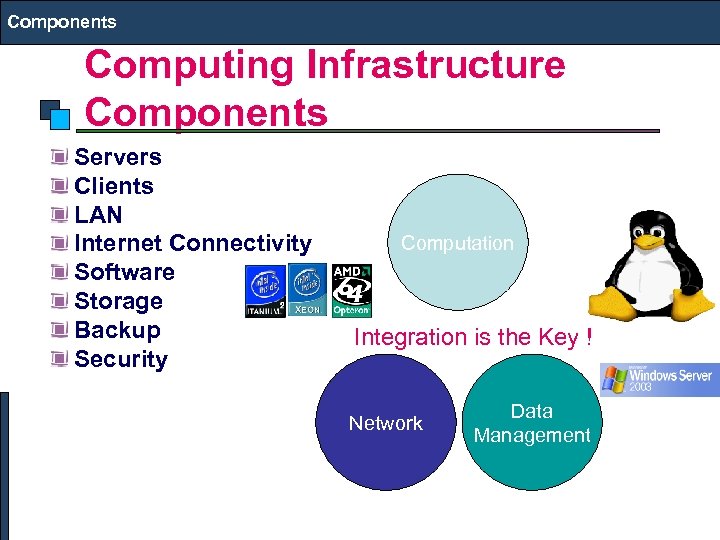 Components Computing Infrastructure Components Servers Clients LAN Internet Connectivity Software Storage Backup Security Computation Integration is the Key ! Network Data Management
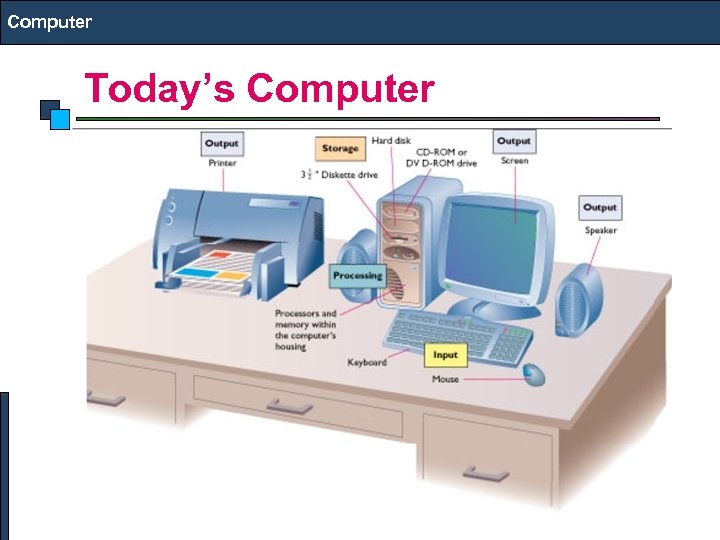 Computer Today’s Computer
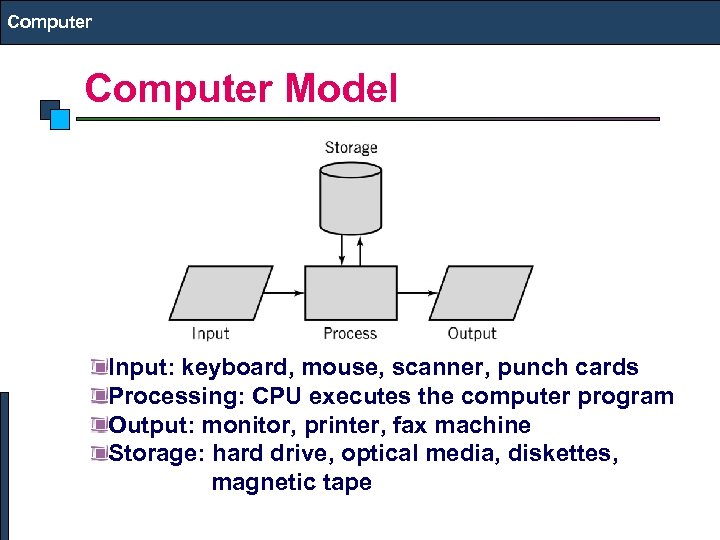 Computer Model Input: keyboard, mouse, scanner, punch cards Processing: CPU executes the computer program Output: monitor, printer, fax machine Storage: hard drive, optical media, diskettes, magnetic tape
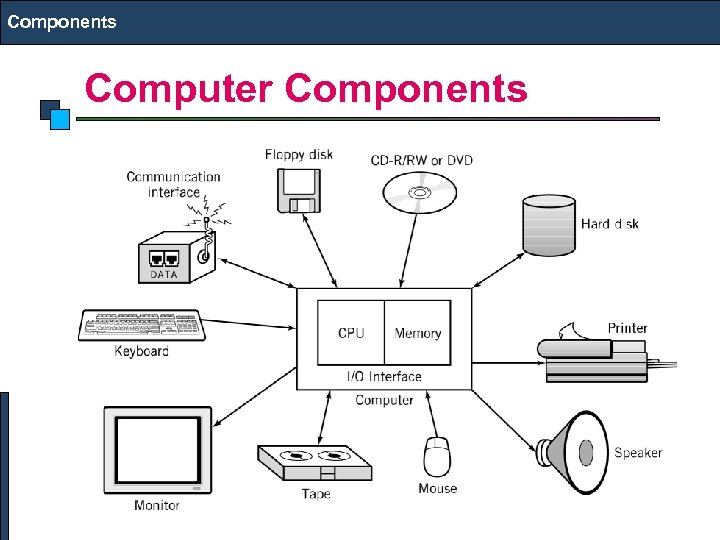 Components Computer Components
 Components Computer Components CPU Mother Board Memory Hard Disk Display Keyboard Mouse Power Supply Network Interface
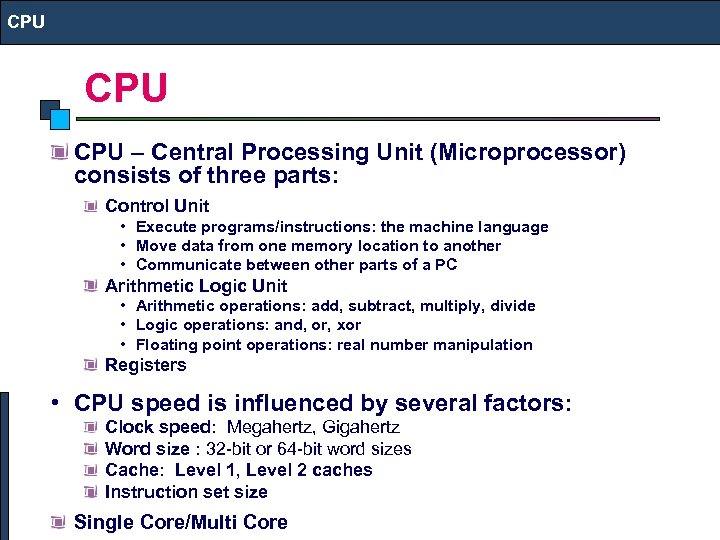 CPU CPU – Central Processing Unit (Microprocessor) consists of three parts: Control Unit • Execute programs/instructions: the machine language • Move data from one memory location to another • Communicate between other parts of a PC Arithmetic Logic Unit • Arithmetic operations: add, subtract, multiply, divide • Logic operations: and, or, xor • Floating point operations: real number manipulation Registers • CPU speed is influenced by several factors: Clock speed: Megahertz, Gigahertz Word size : 32 -bit or 64 -bit word sizes Cache: Level 1, Level 2 caches Instruction set size Single Core/Multi Core
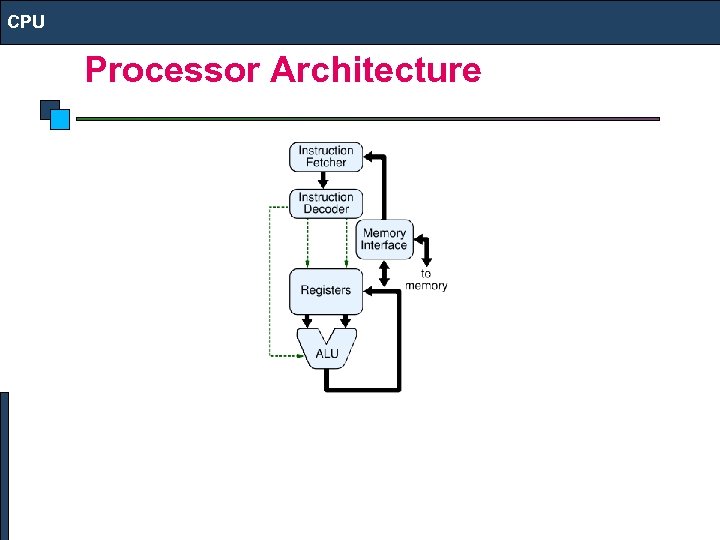 CPU Processor Architecture
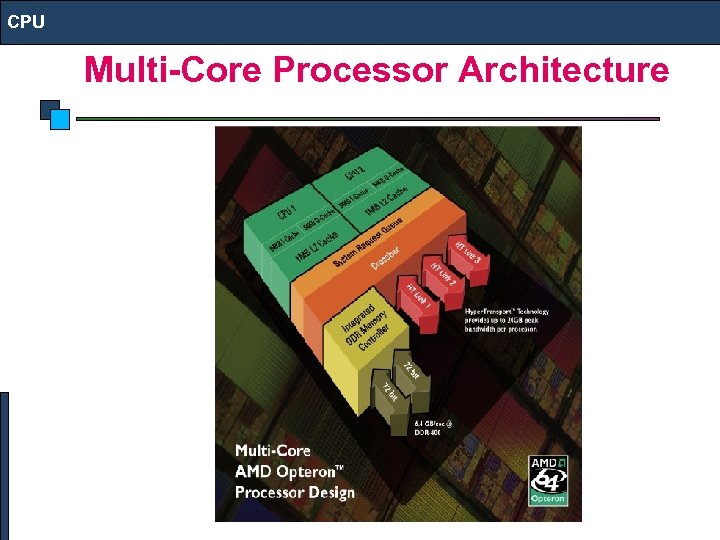 CPU Multi-Core Processor Architecture
 CPU Desktop Processor: Intel (Pentium) Core 2 Duo/Quad, AMD Athelon (Dual/Quad Core) Mobile Processor: Intel (Centrino 2) Core 2 Duo, AMD Turion (Dual Core) Server Processor: Intel Xeon Quad Core, AMD Optron Quad Core, RISC (Reduced Instruction Set Computer): IBM Power PC, SUN SPARC. . Atom Processor
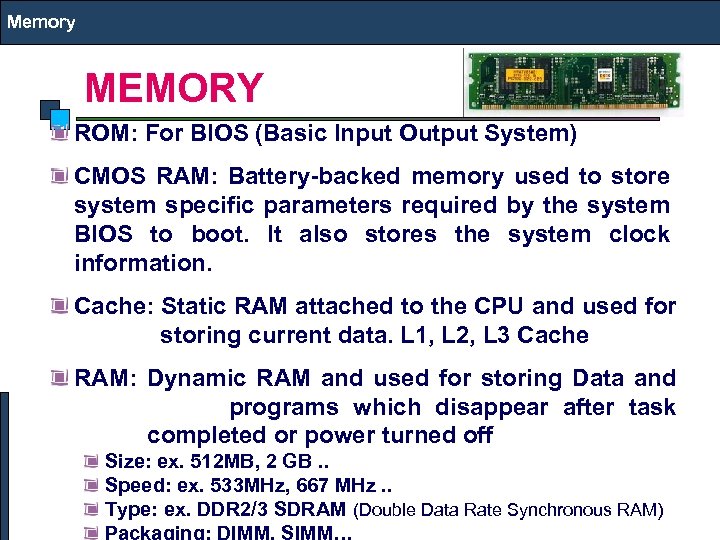 Memory MEMORY ROM: For BIOS (Basic Input Output System) CMOS RAM: Battery-backed memory used to store system specific parameters required by the system BIOS to boot. It also stores the system clock information. Cache: Static RAM attached to the CPU and used for storing current data. L 1, L 2, L 3 Cache RAM: Dynamic RAM and used for storing Data and programs which disappear after task completed or power turned off Size: ex. 512 MB, 2 GB. . Speed: ex. 533 MHz, 667 MHz. . Type: ex. DDR 2/3 SDRAM (Double Data Rate Synchronous RAM)
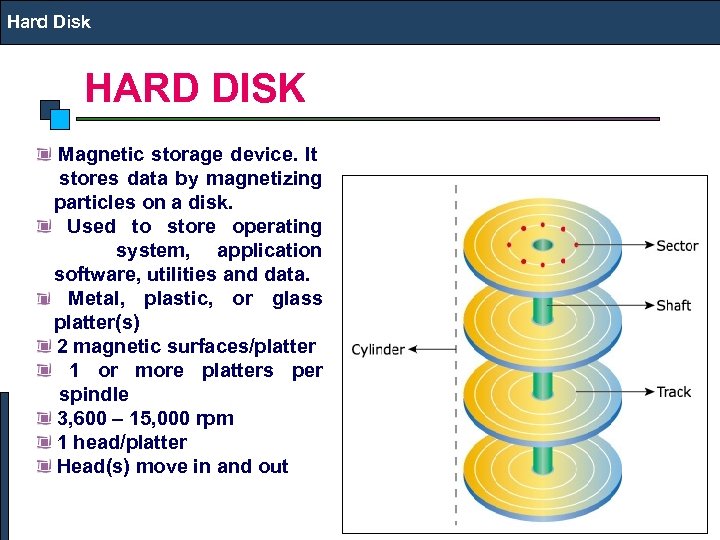 Hard Disk HARD DISK Magnetic storage device. It stores data by magnetizing particles on a disk. Used to store operating system, application software, utilities and data. Metal, plastic, or glass platter(s) 2 magnetic surfaces/platter 1 or more platters per spindle 3, 600 – 15, 000 rpm 1 head/platter Head(s) move in and out
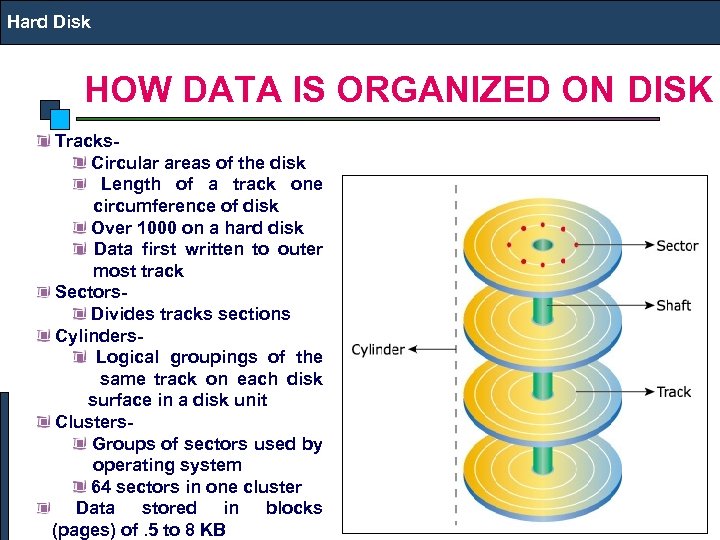 Hard Disk HOW DATA IS ORGANIZED ON DISK Tracks- Circular areas of the disk Length of a track one circumference of disk Over 1000 on a hard disk Data first written to outer most track Sectors- Divides tracks sections Cylinders- Logical groupings of the same track on each disk surface in a disk unit Clusters- Groups of sectors used by operating system 64 sectors in one cluster Data stored in blocks (pages) of. 5 to 8 KB
 Hard Disk HARD DISK IDE: Obsolete, also called PATA (Parallel Advanced Technology Attachment ), I/O Rate: 16 MB/s originally later 33, 66, 100 and 133 MB/s , SATA (Serial ATA): Used in Desktops/Laptops, I/O Rate: 1. 5/3 Gbps, 5400/7200 RPM SCSI (Small Computer System Interface ): Used in Servers, 10/15 K RPM, I/O Rate: 160/320 MB/s SAS (Serial Attached SCSI ): Used in Servers, 10/15 K RPM, I/O Rate: 3 Gbps FC (Fiber Channel): I/O Rate 4 Gbps, Expensive and used in Storage i. SCSI: I/O Rate 4 Gbps, Expensive and used in Storage Solid State Drive: non-volatile flash memory
 Hard Disk HARD DISK Low-level format- organizes both sides of each platter into tracks and sectors to define where items will be stored on the disk. Partitioning: divide hard disk into separate areas called partitions; each partition functions as if it were a separate hard disk drive. High-level format: defines the file allocation table (FAT) for each partition, which is a table of information used to locate files on the disk.
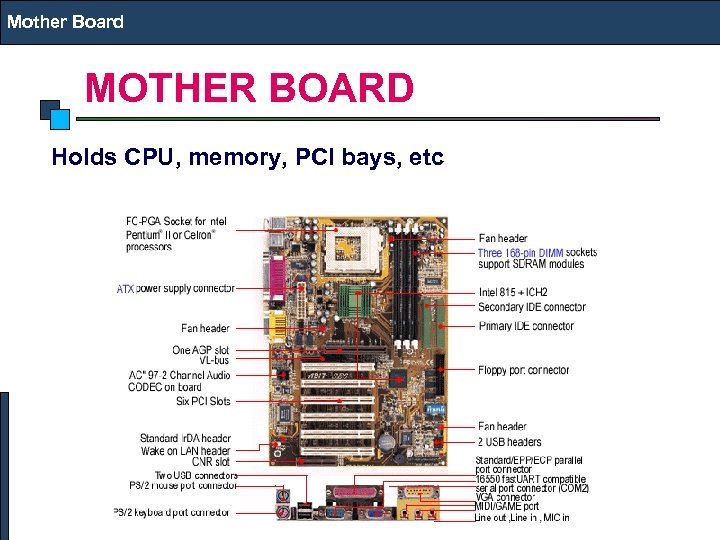 Mother Board MOTHER BOARD Holds CPU, memory, PCI bays, etc
 CD/DVD Drive CD (Compact Disk) Capacity is 700 to 800 MB Optical storage device. Data is read from CD by a laser. Stores data as light and dark spots on the disk surface. They have an unlimited life-span. RO & RW CDs I/O Rate is Nx where 1 x is 150 KB/s, Read & Write speeds are not same, upto 52 x speeds available DVD (Digital Video Disk) 4. 7 GB RO & RW DVDs I/O Rate is Nx where 1 x is 1. 35 MB/s, Read & Write speeds are not same, upto 20 x speeds available Blu Ray Upto 50 GB User Blue Laser
 Adapters Adaptors (Expansion Cards) Use PCI Bus - Peripheral Components Interconnect (32 /64 bit, Data Transfer Rate: 133 MB/s) Mini PCI – used in laptops, 32 Bit, 33 MHz PCI Express – Replacing PCI, 32/64 Bit, Data Transfer Rate: 8 GB/s Adapters (Often Integrated on Motherboard) Video Sound Network Interface Card (NIC) Modem TV Tuner
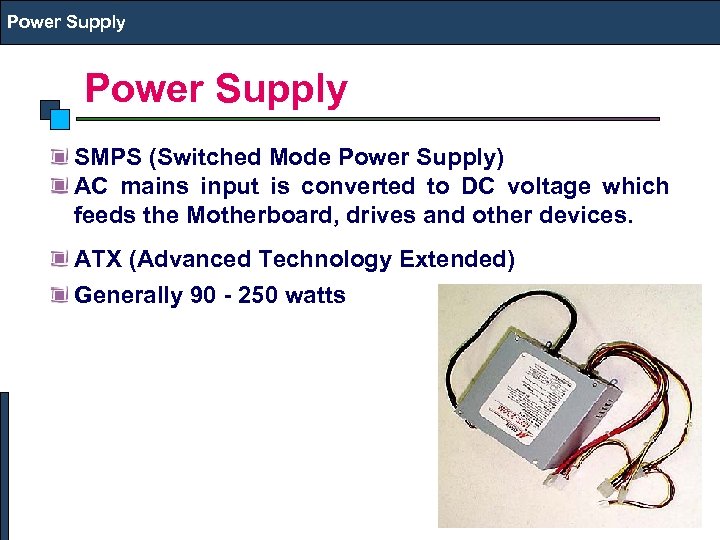 Power Supply SMPS (Switched Mode Power Supply) AC mains input is converted to DC voltage which feeds the Motherboard, drives and other devices. ATX (Advanced Technology Extended) Generally 90 - 250 watts
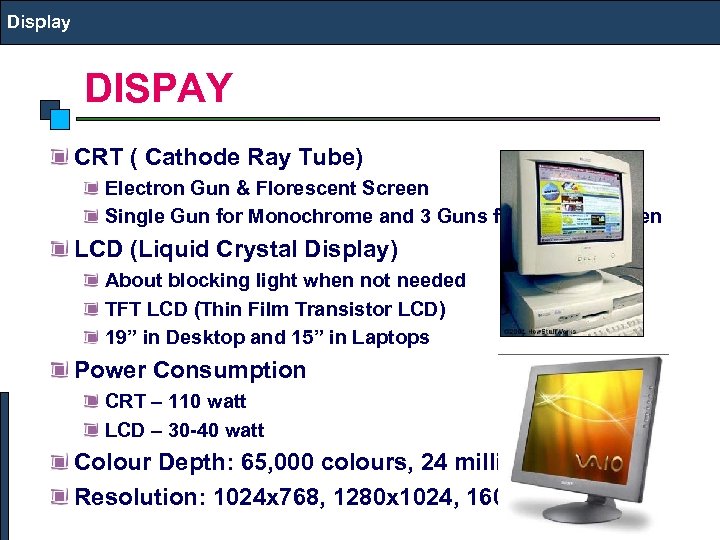 Display DISPAY CRT ( Cathode Ray Tube) Electron Gun & Florescent Screen Single Gun for Monochrome and 3 Guns for Colour Screen LCD (Liquid Crystal Display) About blocking light when not needed TFT LCD (Thin Film Transistor LCD) 19” in Desktop and 15” in Laptops Power Consumption CRT – 110 watt LCD – 30 -40 watt Colour Depth: 65, 000 colours, 24 million colours Resolution: 1024 x 768, 1280 x 1024, 1600 x 1200
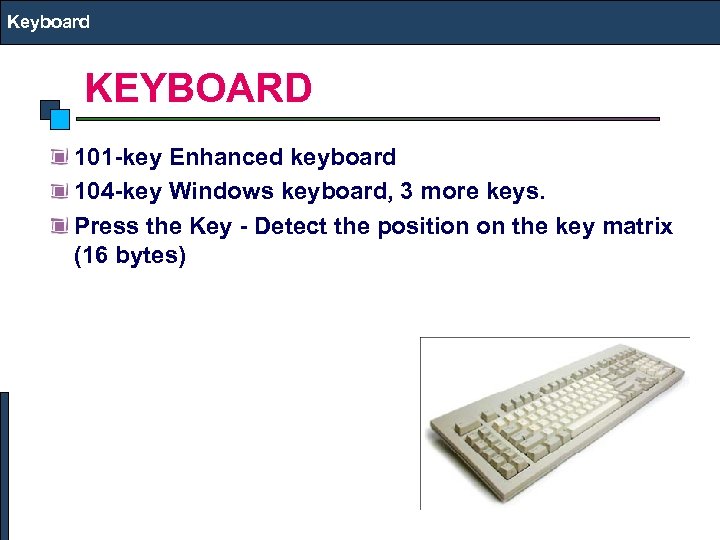 Keyboard KEYBOARD 101 -key Enhanced keyboard 104 -key Windows keyboard, 3 more keys. Press the Key - Detect the position on the key matrix (16 bytes)
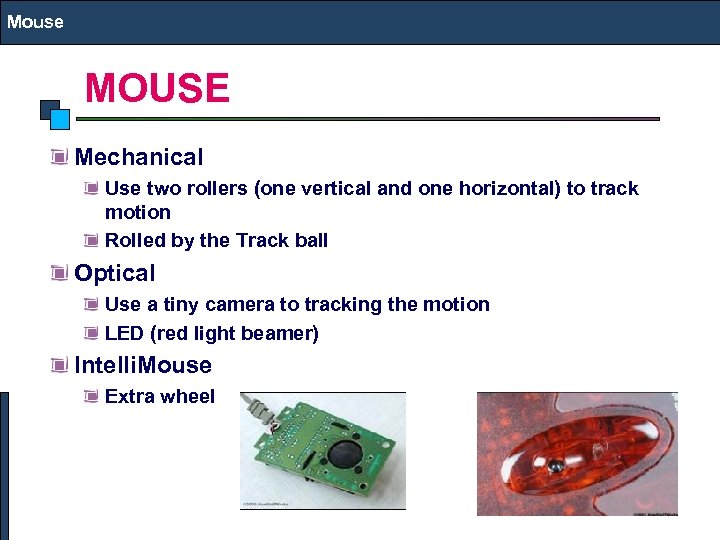 Mouse MOUSE Mechanical Use two rollers (one vertical and one horizontal) to track motion Rolled by the Track ball Optical Use a tiny camera to tracking the motion LED (red light beamer) Intelli. Mouse Extra wheel
 NIC Network Interface 10/1000 Integrated Network Interface 802. 11 a/b/g/n Wireless Interface in Laptops
 I/O Ports Parallel port – Parallel because it can move a whole byte at a time – Mainly used for connection to a printer • Serial port (Com port) – One bit at a time -- Uses thin cable • Universal serial bus (USB) replaces those – 4 wires (2 for power & 2 for communication) – Upto 60 MB/s – USB Pen Drives, Printers, External Disks, Drives etc.
 Printers Laser. Jet (Mono & Colour) • Inkjet • Dot Matrix Line
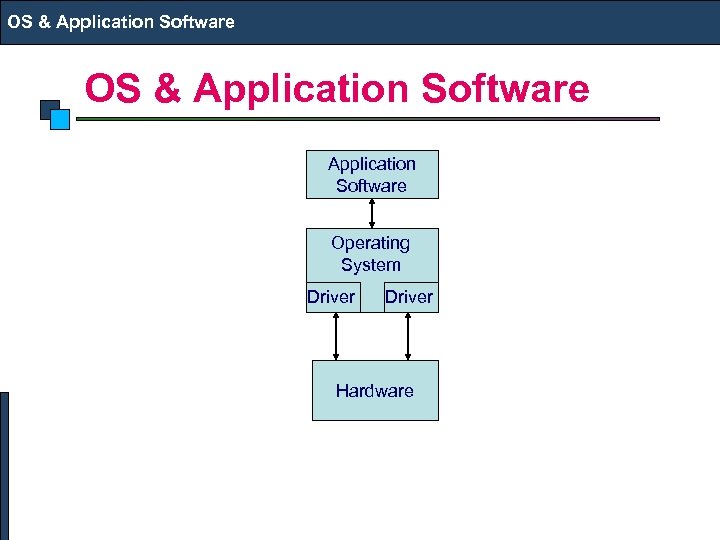 OS & Application Software Operating System Driver Hardware
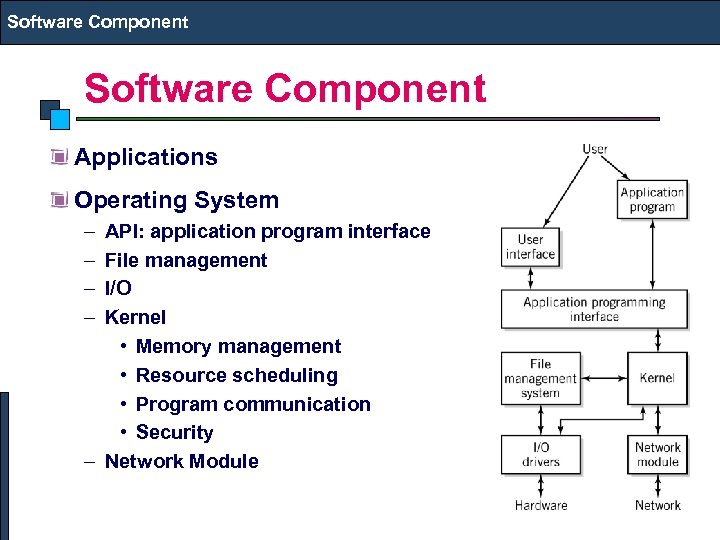 Software Component Applications Operating System – – API: application program interface File management I/O Kernel • Memory management • Resource scheduling • Program communication • Security – Network Module
 Operating System What is an Operating System handles Memory Addressing & Management Interrupt & Exception Handling Process & Task Management File System Timing Process Scheduling & Synchronization Examples of Operating Systems Single-user, Single-task: Palm. OS Single-user, Multi-task: MS Windows and Mac. OS Multi-user, Multi-task: UNIX, Windows Server 2003/2008
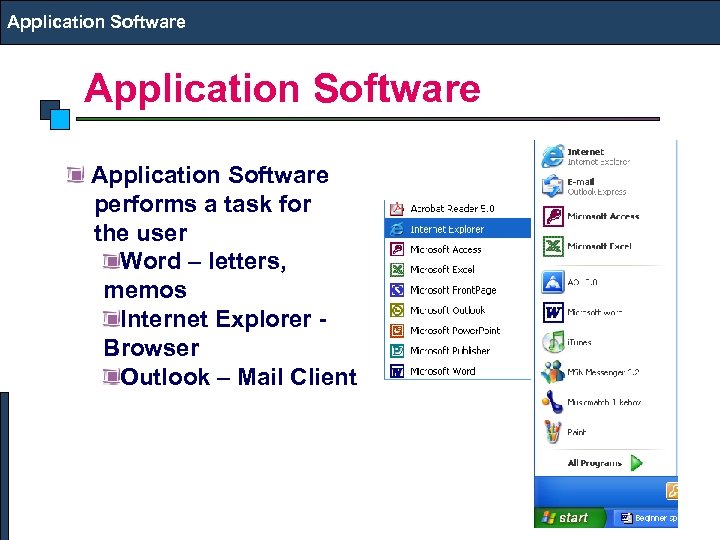 Application Software performs a task for the user Word – letters, memos Internet Explorer - Browser Outlook – Mail Client
 OS & Software OS & Application Software Desktop OS: Windows (Vista/XP), Linux, Dual Boot Applications: MS Office, CAD Package, Compilers … Application Servers OS: Windows (2000, 2003, 2008 Server), Linux, UNIX (HPUX, Solaris, AIX, IRIX etc. ) Applications: NAG, Matlab, Auto. CAD, Ideas, Oracle. . Internet Servers OS: Windows, Linux Mail: Send mail/Postfix on Linux or Exchange on Windows DNS: Windows or Linux DNS Server Web: Apache on Linux or IIS on Windows Proxy: Squid on Linux or ISA on Windows Authentication: LDAP on Linux or Active Directories on
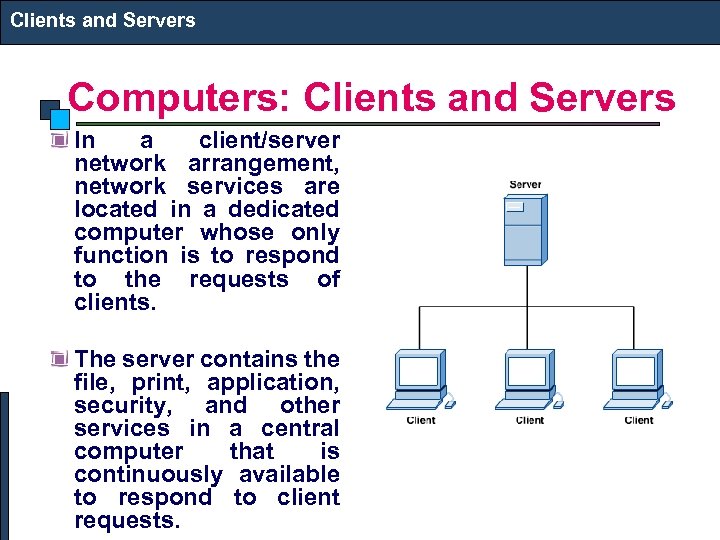 Clients and Servers Computers: Clients and Servers In a client/server network arrangement, network services are located in a dedicated computer whose only function is to respond to the requests of clients. The server contains the file, print, application, security, and other services in a central computer that is continuously available to respond to client requests.
 Servers Desktop Server Dual Processor (Dual/Quad Core) Server Quad Processor (Dual/Quad Core) or higher SMP Server Parallel Cluster using Dual/Quad Processor (Dual/Quad Core) servers clustered upto several Hundred Processors Processor: Core 2 Duo/Athlon (Desktop), 64 Bit Intel Xeon (Quad Core), 64 Bit AMD Optron (Quad Core), Intel 64 Bit Itanium, RISC OS: Linux, UNIX, Windows RAM: 4 GB or Higher Disk: Multiple 300 GB SAS
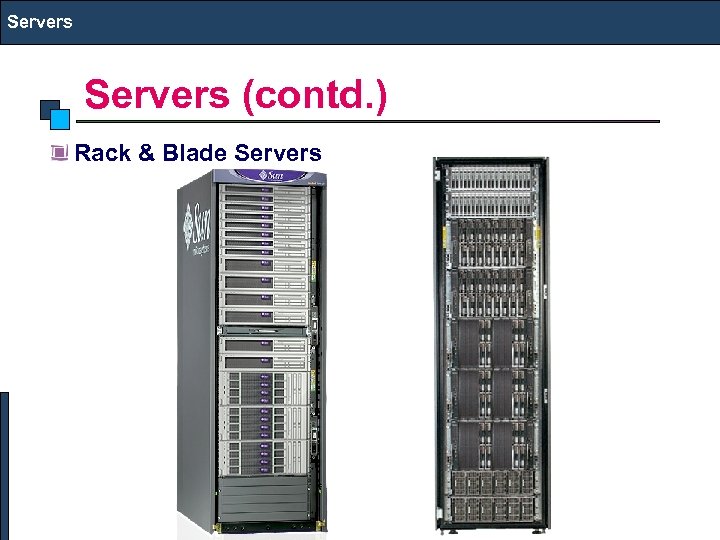 Servers (contd. ) Rack & Blade Servers
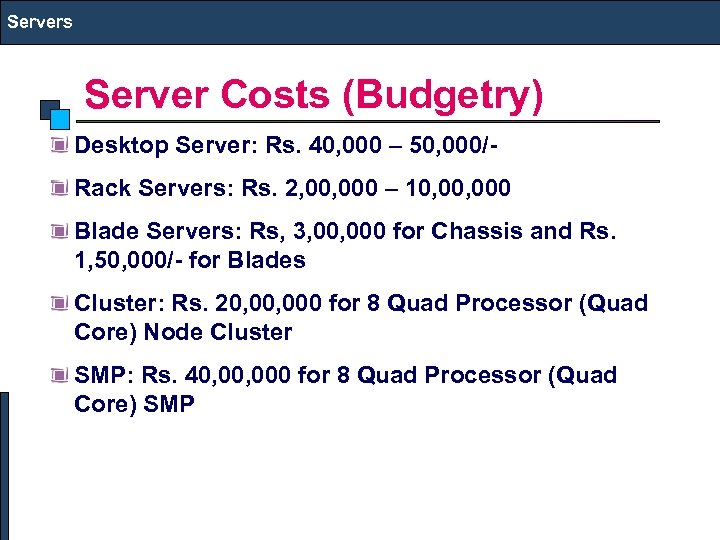 Servers Server Costs (Budgetry) Desktop Server: Rs. 40, 000 – 50, 000/Rack Servers: Rs. 2, 000 – 10, 000 Blade Servers: Rs, 3, 000 for Chassis and Rs. 1, 50, 000/- for Blades Cluster: Rs. 20, 000 for 8 Quad Processor (Quad Core) Node Cluster SMP: Rs. 40, 000 for 8 Quad Processor (Quad Core) SMP
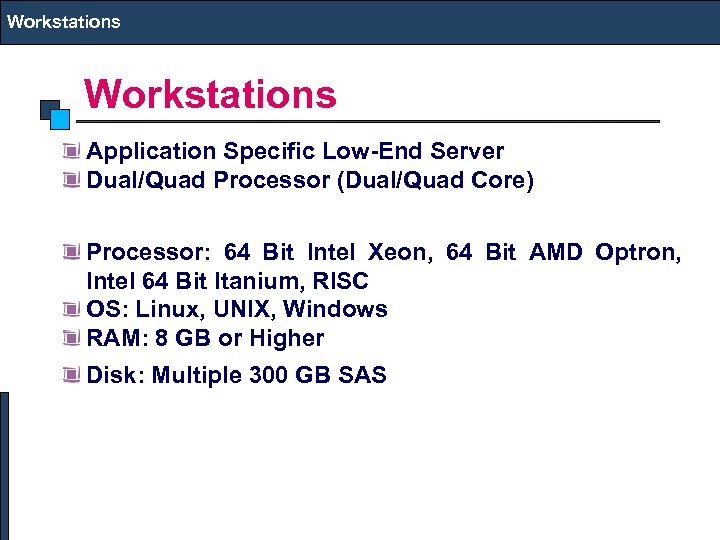 Workstations Application Specific Low-End Server Dual/Quad Processor (Dual/Quad Core) Processor: 64 Bit Intel Xeon, 64 Bit AMD Optron, Intel 64 Bit Itanium, RISC OS: Linux, UNIX, Windows RAM: 8 GB or Higher Disk: Multiple 300 GB SAS
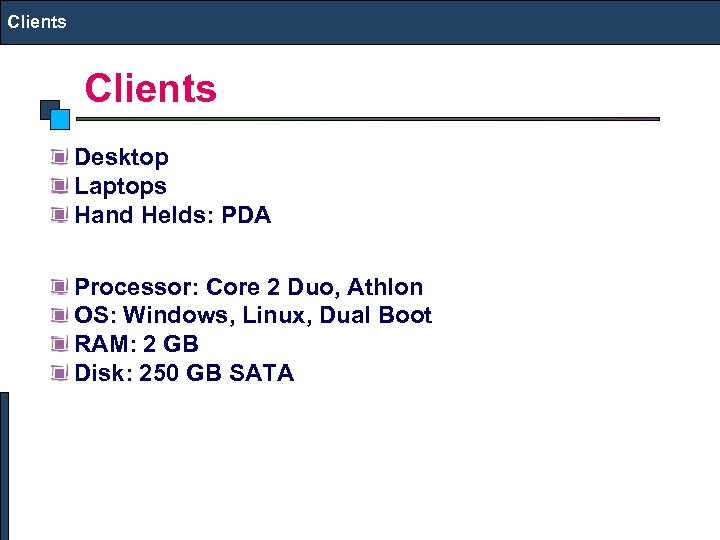 Clients Desktop Laptops Hand Helds: PDA Processor: Core 2 Duo, Athlon OS: Windows, Linux, Dual Boot RAM: 2 GB Disk: 250 GB SATA
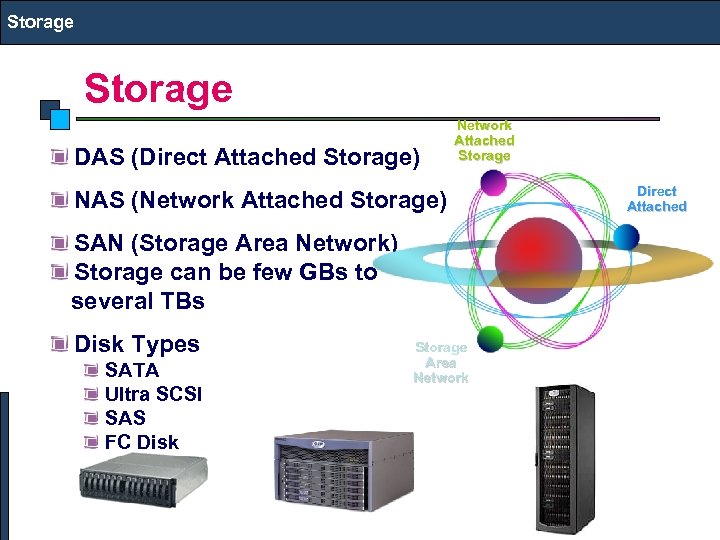 Storage DAS (Direct Attached Storage) Network Attached Storage NAS (Network Attached Storage) SAN (Storage Area Network) Storage can be few GBs to several TBs Disk Types SATA Ultra SCSI SAS FC Disk Storage Area Network Direct Attached
 Backup Single DAT Tape Drive (Internal/External) 80/160 GB Tapes Native data transfer rate of up to 24. 65 GB/hr SDLT Tape Drive (Internal/External) Single/ Multiple Drives and Slots 300/600 GB Tapes Native data transfer rate of up to 259 GB/hr LTO-4 Tape Drive (Internal/External) Single/ Multiple Drives and Slots 800/1600 GB Tapes Native data transfer rate of up to 432 GB/hr
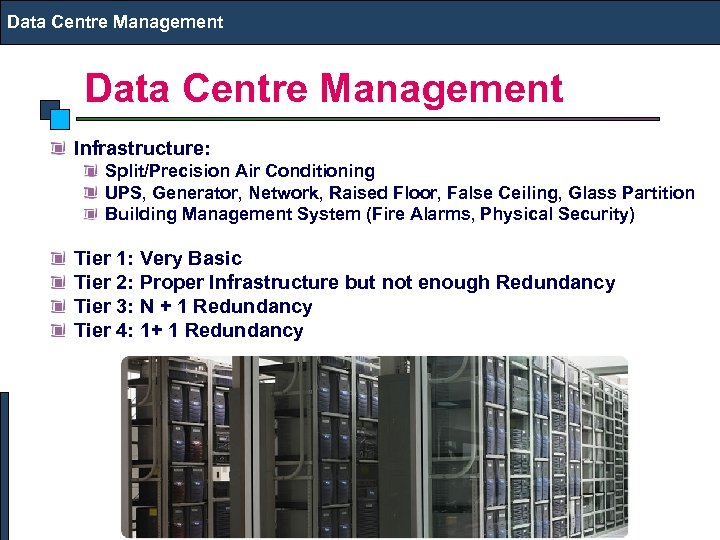 Data Centre Management Infrastructure: Split/Precision Air Conditioning UPS, Generator, Network, Raised Floor, False Ceiling, Glass Partition Building Management System (Fire Alarms, Physical Security) Tier 1: Very Basic Tier 2: Proper Infrastructure but not enough Redundancy Tier 3: N + 1 Redundancy Tier 4: 1+ 1 Redundancy