 Скачать презентацию Creating the customer experience web interfaces and usability
79e470621363f1e167ef4a5e95bdfd0d.ppt
- Количество слайдов: 26



Creating the customer experience: web interfaces and usability MARK 430 Week 5
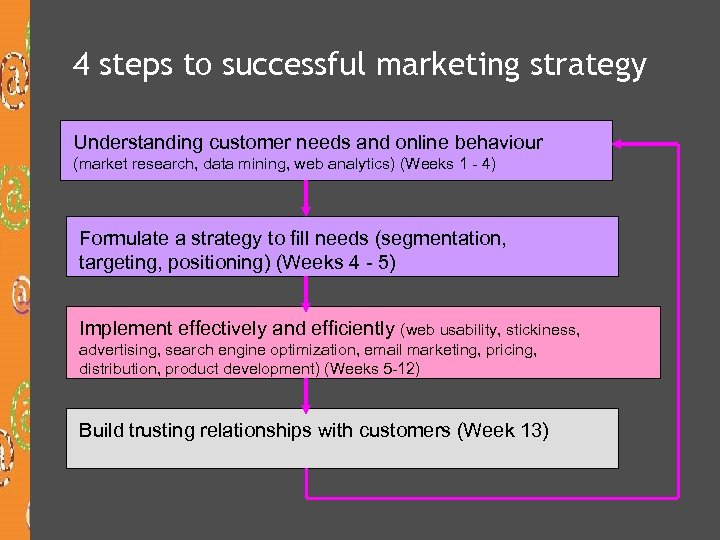
4 steps to successful marketing strategy Understanding customer needs and online behaviour (market research, data mining, web analytics) (Weeks 1 - 4) Formulate a strategy to fill needs (segmentation, targeting, positioning) (Weeks 4 - 5) Implement effectively and efficiently (web usability, stickiness, advertising, search engine optimization, email marketing, pricing, distribution, product development) (Weeks 5 -12) Build trusting relationships with customers (Week 13)
Customer Experience and the web interface § During this class we will: § Introduce and define the concept of customer experience § Examine three stages of the customer-experience hierarchy § Understand the seven elements of customer interface — the “ 7 Cs” § Explore the significance of the user interface
Some terminology § Trust cues § related to privacy and security § related to the whole look and feel and functionality of the site § Stickiness § getting visitors to come back § getting them to stay longer § Usability § user-focused design
Customer experience § Once a firm has decided on the positioning of its product offering, it must clearly articulate the customer experience that it wants to create. § Customer experience § “refers to a target customer’s perception and interpretation of all the stimuli encountered while interacting with a firm” (Mohammed et al pg. 130) § In an offline example - the customer experience in a Starbucks is not limited to the taste of the coffee § Online, the customer experience includes the entire range of a visitor’s perception of a website - from ease of use to the emotional reactions to a site’s content § It is the user’s interpretation of his or her complete encounter with the site
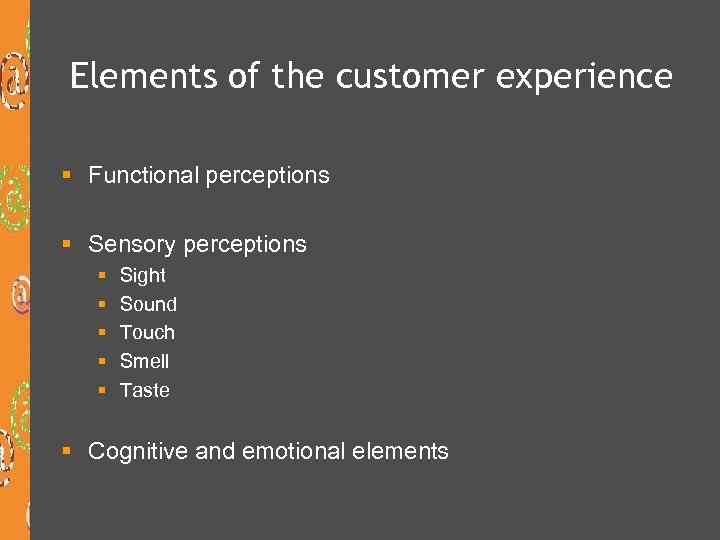
Elements of the customer experience § Functional perceptions § Sensory perceptions § § § Sight Sound Touch Smell Taste § Cognitive and emotional elements
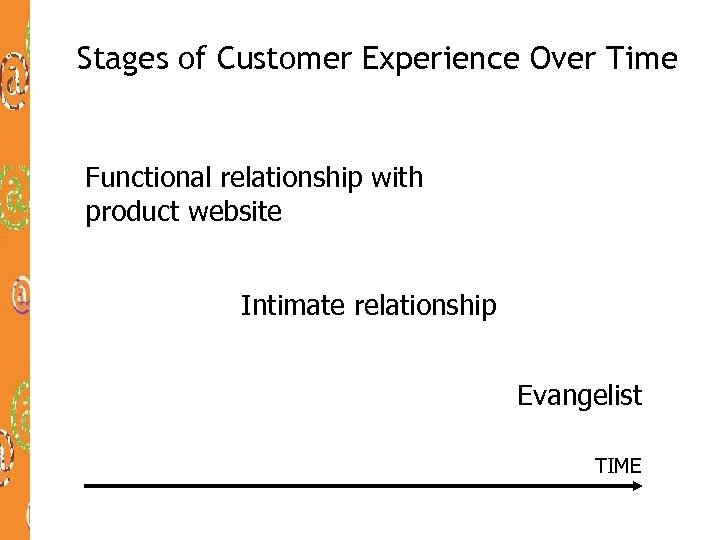
Stages of Customer Experience Over Time Functional relationship with product website Intimate relationship Evangelist TIME
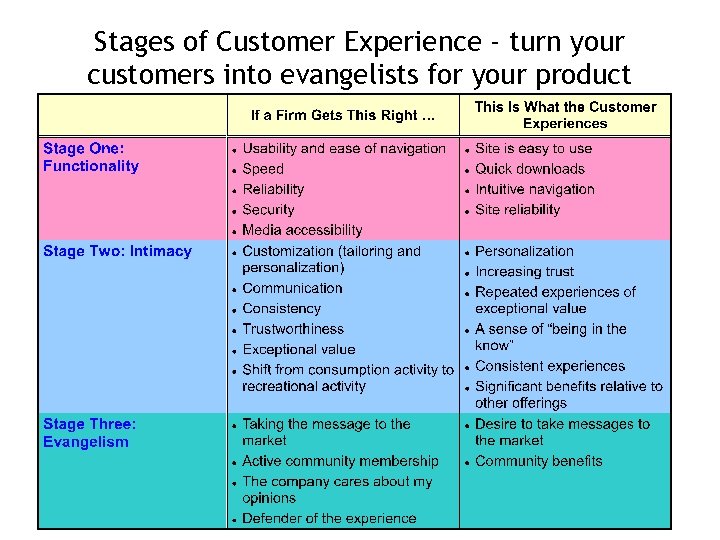
Stages of Customer Experience - turn your customers into evangelists for your product
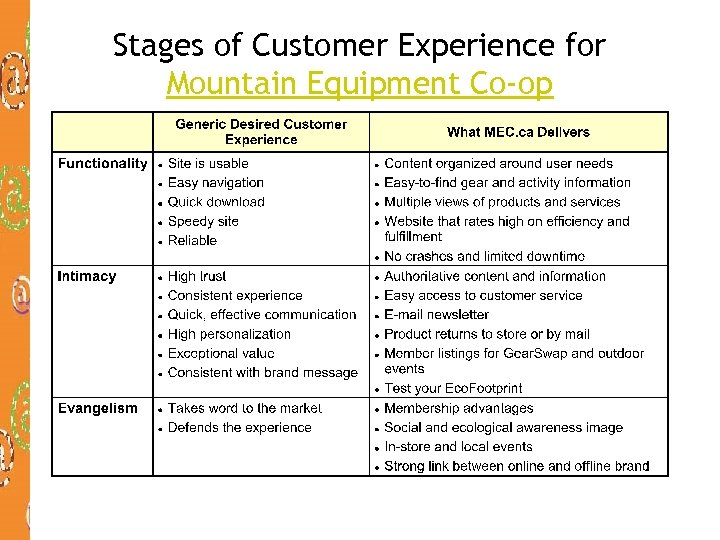
Stages of Customer Experience for Mountain Equipment Co-op
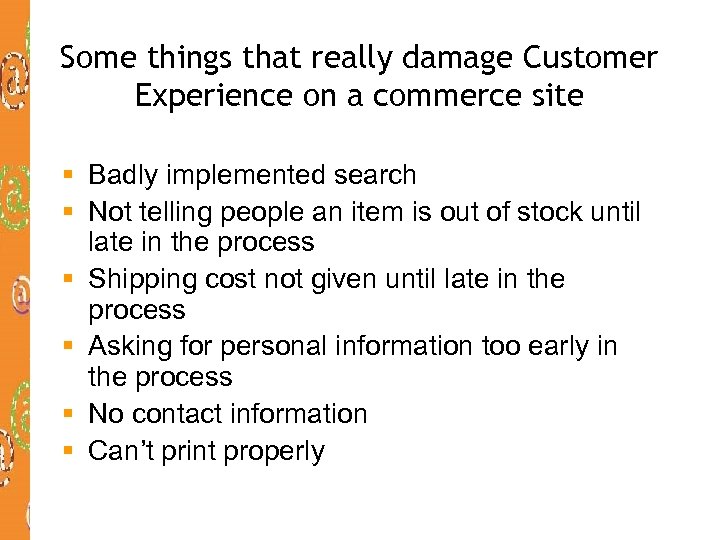
Some things that really damage Customer Experience on a commerce site § Badly implemented search § Not telling people an item is out of stock until late in the process § Shipping cost not given until late in the process § Asking for personal information too early in the process § No contact information § Can’t print properly
Crafting the customer interface § We are moving now to focus on customer / website interface issues - one element of the customer experience, but a very important one
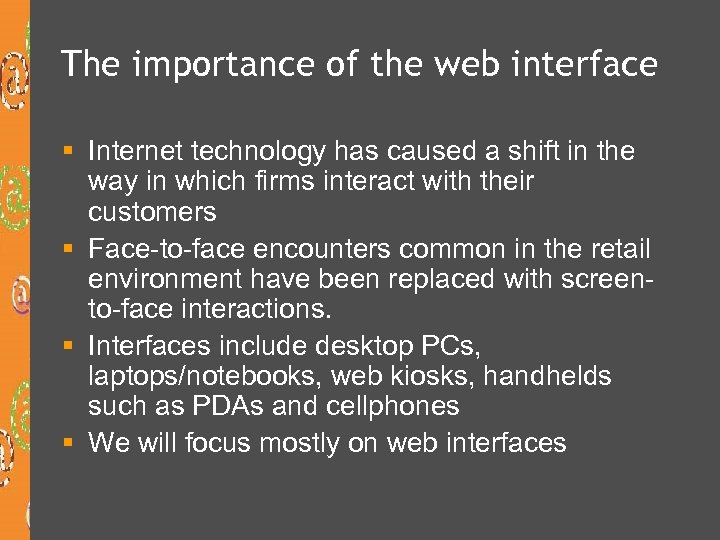
The importance of the web interface § Internet technology has caused a shift in the way in which firms interact with their customers § Face-to-face encounters common in the retail environment have been replaced with screento-face interactions. § Interfaces include desktop PCs, laptops/notebooks, web kiosks, handhelds such as PDAs and cellphones § We will focus mostly on web interfaces
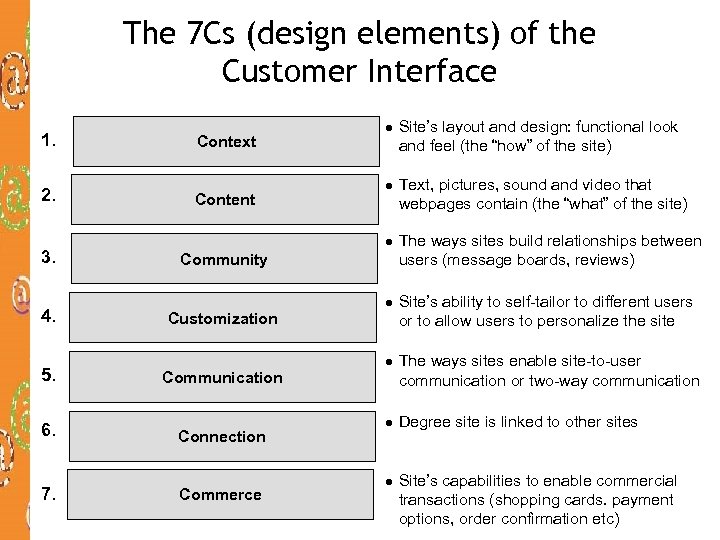
The 7 Cs (design elements) of the Customer Interface 1. 2. 3. 4. 5. 6. 7. Content Site’s layout and design: functional look and feel (the “how” of the site) l Text, pictures, sound and video that webpages contain (the “what” of the site) l Context l The ways sites build relationships between users (message boards, reviews) l Site’s ability to self-tailor to different users or to allow users to personalize the site l The ways sites enable site-to-user communication or two-way communication l Degree site is linked to other sites l Site’s capabilities to enable commercial transactions (shopping cards. payment options, order confirmation etc) Community Customization Communication Connection Commerce
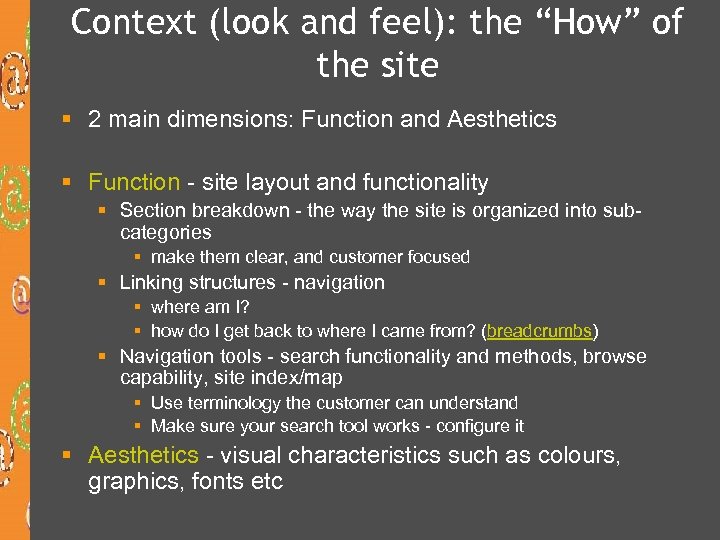
Context (look and feel): the “How” of the site § 2 main dimensions: Function and Aesthetics § Function - site layout and functionality § Section breakdown - the way the site is organized into subcategories § make them clear, and customer focused § Linking structures - navigation § where am I? § how do I get back to where I came from? (breadcrumbs) § Navigation tools - search functionality and methods, browse capability, site index/map § Use terminology the customer can understand § Make sure your search tool works - configure it § Aesthetics - visual characteristics such as colours, graphics, fonts etc
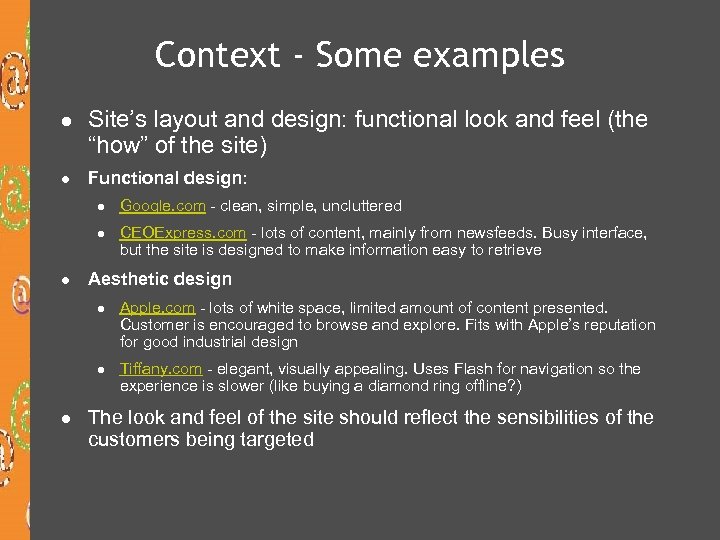
Context - Some examples l l Site’s layout and design: functional look and feel (the “how” of the site) Functional design: l l l Google. com - clean, simple, uncluttered CEOExpress. com - lots of content, mainly from newsfeeds. Busy interface, but the site is designed to make information easy to retrieve Aesthetic design l l l Apple. com - lots of white space, limited amount of content presented. Customer is encouraged to browse and explore. Fits with Apple’s reputation for good industrial design Tiffany. com - elegant, visually appealing. Uses Flash for navigation so the experience is slower (like buying a diamond ring offline? ) The look and feel of the site should reflect the sensibilities of the customers being targeted
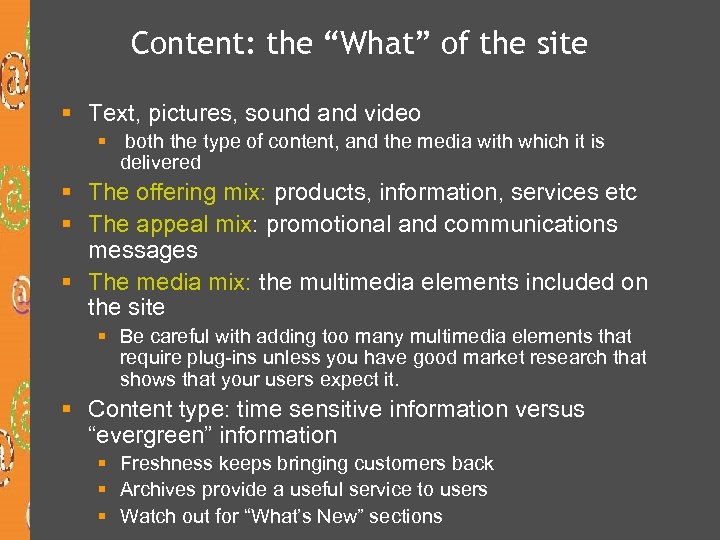
Content: the “What” of the site § Text, pictures, sound and video § both the type of content, and the media with which it is delivered § The offering mix: products, information, services etc § The appeal mix: promotional and communications messages § The media mix: the multimedia elements included on the site § Be careful with adding too many multimedia elements that require plug-ins unless you have good market research that shows that your users expect it. § Content type: time sensitive information versus “evergreen” information § Freshness keeps bringing customers back § Archives provide a useful service to users § Watch out for “What’s New” sections
Community § Community: the way sites build relationships between users. Strong community encourages people to return to the website again and again § Community can create attractive content (for free!) § Web communities can make the user feel that they are valued by the firm § Community can satisfy needs not otherwise able to be satisfied individually (eg. finding people) § Common tools are message boards, customer reviews, chat with special guests, corporate blogs, members areas § Other examples: Lands’ End “Shop with a Friend”,
Customization § Customization is the site’s ability to self-tailor to different users § The way customization can be achieved is divided roughly into 2 types (although many sites use both) § Personalization - preferences actively selected by the user § Tailoring by site - automatically generated customization based on a user’s previous behaviour, and the actions of other similar users
Personalization § Personalization is usually used to refer to customization of a site by the user him or herself. § Promotes stickiness and customer loyalty § Once a user has selected preferences, they must be saved and can then be accessed by use of registration/log in. § Examples of personalization: § E-mail accounts or storage space § Content and layout configurations - mytelus. com § Software agents - can be configured to notify a user when an item is in stock, or to act as an alert service § Cookies are often used in tandem with personalization, but they can identify only the machine on which the cookie is stored, not the individual person. Hence the need for log-in.
Tailoring by site § The second type involves automatically generated customization based on a user’s previous behaviour, and the actions of other similar users § Interface software dynamically publishes different versions of the site in order to better address users’ interests, habits, and needs. § The technologies to achieve this include cookies, and recommendation engines that use collaborative filtering. This is all completely automated, but can be improved by using active user input.
Personalization/customization using a combination of tools § Amazon. com provides a very good example of this combination of methods to customize the user experience using collaborative filtering and a recommendation engine § Lands’ End - My Model (allows you to configure a model to your body type and appearance and try on clothes) and My Personal Shopper (uses “Conjoint analysis” presents alternatives for selection)
Communication § Communication refers to a firm’s dialogue with its customers § Dialogue can be one-way (broadcast) or two-way (interactive) § Broadcast communication § Mass mailings (opt in only!) § E-mail newsletter § Content update notifications § Interactive § e-commerce dialog using email to exchange information re orders etc § Customer service - email or live chat § User input - content, reviews, feedback etc
Connection: how does a firm connect to other businesses? § Links to other sites § Outsourced content - eg. news feeds, stock quotes, weather etc § Affiliated sites - complementary products/services etc
Dimensions of Commerce § Commerce refers to those aspects of the user interface that support the various aspects of trading transactions § § § § § Registration Shopping cart Security Credit card approval One-Click Shopping (Amazon patented feature) Orders through affiliate programs Configuration and comparison mechanisms Order tracking Delivery options
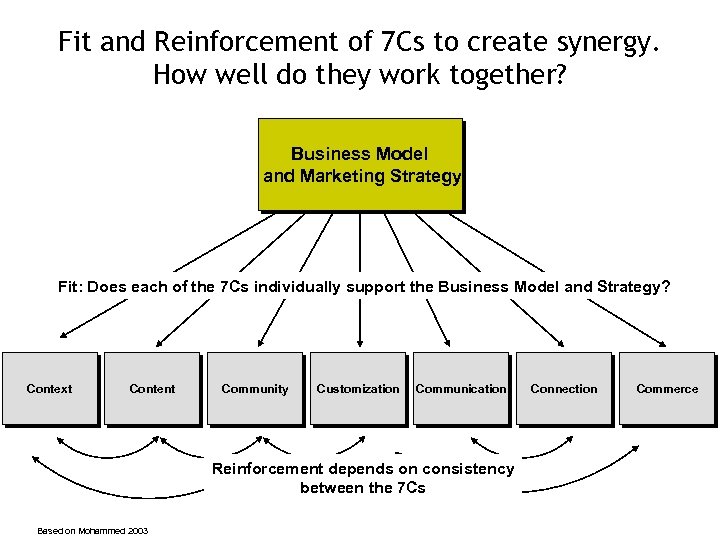
Fit and Reinforcement of 7 Cs to create synergy. How well do they work together? Business Model and Marketing Strategy Fit: Does each of the 7 Cs individually support the Business Model and Strategy? Context Content Community Customization Communication Reinforcement depends on consistency between the 7 Cs Based on Mohammed 2003 Connection Commerce
In the lab next week § We will be applying the 7 Cs of the customer interface to websites to help us to analyze what works in a web interface, and what needs fixing
Скачать презентацию Creating the customer experience web interfaces and usability
79e470621363f1e167ef4a5e95bdfd0d.ppt