


 Скачать презентацию Creating Music Videos using Automated Media Analysis Authored
145c54e7707a4e6af71bb0883b1d42d9.ppt
- Количество слайдов: 14
 Creating Music Videos using Automated Media Analysis Authored by Jonathan Foote, Matthew Cooper, and Andreas Girgensohn Presented by Sukhyung Shin, Ninad Dewal
 One neat usage… • Home videos are LONG – … AND generally have poor quality video & audio • Video has fast motion • Video has moments of extreme brightness – Too tedious to watch – Too precious to throw away • Solution: – Automatic Music Video Creation
 Key Guidelines to Keep in Mind • Soundtrack quality video quality – You think the video is better • Synchronization helps both – Enhanced perception of quality • Users choose clips – Fully automated not optimal – Need mix of both
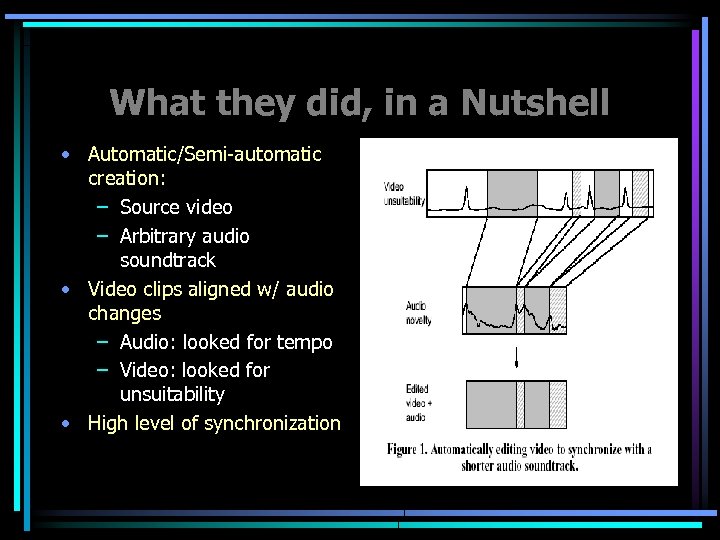 What they did, in a Nutshell • Automatic/Semi-automatic creation: – Source video – Arbitrary audio soundtrack • Video clips aligned w/ audio changes – Audio: looked for tempo – Video: looked for unsuitability • High level of synchronization
 Audio Parameterization • Self-similarity (SS) analysis – Independent of type of music – Past and future regions – Novel point between high SS regions – Standard spectral parameterization: • Based on STFT (short term Fourier transform) • Sampled at 22 k. Hz, quantized into 30 bins
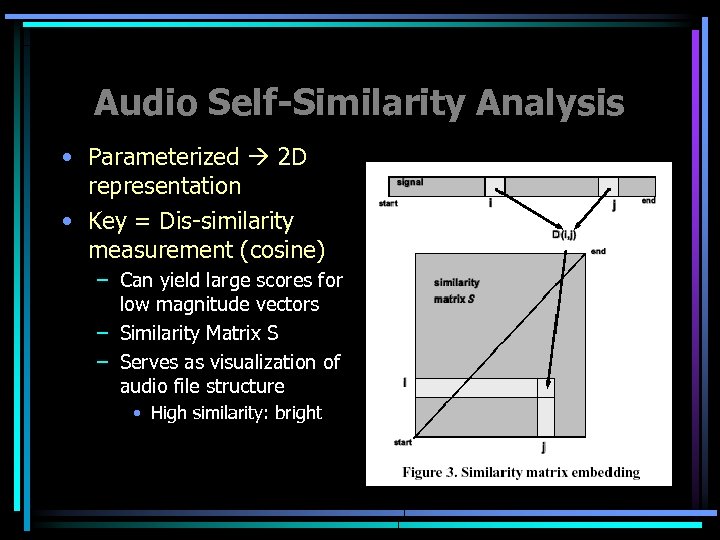 Audio Self-Similarity Analysis • Parameterized 2 D representation • Key = Dis-similarity measurement (cosine) – Can yield large scores for low magnitude vectors – Similarity Matrix S – Serves as visualization of audio file structure • High similarity: bright
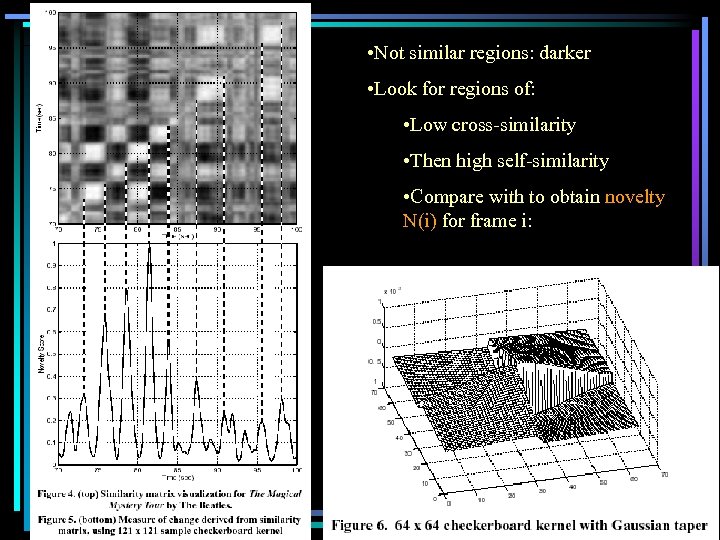 • Not similar regions: darker • Look for regions of: • Low cross-similarity • Then high self-similarity • Compare with to obtain novelty N(i) for frame i:
 Segmenting and Editing Video • Video boundaries into takes and clips • Discarding Unsuitable Video – Excessive camera motion or poor exposure – Unsuitability score • First estimate camera speed and direction • Compare this estimate vs. current camera motion • Test exposure/brightness • Discard clips with score > 0. 5
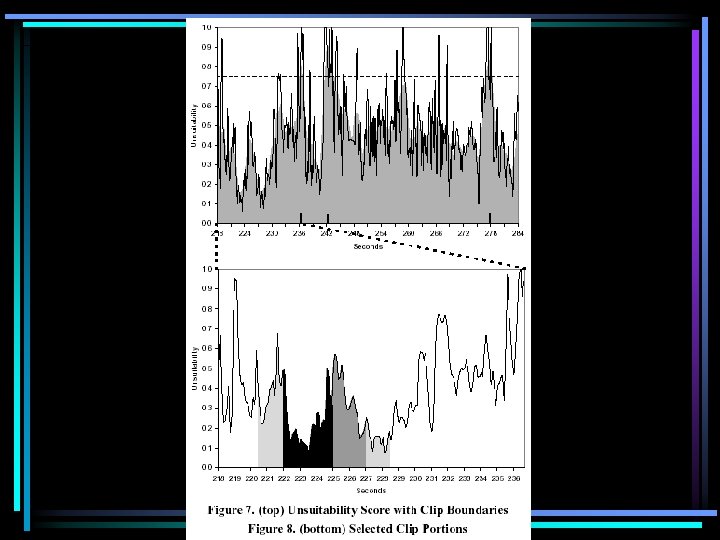
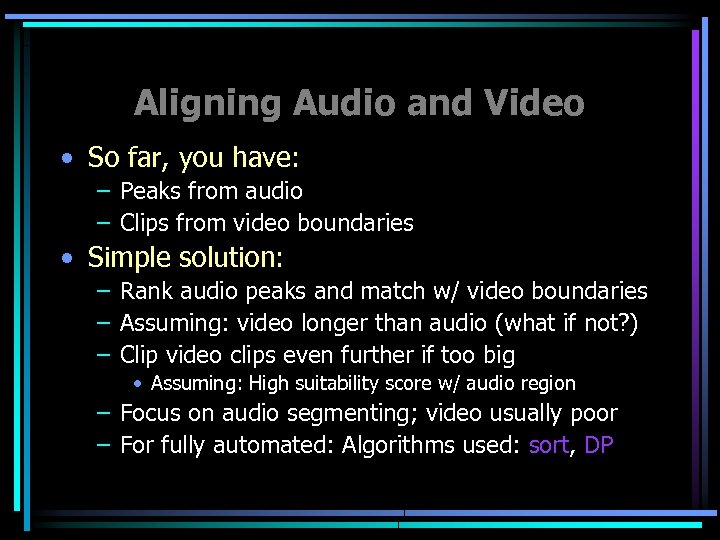 Aligning Audio and Video • So far, you have: – Peaks from audio – Clips from video boundaries • Simple solution: – Rank audio peaks and match w/ video boundaries – Assuming: video longer than audio (what if not? ) – Clip video clips even further if too big • Assuming: High suitability score w/ audio region – Focus on audio segmenting; video usually poor – For fully automated: Algorithms used: sort, DP
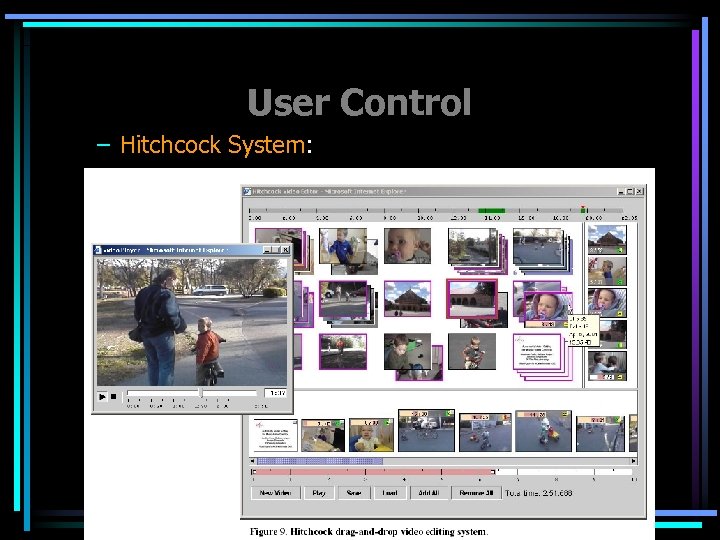 User Control – Hitchcock System:
 More Uses… • Home Videos Music Videos – Precious but tedious • Music artists – MTV, VH 1 • Movie, TV Show, Anime Fans – Creating free MV as hobbies
 Improvements • Rhythmic synchronization – Distinctive tempo or beat • Combining source and soundtrack audio – Has issues with edit boundaries
 Conclusions • Preliminary studies had positive outlook – Users could interact w/ Hitchcock • Authors realized that… – …source video’s audio should be used • Hitchcock interface combined w/ automated ordering worked well.