


 Скачать презентацию Creating Effective Learning Environments Five Easy Steps to
cf2a7e5017e64b60320570f3d4f00323.ppt
- Количество слайдов: 34
 Creating Effective Learning Environments: Five Easy Steps to Peer Instruction Boston University Slideshow Title Goes Here Props to: Stephanie Chasteen, CU Boulder and SEI Eric Mazur, Harvard University Bennett Goldberg Derek Bruff, Vanderbilt Physics Kathryn Spilios, Boston University STEM Education Initiatives Andrew Duffy, Boston University Jenny Knight, CU Boulder Rique Campa, MSU College Teaching Certificate Peter Newbury, UCSD Thursday, May 14, 2015
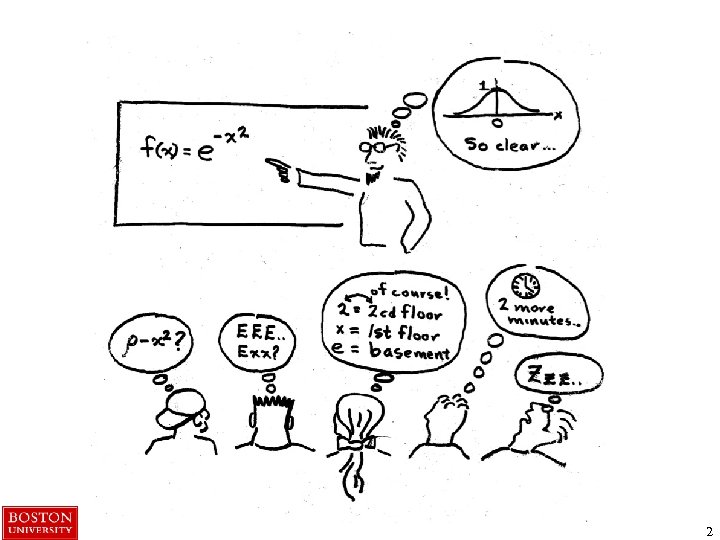 2
2
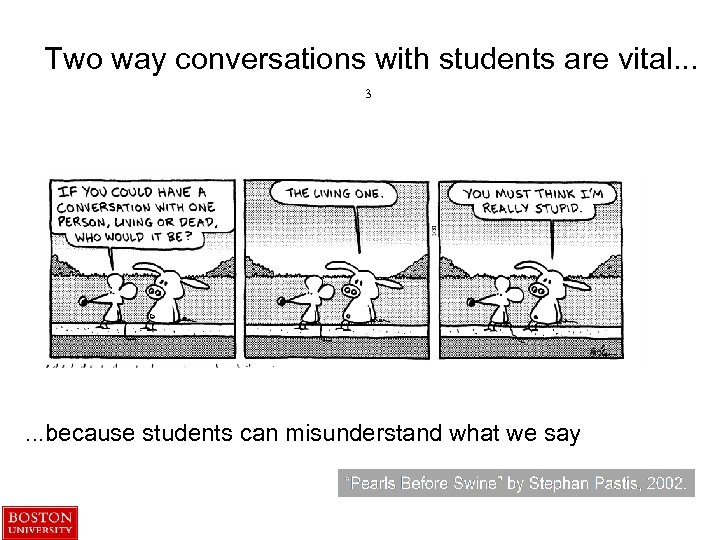 Two way conversations with students are vital. . . 3 . . . because students can misunderstand what we say
 Using the “Clicker” The clickers should be easy to use. When I ask a multiplechoice question and start the timer, just choose an answer and hit that button on your clicker. Clicker responses (right or wrong) count toward your participation grade. 5
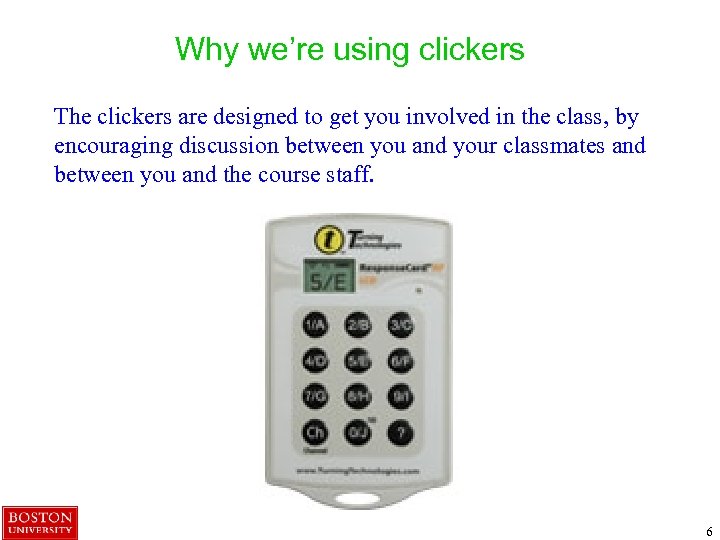 Why we’re using clickers The clickers are designed to get you involved in the class, by encouraging discussion between you and your classmates and between you and the course staff. 6
 Icons for peer instruction This icon means this is an individual activity - start by answering the questions on your own. When you have done this individually, compare notes with the members of your group. 7
 Have you used response systems (clickers) in your teaching? Take a clicker If the green light flashes, your vote has been counted 1. 2. 3. 4. 5. Not at all, and I haven’t seen them used Not at all, but I’ve observed their use somewhat I’ve used them a little I’ve used them a lot I could be (should be? ) giving this workshop 8
 How familiar are you with “Peer Instruction” 1. 2. 3. 4. 5. Fairly familiar, and I like it Fairly familiar, but I’m not sure that I like it I’ve heard of it but only have a vague idea what it is Not familiar at all Not sure 9
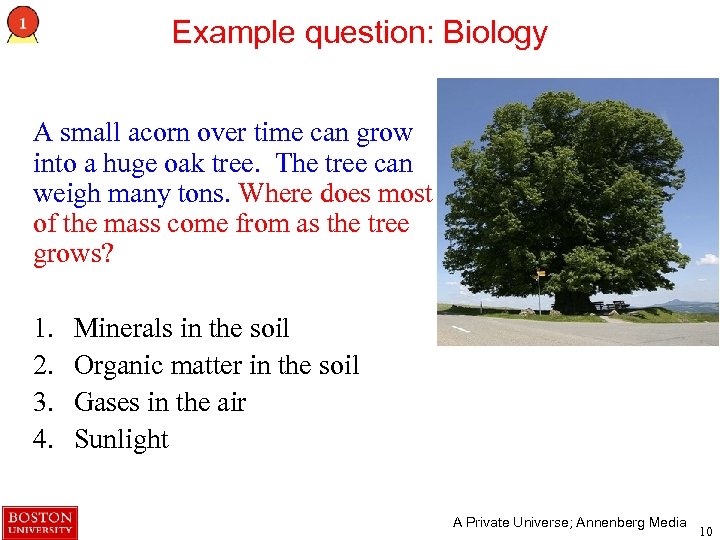 Example question: Biology A small acorn over time can grow into a huge oak tree. The tree can weigh many tons. Where does most of the mass come from as the tree grows? 1. 2. 3. 4. Minerals in the soil Organic matter in the soil Gases in the air Sunlight A Private Universe; Annenberg Media 10
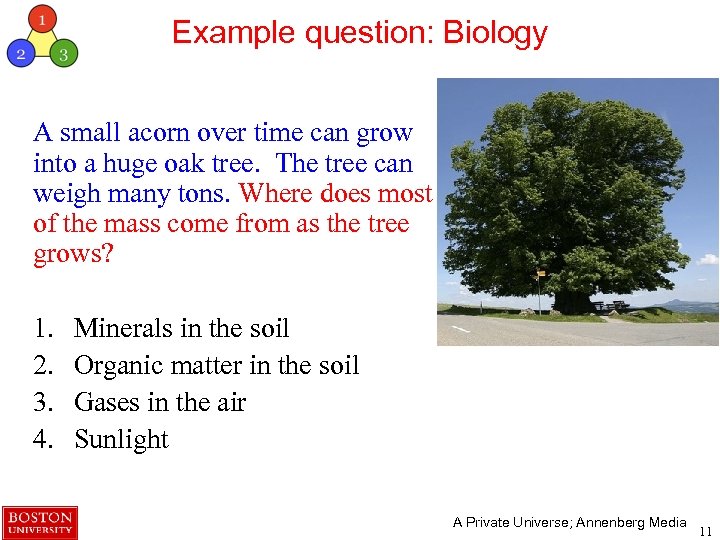 Example question: Biology A small acorn over time can grow into a huge oak tree. The tree can weigh many tons. Where does most of the mass come from as the tree grows? 1. 2. 3. 4. Minerals in the soil Organic matter in the soil Gases in the air Sunlight A Private Universe; Annenberg Media 11
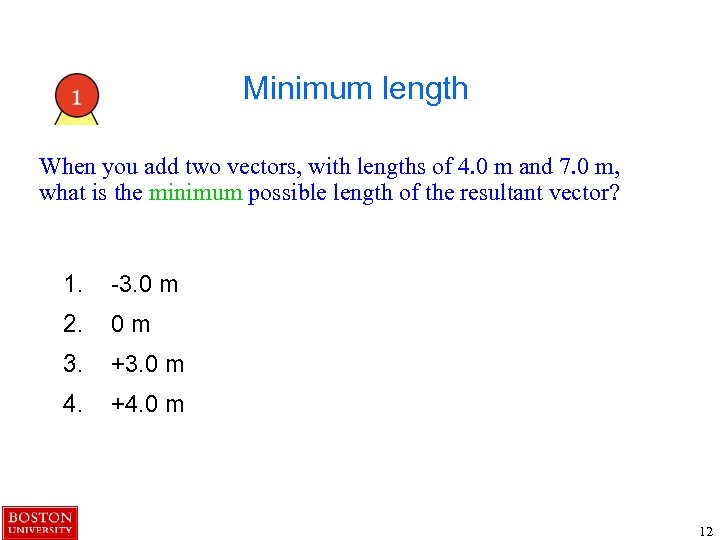 Minimum length When you add two vectors, with lengths of 4. 0 m and 7. 0 m, what is the minimum possible length of the resultant vector? 1. -3. 0 m 2. 0 m 3. +3. 0 m 4. +4. 0 m 12
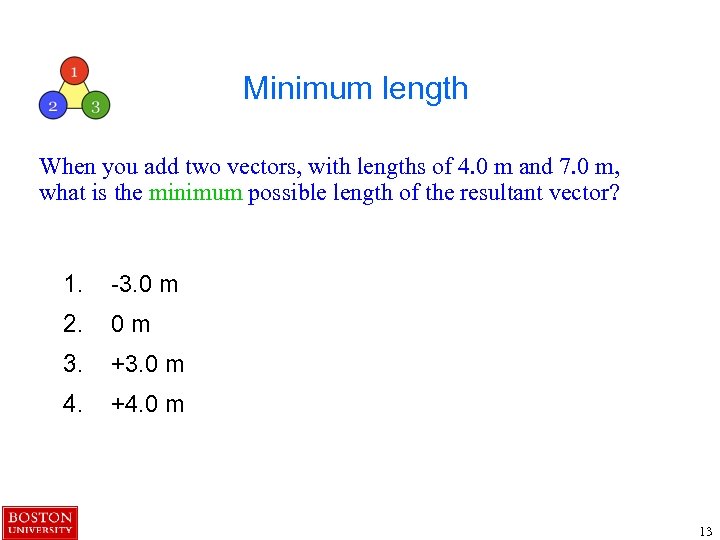 Minimum length When you add two vectors, with lengths of 4. 0 m and 7. 0 m, what is the minimum possible length of the resultant vector? 1. -3. 0 m 2. 0 m 3. +3. 0 m 4. +4. 0 m 13
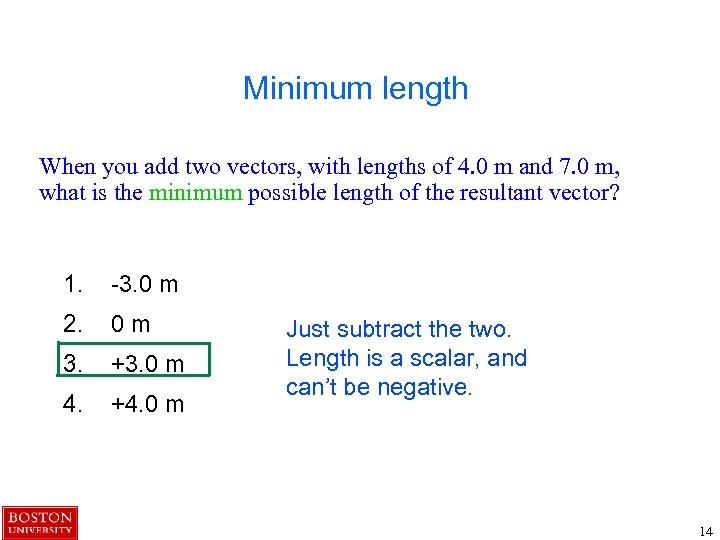 Minimum length When you add two vectors, with lengths of 4. 0 m and 7. 0 m, what is the minimum possible length of the resultant vector? 1. -3. 0 m 2. 0 m 3. +3. 0 m 4. +4. 0 m Just subtract the two. Length is a scalar, and can’t be negative. 14
 Clicker question about questions The toughest thing about asking questions in class is… 1. Writing good questions 2. Getting students to really think about them 3. Getting students to answer the questions / Nobody responds 4. The same students always respond / Not everybody responds 5. It takes too long / I have a lot of content to cover 15
 Clicker question about questions The toughest thing about asking questions in class is… 1. Writing good questions 2. Getting students to really think about them 3. Getting students to answer the questions / Nobody responds 4. The same students always respond / Not everybody responds 5. It takes too long / I have a lot of content to cover 16
 Presentation and Observation of Peer Instruction 17
 Part B: Elements of Peer Instruction 18
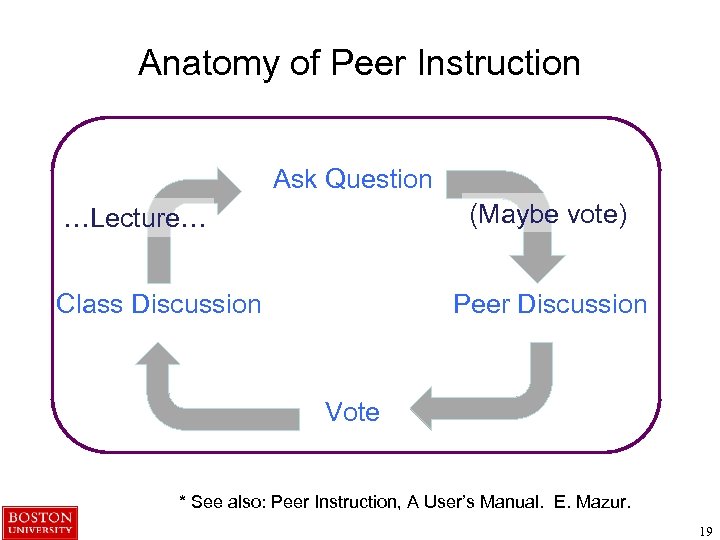 Anatomy of Peer Instruction Ask Question (Maybe vote) …Lecture… Class Discussion Peer Discussion Vote * See also: Peer Instruction, A User’s Manual. E. Mazur. 19
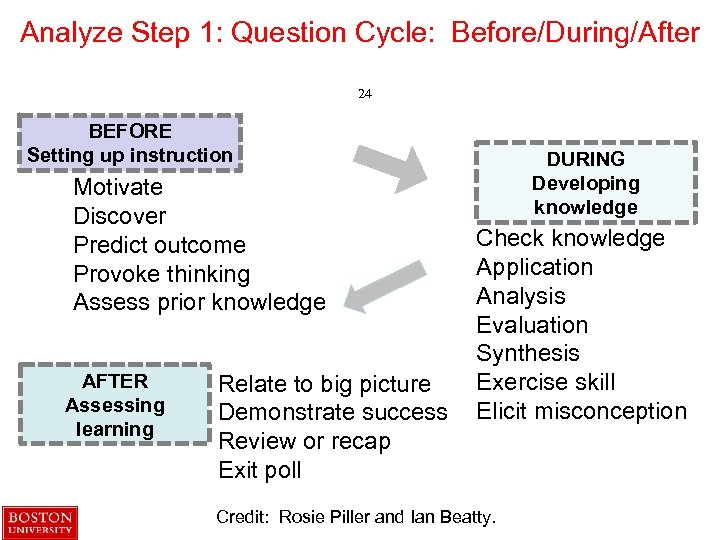 Analyze Step 1: Question Cycle: Before/During/After 24 BEFORE Setting up instruction Motivate Discover Predict outcome Provoke thinking Assess prior knowledge AFTER Assessing learning Relate to big picture Demonstrate success Review or recap Exit poll DURING Developing knowledge Check knowledge Application Analysis Evaluation Synthesis Exercise skill Elicit misconception Credit: Rosie Piller and Ian Beatty.
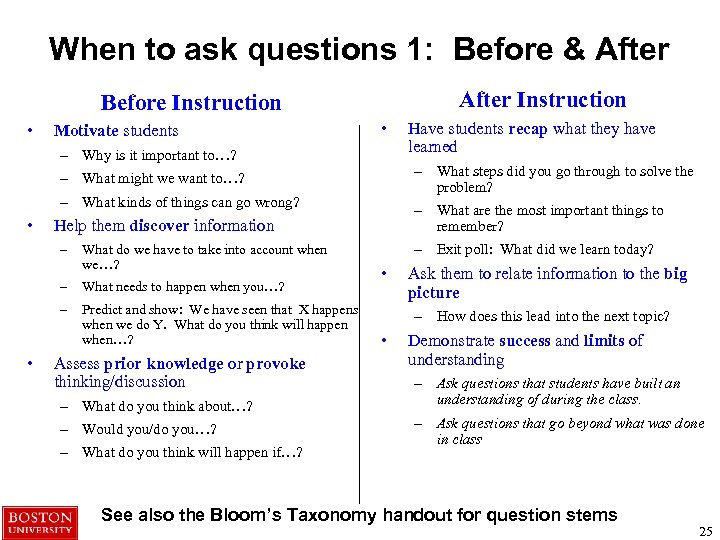 When to ask questions 1: Before & After Instruction Before Instruction • Motivate students • – Why is it important to…? – What might we want to…? – What kinds of things can go wrong? • What do we have to take into account when we…? – What needs to happen when you…? – • – What steps did you go through to solve the problem? – What are the most important things to remember? – Exit poll: What did we learn today? Help them discover information – Predict and show: We have seen that X happens when we do Y. What do you think will happen when…? Assess prior knowledge or provoke thinking/discussion – What do you think about…? – Would you/do you…? – What do you think will happen if…? Have students recap what they have learned • Ask them to relate information to the big picture – How does this lead into the next topic? • Demonstrate success and limits of understanding – Ask questions that students have built an understanding of during the class. – Ask questions that go beyond what was done in class See also the Bloom’s Taxonomy handout for question stems 25
 When to ask questions 2: During • Test knowledge of facts – What are three types of…? – Can you define…? • Test comprehension of concepts – Which statements support…? – What examples can you think of? • Test applications of concepts – What would happen if…? – Which of the following are X? • Help them analyze what they are learning – Based on the symptoms, what would you say is going on? – What is the relationship between…? • Test their ability to evaluate – Here are two solutions. Which is more appropriate and why? – Which of these is more important? • Provoke them to synthesize their understanding. – How would you test…? – Propose a way to… • Elicit a misconception – Ask questions where a common student misconception will result in a particular response • Exercise a skill – How would you…? – What is the next step in this problem? See also the Bloom’s Taxonomy handout for question stems 26
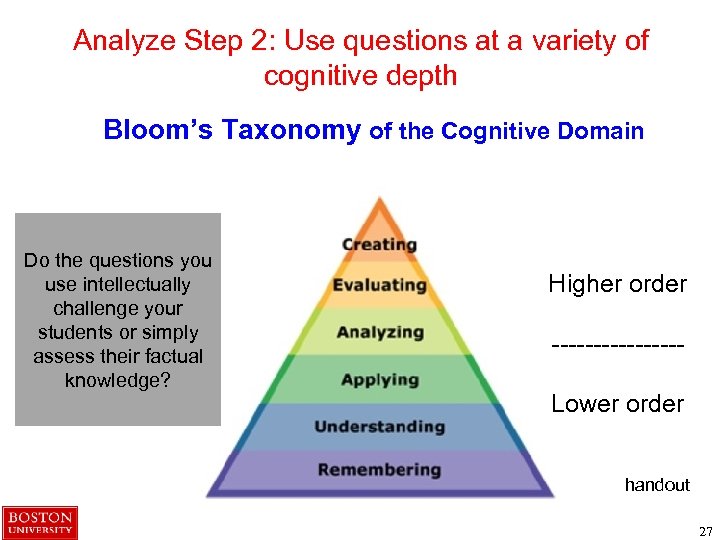 Analyze Step 2: Use questions at a variety of cognitive depth Bloom’s Taxonomy of the Cognitive Domain Do the questions you use intellectually challenge your students or simply assess their factual knowledge? Higher order --------Lower order handout 27
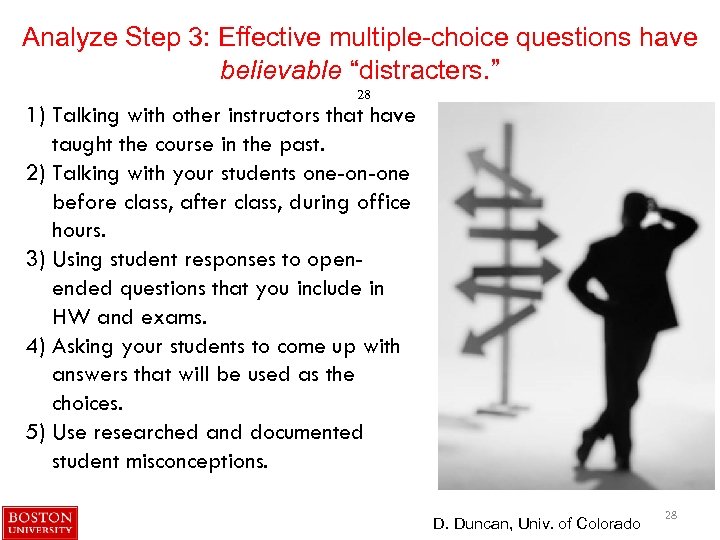 Analyze Step 3: Effective multiple-choice questions have believable “distracters. ” 28 1) Talking with other instructors that have taught the course in the past. 2) Talking with your students one-on-one before class, after class, during office hours. 3) Using student responses to openended questions that you include in HW and exams. 4) Asking your students to come up with answers that will be used as the choices. 5) Use researched and documented student misconceptions. D. Duncan, Univ. of Colorado 28
 Part C: Let’s analyze clicker questions For each of the three clicker questions, together analyze the questions on the first page of Part C. Once you are done, start on the second set of clicker questions, revised version of the first set 29
 Tips for writing clicker questions* *particularly for use with peer instruction • Don’t make them too easy. You can ask multiple choice questions at higher levels of Bloom’s! Don’t just test memorized facts. • Use questions that will prompt discussion. Interesting questions that students can’t answer on their own are more likely to spur productive discussion. • Use questions that emphasize reasoning or process over the right answer. Students need to be convinced that understanding strategies will get them a good grade. • Use clear wording so that students understand what they are being asked. • Write tempting distractors using your knowledge of student difficulties. For example, look at student answers on exams or quizzes, or first give the question as an open-ended question to generate common wrong answers. • Consider creative questions. You can survey your students, ask them how well they understand, break problems into parts, or use pictures or graphs in the answer choices. • Good sources of questions: – – – Questions your students ask you or that you overhear Common analogies you use as a teacher A series of connected questions to lead students through reasoning Interpret graphs, data, pictures, etc. Discussion questions where there is no one right answer See also handout 31
 Part D: Create your own clicker question Then share with your group 32
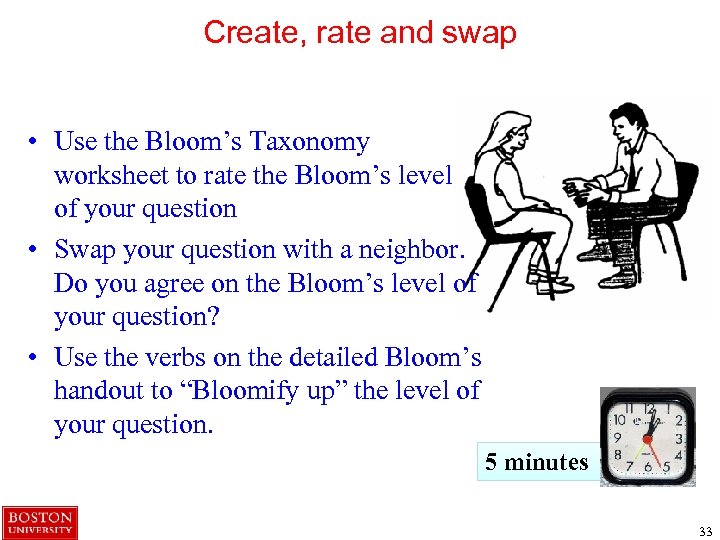 Create, rate and swap • Use the Bloom’s Taxonomy worksheet to rate the Bloom’s level of your question • Swap your question with a neighbor. Do you agree on the Bloom’s level of your question? • Use the verbs on the detailed Bloom’s handout to “Bloomify up” the level of your question. 5 minutes 33
 Part E: What are your top three concerns regarding using clickers and peer instruction in your teaching? Then share with your group 34
 Share out • What did you learn in this process? • What worked well, what was challenging? • How might you go about writing questions in your class?
 But… The perfect question doesn’t solve all problems!
 Slides about “Questioning” for Clicker Workshops 40 Dr. Stephanie V. Chasteen Physics Department & Science Ed. Initiative University of Colorado – Boulder http: //STEMclickers. colorado. edu Stephanie. Chasteen@colorado. edu Co-presenters have included Steven Pollock, Jenny Knight, Trish Loeblein, and Kathy Perkins.
 This presentation is copyrighted under the Creative Commons License Attribution Non-Commercial Share-Alike That means: Please watch it, share it, and use it in your presentations. Just give us credit, don’t make money from it, and use the same kind of license on the works that you create from it. More information about Creative Commons licenses here: http: //creativecommons. org/licenses/ Credit should be given to: Stephanie Chasteen and the Science Education Initiative at the University of Colorado, http: //colorado. edu/sei 41
 Action Plan 42 What will you do to implement ideas you heard about in this workshop? OR what key ideas will you share with a colleague? (See Clicker Tips sheet for summary!) 1. 2. 3. 42
 Whiteboard 43