 Скачать презентацию Creating an SSL Certificate for IBM Lotus Domino
e6b257915c9173d5f89e6859de8772ad.ppt
- Количество слайдов: 21



Creating an SSL Certificate for IBM Lotus Domino Servers Step by Step – Courtesy of Northern Collaborative Technologies Sponsored by: NCT Remember Me! Automatically log-in returning Domino users Installs in Minutes to existing or new web pages Does not require a DSAPI filter Fully Supports ACLs, Reader Names, Groups, etc. Fully Supports Multi-Server Session Based Authentication http: //www. Thenorth. com/ncthome. nsf/html/Remember. Me
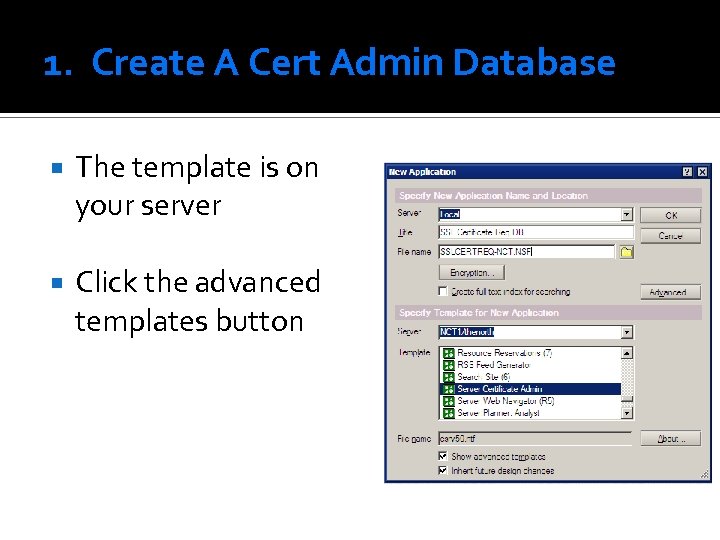
1. Create A Cert Admin Database The template is on your server Click the advanced templates button
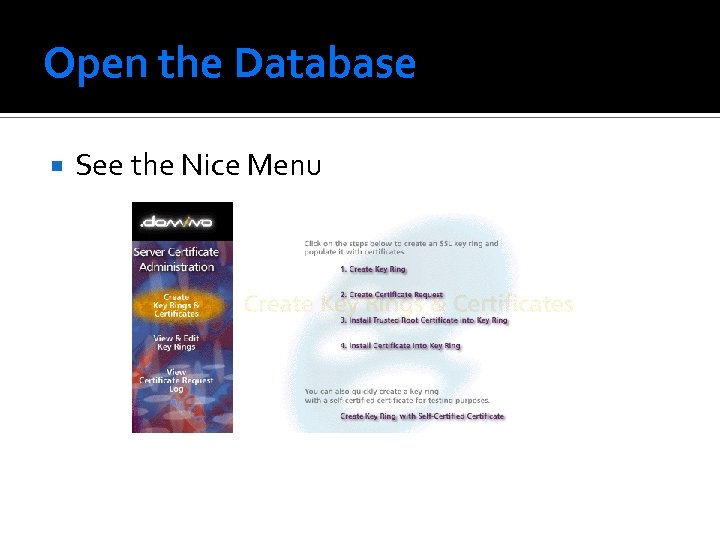
Open the Database See the Nice Menu
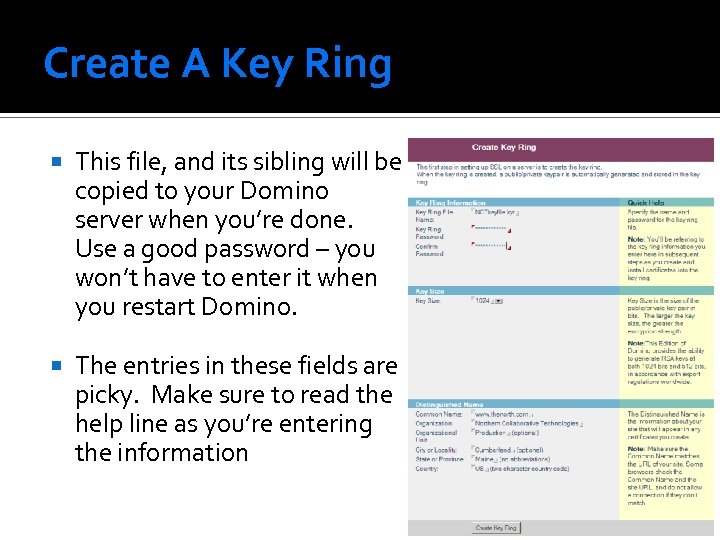
Create A Key Ring This file, and its sibling will be copied to your Domino server when you’re done. Use a good password – you won’t have to enter it when you restart Domino. The entries in these fields are picky. Make sure to read the help line as you’re entering the information
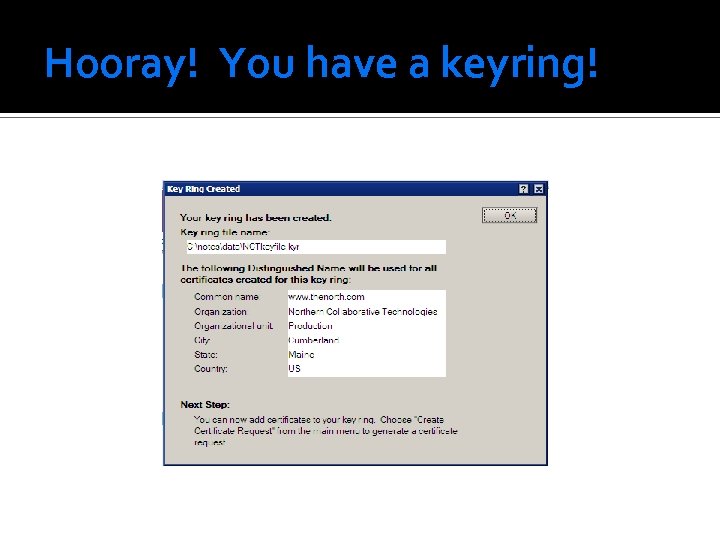
Hooray! You have a keyring!
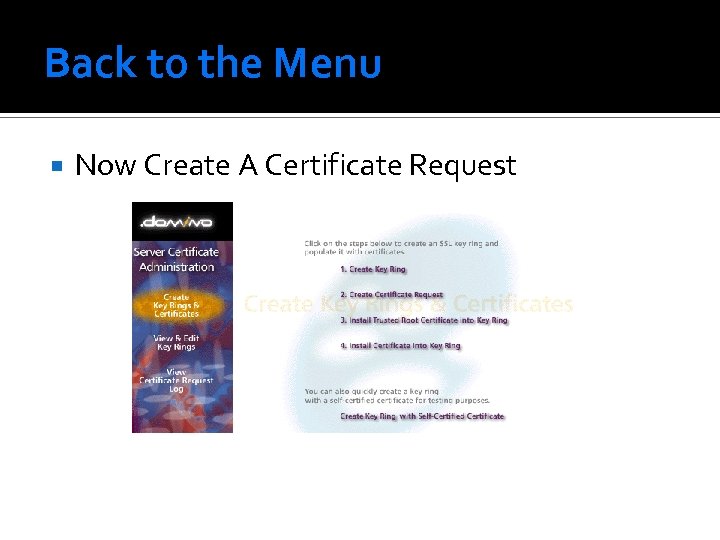
Back to the Menu Now Create A Certificate Request
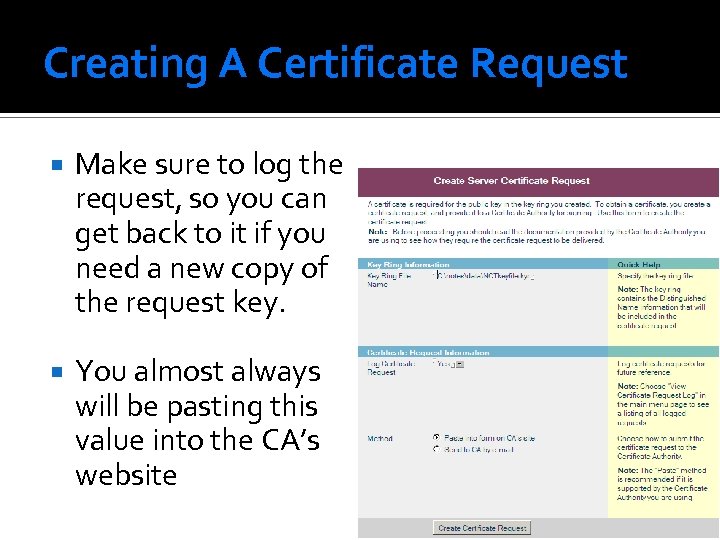
Creating A Certificate Request Make sure to log the request, so you can get back to it if you need a new copy of the request key. You almost always will be pasting this value into the CA’s website
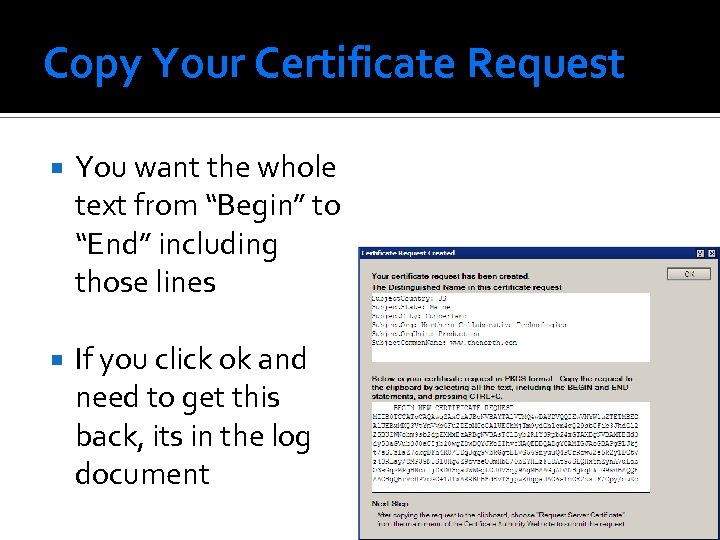
Copy Your Certificate Request You want the whole text from “Begin” to “End” including those lines If you click ok and need to get this back, its in the log document
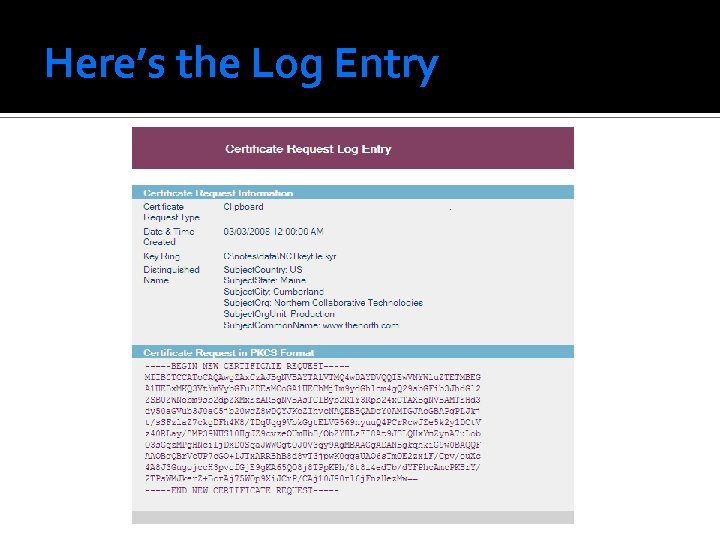
Here’s the Log Entry
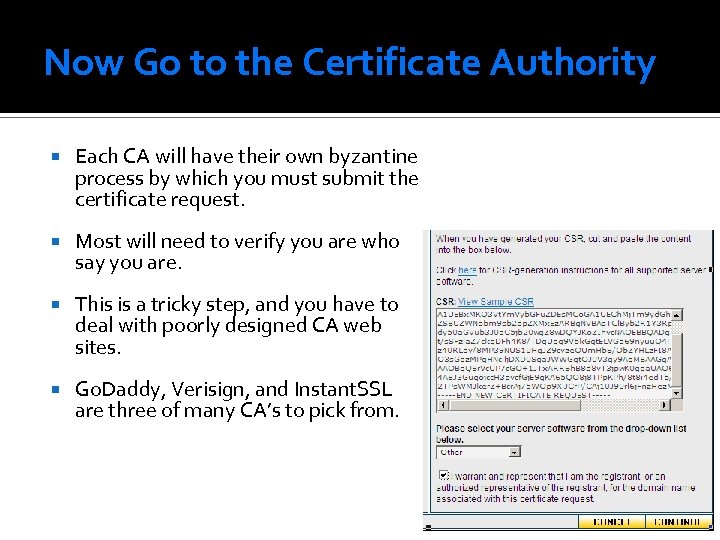
Now Go to the Certificate Authority Each CA will have their own byzantine process by which you must submit the certificate request. Most will need to verify you are who say you are. This is a tricky step, and you have to deal with poorly designed CA web sites. Go. Daddy, Verisign, and Instant. SSL are three of many CA’s to pick from.
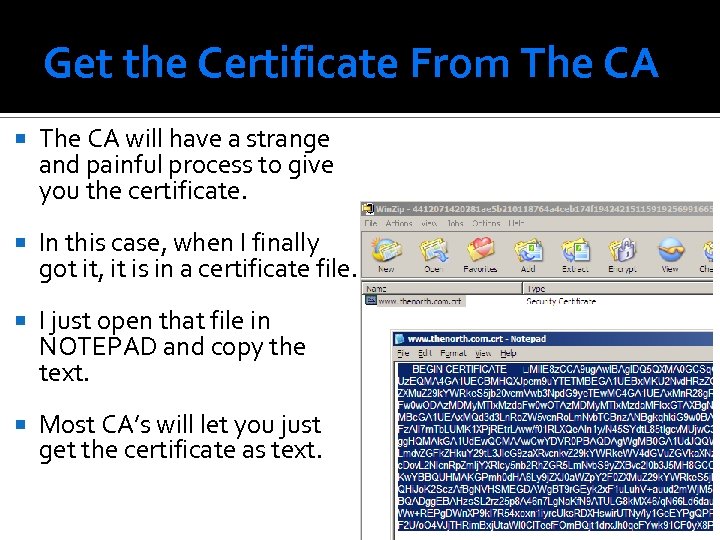
Get the Certificate From The CA will have a strange and painful process to give you the certificate. In this case, when I finally got it, it is in a certificate file. I just open that file in NOTEPAD and copy the text. Most CA’s will let you just get the certificate as text.
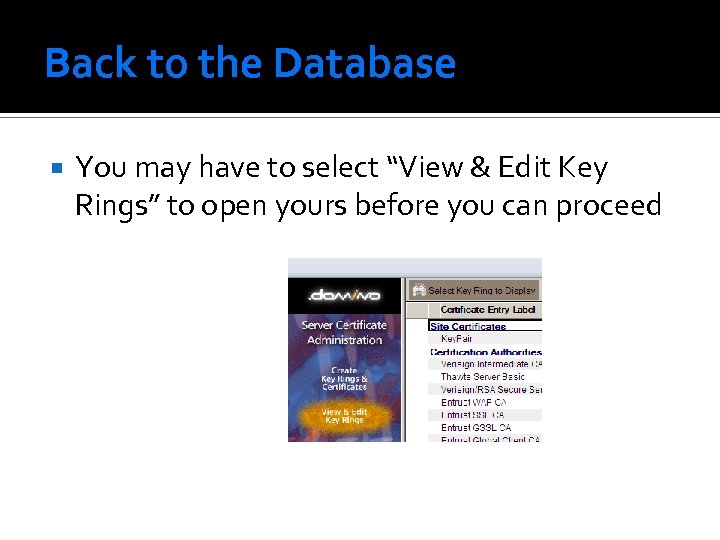
Back to the Database You may have to select “View & Edit Key Rings” to open yours before you can proceed
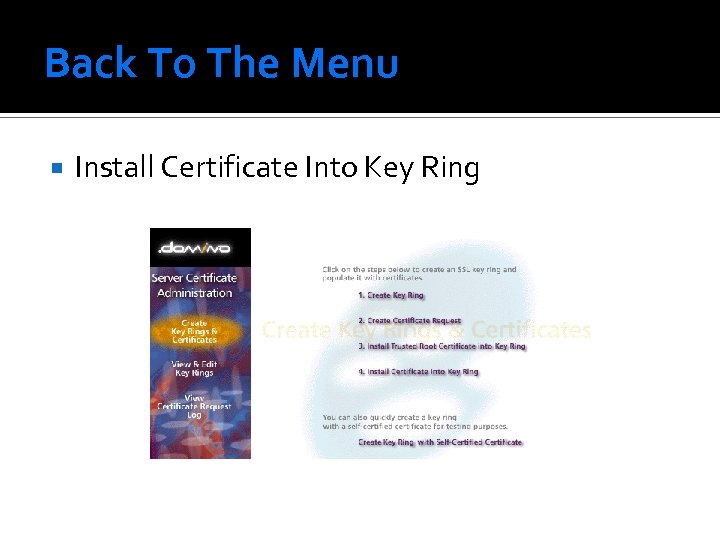
Back To The Menu Install Certificate Into Key Ring
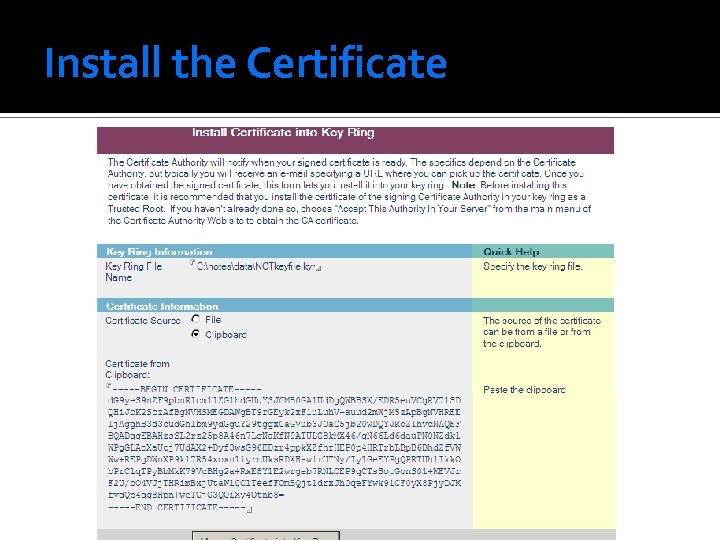
Install the Certificate
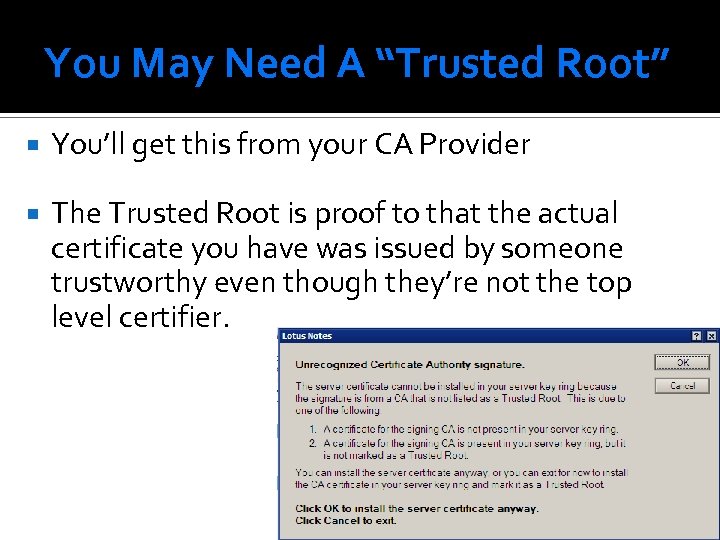
You May Need A “Trusted Root” You’ll get this from your CA Provider The Trusted Root is proof to that the actual certificate you have was issued by someone trustworthy even though they’re not the top level certifier.
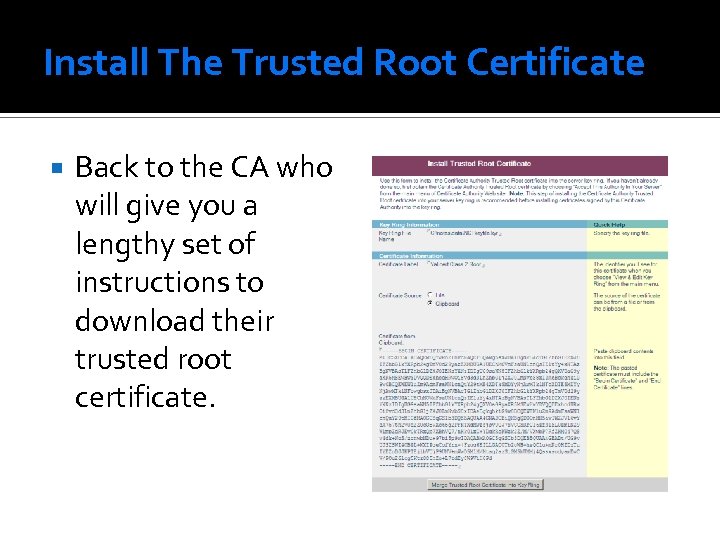
Install The Trusted Root Certificate Back to the CA who will give you a lengthy set of instructions to download their trusted root certificate.
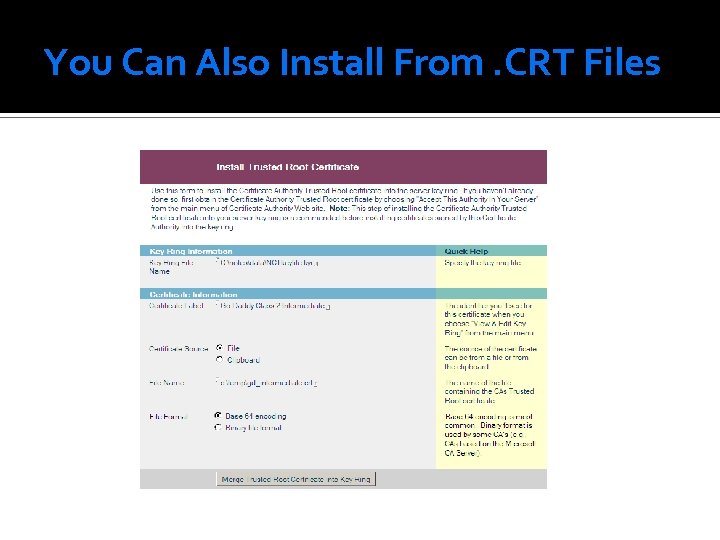
You Can Also Install From. CRT Files
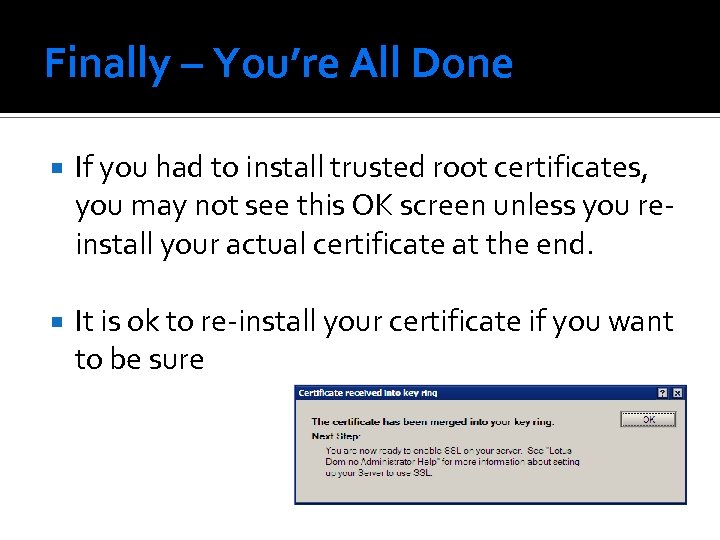
Finally – You’re All Done If you had to install trusted root certificates, you may not see this OK screen unless you reinstall your actual certificate at the end. It is ok to re-install your certificate if you want to be sure
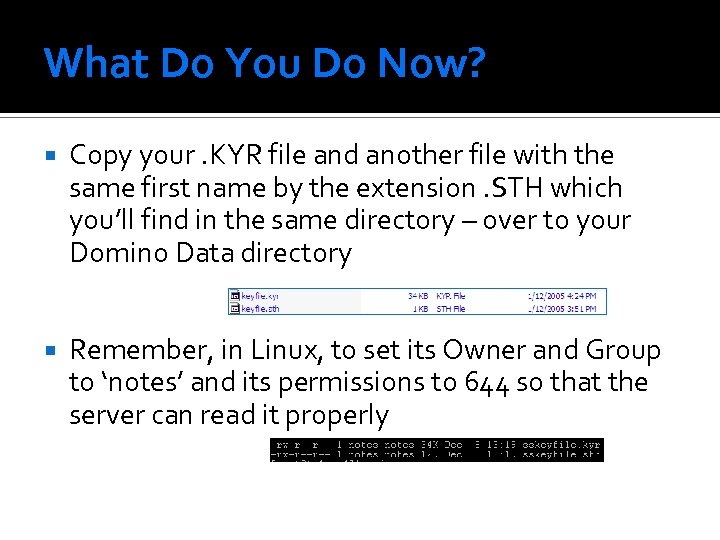
What Do You Do Now? Copy your. KYR file and another file with the same first name by the extension. STH which you’ll find in the same directory – over to your Domino Data directory Remember, in Linux, to set its Owner and Group to ‘notes’ and its permissions to 644 so that the server can read it properly
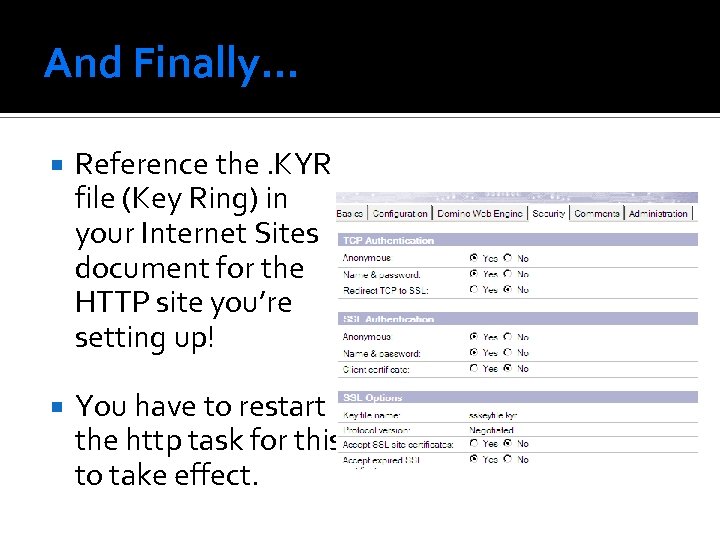
And Finally… Reference the. KYR file (Key Ring) in your Internet Sites document for the HTTP site you’re setting up! You have to restart the http task for this to take effect.
Sponsored by: NCT Remember Me! Automatically log-in returning Domino users Installs in Minutes to existing or new web pages Does not require a DSAPI filter Fully Supports ACLs, Reader Names, Groups, etc. Fully Supports Multi-Server Session Based Authentication http: //www. Thenorth. com/ncthome. nsf/html/Remember. Me
Скачать презентацию Creating an SSL Certificate for IBM Lotus Domino
e6b257915c9173d5f89e6859de8772ad.ppt