 Скачать презентацию Counting and Claiming 2014 -2015 BASE YEAR Provided
900b058a4f37a7bdc63d09b8c4990523.ppt
- Количество слайдов: 35



Counting and Claiming 2014 -2015 BASE YEAR Provided by the LAUSD Food Services Division 07. 31. 2014
Overview In this training we will review the counting and claiming process. This will include the following: • The different types of collection procedures • What is a medium of exchange • The coding methods for the mediums of exchange • To identify and understand the various types of rosters used for issuance of mediums of exchange • The importance of an Accuclaim Review (February Checklist) 2
Purpose and Benefits This training session will provide you with the knowledge to identify and understand the requirements for the different counting and claiming methods used for State and Federal reimbursement claims for meals served to students.
Terms and Definitions Medium of Exchange (MOE) – is Co-Pay collected or any type of ID, PIN, name or number that is issued to students for obtaining a meal Meal Eligibility – is the eligibility status (free, reducedprice or full price/paid/non-eligible) of a student No Charge – no co-payment is required for reduced or full priced eligible students. Students regardless of their eligibility eat without paying a co-pay Alternate Meal – is non-reimbursable meal provided to full/ paid/ price or non-eligible students who do not have money to purchase a meal at lunch *DOES NOT APPLY TO BASE YEAR SITE* 4
Terms and Definitions cont’d Roster – is a list of all students in a school or classroom. It may or may not contain meal eligibility codes. Checklist – is a roster, it is utilized at the point of service to account for meals served in a program when 1. if the CMS System goes down, 2. for off-site programs, 3. Intersession and 4. BIC Verification – is a confirmation of eligibility for free and reduced price meal under the NSLP and SBP 5
Acronyms BOH – Back of the House (CMS) CMS – Cafeteria Management System FSM – Food Service Manager FOH – Front of the House (CMS) FY – Fiscal Year POS – Point of Service/ Point of Sale SY – School Year MISIS - My Integrated Student Information System 6
Key Dates July 1, 2014 - On-line meal application went live July 10, 2014 - Paper meal applications was sent to families via mail July 29, 2014 - Paper meal applications are sent out to schools September 23, 2014 - End of Grace Period October 1, 2014 - Verification process begins October 1, 2014 - 80% Free & 5% Reduce Meal Application* (Minimum) *Aim for 100% meal applications
Provision 2 Sites Provision 2 is an alternative provision to the traditional requirements for annual determination of eligibility for free and reduced price school meals and daily meal counts by type. • No charge for meals regardless of eligibility • Reduces application burden to once every 4 years • Simplifies meal counting and claiming procedures • Schools to receive meal reimbursements based on claiming percentages • 4 -year extensions to Provision 2 are possible when certain conditions are met 8
Provision 2 -Base Year • SY 2014 -2015 Meal Application is required • Requires medium of exchange AT THE POS • No co-payment is collected from full price eligible/noneligible student • No co-payment is collected from reduced price eligible students • No alternate meal (non-reimbursable) Required • Mediums of exchange (pin number or student’s name) is identified at the POS 9
Roster Requirements P 2 -Base Year Sites MISIS Alpha Roster: • Roster must be printed twice a month (15 th and last operating day of the month) Update Activity Report/Roster: codes • Obtain daily • Update the MISIS roster with new or changed meal eligibility CMS/SIS Missing Student Roster: • Print one Roster to be used at each POS terminal 10
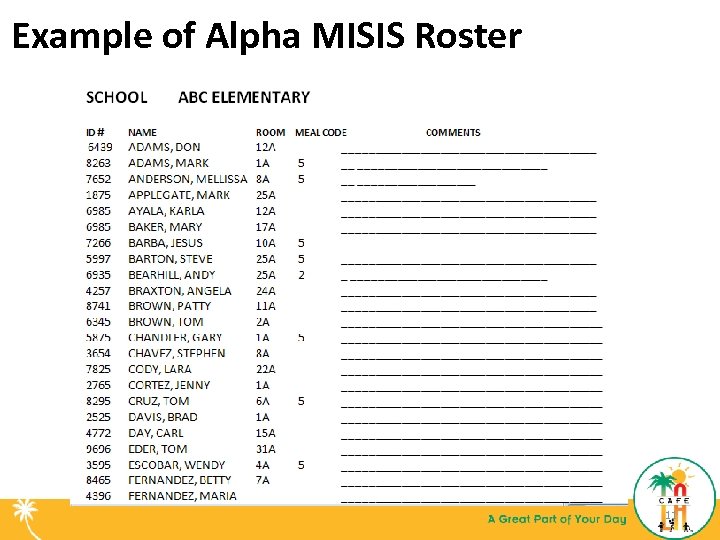
Example of Alpha MISIS Roster 11
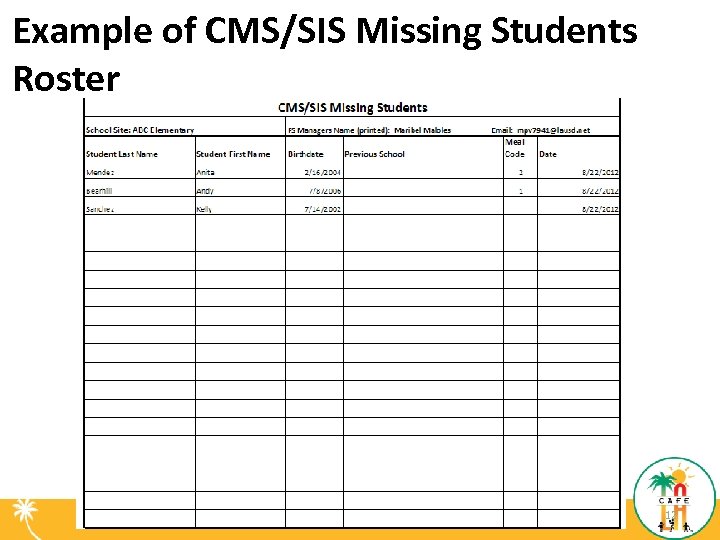
Example of CMS/SIS Missing Students Roster 12
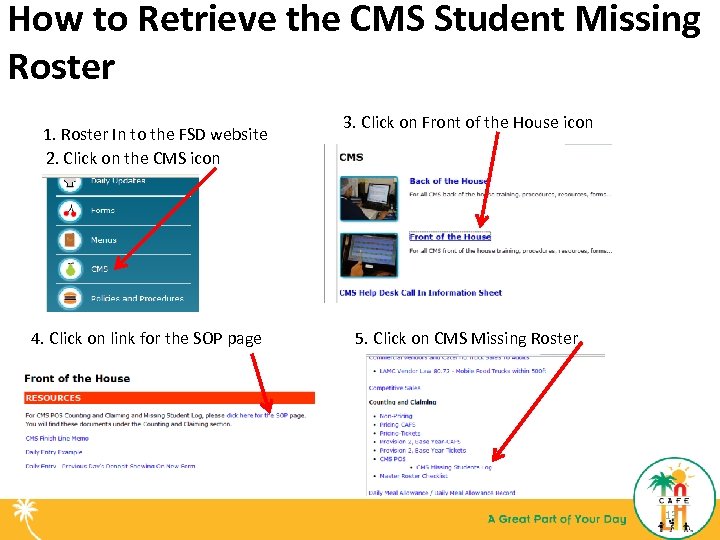
How to Retrieve the CMS Student Missing Roster 1. Roster In to the FSD website 2. Click on the CMS icon 4. Click on link for the SOP page 3. Click on Front of the House icon 5. Click on CMS Missing Roster 13
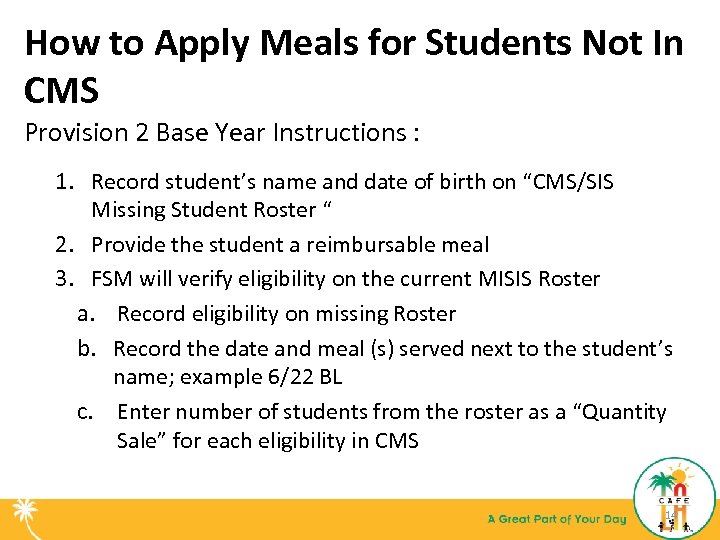
How to Apply Meals for Students Not In CMS Provision 2 Base Year Instructions : 1. Record student’s name and date of birth on “CMS/SIS Missing Student Roster “ 2. Provide the student a reimbursable meal 3. FSM will verify eligibility on the current MISIS Roster a. Record eligibility on missing Roster b. Record the date and meal (s) served next to the student’s name; example 6/22 BL c. Enter number of students from the roster as a “Quantity Sale” for each eligibility in CMS 14
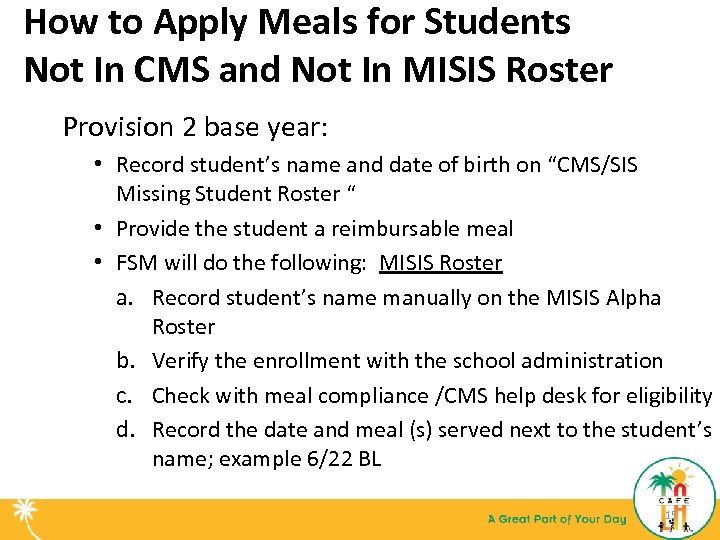
How to Apply Meals for Students Not In CMS and Not In MISIS Roster Provision 2 base year: • Record student’s name and date of birth on “CMS/SIS Missing Student Roster “ • Provide the student a reimbursable meal • FSM will do the following: MISIS Roster a. Record student’s name manually on the MISIS Alpha Roster b. Verify the enrollment with the school administration c. Check with meal compliance /CMS help desk for eligibility d. Record the date and meal (s) served next to the student’s name; example 6/22 BL 15
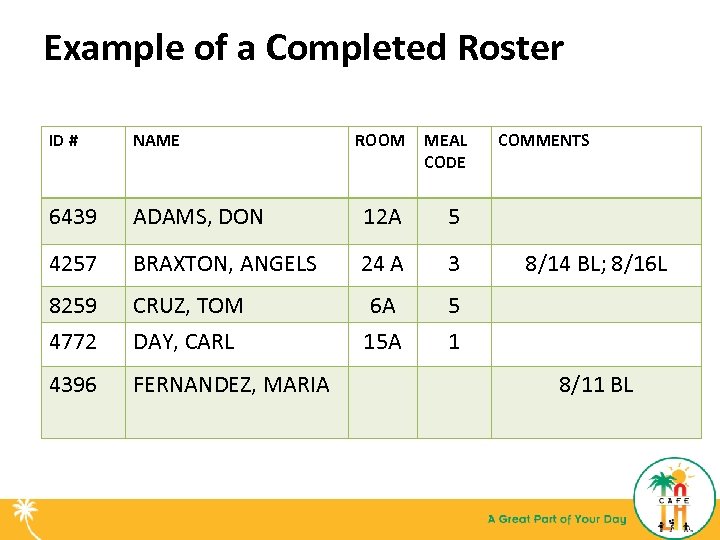
Example of a Completed Roster ID # NAME ROOM MEAL CODE 6439 ADAMS, DON 12 A 5 4257 BRAXTON, ANGELS 24 A 3 8259 4772 CRUZ, TOM DAY, CARL 6 A 15 A 5 1 4396 FERNANDEZ, MARIA COMMENTS 8/14 BL; 8/16 L 8/11 BL
Provision 2 Base Year post Question 1. Meal Application is required at a Provision 2 -Base Year School. True or False 2. Co-Payment is collected for Reduce Price-Eligible students at a Provision 2 -Base Year School. True or False 3. Roster with new or changed meal eligibility is updated daily. True or False
Non-Reimbursable Meals ALL SCHOOLS: • Regardless of eligibility and claiming procedure, any student who refuses to take a complete reimbursable meal must be charged the adult a la carte price for the items selected. • Record the items and money collected on the “Student A la Carte Sales and Inventory” form. 18
Second Meal/ Additional Menu Item(s) • • • Meal or menu item after receiving a reimbursable meal Available at all schools Cash payment/ Charge account required Use “Student A la Carte Sales and Inventory” form Each menu item on a tray are priced a la carte For Example: Coffee cake $ 1. 50* Banana $ 0. 75* Milk $ 0. 50* Total $ 2. 75 * Price based on Faculty A La Carte for SY 13 -14
How to Account for Meals when POS is DOWN P 2 -BASE YEAR SCHOOL METHOD 1. 2. 3. 4. 5. 6. 7. Have an alpha roster available with student’s eligibilities. As students come through, find their name on the roster. Mark the date and a “B” for breakfast or “L” for lunch next to the student’s name. At the end of the day, add up all Free, Reduced and Full pay students separately. If your Manager computer is working, do a quantity sale for each eligibility. I. e. Full, Reduced and Free. (Do Breakfast and Lunch QTY Sales separately) If your Manager computer is NOT working, fill out the Meal Counts Spreadsheet and email to Craig. Fukushima @lausd. net. *DO NOT ENTER MEAL COUNTS INTO DAILY ENTRY*
CMS-FOH-POS Computer Failure In the event of a computer failure follow this process: 1. Contact CMS help desk 2. Use the most current MISIS Alpha Roster 3. Follow the CMS-FOH-POS SOP issued by the Food Services Division 21
Checklist • School sites will use a checklist as a medium of exchange in some circumstances including, but not limited to: Off-site meals Field trips Special education classrooms • During meal service, a staff member will check off the student’s name on the checklist when the student receives a reimbursable meal • Return the checklist to the cafeteria after the meal service to record the meal 22
Checklist cont’d Checklist include the following: • Program name (Youth Services, Beyond the Bell, etc. ) • Date of meal service (08/14/2014) • Names of students: Food service manager will obtain a roster from the program site coordinator on students participating programs • Current meal eligibility code (only after the meals have been served) • Name of the person serving the reimbursable meals at the point of service (John Doe) 23
Checklist cont’d Food Service Manager’s responsibilities: • Update the changes in the enrollment by adding new enrollees and deleting students who have left the program • If applicable, update the changes in the meal eligibility status from the UAR and MISIS Roster 24
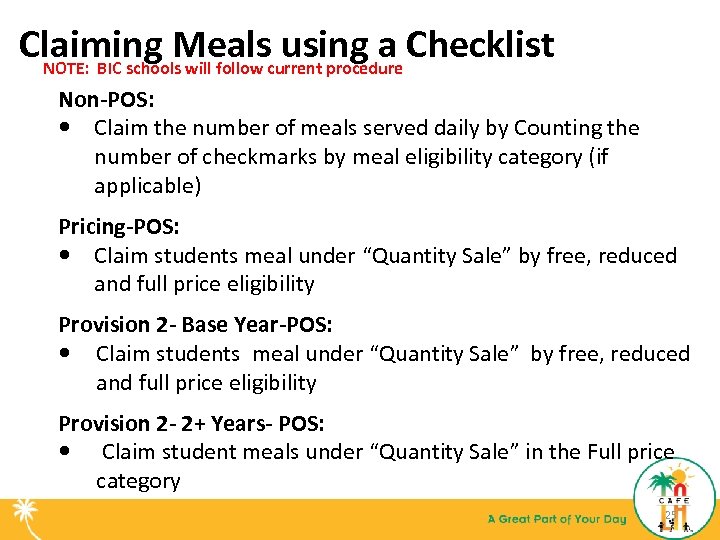
Claiming Mealscurrent procedure Checklist using a NOTE: BIC schools will follow Non-POS: Claim the number of meals served daily by Counting the number of checkmarks by meal eligibility category (if applicable) Pricing-POS: Claim students meal under “Quantity Sale” by free, reduced and full price eligibility Provision 2 - Base Year-POS: Claim students meal under “Quantity Sale” by free, reduced and full price eligibility Provision 2 - 2+ Years- POS: Claim student meals under “Quantity Sale” in the Full price category 25
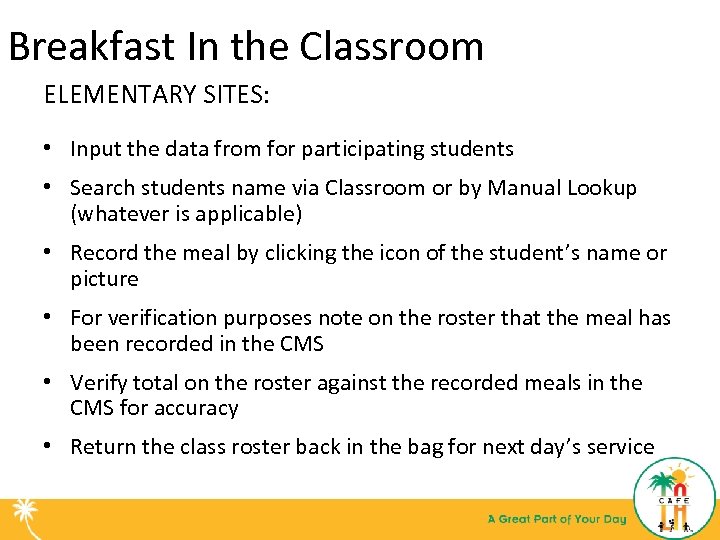
Breakfast In the Classroom ELEMENTARY SITES: • Input the data from for participating students • Search students name via Classroom or by Manual Lookup (whatever is applicable) • Record the meal by clicking the icon of the student’s name or picture • For verification purposes note on the roster that the meal has been recorded in the CMS • Verify total on the roster against the recorded meals in the CMS for accuracy • Return the class roster back in the bag for next day’s service
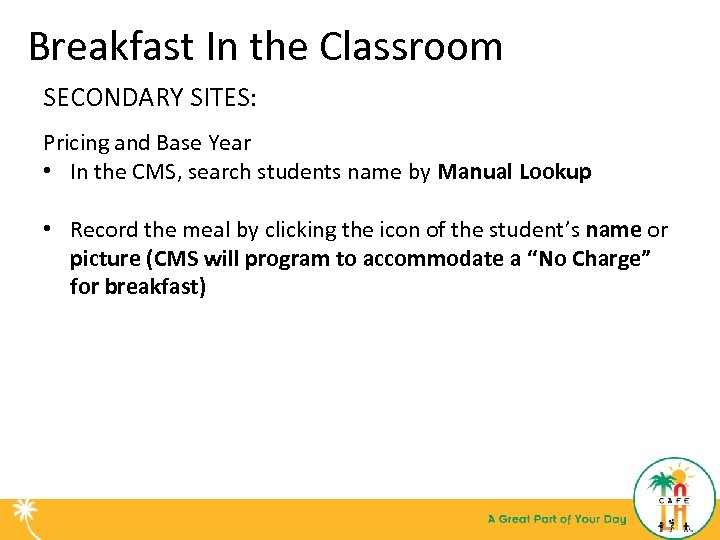
Breakfast In the Classroom SECONDARY SITES: Pricing and Base Year • In the CMS, search students name by Manual Lookup • Record the meal by clicking the icon of the student’s name or picture (CMS will program to accommodate a “No Charge” for breakfast)
Accountability 28
Edit Check and Attendance Factor Edit Check – accountability process developed to improve accuracy of reimbursement claims by the school district • A school or district can never claim more than the free, reduced price, paid or total number of enrolled students Attendance Factor - is a percentage determined by the State no less than once each school year which accounts for the difference between enrollment and attendance for that School District based upon information submitted in the previous year SY 13 -14 Attendance Factor 93. 5% 29
Edit Check and Attendance Factor cont’d • A school district will be required to repay any over-claim • Regulations require the reimbursement is claimed for only one breakfast and one lunch per eligible student per day • A school must have documentation when meal count is higher than the attendance factor 30
Accuclaim (February Checklist) • Federal regulations require on-site review by February 1 st of each year • Area Food Services Supervisors conduct the review • 45 calendar days from the review date are given to perform any corrective actions necessary • School districts are required to provide training for employees on Annual Workshops, New Employee Training, Serv. Safe(if applicable), Training and Monitoring of follow up trainings as needed 31
Unacceptable Meal Counting Systems • Attendance Count • Tray or Entrée Count • Classroom Counts • Counts taken anywhere other than the POS • Prepaid meals counted on the day they are paid • Second meals claimed for reimbursement • Alternate meals • Cash converted to meals 32
References • Standard Operating Procedures for: – CMS-POS Front of the House – State Pre-School September 2011 • EEC Procedural Module August 2011 • USDA Meal Counting and Claiming Manual April 1991 • USDA Coordinated Review Effort Procedures Manual, Fiscal Year 2012 • USDA Eligibility Manual for School Meals, Jan 2008 • USDA Provision 2 Guidance, Summer 2002 33

Questions 34

Thank You 35
Скачать презентацию Counting and Claiming 2014 -2015 BASE YEAR Provided
900b058a4f37a7bdc63d09b8c4990523.ppt