


 Скачать презентацию Cosc 4740 Chapter 14 Security Why
f1b19f4afaed5bc5e91678a9cc9b1304.ppt
- Количество слайдов: 60
 Cosc 4740 Chapter 14 Security
 Why? • Reasons for: – Keep integrity of data – privacy of users and data – availability of system services • security is the most important aspect of system design & it must be designed in from the start.
 Security vs Protection • Protection – the actual mechanisms used to make it secure • security – Overall problem of making sure that no unauthorized access occurs in a system service
 The Security Problem • Security must consider external environment of the system, and protect it from: – Intruders (crackers) attempt to breach security • Threat is potential security violation • Attack is attempt to breach security – Attack can be accidental or malicious • Modifications, destructions, and/or inconsistency • Easier to protect against accidental than malicious misuse.
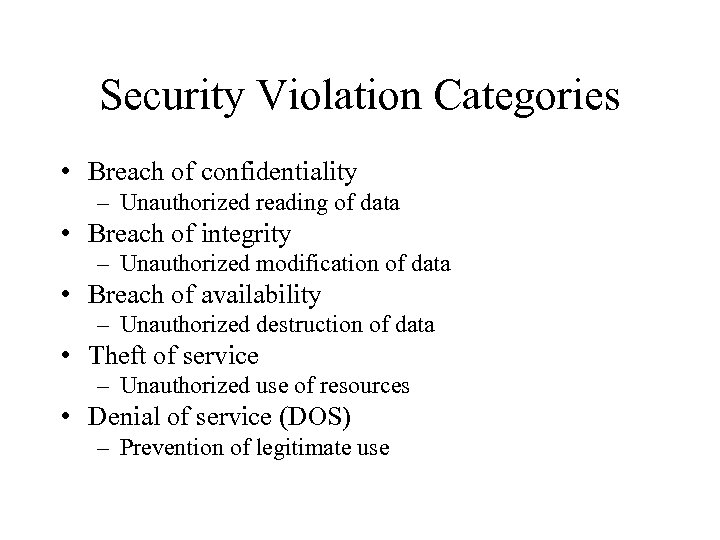 Security Violation Categories • Breach of confidentiality – Unauthorized reading of data • Breach of integrity – Unauthorized modification of data • Breach of availability – Unauthorized destruction of data • Theft of service – Unauthorized use of resources • Denial of service (DOS) – Prevention of legitimate use
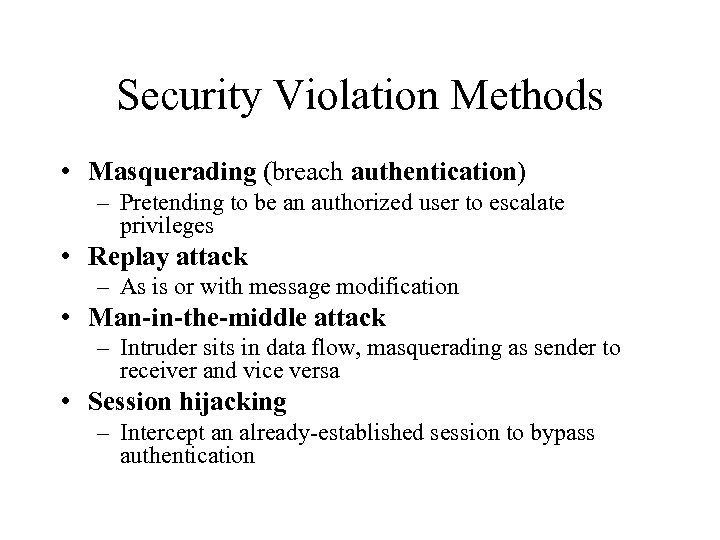 Security Violation Methods • Masquerading (breach authentication) – Pretending to be an authorized user to escalate privileges • Replay attack – As is or with message modification • Man-in-the-middle attack – Intruder sits in data flow, masquerading as sender to receiver and vice versa • Session hijacking – Intercept an already-established session to bypass authentication
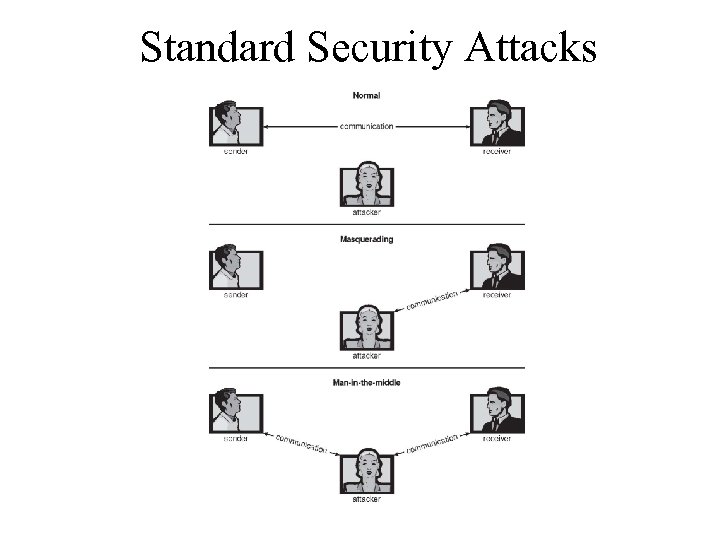 Standard Security Attacks
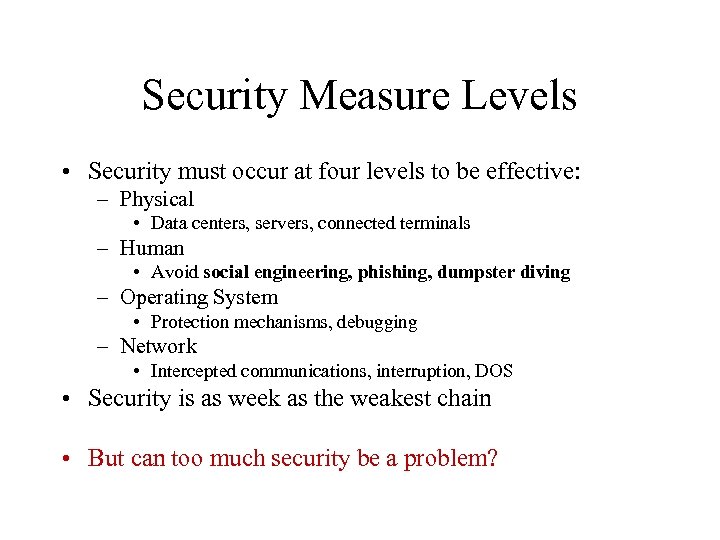 Security Measure Levels • Security must occur at four levels to be effective: – Physical • Data centers, servers, connected terminals – Human • Avoid social engineering, phishing, dumpster diving – Operating System • Protection mechanisms, debugging – Network • Intercepted communications, interruption, DOS • Security is as week as the weakest chain • But can too much security be a problem?
 Types of security attacks 1. Trojan horse: A program that appears to do something nice and does something in the background that is bad – a program fragment that does something malicious in the background that the services spec does not specify. – Spyware, pop-up browser windows, covert channels – Up to 80% of spam delivered by spyware-infected systems
 2. trapdoor: an unspecified feature of the system – an undocumented feature that may be exploited to perform unauthorized access – programmer may not know about it or may have written it in. – usually required knowledge of the design • Could be included in a compiler – common mistake is to not check the input password buffer. (Hotmail. com had this problem for a while)
 3. Logic Bomb – Program that initiates a security incident under certain circumstances 4. Stack and Buffer Overflow – Exploits a bug in a program (overflow either the stack or memory buffers. ) – Results in unauthorized access.
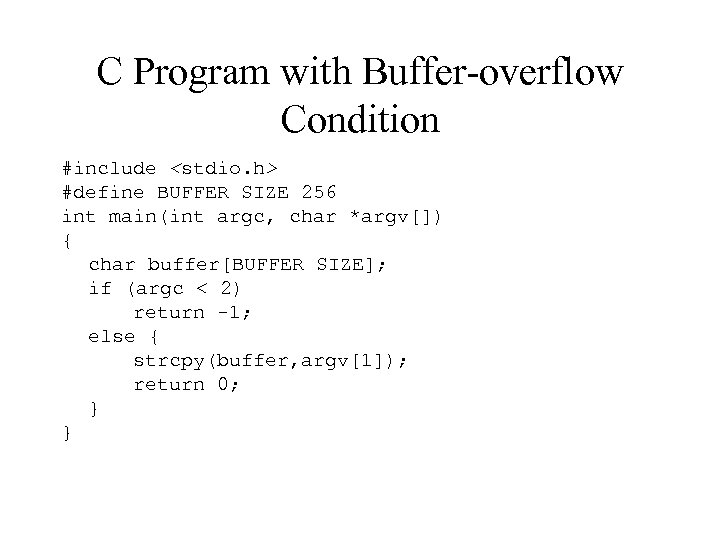 C Program with Buffer-overflow Condition #include
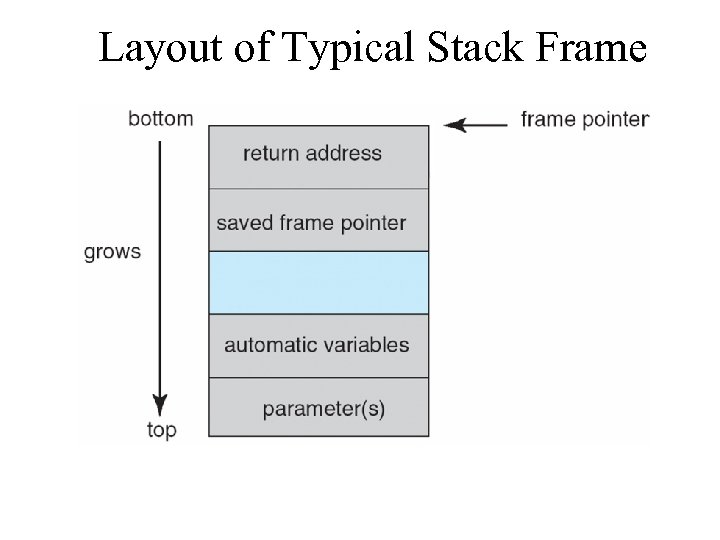 Layout of Typical Stack Frame
![Modified Shell Code #include <stdio. h> int main(int argc, char *argv[]) { execvp(‘‘binsh’’, ‘‘bin](https://present5.com/presentation/f1b19f4afaed5bc5e91678a9cc9b1304/image-14.jpg "Modified Shell Code #include <stdio. h> int main(int argc, char *argv[]) { execvp(‘‘binsh’’, ‘‘bin") Modified Shell Code #include
Modified Shell Code #include
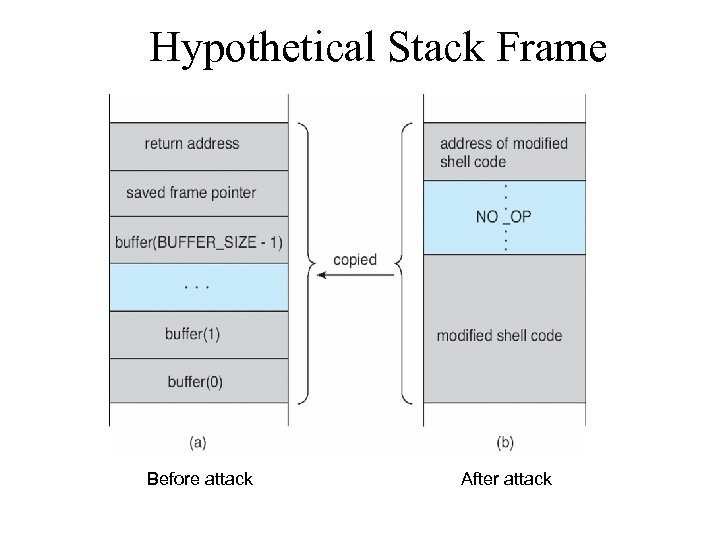 Hypothetical Stack Frame Before attack After attack
 Great Programming Required? • For the first step of determining the bug, and second step of writing exploit code, yes • Script kiddies can run pre-written exploit code to attack a given system • Attack code can get a shell with the processes’ owner’s permissions – Or open a network port, delete files, download a program, etc • Depending on bug, attack can be executed across a network using allowed connections, bypassing firewalls • Buffer overflow can be disabled by disabling stack execution or adding bit to page table to indicate “non-executable” state – Available in SPARC and x 86 – But still have security exploits
 Program Threats (Cont. ) 5. Viruses – Code fragment embedded in legitimate program – Self-replicating, designed to infect other computers – Very specific to CPU architecture, operating system, applications – Usually borne via email or as a macro • Visual Basic Macro to reformat hard drive Sub Auto. Open() Dim o. FS Set o. FS = Create. Object(’’Scripting. File. System. Object’’) vs = Shell(’’c: command. com /k format c: ’’, vb. Hide) End Sub
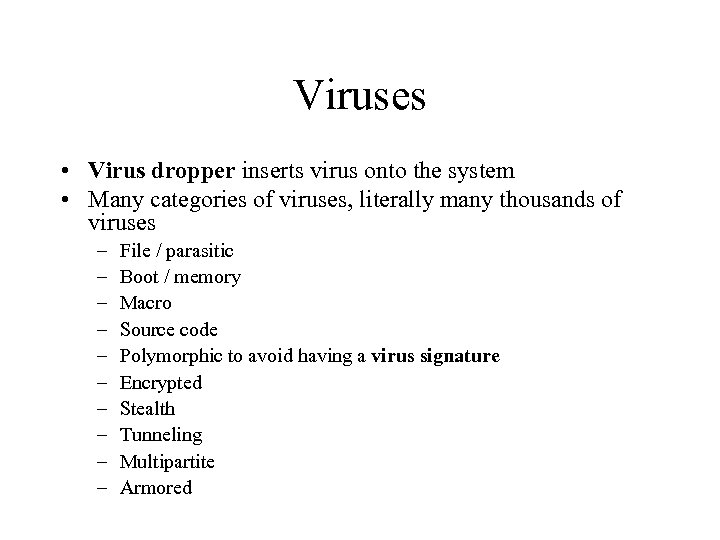 Viruses • Virus dropper inserts virus onto the system • Many categories of viruses, literally many thousands of viruses – – – – – File / parasitic Boot / memory Macro Source code Polymorphic to avoid having a virus signature Encrypted Stealth Tunneling Multipartite Armored
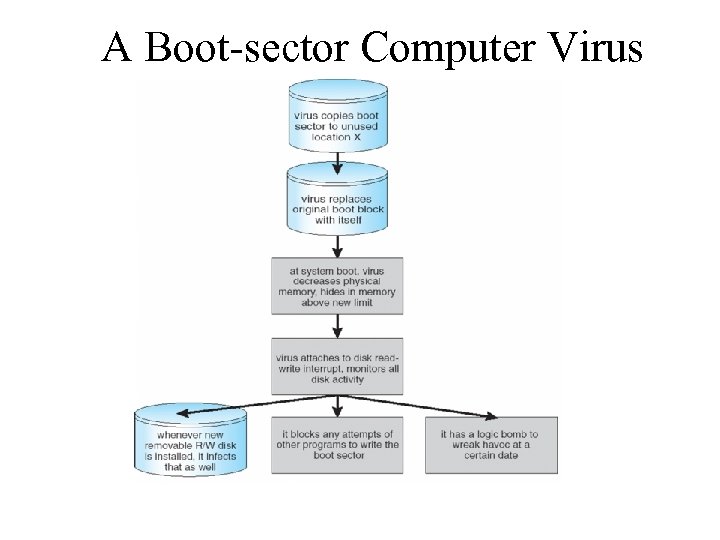 A Boot-sector Computer Virus
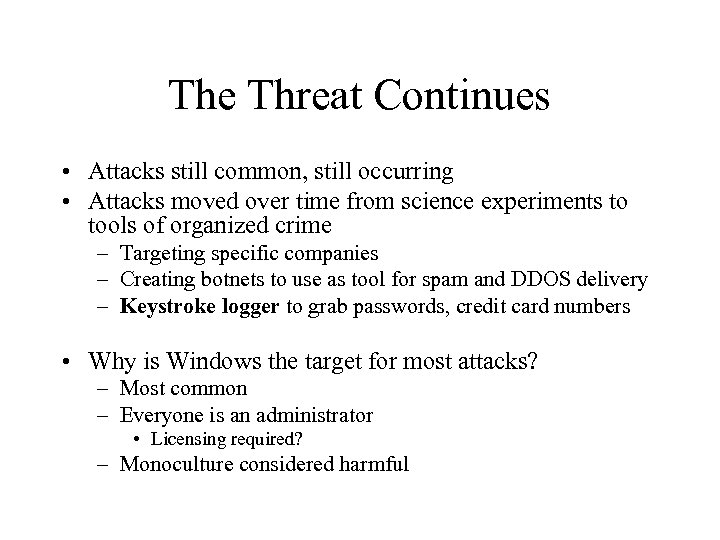 The Threat Continues • Attacks still common, still occurring • Attacks moved over time from science experiments to tools of organized crime – Targeting specific companies – Creating botnets to use as tool for spam and DDOS delivery – Keystroke logger to grab passwords, credit card numbers • Why is Windows the target for most attacks? – Most common – Everyone is an administrator • Licensing required? – Monoculture considered harmful
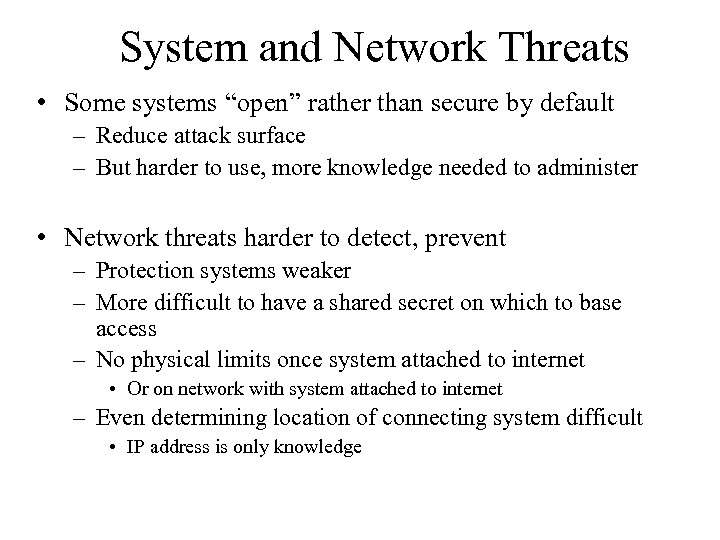 System and Network Threats • Some systems “open” rather than secure by default – Reduce attack surface – But harder to use, more knowledge needed to administer • Network threats harder to detect, prevent – Protection systems weaker – More difficult to have a shared secret on which to base access – No physical limits once system attached to internet • Or on network with system attached to internet – Even determining location of connecting system difficult • IP address is only knowledge
 System and Network Threats (Cont. ) 6. Worms – use spawn mechanism; standalone program • Internet worm – Exploited UNIX networking features (remote access) and bugs in finger and sendmail programs – Exploited trust-relationship mechanism used by rsh to access friendly systems without use of password – Grappling hook program uploaded main worm program • 99 lines of C code – Hooked system then uploaded main code, tried to attack connected systems – Also tried to break into other users accounts on local system via password guessing – If target system already infected, abort, except for every 7 th time
 The Internet Worm • Robert Morris released the first one November 2, 1988 – exploited some bugs tat made it possible to gain unauthorized access to UNIX system all over the world. • Program “worm” consisted of 2 parts – l 1. c download this and compiled itself then, 11. c down loaded worm. c compiled it and ran it. Worm. c looked for other machines in the network to repeat the process. Worm sent l 1. c then … – ll. c – tried to break passwords. This was CPU intensive and could not be stopped. It machine was shut off, it would get a worm again from some place on the network as soon as it rebooted.
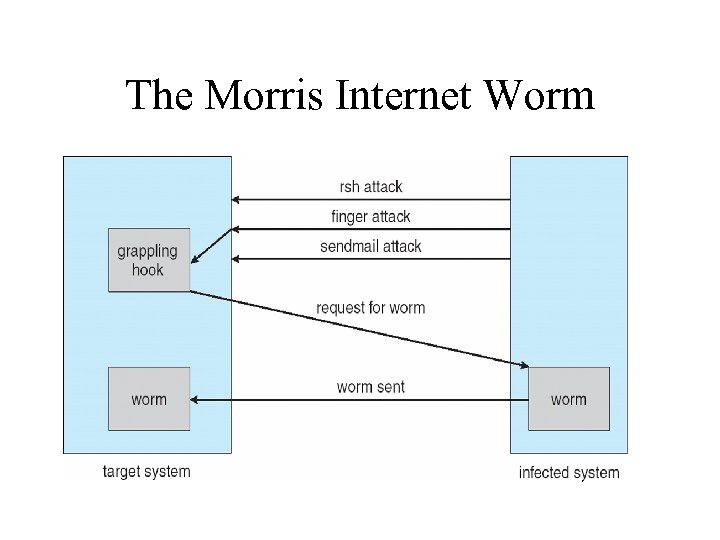 The Morris Internet Worm
 How the worm broke in Used 1 of 3 methods to break into a machine 1. rsh – remote shell you can put on another machine w/o logging into the other. – This is a feature, not a bug in UNIX. If you found a machine that trusted other machines, you can “infect” the other machines as well.
 2. If that didn’t work, then used a bug in the “finger” command. – finger xyz@asuwlink. uwyo. edu Returns into about the user fingered. A bug in finger, did not check for a buffer overflow. – Worm called finger w/ a specially handcrafted 536 byte string parameter – overflowed daemons buffer which over wrote the daemons stack. – When a procedure returns it returns to the stack to get the address of what to do next – The procedure returned to a procedure inside the 536 byte string the procedure inside was a to start a shell that could be used by the worm with root privileges.
 3. If these didn’t work he used – sendmail • It has a feature that allowed you to send e-mail with a program and run it. bug? ? • sendmail’s “features” in that have been exploited by worms and hackers for a long time.
 • cure: Run a dummy worm – if worm arrives it check to see if it was running and it wouldn’t reinstall -- but 1 in 7 did anyway (a bug in the worm) • Real cure – upgrade the system to remove bugs and disallow programs that are vulnerable.
 System and Network Threats (Cont. ) • Port scanning – Automated attempt to connect to a range of ports on one or a range of IP addresses – Detection of answering service protocol – Detection of OS and version running on system – nmap scans all ports in a given IP range for a response – nessus has a database of protocols and bugs (and exploits) to apply against a system – Frequently launched from zombie systems • To decrease trace-ability
 System and Network Threats (Cont. ) 7 Denial of Service – Overload the targeted computer preventing it from doing any useful work – Distributed denial-of-service (DDOS) come from multiple sites at once – Consider the start of the IP-connection handshake (SYN) • How many started-connections can the OS handle? – Consider traffic to a web site • How can you tell the difference between being a target and being really popular? – Accidental – CS students writing bad fork() code – Purposeful – extortion, punishment
 Sobig. F Worm • More modern example • Disguised as a photo uploaded to adult newsgroup via account created with stolen credit card • Targeted Windows systems • Had own SMTP engine to mail itself as attachment to everyone in infect system’s address book • Disguised with innocuous subject lines, looking like it came from someone known • Attachment was executable program that created WINPPR 23. EXE in default Windows system directory Plus the Windows Registry [HKCUSOFTWAREMicrosoftWindowsCurrent. VersionRun] "Tray. X" = %windir%winppr 32. exe /sinc [HKLMSOFTWAREMicrosoftWindowsCurrent. VersionRun] "Tray. X" = %windir%winppr 32. exe /sinc
 Cryptography as a Security Tool • Broadest security tool available – Internal to a given computer, source and destination of messages can be known and protected • OS creates, manages, protects process IDs, communication ports – Source and destination of messages on network cannot be trusted without cryptography • Local network – IP address? – Consider unauthorized host added • WAN / Internet – how to establish authenticity – Not via IP address
 Cryptography • Means to constrain potential senders (sources) and / or receivers (destinations) of messages – Based on secrets (keys) – Enables • Confirmation of source • Receipt only by certain destination • Trust relationship between sender and receiver
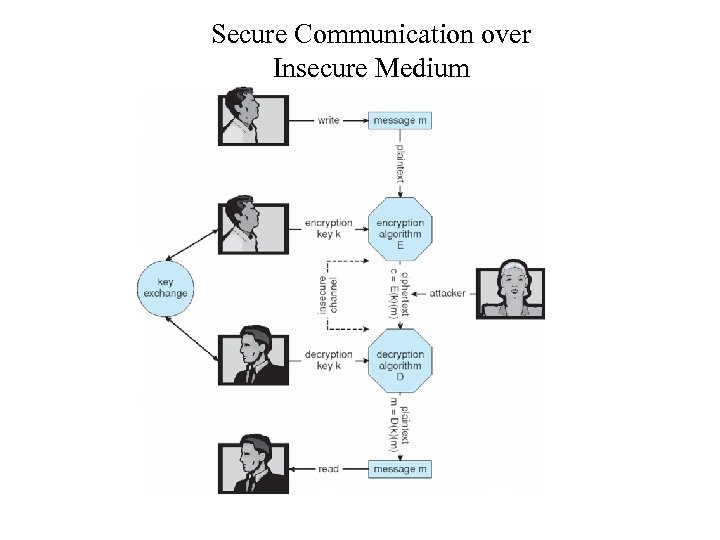 Secure Communication over Insecure Medium
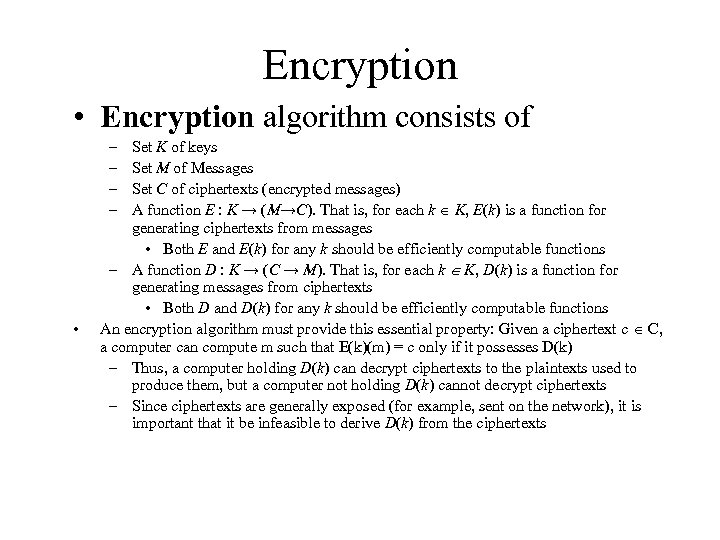 Encryption • Encryption algorithm consists of – – • Set K of keys Set M of Messages Set C of ciphertexts (encrypted messages) A function E : K → (M→C). That is, for each k K, E(k) is a function for generating ciphertexts from messages • Both E and E(k) for any k should be efficiently computable functions – A function D : K → (C → M). That is, for each k K, D(k) is a function for generating messages from ciphertexts • Both D and D(k) for any k should be efficiently computable functions An encryption algorithm must provide this essential property: Given a ciphertext c C, a computer can compute m such that E(k)(m) = c only if it possesses D(k) – Thus, a computer holding D(k) can decrypt ciphertexts to the plaintexts used to produce them, but a computer not holding D(k) cannot decrypt ciphertexts – Since ciphertexts are generally exposed (for example, sent on the network), it is important that it be infeasible to derive D(k) from the ciphertexts
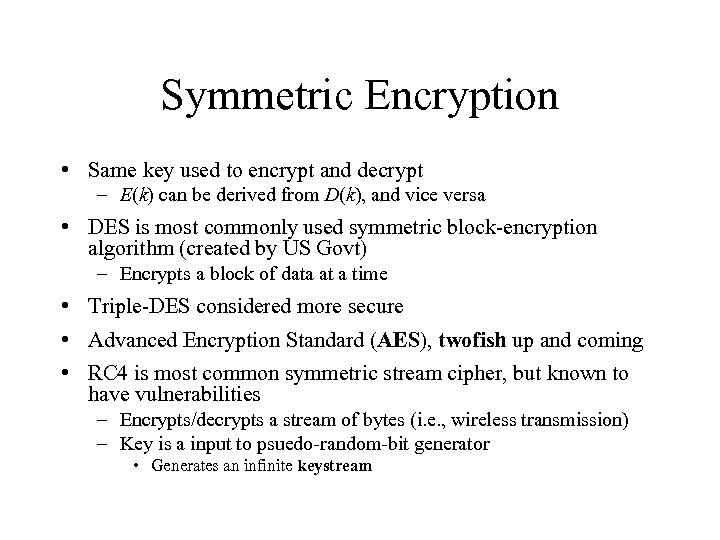 Symmetric Encryption • Same key used to encrypt and decrypt – E(k) can be derived from D(k), and vice versa • DES is most commonly used symmetric block-encryption algorithm (created by US Govt) – Encrypts a block of data at a time • Triple-DES considered more secure • Advanced Encryption Standard (AES), twofish up and coming • RC 4 is most common symmetric stream cipher, but known to have vulnerabilities – Encrypts/decrypts a stream of bytes (i. e. , wireless transmission) – Key is a input to psuedo-random-bit generator • Generates an infinite keystream
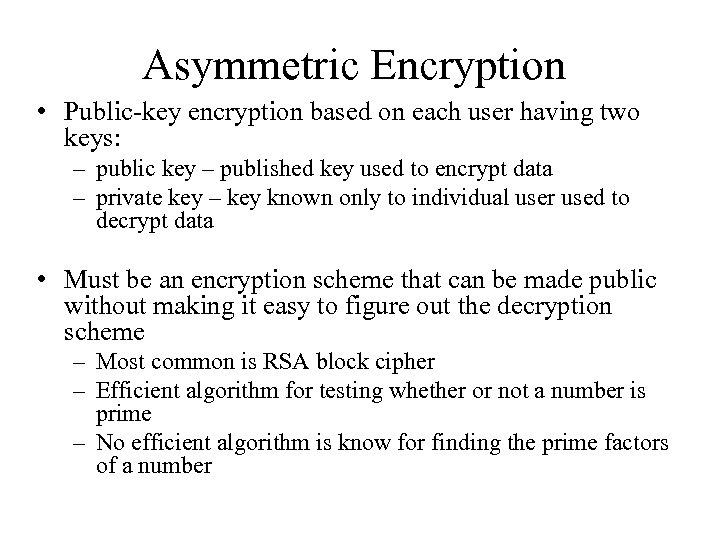 Asymmetric Encryption • Public-key encryption based on each user having two keys: – public key – published key used to encrypt data – private key – key known only to individual user used to decrypt data • Must be an encryption scheme that can be made public without making it easy to figure out the decryption scheme – Most common is RSA block cipher – Efficient algorithm for testing whether or not a number is prime – No efficient algorithm is know for finding the prime factors of a number
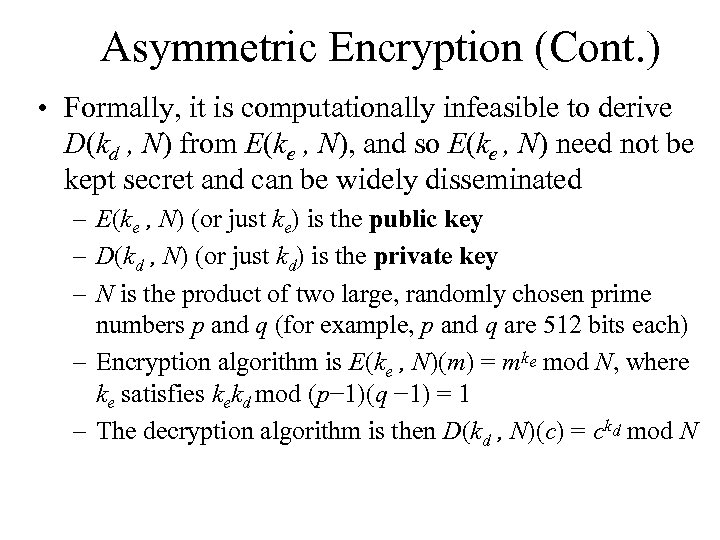 Asymmetric Encryption (Cont. ) • Formally, it is computationally infeasible to derive D(kd , N) from E(ke , N), and so E(ke , N) need not be kept secret and can be widely disseminated – E(ke , N) (or just ke) is the public key – D(kd , N) (or just kd) is the private key – N is the product of two large, randomly chosen prime numbers p and q (for example, p and q are 512 bits each) – Encryption algorithm is E(ke , N)(m) = mke mod N, where ke satisfies kekd mod (p− 1)(q − 1) = 1 – The decryption algorithm is then D(kd , N)(c) = ckd mod N
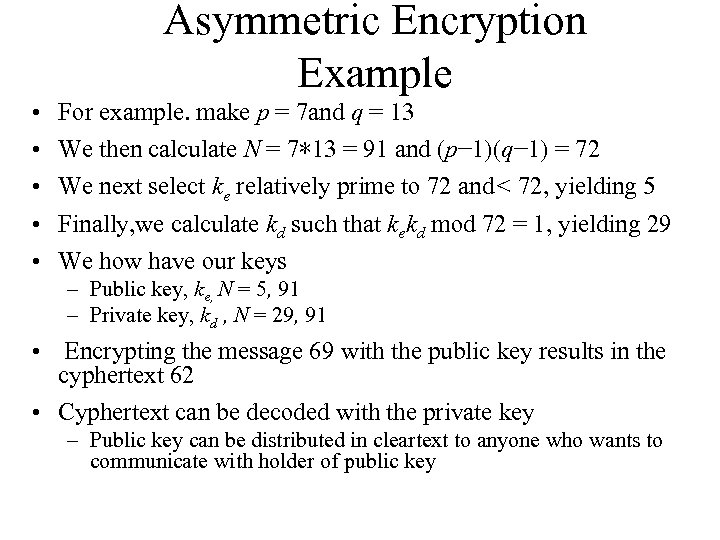 Asymmetric Encryption Example • • • For example. make p = 7 and q = 13 We then calculate N = 7∗ 13 = 91 and (p− 1)(q− 1) = 72 We next select ke relatively prime to 72 and< 72, yielding 5 Finally, we calculate kd such that kekd mod 72 = 1, yielding 29 We how have our keys – Public key, ke, N = 5, 91 – Private key, kd , N = 29, 91 • Encrypting the message 69 with the public key results in the cyphertext 62 • Cyphertext can be decoded with the private key – Public key can be distributed in cleartext to anyone who wants to communicate with holder of public key
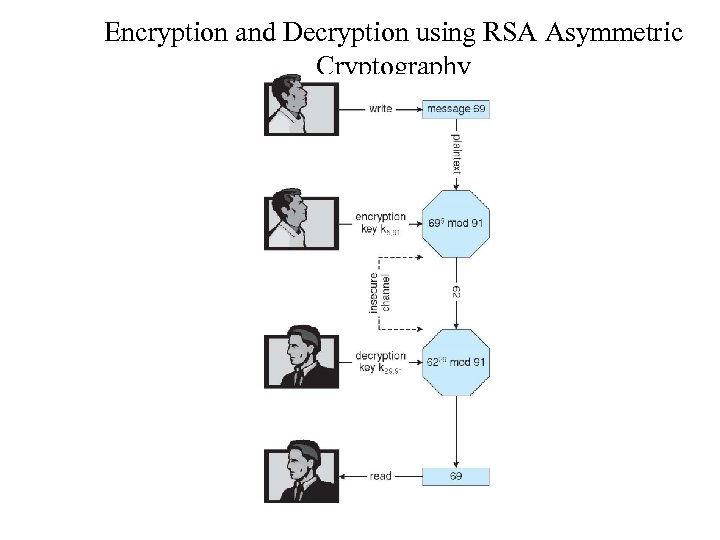 Encryption and Decryption using RSA Asymmetric Cryptography
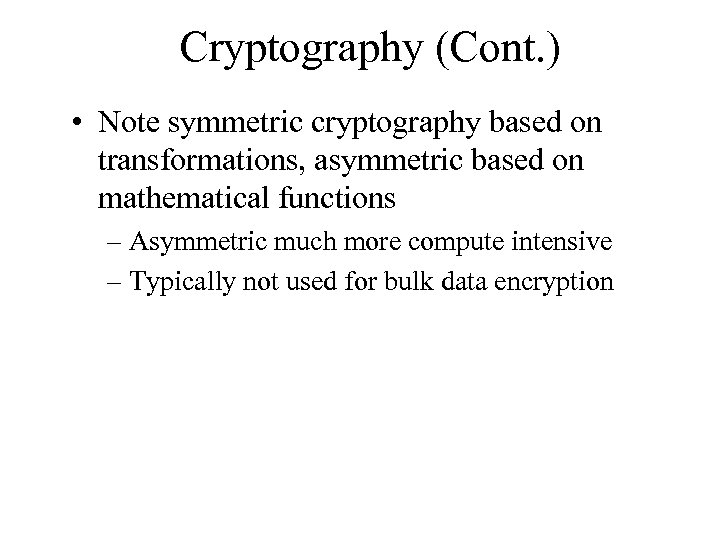 Cryptography (Cont. ) • Note symmetric cryptography based on transformations, asymmetric based on mathematical functions – Asymmetric much more compute intensive – Typically not used for bulk data encryption
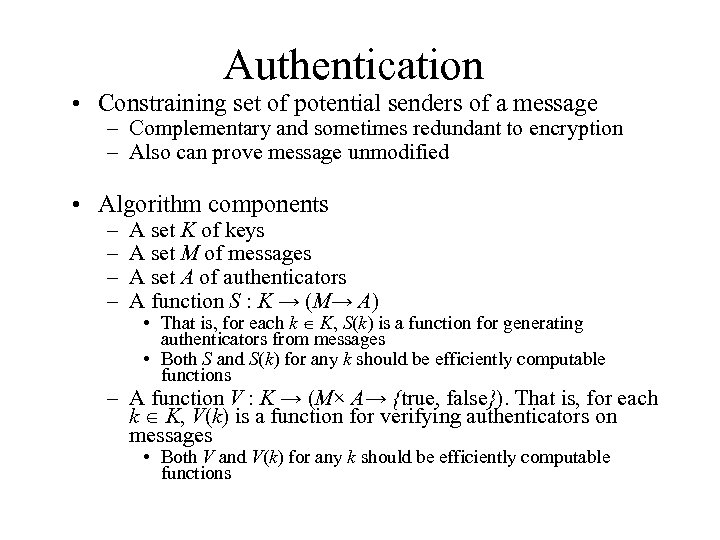 Authentication • Constraining set of potential senders of a message – Complementary and sometimes redundant to encryption – Also can prove message unmodified • Algorithm components – – A set K of keys A set M of messages A set A of authenticators A function S : K → (M→ A) • That is, for each k K, S(k) is a function for generating authenticators from messages • Both S and S(k) for any k should be efficiently computable functions – A function V : K → (M× A→ {true, false}). That is, for each k K, V(k) is a function for verifying authenticators on messages • Both V and V(k) for any k should be efficiently computable functions
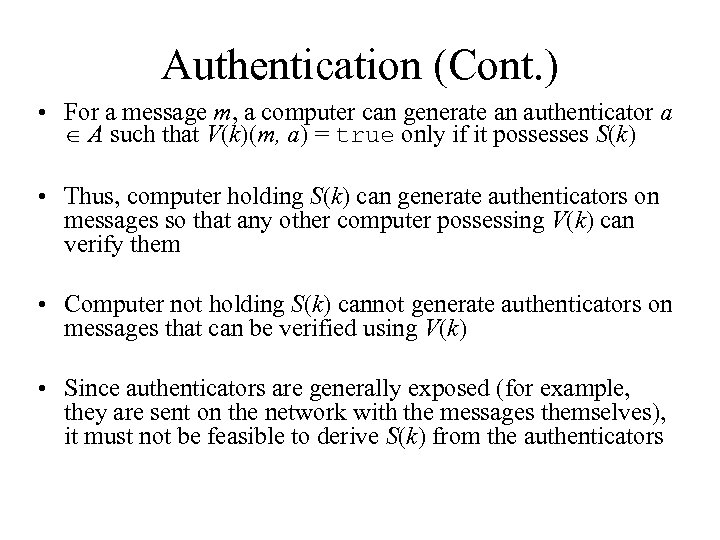 Authentication (Cont. ) • For a message m, a computer can generate an authenticator a A such that V(k)(m, a) = true only if it possesses S(k) • Thus, computer holding S(k) can generate authenticators on messages so that any other computer possessing V(k) can verify them • Computer not holding S(k) cannot generate authenticators on messages that can be verified using V(k) • Since authenticators are generally exposed (for example, they are sent on the network with the messages themselves), it must not be feasible to derive S(k) from the authenticators
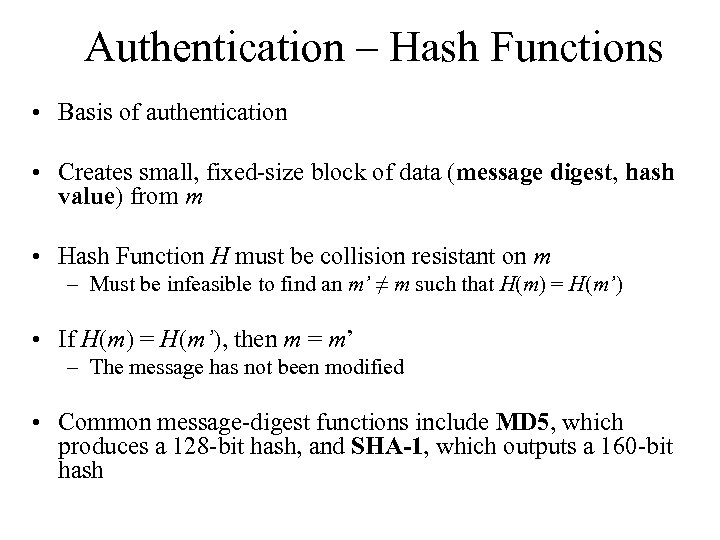 Authentication – Hash Functions • Basis of authentication • Creates small, fixed-size block of data (message digest, hash value) from m • Hash Function H must be collision resistant on m – Must be infeasible to find an m’ ≠ m such that H(m) = H(m’) • If H(m) = H(m’), then m = m’ – The message has not been modified • Common message-digest functions include MD 5, which produces a 128 -bit hash, and SHA-1, which outputs a 160 -bit hash
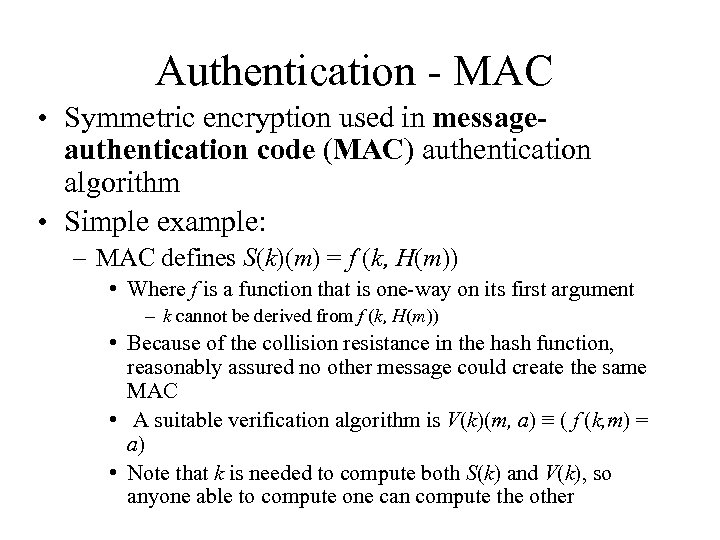 Authentication - MAC • Symmetric encryption used in messageauthentication code (MAC) authentication algorithm • Simple example: – MAC defines S(k)(m) = f (k, H(m)) • Where f is a function that is one-way on its first argument – k cannot be derived from f (k, H(m)) • Because of the collision resistance in the hash function, reasonably assured no other message could create the same MAC • A suitable verification algorithm is V(k)(m, a) ≡ ( f (k, m) = a) • Note that k is needed to compute both S(k) and V(k), so anyone able to compute one can compute the other
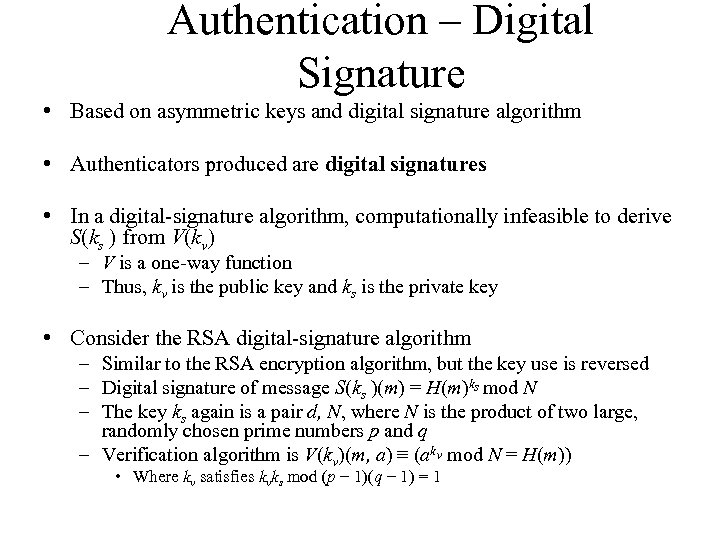 Authentication – Digital Signature • Based on asymmetric keys and digital signature algorithm • Authenticators produced are digital signatures • In a digital-signature algorithm, computationally infeasible to derive S(ks ) from V(kv) – V is a one-way function – Thus, kv is the public key and ks is the private key • Consider the RSA digital-signature algorithm – Similar to the RSA encryption algorithm, but the key use is reversed – Digital signature of message S(ks )(m) = H(m)ks mod N – The key ks again is a pair d, N, where N is the product of two large, randomly chosen prime numbers p and q – Verification algorithm is V(kv)(m, a) ≡ (akv mod N = H(m)) • Where kv satisfies kvks mod (p − 1)(q − 1) = 1
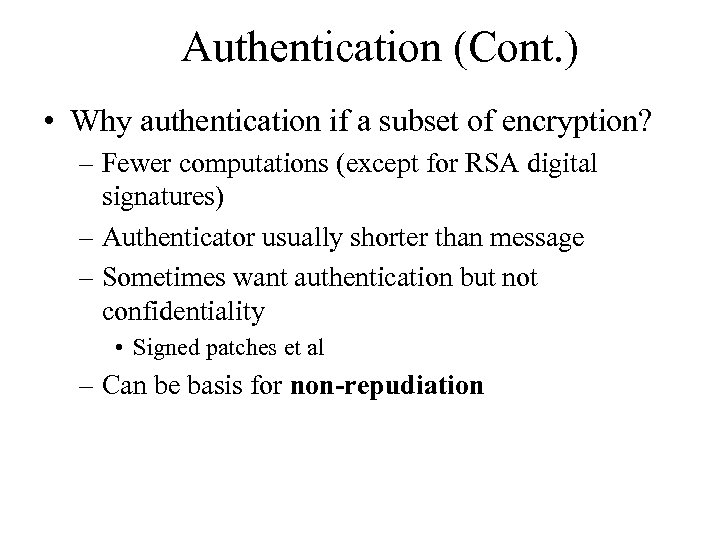 Authentication (Cont. ) • Why authentication if a subset of encryption? – Fewer computations (except for RSA digital signatures) – Authenticator usually shorter than message – Sometimes want authentication but not confidentiality • Signed patches et al – Can be basis for non-repudiation
 Key Distribution • Delivery of symmetric key is huge challenge – Sometimes done out-of-band • Asymmetric keys can proliferate – stored on key ring – Even asymmetric key distribution needs care – man-in-the-middle attack
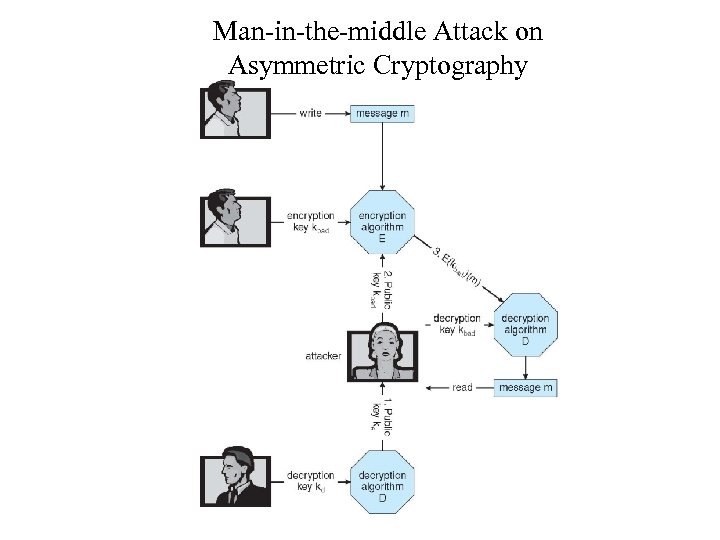 Man-in-the-middle Attack on Asymmetric Cryptography
 Digital Certificates • Proof of who or what owns a public key • Public key digitally signed a trusted party • Trusted party receives proof of identification from entity and certifies that public key belongs to entity • Certificate authority are trusted party – their public keys included with web browser distributions – They vouch for other authorities via digitally signing their keys, and so on
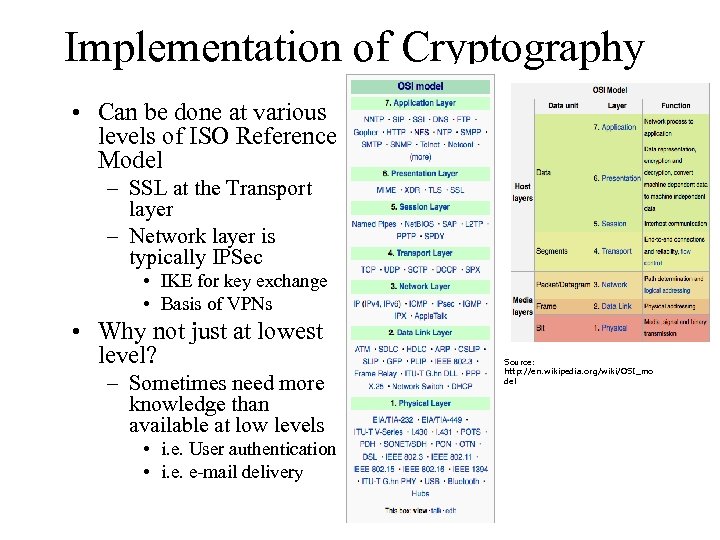 Implementation of Cryptography • Can be done at various levels of ISO Reference Model – SSL at the Transport layer – Network layer is typically IPSec • IKE for key exchange • Basis of VPNs • Why not just at lowest level? – Sometimes need more knowledge than available at low levels • i. e. User authentication • i. e. e-mail delivery Source: http: //en. wikipedia. org/wiki/OSI_mo del
 Encryption Example - SSL • Insertion of cryptography at one layer of the ISO network model (the transport layer) • SSL – Secure Socket Layer (also called TLS) • Cryptographic protocol that limits two computers to only exchange messages with each other – Very complicated, with many variations • Used between web servers and browsers for secure communication (credit card numbers) • The server is verified with a certificate assuring client is talking to correct server • Asymmetric cryptography used to establish a secure session key (symmetric encryption) for bulk of communication during session • Communication between each computer then uses symmetric key cryptography
 User Authentication • Crucial to identify user correctly, as protection systems depend on user ID • User identity most often established through passwords, can be considered a special case of either keys or capabilities • Passwords must be kept secret – – – Frequent change of passwords History to avoid repeats Use of “non-guessable” passwords Log all invalid access attempts (but not the passwords themselves) Unauthorized transfer • Passwords may also either be encrypted or allowed to be used only once – Does encrypting passwords solve the exposure problem? • • Might solve sniffing Consider shoulder surfing Consider Trojan horse keystroke logger How are passwords stored at authenticating site?
 Passwords • Encrypt to avoid having to keep secret – But keep secret anyway (i. e. Unix uses superuser-only readably file /etc/shadow) – Use algorithm easy to compute but difficult to invert – Only encrypted password stored, never decrypted – Add “salt” to avoid the same password being encrypted to the same value • One-time passwords – Use a function based on a seed to compute a password, both user and computer – Hardware device / calculator / key fob to generate the password • Changes very frequently • Biometrics – Some physical attribute (fingerprint, hand scan) • Multi-factor authentication – Need two or more factors for authentication • i. e. USB “dongle”, biometric measure, and password
 Implementing Security Defenses • Defense in depth is most common security theory – multiple layers of security • Security policy describes what is being secured • Vulnerability assessment compares real state of system / network compared to security policy • Intrusion detection endeavors to detect attempted or successful intrusions – Signature-based detection spots known bad patterns – Anomaly detection spots differences from normal behavior • Can detect zero-day attacks – False-positives and false-negatives a problem • Virus protection • Auditing, accounting, and logging of all or specific system or network activities
 Firewalling to Protect Systems and Networks • A network firewall is placed between trusted and untrusted hosts – The firewall limits network access between these two security domains • Can be tunneled or spoofed – Tunneling allows disallowed protocol to travel within allowed protocol (i. e. , telnet inside of HTTP) – Firewall rules typically based on host name or IP address which can be spoofed • Personal firewall is software layer on given host – Can monitor / limit traffic to and from the host • Application proxy firewall understands application protocol and can control them (i. e. , SMTP) • System-call firewall monitors all important system calls and apply rules to them (i. e. , this program can execute that system call)
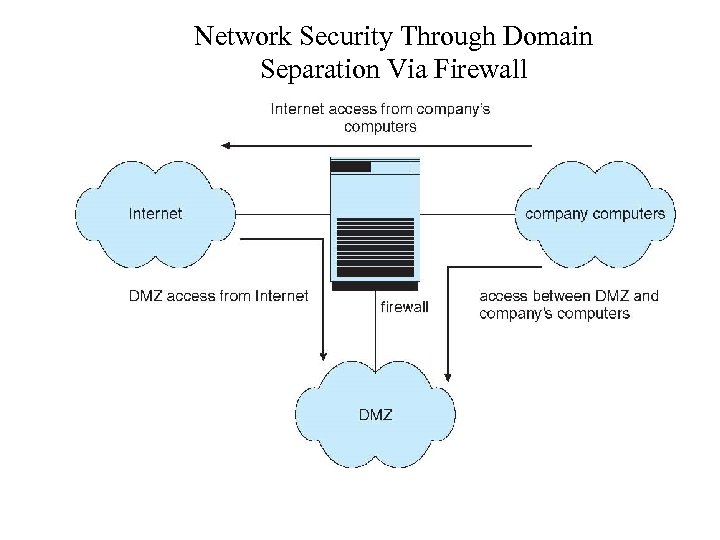 Network Security Through Domain Separation Via Firewall
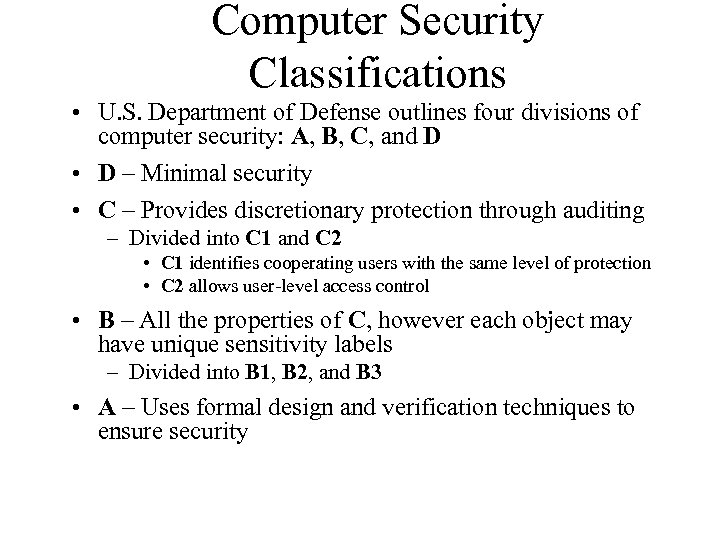 Computer Security Classifications • U. S. Department of Defense outlines four divisions of computer security: A, B, C, and D • D – Minimal security • C – Provides discretionary protection through auditing – Divided into C 1 and C 2 • C 1 identifies cooperating users with the same level of protection • C 2 allows user-level access control • B – All the properties of C, however each object may have unique sensitivity labels – Divided into B 1, B 2, and B 3 • A – Uses formal design and verification techniques to ensure security
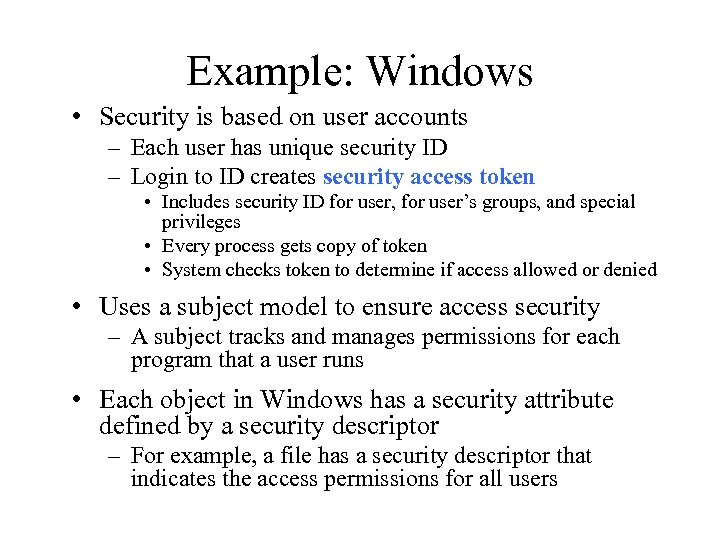 Example: Windows • Security is based on user accounts – Each user has unique security ID – Login to ID creates security access token • Includes security ID for user, for user’s groups, and special privileges • Every process gets copy of token • System checks token to determine if access allowed or denied • Uses a subject model to ensure access security – A subject tracks and manages permissions for each program that a user runs • Each object in Windows has a security attribute defined by a security descriptor – For example, a file has a security descriptor that indicates the access permissions for all users
 Q&A
Q&A