


 Скачать презентацию COS 125 DAY 9 Agenda Assignment
bd4629e9cb2faf64c3ebe286dad8d37f.ppt
- Количество слайдов: 20
 COS 125 DAY 9
 Agenda ¡ Assignment #2 Corrected l ¡ Capstone Projects Proposals Due l ¡ 14 A’s, 1 B, 1 D and 1 non-submit Timing of deliverables is 10% of Grade Today we will discuss Multimedia on the Internet and Begin Shopping and Doing Business on the Internet l We complete the HITW text this week and then concentrate on Web Design (Castro text) for the rest of the semester ¡ Assignments will get harder as the course progresses
 Music & File Sharing ¡ ¡ Hottest applications this decade Forced the music Industry to “rethink” its distribution channels l The problem ¡ People buy CD and rip them to MP 3 s l ¡ People places these MP 3 in a shareable locations l ¡ No Problem Other people copy the shared out MP 3 s l l ¡ No Problem Copyright violation! Buying a CD allows personal use and not redistribution Who’s at fault? . . The person who made the MP 3’s or he person that copied them? l Open debate
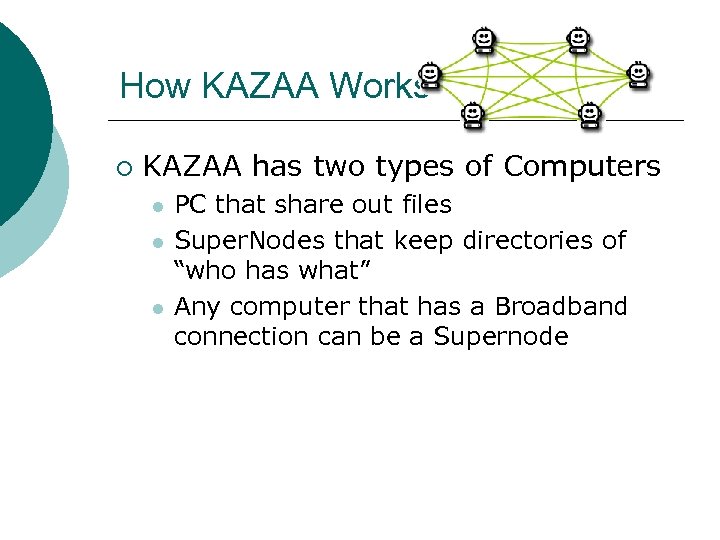 How KAZAA Works ¡ KAZAA has two types of Computers l l l PC that share out files Super. Nodes that keep directories of “who has what” Any computer that has a Broadband connection can be a Supernode
 How KAZAA works ¡ After you download KAZAA and install l l You computer broadcast looking ofro Supernodes When it find one it uploads your file informations When you look for a spefic file you “query” the supernode The supernodes tells your computer where you can find the file on someone's else computer
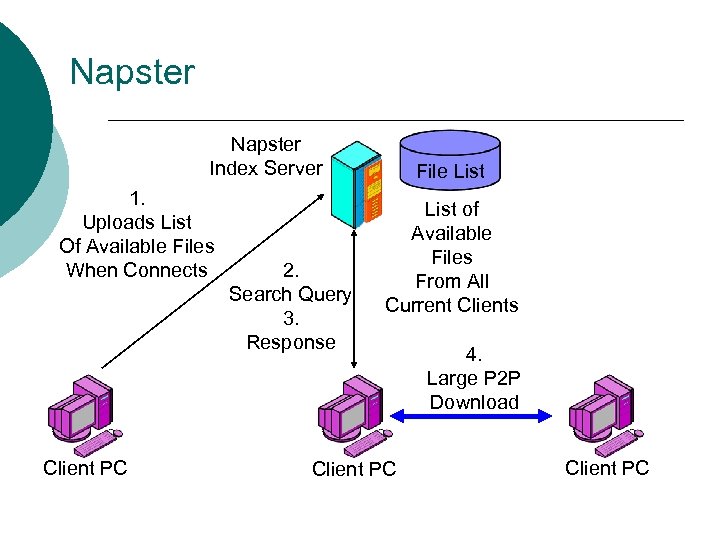 Napster Index Server 1. Uploads List Of Available Files When Connects Client PC 2. Search Query 3. Response File List of Available Files From All Current Clients Client PC 4. Large P 2 P Download Client PC
 How Video on the Internet Works ¡ Three methods of delivery l l l Multicast (MBone) Streaming Videoconference ¡ Requires web. Cam
 How Streaming Video Works Same as Streaming Audio ¡ Streaming is playing and downloading a file at the same time ¡ As soon as enough of the file has been downloaded. . the applications will begin to pay the file and hope the rest gets there in time Demo from Learn The Net l
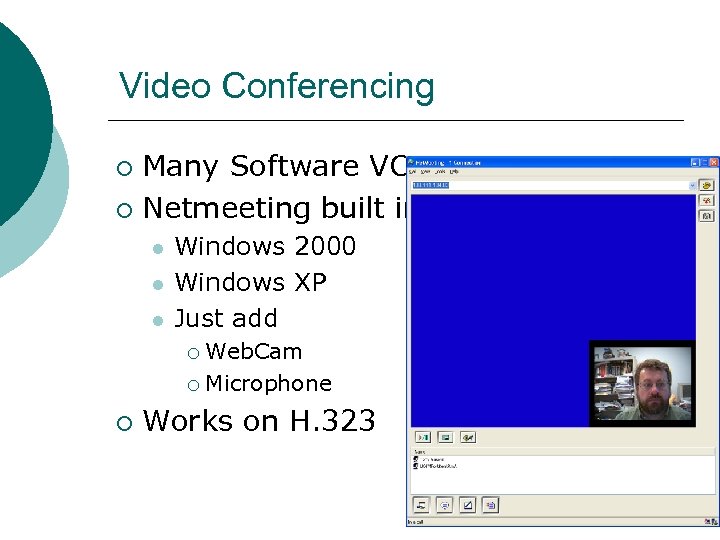 Video Conferencing Many Software VC ¡ Netmeeting built into ¡ l l l Windows 2000 Windows XP Just add Web. Cam ¡ Microphone ¡ ¡ Works on H. 323
 Web. Cams ¡ Small Digital cameras l l ¡ Best ones work on USB 2. 0 Avoid Parrellel port versions Used to create videos l tony test. avi
 Multicast and MBone ¡ Video files and stream tend to be very large l l What happens when thousands of people want to see the same video at the same time Video 100 MB * 10, 000 viewers ¡ l We need 1000 GB of band width at the source of the video A better way? ¡ Think of how cable TV works
 Multicasting ¡ ¡ ¡ What would happen if the server sent one copy of the video file to each location that had users and let the routers make individual copies for each user Each multicast router copies the files and send copies to each network that requires the file Source only has to send one file l Multicast routers handle the individual users
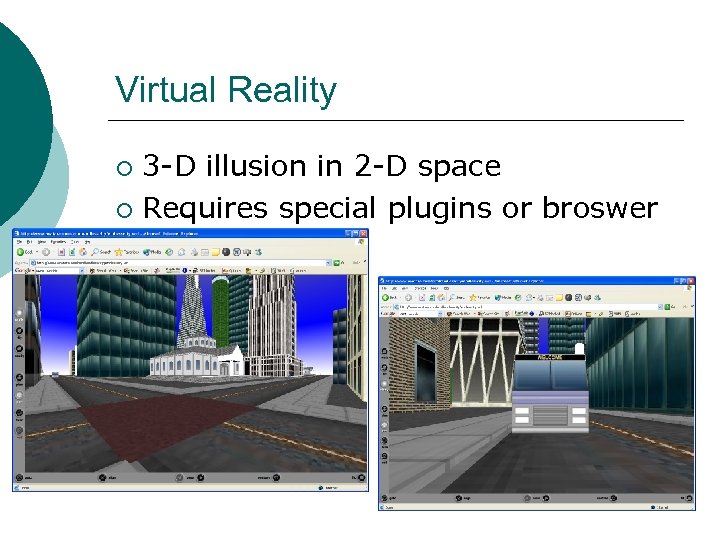 Virtual Reality 3 -D illusion in 2 -D space ¡ Requires special plugins or broswer ¡
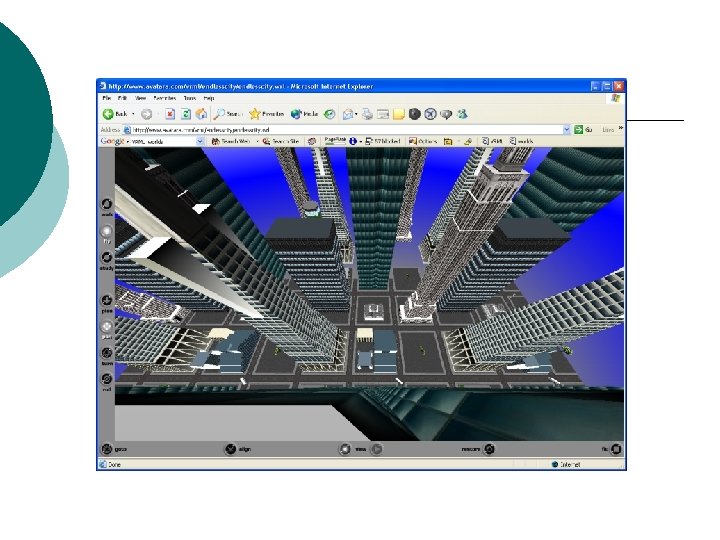
 How VRML works ¡ ¡ ¡ ¡ VRML code is plain (ASCII) text. The code describes object(s) attributes, such as, geometry, size, color, textures and location within the virtual world. In order to view VRML scenes you must have a VRML capable browser. Usually an add-on plug-in or a browser designed for VRML. When a user encounters VRML on a website the browser receives instructions from the server on the other end. The server sends VRML code to the user's browser. The VRML viewer then interprets the instructions and displays the scene. Downloaded VRML text files are interpreted locally, on the users computer, by the VRML player and rendered in real-time by the CPU. The files range in size from under 100 kb to several megabytes, so bandwidth directly effects download or access time. Once the world is loaded, the user's experience is dictated by the CPU performance. High performance processors allow faster and smoother navigation through VRML world
 Animations on the Web ¡ Animation are still as the began l ¡ Series of pictures that are slightly different that are displayed one after another Different ways of accomplishing this technique on the web l l l Client Pull Server Push Animated Gifs Macromedia Shockwave Macromedia Flash
 Client Pull ¡ The clients loads the first picture in the series and sets atimer l l Then load the second Then the third Uses special “Meta” refresh tag in HTML ¡ Very Slow ¡ example ¡
 Server Push ¡ Web Server pushes new pictures in the series to the broswer l l ¡ Only works in Netscape Rwuires sepecial server side programming Nobody uses any more
 Animated Gifs ¡ Probably the easiest way to create an animation l Lots of free tools available http: //www. mindworkshop. com/alchemy/ alchemy. html ¡ http: //www. jasc. com/download_4. asp? ¡ ¡ We will be using Paint Shop Pro in this class
 Macromedia ¡ Macromedia Software l l ¡ Shockwave Flash These are classes all by themselves