 Скачать презентацию Cornell Notes Reduce your forgetting By Nurgul Zhanabayeva
Cornell Notes.pptx
- Количество слайдов: 13



Cornell Notes Reduce your forgetting…. By Nurgul Zhanabayeva and Charlene van Schalkwyk
WHY? 1. To help you structure your own thoughts while listening to a lesson, watching a video or studying from text. 2. To identify important ideas. 3. To refresh your memory afterwards. 4. To help you to reflect on the covered topic. 5. To write a meaningful summary.

Watch and do • https: //www. youtube. com/watch? v=Wt. W 9 Iy. E 04 OQ
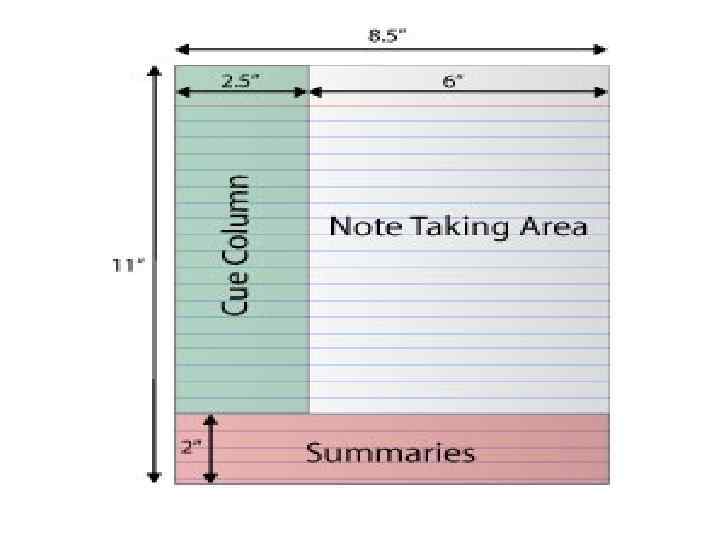
Step by step guide • Divide the paper into 3 areas by drawing the lopsided capital “I” in a dark line. • If you are using a loose folio of paper, write YOUR name, the course name, the topic and the date at the top of the page, above the horizontal line.
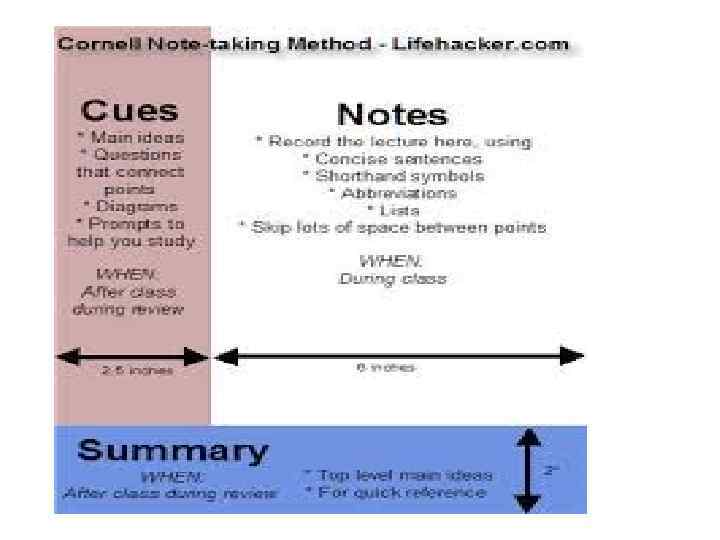
NOTES • The large area to the right is for writing down the notes in class or while you are reading through a text. • Remember to skip a line between each key point. • Use this area for drawings, diagrams and other graphic tools helpful to you.
KEY POINTS Also called CUES and COMMENTS • The vertical area to the left is for writing down the key points, key concepts and vocabulary. • This happens AFTER class, AFTER having written down your notes. • It will refresh you memory…
SUMMARY • The horizontal space below the bottom line is for writing your summary of the lesson or chapter. • This serves as a tool for REFLECTION. • Can you remember the definition of reflection?
WHAT NEXT? • As soon as possible after class, REVIEW your notes – read through them again. • WRITE DOWN CUES AND COMMENTS in the column of the left by jotting down questions and brain joggers.
LEADING UP TO DIFFICULT QUESTIONS • Start by asking yourself simple questions about the lesson or chapter. • Write the question down in the column. • Try and think of a more difficult question about the topic. • Write that question down in the column. • Repeat the process until you have mastered the main idea of the lesson or topic.


APPLY CORNELL NOTES DAILY!!!
Скачать презентацию Cornell Notes Reduce your forgetting By Nurgul Zhanabayeva
Cornell Notes.pptx