


 Скачать презентацию Continuous Integration in the Cloud with Hudson Kohsuke
149bc6cc157e1ca5d3c0084c2c65acee.ppt
- Количество слайдов: 51
 Continuous Integration in the Cloud with Hudson Kohsuke Kawaguchi Jesse Glick Sun Microsystems, Inc. Hudson committers
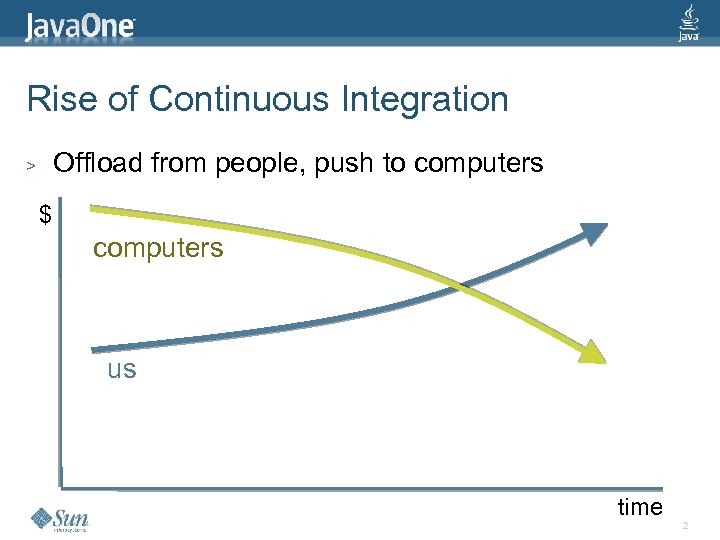 Rise of Continuous Integration Offload from people, push to computers > $ computers us time 2
 Spend more CPU power to help you > … even if it only helps a little > First on your laptops and workstations l > IDEs are at the forefront And then to the servers l l a. k. a. “Continuous Integration” More frequent build/test executions Static code analysis tools And more to come 3
 Hudson https: //hudson. dev. java. net/ > Open-source CI server at java. net > Emphasis on ease of installation and use l l > Extensibility l l > “java -jar hudson. war” execution Configure everything from browsers 140+ community-developed public plugins By 150+ contributors Estimated 13, 000 installations 4
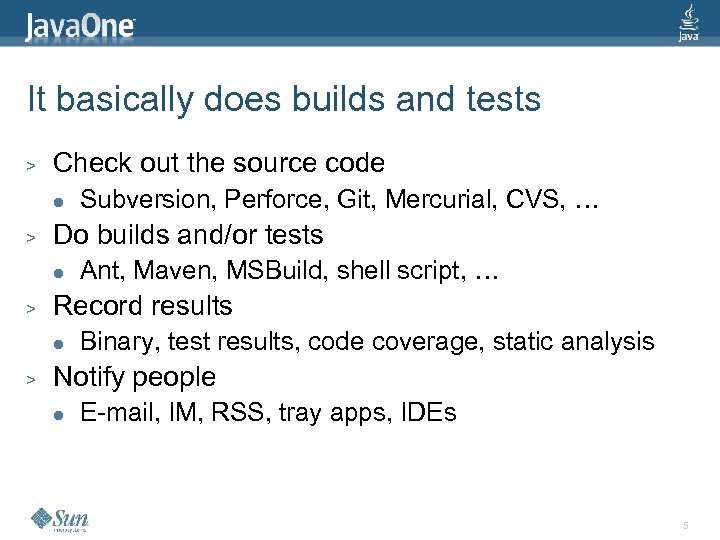 It basically does builds and tests > Check out the source code l > Do builds and/or tests l > Ant, Maven, MSBuild, shell script, … Record results l > Subversion, Perforce, Git, Mercurial, CVS, … Binary, test results, code coverage, static analysis Notify people l E-mail, IM, RSS, tray apps, IDEs 5
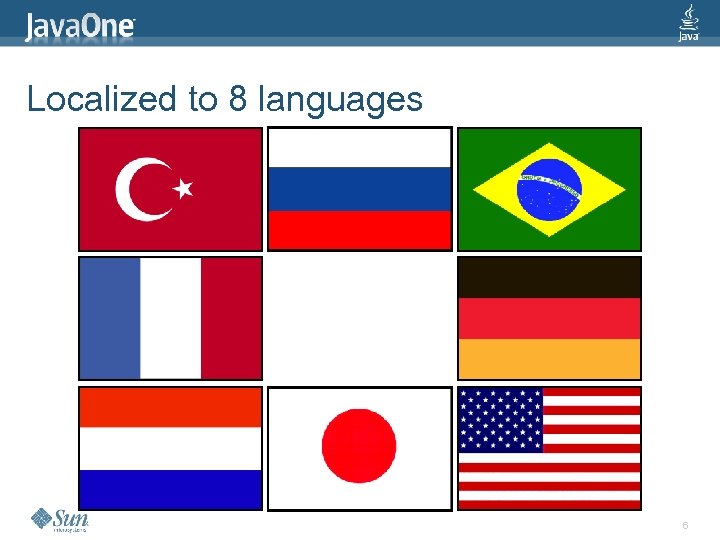 Localized to 8 languages 6
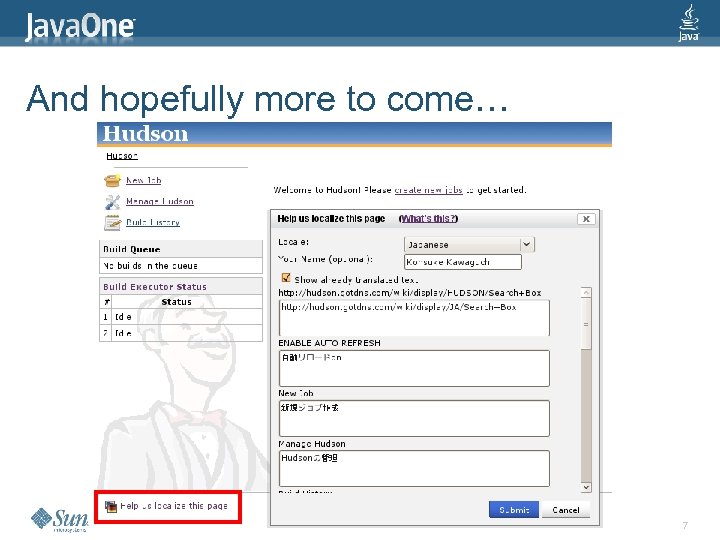 And hopefully more to come… 7
 Adoption in all kinds of businesses 8
 Doing Distributed Builds 9
 Why Distributed Builds? > You need to use multiple computers because… l l > You need different environments You need isolation There’s only so much you can do with 1 computer 10
 Before we talk about clouds… > Going virtual doesn’t solve… l l > Software installation problem Node failure problem Remote maintenance problem … What does Hudson do to help you with these? 11
 Installing new slaves > For first 20 or so slaves, we did it manually l l > Insert CD, click, type, click, … But that doesn’t scale Then we automated l Available as “Hudson PXE Plugin” 12
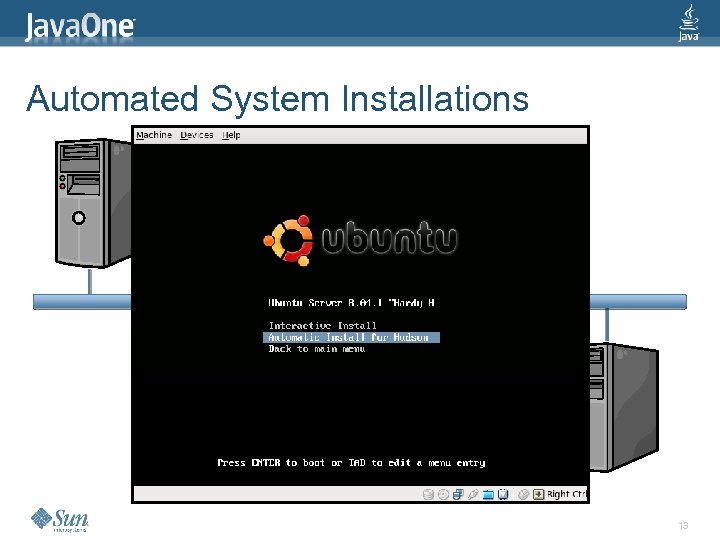 Automated System Installations > > Hudson + PXE plugin l ISO images of OS Slaves l Power on, hit F 12 l PC boots from network (PXE) 13
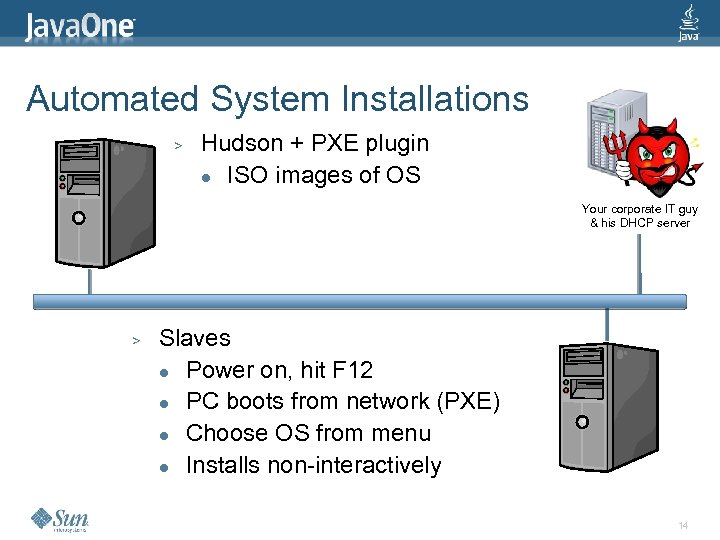 Automated System Installations > Hudson + PXE plugin l ISO images of OS Your corporate IT guy & his DHCP server > Slaves l Power on, hit F 12 l PC boots from network (PXE) l Choose OS from menu l Installs non-interactively 14
 Automated System Installations > Supports Open. Solaris, Ubuntu, Cent. OS, Fedora l Trivial with most Linux > Cooperate with Windows, too > Quite useful outside Hudson, too l l No more broken CD drives No more CD-Rs 15
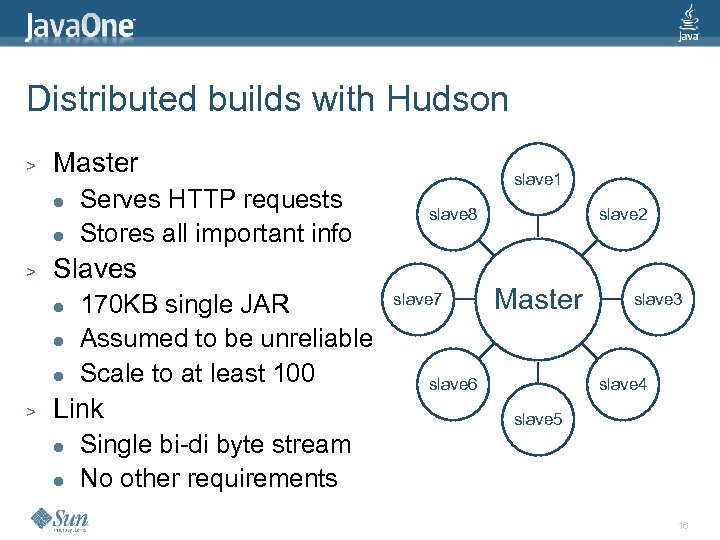 Distributed builds with Hudson > Master l l > slave 8 Slaves l l l > Serves HTTP requests Stores all important info slave 1 170 KB single JAR Assumed to be unreliable Scale to at least 100 Link l l slave 7 slave 2 Master slave 6 slave 3 slave 4 slave 5 Single bi-di byte stream No other requirements 16
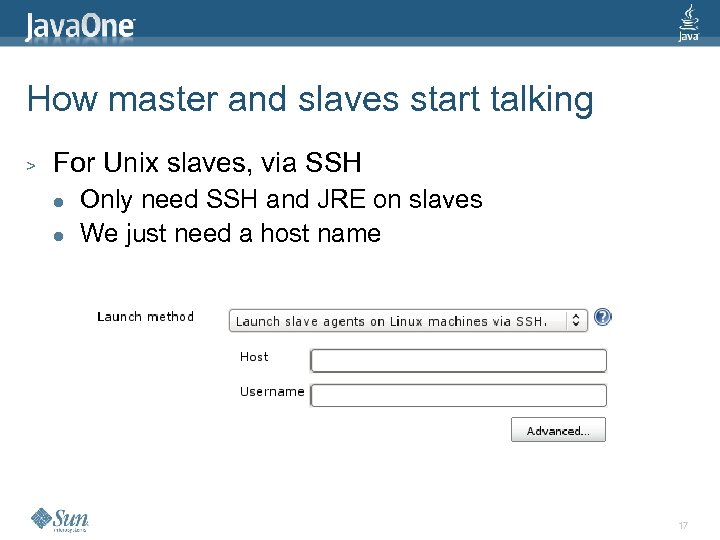 How master and slaves start talking > For Unix slaves, via SSH l l Only need SSH and JRE on slaves We just need a host name 17
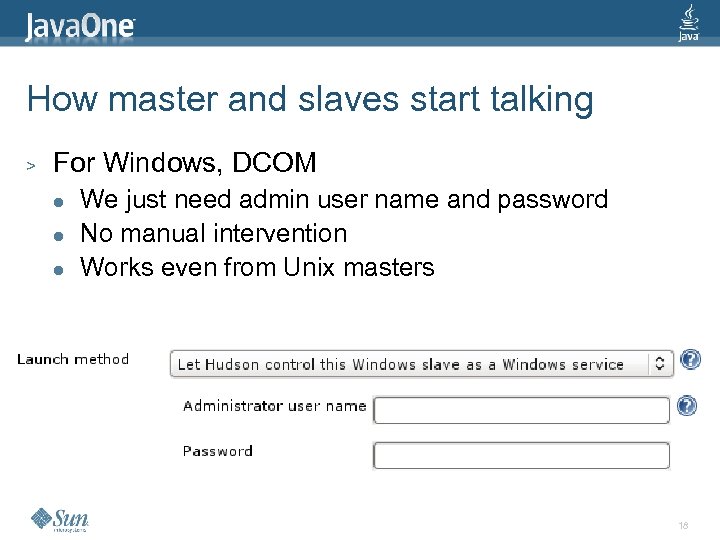 How master and slaves start talking > For Windows, DCOM l l l We just need admin user name and password No manual intervention Works even from Unix masters 18
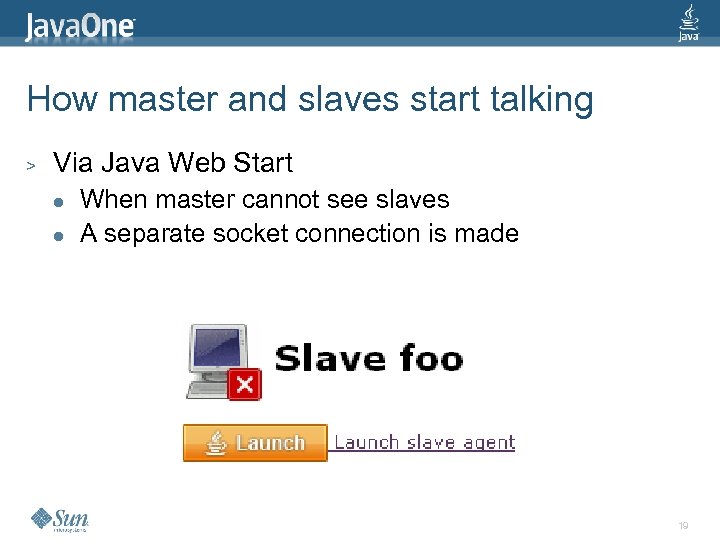 How master and slaves start talking > Via Java Web Start l l When master cannot see slaves A separate socket connection is made 19
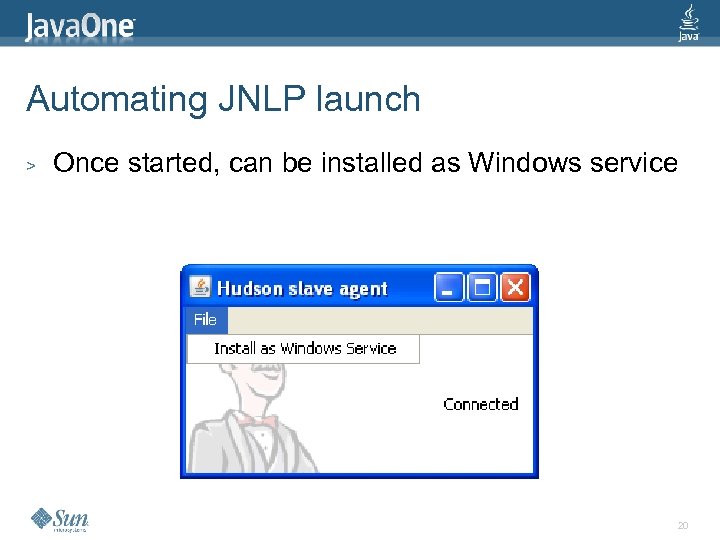 Automating JNLP launch > Once started, can be installed as Windows service 20
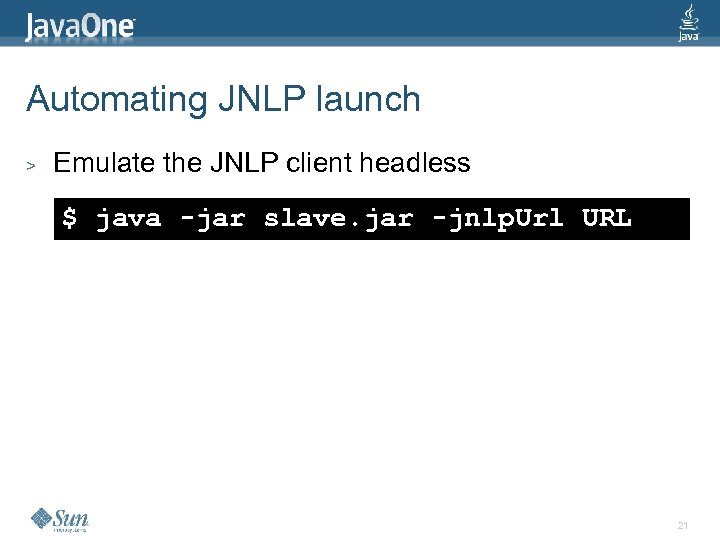 Automating JNLP launch > Emulate the JNLP client headless $ java -jar slave. jar -jnlp. Url URL 21
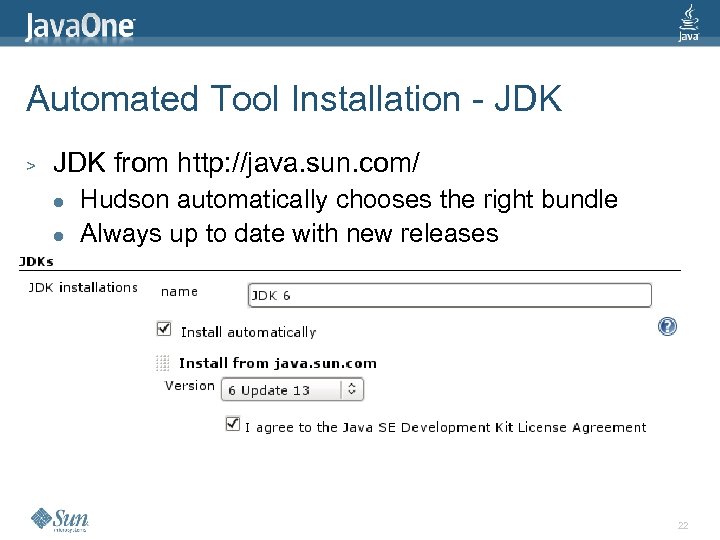 Automated Tool Installation - JDK > JDK from http: //java. sun. com/ l l Hudson automatically chooses the right bundle Always up to date with new releases 22
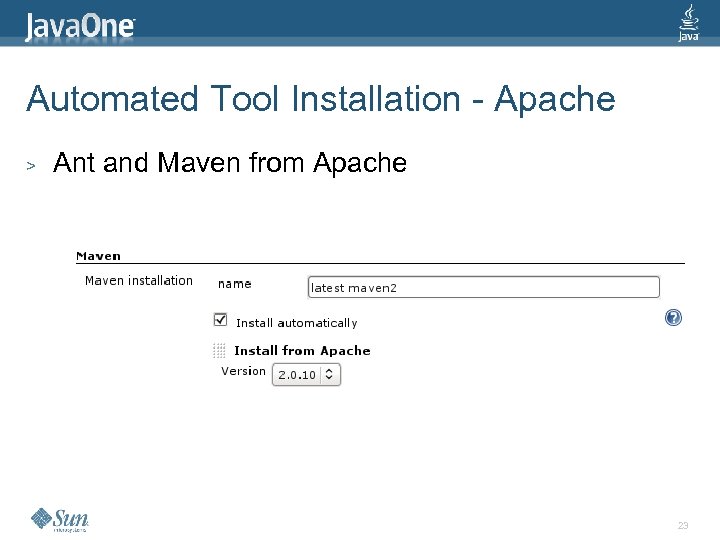 Automated Tool Installation - Apache > Ant and Maven from Apache 23
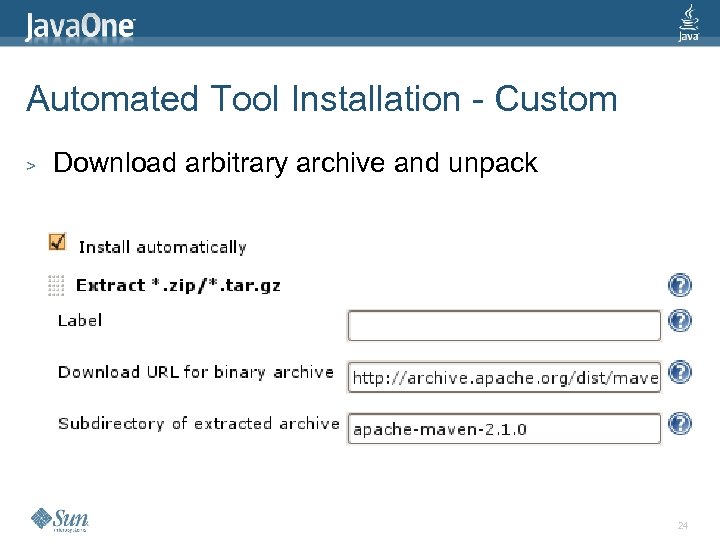 Automated Tool Installation - Custom > Download arbitrary archive and unpack 24
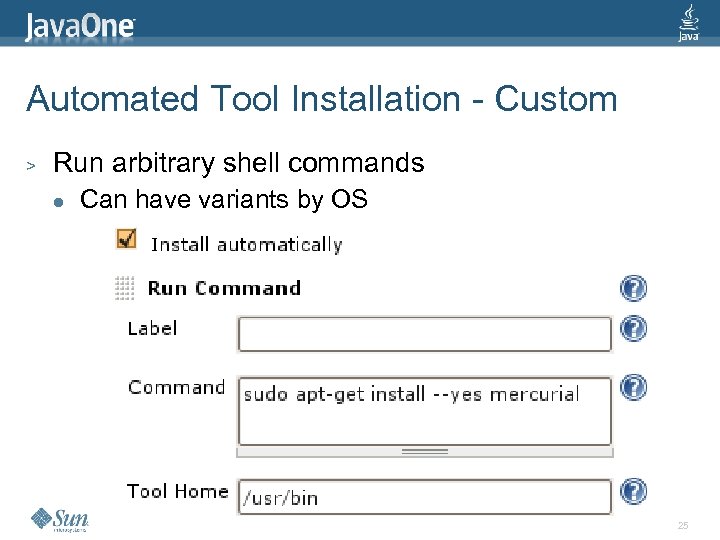 Automated Tool Installation - Custom > Run arbitrary shell commands l Can have variants by OS 25
 Automated Tool Installation - Extensible > Write your own l l > Simple Hudson extension Just write Java code to create tool on slave In progress: l l SCMs – Mercurial, … Install from Subversion 26
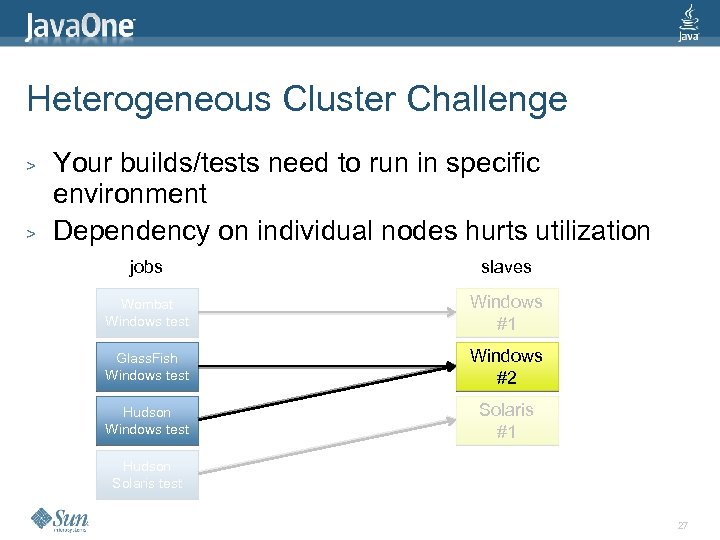 Heterogeneous Cluster Challenge > > Your builds/tests need to run in specific environment Dependency on individual nodes hurts utilization jobs slaves Wombat Windows test Windows #1 Glass. Fish Windows test Windows #2 Hudson Windows test Solaris #1 Hudson Solaris test 27
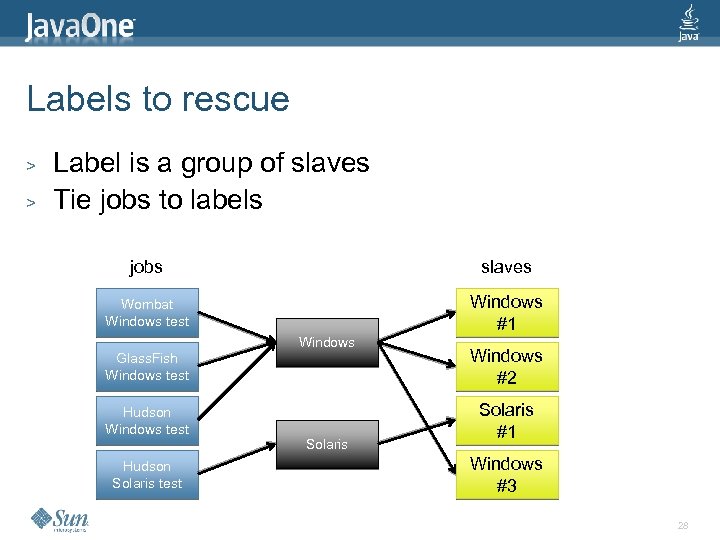 Labels to rescue > > Label is a group of slaves Tie jobs to labels jobs slaves Wombat Windows test Windows #1 Glass. Fish Windows test Hudson Solaris test Windows Solaris Windows #2 Solaris #1 Windows #3 28
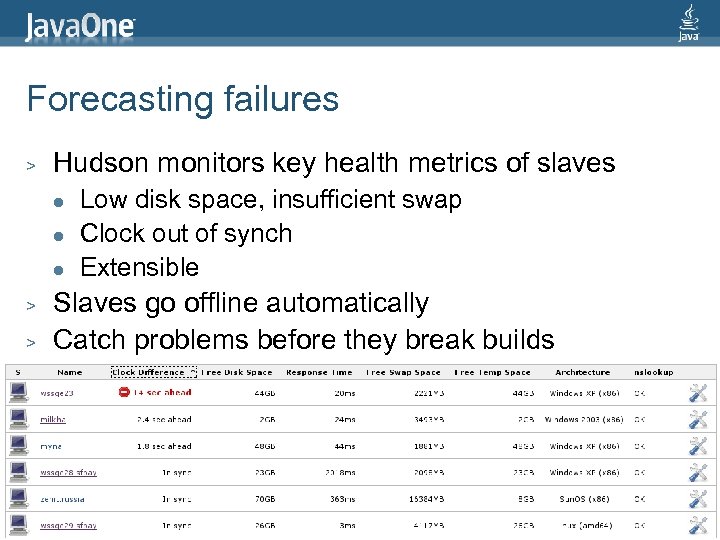 Forecasting failures > Hudson monitors key health metrics of slaves l l l > > Low disk space, insufficient swap Clock out of synch Extensible Slaves go offline automatically Catch problems before they break builds 30
 Clean up mess after builds > Kill runaway processes l l Daemons, background processes left by your build Works on Windows, Linux, Mac, and Solaris 31
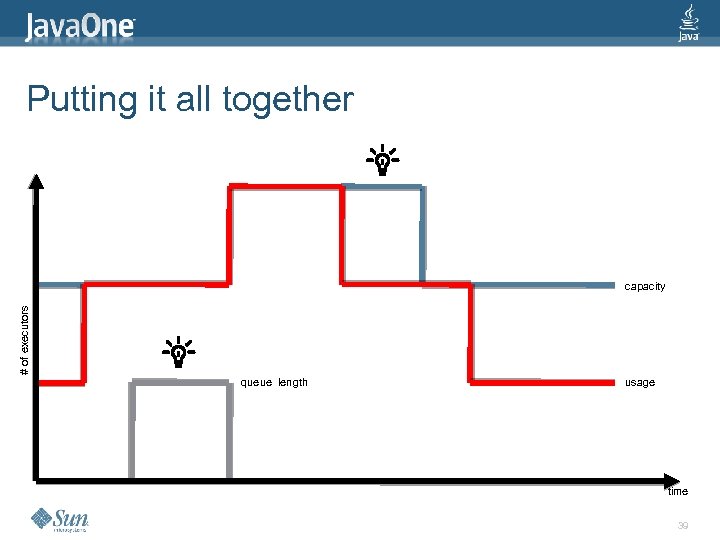
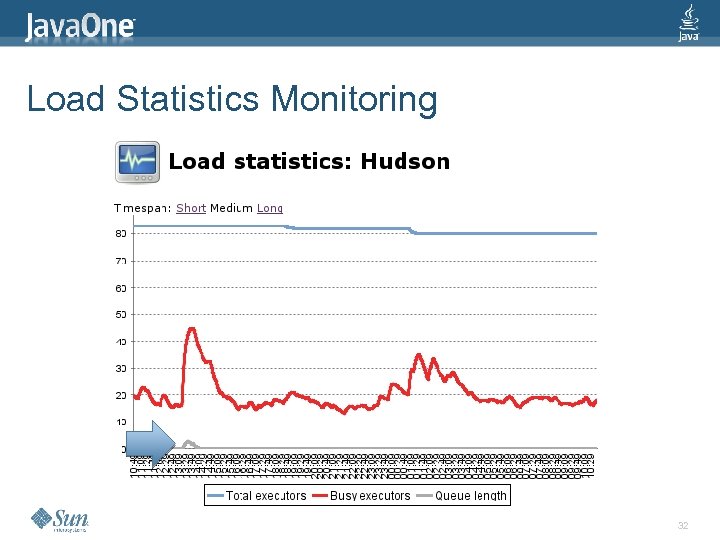 Load Statistics Monitoring 32
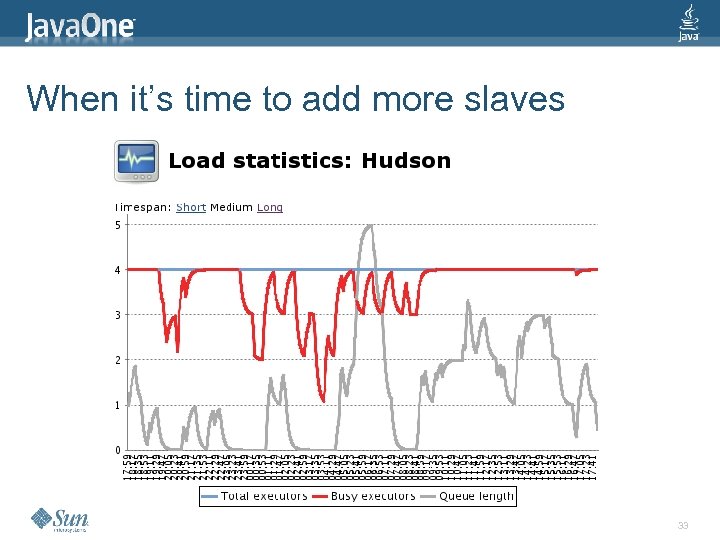 When it’s time to add more slaves 33
 Hudson made this extensible > > > Hudson detects excessive workload Hudson notifies plugins Plugins can provision more slaves l … assuming that you have that infrastructure 34
 And that brings us to clouds… 35
 Amazon EC 2: The Good > Pay as you go (10¢/h or so) l > > > Loads on Hudson tend to be spiky Programmable API Instances launch at machine-speed EC 2 instances are forgetful 36
 Amazon EC 2: The Bad > Your data is still inside your firewall l > > Takes time to check out code … or to archive build artifacts Some data just can’t be moved EC 2 instances are forgetful Can your tests run in parallel? 37
 Hudson EC 2 plugin > > Built on top of typica* What does it do? l l Automatically provisions slaves on EC 2 on demand Picks the right AMI depending on demand Starts slave agent Shuts down unused instances * http: //code. google. com/p/typica/ 38
 Putting it all together # of executors capacity queue length usage time 39
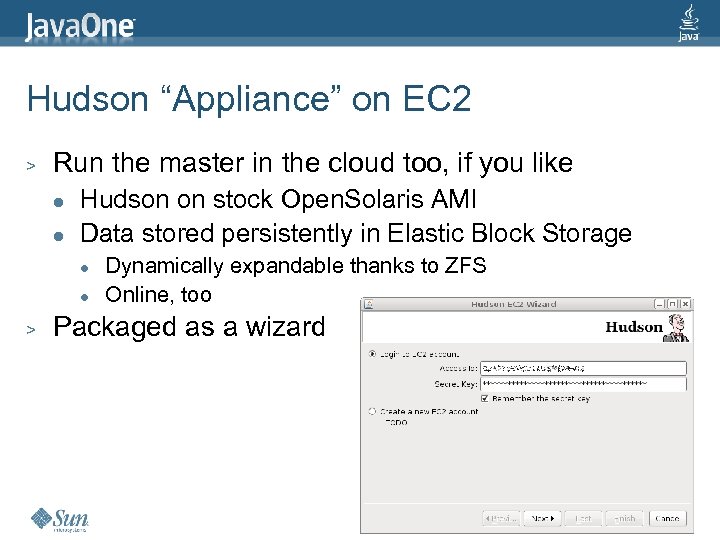 Hudson “Appliance” on EC 2 > Run the master in the cloud too, if you like l l Hudson on stock Open. Solaris AMI Data stored persistently in Elastic Block Storage l l > Dynamically expandable thanks to ZFS Online, too Packaged as a wizard 40
 41
41
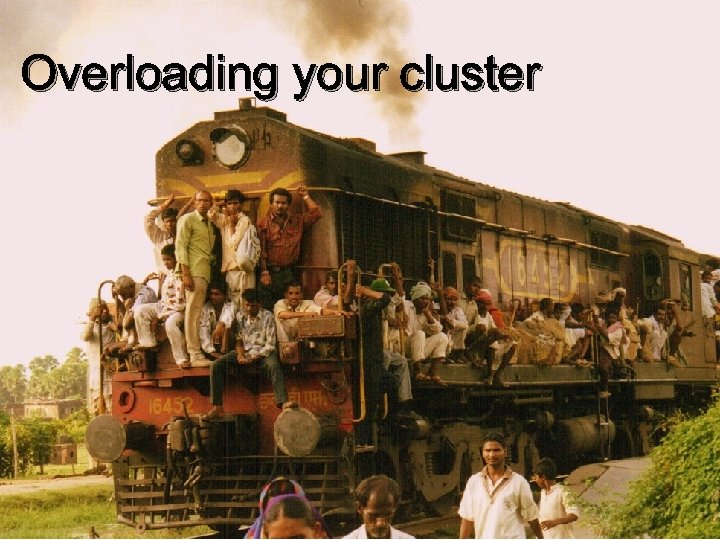 Overloading your cluster 42
 > Hudson Hadoop plugin l l > Distributed file system l l > Just a few mouse clicks to install Turn every Hudson slave into a Hadoop node Automatic data replication (fault tolerant) Nice for storing old artifacts, logs, test records, … Map/reduce framework l l Large scale test results analysis / datamining More interesting work to be done in the future 43
 Hudson Selenium Plugin > Selenium l > Selenium Grid l > > Tests webapps by scripting browsers Runs Selenium over a grid of computers Allow Hudson labels to specify where to start browsers Hudson & Selenium both need heterogeneous cluster 44
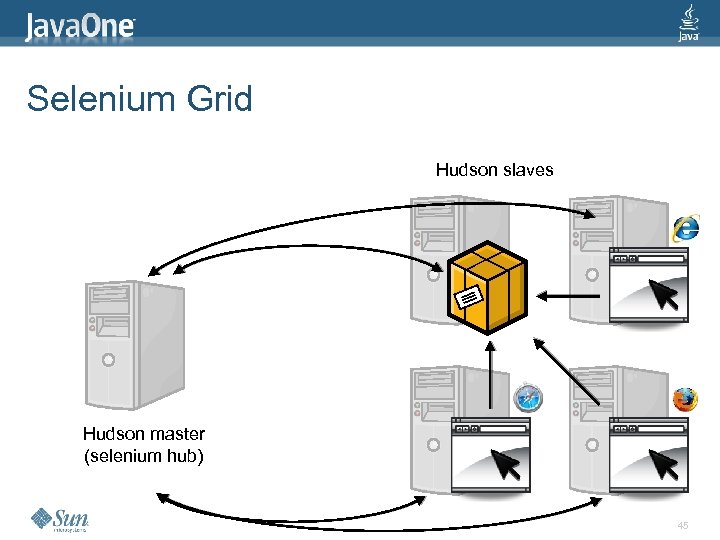 Selenium Grid Hudson slaves Hudson master (selenium hub) 45
 Conclusion > CI is here to stay l > > We’ll continue to push more workload to servers Hudson makes this easy for you Reap the benefit of a cluster in multiple ways 46
 Resources > http: //hudson. dev. java. net/ > BOF-5105 “Hudson Community Meet up” l Today 7: 45 pm same room > Hudson booth inside Sun Pavilion > Support Subscription l hudson@sun. com 47
 Kohsuke Kawaguchi Jesse Glick kohsuke. kawaguchi@sun. com jesse. glick@sun. com http: //hudson. dev. java. net/ 48
 Agenda > > Quick Hudson introduction Doing distributed builds How Hudson make distributed builds easier Taking infrastructure to cloud 49
 Setting up slaves > Keeping slaves consistent is a good thing l > General system administration tasks l l l > Network configuration Package installations for native tools Tools like Puppet or cf. Engine are supposed to help Install build tools in the cluster l l > Particularly hard on heterogeneous environment Prepare tools on one file system rsync to everywhere This part of Hudson needs improvements 50
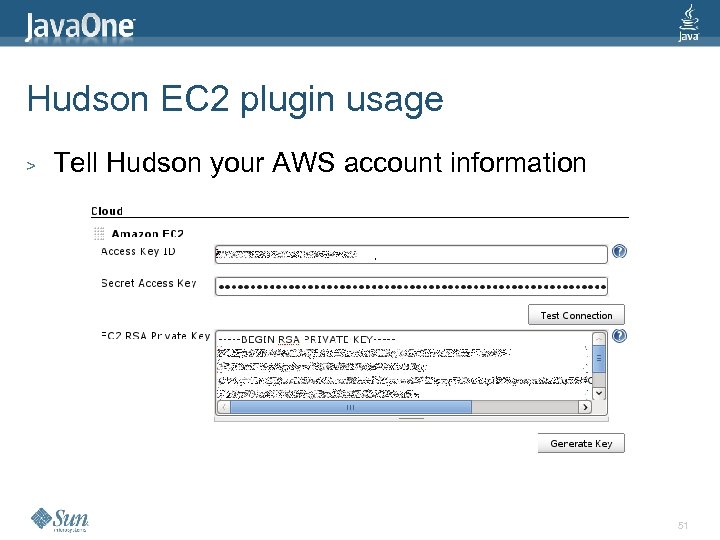 Hudson EC 2 plugin usage > Tell Hudson your AWS account information 51
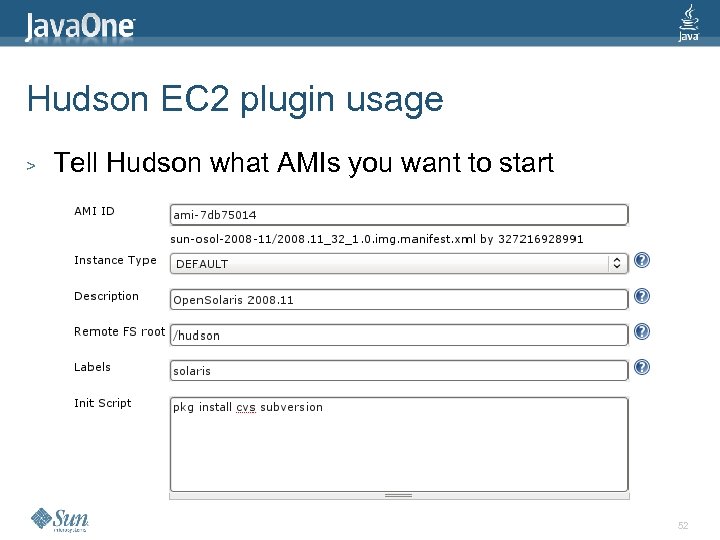 Hudson EC 2 plugin usage > Tell Hudson what AMIs you want to start 52