 Скачать презентацию Context-aware Computing Basic Concepts 金仲達教授 清華大學資訊系統與應用研究 所 九十三學年度第一學期
38dc7dd00503c9b97fbf0a6fa79b4709.ppt
- Количество слайдов: 125



Context-aware Computing: Basic Concepts 金仲達教授 清華大學資訊系統與應用研究 所 九十三學年度第一學期
Outline Motivation p Context and Context-aware Computing p Context-aware Applications p Developing Context-aware Applications p Issues and Challenges p Special Topics p Summary p Pervasive Computing 1
Sources “Out of Context: Computer Systems That Adapt to, and Learn from, Context, ” H. Lieberman, T. Selker, MIT p “A Survey of Context-Aware Mobile Computing Research, ” by G. Chen, D. Kotz, Dartmouth College p “Context-Aware Applications Survey, ” M. Korkeaaho, Helsinki University of Technology p Slides from Jason I. Hong, Group for User Interface Research, U. of California at Berkeley p Pervasive Computing 2
Motivation p Modern computers are divorced from reality n n p Computers have extremely limited input n n p Unaware of who, where, and what around them Leads to mismatch Aware of explicit input only Can take a lot of effort to do simple things Context-Aware Computing n n Making computers more aware of the physical and social worlds we live in Breaking computers out of the box Pervasive Computing 3
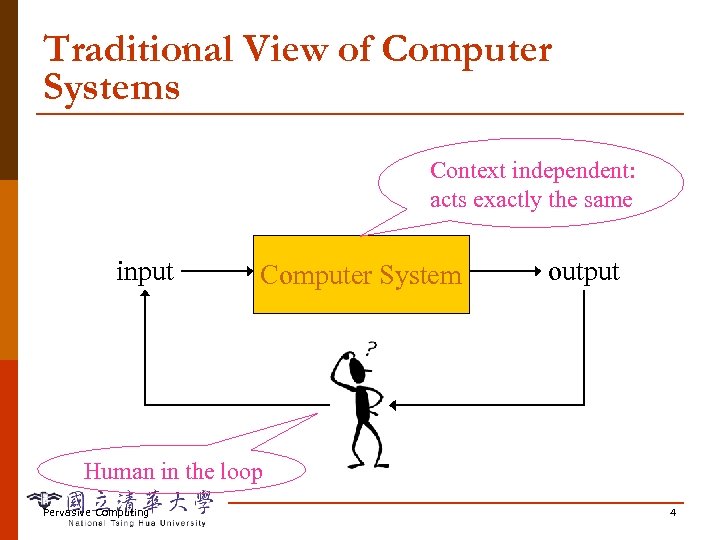
Traditional View of Computer Systems Context independent: acts exactly the same input Computer System output Human in the loop Pervasive Computing 4
From Abstraction to Context Sensitivity Traditional black box view comes from the desire for abstraction p This is based on several assumptions: p n n p Explicit input/output: slow, intrusive, requiring user attention Sequential input-output loop Move away from the black box model and into context-sensitivity n n human out-of-the-loop (as much as possible) reduce explicit interaction (as much as possible) Pervasive Computing 5
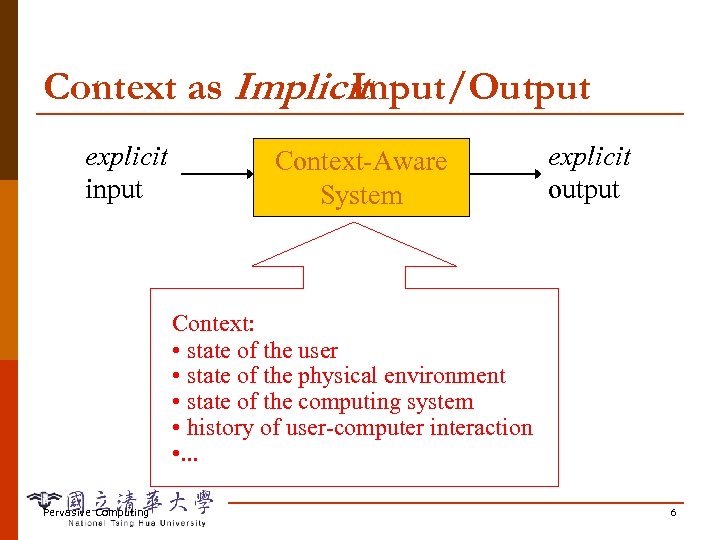
Context as Implicit Input/Output explicit input Context-Aware System explicit output Context: • state of the user • state of the physical environment • state of the computing system • history of user-computer interaction • . . . Pervasive Computing 6
Context-Aware Computing p Let computer systems sense automatically, remember history, and adapt to changing situations n p Reduced explicit interaction, more responsive Need to draw a boundary around the system under consideration n To define “explicit” and “implicit” Pervasive Computing 7
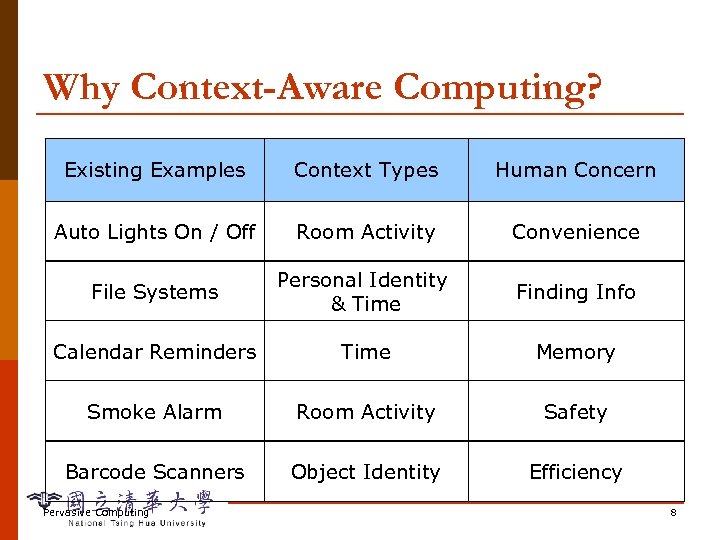
Why Context-Aware Computing? Existing Examples Context Types Human Concern Auto Lights On / Off Room Activity Convenience File Systems Personal Identity & Time Finding Info Calendar Reminders Time Memory Smoke Alarm Room Activity Safety Barcode Scanners Object Identity Efficiency Pervasive Computing 8
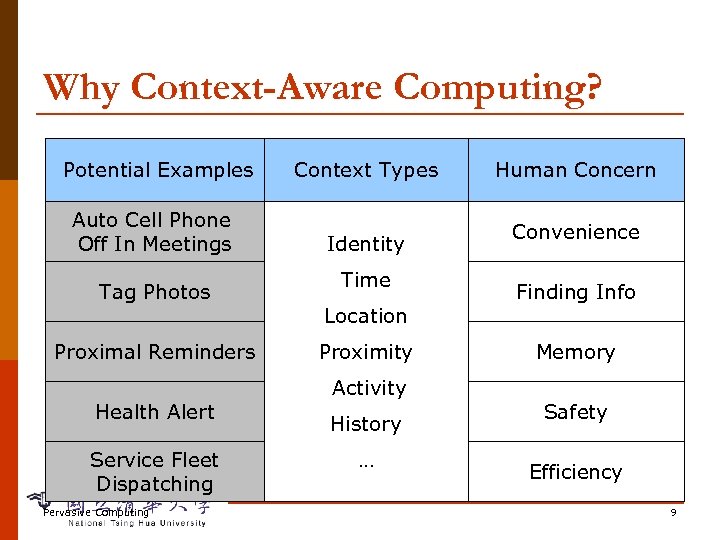
Why Context-Aware Computing? Potential. Examples Existing Examples Context Types Human Concern Auto Cell Phone Auto Lights On / Off In Meetings Activity Identity Convenience File Systems Tag Photos Time Activity Location Finding Info Calendar Reminders Proximal Proximity Identity Memory Smoke Alarm Health Alert Activity Identity & Time History Safety Service Fleet Barcode Scanners Dispatching … Time Efficiency Pervasive Computing 9
Outline Motivation p Context and Context-aware Computing p Context-aware Applications p Developing Context-aware Applications p Issues and Challenges p Special Topics p Summary p Pervasive Computing 10
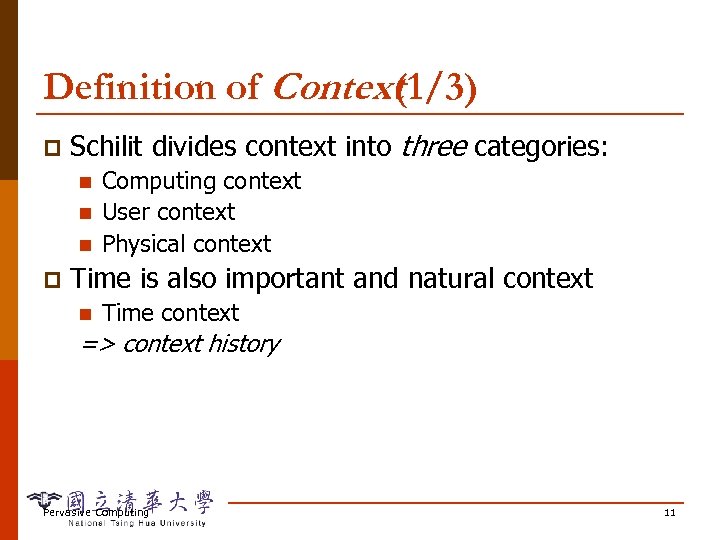
Definition of Context (1/3) p Schilit divides context into three categories: n n n p Computing context User context Physical context Time is also important and natural context n Time context => context history Pervasive Computing 11
Definition of Context (2/3) p Schmidt et al. : “knowledge about user’s and IT device’s state, including surroundings, situation, and to a less extent, location” p Dey: “any information that can be used to characterize the situation of an entity” n Entity: person, place, object that is considered relevant to the interaction between a user and an application Pervasive Computing 12
Definition of Context (3/3) p Kotz: “the set of environmental states and settings that either determines an application’s behavior or in which an application event occurs and is interesting to the user” n n Active context: influences behavior of an application Passive context: relevant to the application, but not critical Pervasive Computing 13
Examples of Context Identity p Spatial: location, orientation, speed p Temporal: date, time of day, season p Environmental: temperature, light, noise p Social: people nearby, activity, calendar p Resources: nearby, availability p Physiological: blood pressure, heart rate, tone of voice p Pervasive Computing 14
Context-aware Computing (1/3) p Pascoe: taxonomy of context-aware features n n contextual sensing context adaptation contextual resource discovery contextual augmentation (associating digital data with user’s context) Pervasive Computing 15
Context-aware Computing (2/3) p Dey: context-aware features n n n presentation of information/services to a user according to current context automatic execution of a service when in a certain context tagging context to information for later retrieval Pervasive Computing 16
Context-aware Computing (3/3) Kotz: p Active context awareness - An application automatically adapts to discovered context, by changing the application’s behavior p Passive context awareness - An application presents the new or updated context to an interested user or makes the context persistent for the user to retrieve later. Pervasive Computing 17
Context-Aware and Pervasive p What is the relationship between context-aware computing and pervasive computing? Pervasive Computing 18
Outline Motivation p Context and Context-aware Computing p Context-aware Applications p n Taxonomy Developing Context-aware Applications p Issues and Challenges p Special Topics p Summary p Pervasive Computing 19
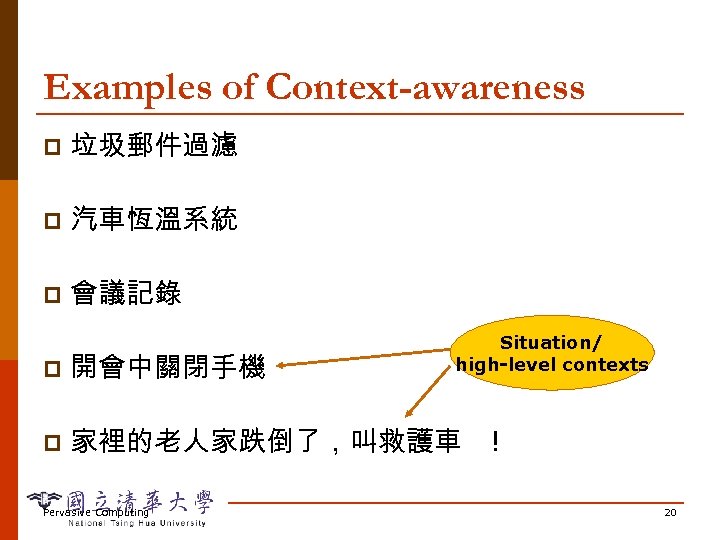
Examples of Context-awareness p 垃圾郵件過濾 p 汽車恆溫系統 p 會議記錄 Situation/ high-level contexts p 開會中關閉手機 p 家裡的老人家跌倒了,叫救護車 Pervasive Computing ! 20
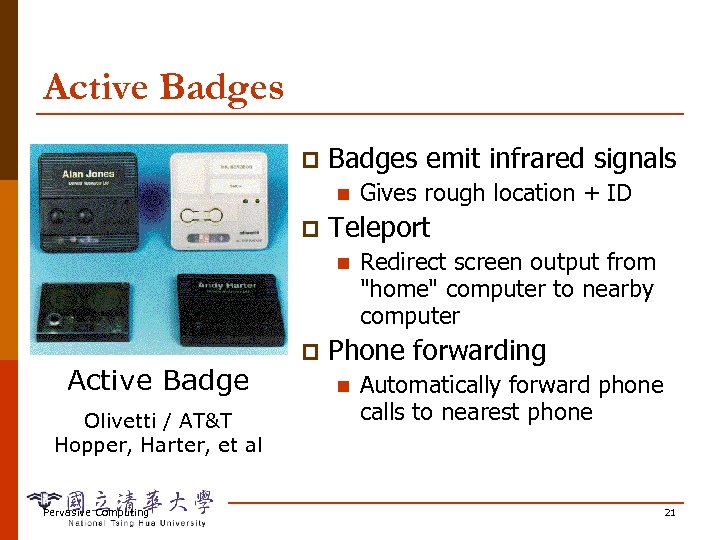
Active Badges p Badges emit infrared signals n p Teleport n Active Badge Olivetti / AT&T Hopper, Harter, et al Pervasive Computing p Gives rough location + ID Redirect screen output from "home" computer to nearby computer Phone forwarding n Automatically forward phone calls to nearest phone 21
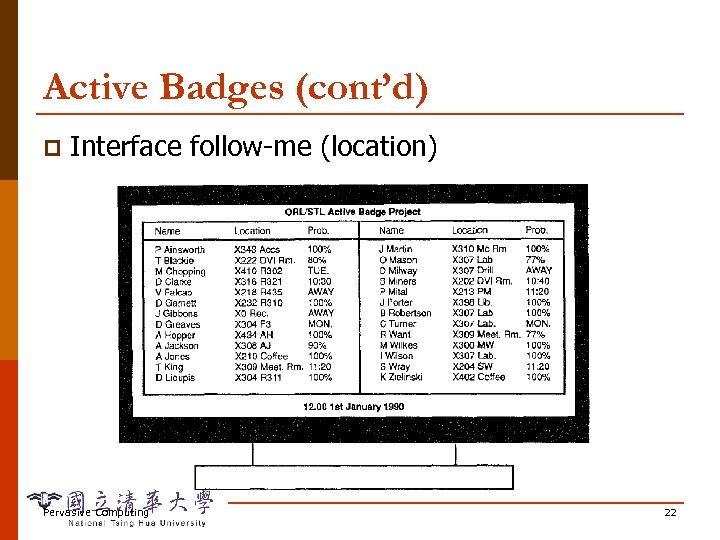
Active Badges (cont’d) p Interface follow-me (location) Pervasive Computing 22
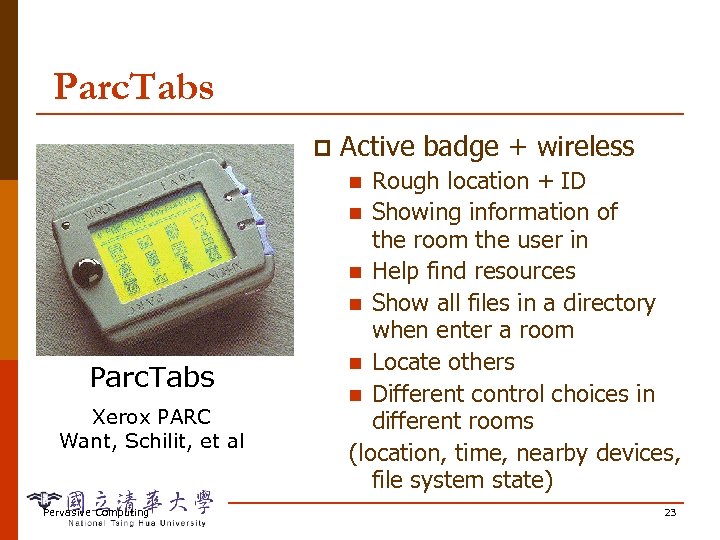
Parc. Tabs p Active badge + wireless Rough location + ID n Showing information of the room the user in n Help find resources n Show all files in a directory when enter a room n Locate others n Different control choices in different rooms (location, time, nearby devices, file system state) n Parc. Tabs Xerox PARC Want, Schilit, et al Pervasive Computing 23
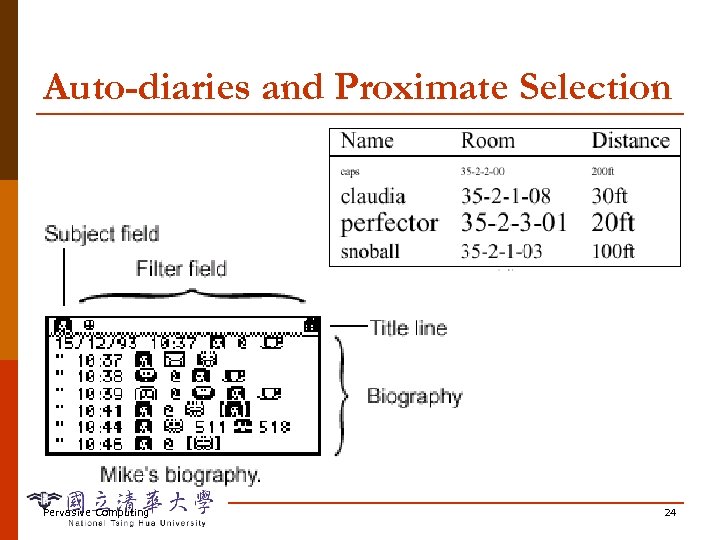
Auto-diaries and Proximate Selection Pervasive Computing 24
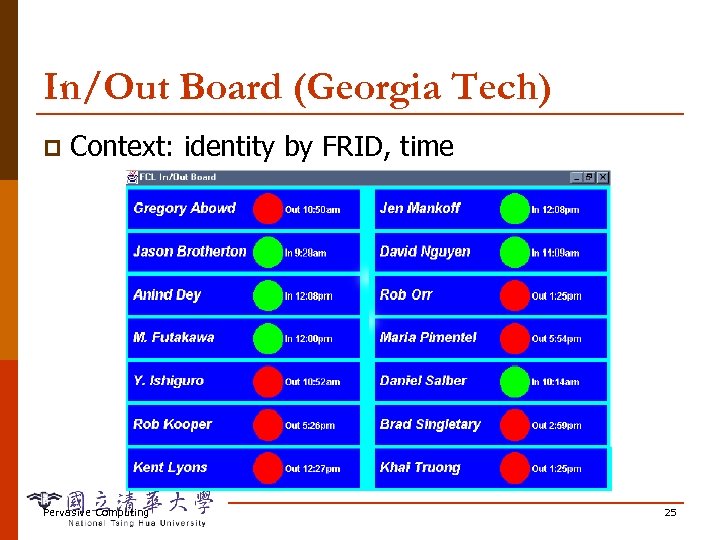
In/Out Board (Georgia Tech) p Context: identity by FRID, time Pervasive Computing 25
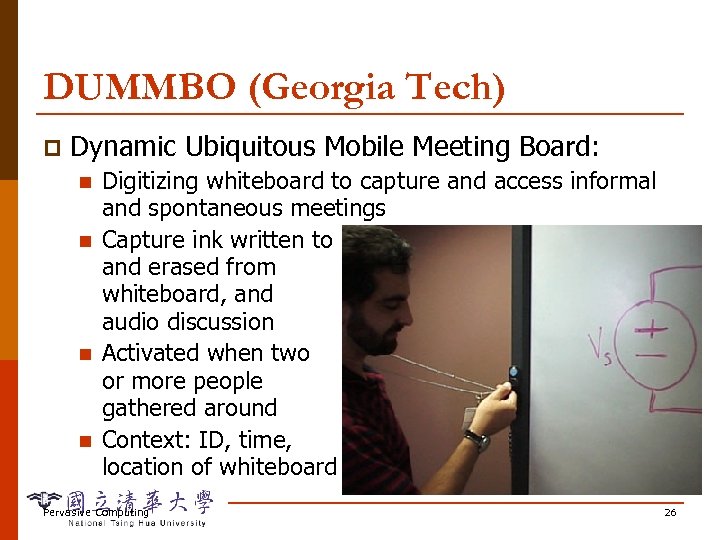
DUMMBO (Georgia Tech) p Dynamic Ubiquitous Mobile Meeting Board: n n Digitizing whiteboard to capture and access informal and spontaneous meetings Capture ink written to and erased from whiteboard, and audio discussion Activated when two or more people gathered around Context: ID, time, location of whiteboard Pervasive Computing 26
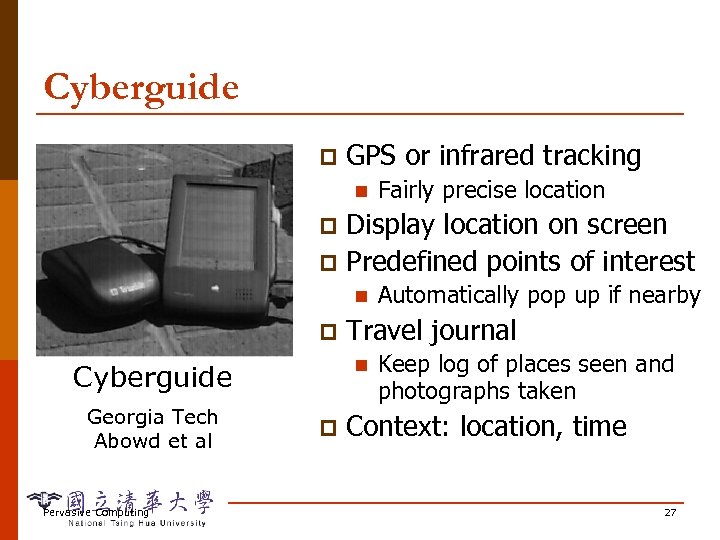
Cyberguide p GPS or infrared tracking n Fairly precise location Display location on screen p Predefined points of interest p n p Georgia Tech Abowd et al Pervasive Computing Travel journal n Cyberguide p Automatically pop up if nearby Keep log of places seen and photographs taken Context: location, time 27
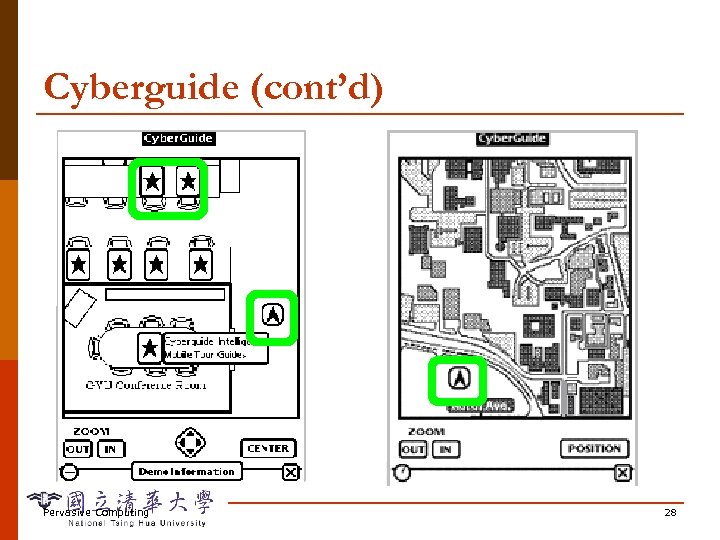
Cyberguide (cont’d) Pervasive Computing 28
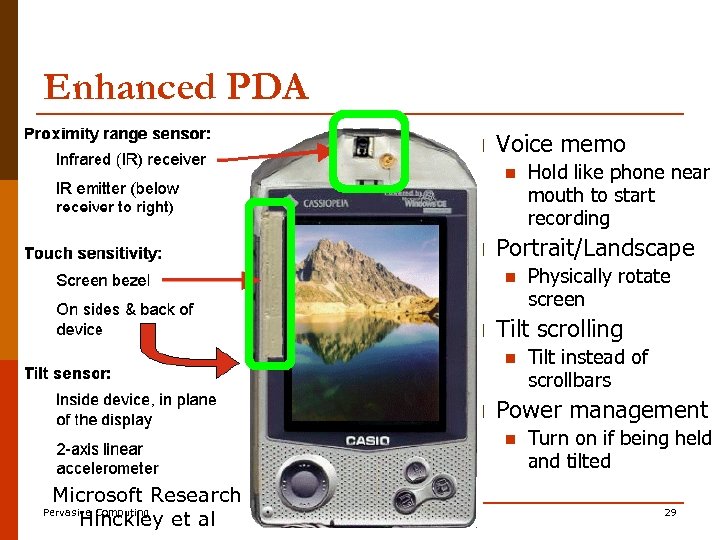
Enhanced PDA p Voice memo n p Portrait/Landscape n p Tilt instead of scrollbars Power management n Microsoft Research Pervasive Computing Hinckley et al Physically rotate screen Tilt scrolling n p Hold like phone near mouth to start recording Turn on if being held and tilted 29
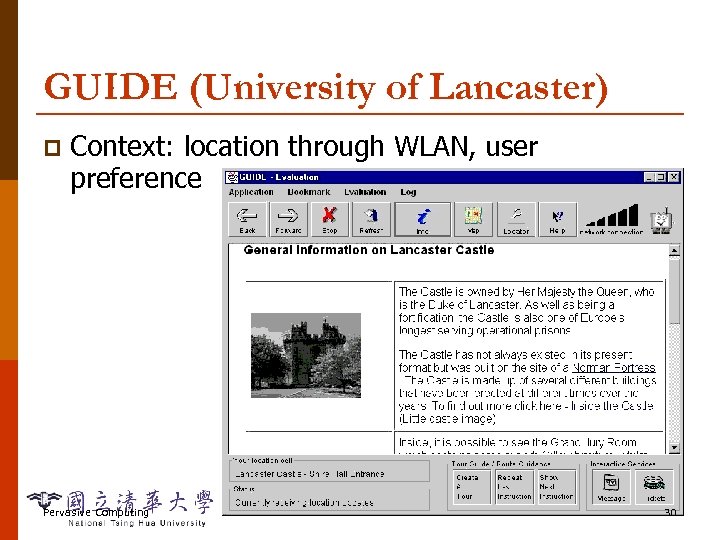
GUIDE (University of Lancaster) p Context: location through WLAN, user preference Pervasive Computing 30
Fieldwork p University of Kent at Canterbury: archeological assistant n giraffe observation n rhino identification (location through Palm. Pilot, GPS; time) n Location dependent notes through Stick. Plate, Stick. Edit, Stick. Map n Pervasive Computing 31
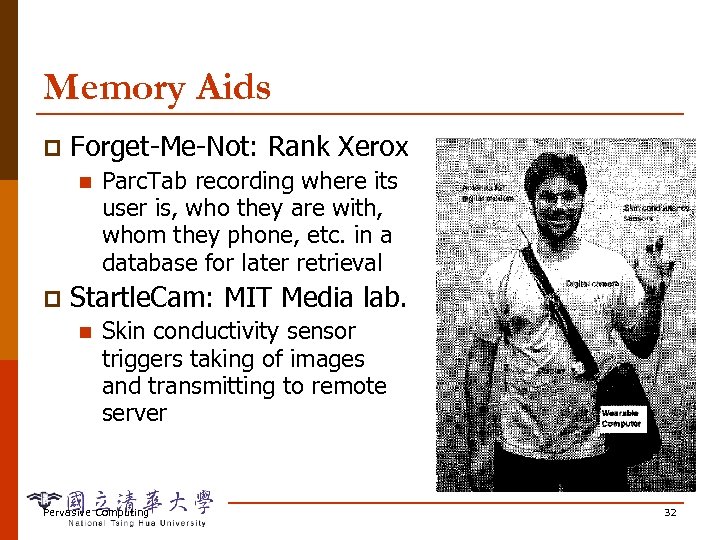
Memory Aids p Forget-Me-Not: Rank Xerox n p Parc. Tab recording where its user is, who they are with, whom they phone, etc. in a database for later retrieval Startle. Cam: MIT Media lab. n Skin conductivity sensor triggers taking of images and transmitting to remote server Pervasive Computing 32
Other Applications Shopping assistant (location) p Smart floor, active floor p Office assistant from MIT Media Lab. (activity, schedule) p Pervasive Computing 33
Summary: A Rough Taxonomy of Context-Aware Apps Triggers p Metadata Tagging p Reconfiguration and Streamlining p Input specification p Presentation p Pervasive Computing 34
A Rough Taxonomy of Context-Aware Apps p Triggers n n n On X do Y "Notify doctor and nearby ambulances if serious health problem detected" "Remind me to talk to Chris about user studies next time I see him" Pervasive Computing 35
A Rough Taxonomy of Context-Aware Apps p Metadata Tagging n n "Where was this picture taken? " "Find all notes taken while Mae was talking" Memory prosthesis Stick-e notes: University of Kent Stick-e note: attaching notes to a context, later trigger the node when context occurs again p Programming environment based on stick-e: p § Triggering, execution, and sensor components Pervasive Computing 36
A Rough Taxonomy of Context-Aware Apps p Reconfiguration and Streamlining n n n Telephone forwarding and Teleport Turn off cell phone in theaters Automatically adjust brightness / volume Automatic file pre-caching Select modes in multimodal interaction Multimedia / Bandwidth adaptation Pervasive Computing 37
A Rough Taxonomy of Context-Aware Apps p Input specification n p Send mail only to people in building now Print to nearest printer "Find gas stations nearest me" Presentation of plain contexts n n n Current location Idle? Currently in? Contextual info about objects Proximate selection Pervasive Computing 38
Outline Motivation p Context and Context-aware Computing p Context-aware Applications p Developing Context-aware Applications p Issues and Challenges p Special Topics p Summary p Pervasive Computing 39
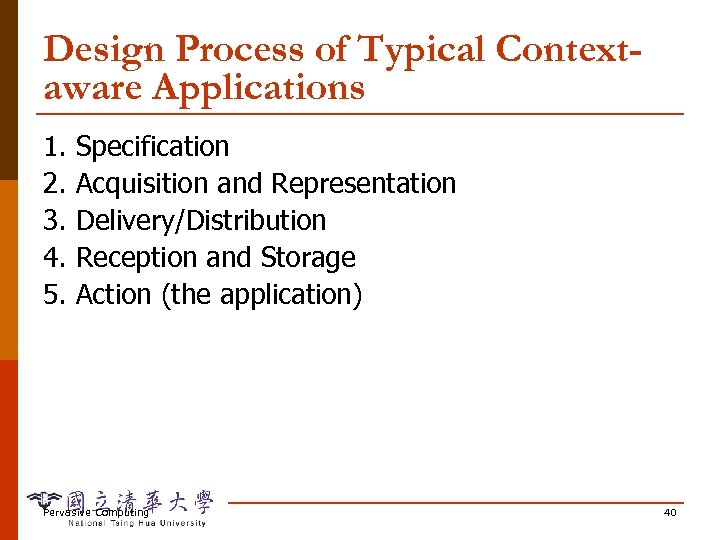
Design Process of Typical Contextaware Applications 1. 2. 3. 4. 5. Specification Acquisition and Representation Delivery/Distribution Reception and Storage Action (the application) Pervasive Computing 40
Design Process: Specification Context to use p Context behaviors to perform p Key step in design process: problem specification Pervasive Computing 41
Design Process: Acquisition p Install relevant sensors n n n Sensors: infrastructure or personal artifacts Where to sense? How often to update and report? Context representation p Store context p Pervasive Computing 42
Design Process: Delivery/Distribution Contexts typically captured remotely from applications at different time p Context captured in sensor-rich environment or device may need to serve multiple applications => Need to deliver and distribute context to multiple, remote applications p n p Infrastructure or middleware support App/network-level delivery/routing models and transport mechanism Pervasive Computing 43
Design Process: Reception p Application locates relevant sensors/contexts n p Requests contexts via queries, polls, notifications n n p Service discovery Query language, event-notification mechanism How often to request? Additional interpretation/abstraction/processing n Collection, aggregation, filtering, correlation, fusion, . . . Pervasive Computing 44
Design Process: Action Combine received contexts with previous contexts and system/application states for further analysis p Perform actions based on the analysis results p May treat context collection/processing as a separate service p Pervasive Computing 45
Outline Motivation p Context and Context-aware Computing p Context-aware Applications p Developing Context-aware Applications p Issues and Challenges p Special Topics p Summary p Pervasive Computing 46
Sensing the Context (1/3) p Location: n n n p Outdoors: GPS Indoors: IR, RF, ultrasonic, camera (cellular and non-cellular) Hybrid: IEEE 802. 11, Mobile-IP Issues: n n n Heterogeneous sensors with uncertainty and conflicts (sensor fusion) Data vs sensor networks Making mobile devices location-aware Pervasive Computing 47
Sensing the Context (2/3) p Low-level contexts beyond location n n p Time: time-of-day (with calendar) Nearby objects Network bandwidth Orientation Others: photodiode (light), accelerometer (tilt, vibration), microphone, sensors for temperature, pressure, gas, etc. Issue: sensors in mobile devices or infrastructure => direct vs. indirect awareness Pervasive Computing 48
Sensing the Context (3/3) p High-level contexts: user’s activity n n p Camera technology and image processing Consult calendar for what user is to do Combine low-level sensors, e. g. , using rules How about emotional contexts? Context changes: subscription-notification n Polling rate? Pervasive Computing 49
Quality of Contexts What context is important? Always and in different situations? p Quality: p n p Self-contained vs. infrastructure-supported n p Coverage, resolution, accuracy, confidence, reliability, frequency, timeliness PDA doesn't need location sensors if it can ask nearby sensors to approximate Need standards for sharing components? Pervasive Computing 50
Modeling Contexts p Location model: n n p Environmental model: relationship between. . . n n n p Symbolic: Active Badge, symbols Geometric: GPS, coordinates Locations: hierarchical, containment, distance People: friend, family, hierarchy Devices? Context representation: n n n Key-value pairs, tagged encoding Object-oriented model: contexts as object states Logic-based model: facts in rule-based system Pervasive Computing 51
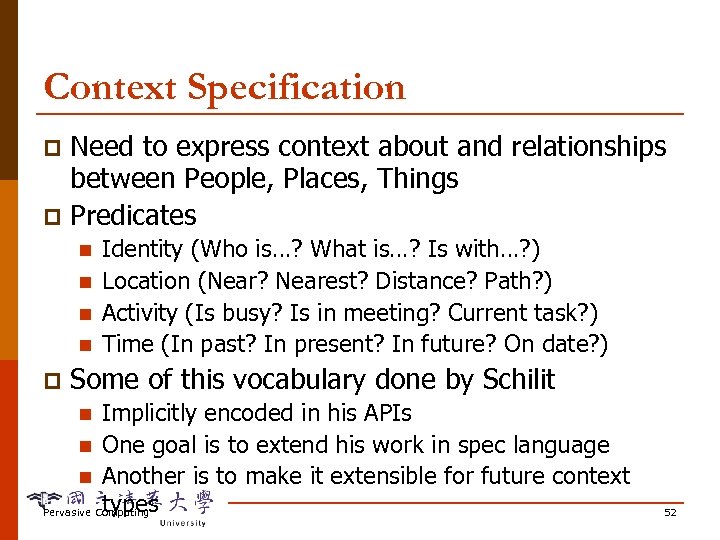
Context Specification Need to express context about and relationships between People, Places, Things p Predicates p n n p Identity (Who is…? What is…? Is with…? ) Location (Near? Nearest? Distance? Path? ) Activity (Is busy? Is in meeting? Current task? ) Time (In past? In present? In future? On date? ) Some of this vocabulary done by Schilit Implicitly encoded in his APIs n One goal is to extend his work in spec language n Another is to make it extensible for future context types Pervasive Computing n 52
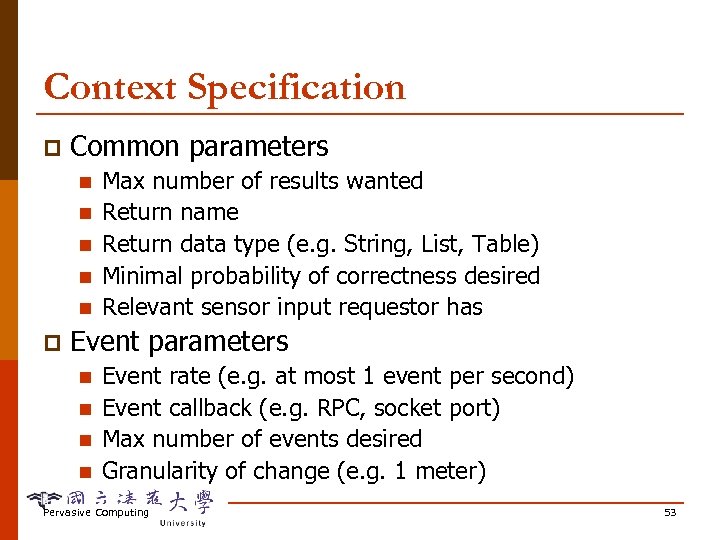
Context Specification p Common parameters n n n p Max number of results wanted Return name Return data type (e. g. String, List, Table) Minimal probability of correctness desired Relevant sensor input requestor has Event parameters n n Event rate (e. g. at most 1 event per second) Event callback (e. g. RPC, socket port) Max number of events desired Granularity of change (e. g. 1 meter) Pervasive Computing 53
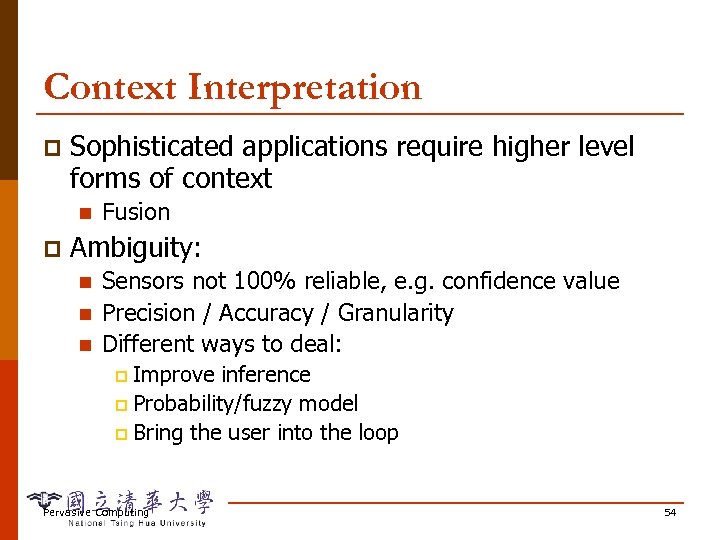
Context Interpretation p Sophisticated applications require higher level forms of context n p Fusion Ambiguity: n n n Sensors not 100% reliable, e. g. confidence value Precision / Accuracy / Granularity Different ways to deal: Improve inference p Probability/fuzzy model p Bring the user into the loop p Pervasive Computing 54
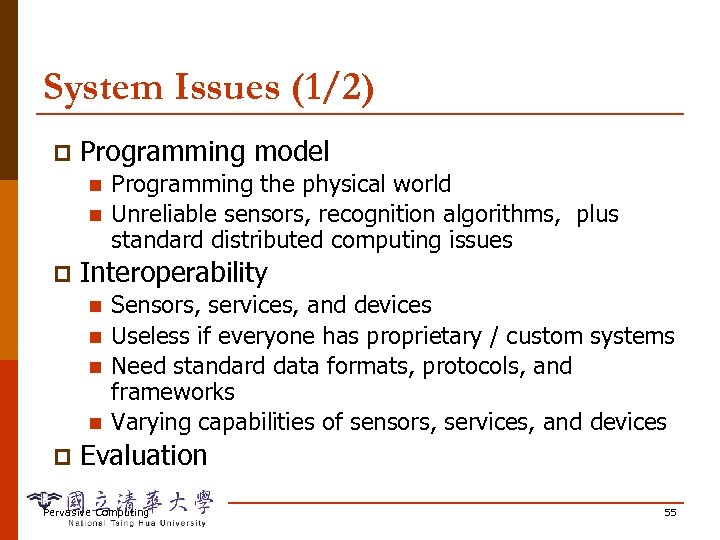
System Issues (1/2) p Programming model n n p Interoperability n n p Programming the physical world Unreliable sensors, recognition algorithms, plus standard distributed computing issues Sensors, services, and devices Useless if everyone has proprietary / custom systems Need standard data formats, protocols, and frameworks Varying capabilities of sensors, services, and devices Evaluation Pervasive Computing 55
System Issues (2/2) p May need a middleware layer to decouple applications and context sensing n Collect raw context, translate to applicationunderstandable format, disseminate it Centralized context server p Distributed architecture p Pervasive Computing 56
Intelligence Who is smart? User or system or both p Who makes the decisions on what actions to take? p Tradeoff between user cognitive load and effort to make system “smart” p Pervasive Computing 57
People Issues p Avoiding embarrassing situations n n p Avoiding dangerous situations n n p Active Badges + bathrooms Inconvenient phone forwarding Need to take into consideration cost of mistake Smoke alarms when cooking Lights that turn off when you're still there Woman locked in "smart toilet stall" Will adding more context really help here? Pervasive Computing 58
People Issues p Making it predictable and understandable n n n p Setting preferences "I want my cell phone to ring except in theaters and when I'm in a meeting unless…" Why the heck did it do that? Privacy n n n What does the computer know about me? What do others know about me? Capturing/collecting lots of information about people, places and devices People uncomfortable when don’t know what is being collected and how it’s used Pervasive Computing 59
Killer Applications? Need something to focus and drive the research p Need something to put in the hands of real people p Business model: how to make money from it? p Pervasive Computing 60
Outline Motivation p Context and Context-aware Computing p Context-aware Applications p Developing Context-aware Applications p Issues and Challenges p Special Topics p n n n p Handling Multiple Contexts Context Modeling Context Programming Summary Pervasive Computing 61
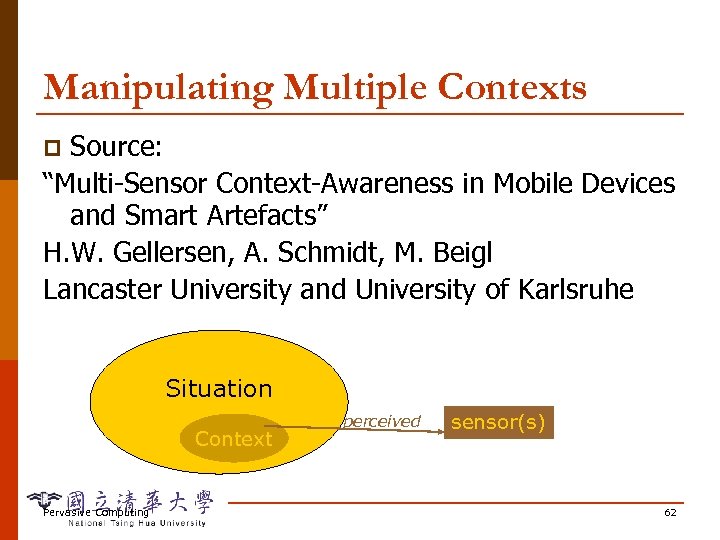
Manipulating Multiple Contexts Source: “Multi-Sensor Context-Awareness in Mobile Devices and Smart Artefacts” H. W. Gellersen, A. Schmidt, M. Beigl Lancaster University and University of Karlsruhe p Situation Context Pervasive Computing perceived sensor(s) 62
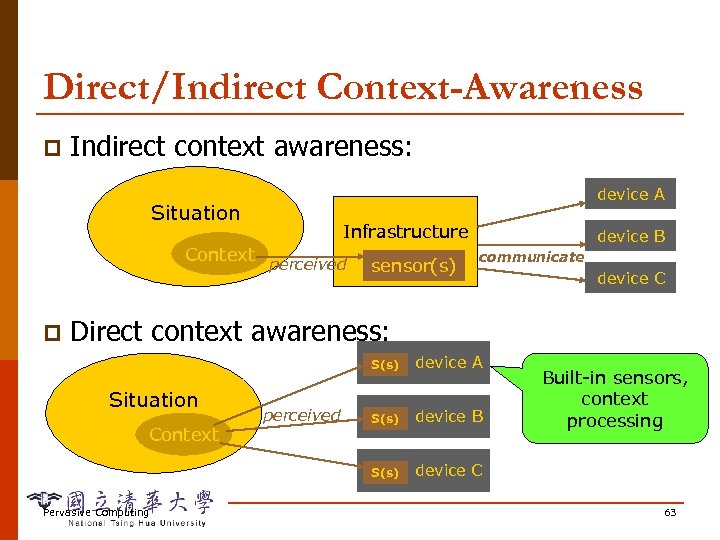
Direct/Indirect Context-Awareness p Indirect context awareness: device A Situation Context p Infrastructure perceived sensor(s) device B communicate device C Direct context awareness: S(s) Context Pervasive Computing perceived S(s) device B S(s) Situation device A device C Built-in sensors, context processing 63
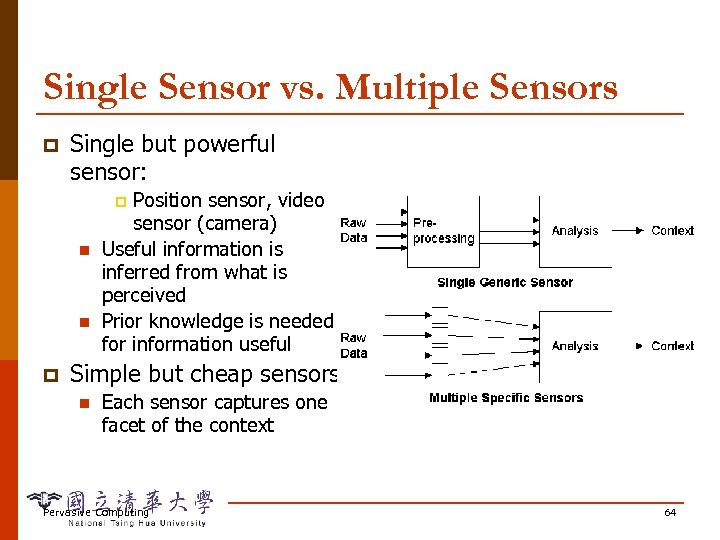
Single Sensor vs. Multiple Sensors p Single but powerful sensor: Position sensor, video sensor (camera) Useful information is inferred from what is perceived Prior knowledge is needed for information useful p n n p Simple but cheap sensors: n Each sensor captures one facet of the context Pervasive Computing 64
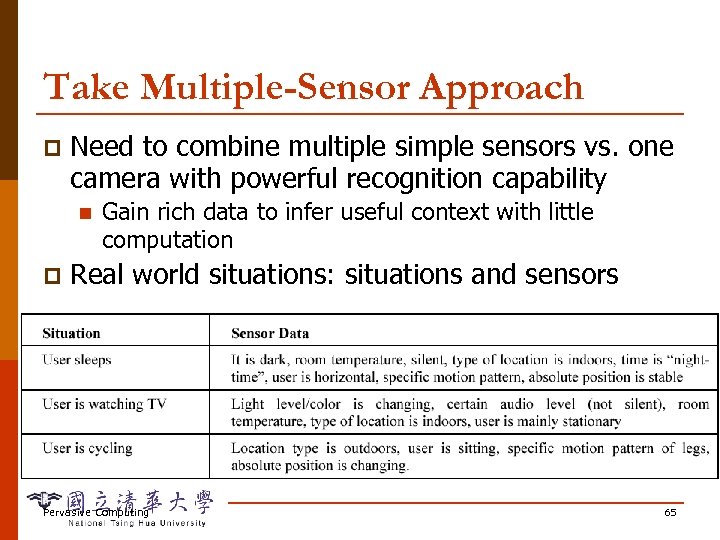
Take Multiple-Sensor Approach p Need to combine multiple simple sensors vs. one camera with powerful recognition capability n p Gain rich data to infer useful context with little computation Real world situations: situations and sensors Pervasive Computing 65
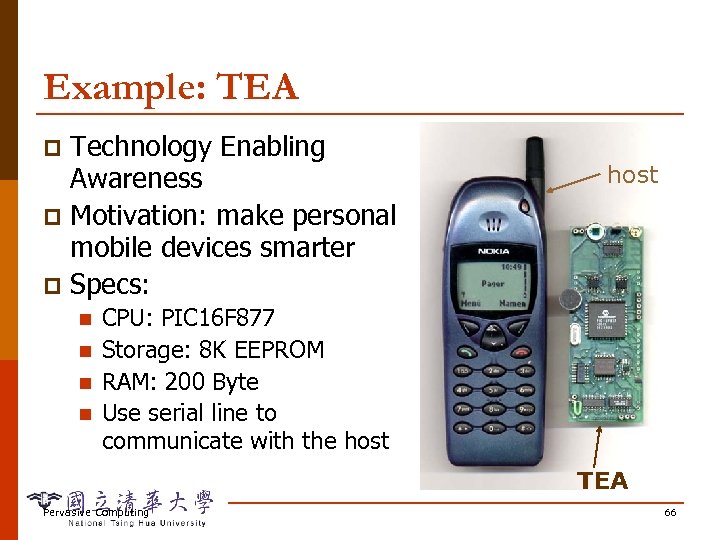
Example: TEA Technology Enabling Awareness p Motivation: make personal mobile devices smarter p Specs: p n n host CPU: PIC 16 F 877 Storage: 8 K EEPROM RAM: 200 Byte Use serial line to communicate with the host TEA Pervasive Computing 66
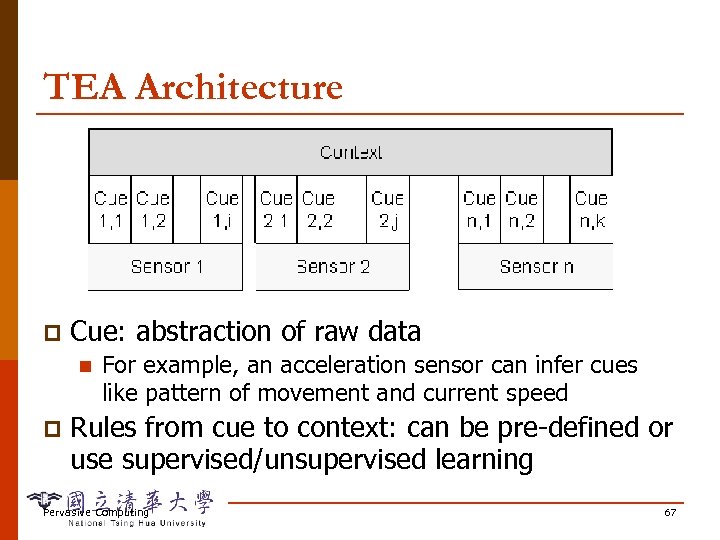
TEA Architecture p Cue: abstraction of raw data n p For example, an acceleration sensor can infer cues like pattern of movement and current speed Rules from cue to context: can be pre-defined or use supervised/unsupervised learning Pervasive Computing 67
Initial Exploration Tried on both PDA and mobile phone, and found it more useful on mobile telephony p Two analysis strategies: p n n p Analyze how well a sensor contributes to a given context Analyze which sensors relate to which context Finding: audio, motion and light are useful globally, and other sensors are only useful in specific contexts Pervasive Computing 68
Implementation Some data are directly analyzed and not stored (audio) p Some data are stored and processed (acceleration, light) p Some data are cues itself; no need to process (temperature, skin conductance) p Rules from cue to context are extracted offline and hardwired p Pervasive Computing 69
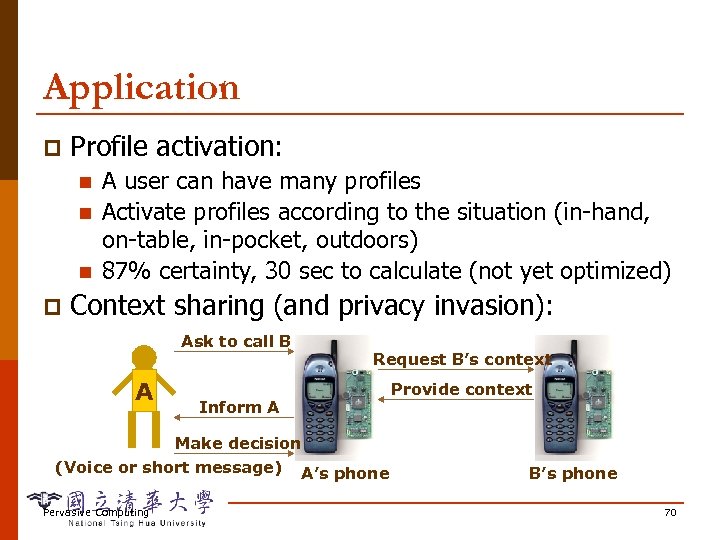
Application p Profile activation: n n n p A user can have many profiles Activate profiles according to the situation (in-hand, on-table, in-pocket, outdoors) 87% certainty, 30 sec to calculate (not yet optimized) Context sharing (and privacy invasion): Ask to call B A Request B’s context Inform A Make decision (Voice or short message) A’s phone Pervasive Computing Provide context B’s phone 70
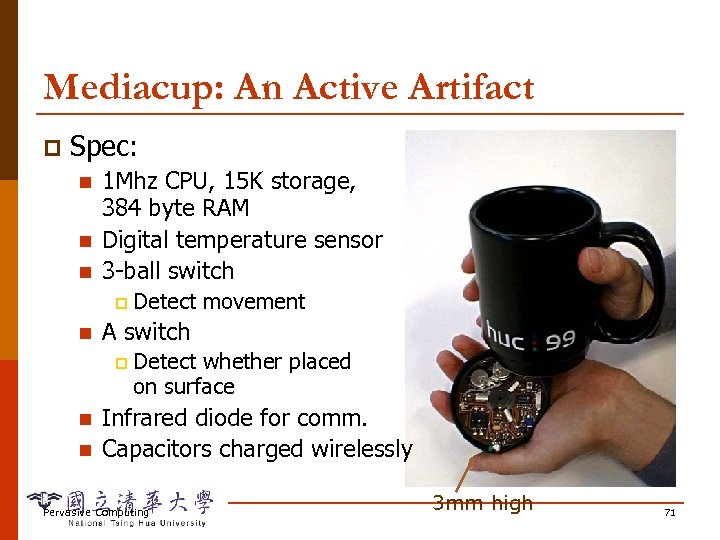
Mediacup: An Active Artifact p Spec: n n n 1 Mhz CPU, 15 K storage, 384 byte RAM Digital temperature sensor 3 -ball switch p n A switch p n n Detect movement Detect whether placed on surface Infrared diode for comm. Capacitors charged wirelessly Pervasive Computing 3 mm high 71
Identified Contexts p Movement context: n n p Temperature context: n n p Cup is stationary, drinking out of the cup, cup is played with, cup is carried around Computed by rule based heuristics with a short history of movements Filled up, cooled off, current temperature Updated every 2 seconds The cups broadcast their context to an overhead transceiver using the infrared diode Pervasive Computing 72
Design Issues p Power management n n n p System kept very low-end Motion detection uses interrupt instead of polling to enable sleep mode in 99% of the time Put the cup on the saucer to recharge wirelessly (15 minute for 12 hour) Transparency n n Hiding the technology does not suffice In the battery-charged prototype, users forget to replace the battery because the effect of technology is invisible! Pervasive Computing 73
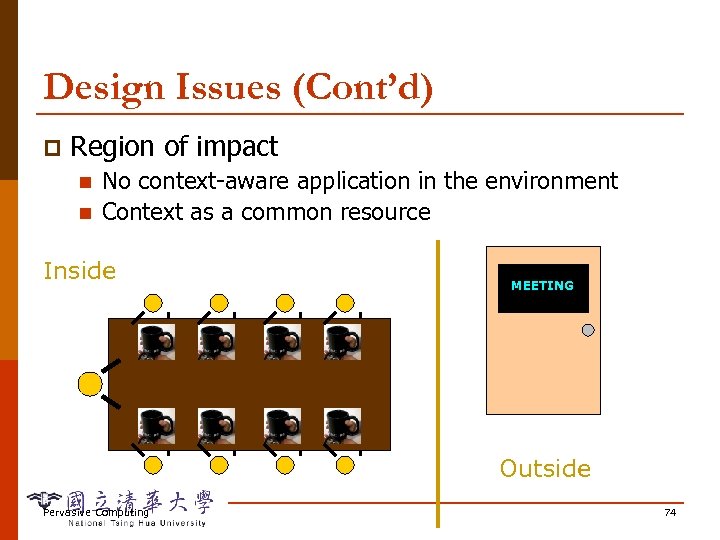
Design Issues (Cont’d) p Region of impact n n No context-aware application in the environment Context as a common resource Inside MEETING available Outside Pervasive Computing 74
Outline Motivation p Context and Context-aware Computing p Context-aware Applications p Developing Context-aware Applications p Issues and Challenges p Special Topics p n n n p Handling Multiple Contexts Context Modeling Context Programming Summary Pervasive Computing 75
Context Modeling Source: “Modeling Context Information in Pervasive Computing Systems, ” Karen Henricksen, Jadwiga Indulska, Andry Rakotonirainy School of Information Technology and Electrical Engineering, The University of Queensland p Pervasive Computing 76
Characteristics of Context Information p Exhibits a range of temporal characteristics n n n p May be incorrect, inconsistent, incomplete n p Failure, faulty info, transmission delay, . . . Has many alternative representations n p Static vs. dynamic (highly variable in persistence) Static (birth day) may be obtained from user, but dynamic often from indirect means, e. g. sensors Context histories (past and future) at different level of abstraction, relations between representations Is highly interrelated (by derivation rules) Pervasive Computing 77
Core Modeling Concepts p Object-based approach: n n n Entities: a physical or conceptual object Attributes: properties of entities Associations: linking an entity, its attributes, and other entities (uni-directional) Owner of an association p As assertions about the owning entity p n Context description is a set of such assertions Pervasive Computing 78
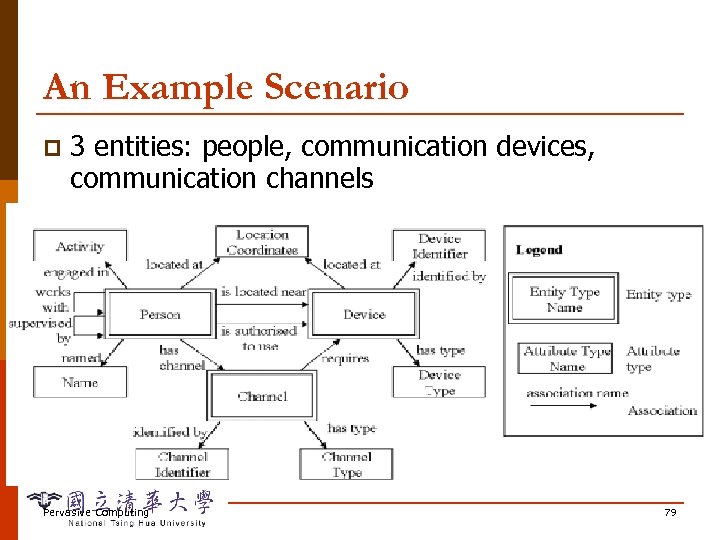
An Example Scenario p 3 entities: people, communication devices, communication channels Pervasive Computing 79
Classifying Associations Static associations: relationship fixed during lifetime of owner p Dynamic association: p n n n Sensed: transformed from raw data, change frequently, staleness, sensing errors Derived: derivation function from other associations, e. g. , is located near Profiled: supplied by users Pervasive Computing 80
Structured Constraints on Associations Simple association: owner appears only once in this role, e. g. , named association of Person p Composite associations: p n n n Collection: owner can be associated with multiple attributes and entities, e. g. , people work with others Alternative: e. g. , comm. channel require a device Temporal: association for a time interval, e. g. , user activities Pervasive Computing 81
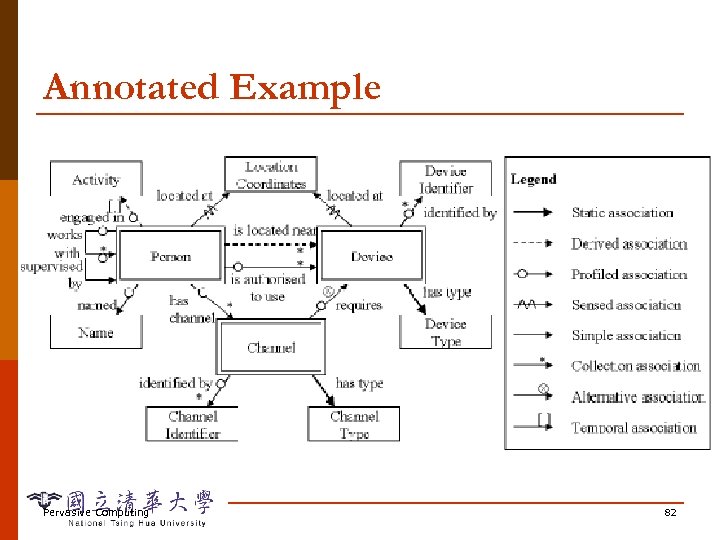
Annotated Example Pervasive Computing 82
Modeling Dependencies p A dependency is a special type of relationship that exists between associations n p An association, a 1, depends. On, a 2, iff a change to a 2 has the potential to cause a change in a 1 n p Capture the reliance of one association on another e. g. , battery life depends. On network bandwidth A dependency can be qualified by a participation constraint, e. g. , engaged in and located at are dependent if they describe the same person Pervasive Computing 83
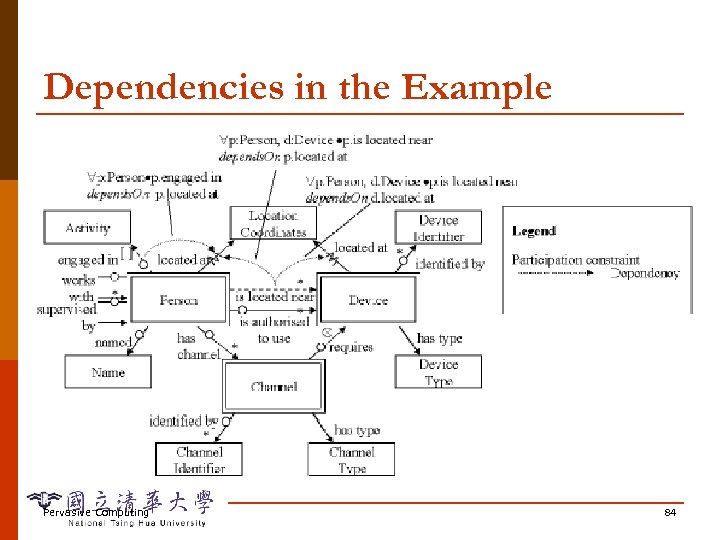
Dependencies in the Example Pervasive Computing 84
Modeling Context Quality p Quality support: annotate associations with a number of quality parameters n n Each parameter is described by one or more quality metrics, which represent precise ways of measuring context quality with respect to the parameter Application dependent: e. g. , user location: accuracy, freshness e. g. , user activity: certainty, accuracy (both prob. values) Pervasive Computing 85
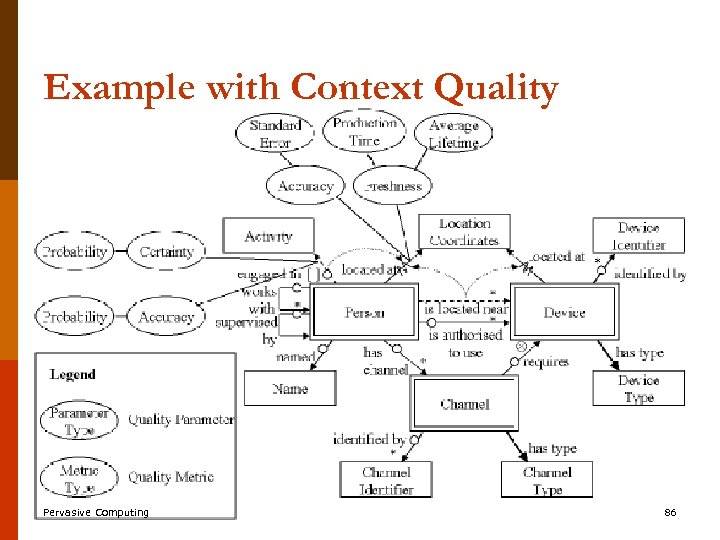
Example with Context Quality Pervasive Computing 86
Outline Motivation p Context and Context-aware Computing p Context-aware Applications p Developing Context-aware Applications p Issues and Challenges p Special Topics p n n n p Handling Multiple Contexts Context Modeling Context Programming Summary Pervasive Computing 87
Context Toolkit “The Context Toolkit: Aiding the Development of Context-Enabled Applications” D. Salber, A. K. Dey, G. D. Abowd Georgia Institute of Technology Proc. Of CHI’ 99 Pervasive Computing 88
Difficulties in Using Context Is acquired from unconventional sensors p Must be abstracted to make sense for the applications p May be acquired from multiple distributed and heterogeneous sources p Is dynamic p n Need to detect changes in real time and adapt to constant changes, history information is valuable => Lack conceptual model and tools to solve => Learning from GUI => context widgets Pervasive Computing 89
GUI Toolkits p Benefits n n n p hide specifics of physical interaction devices manage the detail of the interaction provide reusable building blocks Limitation n lacking flexibility Pervasive Computing 90
Context Toolkit p Toolkit for distributed context-aware apps n n p Framework for acquiring and handling context Standard components Three key abstractions n Widgets, Interpreters, and Aggregators Pervasive Computing 91
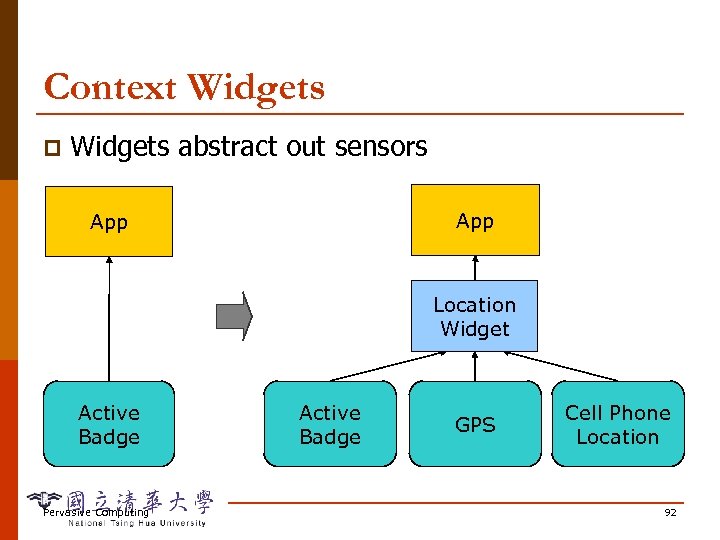
Context Widgets p Widgets abstract out sensors App Location Widget Active Badge Pervasive Computing Active Badge GPS Cell Phone Location 92
Context Widget p A software component that n n p Analogy to GUI widget n n p provides applications with access to context information from their operating environment insulates applications from context acquisition Separation, callbacks, attributes, encapsulation, abstraction e. g. GUI button Why: Responsible for acquiring and abstracting data from particular sensor, separation of concerns, storage Pervasive Computing 93
Features p Context widgets have a state and a behavior n p Are basic blocks managing sensing of context n n p State: a set of attributes that can be queries or subscribed (via widget triggers) by applications e. g. , Identity. Presence (location and identity of a user) need means for composing widgets 3 components: generator, interpreter, server Differences from GIU widgets: n n Distributed, acquired from multiple sources Alive always, not activated by applications (e. g. , environmental information monitoring) Pervasive Computing 94
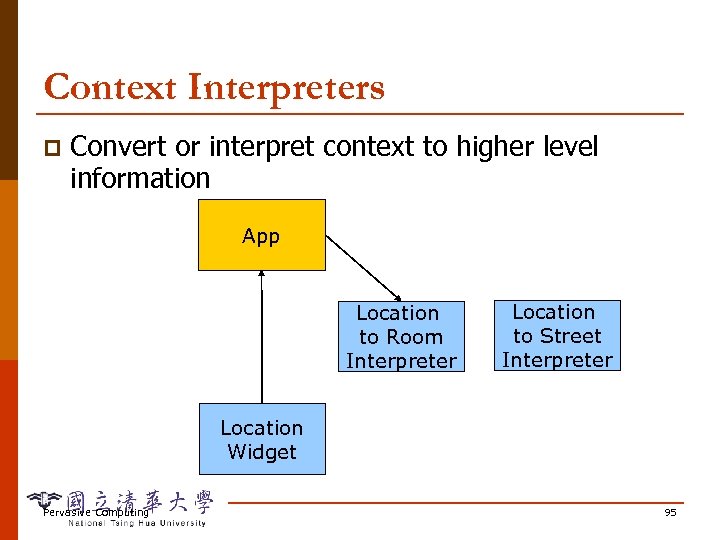
Context Interpreters p Convert or interpret context to higher level information App Location to Room Interpreter Location to Street Interpreter Location Widget Pervasive Computing 95
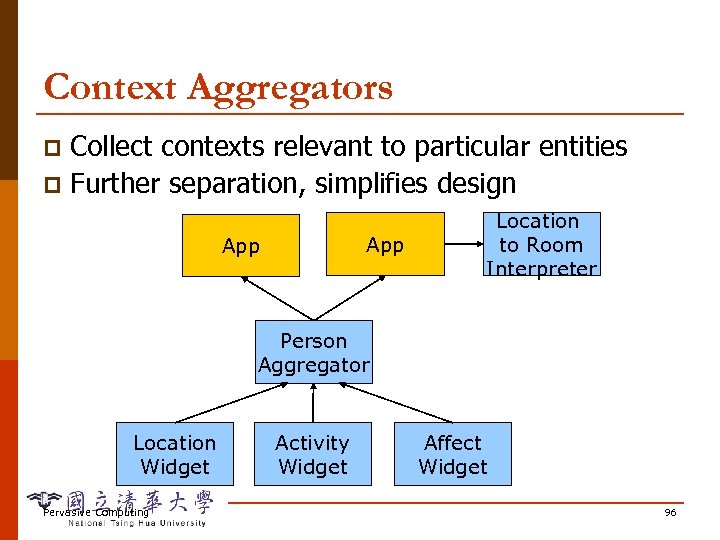
Context Aggregators Collect contexts relevant to particular entities p Further separation, simplifies design p App Location to Room Interpreter Person Aggregator Location Widget Pervasive Computing Activity Widget Affect Widget 96
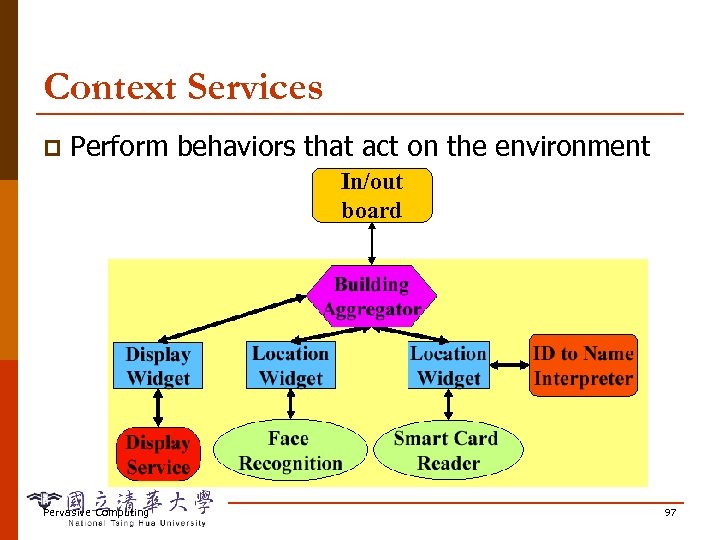
Context Services p Perform behaviors that act on the environment In/out board Pervasive Computing 97
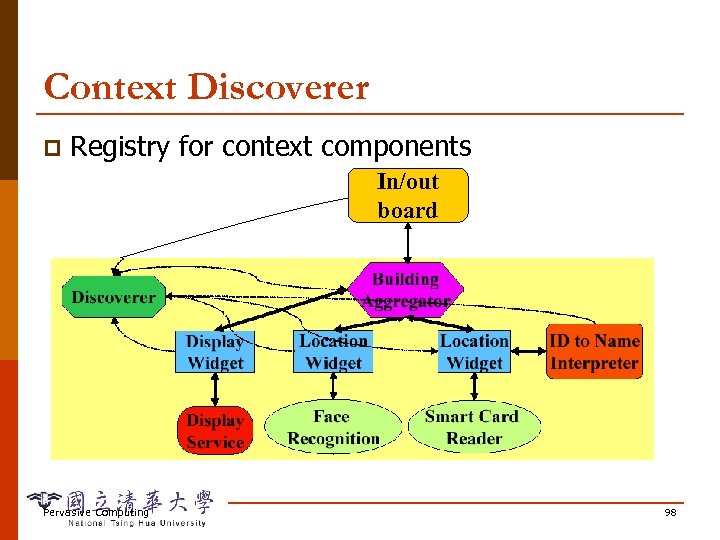
Context Discoverer p Registry for context components In/out board Pervasive Computing 98
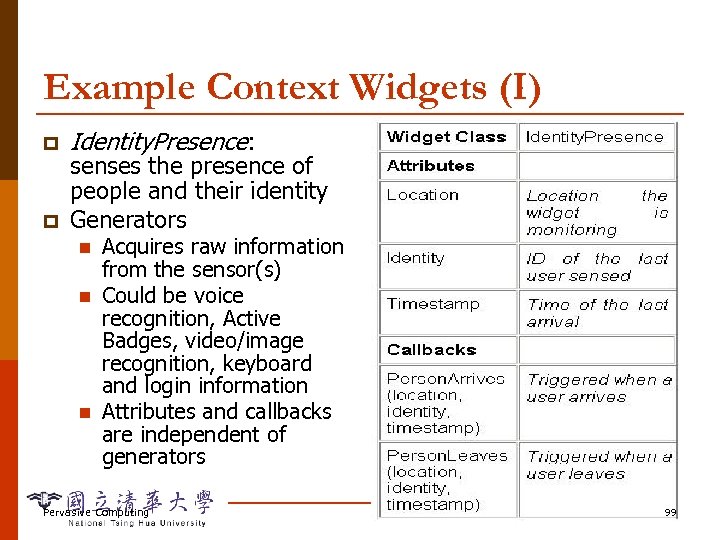
Example Context Widgets (I) p p Identity. Presence: senses the presence of people and their identity Generators n n n Acquires raw information from the sensor(s) Could be voice recognition, Active Badges, video/image recognition, keyboard and login information Attributes and callbacks are independent of generators Pervasive Computing 99
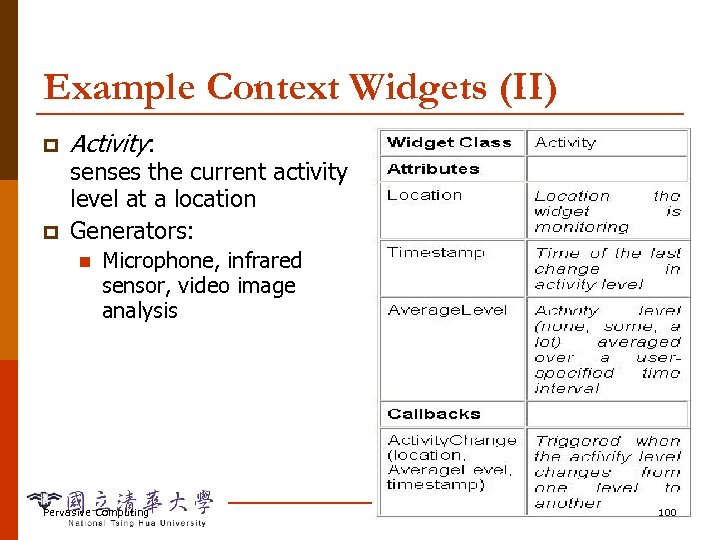
Example Context Widgets (II) p p Activity: senses the current activity level at a location Generators: n Microphone, infrared sensor, video image analysis Pervasive Computing 100
Other Context Widgets p Name. Presence: n p Phone. Use: n p Whether a phone is being used and the length of use Machine. Use: n p Provides the user’s actual name When a user logs onto or off of a computer, his identity, and length of her computing session Group. URLPresence: n Provides a URL relevant to the research group a user belongs to when her presence is detected Pervasive Computing 101
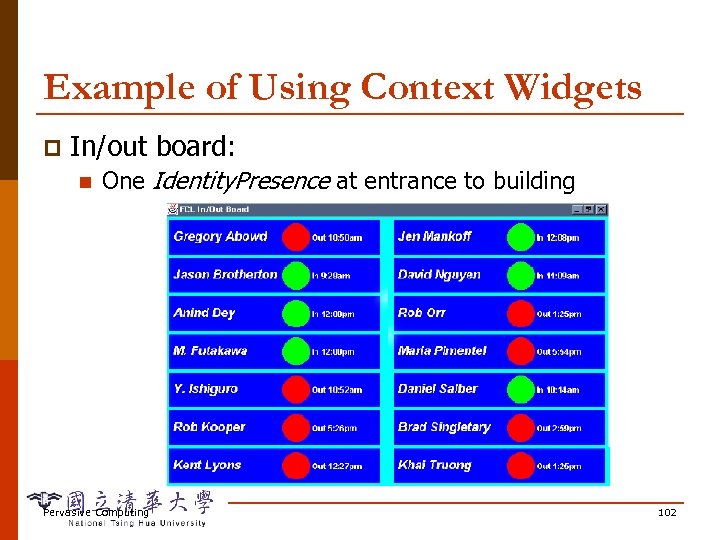
Example of Using Context Widgets p In/out board: n One Identity. Presence at entrance to building Pervasive Computing 102
Example of Using Context Widgets p Information Display: n n Displays information relevant to the user’s location and identity on a display adjacent to the user Activates itself as someone approaches it, and the information it displays changes to match the user, her research group, and location. Context : location of the display, the identity of the user, the research group the user belongs to and information that is interesting to that research group Group. URLPresence or Identity. Presence Pervasive Computing 103
Example of Using Context Widgets p DUMMBO (Dynamic Ubiquitous Mobile Meeting Board) n n n Digitizing whiteboard to capture and access informal and spontaneous meetings Capture ink written to and erased from whiteboard as well as the recorded audio discussion Activated when two or more people gathered around Context: participants’ identities, time of arrival at or depart whiteboard, location of whiteboard Multiple Name. Presence, one for each location where DUMMBO could be moved to, one on DUMMBO itself Pervasive Computing 104
Context Implementation Details p Handle composition: n n n e. g. , Identity. Presence + Activity Meeting Interpreters can be used to assess validity of uncertain information provided by multiple generators Server: a widget that collects, stores and interprets information from other widgets Often used to model context of real world entities, e. g. , users or places, from elementary widgets p May include privacy handling p Pervasive Computing 105
Context Implementation Details p Handle communicating across heterogeneous components: n n n Assume that the underlying system supports TCP/IP Communication model uses the HTTP protocol Language model uses the ASCII-based Extensible Markup Language (XML) Pervasive Computing 106
Context Implementation Details p Handle dynamism: n Environment changes application adapt p n Use a subscription mechanism to notify an application of context changes and a polling mechanism to allow an application to inquire p n Need: to access information and to access only desired information, also need to access context history Allow conditions to be specified before the widgets will be notified filtering unwanted info at infrastructure All widgets store historical data in a database for applications or interpreters to retrieve Pervasive Computing 107
Outline Motivation p Context and Context-aware Computing p Context-aware Applications p Developing Context-aware Applications p Issues and Challenges p Special Topics p n n n p Handling Multiple Contexts Context Modeling Context Programming Summary Pervasive Computing 108
Context-Oriented Programming Context Oriented Programming (COP) for Pervasive Computing, Andry Rakotonirainy, University of Queensland, Australia Pervasive Computing 109
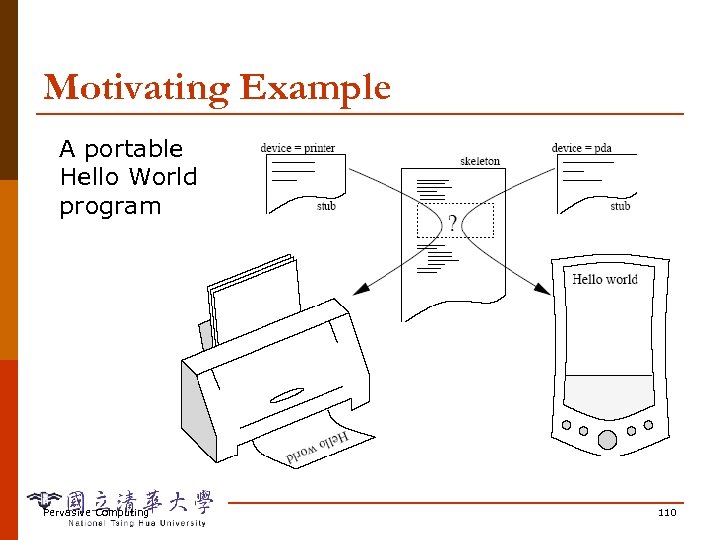
Motivating Example A portable Hello World program Pervasive Computing 110
Basic Idea p “open term” expression: n n n Printer: print_on_printer(v) Speaker: ascii 2 voice(v) Monitor: display(v) Open terms, also called “gaps” or “holes”, are the core programming construct of COP p Open term filling p n Open terms allow us to create new terms and bind them dynamically within the scope of a program. Dynamic binding p Dynamic scoping p Pervasive Computing 111
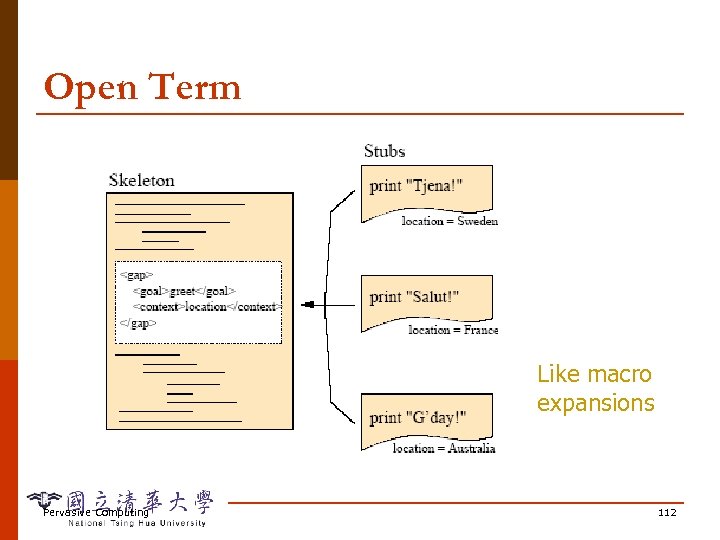
Open Term Like macro expansions Pervasive Computing 112
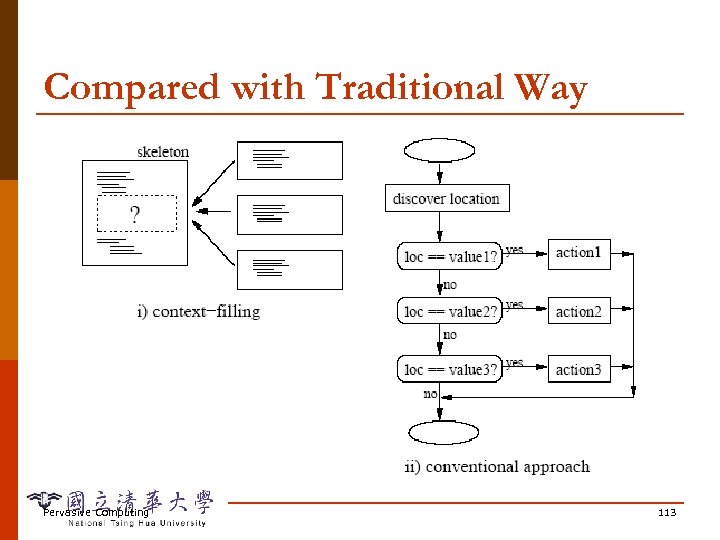
Compared with Traditional Way Pervasive Computing 113
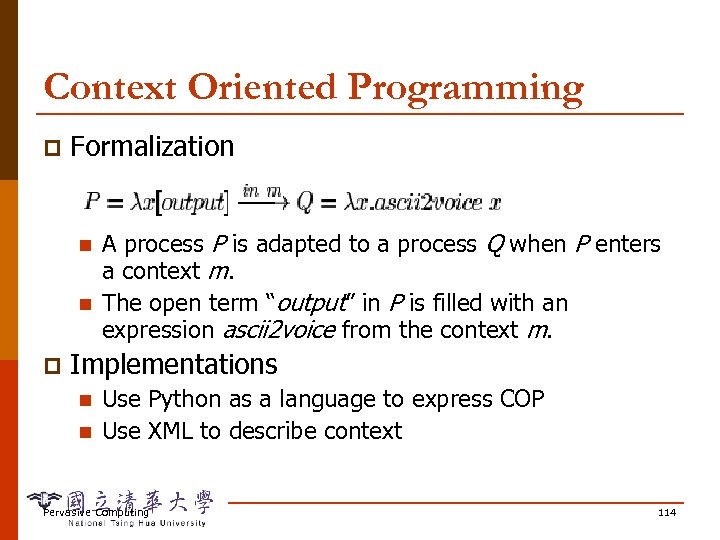
Context Oriented Programming p Formalization n n p A process P is adapted to a process Q when P enters a context m. The open term “output” in P is filled with an expression ascii 2 voice from the context m. Implementations n n Use Python as a language to express COP Use XML to describe context Pervasive Computing 114
Python http: //www. python. org/doc/Intros. html p Python is an interpreted, interactive, objectoriented programming language. p It is often compared to Tcl, Perl, Scheme or Java. p It has modules, classes, exceptions, very high level dynamic data types, and dynamic typing. p Pervasive Computing 115
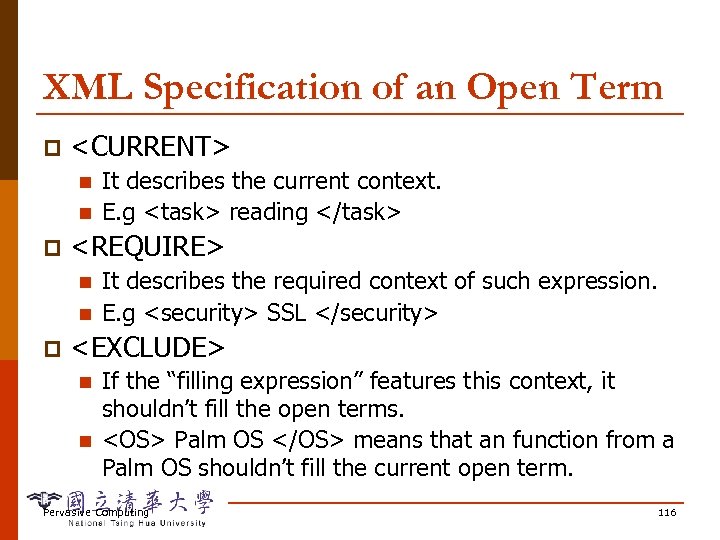
XML Specification of an Open Term p <CURRENT> n n p <REQUIRE> n n p It describes the current context. E. g <task> reading </task> It describes the required context of such expression. E. g <security> SSL </security> <EXCLUDE> n n If the “filling expression” features this context, it shouldn’t fill the open terms. <OS> Palm OS </OS> means that an function from a Palm OS shouldn’t fill the current open term. Pervasive Computing 116
Dynamic Scoping COP allows a form of dynamic scoping. p Variables in COP can be called (set/get) from outside the block of code in which they are defined. p By default, all internal variable can be bound (read/write) to external variables. p I think that this is not a good idea because the program will lose its readability! Pervasive Computing 117
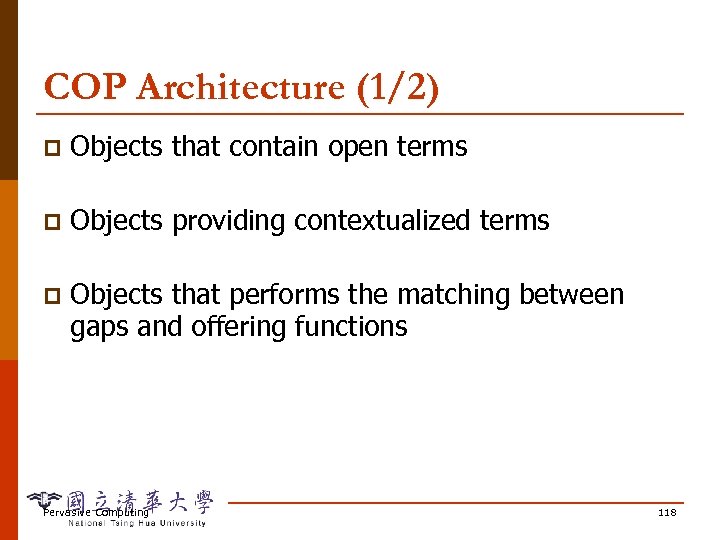
COP Architecture (1/2) p Objects that contain open terms p Objects providing contextualized terms p Objects that performs the matching between gaps and offering functions Pervasive Computing 118
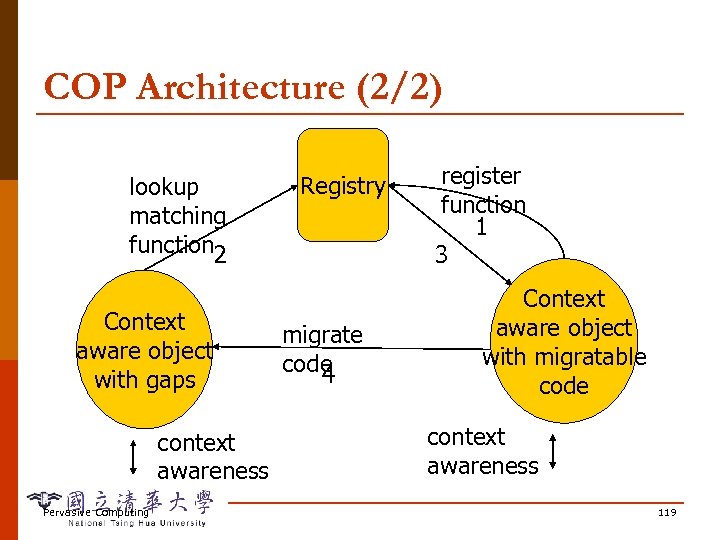
COP Architecture (2/2) lookup matching function 2 Context aware object with gaps context awareness Pervasive Computing Registry migrate code 4 register function 1 3 Context aware object with migratable code context awareness 119
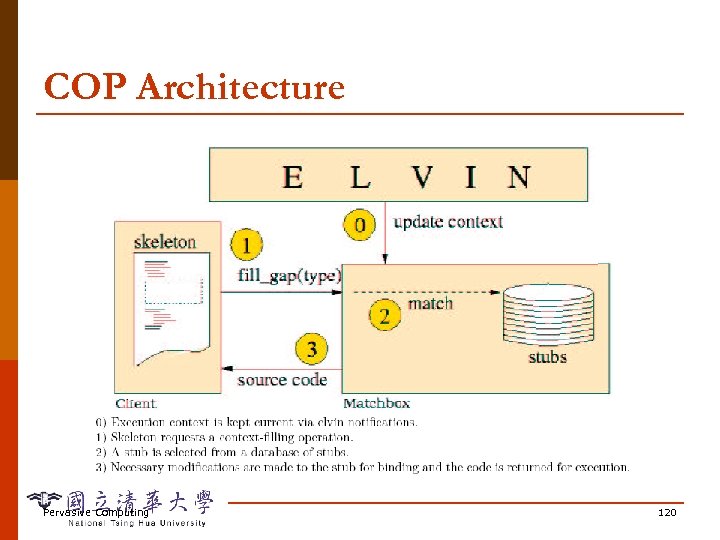
COP Architecture Pervasive Computing 120
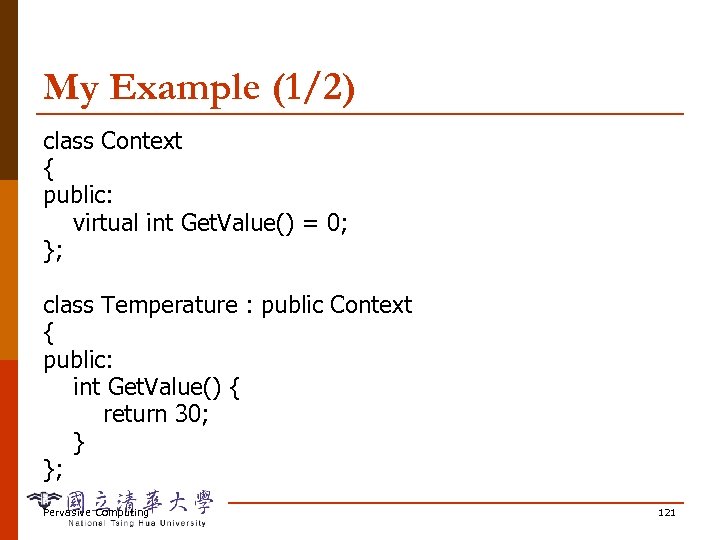
My Example (1/2) class Context { public: virtual int Get. Value() = 0; }; class Temperature : public Context { public: int Get. Value() { return 30; } }; Pervasive Computing 121
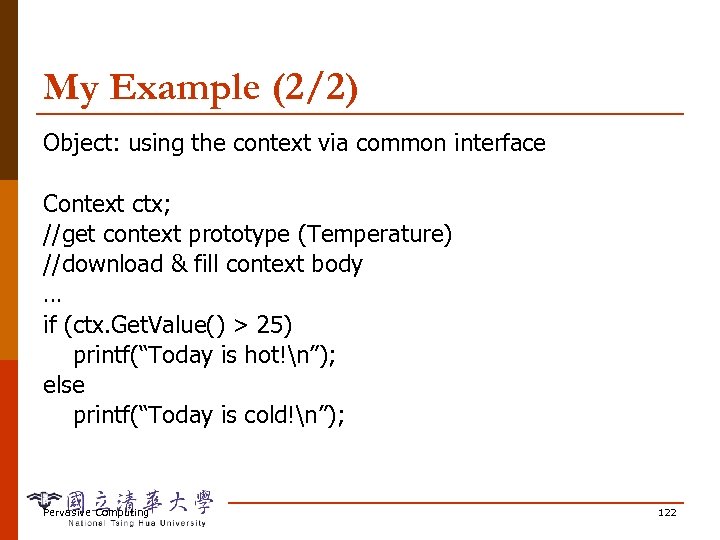
My Example (2/2) Object: using the context via common interface Context ctx; //get context prototype (Temperature) //download & fill context body … if (ctx. Get. Value() > 25) printf(“Today is hot!n”); else printf(“Today is cold!n”); Pervasive Computing 122
Outline Motivation p Context and Context-aware Computing p Context-aware Applications p Developing Context-aware Applications p Issues and Challenges p Special Topics p Summary p Pervasive Computing 123
Summary Strides in sensors, recognition, and wireless are enabling new context applications p Still need to lower barriers to entry p Lots of systems issues, even more people issues p Lots of potential here for new kinds of interaction and applications p Pervasive Computing 124
Скачать презентацию Context-aware Computing Basic Concepts 金仲達教授 清華大學資訊系統與應用研究 所 九十三學年度第一學期
38dc7dd00503c9b97fbf0a6fa79b4709.ppt