


 Скачать презентацию Contests Dan Zeitlin K 2 YWE March 2004
64c4cb210e705e040ccf8d57f28cef5e.ppt
- Количество слайдов: 58
 Contests Dan Zeitlin, K 2 YWE March 2004
 Agenda • • Why Bother? Another Perspective Basics Strategies Contest Loggers and Interfaces Getting Started Resources Summary
 Why Bother? People have various reasons for not participating in contests. . . What are yours?
 Why Bother? Common reasons for not participating in contests are. . . • • Not interested in competition Too time consuming My station is too modest to compete Contests are intimidating “…When someone first listens to contests, it sounds like gibberish and can be very intimidation to someone who doesn't know how to do it ‘right’". Speed, Exchanges, Jargon, Logs • Hello goodbye contacts are boring • Contest practices are “uncivilized” • ?
 Why Bother? Common reasons for not participating in contests are. . . • • Not interested in competition Too time consuming My station is too modest to compete Contests are intimidating” “…When someone first listens to contests, it sounds like gibberish and can be very intimidation to someone who doesn't know how to do it "right". Speed, Exchanges, Jargon, Logs • Hello goodbye contacts are boring • Contest practices are “uncivilized” • ?
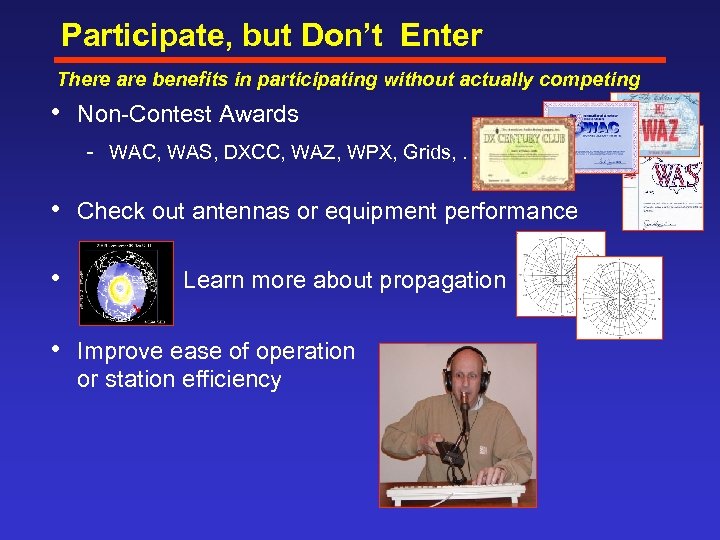 Participate, but Don’t Enter There are benefits in participating without actually competing • Non Contest Awards WAC, WAS, DXCC, WAZ, WPX, Grids, . . . • Check out antennas or equipment performance • Learn more about propagation • Improve ease of operation or station efficiency
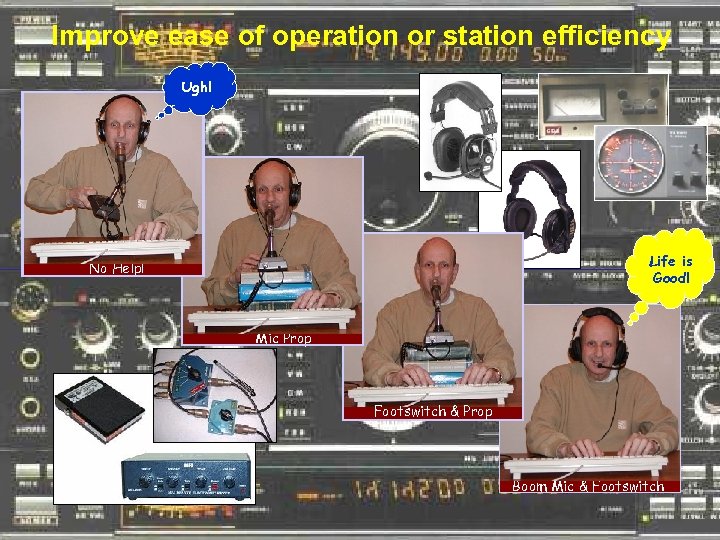 Improve ease of operation or station efficiency Ugh! Life is Good! No Help! Mic Prop Footswitch & Prop Boom Mic & Footswitch
 Improvements yield everyday benefits Contest improvements translate to easier day-to-day operation • Footswitch • • Phone Frees up hands to doodle, diddle. or. . . CW Allows quick T R transition without listening to QSK noise Boom Mic Freedom to move your head, respond to local “effects”. . . Antenna Switching No hassle band hopping at your pleasure Added or Improved Antennas More reliable QSOs “Sensible Rearrangement” of Equipment Less effort to operate
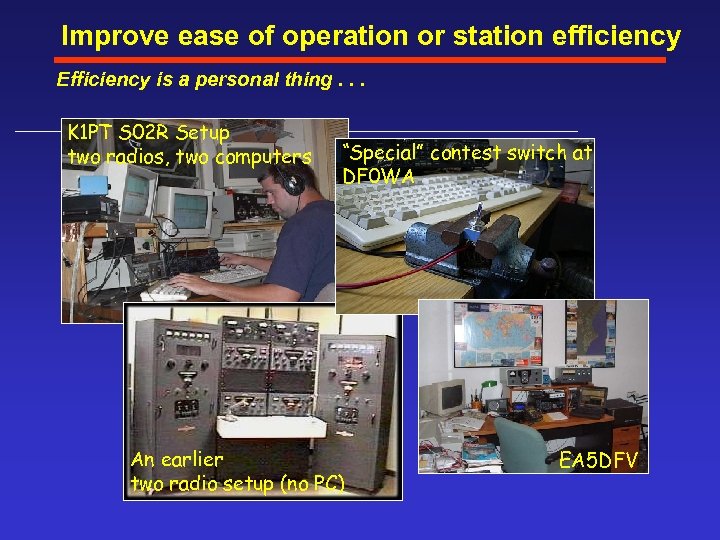 Improve ease of operation or station efficiency Efficiency is a personal thing. . . K 1 PT S 02 R Setup two radios, two computers “Special” contest switch at DF 0 WA An earlier two radio setup (no PC) EA 5 DFV
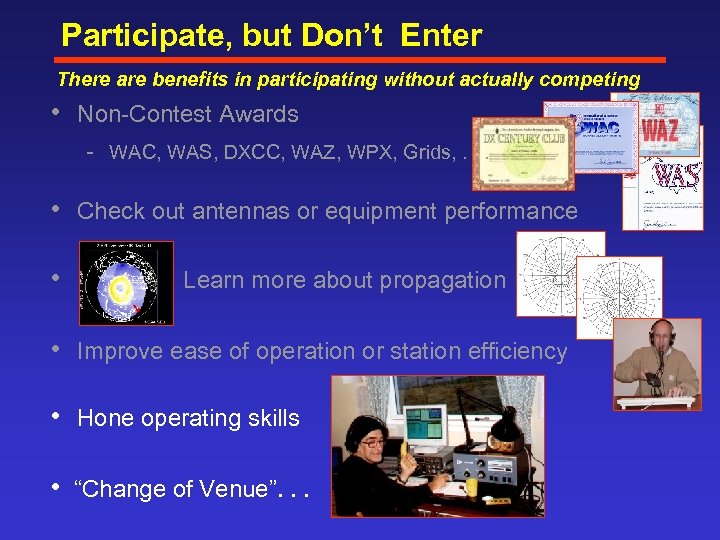 Participate, but Don’t Enter There are benefits in participating without actually competing • Non Contest Awards WAC, WAS, DXCC, WAZ, WPX, Grids, . . . • Check out antennas or equipment performance • Learn more about propagation • Improve ease of operation or station efficiency • Hone operating skills • “Change of Venue”. . .
 Participate, but Don’t Enter There are benefits in participating without actually competing Portable or Roving Operation • Get away from: RFI and EMC problems Antenna restrictions Geographic shortcomings • Enjoy: Quieter QTH Better Geographic Location Different Antennas • Have Fun!
 Logs – It’s Your Call Log choices are wide open if you don’t intend to enter • • Don’t maintain a log at all Keep a partial or full log, but don’t score it Keep a log and score it, but don’t send it in Submit a “check log” – no score, no entry Helps the log checkers Helps build the contest database Learn the format and how to send it in or go “all the way” • Keep and submit an entry log Decide after the contest Most contest administrators compute your score for you more later
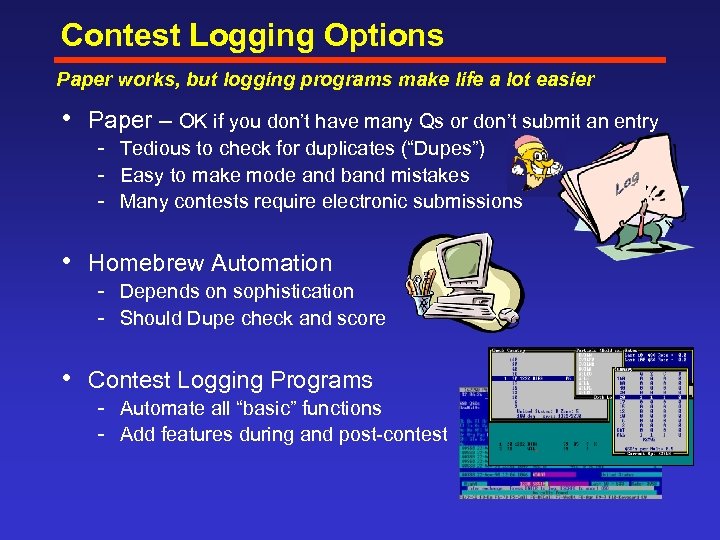 Contest Logging Options Paper works, but logging programs make life a lot easier • Paper – OK if you don’t have many Qs or don’t submit an entry Tedious to check for duplicates (“Dupes”) Easy to make mode and band mistakes Many contests require electronic submissions • Homebrew Automation Depends on sophistication Should Dupe check and score • Contest Logging Programs Automate all “basic” functions Add features during and post contest
 • Another Perspective The reasons not to participate may not be so strong. . . • Not interested in competition • • • Other non competitive benefits Too time consuming How about part time? Adjust goals, multi op, contribute to club Hello goodbye contacts are boring Look a contest QSO as a means to an end Contests are intimidating They can be at first, but you can tame them. Some tips later. Contest practices are “uncivilized” Some people are rude. Ignore them, they are in the minority. My station is too modest to compete Maybe not. . .
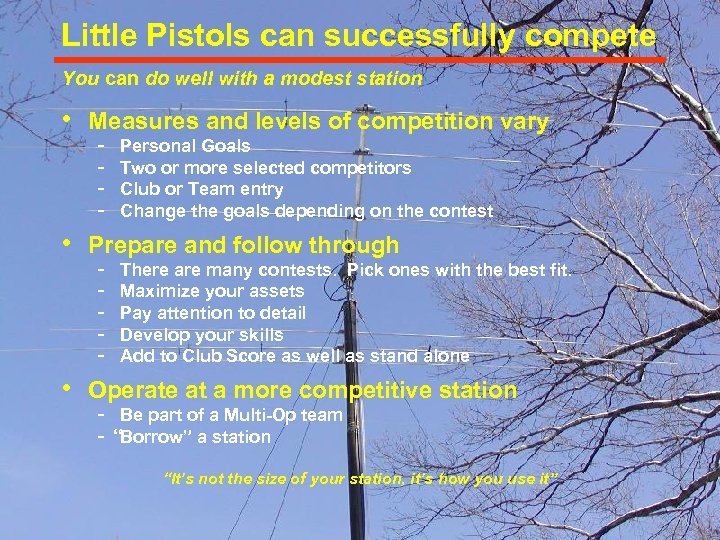 Little Pistols can successfully compete You can do well with a modest station • Measures and levels of competition vary Personal Goals Two or more selected competitors Club or Team entry Change the goals depending on the contest • Prepare and follow through There are many contests. Pick ones with the best fit. Maximize your assets Pay attention to detail Develop your skills Add to Club Score as well as stand alone • Operate at a more competitive station Be part of a Multi-Op team “Borrow” a station “It’s not the size of your station, it’s how you use it”
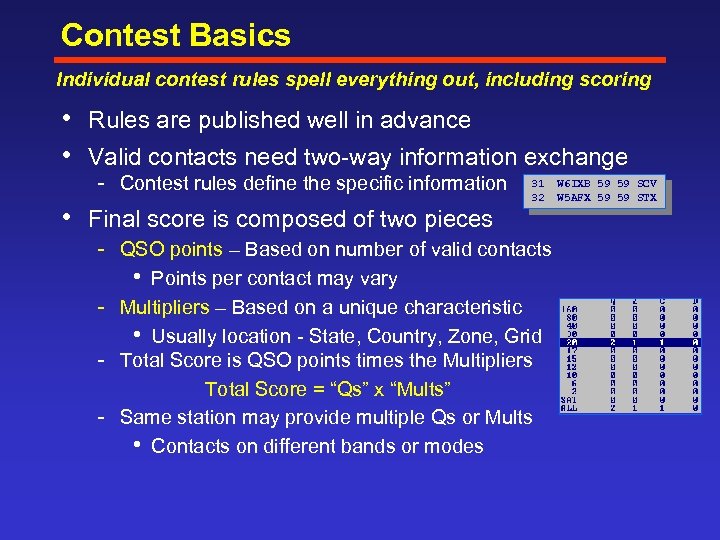 Contest Basics Individual contest rules spell everything out, including scoring • Rules are published well in advance • Valid contacts need two way information exchange Contest rules define the specific information 31 W 6 IXB 59 59 SCV 32 W 5 AFX 59 59 STX • Final score is composed of two pieces QSO points – Based on number of valid contacts • Points per contact may vary Multipliers – Based on a unique characteristic • Usually location State, Country, Zone, Grid Total Score is QSO points times the Multipliers Total Score = “Qs” x “Mults” Same station may provide multiple Qs or Mults • Contacts on different bands or modes
 Entry Classes There will be a class that suits you best • Typical Entry Class Elements Number of Ops (Single, Multi) Number of Simultaneous Transmitted Signals • One • Two (Multi Two) • More than two (Multi – Multi) Power Level • Low (usually 100 W limit) • High or Unlimited (>low up to max legal) • QRP (usually 5 W limit) Mode (Phone, CW, Digital modes Mixed). Bands (Single or All) With or without spotting Assistance Special (CQ has classes for Tribander + Single Wires, Rookie) • Most entries are Single Op, All Band, Low or High Power “SOA”
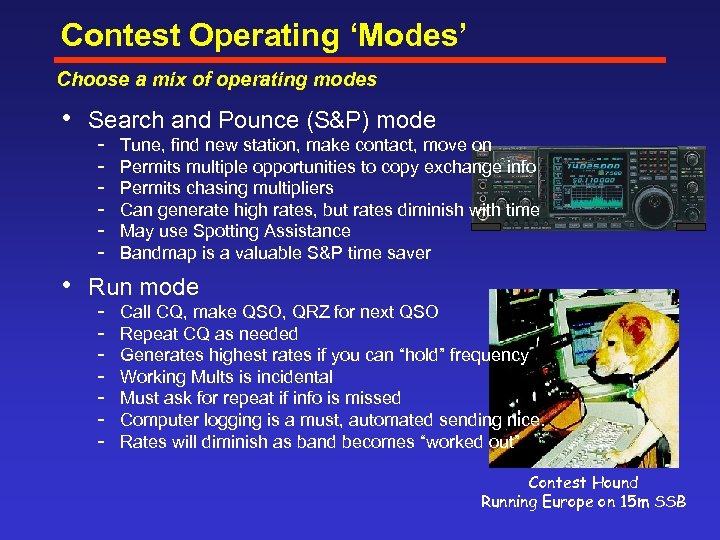 Contest Operating ‘Modes’ Choose a mix of operating modes • Search and Pounce (S&P) mode Tune, find new station, make contact, move on Permits multiple opportunities to copy exchange info Permits chasing multipliers Can generate high rates, but rates diminish with time May use Spotting Assistance Bandmap is a valuable S&P time saver • Run mode Call CQ, make QSO, QRZ for next QSO Repeat CQ as needed Generates highest rates if you can “hold” frequency Working Mults is incidental Must ask for repeat if info is missed Computer logging is a must, automated sending nice. Rates will diminish as band becomes “worked out” Contest Hound Running Europe on 15 m SSB
 Strategies Planning ahead pays off during the contest • Class Selection • • Number of Ops, transmitters, power level, bands Bands and Modes SOA, MUF, Which, when? S&P, rates, snacks. . . Propagation Best for bands and Mults ON/OFF time selection Time limits Meal, sleep, “real life” periods Operation CQ vs. S&P Rates Speeds and Timing *Advanced selection for Single Ops - Two Radio (SO 2 R) or not? Q’s, Mults, Bones. . .
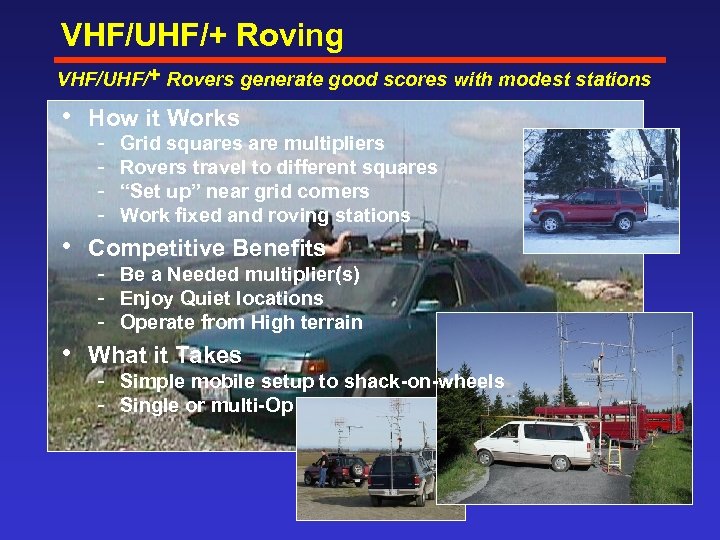 VHF/UHF/+ Roving VHF/UHF/+ Rovers generate good scores with modest stations • How it Works Grid squares are multipliers Rovers travel to different squares “Set up” near grid corners Work fixed and roving stations • Competitive Benefits Be a Needed multiplier(s) Enjoy Quiet locations Operate from High terrain • What it Takes Simple mobile setup to shack-on-wheels Single or multi-Op
 Contest Logging Programs
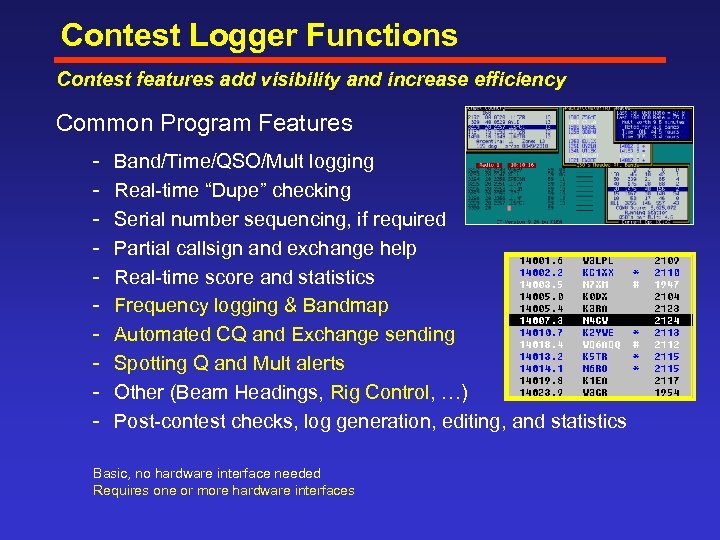 Contest Logger Functions Contest features add visibility and increase efficiency Common Program Features Band/Time/QSO/Mult logging Real time “Dupe” checking Serial number sequencing, if required Partial callsign and exchange help Real time score and statistics Frequency logging & Bandmap Automated CQ and Exchange sending Spotting Q and Mult alerts Other (Beam Headings, Rig Control, …) Post contest checks, log generation, editing, and statistics Basic, no hardware interface needed Requires one or more hardware interfaces
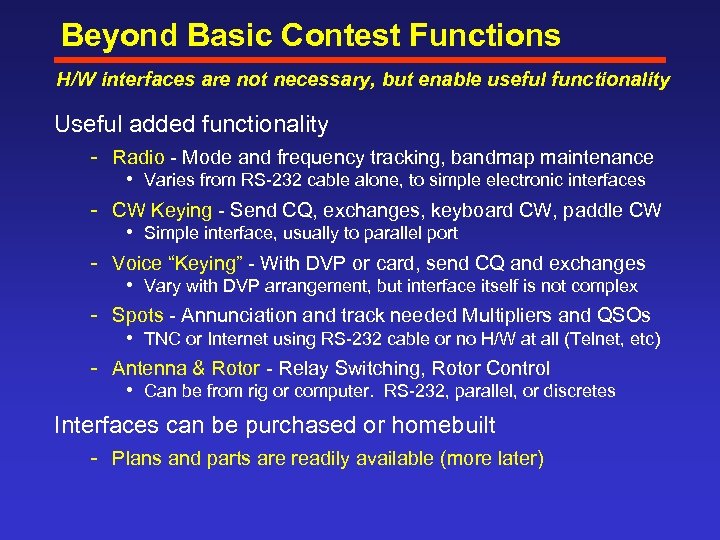 Beyond Basic Contest Functions H/W interfaces are not necessary, but enable useful functionality Useful added functionality Radio Mode and frequency tracking, bandmap maintenance • Varies from RS 232 cable alone, to simple electronic interfaces CW Keying Send CQ, exchanges, keyboard CW, paddle CW • Simple interface, usually to parallel port Voice “Keying” With DVP or card, send CQ and exchanges • Vary with DVP arrangement, but interface itself is not complex Spots Annunciation and track needed Multipliers and QSOs • TNC or Internet using RS 232 cable or no H/W at all (Telnet, etc) Antenna & Rotor Relay Switching, Rotor Control • Can be from rig or computer. RS 232, parallel, or discretes Interfaces can be purchased or homebuilt Plans and parts are readily available (more later)
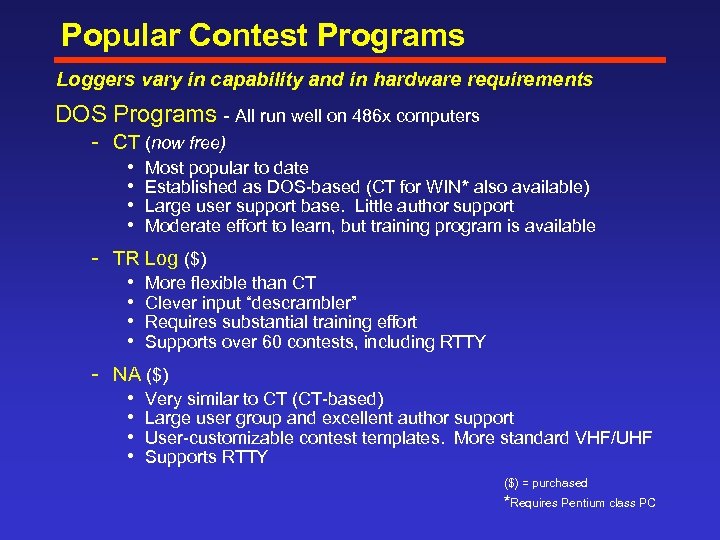 Popular Contest Programs Loggers vary in capability and in hardware requirements DOS Programs All run well on 486 x computers CT (now free) • • Most popular to date Established as DOS based (CT for WIN* also available) Large user support base. Little author support Moderate effort to learn, but training program is available TR Log ($) • • More flexible than CT Clever input “descrambler” Requires substantial training effort Supports over 60 contests, including RTTY NA ($) • • Very similar to CT (CT based) Large user group and excellent author support User customizable contest templates. More standard VHF/UHF Supports RTTY ($) = purchased *Requires Pentium class PC
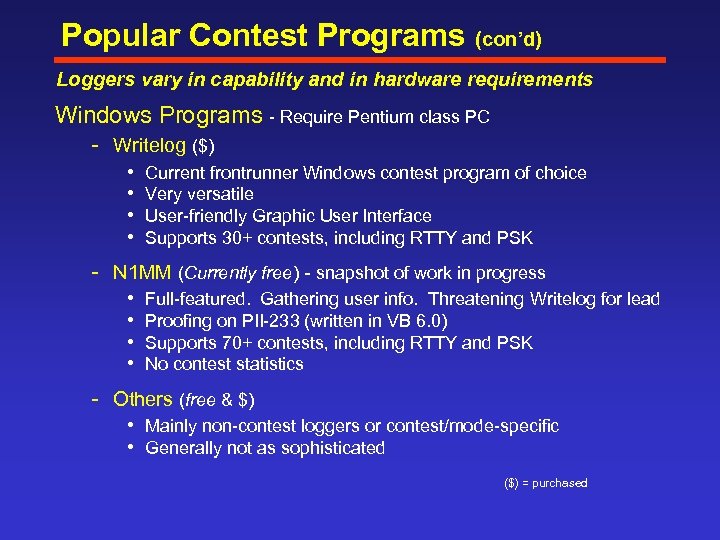 Popular Contest Programs (con’d) Loggers vary in capability and in hardware requirements Windows Programs Require Pentium class PC Writelog ($) • • Current frontrunner Windows contest program of choice Very versatile User friendly Graphic User Interface Supports 30+ contests, including RTTY and PSK N 1 MM (Currently free) snapshot of work in progress • • Full featured. Gathering user info. Threatening Writelog for lead Proofing on PII 233 (written in VB 6. 0) Supports 70+ contests, including RTTY and PSK No contest statistics Others (free & $) • Mainly non contest loggers or contest/mode specific • Generally not as sophisticated ($) = purchased
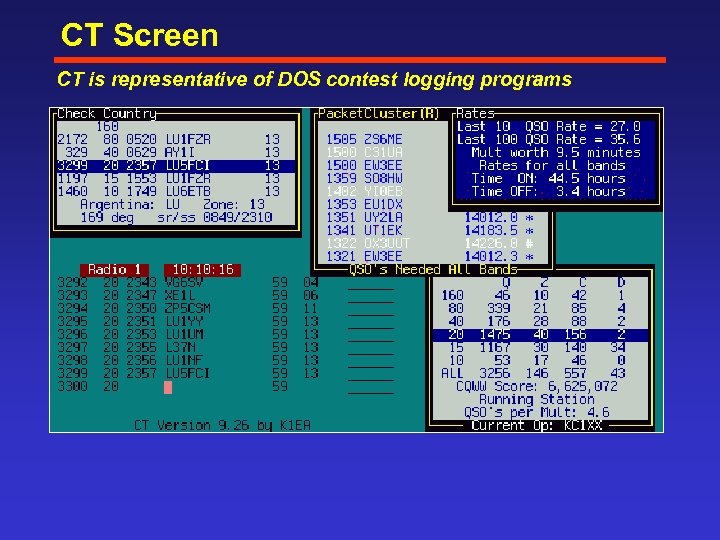 CT Screen CT is representative of DOS contest logging programs
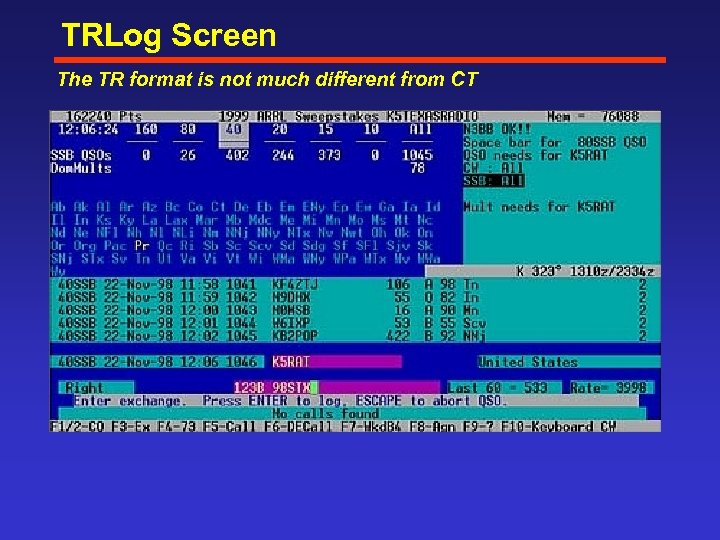 TRLog Screen The TR format is not much different from CT
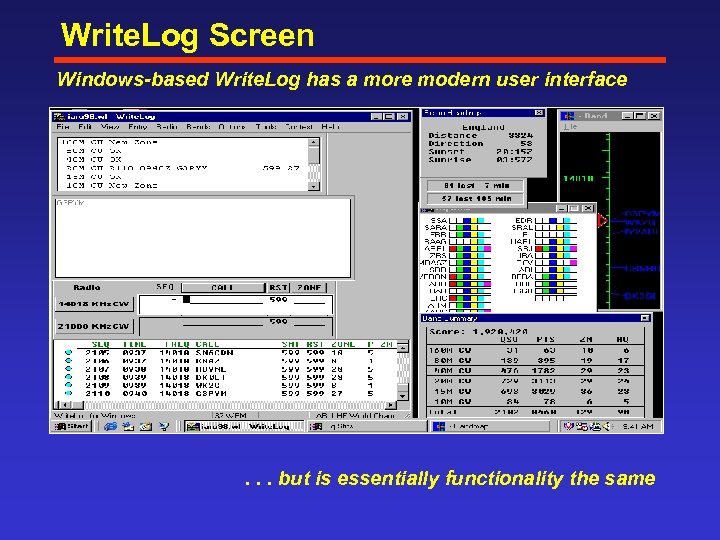 Write. Log Screen Windows-based Write. Log has a more modern user interface . . . but is essentially functionality the same
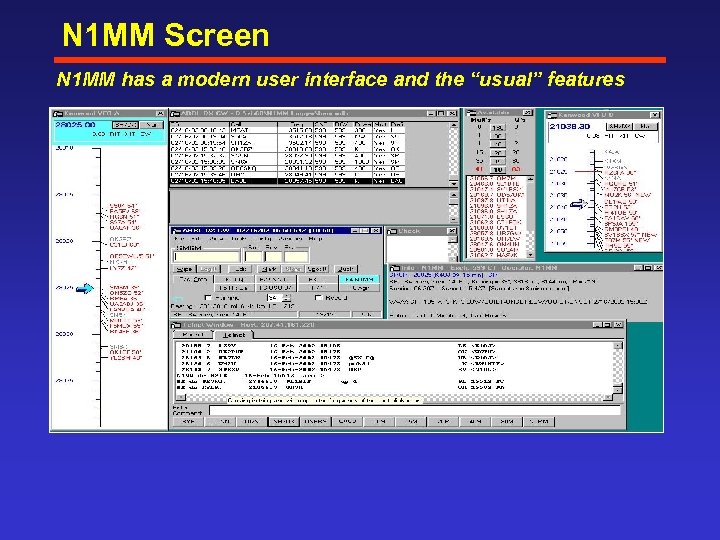 N 1 MM Screen N 1 MM has a modern user interface and the “usual” features
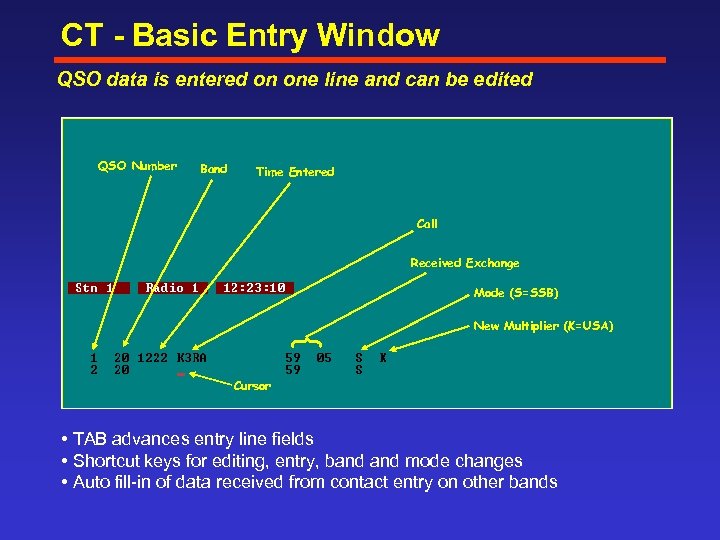 CT - Basic Entry Window QSO data is entered on one line and can be edited QSO Number Band Time Entered Call Received Exchange Mode (S=SSB) } New Multiplier (K=USA) Cursor • TAB advances entry line fields • Shortcut keys for editing, entry, band mode changes • Auto fill in of data received from contact entry on other bands
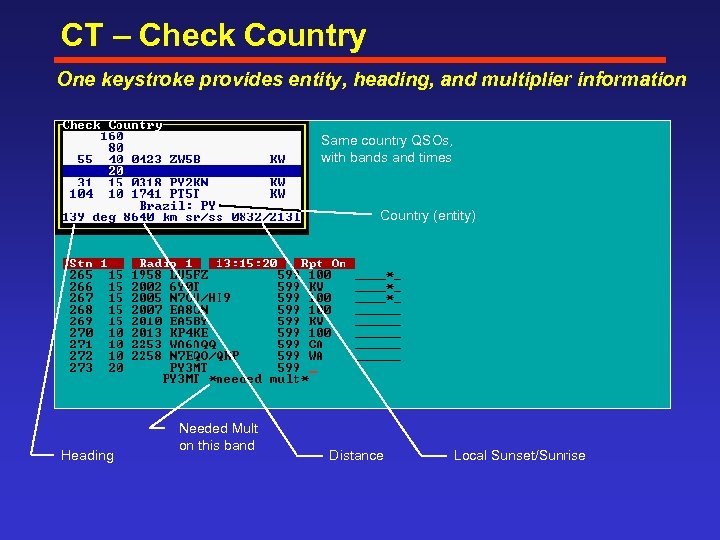 CT – Check Country One keystroke provides entity, heading, and multiplier information Same country QSOs, with bands and times Country (entity) Heading Needed Mult on this band Distance Local Sunset/Sunrise
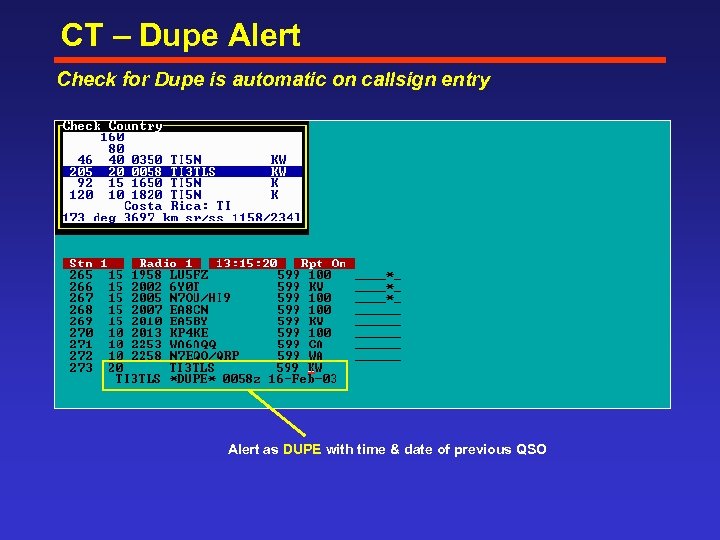 CT – Dupe Alert Check for Dupe is automatic on callsign entry Alert as DUPE with time & date of previous QSO
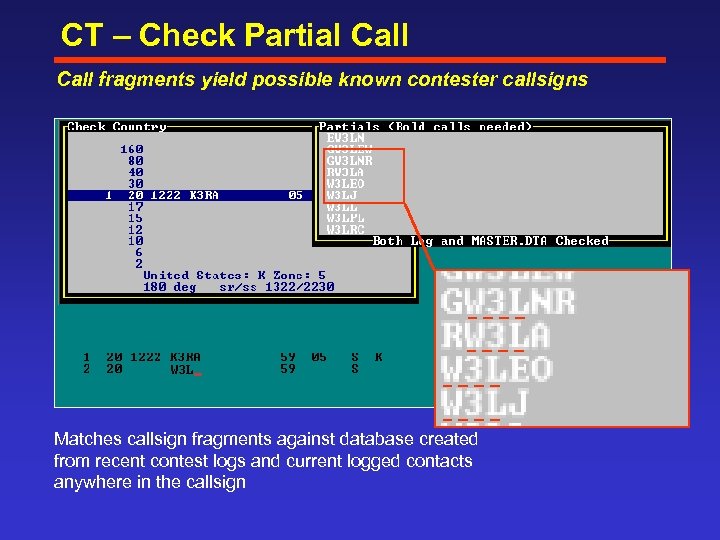 CT – Check Partial Call fragments yield possible known contester callsigns Matches callsign fragments against database created from recent contest logs and current logged contacts anywhere in the callsign
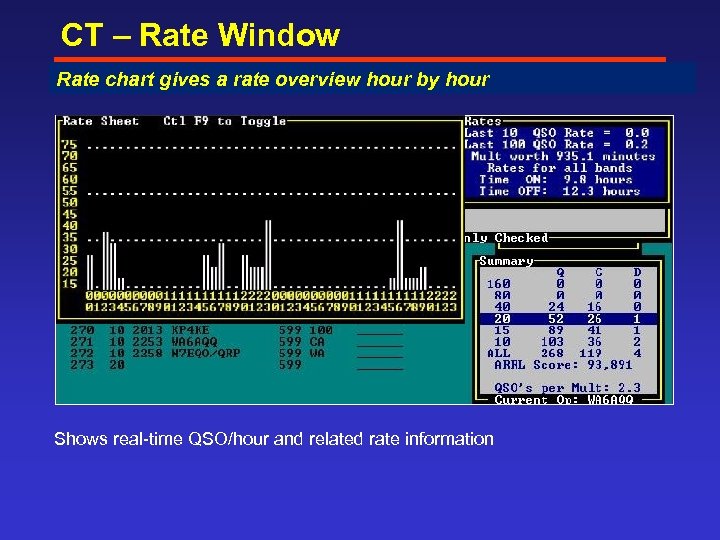 CT – Rate Window Rate info can help rate make tactical decisions or ‘score’ yourself chart gives a you overview hour by hour Shows real time QSO/hour and related rate information
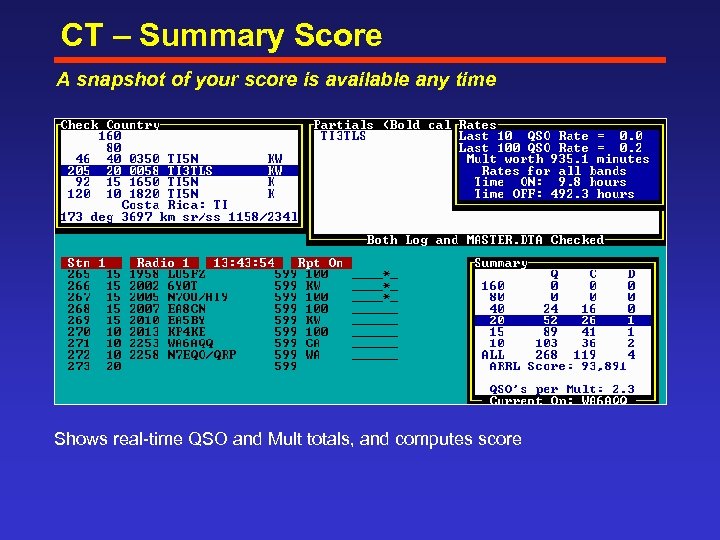 CT – Summary Score A snapshot of your score is available any time Shows real time QSO and Mult totals, and computes score
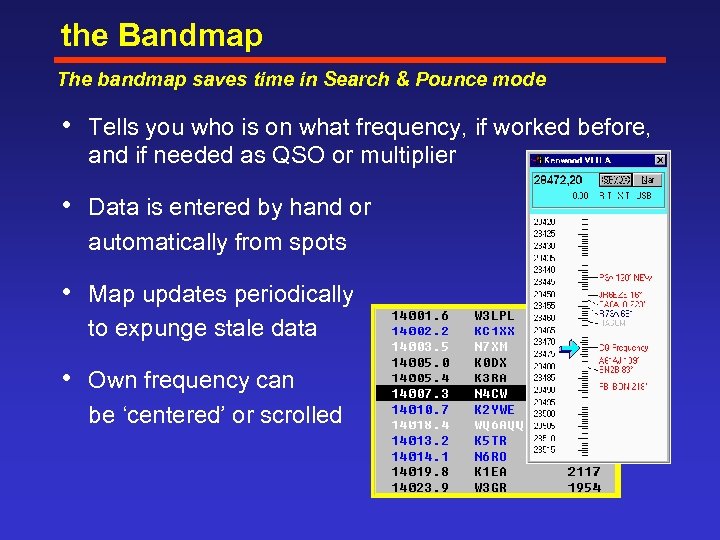 the Bandmap The bandmap saves time in Search & Pounce mode • Tells you who is on what frequency, if worked before, and if needed as QSO or multiplier • Data is entered by hand or automatically from spots • Map updates periodically to expunge stale data • Own frequency can be ‘centered’ or scrolled
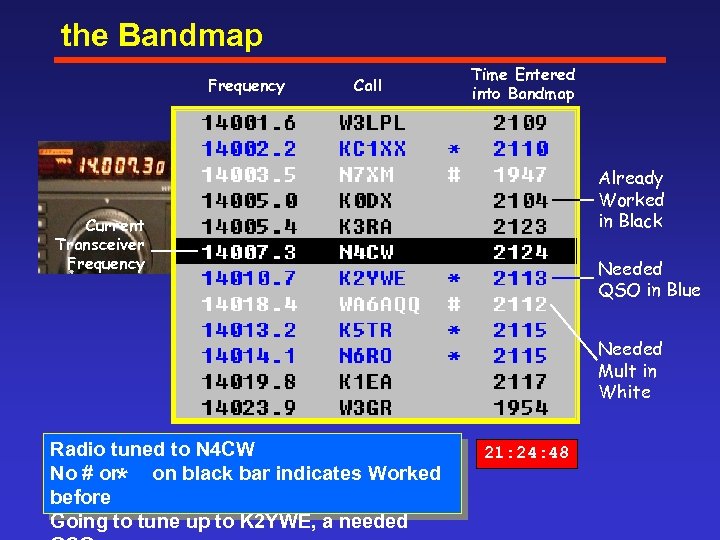 the Bandmap Frequency Call Time Entered into Bandmap Already Worked in Black Current Transceiver Frequency Needed QSO in Blue Needed Mult in White Radio tuned to N 4 CW No # or on black bar indicates Worked before Going to tune up to K 2 YWE, a needed * 21: 24: 48
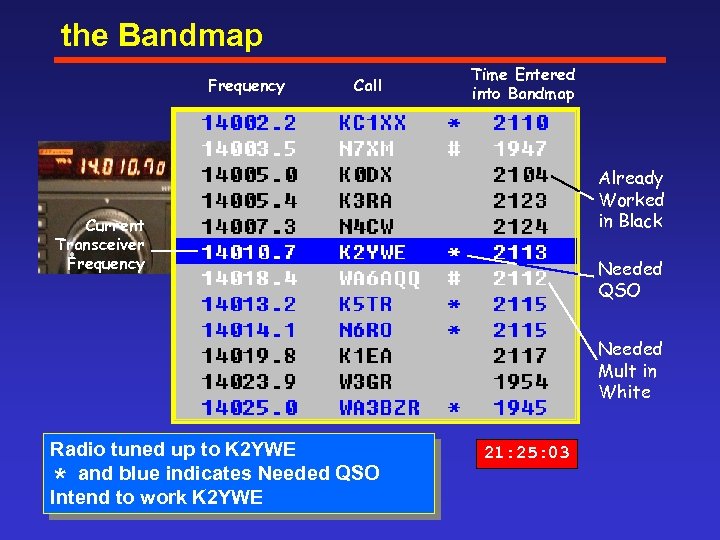 the Bandmap Frequency Call Time Entered into Bandmap Already Worked in Black Current Transceiver Frequency Needed QSO Needed Mult in White Radio tuned up to K 2 YWE and blue indicates Needed QSO Intend to work K 2 YWE * 21: 25: 03
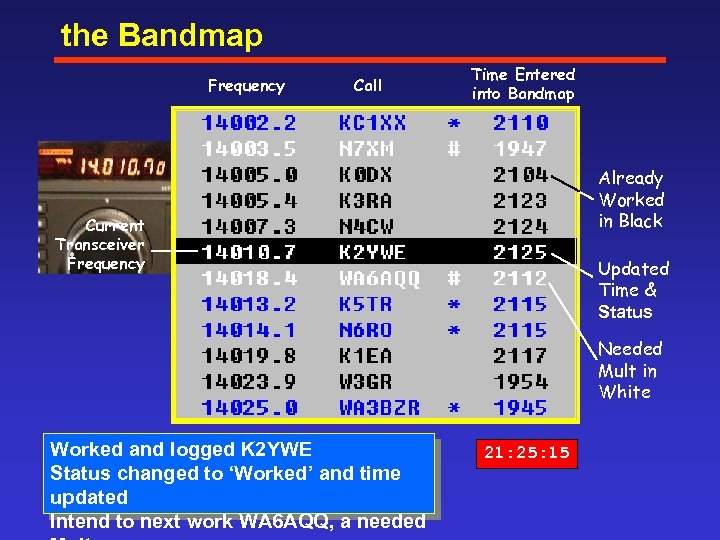 the Bandmap Frequency Call Time Entered into Bandmap Already Worked in Black Current Transceiver Frequency Updated Time & Status Needed Mult in White Worked and logged K 2 YWE Status changed to ‘Worked’ and time updated Intend to next work WA 6 AQQ, a needed 21: 25: 15
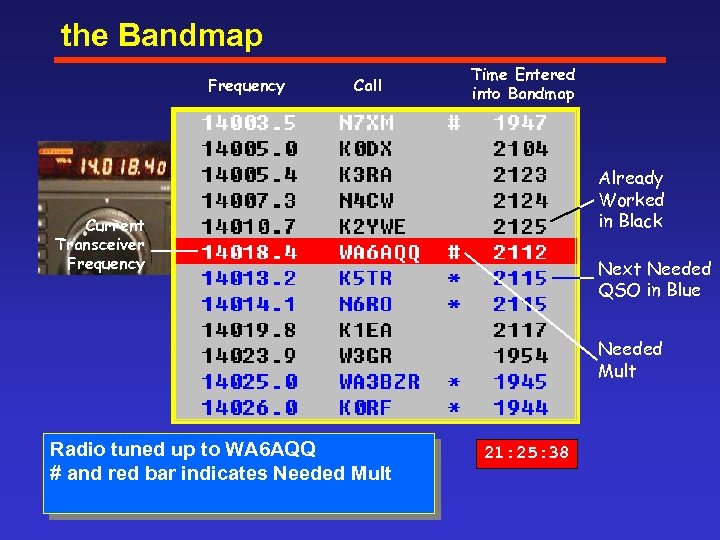 the Bandmap Frequency Call Time Entered into Bandmap Already Worked in Black Current Transceiver Frequency Next Needed QSO in Blue Needed Mult Radio tuned up to WA 6 AQQ # and red bar indicates Needed Mult 21: 25: 38
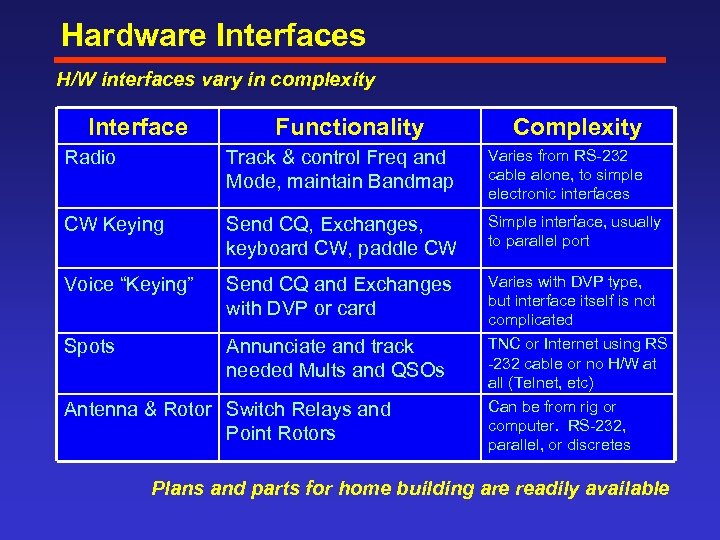 Hardware Interfaces H/W interfaces vary in complexity Interface Functionality Complexity Radio Track & control Freq and Mode, maintain Bandmap Varies from RS 232 cable alone, to simple electronic interfaces CW Keying Send CQ, Exchanges, keyboard CW, paddle CW Simple interface, usually to parallel port Voice “Keying” Send CQ and Exchanges with DVP or card Varies with DVP type, but interface itself is not complicated Spots Annunciate and track needed Mults and QSOs TNC or Internet using RS 232 cable or no H/W at all (Telnet, etc) Can be from rig or computer. RS 232, parallel, or discretes Antenna & Rotor Switch Relays and Point Rotors Plans and parts for home building are readily available
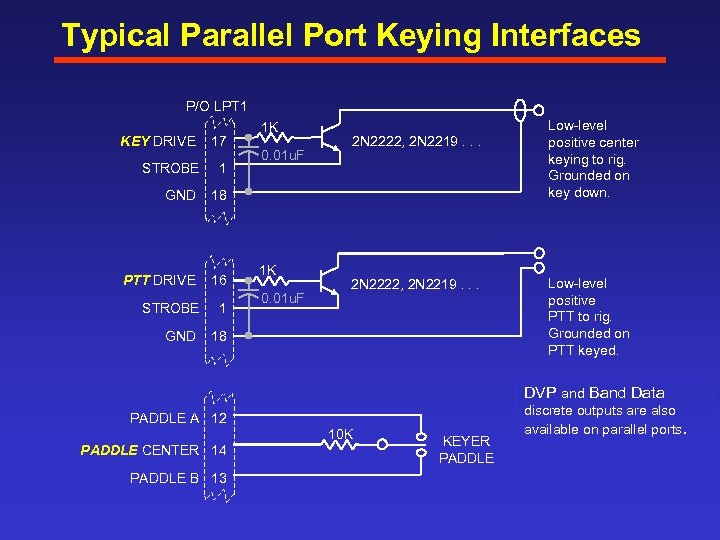 Typical Parallel Port Keying Interfaces P/O LPT 1 KEY DRIVE 17 STROBE 1 GND 18 PTT DRIVE 16 STROBE 1 GND 1 K 18 0. 01 u. F 1 K 0. 01 u. F 2 N 2222, 2 N 2219. . . Low level positive center keying to rig. Grounded on key down. Low level positive PTT to rig. Grounded on PTT keyed. DVP and Band Data PADDLE A 12 10 K PADDLE CENTER 14 PADDLE B 13 KEYER PADDLE discrete outputs are also available on parallel ports.
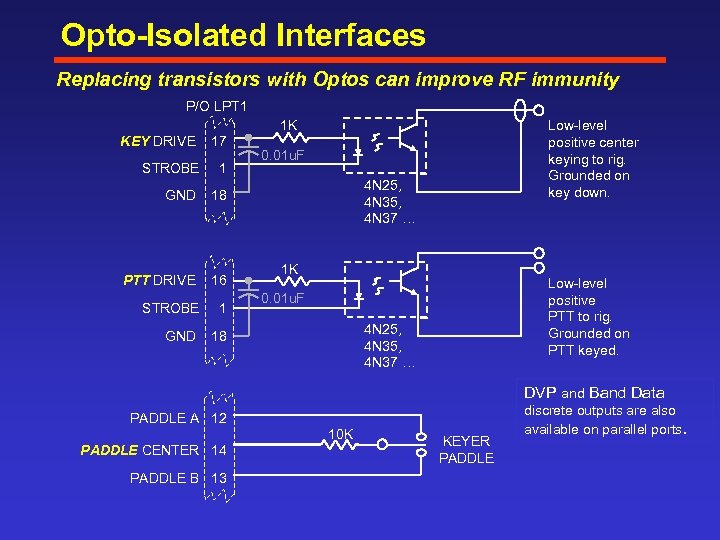 Opto-Isolated Interfaces Replacing transistors with Optos can improve RF immunity P/O LPT 1 1 K KEY DRIVE 17 STROBE 1 GND 18 PTT DRIVE 16 STROBE 1 GND 18 Low level positive center keying to rig. Grounded on key down. 0. 01 u. F 4 N 25, 4 N 37 … 1 K Low level positive PTT to rig. Grounded on PTT keyed. 0. 01 u. F 4 N 25, 4 N 37 … DVP and Band Data PADDLE A 12 10 K PADDLE CENTER 14 PADDLE B 13 KEYER PADDLE discrete outputs are also available on parallel ports.
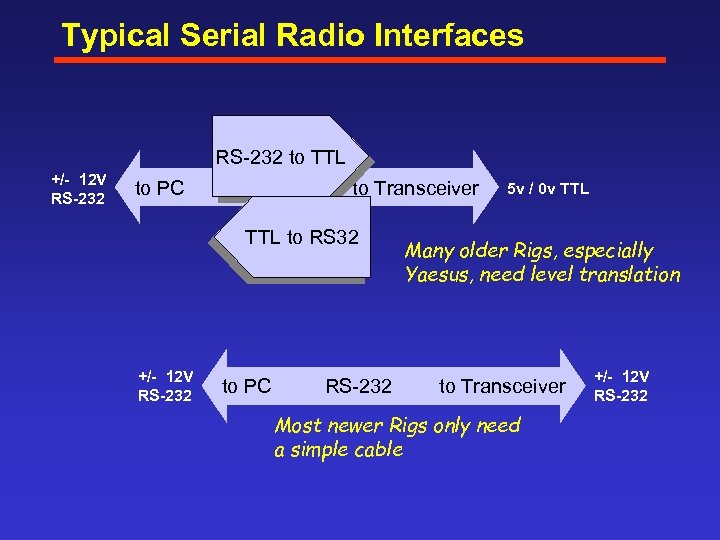 Typical Serial Radio Interfaces RS 232 to TTL +/- 12 V RS-232 to PC to Transceiver TTL to RS 32 +/- 12 V RS-232 to PC RS 232 5 v / 0 v TTL Many older Rigs, especially Yaesus, need level translation to Transceiver Most newer Rigs only need a simple cable +/- 12 V RS-232
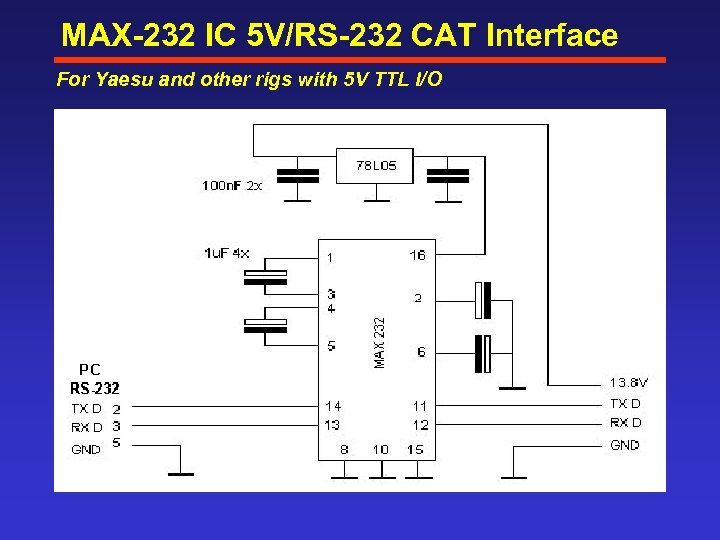 MAX-232 IC 5 V/RS-232 CAT Interface For Yaesu and other rigs with 5 V TTL I/O
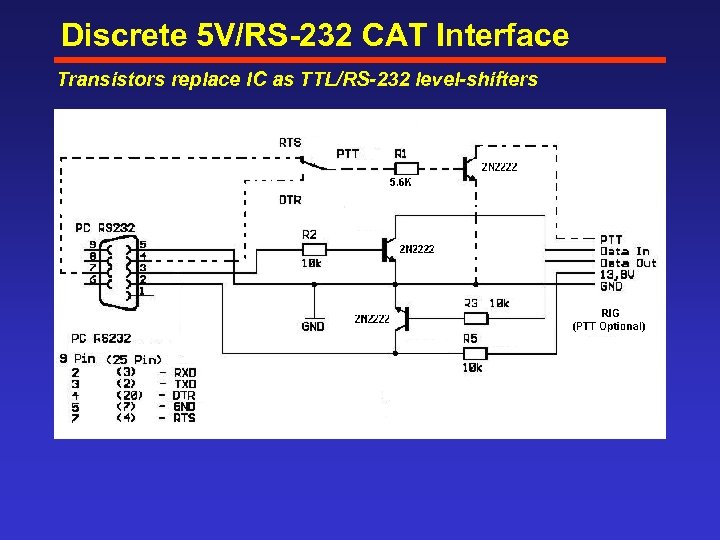 Discrete 5 V/RS-232 CAT Interface Transistors replace IC as TTL/RS-232 level-shifters
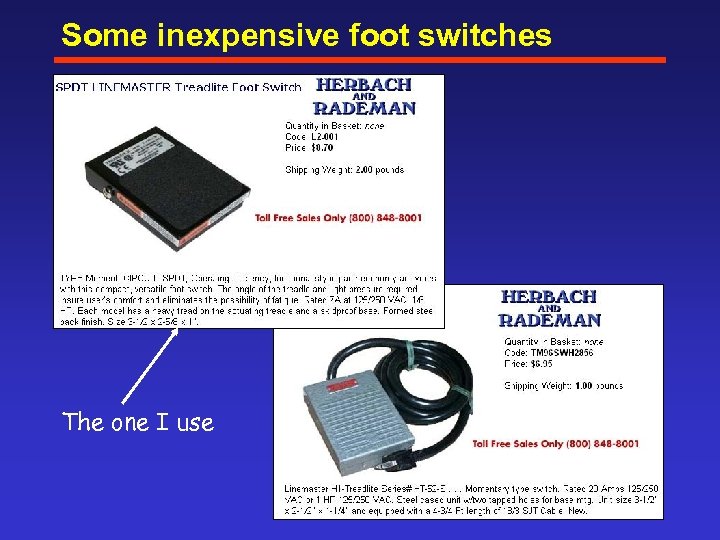 Some inexpensive foot switches The one I use
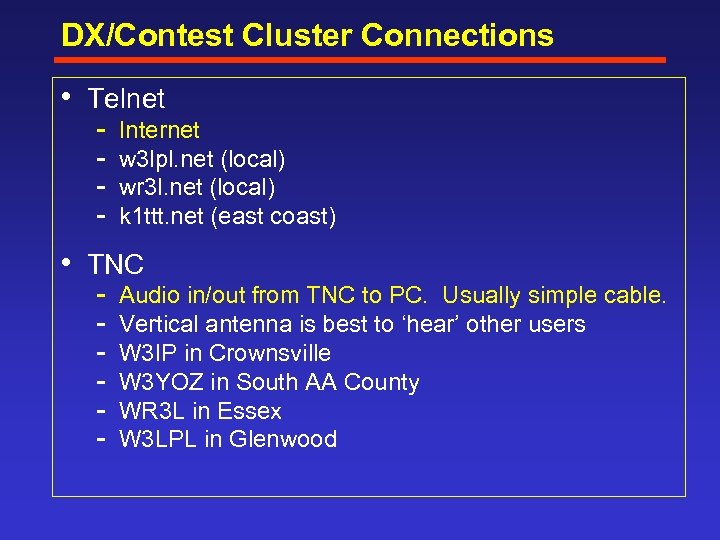 DX/Contest Cluster Connections • Telnet Internet w 3 lpl. net (local) wr 3 l. net (local) k 1 ttt. net (east coast) • TNC Audio in/out from TNC to PC. Usually simple cable. Vertical antenna is best to ‘hear’ other users W 3 IP in Crownsville W 3 YOZ in South AA County WR 3 L in Essex W 3 LPL in Glenwood
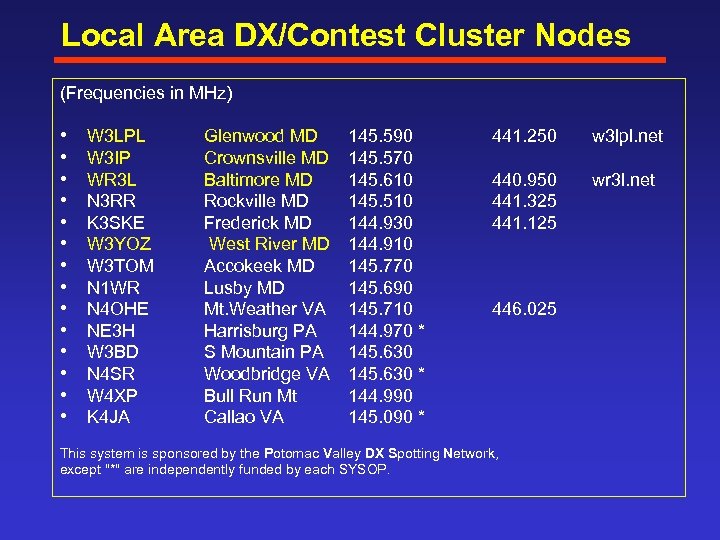 Local Area DX/Contest Cluster Nodes (Frequencies in MHz) • • • • W 3 LPL W 3 IP WR 3 L N 3 RR K 3 SKE W 3 YOZ W 3 TOM N 1 WR N 4 OHE NE 3 H W 3 BD N 4 SR W 4 XP K 4 JA Glenwood MD Crownsville MD Baltimore MD Rockville MD Frederick MD West River MD Accokeek MD Lusby MD Mt. Weather VA Harrisburg PA S Mountain PA Woodbridge VA Bull Run Mt Callao VA 145. 590 145. 570 145. 610 145. 510 144. 930 144. 910 145. 770 145. 690 145. 710 144. 970 * 145. 630 * 144. 990 145. 090 * 441. 250 w 3 lpl. net 440. 950 441. 325 441. 125 wr 3 l. net 446. 025 This system is sponsored by the Potomac Valley DX Spotting Network, except "*" are independently funded by each SYSOP.
 Getting Started
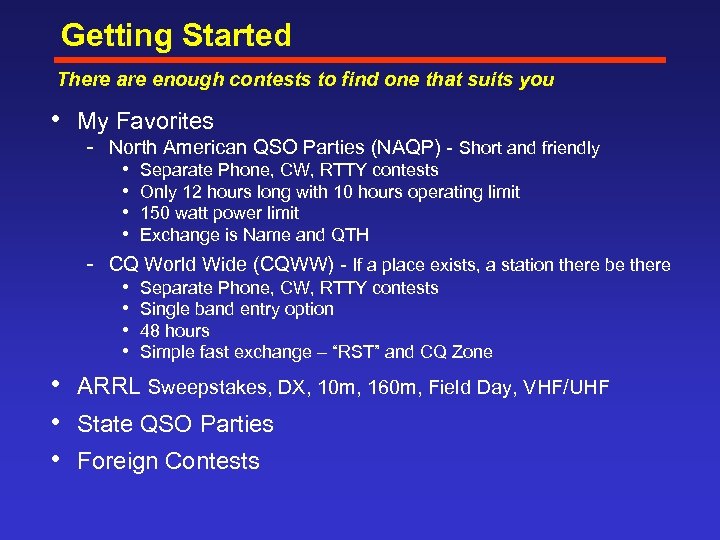 Getting Started There are enough contests to find one that suits you • My Favorites North American QSO Parties (NAQP) Short and friendly • • Separate Phone, CW, RTTY contests Only 12 hours long with 10 hours operating limit 150 watt power limit Exchange is Name and QTH CQ World Wide (CQWW) If a place exists, a station there be there • • Separate Phone, CW, RTTY contests Single band entry option 48 hours Simple fast exchange – “RST” and CQ Zone • ARRL Sweepstakes, DX, 10 m, 160 m, Field Day, VHF/UHF • State QSO Parties • Foreign Contests
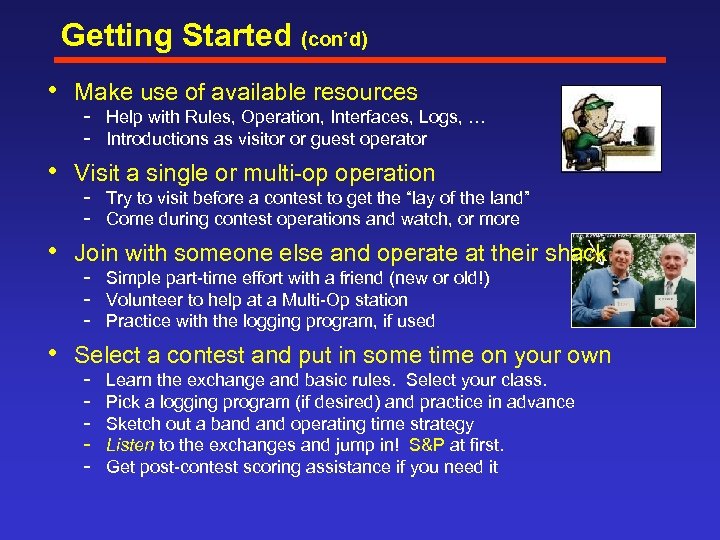 Getting Started (con’d) • Make use of available resources Help with Rules, Operation, Interfaces, Logs, … Introductions as visitor or guest operator • Visit a single or multi op operation Try to visit before a contest to get the “lay of the land” Come during contest operations and watch, or more • Join with someone else and operate at their shack Simple part time effort with a friend (new or old!) Volunteer to help at a Multi Op station Practice with the logging program, if used • Select a contest and put in some time on your own Learn the exchange and basic rules. Select your class. Pick a logging program (if desired) and practice in advance Sketch out a band operating time strategy Listen to the exchanges and jump in! S&P at first. Get post contest scoring assistance if you need it
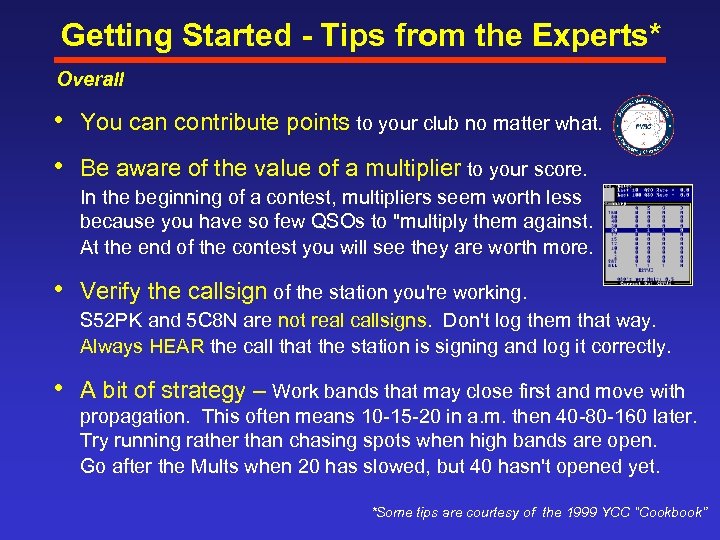 Getting Started - Tips from the Experts* Overall • You can contribute points to your club no matter what. • Be aware of the value of a multiplier to your score. In the beginning of a contest, multipliers seem worth less because you have so few QSOs to "multiply them against. At the end of the contest you will see they are worth more. • Verify the callsign of the station you're working. S 52 PK and 5 C 8 N are not real callsigns. Don't log them that way. Always HEAR the call that the station is signing and log it correctly. • A bit of strategy – Work bands that may close first and move with propagation. This often means 10 15 20 in a. m. then 40 80 160 later. Try running rather than chasing spots when high bands are open. Go after the Mults when 20 has slowed, but 40 hasn't opened yet. *Some tips are courtesy of the 1999 YCC “Cookbook”
 Getting Started - Tips from the Experts* CW • Do not be intimidated by stations going too fast for you to copy. Start with the slower stations high in the band. Don't worry if you have to hear the call several times to get it. As the contest goes on you will improve. • Call CQ high in the band at a speed that is comfortable for you. Don’t be shy about sending QRS Most stations will slow down to your speed. • Try moving your frequency a bit if you can’t seem to be heard. Often receiver bandwidths in a crowded band are set very narrow. *Some tips are courtesy of the 1999 YCC “Cookbook”
 Getting Started - Tips from the Experts Phone • Use conventional or unmistakable phonetics • Do not be intimidated by stations talking fast or unintelligibly. Firmly ask until you get all the exchange info. Use “again? ” It is usually better to ask for one piece of missing info at a time. • Maintain a “friendly sense of urgency” in your QSOs Chattiness will slow your rate and lose you contacts • Call CQ where you won’t interfere as well as be able to hear well. Be aware of the bandwidth and direction of your sideband. • Listen to what is on your frequency when working split. If you can hear it, you can better time your call or defer until later.
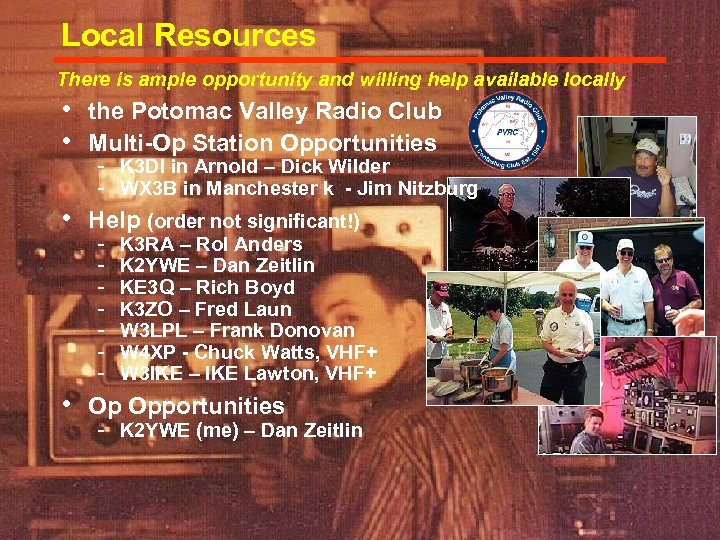 Local Resources There is ample opportunity and willing help available locally • the Potomac Valley Radio Club • Multi-Op Station Opportunities K 3 DI in Arnold – Dick Wilder WX 3 B in Manchester k - Jim Nitzburg • Help (order not significant!) K 3 RA – Rol Anders K 2 YWE – Dan Zeitlin KE 3 Q – Rich Boyd K 3 ZO – Fred Laun W 3 LPL – Frank Donovan W 4 XP - Chuck Watts, VHF+ W 3 IKE – IKE Lawton, VHF+ • Op Opportunities K 2 YWE (me) – Dan Zeitlin
 Internet Links Contest Organizations, Calendars, Info, and Sponsors Potomac Valley Radio Club (PVRC) Contesting. Com Frankford Radio Club (FRC) CQ Magazine (CQWW, WPX, and others) pvrc. org contesting. com frc contest. org cq amateur radio. com National Contest Journal – NCJ (QSO parties, Sprints, more) ncjweb. com ARRL (Sweepstakes, Field Day, DX, UHF/VHF, more) arrl. org/contests SM 3 CER Calendar WA 7 BNM Calendar VK 4 DX sk 3 bg. se/contest hornucopia. com/contestcal vk 4 dx. net Contest Logging Programs CT NA TR Log Writelog N 1 MM “includes non-contest loggers AC 6 V’s Logger Links* k 1 ea. com datomonline. com trlog. com writelog. com pages. cthome. net/n 1 mm ac 6 v. com/logging. htm
 Summary • There are benefits to participation without entry Awards, Checkouts, Setups, Learning, QTH “escape” • Basic scoring and operation is not complicated Rules, Q’s, Mults, S&P, and Run • Little Pistols can compete Pay attention to detail at home or elsewhere • Strategies help Plan the contest, and use the plan for guidance • Contest Loggers and Interfaces make life easier Lots to choose from. • Take the first step! Pick a contest, get prepared, join in • There are lots of resources to help you People, organizations, and links Try it, you might like it!