


 Скачать презентацию Content Management intern CMS definition quotation Unter
8e5df8c851ddfe2c959319ffbfd9a3c0.ppt
- Количество слайдов: 28
 Content Management intern
 „CMS“ definition quotation: Unter Content Management wird die systematische und strukturierte Beschaffung, Erzeugung, Aufbereitung, Verwaltung, Präsentation, Verarbeitung, Publikation und Wiederverwendung von Inhalten (Content) informationstechnisch vorgehaltener Informationen verstanden. (Rothfuss/Ried „Content Management mit XML “ 2001)
 Overview • • • CMS classification Web. CMS components in detail Operating and migration considerations mid size vs. enterprise CMS comparison CMS customization example
 CMS classification Typical cms groups are: • Website-CMS (Web. CMS, WCMS) • Document Management Systems (DMS) • MAM (Media Asset Management Systems) • Portal Systems
 Web. CMS classification by size / usage • Small systems ( „small-business“, „lite“ ) • Midsize systems • Huge systems („enterprise“)
 CMS, technical view environment, programming languages • • Web Server Programming Language Database System Content, Content Storage, Content Objects • Content Life Cycle • Rights Management • Content Output
 Web Servers • Common Web Servers (i. e. Apache, IIS) are typically used as CMS environment • enterprise level CMS sometimes use own web servers which are dedicated to deliver database-held content • some CMS use application server environments (Cold. Fusion, . . . )
 Programming Languages • small and midsize CMS must integrate easily into common web environments. => common scripting languages are used • Use of new technologies such as J 2 EE enables building of large-scale e. CMS
 Databases • CMS must use common relational databases for easy setup and integration into existing environments • However, CMS content is mostly organized in object-oriented or XML-form => Content is mostly stored in RDBMS, but some CMS use their own or application server‘s mapping for (xml|oo)<->rdbms
 Content • To achieve Separation of content and presentation , documents have to be split into small pieces, like media elements or text paragraphs. • this results in a hierarchical structure of content elements, with layout elements (i. e. html templates) corresponding to sets of content elements • The structure‘s depth varies among different CMS, typical depths are: - 1 (results in one big editor per page) - 2 („container“-based editing ) - ∞ (object-oriented systems)
 Content Life Cycle The content lifecycle consists of these 5 steps: • • • Creation / import review / editing validation publishing archiving (includes deletion) Every CMS implements these steps, although some systems combine some of them into one workflow step.
 Rights Management • applies to multi-user CMS • content elements and/or hierarchical elements (i. e. folders) can be assigned access rights • typically rights are split into create / modify / publish / delete [ / rights manage ] rights. • easy system setup can be achieved with preconfigured roles.
 Output • Staging the CMS‘s renderer ist not accessible from the internet, web pages are therefore delivered to a normal web server. The user accesses a static export of the web site. • Live Rendering The requested web pages are rendered on the fly and directly delivered from the CMS to the user.
 staging vs. live rendering I Staging + Good performance, as only normal html-pages are delivered. Especially no database bottlenecks + good scalability because the static web site exports can easily be replicated to other servers + high security because the CMS can never be compromised - can only manage „normal“ web sites, cannot manage dynamic pages (i. e. forums, communities, feedback forms, personalization) - content can be updated only in configured intervals - CMS cannot help with web site statistics
 staging vs. live rendering II Live Rendering + Possibility to maintain full-scale Web Applications / dynamic Web Sites + detailed statistics possible (i. e. click paths) - low performance, especially for sripting language CMS - scalability hard to establish - additional security measures must be established in order to guard the CMS
 Content Import, Export • Content migration between most CMS is nearly impossible because of fundamental differences in the content hierarchy • list-based im-/export of content fragments (articles, container) is often possible • xml-based formats are commonly used for lossless export of DB-held content
 Export considerations these content groups can be exported and may be imported in another System: • Pages (page hierarchy) • Page Contents (to be imported as separate Containers in case of different content storage hierarchies) • Ressources (Media Assets) • User / Group / Role Lists
 Interfaces external databases There are two ways of accessing external DBMS from cms: 1) direct acces via template programming Code to access the DB is directly placed in template, and is executed during the rendering process (live cms) or on the staging web server 2) access through data source abstraction data source is defined to the CMS‘s abstraction layer and can afterwards be accessed with common CMS functions
 Interfaces Content Syndication • Content Syndication means considering (own) content (-elements) as assets which can be used in different web sites • CMS can assist in delivering content to other web sites or integrating external content • xml-based formats for article import and export exist, for example NITF
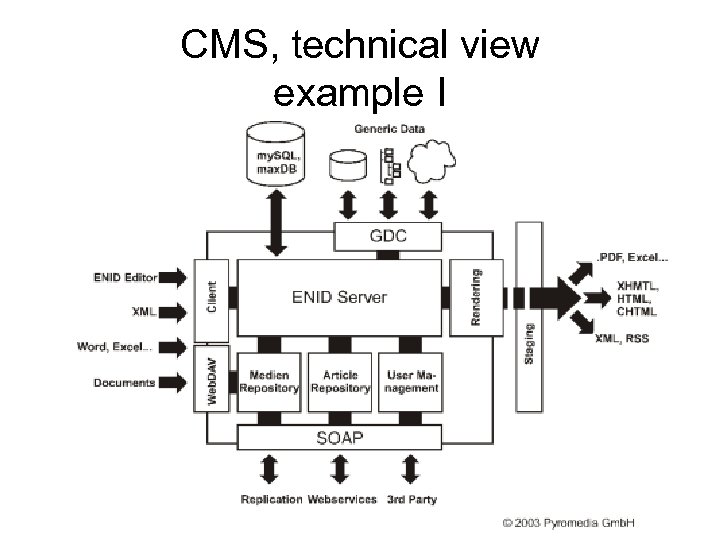 CMS, technical view example I
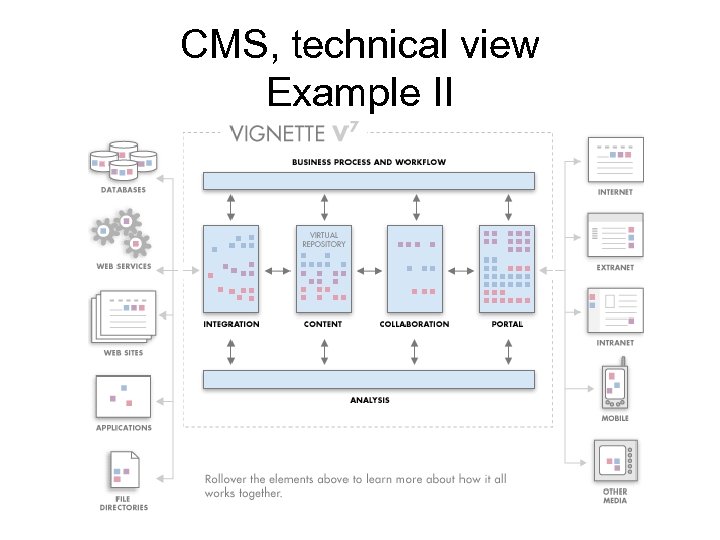 CMS, technical view Example II
 Customization Example Adding external user authentication Two strategies to use external user databases for CMS: • Periodically import user/group information from external sources • Drop internal user management, directly use external source instead for all requests
 LDAP Leightweight Directory Access Protocol LDAP: Access protocol for directory service databases (X. 500) defined in RFC 1777 Directory Service: • Database for attribute-based records (name-value pair lists) • Record groups are organized in trees
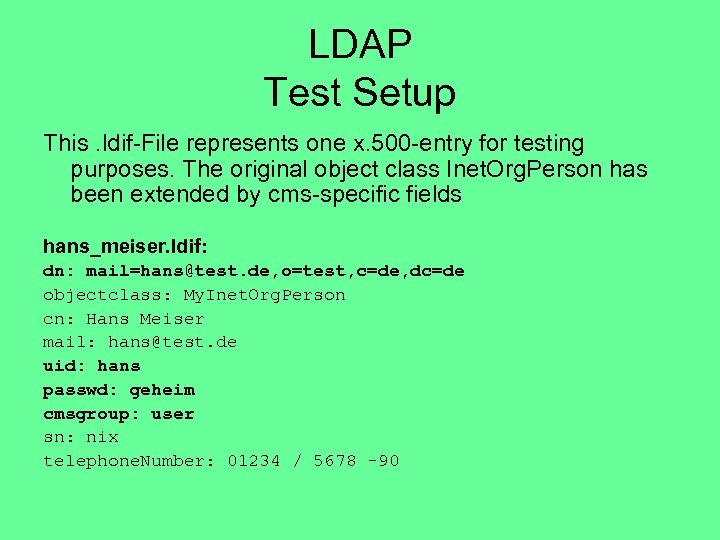 LDAP Test Setup This. ldif-File represents one x. 500 -entry for testing purposes. The original object class Inet. Org. Person has been extended by cms-specific fields hans_meiser. ldif: dn: mail=hans@test. de, o=test, c=de, dc=de objectclass: My. Inet. Org. Person cn: Hans Meiser mail: hans@test. de uid: hans passwd: geheim cmsgroup: user sn: nix telephone. Number: 01234 / 5678 -90
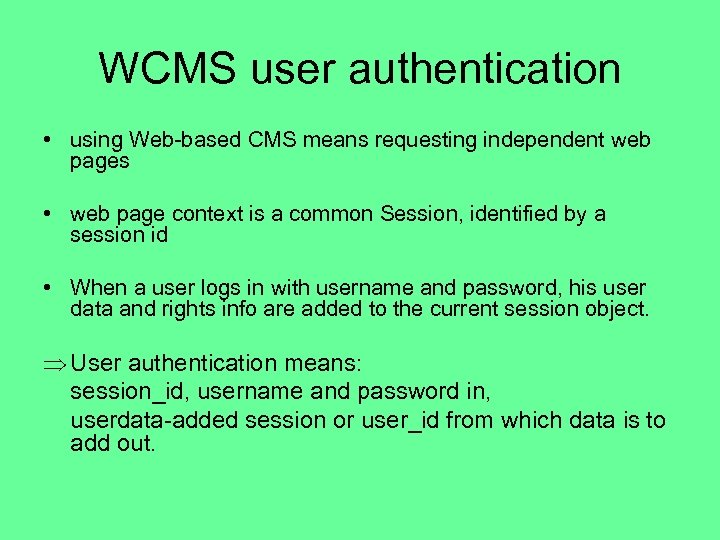 WCMS user authentication • using Web-based CMS means requesting independent web pages • web page context is a common Session, identified by a session id • When a user logs in with username and password, his user data and rights info are added to the current session object. Þ User authentication means: session_id, username and password in, userdata-added session or user_id from which data is to add out.
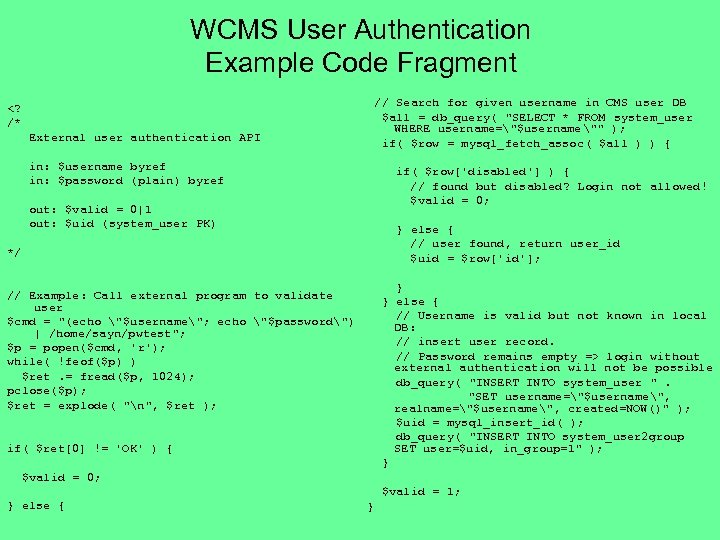 WCMS User Authentication Example Code Fragment // Search for given username in CMS user DB $all = db_query( "SELECT * FROM system_user WHERE username="$username"" ); if( $row = mysql_fetch_assoc( $all ) ) { login without external authentication will not be possible db_query( "INSERT INTO system_user ". "SET username="$username", realname="$username", created=NOW()" ); $uid = mysql_insert_id( ); db_query( "INSERT INTO system_user 2 group SET user=$uid, in_group=1" ); } // Example: Call external program to validate user $cmd = "(echo "$username"; echo "$password") | /home/sayn/pwtest"; $p = popen($cmd, 'r'); while( !feof($p) ) $ret. = fread($p, 1024); pclose($p); $ret = explode( "n", $ret ); if( $ret[0] != 'OK' ) { $valid = 0; $valid = 1; } else { }
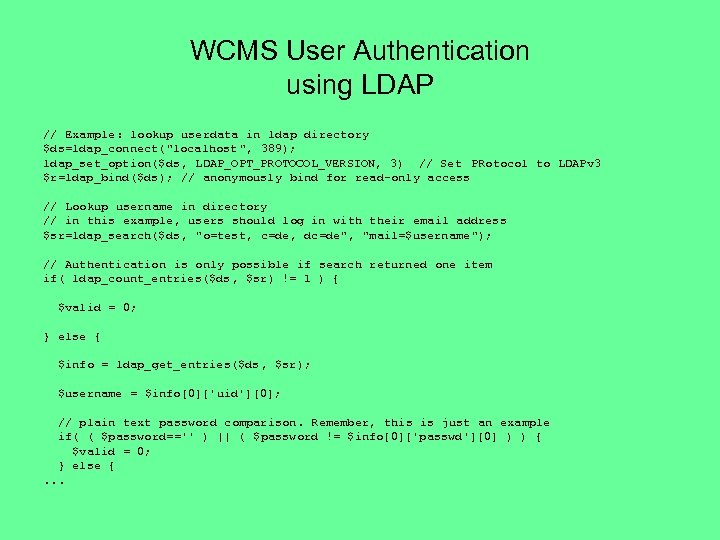 WCMS User Authentication using LDAP // Example: lookup userdata in ldap directory $ds=ldap_connect("localhost ", 389); ldap_set_option($ds, LDAP_OPT_PROTOCOL_VERSION, 3) // Set PRotocol to LDAPv 3 $r=ldap_bind($ds); // anonymously bind for read-only access // Lookup username in directory // in this example, users should log in with their email address $sr=ldap_search($ds, "o=test, c=de, dc=de", "mail=$username"); // Authentication is only possible if search returned one item if( ldap_count_entries($ds, $sr) != 1 ) { $valid = 0; } else { $info = ldap_get_entries($ds, $sr); $username = $info[0]['uid'][0]; // plain text password comparison. Remember, this is just an example if( ( $password=='' ) || ( $password != $info[0]['passwd'][0] ) ) { $valid = 0; } else {. . .
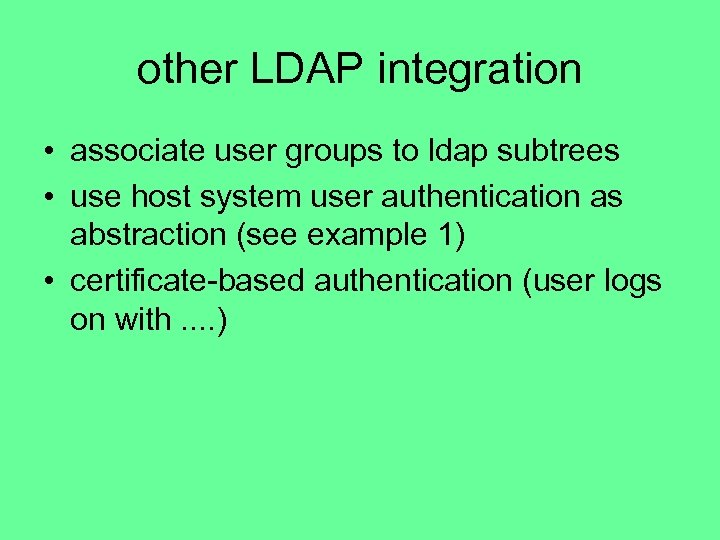 other LDAP integration • associate user groups to ldap subtrees • use host system user authentication as abstraction (see example 1) • certificate-based authentication (user logs on with. . )