


 Скачать презентацию Congestion Control Reading Sections 6 1 -6 4
7a5e26cff3e65068f503362f43f9add9.ppt
- Количество слайдов: 43
 Congestion Control Reading: Sections 6. 1 -6. 4 COS 461: Computer Networks Spring 2007 (MW 1: 30 -2: 50 in Friend 004) Jennifer Rexford Teaching Assistant: Ioannis Avramopoulos http: //www. cs. princeton. edu/courses/archive/spring 07/cos 461/ 1
 Course Announcements • Second programming assignment is posted – Web proxy server – Due Friday March 9 at 6 pm – More challenging than the first assignment • Monday’s lecture – Ioannis Avramopoulos will lecture – Feedback on the first programming assignment – Overview of the second programming assignment – Lecture on Web Content Delivery • Good to get started on the next assignment – To make the most of Monday’s class – To go to office hours early if you encounter problems 2
 Goals of Today’s Lecture • Congestion in IP networks – Unavoidable due to best-effort service model – IP philosophy: decentralized control at end hosts • Congestion control by the TCP senders – Infers congestion is occurring (e. g. , from packet losses) – Slows down to alleviate congestion, for the greater good • TCP congestion-control algorithm – Additive-increase, multiplicative-decrease – Slow start and slow-start restart • Active Queue Management (AQM) – Random Early Detection (RED) – Explicit Congestion Notification (ECN) 3
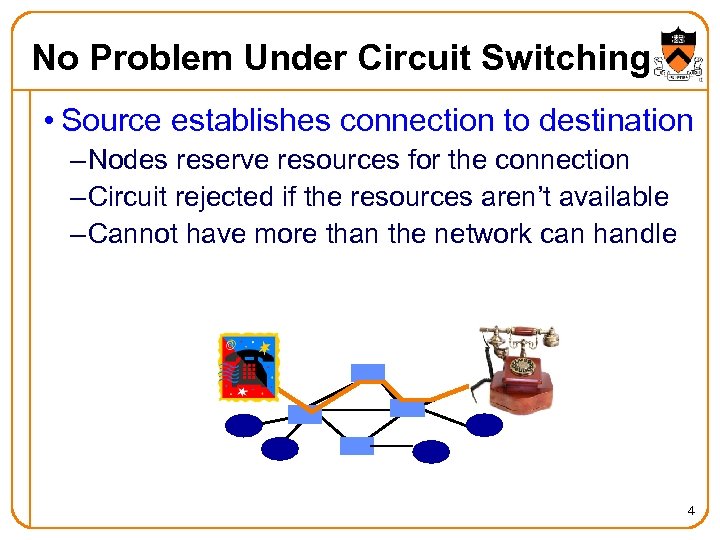 No Problem Under Circuit Switching • Source establishes connection to destination – Nodes reserve resources for the connection – Circuit rejected if the resources aren’t available – Cannot have more than the network can handle 4
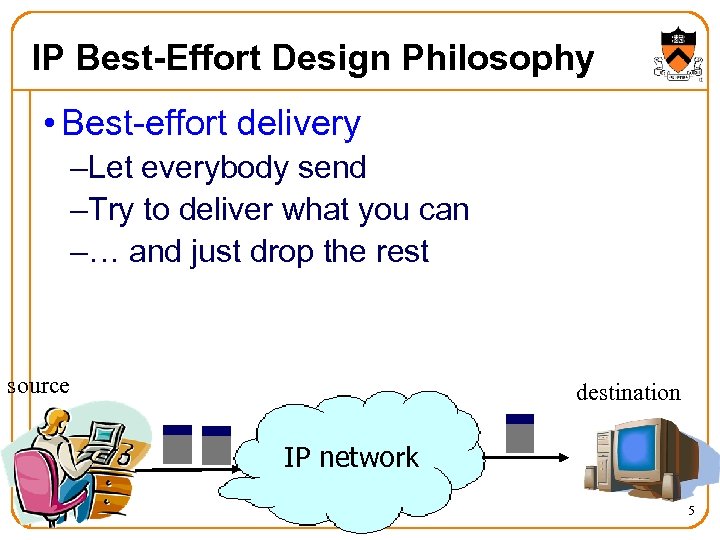 IP Best-Effort Design Philosophy • Best-effort delivery –Let everybody send –Try to deliver what you can –… and just drop the rest source destination IP network 5
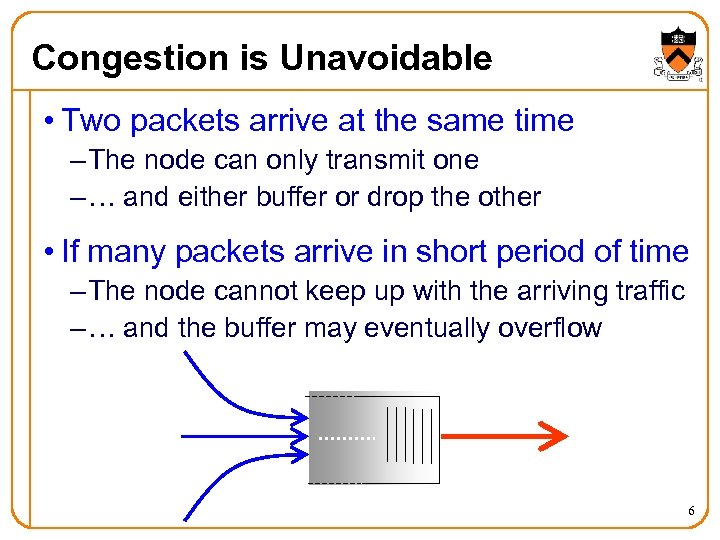 Congestion is Unavoidable • Two packets arrive at the same time – The node can only transmit one – … and either buffer or drop the other • If many packets arrive in short period of time – The node cannot keep up with the arriving traffic – … and the buffer may eventually overflow 6
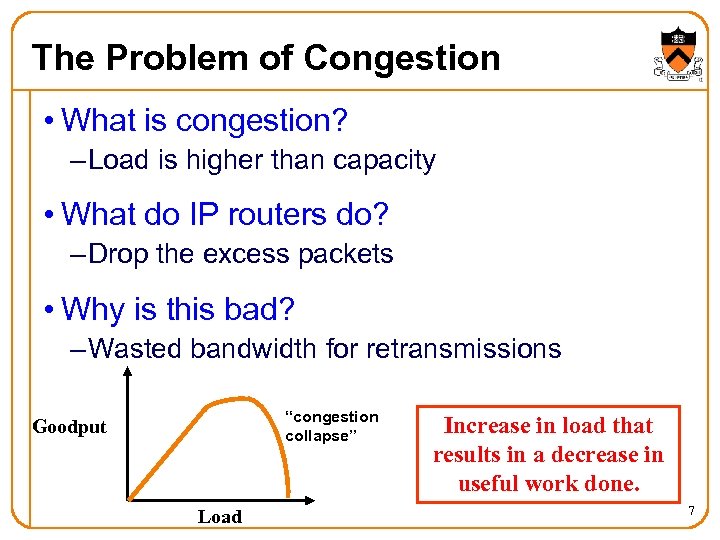 The Problem of Congestion • What is congestion? – Load is higher than capacity • What do IP routers do? – Drop the excess packets • Why is this bad? – Wasted bandwidth for retransmissions “congestion collapse” Goodput Load Increase in load that results in a decrease in useful work done. 7
 Ways to Deal With Congestion • Ignore the problem – Many dropped (and retransmitted) packets – Can cause congestion collapse • Reservations, like in circuit switching – Pre-arrange bandwidth allocations – Requires negotiation before sending packets • Pricing – Don’t drop packets for the high-bidders – Requires a payment model • Dynamic adjustment (TCP) – Every sender infers the level of congestion – And adapts its sending rate, for the greater good 8
 Many Important Questions • How does the sender know there is congestion? – Explicit feedback from the network? – Inference based on network performance? • How should the sender adapt? – Explicit sending rate computed by the network? – End host coordinates with other hosts? – End host thinks globally but acts locally? • What is the performance objective? – Maximizing goodput, even if some users suffer more? – Fairness? (Whatever the heck that means!) • How fast should new TCP senders send? 9
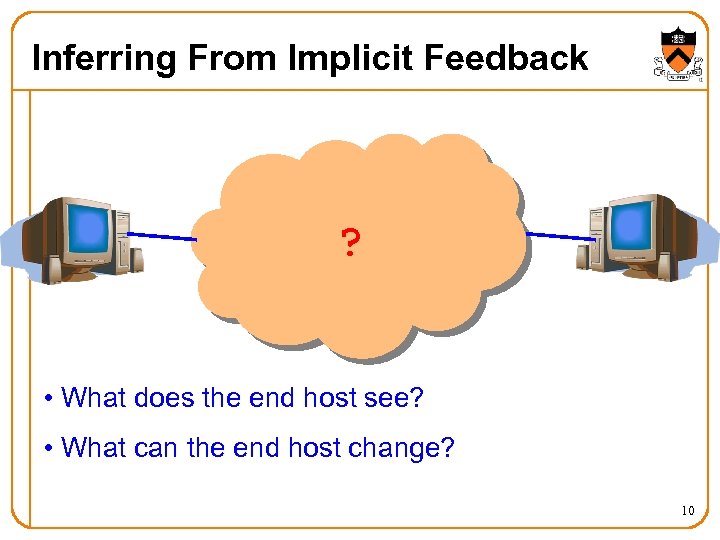 Inferring From Implicit Feedback ? • What does the end host see? • What can the end host change? 10
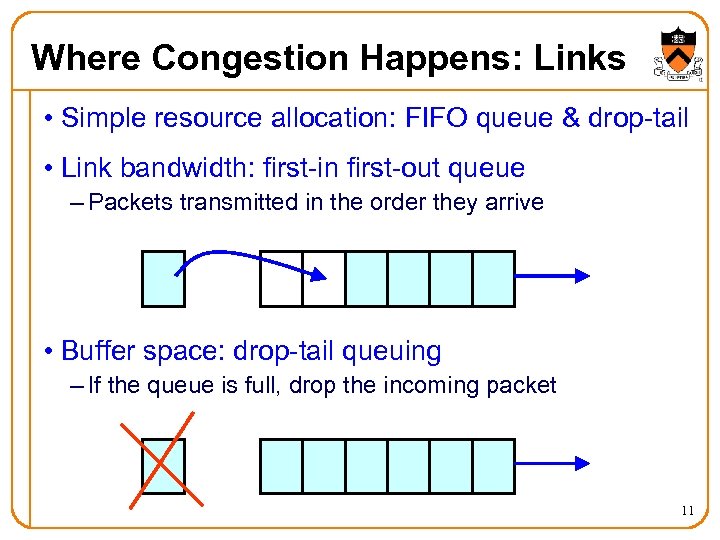 Where Congestion Happens: Links • Simple resource allocation: FIFO queue & drop-tail • Link bandwidth: first-in first-out queue – Packets transmitted in the order they arrive • Buffer space: drop-tail queuing – If the queue is full, drop the incoming packet 11
 How it Looks to the End Host • Packet delay – Packet experiences high delay • Packet loss – Packet gets dropped along the way • How does TCP sender learn this? – Delay Round-trip time estimate – Loss Timeout Triple-duplicate acknowledgment 12
 What Can the End Host Do? • Upon detecting congestion – Decrease the sending rate (e. g. , divide in half) – End host does its part to alleviate the congestion • But, what if conditions change? – Suppose there is more bandwidth available – Would be a shame to stay at a low sending rate • Upon not detecting congestion – Increase the sending rate, a little at a time – And see if the packets are successfully delivered 13
 TCP Congestion Window • Each TCP sender maintains a congestion window – Maximum number of bytes to have in transit – I. e. , number of bytes still awaiting acknowledgments • Adapting the congestion window – Decrease upon losing a packet: backing off – Increase upon success: optimistically exploring – Always struggling to find the right transfer rate • Both good and bad – Pro: avoids having explicit feedback from network – Con: under-shooting and over-shooting the rate 14
 Additive Increase, Multiplicative Decrease • How much to increase and decrease? – Increase linearly, decrease multiplicatively – A necessary condition for stability of TCP – Consequences of over-sized window are much worse than having an under-sized window Over-sized window: packets dropped and retransmitted Under-sized window: somewhat lower throughput • Multiplicative decrease – On loss of packet, divide congestion window in half • Additive increase – On success for last window of data, increase linearly 15
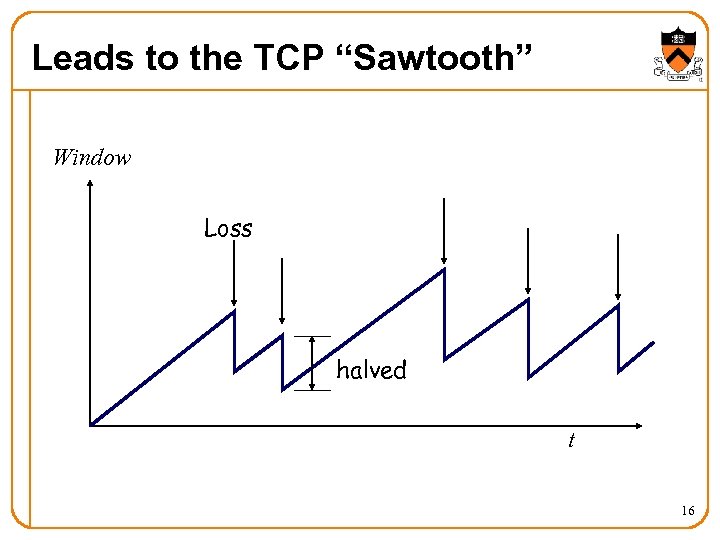 Leads to the TCP “Sawtooth” Window Loss halved t 16
 Practical Details • Congestion window – Represented in bytes, not in packets (Why? ) – Packets have MSS (Maximum Segment Size) bytes • Increasing the congestion window – Increase by MSS on success for last window of data • Decreasing the congestion window – Never drop congestion window below 1 MSS 17
 Receiver Window vs. Congestion Window • Flow control – Keep a fast sender from overwhelming a slow receiver • Congestion control – Keep a set of senders from overloading the network • Different concepts, but similar mechanisms – TCP flow control: receiver window – TCP congestion control: congestion window – TCP window: min{congestion window, receiver window} 18
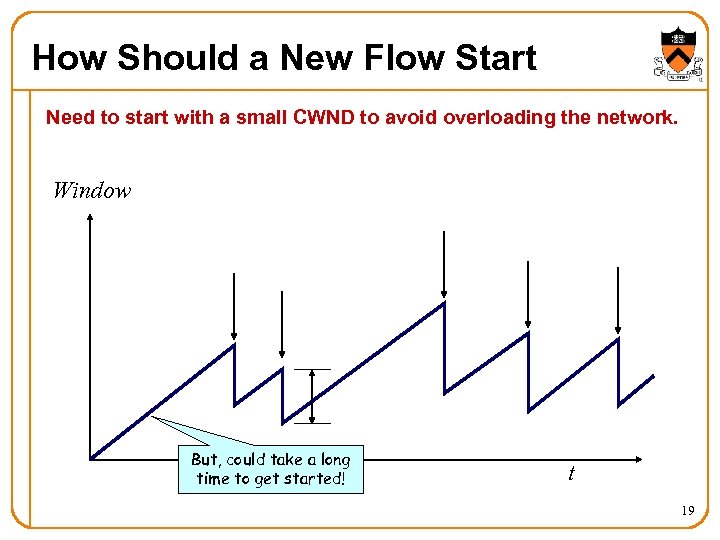 How Should a New Flow Start Need to start with a small CWND to avoid overloading the network. Window But, could take a long time to get started! t 19
 “Slow Start” Phase • Start with a small congestion window – Initially, CWND is 1 Max Segment Size (MSS) – So, initial sending rate is MSS/RTT • That could be pretty wasteful – Might be much less than the actual bandwidth – Linear increase takes a long time to accelerate • Slow-start phase (really “fast start”) – Sender starts at a slow rate (hence the name) – … but increases the rate exponentially – … until the first loss event 20
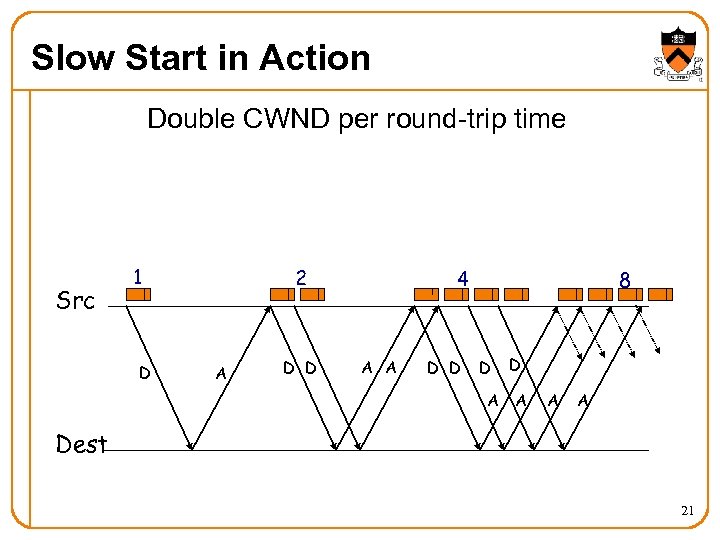 Slow Start in Action Double CWND per round-trip time Src 1 D 2 A D D 4 A A D D 8 D A A A Dest 21
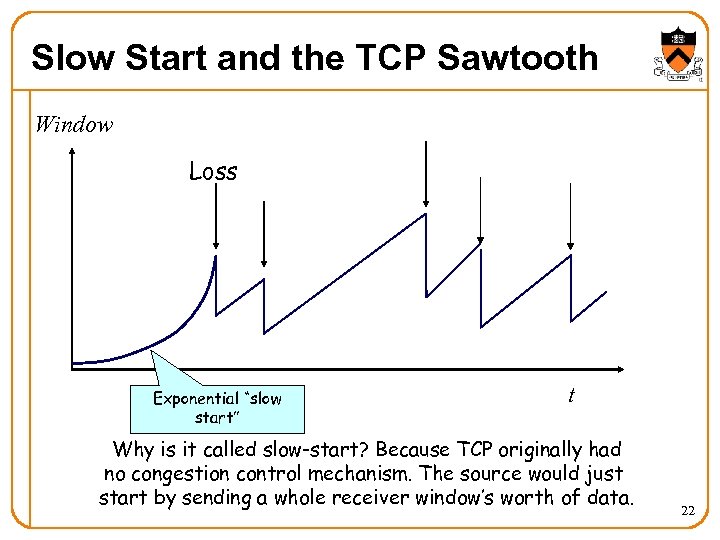 Slow Start and the TCP Sawtooth Window Loss Exponential “slow start” t Why is it called slow-start? Because TCP originally had no congestion control mechanism. The source would just start by sending a whole receiver window’s worth of data. 22
 Two Kinds of Loss in TCP • Timeout – Packet n is lost and detected via a timeout – E. g. , because all packets in flight were lost – After the timeout, blasting away for the entire CWND – … would trigger a very large burst in traffic – So, better to start over with a low CWND • Triple duplicate ACK – Packet n is lost, but packets n+1, n+2, etc. arrive – Receiver sends duplicate acknowledgments – … and the sender retransmits packet n quickly – Do a multiplicative decrease and keep going 23
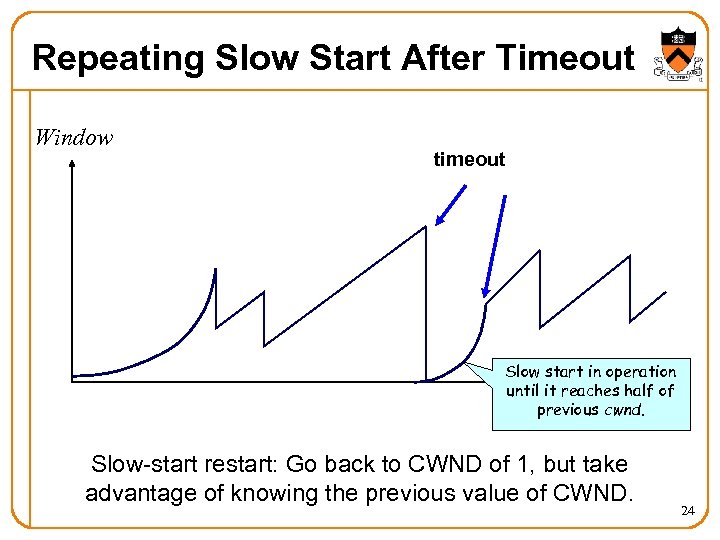 Repeating Slow Start After Timeout Window timeout Slow start in operation until it reaches half of t previous cwnd. Slow-start restart: Go back to CWND of 1, but take advantage of knowing the previous value of CWND. 24
 Repeating Slow Start After Idle Period • Suppose a TCP connection goes idle for a while – E. g. , Telnet session where you don’t type for an hour • Eventually, the network conditions change – Maybe many more flows are traversing the link – E. g. , maybe everybody has come back from lunch! • Dangerous to start transmitting at the old rate – Previously-idle TCP sender might blast the network – … causing excessive congestion and packet loss • So, some TCP implementations repeat slow start – Slow-start restart after an idle period 25
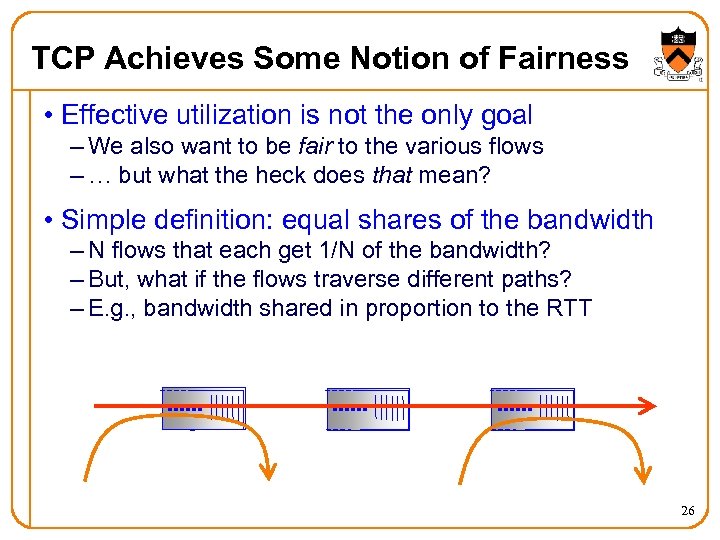 TCP Achieves Some Notion of Fairness • Effective utilization is not the only goal – We also want to be fair to the various flows – … but what the heck does that mean? • Simple definition: equal shares of the bandwidth – N flows that each get 1/N of the bandwidth? – But, what if the flows traverse different paths? – E. g. , bandwidth shared in proportion to the RTT 26
 What About Cheating? • Some folks are more fair than others – Running multiple TCP connections in parallel – Modifying the TCP implementation in the OS – Use the User Datagram Protocol • What is the impact – Good guys slow down to make room for you – You get an unfair share of the bandwidth • Possible solutions? – Routers detect cheating and drop excess packets? – Peer pressure? – ? ? ? 27
 Queuing Mechanisms Random Early Detection (RED) Explicit Congestion Notification (ECN) 28
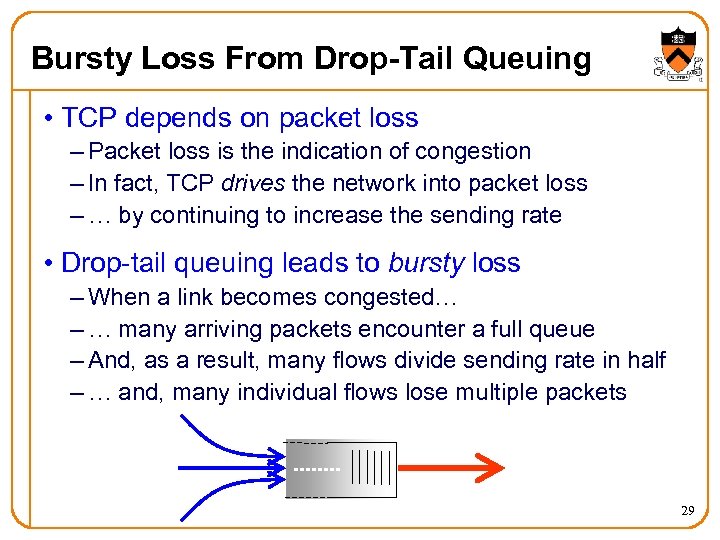 Bursty Loss From Drop-Tail Queuing • TCP depends on packet loss – Packet loss is the indication of congestion – In fact, TCP drives the network into packet loss – … by continuing to increase the sending rate • Drop-tail queuing leads to bursty loss – When a link becomes congested… – … many arriving packets encounter a full queue – And, as a result, many flows divide sending rate in half – … and, many individual flows lose multiple packets 29
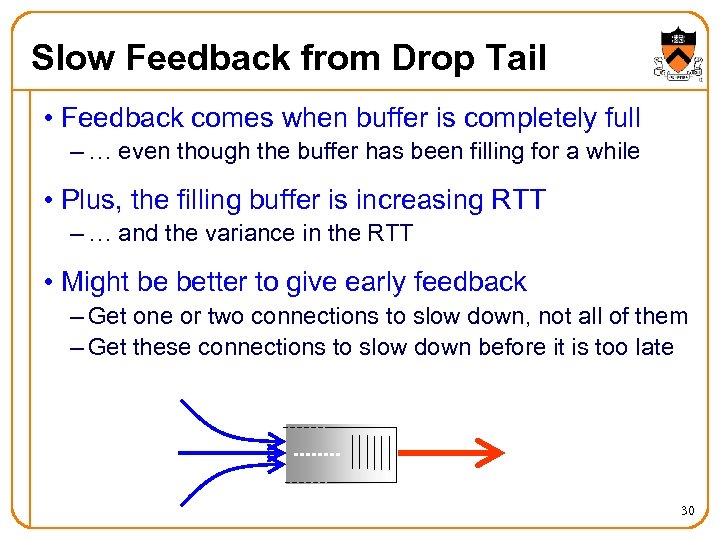 Slow Feedback from Drop Tail • Feedback comes when buffer is completely full – … even though the buffer has been filling for a while • Plus, the filling buffer is increasing RTT – … and the variance in the RTT • Might be better to give early feedback – Get one or two connections to slow down, not all of them – Get these connections to slow down before it is too late 30
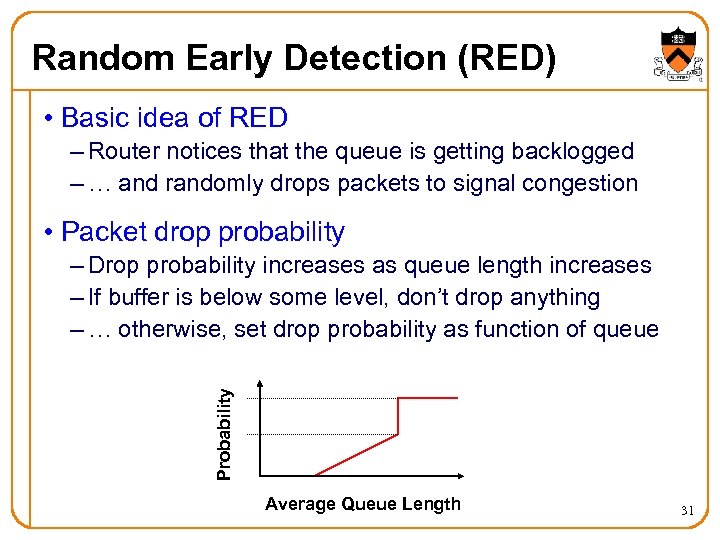 Random Early Detection (RED) • Basic idea of RED – Router notices that the queue is getting backlogged – … and randomly drops packets to signal congestion • Packet drop probability Probability – Drop probability increases as queue length increases – If buffer is below some level, don’t drop anything – … otherwise, set drop probability as function of queue Average Queue Length 31
 Properties of RED • Drops packets before queue is full – In the hope of reducing the rates of some flows • Drops packet in proportion to each flow’s rate – High-rate flows have more packets – … and, hence, a higher chance of being selected • Drops are spaced out in time – Which should help desynchronize the TCP senders • Tolerant of burstiness in the traffic – By basing the decisions on average queue length 32
 Problems With RED • Hard to get the tunable parameters just right – How early to start dropping packets? – What slope for the increase in drop probability? – What time scale for averaging the queue length? • Sometimes RED helps but sometimes not – If the parameters aren’t set right, RED doesn’t help – And it is hard to know how to set the parameters • RED is implemented in practice – But, often not used due to the challenges of tuning right • Many variations in the research community – With cute names like “Blue” and “FRED”… 33
 Explicit Congestion Notification • Early dropping of packets – Good: gives early feedback – Bad: has to drop the packet to give the feedback • Explicit Congestion Notification – Router marks the packet with an ECN bit – … and sending host interprets as a sign of congestion • Surmounting the challenges – Must be supported by the end hosts and the routers – Requires two bits in the IP header (one for the ECN mark, and one to indicate the ECN capability) – Solution: borrow two of the Type-Of-Service bits in the IPv 4 packet header 34
 Other TCP Mechanisms Nagle’s Algorithm and Delayed ACK 35
 Motivation for Nagle’s Algorithm • Interactive applications – Telnet and rlogin – Generate many small packets (e. g. , keystrokes) • Small packets are wasteful – Mostly header (e. g. , 40 bytes of header, 1 of data) • Appealing to reduce the number of packets – Could force every packet to have some minimum size – … but, what if the person doesn’t type more characters? • Need to balance competing trade-offs – Send larger packets – … but don’t introduce much delay by waiting 36
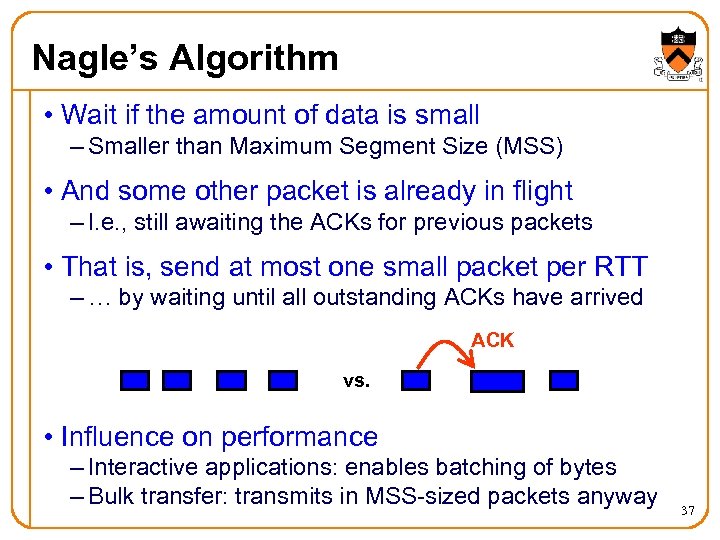 Nagle’s Algorithm • Wait if the amount of data is small – Smaller than Maximum Segment Size (MSS) • And some other packet is already in flight – I. e. , still awaiting the ACKs for previous packets • That is, send at most one small packet per RTT – … by waiting until all outstanding ACKs have arrived ACK vs. • Influence on performance – Interactive applications: enables batching of bytes – Bulk transfer: transmits in MSS-sized packets anyway 37
 Motivation for Delayed ACK • TCP traffic is often bidirectional – Data traveling in both directions – ACKs traveling in both directions • ACK packets have high overhead – 40 bytes for the IP header and TCP header – … and zero data traffic • Piggybacking is appealing – Host B can send an ACK to host A – … as part of a data packet from B to A 38
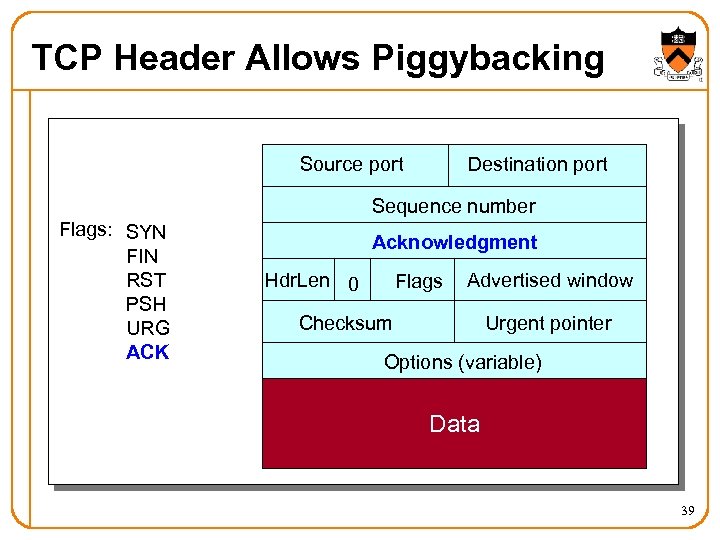 TCP Header Allows Piggybacking Source port Destination port Sequence number Flags: SYN FIN RST PSH URG ACK Acknowledgment Hdr. Len 0 Flags Advertised window Checksum Urgent pointer Options (variable) Data 39
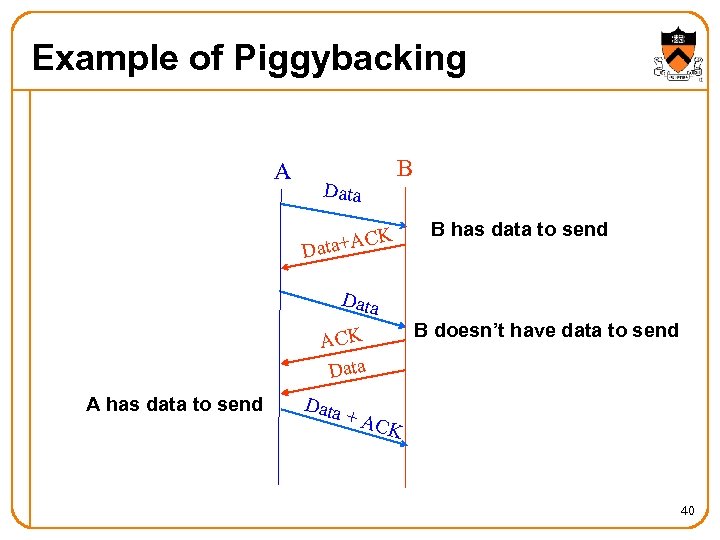 Example of Piggybacking A Data B K ata+AC D B has data to send Data ACK Data A has data to send Data + B doesn’t have data to send ACK 40
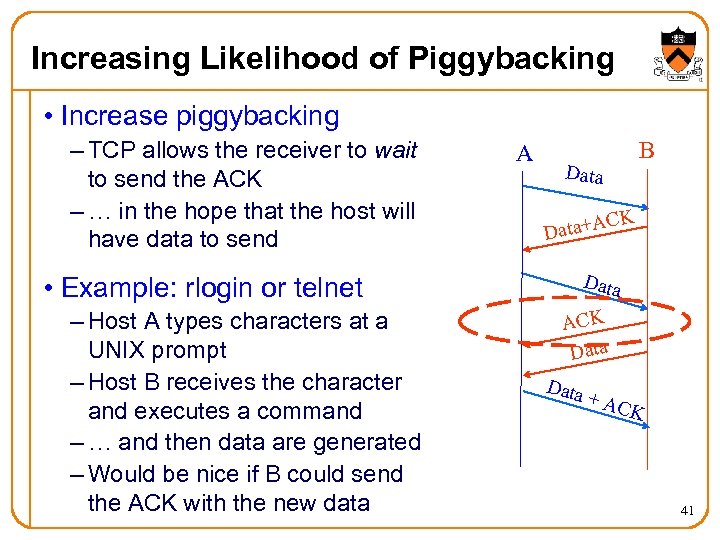 Increasing Likelihood of Piggybacking • Increase piggybacking – TCP allows the receiver to wait to send the ACK – … in the hope that the host will have data to send A Data CK Data+A Data • Example: rlogin or telnet – Host A types characters at a UNIX prompt – Host B receives the character and executes a command – … and then data are generated – Would be nice if B could send the ACK with the new data B ACK Data + AC K 41
 Delayed ACK • Delay sending an ACK – Upon receiving a packet, the host B sets a timer Typically, 200 msec or 500 msec – If B’s application generates data, go ahead and send And piggyback the ACK bit – If the timer expires, send a (non-piggybacked) ACK • Limiting the wait – Timer of 200 msec or 500 msec – ACK every other full-sized packet 42
 Conclusions • Congestion is inevitable – Internet does not reserve resources in advance – TCP actively tries to push the envelope • Congestion can be handled – Additive increase, multiplicative decrease – Slow start, and slow-start restart • Active Queue Management can help – Random Early Detection (RED) – Explicit Congestion Notification (ECN) • Fundamental tensions – Feedback from the network? – Enforcement of “TCP friendly” behavior? 43