 Скачать презентацию Configuring and Troubleshooting Identity and Access Solutions with
6fc7093d15e035c5b383a6eeda3c021d.ppt
- Количество слайдов: 26



Configuring and Troubleshooting Identity and Access Solutions with Windows Server® 2008 Active Directory®
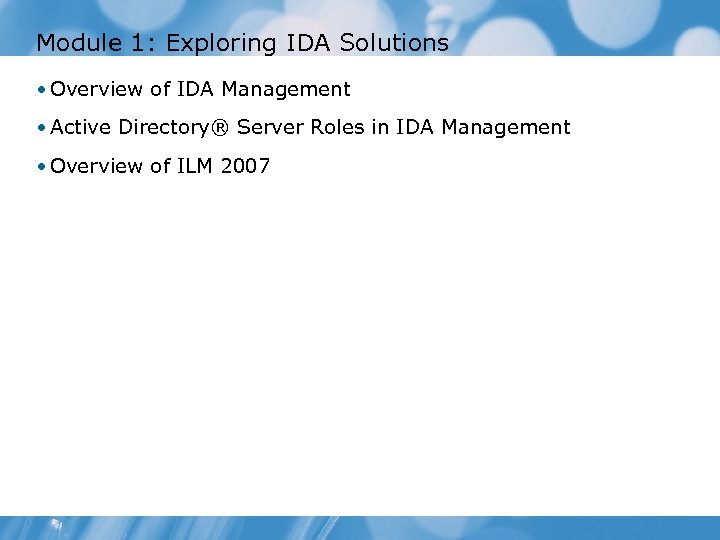
Module 1: Exploring IDA Solutions • Overview of IDA Management • Active Directory® Server Roles in IDA Management • Overview of ILM 2007
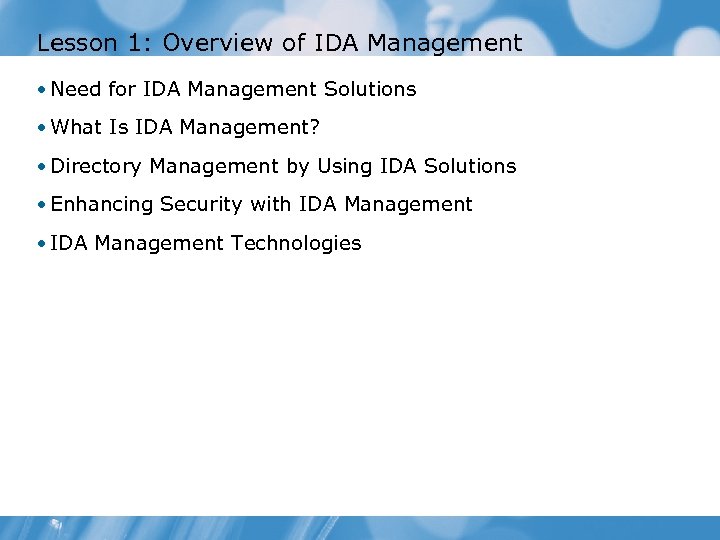
Lesson 1: Overview of IDA Management • Need for IDA Management Solutions • What Is IDA Management? • Directory Management by Using IDA Solutions • Enhancing Security with IDA Management • IDA Management Technologies
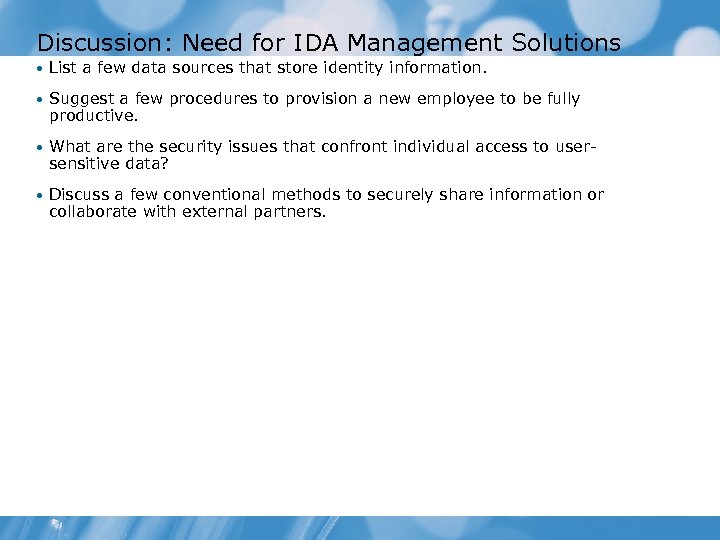
Discussion: Need for IDA Management Solutions • List a few data sources that store identity information. • Suggest a few procedures to provision a new employee to be fully productive. • What are the security issues that confront individual access to user- sensitive data? • Discuss a few conventional methods to securely share information or collaborate with external partners.
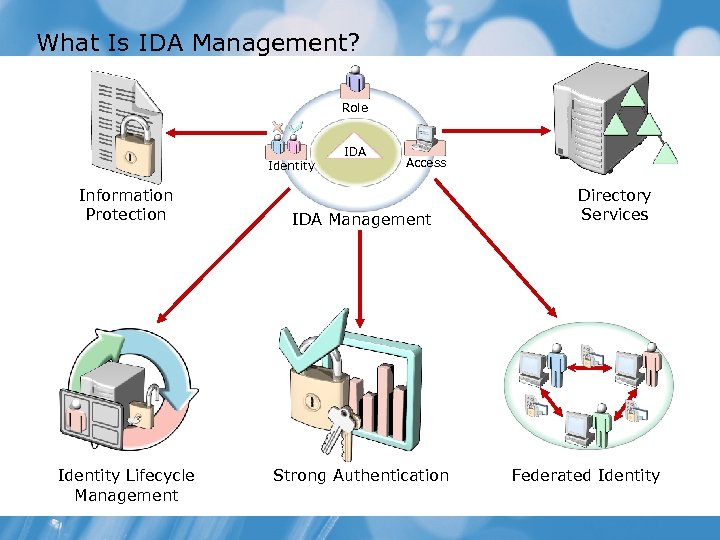
What Is IDA Management? Role IDA Identity Information Protection Identity Lifecycle Management Access IDA Management Strong Authentication Directory Services Federated Identity
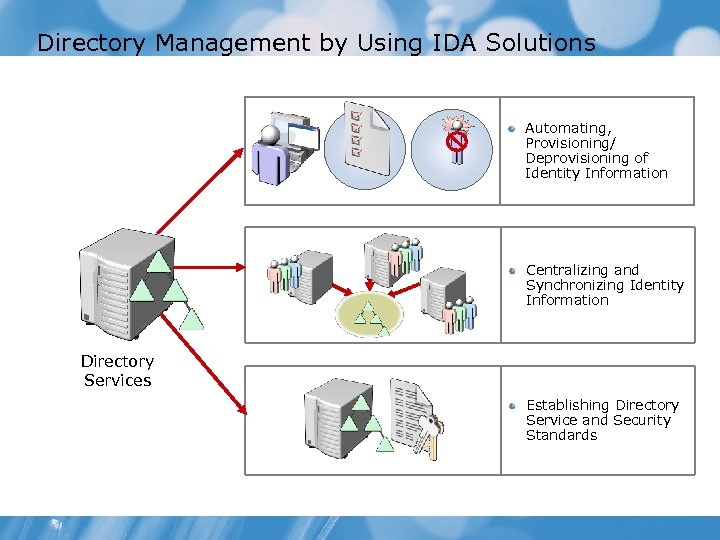
Directory Management by Using IDA Solutions Automating, Provisioning/ Deprovisioning of Identity Information Centralizing and Synchronizing Identity Information Directory Services Establishing Directory Service and Security Standards
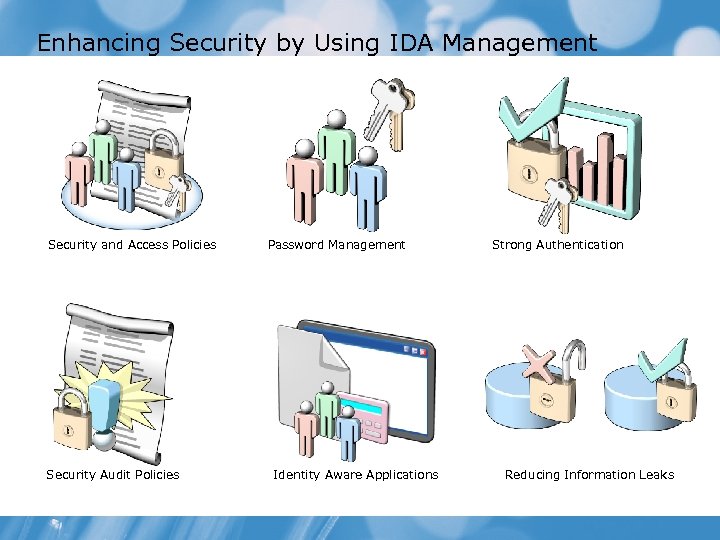
Enhancing Security by Using IDA Management Security and Access Policies Security Audit Policies Password Management Identity Aware Applications Strong Authentication Reducing Information Leaks
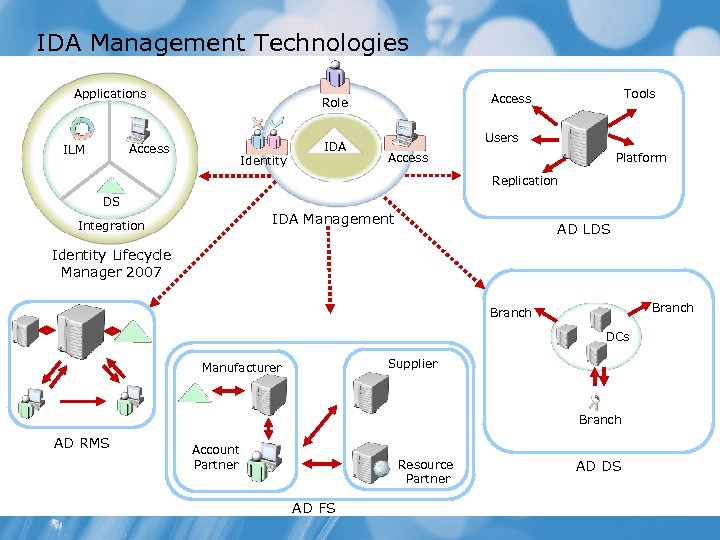
IDA Management Technologies Applications IDA Access ILM Identity Tools Access Role Users Platform Access Replication DS IDA Management Integration AD LDS Identity Lifecycle Manager 2007 Branch DCs Supplier Manufacturer Branch AD RMS Account Partner Resource Partner AD FS AD DS
Lesson 2: Active Directory® Server Roles in IDA Management • What Is a Server Role? • Configuring a Server Role in Windows Server® 2008 • Directory Services Roles for IDA Management • Strong Authentication Roles for IDA Management • Federated Identity Roles for IDA Management • Information Protection Roles for IDA Management
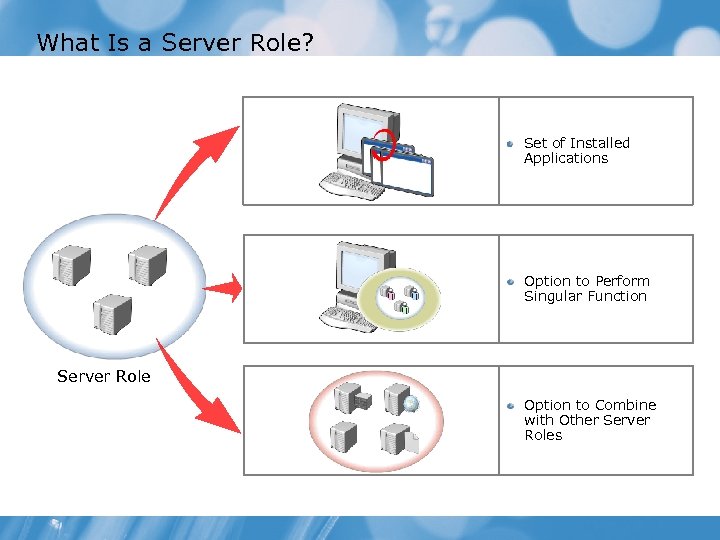
What Is a Server Role? Set of Installed Applications Option to Perform Singular Function Server Role Option to Combine with Other Server Roles
Demonstration: How To Configure a Server Role in Windows Server® 2008 • To configure a server role in Windows Server® 2008 by using Server Manager
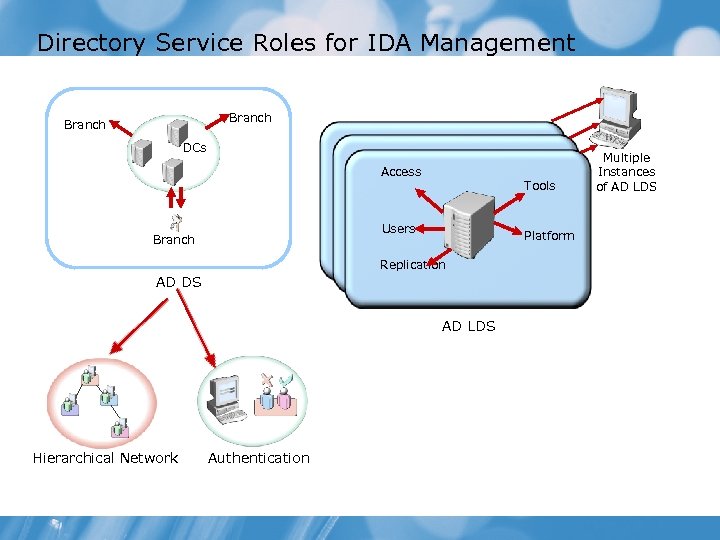
Directory Service Roles for IDA Management Branch DCs Access Tools Users Branch Platform Replication AD DS AD LDS Hierarchical Network Authentication Multiple Instances of AD LDS
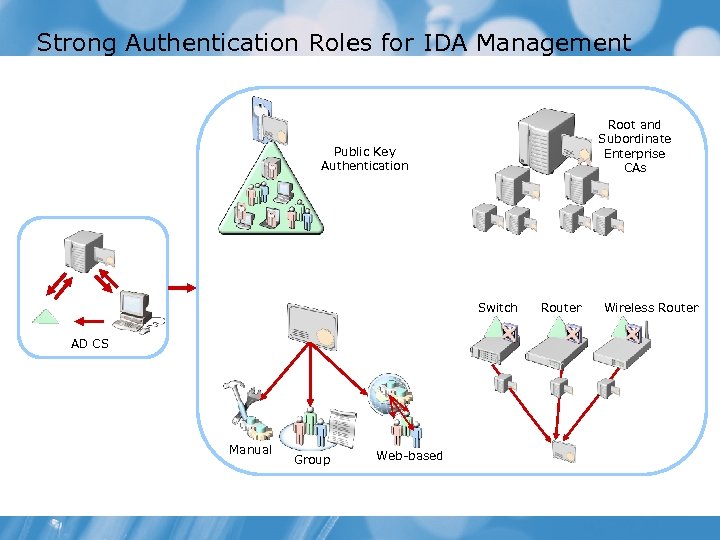
Strong Authentication Roles for IDA Management Root and Subordinate Enterprise CAs Public Key Authentication Switch AD CS Manual Group Web-based Router Wireless Router
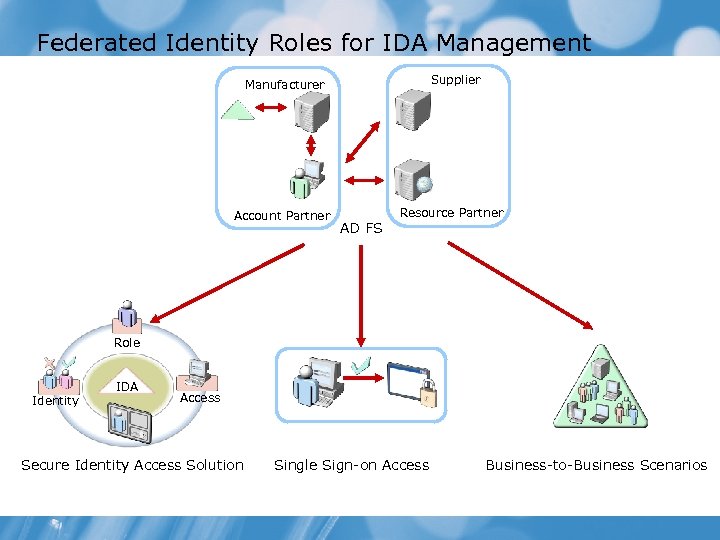
Federated Identity Roles for IDA Management Supplier Manufacturer Account Partner AD FS Resource Partner Role IDA Identity Access Secure Identity Access Solution Single Sign-on Access Business-to-Business Scenarios
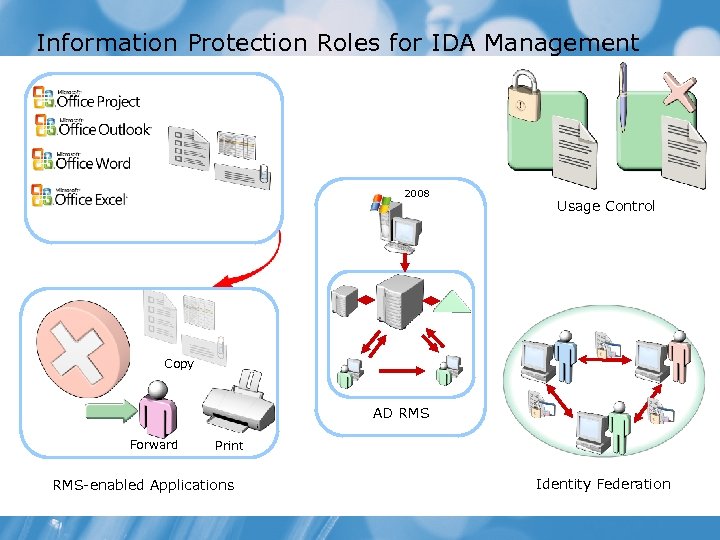
Information Protection Roles for IDA Management 2008 Usage Control Copy AD RMS Forward Print RMS-enabled Applications Identity Federation
Lesson 3: Overview of ILM 2007 • Components of ILM 2007 • Infrastructure Requirements for ILM 2007 • Identity Integration by Using MIIS • Identity Management Process by Using MIIS • Working of CLM 2007 • The Smart Card and Certificate Life Cycle
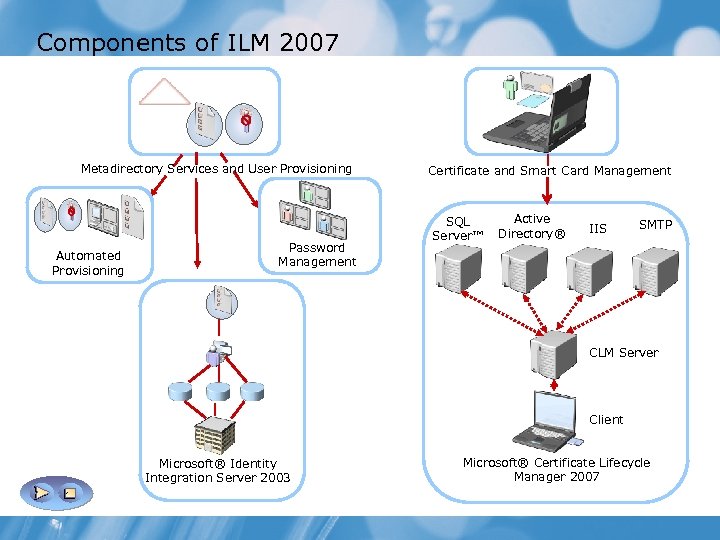
Components of ILM 2007 Metadirectory Services and User Provisioning Automated Provisioning Password Management Certificate and Smart Card Management SQL Server™ Active Directory® IIS SMTP CLM Server Client Microsoft® Identity Integration Server 2003 Microsoft® Certificate Lifecycle Manager 2007
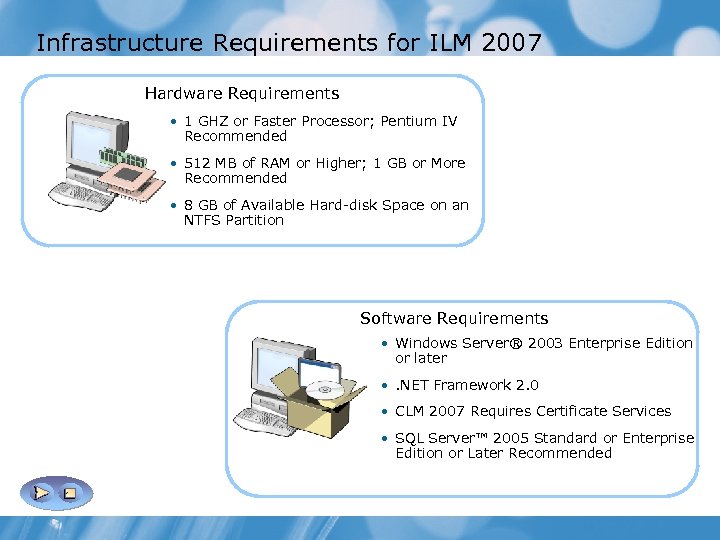
Infrastructure Requirements for ILM 2007 Hardware Requirements • 1 GHZ or Faster Processor; Pentium IV Recommended • 512 MB of RAM or Higher; 1 GB or More Recommended • 8 GB of Available Hard-disk Space on an NTFS Partition Software Requirements • Windows Server® 2003 Enterprise Edition or later • . NET Framework 2. 0 • CLM 2007 Requires Certificate Services • SQL Server™ 2005 Standard or Enterprise Edition or Later Recommended
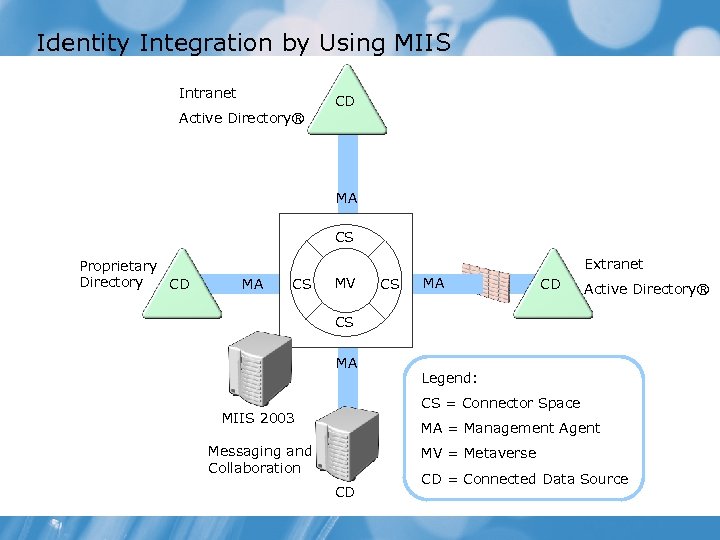
Identity Integration by Using MIIS Intranet Active Directory® CD MA CS Proprietary Directory CD Extranet MA CS MV CS MA CD Active Directory® CS MA Legend: CS = Connector Space MIIS 2003 MA = Management Agent Messaging and Collaboration MV = Metaverse CD CD = Connected Data Source
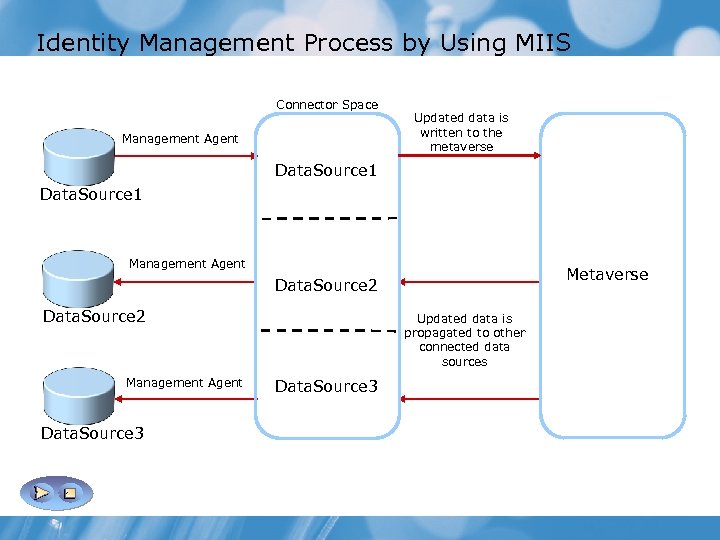
Identity Management Process by Using MIIS Connector Space Management Agent Updated data is written to the metaverse Data. Source 1 Management Agent Metaverse Data. Source 2 Management Agent Data. Source 3 Updated data is propagated to other connected data sources Data. Source 3
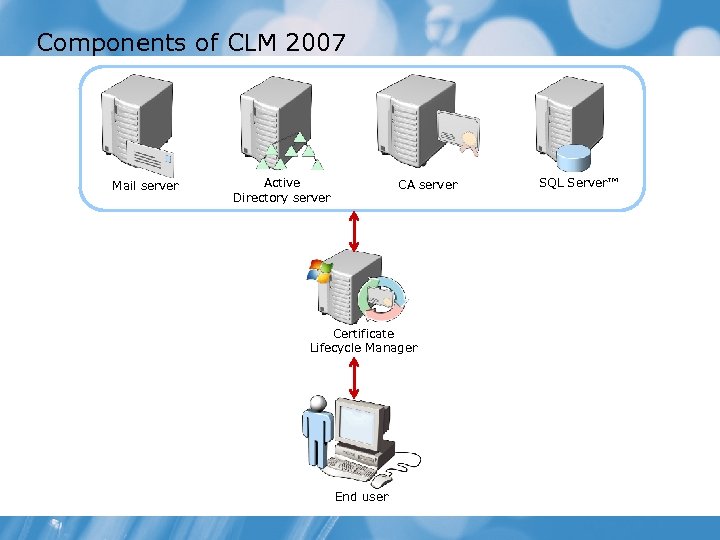
Components of CLM 2007 Mail server Active Directory server CA server Certificate Lifecycle Manager End user SQL Server™
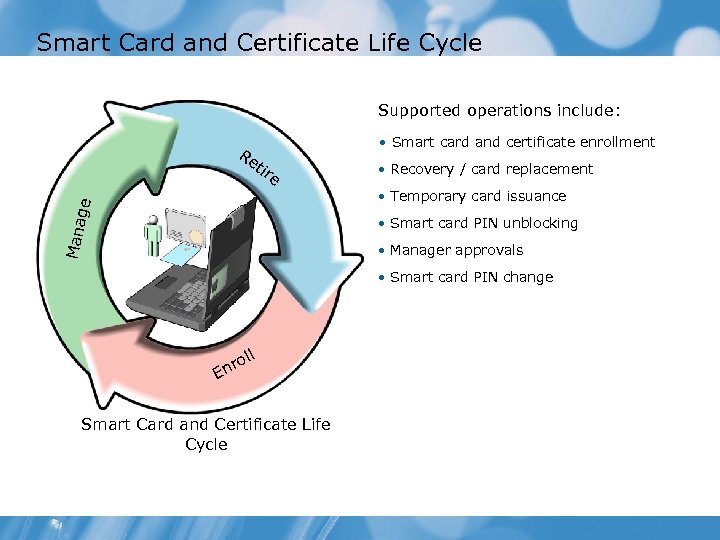
Smart Card and Certificate Life Cycle Supported operations include: • Smart card and certificate enrollment Re tir e • Recovery / card replacement Mana g e • Temporary card issuance • Smart card PIN unblocking • Manager approvals • Smart card PIN change ll o nr E Smart Card and Certificate Life Cycle
Lab 1: Exploring IDA Solutions • Exercise 1: Explore how Active Directory® Server Roles will provide IDA Management solutions Estimated time: 60 minutes
Lab Scenario • The students will identify the server roles needed to satisfy the objectives for North. Wind Traders and Contoso. North. Wind Traders has taken on a new business client, Contoso. North. Wind Traders must provide secure access to a web application and Share. Point®-hosted documents to specified entities at Contoso.
Lab Review Students have: • Created a functionality framework. • Taken decisions on creating server roles to achieve required identity and access management solutions. • Understood identity synchronization and user provisioning • Understood certificate management • Understood secure access across organizational boundaries • Understood secure access beyond usernames and passwords
Module Summary In this module, you have learned to: • Identify IDA Solutions • Identify Active Directory® Server Roles in IDA Management • Identify the ILM 2007
Скачать презентацию Configuring and Troubleshooting Identity and Access Solutions with
6fc7093d15e035c5b383a6eeda3c021d.ppt