 Скачать презентацию Configuration Management CM Source code control Versioning Build
8ea5ced5564b6c6cf388a7525222e031.ppt
- Количество слайдов: 34



Configuration Management (CM)* Source code control Versioning Build Management *Some of this material adapted from Ian Sommerville’s course notes, Ch. 29, and Wigerd, L. and Seiwald, 1998
Change Management Change happens! § Don’t get frustrated as to “why”, but understand that it will happen for a variety of reasons: • Sales uncovers a “can’t miss opportunity” if they just had one more feature • Customers and business analysts provide incomplete and ambiguous requirements • Technology foundation changes • …and a zillion other reasons Change Management processes identify what needs to be changed and who it impacts § We discuss at length in 416, for you what is important is that many source code files may change in response to one change event.
Configuration management (CM) The development & application of procedures & standards to manage an evolving software product New versions are created as software evolves § For different machines/OS § Offering different functionality § Tailored for particular user requirements CM is concerned with managing evolving software § Software change is a team activity § CM aims to control the costs and effort involved in making changes to a system § May be seen as part of more general quality and change management processes
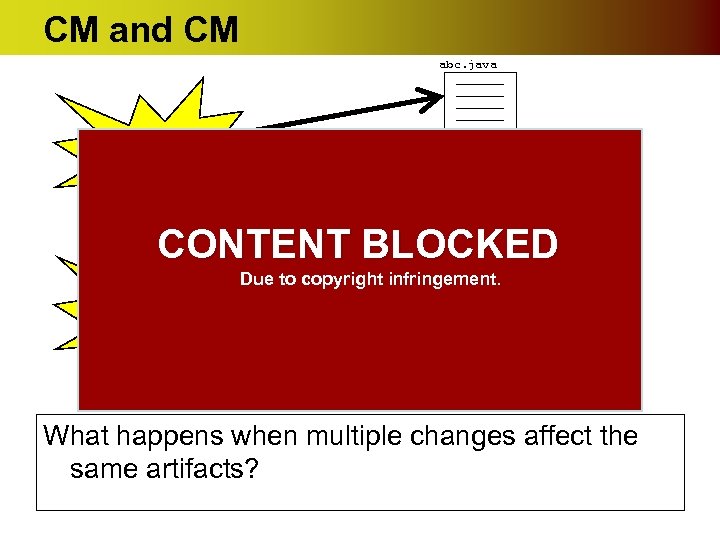
CM and CM abc. java CHANGE EVENT def. java CONTENT BLOCKED CHANGE EVENT Due to copyright infringement. xyz. java What happens when multiple changes affect the same artifacts?
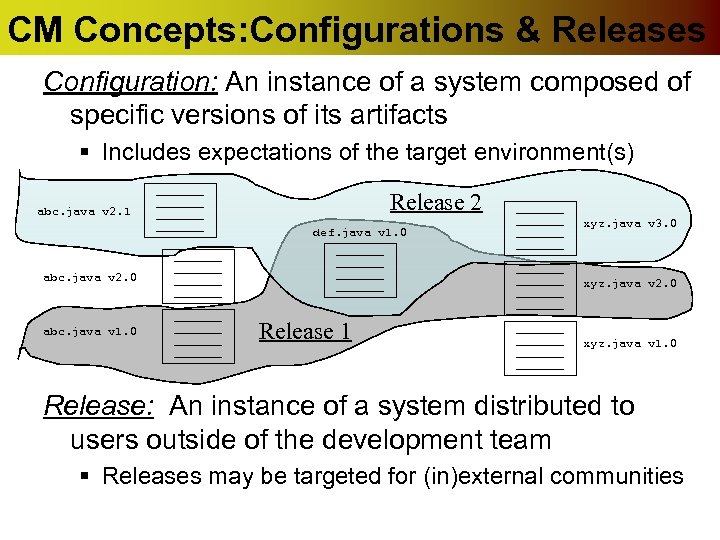
CM Concepts: Configurations & Releases Configuration: An instance of a system composed of specific versions of its artifacts § Includes expectations of the target environment(s) Release 2 abc. java v 2. 1 def. java v 1. 0 abc. java v 2. 0 abc. java v 1. 0 xyz. java v 3. 0 xyz. java v 2. 0 Release 1 xyz. java v 1. 0 Release: An instance of a system distributed to users outside of the development team § Releases may be targeted for (in)external communities
CM Concepts: Codelines & Branches Codelines define a trajectory for a collection of (source code) artifacts § You have a history § You have a notion of where it is going § You have a set of policies governing participation Branch - A branch is a named variant of a codeline. That is § a collection of software artifacts § Assigned a logical identifier § Whose purpose is to be either folded back into the main codeline, or maintained as a release.
CM Concepts: Workspace & Repository A source code control (SCC) repository is a shared file system of software artifacts (server-side) § Typically supported with client/server tools § Typically understands versions and variant semantics of the artifacts § Often provides some mechanism for assigning jobs to change control on software artifacts. Workspaces are local (client) repositories § Where developers build, test, & debug. § Developers must periodically synch with SCC repository
CM Tools A configuration management tool is one that manages the acceptable set of configurations targeted for different releases A source code control tool is a repository that manages the (source code) artifacts associated with a project An SCC repository is part of a larger CM system. CM also includes tools and processes for building deployable (executable) artifacts from the SCC repository.
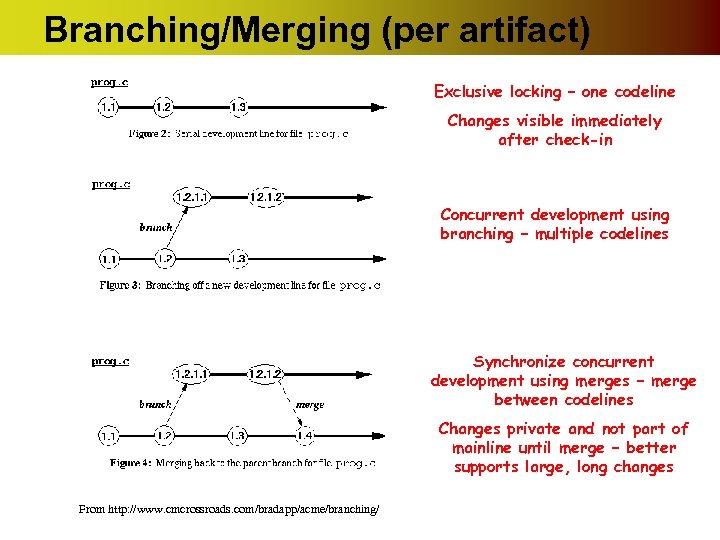
Branching/Merging (per artifact) Exclusive locking – one codeline Changes visible immediately after check-in Concurrent development using branching – multiple codelines Synchronize concurrent development using merges – merge between codelines Changes private and not part of mainline until merge – better supports large, long changes From http: //www. cmcrossroads. com/bradapp/acme/branching/
CM Best Practices Branching: Mainline model (yes) Promotion Model (NO!) CONTENT BLOCKED Due to copyright infringement. Branches: variants of the code artifacts. § § § Branch only when necessary. Don’t copy when you mean to branch. Branch on incompatible policy. Branch late. Branch, instead of freeze.
CM Best Practices* Codelines: § Give each codeline a policy. § Give each codeline an owner. § Have a mainline. CONTENT BLOCKED Change propagation: getting changes from one Due to copyright infringement. codeline to another. § Make original changes in the branch that has evolved the least since branching. § Propagate early and often. § Get the right person to do the merge. *Wingerd & Seiwald, 1998. See References
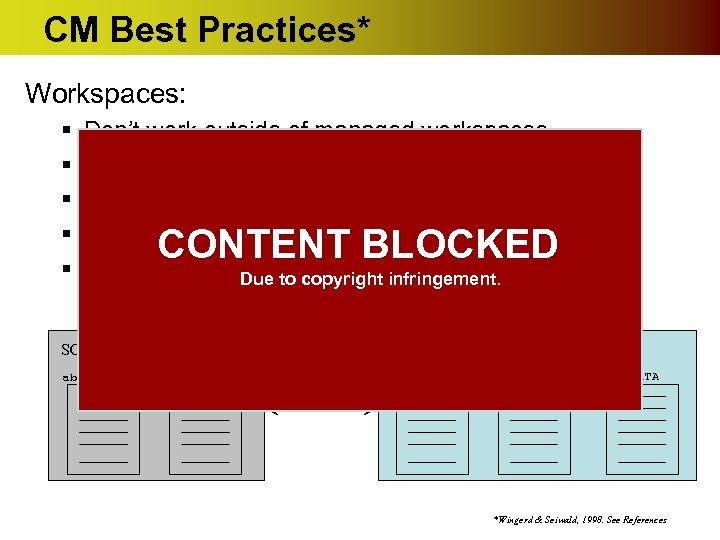
CM Best Practices* Workspaces: § § § Don’t work outside of managed workspaces Stay in sync with the codeline. Don’t share workspaces. Don’t use jello views. Check in often. Due to copyright infringement. CONTENT BLOCKED SCC Repository Local Repository abc. java def. java METADATA *Wingerd & Seiwald, 1998. See References
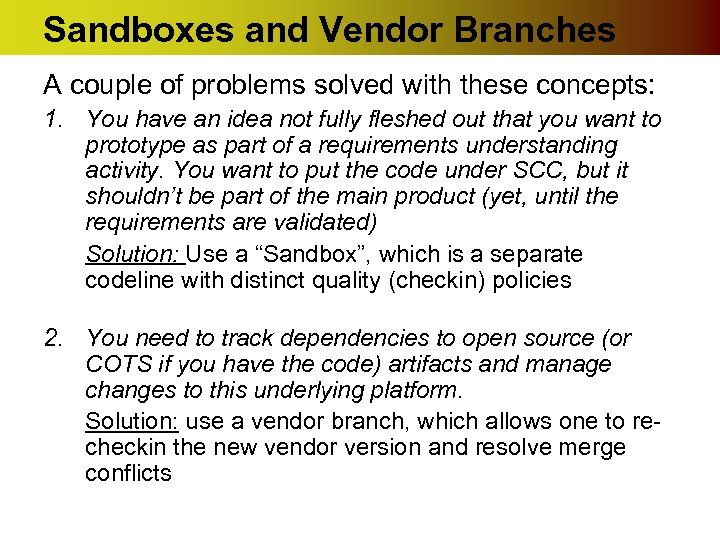
Sandboxes and Vendor Branches A couple of problems solved with these concepts: 1. You have an idea not fully fleshed out that you want to prototype as part of a requirements understanding activity. You want to put the code under SCC, but it shouldn’t be part of the main product (yet, until the requirements are validated) Solution: Use a “Sandbox”, which is a separate codeline with distinct quality (checkin) policies 2. You need to track dependencies to open source (or COTS if you have the code) artifacts and manage changes to this underlying platform. Solution: use a vendor branch, which allows one to recheckin the new vendor version and resolve merge conflicts
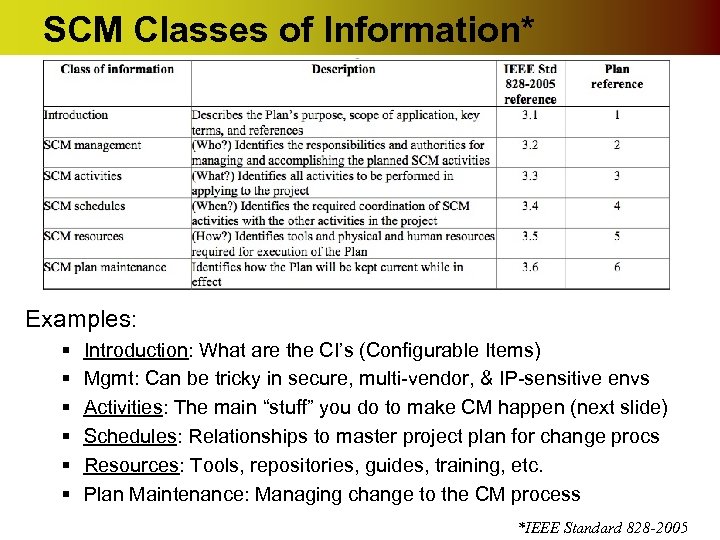
SCM Classes of Information* Examples: § § § Introduction: What are the CI’s (Configurable Items) Mgmt: Can be tricky in secure, multi-vendor, & IP-sensitive envs Activities: The main “stuff” you do to make CM happen (next slide) Schedules: Relationships to master project plan for change procs Resources: Tools, repositories, guides, training, etc. Plan Maintenance: Managing change to the CM process *IEEE Standard 828 -2005
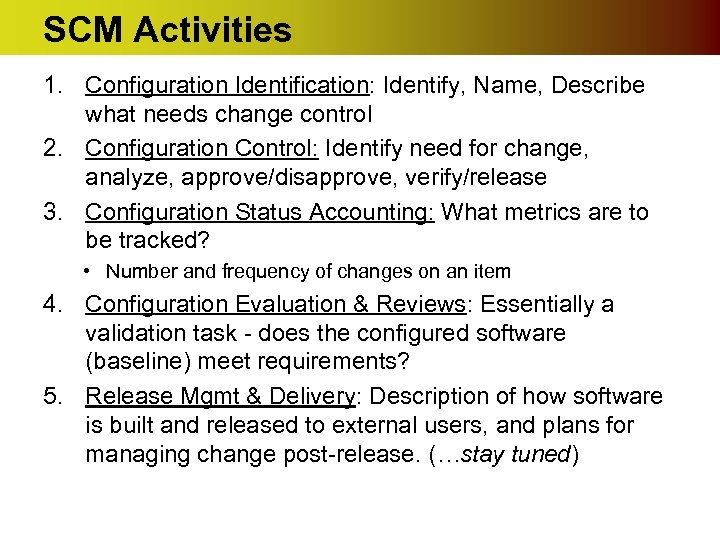
SCM Activities 1. Configuration Identification: Identify, Name, Describe what needs change control 2. Configuration Control: Identify need for change, analyze, approve/disapprove, verify/release 3. Configuration Status Accounting: What metrics are to be tracked? • Number and frequency of changes on an item 4. Configuration Evaluation & Reviews: Essentially a validation task - does the configured software (baseline) meet requirements? 5. Release Mgmt & Delivery: Description of how software is built and released to external users, and plans for managing change post-release. (…stay tuned)
Recommended Reading • Sommerville, Ian. Software Engineering, 7 th ed. , Chapter 29. Addison-Wesley, 2004. • Wingerd, L. and Seiwald, C. “High-level Best Practices in Software Configuration Management”, ECOOP 98, SCM 8, Springer-Verlag LNCS 1439, 1998. • Fogel, K. and Moshe, B. Open Source Development with CVS (3 rd ed. ) Available at http: //cvsbook. red-bean. com. • IEEE Standard 828 -2005, IEEE Standard for Software Configuration Management Plans • Software Engineering Body of Knowledge (SWEBOK), Chapter 7, Software Configuration Management, 2004
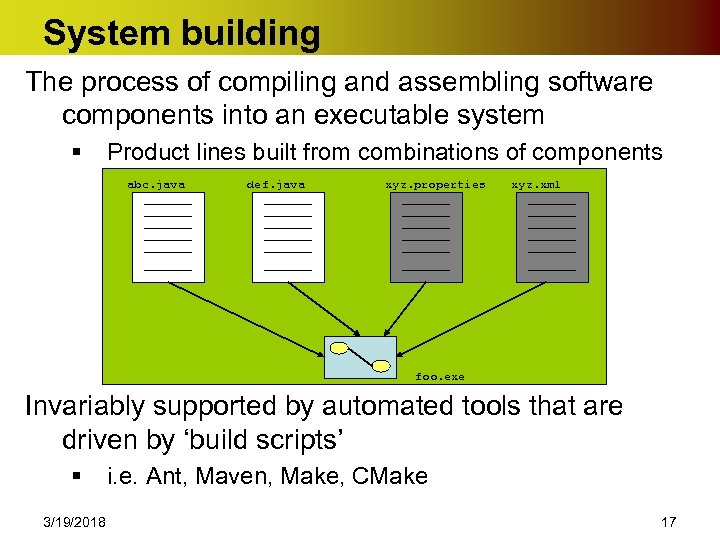
System building The process of compiling and assembling software components into an executable system § Product lines built from combinations of components abc. java def. java xyz. properties xyz. xml foo. exe Invariably supported by automated tools that are driven by ‘build scripts’ § 3/19/2018 i. e. Ant, Maven, Make, CMake 17
Example Build Issues Do build scripts include all required components? § When there are many hundreds of components making up a system, it is easy to miss one. This is normally detected by a build verification tool Is the appropriate component version specified? § A more significant problem. A system built with the wrong version may work initially but fail after delivery Are all configuration files available? These and 1000+ other things can make the process go bad 3/19/2018 18
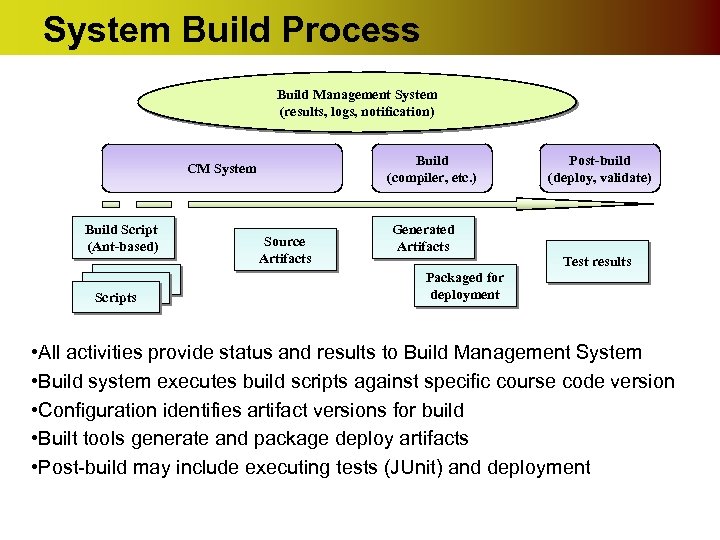
System Build Process Build Management System (results, logs, notification) Build (compiler, etc. ) CM System Build Script (Ant-based) Scripts Source Artifacts Post-build (deploy, validate) Generated Artifacts Test results Packaged for deployment • All activities provide status and results to Build Management System • Build system executes build scripts against specific course code version • Configuration identifies artifact versions for build • Built tools generate and package deploy artifacts • Post-build may include executing tests (JUnit) and deployment
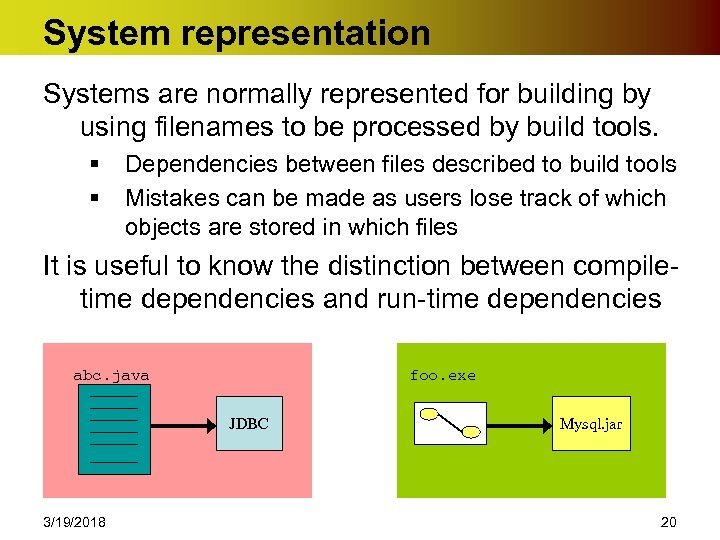
System representation Systems are normally represented for building by using filenames to be processed by build tools. § § Dependencies between files described to build tools Mistakes can be made as users lose track of which objects are stored in which files It is useful to know the distinction between compiletime dependencies and run-time dependencies abc. java foo. exe JDBC 3/19/2018 Mysql. jar 20
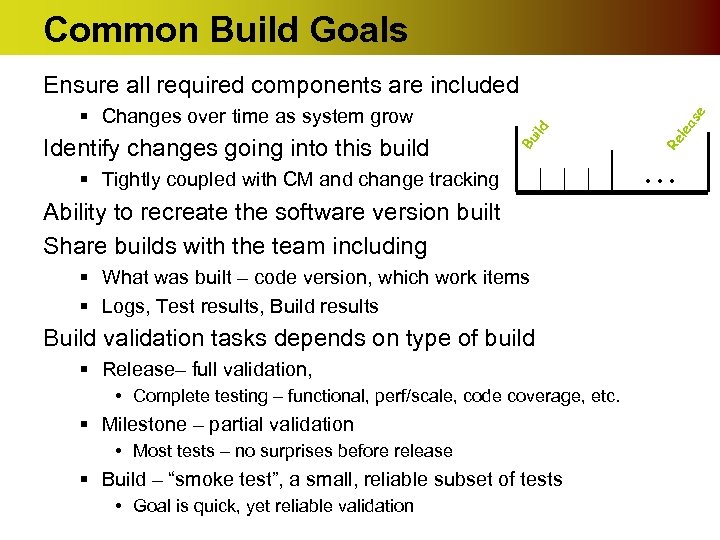
Common Build Goals § Tightly coupled with CM and change tracking Ability to recreate the software version built Share builds with the team including § What was built – code version, which work items § Logs, Test results, Build results Build validation tasks depends on type of build § Release– full validation, • Complete testing – functional, perf/scale, code coverage, etc. § Milestone – partial validation • Most tests – no surprises before release § Build – “smoke test”, a small, reliable subset of tests • Goal is quick, yet reliable validation as le Re ild Identify changes going into this build Bu § Changes over time as system grow e Ensure all required components are included . . .
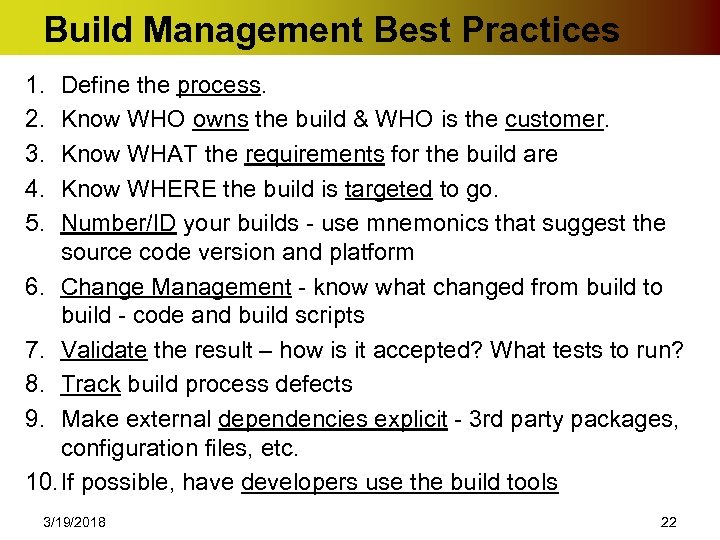
Build Management Best Practices 1. 2. 3. 4. 5. Define the process. Know WHO owns the build & WHO is the customer. Know WHAT the requirements for the build are Know WHERE the build is targeted to go. Number/ID your builds - use mnemonics that suggest the source code version and platform 6. Change Management - know what changed from build to build - code and build scripts 7. Validate the result – how is it accepted? What tests to run? 8. Track build process defects 9. Make external dependencies explicit - 3 rd party packages, configuration files, etc. 10. If possible, have developers use the build tools 3/19/2018 22
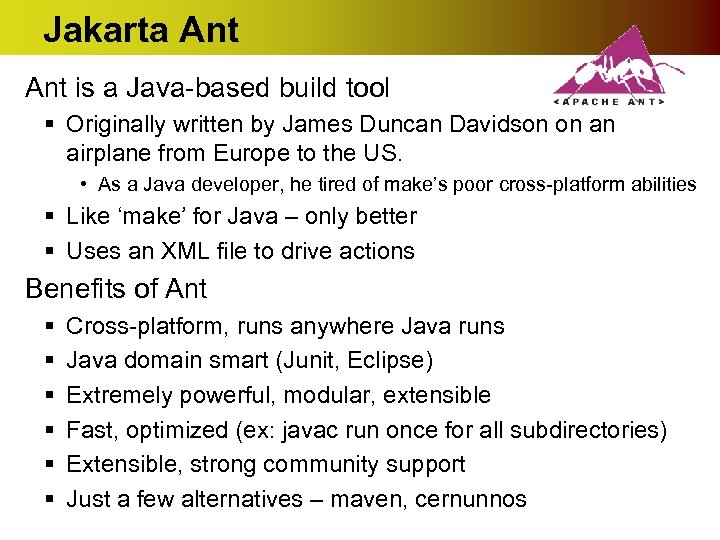
Jakarta Ant is a Java-based build tool § Originally written by James Duncan Davidson on an airplane from Europe to the US. • As a Java developer, he tired of make’s poor cross-platform abilities § Like ‘make’ for Java – only better § Uses an XML file to drive actions Benefits of Ant § § § Cross-platform, runs anywhere Java runs Java domain smart (Junit, Eclipse) Extremely powerful, modular, extensible Fast, optimized (ex: javac run once for all subdirectories) Extensible, strong community support Just a few alternatives – maven, cernunnos
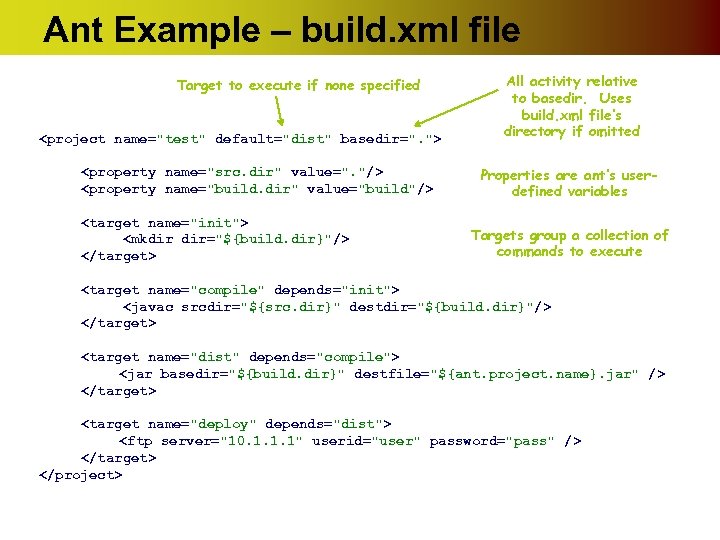
Ant Example – build. xml file Target to execute if none specified <project name="test" default="dist" basedir=". "> <property name="src. dir" value=". "/> <property name="build. dir" value="build"/> <target name="init"> <mkdir dir="${build. dir}"/> </target> All activity relative to basedir. Uses build. xml file’s directory if omitted Properties are ant’s userdefined variables Targets group a collection of commands to execute <target name="compile" depends="init"> <javac srcdir="${src. dir}" destdir="${build. dir}"/> </target> <target name="dist" depends="compile"> <jar basedir="${build. dir}" destfile="${ant. project. name}. jar" /> </target> <target name="deploy" depends="dist"> <ftp server="10. 1. 1. 1" userid="user" password="pass" /> </target> </project>
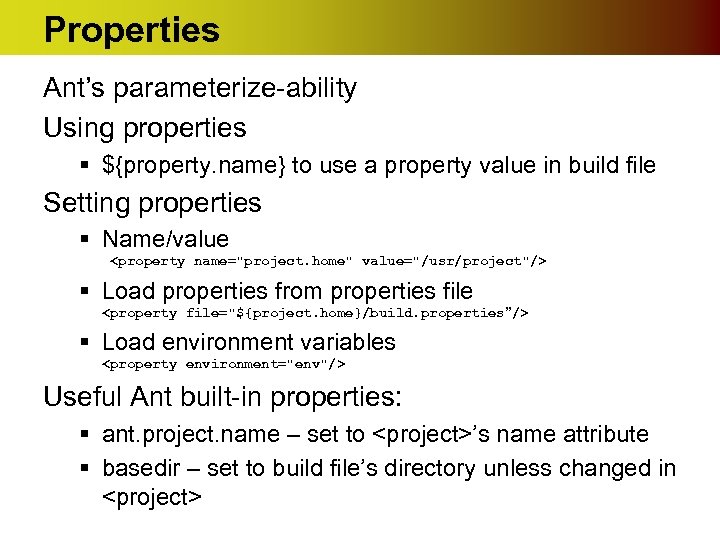
Properties Ant’s parameterize-ability Using properties § ${property. name} to use a property value in build file Setting properties § Name/value <property name="project. home" value="/usr/project"/> § Load properties from properties file <property file="${project. home}/build. properties”/> § Load environment variables <property environment="env"/> Useful Ant built-in properties: § ant. project. name – set to <project>’s name attribute § basedir – set to build file’s directory unless changed in <project>
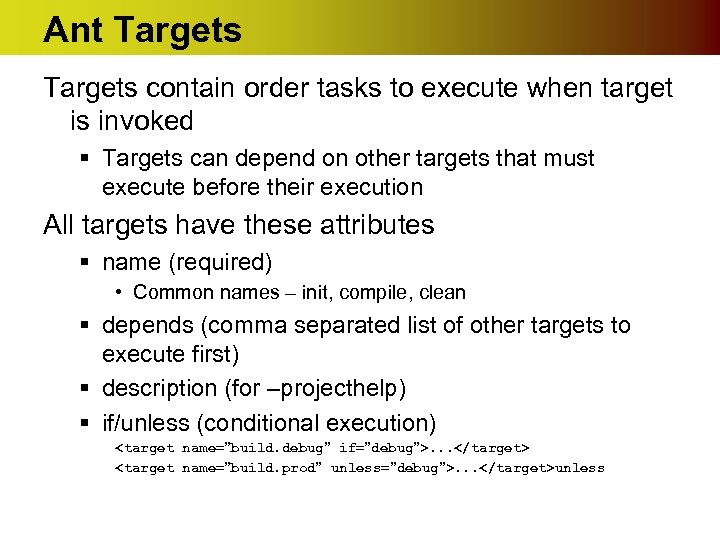
Ant Targets contain order tasks to execute when target is invoked § Targets can depend on other targets that must execute before their execution All targets have these attributes § name (required) • Common names – init, compile, clean § depends (comma separated list of other targets to execute first) § description (for –projecthelp) § if/unless (conditional execution) <target name=”build. debug” if=”debug”>. . . </target> <target name=”build. prod” unless=”debug”>. . . </target>unless
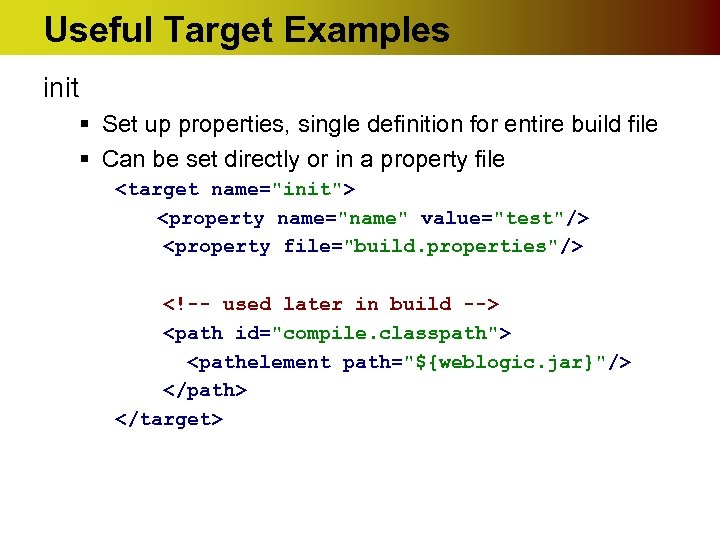
Useful Target Examples init § Set up properties, single definition for entire build file § Can be set directly or in a property file <target name="init"> <property name="name" value="test"/> <property file="build. properties"/> <!-- used later in build --> <path id="compile. classpath"> <pathelement path="${weblogic. jar}"/> </path> </target>
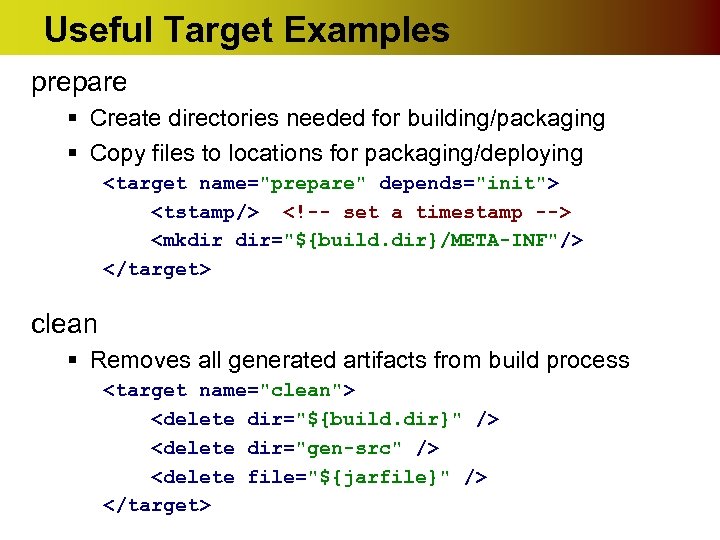
Useful Target Examples prepare § Create directories needed for building/packaging § Copy files to locations for packaging/deploying <target name="prepare" depends="init"> <tstamp/> <!-- set a timestamp --> <mkdir dir="${build. dir}/META-INF"/> </target> clean § Removes all generated artifacts from build process <target name="clean"> <delete dir="${build. dir}" /> <delete dir="gen-src" /> <delete file="${jarfile}" /> </target>
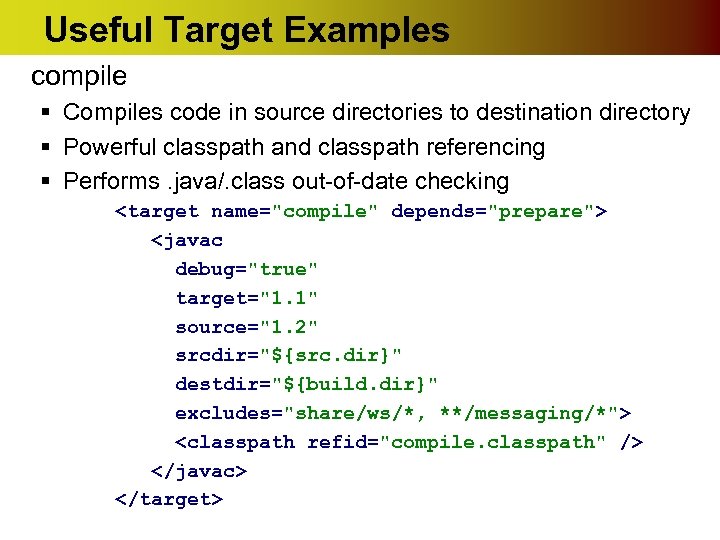
Useful Target Examples compile § Compiles code in source directories to destination directory § Powerful classpath and classpath referencing § Performs. java/. class out-of-date checking <target name="compile" depends="prepare"> <javac debug="true" target="1. 1" source="1. 2" srcdir="${src. dir}" destdir="${build. dir}" excludes="share/ws/*, **/messaging/*"> <classpath refid="compile. classpath" /> </javac> </target>
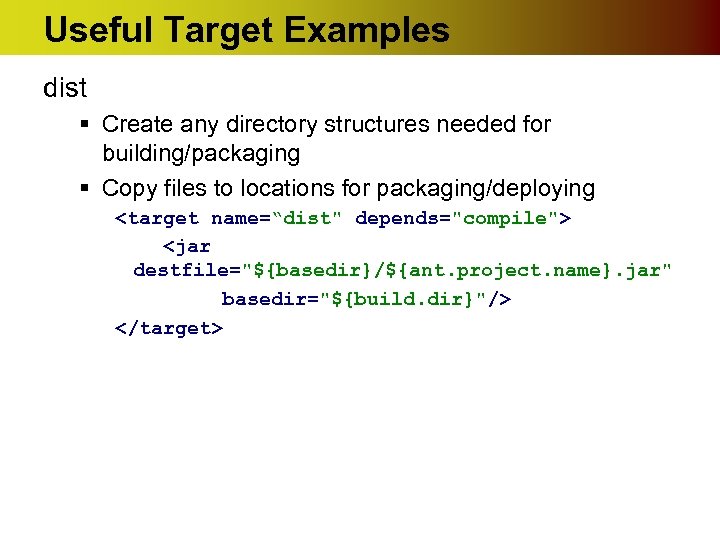
Useful Target Examples dist § Create any directory structures needed for building/packaging § Copy files to locations for packaging/deploying <target name=“dist" depends="compile"> <jar destfile="${basedir}/${ant. project. name}. jar" basedir="${build. dir}"/> </target>
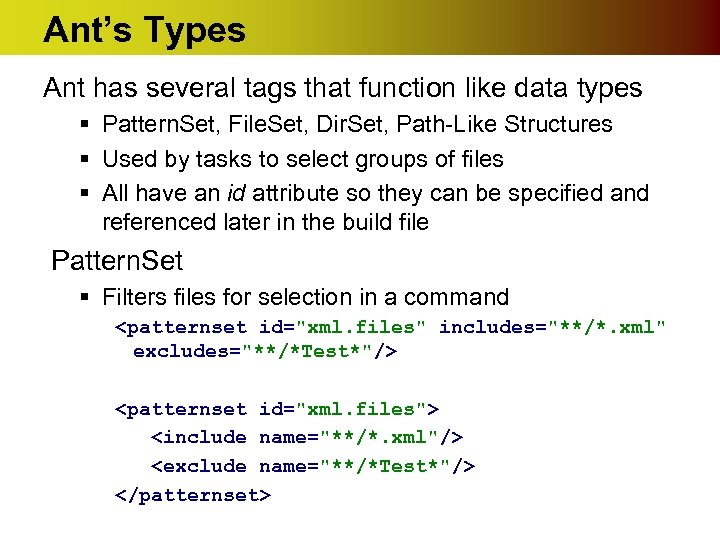
Ant’s Types Ant has several tags that function like data types § Pattern. Set, File. Set, Dir. Set, Path-Like Structures § Used by tasks to select groups of files § All have an id attribute so they can be specified and referenced later in the build file Pattern. Set § Filters files for selection in a command <patternset id="xml. files" includes="**/*. xml" excludes="**/*Test*"/> <patternset id="xml. files"> <include name="**/*. xml"/> <exclude name="**/*Test*"/> </patternset>
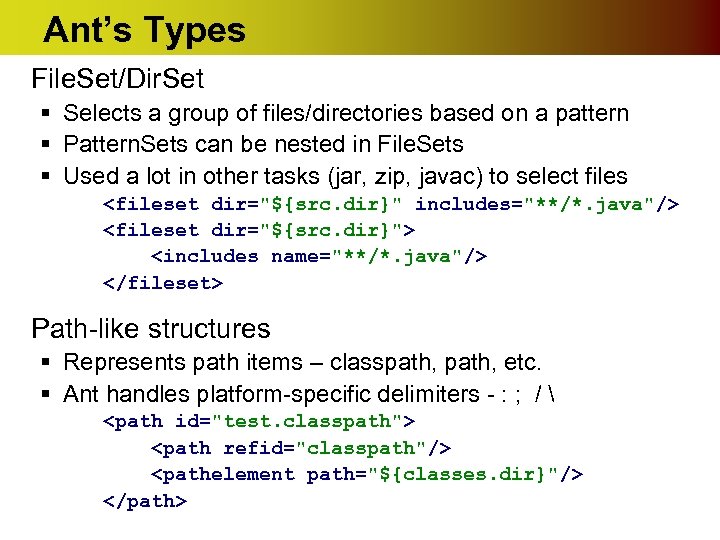
Ant’s Types File. Set/Dir. Set § Selects a group of files/directories based on a pattern § Pattern. Sets can be nested in File. Sets § Used a lot in other tasks (jar, zip, javac) to select files <fileset dir="${src. dir}" includes="**/*. java"/> <fileset dir="${src. dir}"> <includes name="**/*. java"/> </fileset> Path-like structures § Represents path items – classpath, etc. § Ant handles platform-specific delimiters - : ; / <path id="test. classpath"> <path refid="classpath"/> <pathelement path="${classes. dir}"/> </path>
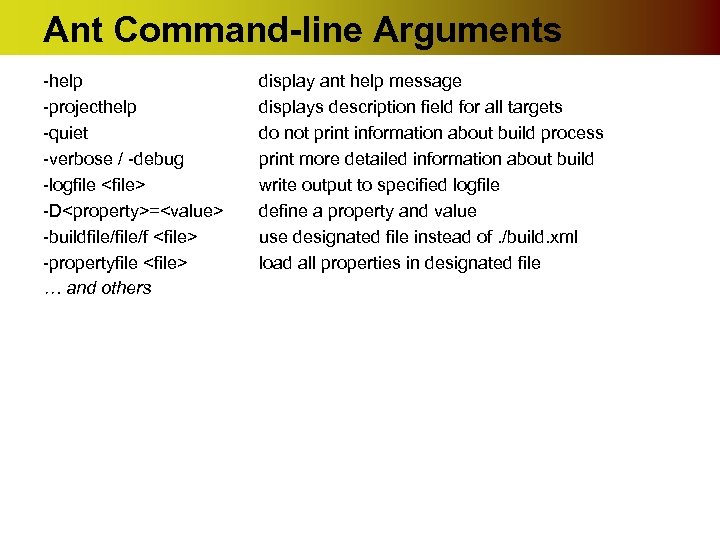
Ant Command-line Arguments -help -projecthelp -quiet -verbose / -debug -logfile <file> -D<property>=<value> -buildfile/f <file> -propertyfile <file> … and others display ant help message displays description field for all targets do not print information about build process print more detailed information about build write output to specified logfile define a property and value use designated file instead of. /build. xml load all properties in designated file
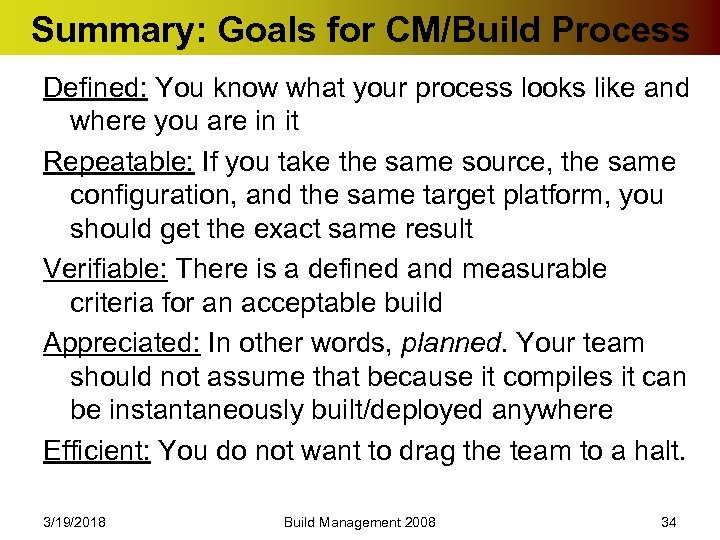
Summary: Goals for CM/Build Process Defined: You know what your process looks like and where you are in it Repeatable: If you take the same source, the same configuration, and the same target platform, you should get the exact same result Verifiable: There is a defined and measurable criteria for an acceptable build Appreciated: In other words, planned. Your team should not assume that because it compiles it can be instantaneously built/deployed anywhere Efficient: You do not want to drag the team to a halt. 3/19/2018 Build Management 2008 34
Скачать презентацию Configuration Management CM Source code control Versioning Build
8ea5ced5564b6c6cf388a7525222e031.ppt