


 Скачать презентацию Condor Administration Alan De Smet Computer
37914cd349697626bf3b8f5b8ea4a81a.ppt
- Количество слайдов: 187
 Condor Administration › Alan De Smet › Computer Sciences › › Department University of Wisconsin. Madison condor-admin@cs. wisc. edu
 Outline › Condor Daemons h. Job Startup › Configuration › Files Policy Expressions h. Startd (Machine) h. Negotiator › › Priorities Security Administration Installation h“Full Installation” › Other Sources www. cs. wisc. edu/condor 2
 Condor Daemons www. cs. wisc. edu/condor 3
 Condor Daemons › condor_master - controls everything else › condor_startd - executing jobs hcondor_starter - helper for starting jobs › condor_schedd - submitting jobs hcondor_shadow - submit-side helper www. cs. wisc. edu/condor 4
 Condor Daemons › condor_collector - Collects system information; only on Central Manager › condor_negotiator - Assigns jobs to machines; only on Central Manager › You only have to run the daemons for the services you want to provide www. cs. wisc. edu/condor 5
 condor_master › Starts up all other Condor daemons › If a daemon exits unexpectedly, › restarts deamon and emails administrator If a daemon binary is updated (timestamp changed), restarts the daemon www. cs. wisc. edu/condor 6
 condor_master › Provides access to many remote administration commands: hcondor_reconfig, condor_restart, condor_off, condor_on, etc. › Default server for many other commands: hcondor_config_val, etc. www. cs. wisc. edu/condor 7
 condor_master › Periodically runs condor_preen to clean up any files Condor might have left on the machine h. Backup behavior, the rest of the daemons clean up after themselves, as well www. cs. wisc. edu/condor 8
 condor_startd › Represents a machine to the Condor › › pool Should be run on any machine you want to run jobs Enforces the wishes of the machine owner (the owner’s “policy”) www. cs. wisc. edu/condor 9
 condor_startd › Starts, stops, suspends jobs › Spawns the appropriate › condor_starter, depending on the type of job Provides other administrative commands (for example, condor_vacate) www. cs. wisc. edu/condor 10
 condor_starter › Spawned by the condor_startd to handle all the details of starting and managing the job h. Transfer job’s binary to execute machine h. Send back exit status h. Etc. www. cs. wisc. edu/condor 11
 condor_starter › On multi-processor machines, you get one condor_starter per CPU h. Actually one per running job h. Can configure to run more (or less) jobs than CPUs › For PVM jobs, the starter also spawns a PVM daemon (condor_pvmd) www. cs. wisc. edu/condor 12
 condor_schedd › Represents jobs to the Condor pool › Maintains persistent queue of jobs h. Queue is not strictly FIFO (priority based) h. Each machine running condor_schedd maintains its own queue www. cs. wisc. edu/condor 13
 condor_schedd › Responsible for contacting available machines and spawning waiting jobs h. When told to by condor_negotiator › Should be run on any machine you › want to submit jobs from Services most user commands: hcondor_submit, condor_rm, condor_q www. cs. wisc. edu/condor 14
 condor_shadow › Represents job on the submit machine › Services requests from standard universe jobs for remote system calls hincluding all file I/O › Makes decisions on behalf of the job hfor example: where to store the checkpoint file www. cs. wisc. edu/condor 15
 condor_shadow Impact › One condor_shadow running on › submit machine for each actively running Condor job Minimal load on submit machine h. Usually blocked waiting for requests from the job or doing I/O h. Relatively small memory footprint www. cs. wisc. edu/condor 16
 Limiting condor_shadow › Still, you can limit the impact of the shadows on a given submit machine: h. They can be started by Condor with a “nice-level” that you configure (SHADOW_RENICE_INCREMENT) h. Can limit total number of shadows running on a machine (MAX_JOBS_RUNNING) www. cs. wisc. edu/condor 17
 condor_collector › Collects information from all other › › Condor daemons in the pool Each daemon sends a periodic update called a Class. Ad to the collector Services queries for information: h. Queries from other Condor daemons h. Queries from users (condor_status) www. cs. wisc. edu/condor 18
 condor_negotiator › Performs matchmaking in Condor h. Pulls list of available machines and job queues from condor_collector h. Matches jobs with available machines h. Both the job and the machine must satisfy each other’s requirements (2 -way matching) › Handles user priorities www. cs. wisc. edu/condor 19
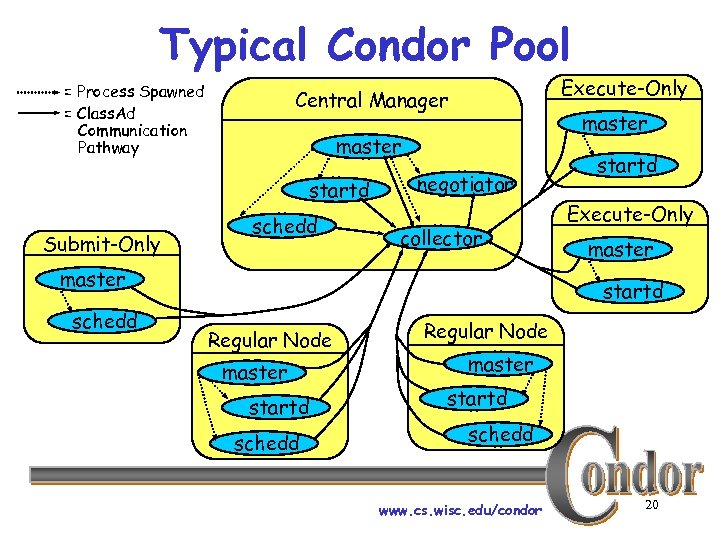 Typical Condor Pool = Process Spawned = Class. Ad Communication Pathway master startd Submit-Only Execute-Only Central Manager schedd negotiator collector master schedd startd Execute-Only master startd Regular Node master startd schedd www. cs. wisc. edu/condor 20
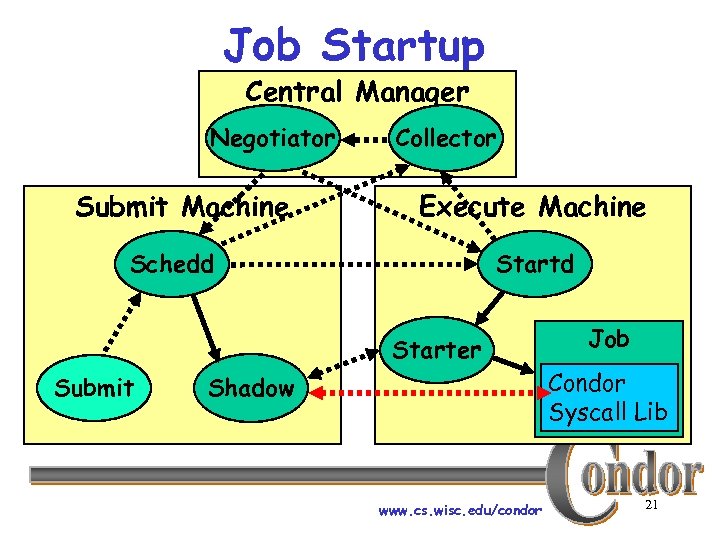 Job Startup Central Manager Negotiator Submit Machine Collector Execute Machine Schedd Starter Submit Shadow www. cs. wisc. edu/condor Job Condor Syscall Lib 21
 Configuration Files www. cs. wisc. edu/condor 22
 Configuration Files › Multiple files concatenated h. Definitions in later files overwrite previous definitions › Order of files: h. Global config file h. Local config files, shared config files h. Global and Local Root config file www. cs. wisc. edu/condor 23
 Global Config File › Found either in file pointed to with the CONDOR_CONFIG environment variable, /etc/condor_config, or ~condor/condor_config › Most settings can be in this file › Only works as a global file if it is on a shared file system www. cs. wisc. edu/condor 24
 Other Shared Files › LOCAL_CONFIG_FILE macro h. Comma separated, processed in order › You can configure a number of other shared config files: h. Organize common settings (for example, all policy expressions) hplatform-specific config files www. cs. wisc. edu/condor 25
 Local Config File › LOCAL_CONFIG_FILE macro (again) h. Usually uses $(HOSTNAME) › Machine-specific settings hlocal policy settings for a given owner hdifferent daemons to run (for example, on the Central Manager!) www. cs. wisc. edu/condor 26
 Local Config File › Can be on local disk of each machine /var/adm/condor_config. local › Can be in a shared directory /shared/condor_config. $(HOSTNAME) /shared/condor/hosts/$(HOSTNAME)/ condor_config. local www. cs. wisc. edu/condor 27
 Root Config File (optional) › Always processed last › Allows root to specify settings which cannot be changed by other users h For example, the path to Condor daemons › Useful if daemons are started as root but someone else has write access to config files www. cs. wisc. edu/condor 28
 Root Config File (optional) › /etc/condor_config. root or ~condor/condor_config. root › Then loads any files specified in ROOT_CONFIG_FILE_LOCAL www. cs. wisc. edu/condor 29
 Configuration File Syntax › # at start of line is a comment hnot allowed in names, confuses Condor. › at the end of line is a linecontinuation h. Both lines are treated as one big entry h. Works in comments! › Names are case insensitive h. Values are case sensitive www. cs. wisc. edu/condor 30
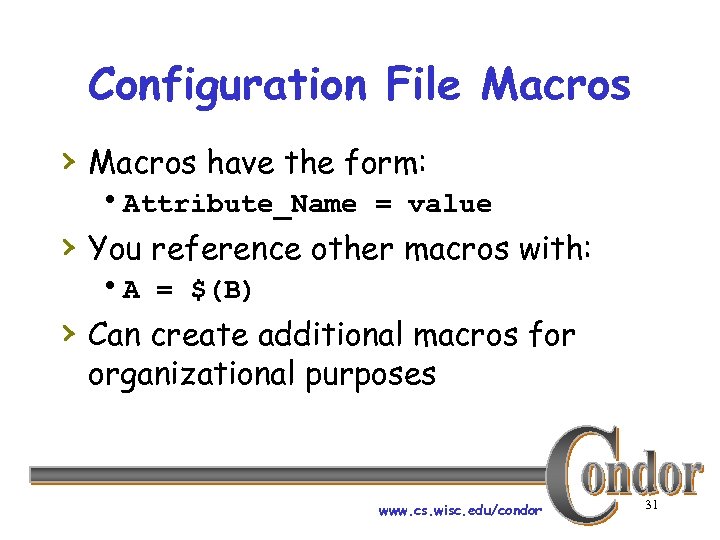 Configuration File Macros › Macros have the form: h. Attribute_Name = value › You reference other macros with: h. A = $(B) › Can create additional macros for organizational purposes www. cs. wisc. edu/condor 31
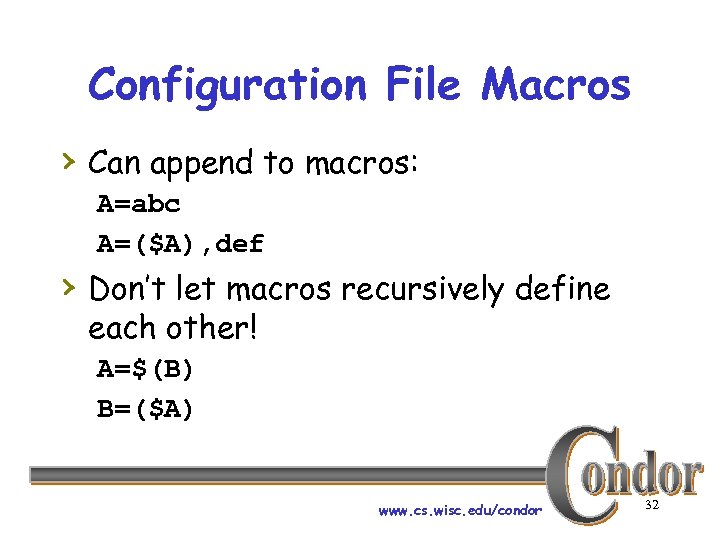 Configuration File Macros › Can append to macros: A=abc A=($A), def › Don’t let macros recursively define each other! A=$(B) B=($A) www. cs. wisc. edu/condor 32
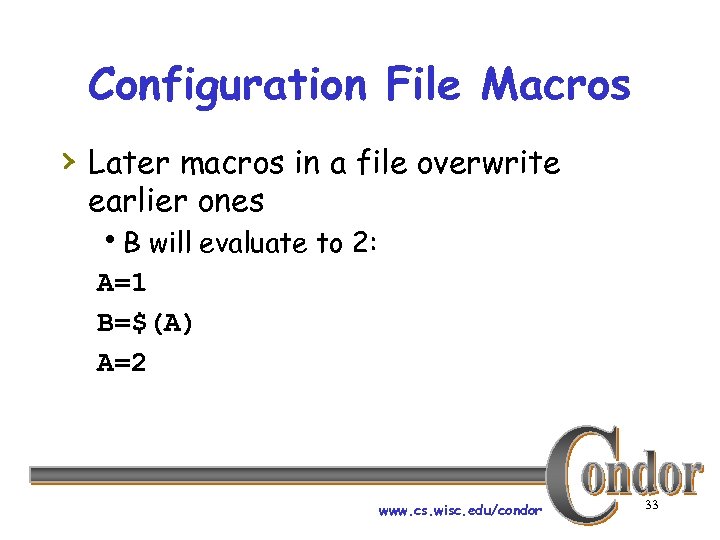 Configuration File Macros › Later macros in a file overwrite earlier ones h. B will evaluate to 2: A=1 B=$(A) A=2 www. cs. wisc. edu/condor 33
 Class. Ads › Set of key-value pairs › Can be matched against each other h. Requirements and Rank › This is old Class. Ads h. New, more expressive Class. Ads exist • Not yet used in Condor www. cs. wisc. edu/condor 34
 Class. Ad Expressions › Some configuration file macros specify expressions for the Machine’s Class. Ad h. Notably START, RANK, SUSPEND, CONTINUE, PREEMPT, KILL › Can contain a mixture of macros and › Class. Ad references Notable: UNDEFINED, ERROR www. cs. wisc. edu/condor 35
 Class. Ad Expressions › +, -, *, /, <, <=, >, >=, ==, !=, &&, and || all › work as expected TRUE==1 and FALSE==0 (guaranteed) www. cs. wisc. edu/condor 36
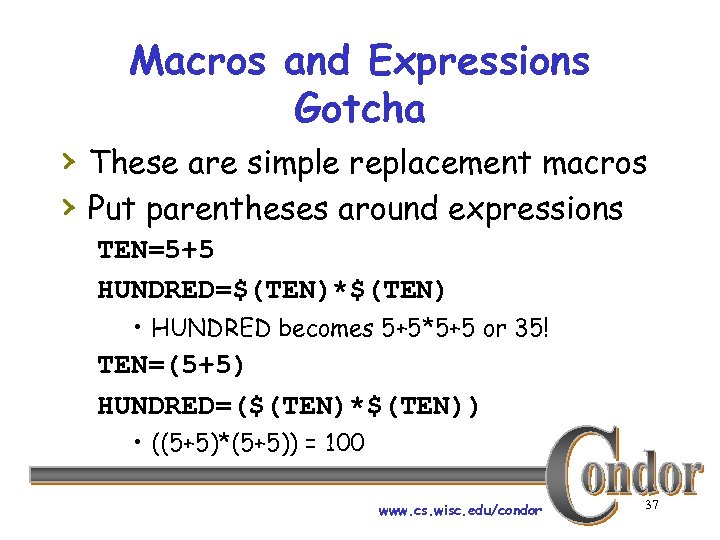 Macros and Expressions Gotcha › These are simple replacement macros › Put parentheses around expressions TEN=5+5 HUNDRED=$(TEN)*$(TEN) • HUNDRED becomes 5+5*5+5 or 35! TEN=(5+5) HUNDRED=($(TEN)*$(TEN)) • ((5+5)*(5+5)) = 100 www. cs. wisc. edu/condor 37
 Class. Ad Expressions: UNDEFINED and ERROR › Special values › Passed through most operators h. Anything == UNDEFINED is UNDEFINED › && and || eliminate if possible. h. UNDEFINED && FALSE is FALSE h. UNDEFINED && TRUE is UNDEFINED www. cs. wisc. edu/condor 38
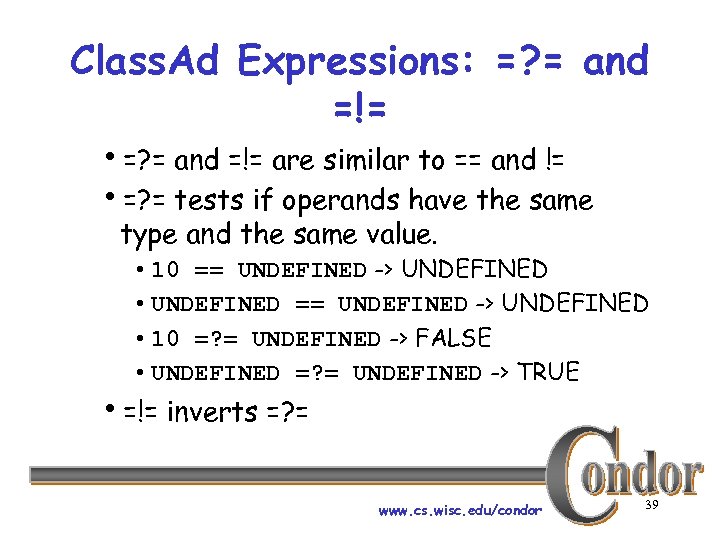 Class. Ad Expressions: =? = and =!= h=? = and =!= are similar to == and != h=? = tests if operands have the same type and the same value. • 10 == UNDEFINED -> UNDEFINED • UNDEFINED == UNDEFINED -> UNDEFINED • 10 =? = UNDEFINED -> FALSE • UNDEFINED =? = UNDEFINED -> TRUE h=!= inverts =? = www. cs. wisc. edu/condor 39
 Class. Ad Expressions › Further information: Section 4. 1, “Condor's Class. Ad Mechanism, ” in the Condor Manual. www. cs. wisc. edu/condor 40
 Policy Expressions www. cs. wisc. edu/condor 41
 Policy Expressions › Allow machine owners to specify job priorities, restrict access, and implement local policies www. cs. wisc. edu/condor 42
 Policy Expressions › Specified in condor_config › Policy evaluates both a machine Class. Ad and a job Class. Ad together h. Policy can reference items in either Class. Ad (See manual for list) › Can reference condor_config macros: $(MACRONAME) www. cs. wisc. edu/condor 43
 Machine (Startd) Policy Expression Summary › START – When is this machine willing to start a job h. Typically used to restrict access when the machine is being used directly › RANK - Job preferences www. cs. wisc. edu/condor 44
 Machine (Startd) Policy Expression Summary › SUSPEND - When to suspend a job › CONTINUE - When to continue a › › suspended job PREEMPT – When to nicely stop running a job KILL - When to immediately kill a preempting job www. cs. wisc. edu/condor 45
 START › START is the primary policy › When FALSE the machine enters the › Owner state and will not run jobs Acts as the Requirements expression for the machine, the job must satisfy START h. Can reference job Class. Ad values including Owner and Image. Size www. cs. wisc. edu/condor 46
 RANK › Indicates which jobs a machine prefers h. Jobs can also specify a rank › Floating point number h. Larger numbers are higher ranked h. Typically evaluate attributes in the Job Class. Ad h. Typically use + instead of && www. cs. wisc. edu/condor 47
 RANK › Often used to give priority to owner › of a particular group of machines Claimed machines still advertise looking for higher ranked job to preemp thet current job www. cs. wisc. edu/condor 48
 SUSPEND and CONTINUE › When SUSPEND becomes true, the › job is suspended When CONTINUE becomes true a suspended job is released www. cs. wisc. edu/condor 49
 PREEMPT and KILL › When PREEMPT becomes true, the job will be politely shut down h. Vanilla universejobs get SIGTERM h. Standard universe jobs checkpoint › When KILL becomes true, the job is SIGKILL h. Checkpointing is aborted if started www. cs. wisc. edu/condor 50
 WANT_SUSPEND and WANT_VACATE › Typically leave both to TRUE › WANT_SUSPEND - If false, skip › SUSPEND test, jump to PREEMPT WANT_VACATE h. If true, gives job time to vacate cleanly (until KILL becomes true) h. If false, job is immediately killed (KILL is ignored) www. cs. wisc. edu/condor 51
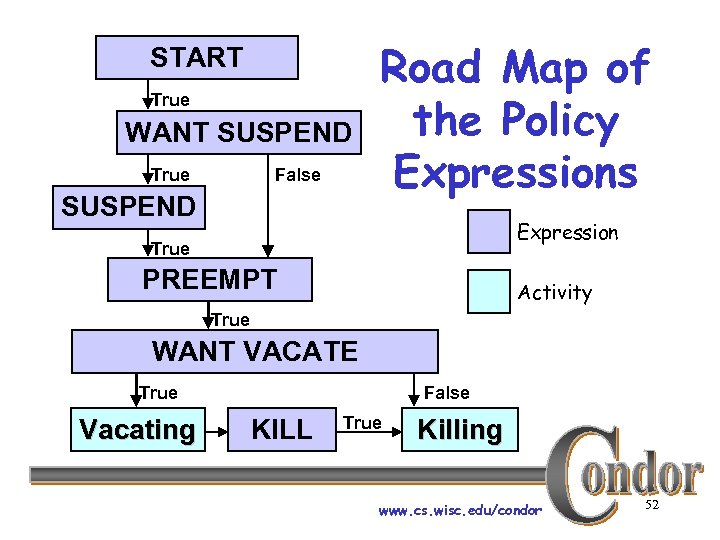 START True WANT SUSPEND False True SUSPEND Road Map of the Policy Expressions Expression True PREEMPT Activity True WANT VACATE False True Vacating KILL True Killing www. cs. wisc. edu/condor 52
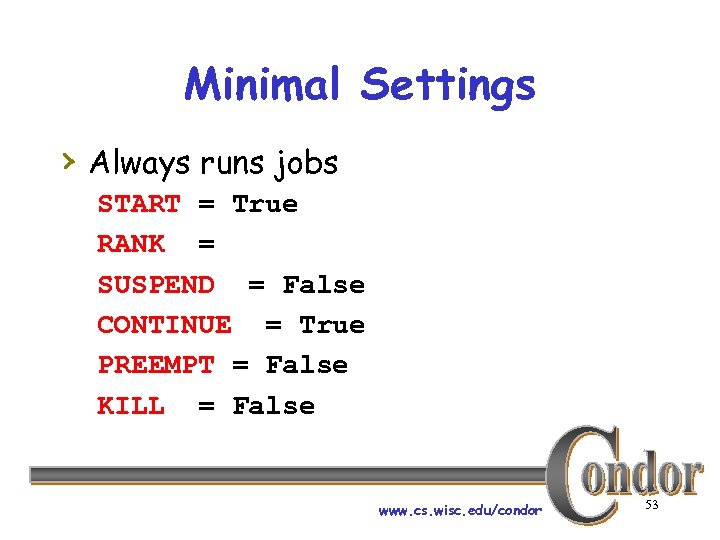 Minimal Settings › Always runs jobs START = True RANK = SUSPEND = False CONTINUE = True PREEMPT = False KILL = False www. cs. wisc. edu/condor 53
 Policy Configuration (Boss Fat Cat) › I am adding nodes to the Cluster… but the Chemistry Department has priority on these nodes www. cs. wisc. edu/condor 54
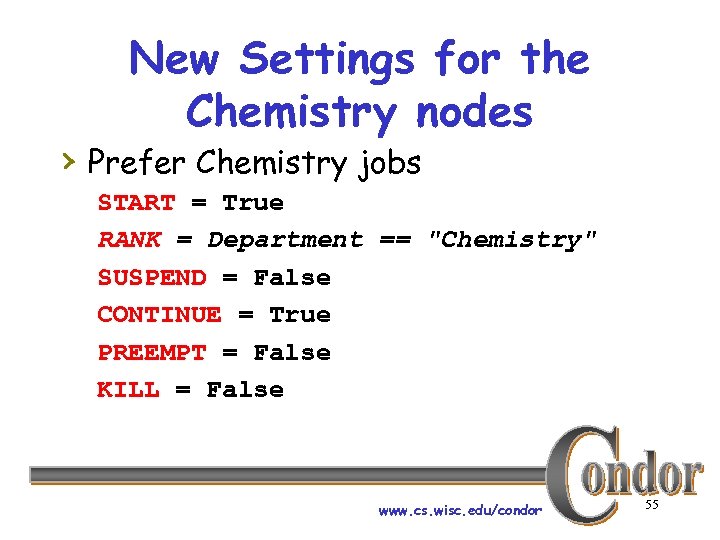 New Settings for the Chemistry nodes › Prefer Chemistry jobs START = True RANK = Department == "Chemistry" SUSPEND = False CONTINUE = True PREEMPT = False KILL = False www. cs. wisc. edu/condor 55
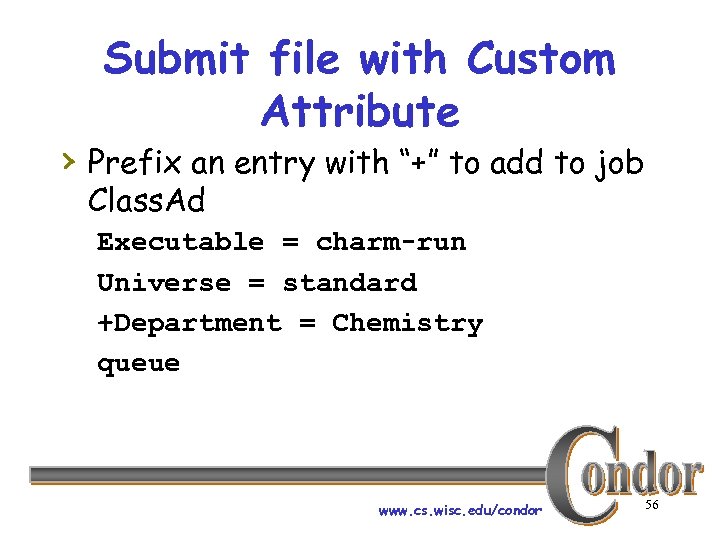 Submit file with Custom Attribute › Prefix an entry with “+” to add to job Class. Ad Executable = charm-run Universe = standard +Department = Chemistry queue www. cs. wisc. edu/condor 56
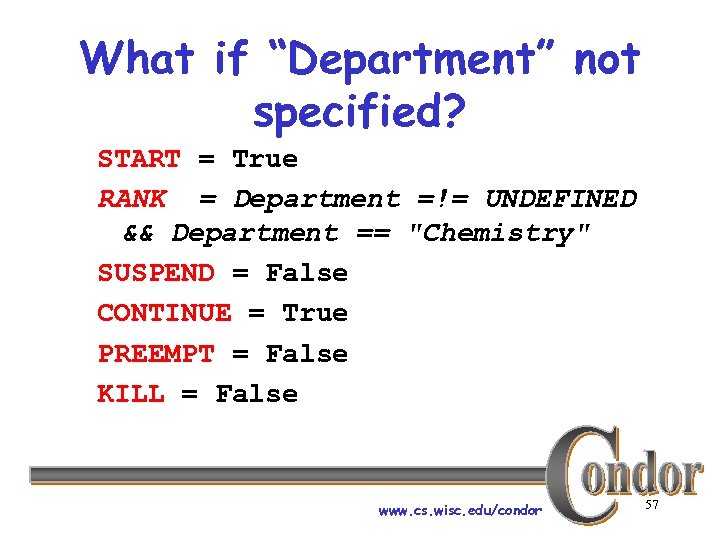 What if “Department” not specified? START = True RANK = Department =!= UNDEFINED && Department == "Chemistry" SUSPEND = False CONTINUE = True PREEMPT = False KILL = False www. cs. wisc. edu/condor 57
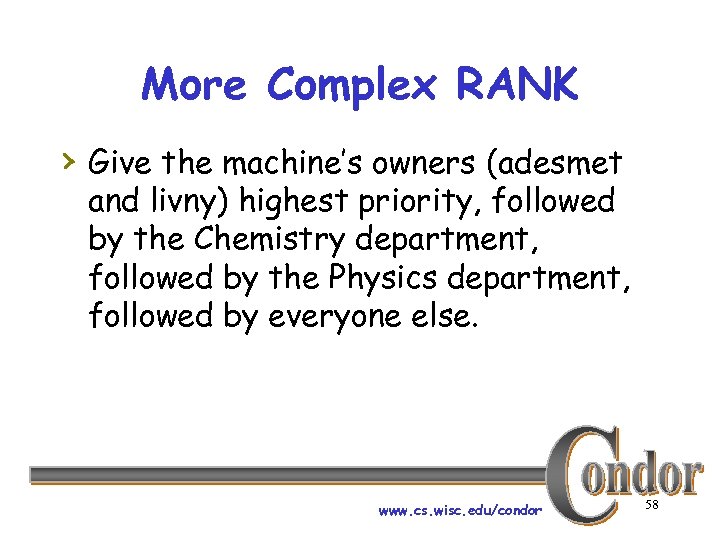 More Complex RANK › Give the machine’s owners (adesmet and livny) highest priority, followed by the Chemistry department, followed by the Physics department, followed by everyone else. www. cs. wisc. edu/condor 58
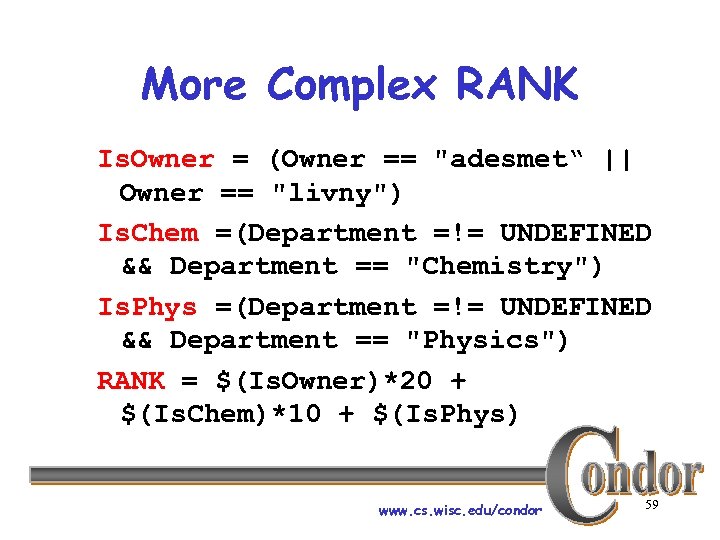 More Complex RANK Is. Owner = (Owner == "adesmet“ || Owner == "livny") Is. Chem =(Department =!= UNDEFINED && Department == "Chemistry") Is. Phys =(Department =!= UNDEFINED && Department == "Physics") RANK = $(Is. Owner)*20 + $(Is. Chem)*10 + $(Is. Phys) www. cs. wisc. edu/condor 59
 Policy Configuration (Boss Fat Cat) › Cluster is okay, but. . . Condor can only use the desktops when they would otherwise be idle www. cs. wisc. edu/condor 60
 Defining Idle › One possible definition: h. No keyboard or mouse activity for 5 minutes h. Load average below 0. 3 www. cs. wisc. edu/condor 61
 Desktops should › START jobs when the machine › › › becomes idle SUSPEND jobs as soon as activity is detected PREEMPT jobs if the activity continues for 5 minutes or more KILL jobs if they take more than 5 minutes to preempt www. cs. wisc. edu/condor 62
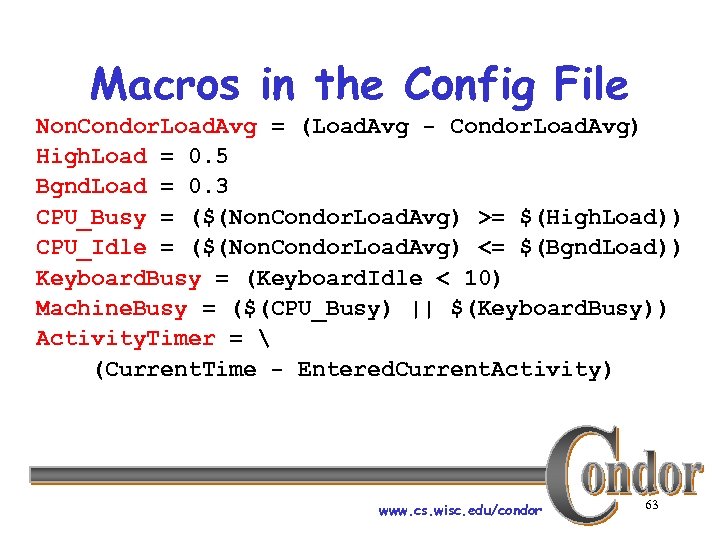 Macros in the Config File Non. Condor. Load. Avg = (Load. Avg - Condor. Load. Avg) High. Load = 0. 5 Bgnd. Load = 0. 3 CPU_Busy = ($(Non. Condor. Load. Avg) >= $(High. Load)) CPU_Idle = ($(Non. Condor. Load. Avg) <= $(Bgnd. Load)) Keyboard. Busy = (Keyboard. Idle < 10) Machine. Busy = ($(CPU_Busy) || $(Keyboard. Busy)) Activity. Timer = (Current. Time - Entered. Current. Activity) www. cs. wisc. edu/condor 63
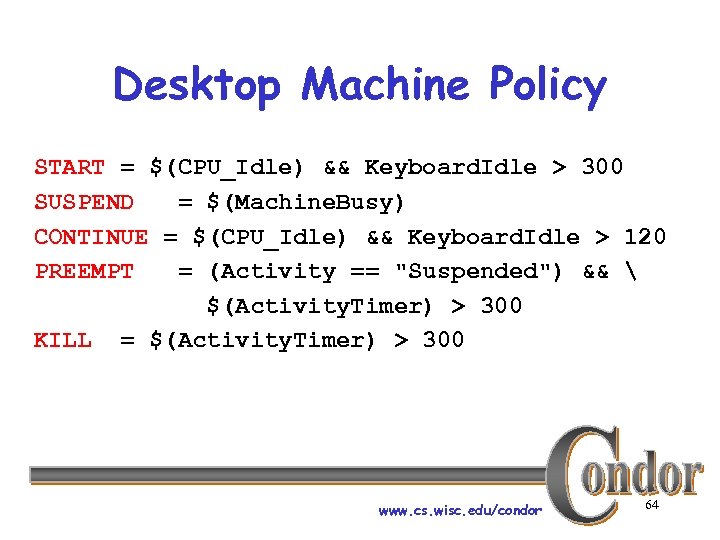 Desktop Machine Policy START = $(CPU_Idle) && Keyboard. Idle > 300 SUSPEND = $(Machine. Busy) CONTINUE = $(CPU_Idle) && Keyboard. Idle > 120 PREEMPT = (Activity == "Suspended") && $(Activity. Timer) > 300 KILL = $(Activity. Timer) > 300 www. cs. wisc. edu/condor 64
 Real World Policies › University of Wisconsin at Madison Computer Science department’s policies hcondor_config. policy h. See handout www. cs. wisc. edu/condor 65
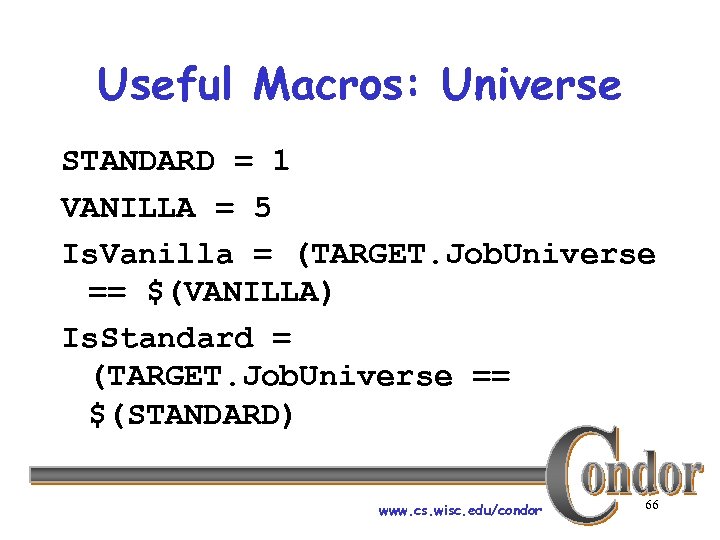 Useful Macros: Universe STANDARD = 1 VANILLA = 5 Is. Vanilla = (TARGET. Job. Universe == $(VANILLA) Is. Standard = (TARGET. Job. Universe == $(STANDARD) www. cs. wisc. edu/condor 66
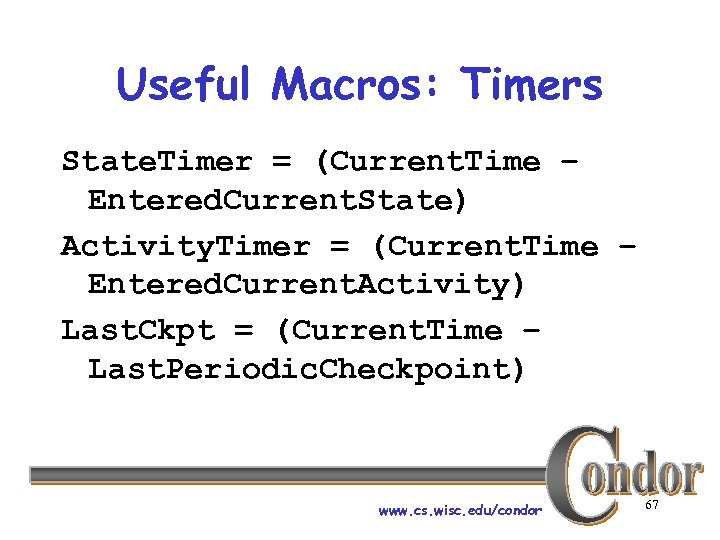 Useful Macros: Timers State. Timer = (Current. Time – Entered. Current. State) Activity. Timer = (Current. Time – Entered. Current. Activity) Last. Ckpt = (Current. Time – Last. Periodic. Checkpoint) www. cs. wisc. edu/condor 67
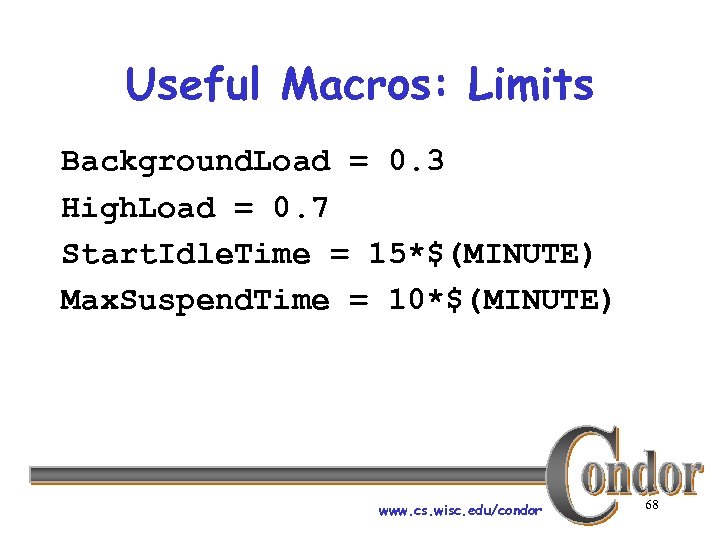 Useful Macros: Limits Background. Load = 0. 3 High. Load = 0. 7 Start. Idle. Time = 15*$(MINUTE) Max. Suspend. Time = 10*$(MINUTE) www. cs. wisc. edu/condor 68
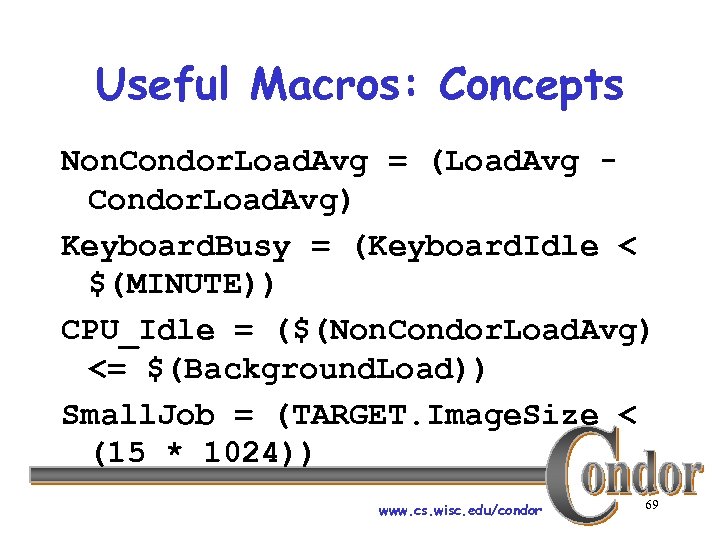 Useful Macros: Concepts Non. Condor. Load. Avg = (Load. Avg Condor. Load. Avg) Keyboard. Busy = (Keyboard. Idle < $(MINUTE)) CPU_Idle = ($(Non. Condor. Load. Avg) <= $(Background. Load)) Small. Job = (TARGET. Image. Size < (15 * 1024)) www. cs. wisc. edu/condor 69
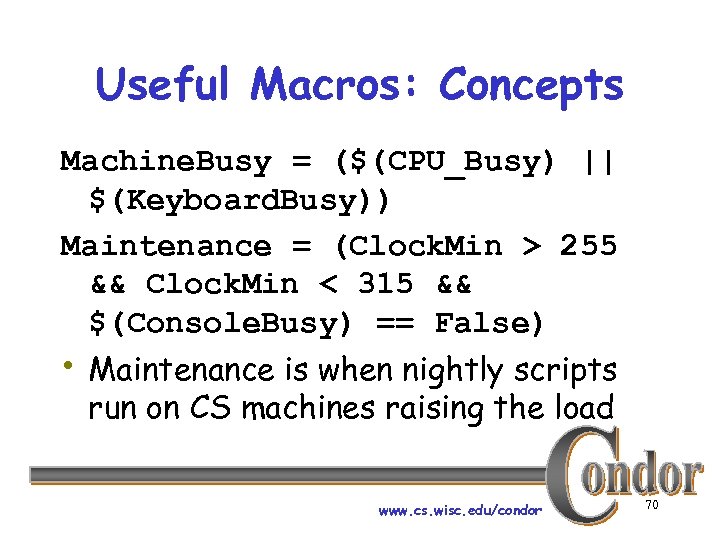 Useful Macros: Concepts Machine. Busy = ($(CPU_Busy) || $(Keyboard. Busy)) Maintenance = (Clock. Min > 255 && Clock. Min < 315 && $(Console. Busy) == False) • Maintenance is when nightly scripts run on CS machines raising the load www. cs. wisc. edu/condor 70
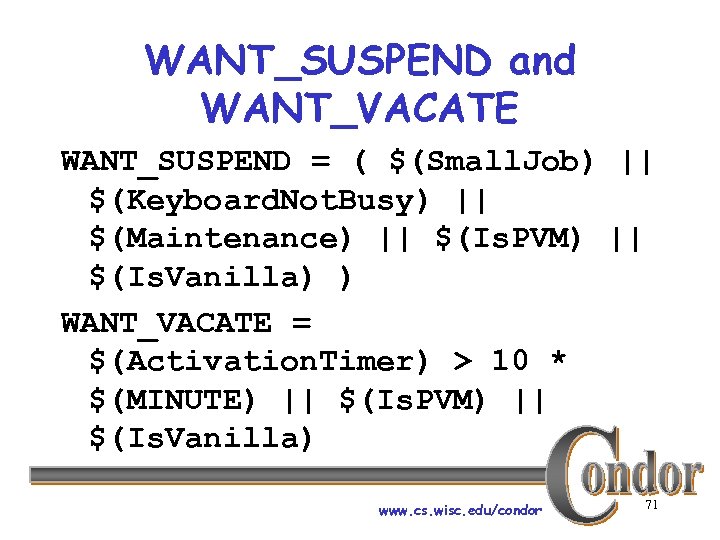 WANT_SUSPEND and WANT_VACATE WANT_SUSPEND = ( $(Small. Job) || $(Keyboard. Not. Busy) || $(Maintenance) || $(Is. PVM) || $(Is. Vanilla) ) WANT_VACATE = $(Activation. Timer) > 10 * $(MINUTE) || $(Is. PVM) || $(Is. Vanilla) www. cs. wisc. edu/condor 71
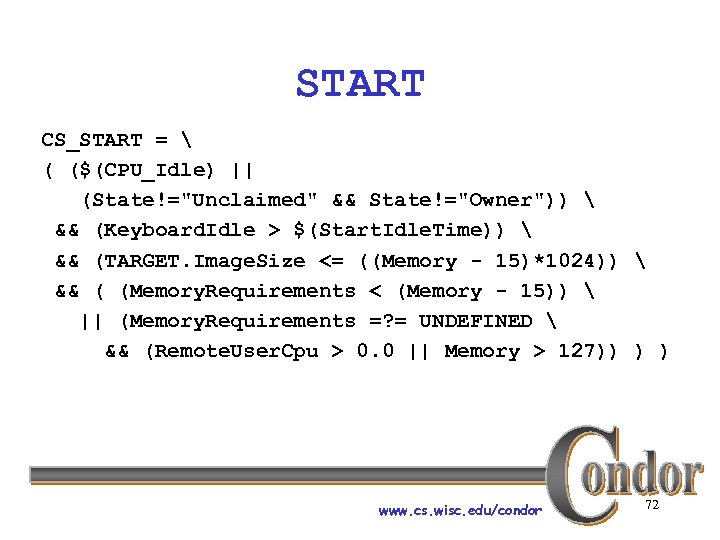 START CS_START = ( ($(CPU_Idle) || (State!="Unclaimed" && State!="Owner")) && (Keyboard. Idle > $(Start. Idle. Time)) && (TARGET. Image. Size <= ((Memory - 15)*1024)) && ( (Memory. Requirements < (Memory - 15)) || (Memory. Requirements =? = UNDEFINED && (Remote. User. Cpu > 0. 0 || Memory > 127)) ) ) www. cs. wisc. edu/condor 72
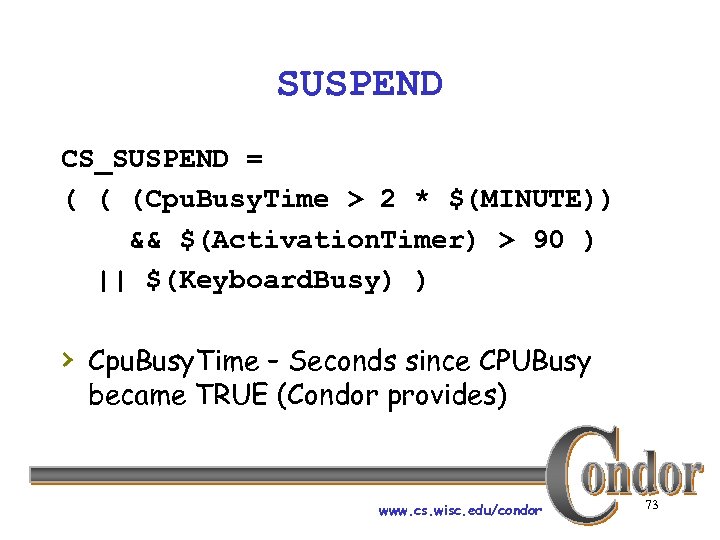 SUSPEND CS_SUSPEND = ( ( (Cpu. Busy. Time > 2 * $(MINUTE)) && $(Activation. Timer) > 90 ) || $(Keyboard. Busy) ) › Cpu. Busy. Time – Seconds since CPUBusy became TRUE (Condor provides) www. cs. wisc. edu/condor 73
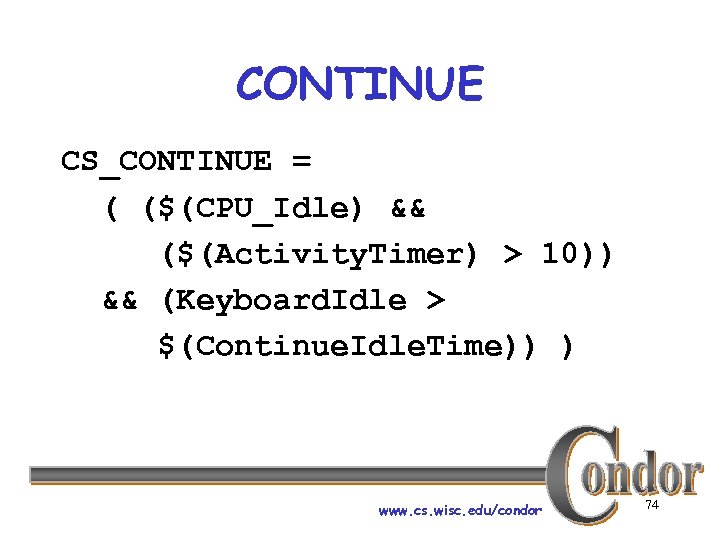 CONTINUE CS_CONTINUE = ( ($(CPU_Idle) && ($(Activity. Timer) > 10)) && (Keyboard. Idle > $(Continue. Idle. Time)) ) www. cs. wisc. edu/condor 74
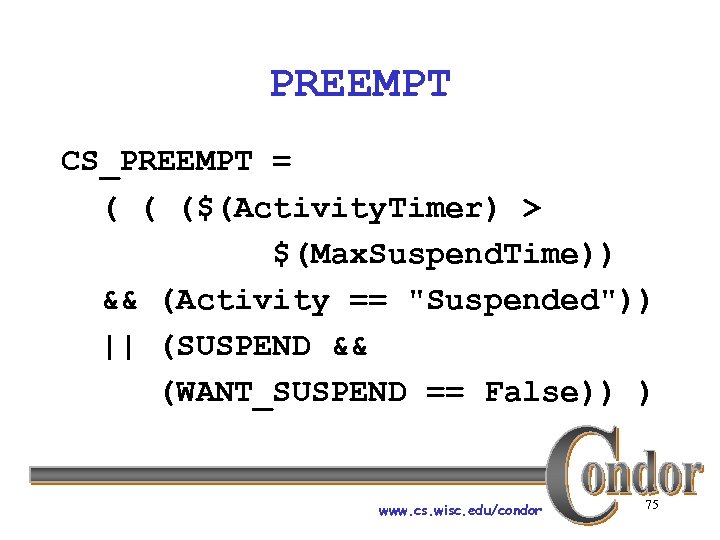 PREEMPT CS_PREEMPT = ( ( ($(Activity. Timer) > $(Max. Suspend. Time)) && (Activity == "Suspended")) || (SUSPEND && (WANT_SUSPEND == False)) ) www. cs. wisc. edu/condor 75
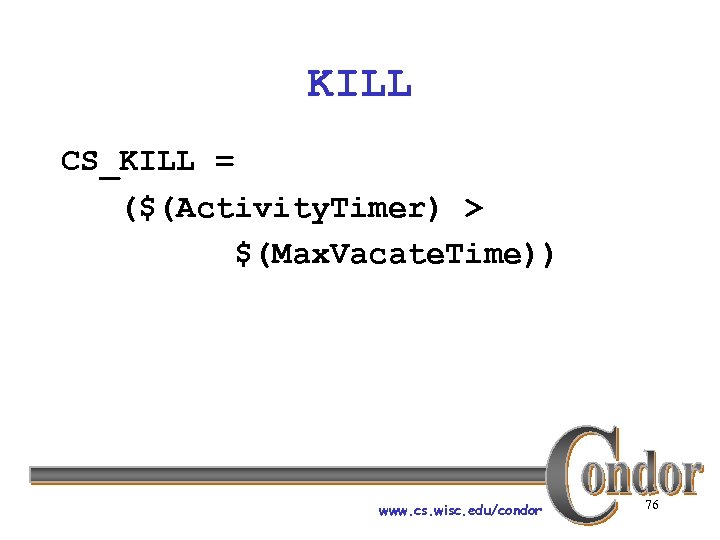 KILL CS_KILL = ($(Activity. Timer) > $(Max. Vacate. Time)) www. cs. wisc. edu/condor 76
 Policy Review › Users submitting jobs can specify › › › Requirements and Rank expressions Administrators can specify Startd policy expressions individually for each machine Custom attributes easily added You can enforce almost any policy! www. cs. wisc. edu/condor 77
 Further Machine Policy Information › For further information, see section › 3. 6 “Startd Policy Configuration” in the Condor manual condor-users mailing list http: //www. cs. wisc. edu/condor/mail-lists/ › condor-admin@cs. wisc. edu www. cs. wisc. edu/condor 78
 Negotiator Policy Expressions › PREEMPTION_REQUIREMENTS and › › PREEMPTION_RANK Evaluated when condor_negotiator considers replacing a lower priority job with a higher priority job Completely unrelated to the PREEMPT expression www. cs. wisc. edu/condor 79
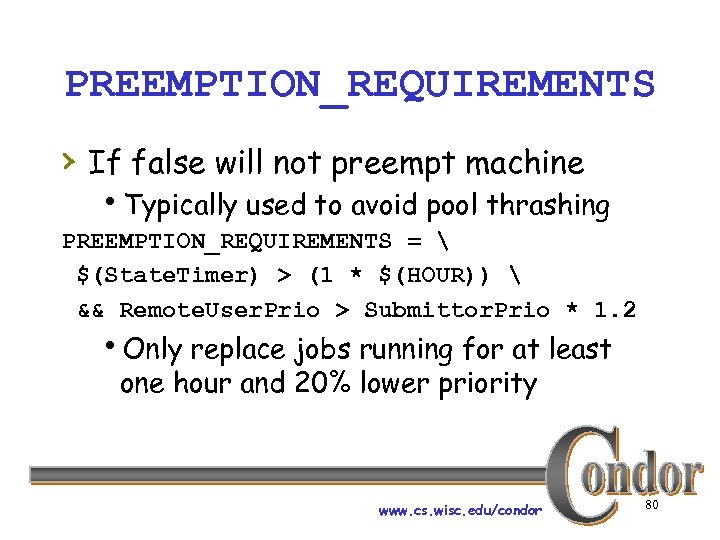 PREEMPTION_REQUIREMENTS › If false will not preempt machine h. Typically used to avoid pool thrashing PREEMPTION_REQUIREMENTS = $(State. Timer) > (1 * $(HOUR)) && Remote. User. Prio > Submittor. Prio * 1. 2 h. Only replace jobs running for at least one hour and 20% lower priority www. cs. wisc. edu/condor 80
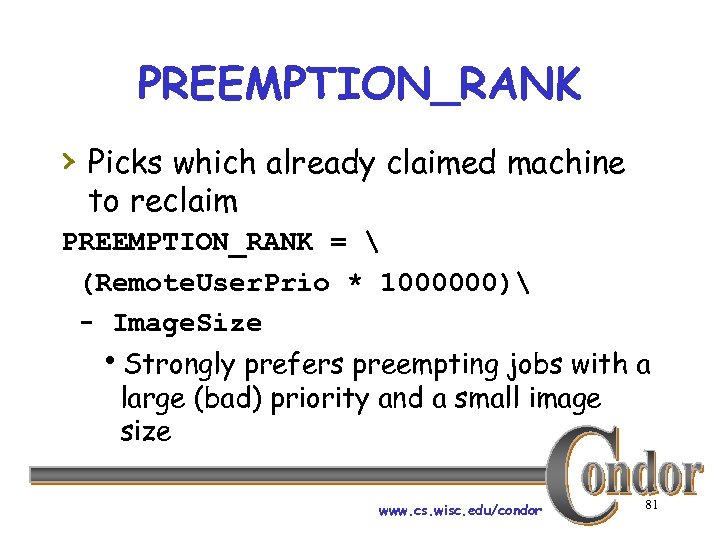 PREEMPTION_RANK › Picks which already claimed machine to reclaim PREEMPTION_RANK = (Remote. User. Prio * 1000000) - Image. Size h. Strongly prefers preempting jobs with a large (bad) priority and a small image size www. cs. wisc. edu/condor 81
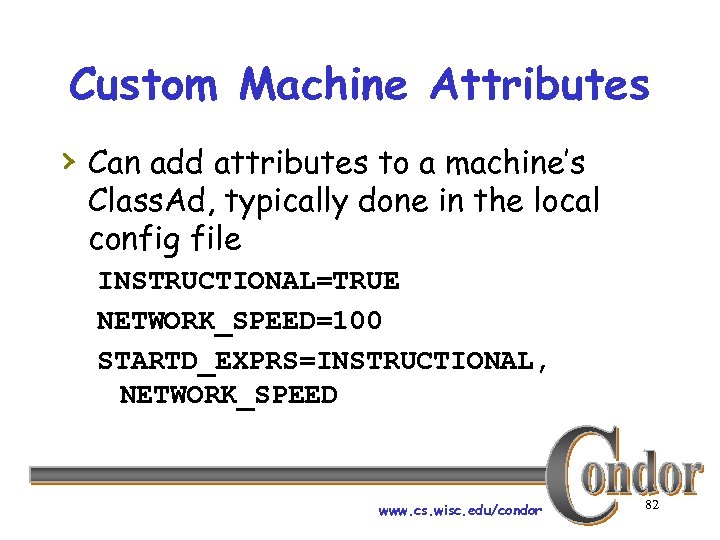 Custom Machine Attributes › Can add attributes to a machine’s Class. Ad, typically done in the local config file INSTRUCTIONAL=TRUE NETWORK_SPEED=100 STARTD_EXPRS=INSTRUCTIONAL, NETWORK_SPEED www. cs. wisc. edu/condor 82
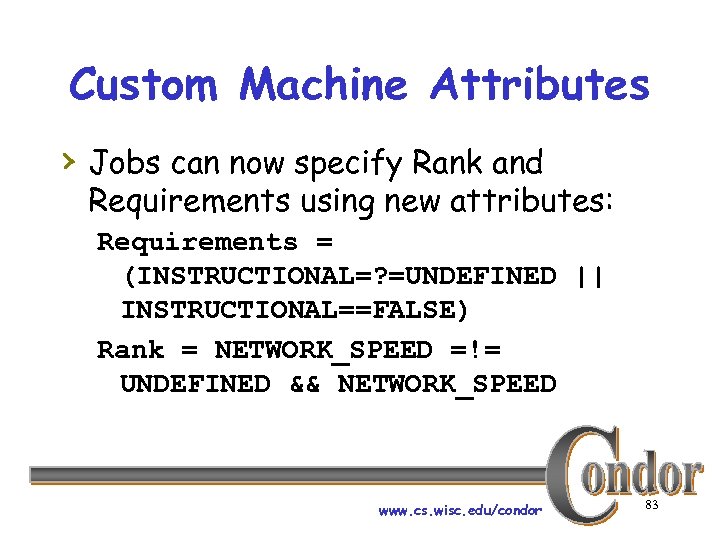 Custom Machine Attributes › Jobs can now specify Rank and Requirements using new attributes: Requirements = (INSTRUCTIONAL=? =UNDEFINED || INSTRUCTIONAL==FALSE) Rank = NETWORK_SPEED =!= UNDEFINED && NETWORK_SPEED www. cs. wisc. edu/condor 83
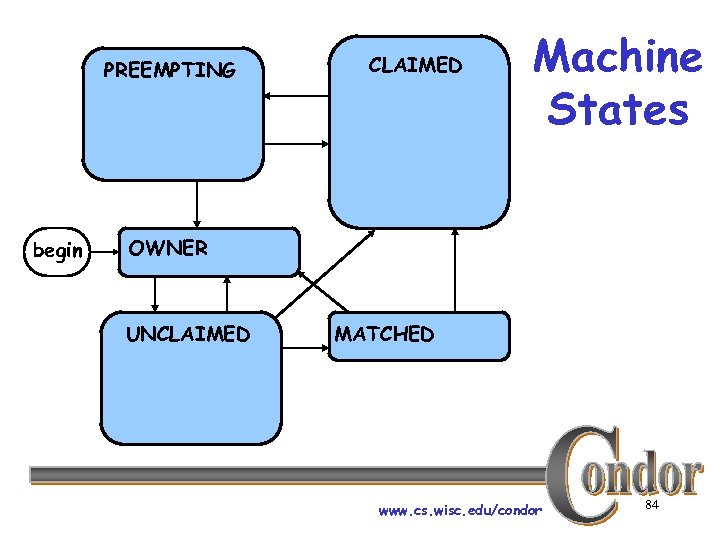 PREEMPTING begin CLAIMED Machine States OWNER UNCLAIMED MATCHED www. cs. wisc. edu/condor 84
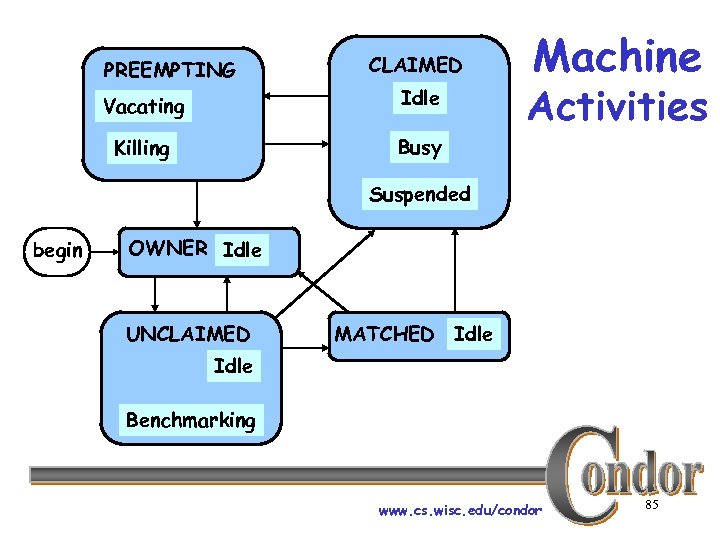 PREEMPTING CLAIMED Vacating Idle Killing Busy Machine Activities Suspended begin OWNER Idle UNCLAIMED MATCHED Idle Benchmarking www. cs. wisc. edu/condor 85
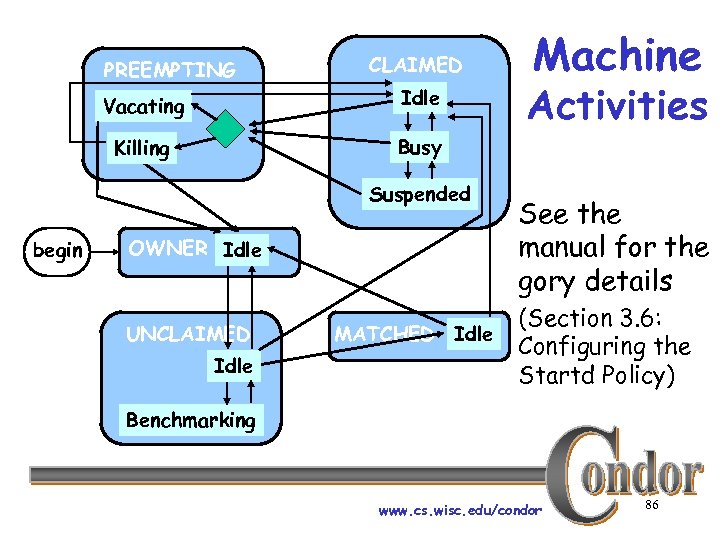 PREEMPTING CLAIMED Vacating Idle Killing Activities Busy Suspended begin Machine OWNER Idle UNCLAIMED Idle MATCHED Idle See the manual for the gory details (Section 3. 6: Configuring the Startd Policy) Benchmarking www. cs. wisc. edu/condor 86
 Priorities www. cs. wisc. edu/condor 87
 Job Priority › Set with condor_prio › Range from -20 to 20 › Only impacts order between jobs for a single user www. cs. wisc. edu/condor 88
 User Priority › Determines allocation of machines to waiting users View with condor_userprio › › Inversely related to machines allocated h. A user with priority of 10 will be able to claim twice as many machines as a user with priority 20 www. cs. wisc. edu/condor 89
 User Priority › Effective User Priority is determined by multiplying two factors h. Real Priority h. Priority Factor www. cs. wisc. edu/condor 90
 Real Priority › Based on actual usage › Defaults to 0. 5 › Approaches actual number of machines used over time h. Configuration setting PRIORITY_HALFLIFE www. cs. wisc. edu/condor 91
 Priority Factor › Assigned by administrator h. Set with condor_userprio › Defaults to 1 (DEFAULT_PRIO_FACTOR) › Nice users default to 1, 000 (NICE_USER_PRIO_FACTOR) h. Used for true bottom feeding jobs h. Add “nice_user=true” to your submit file www. cs. wisc. edu/condor 92
 Security www. cs. wisc. edu/condor 93
 Host/IP Address Security › The basic security model in Condor h. Stronger security available (Encrypted communications, cryptographic authentication) › Can configure each machine in your pool to allow or deny certain actions from different groups of machines www. cs. wisc. edu/condor 94
 Security Levels › READ access - querying information hcondor_status, condor_q, etc › WRITE access - updating information h. Does not include READ access! hcondor_submit, adding nodes to a pool, etc www. cs. wisc. edu/condor 95
 Security Levels › ADMINISTRATOR access hcondor_on, condor_off, condor_reconfig, condor_ restart, etc. › OWNER access h. Things a machine owner can do (notably condor_vacate) www. cs. wisc. edu/condor 96
 Setting Up Security › List what hosts are allowed or denied to perform each action h. If you list allowed hosts, everything else is denied h. If you list denied hosts, everything else is allowed h. If you list both, only allow hosts that are listed in “allow” but not in “deny” www. cs. wisc. edu/condor 97
 Specifying Hosts › There are many possibilities for specifying which hosts are allowed or denied: h. Host names, domain names h. IP addresses, subnets www. cs. wisc. edu/condor 98
 Wildcards › ‘*’ can be used anywhere (once) in a host name hfor example, “infn-corsi*. corsi. infn. it” › ‘*’ can be used at the end of any IP address hfor example “ 128. 105. 101. *” or “ 128. 105. *” www. cs. wisc. edu/condor 99
 Setting up Host/IP Address Security › Can define values that effect all daemons: h. HOSTALLOW_WRITE, HOSTDENY_READ, HOSTALLOW_ADMINISTRATOR, etc. › Can define daemon-specific settings: h. HOSTALLOW_READ_SCHEDD, HOSTDENY_WRITE_COLLECTOR, etc. www. cs. wisc. edu/condor 100
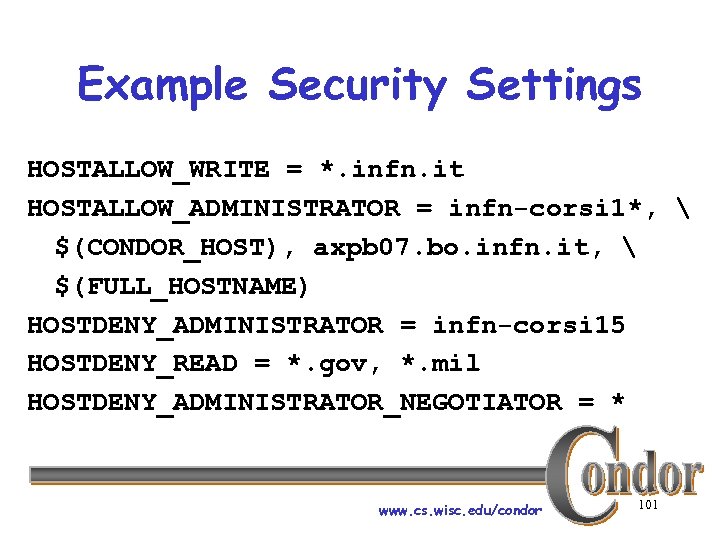 Example Security Settings HOSTALLOW_WRITE = *. infn. it HOSTALLOW_ADMINISTRATOR = infn-corsi 1*, $(CONDOR_HOST), axpb 07. bo. infn. it, $(FULL_HOSTNAME) HOSTDENY_ADMINISTRATOR = infn-corsi 15 HOSTDENY_READ = *. gov, *. mil HOSTDENY_ADMINISTRATOR_NEGOTIATOR = * www. cs. wisc. edu/condor 101
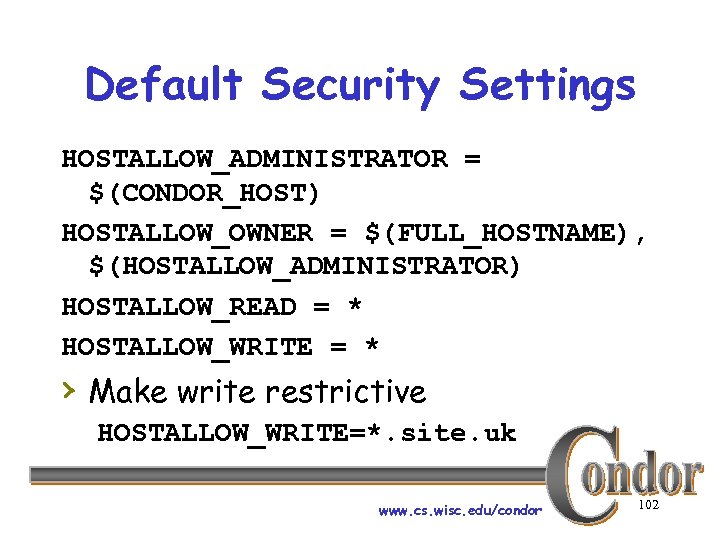 Default Security Settings HOSTALLOW_ADMINISTRATOR = $(CONDOR_HOST) HOSTALLOW_OWNER = $(FULL_HOSTNAME), $(HOSTALLOW_ADMINISTRATOR) HOSTALLOW_READ = * HOSTALLOW_WRITE = * › Make write restrictive HOSTALLOW_WRITE=*. site. uk www. cs. wisc. edu/condor 102
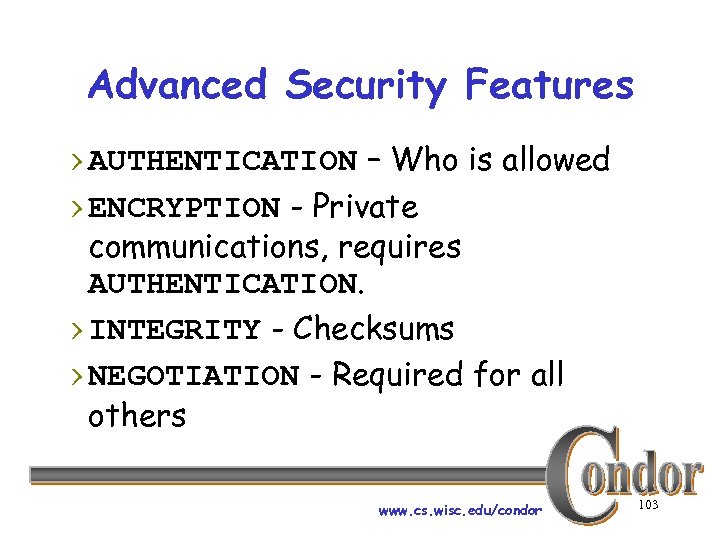 Advanced Security Features › AUTHENTICATION – Who is allowed › ENCRYPTION - Private communications, requires AUTHENTICATION. › INTEGRITY - Checksums › NEGOTIATION - Required for all others www. cs. wisc. edu/condor 103
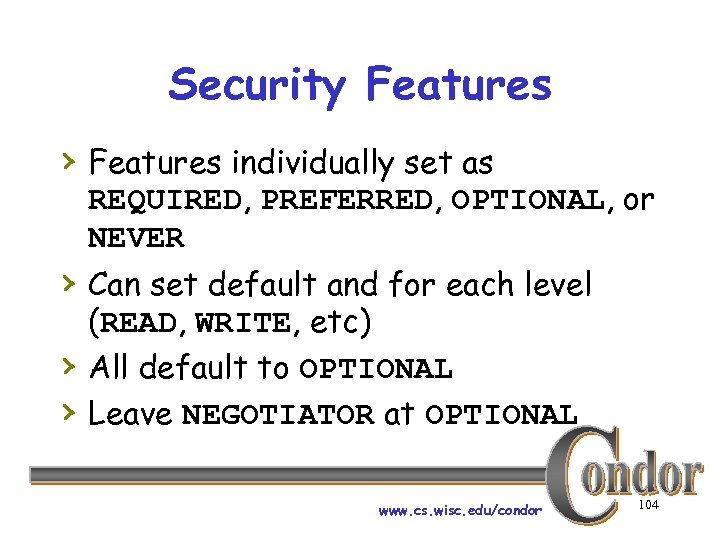 Security Features › Features individually set as REQUIRED, PREFERRED, OPTIONAL, or NEVER › Can set default and for each level › › (READ, WRITE, etc) All default to OPTIONAL Leave NEGOTIATOR at OPTIONAL www. cs. wisc. edu/condor 104
 Authentication Complexity › Authentication comes at a price: › › complexity Authentication between machines requires an authentication system Condor supports several existing authentication systems h. We don’t want to create yet another one www. cs. wisc. edu/condor 105
 AUTHENTICATION_METHODS › Authentication requires one or more methods: h. FS_REMOTE h. GSI h. Kerberos h. NTSSPI h. CLAIMTOBE www. cs. wisc. edu/condor 106
 FS and FS_REMOTE Filesystem Tests › FS checks that the user can create a file owned by the user. h. Only works on local machine h. Assumes the filesystem is trustworthy › FS_REMOTE works remotely h. Allows test file to be on NFS, AFS, or other shared file system www. cs. wisc. edu/condor 107
 GSI Globus Security Infrastructure › Daemons and users have X. 509 certs › All Condor daemons in pool can share › one certificate Map file maps from X. 509 distinguished names to identities. www. cs. wisc. edu/condor 108
 Kerberos and NTSSPI › Kerberos h. Complex to set up h. If you are already using, easy to add to Condor › NTSSPI – Windows NT h. Only works on Windows www. cs. wisc. edu/condor 109
 CLAIMTOBE › Trust any claims about user identity h. If used, encryption’s secret password passed in clear! h. Use with care www. cs. wisc. edu/condor 110
 Additional Security Levels › CONFIG h. Dynamically change config settings › IMMEDIATE_FAMILY h. Daemon to daemon communications › NEGOTIATOR hcondor_negotiator to other daemons www. cs. wisc. edu/condor 111
 ALLOW and DENY › When authentication is enabled you › › can filter based on user identifier Use ALLOW and DENY instead of HOSTALLOW and HOSTDENY Can specify hostnames and IPs as before www. cs. wisc. edu/condor 112
 Specifying User Identities › username@site. example. com/hostnam › › e Can use * wildcard Hostname can be hostname or IP address with optional netmask www. cs. wisc. edu/condor 113
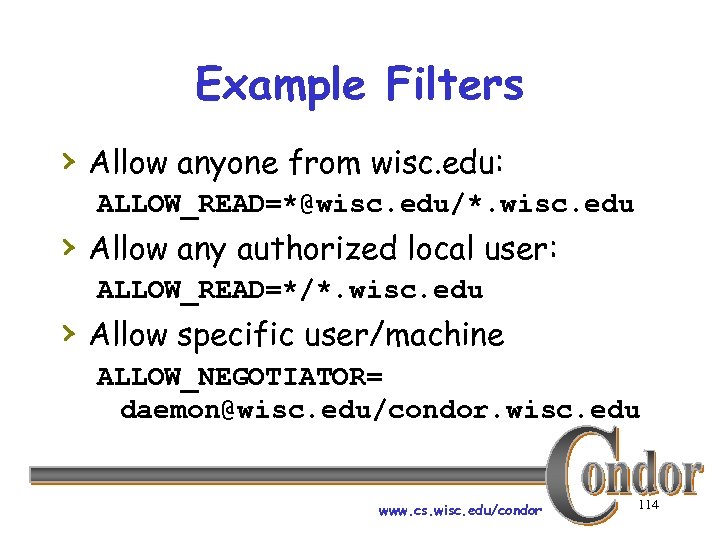 Example Filters › Allow anyone from wisc. edu: ALLOW_READ=*@wisc. edu/*. wisc. edu › Allow any authorized local user: ALLOW_READ=*/*. wisc. edu › Allow specific user/machine ALLOW_NEGOTIATOR= daemon@wisc. edu/condor. wisc. edu www. cs. wisc. edu/condor 114
 Example Advanced Security Configuration › Enable authentication, encryption, and › › integrity Use GSI authentication for between machine connections Use GSI or FS authentication on a single machine www. cs. wisc. edu/condor 115
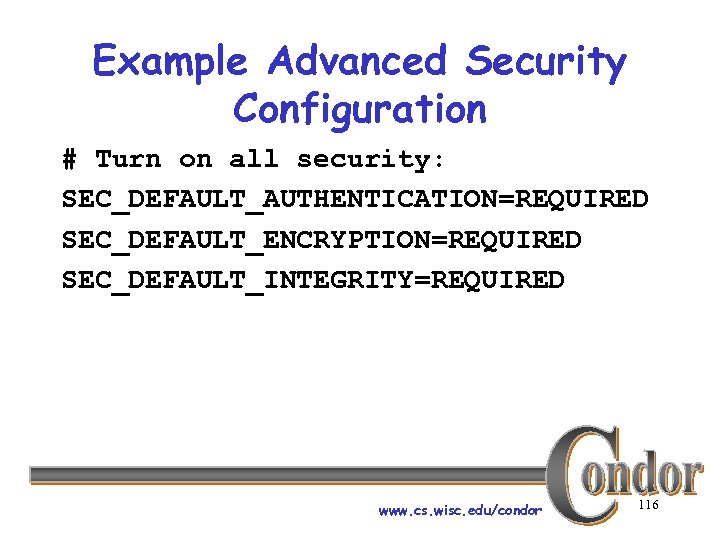 Example Advanced Security Configuration # Turn on all security: SEC_DEFAULT_AUTHENTICATION=REQUIRED SEC_DEFAULT_ENCRYPTION=REQUIRED SEC_DEFAULT_INTEGRITY=REQUIRED www. cs. wisc. edu/condor 116
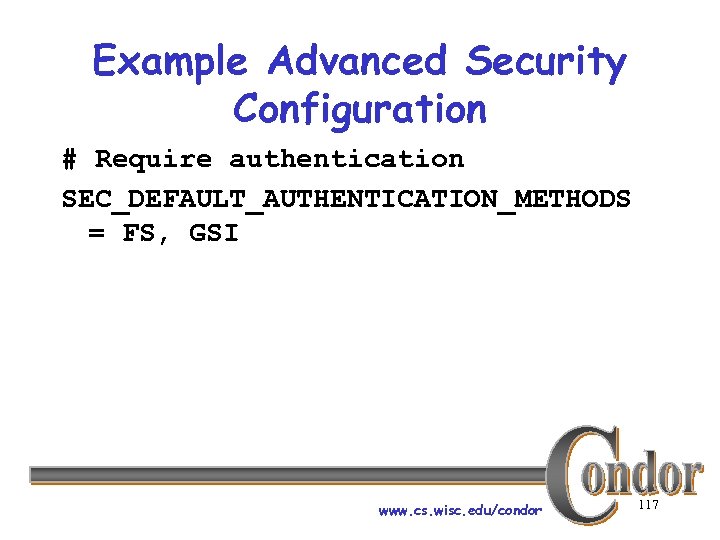 Example Advanced Security Configuration # Require authentication SEC_DEFAULT_AUTHENTICATION_METHODS = FS, GSI www. cs. wisc. edu/condor 117
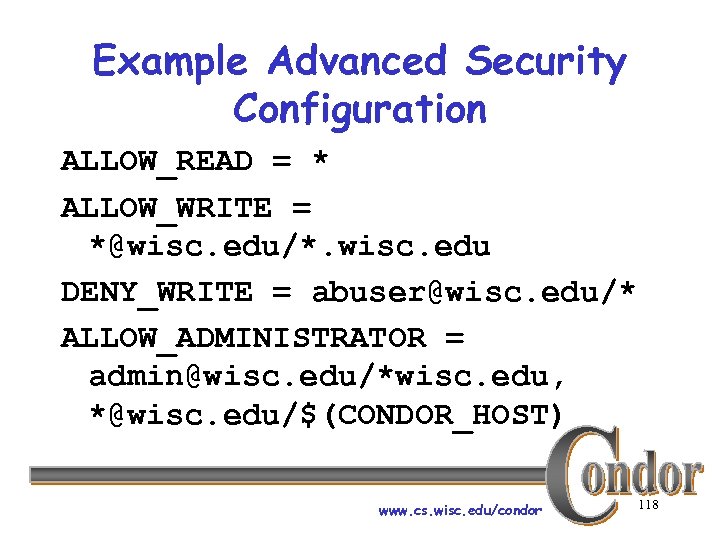 Example Advanced Security Configuration ALLOW_READ = * ALLOW_WRITE = *@wisc. edu/*. wisc. edu DENY_WRITE = abuser@wisc. edu/* ALLOW_ADMINISTRATOR = admin@wisc. edu/*wisc. edu, *@wisc. edu/$(CONDOR_HOST) www. cs. wisc. edu/condor 118
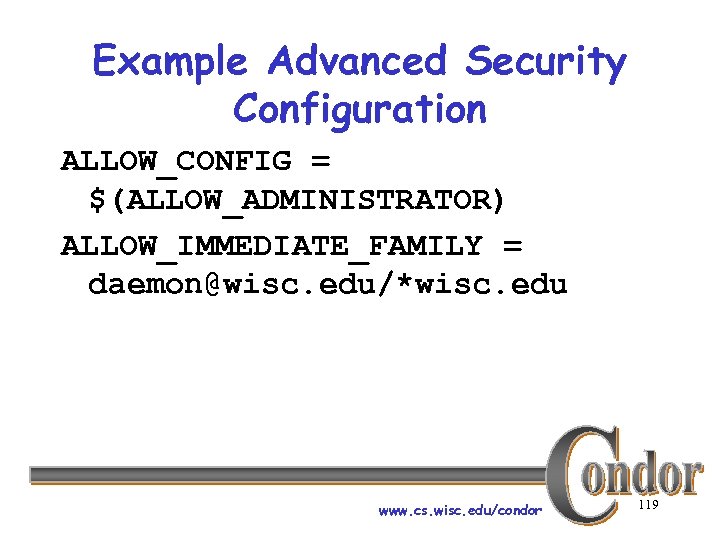 Example Advanced Security Configuration ALLOW_CONFIG = $(ALLOW_ADMINISTRATOR) ALLOW_IMMEDIATE_FAMILY = daemon@wisc. edu/*wisc. edu www. cs. wisc. edu/condor 119
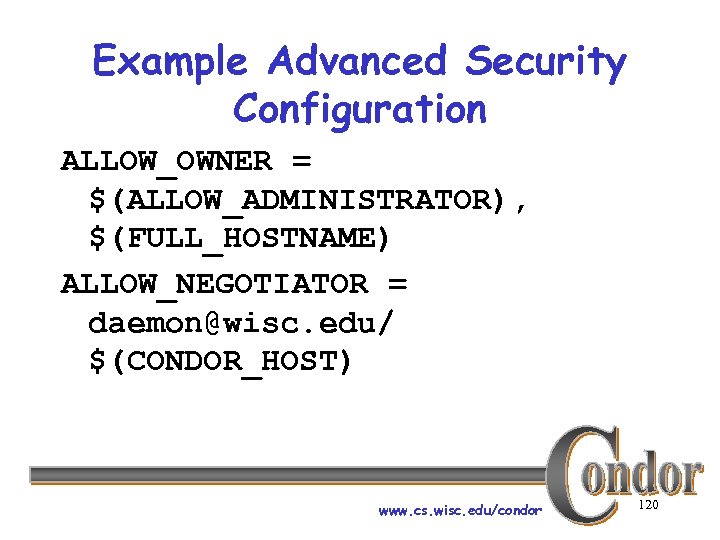 Example Advanced Security Configuration ALLOW_OWNER = $(ALLOW_ADMINISTRATOR), $(FULL_HOSTNAME) ALLOW_NEGOTIATOR = daemon@wisc. edu/ $(CONDOR_HOST) www. cs. wisc. edu/condor 120
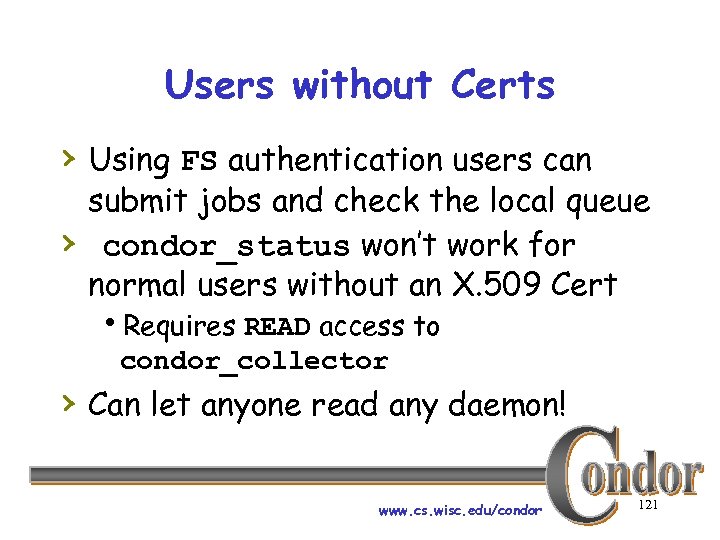 Users without Certs › Using FS authentication users can › submit jobs and check the local queue condor_status won’t work for normal users without an X. 509 Cert h. Requires READ access to condor_collector › Can let anyone read any daemon! www. cs. wisc. edu/condor 121
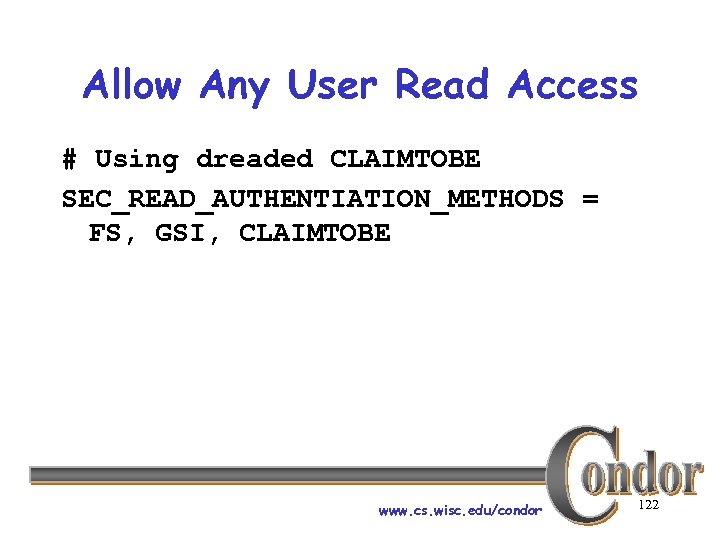 Allow Any User Read Access # Using dreaded CLAIMTOBE SEC_READ_AUTHENTIATION_METHODS = FS, GSI, CLAIMTOBE www. cs. wisc. edu/condor 122
 Advanced Security Features › Some AUTHENTICATION_METHODS › support strong encryption For further details h. Condor Manual hcondor-admin@cs. wisc. edu www. cs. wisc. edu/condor 123
 Administration www. cs. wisc. edu/condor 124
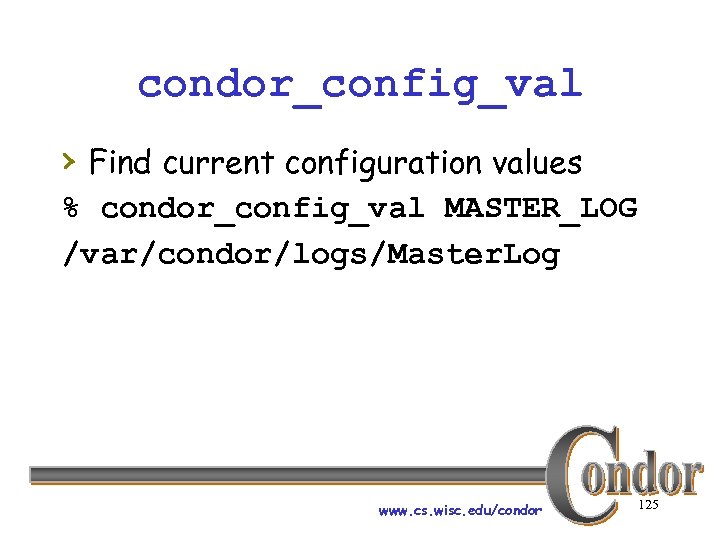 condor_config_val › Find current configuration values % condor_config_val MASTER_LOG /var/condor/logs/Master. Log www. cs. wisc. edu/condor 125
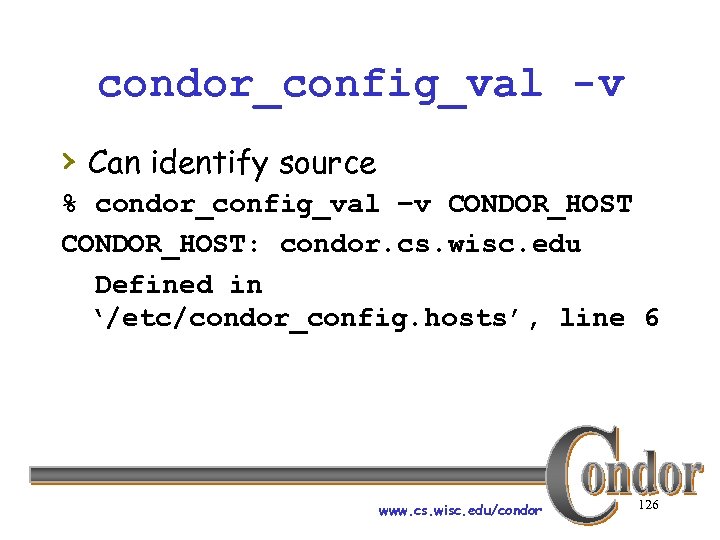 condor_config_val -v › Can identify source % condor_config_val –v CONDOR_HOST: condor. cs. wisc. edu Defined in ‘/etc/condor_config. hosts’, line 6 www. cs. wisc. edu/condor 126
 condor_fetchlog › Retrieve logs remotely condor_fetchlog beak. cs. wisc. edu Master www. cs. wisc. edu/condor 127
 Querying daemons condor_status › Queries the collector for information about daemons in your pool › Defaults to finding condor_startds › condor_status –schedd summarizes all job queues › condor_status –master returns list of all condor_masters www. cs. wisc. edu/condor 128
 condor_status › -long displays the full Class. Ad › Specifiy a machine name to limit results to a single host condor_q –l node 4. cs. wisc. edu www. cs. wisc. edu/condor 129
 condor_status -constraint › Only return Class. Ads that match an › expression you specify Show me idle machines with 1 GB or more memory hcondor_status -constraint 'Memory >= 1024 && Activity == "Idle"‘ www. cs. wisc. edu/condor 130
 condor_status -format › Controls format of output › Useful for writing scripts › Uses C printf style formats h. One field per argument www. cs. wisc. edu/condor 131
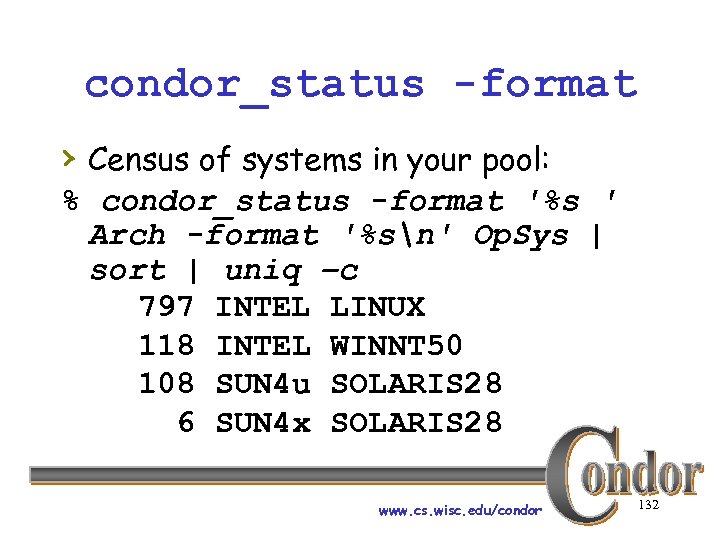 condor_status -format › Census of systems in your pool: % condor_status -format '%s ' Arch -format '%sn' Op. Sys | sort | uniq –c 797 INTEL LINUX 118 INTEL WINNT 50 108 SUN 4 u SOLARIS 28 6 SUN 4 x SOLARIS 28 www. cs. wisc. edu/condor 132
 Examinging Queues condor_q › View the job queue › The “-long” option is useful to see the entire Class. Ad for a given job supports –constraint and -format › › Can view job queues on remote machines with the “-name” option www. cs. wisc. edu/condor 133
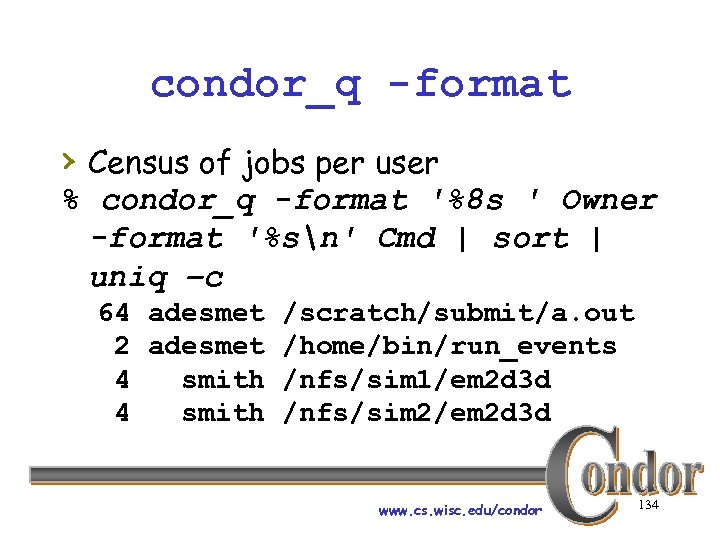 condor_q -format › Census of jobs per user % condor_q -format '%8 s ' Owner -format '%sn' Cmd | sort | uniq –c 64 adesmet /scratch/submit/a. out 2 adesmet /home/bin/run_events 4 smith /nfs/sim 1/em 2 d 3 d 4 smith /nfs/sim 2/em 2 d 3 d www. cs. wisc. edu/condor 134
 condor_q -analyze › condor_q will try to figure out why the › job isn’t running Good at determining that no machine matches the job Requirements expressions www. cs. wisc. edu/condor 135
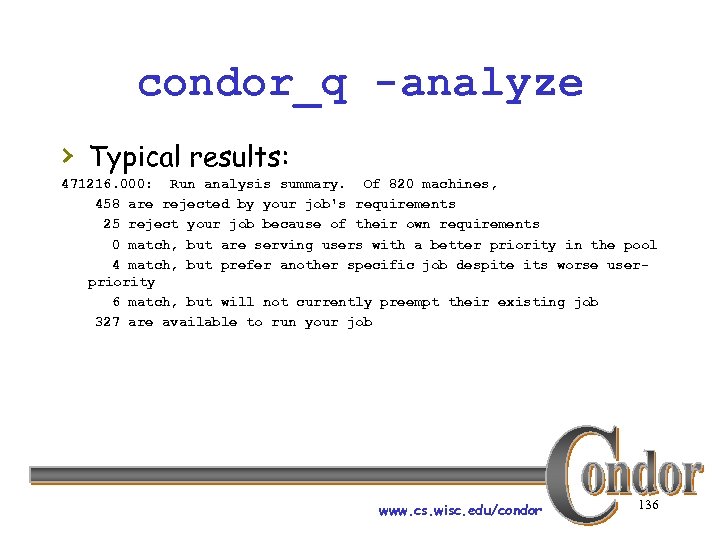 condor_q -analyze › Typical results: 471216. 000: Run analysis summary. Of 820 machines, 458 are rejected by your job's requirements 25 reject your job because of their own requirements 0 match, but are serving users with a better priority in the pool 4 match, but prefer another specific job despite its worse userpriority 6 match, but will not currently preempt their existing job 327 are available to run your job www. cs. wisc. edu/condor 136
 condor_analyze › Available in Condor 6. 5 and beyond › Breaks down the job’s requirements and suggests modifications www. cs. wisc. edu/condor 137
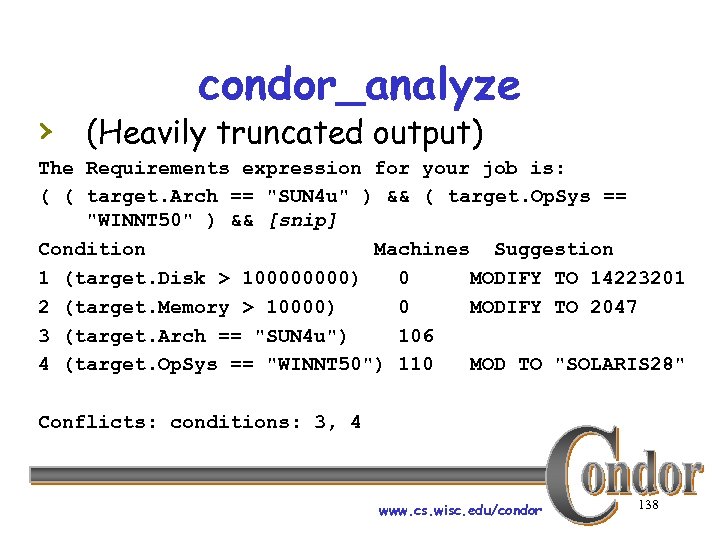 condor_analyze › (Heavily truncated output) The Requirements expression for your job is: ( ( target. Arch == "SUN 4 u" ) && ( target. Op. Sys == "WINNT 50" ) && [snip] Condition Machines Suggestion 1 (target. Disk > 10000) 0 MODIFY TO 14223201 2 (target. Memory > 10000) 0 MODIFY TO 2047 3 (target. Arch == "SUN 4 u") 106 4 (target. Op. Sys == "WINNT 50") 110 MOD TO "SOLARIS 28" Conflicts: conditions: 3, 4 www. cs. wisc. edu/condor 138
 Condor’s Log Files › Condor maintains one log file per daemon www. cs. wisc. edu/condor 139
 Condor’s Log Files › Can increase verbosity of logs on a per daemon basis h. SHADOW_DEBUG, SHADOW_SCHEDD, and others h. Space separated list www. cs. wisc. edu/condor 140
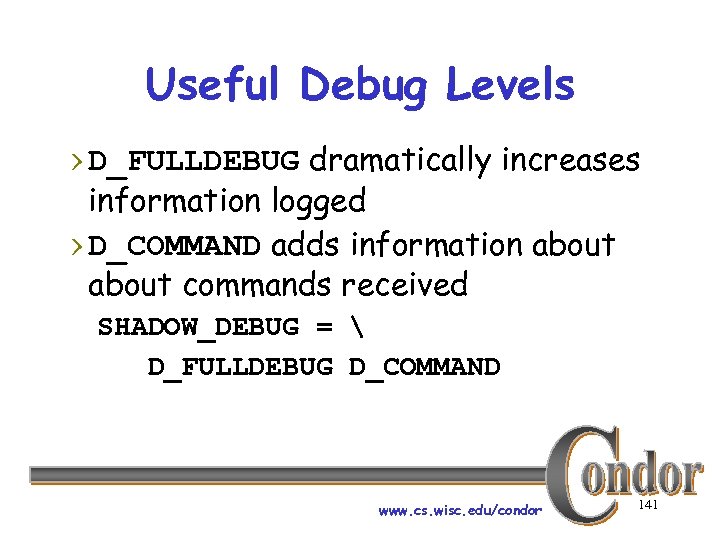 Useful Debug Levels › D_FULLDEBUG dramatically increases information logged › D_COMMAND adds information about commands received SHADOW_DEBUG = D_FULLDEBUG D_COMMAND www. cs. wisc. edu/condor 141
 Condor’s Log Files › Log files are automatically rolled over when a size limit is reached h. Defaults to 64000 bytes, you will probably want to increase. h. Rolls over quickly with D_FULLDEBUG h. MAX_*_LOG, one setting per daemon • MAX_SHADOW_LOG, MAX_SCHEDD_LOG, and others www. cs. wisc. edu/condor 142
 Condor’s Log Files › Many log files entries primarily useful to Condor developers h. Especially if D_FULLDEBUG is on h. Minor errors are often logged but corrected www. cs. wisc. edu/condor 143
 Debugging Jobs: condor_q › Examine the job with condor_q hespecially -long and –analyze h. Compare with condor_status –long www. cs. wisc. edu/condor 144
 Debugging Jobs: User Log › Examine the job’s user log h. Quickly find with: condor_q -format '%sn' User. Log 17. 0 h. Users should always have a user log (set with “log” in the submit file) › Contains the life history of the job › If a problem occurred, user log often contains details www. cs. wisc. edu/condor 145
 Debugging Jobs: Shadow. Log › Examine Shadow. Log on the submit machine h. Note any machines the job tried to execute on h. There is often an “ERROR” entry that can give a good indication of what failed www. cs. wisc. edu/condor 146
 Debugging Jobs: Matching Problems › No Shadow. Log entries? Possible problem matching the job. h. Examine Schedd. Log on the submit machine h. Examine Negotiator. Log on the central manager www. cs. wisc. edu/condor 147
 Debugging Jobs: Local Problems › Shadow. Log entries suggest an error but aren’t specific? h. Examine Start. Log and Starter. Log on the execute machine www. cs. wisc. edu/condor 148
 Debugging Jobs: Reading Log Files › Condor logs will note the job ID each entry is for h. Useful if multiple jobs are being processed simultaneously hgrepping for the job ID will make it easy to find relavent entries www. cs. wisc. edu/condor 149
 Debugging Jobs: What Next? › If necessary add “D_FULLDEBUG › › D_COMMAND” to DEBUG_DAEMONNAME setting for additional log information Increase MAX_DAEMONNAME_LOG if logs are rolling over too quickly If all else fails, email us hcondor-admin@cs. wisc. edu www. cs. wisc. edu/condor 150
 Installation www. cs. wisc. edu/condor 151
 Considerations for Installing a Condor Pool › What machine should be your central › › manager? Does your pool have a shared file system? Where to install Condor binaries and configuration files? Where should you put each machine’s local directories? Start the daemons as root or as some other user? www. cs. wisc. edu/condor 152
 What machine should be your central manager? › The central manager is very important › for the proper functioning of your pool If the central manager crashes, jobs that are currently matched will continue to run, but new jobs will not be matched www. cs. wisc. edu/condor 153
 Central Manager › Want assurances of high uptime or › prompt reboots A good network connection helps www. cs. wisc. edu/condor 154
 Does your pool have a shared file system? › It is easier to run vanilla universe › › jobs if so, but one is not required Shared location for configuration files can ease administration of a pool AFS can work, but Condor does not yet manage AFS tokens www. cs. wisc. edu/condor 155
 Where to install binaries and configuration files? › Shared location for configuration files can ease administration of a pool › Binaries on a shared file system makes upgrading easier, but can be less stable if there are network problems › condor_master on the local disk is a good compromise www. cs. wisc. edu/condor 156
 Where should you put each machine’s local directories? › You need a fair amount of disk space › in the spool directory for each condor_schedd (holds job queue and binaries for each job submitted) The execute directory is used by the condor_starter to hold the binary for any Condor job running on a machine www. cs. wisc. edu/condor 157
 Where should you put each machine’s local directories? › The log directory is used by all daemons h. More space means more saved info www. cs. wisc. edu/condor 158
 Hostnames › Any two machines that will be communicating must know each others names www. cs. wisc. edu/condor 159
 Start the daemons as root or some other user? › If possible, we recommend starting the daemons as root h. More secure h. Less confusion for users h. Condor will try to run as the user “condor” whenever possible www. cs. wisc. edu/condor 160
 Running Daemons as Non-Root › Condor will still work, users just have › to take some extra steps to submit jobs Can have “personal Condor” installed only you can submit jobs www. cs. wisc. edu/condor 161
 Basic Installation Procedure › 1. Decide what version and parts of Condor › › to install and download them 2. Install the “release directory” - all the Condor binaries and libraries 3. Setup the Central Manager 4. (optional) Setup Condor on any other machines you wish to add to the pool 5. Spawn the Condor daemons www. cs. wisc. edu/condor 162
 Condor Version Series › We distribute two versions of Condor h. Stable Series h. Development Series www. cs. wisc. edu/condor 163
 Stable Series › Heavily tested › Recommended for general use › 2 nd number of version string is even (6. 4. 7) www. cs. wisc. edu/condor 164
 Development Series › Latest features, not necessarily well› › tested Not recommended unless you’re willing to work with beta code or need new features 2 nd number of version string is odd (6. 5. 1) www. cs. wisc. edu/condor 165
 Condor Versions › What am I running? › All daemons advertise a › Condor. Version attribute in the Class. Ad they publish You can also view the version string by running ident on any Condor binary www. cs. wisc. edu/condor 166
 Condor Versions › All parts of Condor on a single › › machine should run the same version! Machines in a pool can usually run different versions and communicate with each other Documentation will specify when a version is incompatible with older versions www. cs. wisc. edu/condor 167
 Downloading Condor › Go to http: //www. cs. wisc. edu/condor/ › Fill out the form and download the different pieces you need h. Normally, you want the full stable release › There also “contrib” modules for non-standard parts of Condor h. For example, the View Server www. cs. wisc. edu/condor 168
 Downloading Condor › Distributed as compressed “tar” files › Once you download, unpack them www. cs. wisc. edu/condor 169
 Install the Release Directory › In the directory where you unpacked the tar file, you’ll find a release. tar file with all the binaries and libraries › Use condor_install or condor_configure › condor_install will install this as the release directory for you www. cs. wisc. edu/condor 170
 condor_install › Our old installation script › Interactive › Overly complex www. cs. wisc. edu/condor 171
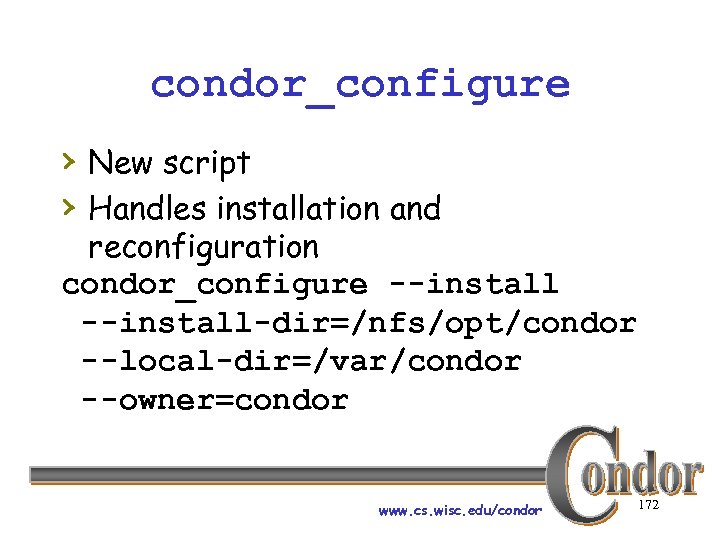 condor_configure › New script › Handles installation and reconfiguration condor_configure --install-dir=/nfs/opt/condor --local-dir=/var/condor --owner=condor www. cs. wisc. edu/condor 172
 Install the Release Directory › In a pool with a shared release › directory, you should run condor_install somewhere with write access to the shared directory You need a separate release directory for each platform! www. cs. wisc. edu/condor 173
 Setup the Central Manager › Central manager needs specific configuration to start the condor_collector and condor_negotiator hcondor_configure --type=manager www. cs. wisc. edu/condor 174
 Setup Additional Machines › If you have a shared file system, just › run condor_init on any other machine you wish to add to your pool Without a shared file system, you must run condor_install on each host www. cs. wisc. edu/condor 175
 Spawn the Condor daemons › Run condor_master to start Condor h. Remember to start as root if desired › Start Condor on the central manager › first Add Condor to your boot scripts? h. We provide a “Sys. V-style” init script (
 Shared Release Directory › Simplifies administration www. cs. wisc. edu/condor 177
 Shared Release Directory › Unifies configuration files, simplifying changes h. Same shared global config file for all machines h. All local config files visible in one place • Can symlink local files for multiple machines to a single file www. cs. wisc. edu/condor 178
 Shared Release Directory › Keep all of your binaries in one place h. Prevents having different versions accidentally left on different machines h. Easier to upgrade www. cs. wisc. edu/condor 179
 Condor-G Special Notes › Condor-G should work out of the box › Globus can push several limits, consider increasing: h/proc/sys/fs/file-max h/proc/sys/net/ipv 4/ip_local_port_range h. Per process file descriptor limits http: //www. cs. wisc. edu/condorg/linux_scalability. html www. cs. wisc. edu/condor 180
 “Full Installation” of condor_compile › condor_compile re-links user jobs › › with Condor libraries to create “standard” jobs. By default, only works with certain commands (gcc, g++, g 77, cc, CC, f 77, f 90, ld) With a “full-installation”, works with any command (notably, make) www. cs. wisc. edu/condor 181
 “Full Installation” of condor_compile › Move real ld binary, the linker, to ld. real h. Location of ld varies between systems, typically /bin/ld › Install Condor’s ld script in its place › Transparently passes to ld. real by default; during condor_compile hooks in Condor libraries. www. cs. wisc. edu/condor 182
 Other Installation Options › VDT – Virtual Data Toolkit h. Pac. Man installer h. Includes other Grid software hhttp: //www. lsc-group. phys. uwm. edu/vdt/ › RPM www. cs. wisc. edu/condor 183
 Other Sources › Condor Manual › Condor Web Site › condor-users mailing list http: //www. cs. wisc. edu/condor/mail-lists/ › condor-admin@cs. wisc. edu www. cs. wisc. edu/condor 184
 Publications h“Condor - A Distributed Job Scheduler, ” Beowulf Cluster Computing with Linux, MIT Press, 2002 h“Condor and the Grid, ” Grid Computing: Making the Global Infrastructure a Reality, John Wiley & Sons, 2003 h. These chapters and other publications available online at our web site www. cs. wisc. edu/condor 185
 Thank you! http: //www. cs. wisc. edu/condor-admin@cs. wisc. edu www. cs. wisc. edu/condor 186
 Changes › Changes since this talk was originally given: h. References to D_SECONDS debug level removed, it’s automatic in Condor 6. 4 and later. www. cs. wisc. edu/condor 187