 Скачать презентацию Computer Science 317 Database Management Introduction to Web
edeb02cc9a9924bb2fa6456722cca1d3.ppt
- Количество слайдов: 34



Computer Science 317 Database Management Introduction to Web Access to Databases
The Plan • I. Introduction – General overview – One simple approach • II. . NET Overview • III. ADO. NET Overview • III. Examples with C#
Part I: Introduction
Why web access to database? • Provides platform independent, remote access to the database – Data viewing – Data gathering

Web Browsers and Servers • Web browser - This is a program that runs on your local PC (client). It allows you to request web pages from an internet host. • Web server - This is a program that runs on the internet host computer (server). It takes requests for web pages from clients and delivers the pages back to the client.
HTML and HTTP • Hyper. Text Markup Language - Allows “marking up” a document with tags specifying appearance and structure. • Hyper. Text Transfer Protocol - Protocol used for browsers to communicate with web servers. Basically, this consists of “requests” from the browser and “responses” from the server.
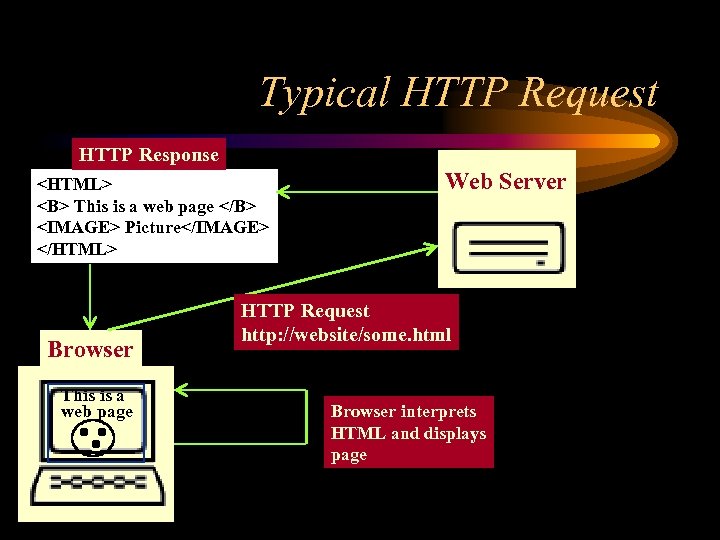
Typical HTTP Request HTTP Response <HTML> <B> This is a web page </B> <IMAGE> Picture</IMAGE> </HTML> Browser This is a web page Web Server HTTP Request http: //website/some. html Browser interprets HTML and displays page
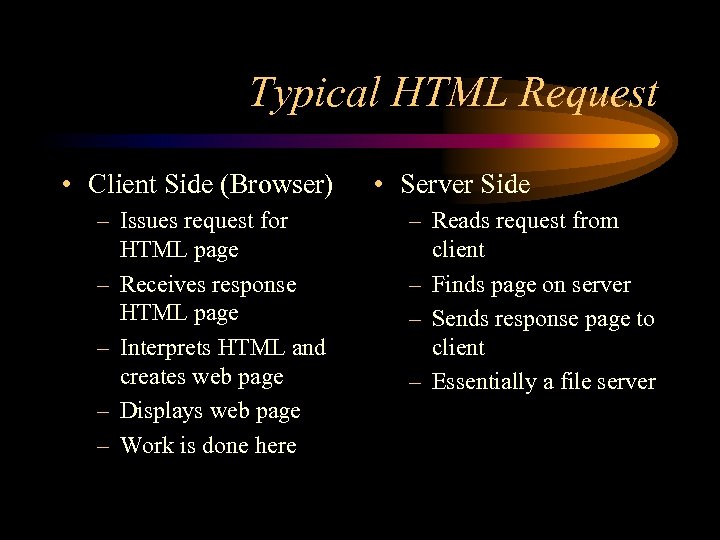
Typical HTML Request • Client Side (Browser) – Issues request for HTML page – Receives response HTML page – Interprets HTML and creates web page – Displays web page – Work is done here • Server Side – Reads request from client – Finds page on server – Sends response page to client – Essentially a file server
Scripting Languages • Scripting languages - Allow us to add capability to what’s provided by HTML. Allow parts of the page to be built “on the fly” • Client-side scripts - Script engine on client machine builds parts of page when page is loaded by browser (date is simple example) • Server-side scripts - Script engine on server builds parts of page before sending to client (database query results for example).
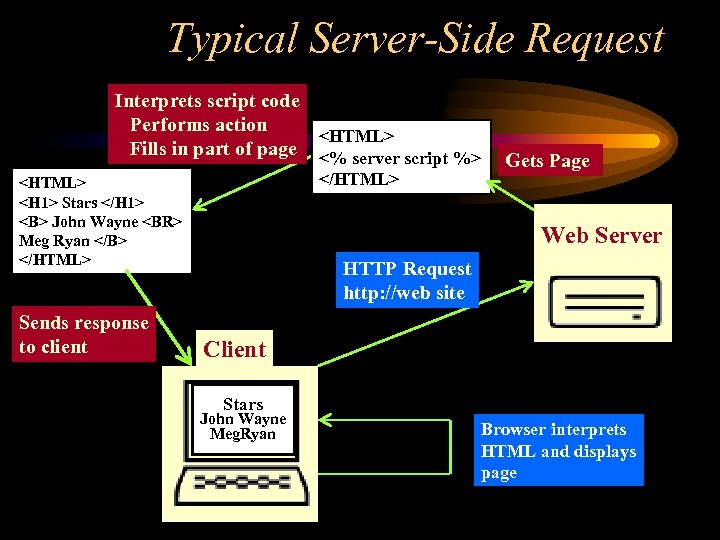
Typical Server-Side Request Interprets script code Performs action <HTML> Fills in part of page <% server script %> </HTML> <H 1> Stars </H 1> <B> John Wayne <BR> Meg Ryan </B> </HTML> Sends response to client Gets Page Web Server HTTP Request http: //web site Client Stars John Wayne Meg. Ryan Browser interprets HTML and displays page
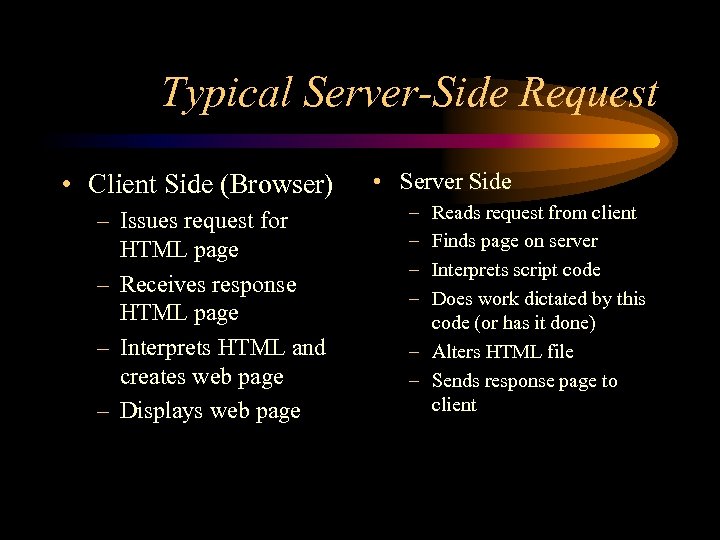
Typical Server-Side Request • Client Side (Browser) – Issues request for HTML page – Receives response HTML page – Interprets HTML and creates web page – Displays web page • Server Side – – Reads request from client Finds page on server Interprets script code Does work dictated by this code (or has it done) – Alters HTML file – Sends response page to client
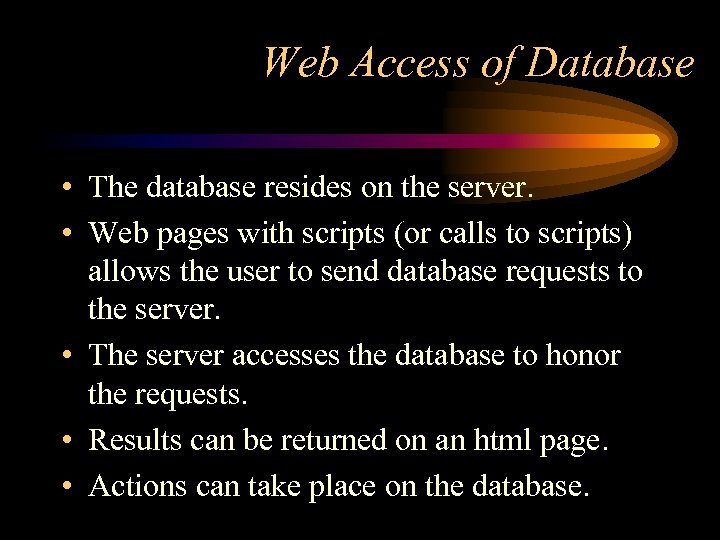
Web Access of Database • The database resides on the server. • Web pages with scripts (or calls to scripts) allows the user to send database requests to the server. • The server accesses the database to honor the requests. • Results can be returned on an html page. • Actions can take place on the database.
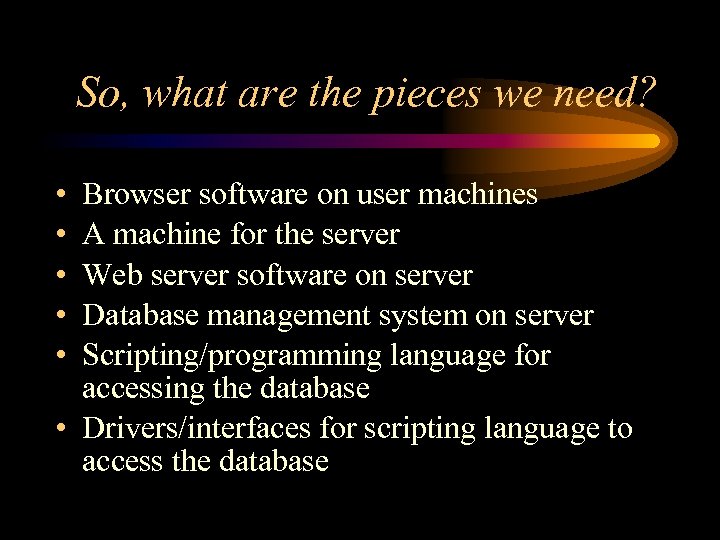
So, what are the pieces we need? • • • Browser software on user machines A machine for the server Web server software on server Database management system on server Scripting/programming language for accessing the database • Drivers/interfaces for scripting language to access the database
So, what are the pieces we use? • Browser: Netscape or Internet Explorer • Server machine: The Windows 2000 server that happens to house the SQL server. • Web server: Microsoft IIS • Database management system: SQL Server • Programming: C# (VB. NET? ) creating ASP. NET • Database interface: ADO. NET

Part II: . NET Overview
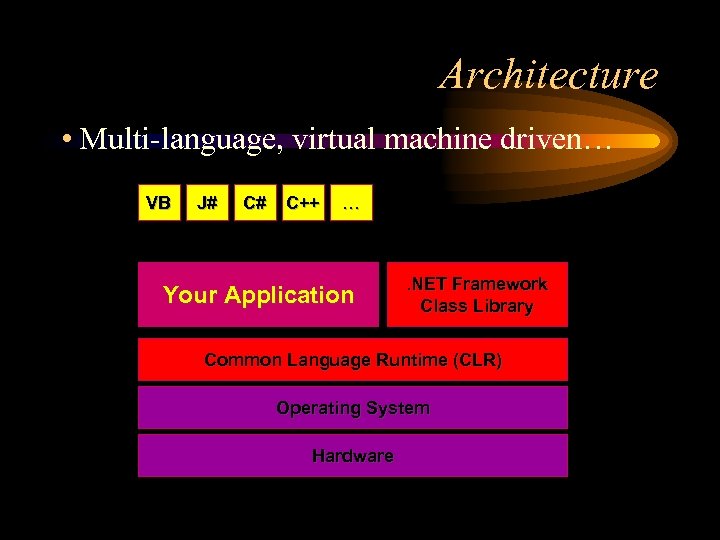
Architecture • Multi-language, virtual machine driven… VB J# C# C++ … Your Application . NET Framework Class Library Common Language Runtime (CLR) Operating System Hardware
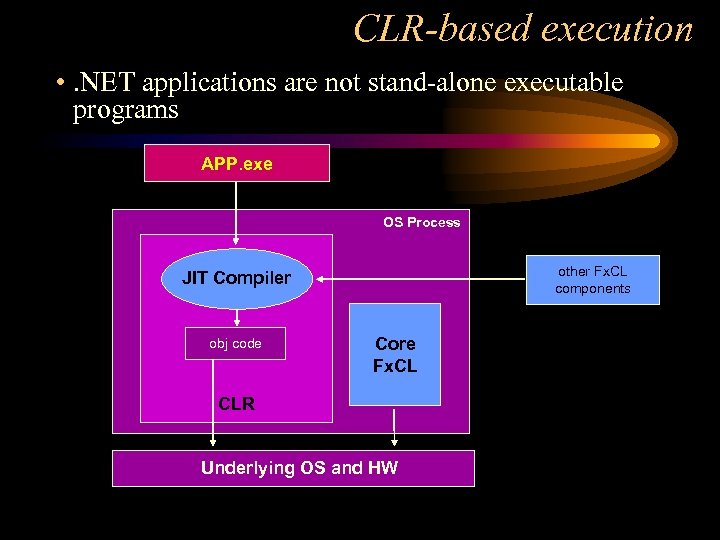
CLR-based execution • . NET applications are not stand-alone executable programs APP. exe OS Process other Fx. CL components JIT Compiler obj code Core Fx. CL CLR Underlying OS and HW
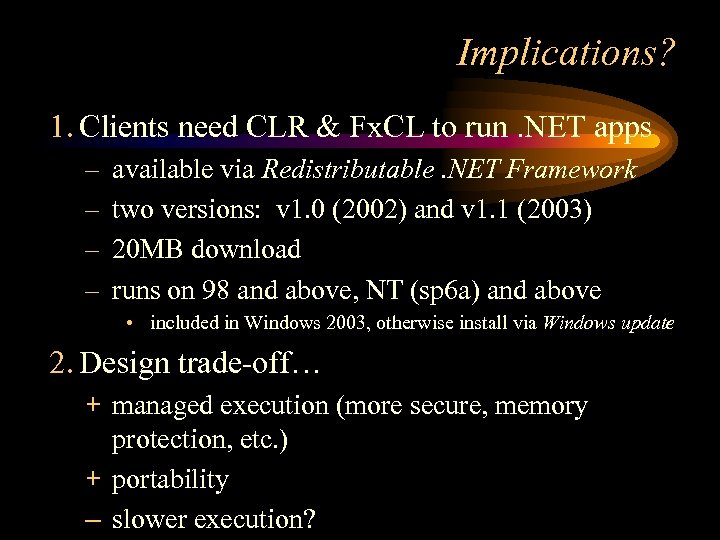
Implications? 1. Clients need CLR & Fx. CL to run. NET apps – – available via Redistributable. NET Framework two versions: v 1. 0 (2002) and v 1. 1 (2003) 20 MB download runs on 98 and above, NT (sp 6 a) and above • included in Windows 2003, otherwise install via Windows update 2. Design trade-off… + managed execution (more secure, memory protection, etc. ) + portability – slower execution?
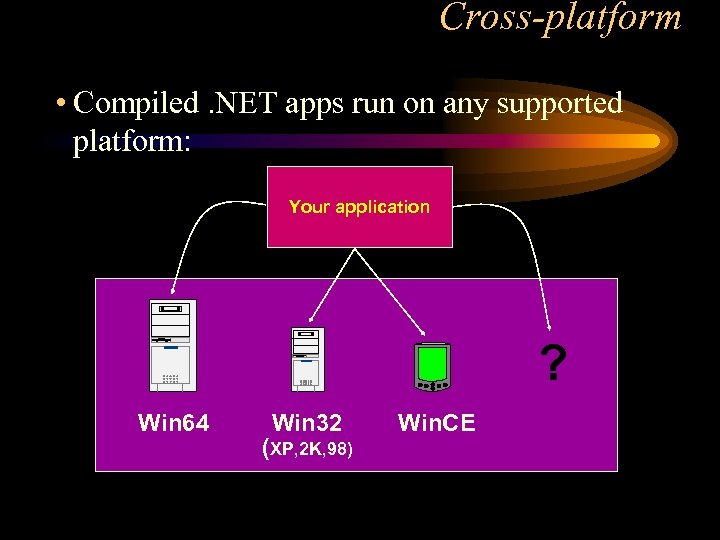
Cross-platform • Compiled. NET apps run on any supported platform: Your application ? Win 64 Win 32 (XP, 2 K, 98) Win. CE
Command-line development • Option #1 is to use command-line tools… • . NET Framework SDK • free (100 MB) • complete set of command-line tools and docs • development supported on Windows NT, 2000, XP Pro • http: //msdn. microsoft. com/net • other platforms? – Free. BSD / Mac OS X via Rotor (i. e. SSCLI) – Linux via Mono project – Unix via dot. GNU project
Part II: ADO. NET Overview
Introduction to ADO. NET • This is the layer that allows us to communicate with the database. • Everything is object oriented which is good • Recall – Objects are defined by classes – Objects are instantiated by constructors that may have parameters – Objects have • Properties or members that give them state • Methods that give them behavior • I will give some of the important classes (objects), and some of the properties and methods. • Much more is available through the Visual Studio documentation.
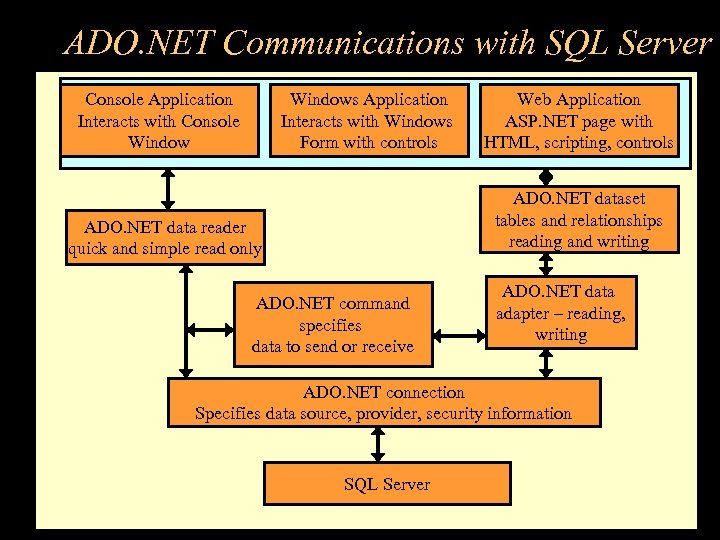
ADO. NET Communications with SQL Server Console Application Interacts with Console Windows Application Interacts with Windows Form with controls Web Application ASP. NET page with HTML, scripting, controls ADO. NET dataset tables and relationships reading and writing ADO. NET data reader quick and simple read only ADO. NET command specifies data to send or receive ADO. NET data adapter – reading, writing ADO. NET connection Specifies data source, provider, security information SQL Server
Sql. Connection Object • Represents a connection to an SQL database – One member is a Connection. String that contains information needed to connect to the database – Open method to open the connection using the connection string – There is a constructor that has connection string as parameter – Close method
Sql. Command Object • Represents a command (SQL, T-SQL, Stored procedure) to execute against the database – Command. Type • Stored. Procedure • Text – Command. Text • Name of the stored procedure if type is Stored. Procedure • The SQL statement if type is Text – Connection – Execute. Reader method – sends Command. Text to the connection and creates an Sql. Data. Reader (Note: Does NOT open and close connection)
Sql. Data. Reader Object • Provides a means of reading a forward-only stream of rows from a SQL Server database. – Has properties like Has. Rows, Field. Count – Methods for getting column values of current row, depending on type. – Read method to move to next row. – Very efficient way and preferred if only reading
Data. Set Object • Datasets store data in a disconnected cache. The structure of a dataset is similar to that of a relational database; it exposes a hierarchical object model of tables, rows, and columns. In addition, it contains constraints and relationships defined for the dataset.
Sql. Data. Adapter Object • Represents a set of data commands that are used to fill the Data. Set and update a SQL Server database. – Select. Command – Update. Command – Insert. Commend – Delete. Command – Fill method to fill Data. Set table with data from Select. Command – Update method used to update data in the database
Example program from handout • When you drug the table onto the webform: – An Sql. Connection and Sql. Data. Adapter were created – The connection was set to the database of the table – The Select. Command of the adapter was set to select all rows from the table • Then you generated a Data. Set object • You created a Data. Grid object on the form – Set its Data. Source to be the Data. Set – Set its Data. Member to be a tablename
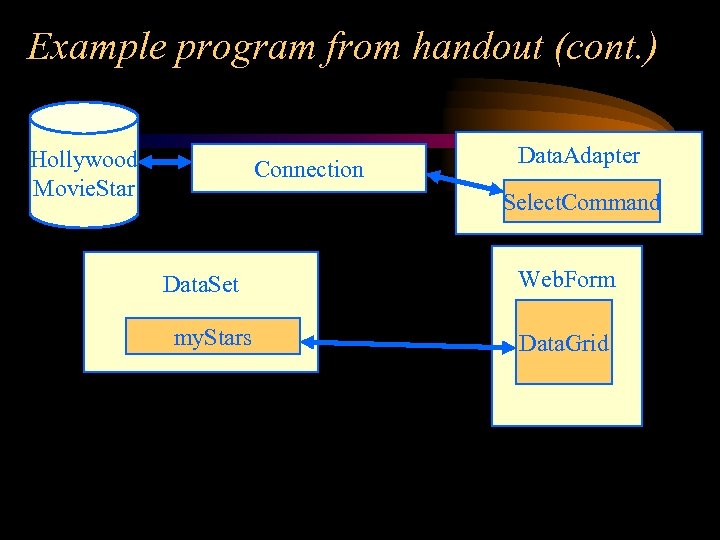
Example program from handout (cont. ) Hollywood Movie. Star Connection Data. Adapter Select. Command Data. Set my. Stars Web. Form Data. Grid
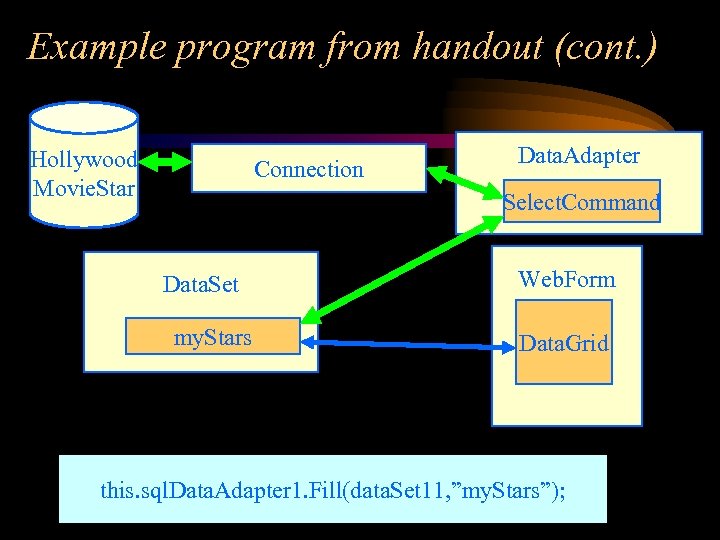
Example program from handout (cont. ) Hollywood Movie. Star Connection Data. Adapter Select. Command Data. Set my. Stars Web. Form Data. Grid this. sql. Data. Adapter 1. Fill(data. Set 11, ”my. Stars”);
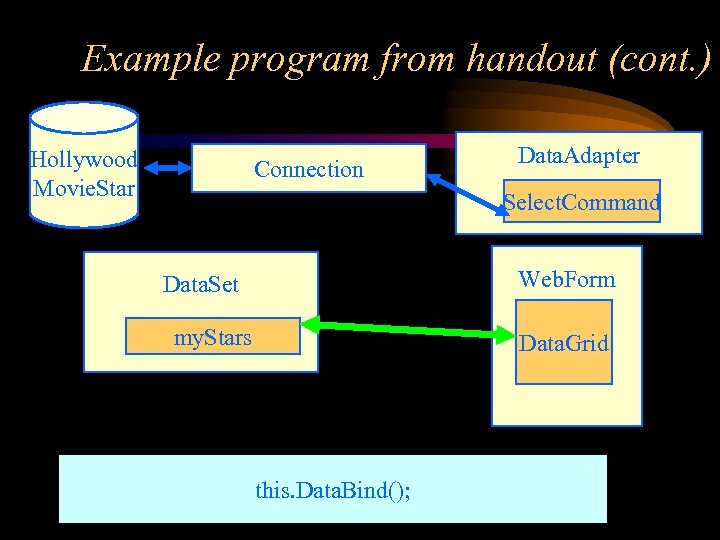
Example program from handout (cont. ) Hollywood Movie. Star Connection Data. Adapter Select. Command Web. Form Data. Set my. Stars Data. Grid this. Data. Bind();
Example program from handout (cont. ) • Note: We’re only doing sequential read from the database table – – – Don’t need Data. Set and Data. Adapter for this Just need Connection and Command (and Data. Reader) Drag connection and command objects to the form. Set the connection string correctly for connection object. Set Command’s connection and Command. Text
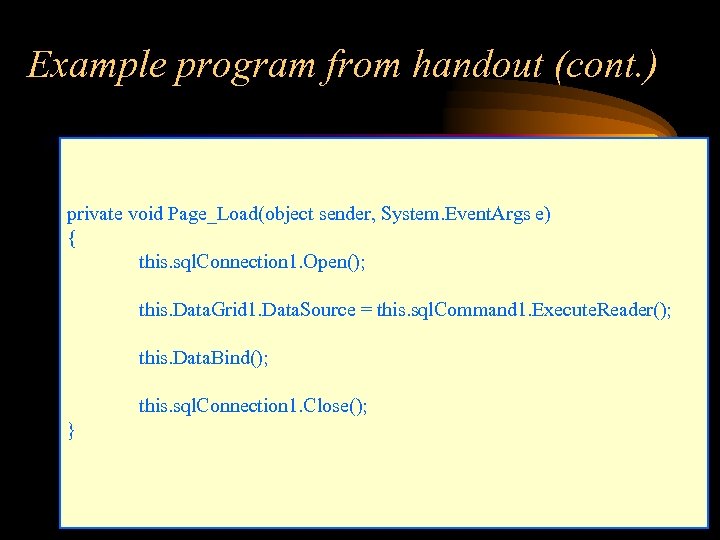
Example program from handout (cont. ) private void Page_Load(object sender, System. Event. Args e) { this. sql. Connection 1. Open(); this. Data. Grid 1. Data. Source = this. sql. Command 1. Execute. Reader(); this. Data. Bind(); this. sql. Connection 1. Close(); }
Скачать презентацию Computer Science 317 Database Management Introduction to Web
edeb02cc9a9924bb2fa6456722cca1d3.ppt