


 Скачать презентацию Computer Programming How Can You Create Your Own
4888571dbec641d0c446886f62af516a.ppt
- Количество слайдов: 61
 Computer Programming How Can You Create Your Own Software? Chapter 13
 Student Learning Outcomes 1. Understand how programmers investigate, analyze, and design software solutions to solve problems 2. Identify the basic coding control structures used in programming 3. Identify various common coding errors 4. Understand how programmers test, implement, and maintain software © 2003 The Mc. Graw-Hill Companies
 Student Learning Outcomes 5. Discuss programming language generations and characteristics 6. Understand object-oriented programming concepts 7. Discuss programming frameworks, such as Sun Microsystems’s Java Platform Technologies and Microsoft’s. NET © 2003 The Mc. Graw-Hill Companies
 Introduction Although you may never write a computer program, you may need a programmer to write or modify one for you. Thus, you should understand how programmers develop programs in order to meet your information requirements. © 2003 The Mc. Graw-Hill Companies
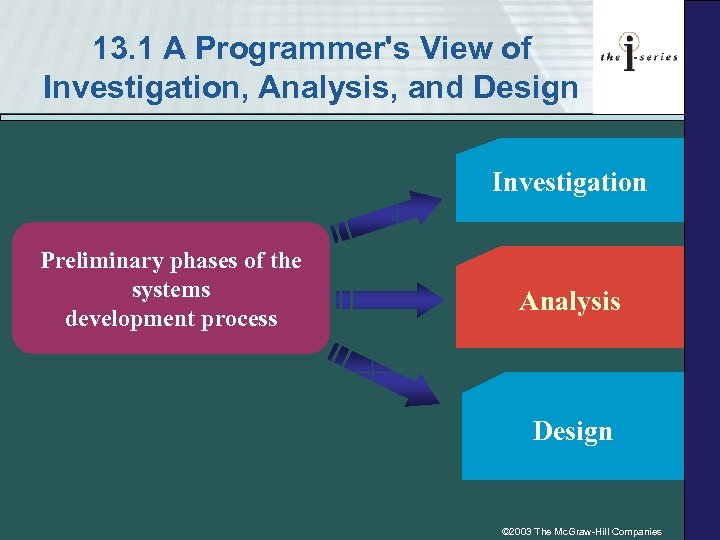 13. 1 A Programmer's View of Investigation, Analysis, and Design Investigation Preliminary phases of the systems development process Analysis Design © 2003 The Mc. Graw-Hill Companies
 Programmer’s Point of View • Systems Investigation – Lay the foundation for a new system – Define the problem/opportunity • Systems Analysis – Focus on information and processing – Develop logical specifications • Systems Design – Convert logical descriptions – Focus on physical characteristics © 2003 The Mc. Graw-Hill Companies
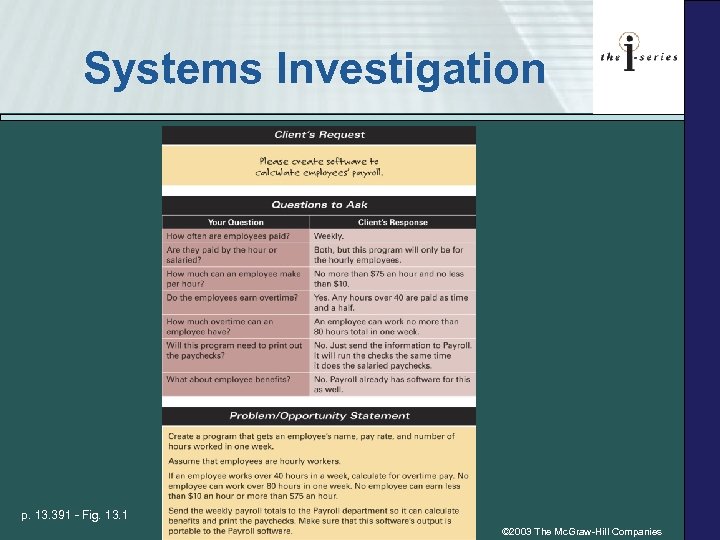 Systems Investigation p. 13. 391 - Fig. 13. 1 © 2003 The Mc. Graw-Hill Companies
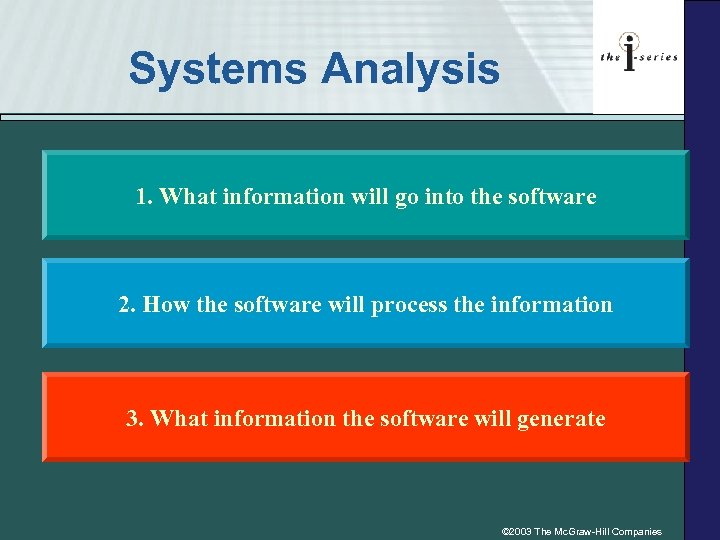 Systems Analysis 1. What information will go into the software 2. How the software will process the information 3. What information the software will generate © 2003 The Mc. Graw-Hill Companies
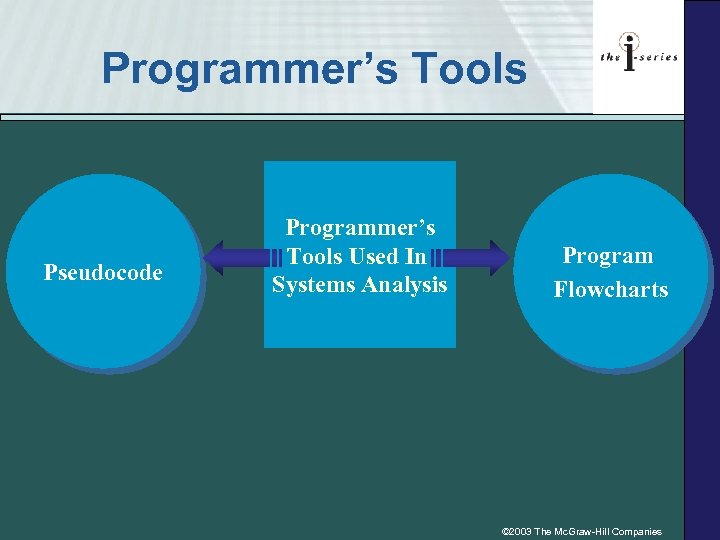 Programmer’s Tools Pseudocode Programmer’s Tools Used In Systems Analysis Program Flowcharts © 2003 The Mc. Graw-Hill Companies
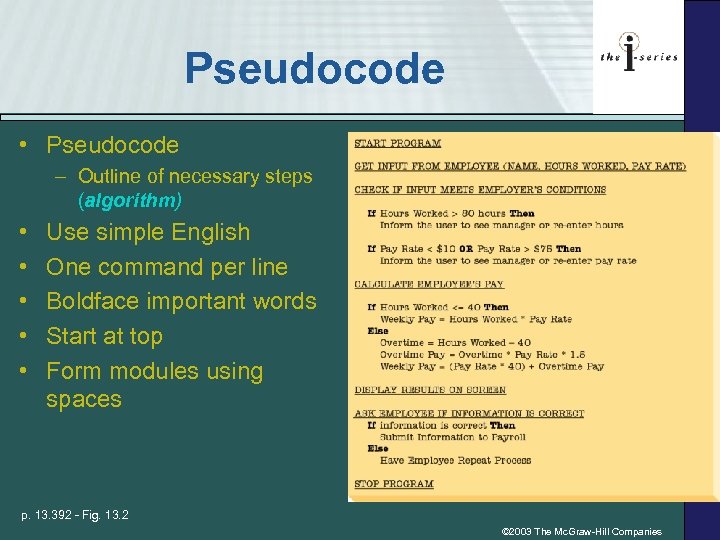 Pseudocode • Pseudocode – Outline of necessary steps (algorithm) • • • Use simple English One command per line Boldface important words Start at top Form modules using spaces p. 13. 392 - Fig. 13. 2 © 2003 The Mc. Graw-Hill Companies
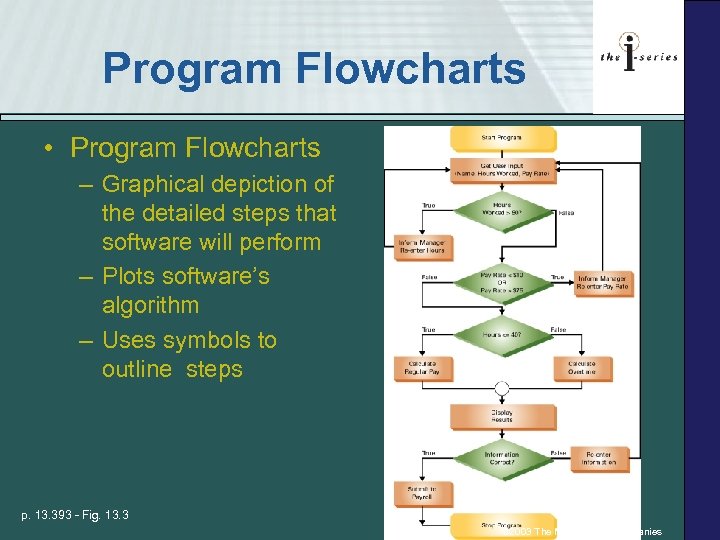 Program Flowcharts • Program Flowcharts – Graphical depiction of the detailed steps that software will perform – Plots software’s algorithm – Uses symbols to outline steps p. 13. 393 - Fig. 13. 3 © 2003 The Mc. Graw-Hill Companies
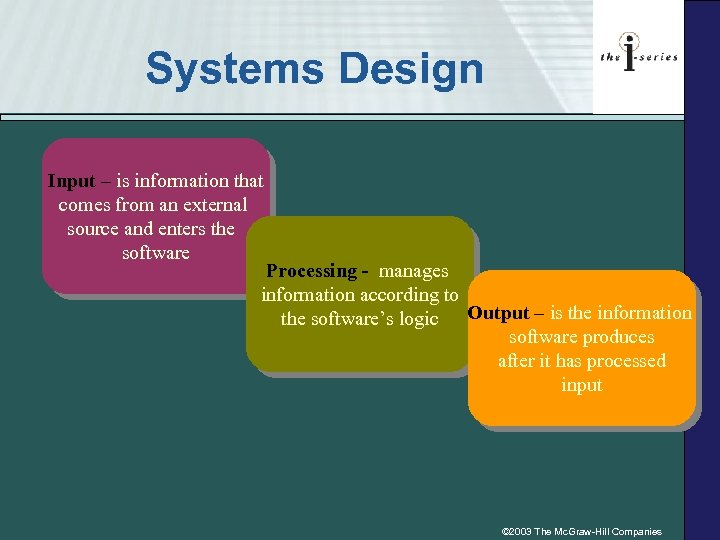 Systems Design Input – is information that comes from an external source and enters the software Processing - manages information according to the software’s logic Output – is the information software produces after it has processed input © 2003 The Mc. Graw-Hill Companies
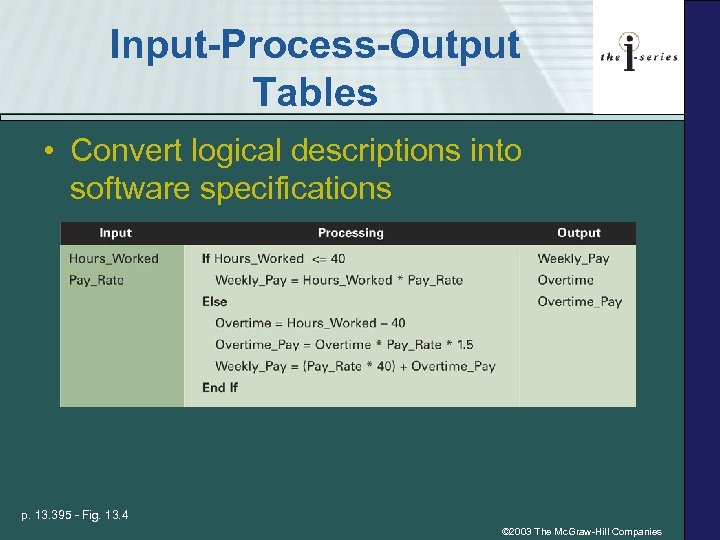 Input-Process-Output Tables • Convert logical descriptions into software specifications p. 13. 395 - Fig. 13. 4 © 2003 The Mc. Graw-Hill Companies
 13. 2 Writing Computer Software How do I Explain My Algorithm to the Computer? -Use a programming language to write (code) the software program How Do I Tell the Computer How to Read My Algorithm? -Sequential execution is when a computer performs each line of software code in the order it appears © 2003 The Mc. Graw-Hill Companies
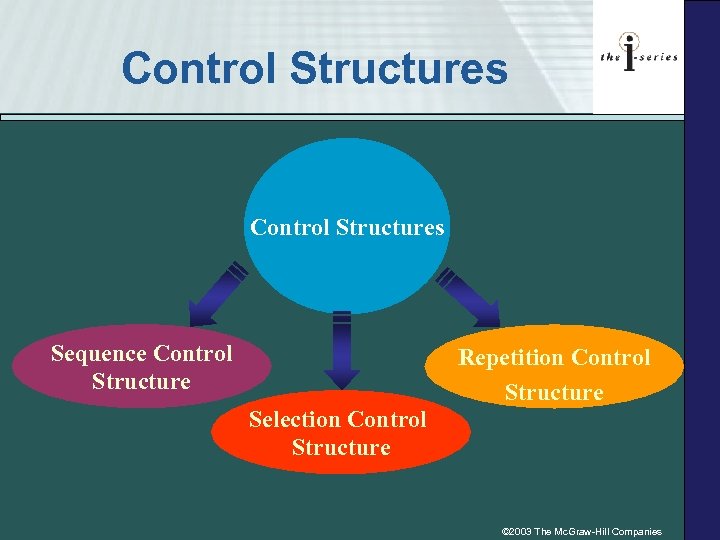 Control Structures Sequence Control Structure Repetition Control Structure Selection Control Structure © 2003 The Mc. Graw-Hill Companies
 Control Structures • • Sequential execution – code is executed in order it appears Control structures – you specify order in which code is executed – Sequence control structures – Selection control structures – Repetition control structures © 2003 The Mc. Graw-Hill Companies
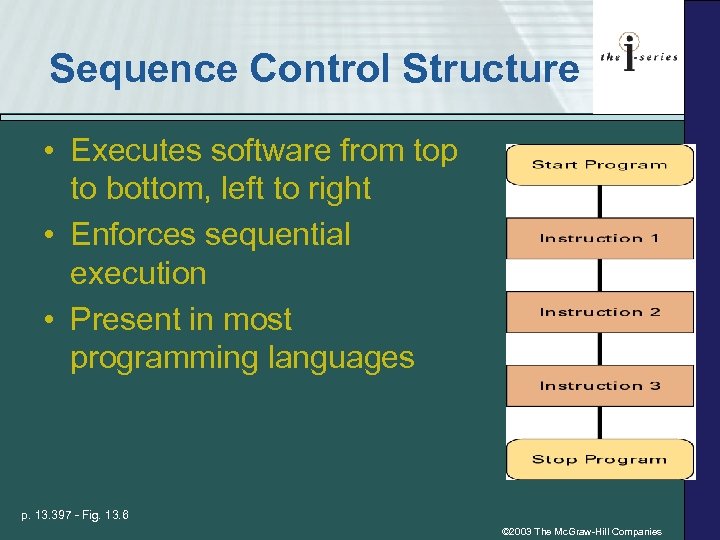 Sequence Control Structure • Executes software from top to bottom, left to right • Enforces sequential execution • Present in most programming languages p. 13. 397 - Fig. 13. 6 © 2003 The Mc. Graw-Hill Companies
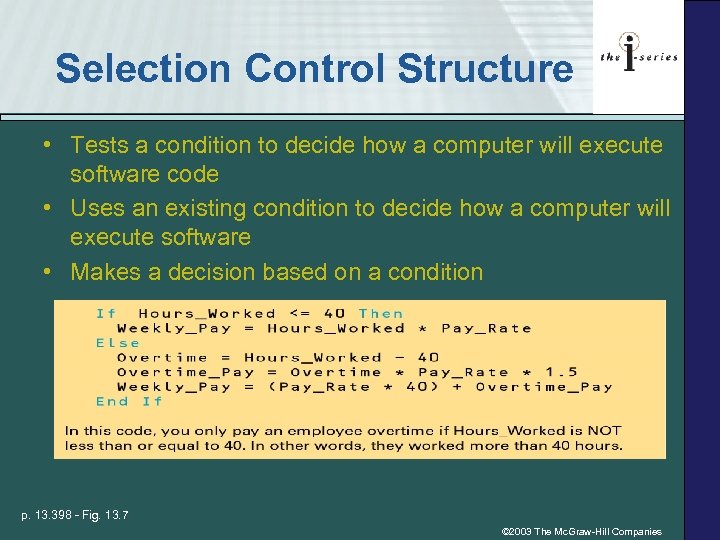 Selection Control Structure • Tests a condition to decide how a computer will execute software code • Uses an existing condition to decide how a computer will execute software • Makes a decision based on a condition p. 13. 398 - Fig. 13. 7 © 2003 The Mc. Graw-Hill Companies
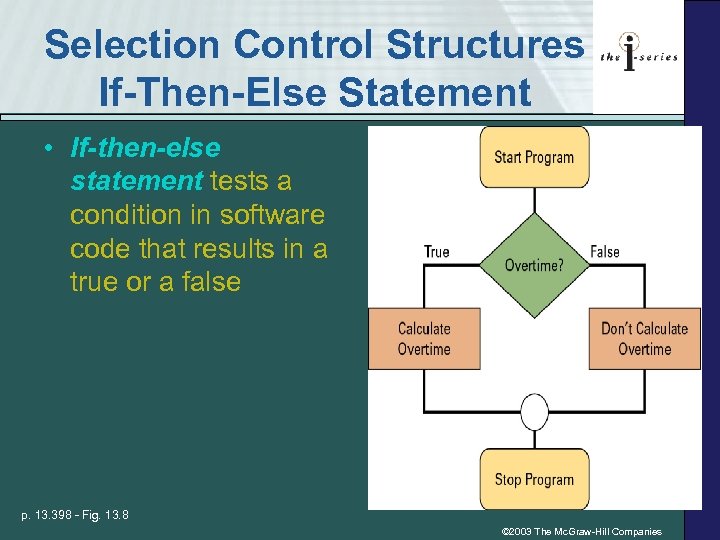 Selection Control Structures If-Then-Else Statement • If-then-else statement tests a condition in software code that results in a true or a false p. 13. 398 - Fig. 13. 8 © 2003 The Mc. Graw-Hill Companies
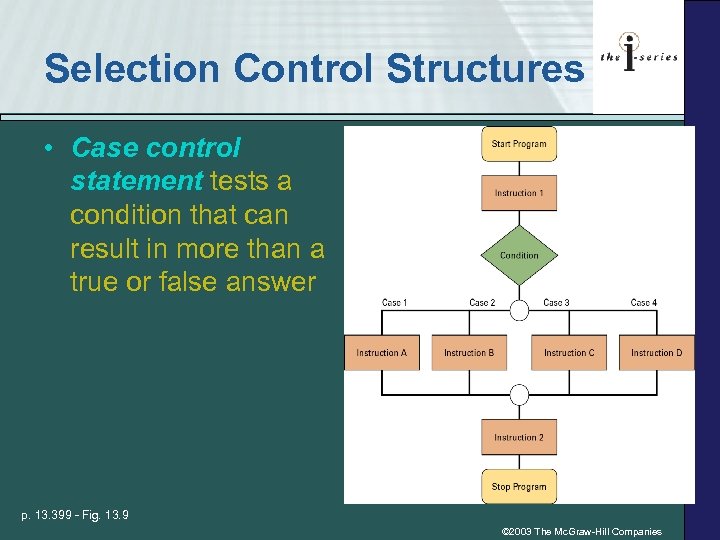 Selection Control Structures • Case control statement tests a condition that can result in more than a true or false answer p. 13. 399 - Fig. 13. 9 © 2003 The Mc. Graw-Hill Companies
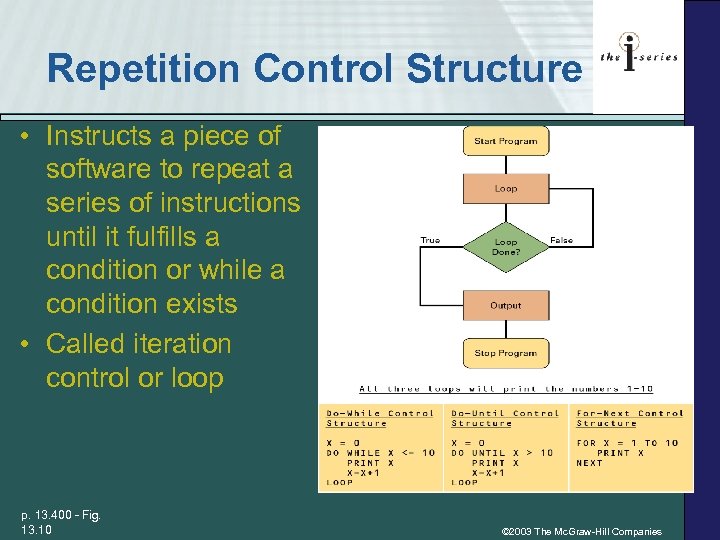 Repetition Control Structure • Instructs a piece of software to repeat a series of instructions until it fulfills a condition or while a condition exists • Called iteration control or loop p. 13. 400 - Fig. 13. 10 © 2003 The Mc. Graw-Hill Companies
 Repetition Control Structures Do-While Statement Do-Until Statement For-Next Statement © 2003 The Mc. Graw-Hill Companies
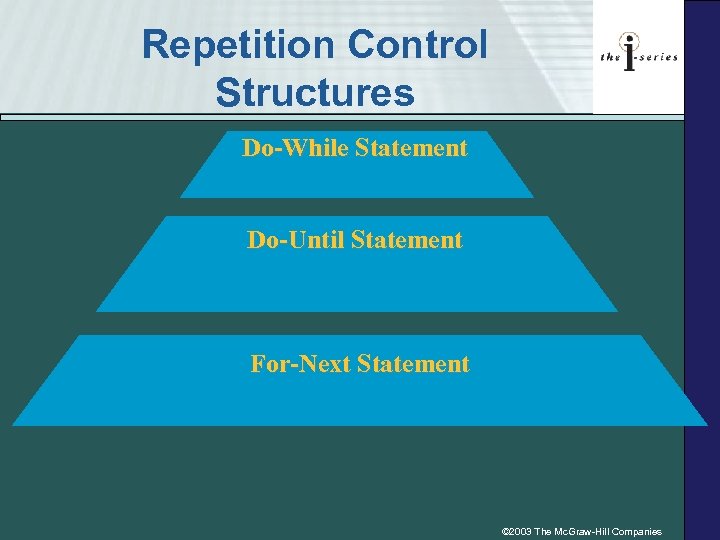
 Repetition Control Structures § Do-while statement repeats a portion of code as long as a certain condition exists § Do-until statement repeats a portion of code as long as a certain condition doesn’t exist (it’s false) § For-next statement repeats a portion of code a precise number of times © 2003 The Mc. Graw-Hill Companies
 13. 3 Testing, Implementing, and Maintaining Software • Systems Development Life Cycle Phases § Construction - phase #4 § Implementation - phase #5 § Support - phase #6 • Phases correspond to programming steps § Testing § Implementation § Maintenance © 2003 The Mc. Graw-Hill Companies
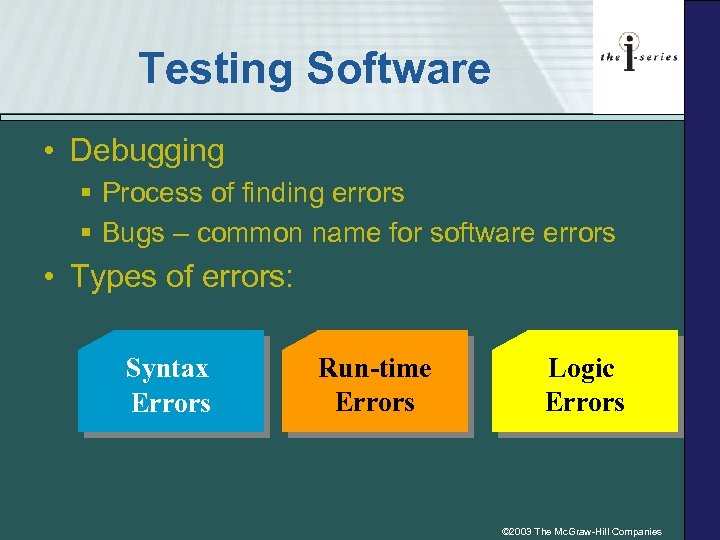 Testing Software • Debugging § Process of finding errors § Bugs – common name for software errors • Types of errors: Syntax Errors Run-time Errors Logic Errors © 2003 The Mc. Graw-Hill Companies
 Syntax Errors – Common Causes • Mistakes in a software code’s grammar • Misspelling a command word • Forgetting to close a module © 2003 The Mc. Graw-Hill Companies
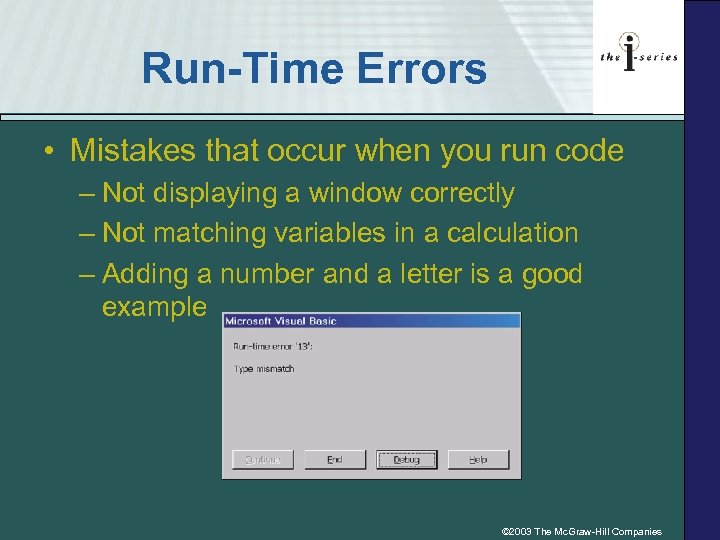 Run-Time Errors • Mistakes that occur when you run code – Not displaying a window correctly – Not matching variables in a calculation – Adding a number and a letter is a good example © 2003 The Mc. Graw-Hill Companies
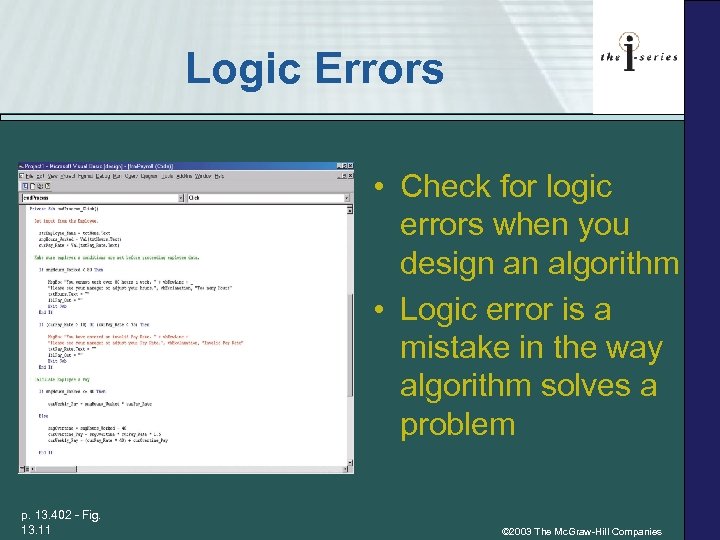 Logic Errors • Check for logic errors when you design an algorithm • Logic error is a mistake in the way algorithm solves a problem p. 13. 402 - Fig. 13. 11 © 2003 The Mc. Graw-Hill Companies
 End User Testing • Users must test software to make sure it meets their needs • Acceptance testing - “sign off” that software works correctly © 2003 The Mc. Graw-Hill Companies
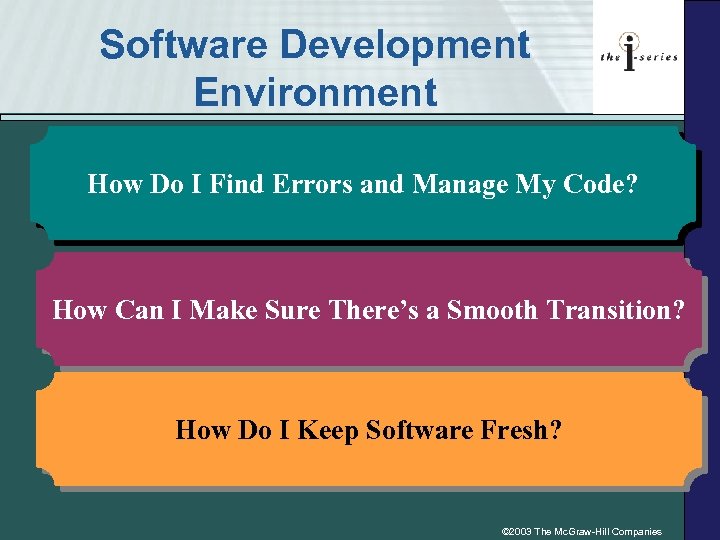 Software Development Environment How Do I Find Errors and Manage My Code? How Can I Make Sure There’s a Smooth Transition? How Do I Keep Software Fresh? © 2003 The Mc. Graw-Hill Companies
 Software Development Environment • Code can be written in a simple text editor such as Notepad • Software development environment is an application that provides programming tools – Used to debug software – Manages software programs • Powerful programming features • Rapid application development (RAD) • Computer-aided software engineering tools (CASE) © 2003 The Mc. Graw-Hill Companies
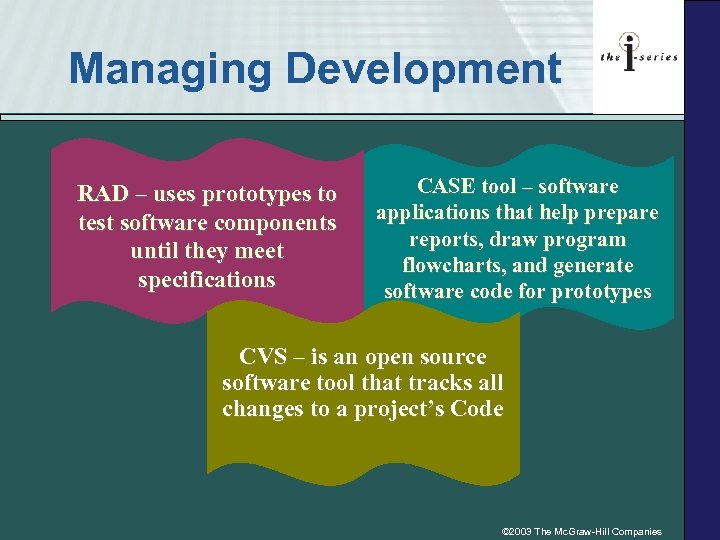 Managing Development RAD – uses prototypes to test software components until they meet specifications CASE tool – software applications that help prepare reports, draw program flowcharts, and generate software code for prototypes CVS – is an open source software tool that tracks all changes to a project’s Code © 2003 The Mc. Graw-Hill Companies
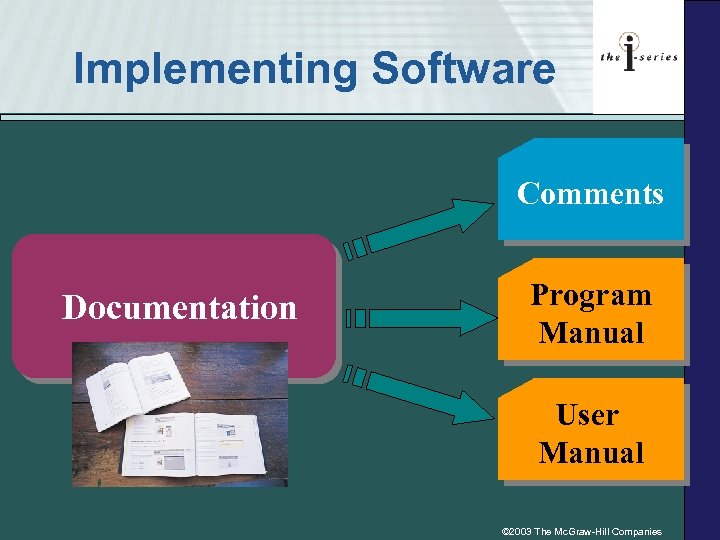 Implementing Software Comments Documentation Program Manual User Manual © 2003 The Mc. Graw-Hill Companies
 Maintaining software • Software Patches – Small fix to a program problem – Uses a piece of software code • Software upgrades – Used when patches are no longer enough – Substantial revision of existing software – Example – MS Office 2003 is an upgrade to MS Office XP © 2003 The Mc. Graw-Hill Companies
 13. 4 Programming Language • Machine language § Machine-dependent & low level language § Uses binary code • Assembly language § Machine-dependent & low level language § Uses words and abbreviations ØSim. Net Concepts Support CD: “Programming Languages” © 2003 The Mc. Graw-Hill Companies
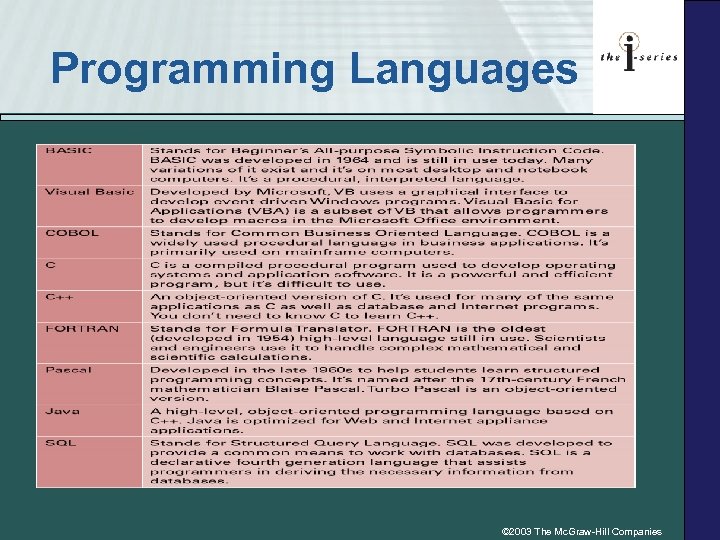 Programming Languages © 2003 The Mc. Graw-Hill Companies
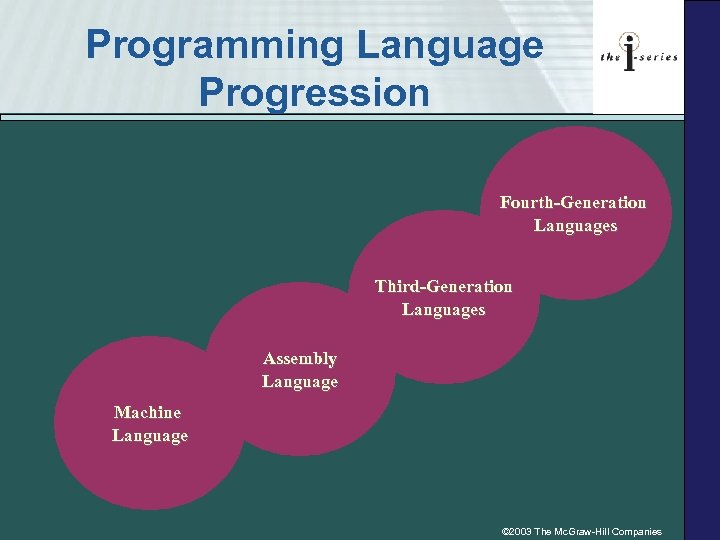 Programming Language Progression Fourth-Generation Languages Third-Generation Languages Assembly Language Machine Language © 2003 The Mc. Graw-Hill Companies
 Machine Language • Machine-dependent language is a programming language that works on a specific computer system and its components • A low-level language requires programmers to code at a basic level that a computer can understand • Machine-language is a machine-dependent, low-level language that uses binary code to interact with a specific computer system © 2003 The Mc. Graw-Hill Companies
 Assembly Language • Assembly language is a machinedependent, low-level language that uses words instead of binary numbers to program a specific computer system • An assembler is utility program that converts assembly language into machine language that a computer can use to run software © 2003 The Mc. Graw-Hill Companies
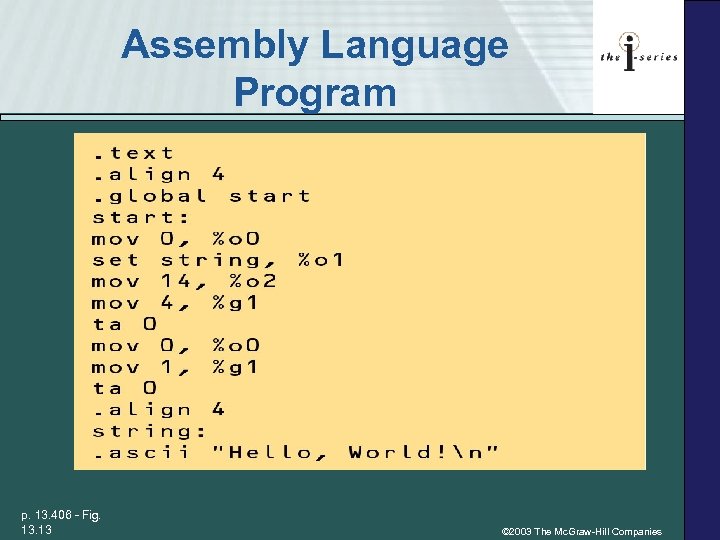 Assembly Language Program p. 13. 406 - Fig. 13 © 2003 The Mc. Graw-Hill Companies
 Third-Generation Languages • Third-Generation Language: § § Machine-independent & high-level language Uses human words and symbols Procedural language Examples § COBOL § C++ § Fortran § Java © 2003 The Mc. Graw-Hill Companies
 Fourth-Generation Languages • Fourth-Generation Language: § § § Machine-independent High-level language Non procedural Uses human words and symbols Example - SQL © 2003 The Mc. Graw-Hill Companies
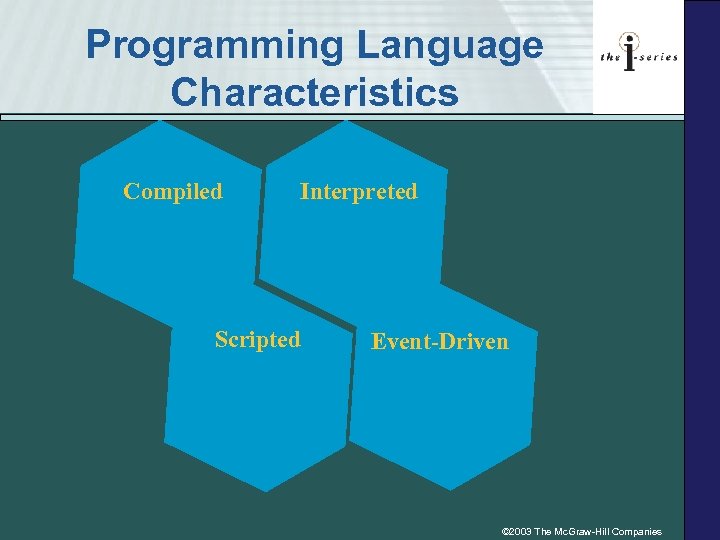 Programming Language Characteristics Compiled Interpreted Scripted Event-Driven © 2003 The Mc. Graw-Hill Companies
 Programming Language Characteristics • Compiled – Compiler – Source code & object code – C++ and Java • Interpreted – Interpreter – Java. Script and VBScript © 2003 The Mc. Graw-Hill Companies
 Programming Language Characteristics • Scripted – Interpreted language that works within another application – Visual Basic for Applications (VBA) – Macro • Event-driven – Responds to actions users perform on the program © 2003 The Mc. Graw-Hill Companies
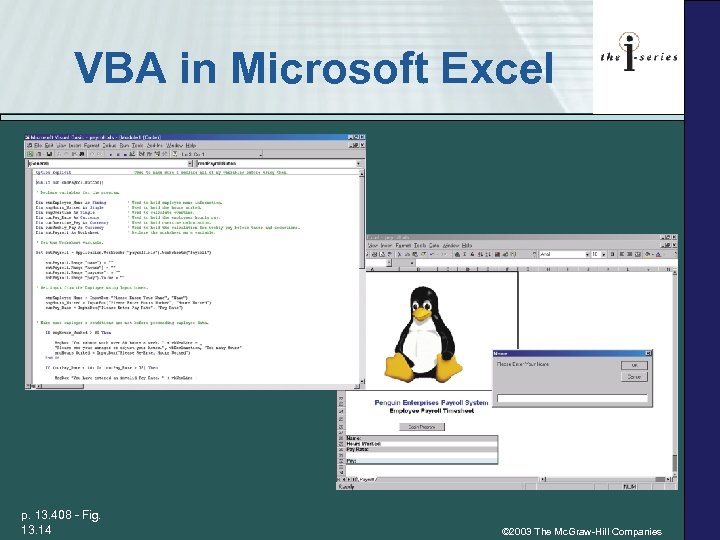 VBA in Microsoft Excel p. 13. 408 - Fig. 13. 14 © 2003 The Mc. Graw-Hill Companies
 13. 5 Programming Frameworks • Programming framework is a collection of software tools used to create a complete business solution • Two most important programming frameworks: Sun’s Java Platform Technologies Microsoft’s. NET © 2003 The Mc. Graw-Hill Companies
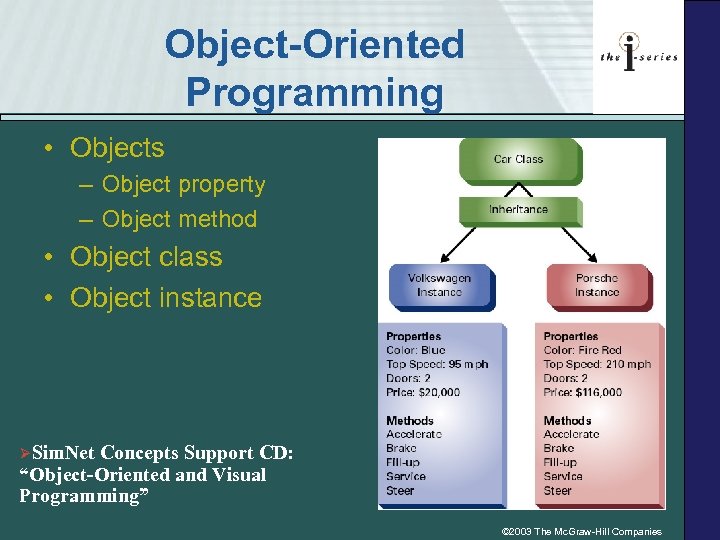 Object-Oriented Programming • Objects – Object property – Object method • Object class • Object instance ØSim. Net Concepts Support CD: “Object-Oriented and Visual Programming” © 2003 The Mc. Graw-Hill Companies
 Java Platform Technologies • Java is an object-oriented 3 GL programming language developed by Sun Microsystems • Sun developed Java to work on all computer operating systems that can use the Java Virtual Machine • Sun has created programming frameworks to help programmers create software solutions for: – Business applications – Enterprise software – Mobile devices © 2003 The Mc. Graw-Hill Companies
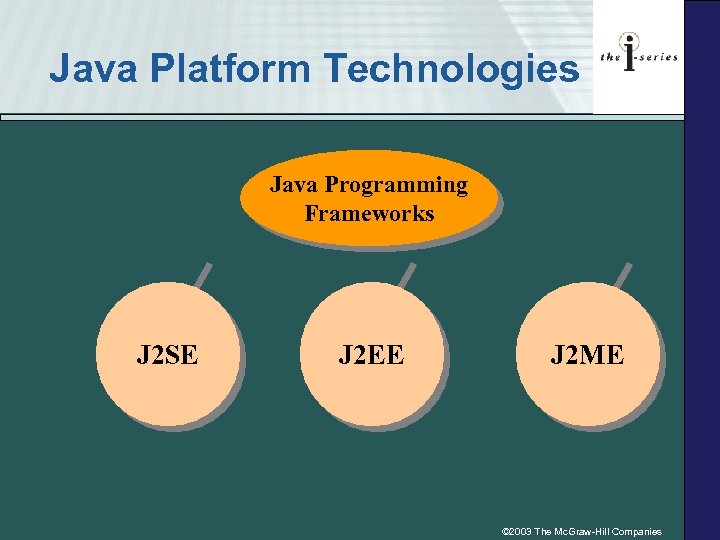 Java Platform Technologies Java Programming Frameworks J 2 SE J 2 EE J 2 ME © 2003 The Mc. Graw-Hill Companies
 Microsoft. NET • . NET is the next generation of development environments • . NET will allow businesses to create applications and systems that work almost anywhere • . NET uses a combination of development tools, servers, XML Web services, and smart client software © 2003 The Mc. Graw-Hill Companies
 Microsoft. NET • Visual Studio. NET is a software development environment that allows programmers to write code in Visual Basic, C++, or C# for the. NET framework © 2003 The Mc. Graw-Hill Companies
 © 2003 The Mc. Graw-Hill Companies
 13. 6 Key Terms • • • Algorithm Assembly language Bug Business logic Computer aided software engineering (CASE) • Coding • Compiler • Control structure • Concurrent Versions System (CVS) • Documentation • Event-driven language • Fourth generation language • input © 2003 The Mc. Graw-Hill Companies
 13. 6 Key Terms • Integrated development environment (IDE) • Interpreter • Input-process-output table (IPO) • Logic error • Machine language • Object class • Object code • • Object instance Object method Object property Object-oriented programming (OOP) Output Processing Program flowchart Programming framework © 2003 The Mc. Graw-Hill Companies
 13. 6 Key Terms • Programming language • Pseudocode • Repetition control structure • Run-time error • Selection control structure • Sequence control structure • Software development environment • Software patch • Software upgrade • Source code • Syntax error • Technical writer • Third generation language • User manual © 2003 The Mc. Graw-Hill Companies
 Review of Concepts 1. Developing Pseudocode to Solve a Business Process Ø How to sell event tickets 2. Creating the Correct Control Structure 3. Debugging a Software Program Ø Working with macros © 2003 The Mc. Graw-Hill Companies
 Hands On Projects E-Commerce 1. Exploring Technical Certifications 2. Buying a Car Ø Would you buy without first driving one? 3. Renting a Car © 2003 The Mc. Graw-Hill Companies
 Hands On Projects Ethics, Security & Privacy 1. How Secure Is Your Software? Ø Do you have bugs? 2. To Install or Not to Install: That’s the Question Ø What’s your ethical position? © 2003 The Mc. Graw-Hill Companies
 Hands On Projects on the Web 1. 2. 3. 4. Exploring Programming Frameworks Finding a Programming Job Online Exploring Programming Resources Finding Code on the Web © 2003 The Mc. Graw-Hill Companies
 Hands On Projects Group Activities 1. 2. 3. 4. Investigating and Designing Solutions Exploring Programming Majors Interviewing a Programmer Deciding on Proprietary versus Open Source Software © 2003 The Mc. Graw-Hill Companies