


 Скачать презентацию Computer and Information Security Chapter 1 Introduction 1
04d0481d8b3869be626c81fbed3acc45.ppt
- Количество слайдов: 63
 Computer and Information Security Chapter 1 Introduction 1
 Information Security: Principles and Practice Mark Stamp Second Edition 2
 Overview • The Cast of Characters • About the Book • • – – Cryptography Access Control Protocols Software The People Problem Principles and Practice Security Goals (CIA Triad) The Need for Security 3
 Chapter 1: Introduction “Begin at the beginning, ” the King said, very gravely, “and go on till you come to the end: then stop. ” Lewis Carroll, Alice in Wonderland 4
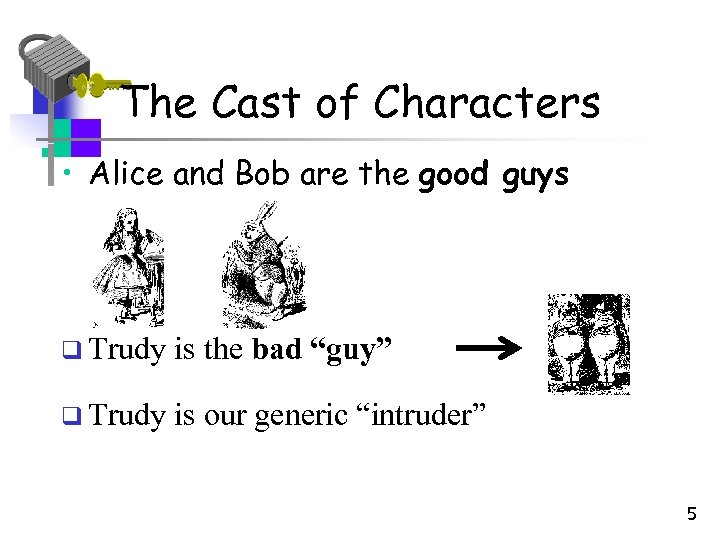 The Cast of Characters • Alice and Bob are the good guys q Trudy is the bad “guy” q Trudy is our generic “intruder” 5
 Alice’s Online Bank • Alice opens Alice’s Online Bank (AOB) • What are Alice’s security concerns? • If Bob is a customer of AOB, what are his security concerns? • How are Alice’s and Bob’s concerns similar? How are they different? • How does Trudy view the situation? 6
 CIA • CIA == Confidentiality, Integrity, and Availability (Authenticity) • AOB must prevent Trudy from learning Bob’s account balance • Confidentiality: prevent unauthorized reading of information – Cryptography used for confidentiality 7
 CIA • Trudy must not be able to change Bob’s account balance • Bob must not be able to improperly change his own account balance • Integrity: detect unauthorized writing of information – Cryptography used for integrity 8
 CIA • AOB’s information must be available whenever it’s needed • Alice must be able to make transaction – If not, she’ll take her business elsewhere • Availability: Data is available in a timely manner when needed • Availability is a “new” security concern – Denial of service (Do. S) attacks 9
 Beyond CIA: Crypto • How does Bob’s computer know that “Bob” is really Bob and not Trudy? • Bob’s password must be verified – This requires some clever cryptography • What are security concerns of pwds? • Are there alternatives to passwords? 10
 Beyond CIA: Protocols • When Bob logs into AOB, how does AOB know that “Bob” is really Bob? • As before, Bob’s password is verified • Unlike the previous case, network security issues arise • How do we secure network transactions? – Protocols are critically important – Crypto plays critical role in protocols 11
 Beyond CIA: Access Control • Once Bob is authenticated by AOB, then AOB must restrict actions of Bob – Bob can’t view Charlie’s account info – Bob can’t install new software, etc. • Enforcing these restrictions: authorization • Access control includes both authentication and authorization 12
 Beyond CIA: Software • Cryptography, protocols, and access control are implemented in software – Software is foundation on which security rests • What are security issues of software? – Real world software is complex and buggy – Software flaws lead to security flaws – How does Trudy attack software? – How to reduce flaws in software development? – And what about malware? 13
 Your Textbook • The text consists of four major parts – Cryptography – Access control – Protocols – Software • Note: Our focus is on technical issues 14
 The People Problem • People often break security – Both intentionally and unintentionally – Here, we consider the unintentional • For example, suppose you want to buy something online – To make it concrete, suppose you want to buy Information Security: Principles and Practice, 2 nd edition from amazon. com 15
 The People Problem • To buy from amazon. com… – – Your Web browser uses SSL protocol SSL relies on cryptography Access control issues arise All security mechanisms are in software • Suppose all of this security stuff works perfectly – Then you would be safe, right? 16
 The People Problem • What could go wrong? • Trudy tries man-in-the-middle attack – SSL is secure, so attack doesn’t “work” – But, Web browser issues a warning – What do you, the user, do? • If user ignores warning, attack works! – None of the security mechanisms failed – But user unintentionally broke security 17
 Cryptography • “Secret codes” • The book covers – Classic cryptography – Symmetric ciphers – Public key cryptography – Hash functions++ – Advanced cryptanalysis 18
 Access Control • Authentication – Passwords – Biometrics – Other methods of authentication • Authorization – Access Control Lists/Capabilities – Multilevel security (MLS), security modeling, covert channel, inference control – Firewalls, intrusion detection (IDS) 19
 Protocols • “Simple” authentication protocols – Focus on basics of security protocols – Lots of applied cryptography in protocols • Real-world security protocols – SSH, SSL, IPSec, Kerberos – Wireless: WEP, GSM 20
 Software • Security-critical flaws in software – Buffer overflow – Race conditions, etc. • Malware – Examples of viruses and worms – Prevention and detection – Future of malware? 21
 Software • Software reverse engineering (SRE) – How hackers “dissect” software • Digital rights management (DRM) – Shows difficulty of security in software – Also raises OS security issues • Software and testing – Open source, closed source, other topics 22
 Software • Operating systems – Basic OS security issues – “Trusted OS” requirements – NGSCB (Next Generation Secure Computing Base): Microsoft’s trusted OS for the PC • Software is a BIG security topic – Lots of material to cover – Lots of security problems to consider – But not nearly enough time available… 23
 Think Like Trudy • In the past, no respectable sources talked about “hacking” in detail – After all, such info might help Trudy • Recently, this has changed – Lots of books on network hacking, evil software, how to hack software, etc. – Classes teach virus writing, SRE (Software Reverse Engineering), etc. 24
 Think Like Trudy • Good guys must think like bad guys! • A police detective… – …must study and understand criminals • In information security – We want to understand Trudy’s methods – Might think about Trudy’s motives – We’ll often pretend to be Trudy 25
 Think Like Trudy • Is all of this security information a good idea? • Bruce Schneier (referring to Security Engineering, by Ross Anderson): – “It’s about time somebody wrote a book to teach the good guys what the bad guys already know. ” 26
 Think Like Trudy • • We must try to think like Trudy We must study Trudy’s methods We can admire Trudy’s cleverness Often, we can’t help but laugh at Alice’s and/or Bob’s stupidity • But, we cannot act like Trudy – Except in this class… 27
 In This Course… • Think like the bad guy • Always look for weaknesses – Find the weak link before Trudy does • It’s OK to break the rules – What rules? • Think like Trudy • But don’t do anything illegal! 28
 Computer Security • Is defined as the protection afforded to an automated information system in order to attain the applicable objectives of preserving the integrity, availability and confidentiality of information system resources (includes hardware, software, firmware, information/data, and telecommunications) 29
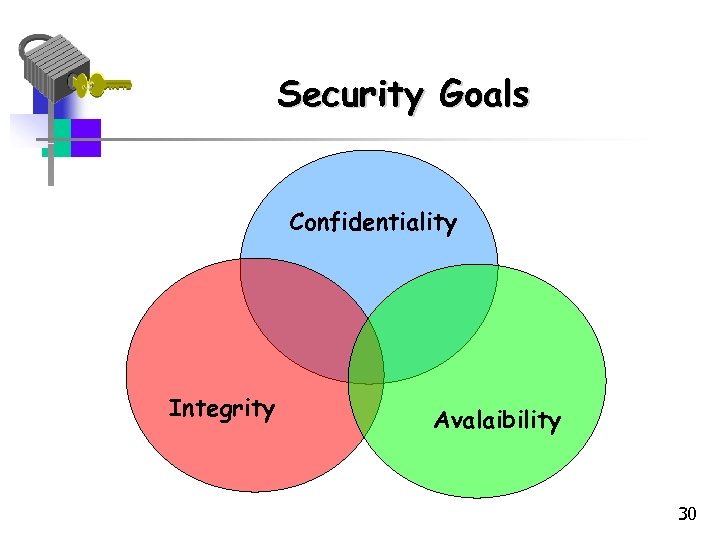 Security Goals Confidentiality Integrity Avalaibility 30
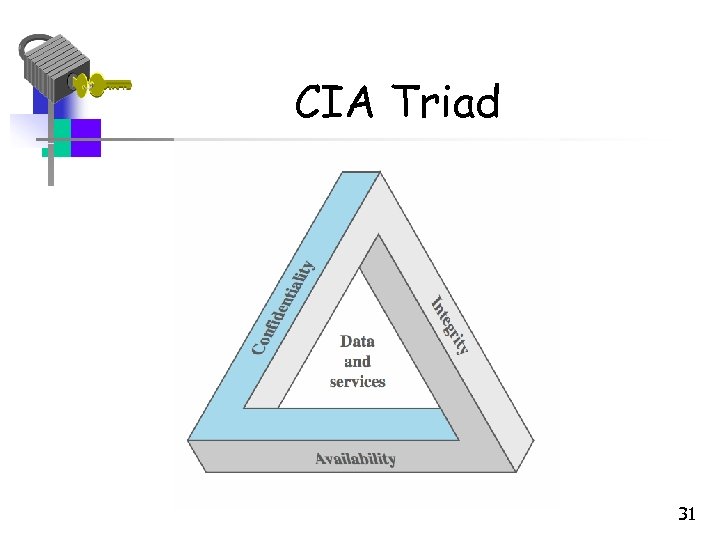 CIA Triad 31
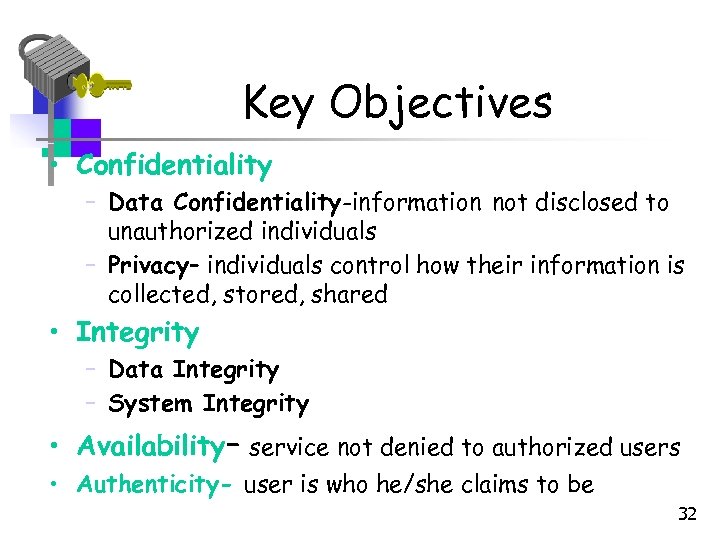 Key Objectives • Confidentiality – Data Confidentiality-information not disclosed to unauthorized individuals – Privacy– individuals control how their information is collected, stored, shared • Integrity – Data Integrity – System Integrity • Availability– service not denied to authorized users • Authenticity- user is who he/she claims to be 32
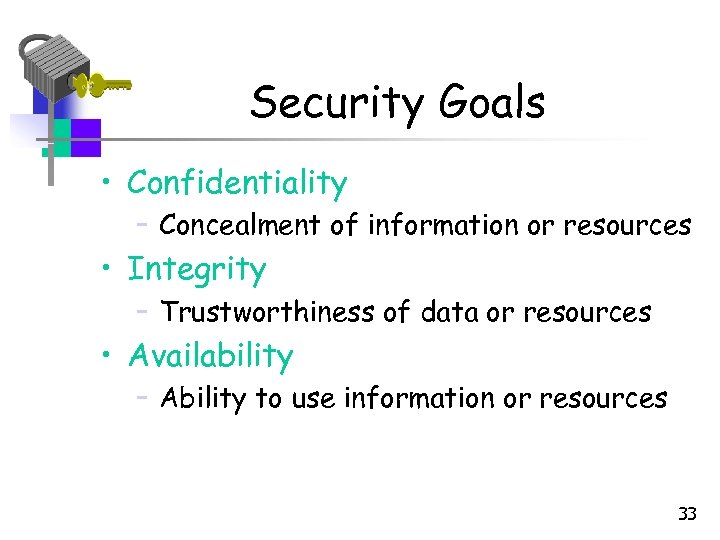 Security Goals • Confidentiality – Concealment of information or resources • Integrity – Trustworthiness of data or resources • Availability – Ability to use information or resources 33
 Confidentiality • Need for keeping information secret arises from use of computers in sensitive fields such as government and industry • Access mechanisms, such as cryptography, support confidentiality – Example: encrypting income tax return • Lost through unauthorized disclosure of information 34
 Integrity • Often requires preventing unauthorized changes • Includes data integrity (content) and origin integrity (source of data also called authentication) • Include prevention mechanisms and detection mechanisms – Example: Newspaper prints info leaked from White House and gives wrong source • Includes both correctness and trustworthiness • Lost through unauthorized modification or 35 destruction of information
 Availability • Is an aspect of reliability and system design • Attempts to block availability, called denial of service attacks (Do. S) are difficult to detect – Example: bank with two servers –one is blocked, the other provides false information • Ensures timely and reliable access to and use of information • Lost through disruption of access to information or information system 36
 Authenticity and Accountability Two additional objectives: • Authenticity- being genuine and able to be verified or trust; verifying that users are who they say they are • Accountability-actions of an entity can be traced uniquely to that entity; supports nonrepudiation, deterrence, fault isolation, intrusion, detection and prevention. 37
 Levels of Impact • We can define 3 levels of impact from a security breach: – Low – Moderate – High 38
 Security Breach Low Impact • Loss has limited adverse effect • For example: – Effectiveness of the functions of an organization are noticeably reduced – Results in minor damage to organizational assets – Results in minor financial loss – Results in minor harm to individuals 39
 Security Breach Moderate Impact • Loss may have serious adverse effect on organizational operations, assets or individuals. • For example: – Effectiveness of the functions of an organization are significantly reduced – Results in significant damage to organizational assets – Results in significant financial loss – Results in significant harm to individuals 40
 Security Breach High Impact • Loss is expected to have severe or catastrophic adverse effect on organizational operations, assets or individuals. • For example: – Effectiveness of the functions of an organization are reduced so that the organization cannot perform its primary function(s). – Results in major damage to organizational assets – Results in major financial loss – Results in severe or catastrophic harm to individuals, involving loss of life or serious life-threatening injuries 41
 Examples of Security Requirements • Confidentiality – student grades – High confidentiality - grades • Regulated by FERPA • Only available to students, parents and employees (who need it to do their job) – Moderate confidentiality –enrollment – Low confidentiality – Directory information • Lists of departments, faculty, students • Available to the public • Often published on Web site 42
 Examples of Security Requirements • Integrity- patient information – High requirement for integrity • –Medical database, if falslified or inaccurate, could cause harm ( allergies, etc. ) – Medium requirement for integrity • Web site that offers a forum for discussion of medical topics, not for research – Low requirement for integrity • Anonymous poll (such as a patient satisfaction) 43
 Examples of Security Requirements Availability - The more critical a component or service is, the higher the level of availability required: • High availability- authentication service – Interruption of service results in being unable to access computing resources • Moderate availability- College web site – Provides information but is not critical • Low availability- online phone directory – Other sources of information are available 44
 The Need for Security • Computer Security - the collection of tools designed – to protect data and – to thwart hackers • Network security or internet security measures needed to protect data during their transmission 45
 Security • Motivation: Why do we need security? • Increased reliance on Information technology with or with out the use of networks • The use of IT has changed our lives drastically. • We depend on E-mail, Internet banking, and several other governmental activities that use IT • Increased use of E-Commerce and the World wide web on the Internet as a vast repository of various kinds of information (immigration databases, flight tickets, stock markets etc. ) 46
 Security Concerns • Damage to any IT-based system or activity can result in severe disruption of services and losses • Systems connected by networks are more prone to attacks and also suffer more as a result of the attacks than stand-alone systems (Reasons? ) • Concerns such as the following are common – How do I know the party I am talking on the network is really the one I want to talk? – How can I be assured that no one else is listening and learning the data that I send over a network – Can I ever stay relaxed that no hacker can enter my network and play havoc? 47
 Concerns continued… • Is the web site I am downloading information from a legitimate one, or a fake? • How do I ensure that the person I just did a financial transaction denies having done it tomorrow or at a later time? • I want to buy some thing online, but I don’t want to let them charge my credit card before they deliver the product to me 48
 That is why… • . . we need security – To safeguard the confidentiality, integrity, authenticity and availability of data transmitted over insecure networks – Internet is not the only insecure network in this world – Many internal networks in organizations are prone to insider attacks – In fact, insider attacks are greater both in terms of likelihood of happening and damage caused 49
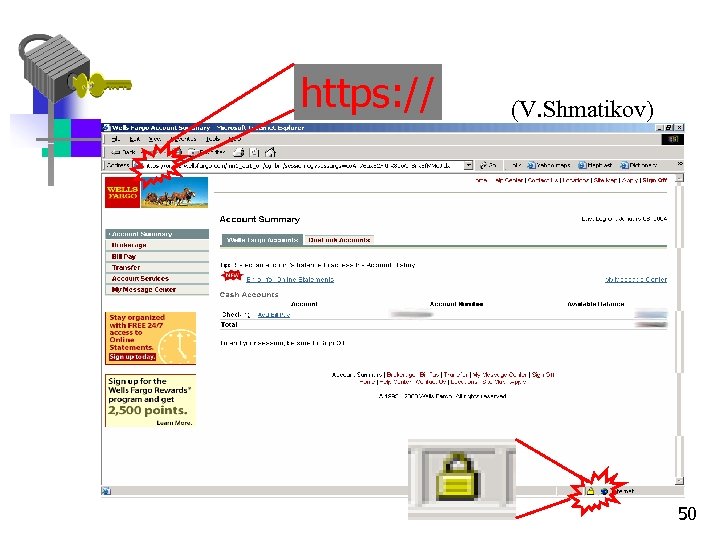 https: // (V. Shmatikov) 50
 However, in reality • Security is often over looked (not one of the top criteria) • Availability, efficiency and performance tend to be the ones • Buggy implementations • Systems too complex in nature and rich in features can be filled with security holes • Incorporation of security into networks, not growing with the rapidly growing number and size of networks • Attacking is becoming so common and easy – there are books clearly explaining how to launch them • Security and attacks are a perpetual cat-and-mouse play. The only way to avoid attacks is to keep up-to-date with latest trends and stay ahead of malicious netizens 51
 The Good News. . . • There a lot of techniques for defense • Educating people on security solves many problems • About threats and on the existence of security mechanisms, qualified personnel, usability and economics • We will study a lot of network defenses – Certainly not all 52
 Computer Security Challenges Computer Security is both fascinating and complex: 1. not simple 2. must consider potential attacks 3. procedures used counter-intuitive 4. involve algorithms and secret info 5. must decide where to deploy mechanisms 53
 Computer Security Challenges battle of wits between attacker/administrator 7. not perceived to be a benefit until fails 8. requires regular monitoring 9. too often an after-thought 10. regarded as impediment to efficient and user friendly use of system These difficulties will be explored throughout the course. 6. 54
 Security Threats/Attacks 55
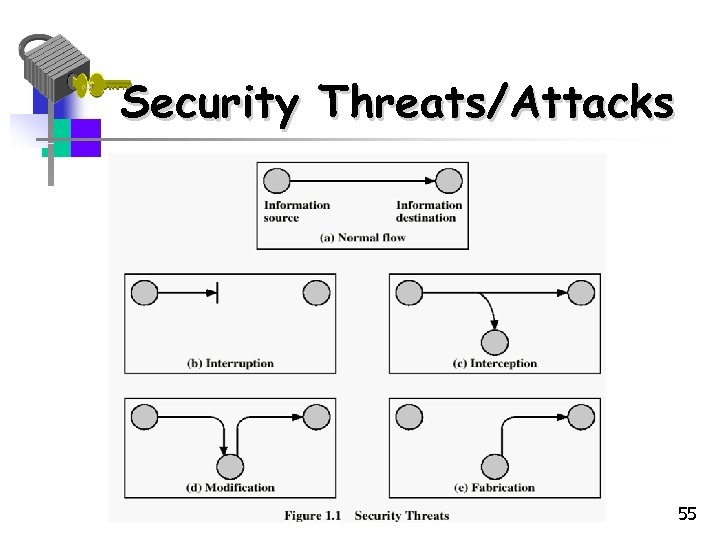
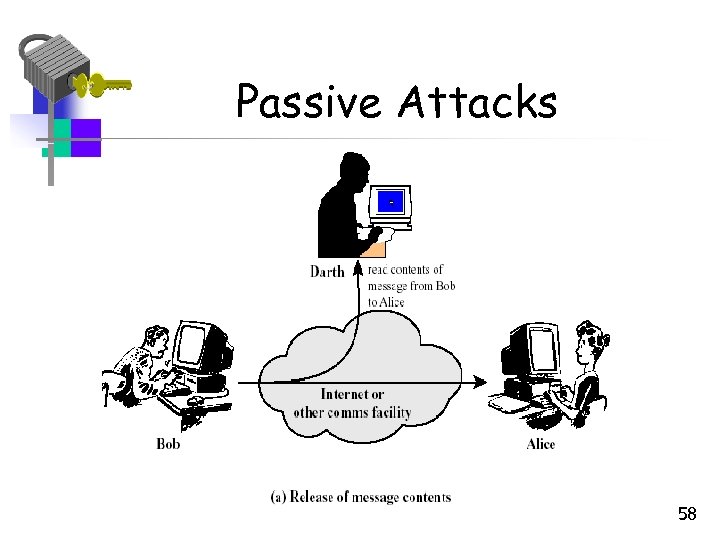
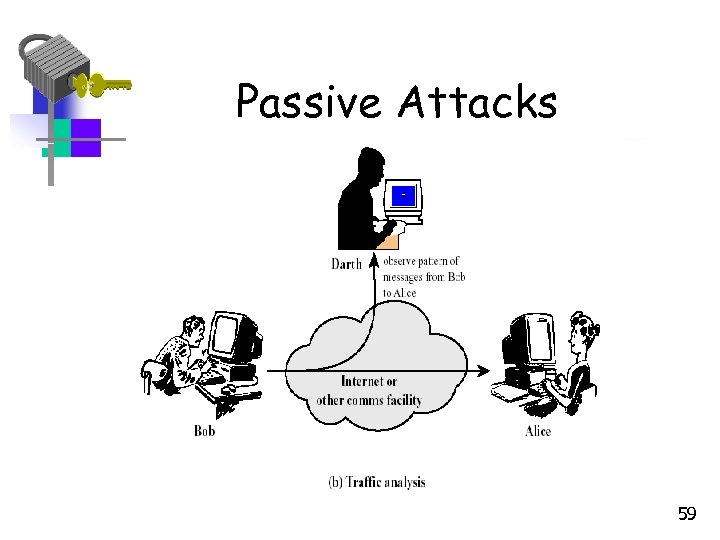
 Security Attacks • Interruption: This is an attack on availability – Disrupting traffic – Physically breaking communication line • Interception: This is an attack on confidentiality – Overhearing, eavesdropping over a communication line 56
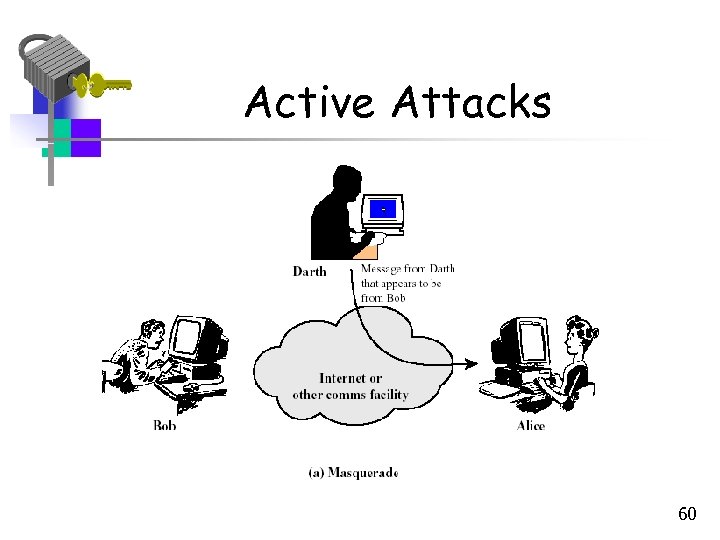
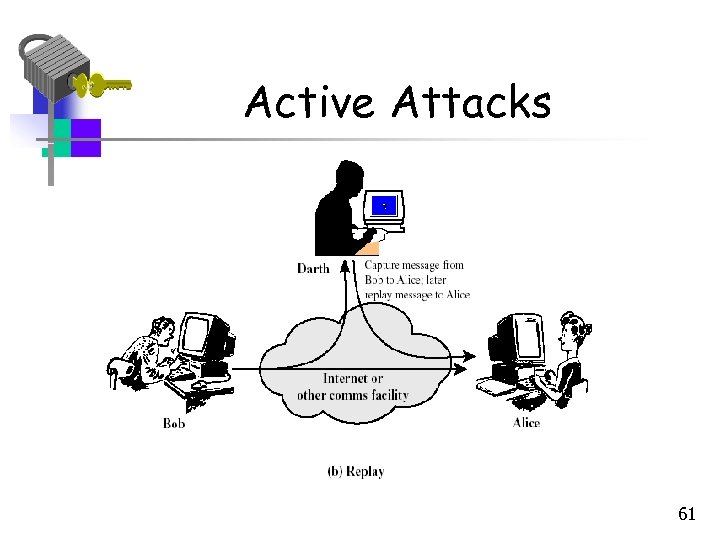
 Security Attacks (continued) • Modification: This is an attack on integrity – Corrupting transmitted data or tampering with it before it reaches its destination • Fabrication: This is an attack on authenticity – Faking data as if it were created by a legitimate and authentic party 57
 Passive Attacks 58
 Passive Attacks 59
 Active Attacks 60
 Active Attacks 61
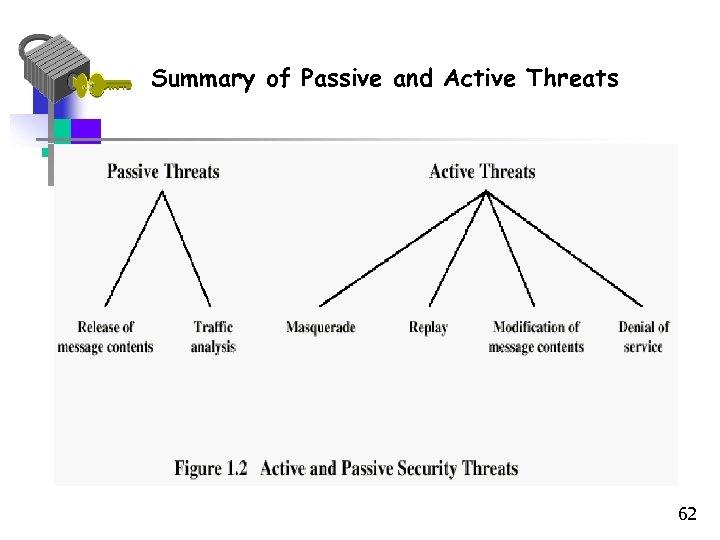 Summary of Passive and Active Threats 62
 Outline of Course • Part One - Introduction • Part Two–Use of Cryptographic algorithms and security protocols to provide security over the Internet. Topics include: key management, authentication, as well as transport-level, wireless, email and IP security • Part Three-Deals with security facilities to protect against threats, including intruders, viruses and worms. 63