 Скачать презентацию Comprehensive Utility Billing Control System CUBIC For
8a11f2e034cb371ee5f311dea0d4e35f.ppt
- Количество слайдов: 87



Comprehensive Utility Billing & Control System CUBIC® For Microsoft® Windows® Software for Government & Nonprofits Fund Accounting - Payroll - Utility Billing www. drfrey. com 800 -659 -3739 1 -859 -441 -6566
CUBIC® Comprehensive Utility Billing & Control Contemporary Continually improved with bold new features and improved usability on an ongoing basis. Lasting Investment Our update policy keeps your software state-of-the-art without ever having to buy new versions. In 1996, our clients, on support, moved from DOS and Unix to windows without any additional cost! Outstanding Support Responsive And Knowledgeable Support Team. Answers When You Need Them Scalable Designed To Meet The Requirements Of A Broad Range Of Users Value Priced Unique Pricing Designed To Meet The Needs Of A Wide Range Of Clients Proven Introduced In The 1970’s. Implemented In A True Microsoft Windows Format In 1996
CUBIC® Powerful Billing Capabilities Metered Services - Water, Sewer, Gas, Electric, and Other Metered Services Unmetered Services - Refuse, Hydrants, Street Lights, and Other Unmetered Services Budget Billing – Budget or Levelized Billing Installment Billing - Time Payment Plans, Payment Arrangements RUBS - Ratio Utility Billing Systems For Apartments Deregulated Billing - Provides for up to four components.
This presentation is organized by topic. You can click on an item in the topic list and you will be taken to that section. At the end of the topic, there is a return link that will return you to the menu. If you press the Page-Down or Enter key at that point, you will go to the next topic in the order they are presented.
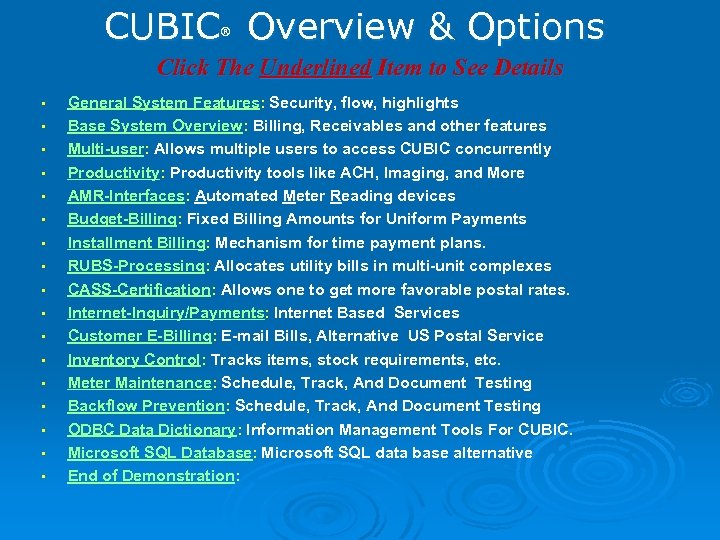
CUBIC Overview & Options ® Click The Underlined Item to See Details • • • • • General System Features: Security, flow, highlights Base System Overview: Billing, Receivables and other features Multi-user: Allows multiple users to access CUBIC concurrently Productivity: Productivity tools like ACH, Imaging, and More AMR-Interfaces: Automated Meter Reading devices Budget-Billing: Fixed Billing Amounts for Uniform Payments Installment Billing: Mechanism for time payment plans. RUBS-Processing: Allocates utility bills in multi-unit complexes CASS-Certification: Allows one to get more favorable postal rates. Internet-Inquiry/Payments: Internet Based Services Customer E-Billing: E-mail Bills, Alternative US Postal Service Inventory Control: Tracks items, stock requirements, etc. Meter Maintenance: Schedule, Track, And Document Testing Backflow Prevention: Schedule, Track, And Document Testing ODBC Data Dictionary: Information Management Tools For CUBIC. Microsoft SQL Database: Microsoft SQL data base alternative End of Demonstration:
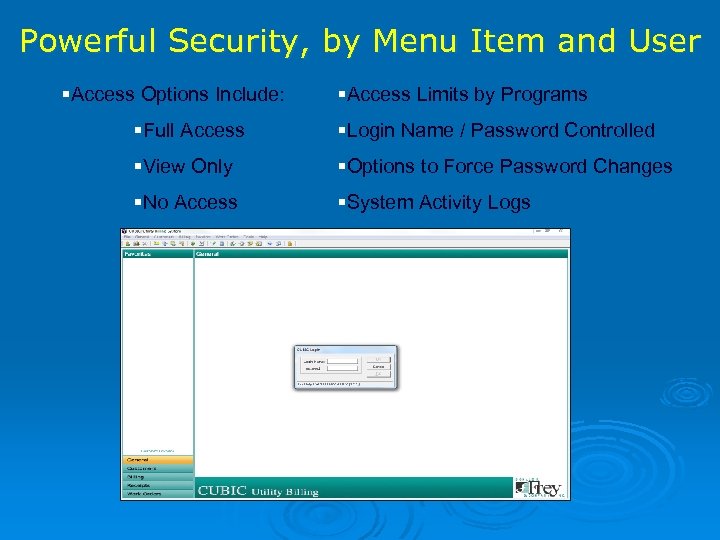
Powerful Security, by Menu Item and User §Access Options Include: §Access Limits by Programs §Full Access §Login Name / Password Controlled §View Only §Options to Force Password Changes §No Access §System Activity Logs
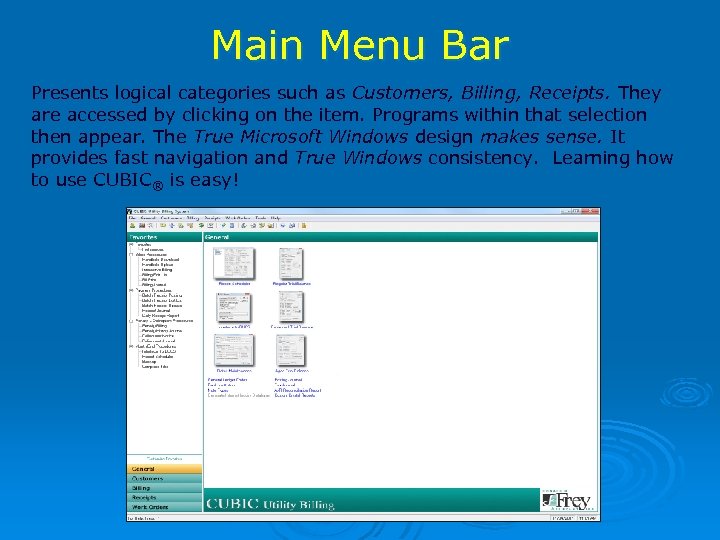
Main Menu Bar Presents logical categories such as Customers, Billing, Receipts. They are accessed by clicking on the item. Programs within that selection then appear. The True Microsoft Windows design makes sense. It provides fast navigation and True Windows consistency. Learning how to use CUBIC® is easy!
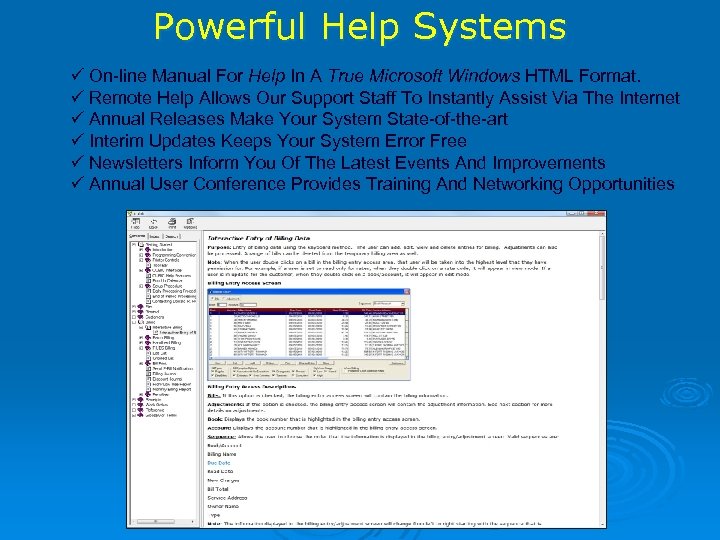
Powerful Help Systems On-line Manual For Help In A True Microsoft Windows HTML Format. Remote Help Allows Our Support Staff To Instantly Assist Via The Internet Annual Releases Make Your System State-of-the-art Interim Updates Keeps Your System Error Free Newsletters Inform You Of The Latest Events And Improvements Annual User Conference Provides Training And Networking Opportunities
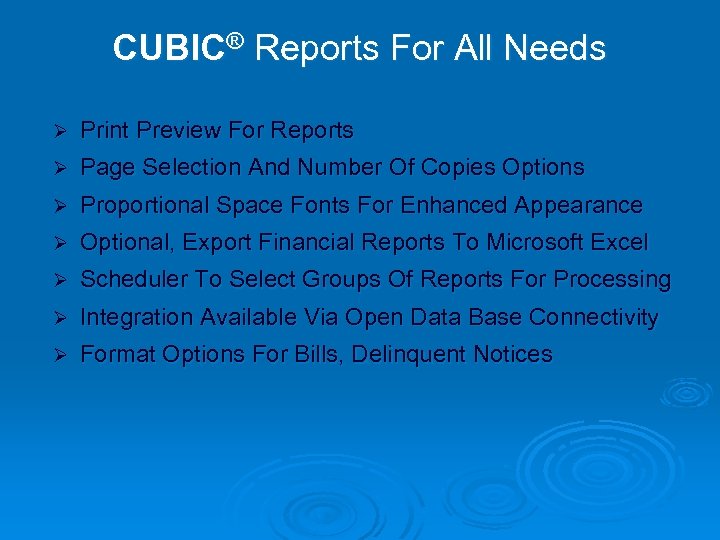
CUBIC® Reports For All Needs Ø Print Preview For Reports Ø Page Selection And Number Of Copies Options Ø Proportional Space Fonts For Enhanced Appearance Ø Optional, Export Financial Reports To Microsoft Excel Ø Scheduler To Select Groups Of Reports For Processing Ø Integration Available Via Open Data Base Connectivity Ø Format Options For Bills, Delinquent Notices
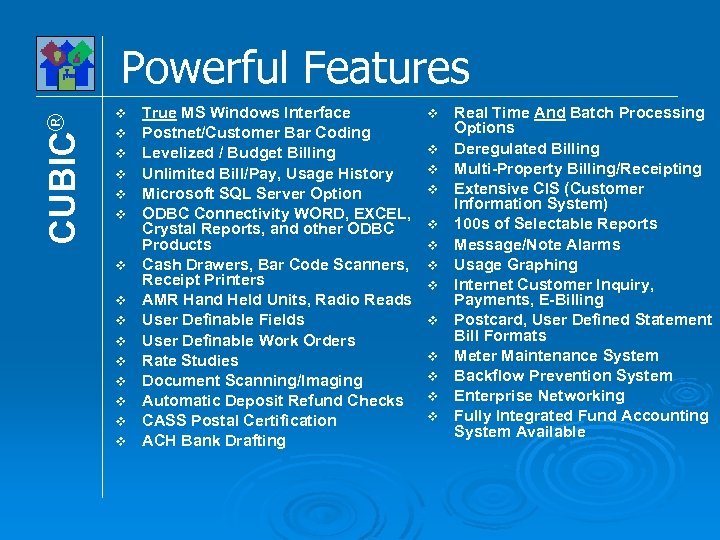
CUBIC® Powerful Features v v v v True MS Windows Interface Postnet/Customer Bar Coding Levelized / Budget Billing Unlimited Bill/Pay, Usage History Microsoft SQL Server Option ODBC Connectivity WORD, EXCEL, Crystal Reports, and other ODBC Products Cash Drawers, Bar Code Scanners, Receipt Printers AMR Hand Held Units, Radio Reads User Definable Fields User Definable Work Orders Rate Studies Document Scanning/Imaging Automatic Deposit Refund Checks CASS Postal Certification ACH Bank Drafting v v v v Real Time And Batch Processing Options Deregulated Billing Multi-Property Billing/Receipting Extensive CIS (Customer Information System) 100 s of Selectable Reports Message/Note Alarms Usage Graphing Internet Customer Inquiry, Payments, E-Billing Postcard, User Defined Statement Bill Formats Meter Maintenance System Backflow Prevention System Enterprise Networking Fully Integrated Fund Accounting System Available
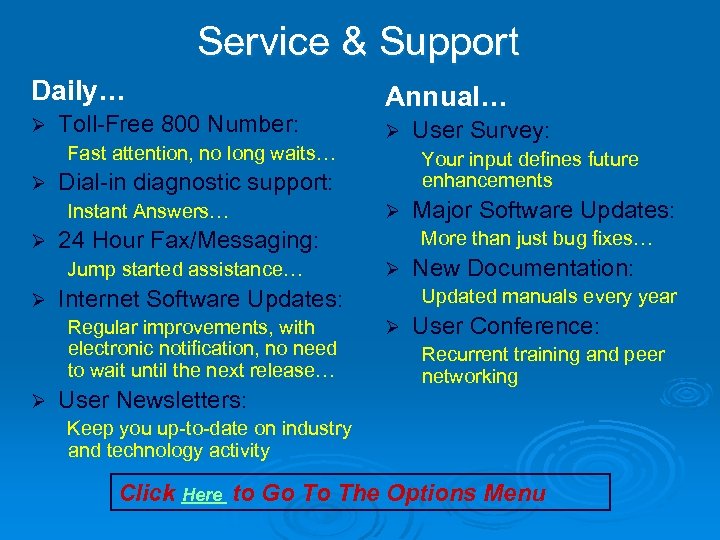
Service & Support Daily… Ø Toll-Free 800 Number: Fast attention, no long waits… Ø Ø Ø User Newsletters: Major Software Updates: More than just bug fixes… Ø Internet Software Updates: Regular improvements, with electronic notification, no need to wait until the next release… User Survey: Your input defines future enhancements 24 Hour Fax/Messaging: Jump started assistance… Ø Ø Dial-in diagnostic support: Instant Answers… Ø Annual… New Documentation: Updated manuals every year Ø User Conference: Recurrent training and peer networking Keep you up-to-date on industry and technology activity Click Here to Go To The Options Menu
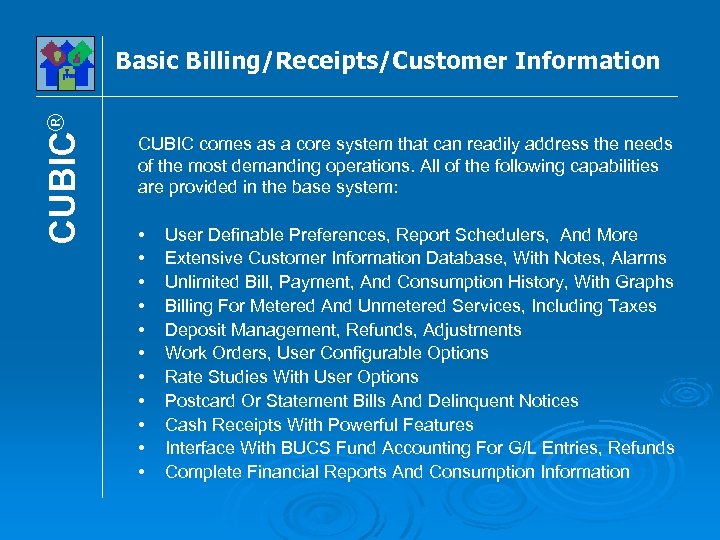
CUBIC® Basic Billing/Receipts/Customer Information CUBIC comes as a core system that can readily address the needs of the most demanding operations. All of the following capabilities are provided in the base system: • • • User Definable Preferences, Report Schedulers, And More Extensive Customer Information Database, With Notes, Alarms Unlimited Bill, Payment, And Consumption History, With Graphs Billing For Metered And Unmetered Services, Including Taxes Deposit Management, Refunds, Adjustments Work Orders, User Configurable Options Rate Studies With User Options Postcard Or Statement Bills And Delinquent Notices Cash Receipts With Powerful Features Interface With BUCS Fund Accounting For G/L Entries, Refunds Complete Financial Reports And Consumption Information
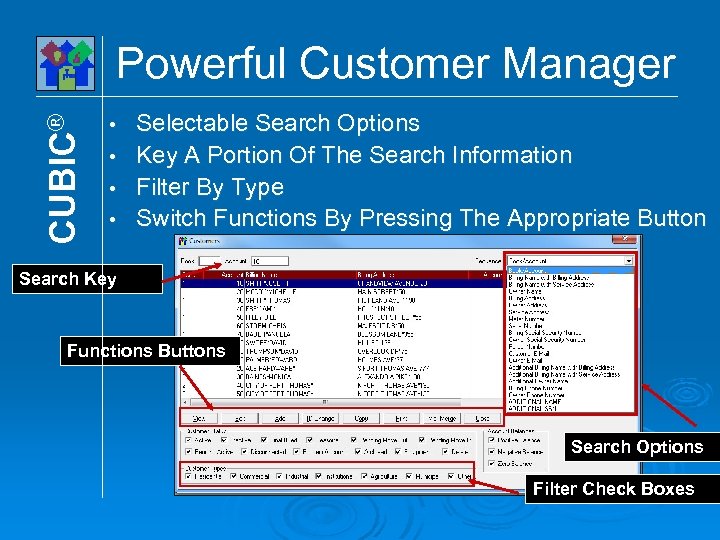
CUBIC® Powerful Customer Manager Selectable Search Options • Key A Portion Of The Search Information • Filter By Type • Switch Functions By Pressing The Appropriate Button • Search Key Functions Buttons Search Options Filter Check Boxes
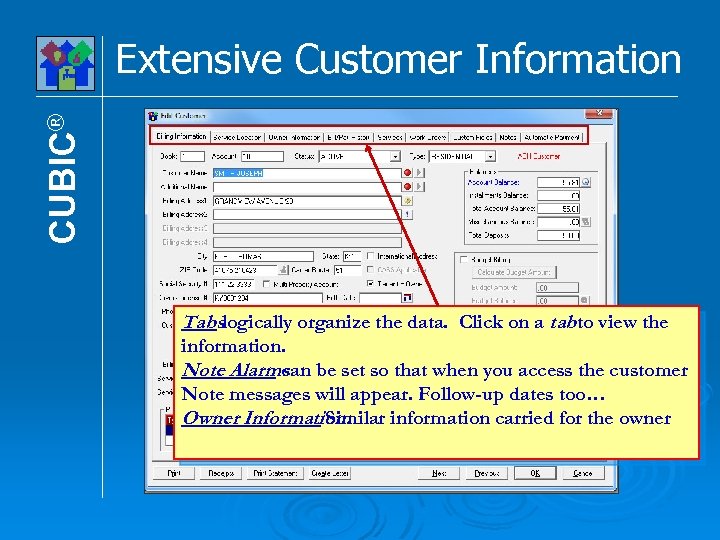
CUBIC® Extensive Customer Information Tabslogically organize the data. Click on a tabto view the information. Note Alarms be set so that when you access the customer can Note messages will appear. Follow-up dates too… Owner Information: Similar information carried for the owner
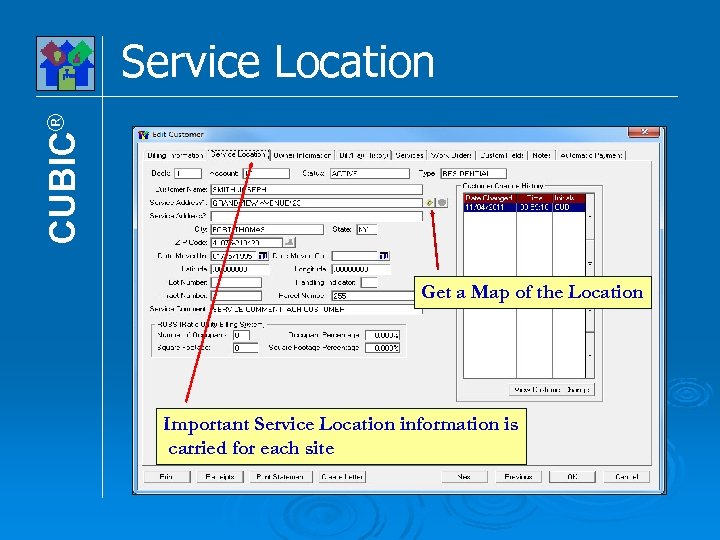
CUBIC® Service Location Get a Map of the Location Important Service Location information is carried for each site
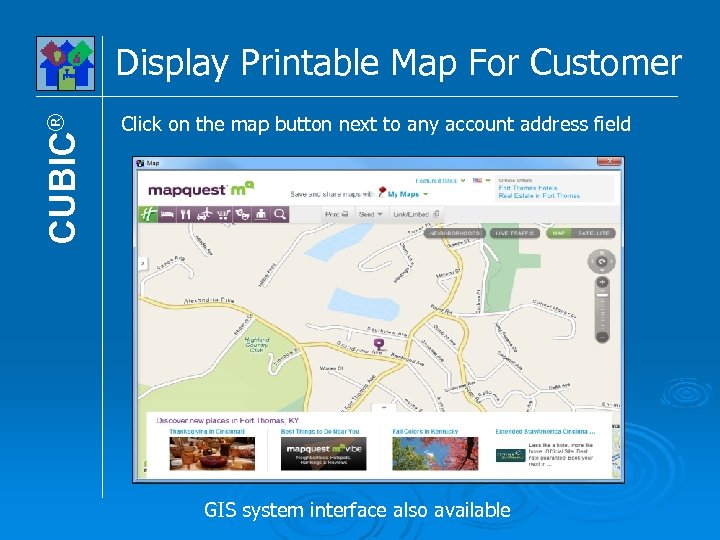
CUBIC® Display Printable Map For Customer Click on the map button next to any account address field GIS system interface also available
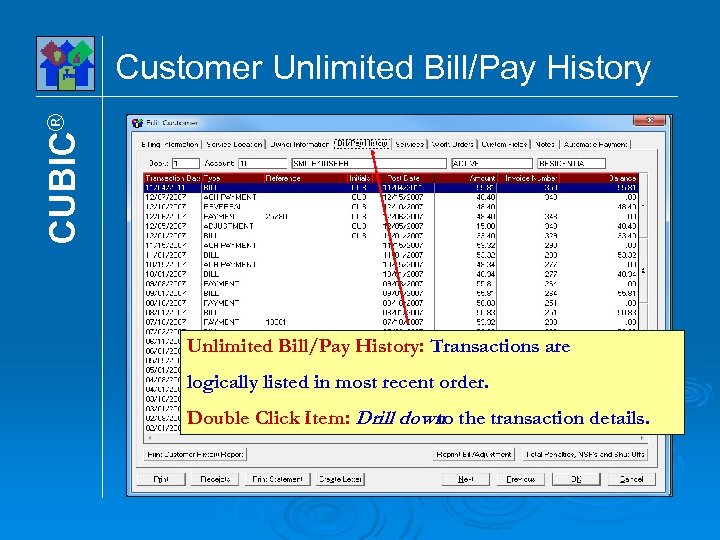
CUBIC® Customer Unlimited Bill/Pay History: Transactions are logically listed in most recent order. Double Click Item: Drill down the transaction details. to
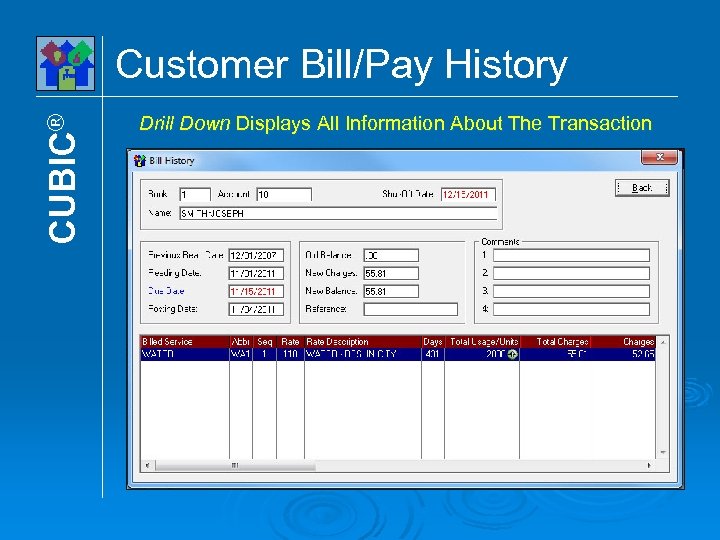
CUBIC® Customer Bill/Pay History Drill Down Displays All Information About The Transaction
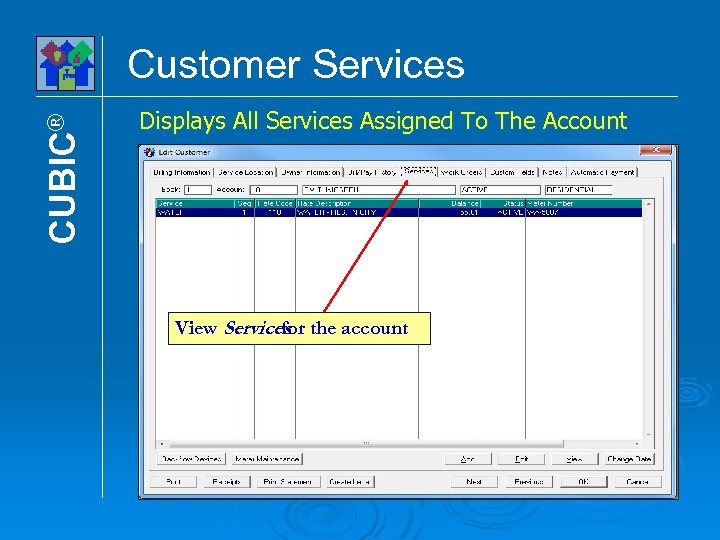
CUBIC® Customer Services Displays All Services Assigned To The Account View Services the account for
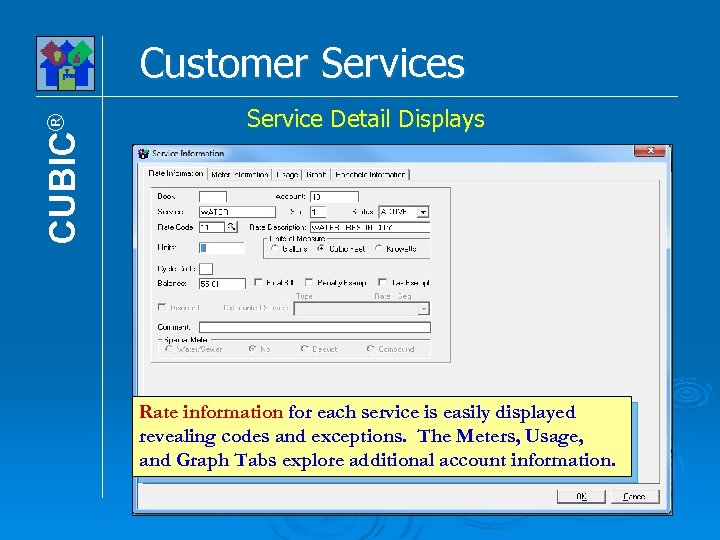
CUBIC® Customer Services Service Detail Displays Rate information for each service is easily displayed revealing codes and exceptions. The Meters, Usage, and Graph Tabs explore additional account information.
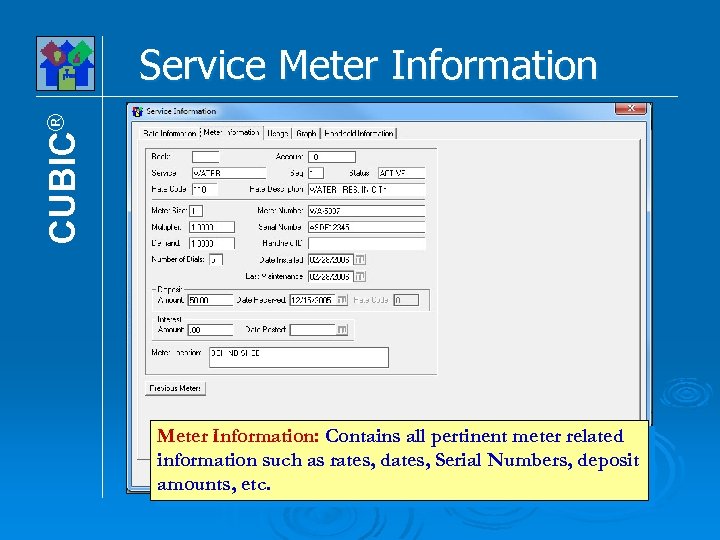
CUBIC® Service Meter Information: Contains all pertinent meter related information such as rates, dates, Serial Numbers, deposit amounts, etc.
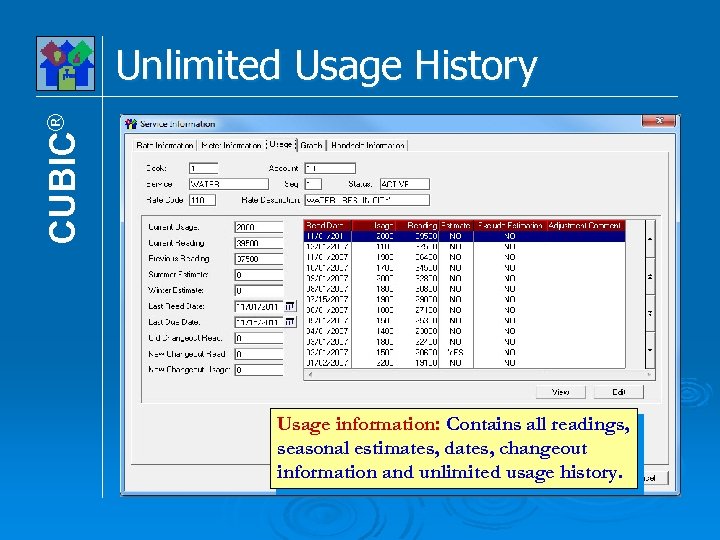
CUBIC® Unlimited Usage History Usage information: Contains all readings, seasonal estimates, dates, changeout information and unlimited usage history.
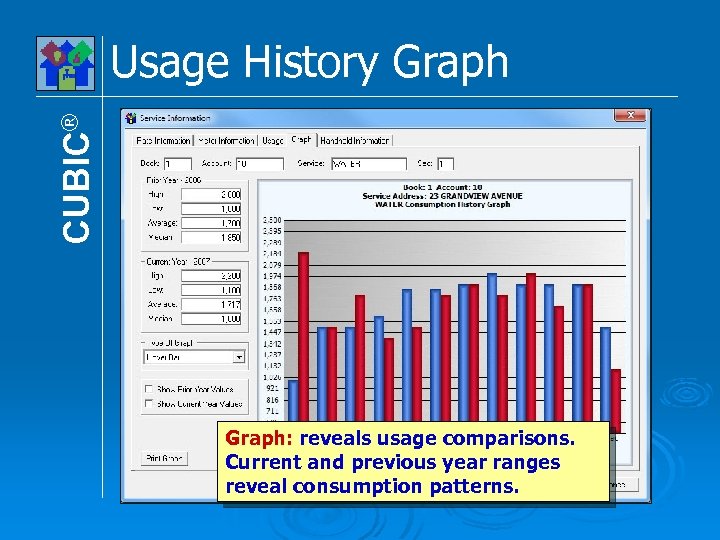
CUBIC® Usage History Graph: reveals usage comparisons. Current and previous year ranges reveal consumption patterns.
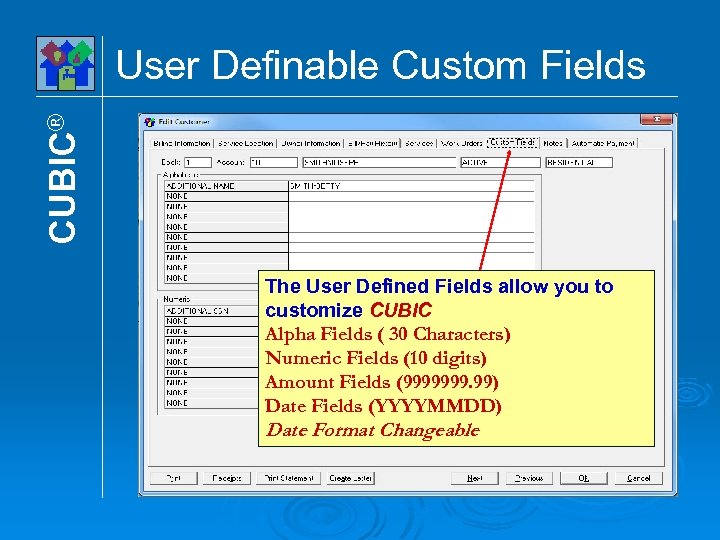
CUBIC® User Definable Custom Fields The User Defined Fields allow you to customize CUBIC Alpha Fields ( 30 Characters) Numeric Fields (10 digits) Amount Fields (9999999. 99) Date Fields (YYYYMMDD) Date Format Changeable
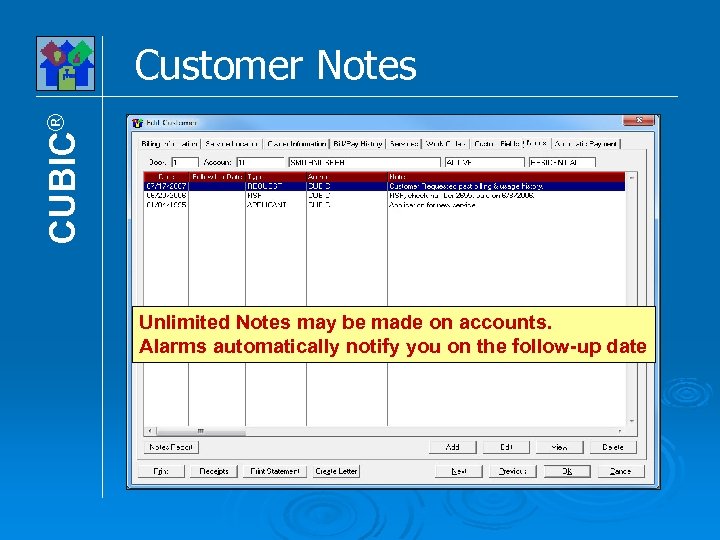
CUBIC® Customer Notes Unlimited Notes may be made on accounts. Alarms automatically notify you on the follow-up date
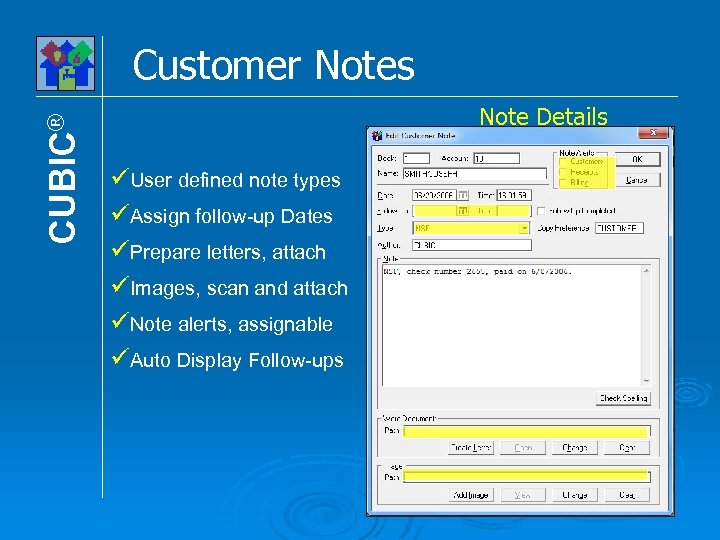
CUBIC® Customer Notes Note Details User defined note types Assign follow-up Dates Prepare letters, attach Images, scan and attach Note alerts, assignable Auto Display Follow-ups
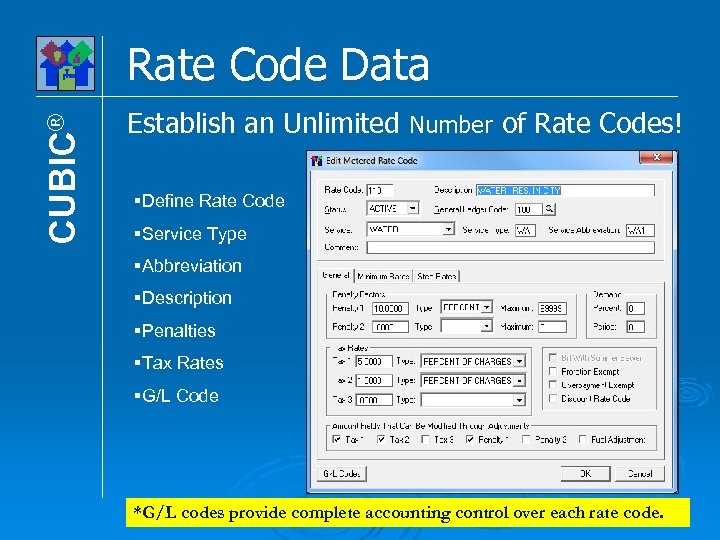
CUBIC® Rate Code Data Establish an Unlimited Number of Rate Codes! §Define Rate Code §Service Type §Abbreviation §Description §Penalties §Tax Rates §G/L Code *G/L codes provide complete accounting control over each rate code.
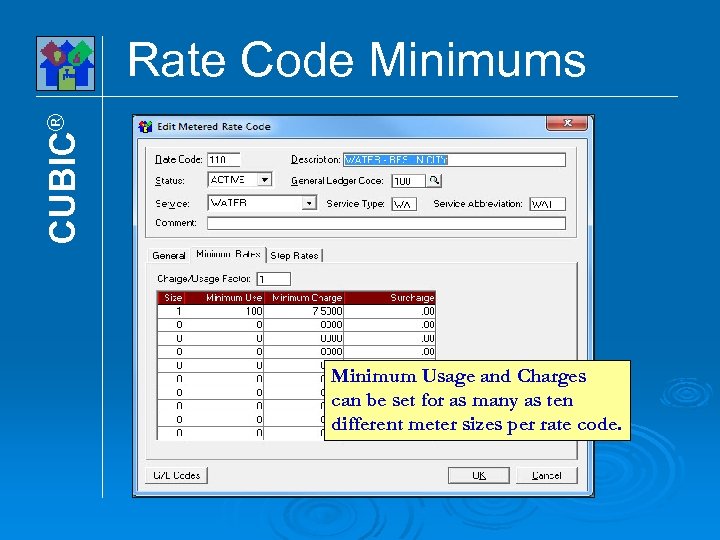
CUBIC® Rate Code Minimums Minimum Usage and Charges can be set for as many as ten different meter sizes per rate code.
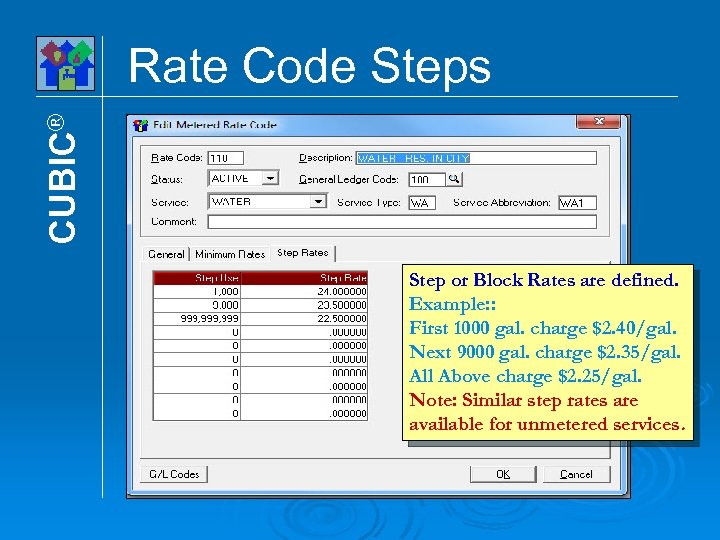
CUBIC® Rate Code Steps Step or Block Rates are defined. Example: : First 1000 gal. charge $2. 40/gal. Next 9000 gal. charge $2. 35/gal. All Above charge $2. 25/gal. Note: Similar step rates are available for unmetered services.
CUBIC® Billing Options Data Entry Interactive: By Account, Individual/Groups Batch: Estimates And/Or Flat Rate Services AMR Automated Meter Read Devices Deregulated: Up To Four Billing Components
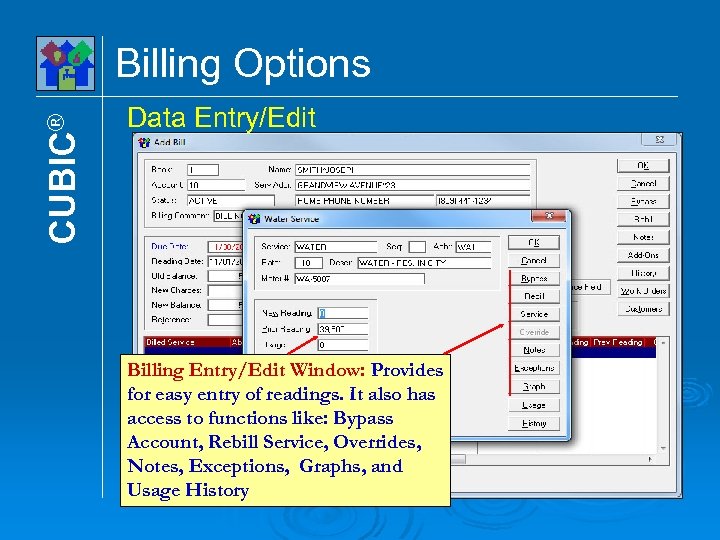
CUBIC® Billing Options Data Entry/Edit Billing Entry/Edit Window: Provides for easy entry of readings. It also has access to functions like: Bypass Account, Rebill Service, Overrides, Notes, Exceptions, Graphs, and Usage History
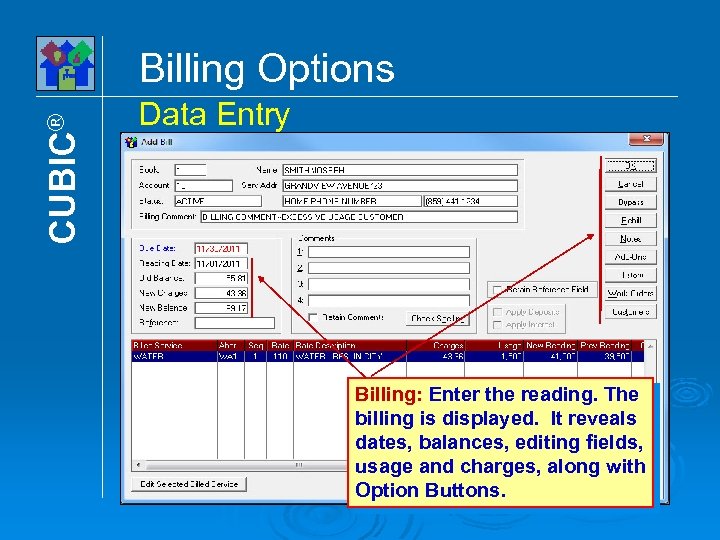
CUBIC® Billing Options Data Entry Billing: Enter the reading. The billing is displayed. It reveals dates, balances, editing fields, usage and charges, along with Option Buttons.
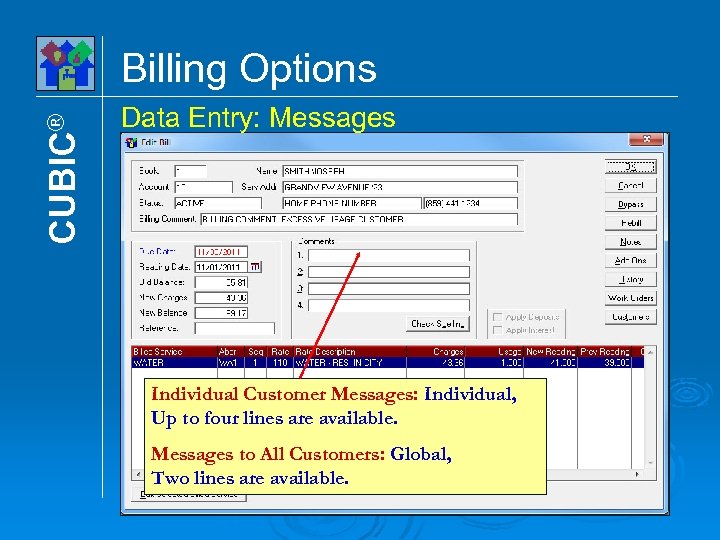
CUBIC® Billing Options Data Entry: Messages Individual Customer Messages: Individual, Up to four lines are available. Messages to All Customers: Global, Two lines are available.
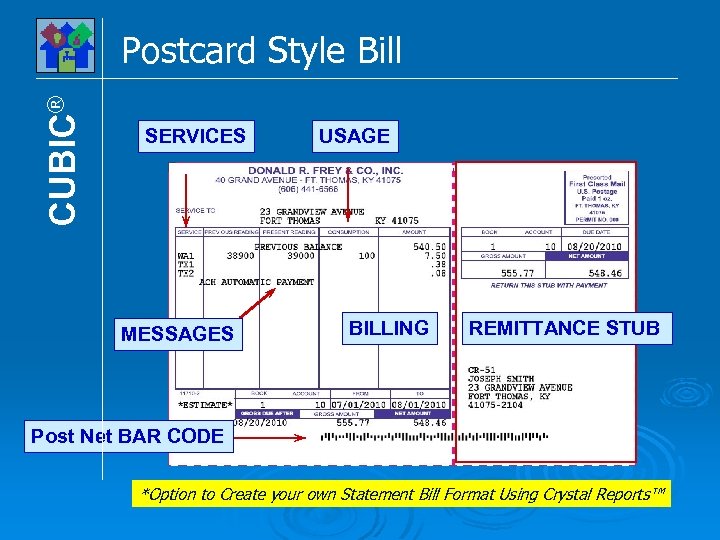
CUBIC® Postcard Style Bill SERVICES MESSAGES USAGE BILLING REMITTANCE STUB Post Net BAR CODE *Option to Create your own Statement Bill Format Using Crystal Reports™
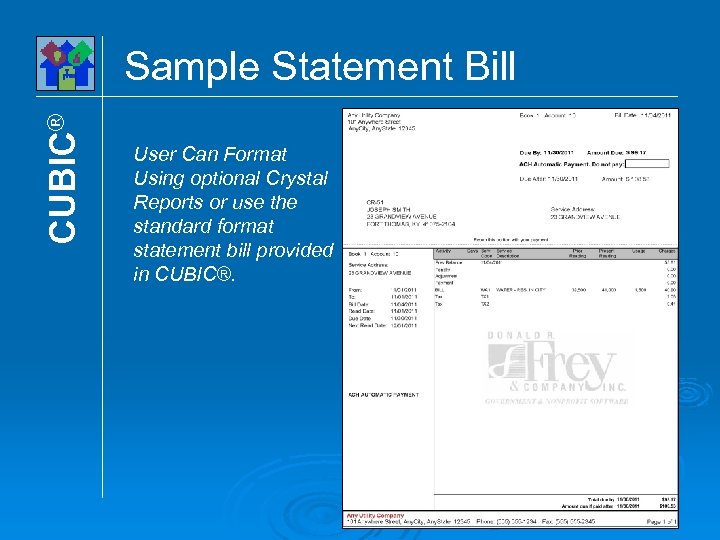
CUBIC® Sample Statement Bill User Can Format Using optional Crystal Reports or use the standard format statement bill provided in CUBIC®.
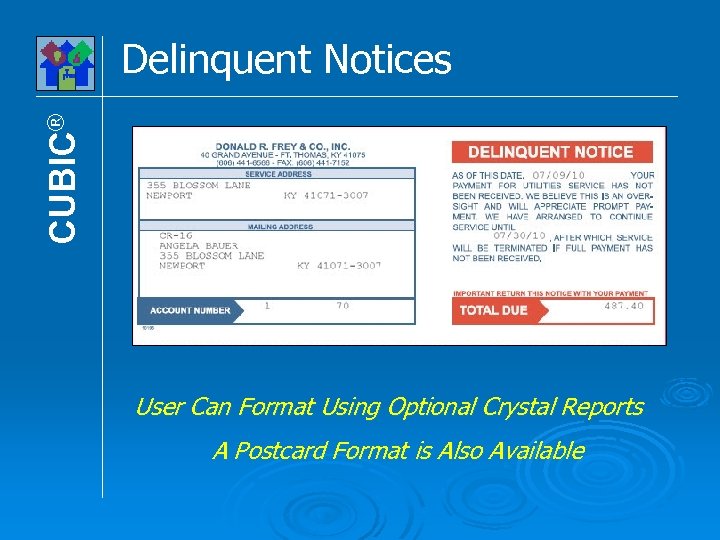
CUBIC® Delinquent Notices User Can Format Using Optional Crystal Reports A Postcard Format is Also Available
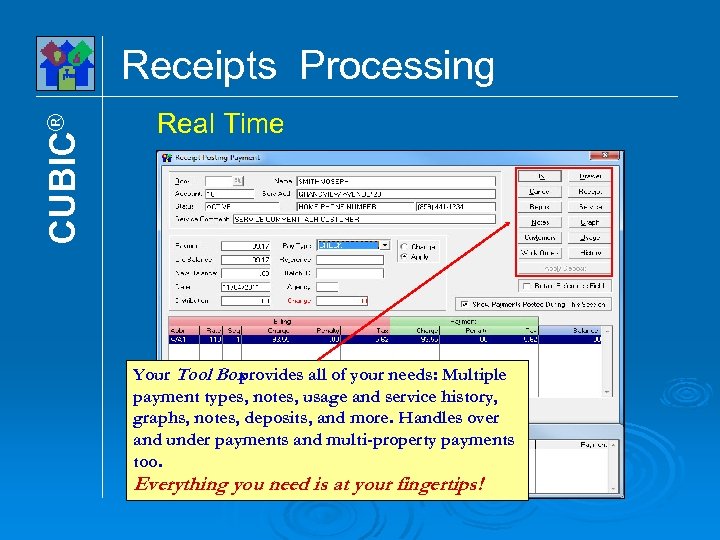
CUBIC® Receipts Processing Real Time Your Tool Box provides all of your needs: Multiple payment types, notes, usage and service history, graphs, notes, deposits, and more. Handles over and under payments and multi-property payments too. Everything you need is at your fingertips!
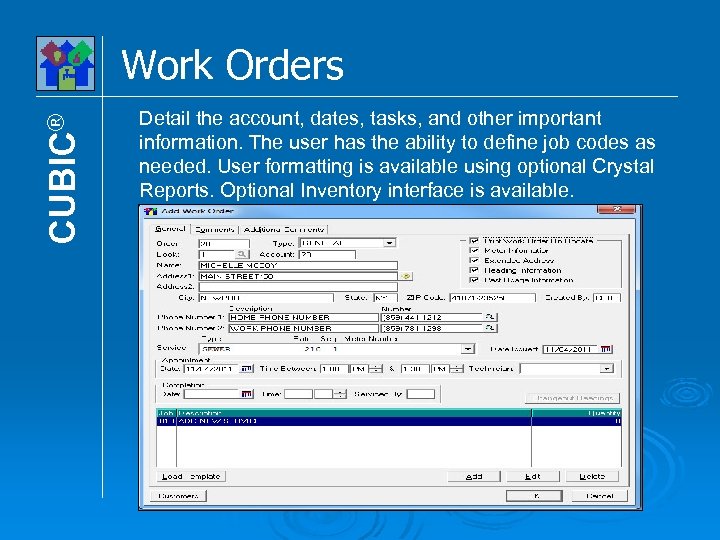
CUBIC® Work Orders Detail the account, dates, tasks, and other important information. The user has the ability to define job codes as needed. User formatting is available using optional Crystal Reports. Optional Inventory interface is available.
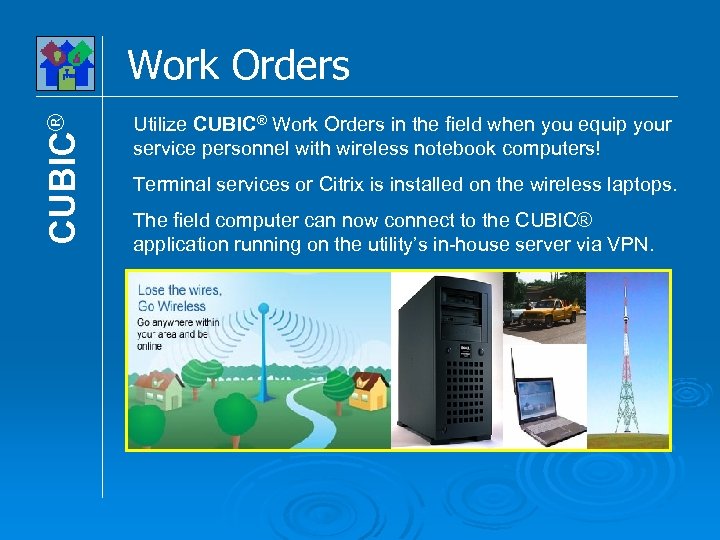
CUBIC® Work Orders Utilize CUBIC® Work Orders in the field when you equip your service personnel with wireless notebook computers! Terminal services or Citrix is installed on the wireless laptops. The field computer can now connect to the CUBIC® application running on the utility’s in-house server via VPN.
CUBIC® Multi-User Option Capabilities For Microsoft® Windows® Provides for ten concurrent users, more available Restrict program access by login and password Restrict program access by: None, View, Update Complete file and record sharing Extensive locking controls where needed Instant access to users logged on system Log of all use by user, program, in and out times Log of abnormal terminations like turn-offs, crashes A concurrent user is one that is logged onto CUBIC and has selected a program
CUBIC® Multi-User Option Connectivity For Microsoft® Windows® Client Server Networks Peer-to-Peer Networks Thin Client Using MS Terminal Services Thin Client Using Citrix Internet Deployment Click Here to Go To The Options Menu
Productivity Features • Utility Cashiering • Account Bar Coding • Post Net Bar Coding • Document Imaging • ACH, Automatic Bank Debit • Batch Receipt Processing Donald R. Frey & Co. Software 800 -659 -3739
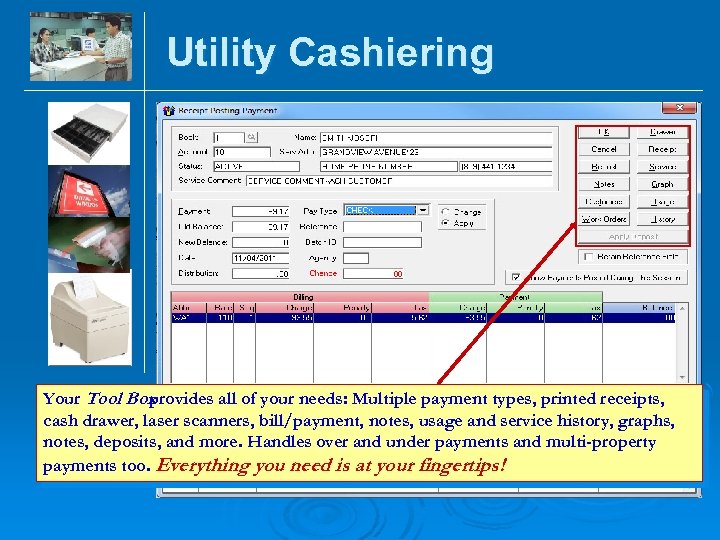
Utility Cashiering Your Tool Box provides all of your needs: Multiple payment types, printed receipts, cash drawer, laser scanners, bill/payment, notes, usage and service history, graphs, notes, deposits, and more. Handles over and under payments and multi-property payments too. Everything you need is at your fingertips!
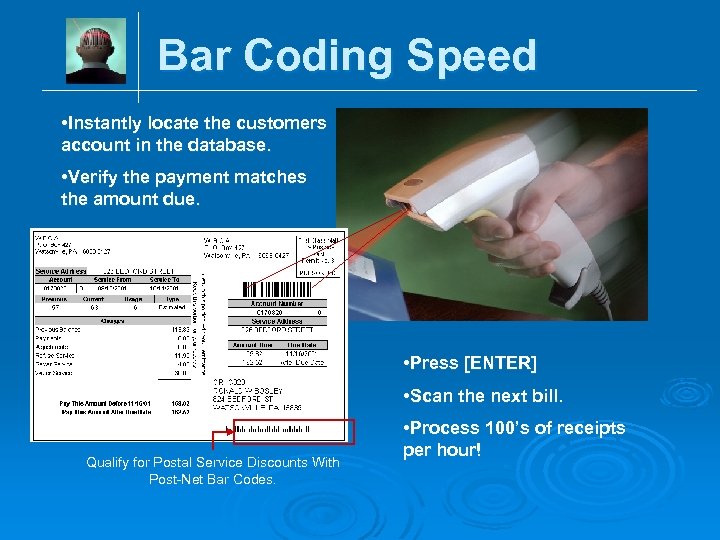
Bar Coding Speed • Instantly locate the customers account in the database. • Verify the payment matches the amount due. • Press [ENTER] • Scan the next bill. Qualify for Postal Service Discounts With Post-Net Bar Codes. • Process 100’s of receipts per hour!
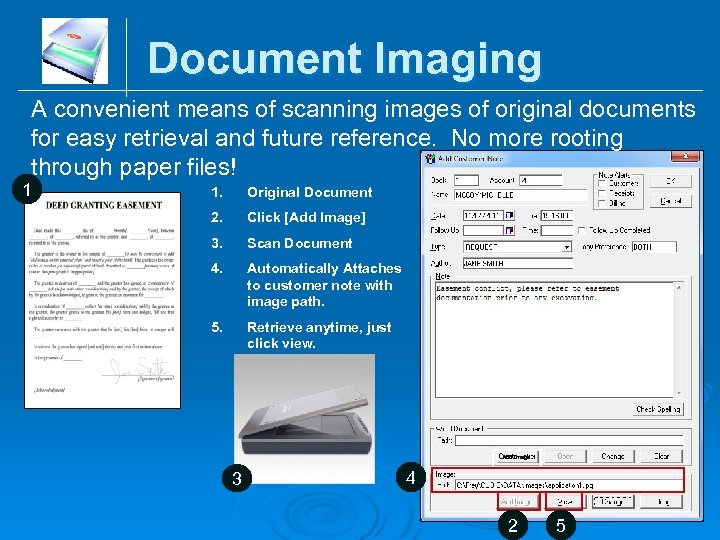
Document Imaging A convenient means of scanning images of original documents for easy retrieval and future reference. No more rooting through paper files! 1 1. Original Document 2. Click [Add Image] 3. Scan Document 4. Automatically Attaches to customer note with image path. 5. Retrieve anytime, just click view. Add Image 3 4 2 5
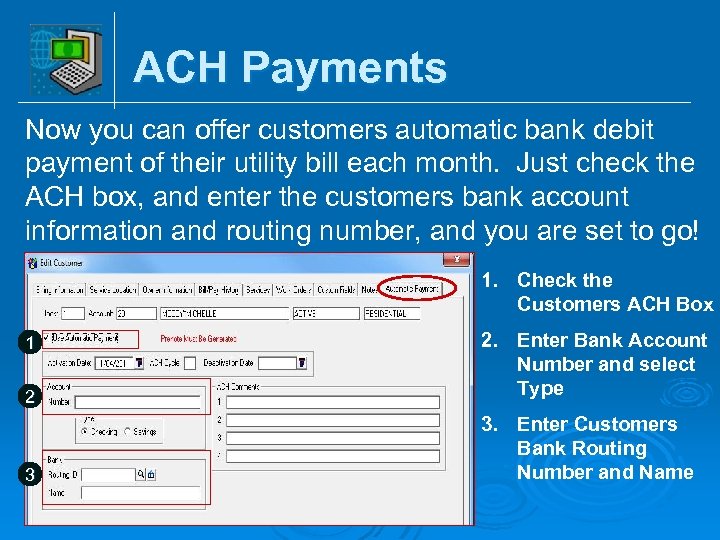
ACH Payments Now you can offer customers automatic bank debit payment of their utility bill each month. Just check the ACH box, and enter the customers bank account information and routing number, and you are set to go! 1. Check the Customers ACH Box 2 2. Enter Bank Account Number and select Type 3 3. Enter Customers Bank Routing Number and Name 1
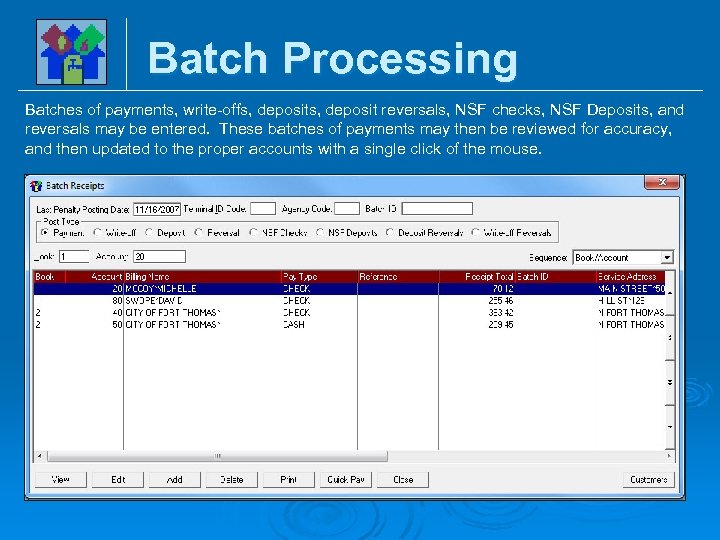
Batch Processing Batches of payments, write-offs, deposit reversals, NSF checks, NSF Deposits, and reversals may be entered. These batches of payments may then be reviewed for accuracy, and then updated to the proper accounts with a single click of the mouse.
Productivity Features • Utility Cashiering • Account Bar-coding • Post Net Bar-coding • Document Imaging • ACH, Automatic Bank Debit • Batch Receipt Processing Click Here to Go To The Options Menu Donald R. Frey & Co. Software 800 -659 -3739
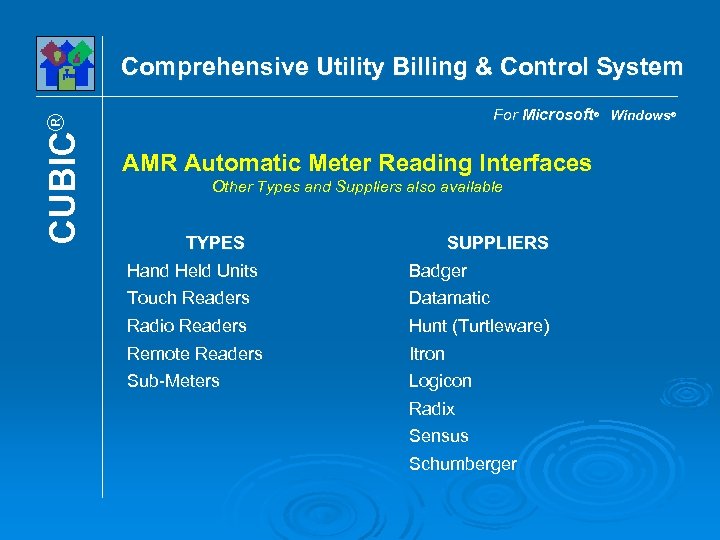
CUBIC® Comprehensive Utility Billing & Control System For Microsoft® Windows® AMR Automatic Meter Reading Interfaces Other Types and Suppliers also available TYPES Hand Held Units SUPPLIERS Badger Touch Readers Datamatic Radio Readers Hunt (Turtleware) Remote Readers Itron Sub-Meters Logicon Radix Sensus Schumberger
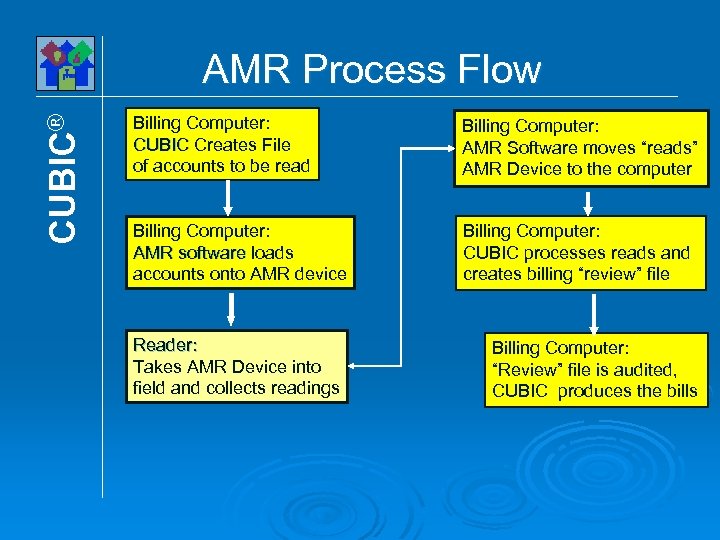
CUBIC® AMR Process Flow Billing Computer: CUBIC Creates File of accounts to be read Billing Computer: AMR Software moves “reads” AMR Device to the computer Billing Computer: AMR software loads accounts onto AMR device Billing Computer: CUBIC processes reads and creates billing “review” file Reader: Takes AMR Device into field and collects readings Billing Computer: “Review” file is audited, CUBIC produces the bills
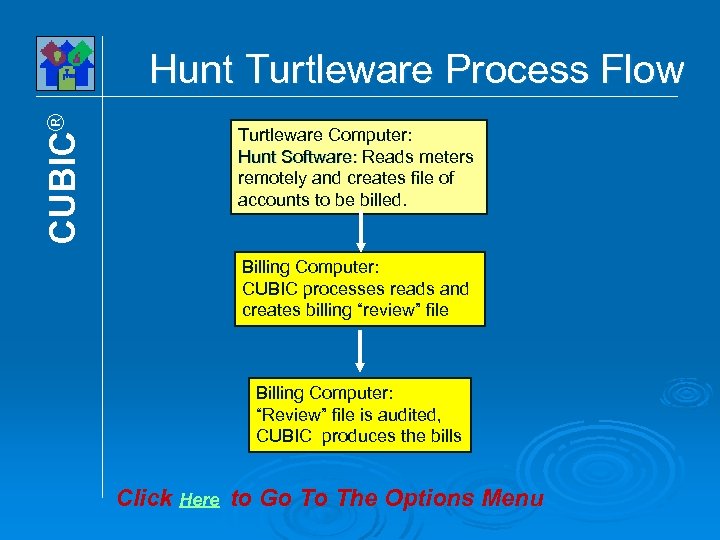
CUBIC® Hunt Turtleware Process Flow Turtleware Computer: Hunt Software: Reads meters remotely and creates file of accounts to be billed. Billing Computer: CUBIC processes reads and creates billing “review” file Billing Computer: “Review” file is audited, CUBIC produces the bills Click Here to Go To The Options Menu
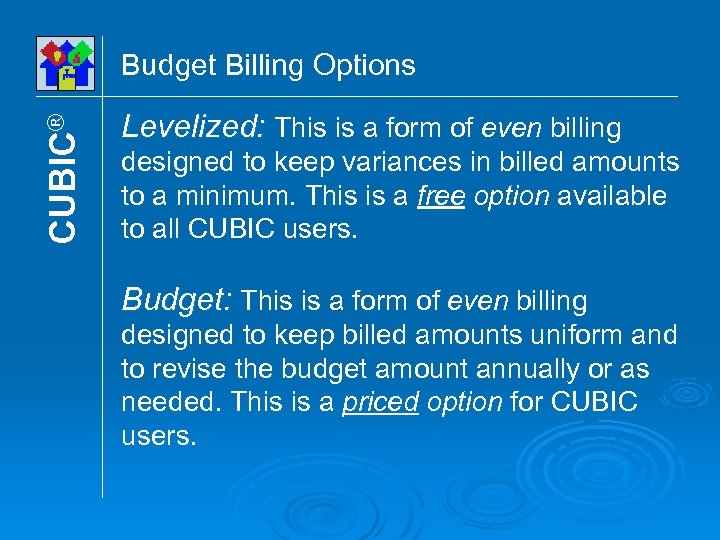
CUBIC® Budget Billing Options Levelized: This is a form of even billing designed to keep variances in billed amounts to a minimum. This is a free option available to all CUBIC users. Budget: This is a form of even billing designed to keep billed amounts uniform and to revise the budget amount annually or as needed. This is a priced option for CUBIC users.
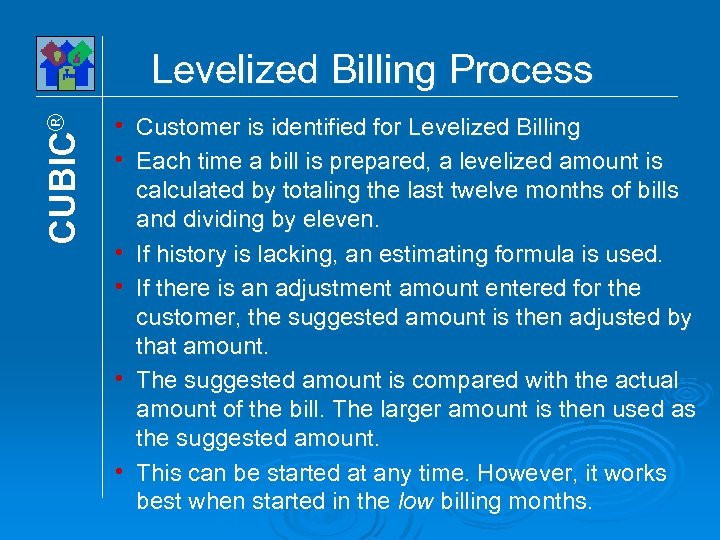
CUBIC® Levelized Billing Process Customer is identified for Levelized Billing h Each time a bill is prepared, a levelized amount is calculated by totaling the last twelve months of bills and dividing by eleven. h If history is lacking, an estimating formula is used. h If there is an adjustment amount entered for the customer, the suggested amount is then adjusted by that amount. h The suggested amount is compared with the actual amount of the bill. The larger amount is then used as the suggested amount. h This can be started at any time. However, it works best when started in the low billing months. h
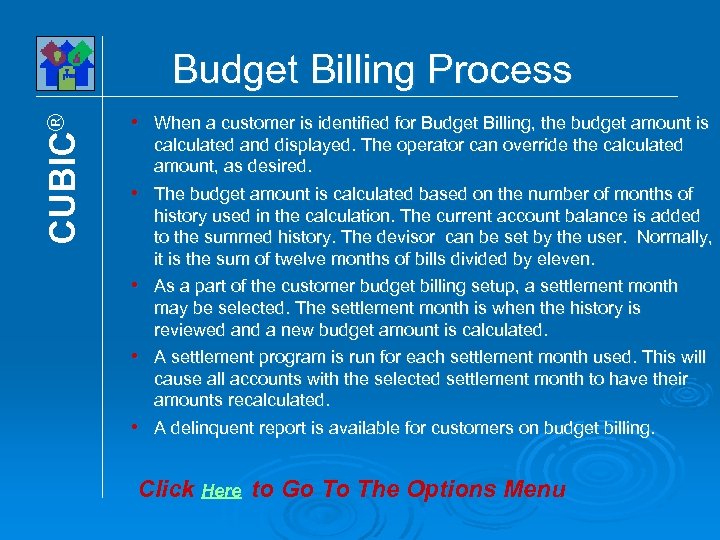
CUBIC® Budget Billing Process h h h When a customer is identified for Budget Billing, the budget amount is calculated and displayed. The operator can override the calculated amount, as desired. The budget amount is calculated based on the number of months of history used in the calculation. The current account balance is added to the summed history. The devisor can be set by the user. Normally, it is the sum of twelve months of bills divided by eleven. As a part of the customer budget billing setup, a settlement month may be selected. The settlement month is when the history is reviewed and a new budget amount is calculated. A settlement program is run for each settlement month used. This will cause all accounts with the selected settlement month to have their amounts recalculated. A delinquent report is available for customers on budget billing. Click Here to Go To The Options Menu
CUBIC® Installment Billing Option For Microsoft® Windows® Provides for the billing of expensive items, such as tap fees, using a time payment plan established by the user. Installments can also be used to settle unpaid past-due balances. The past-due balance is transferred to an installment plan allowing it to be paid off in increments. If an installment is created to settle an unpaid balance, general ledger posting entries will be appropriately made.
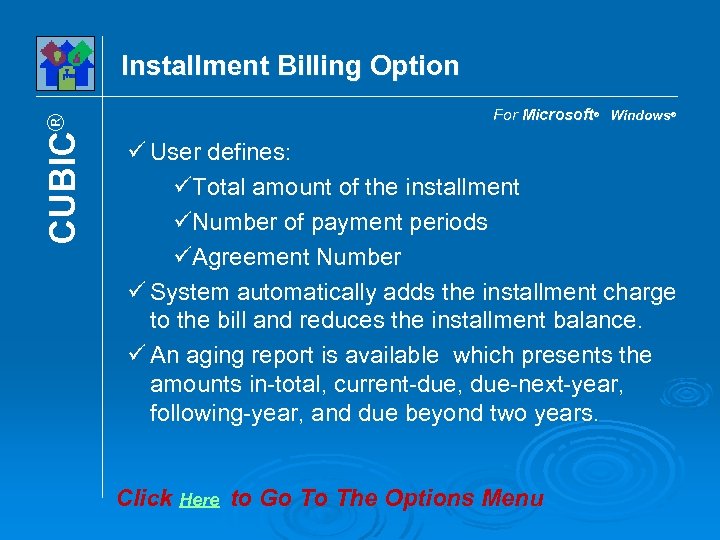
CUBIC® Installment Billing Option For Microsoft® Windows® User defines: Total amount of the installment Number of payment periods Agreement Number System automatically adds the installment charge to the bill and reduces the installment balance. An aging report is available which presents the amounts in-total, current-due, due-next-year, following-year, and due beyond two years. Click Here to Go To The Options Menu

CUBIC® RUBS Setup RUBS (Ratio Utility Billing System) is designed to allocate utility bills in multi-unit complexes based on occupancy and/or square footage. It can also bill for other charges such as rent. • Each unit in a property has the number of occupants and/or square footage entered. • Rubs rate codes are set up for each property, by service. Percentages are established by square footage and/or occupants for the service. Common area reduction is entered.
CUBIC® RUBS Processing • Utility bills, by service, are entered for each property • Proration for unit move-in and move-out dates is provided. • Properties are processed updating the allocation percentages for each unit. • RUBS bills are generated and placed in a batch file for review before updating. Click Here to Go To The Options Menu
CUBIC® CASS Certification CASS certification is a system designed by the US Post Office to validate street addresses and assign delivery points. This coding allows one to use more favorable postal rates. If you are sending out more than approximately 3, 500 bills monthly, CASS will provide you with significant savings in postage. There are three components to CASS. 1. Frey Software which interacts with CASS third-party software to validate addresses. 2. Third-party software that processes the address information for Frey software and performs the validating process. 3. A CASS compact disk, supplied by the third-party, which contains postal address certification and delivery information. An updated disk is sent every two months.
CUBIC® CASS Certification Process • When a customer is entered or edited, a CASS validation of the address will be performed. • Before printing bills, a CASS certification will be done on the customers being billed. If address errors are detected, a report will print listing the offenders with suggested corrections. • A CASS Certification report will print which is given to the Post Office along with the bills. Click Here to Go To The Options Menu
CUBIC® Internet Inquiry/Payment Option • 24/7 Access to their account information via the internet • Offer customers an online payment option which will not burden the utility with payment processing cost • Decrease calls to the utility office by enabling customer self service • Decrease delinquents & shut offs • Enhances customer service
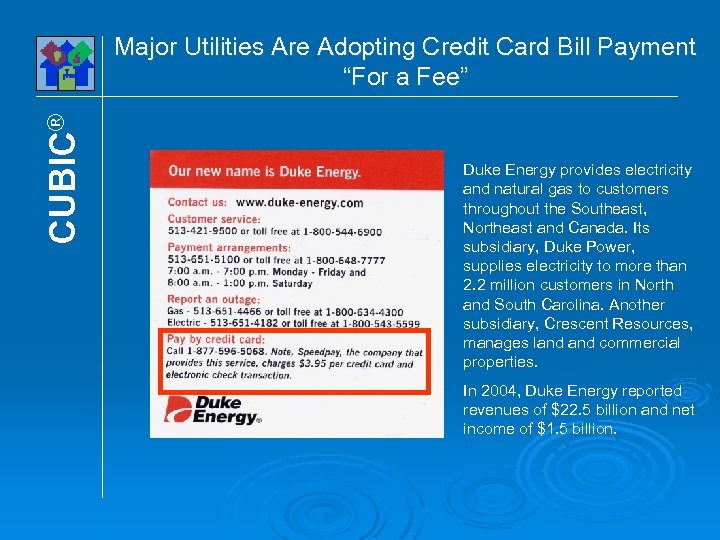
CUBIC® Major Utilities Are Adopting Credit Card Bill Payment “For a Fee” Duke Energy provides electricity and natural gas to customers throughout the Southeast, Northeast and Canada. Its subsidiary, Duke Power, supplies electricity to more than 2. 2 million customers in North and South Carolina. Another subsidiary, Crescent Resources, manages land commercial properties. In 2004, Duke Energy reported revenues of $22. 5 billion and net income of $1. 5 billion.
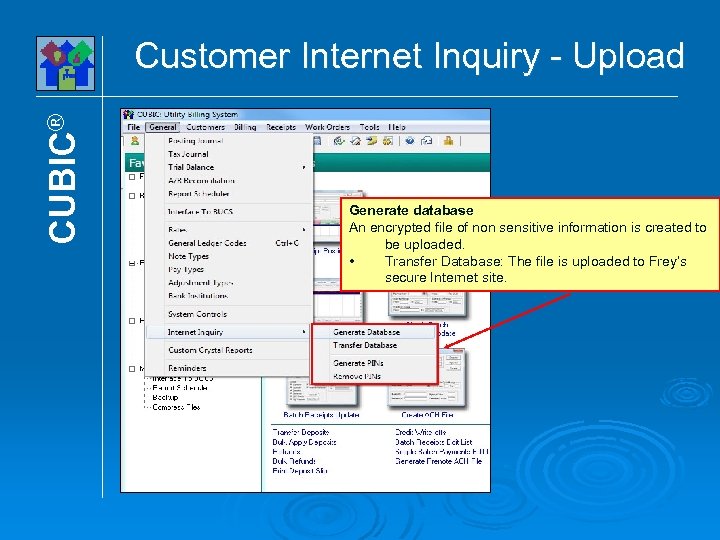
CUBIC® Customer Internet Inquiry - Upload Generate database An encrypted file of non sensitive information is created to be uploaded. • Transfer Database: The file is uploaded to Frey’s secure Internet site.
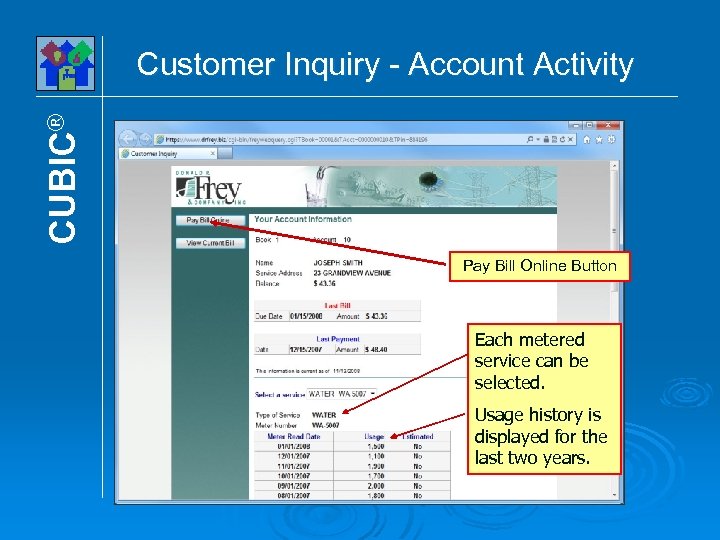
CUBIC® Customer Inquiry - Account Activity Pay Bill Online Button Each metered service can be selected. Usage history is displayed for the last two years.
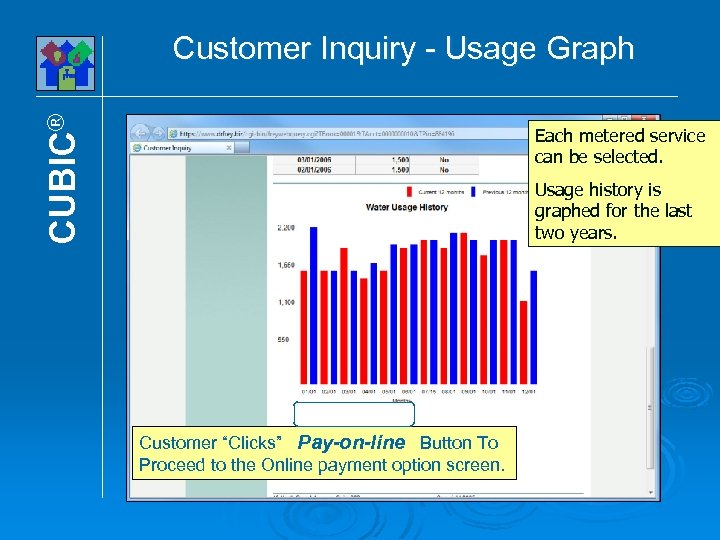
CUBIC® Customer Inquiry - Usage Graph Each metered service can be selected. Usage history is graphed for the last two years. Customer “Clicks” Pay-on-line Button To Proceed to the Online payment option screen.
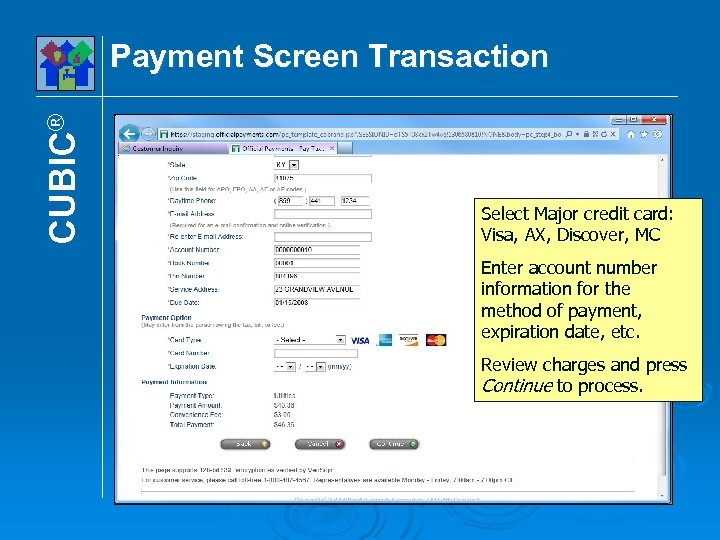
CUBIC® Payment Screen Transaction Select Major credit card: Visa, AX, Discover, MC Enter account number information for the method of payment, expiration date, etc. Review charges and press Continue to process.
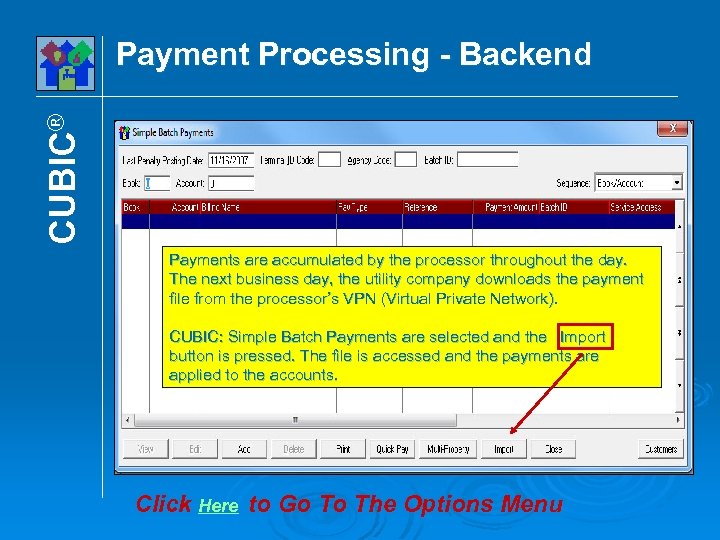
CUBIC® Payment Processing - Backend Payments are accumulated by the processor throughout the day. The next business day, the utility company downloads the payment file from the processor’s VPN (Virtual Private Network). CUBIC: Simple Batch Payments are selected and the Import button is pressed. The file is accessed and the payments are applied to the accounts. Click Here to Go To The Options Menu
CUBIC® E-Billing Option Overview E-Billing works in conjunction with the Internet Inquiry-Payments option. E-Billing allows bills to be e-mailed to the customers who ask for such a service. Did you know that it can cost around 40¢ to prepare and send out a bill? E-Billing offers a great opportunity to cut those costs. 40¢ Each
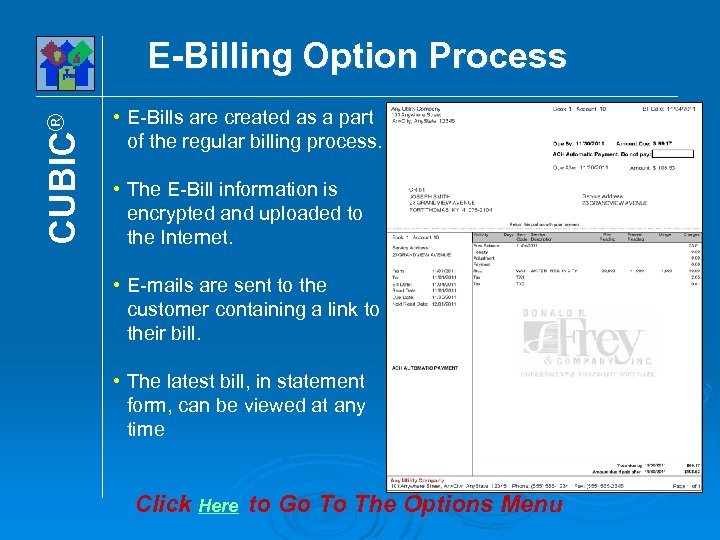
CUBIC® E-Billing Option Process • E-Bills are created as a part of the regular billing process. • The E-Bill information is encrypted and uploaded to the Internet. • E-mails are sent to the customer containing a link to their bill. • The latest bill, in statement form, can be viewed at any time Click Here to Go To The Options Menu
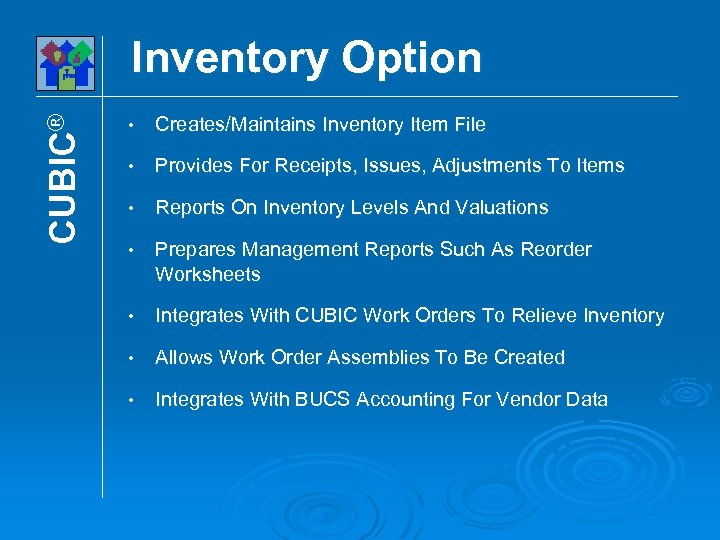
CUBIC® Inventory Option • Creates/Maintains Inventory Item File • Provides For Receipts, Issues, Adjustments To Items • Reports On Inventory Levels And Valuations • Prepares Management Reports Such As Reorder Worksheets • Integrates With CUBIC Work Orders To Relieve Inventory • Allows Work Order Assemblies To Be Created • Integrates With BUCS Accounting For Vendor Data
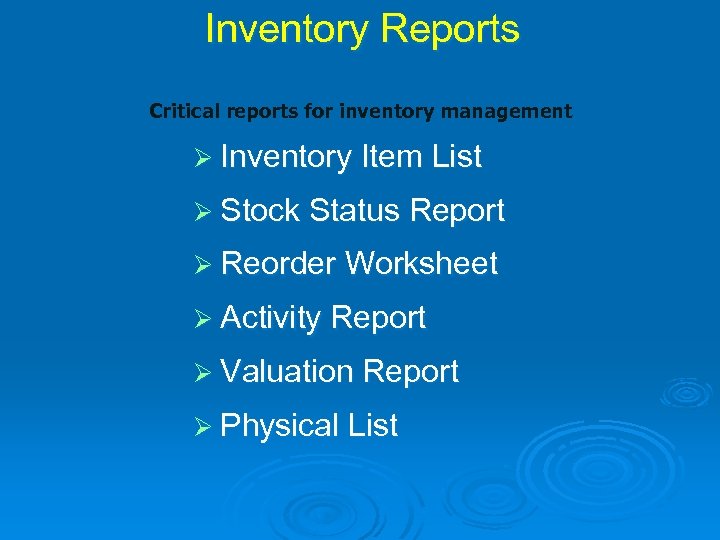
Inventory Reports Critical reports for inventory management Ø Inventory Item List Ø Stock Status Report Ø Reorder Worksheet Ø Activity Report Ø Valuation Report Ø Physical List
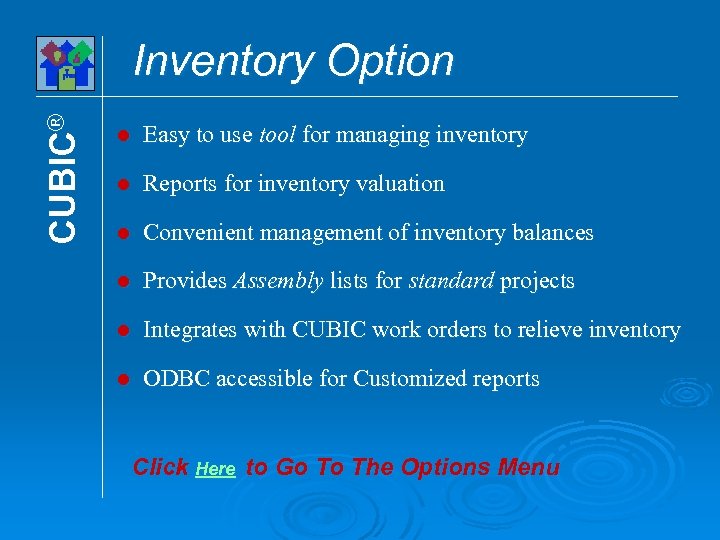
CUBIC® Inventory Option l Easy to use tool for managing inventory l Reports for inventory valuation l Convenient management of inventory balances l Provides Assembly lists for standard projects l Integrates with CUBIC work orders to relieve inventory l ODBC accessible for Customized reports Click Here to Go To The Options Menu
CUBIC® Meter Maintenance Option Provides a mechanism for the scheduling of meter reliability testing at user-defined intervals, maintenance of test results records, and the expansion of meter-related information pertinent to operations. Meter testing is important because it insures the accuracy of metering devices. Many regulators require such testing as a part of the utility’s operation. There is also another good reason for testing. Meters tend to under record usage as they get older because of scale, etc. There is no need to be concerned about operations field personnel accessing sensitive customer data. They can be restricted so that they do not have access to that information.
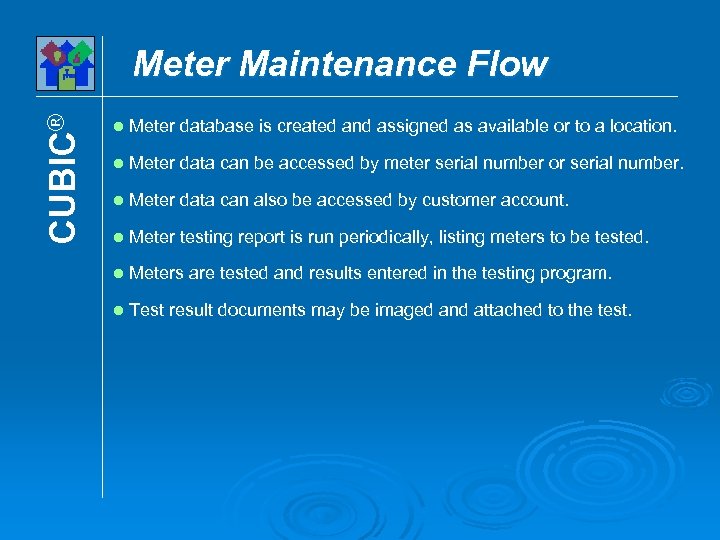
CUBIC® Meter Maintenance Flow l Meter database is created and assigned as available or to a location. l Meter data can be accessed by meter serial number or serial number. l Meter data can also be accessed by customer account. l Meter testing report is run periodically, listing meters to be tested. l Meters are tested and results entered in the testing program. l Test result documents may be imaged and attached to the test.
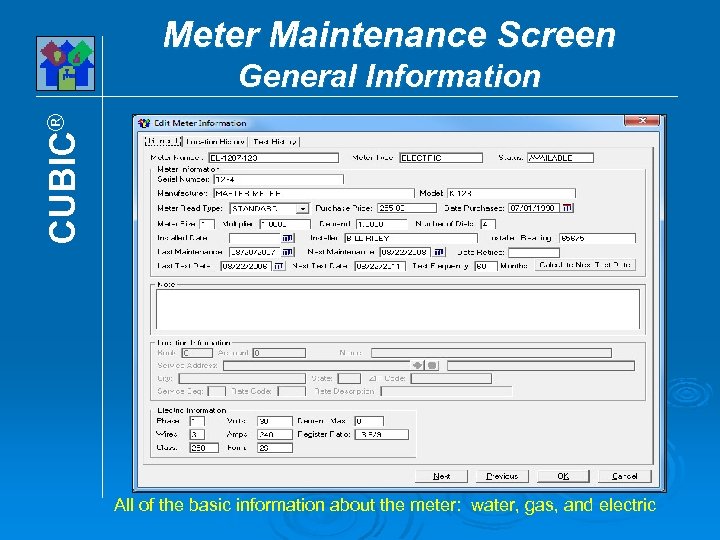
Meter Maintenance Screen CUBIC® General Information All of the basic information about the meter: water, gas, and electric
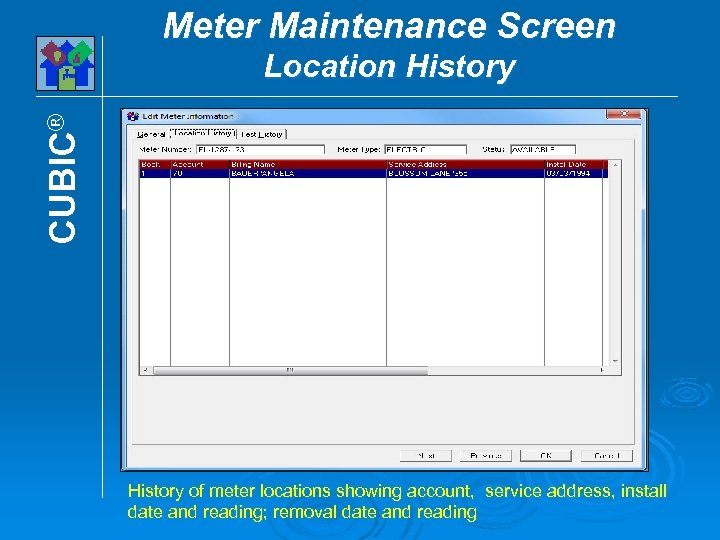
Meter Maintenance Screen CUBIC® Location History of meter locations showing account, service address, install date and reading; removal date and reading
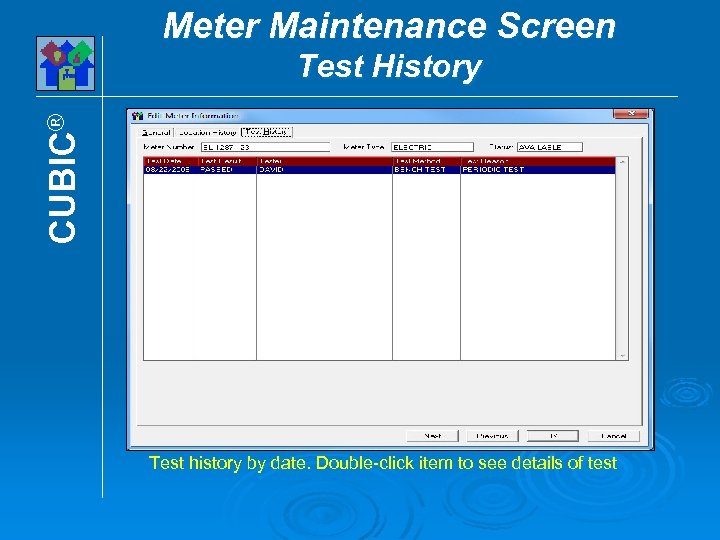
Meter Maintenance Screen CUBIC® Test History Test history by date. Double-click item to see details of test
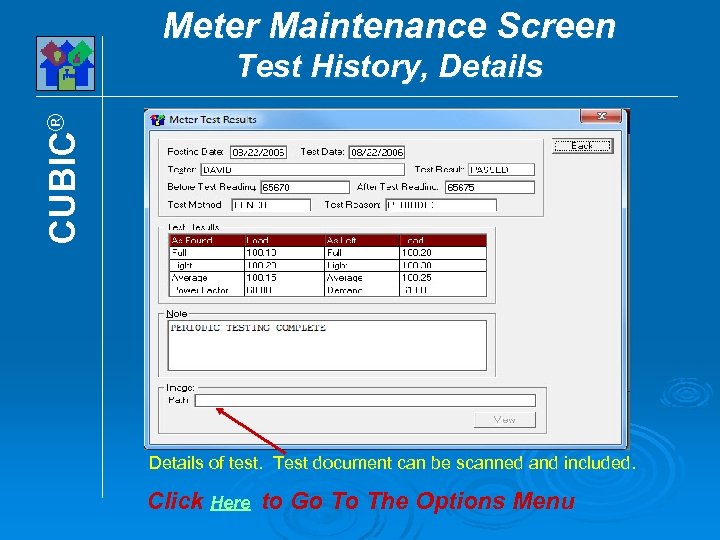
Meter Maintenance Screen CUBIC® Test History, Details of test. Test document can be scanned and included. Click Here to Go To The Options Menu
CUBIC® Backflow Prevention Option Backflow testing is required when customers have a piping arrangement where backflow into the public water system might occur. They are common in industrial applications and also can be found in residential settings where irrigation systems are in place. These systems require regular testing either by the utility operator or by licensed plumbers. The software prints notices at the prescribed interval and provides follow-up reports for those who have not submitted the proof of testing documents. Proof of testing reports can be scanned and attached to the unit. CUBIC integrates all of this information into its customer database. Operations personnel can be restricted so that they do not have access to sensitive customer data.
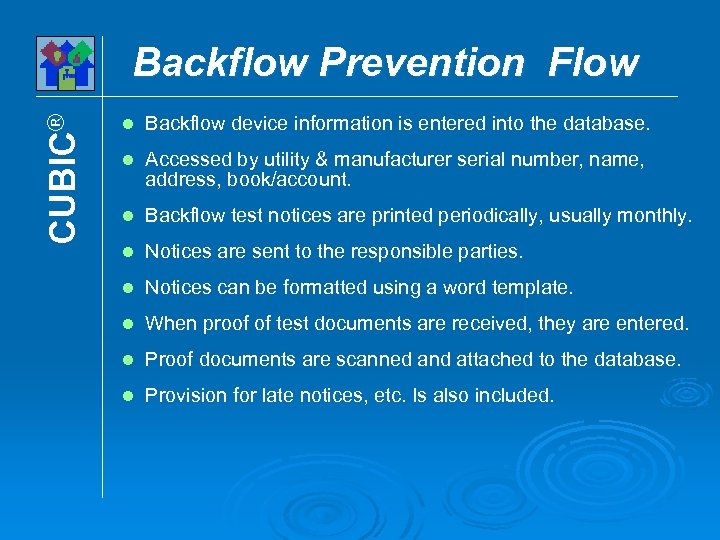
CUBIC® Backflow Prevention Flow l Backflow device information is entered into the database. l Accessed by utility & manufacturer serial number, name, address, book/account. l Backflow test notices are printed periodically, usually monthly. l Notices are sent to the responsible parties. l Notices can be formatted using a word template. l When proof of test documents are received, they are entered. l Proof documents are scanned and attached to the database. l Provision for late notices, etc. Is also included.
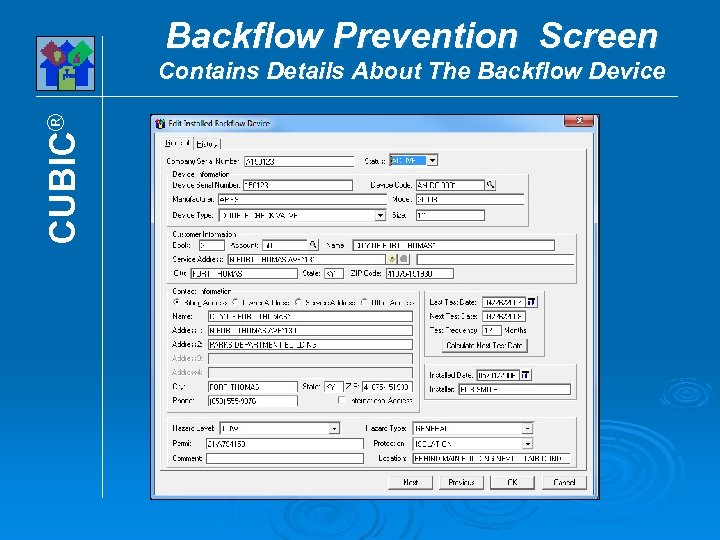
Backflow Prevention Screen CUBIC® Contains Details About The Backflow Device
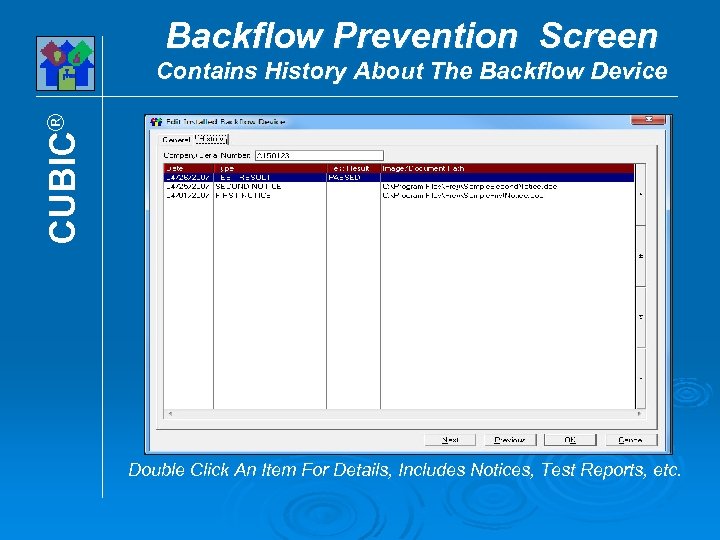
Backflow Prevention Screen CUBIC® Contains History About The Backflow Device Double Click An Item For Details, Includes Notices, Test Reports, etc.
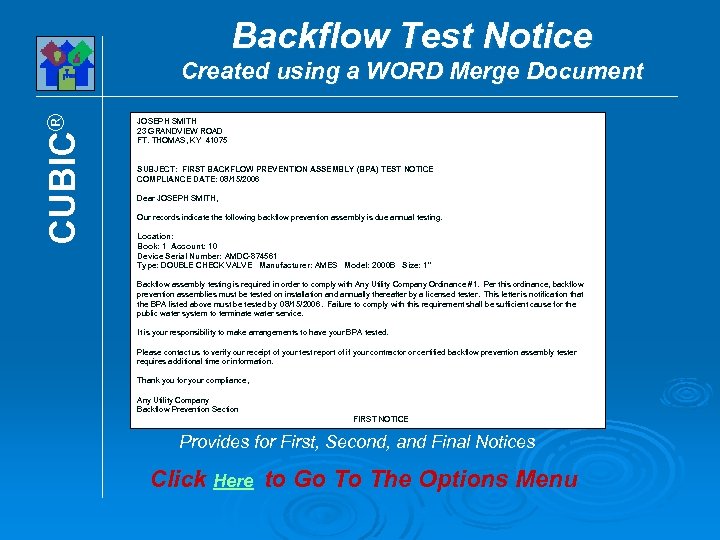
Backflow Test Notice CUBIC® Created using a WORD Merge Document JOSEPH SMITH 23 GRANDVIEW ROAD FT. THOMAS, KY 41075 SUBJECT: FIRST BACKFLOW PREVENTION ASSEMBLY (BPA) TEST NOTICE COMPLIANCE DATE: 08/15/2006 Dear JOSEPH SMITH, Our records indicate the following backflow prevention assembly is due annual testing. Location: Book: 1 Account: 10 Device Serial Number: AMDC-874561 Type: DOUBLE CHECK VALVE Manufacturer: AMES Model: 2000 B Size: 1" Backflow assembly testing is required in order to comply with Any Utility Company Ordinance #1. Per this ordinance, backflow prevention assemblies must be tested on installation and annually thereafter by a licensed tester. This letter is notification that the BPA listed above must be tested by 08/15/2006. Failure to comply with this requirement shall be sufficient cause for the public water system to terminate water service. It is your responsibility to make arrangements to have your BPA tested. Please contact us to verify our receipt of your test report of if your contractor or certified backflow prevention assembly tester requires additional time or information. Thank you for your compliance, Any Utility Company Backflow Prevention Section FIRST NOTICE Provides for First, Second, and Final Notices Click Here to Go To The Options Menu
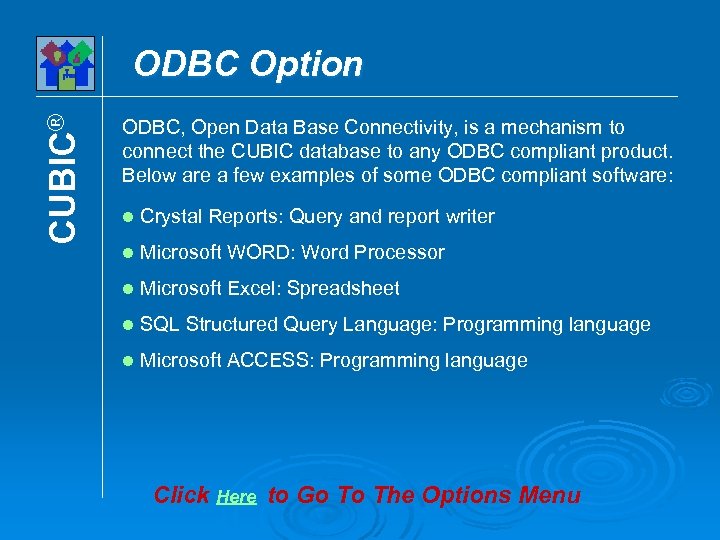
CUBIC® ODBC Option ODBC, Open Data Base Connectivity, is a mechanism to connect the CUBIC database to any ODBC compliant product. Below are a few examples of some ODBC compliant software: l Crystal Reports: Query and report writer l Microsoft WORD: Word Processor l Microsoft Excel: Spreadsheet l SQL Structured Query Language: Programming language l Microsoft ACCESS: Programming language Click Here to Go To The Options Menu
CUBIC® Microsoft© SQL Database Option CUBIC uses a data storage medium called Vision. It is fast, reliable, inexpensive, and can connect with a multitude of other software products using ODBC connectivity. However, some clients prefer to use Microsoft's SQL Database as a storage medium. They want this because it provides them with a common medium for all applications. Click Here to Go To The Options Menu
CUBIC® Utility Billing This demonstration has illustrated some of the powerful, tested, state-of-the-art features that has set CUBIC® apart from other products since 1974. For more information contact. . . Donald R. Frey & Company, Inc. 1 -800 -659 -3739 Fax (859)441 -7152 Outside the U. S. A (859)441 -6566 E-mail sales@drfrey. com www. drfrey. com Powerful, Easy-to-use, Reliable Software Click Here to Go To The Options Menu
CUBIC® Comprehensive Utility Billing & Control System For Microsoft® Windows® Thank You For Watching Software for Government & Nonprofits Fund Accounting - Payroll - Utility Billing www. drfrey. com 800 -659 -3739
Скачать презентацию Comprehensive Utility Billing Control System CUBIC For
8a11f2e034cb371ee5f311dea0d4e35f.ppt