 Скачать презентацию COMP 3221 Microprocessors and Embedded Systems Lectures 26
bfaad054e1655160fa534dc7b452d588.ppt
- Количество слайдов: 34



COMP 3221 Microprocessors and Embedded Systems Lectures 26: I/O Interfacing http: //www. cse. unsw. edu. au/~cs 3221 September, 2003 Saeid Nooshabadi saeid@unsw. edu. au Some of the slides are adopted from David Patterson (UCB) COMP 3221 lec 26 -io. 1 Saeid Nooshabadi
Overview ° I/O Background ° Polling ° Interrupts COMP 3221 lec 26 -io. 2 Saeid Nooshabadi
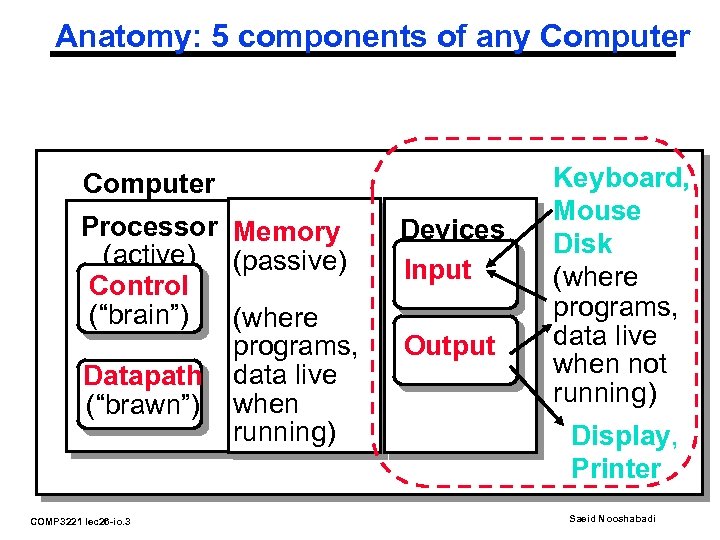
Anatomy: 5 components of any Computer Processor Memory (active) (passive) Control (“brain”) (where programs, Datapath data live (“brawn”) when running) COMP 3221 lec 26 -io. 3 Devices Input Output Keyboard, Mouse Disk (where programs, data live when not running) Display, Printer Saeid Nooshabadi
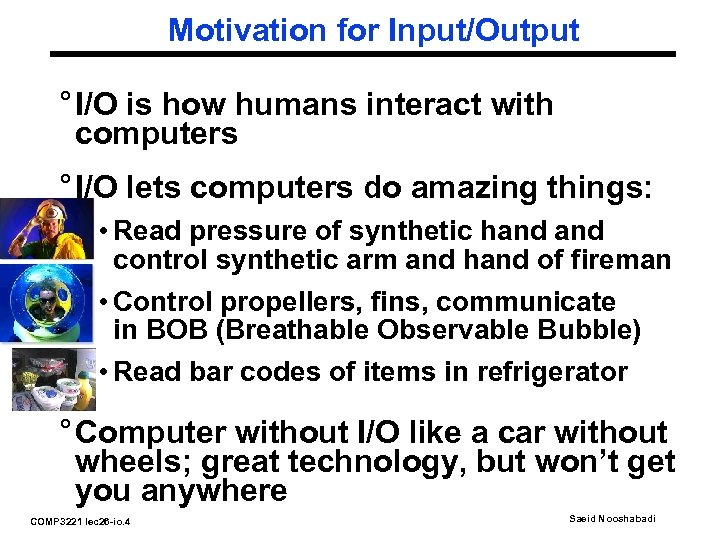
Motivation for Input/Output ° I/O is how humans interact with computers ° I/O lets computers do amazing things: • Read pressure of synthetic hand control synthetic arm and hand of fireman • Control propellers, fins, communicate in BOB (Breathable Observable Bubble) • Read bar codes of items in refrigerator ° Computer without I/O like a car without wheels; great technology, but won’t get you anywhere COMP 3221 lec 26 -io. 4 Saeid Nooshabadi
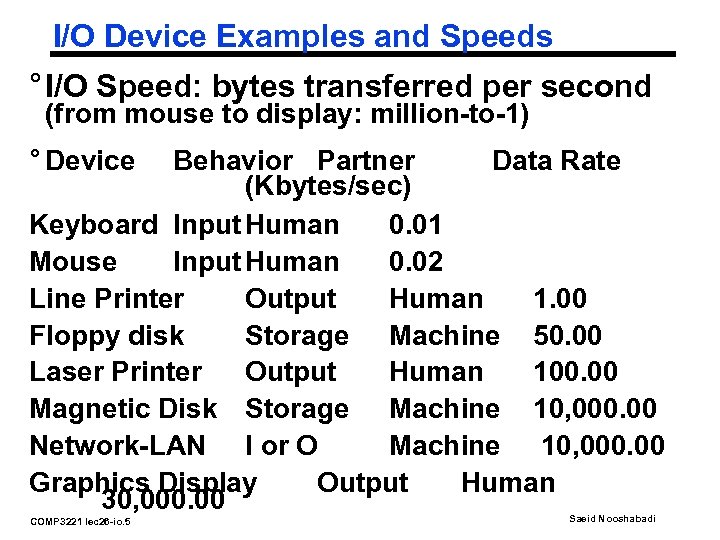
I/O Device Examples and Speeds ° I/O Speed: bytes transferred per second (from mouse to display: million-to-1) ° Device Behavior Partner Data Rate (Kbytes/sec) Keyboard Input Human 0. 01 Mouse Input Human 0. 02 Line Printer Output Human 1. 00 Floppy disk Storage Machine 50. 00 Laser Printer Output Human 100. 00 Magnetic Disk Storage Machine 10, 000. 00 Network-LAN I or O Machine 10, 000. 00 Graphics Display Output Human 30, 000. 00 COMP 3221 lec 26 -io. 5 Saeid Nooshabadi
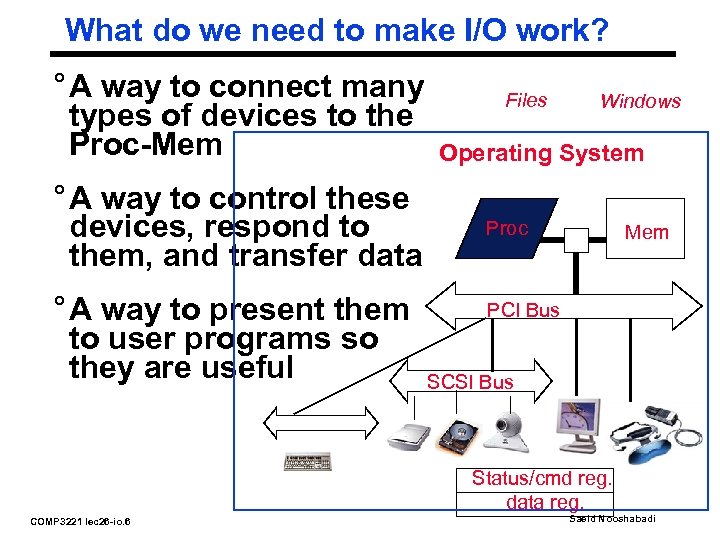
What do we need to make I/O work? ° A way to connect many types of devices to the Proc-Mem ° A way to control these devices, respond to them, and transfer data ° A way to present them to user programs so they are useful Files Windows Operating System Proc Mem PCI Bus SCSI Bus Status/cmd reg. data reg. COMP 3221 lec 26 -io. 6 Saeid Nooshabadi
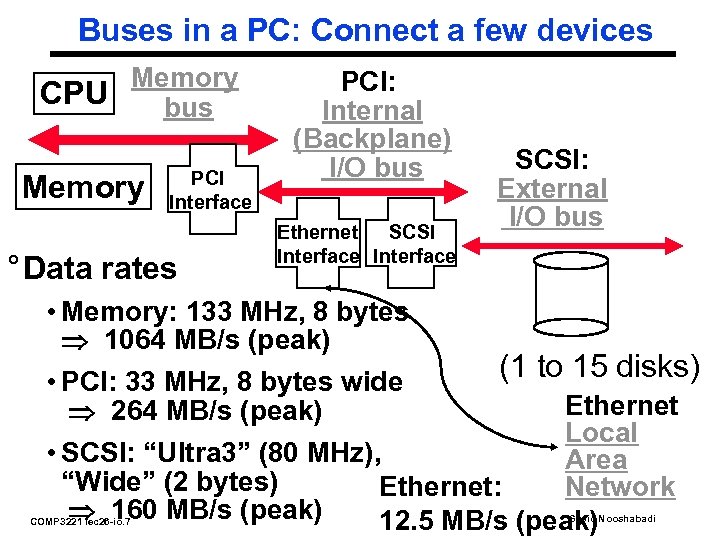
Buses in a PC: Connect a few devices Memory CPU bus Memory PCI Interface ° Data rates PCI: Internal (Backplane) I/O bus Ethernet SCSI Interface SCSI: External I/O bus • Memory: 133 MHz, 8 bytes 1064 MB/s (peak) (1 to 15 disks) • PCI: 33 MHz, 8 bytes wide Ethernet 264 MB/s (peak) Local • SCSI: “Ultra 3” (80 MHz), Area “Wide” (2 bytes) Network Ethernet: 160 MB/s (peak) 12. 5 MB/s (peak) COMP 3221 lec 26 -io. 7 Saeid Nooshabadi
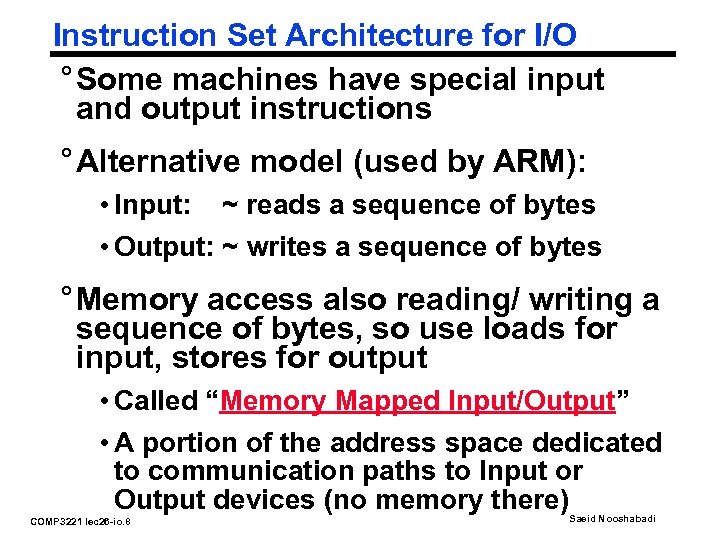
Instruction Set Architecture for I/O ° Some machines have special input and output instructions ° Alternative model (used by ARM): • Input: ~ reads a sequence of bytes • Output: ~ writes a sequence of bytes ° Memory access also reading/ writing a sequence of bytes, so use loads for input, stores for output • Called “Memory Mapped Input/Output” • A portion of the address space dedicated to communication paths to Input or Output devices (no memory there) COMP 3221 lec 26 -io. 8 Saeid Nooshabadi
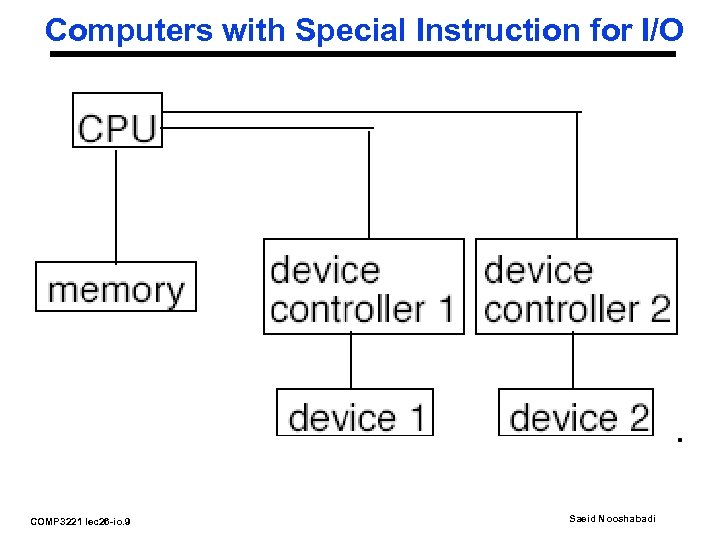
Computers with Special Instruction for I/O COMP 3221 lec 26 -io. 9 Saeid Nooshabadi
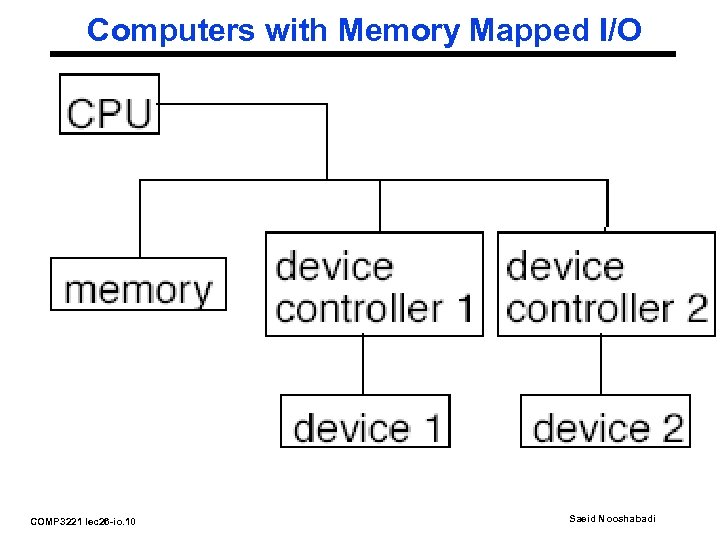
Computers with Memory Mapped I/O COMP 3221 lec 26 -io. 10 Saeid Nooshabadi
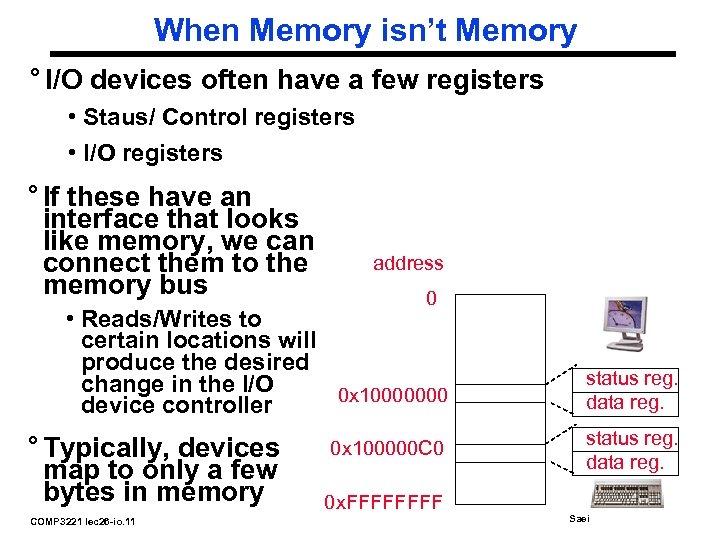
When Memory isn’t Memory ° I/O devices often have a few registers • Staus/ Control registers • I/O registers ° If these have an interface that looks like memory, we can connect them to the memory bus address 0 • Reads/Writes to certain locations will produce the desired change in the I/O 0 x 10000000 device controller ° Typically, devices map to only a few bytes in memory COMP 3221 lec 26 -io. 11 0 x 100000 C 0 0 x. FFFF status reg. data reg. Saeid Nooshabadi
Processor-I/O Speed Mismatch ° 500 MHz microprocessor can execute 500 million load or store instructions per second, or 2, 000 KB/s data rate • I/O devices from 0. 01 KB/s to 30, 000 KB/s ° Input: device may not be ready to send data as fast as the processor loads it • Also, might be waiting for human to act ° Output: device may not be ready to accept data as fast as processor stores it ° What to do? COMP 3221 lec 26 -io. 12 Saeid Nooshabadi
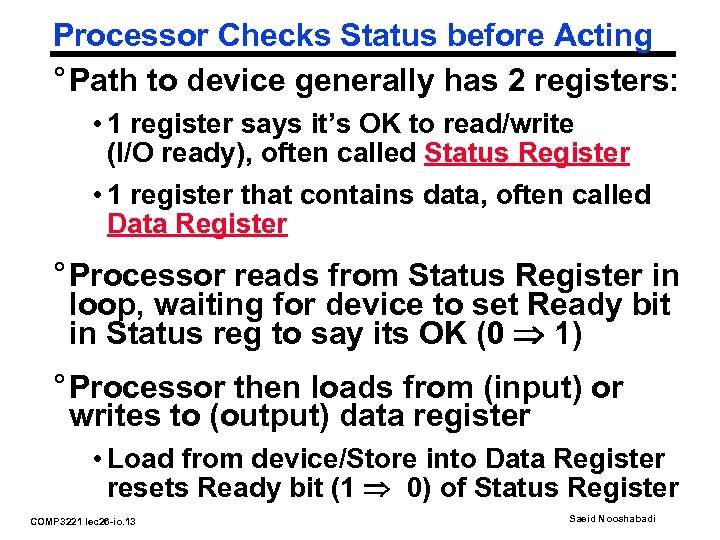
Processor Checks Status before Acting ° Path to device generally has 2 registers: • 1 register says it’s OK to read/write (I/O ready), often called Status Register • 1 register that contains data, often called Data Register ° Processor reads from Status Register in loop, waiting for device to set Ready bit in Status reg to say its OK (0 1) ° Processor then loads from (input) or writes to (output) data register • Load from device/Store into Data Register resets Ready bit (1 0) of Status Register COMP 3221 lec 26 -io. 13 Saeid Nooshabadi

“What’s This Stuff Good For? ” COMP 3221 lec 26 -io. 14 Remote Diagnosis: “Neo. Rest Ex. II, ” a high-tech toilet features microprocessor -controlled seat warmers, automatic lid openers, air deodorizers, water sprays and blow-dryers that do away with the need for toilet tissue. About 25 percent of new homes in Japan have a “washlet, ” as these toilets are called. Toto's engineers are now working on a model that analyzes urine to determine blood-sugar levels in diabetics and then automatically sends a daily report, by modem, to the user's physician. One Digital Day, 1998 www. intel. com/onedigitalday Saeid Nooshabadi
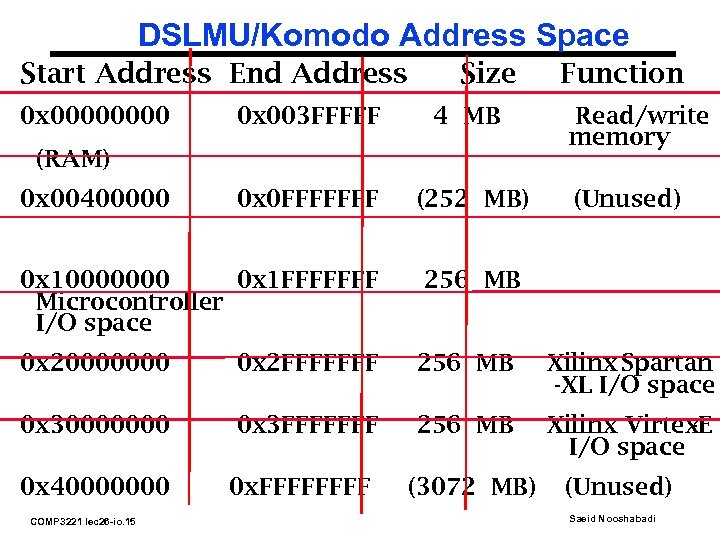
DSLMU/Komodo Address Space Start Address End Address 0 x 0000 Size 0 x 003 FFFFF 4 MB 0 x 0 FFFFFFF (252 MB) (RAM) 0 x 00400000 0 x 10000000 0 x 1 FFFFFFF Microcontroller I/O space Function Read/write memory (Unused) 256 MB 0 x 20000000 0 x 2 FFFFFFF 256 MB Xilinx Spartan -XL I/O space 0 x 30000000 0 x 3 FFFFFFF 256 MB Xilinx Virtex -E I/O space 0 x 40000000 COMP 3221 lec 26 -io. 15 0 x. FFFF (3072 MB) (Unused) Saeid Nooshabadi
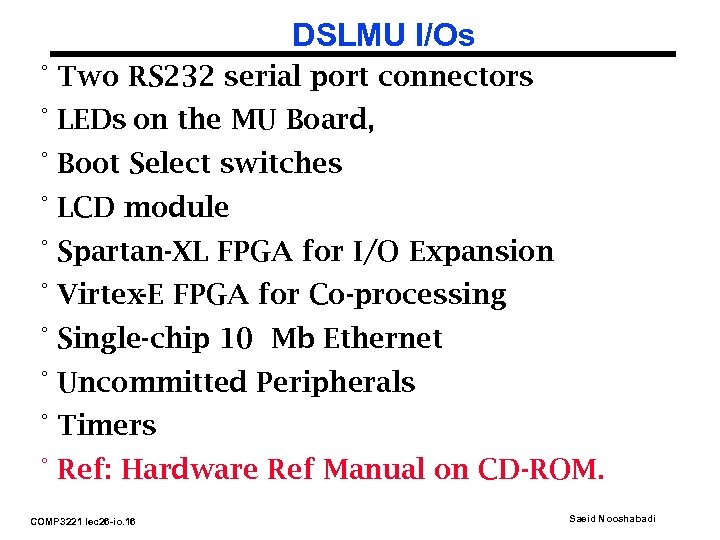
DSLMU I/Os ° Two RS 232 serial port connectors ° LEDs on the MU Board, ° Boot Select switches ° LCD module ° Spartan-XL FPGA for I/O Expansion ° Virtex-E FPGA for Co-processing ° Single-chip 10 Mb Ethernet ° Uncommitted Peripherals ° Timers ° Ref: Hardware Ref Manual on CD-ROM. COMP 3221 lec 26 -io. 16 Saeid Nooshabadi
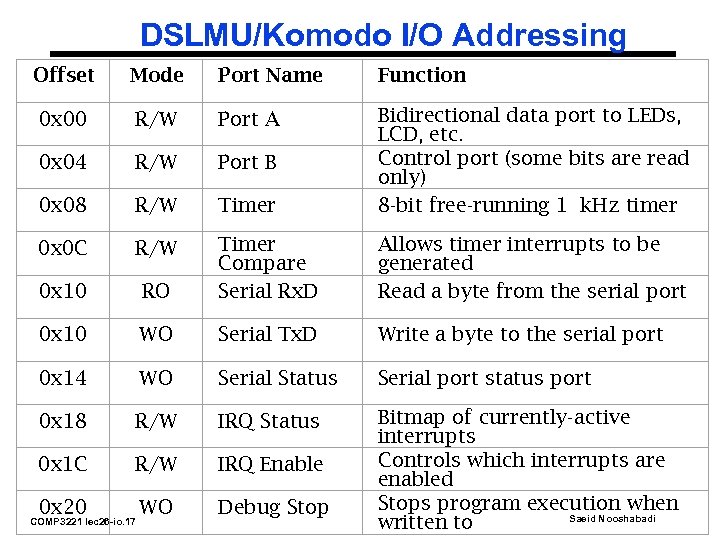
DSLMU/Komodo I/O Addressing Offset Mode Port Name Function 0 x 00 R/W Port A 0 x 04 R/W Port B 0 x 08 R/W Timer Bidirectional data port to LEDs, LCD, etc. Control port (some bits are read only) 8 -bit free-running 1 k. Hz timer 0 x 0 C R/W 0 x 10 RO Timer Compare Serial Rx. D Allows timer interrupts to be generated Read a byte from the serial port 0 x 10 WO Serial Tx. D Write a byte to the serial port 0 x 14 WO Serial Status Serial port status port 0 x 18 R/W IRQ Status 0 x 1 C R/W IRQ Enable 0 x 20 WO Debug Stop Bitmap of currently-active interrupts Controls which interrupts are enabled Stops program execution when Saeid Nooshabadi written to COMP 3221 lec 26 -io. 17
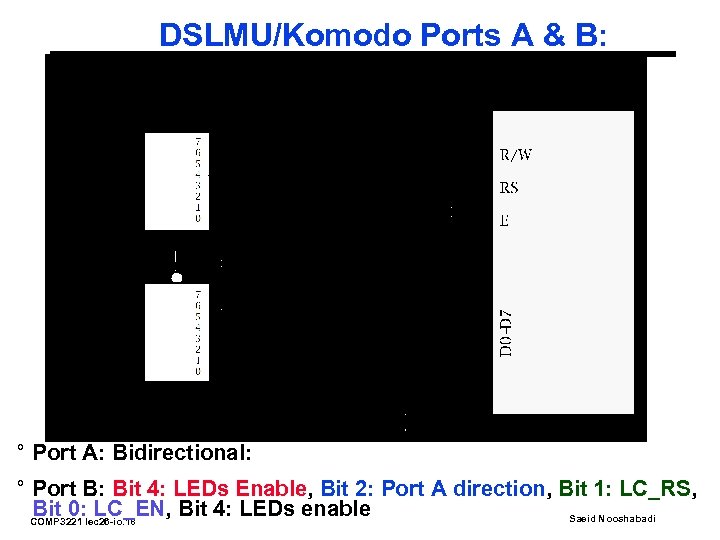
DSLMU/Komodo Ports A & B: ° Port A: Bidirectional: ° Port B: Bit 4: LEDs Enable, Bit 2: Port A direction, Bit 1: LC_RS, Bit 0: LC_EN, Bit 4: LEDs enable Saeid Nooshabadi COMP 3221 lec 26 -io. 18
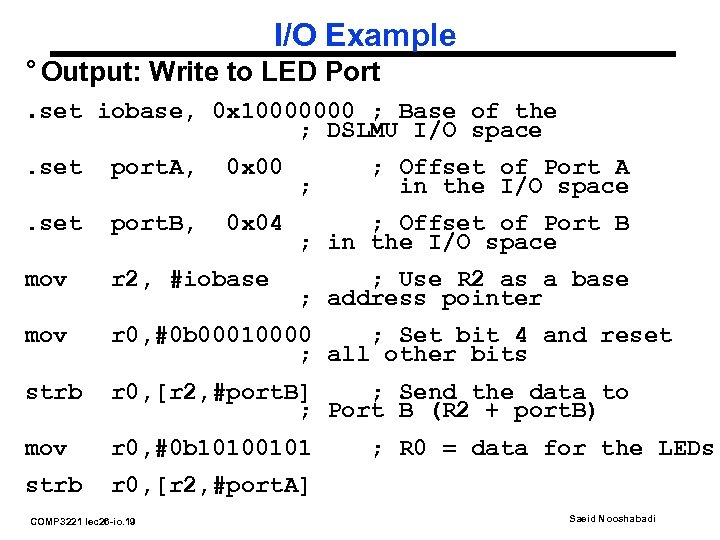
I/O Example ° Output: Write to LED Port. set iobase, 0 x 10000000 ; Base of the ; DSLMU I/O space. set port. A, 0 x 00 . set port. B, 0 x 04 mov r 2, #iobase mov r 0, #0 b 00010000 ; Set bit 4 and reset ; all other bits strb r 0, [r 2, #port. B] ; Send the data to ; Port B (R 2 + port. B) mov r 0, #0 b 10100101 strb r 0, [r 2, #port. A] COMP 3221 lec 26 -io. 19 ; ; Offset of Port A in the I/O space ; Offset of Port B ; in the I/O space ; Use R 2 as a base ; address pointer ; R 0 = data for the LEDs Saeid Nooshabadi
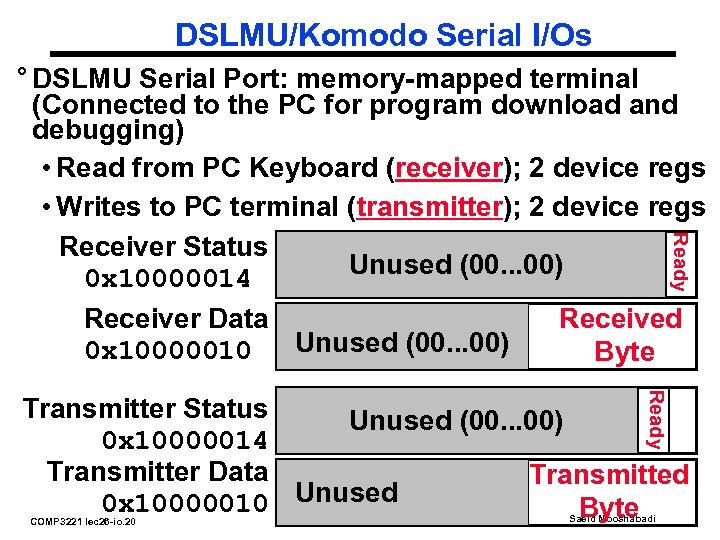
DSLMU/Komodo Serial I/Os Ready ° DSLMU Serial Port: memory-mapped terminal (Connected to the PC for program download and debugging) • Read from PC Keyboard (receiver); 2 device regs • Writes to PC terminal (transmitter); 2 device regs Receiver Status (IE) Unused (00. . . 00) 0 x 10000014 Receiver Data Received Unused (00. . . 00) 0 x 10000010 Byte Ready Transmitter Status Unused (00. . . 00) 0 x 10000014 Transmitter Data Transmitted 0 x 10000010 Unused Byte COMP 3221 lec 26 -io. 20 Saeid Nooshabadi
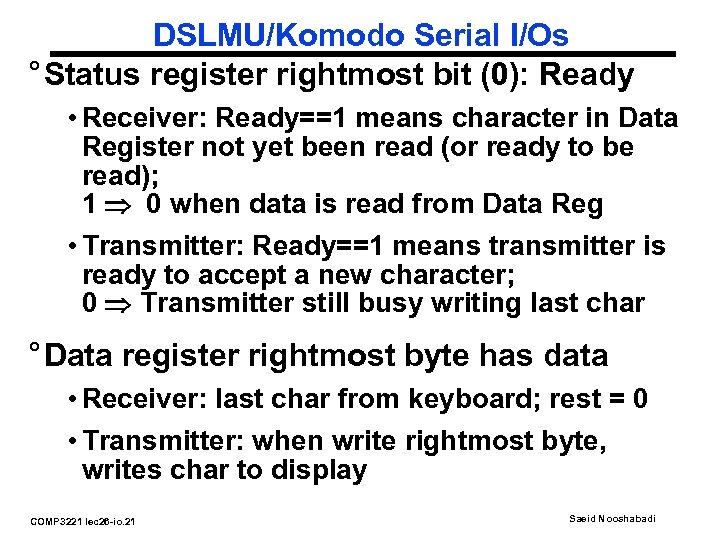
DSLMU/Komodo Serial I/Os ° Status register rightmost bit (0): Ready • Receiver: Ready==1 means character in Data Register not yet been read (or ready to be read); 1 0 when data is read from Data Reg • Transmitter: Ready==1 means transmitter is ready to accept a new character; 0 Transmitter still busy writing last char ° Data register rightmost byte has data • Receiver: last char from keyboard; rest = 0 • Transmitter: when write rightmost byte, writes char to display COMP 3221 lec 26 -io. 21 Saeid Nooshabadi
Reading Material ° Reading Material: • Experiment 4 Documentation • Hardware Reference Manual on CD-ROM COMP 3221 lec 26 -io. 22 Saeid Nooshabadi
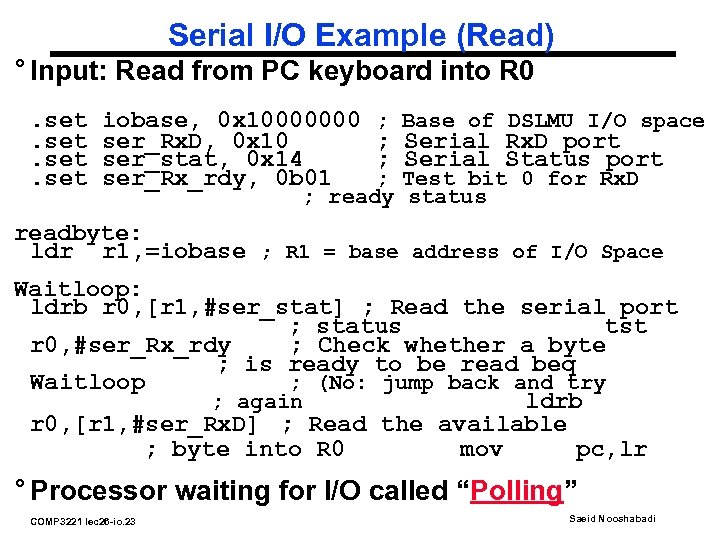
Serial I/O Example (Read) ° Input: Read from PC keyboard into R 0. set iobase, 0 x 10000000 ser_Rx. D, 0 x 10 ser_stat, 0 x 14 ser_Rx_rdy, 0 b 01 ; Base of DSLMU I/O space ; Serial Rx. D port ; Serial Status port ; Test bit 0 for Rx. D ; ready status readbyte: ldr r 1, =iobase ; R 1 = base address of I/O Space Waitloop: ldrb r 0, [r 1, #ser_stat] ; Read the serial port ; status tst r 0, #ser_Rx_rdy ; Check whether a byte ; is ready to be read beq Waitloop ; (No: jump back and try ; again ldrb r 0, [r 1, #ser_Rx. D] ; Read the available ; byte into R 0 mov pc, lr ° Processor waiting for I/O called “Polling” COMP 3221 lec 26 -io. 23 Saeid Nooshabadi
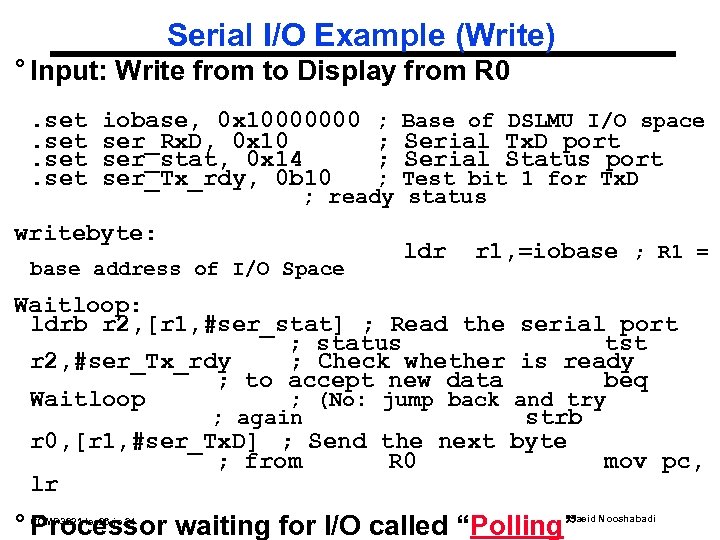
Serial I/O Example (Write) ° Input: Write from to Display from R 0. set iobase, 0 x 10000000 ser_Rx. D, 0 x 10 ser_stat, 0 x 14 ser_Tx_rdy, 0 b 10 ; Base of DSLMU I/O space ; Serial Tx. D port ; Serial Status port ; Test bit 1 for Tx. D ; ready status writebyte: base address of I/O Space ldr r 1, =iobase ; R 1 = Waitloop: ldrb r 2, [r 1, #ser_stat] ; Read the serial port ; status tst r 2, #ser_Tx_rdy ; Check whether is ready ; to accept new data beq Waitloop ; (No: jump back and try ; again strb r 0, [r 1, #ser_Tx. D] ; Send the next byte ; from R 0 mov pc, lr ° Processor waiting for I/O called “Polling” COMP 3221 lec 26 -io. 24 Saeid Nooshabadi
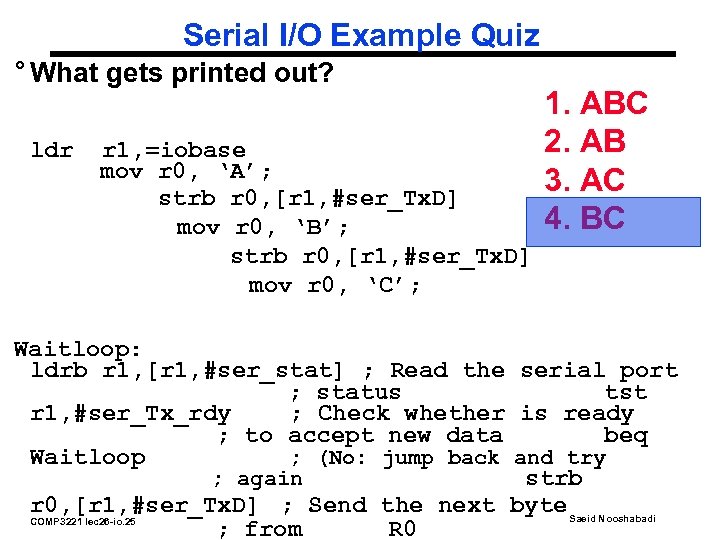
Serial I/O Example Quiz ° What gets printed out? ldr r 1, =iobase mov r 0, ‘A’; strb r 0, [r 1, #ser_Tx. D] mov r 0, ‘B’; strb r 0, [r 1, #ser_Tx. D] mov r 0, ‘C’; 1. ABC 2. AB 3. AC 4. BC Waitloop: ldrb r 1, [r 1, #ser_stat] ; Read the serial port ; status tst r 1, #ser_Tx_rdy ; Check whether is ready ; to accept new data beq Waitloop ; (No: jump back and try ; again strb r 0, [r 1, #ser_Tx. D] ; Send the next byte Saeid Nooshabadi COMP 3221 lec 26 -io. 25 ; from R 0
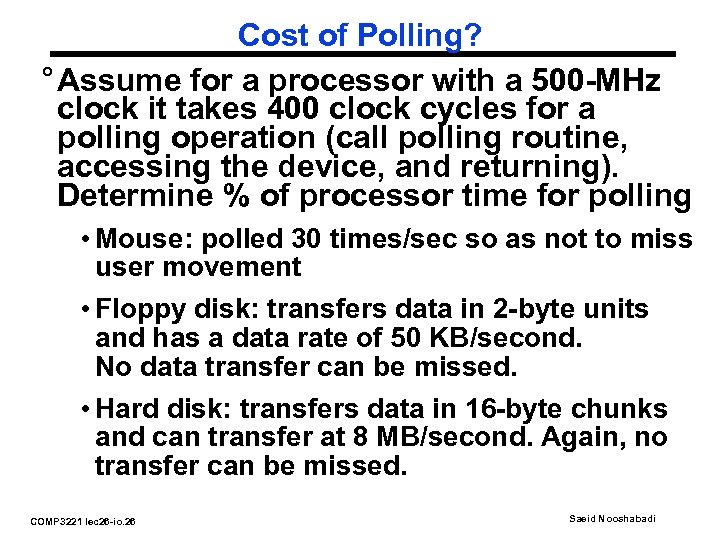
Cost of Polling? ° Assume for a processor with a 500 -MHz clock it takes 400 clock cycles for a polling operation (call polling routine, accessing the device, and returning). Determine % of processor time for polling • Mouse: polled 30 times/sec so as not to miss user movement • Floppy disk: transfers data in 2 -byte units and has a data rate of 50 KB/second. No data transfer can be missed. • Hard disk: transfers data in 16 -byte chunks and can transfer at 8 MB/second. Again, no transfer can be missed. COMP 3221 lec 26 -io. 26 Saeid Nooshabadi
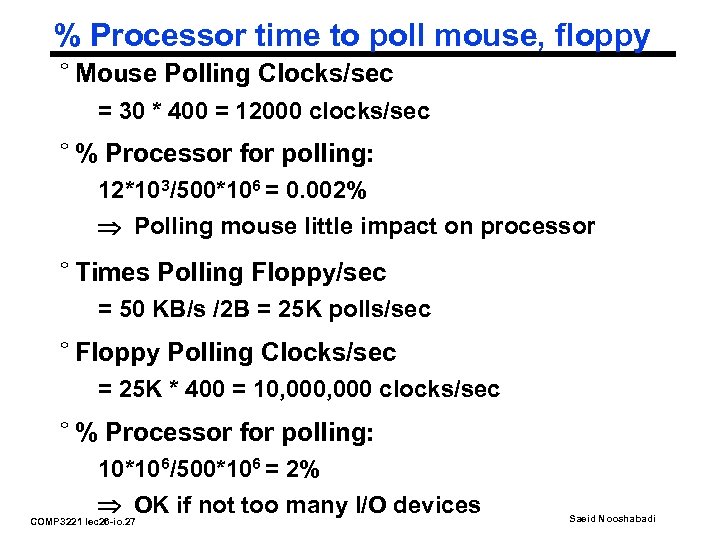
% Processor time to poll mouse, floppy ° Mouse Polling Clocks/sec = 30 * 400 = 12000 clocks/sec ° % Processor for polling: 12*103/500*106 = 0. 002% Polling mouse little impact on processor ° Times Polling Floppy/sec = 50 KB/s /2 B = 25 K polls/sec ° Floppy Polling Clocks/sec = 25 K * 400 = 10, 000 clocks/sec ° % Processor for polling: 10*106/500*106 = 2% OK if not too many I/O devices COMP 3221 lec 26 -io. 27 Saeid Nooshabadi
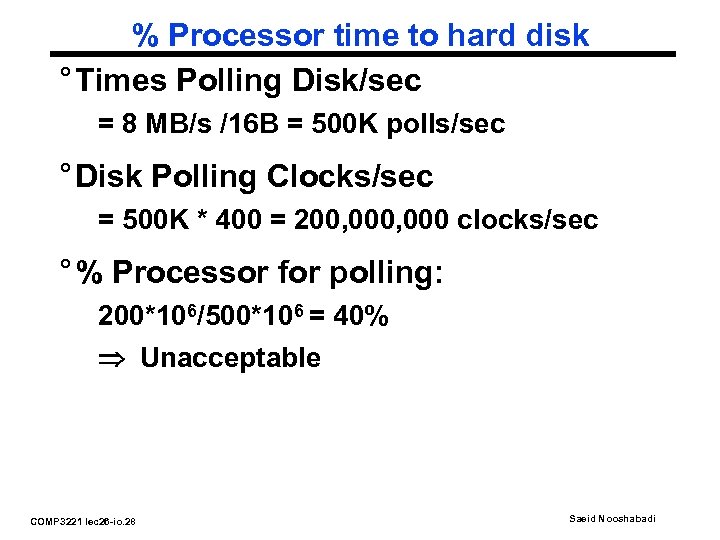
% Processor time to hard disk ° Times Polling Disk/sec = 8 MB/s /16 B = 500 K polls/sec ° Disk Polling Clocks/sec = 500 K * 400 = 200, 000 clocks/sec ° % Processor for polling: 200*106/500*106 = 40% Unacceptable COMP 3221 lec 26 -io. 28 Saeid Nooshabadi
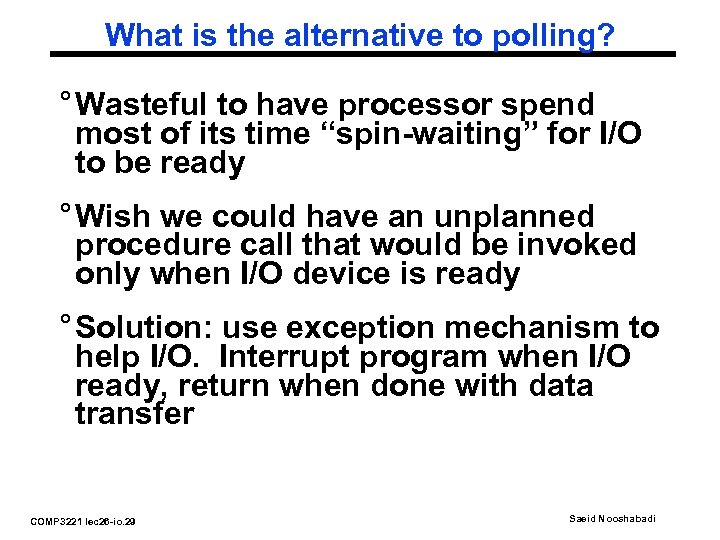
What is the alternative to polling? ° Wasteful to have processor spend most of its time “spin-waiting” for I/O to be ready ° Wish we could have an unplanned procedure call that would be invoked only when I/O device is ready ° Solution: use exception mechanism to help I/O. Interrupt program when I/O ready, return when done with data transfer COMP 3221 lec 26 -io. 29 Saeid Nooshabadi
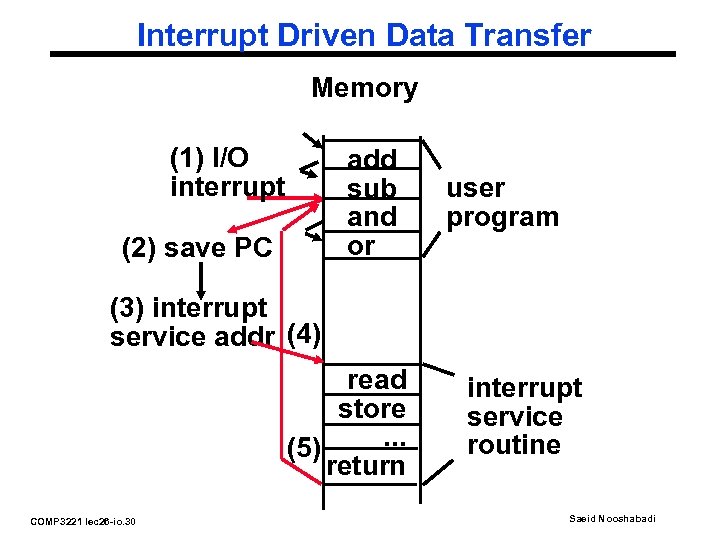
Interrupt Driven Data Transfer Memory (1) I/O interrupt add sub and or (2) save PC user program (3) interrupt service addr (4) read store. . . (5) return COMP 3221 lec 26 -io. 30 interrupt service routine Saeid Nooshabadi
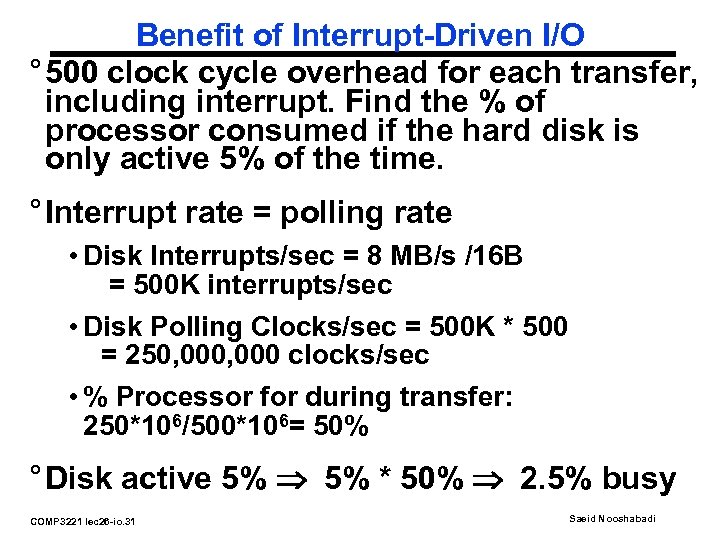
Benefit of Interrupt-Driven I/O ° 500 clock cycle overhead for each transfer, including interrupt. Find the % of processor consumed if the hard disk is only active 5% of the time. ° Interrupt rate = polling rate • Disk Interrupts/sec = 8 MB/s /16 B = 500 K interrupts/sec • Disk Polling Clocks/sec = 500 K * 500 = 250, 000 clocks/sec • % Processor for during transfer: 250*106/500*106= 50% ° Disk active 5% * 50% 2. 5% busy COMP 3221 lec 26 -io. 31 Saeid Nooshabadi
Polling vs. Interrupt Analogy ° Imagine yourself on a long road trip with your 10 -year-old younger brother… (You: I/O device, brother: CPU) ° Polling: • “Are we there yet? …. ” • CPU not doing anything useful ° Interrupt: • Stuff him a color gameboy, “interrupt” him when arrive at destination • CPU does useful work while I/O busy COMP 3221 lec 26 -io. 32 Saeid Nooshabadi
Conclusion (#1/2) ° I/O is how humans interact with computers ° I/O lets computers do amazing things ° I/O devices often have a few registers • Status registers • I/O registers • Typically, devices map to only a few bytes in memory COMP 3221 lec 26 -io. 33 Saeid Nooshabadi
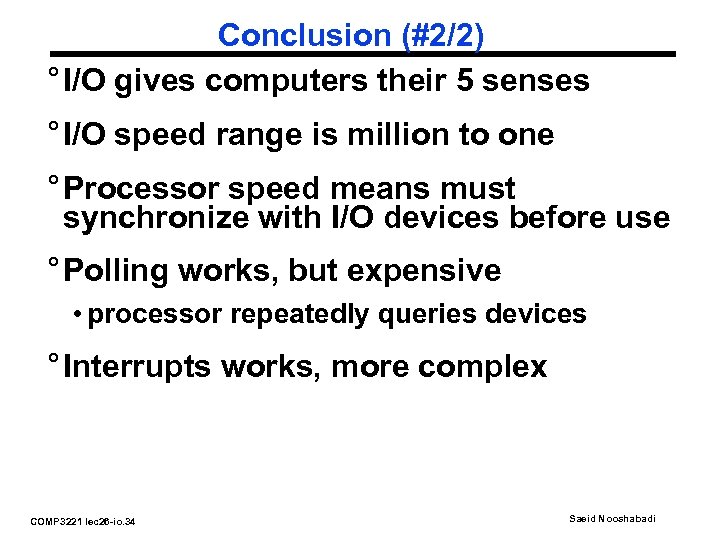
Conclusion (#2/2) ° I/O gives computers their 5 senses ° I/O speed range is million to one ° Processor speed means must synchronize with I/O devices before use ° Polling works, but expensive • processor repeatedly queries devices ° Interrupts works, more complex COMP 3221 lec 26 -io. 34 Saeid Nooshabadi
Скачать презентацию COMP 3221 Microprocessors and Embedded Systems Lectures 26
bfaad054e1655160fa534dc7b452d588.ppt