


 Скачать презентацию Community-Driven Adaptation Automatic Content Adaptation in Pervasive Environments
d570e927a18624fda9d3248c0beca162.ppt
- Количество слайдов: 26
 Community-Driven Adaptation: Automatic Content Adaptation in Pervasive Environments Iqbal Mohomed, Alvin Chin, Jim Cai, Eyal de Lara Department of Computer Science University of Toronto WMCSA 2004: Session V - Pervasive Technologies Wallach / de Lara
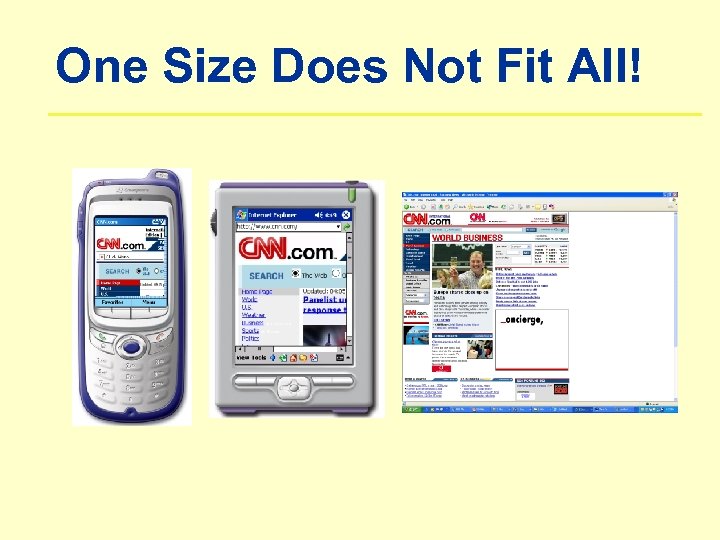 One Size Does Not Fit All!
 Useful Customizations • Plethora of techniques for transforming content • • Modality Fidelity Layout Summarization Ø Distinct content types usually benefit from different transformations Ø Most transformations have configuration parameters that can be varied How do we choose?
 Content Adaptation • Manual Adaptation • High human cost, not scalable, difficult to maintain consistency and coherence • Automatic Adaptation • Rule-based and Constraint-based techniques are the state-of-the-art
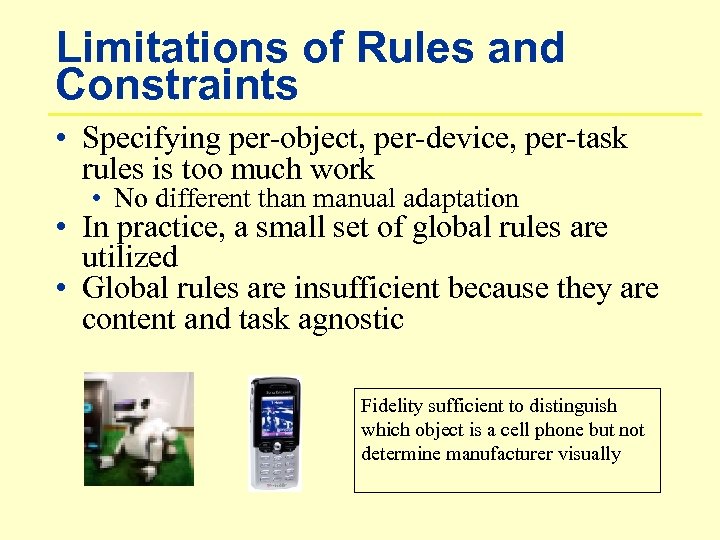 Limitations of Rules and Constraints • Specifying per-object, per-device, per-task rules is too much work • No different than manual adaptation • In practice, a small set of global rules are utilized • Global rules are insufficient because they are content and task agnostic Fidelity sufficient to distinguish which object is a cell phone but not determine manufacturer visually
 Core Issues • Need rule for every object, device, task • Computer alone can't do it • Human Designer can, but it is costly and does not scale • Idea: • Let user make corrections • Apply decision to like-minded users
 Community-Driven Adaptation (CDA) • Group users into communities based on adaptation requirements • System makes initial prediction as to how to adapt content (use rules and constraints) • Let user fix adaptation decisions • Feedback mechanism • System learns from user feedback • Improve adaptation prediction for future accesses by member of community
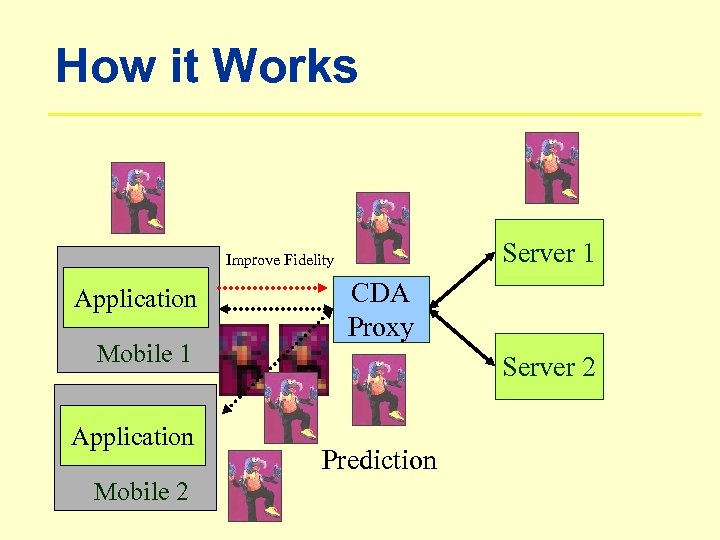 How it Works Server 1 Improve Fidelity Application Mobile 1 Application Mobile 2 CDA Proxy Server 2 Prediction
 Advantages • User Empowerment: Can fix bad adaptation decisions • Minimal Inconvenience: Burden of feedback is spread over entire community and is very low for each member • User does not have to provide feedback in every interaction
 Research Issues • How good are CDA predictions? • How do we classify users into communities? • How large of a community do we need? • What interfaces would encourage users to provide feedback? • Types of adaptations supported by this technique?
 Experimental Evaluation • How do we quantify performance? • Extent to which predictions meet users’ adaptation requirements? • Approach: • Step 1: User study • Collect traces capturing the adaptation desired by actual users for realistic tasks and content • Step 2: Simulation • Compare predictions to values in trace
 Experimental Setup • • 1 application 1 kind of adaptation 1 data type 1 adaptation method • 1 community • • Web browsing Fidelity Images Progressive JPEG compression • Same device • Laptop at 56 Kbps • Same content • Same tasks
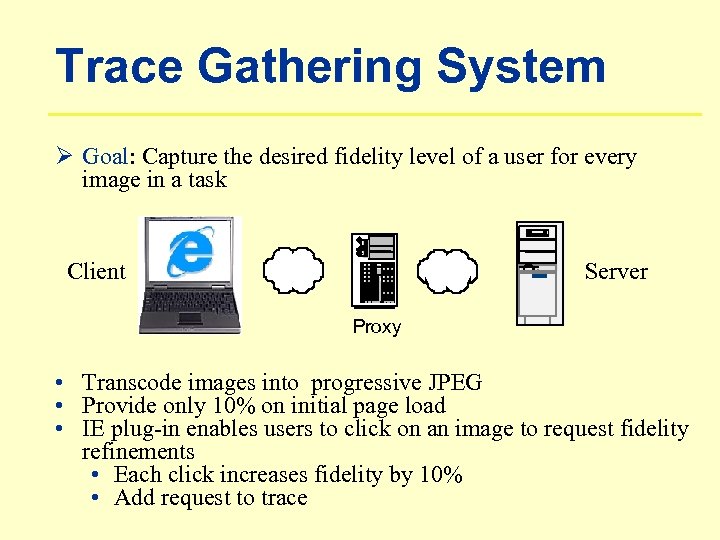 Trace Gathering System Ø Goal: Capture the desired fidelity level of a user for every image in a task Client Server Proxy • Transcode images into progressive JPEG • Provide only 10% on initial page load • IE plug-in enables users to click on an image to request fidelity refinements • Each click increases fidelity by 10% • Add request to trace
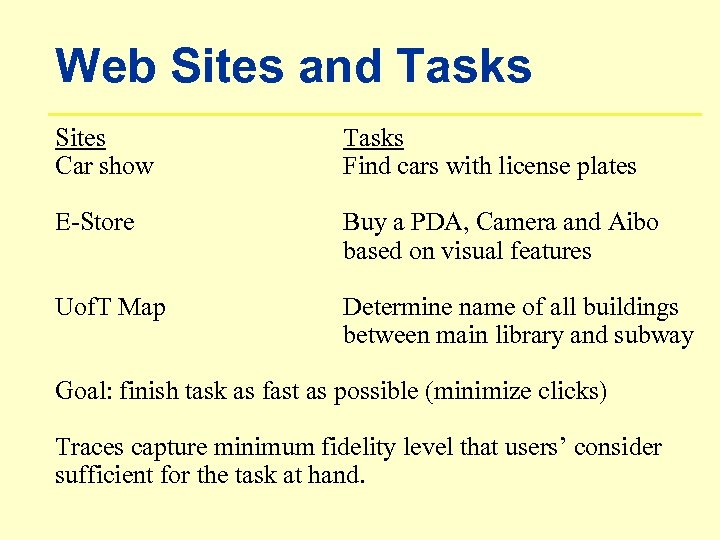 Web Sites and Tasks Sites Car show Tasks Find cars with license plates E-Store Buy a PDA, Camera and Aibo based on visual features Uof. T Map Determine name of all buildings between main library and subway Goal: finish task as fast as possible (minimize clicks) Traces capture minimum fidelity level that users’ consider sufficient for the task at hand.
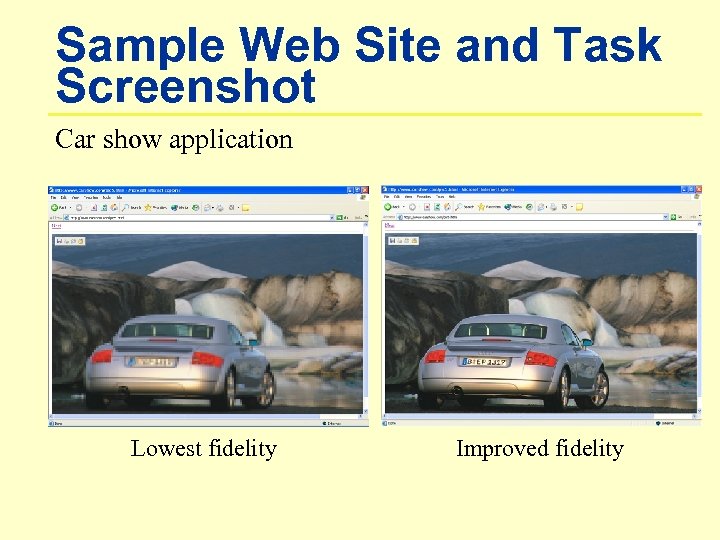 Sample Web Site and Task Screenshot Car show application Lowest fidelity Improved fidelity
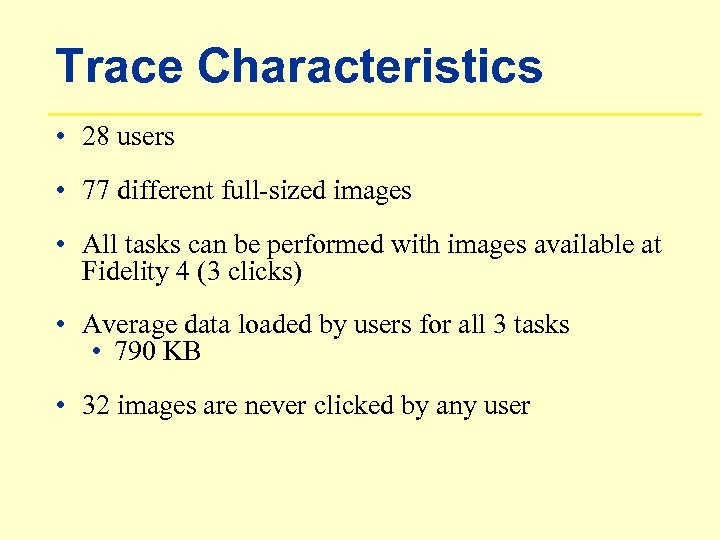 Trace Characteristics • 28 users • 77 different full-sized images • All tasks can be performed with images available at Fidelity 4 (3 clicks) • Average data loaded by users for all 3 tasks • 790 KB • 32 images are never clicked by any user
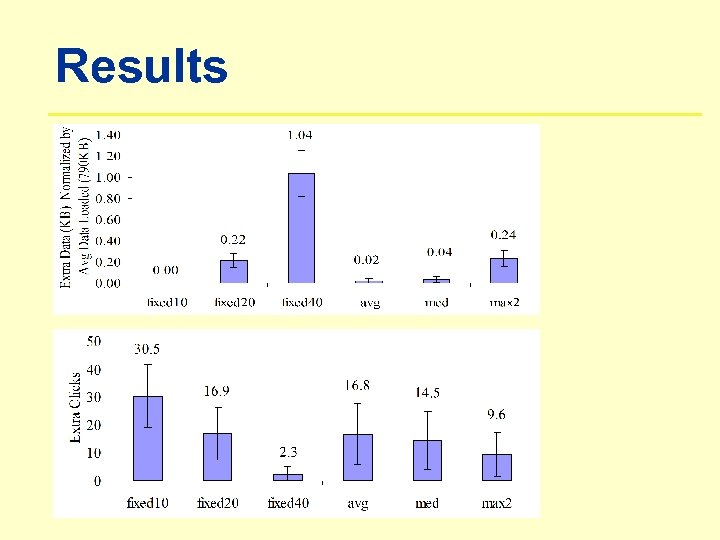
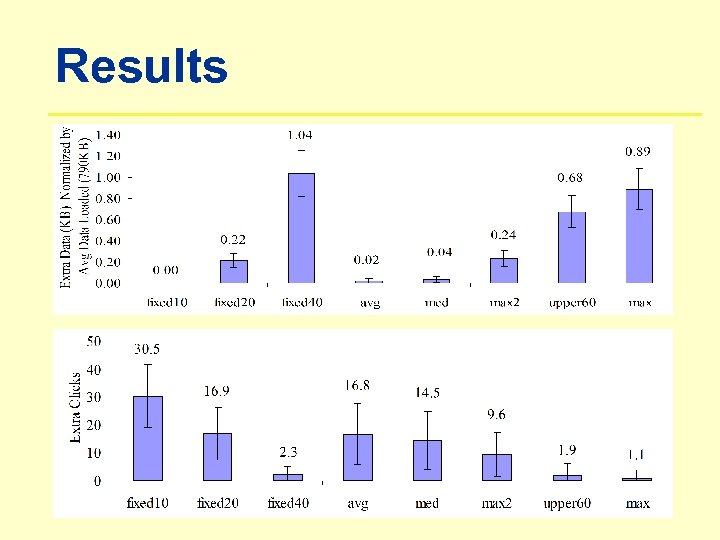
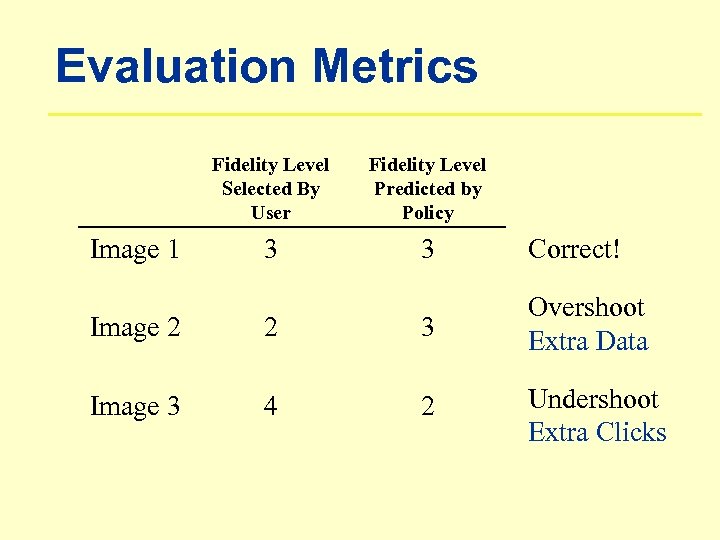 Evaluation Metrics Fidelity Level Selected By User Image 1 Fidelity Level Predicted by Policy 3 3 Correct! Image 2 2 3 Overshoot Extra Data Image 3 4 2 Undershoot Extra Clicks
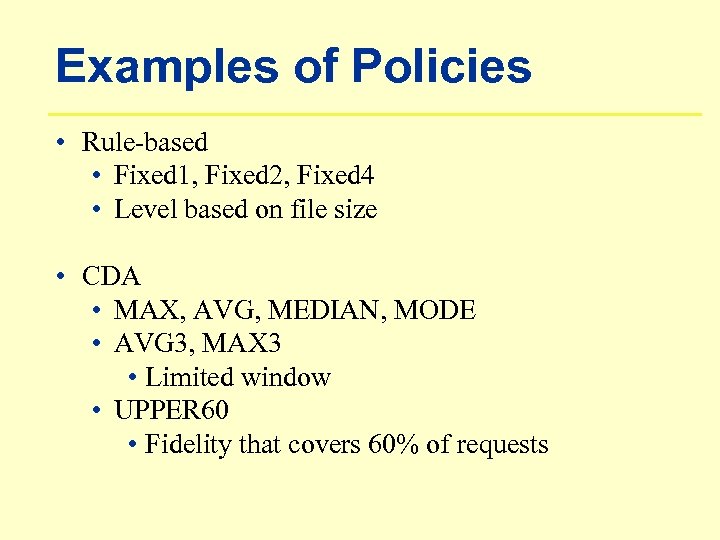 Examples of Policies • Rule-based • Fixed 1, Fixed 2, Fixed 4 • Level based on file size • CDA • MAX, AVG, MEDIAN, MODE • AVG 3, MAX 3 • Limited window • UPPER 60 • Fidelity that covers 60% of requests
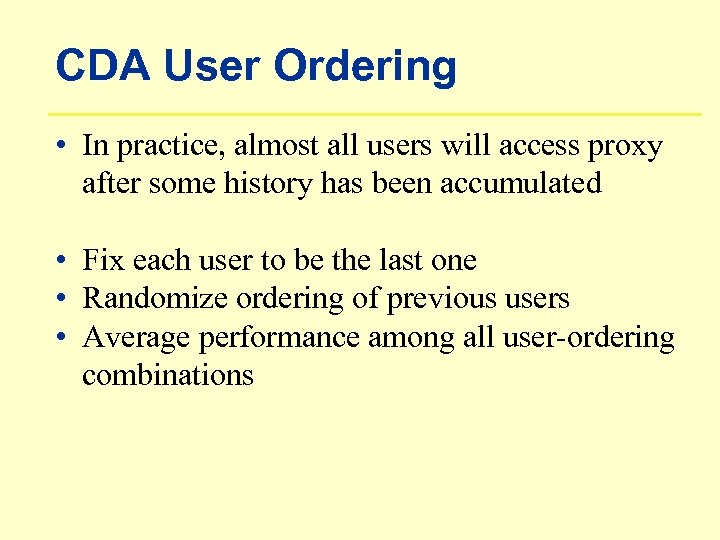 CDA User Ordering • In practice, almost all users will access proxy after some history has been accumulated • Fix each user to be the last one • Randomize ordering of previous users • Average performance among all user-ordering combinations
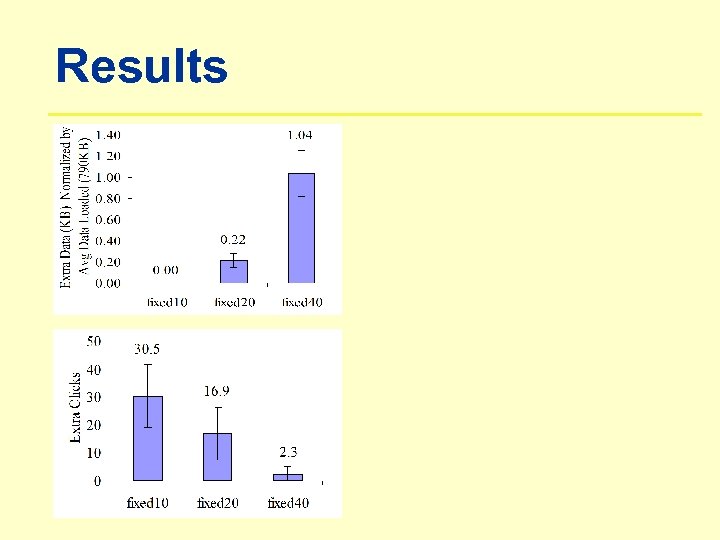 Results
 Results
 Results
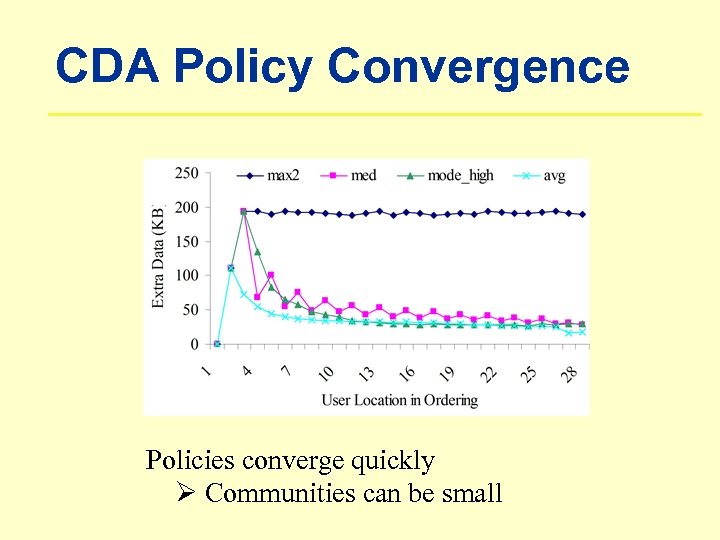 CDA Policy Convergence Policies converge quickly Ø Communities can be small
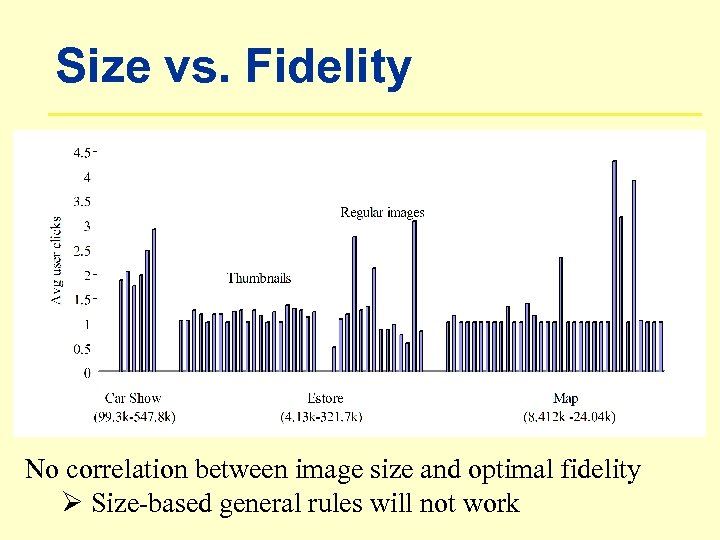 Size vs. Fidelity No correlation between image size and optimal fidelity Ø Size-based general rules will not work
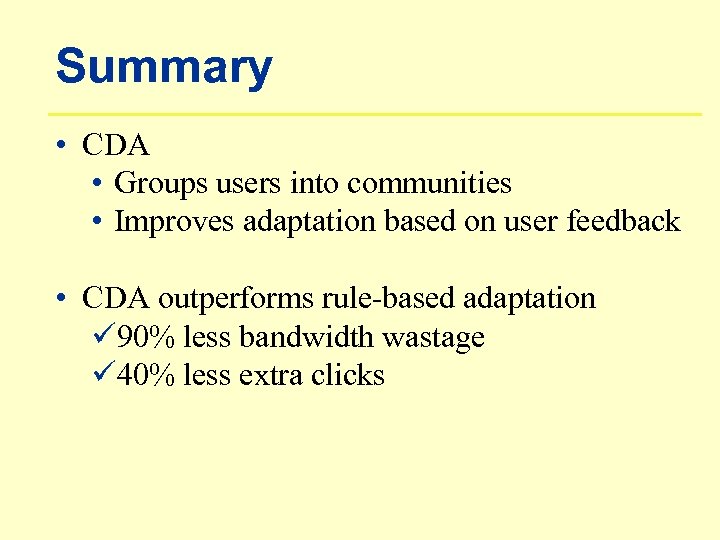 Summary • CDA • Groups users into communities • Improves adaptation based on user feedback • CDA outperforms rule-based adaptation ü 90% less bandwidth wastage ü 40% less extra clicks
 Questions and Comments Iqbal Mohomed iq@cs. toronto. edu www. cs. toronto. edu/~iq