


 Скачать презентацию Community College Internal Auditors 2011 Spring Conference Implementing
3a5243757a6034064004f3c014d091ed.ppt
- Количество слайдов: 52
 Community College Internal Auditors 2011 Spring Conference Implementing User’s IT Security Access Control Presented by: Emmie Oesterman, IT Auditor Kris Backus, Sr. IT Analyst
 Background • LRCCD includes four colleges and eight education centers. • More than 90, 000 students are enrolled in our colleges • LRCCD uses People. Soft Enterprise Resource Planning (ERP) System for: • Student Administration (1200+ users) • Financials (150+ users) • Human Resources (100+ users)
 Findings – Internal Auditor • People. Soft security is inadequate. • Management made it a priority to redesign our user’s access and granting procedures.
 Findings – External Auditor Internal Control (Information Technology) • Our observation and testing of controls over computer systems access indicated a number of conditions including duplicated profiles for users, users with more than one role, and terminated employees still active in the financial system. While we did not identify any financial statement errors or irregularities resulting from these conditions, stronger controls are necessary. • Financial Statement Audit – FY 07/08 • Resolve in FY 08/09 Audit
 Plan • Student Administration • • • Financials • • Highest number of users (1200+ users) Greatest risks 150+ users Human Resources • 100+ users
 The Team • • IT Staff IT Auditor District/College Staff* District/College Information Security Officers* * When needed
 Goals 1. Determine the current roles and security access. 2. Develop appropriate roles and security to assure adequate security and privacy of data.
 Goals (continued) 3. Provide user documents to clearly identify the access within each People. Soft role. 4. Develop new business process to appropriately grant access and provide accountability.
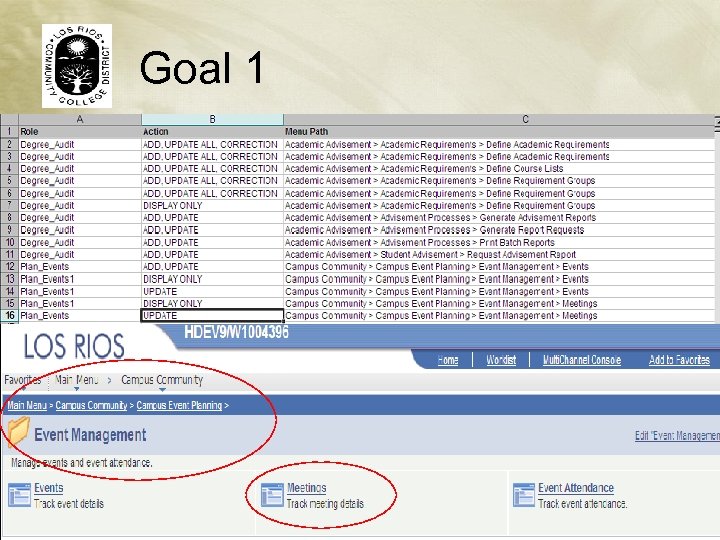
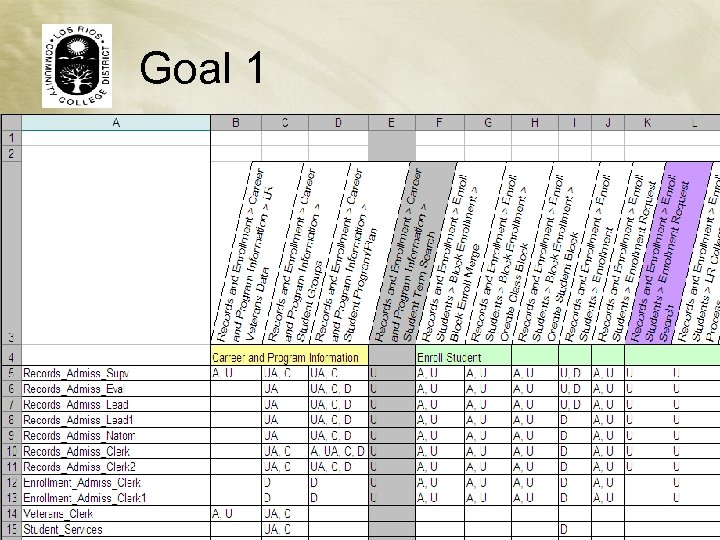
 Goal 1 Determine the current roles and security access. • IT ran a script to provide detailed listing of access within each role. • The team analyzed the data and determined appropriateness. • IT deleted any unused access.
 Goal 1
 Goal 1
 Goal 2 Develop appropriate roles and security to assure adequate security and privacy of data. Access Methodology Ø Data Ownership Ø Hierarchy
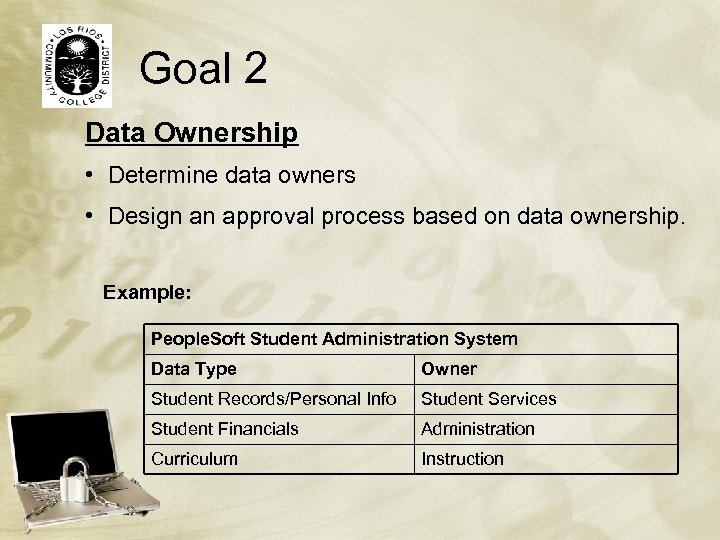 Goal 2 Data Ownership • Determine data owners • Design an approval process based on data ownership. Example: People. Soft Student Administration System Data Type Owner Student Records/Personal Info Student Services Student Financials Administration Curriculum Instruction
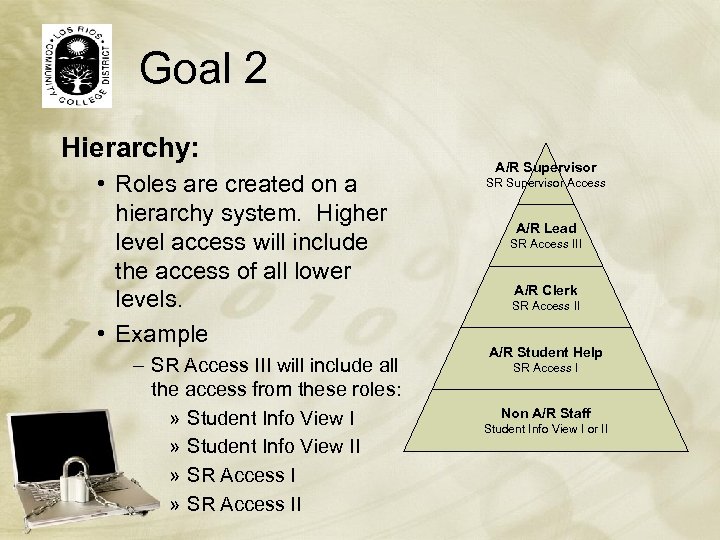 Goal 2 Hierarchy: • Roles are created on a hierarchy system. Higher level access will include the access of all lower levels. • Example – SR Access III will include all the access from these roles: » Student Info View II » SR Access II A/R Supervisor SR Supervisor Access A/R Lead SR Access III A/R Clerk SR Access II A/R Student Help SR Access I Non A/R Staff Student Info View I or II
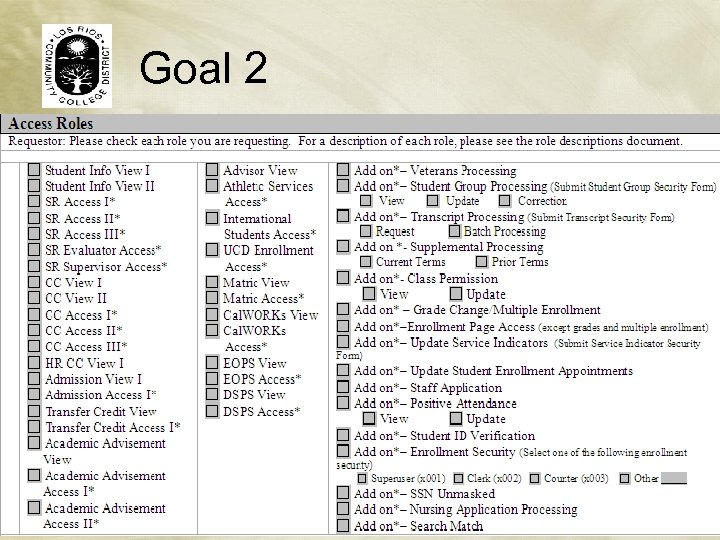 Goal 2
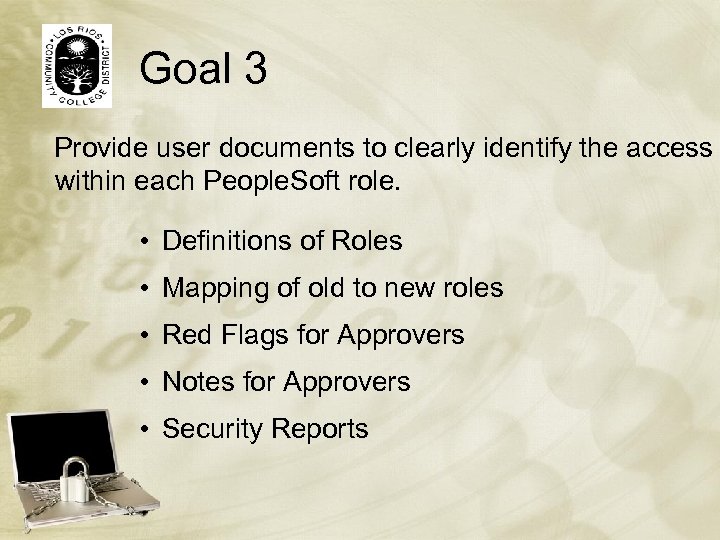 Goal 3 Provide user documents to clearly identify the access within each People. Soft role. • Definitions of Roles • Mapping of old to new roles • Red Flags for Approvers • Notes for Approvers • Security Reports
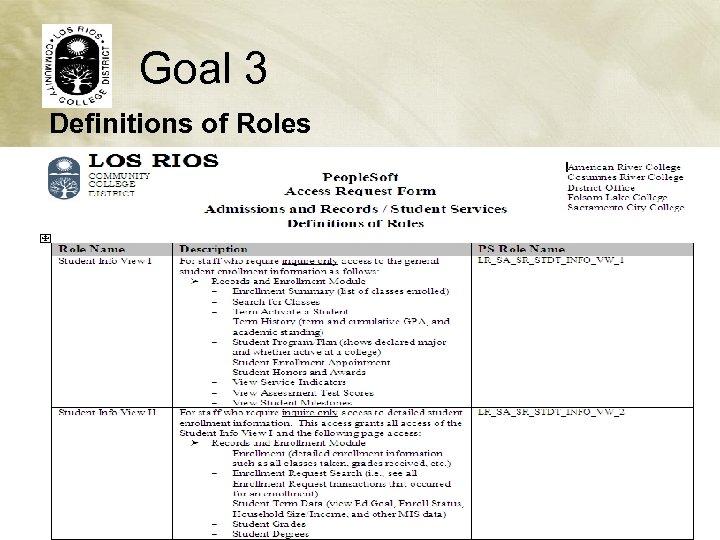 Goal 3 Definitions of Roles
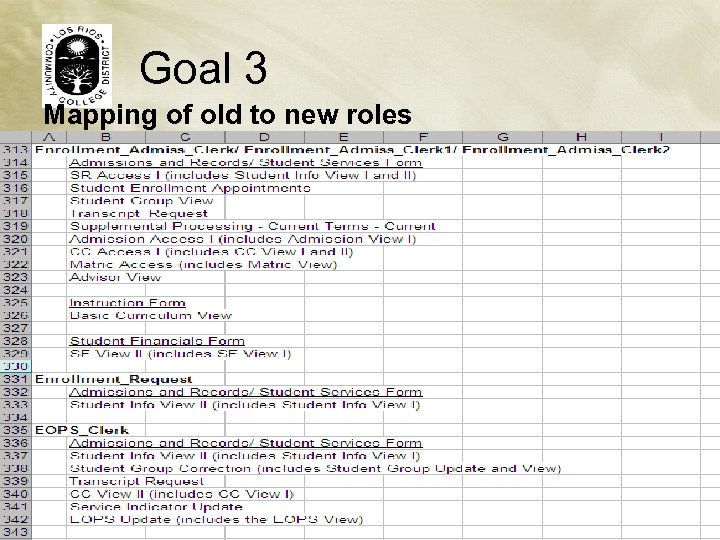 Goal 3 Mapping of old to new roles
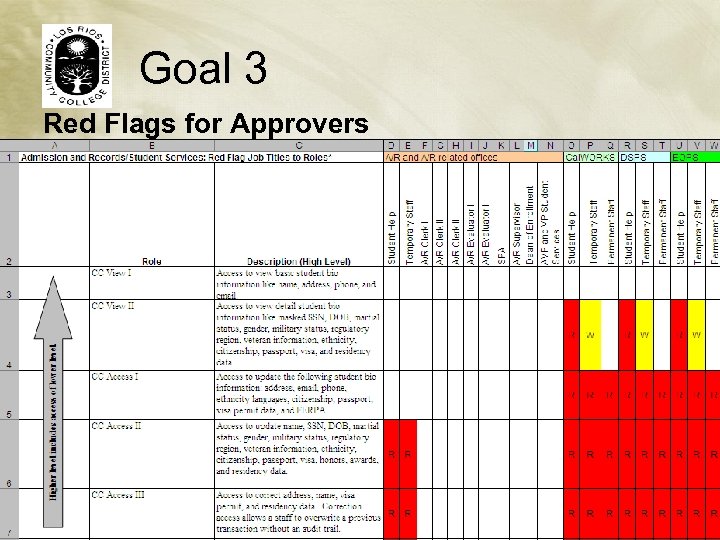 Goal 3 Red Flags for Approvers
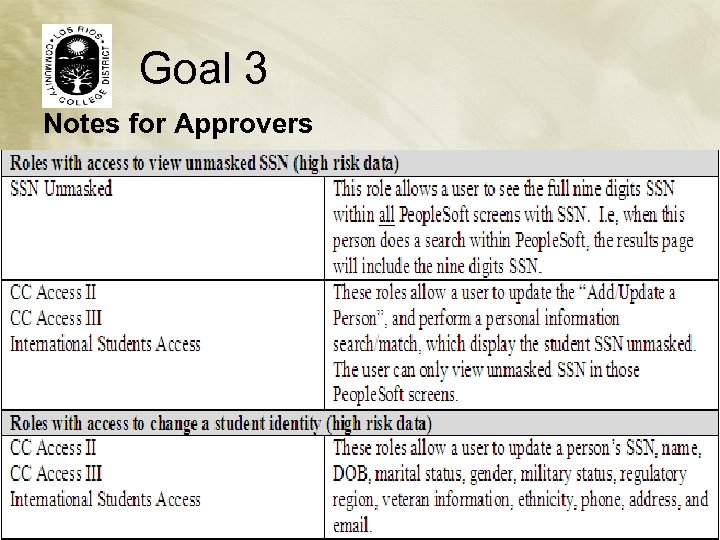 Goal 3 Notes for Approvers
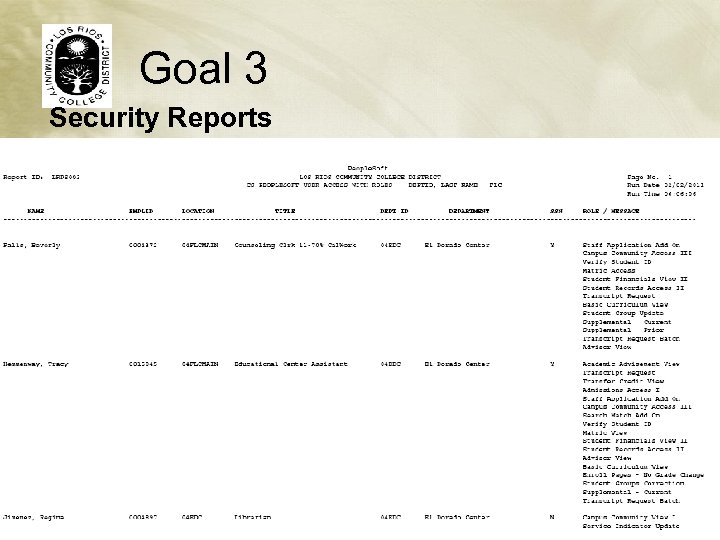 Goal 3 Security Reports
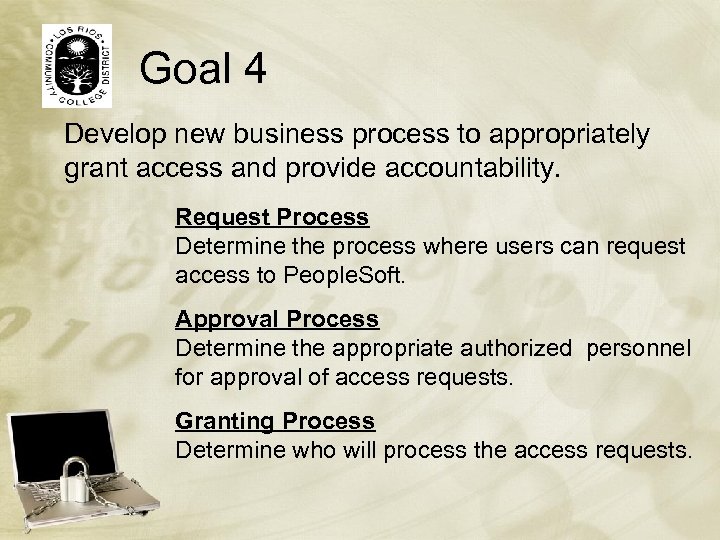 Goal 4 Develop new business process to appropriately grant access and provide accountability. Request Process Determine the process where users can request access to People. Soft. Approval Process Determine the appropriate authorized personnel for approval of access requests. Granting Process Determine who will process the access requests.
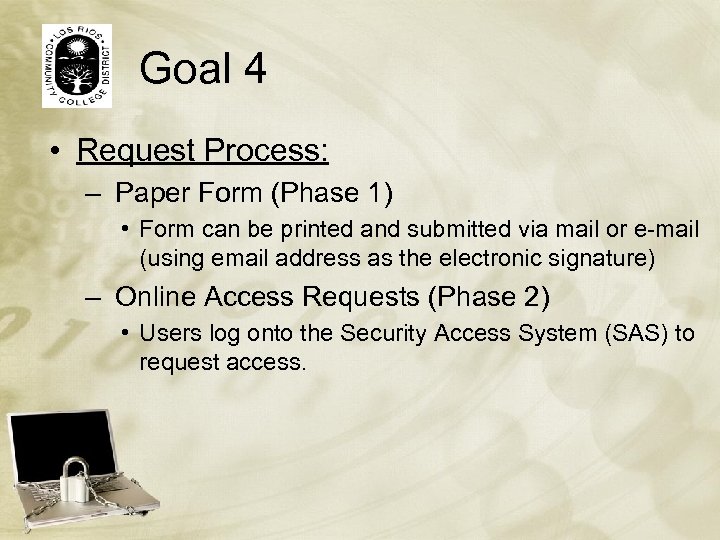 Goal 4 • Request Process: – Paper Form (Phase 1) • Form can be printed and submitted via mail or e-mail (using email address as the electronic signature) – Online Access Requests (Phase 2) • Users log onto the Security Access System (SAS) to request access.
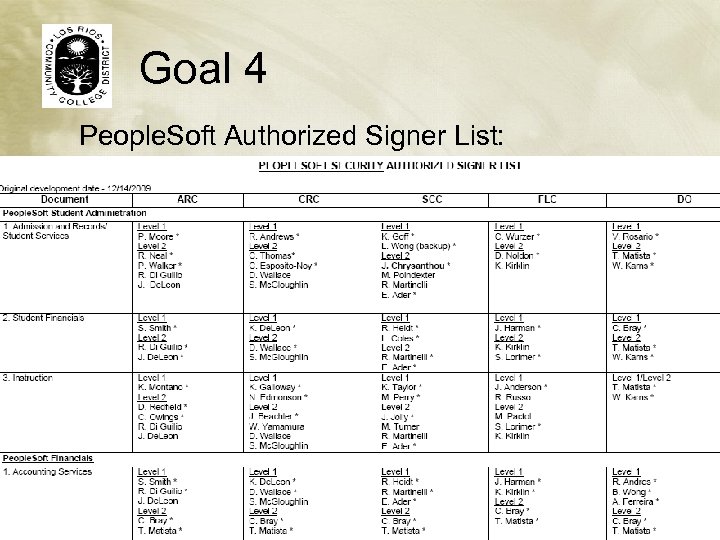
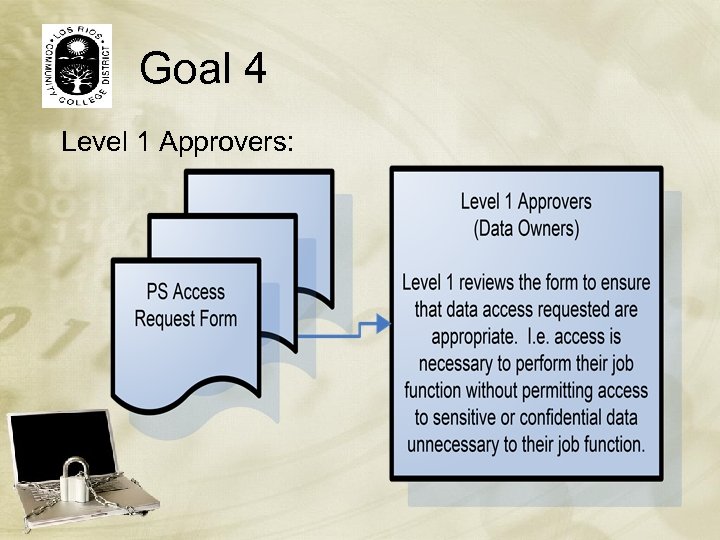
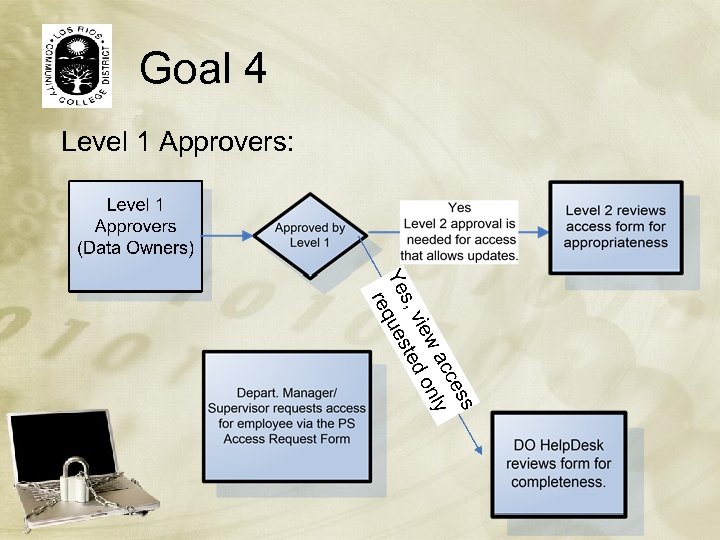
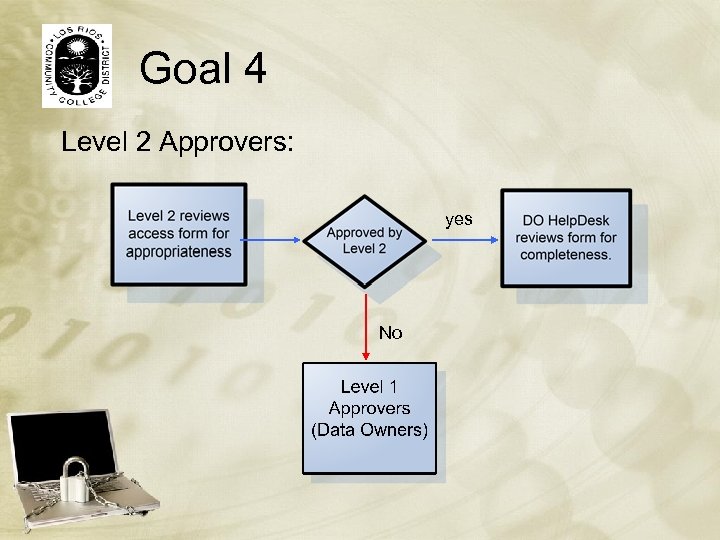
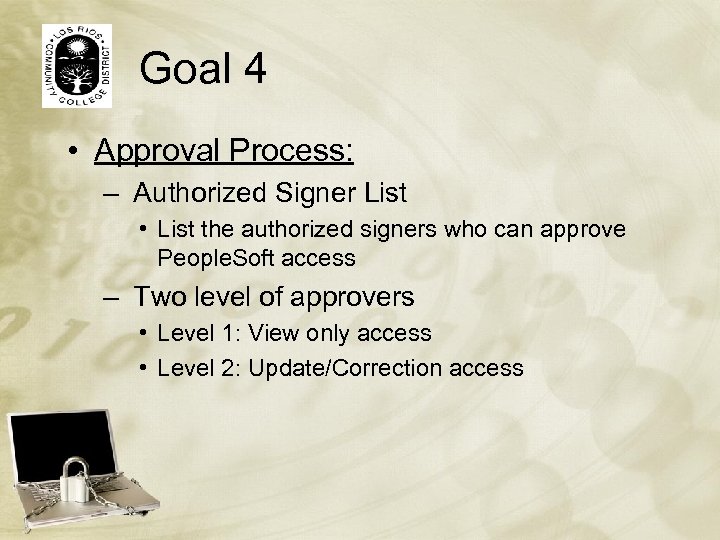 Goal 4 • Approval Process: – Authorized Signer List • List the authorized signers who can approve People. Soft access – Two level of approvers • Level 1: View only access • Level 2: Update/Correction access
 Goal 4 People. Soft Authorized Signer List:
 Goal 4 Level 1 Approvers:
 Goal 4 Level 1 Approvers:
 Goal 4 Level 2 Approvers: yes No
 Goal 4 • Granting Process: – Approved form submitted to DO Help. Desk for processing – DO Help. Desk reviews form for completeness before processing • Approved by the appropriate staff • All required information is provided
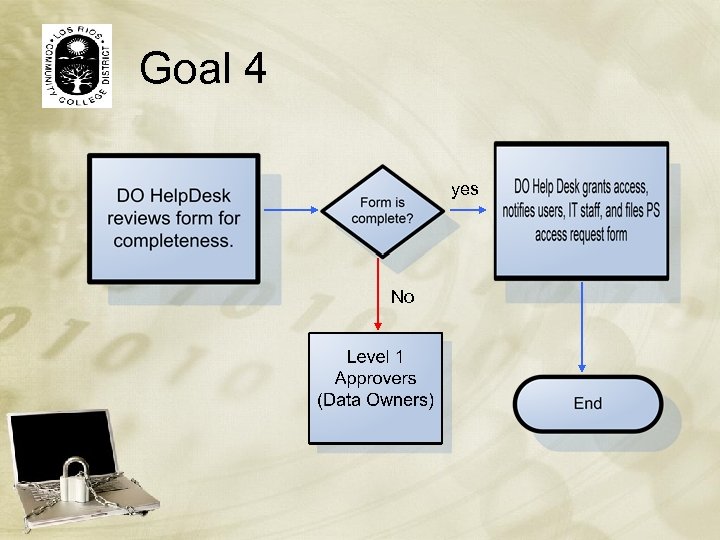 Goal 4 yes No
 Roll Out The Plan: • • • Testing Communication! Pilot Testing (selected users) Communication! Training Communication!
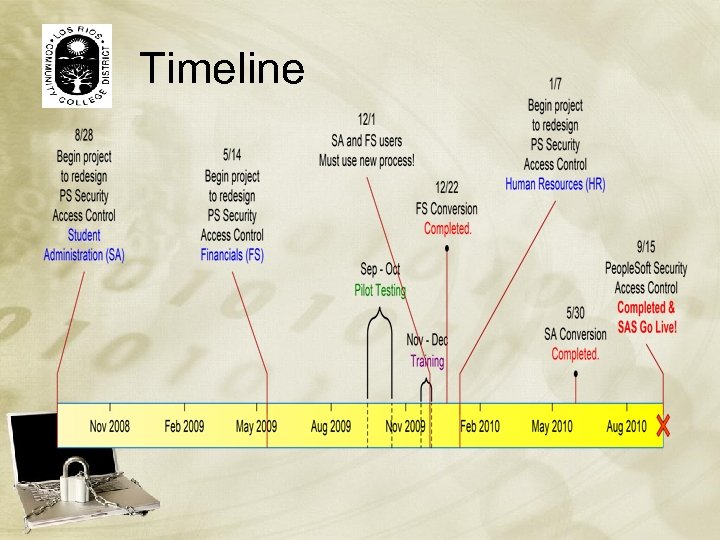 Timeline
 Security Access System • Online Access Request • Automatic Approval Routing • Database Storage of Access Requests (for Auditing)
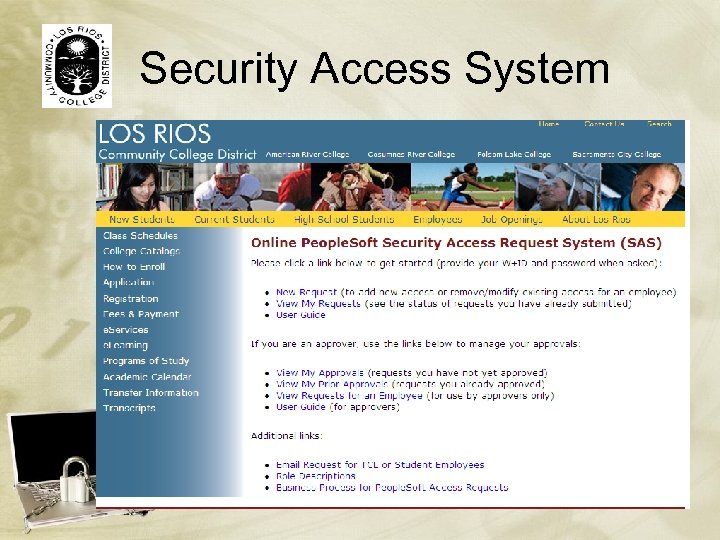 Security Access System
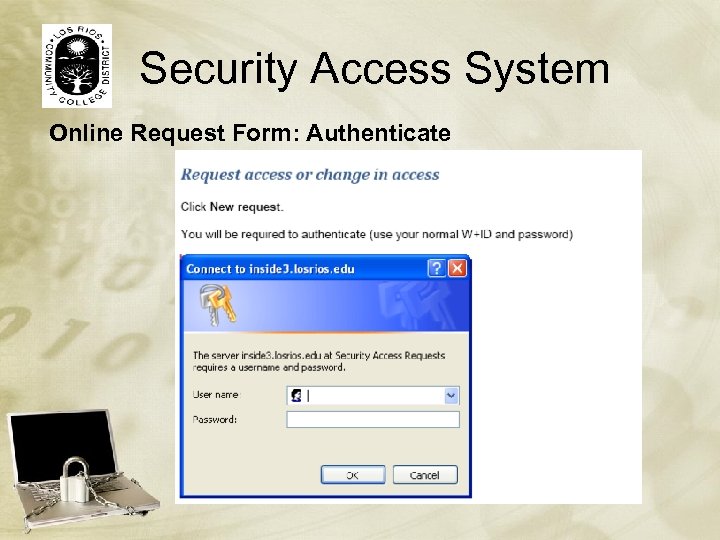 Security Access System Online Request Form: Authenticate
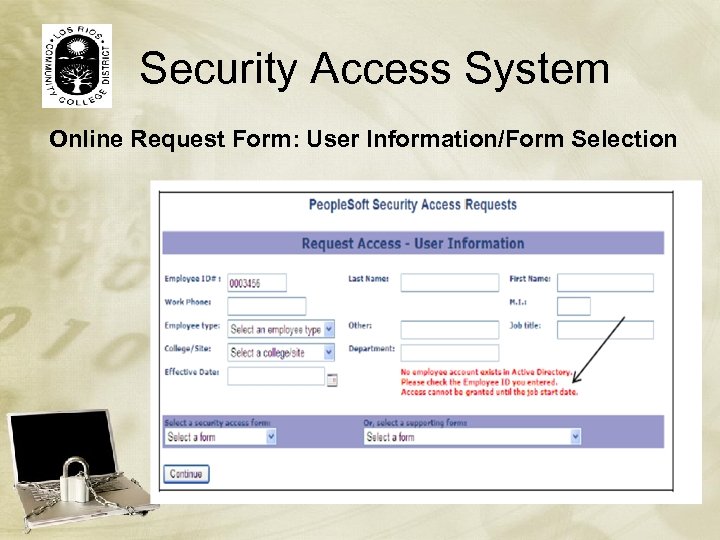 Security Access System Online Request Form: User Information/Form Selection
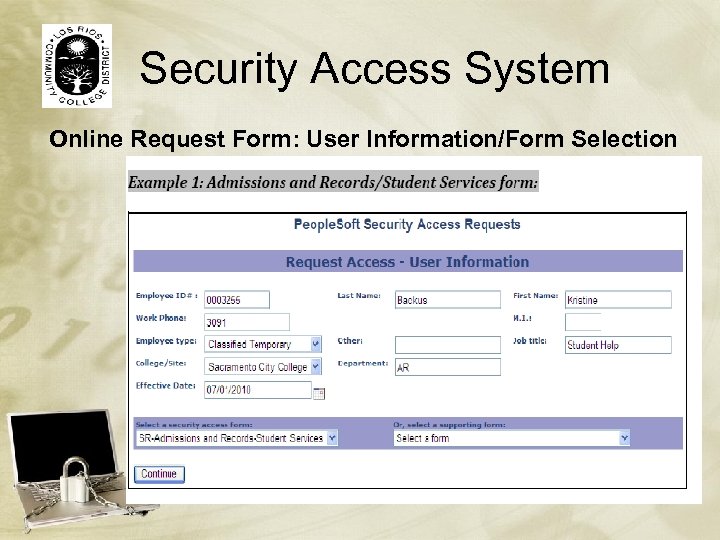 Security Access System Online Request Form: User Information/Form Selection
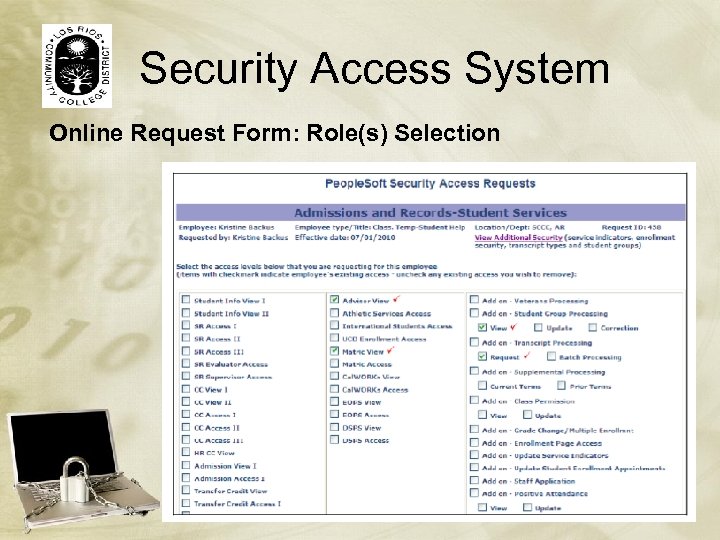 Security Access System Online Request Form: Role(s) Selection
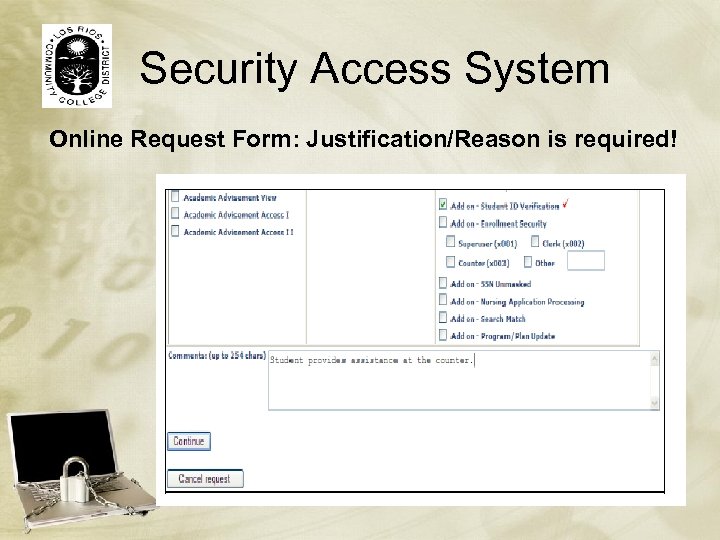 Security Access System Online Request Form: Justification/Reason is required!
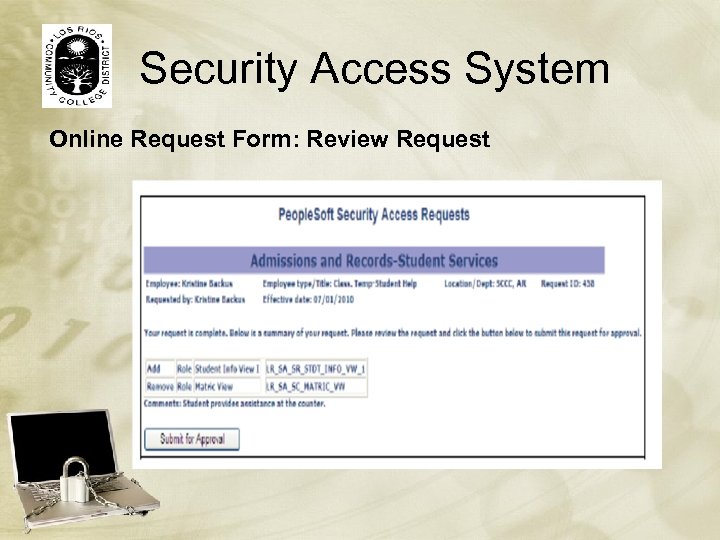 Security Access System Online Request Form: Review Request
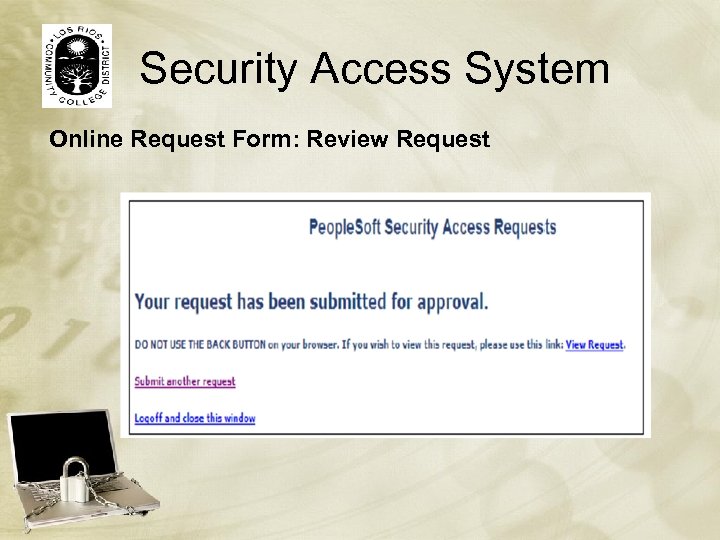 Security Access System Online Request Form: Review Request
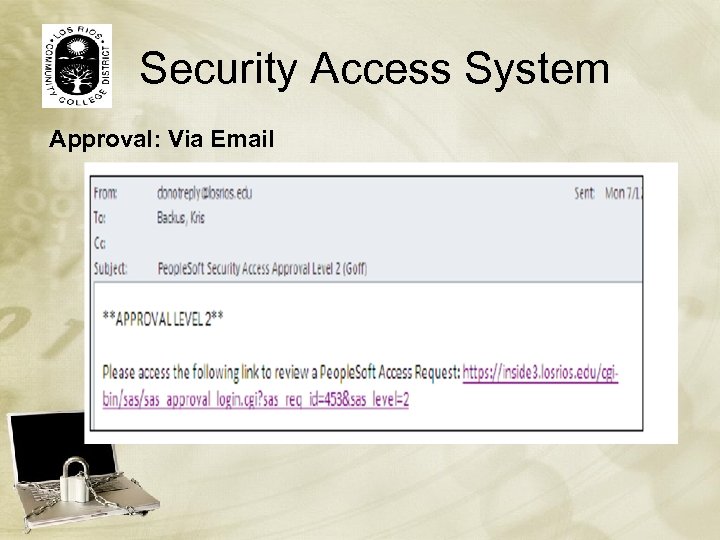 Security Access System Approval: Via Email
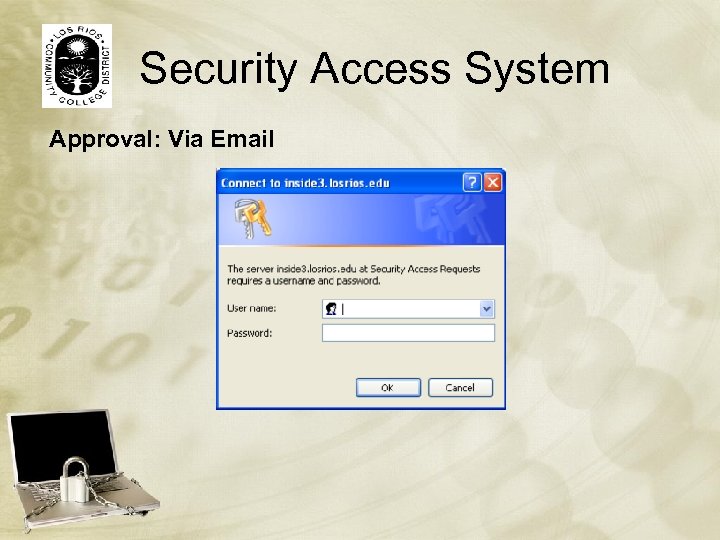 Security Access System Approval: Via Email
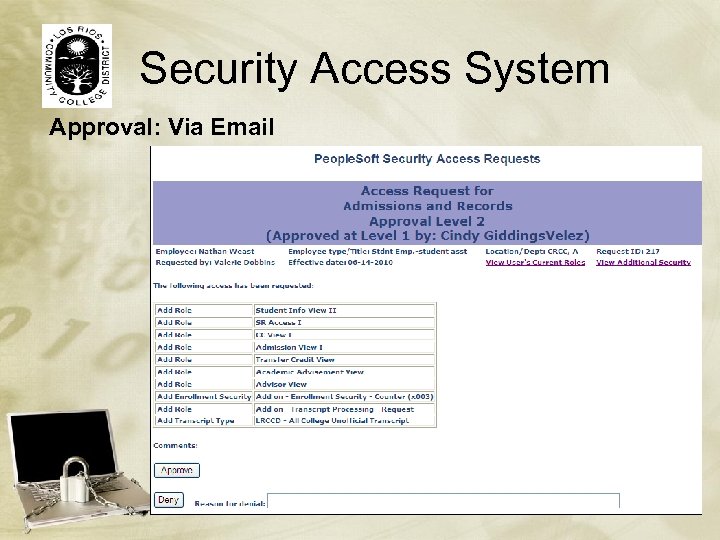 Security Access System Approval: Via Email
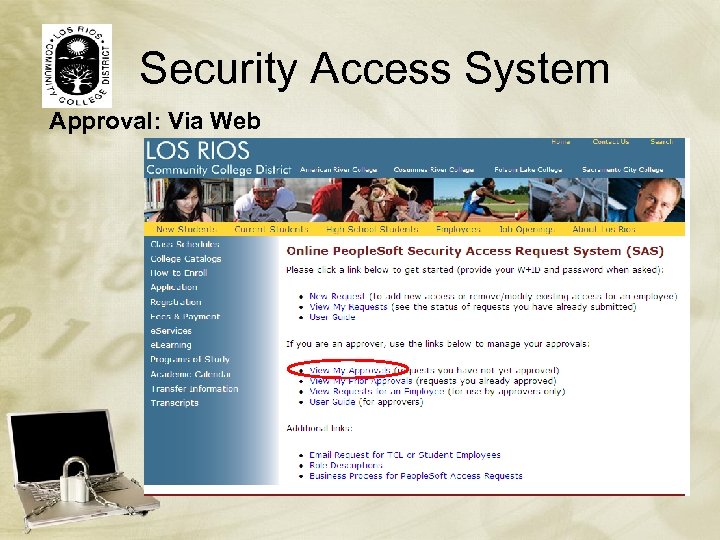 Security Access System Approval: Via Web
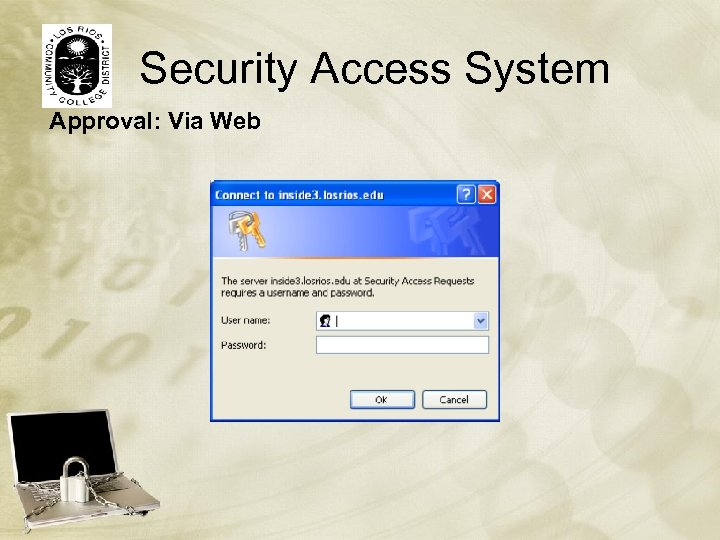 Security Access System Approval: Via Web
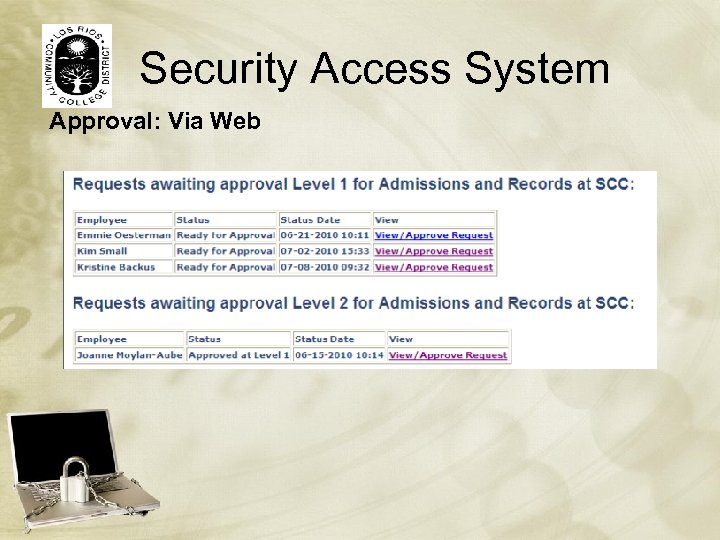 Security Access System Approval: Via Web
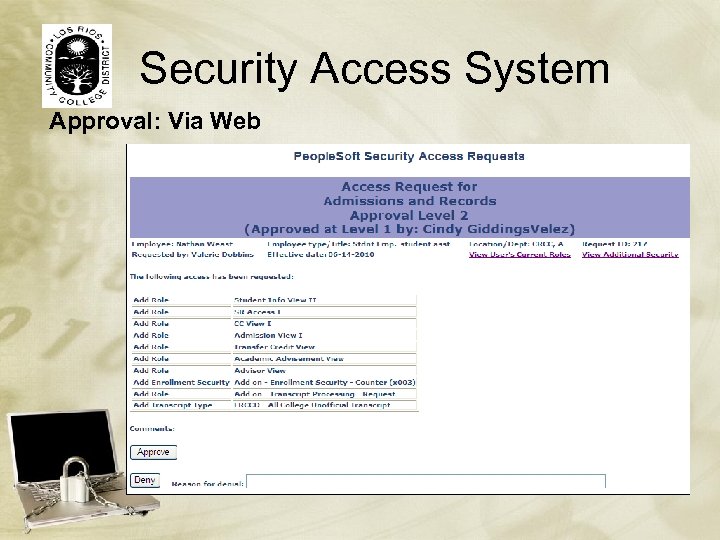 Security Access System Approval: Via Web
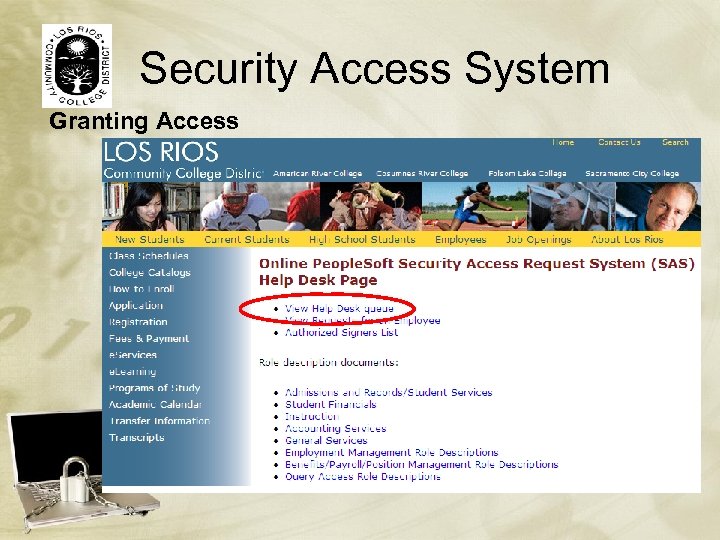 Security Access System Granting Access
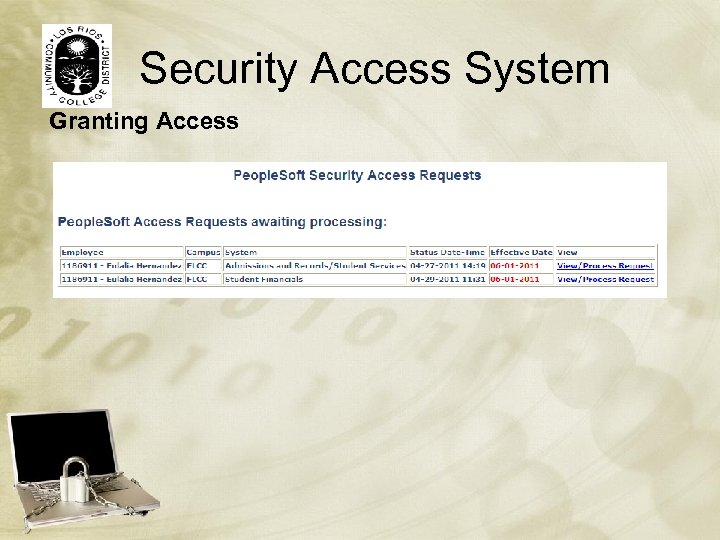 Security Access System Granting Access
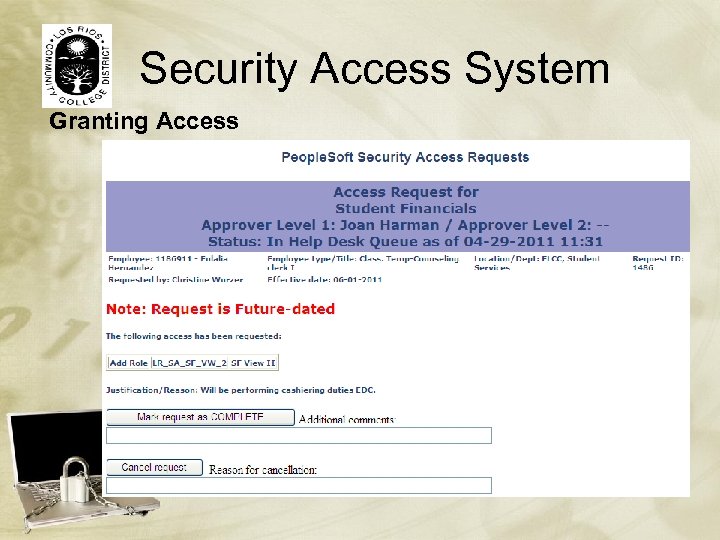 Security Access System Granting Access
 Questions/Contacts: Emmie Oesterman, IT Auditor Oestere@losrios. edu (916) 568 – 3134 Kris Backus, Sr. IT Analyst Backusk@losrios. edu (916) 568 - 3091