


 Скачать презентацию Communication Networks Chapter 1 Introduction to Communication
d073273f6116579def1e79aa1989c241.ppt
- Количество слайдов: 59
 Communication Networks Chapter 1 : Introduction to Communication Networks and Services 1
 Communication Services & Applications A communication service enables the exchange of information between users at different locations. l Communication services & applications are everywhere. l 2
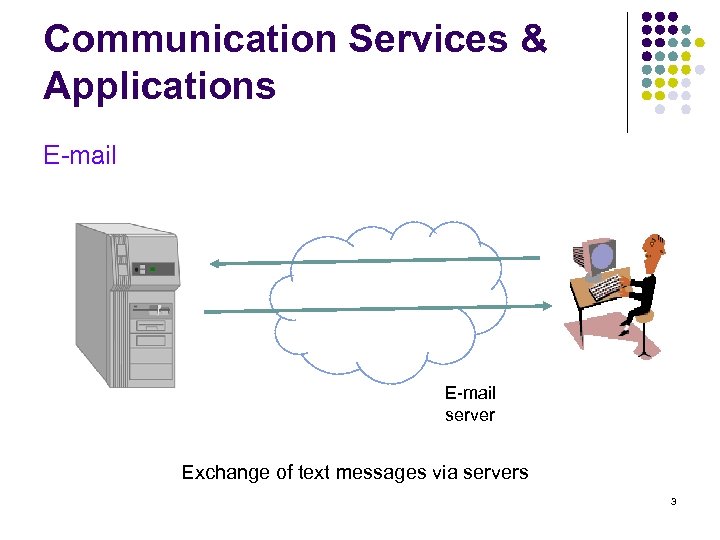 Communication Services & Applications E-mail server Exchange of text messages via servers 3
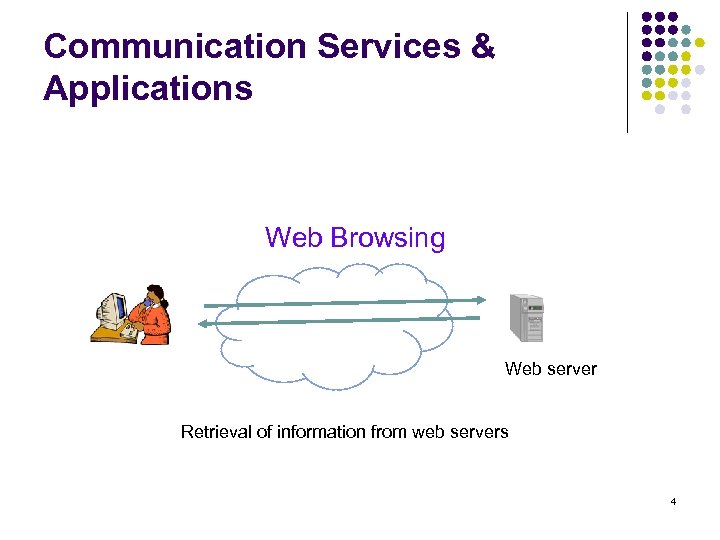 Communication Services & Applications Web Browsing Web server Retrieval of information from web servers 4
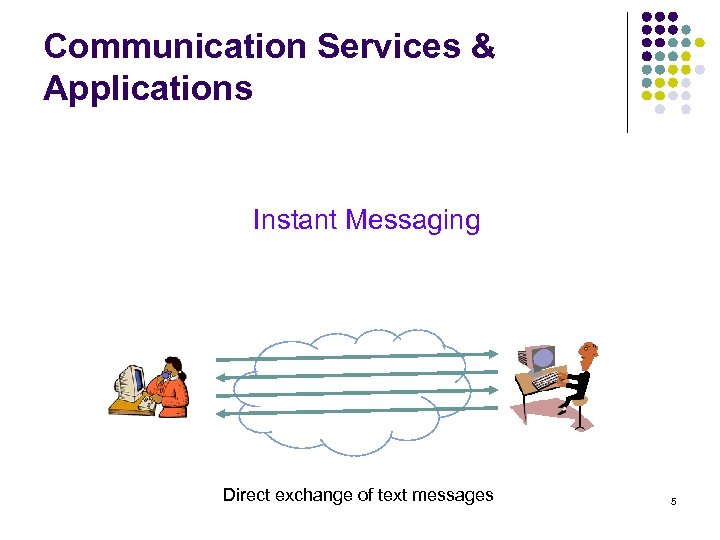 Communication Services & Applications Instant Messaging Direct exchange of text messages 5
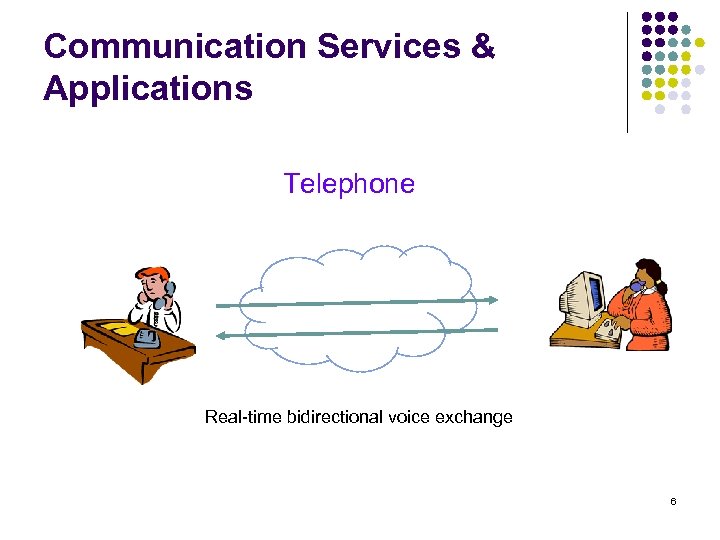 Communication Services & Applications Telephone Real-time bidirectional voice exchange 6
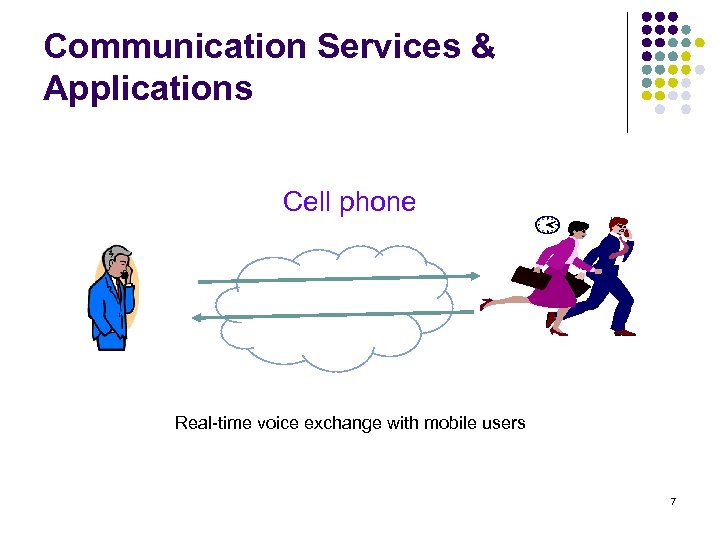 Communication Services & Applications Cell phone Real-time voice exchange with mobile users 7
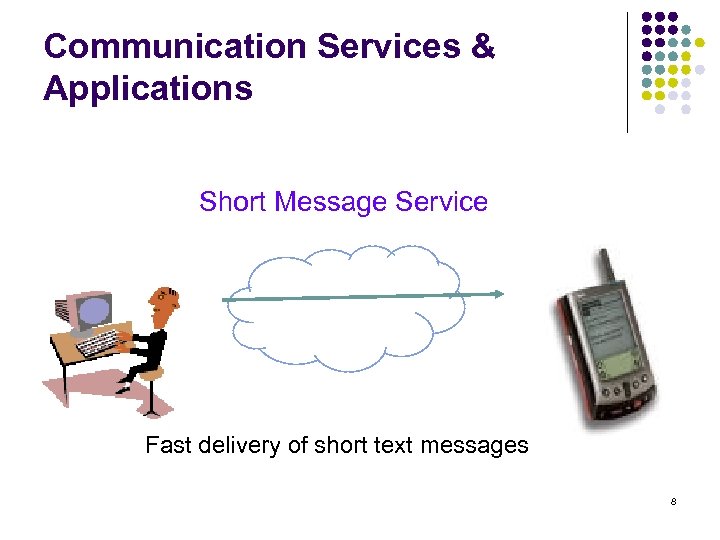 Communication Services & Applications Short Message Service Fast delivery of short text messages 8
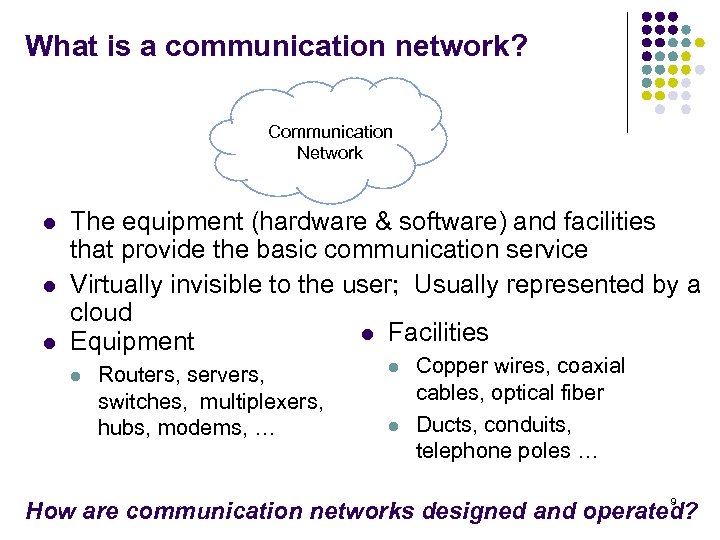 What is a communication network? Communication Network l l l The equipment (hardware & software) and facilities that provide the basic communication service Virtually invisible to the user; Usually represented by a cloud l Facilities Equipment l Routers, servers, switches, multiplexers, hubs, modems, … l l Copper wires, coaxial cables, optical fiber Ducts, conduits, telephone poles … 9 How are communication networks designed and operated?
 Communication Network Architecture l l Network architecture: the plan that specifies how the network is built and operated Architecture is driven by the network services Overall communication process is complex Network architecture partitions overall communication process into separate functional areas called layers Next we will trace evolution of three network architectures: telegraph, telephone, and computer networks 10
 Network Architecture Evolution l l Telegraph Networks l Message switching & digital transmission Telephone Networks l Circuit Switching l Analog transmission → digital transmission l Mobile communications Internet l Packet switching & computer applications Next-Generation Internet l Multiservice packet switching network 11
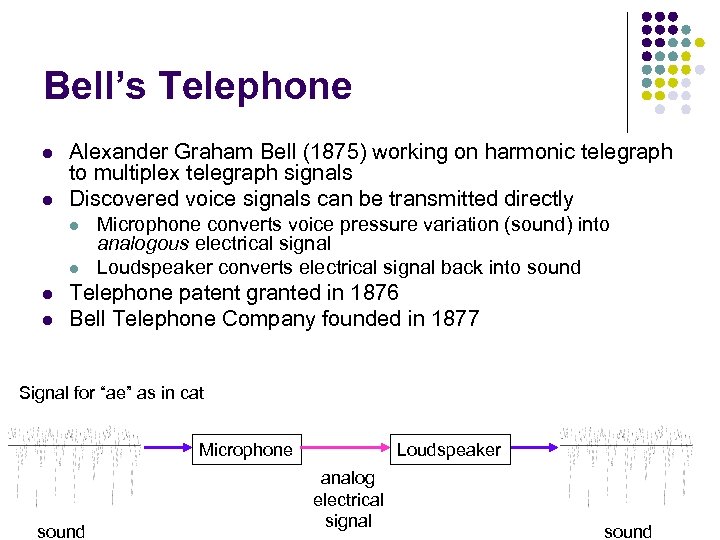 Bell’s Telephone l l Alexander Graham Bell (1875) working on harmonic telegraph to multiplex telegraph signals Discovered voice signals can be transmitted directly l l Microphone converts voice pressure variation (sound) into analogous electrical signal Loudspeaker converts electrical signal back into sound Telephone patent granted in 1876 Bell Telephone Company founded in 1877 Signal for “ae” as in cat Microphone sound Loudspeaker analog electrical signal 12 sound
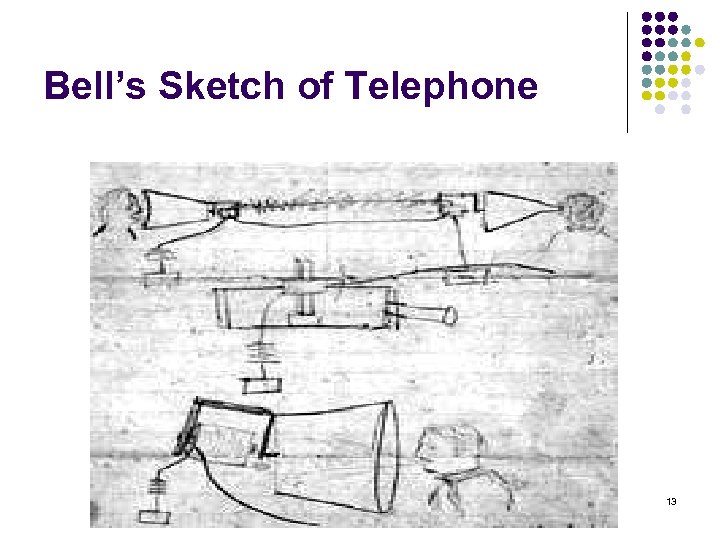 Bell’s Sketch of Telephone 13
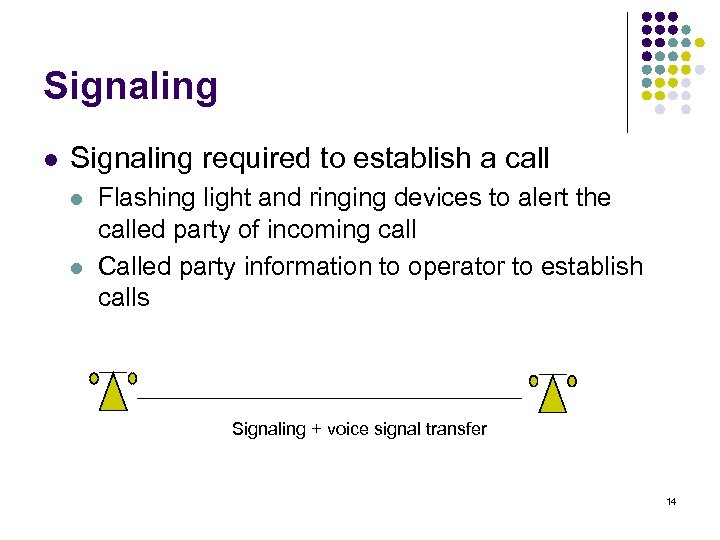 Signaling l Signaling required to establish a call l l Flashing light and ringing devices to alert the called party of incoming call Called party information to operator to establish calls Signaling + voice signal transfer 14
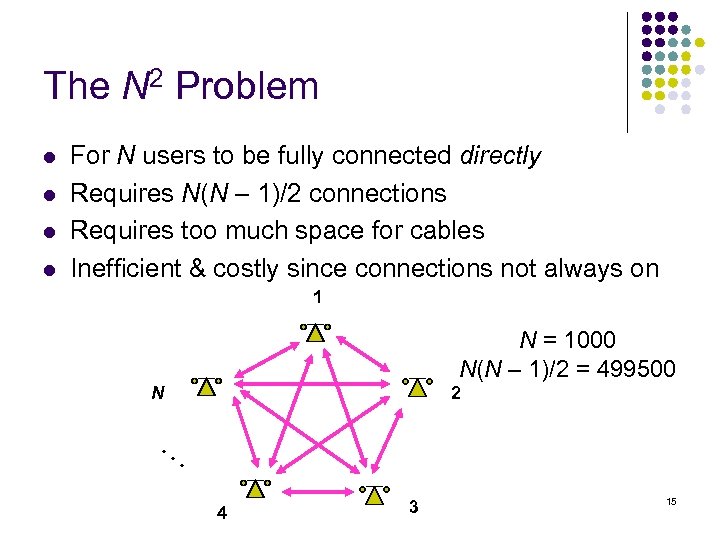 The N 2 Problem l l For N users to be fully connected directly Requires N(N – 1)/2 connections Requires too much space for cables Inefficient & costly since connections not always on 1 N = 1000 N(N – 1)/2 = 499500 2 N . . . 4 3 15
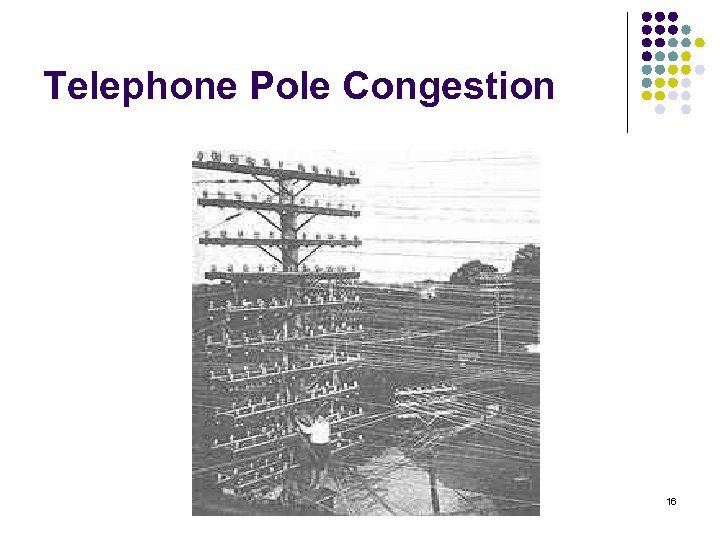 Telephone Pole Congestion 16
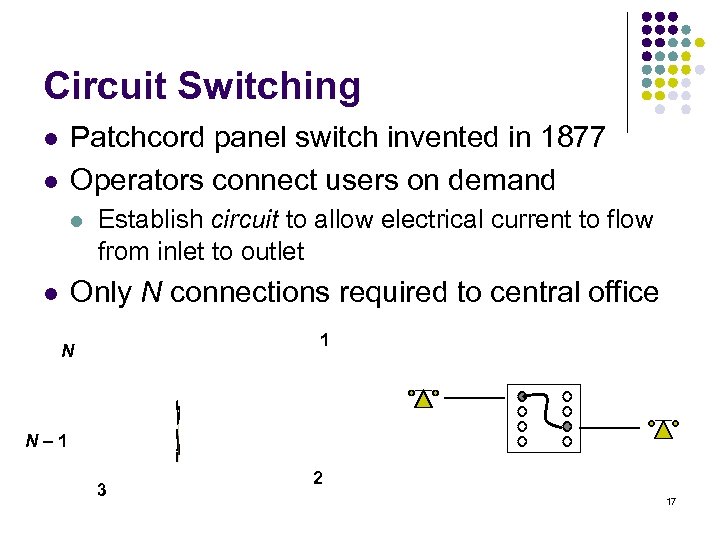 Circuit Switching Patchcord panel switch invented in 1877 Operators connect users on demand l l l Establish circuit to allow electrical current to flow from inlet to outlet Only N connections required to central office l 1 N N– 1 3 2 17
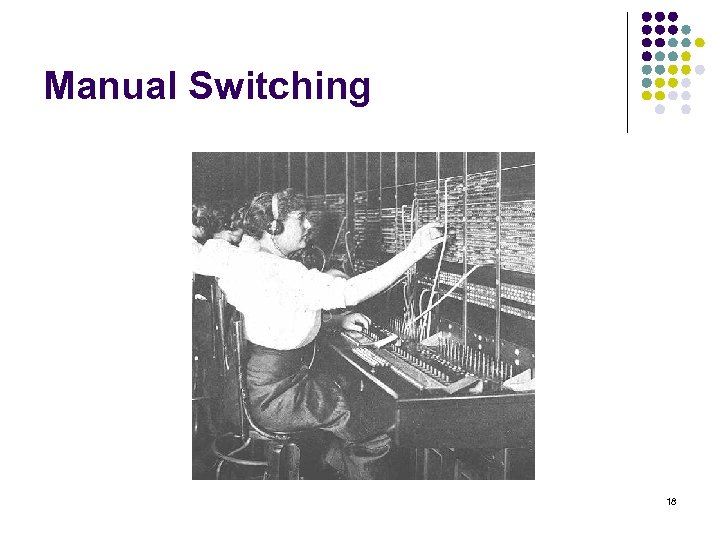 Manual Switching 18
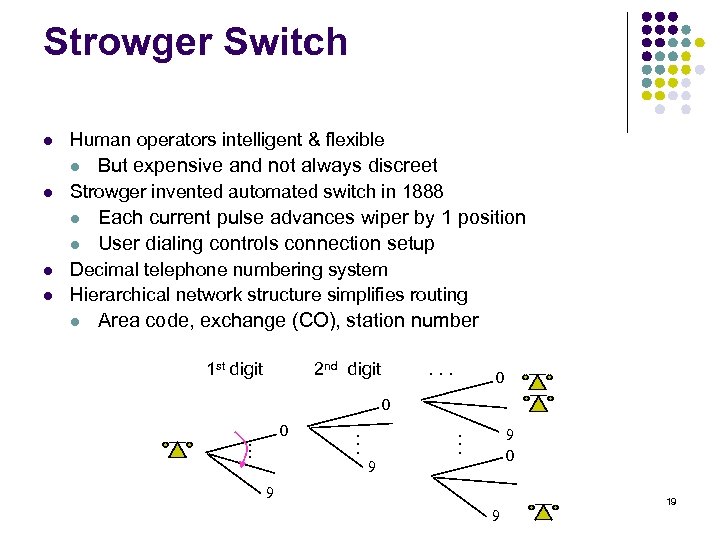 Strowger Switch l Human operators intelligent & flexible l l Strowger invented automated switch in 1888 l l But expensive and not always discreet Each current pulse advances wiper by 1 position User dialing controls connection setup Decimal telephone numbering system Hierarchical network structure simplifies routing l Area code, exchange (CO), station number 1 st digit 2 nd digit . . . 0 0 0 . . 9 0 9 9 9 19
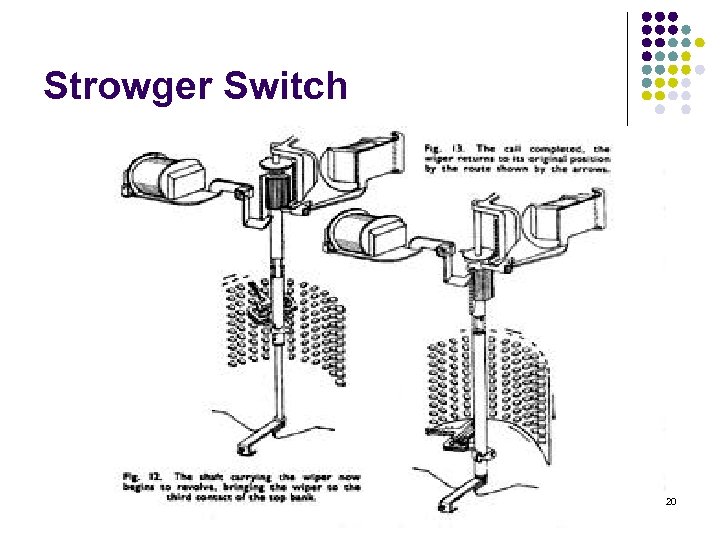 Strowger Switch 20
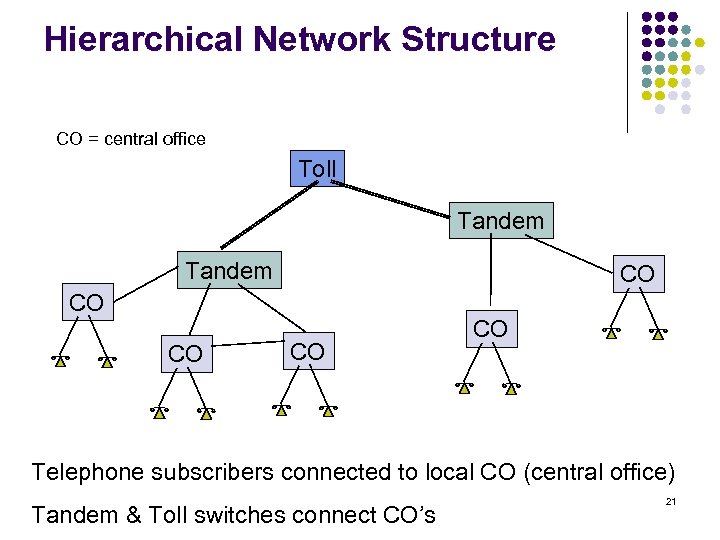 Hierarchical Network Structure CO = central office Toll Tandem CO CO CO Telephone subscribers connected to local CO (central office) Tandem & Toll switches connect CO’s 21
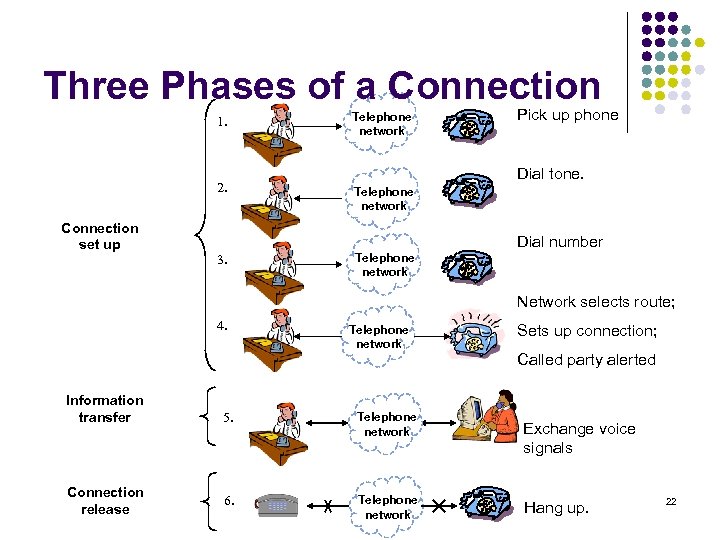 Three Phases of a Connection 1. 2. Connection set up Telephone network Pick up phone Dial tone. Telephone network Dial number 3. Telephone network Network selects route; 4. Information transfer Connection release Telephone network 5. Telephone network 6. Telephone network Sets up connection; Called party alerted Exchange voice signals Hang up. 22
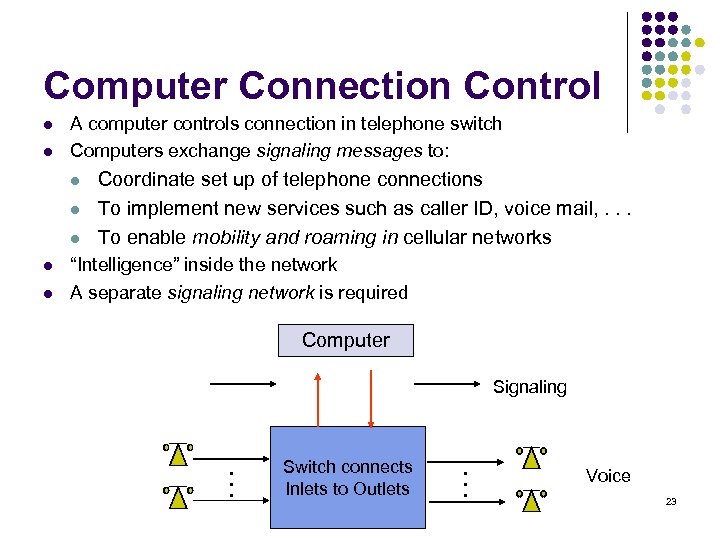 Computer Connection Control l l Coordinate set up of telephone connections To implement new services such as caller ID, voice mail, . . . To enable mobility and roaming in cellular networks “Intelligence” inside the network A separate signaling network is required Computer Signaling Switch connects Inlets to Outlets . . . l A computer controls connection in telephone switch Computers exchange signaling messages to: . . . l Voice 23
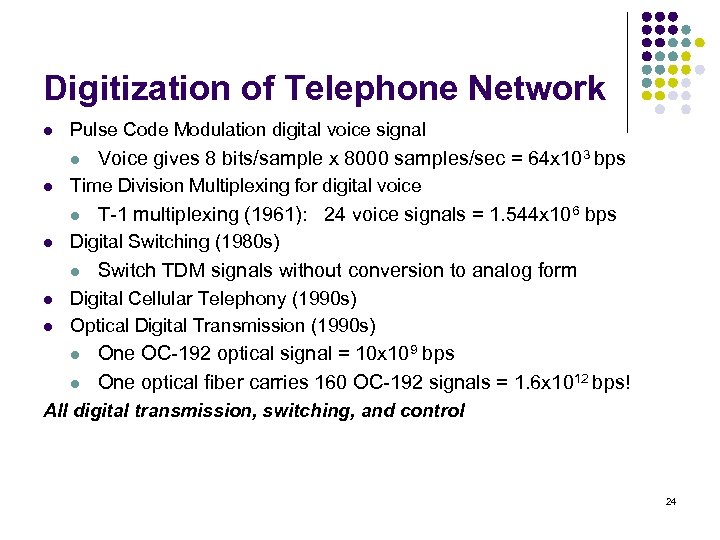 Digitization of Telephone Network l Pulse Code Modulation digital voice signal l l Time Division Multiplexing for digital voice l l l T-1 multiplexing (1961): 24 voice signals = 1. 544 x 106 bps Digital Switching (1980 s) l l Voice gives 8 bits/sample x 8000 samples/sec = 64 x 103 bps Switch TDM signals without conversion to analog form Digital Cellular Telephony (1990 s) Optical Digital Transmission (1990 s) l l One OC-192 optical signal = 10 x 109 bps One optical fiber carries 160 OC-192 signals = 1. 6 x 10¹² bps! All digital transmission, switching, and control 24
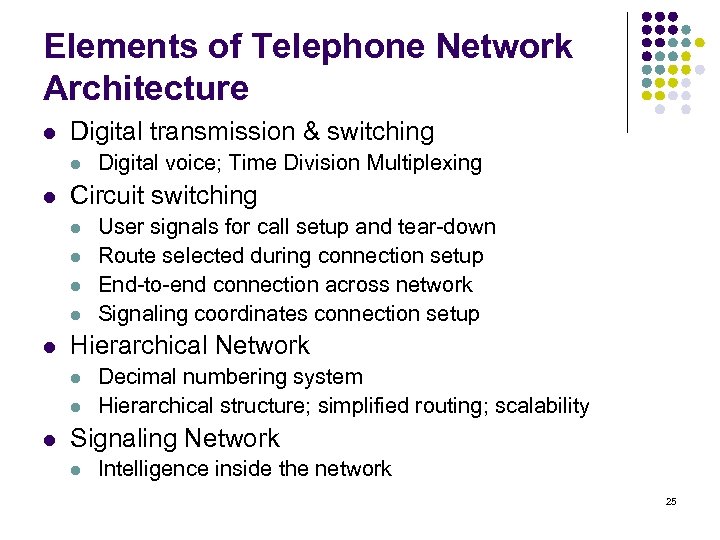 Elements of Telephone Network Architecture l Digital transmission & switching l l Circuit switching l l l User signals for call setup and tear-down Route selected during connection setup End-to-end connection across network Signaling coordinates connection setup Hierarchical Network l l l Digital voice; Time Division Multiplexing Decimal numbering system Hierarchical structure; simplified routing; scalability Signaling Network l Intelligence inside the network 25
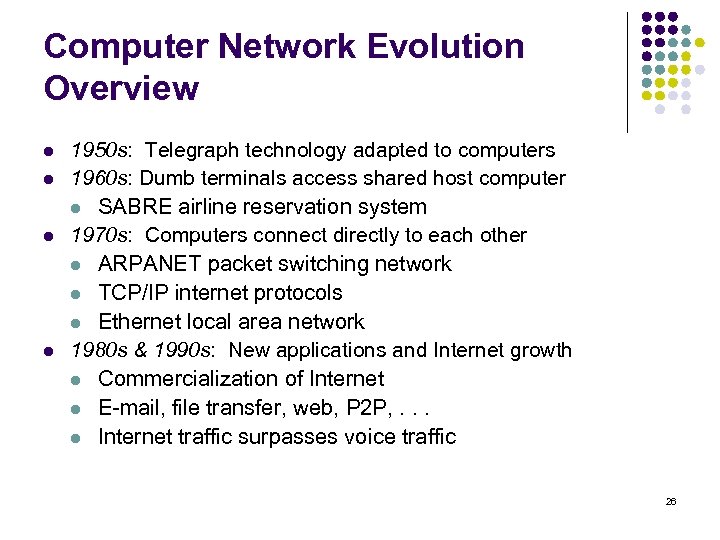 Computer Network Evolution Overview l l 1950 s: Telegraph technology adapted to computers 1960 s: Dumb terminals access shared host computer l SABRE airline reservation system 1970 s: Computers connect directly to each other l ARPANET packet switching network l TCP/IP internet protocols l Ethernet local area network 1980 s & 1990 s: New applications and Internet growth l Commercialization of Internet l E-mail, file transfer, web, P 2 P, . . . l Internet traffic surpasses voice traffic 26
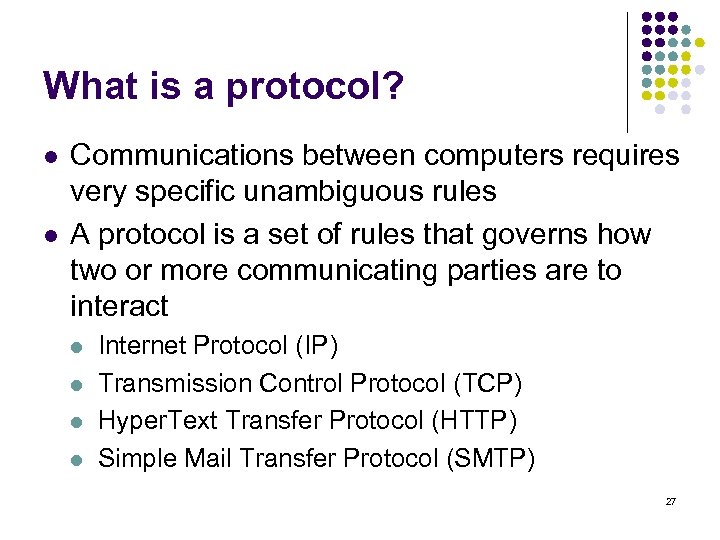 What is a protocol? l l Communications between computers requires very specific unambiguous rules A protocol is a set of rules that governs how two or more communicating parties are to interact l l Internet Protocol (IP) Transmission Control Protocol (TCP) Hyper. Text Transfer Protocol (HTTP) Simple Mail Transfer Protocol (SMTP) 27
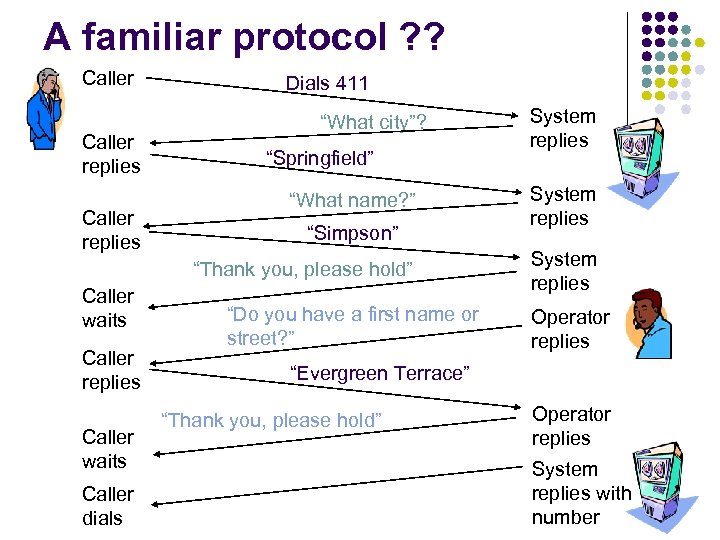 A familiar protocol ? ? Caller replies Dials 411 “What city”? “Springfield” “What name? ” “Simpson” “Thank you, please hold” Caller waits Caller replies Caller waits Caller dials “Do you have a first name or street? ” System replies Operator replies “Evergreen Terrace” “Thank you, please hold” Operator replies System replies with number 28
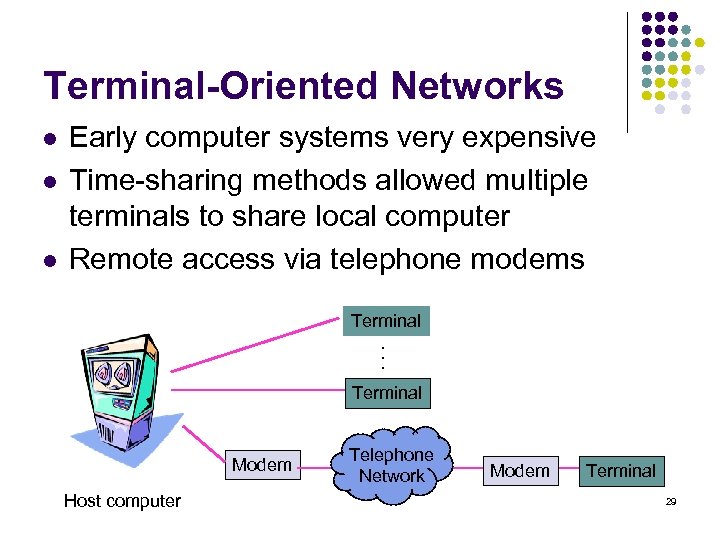 Terminal-Oriented Networks l l Early computer systems very expensive Time-sharing methods allowed multiple terminals to share local computer Remote access via telephone modems Terminal. . . l Terminal Modem Host computer Telephone Network Modem Terminal 29
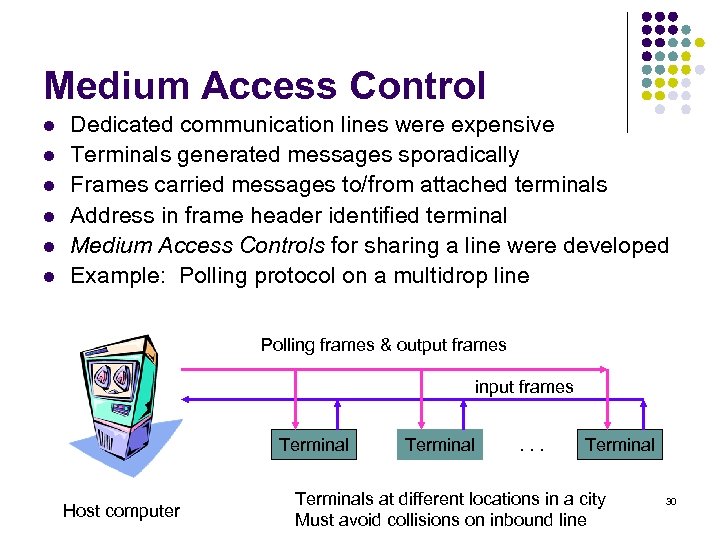 Medium Access Control l l l Dedicated communication lines were expensive Terminals generated messages sporadically Frames carried messages to/from attached terminals Address in frame header identified terminal Medium Access Controls for sharing a line were developed Example: Polling protocol on a multidrop line Polling frames & output frames input frames Terminal Host computer Terminal . . . Terminals at different locations in a city Must avoid collisions on inbound line 30
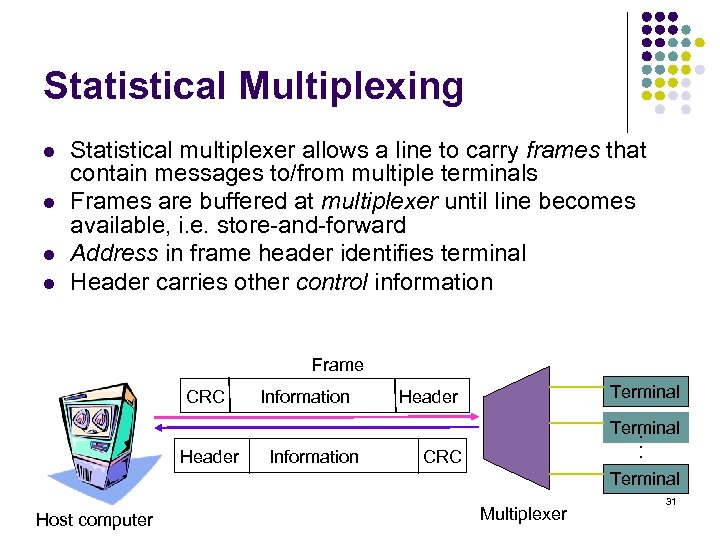 Statistical Multiplexing l l Statistical multiplexer allows a line to carry frames that contain messages to/from multiple terminals Frames are buffered at multiplexer until line becomes available, i. e. store-and-forward Address in frame header identifies terminal Header carries other control information Frame CRC Information Terminal Header Information . . . Terminal CRC Terminal Host computer Multiplexer 31
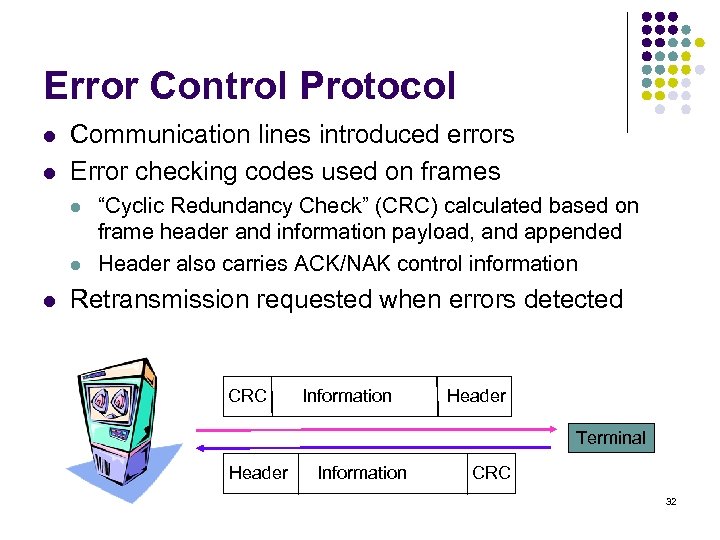 Error Control Protocol l l Communication lines introduced errors Error checking codes used on frames l l l “Cyclic Redundancy Check” (CRC) calculated based on frame header and information payload, and appended Header also carries ACK/NAK control information Retransmission requested when errors detected CRC Information Header Terminal Header Information CRC 32
 Computer-to-Computer Networks l l As cost of computing dropped, terminal-oriented networks viewed as too inflexible and costly Need to develop flexible computer networks l Interconnect computers as required Support many applications Application Examples l File transfer between arbitrary computers l Execution of a program on another computer l Multiprocess operation over multiple computers l l 33
 Packet Switching l Network should support multiple applications l Transfer arbitrary message size Low delay for interactive applications l But in store-and-forward operation, long messages induce high delay on interactive messages Packet switching introduced l Network transfers packets using store-and-forward l Packets have maximum length l Break long messages into multiple packets ARPANET testbed led to many innovations l l l 34
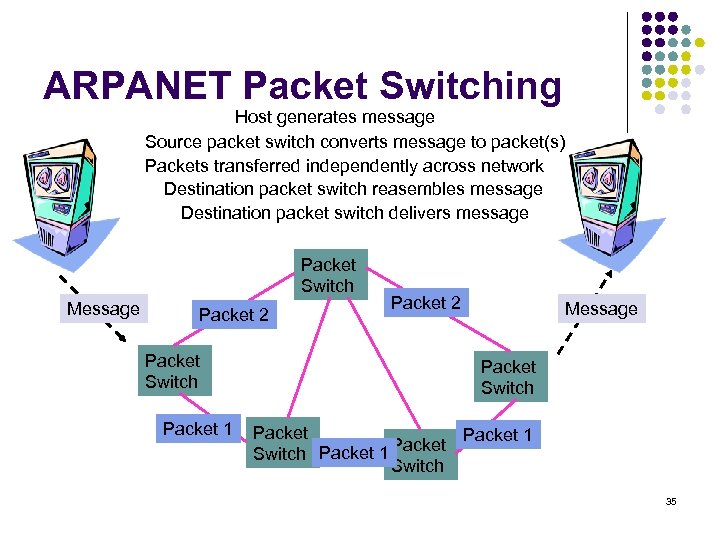 ARPANET Packet Switching Host generates message Source packet switch converts message to packet(s) Packets transferred independently across network Destination packet switch reasembles message Destination packet switch delivers message Packet Switch Message Packet 2 Packet Switch Packet 1 Packet 2 Message Packet Switch Packet 1 Switch 35
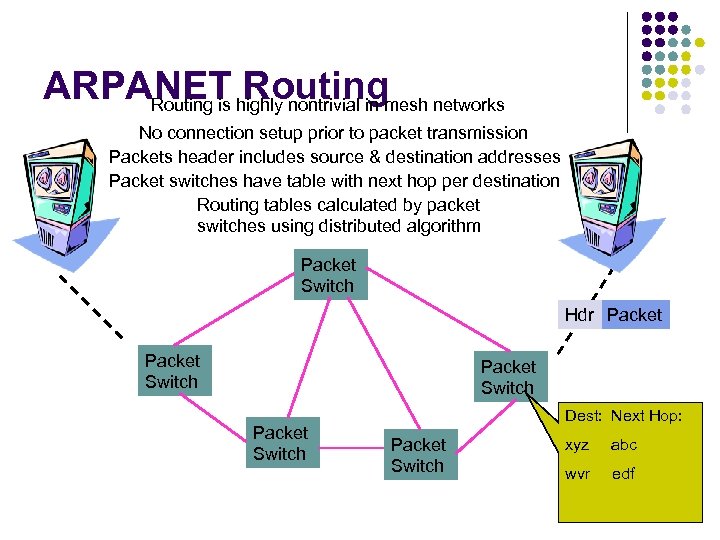 ARPANET highly nontrivial in mesh networks Routing is No connection setup prior to packet transmission Packets header includes source & destination addresses Packet switches have table with next hop per destination Routing tables calculated by packet switches using distributed algorithm Packet Switch Hdr Packet Switch Dest: Next Hop: Packet Switch xyz abc wvr edf 36
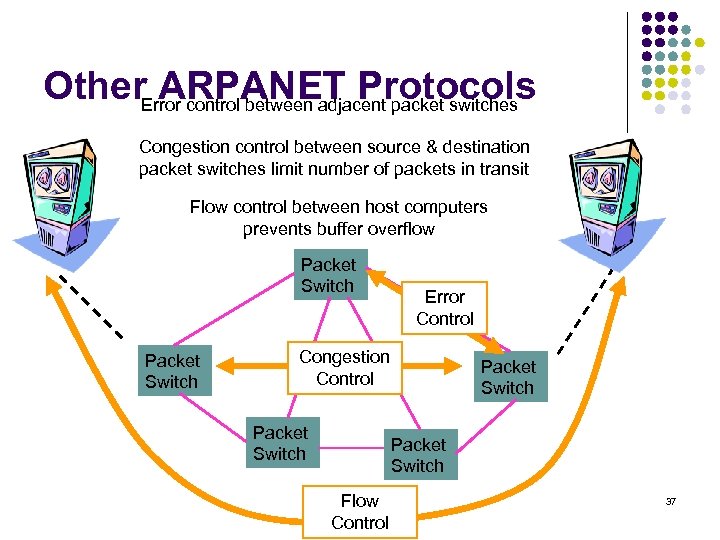 Other. Error control between adjacent packet switches ARPANET Protocols Congestion control between source & destination packet switches limit number of packets in transit Flow control between host computers prevents buffer overflow Packet Switch Error Control Congestion Control Packet Switch Flow Control 37
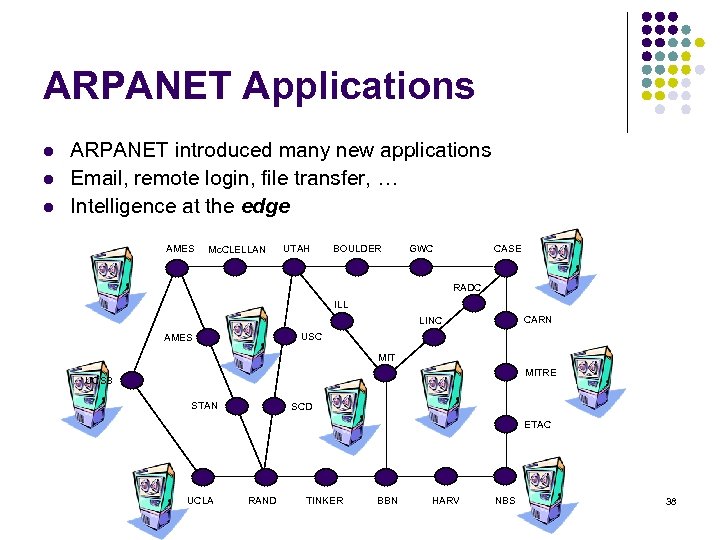 ARPANET Applications l l l ARPANET introduced many new applications Email, remote login, file transfer, … Intelligence at the edge AMES Mc. CLELLAN UTAH BOULDER GWC CASE RADC ILL CARN LINC USC AMES MITRE UCSB STAN SCD ETAC UCLA RAND TINKER BBN HARV NBS 38
 Ethernet Local Area Network l l In 1980 s, affordable workstations available Need for low-cost, high-speed networks l To interconnect local workstations l To access local shared resources (printers, storage, servers) Low cost, high-speed communications with low error rate possible using coaxial cable Ethernet is the standard for high-speed wired access to computer networks 39
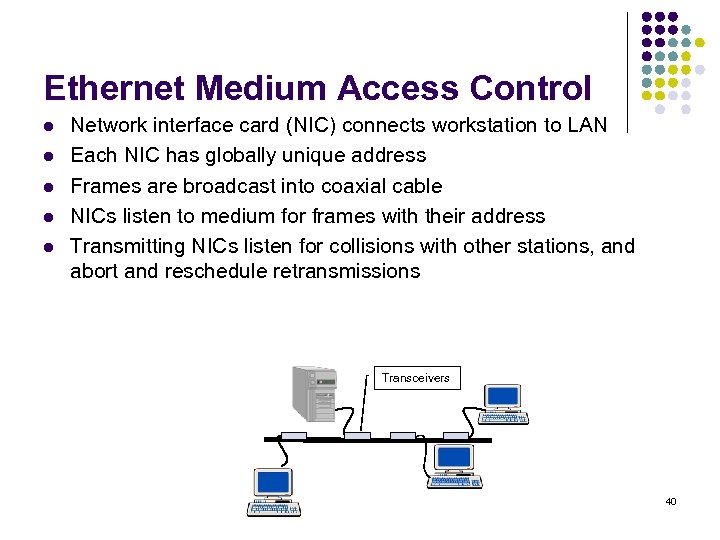 Ethernet Medium Access Control l l Network interface card (NIC) connects workstation to LAN Each NIC has globally unique address Frames are broadcast into coaxial cable NICs listen to medium for frames with their address Transmitting NICs listen for collisions with other stations, and abort and reschedule retransmissions Transceivers 40
 The Internet l l l Different network types emerged for data transfer between computers ARPA also explored packet switching using satellite and packet radio networks Each network has its protocols and is possibly built on different technologies Internetworking protocols required to enable communications between computers attached to different networks Internet: a network of networks 41
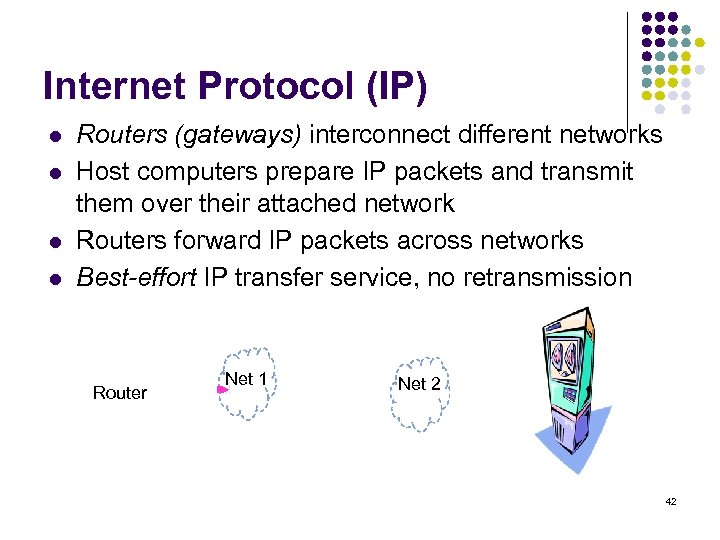 Internet Protocol (IP) l l Routers (gateways) interconnect different networks Host computers prepare IP packets and transmit them over their attached network Routers forward IP packets across networks Best-effort IP transfer service, no retransmission Router Net 1 Net 2 42
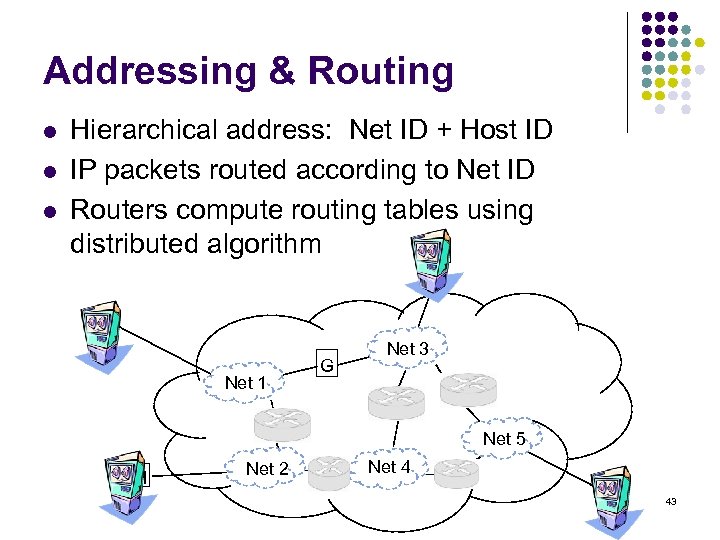 Addressing & Routing l l l Hierarchical address: Net ID + Host ID IP packets routed according to Net ID Routers compute routing tables using distributed algorithm H H G Net 1 Net 3 G G G H Net 2 Net 5 G Net 4 G H 43
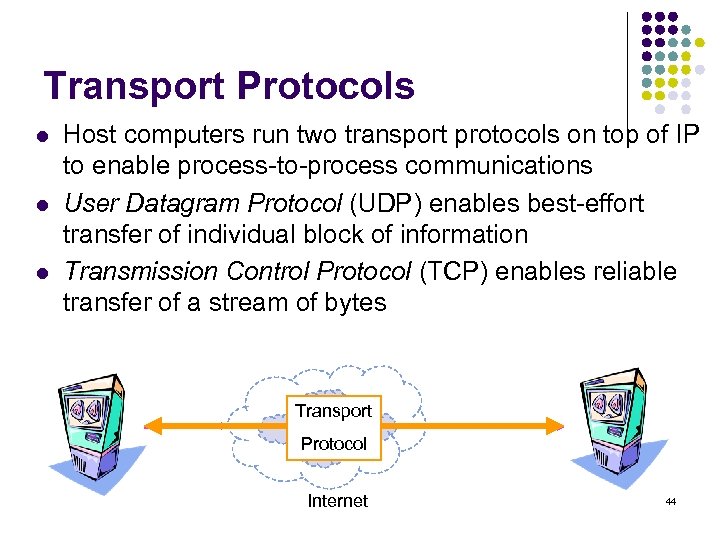 Transport Protocols l l l Host computers run two transport protocols on top of IP to enable process-to-process communications User Datagram Protocol (UDP) enables best-effort transfer of individual block of information Transmission Control Protocol (TCP) enables reliable transfer of a stream of bytes Transport Protocol Internet 44
 Names and IP Addresses l l l Routing is done based on 32 -bit IP addresses Dotted-decimal notation l 128. 100. 11. 1 Hosts are also identified by name l Easier to remember Hierarchical name structure l tesla. comm. utoronto. edu Domain Name System (DNS) provided conversion between names and addresses l l 45
 Internet Applications l l l All Internet applications run on TCP or UDP TCP: HTTP (web); SMTP (e-mail); FTP (file transfer; telnet (remote terminal) UDP: DNS, RTP (voice & multimedia) TCP & UDP incorporated into computer operating systems Any application designed to operate over TCP or UDP will run over the Internet!!! 46
 Elements of Computer Network Architecture l l l Digital transmission Exchange of frames between adjacent equipment l Framing and error control Medium access control regulates sharing of broadcast medium. Addresses identify attachment to network or internet. Transfer of packets across a packet network Distributed calculation of routing tables 47
 Elements of Computer Network Architecture l l l Congestion control inside the network Internetworking across multiple networks using routers Segmentation and reassembly of messages into packets at the ingress to and egress from a network or internetwork End-to-end transport protocols for process-to-process communications Applications that build on the transfer of messages between computers. Intelligence is at the edge of the network. 48
 Trends in Network Evolution l It’s all about services l l l Building networks involves huge expenditures Services that generate revenues drive the network architecture Current trends l l l Packet switching vs. circuit switching Multimedia applications More versatile signaling End of trust Many service providers and overlay networks Networking is a business 49
 Packet vs. Circuit Switching l Architectures appear and disappear over time l l Telegraph (message switching) Telephone (circuit switching) Internet (packet switching) Trend towards packet switching at the edge l l IP enables rapid introduction of new applications New cellular voice networks packet-based Soon IP will support real-time voice and telephone network will gradually be replaced However, large packet flows easier to manage by circuit-like methods 50
 Optical Circuit Switching l l Optical signal transmission over fiber can carry huge volumes of information (Tbps) Optical signal processing very limited l Optical logic circuits bulky and costly l Optical packet switching will not happen soon Optical-to-Electronic conversion is expensive l Maximum electronic speeds << Tbps l Parallel electronic processing & high expense Thus trend towards optical circuit switching in the core 51
 Standards l l New technologies very costly and risky Standards allow players to share risk and benefits of a new market l l Reduced cost of entry Interoperability and network effect Compete on innovation Completing the value chain l l Chips, systems, equipment vendors, service providers Example l 802. 11 wireless LAN products 52
 Standards Bodies l Internet Engineering Task Force l l l International Telecommunications Union l l International telecom standards IEEE 802 Committee l l Internet standards development Request for Comments (RFCs): www. ietf. org Local area and metropolitan area network standards Industry Organizations l MPLS Forum, Wi. Fi Alliance, World Wide Web Consortium 53
 Exercise 1 The introduction of a new services usually impacts other services through substitution. Describe how substitution takes place in the following cases. a) E-mail, facsimile and postal mail b) E-mail, local and long distance phone service c) Cell phone, local and long distance phone service 54
 Solution Ex 1. 1 a) E-mail, facsimile and postal mail E-mail is used for most of the correspondence previously handled by postal mail. Documents sent by facsimile are also transferred using E-mail as attachments. Hardcopies can be scanned for electronic transmission b) E-mail, local and long distance phone service E-mail is an inexpensice and convenient alternative for most of the communication in which real time interaction is not essential. Instantmessaging is faster than e-mail and more closely approaches the real-time experience of the telephone c) Cell phone, local and long distance service cell phone is used for local and long distance calls mostly because users can be reached even if they are not in a specific location such as home or office. The steep drop in the cost of long distance relative to the cost of cellular airtime has enable ‘call anywhere’ cellular service offering 55
 Exercise 1. 2 Describe step-by-step procedure that is involved from the time you deposit a letter in a mailbox to the time the letter is delivered to its destination. What role do names, addresses and mail codes play? How might the letter be routed to its destination? To what extent can be the process be automated? 56
 Solution Ex 1. 2 The steps involved in mailing a letter are 1. The letter is deposited in mailbox 2. The letter is picked up by postal employee and placed in a sack 3. The letter is taken to a sorting station, where it is sorted according to destination, as determined by the mail code and grouped with other letters with the same destination mail code. ( or by largest geographical unit / country/ city) 4. The letter is shipped to the post office that handles the mail for the specific mail code 5. The letter is then sorted by street address 6. The letter is picked up at the post office by the postal worker responsible for delivering to the specified address 7. The letter is delivered according to the number and street 57
 Exercise 1. 3 Suppose that a letter is sent by fax. Is this mode of communications connectionless or connection-oriented? Realtime or non-real time? SOLUTION: In order to send a letter by fax, a telephone connection must first be established. Therefore, the mode of communication is connection oriented. The transfer of information across the network accurs in real time. 58
 Exercise 1. 4 Two musician is located in different cities wish to have a jam session over a communications network. Find the maximum possible distance between the musicians if the are to interact in real time, in the sense of experiencing the same delay in hearing each other as if they were 10 meters apart. The speed of sound is approximately 330 m/s. Assume that the network transmits the sound at the speed of light in cable, 2. 3 x 10⁸ m/s. SOLUTION: Find the delay for the sound when the musician 10 m apart: t 10 = 10/ (330 m/s) = 30. 30 milliseconds The maximum distance is the time required for a real time ‘experience’ times the cable speed d = (2. 3 x 10⁸ m/s) x (30. 30 x 10 -3 s) = 6 969 km 59