 Скачать презентацию COMcheck TM Basics and Compliance Determination PAM COLE
6fc37fcb24724e1af5ec3dffa2fded15.ppt
- Количество слайдов: 81



COMcheck. TM Basics and Compliance Determination PAM COLE, PACIFIC NORTHWEST NATIONAL LABORATORY BOB SCHULTZ, PACIFIC NORTHWEST NATIONAL LABORATORY 2016 Department of Energy National Energy Codes Conference Building Energy Codes Program AIA Provider #: I 014 AIA Course #: EC 16 -M 02 March 21, 2016 PNNL-SA- 1
AIA Continuing Education Provider Credit(s) earned on completion of this course will be reported to AIA CES for AIA members. Certificates of Completion for both AIA members and non-AIA members are available upon request. This course is registered with AIA CES for continuing professional education. As such, it does not include content that may be deemed or construed to be an approval or endorsement by the AIA of any material of construction or any method or manner of handling, using, distributing, or dealing in any material or product. ____________________ Questions related to specific materials, methods, and services will be addressed at the conclusion of this presentation. Building Energy Codes Program 2
Course Description and Learning Objectives Basics of using the COMcheck software, reviewing generated compliance reports, and the latest and greatest new features. Learning Objectives: 1. Obtain an overview of the basic functions and how COMcheck calculates compliance for the building envelope, interior and exterior lighting. 2. Be able to identify the construction specifications needed to complete a compliance calculation in the software. 3. Learn how to enter the building envelope, lighting, and mechanical components into the software. 4. Understand how the compliance reports are created and what they entail.
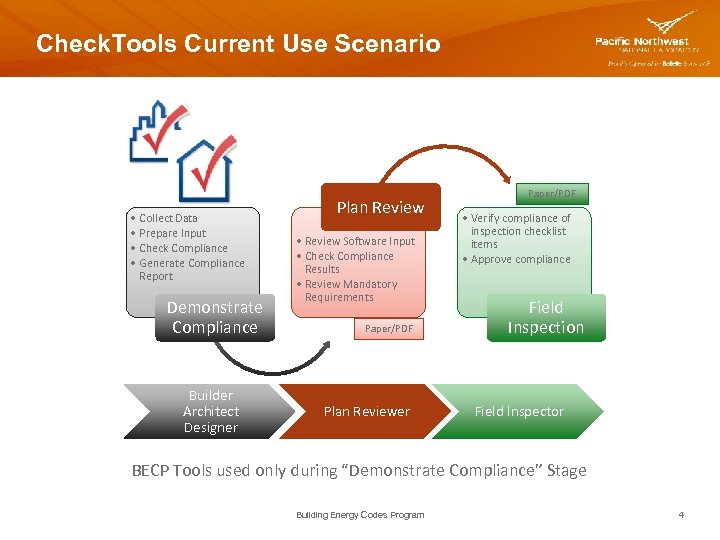
Check. Tools Current Use Scenario • Collect Data • Prepare Input • Check Compliance • Generate Compliance Report Demonstrate Compliance Builder Architect Designer Plan Review • Review Software Input • Check Compliance Results • Review Mandatory Requirements Paper/PDF Plan Reviewer Paper/PDF • Verify compliance of inspection checklist items • Approve compliance Field Inspection Field Inspector BECP Tools used only during “Demonstrate Compliance” Stage Building Energy Codes Program 4
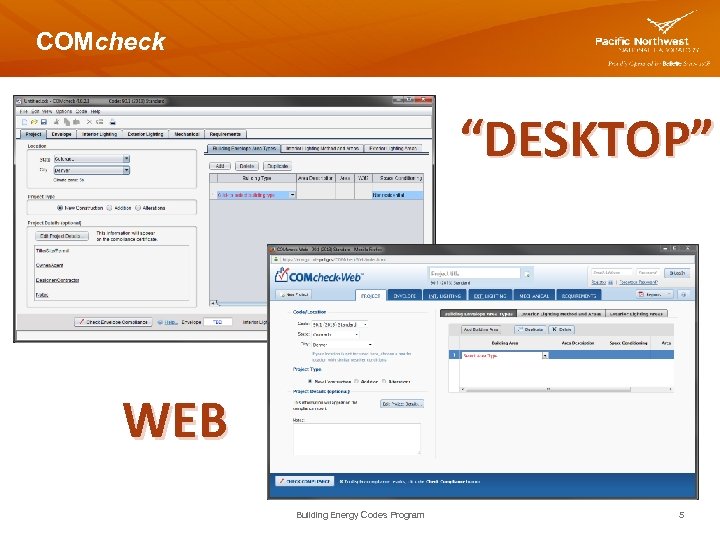
COMcheck “DESKTOP” WEB Building Energy Codes Program 5
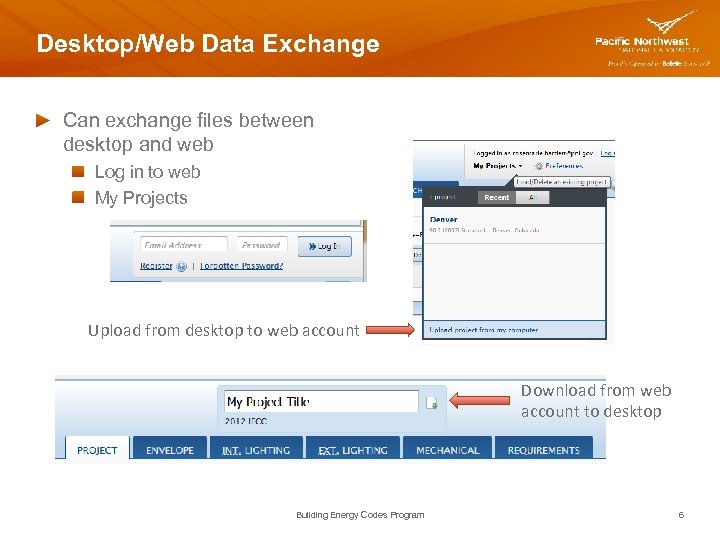
Desktop/Web Data Exchange Can exchange files between desktop and web Log in to web My Projects Upload from desktop to web account Download from web account to desktop Building Energy Codes Program 6
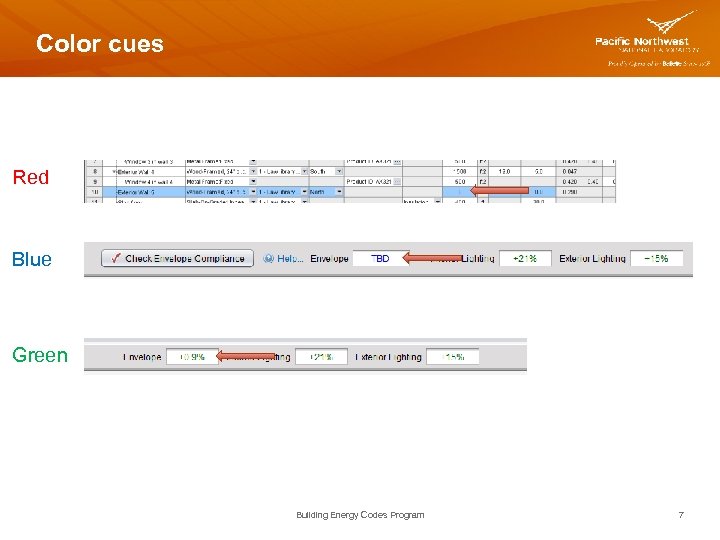
Color cues Red Blue Green Building Energy Codes Program 7
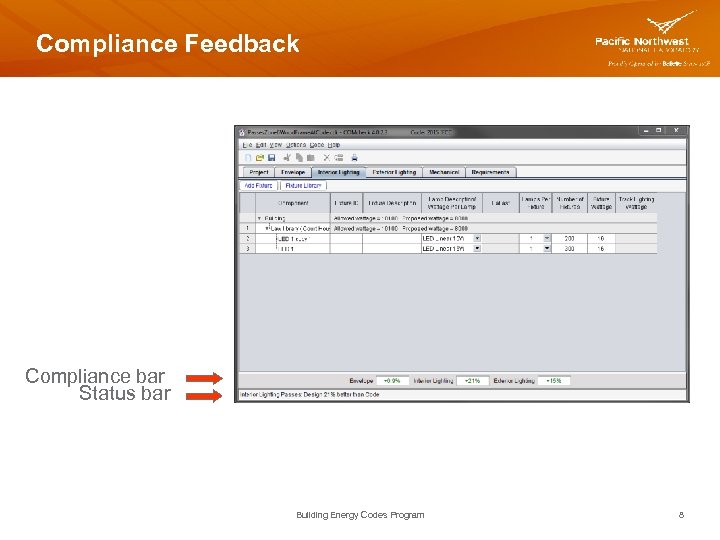
Compliance Feedback Compliance bar Status bar Building Energy Codes Program 8
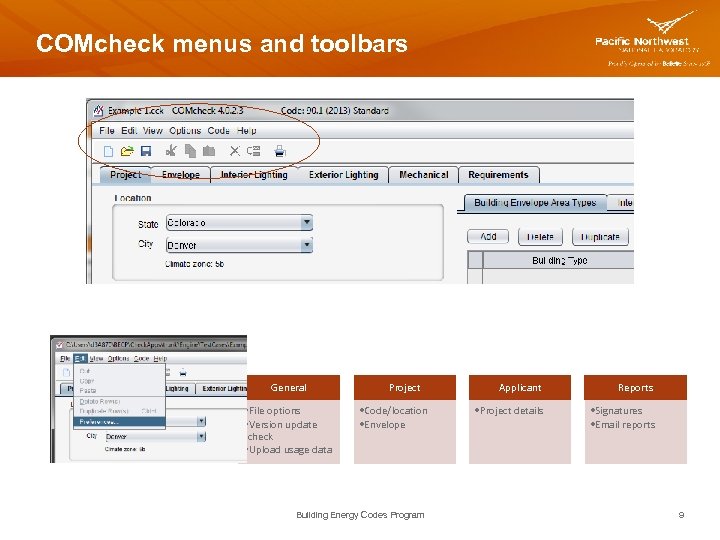
COMcheck menus and toolbars General • File options • Version update check • Upload usage data Project • Code/location • Envelope Building Energy Codes Program Applicant Reports • Project details • Signatures • Email reports 9
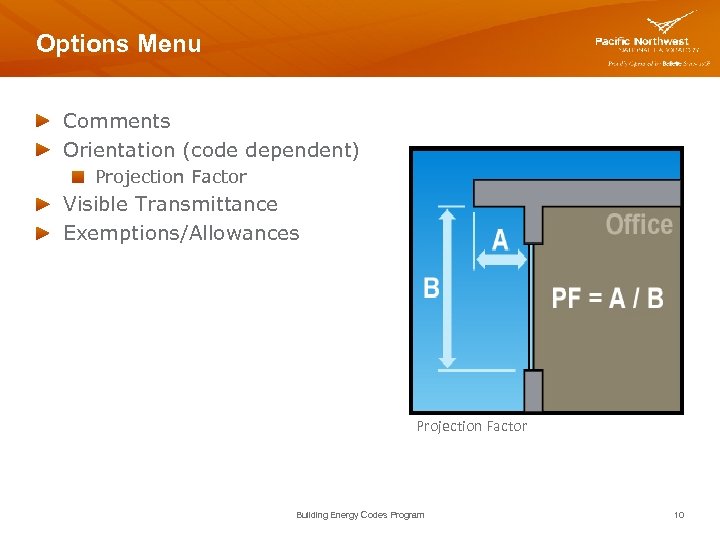
Options Menu Comments Orientation (code dependent) Projection Factor Visible Transmittance Exemptions/Allowances Projection Factor Building Energy Codes Program 10
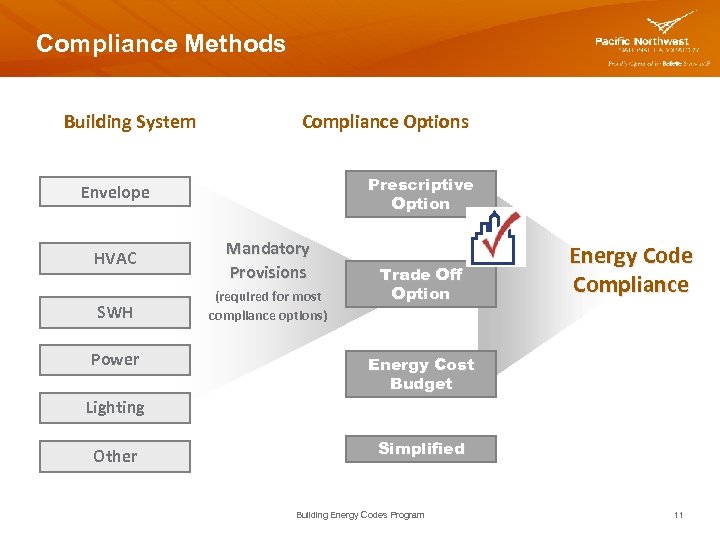
Compliance Methods Building System Compliance Options Prescriptive Option Envelope HVAC Mandatory Provisions SWH (required for most compliance options) Power Trade Off Option Energy Code Compliance Energy Cost Budget Lighting Other Simplified Building Energy Codes Program 11
Envelope Trade-Off Methods (cont. ) ASHRAE 90. 1 (Pre-2013) Normative Appendix C Methodology for Building Envelope Trade-Off Option 90. 1 -2007/2010 2009/2012 IECC ASHRAE 90. 1 -2013 Appendix C has limited performance method (Energy. Plus) 2015 IECC Component Performance Alternative (Total UA) Building Energy Codes Program 12
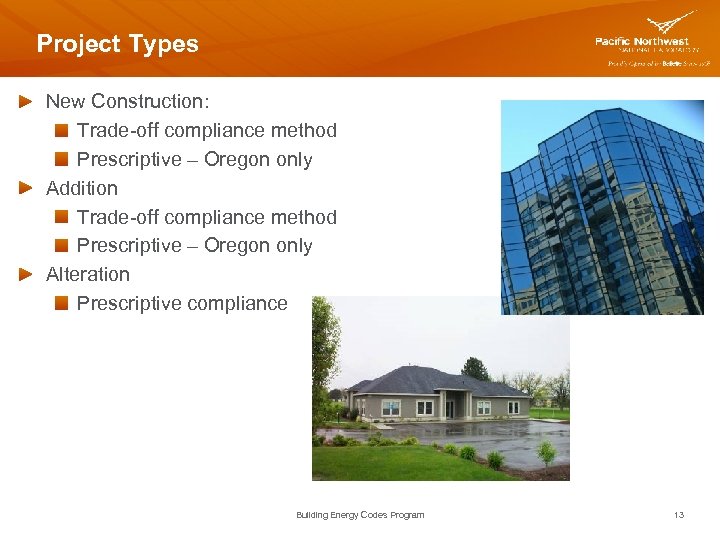
Project Types New Construction: Trade-off compliance method Prescriptive – Oregon only Addition Trade-off compliance method Prescriptive – Oregon only Alteration Prescriptive compliance Building Energy Codes Program 13
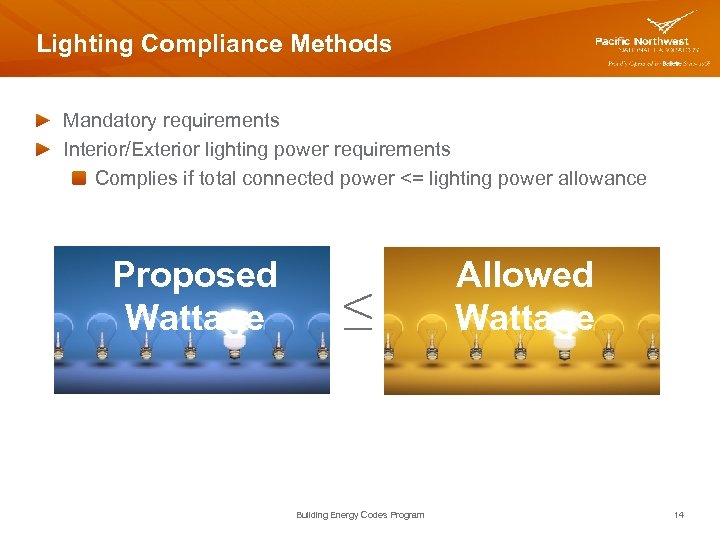
Lighting Compliance Methods Mandatory requirements Interior/Exterior lighting power requirements Complies if total connected power <= lighting power allowance Proposed Wattage ≤ Building Energy Codes Program Allowed Wattage 14
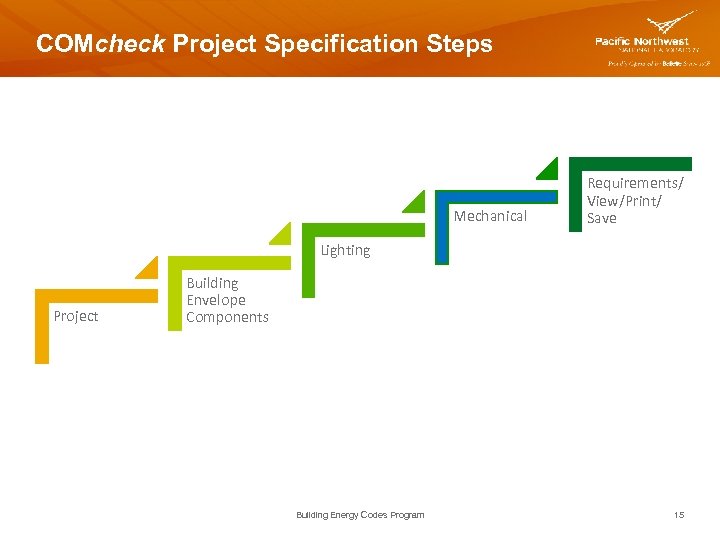
COMcheck Project Specification Steps Mechanical Requirements/ View/Print/ Save Lighting Project Building Envelope Components Building Energy Codes Program 15
Info You’ll Need Basic information about the builder and project Area take-offs for exterior walls, fenestration, roof/ceiling, basement walls, floors, etc. Insulation R-values, fenestration U-factors, etc. Lighting fixture details Heating and cooling system details Service water heating details Building Energy Codes Program 16
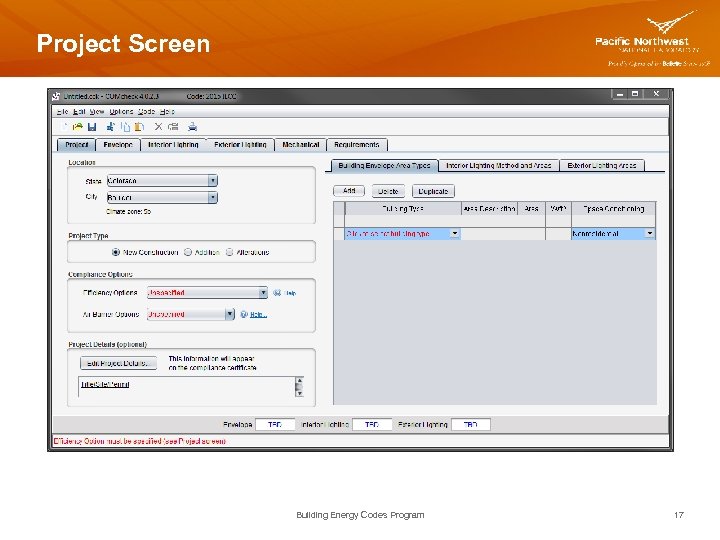
Project Screen Building Energy Codes Program 17
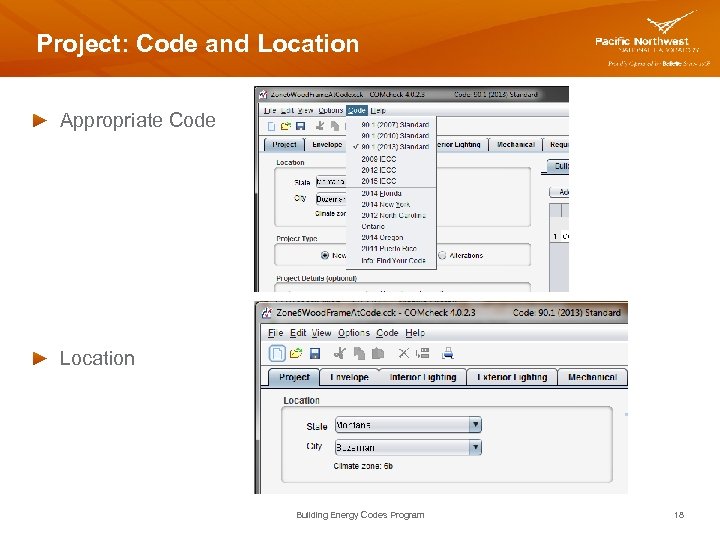
Project: Code and Location Appropriate Code Location Building Energy Codes Program 18
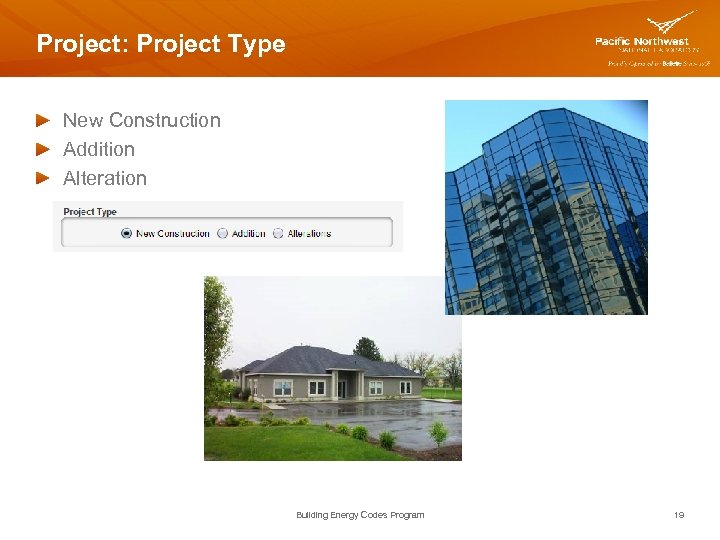
Project: Project Type New Construction Addition Alteration Building Energy Codes Program 19
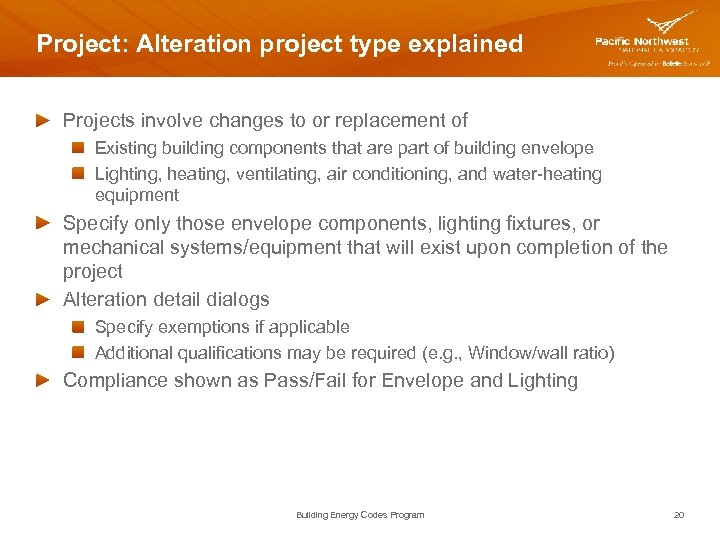
Project: Alteration project type explained Projects involve changes to or replacement of Existing building components that are part of building envelope Lighting, heating, ventilating, air conditioning, and water-heating equipment Specify only those envelope components, lighting fixtures, or mechanical systems/equipment that will exist upon completion of the project Alteration detail dialogs Specify exemptions if applicable Additional qualifications may be required (e. g. , Window/wall ratio) Compliance shown as Pass/Fail for Envelope and Lighting Building Energy Codes Program 20
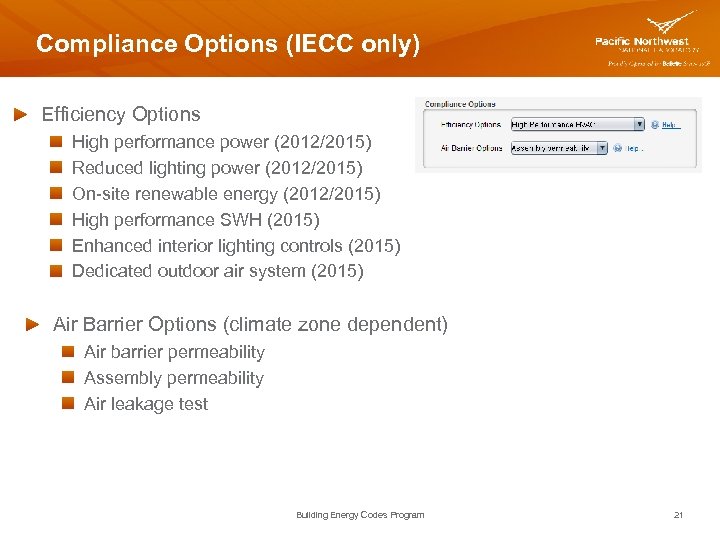
Compliance Options (IECC only) Efficiency Options High performance power (2012/2015) Reduced lighting power (2012/2015) On-site renewable energy (2012/2015) High performance SWH (2015) Enhanced interior lighting controls (2015) Dedicated outdoor air system (2015) Air Barrier Options (climate zone dependent) Air barrier permeability Assembly permeability Air leakage test Building Energy Codes Program 21
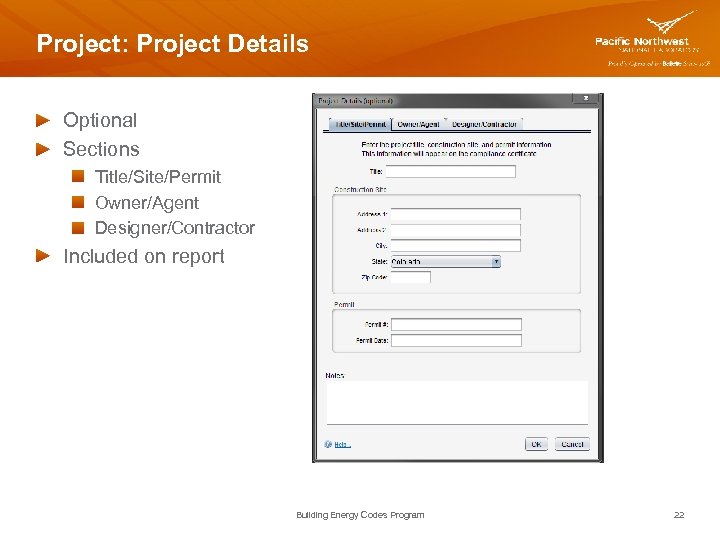
Project: Project Details Optional Sections Title/Site/Permit Owner/Agent Designer/Contractor Included on report Building Energy Codes Program 22
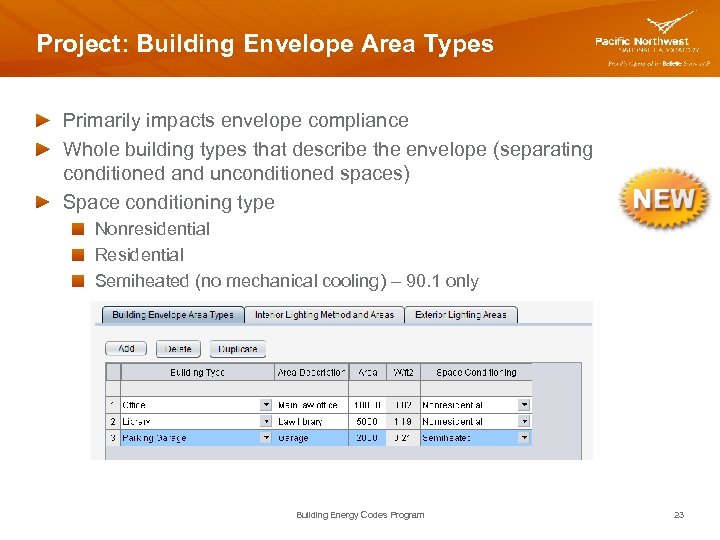
Project: Building Envelope Area Types Primarily impacts envelope compliance Whole building types that describe the envelope (separating conditioned and unconditioned spaces) Space conditioning type Nonresidential Residential Semiheated (no mechanical cooling) – 90. 1 only Building Energy Codes Program 23
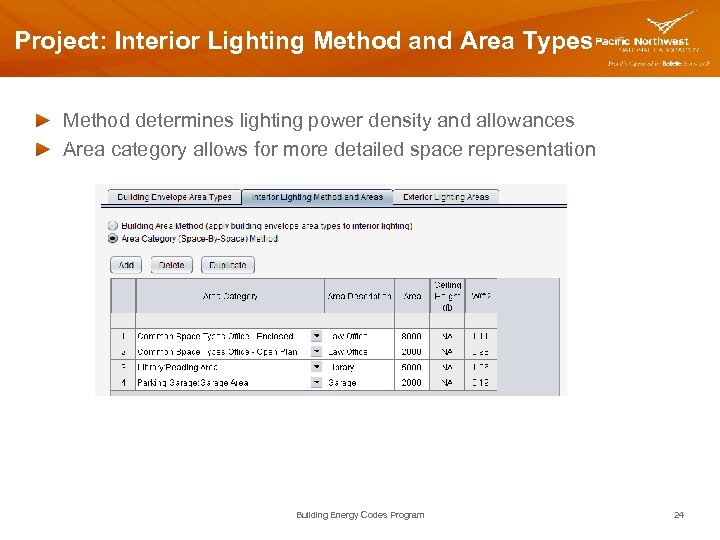
Project: Interior Lighting Method and Area Types Method determines lighting power density and allowances Area category allows for more detailed space representation Building Energy Codes Program 24
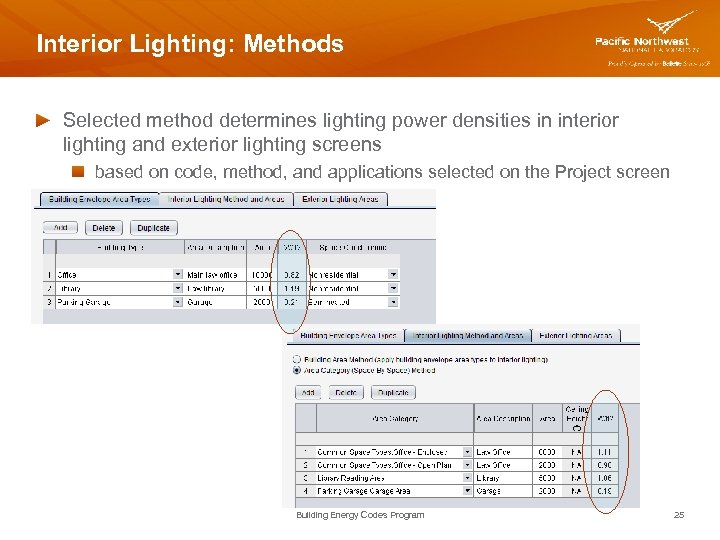
Interior Lighting: Methods Selected method determines lighting power densities in interior lighting and exterior lighting screens based on code, method, and applications selected on the Project screen Building Energy Codes Program 25
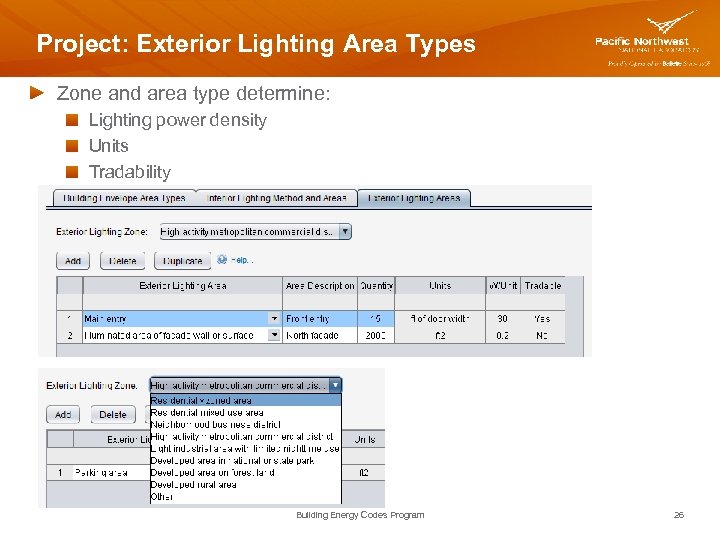
Project: Exterior Lighting Area Types Zone and area type determine: Lighting power density Units Tradability Building Energy Codes Program 26
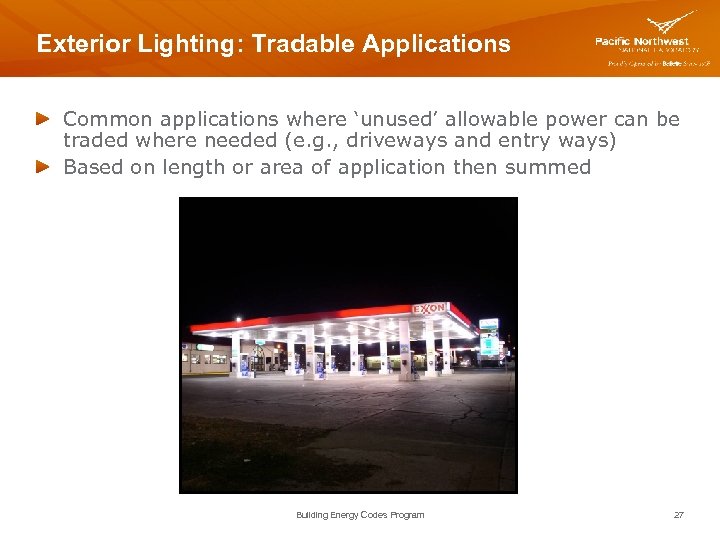
Exterior Lighting: Tradable Applications Common applications where ‘unused’ allowable power can be traded where needed (e. g. , driveways and entry ways) Based on length or area of application then summed Building Energy Codes Program 27
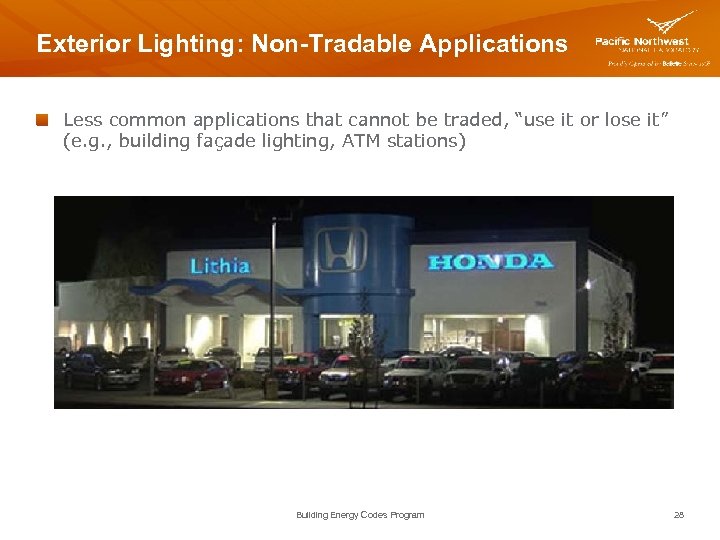
Exterior Lighting: Non-Tradable Applications Less common applications that cannot be traded, “use it or lose it” (e. g. , building façade lighting, ATM stations) Building Energy Codes Program 28
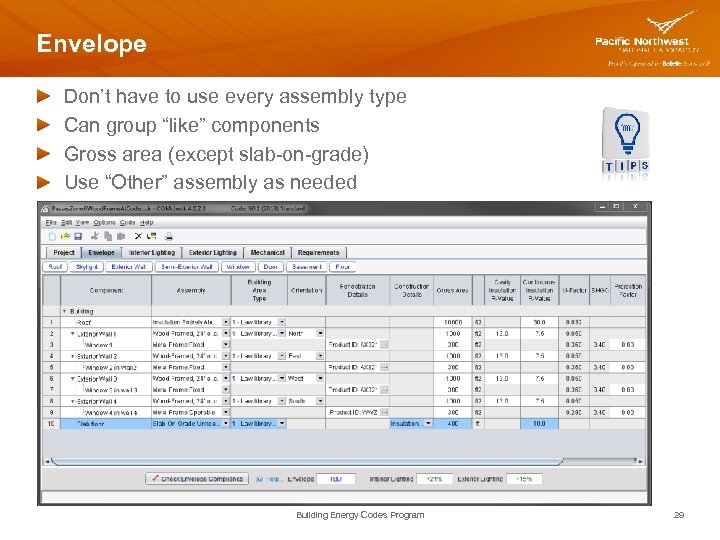
Envelope Don’t have to use every assembly type Can group “like” components Gross area (except slab-on-grade) Use “Other” assembly as needed Building Energy Codes Program 29
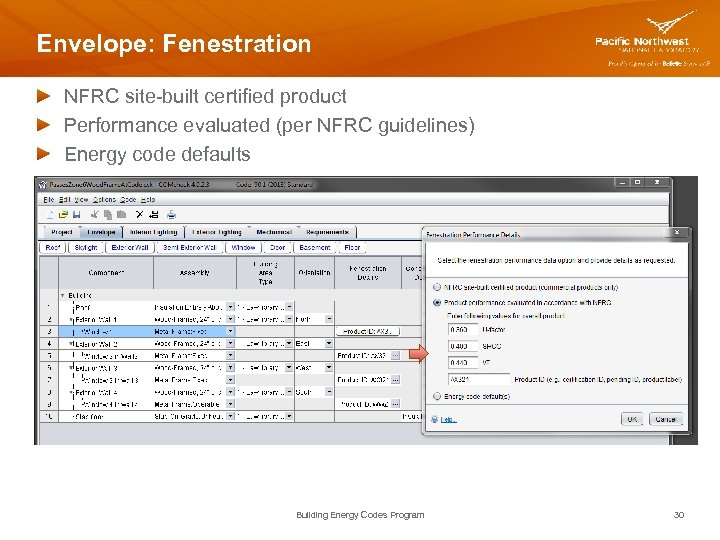
Envelope: Fenestration NFRC site-built certified product Performance evaluated (per NFRC guidelines) Energy code defaults Building Energy Codes Program 30
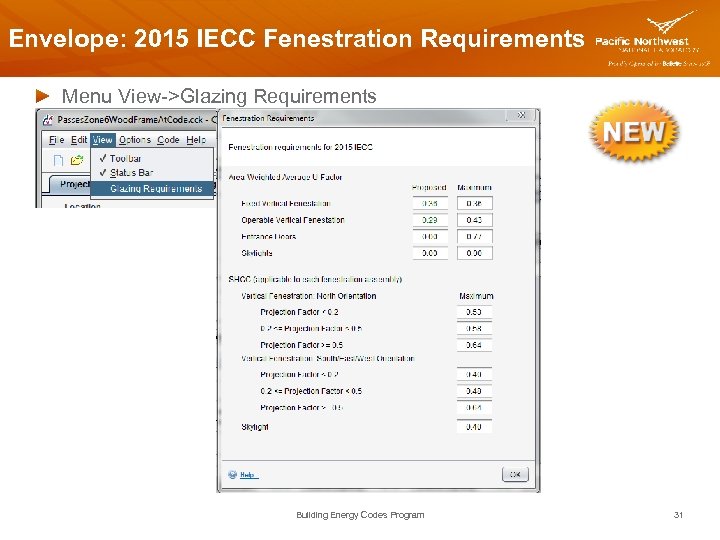
Envelope: 2015 IECC Fenestration Requirements Menu View->Glazing Requirements Building Energy Codes Program 31
Envelope Helpful Hints (con’t) Cavity R-value – used for insulation placed between structural members Continuous R-value – used for insulation that is continuous across the structure (e. g. , rigid insulation) After you’ve entered building components, look at compliance result Look for fields with red text If TBD, look for missing data Building Energy Codes Program 32
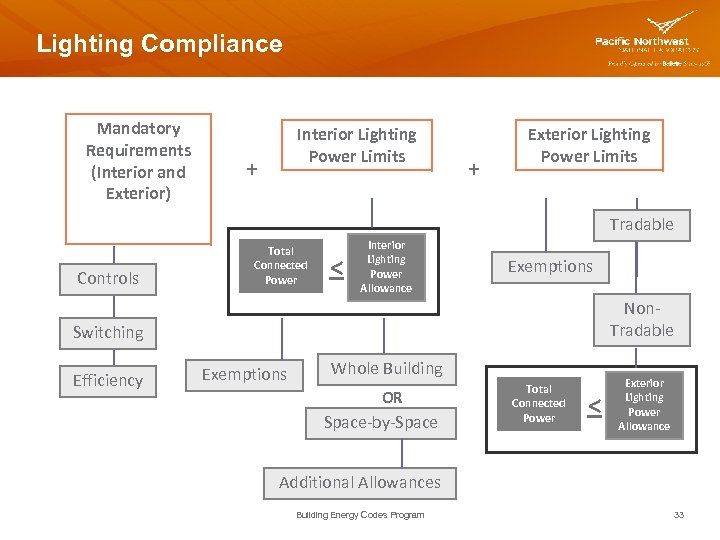
Lighting Compliance Mandatory Requirements (Interior and Exterior) Interior Lighting Power Limits + + Exterior Lighting Power Limits Tradable Controls Total Connected Power < Interior Lighting Power Allowance Exemptions Non. Tradable Switching Efficiency Exemptions Whole Building OR Space-by-Space Total Connected Power < Exterior Lighting Power Allowance Additional Allowances Building Energy Codes Program 33
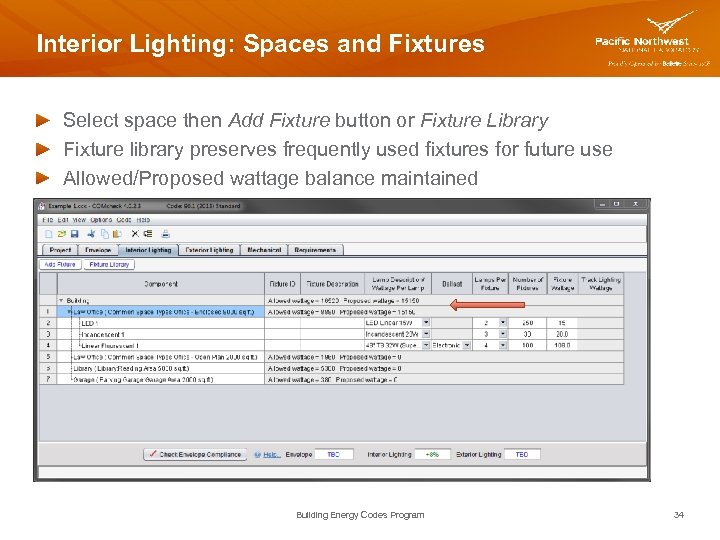
Interior Lighting: Spaces and Fixtures Select space then Add Fixture button or Fixture Library Fixture library preserves frequently used fixtures for future use Allowed/Proposed wattage balance maintained Building Energy Codes Program 34
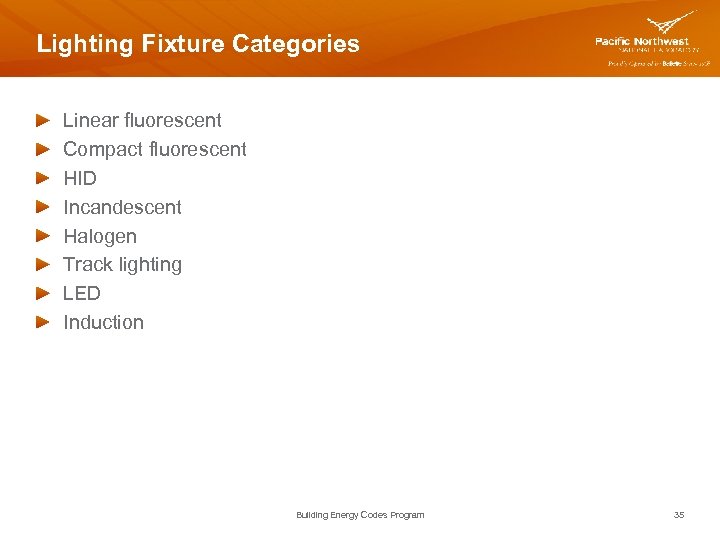
Lighting Fixture Categories Linear fluorescent Compact fluorescent HID Incandescent Halogen Track lighting LED Induction Building Energy Codes Program 35
Lighting Helpful Hints Fixture wattage (helpful hint) In desktop, you can right click in fixture wattage to insert a default wattage value (not available for every fixture, however) Fixture ID is optional Can associate fixture with lighting fixture schedule Fixture Description is optional Can help keep track of fixtures in the list, avoid errors and oversights, and facilitate plan review and inspections Building Energy Codes Program 36
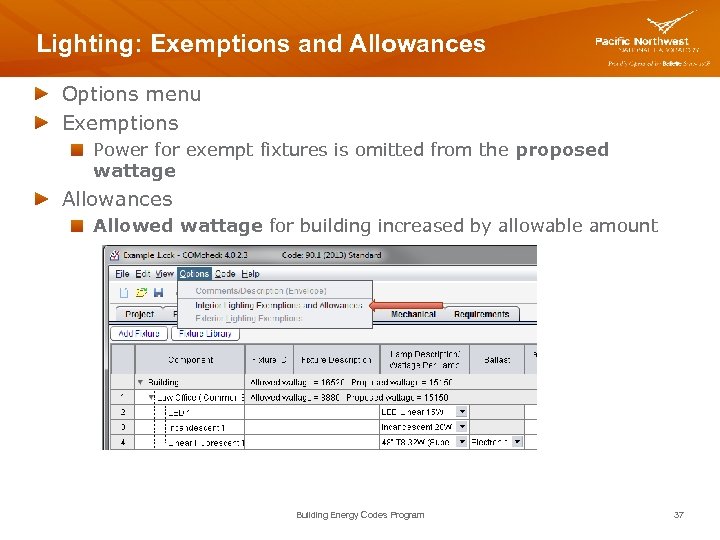
Lighting: Exemptions and Allowances Options menu Exemptions Power for exempt fixtures is omitted from the proposed wattage Allowances Allowed wattage for building increased by allowable amount Building Energy Codes Program 37
Lighting: Exemptions and Allowances - Hint Include ALL fixtures (both exempt and non-exempt) in the project Helps clarify where exemptions have been taken and can streamline plan review and inspection Building Energy Codes Program 38
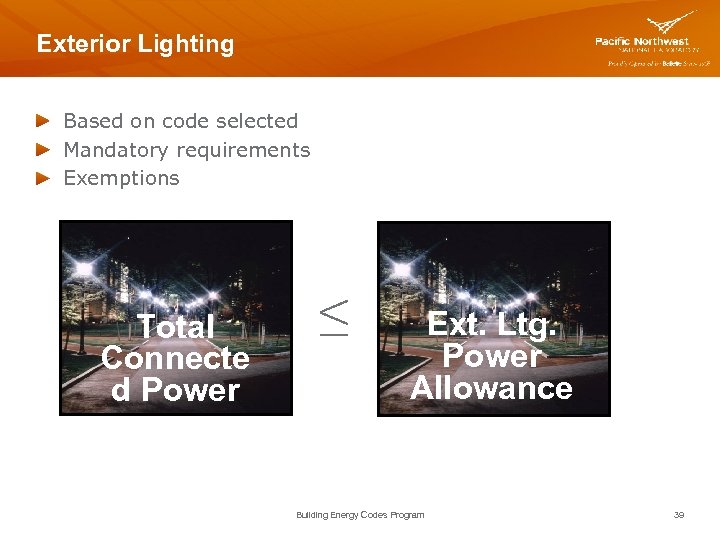
Exterior Lighting Based on code selected Mandatory requirements Exemptions Total Connecte d Power ≤ Ext. Ltg. Power Allowance Building Energy Codes Program 39
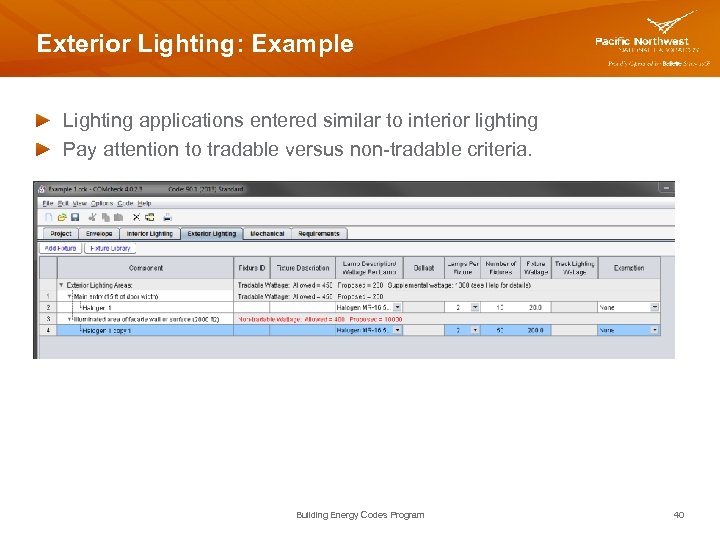
Exterior Lighting: Example Lighting applications entered similar to interior lighting Pay attention to tradable versus non-tradable criteria. Building Energy Codes Program 40
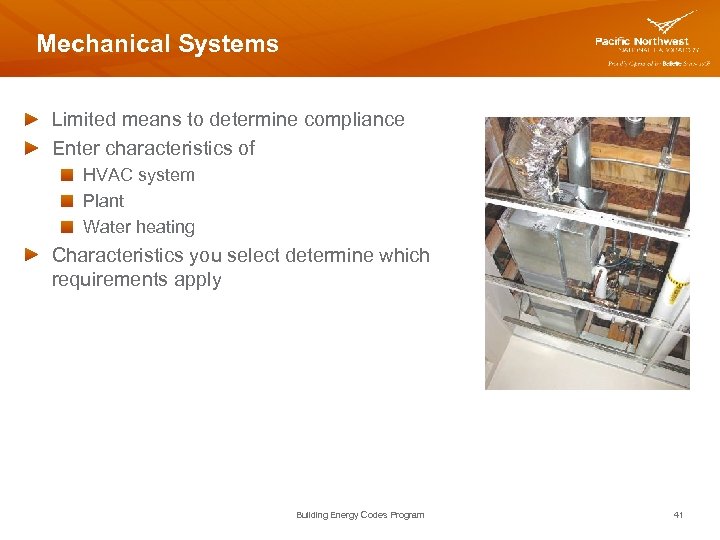
Mechanical Systems Limited means to determine compliance Enter characteristics of HVAC system Plant Water heating Characteristics you select determine which requirements apply Building Energy Codes Program 41
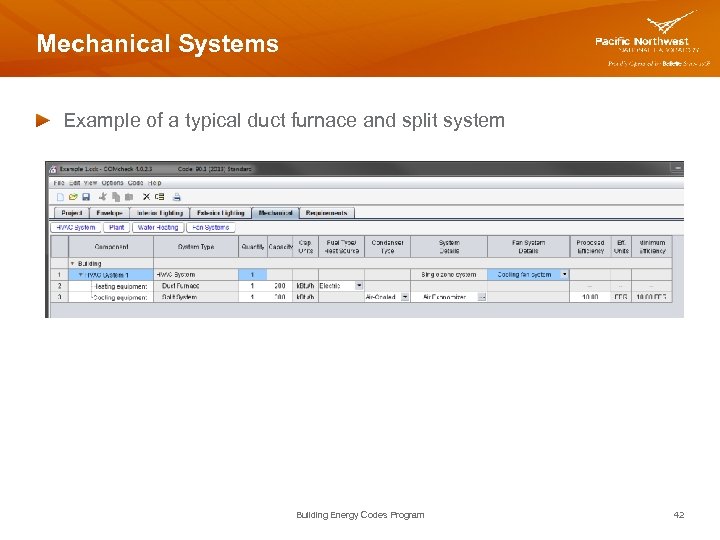
Mechanical Systems Example of a typical duct furnace and split system Building Energy Codes Program 42
Mechanical Systems – Helpful Hints If multiple different HVAC systems and/or Plant components are used within a single building Select HVAC System or Plant button multiple times to enter more than one system If multiple identical systems are used within a single building Describe them once and use the quantity fields to indicate # present Building Energy Codes Program 43
Water Heating Selection of checkboxes determines which water heating requirements apply to your building If multiple different water heating systems are present Select Water Heating button multiple times to enter more than one component If multiple identical (or nearly identical) systems are present Describe them once and use the quantity fields to indicate # present Building Energy Codes Program 44
Water Heating – Helpful Hints, con’t Water heater type Storage water heaters heat and store water within the water heater for delivery on demand have input rating < 4, 000 Btu/hour per gallon of stored water Instantaneous water heaters have an input rating ≥ 4, 000 Btu/hour per gallon of stored water can be electric, gas, or oil Building Energy Codes Program 45
Mechanical: Fan Systems Assists with fan power system limitations requirement Used to define and determine compliance of each fan system Once defined on Fan Systems screen, you assign them to applicable mechanical system on Mechanical screen Motor nameplate HP and brake HP Brake HP includes pressure drop credits as applicable Building Energy Codes Program 46
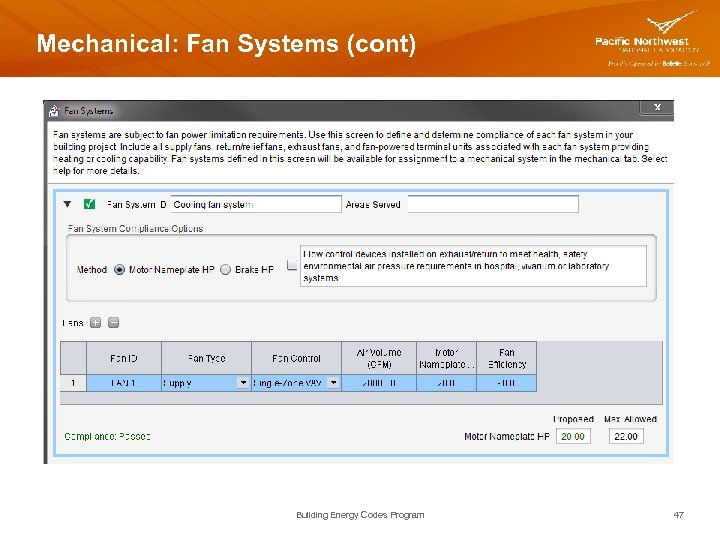
Mechanical: Fan Systems (cont) Building Energy Codes Program 47
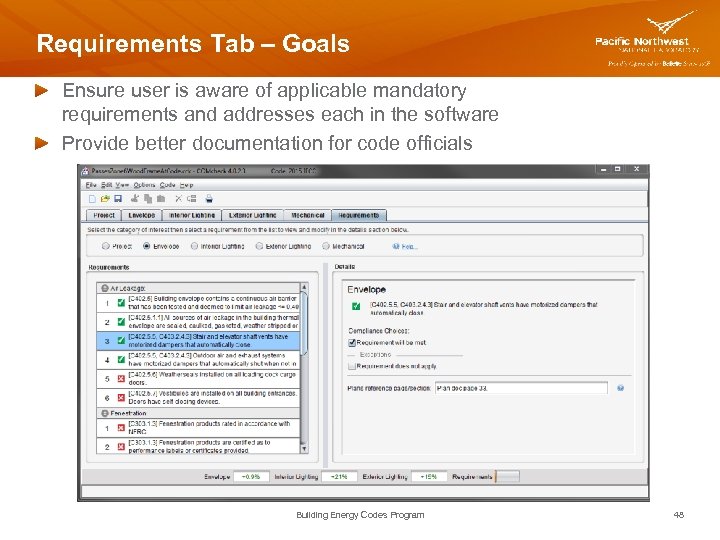
Requirements Tab – Goals Ensure user is aware of applicable mandatory requirements and addresses each in the software Provide better documentation for code officials Building Energy Codes Program 48
Requirements Tab – How it Works For each requirement, the user Certifies that a code requirement is Met Exempt or does not apply Notes how compliance for applicable requirements are documented This information is shown on the report in the “Comments/ Assumptions” column of the Inspection Checklist Building Energy Codes Program 49
Reports File View / Print Report Choices, choose any or all Envelope Compliance Certificate Interior Lighting Compliance Certificate Exterior Lighting Compliance Certificate Mechanical Compliance Certificate First pages are the Compliance Certificate Follow-on pages are the Inspection Checklists by phase of inspection Plan Review Footing/Foundation Rough-in Final Building Energy Codes Program 50
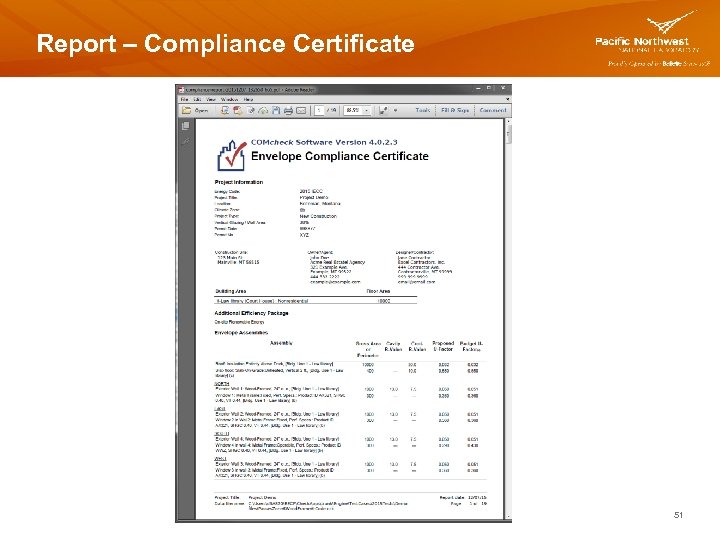
Report – Compliance Certificate 51
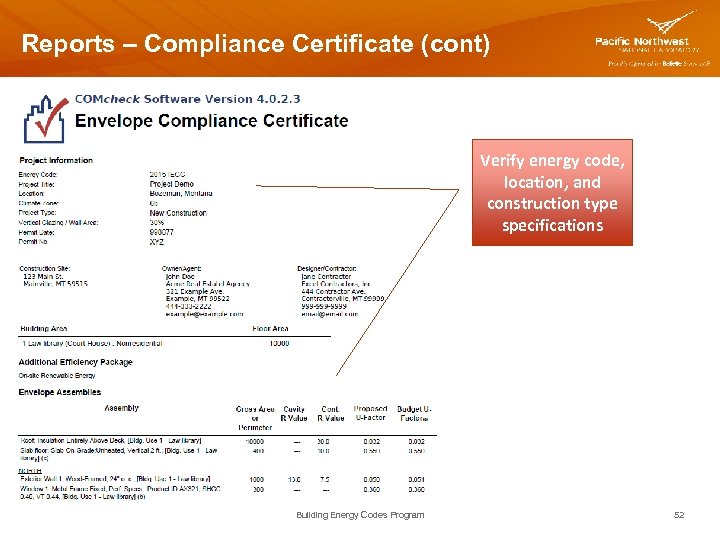
Reports – Compliance Certificate (cont) Verify energy code, location, and construction type specifications Building Energy Codes Program 52
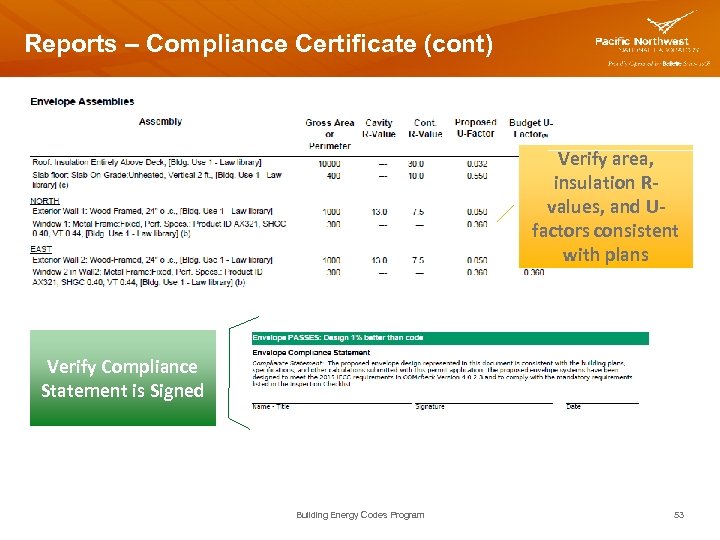
Reports – Compliance Certificate (cont) Verify area, insulation Rvalues, and Ufactors consistent with plans Verify Compliance Statement is Signed Building Energy Codes Program 53
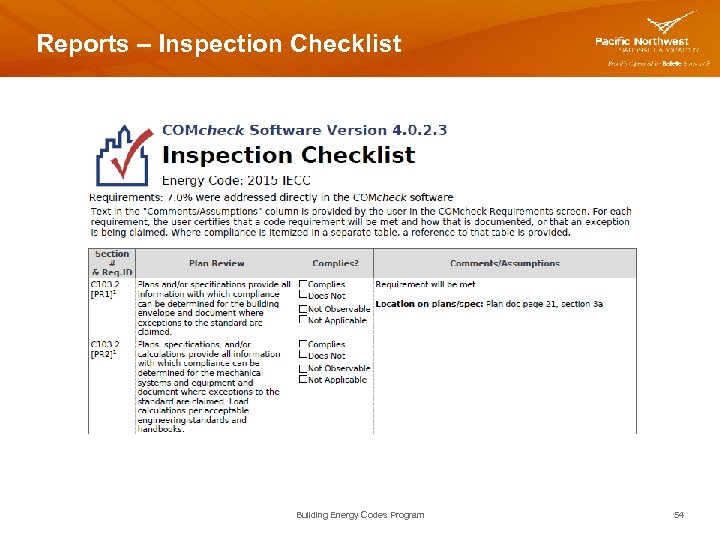
Reports – Inspection Checklist Building Energy Codes Program 54
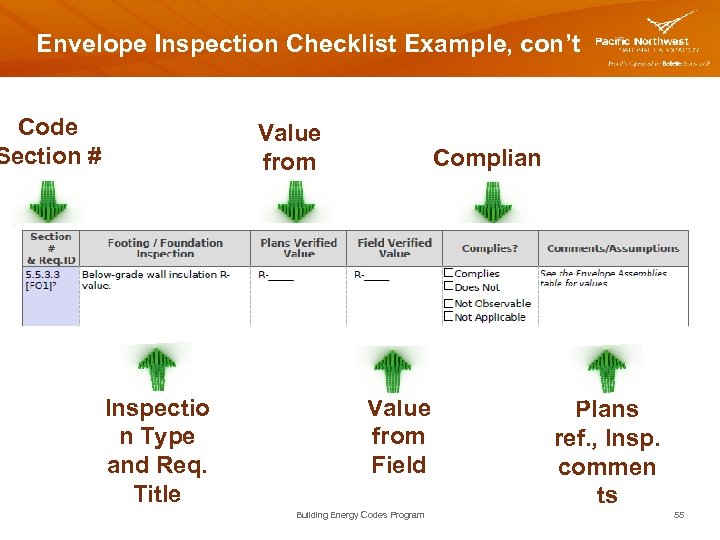
Envelope Inspection Checklist Example, con’t Code Section # Value from Plans Inspectio n Type and Req. Title Complian ce Value from Field Building Energy Codes Program Plans ref. , Insp. commen ts 55
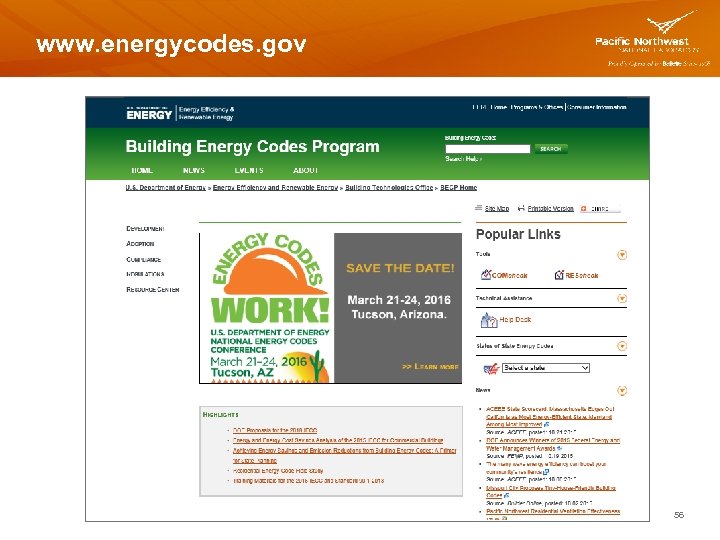
www. energycodes. gov Building Energy Codes Program 56
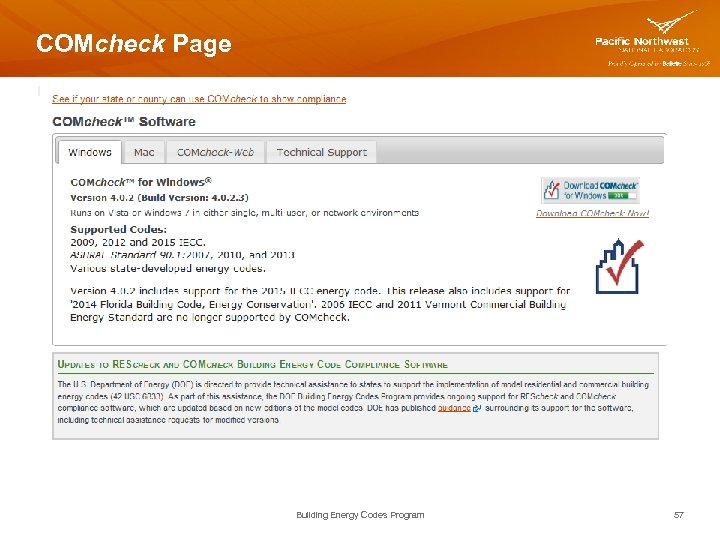
COMcheck Page Building Energy Codes Program 57
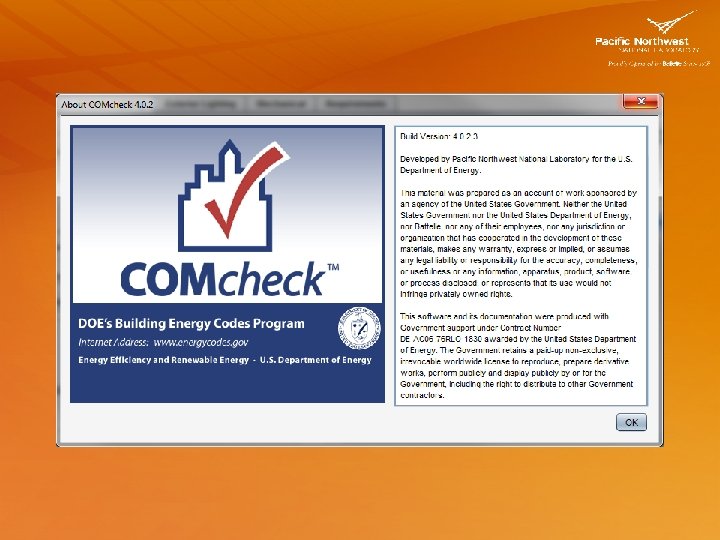
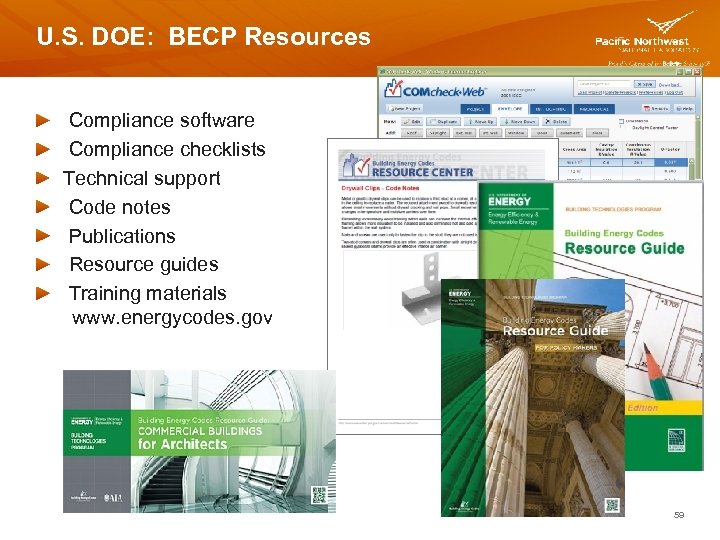
U. S. DOE: BECP Resources Compliance software Compliance checklists Technical support Code notes Publications Resource guides Training materials www. energycodes. gov 59

Red Mountain Feed and Irrigation Case Study Building Energy Codes Program 60
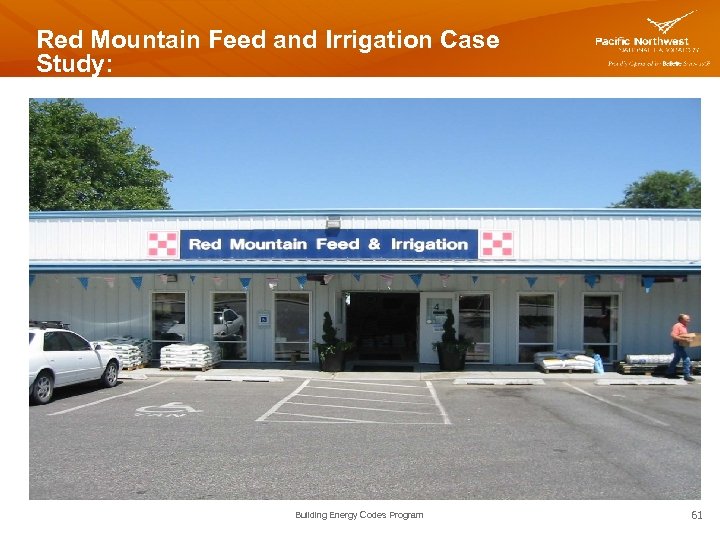
Red Mountain Feed and Irrigation Case Study: Building Energy Codes Program 61
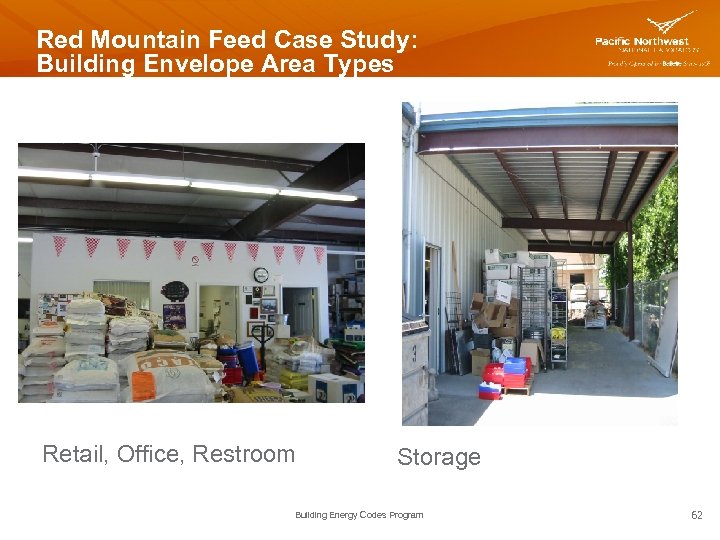
Red Mountain Feed Case Study: Building Envelope Area Types Retail, Office, Restroom Storage Building Energy Codes Program 62
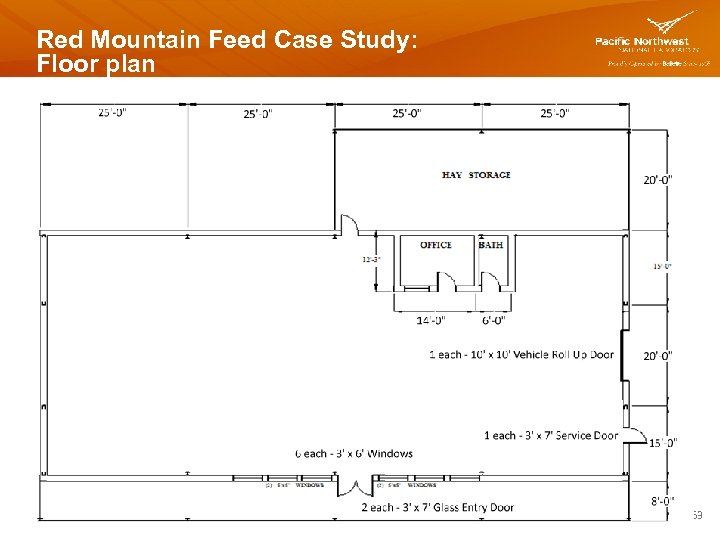
Red Mountain Feed Case Study: Floor plan Building Energy Codes Program 63
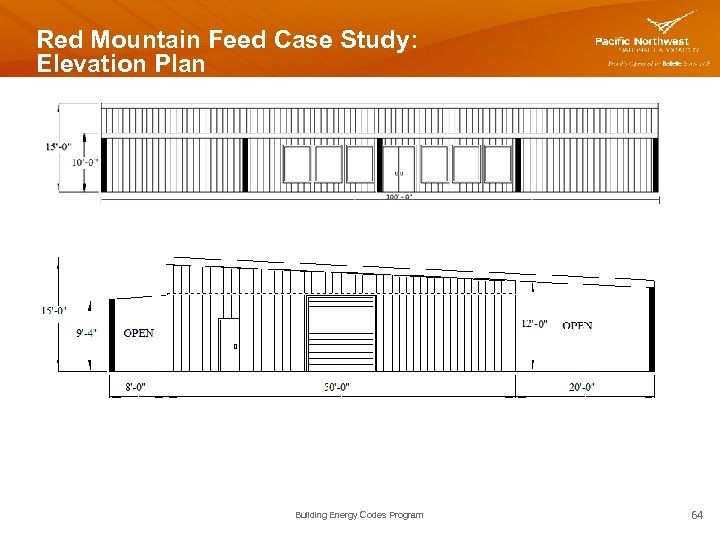
Red Mountain Feed Case Study: Elevation Plan Building Energy Codes Program 64
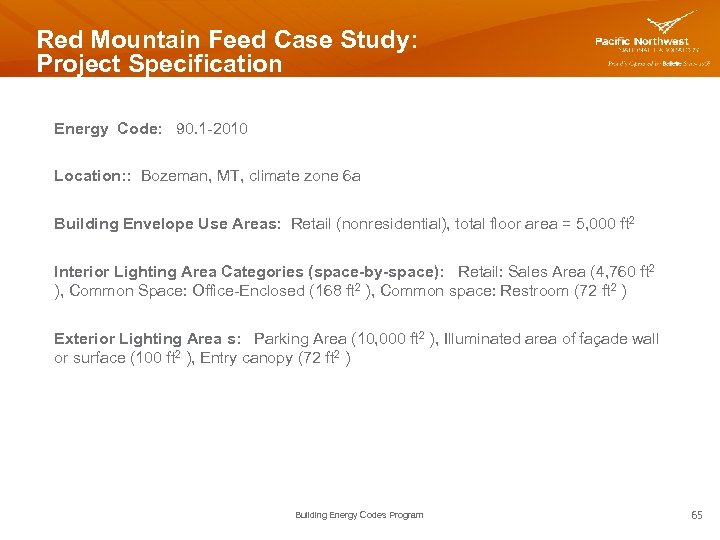
Red Mountain Feed Case Study: Project Specification Energy Code: 90. 1 -2010 Location: : Bozeman, MT, climate zone 6 a Building Envelope Use Areas: Retail (nonresidential), total floor area = 5, 000 ft 2 Interior Lighting Area Categories (space-by-space): Retail: Sales Area (4, 760 ft 2 ), Common Space: Office-Enclosed (168 ft 2 ), Common space: Restroom (72 ft 2 ) Exterior Lighting Area s: Parking Area (10, 000 ft 2 ), Illuminated area of façade wall or surface (100 ft 2 ), Entry canopy (72 ft 2 ) Building Energy Codes Program 65
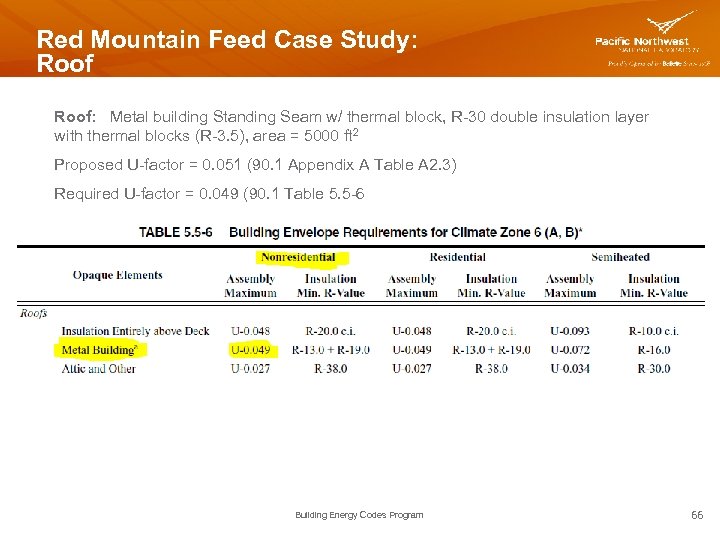
Red Mountain Feed Case Study: Roof: Metal building Standing Seam w/ thermal block, R-30 double insulation layer with thermal blocks (R-3. 5), area = 5000 ft 2 Proposed U-factor = 0. 051 (90. 1 Appendix A Table A 2. 3) Required U-factor = 0. 049 (90. 1 Table 5. 5 -6 Building Energy Codes Program 66
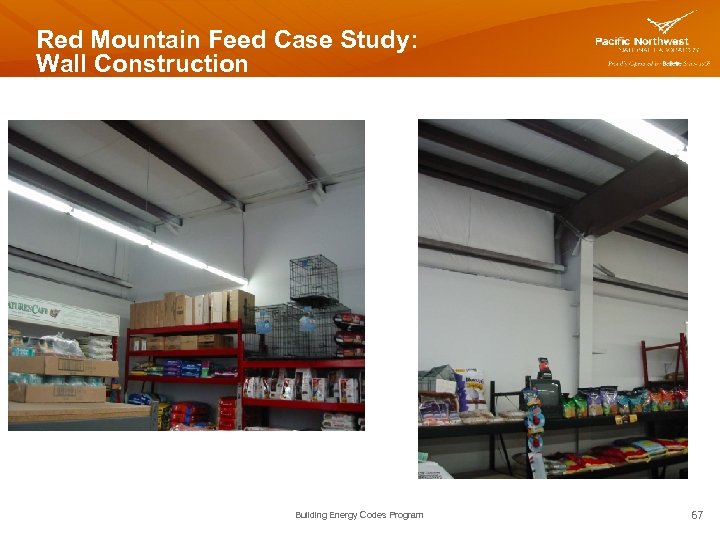
Red Mountain Feed Case Study: Wall Construction Building Energy Codes Program 67
Red Mountain Feed Case Study: Exterior Walls: Metal building and steel framed, first 10’ of wall height steel framed 16” o. c. with R-15 cavity insulation, R-15 continuous insulation, finished interior wall. Height of wall above 10’ metal building wall construction with single layer mineral fiber R-15. South wall: 1, 000 ft 2 - Steel frame 16” o. c. , , R-15 / R-15 ci 500 ft 2 - Metal building single layer mineral fiber, R-15 North wall: 1, 000 ft 2 - Steel frame 16” o. c. , R-15 / R-15 ci 200 ft 2 - Metal building single layer mineral fiber 500 ft 2, R-15 West wall: 500 ft 2 - Steel frame 16” o. c. , R-15 / R-15 ci 175 ft 2 - Metal building single layer mineral fiber, R-15 East wall: 500 ft 2 - Steel frame 16” o. c. , R-15 / R-15 ci 175 ft 2 - Metal building single layer mineral fiber, R-15 Building Energy Codes Program 68
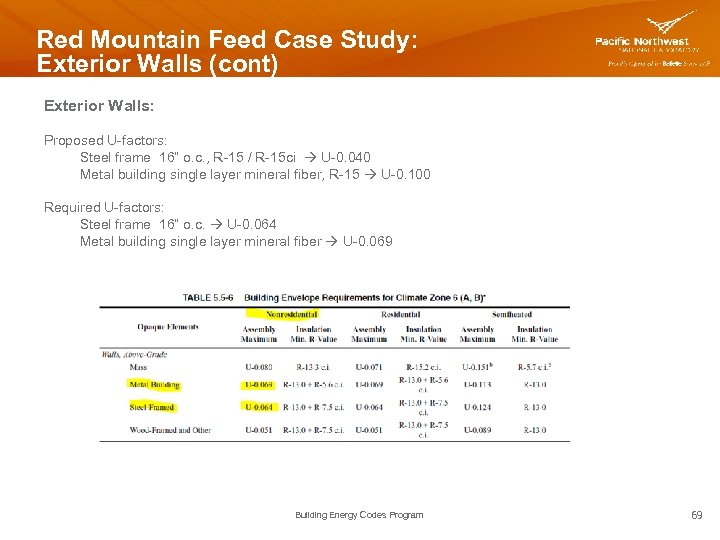
Red Mountain Feed Case Study: Exterior Walls (cont) Exterior Walls: Proposed U-factors: Steel frame 16” o. c. , R-15 / R-15 ci U-0. 040 Metal building single layer mineral fiber, R-15 U-0. 100 Required U-factors: Steel frame 16” o. c. U-0. 064 Metal building single layer mineral fiber U-0. 069 Building Energy Codes Program 69
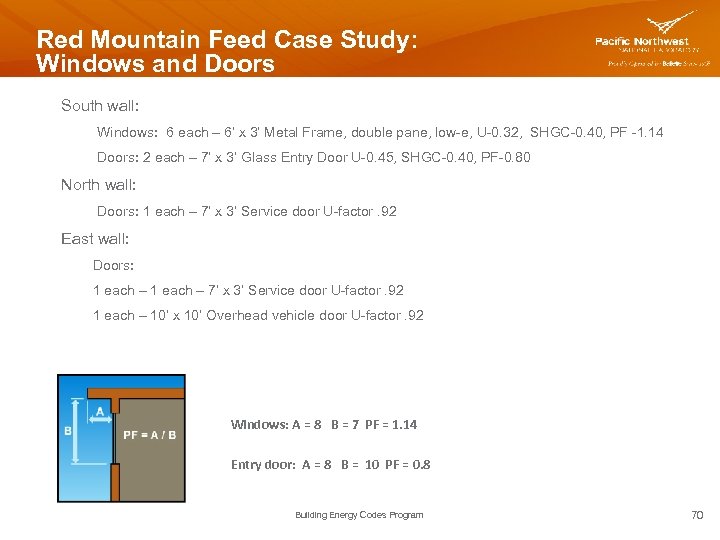
Red Mountain Feed Case Study: Windows and Doors South wall: Windows: 6 each – 6’ x 3’ Metal Frame, double pane, low-e, U-0. 32, SHGC-0. 40, PF -1. 14 Doors: 2 each – 7’ x 3’ Glass Entry Door U-0. 45, SHGC-0. 40, PF-0. 80 North wall: Doors: 1 each – 7’ x 3’ Service door U-factor. 92 East wall: Doors: 1 each – 7’ x 3’ Service door U-factor. 92 1 each – 10’ x 10’ Overhead vehicle door U-factor. 92 Windows: A = 8 B = 7 PF = 1. 14 Entry door: A = 8 B = 10 PF = 0. 8 Building Energy Codes Program 70
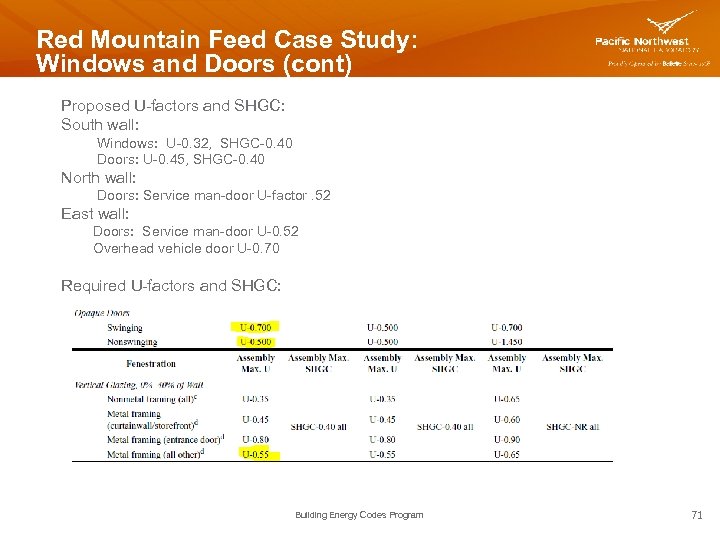
Red Mountain Feed Case Study: Windows and Doors (cont) Proposed U-factors and SHGC: South wall: Windows: U-0. 32, SHGC-0. 40 Doors: U-0. 45, SHGC-0. 40 North wall: Doors: Service man-door U-factor. 52 East wall: Doors: Service man-door U-0. 52 Overhead vehicle door U-0. 70 Required U-factors and SHGC: Building Energy Codes Program 71
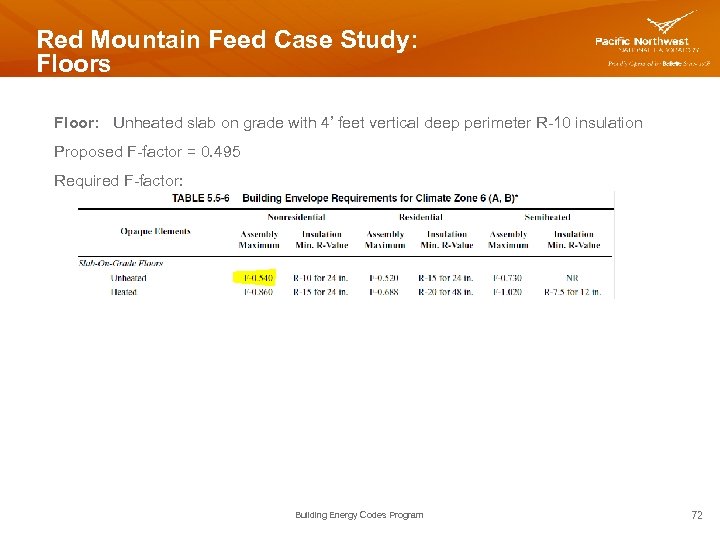
Red Mountain Feed Case Study: Floors Floor: Unheated slab on grade with 4’ feet vertical deep perimeter R-10 insulation Proposed F-factor = 0. 495 Required F-factor: Building Energy Codes Program 72
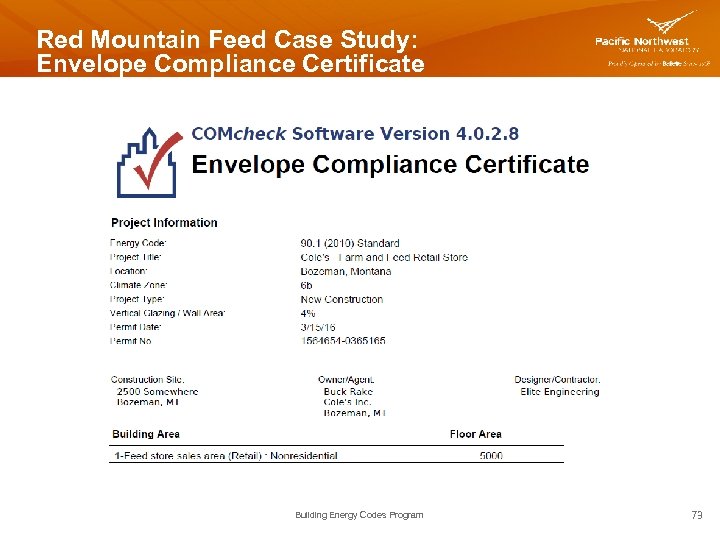
Red Mountain Feed Case Study: Envelope Compliance Certificate Building Energy Codes Program 73
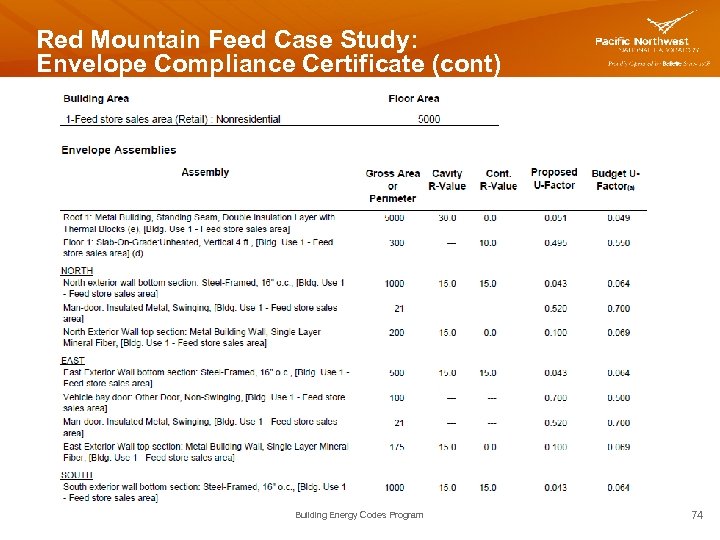
Red Mountain Feed Case Study: Envelope Compliance Certificate (cont) Building Energy Codes Program 74
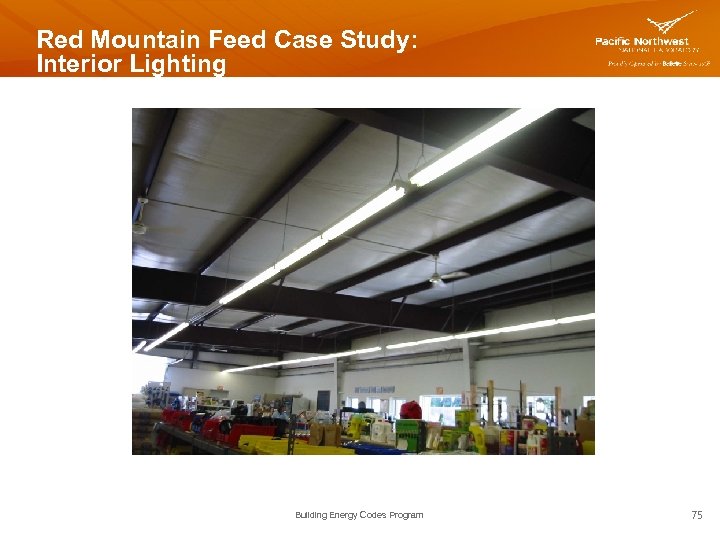
Red Mountain Feed Case Study: Interior Lighting Building Energy Codes Program 75
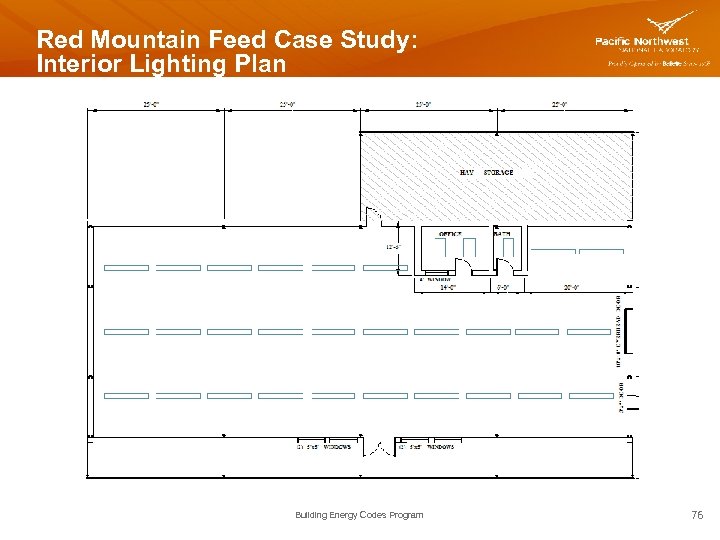
Red Mountain Feed Case Study: Interior Lighting Plan Building Energy Codes Program 76
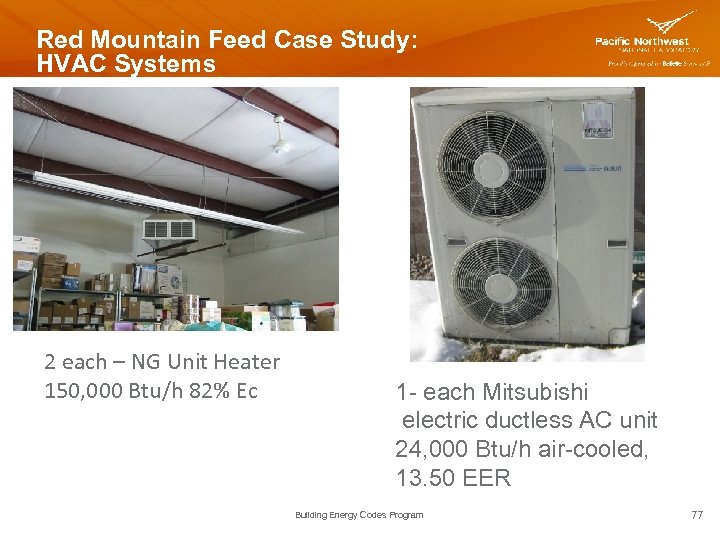
Red Mountain Feed Case Study: HVAC Systems 2 each – NG Unit Heater 150, 000 Btu/h 82% Ec 1 - each Mitsubishi electric ductless AC unit 24, 000 Btu/h air-cooled, 13. 50 EER Building Energy Codes Program 77
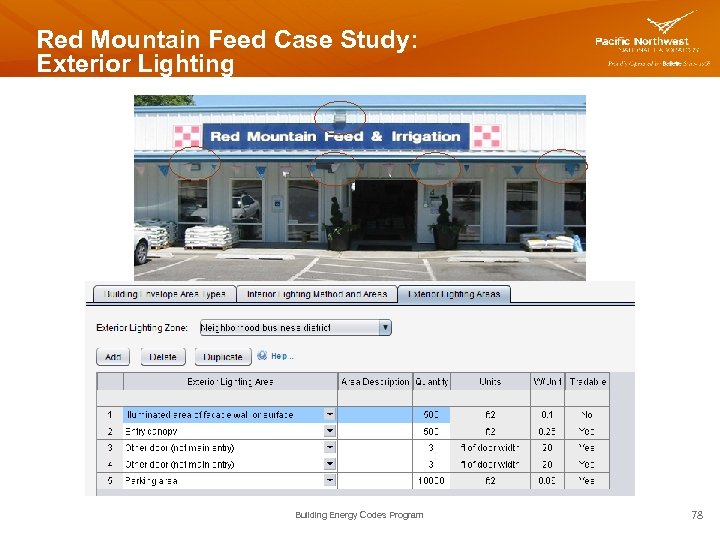
Red Mountain Feed Case Study: Exterior Lighting Building Energy Codes Program 78
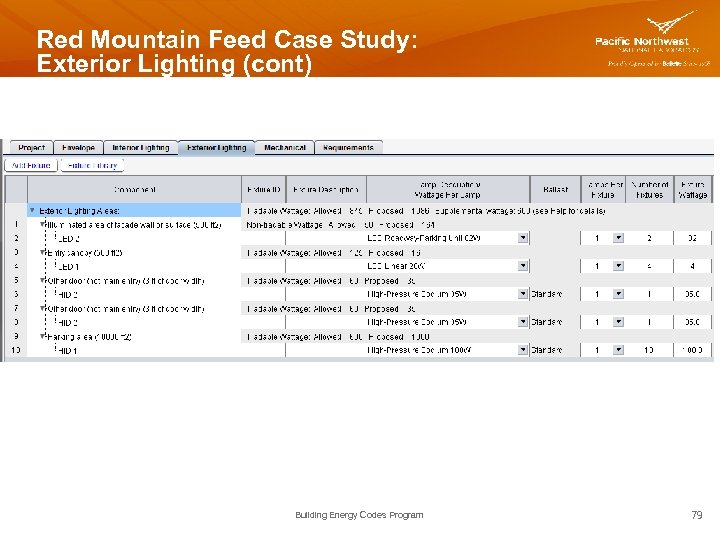
Red Mountain Feed Case Study: Exterior Lighting (cont) Building Energy Codes Program 79
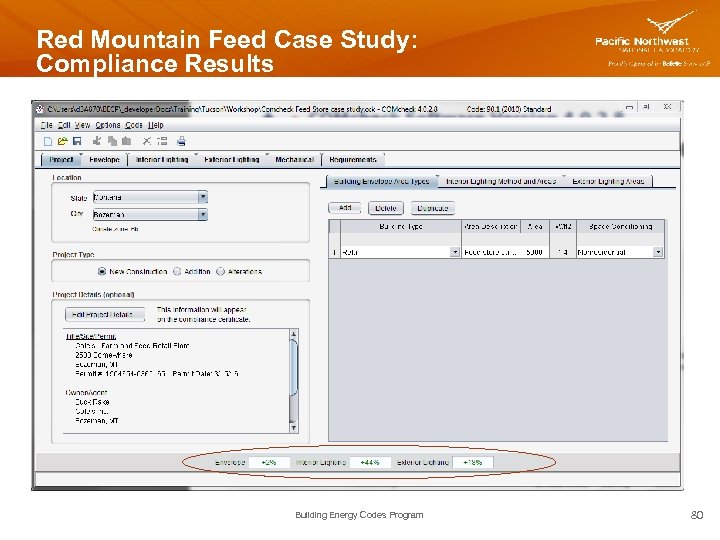
Red Mountain Feed Case Study: Compliance Results Building Energy Codes Program 80
THANK YOU! Pam Cole pam. cole@pnnl. gov Bob Schultz robert. schultz@pnnl. gov Building Energy Codes Program www. energycodes. gov BECP help desk http: //www. energycodes. gov/resource-center/help-desk Building Energy Codes Program 81
Скачать презентацию COMcheck TM Basics and Compliance Determination PAM COLE
6fc37fcb24724e1af5ec3dffa2fded15.ppt