


 Скачать презентацию COLORADO SCHOOL OF MINES A Tutorial Introduction to
242b7c05b5596880fa5dcdf1effdf125.ppt
- Количество слайдов: 76
 COLORADO SCHOOL OF MINES A Tutorial Introduction to Autonomous Systems Kevin L. Moore Colorado School of Mines Golden, Colorado USA 2008 IFAC World Congress Seoul, Korea 10 July 2008 A Tutorial Introduction to Autonomous Systems – Kevin L. Moore, 2008 IFAC World Congress, Seoul, Korea 1
 Overview COLORADO SCHOOL OF MINES • Purpose of paper is to present a – tutorial-level introduction to the technical aspects of unmanned autonomous systems. • We emphasize – a system engineering perspective on the conceptual design and integration of both • the components used in unmanned systems including the locomotion, sensors, and computing systems needed to provide inherent autonomy capability, and • the algorithms and architectures needed to enable control and autonomy, including path-tracking control and high-level planning strategies. • Concepts are illustrated using case study examples from robotic and unmanned system developed by the author and his colleagues A Tutorial Introduction to Autonomous Systems – Kevin L. Moore, 2008 IFAC World Congress, Seoul, Korea 2
 Acknowledgments COLORADO SCHOOL OF MINES Professor D. Subbaram Naidu – Idaho State University – Measurement and Control Engineering Research Center Professor Yang. Quan Chen Professor Nicholas Flann – Utah State University (USU) – Center for Self-Organizing and Intelligent Systems (CSOIS) Mr. Mel Torrie – Autonomous Solutions, Inc. David Watson Autonomous Solutions, Inc. ™ David Schiedt Dr. I-Jeng Wang Dr. Dennis Lucarelli – Johns Hopkins Applied Physics Lab (APL) ALL MY STUDENTS OVER THE YEARS! A Tutorial Introduction to Autonomous Systems – Kevin L. Moore, 2008 IFAC World Congress, Seoul, Korea 3
 Outline COLORADO SCHOOL OF MINES • What is an Unmanned System? • Unmanned system components − Motion and locomotion − Electro-mechanical − Sensors − Electronics and computational hardware • Unmanned system architectures and algorithms − Multi-resolution approach − Software Architecture − Reaction, adaptation, and learning via high-level feedback A Tutorial Introduction to Autonomous Systems – Kevin L. Moore, 2008 IFAC World Congress, Seoul, Korea 4
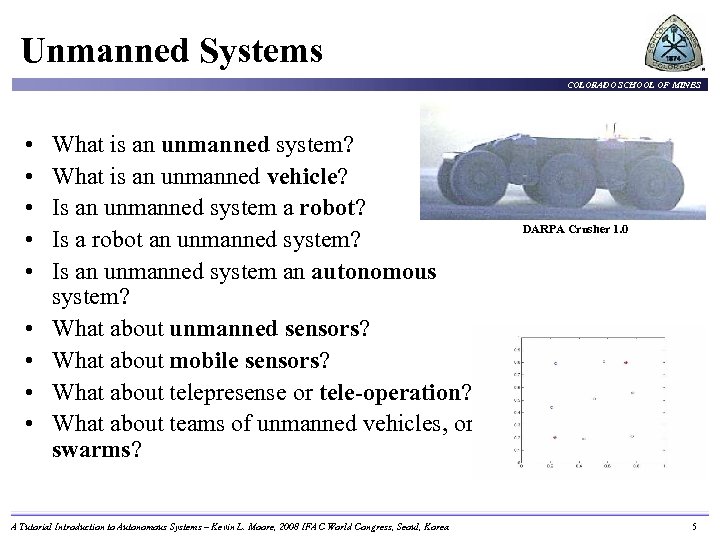 Unmanned Systems COLORADO SCHOOL OF MINES • • • What is an unmanned system? What is an unmanned vehicle? Is an unmanned system a robot? Is a robot an unmanned system? Is an unmanned system an autonomous system? What about unmanned sensors? What about mobile sensors? What about telepresense or tele-operation? What about teams of unmanned vehicles, or swarms? A Tutorial Introduction to Autonomous Systems – Kevin L. Moore, 2008 IFAC World Congress, Seoul, Korea DARPA Crusher 1. 0 5
 Unmanned System COLORADO SCHOOL OF MINES • Let us define: – Unmanned system: any electro-mechanical system which has the capability to carry out a prescribed task or portion of a prescribed task automatically, without human intervention – Unmanned vehicle: a vehicle that does not contain a person • Can be tele-operated • Can be autonomous • Typically deploys a payload (sensor or actuator) • Focus today will be on unmanned vehicles • Unmanned vehicles can come in several flavors: Ux. V – Land: UGV – Air: UAV – Maritime: UUV, USV – Sensors: UGS A Tutorial Introduction to Autonomous Systems – Kevin L. Moore, 2008 IFAC World Congress, Seoul, Korea 6
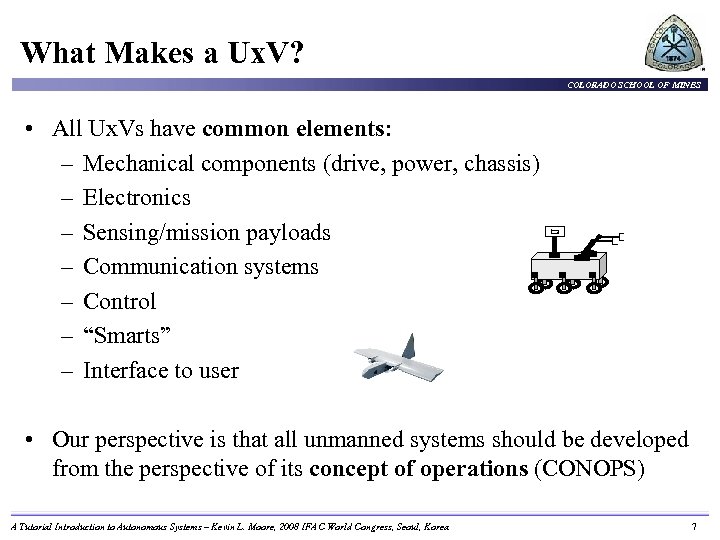 What Makes a Ux. V? COLORADO SCHOOL OF MINES • All Ux. Vs have common elements: – Mechanical components (drive, power, chassis) – Electronics – Sensing/mission payloads – Communication systems – Control – “Smarts” – Interface to user • Our perspective is that all unmanned systems should be developed from the perspective of its concept of operations (CONOPS) A Tutorial Introduction to Autonomous Systems – Kevin L. Moore, 2008 IFAC World Congress, Seoul, Korea 7
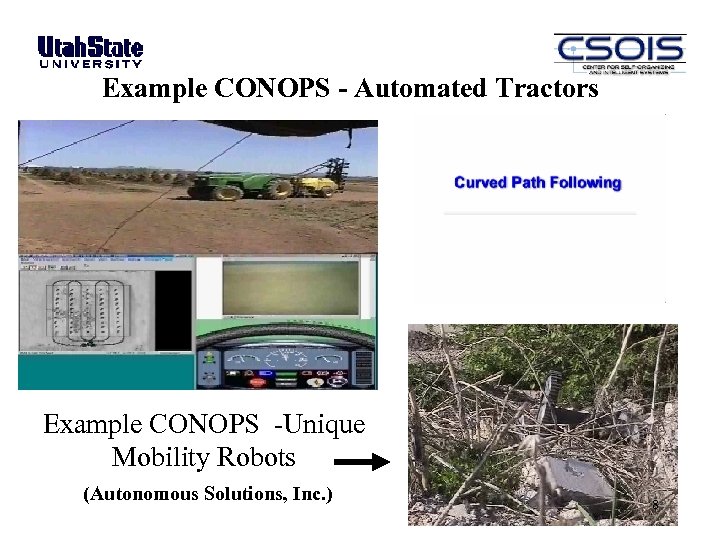 Example CONOPS - Automated Tractors Example CONOPS -Unique Mobility Robots (Autonomous Solutions, Inc. ) 8
 What Makes a Ux. V? COLORADO SCHOOL OF MINES • All Ux. Vs have common elements: – Mechanical components (drive, power, chassis) – Electronics – Sensing/mission payloads – Communication systems – Control – “Smarts” – Interface to user • Our perspective is that all unmanned systems should be developed from the perspective of its concept of operations (CONOPS) • Once a CONOPS has been defined, then systems engineering is used to flow-down requirements for subsystems. A Tutorial Introduction to Autonomous Systems – Kevin L. Moore, 2008 IFAC World Congress, Seoul, Korea 9
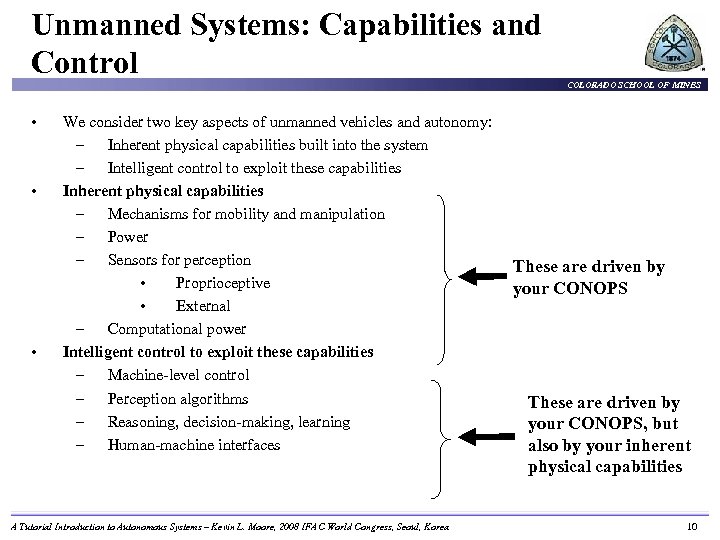 Unmanned Systems: Capabilities and Control • • • We consider two key aspects of unmanned vehicles and autonomy: – Inherent physical capabilities built into the system – Intelligent control to exploit these capabilities Inherent physical capabilities – Mechanisms for mobility and manipulation – Power – Sensors for perception • Proprioceptive • External – Computational power Intelligent control to exploit these capabilities – Machine-level control – Perception algorithms – Reasoning, decision-making, learning – Human-machine interfaces A Tutorial Introduction to Autonomous Systems – Kevin L. Moore, 2008 IFAC World Congress, Seoul, Korea COLORADO SCHOOL OF MINES These are driven by your CONOPS, but also by your inherent physical capabilities 10
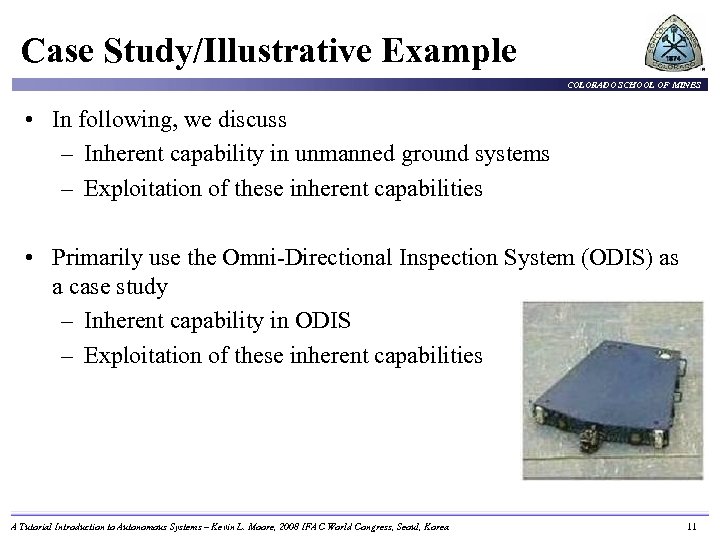 Case Study/Illustrative Example COLORADO SCHOOL OF MINES • In following, we discuss – Inherent capability in unmanned ground systems – Exploitation of these inherent capabilities • Primarily use the Omni-Directional Inspection System (ODIS) as a case study – Inherent capability in ODIS – Exploitation of these inherent capabilities A Tutorial Introduction to Autonomous Systems – Kevin L. Moore, 2008 IFAC World Congress, Seoul, Korea 11
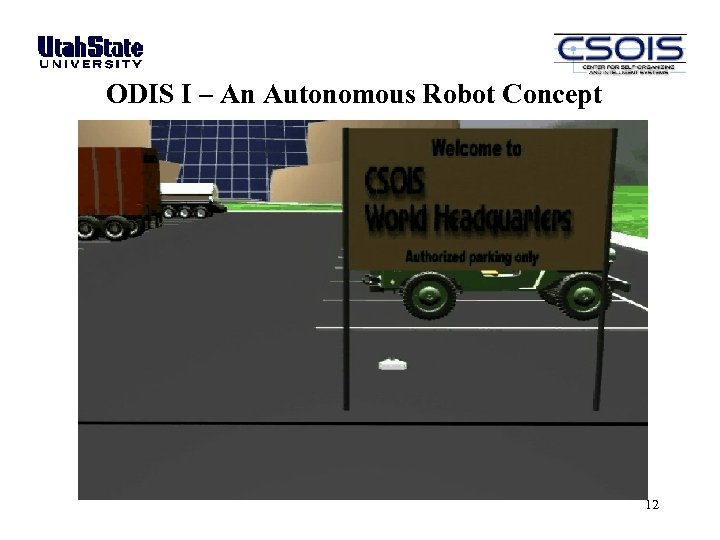 ODIS I – An Autonomous Robot Concept 12
 Outline COLORADO SCHOOL OF MINES • What is an Unmanned System? • Unmanned system components − Motion and locomotion − Electro-mechanical − Sensors − Electronics and computational hardware • Unmanned system architectures and algorithms − Multi-resolution approach − Software Architecture − Reaction, adaptation, and learning via high-level feedback • Toward an algorithmic framework for autonomous Ux. Vs A Tutorial Introduction to Autonomous Systems – Kevin L. Moore, 2008 IFAC World Congress, Seoul, Korea 13
 UGV Technology Motion 14
 Motion and Locomotion for Unmanned Systems COLORADO SCHOOL OF MINES Except for UGS, most unmanned systems must move: • UGV: wheels and tracks • UAV: fixed wing, rotary wing, VTOL • USV/UUV: propeller based, jetted In general the motion and locomotion aspects of an unmanned vehicle are not remarkably different than that of their manned counterparts: – Design of motion and locomotion system becomes “only” an engineering task! A Tutorial Introduction to Autonomous Systems – Kevin L. Moore, 2008 IFAC World Congress, Seoul, Korea 15
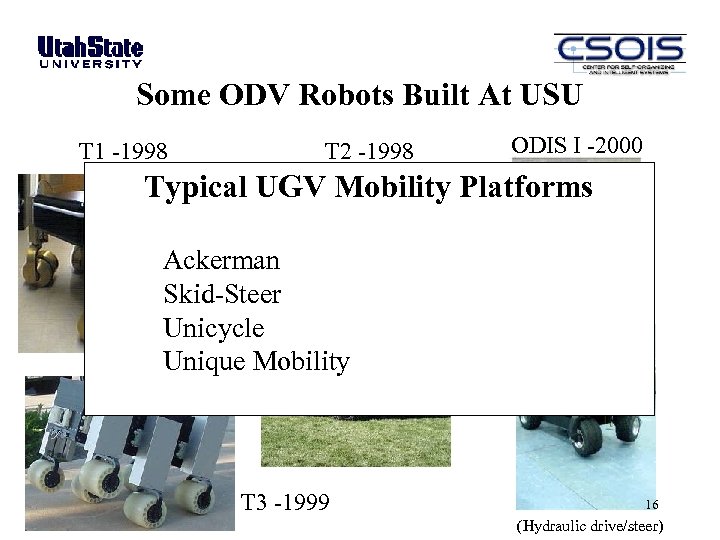 Some ODV Robots Built At USU T 1 -1998 T 2 -1998 ODIS I -2000 Typical UGV Mobility Platforms Ackerman Skid-Steer Unicycle Unique Mobility T 3 -1999 T 4 -2003 16 (Hydraulic drive/steer)
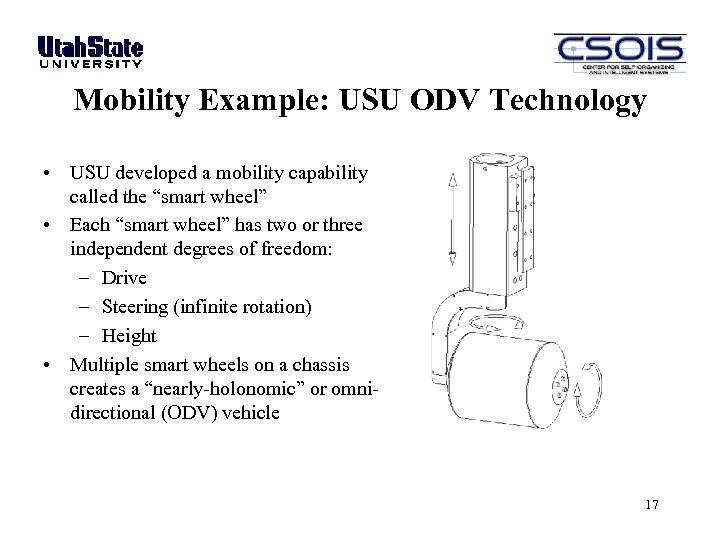 Mobility Example: USU ODV Technology • USU developed a mobility capability called the “smart wheel” • Each “smart wheel” has two or three independent degrees of freedom: – Drive – Steering (infinite rotation) – Height • Multiple smart wheels on a chassis creates a “nearly-holonomic” or omnidirectional (ODV) vehicle 17
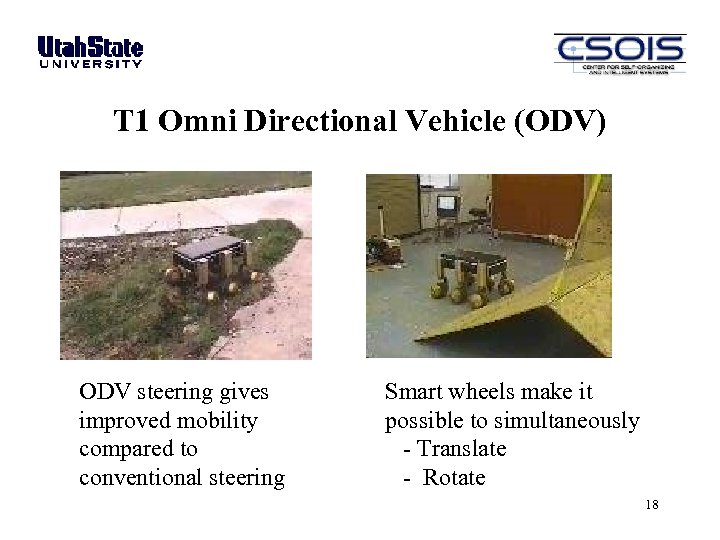 T 1 Omni Directional Vehicle (ODV) ODV steering gives improved mobility compared to conventional steering Smart wheels make it possible to simultaneously - Translate - Rotate 18
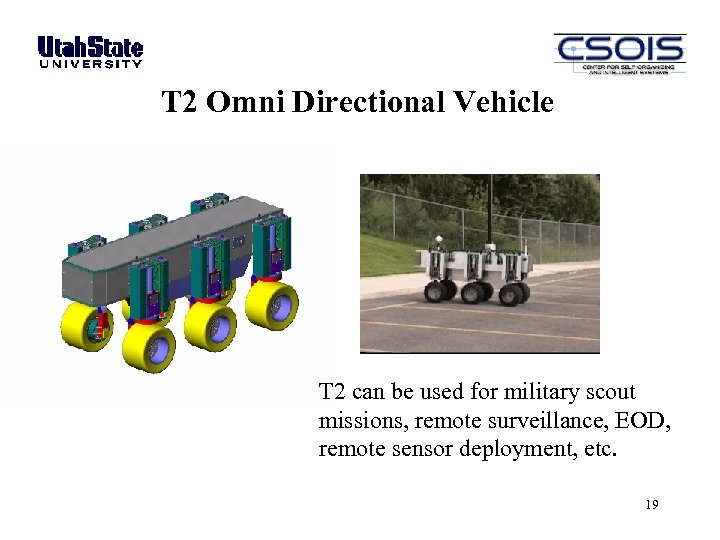 T 2 Omni Directional Vehicle T 2 can be used for military scout missions, remote surveillance, EOD, remote sensor deployment, etc. 19
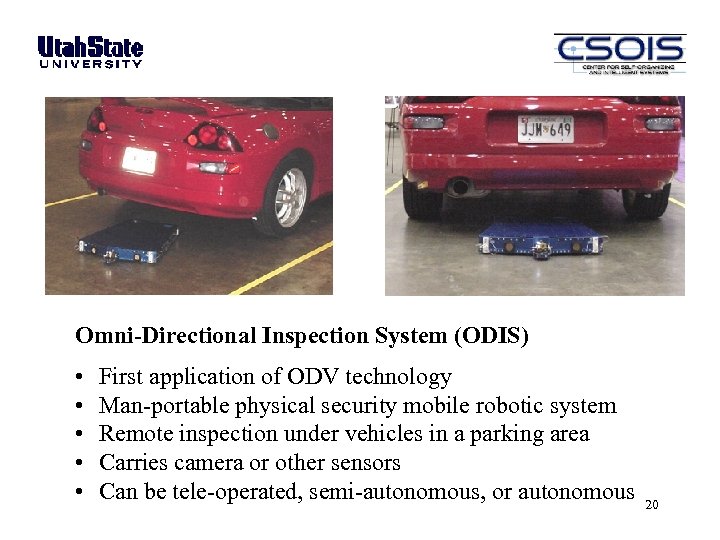 Omni-Directional Inspection System (ODIS) • • • First application of ODV technology Man-portable physical security mobile robotic system Remote inspection under vehicles in a parking area Carries camera or other sensors Can be tele-operated, semi-autonomous, or autonomous 20
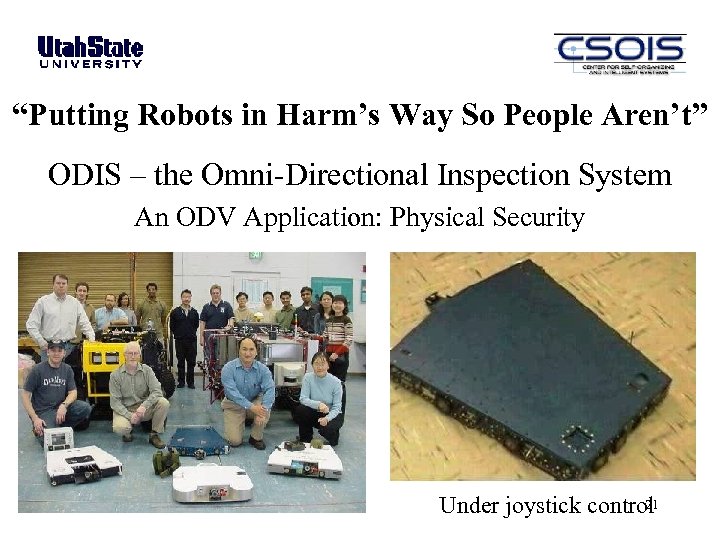 “Putting Robots in Harm’s Way So People Aren’t” ODIS – the Omni-Directional Inspection System An ODV Application: Physical Security 21 Under joystick control
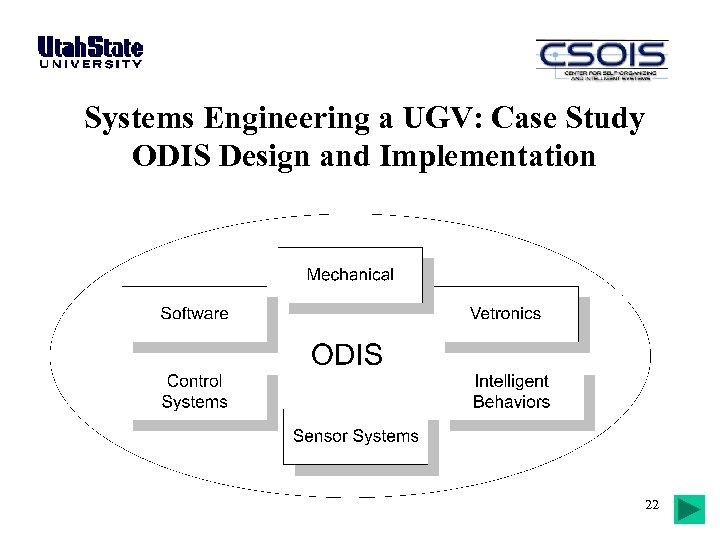 Systems Engineering a UGV: Case Study ODIS Design and Implementation 22
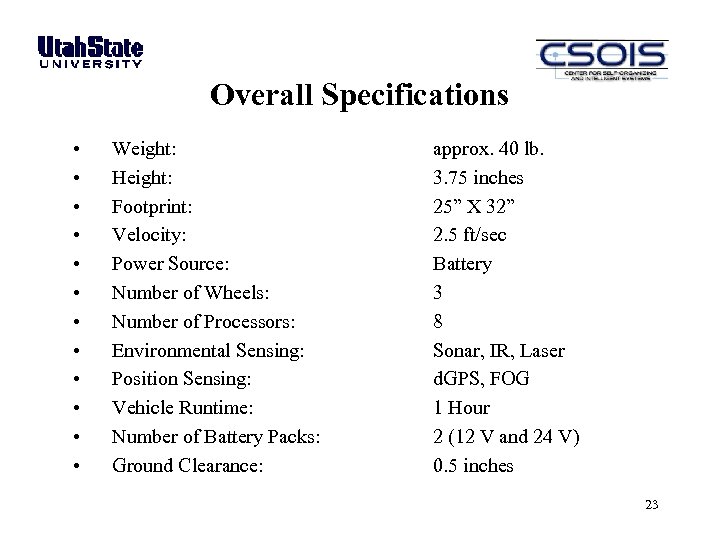 Overall Specifications • • • Weight: Height: Footprint: Velocity: Power Source: Number of Wheels: Number of Processors: Environmental Sensing: Position Sensing: Vehicle Runtime: Number of Battery Packs: Ground Clearance: approx. 40 lb. 3. 75 inches 25” X 32” 2. 5 ft/sec Battery 3 8 Sonar, IR, Laser d. GPS, FOG 1 Hour 2 (12 V and 24 V) 0. 5 inches 23
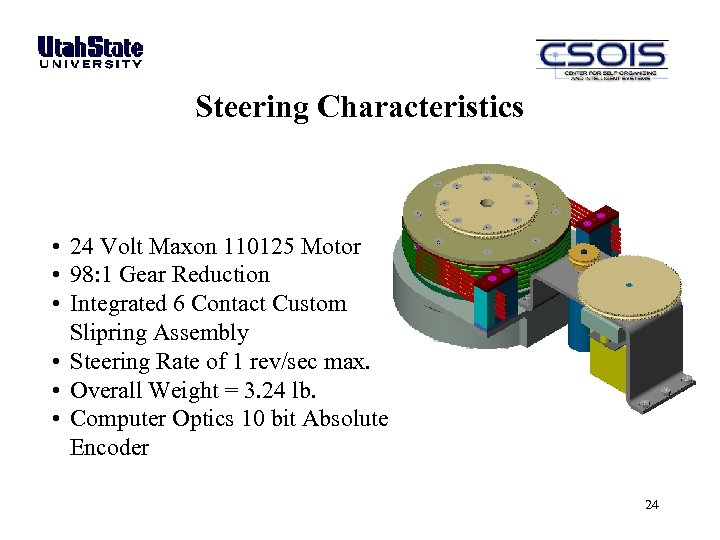 Steering Characteristics • 24 Volt Maxon 110125 Motor • 98: 1 Gear Reduction • Integrated 6 Contact Custom Slipring Assembly • Steering Rate of 1 rev/sec max. • Overall Weight = 3. 24 lb. • Computer Optics 10 bit Absolute Encoder 24
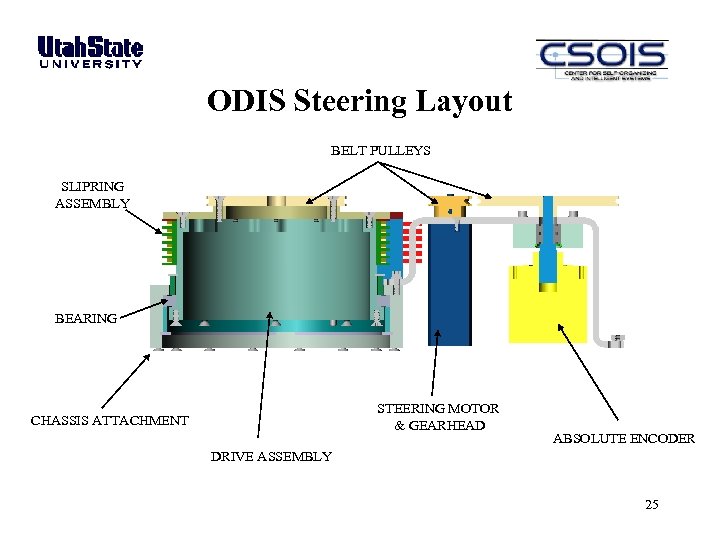 ODIS Steering Layout BELT PULLEYS SLIPRING ASSEMBLY BEARING STEERING MOTOR & GEARHEAD CHASSIS ATTACHMENT ABSOLUTE ENCODER DRIVE ASSEMBLY 25
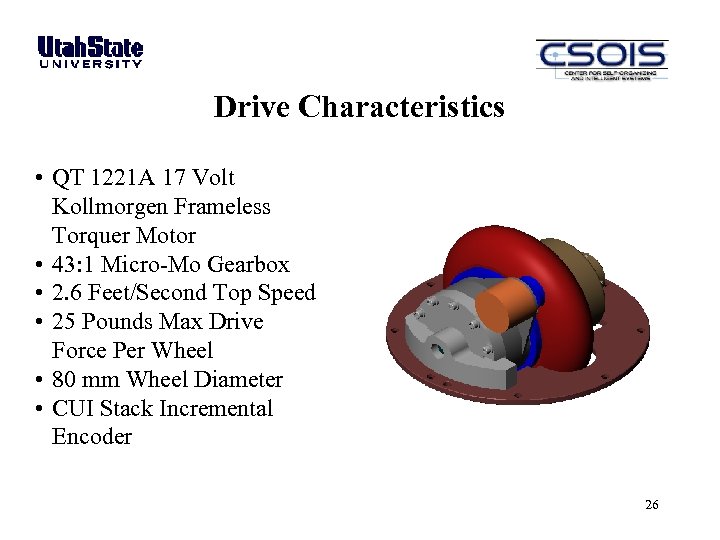 Drive Characteristics • QT 1221 A 17 Volt Kollmorgen Frameless Torquer Motor • 43: 1 Micro-Mo Gearbox • 2. 6 Feet/Second Top Speed • 25 Pounds Max Drive Force Per Wheel • 80 mm Wheel Diameter • CUI Stack Incremental Encoder 26
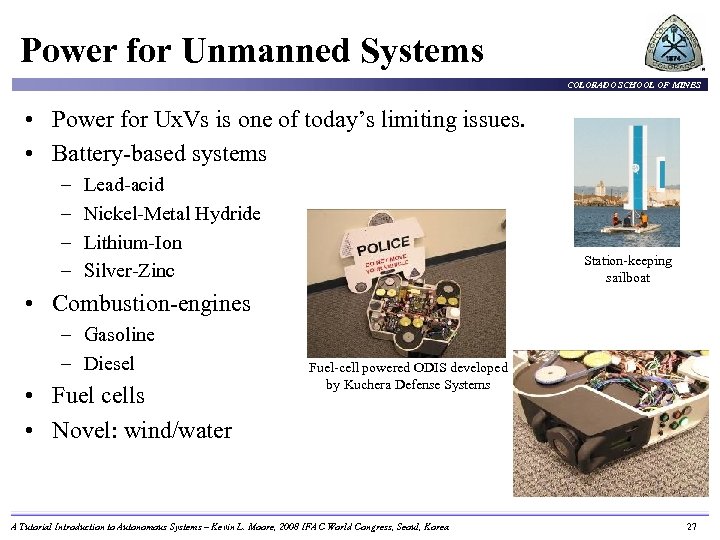 Power for Unmanned Systems COLORADO SCHOOL OF MINES • Power for Ux. Vs is one of today’s limiting issues. • Battery-based systems – – Lead-acid Nickel-Metal Hydride Lithium-Ion Silver-Zinc Station-keeping sailboat • Combustion-engines – Gasoline – Diesel • Fuel cells • Novel: wind/water Fuel-cell powered ODIS developed by Kuchera Defense Systems A Tutorial Introduction to Autonomous Systems – Kevin L. Moore, 2008 IFAC World Congress, Seoul, Korea 27
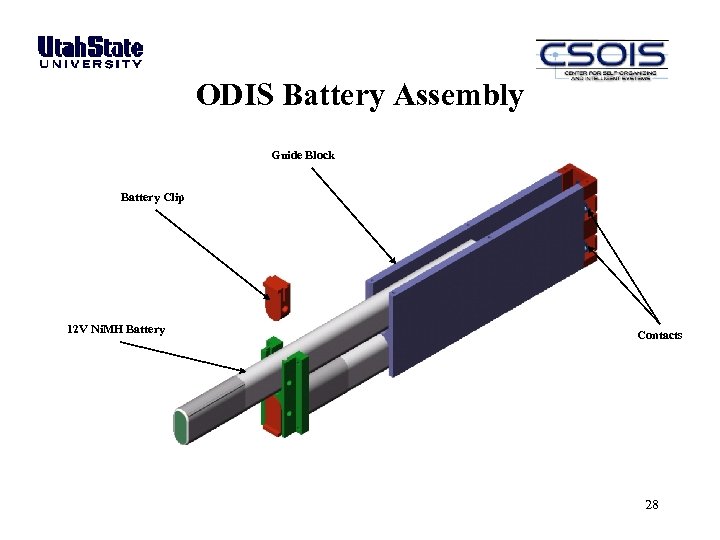 ODIS Battery Assembly Guide Block Battery Clip 12 V Ni. MH Battery Contacts 28
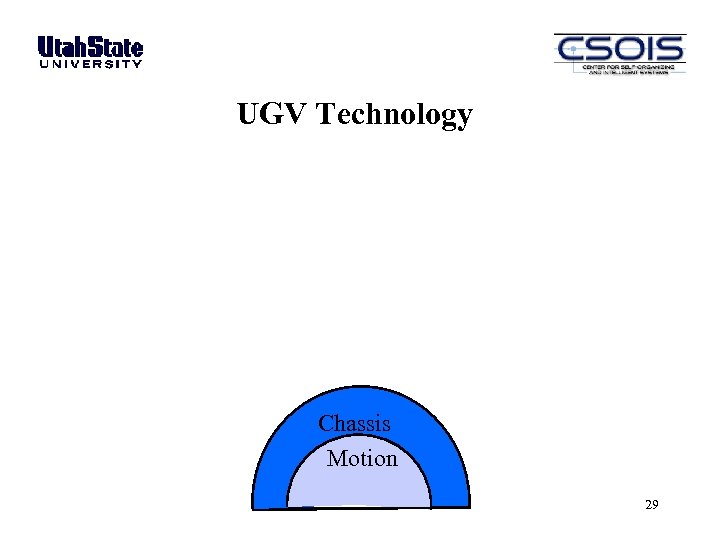 UGV Technology Chassis Motion 29
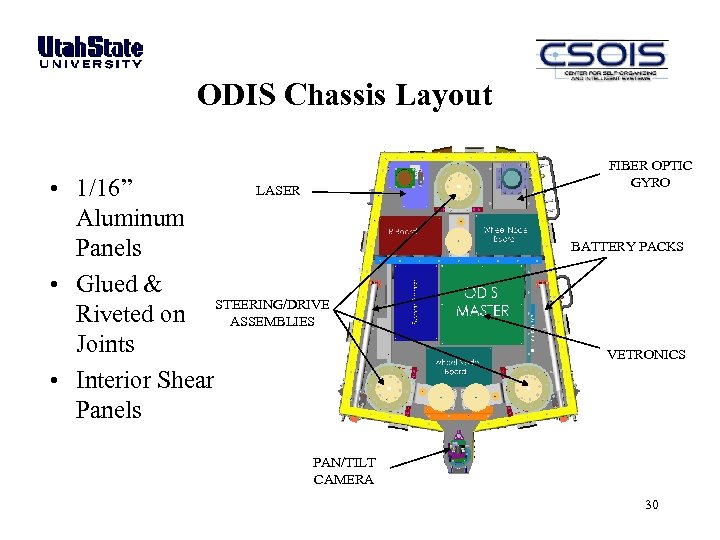 ODIS Chassis Layout LASER • 1/16” Aluminum Panels • Glued & Riveted on STEERING/DRIVE ASSEMBLIES Joints • Interior Shear Panels FIBER OPTIC GYRO BATTERY PACKS VETRONICS PAN/TILT CAMERA 30
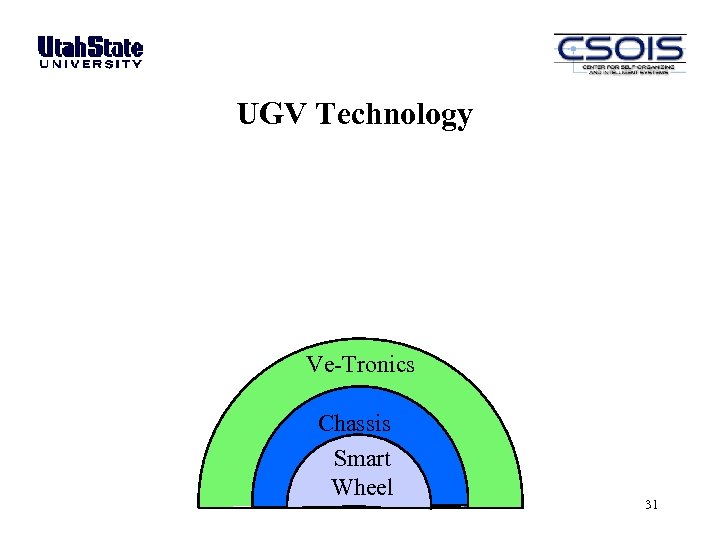 UGV Technology Ve-Tronics Chassis Smart Wheel 31
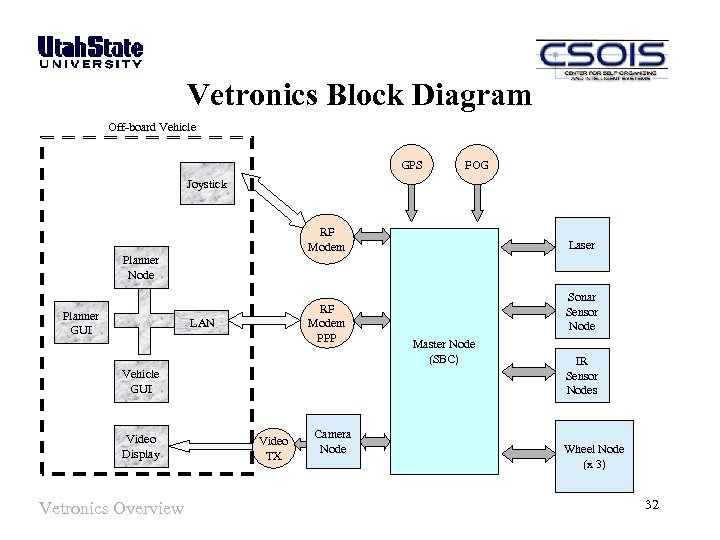 Vetronics Block Diagram Off-board Vehicle GPS FOG Joystick RF Modem Laser Planner Node Planner GUI RF Modem PPP LAN Vehicle GUI Video Display Vetronics Overview Video TX Camera Node Sonar Sensor Node Master Node (SBC) IR Sensor Nodes Wheel Node (x 3) 32
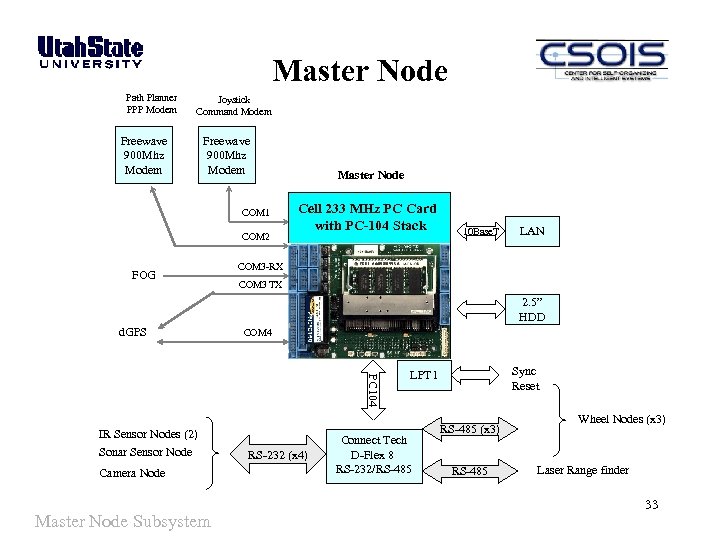 Master Node Path Planner PPP Modem Joystick Command Modem Freewave 900 Mhz Modem COM 1 COM 2 FOG Master Node Cell 233 MHz PC Card with PC-104 Stack 10 Base. T LAN COM 3 -RX COM 3 TX 2. 5” HDD d. GPS COM 4 PC 104 IR Sensor Nodes (2) Sonar Sensor Node Camera Node Master Node Subsystem RS-232 (x 4) Sync Reset LPT 1 Connect Tech D-Flex 8 RS-232/RS-485 (x 3) RS-485 Wheel Nodes (x 3) Laser Range finder 33
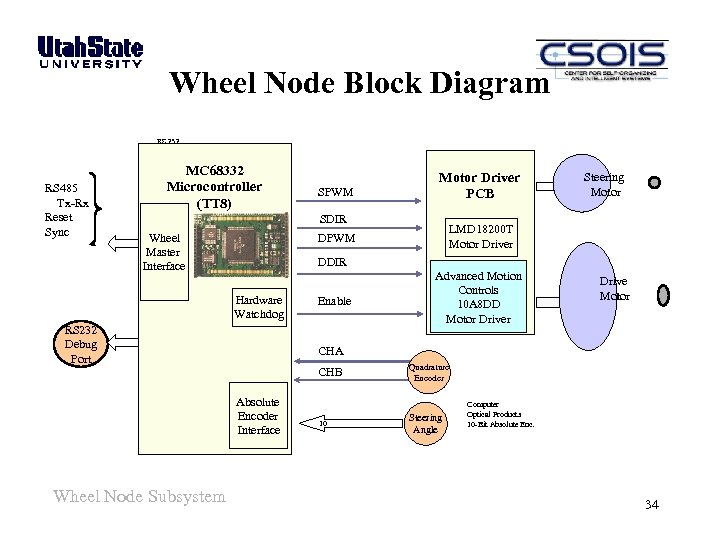 Wheel Node Block Diagram RS 232 RS 485 Tx-Rx Reset Sync MC 68332 Microcontroller (TT 8) SPWM Motor Driver PCB SDIR RS 232 Wheel Master Interface Hardware Watchdog RS 232 Debug Port Enable Advanced Motion Controls 10 A 8 DD Motor Driver 2 Drive Motor CHA CHB Absolute Encoder Interface Wheel Node Subsystem Steering Motor LMD 18200 T Motor Driver DPWM DDIR 2 10 Quadrature Encoder Steering Angle Computer Optical Products 10 -Bit Absolute Enc. 34
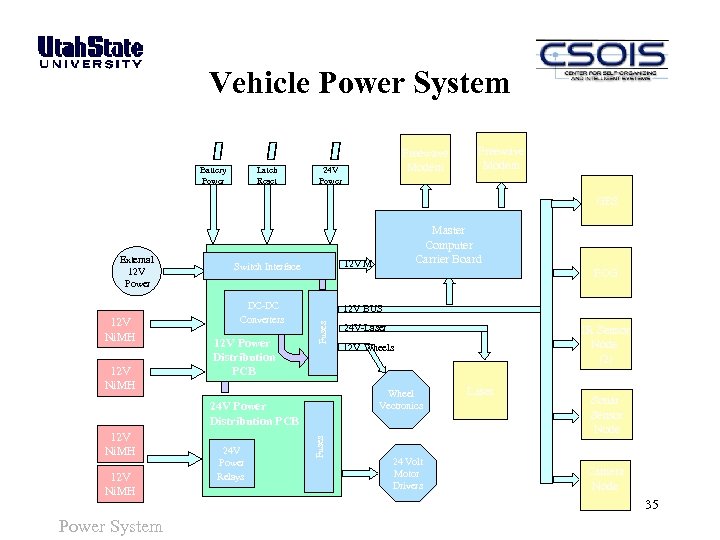 Vehicle Power System Battery Power Latch Reset Freewave Modem 24 V Power Freewave Modem GPS 12 V Ni. MH 12 V M Switch Interface DC-DC Converters 12 V Power Distribution PCB 12 V Ni. MH Power System Fuses 24 V Power Relays 24 V-Laser IR Sensor Node (2) 12 V Wheels Wheel Vectronics 24 V Power Distribution PCB 12 V Ni. MH FOG 12 V BUS Fuses External 12 V Power Master Computer Carrier Board 24 Volt Motor Drivers Laser Sonar Sensor Node Camera Node 35
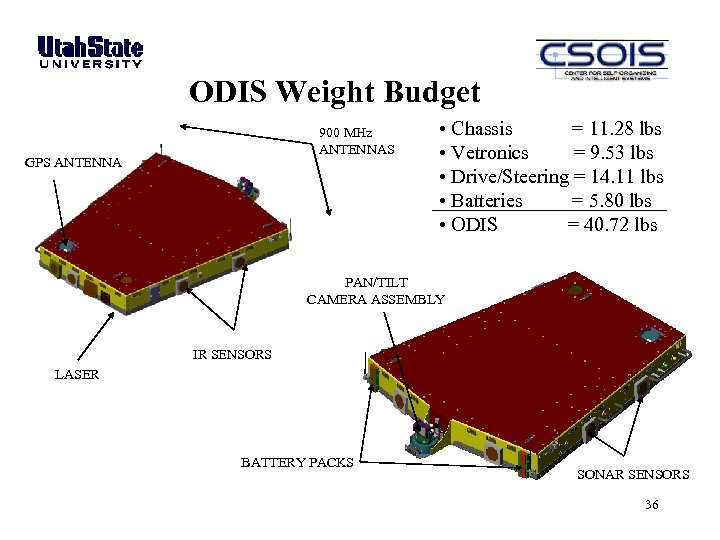 ODIS Weight Budget 900 MHz ANTENNAS GPS ANTENNA • Chassis = 11. 28 lbs • Vetronics = 9. 53 lbs • Drive/Steering = 14. 11 lbs • Batteries = 5. 80 lbs • ODIS = 40. 72 lbs PAN/TILT CAMERA ASSEMBLY IR SENSORS LASER BATTERY PACKS SONAR SENSORS 36
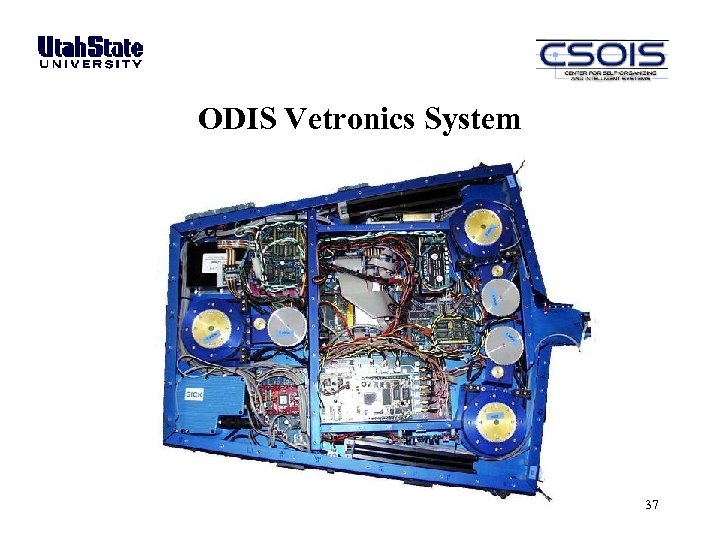 ODIS Vetronics System 37
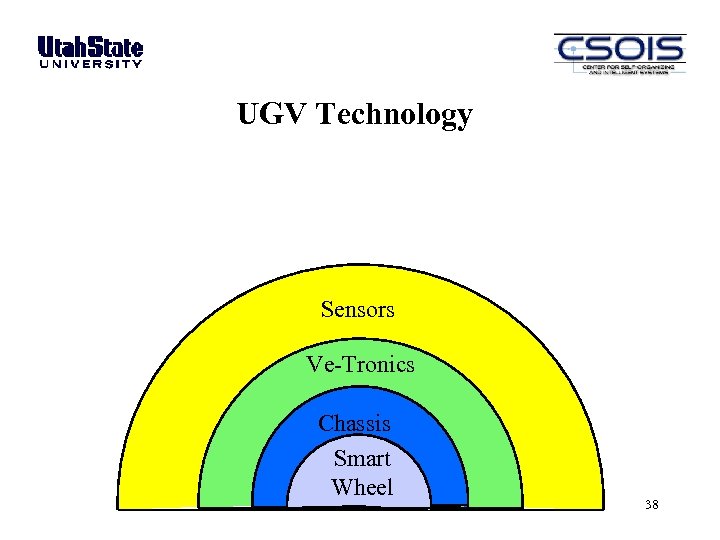 UGV Technology Sensors Ve-Tronics Chassis Smart Wheel 38
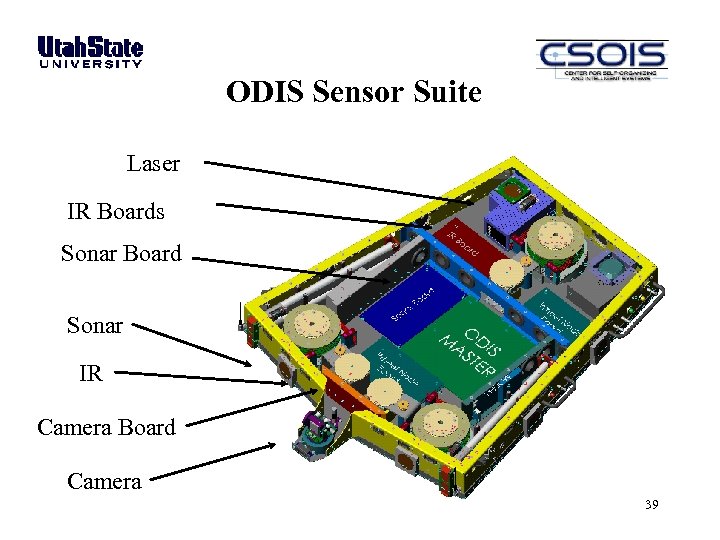 ODIS Sensor Suite Laser IR Boards Sonar Board Sonar IR Camera Board Camera 39
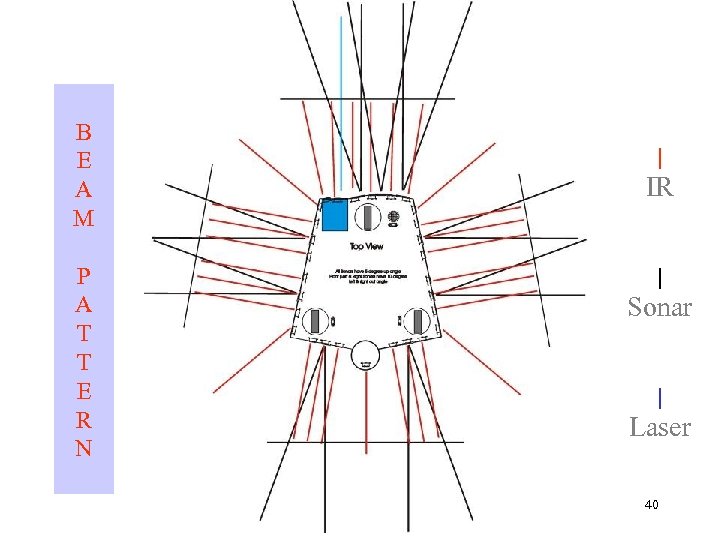 B E A M P A T T E R N | IR | Sonar | Laser 40
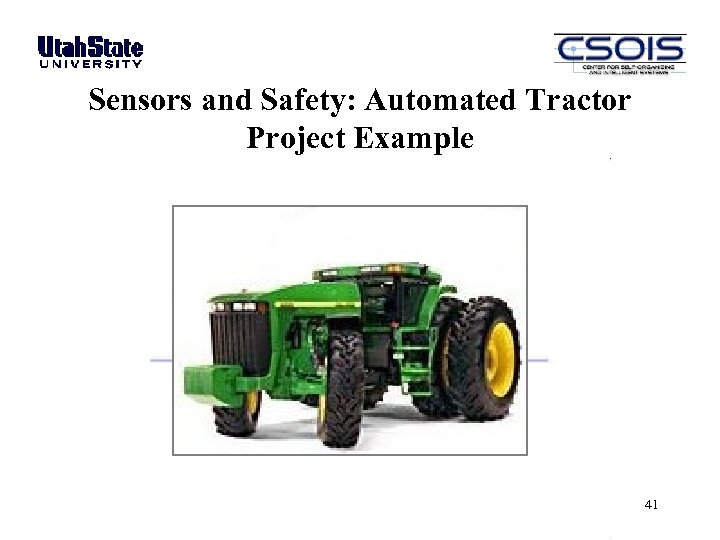 Sensors and Safety: Automated Tractor Project Example 41
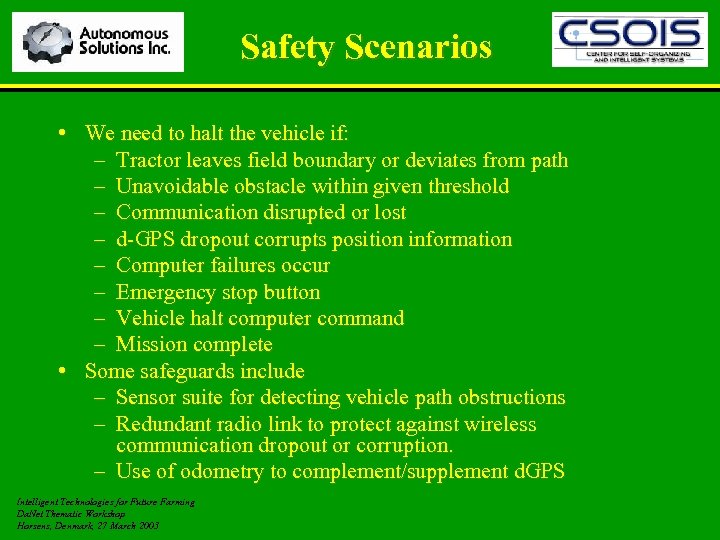 Safety Scenarios • We need to halt the vehicle if: – Tractor leaves field boundary or deviates from path – Unavoidable obstacle within given threshold – Communication disrupted or lost – d-GPS dropout corrupts position information – Computer failures occur – Emergency stop button – Vehicle halt computer command – Mission complete • Some safeguards include – Sensor suite for detecting vehicle path obstructions – Redundant radio link to protect against wireless communication dropout or corruption. – Use of odometry to complement/supplement d. GPS Intelligent Technologies for Future Farming Da. Net Thematic Workshop Horsens, Denmark, 27 March 2003
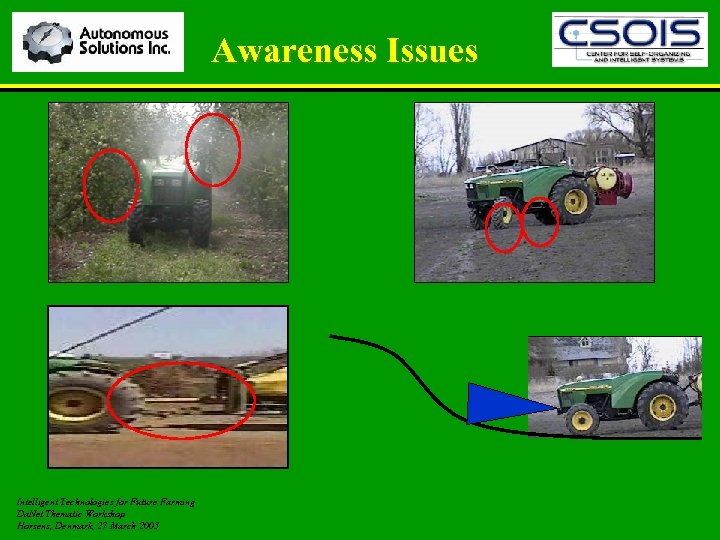 Awareness Issues Intelligent Technologies for Future Farming Da. Net Thematic Workshop Horsens, Denmark, 27 March 2003
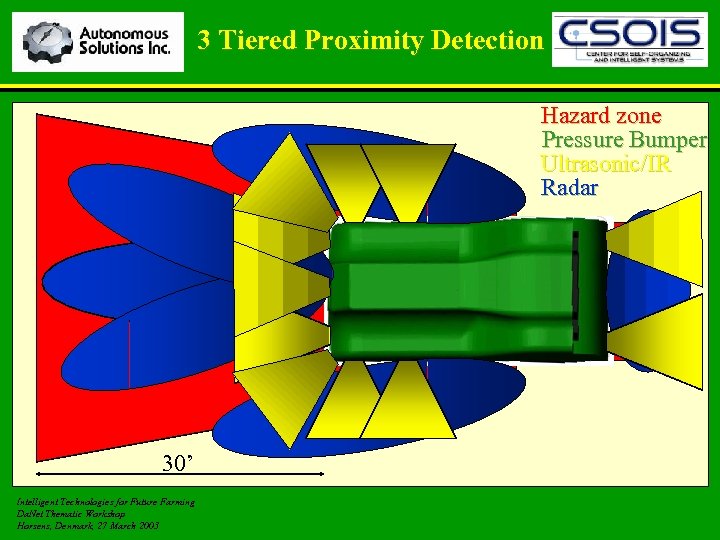 3 Tiered Proximity Detection Hazard zone Pressure Bumper Ultrasonic/IR Radar d 30’ Intelligent Technologies for Future Farming Da. Net Thematic Workshop Horsens, Denmark, 27 March 2003
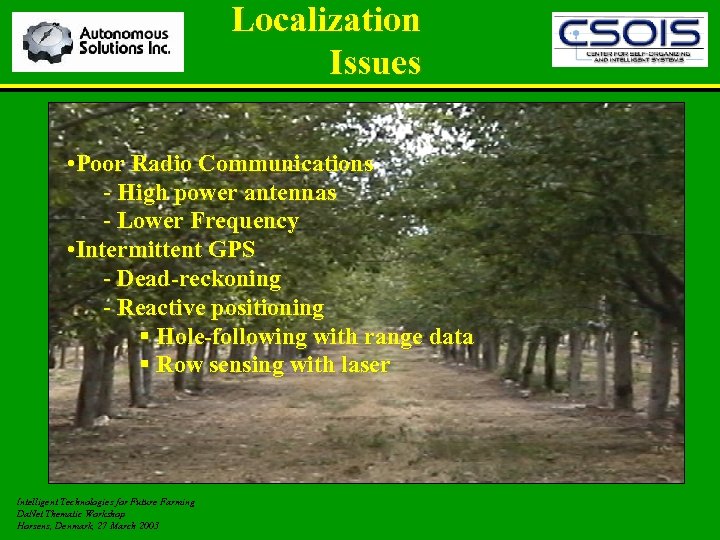 Localization Issues • Poor Radio Communications - High power antennas - Lower Frequency • Intermittent GPS - Dead-reckoning - Reactive positioning § Hole-following with range data § Row sensing with laser Intelligent Technologies for Future Farming Da. Net Thematic Workshop Horsens, Denmark, 27 March 2003
 Mission Payloads for Ux. Vs COLORADO SCHOOL OF MINES • Different CONOPS will produce different mission payload requirements. • ODIS-T Sensor Suites: – – – – – Visual – pan/tilt imaging camera Passive & active thermal imaging Chemical sniffers – i. e. nitrates, toxic industrial chemicals Night vision sensors Acoustic sensors Radiation detectors – i. e. dirty bombs Biological agents detection MEMS technology – multiple threats License plate recognition A Tutorial Introduction to Autonomous Systems – Kevin L. Moore, 2008 IFAC World Congress, Seoul, Korea 46
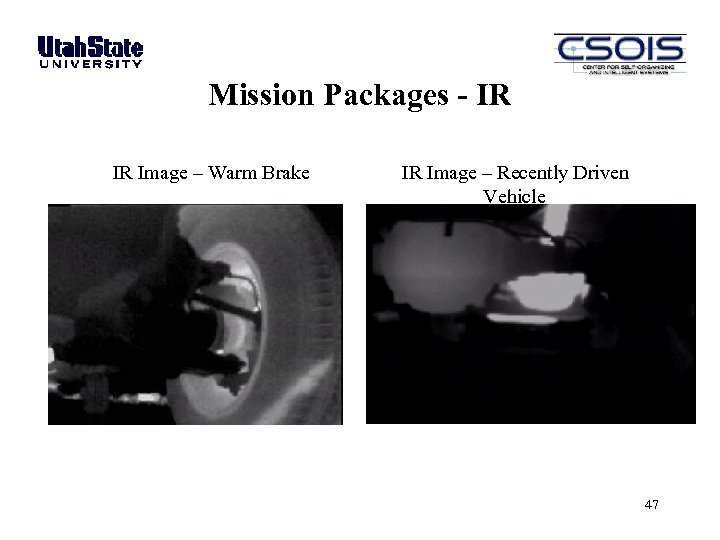 Mission Packages - IR IR Image – Warm Brake IR Image – Recently Driven Vehicle 47
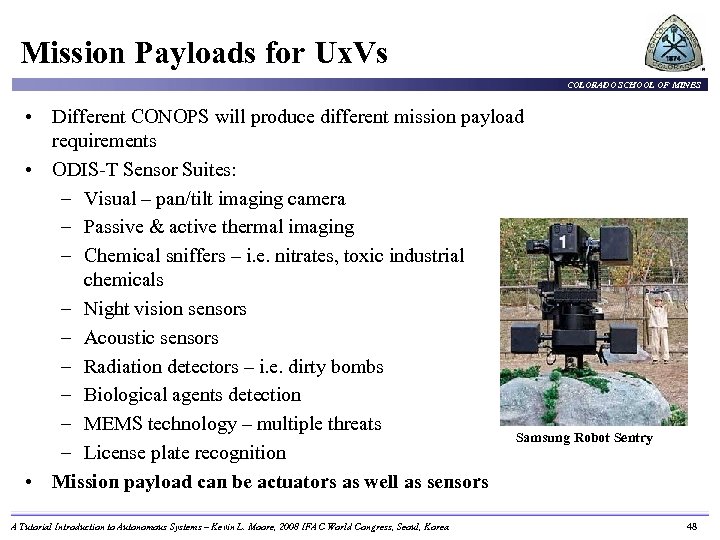 Mission Payloads for Ux. Vs COLORADO SCHOOL OF MINES • Different CONOPS will produce different mission payload requirements • ODIS-T Sensor Suites: – Visual – pan/tilt imaging camera – Passive & active thermal imaging – Chemical sniffers – i. e. nitrates, toxic industrial chemicals – Night vision sensors – Acoustic sensors – Radiation detectors – i. e. dirty bombs – Biological agents detection – MEMS technology – multiple threats Samsung Robot Sentry – License plate recognition • Mission payload can be actuators as well as sensors A Tutorial Introduction to Autonomous Systems – Kevin L. Moore, 2008 IFAC World Congress, Seoul, Korea 48
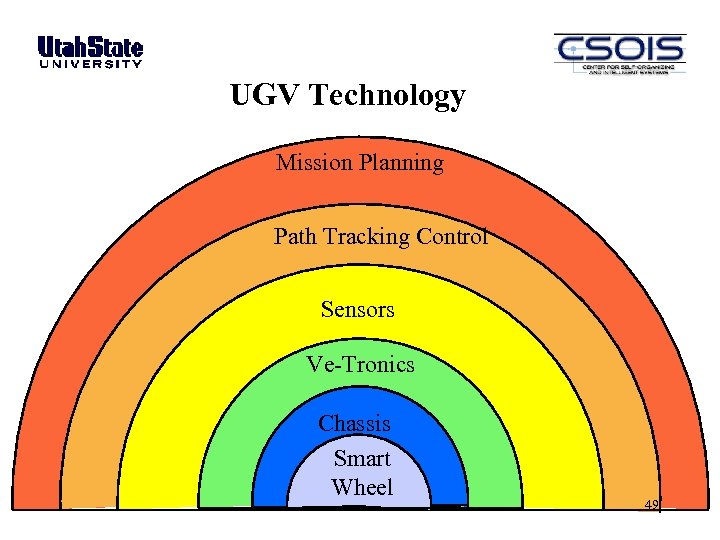 UGV Technology Mission Planning Path Tracking Control Sensors Ve-Tronics Chassis Smart Wheel 49
 Outline COLORADO SCHOOL OF MINES • What is an Unmanned System? • Unmanned system components − Motion and locomotion − Electro-mechanical − Sensors − Electronics and computational hardware • Unmanned system architectures and algorithms − Multi-resolution approach − Software Architecture − Reaction, adaptation, and learning via high-level feedback A Tutorial Introduction to Autonomous Systems – Kevin L. Moore, 2008 IFAC World Congress, Seoul, Korea 50
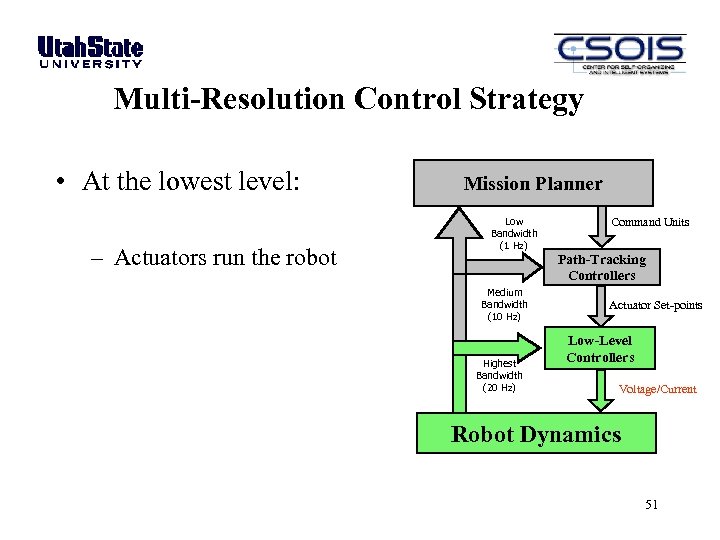 Multi-Resolution Control Strategy • At the lowest level: – Actuators run the robot Mission Planner Low Bandwidth (1 Hz) Medium Bandwidth (10 Hz) Highest Bandwidth (20 Hz) Command Units Path-Tracking Controllers Actuator Set-points Low-Level Controllers Voltage/Current Robot Dynamics 51
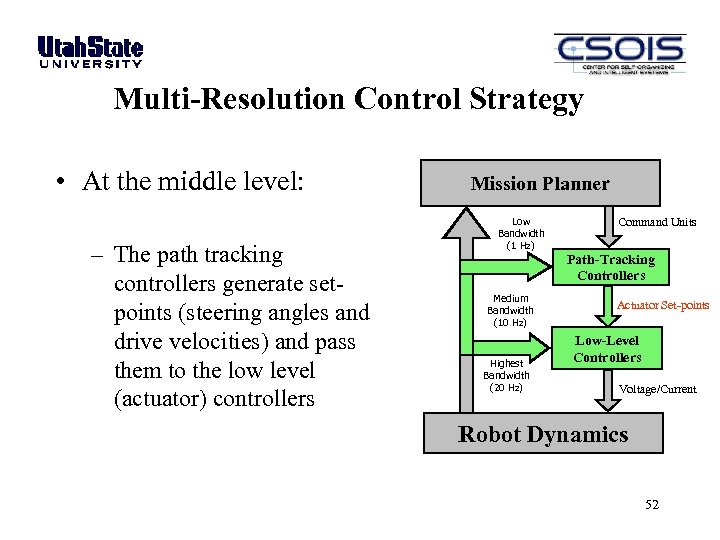 Multi-Resolution Control Strategy • At the middle level: – The path tracking controllers generate setpoints (steering angles and drive velocities) and pass them to the low level (actuator) controllers Mission Planner Low Bandwidth (1 Hz) Medium Bandwidth (10 Hz) Highest Bandwidth (20 Hz) Command Units Path-Tracking Controllers Actuator Set-points Low-Level Controllers Voltage/Current Robot Dynamics 52
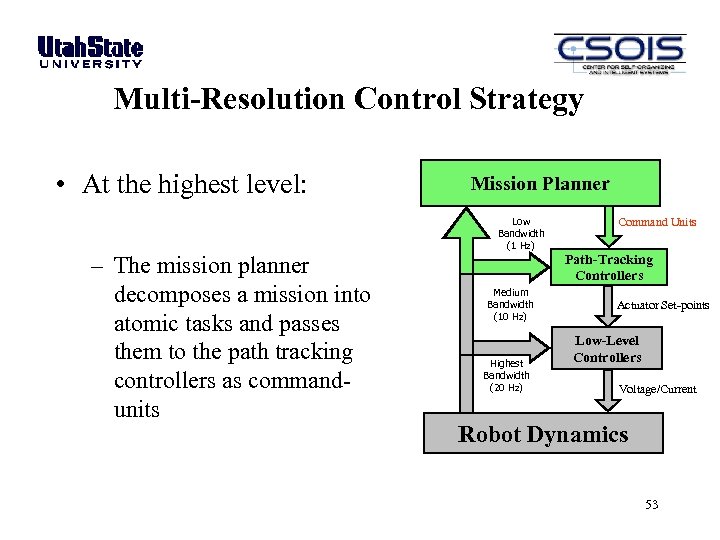 Multi-Resolution Control Strategy • At the highest level: Mission Planner Low Bandwidth (1 Hz) – The mission planner decomposes a mission into atomic tasks and passes them to the path tracking controllers as commandunits Medium Bandwidth (10 Hz) Highest Bandwidth (20 Hz) Command Units Path-Tracking Controllers Actuator Set-points Low-Level Controllers Voltage/Current Robot Dynamics 53
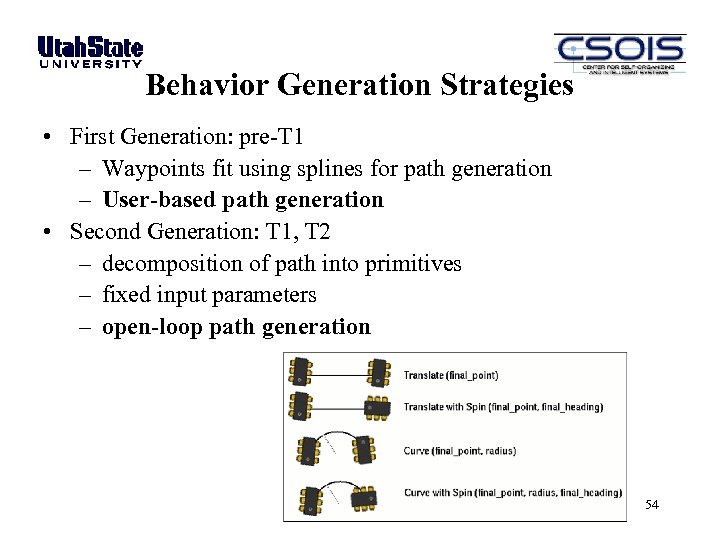 Behavior Generation Strategies • First Generation: pre-T 1 – Waypoints fit using splines for path generation – User-based path generation • Second Generation: T 1, T 2 – decomposition of path into primitives – fixed input parameters – open-loop path generation 54
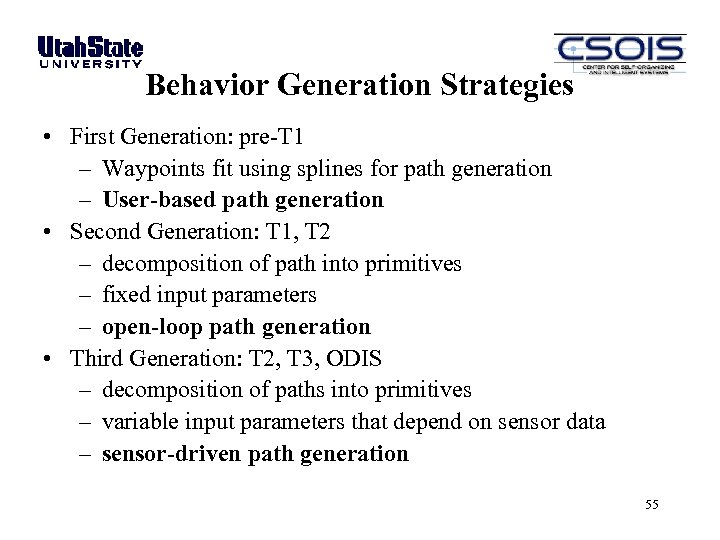 Behavior Generation Strategies • First Generation: pre-T 1 – Waypoints fit using splines for path generation – User-based path generation • Second Generation: T 1, T 2 – decomposition of path into primitives – fixed input parameters – open-loop path generation • Third Generation: T 2, T 3, ODIS – decomposition of paths into primitives – variable input parameters that depend on sensor data – sensor-driven path generation 55
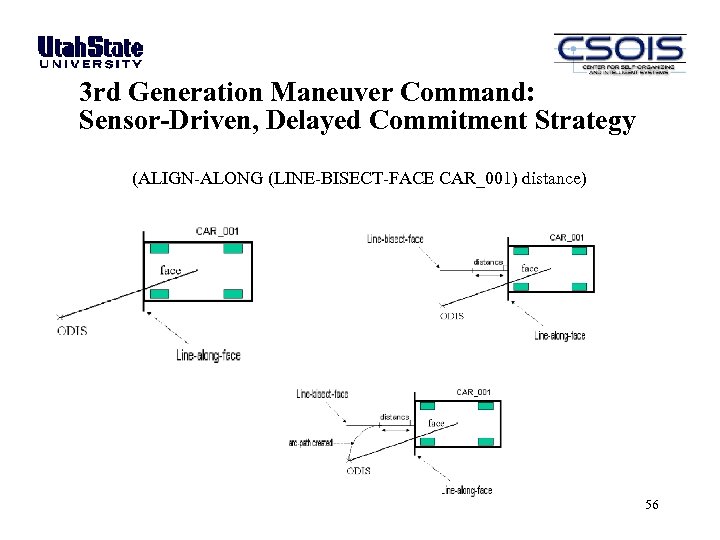 3 rd Generation Maneuver Command: Sensor-Driven, Delayed Commitment Strategy (ALIGN-ALONG (LINE-BISECT-FACE CAR_001) distance) 56
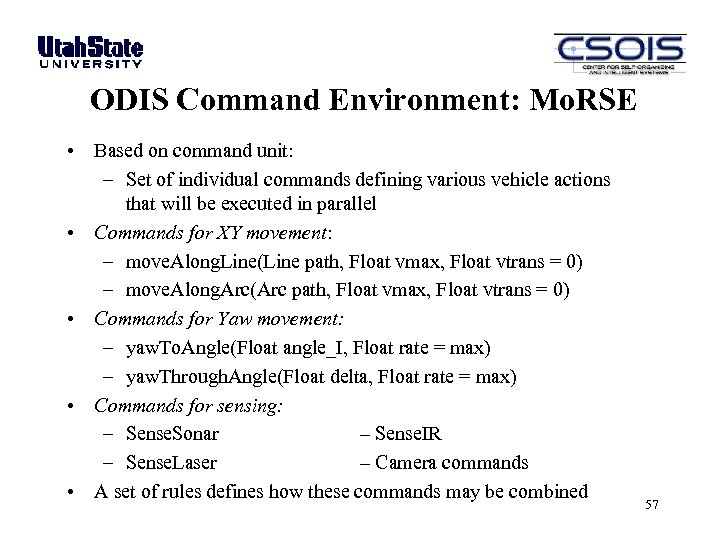 ODIS Command Environment: Mo. RSE • Based on command unit: – Set of individual commands defining various vehicle actions that will be executed in parallel • Commands for XY movement: – move. Along. Line(Line path, Float vmax, Float vtrans = 0) – move. Along. Arc(Arc path, Float vmax, Float vtrans = 0) • Commands for Yaw movement: – yaw. To. Angle(Float angle_I, Float rate = max) – yaw. Through. Angle(Float delta, Float rate = max) • Commands for sensing: – Sense. Sonar – Sense. IR – Sense. Laser – Camera commands • A set of rules defines how these commands may be combined 57
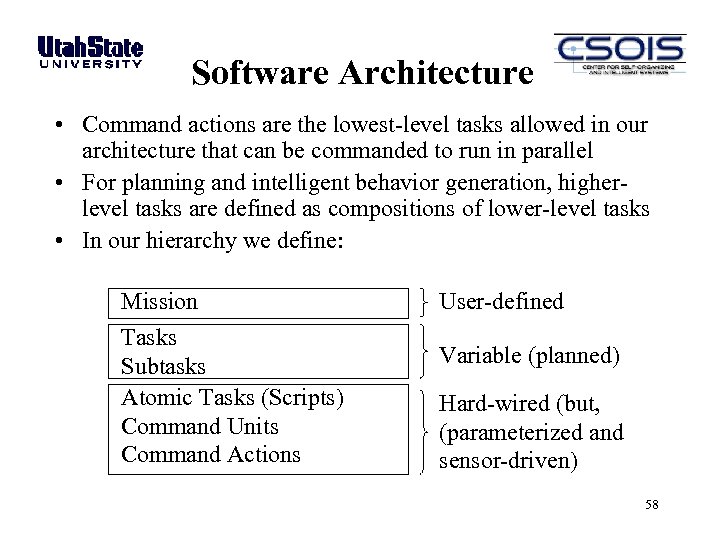 Software Architecture • Command actions are the lowest-level tasks allowed in our architecture that can be commanded to run in parallel • For planning and intelligent behavior generation, higherlevel tasks are defined as compositions of lower-level tasks • In our hierarchy we define: Mission Tasks Subtasks Atomic Tasks (Scripts) Command Units Command Actions User-defined Variable (planned) Hard-wired (but, (parameterized and sensor-driven) 58
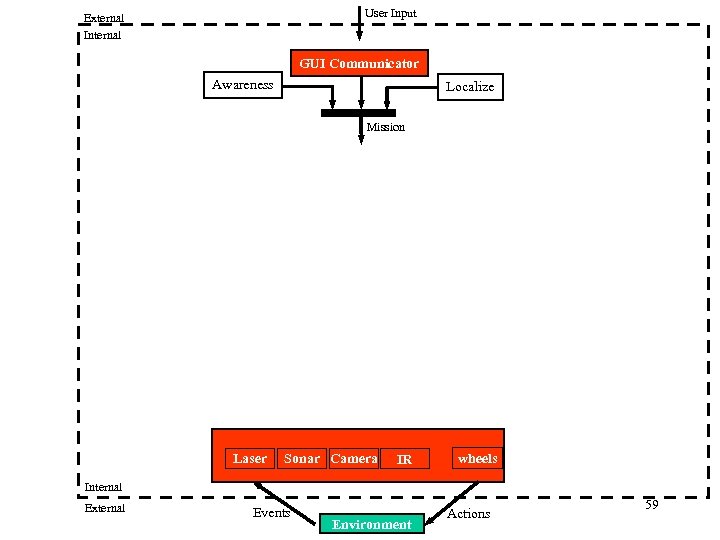 User Input External Internal GUI Communicator Awareness Localize Mission Laser Sonar Camera IR wheels Internal External Events Environment Actions 59
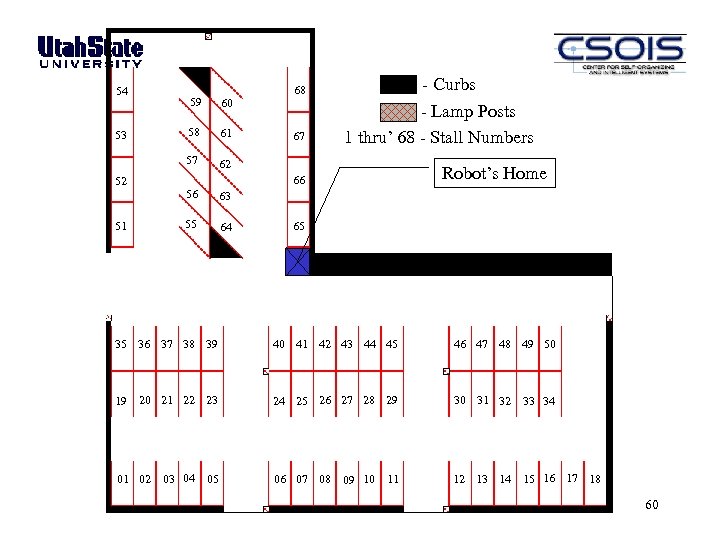 54 52 51 60 58 61 57 53 59 - Curbs 68 62 67 - Lamp Posts 1 thru’ 68 - Stall Numbers Robot’s Home 66 56 63 55 64 65 35 36 37 38 39 40 41 42 43 44 45 46 47 48 49 50 19 20 21 22 23 24 25 26 27 28 29 30 31 32 06 07 08 12 13 14 15 16 17 18 01 02 03 04 05 09 10 11 33 34 60
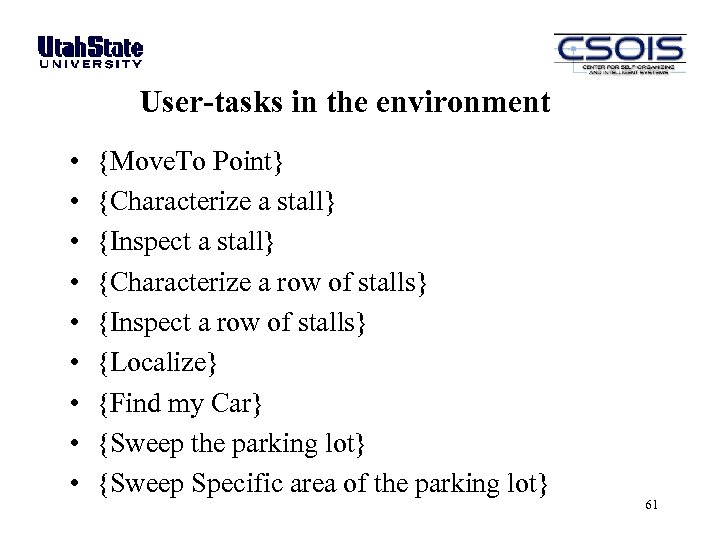 User-tasks in the environment • • • {Move. To Point} {Characterize a stall} {Inspect a stall} {Characterize a row of stalls} {Inspect a row of stalls} {Localize} {Find my Car} {Sweep the parking lot} {Sweep Specific area of the parking lot} 61
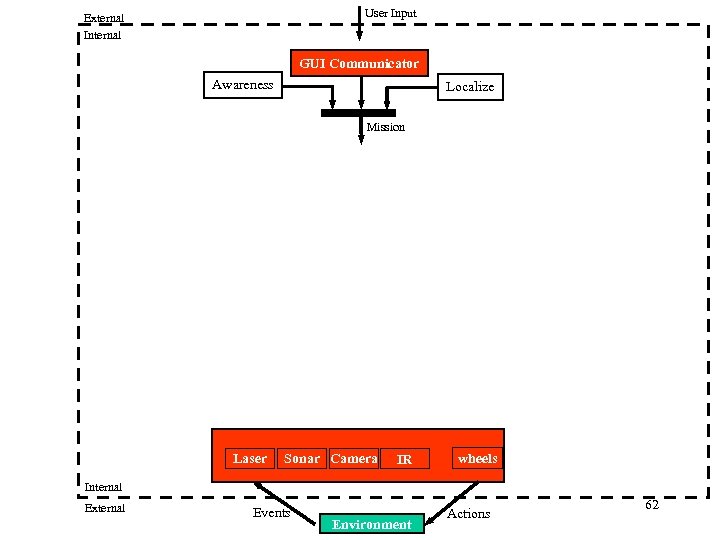 User Input External Internal GUI Communicator Awareness Localize Mission Laser Sonar Camera IR wheels Internal External Events Environment Actions 62
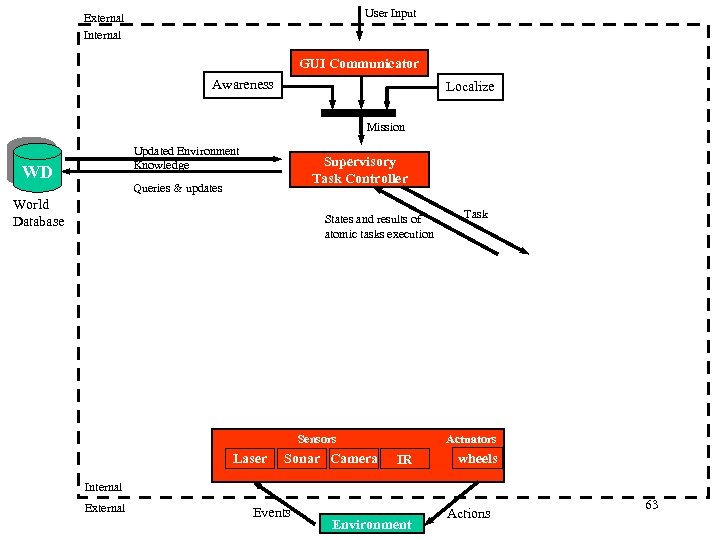 User Input External Internal GUI Communicator Awareness Localize Mission Updated Environment Knowledge WD Supervisory Task Controller Queries & updates World Database States and results of atomic tasks execution Actuators Sensors Laser Sonar Camera Task IR wheels Internal External Events Environment Actions 63
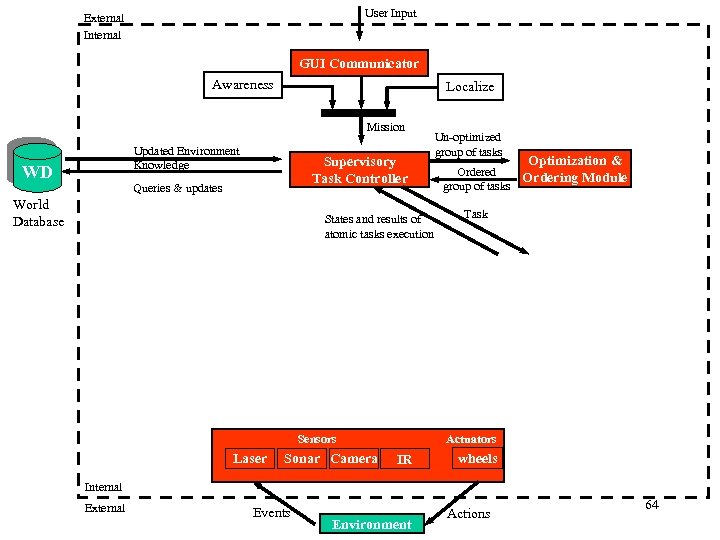 User Input External Internal GUI Communicator Awareness Localize Mission Updated Environment Knowledge WD Supervisory Task Controller Queries & updates World Database States and results of atomic tasks execution Sonar Camera Optimization & Ordered Ordering Module group of tasks Task Actuators Sensors Laser Un-optimized group of tasks IR wheels Internal External Events Environment Actions 64
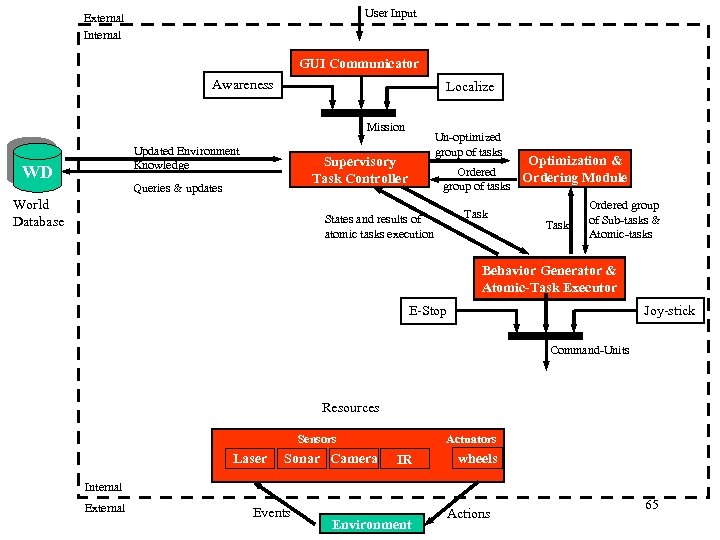 User Input External Internal GUI Communicator Awareness Localize Mission Updated Environment Knowledge WD Un-optimized group of tasks Supervisory Task Controller Queries & updates World Database Optimization & Ordered Ordering Module group of tasks Task States and results of atomic tasks execution Task Ordered group of Sub-tasks & Atomic-tasks Behavior Generator & Atomic-Task Executor Joy-stick E-Stop Command-Units Resources Actuators Sensors Laser Sonar Camera IR wheels Internal External Events Environment Actions 65
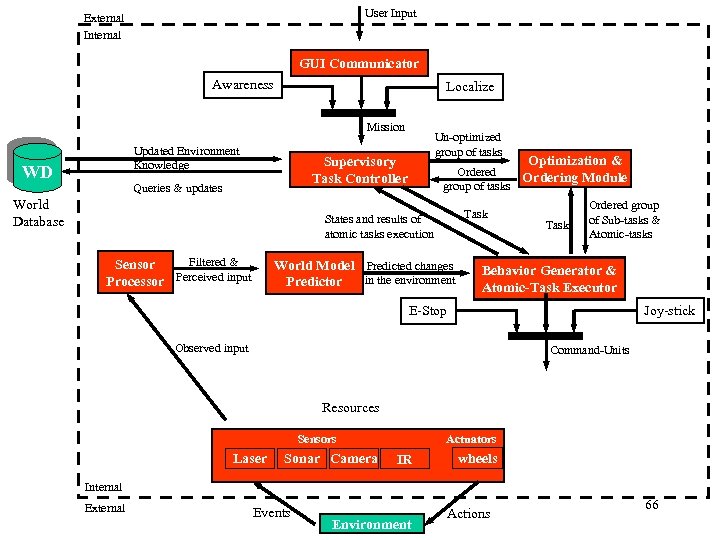 User Input External Internal GUI Communicator Awareness Localize Mission Updated Environment Knowledge WD Un-optimized group of tasks Supervisory Task Controller Queries & updates World Database Task States and results of atomic tasks execution Filtered & Sensor Processor Perceived input Optimization & Ordered Ordering Module group of tasks World Model Predicted changes in the environment Predictor Task Ordered group of Sub-tasks & Atomic-tasks Behavior Generator & Atomic-Task Executor Joy-stick E-Stop Observed input Command-Units Resources Actuators Sensors Laser Sonar Camera IR wheels Internal External Events Environment Actions 66
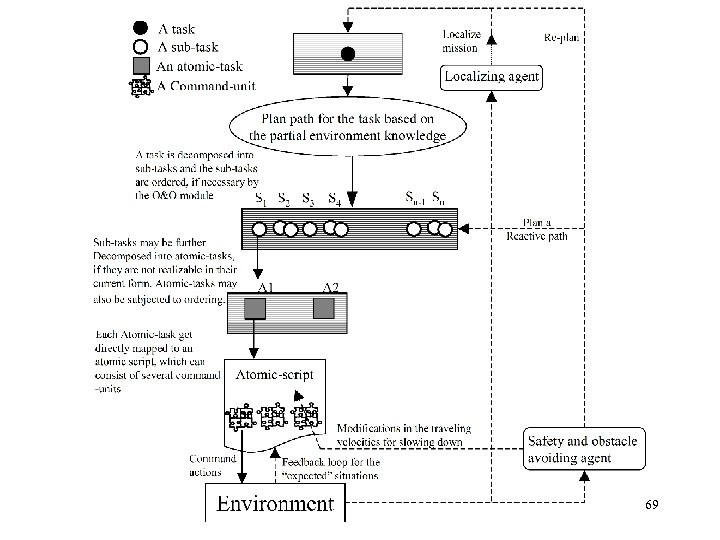
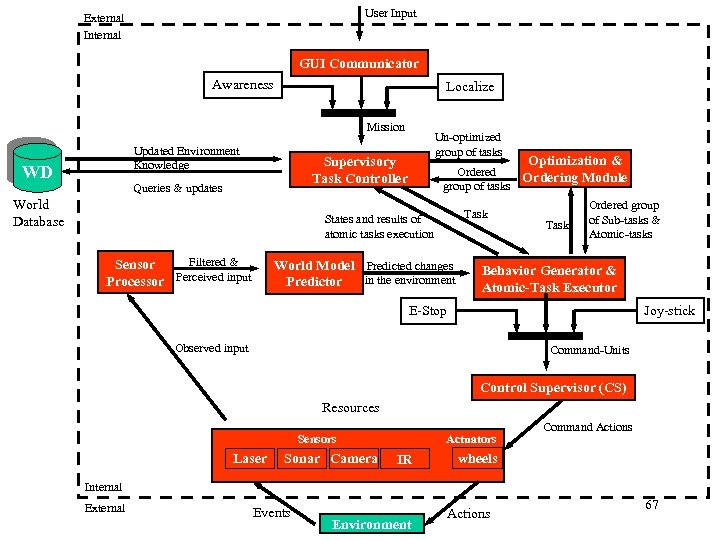 User Input External Internal GUI Communicator Awareness Localize Mission Updated Environment Knowledge WD Un-optimized group of tasks Supervisory Task Controller Queries & updates World Database Task States and results of atomic tasks execution Filtered & Sensor Processor Perceived input Optimization & Ordered Ordering Module group of tasks World Model Predicted changes in the environment Predictor Task Ordered group of Sub-tasks & Atomic-tasks Behavior Generator & Atomic-Task Executor Joy-stick E-Stop Observed input Command-Units Control Supervisor (CS) Resources Actuators Sensors Laser Sonar Camera IR Command Actions wheels Internal External Events Environment Actions 67
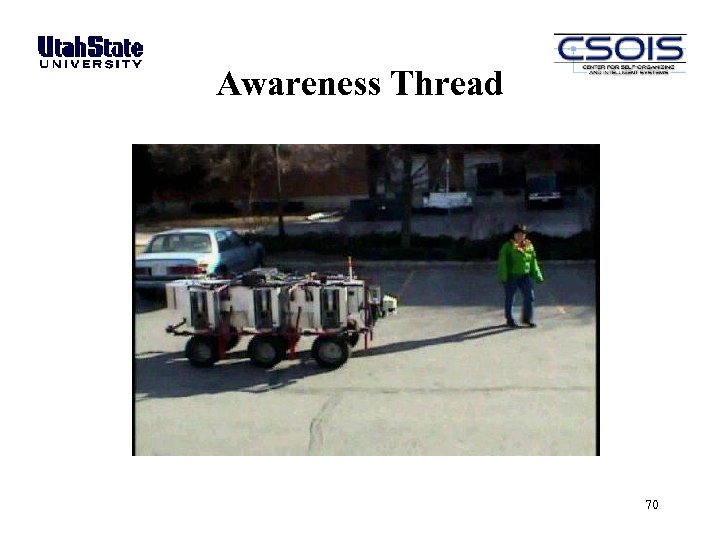
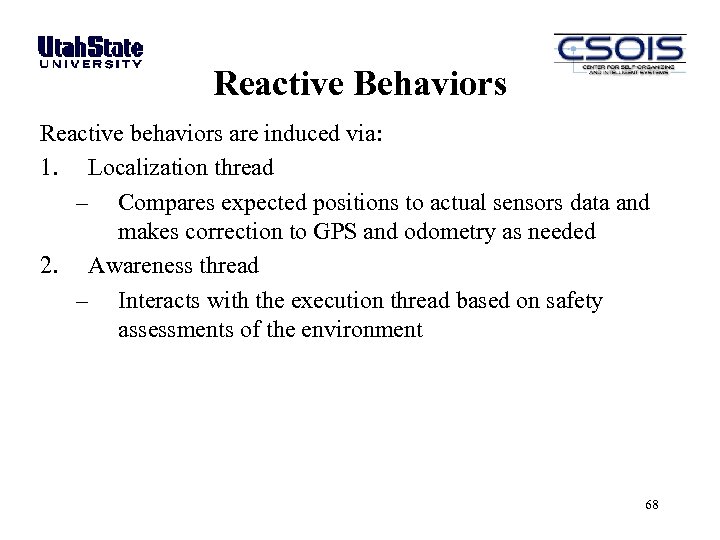 Reactive Behaviors Reactive behaviors are induced via: 1. Localization thread – Compares expected positions to actual sensors data and makes correction to GPS and odometry as needed 2. Awareness thread – Interacts with the execution thread based on safety assessments of the environment 68
 69
69
 Awareness Thread 70
 Reactive Behaviors Reactive behaviors are induced via: 1. Localization thread – Compares expected positions to actual sensors data and makes correction to GPS and odometry as needed 2. Awareness thread – Interacts with the execution thread based on safety assessments of the environment 3. Logic within the execution thread – Scripted adaptive behaviors 71
 T 2 Adaptive/Reactive Hill-Climbing 72
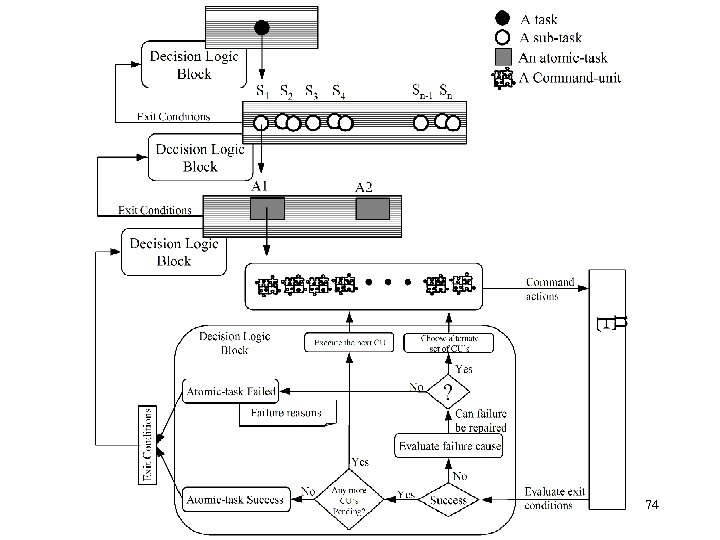
 Reactive Behaviors Reactive behaviors are induced via: 1. Localization thread – Compares expected positions to actual sensors data and makes correction to GPS and odometry as needed 2. Awareness thread – Interacts with the execution thread based on safety assessments of the environment 3. Logic within the execution thread – Scripted adaptive behaviors – Exit conditions at each level of the hierarchy determine branching to pre-defined actions or to re-plan events 73
 74
74
 Example: ODIS Find. Car() Script 75
 Outline COLORADO SCHOOL OF MINES • What is an Unmanned System? • Unmanned system components − Motion and locomotion − Electro-mechanical − Sensors − Electronics and computational hardware • Unmanned system architectures and algorithms − Multi-resolution approach − Software Architecture − Reaction, adaptation, and learning via high-level feedback A Tutorial Introduction to Autonomous Systems – Kevin L. Moore, 2008 IFAC World Congress, Seoul, Korea 76