


 Скачать презентацию College of Du Page CCNP 1 V 5
2bbfc40f30ba844c362ad7bbbf63b78b.ppt
- Количество слайдов: 120
 College of Du. Page CCNP 1 V 5. 0 Building Scalable Internetworks: Module 8: IPV 6 By Tony Chen 05 -2007
 Overview • The explosion of new IP-enabled devices and the growth of undeveloped regions have fueled the need for more addresses. – IP version 6 (IPv 6) was developed to overcome the limitations of the current standard, IP version 4 (IPv 4). • This module provides an overview of IPv 6, IPv 6 addressing and routing, OSPFv 3, and IPv 4 to IPv 6 translation.
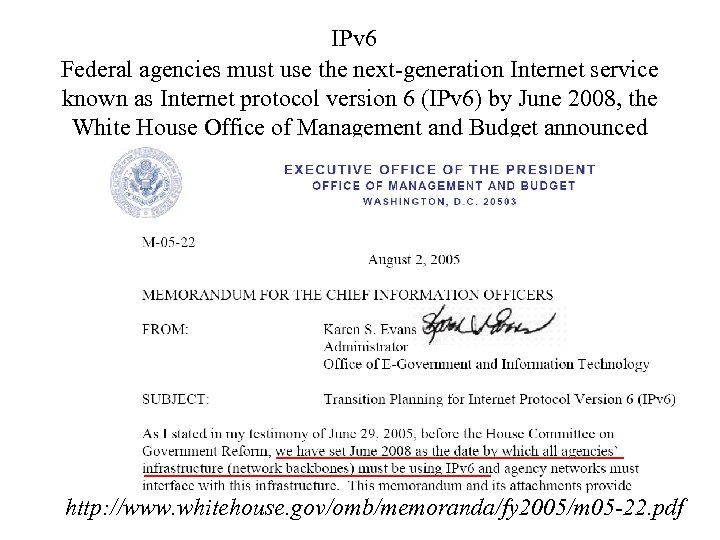 IPv 6 Federal agencies must use the next-generation Internet service known as Internet protocol version 6 (IPv 6) by June 2008, the White House Office of Management and Budget announced http: //www. whitehouse. gov/omb/memoranda/fy 2005/m 05 -22. pdf
 Long Term Solution: IPv 6 Preparing for IPv 6 Management Challenges By John Jason Brzozowski, Principle Engineer, Lucent Technologies http: //www. lucent. com/osssentinel/c 2 a 6. html • Managing parallel IPv 4 and IPv 6 networks during the transition to IPv 6 Several transition technologies are available today that enable the parallel existence of IPv 4 and IPv 6 networks, including: • IPv 4 -compatible IPv 6 addresses • 6 over 4 addresses • 6 to 4 addresses • Static and dynamic tunnels • Dual stack • Intra-Site Automatic Tunnel Access Protocol (ISATAP) • IPv 4 network address translator (NAT) traversal for IPv 6 (Teredo)
 What ever happened to IPv 5? • IPv 5 (Internet Protocol, version 5) was assigned to an experimental protocol called ST (Internet Stream Protocol). – ST was first defined in 1979 in IEN 119 (Internet Engineering Note), and was later revised in RFC 1190 (ST 2) and RFC 1819 (ST 2+). – ST was envisioned to be the connection oriented complement to IPv 4, but it has never been introduced for public usage. – Many of the concepts available in ST can be found today in MPLS.
 What is wrong with IPv 4? • http: //www. potaroo. net/tools/ipv 4/ – Projected IANA Unallocated Address Pool Exhaustion: 25 -Jun-2011 – Projected RIR Unallocated Address Pool Exhaustion: 01 -Jun-2012 • http: //www. cisco. com/web/about/ac 123/ac 147/arc hived_issues/ipj_8 -3/ipv 4. html – Tony Hain of Cisco predicts the exhaustion date to be around March 2010.
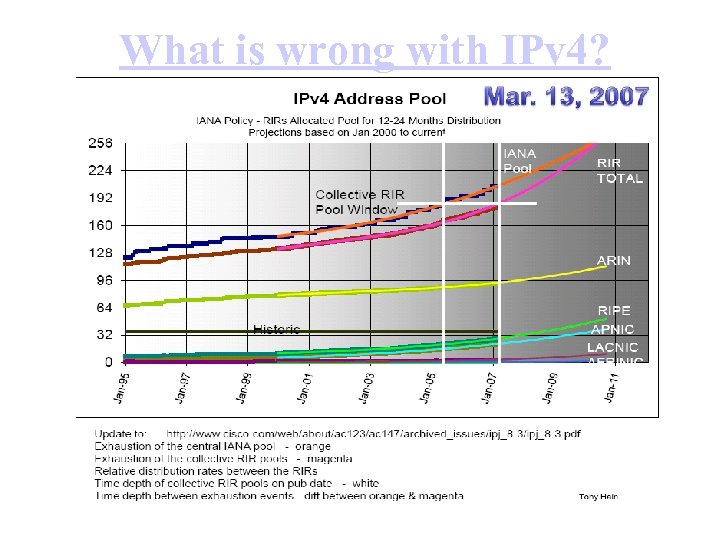 What is wrong with IPv 4?
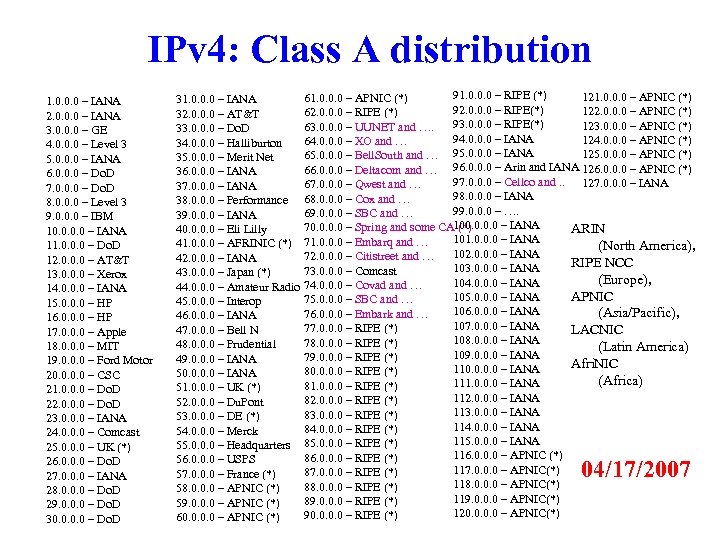 IPv 4: Class A distribution 1. 0. 0. 0 – IANA 2. 0. 0. 0 – IANA 3. 0. 0. 0 – GE 4. 0. 0. 0 – Level 3 5. 0. 0. 0 – IANA 6. 0. 0. 0 – Do. D 7. 0. 0. 0 – Do. D 8. 0. 0. 0 – Level 3 9. 0. 0. 0 – IBM 10. 0 – IANA 11. 0. 0. 0 – Do. D 12. 0. 0. 0 – AT&T 13. 0. 0. 0 – Xerox 14. 0. 0. 0 – IANA 15. 0. 0. 0 – HP 16. 0. 0. 0 – HP 17. 0. 0. 0 – Apple 18. 0. 0. 0 – MIT 19. 0. 0. 0 – Ford Motor 20. 0 – CSC 21. 0. 0. 0 – Do. D 22. 0. 0. 0 – Do. D 23. 0. 0. 0 – IANA 24. 0. 0. 0 – Comcast 25. 0. 0. 0 – UK (*) 26. 0. 0. 0 – Do. D 27. 0. 0. 0 – IANA 28. 0. 0. 0 – Do. D 29. 0. 0. 0 – Do. D 30. 0 – Do. D 91. 0. 0. 0 – RIPE (*) 121. 0. 0. 0 – APNIC (*) 61. 0. 0. 0 – APNIC (*) 31. 0. 0. 0 – IANA 92. 0. 0. 0 – RIPE(*) 122. 0. 0. 0 – APNIC (*) 62. 0. 0. 0 – RIPE (*) 32. 0. 0. 0 – AT&T 93. 0. 0. 0 – RIPE(*) 123. 0. 0. 0 – APNIC (*) 63. 0. 0. 0 – UUNET and …. 33. 0. 0. 0 – Do. D 94. 0. 0. 0 – IANA 124. 0. 0. 0 – APNIC (*) 64. 0. 0. 0 – XO and … 34. 0. 0. 0 – Halliburton 125. 0. 0. 0 – APNIC (*) 65. 0. 0. 0 – Bell. South and … 95. 0. 0. 0 – IANA 35. 0. 0. 0 – Merit Net 96. 0. 0. 0 – Arin and IANA 126. 0. 0. 0 – APNIC (*) 66. 0. 0. 0 – Deltacom and … 36. 0. 0. 0 – IANA 97. 0. 0. 0 – Cellco and. . 127. 0. 0. 0 – IANA 67. 0. 0. 0 – Qwest and … 37. 0. 0. 0 – IANA 98. 0. 0. 0 – IANA 38. 0. 0. 0 – Performance 68. 0. 0. 0 – Cox and … 99. 0. 0. 0 – …. 69. 0. 0. 0 – SBC and … 39. 0. 0. 0 – IANA 100. 0 – IANA 70. 0 – Spring and some CA (*) 40. 0 – Eli Lilly ARIN 101. 0. 0. 0 – IANA 41. 0. 0. 0 – AFRINIC (*) 71. 0. 0. 0 – Embarq and … (North America), 102. 0. 0. 0 – IANA 72. 0. 0. 0 – Citistreet and … 42. 0. 0. 0 – IANA RIPE NCC 103. 0. 0. 0 – IANA 73. 0. 0. 0 – Comcast 43. 0. 0. 0 – Japan (*) (Europe), 104. 0. 0. 0 – IANA 44. 0. 0. 0 – Amateur Radio 74. 0. 0. 0 – Covad and … APNIC 105. 0. 0. 0 – IANA 75. 0. 0. 0 – SBC and … 45. 0. 0. 0 – Interop 106. 0. 0. 0 – IANA (Asia/Pacific), 76. 0. 0. 0 – Embark and … 46. 0. 0. 0 – IANA 107. 0. 0. 0 – IANA 77. 0. 0. 0 – RIPE (*) 47. 0. 0. 0 – Bell N LACNIC 108. 0. 0. 0 – IANA 78. 0. 0. 0 – RIPE (*) 48. 0. 0. 0 – Prudential (Latin America) 109. 0. 0. 0 – IANA 79. 0. 0. 0 – RIPE (*) 49. 0. 0. 0 – IANA Afri. NIC 110. 0 – IANA 80. 0 – RIPE (*) 50. 0 – IANA (Africa) 111. 0. 0. 0 – IANA 81. 0. 0. 0 – RIPE (*) 51. 0. 0. 0 – UK (*) 112. 0. 0. 0 – IANA 82. 0. 0. 0 – RIPE (*) 52. 0. 0. 0 – Du. Pont 113. 0. 0. 0 – IANA 83. 0. 0. 0 – RIPE (*) 53. 0. 0. 0 – DE (*) 114. 0. 0. 0 – IANA 84. 0. 0. 0 – RIPE (*) 54. 0. 0. 0 – Merck 115. 0. 0. 0 – IANA 55. 0. 0. 0 – Headquarters 85. 0. 0. 0 – RIPE (*) 116. 0. 0. 0 – APNIC (*) 86. 0. 0. 0 – RIPE (*) 56. 0. 0. 0 – USPS 117. 0. 0. 0 – APNIC(*) 87. 0. 0. 0 – RIPE (*) 57. 0. 0. 0 – France (*) 118. 0. 0. 0 – APNIC(*) 88. 0. 0. 0 – RIPE (*) 58. 0. 0. 0 – APNIC (*) 119. 0. 0. 0 – APNIC(*) 89. 0. 0. 0 – RIPE (*) 59. 0. 0. 0 – APNIC (*) 120. 0 – APNIC(*) 90. 0 – RIPE (*) 60. 0 – APNIC (*) 04/17/2007
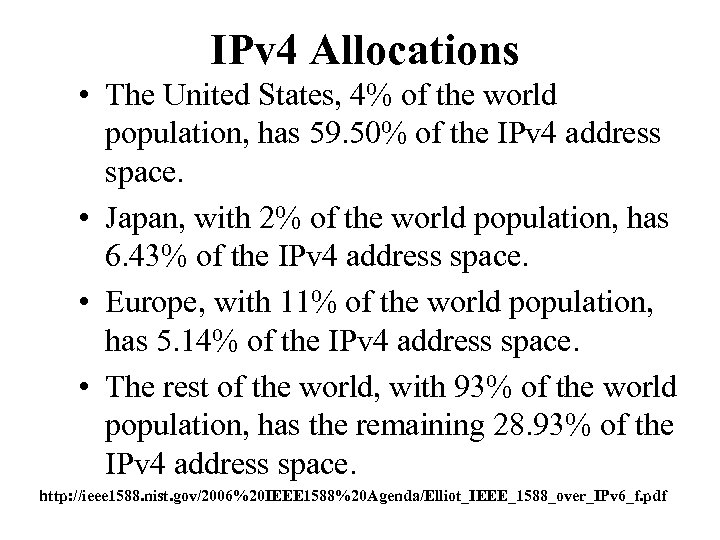 IPv 4 Allocations • The United States, 4% of the world population, has 59. 50% of the IPv 4 address space. • Japan, with 2% of the world population, has 6. 43% of the IPv 4 address space. • Europe, with 11% of the world population, has 5. 14% of the IPv 4 address space. • The rest of the world, with 93% of the world population, has the remaining 28. 93% of the IPv 4 address space. http: //ieee 1588. nist. gov/2006%20 IEEE 1588%20 Agenda/Elliot_IEEE_1588_over_IPv 6_f. pdf
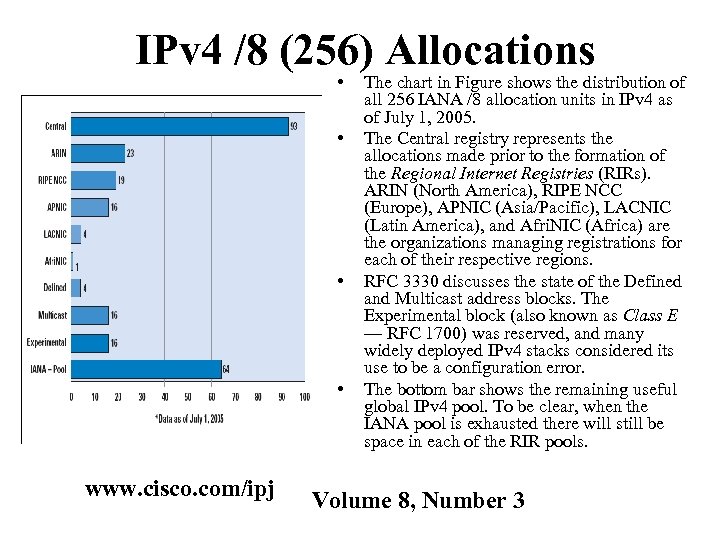 IPv 4 /8 (256) Allocations • • www. cisco. com/ipj The chart in Figure shows the distribution of all 256 IANA /8 allocation units in IPv 4 as of July 1, 2005. The Central registry represents the allocations made prior to the formation of the Regional Internet Registries (RIRs). ARIN (North America), RIPE NCC (Europe), APNIC (Asia/Pacific), LACNIC (Latin America), and Afri. NIC (Africa) are the organizations managing registrations for each of their respective regions. RFC 3330 discusses the state of the Defined and Multicast address blocks. The Experimental block (also known as Class E — RFC 1700) was reserved, and many widely deployed IPv 4 stacks considered its use to be a configuration error. The bottom bar shows the remaining useful global IPv 4 pool. To be clear, when the IANA pool is exhausted there will still be space in each of the RIR pools. Volume 8, Number 3
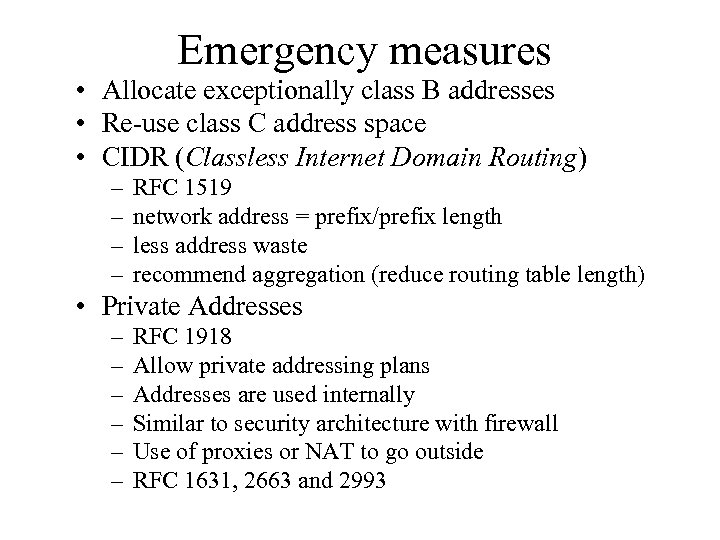 Emergency measures • Allocate exceptionally class B addresses • Re-use class C address space • CIDR (Classless Internet Domain Routing) – – RFC 1519 network address = prefix/prefix length less address waste recommend aggregation (reduce routing table length) • Private Addresses – – – RFC 1918 Allow private addressing plans Addresses are used internally Similar to security architecture with firewall Use of proxies or NAT to go outside RFC 1631, 2663 and 2993
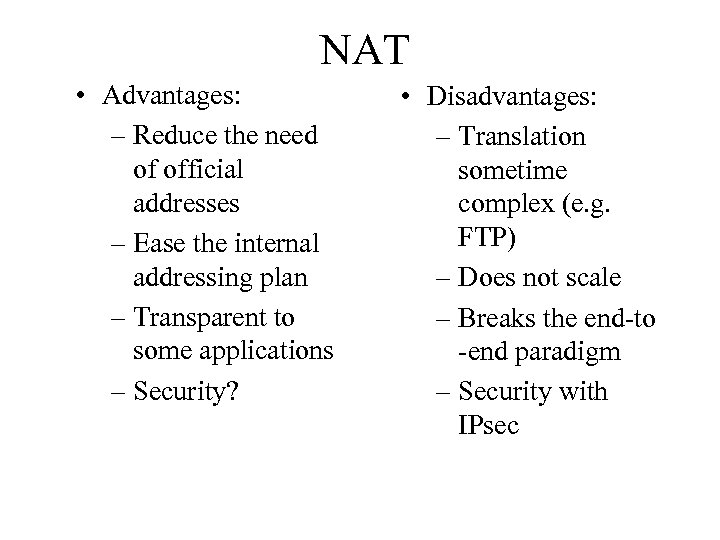 NAT • Advantages: – Reduce the need of official addresses – Ease the internal addressing plan – Transparent to some applications – Security? • Disadvantages: – Translation sometime complex (e. g. FTP) – Does not scale – Breaks the end-to -end paradigm – Security with IPsec
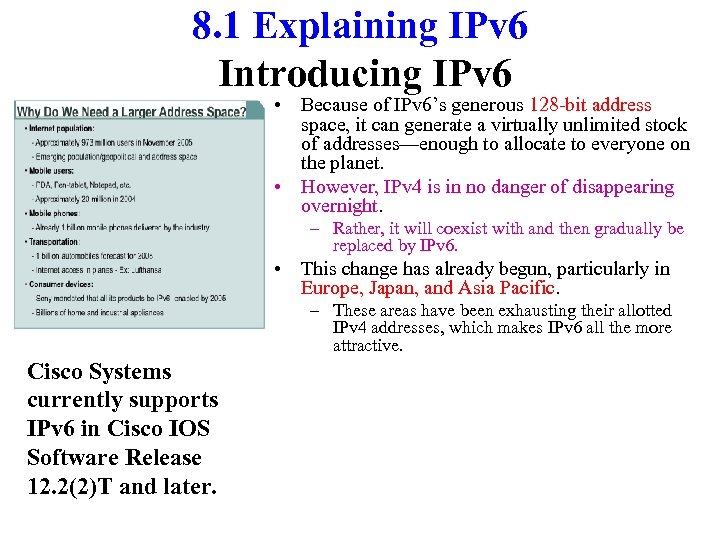 8. 1 Explaining IPv 6 Introducing IPv 6 • Because of IPv 6’s generous 128 -bit address space, it can generate a virtually unlimited stock of addresses—enough to allocate to everyone on the planet. • However, IPv 4 is in no danger of disappearing overnight. – Rather, it will coexist with and then gradually be replaced by IPv 6. • This change has already begun, particularly in Europe, Japan, and Asia Pacific. – These areas have been exhausting their allotted IPv 4 addresses, which makes IPv 6 all the more attractive. Cisco Systems currently supports IPv 6 in Cisco IOS Software Release 12. 2(2)T and later.
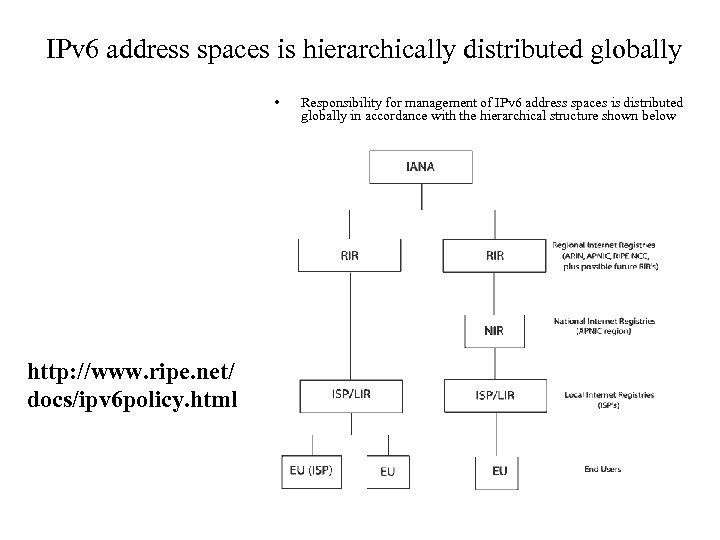 IPv 6 address spaces is hierarchically distributed globally • http: //www. ripe. net/ docs/ipv 6 policy. html Responsibility for management of IPv 6 address spaces is distributed globally in accordance with the hierarchical structure shown below
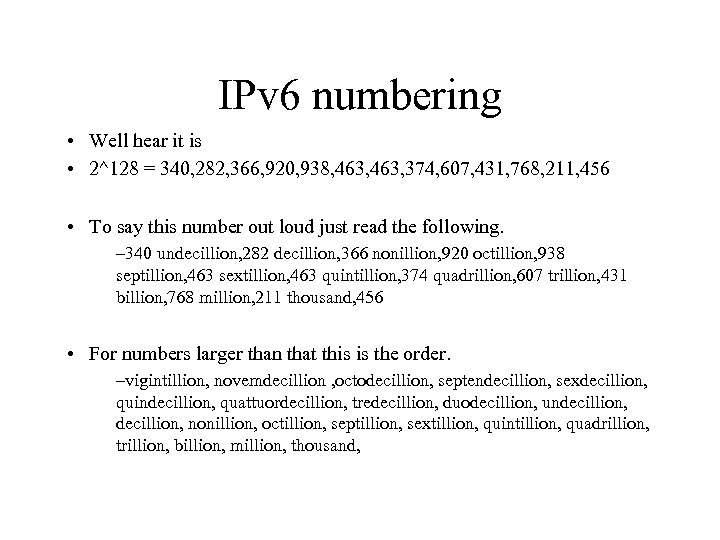 IPv 6 numbering • Well hear it is • 2^128 = 340, 282, 366, 920, 938, 463, 374, 607, 431, 768, 211, 456 • To say this number out loud just read the following. – 340 undecillion, 282 decillion, 366 nonillion, 920 octillion, 938 septillion, 463 sextillion, 463 quintillion, 374 quadrillion, 607 trillion, 431 billion, 768 million, 211 thousand, 456 • For numbers larger than that this is the order. –vigintillion, novemdecillion , octodecillion, septendecillion, sexdecillion, quindecillion, quattuordecillion, tredecillion, duodecillion, undecillion, nonillion, octillion, septillion, sextillion, quintillion, quadrillion, trillion, billion, million, thousand,
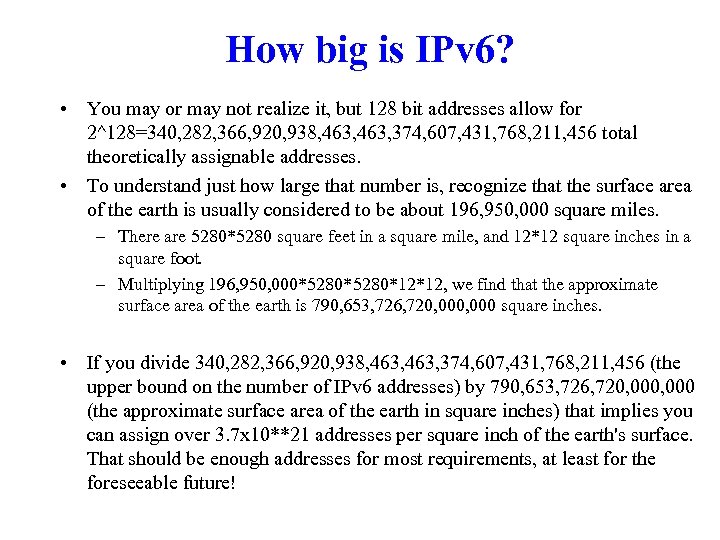 How big is IPv 6? • You may or may not realize it, but 128 bit addresses allow for 2^128=340, 282, 366, 920, 938, 463, 374, 607, 431, 768, 211, 456 total theoretically assignable addresses. • To understand just how large that number is, recognize that the surface area of the earth is usually considered to be about 196, 950, 000 square miles. – There are 5280*5280 square feet in a square mile, and 12*12 square inches in a square foot. – Multiplying 196, 950, 000*5280*12*12, we find that the approximate surface area of the earth is 790, 653, 726, 720, 000 square inches. • If you divide 340, 282, 366, 920, 938, 463, 374, 607, 431, 768, 211, 456 (the upper bound on the number of IPv 6 addresses) by 790, 653, 726, 720, 000 (the approximate surface area of the earth in square inches) that implies you can assign over 3. 7 x 10**21 addresses per square inch of the earth's surface. That should be enough addresses for most requirements, at least for the foreseeable future!
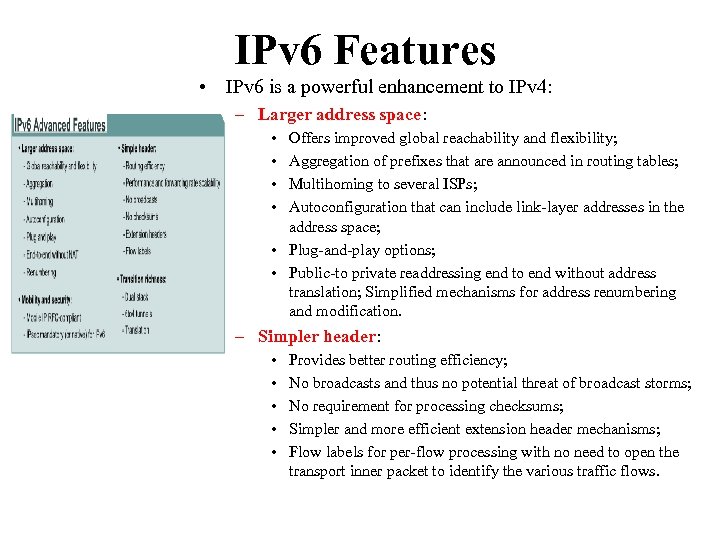 IPv 6 Features • IPv 6 is a powerful enhancement to IPv 4: – Larger address space: • • Offers improved global reachability and flexibility; Aggregation of prefixes that are announced in routing tables; Multihoming to several ISPs; Autoconfiguration that can include link-layer addresses in the address space; • Plug-and-play options; • Public-to private readdressing end to end without address translation; Simplified mechanisms for address renumbering and modification. – Simpler header: • • • Provides better routing efficiency; No broadcasts and thus no potential threat of broadcast storms; No requirement for processing checksums; Simpler and more efficient extension header mechanisms; Flow labels for per-flow processing with no need to open the transport inner packet to identify the various traffic flows.
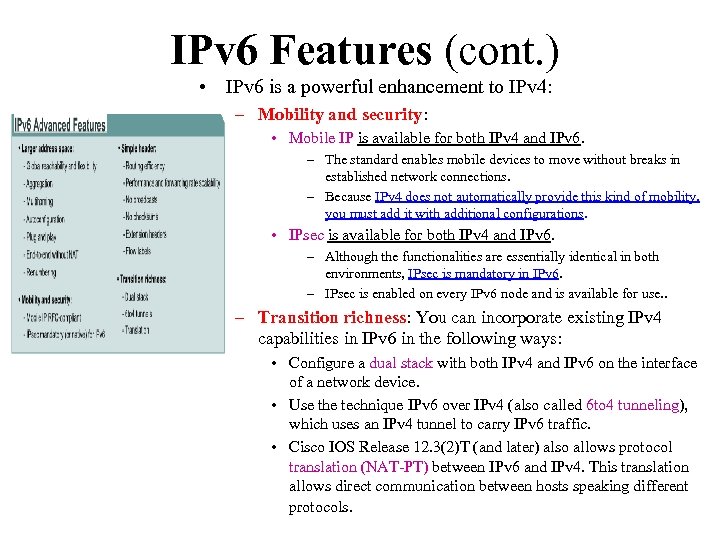 IPv 6 Features (cont. ) • IPv 6 is a powerful enhancement to IPv 4: – Mobility and security: • Mobile IP is available for both IPv 4 and IPv 6. – The standard enables mobile devices to move without breaks in established network connections. – Because IPv 4 does not automatically provide this kind of mobility, you must add it with additional configurations. • IPsec is available for both IPv 4 and IPv 6. – Although the functionalities are essentially identical in both environments, IPsec is mandatory in IPv 6. – IPsec is enabled on every IPv 6 node and is available for use. . – Transition richness: You can incorporate existing IPv 4 capabilities in IPv 6 in the following ways: • Configure a dual stack with both IPv 4 and IPv 6 on the interface of a network device. • Use the technique IPv 6 over IPv 4 (also called 6 to 4 tunneling), which uses an IPv 4 tunnel to carry IPv 6 traffic. • Cisco IOS Release 12. 3(2)T (and later) also allows protocol translation (NAT-PT) between IPv 6 and IPv 4. This translation allows direct communication between hosts speaking different protocols.
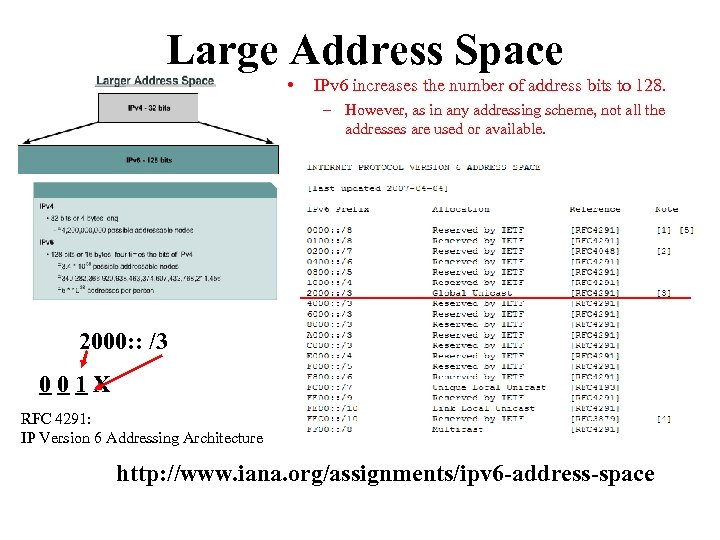 Large Address Space • IPv 6 increases the number of address bits to 128. – However, as in any addressing scheme, not all the addresses are used or available. 2000: : /3 001 X RFC 4291: IP Version 6 Addressing Architecture http: //www. iana. org/assignments/ipv 6 -address-space
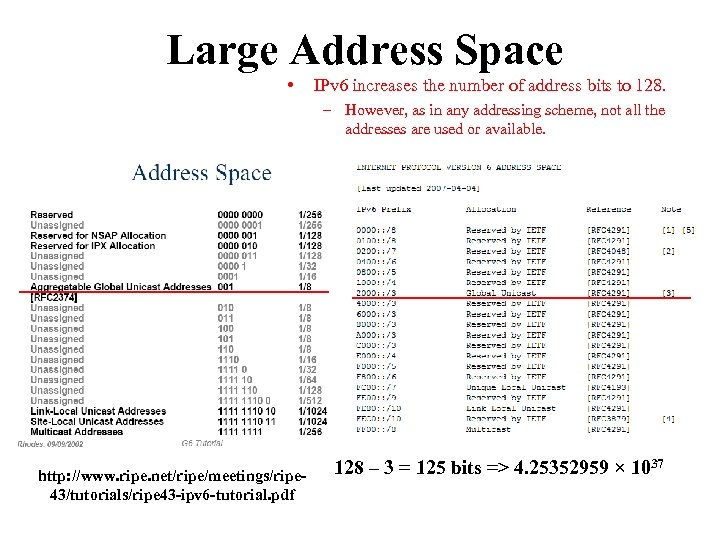 Large Address Space • IPv 6 increases the number of address bits to 128. – However, as in any addressing scheme, not all the addresses are used or available. http: //www. ripe. net/ripe/meetings/ripe 43/tutorials/ripe 43 -ipv 6 -tutorial. pdf 128 – 3 = 125 bits => 4. 25352959 × 1037
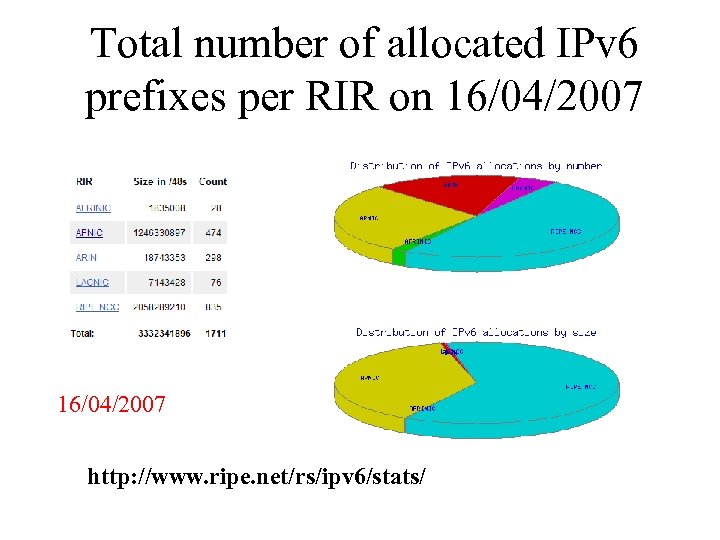 Total number of allocated IPv 6 prefixes per RIR on 16/04/2007 http: //www. ripe. net/rs/ipv 6/stats/
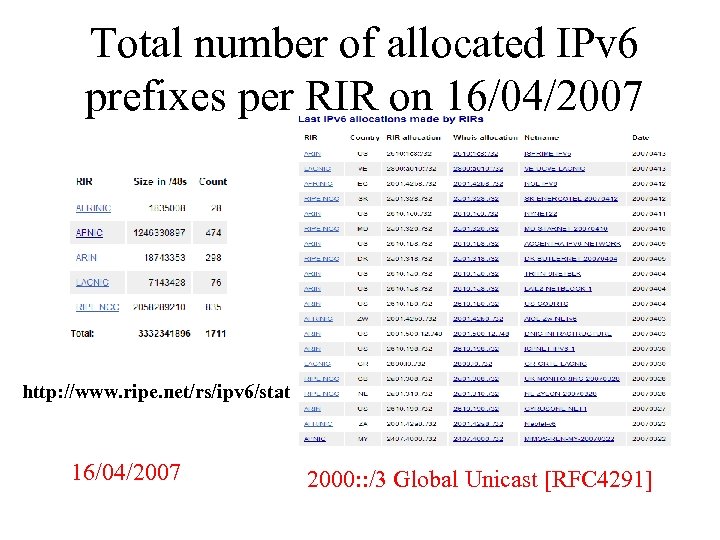 Total number of allocated IPv 6 prefixes per RIR on 16/04/2007 http: //www. ripe. net/rs/ipv 6/stats/ 16/04/2007 2000: : /3 Global Unicast [RFC 4291]
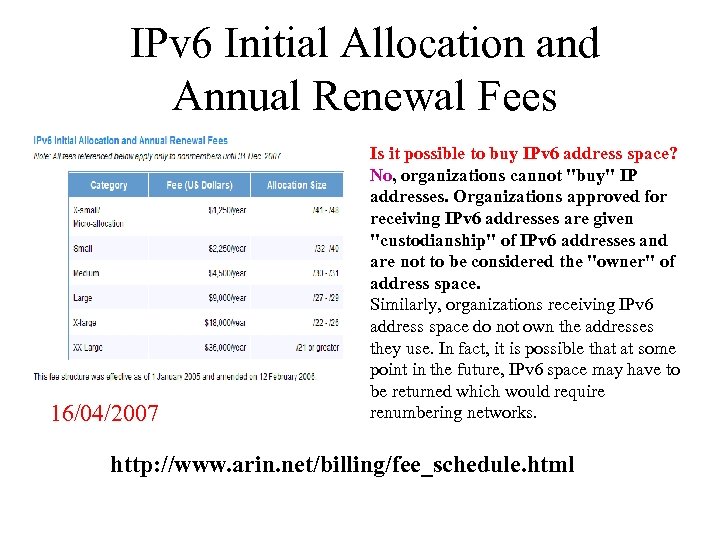 IPv 6 Initial Allocation and Annual Renewal Fees 16/04/2007 Is it possible to buy IPv 6 address space? No, organizations cannot "buy" IP addresses. Organizations approved for receiving IPv 6 addresses are given "custodianship" of IPv 6 addresses and are not to be considered the "owner" of address space. Similarly, organizations receiving IPv 6 address space do not own the addresses they use. In fact, it is possible that at some point in the future, IPv 6 space may have to be returned which would require renumbering networks. http: //www. arin. net/billing/fee_schedule. html
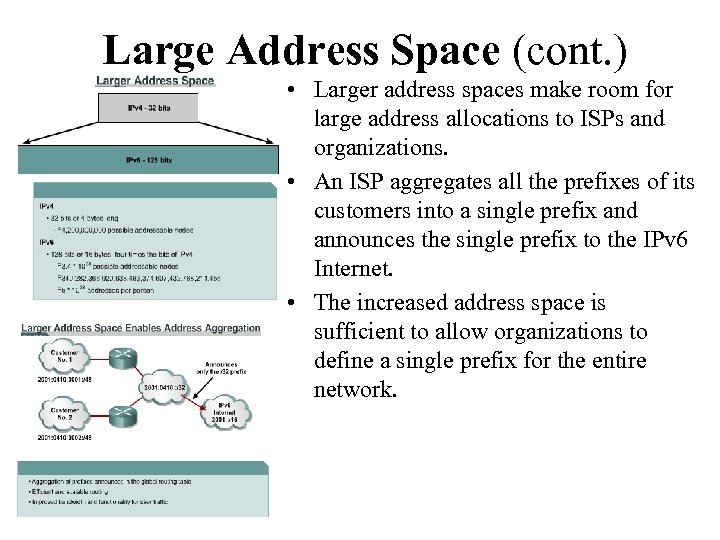 Large Address Space (cont. ) • Larger address spaces make room for large address allocations to ISPs and organizations. • An ISP aggregates all the prefixes of its customers into a single prefix and announces the single prefix to the IPv 6 Internet. • The increased address space is sufficient to allow organizations to define a single prefix for the entire network.
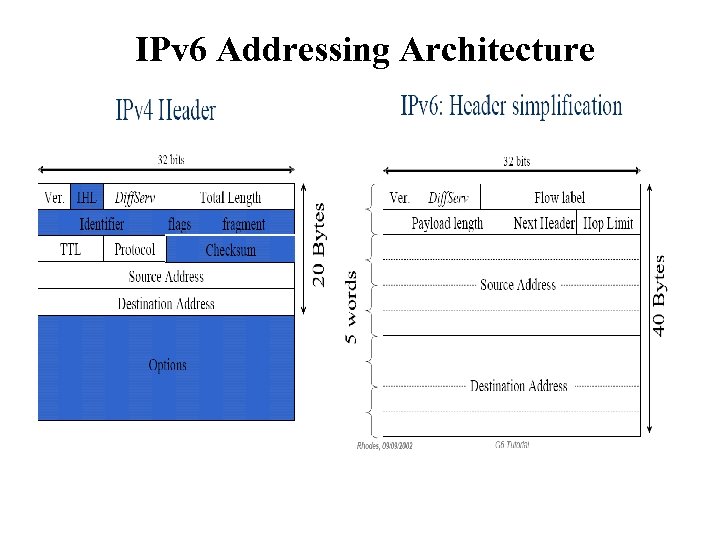
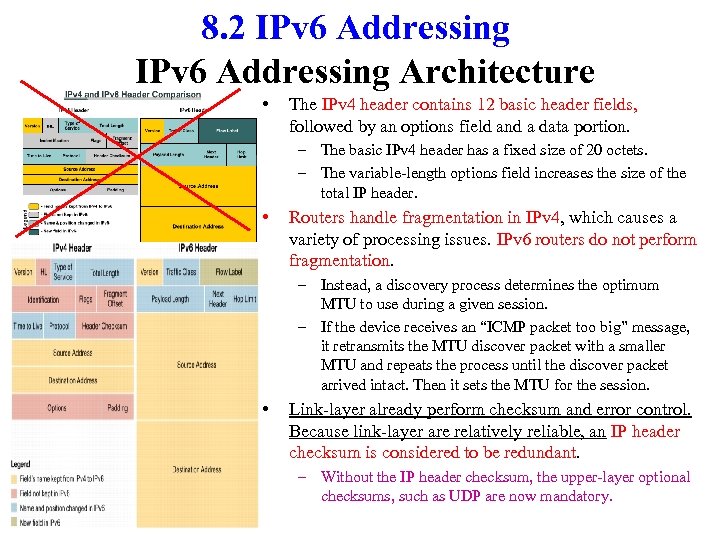 8. 2 IPv 6 Addressing Architecture • The IPv 4 header contains 12 basic header fields, followed by an options field and a data portion. – The basic IPv 4 header has a fixed size of 20 octets. – The variable-length options field increases the size of the total IP header. • Routers handle fragmentation in IPv 4, which causes a variety of processing issues. IPv 6 routers do not perform fragmentation. – Instead, a discovery process determines the optimum MTU to use during a given session. – If the device receives an “ICMP packet too big” message, it retransmits the MTU discover packet with a smaller MTU and repeats the process until the discover packet arrived intact. Then it sets the MTU for the session. • Link-layer already perform checksum and error control. Because link-layer are relatively reliable, an IP header checksum is considered to be redundant. – Without the IP header checksum, the upper-layer optional checksums, such as UDP are now mandatory.
 IPv 6 Addressing Architecture
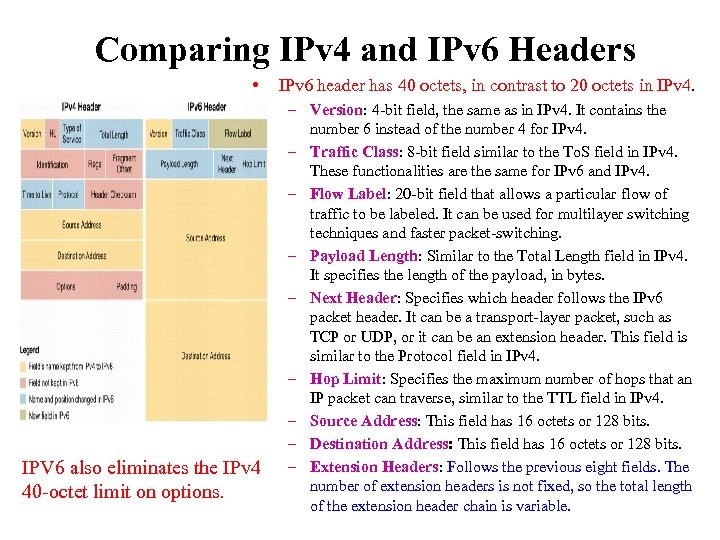 Comparing IPv 4 and IPv 6 Headers • IPV 6 also eliminates the IPv 4 40 -octet limit on options. IPv 6 header has 40 octets, in contrast to 20 octets in IPv 4. – Version: 4 -bit field, the same as in IPv 4. It contains the number 6 instead of the number 4 for IPv 4. – Traffic Class: 8 -bit field similar to the To. S field in IPv 4. These functionalities are the same for IPv 6 and IPv 4. – Flow Label: 20 -bit field that allows a particular flow of traffic to be labeled. It can be used for multilayer switching techniques and faster packet-switching. – Payload Length: Similar to the Total Length field in IPv 4. It specifies the length of the payload, in bytes. – Next Header: Specifies which header follows the IPv 6 packet header. It can be a transport-layer packet, such as TCP or UDP, or it can be an extension header. This field is similar to the Protocol field in IPv 4. – Hop Limit: Specifies the maximum number of hops that an IP packet can traverse, similar to the TTL field in IPv 4. – Source Address: This field has 16 octets or 128 bits. – Destination Address: This field has 16 octets or 128 bits. – Extension Headers: Follows the previous eight fields. The number of extension headers is not fixed, so the total length of the extension header chain is variable.
 IPv 6 Extension Headers http: //www. cisco. com/en/US/tech/tk 872/technologies_white_paper 0900 aecd 8054 d 37 d. shtml
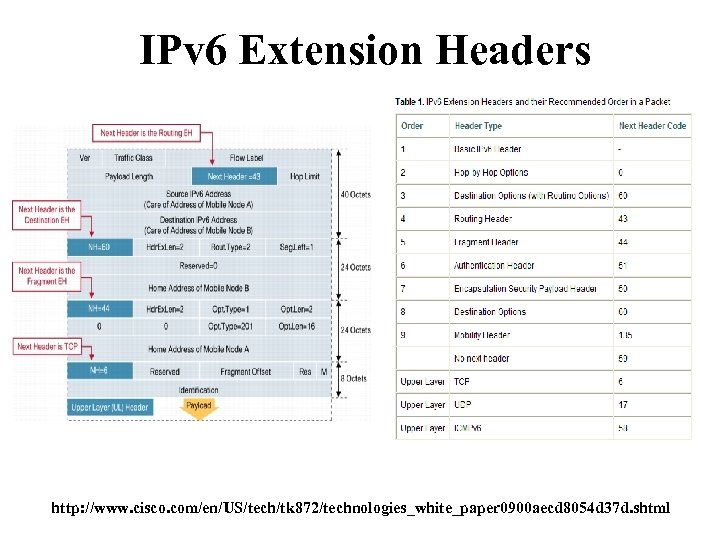 IPv 6 Extension Headers http: //www. cisco. com/en/US/tech/tk 872/technologies_white_paper 0900 aecd 8054 d 37 d. shtml
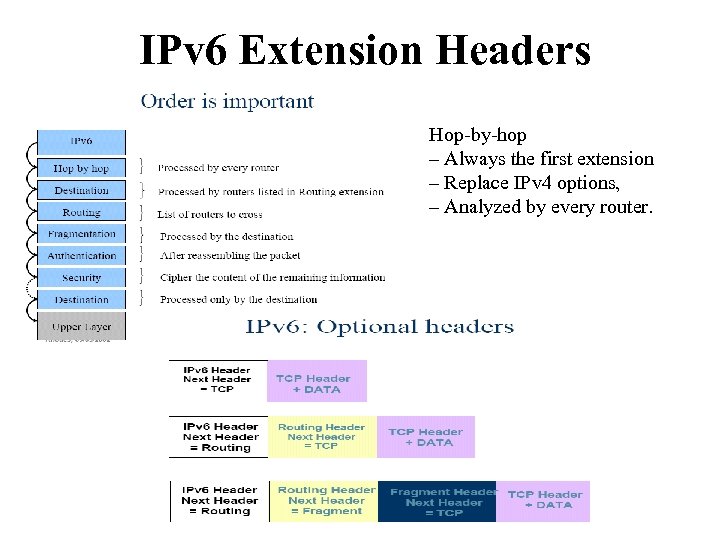 IPv 6 Extension Headers Hop-by-hop – Always the first extension – Replace IPv 4 options, – Analyzed by every router.
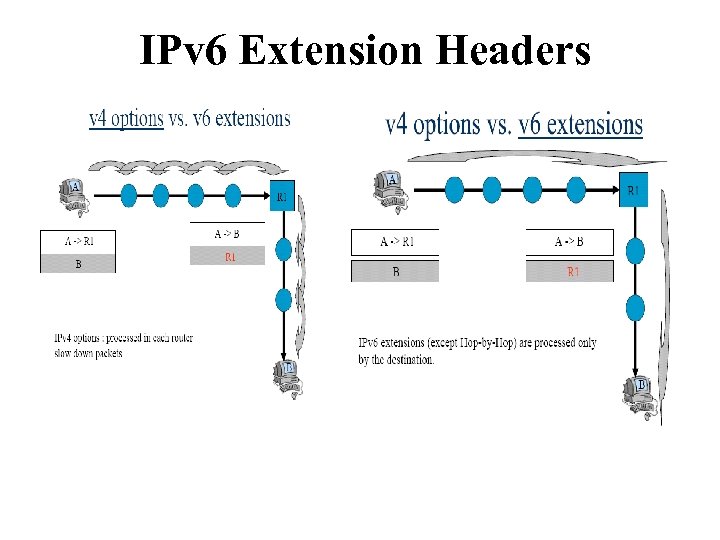 IPv 6 Extension Headers
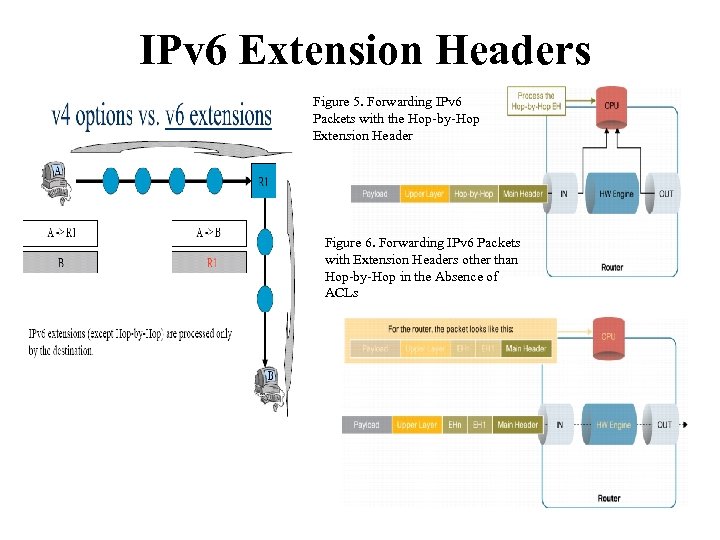 IPv 6 Extension Headers Figure 5. Forwarding IPv 6 Packets with the Hop-by-Hop Extension Header Figure 6. Forwarding IPv 6 Packets with Extension Headers other than Hop-by-Hop in the Absence of ACLs
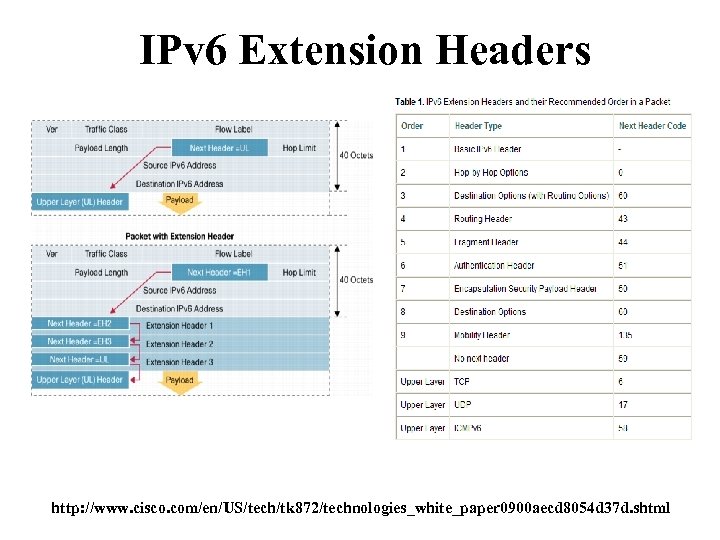
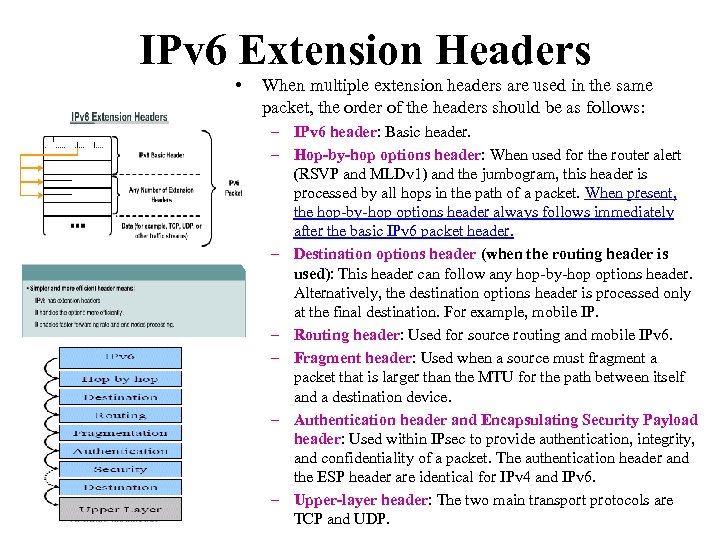 IPv 6 Extension Headers • When multiple extension headers are used in the same packet, the order of the headers should be as follows: – IPv 6 header: Basic header. – Hop-by-hop options header: When used for the router alert (RSVP and MLDv 1) and the jumbogram, this header is processed by all hops in the path of a packet. When present, the hop-by-hop options header always follows immediately after the basic IPv 6 packet header. – Destination options header (when the routing header is used): This header can follow any hop-by-hop options header. Alternatively, the destination options header is processed only at the final destination. For example, mobile IP. – Routing header: Used for source routing and mobile IPv 6. – Fragment header: Used when a source must fragment a packet that is larger than the MTU for the path between itself and a destination device. – Authentication header and Encapsulating Security Payload header: Used within IPsec to provide authentication, integrity, and confidentiality of a packet. The authentication header and the ESP header are identical for IPv 4 and IPv 6. – Upper-layer header: The two main transport protocols are TCP and UDP.
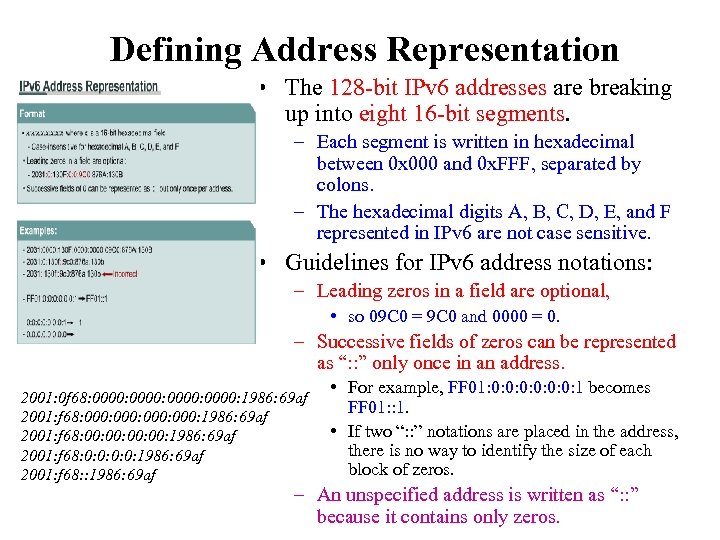 Defining Address Representation • The 128 -bit IPv 6 addresses are breaking up into eight 16 -bit segments. – Each segment is written in hexadecimal between 0 x 000 and 0 x. FFF, separated by colons. – The hexadecimal digits A, B, C, D, E, and F represented in IPv 6 are not case sensitive. • Guidelines for IPv 6 address notations: – Leading zeros in a field are optional, • so 09 C 0 = 9 C 0 and 0000 = 0. – Successive fields of zeros can be represented as “: : ” only once in an address. 2001: 0 f 68: 0000: 1986: 69 af 2001: f 68: 000: 1986: 69 af 2001: f 68: 00: 00: 1986: 69 af 2001: f 68: 0: 0: 1986: 69 af 2001: f 68: : 1986: 69 af • For example, FF 01: 0: 0: 0: 1 becomes FF 01: : 1. • If two “: : ” notations are placed in the address, there is no way to identify the size of each block of zeros. – An unspecified address is written as “: : ” because it contains only zeros.
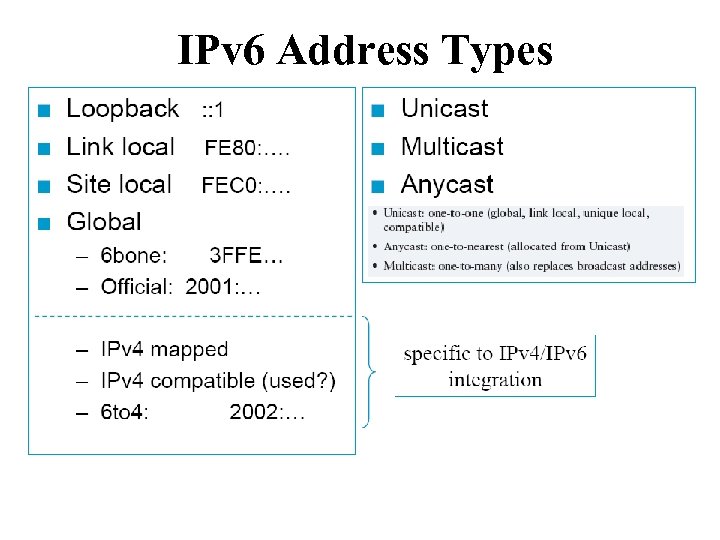 IPv 6 Address Types
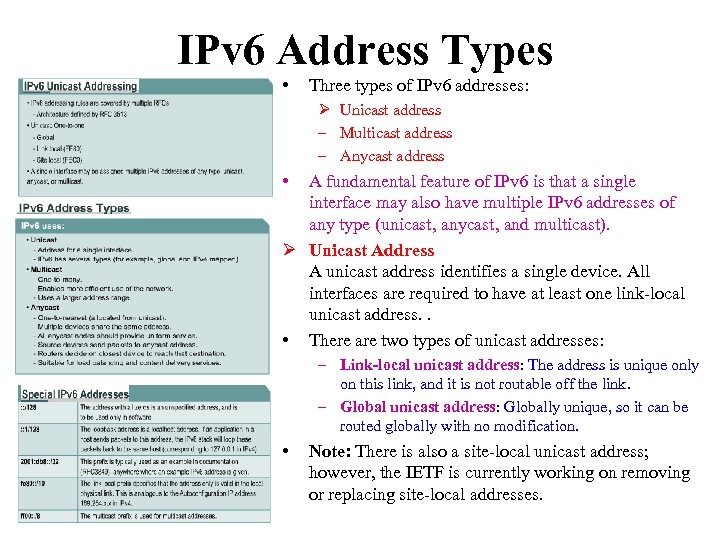 IPv 6 Address Types • Three types of IPv 6 addresses: Ø Unicast address – Multicast address – Anycast address • A fundamental feature of IPv 6 is that a single interface may also have multiple IPv 6 addresses of any type (unicast, anycast, and multicast). Ø Unicast Address A unicast address identifies a single device. All interfaces are required to have at least one link-local unicast address. . • There are two types of unicast addresses: – Link-local unicast address: The address is unique only on this link, and it is not routable off the link. – Global unicast address: Globally unique, so it can be routed globally with no modification. • Note: There is also a site-local unicast address; however, the IETF is currently working on removing or replacing site-local addresses.
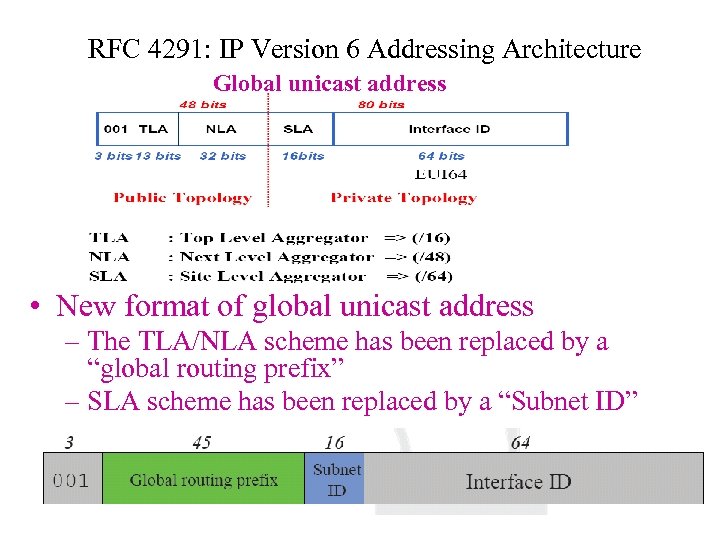 RFC 4291: IP Version 6 Addressing Architecture Global unicast address • New format of global unicast address – The TLA/NLA scheme has been replaced by a “global routing prefix” – SLA scheme has been replaced by a “Subnet ID”
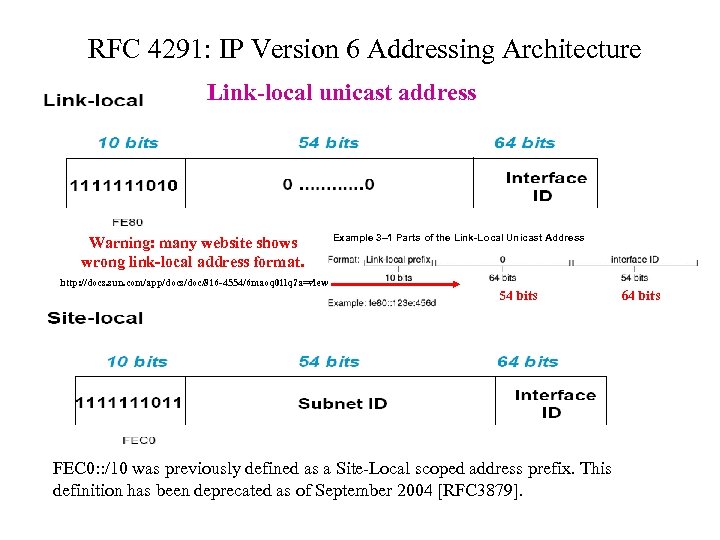 RFC 4291: IP Version 6 Addressing Architecture Link-local unicast address Warning: many website shows wrong link-local address format. http: //docs. sun. com/app/docs/doc/816 -4554/6 maoq 01 lq? a=view Example 3– 1 Parts of the Link-Local Unicast Address 54 bits FEC 0: : /10 was previously defined as a Site-Local scoped address prefix. This definition has been deprecated as of September 2004 [RFC 3879]. 64 bits
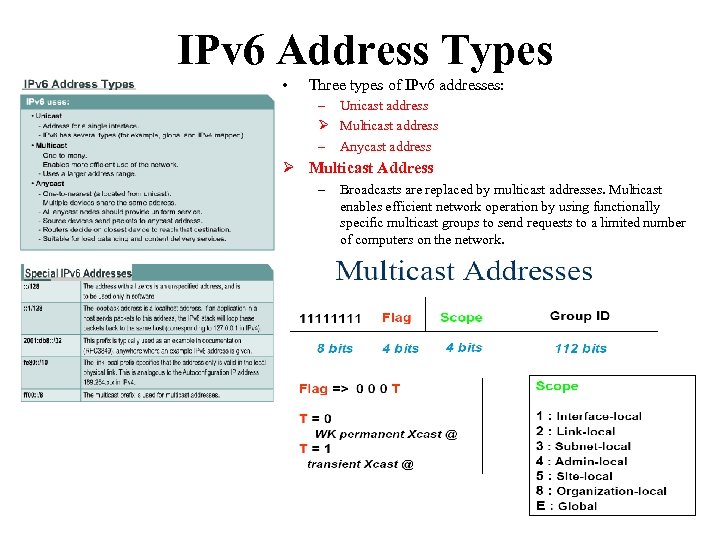 IPv 6 Address Types • Three types of IPv 6 addresses: – Unicast address Ø Multicast address – Anycast address Ø Multicast Address – Broadcasts are replaced by multicast addresses. Multicast enables efficient network operation by using functionally specific multicast groups to send requests to a limited number of computers on the network.
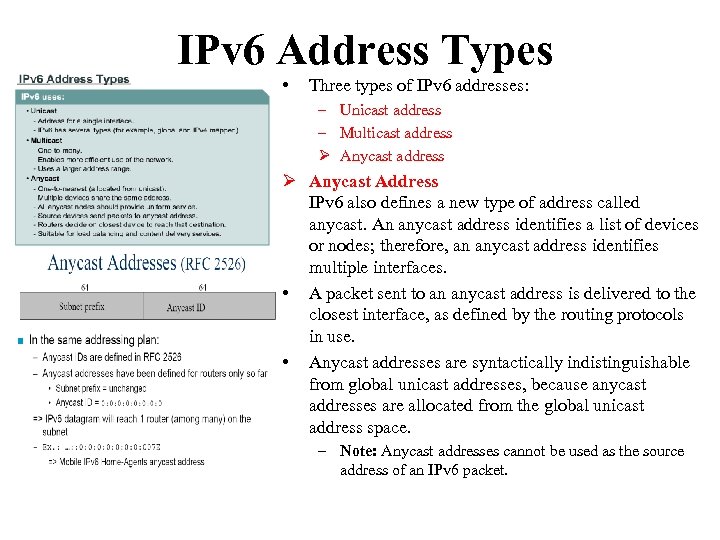 IPv 6 Address Types • Three types of IPv 6 addresses: – Unicast address – Multicast address Ø Anycast address Ø Anycast Address IPv 6 also defines a new type of address called anycast. An anycast address identifies a list of devices or nodes; therefore, an anycast address identifies multiple interfaces. • A packet sent to an anycast address is delivered to the closest interface, as defined by the routing protocols in use. • Anycast addresses are syntactically indistinguishable from global unicast addresses, because anycast addresses are allocated from the global unicast address space. – Note: Anycast addresses cannot be used as the source address of an IPv 6 packet.
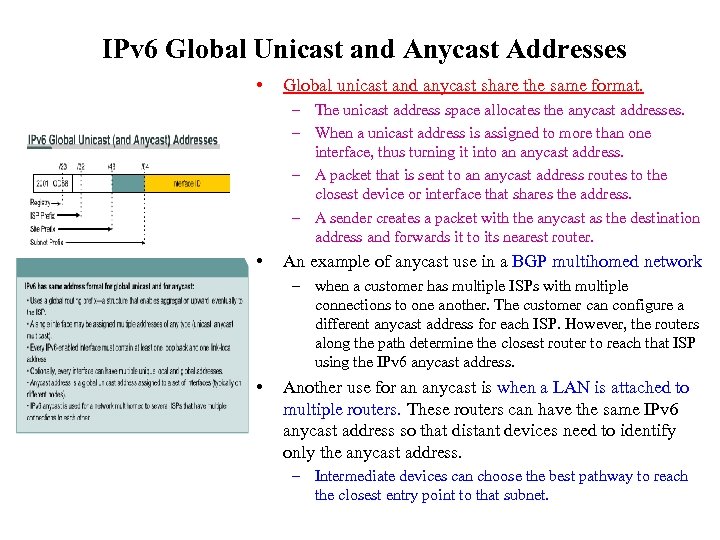 IPv 6 Global Unicast and Anycast Addresses • Global unicast and anycast share the same format. – The unicast address space allocates the anycast addresses. – When a unicast address is assigned to more than one interface, thus turning it into an anycast address. – A packet that is sent to an anycast address routes to the closest device or interface that shares the address. – A sender creates a packet with the anycast as the destination address and forwards it to its nearest router. • An example of anycast use in a BGP multihomed network – when a customer has multiple ISPs with multiple connections to one another. The customer can configure a different anycast address for each ISP. However, the routers along the path determine the closest router to reach that ISP using the IPv 6 anycast address. • Another use for an anycast is when a LAN is attached to multiple routers. These routers can have the same IPv 6 anycast address so that distant devices need to identify only the anycast address. – Intermediate devices can choose the best pathway to reach the closest entry point to that subnet.
 Required IPv 6 addresses (RFC 4291) • Node • Router – Link local address – All addresses a host must • for each interface recognized – Any additional unicast and – The subnet-router anycast addresses (manually or anycastaddresses for all automatically conf) interfaces … – Loopback address – All other anycast addresses the router has been configured – The all-nodes multicast address – Solicited-node multicast address – The all-routers multicast addresses group. for each of unicast and anycast address – Multicast addresses of all other groups the node belongs to
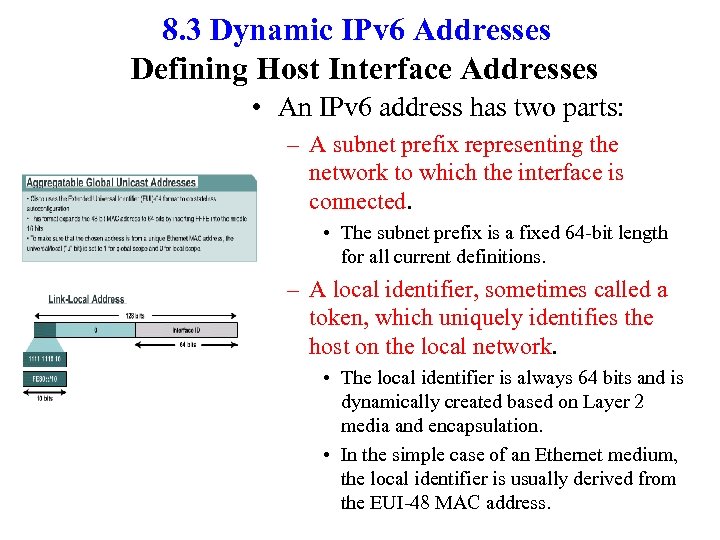 8. 3 Dynamic IPv 6 Addresses Defining Host Interface Addresses • An IPv 6 address has two parts: – A subnet prefix representing the network to which the interface is connected. • The subnet prefix is a fixed 64 -bit length for all current definitions. – A local identifier, sometimes called a token, which uniquely identifies the host on the local network. • The local identifier is always 64 bits and is dynamically created based on Layer 2 media and encapsulation. • In the simple case of an Ethernet medium, the local identifier is usually derived from the EUI-48 MAC address.
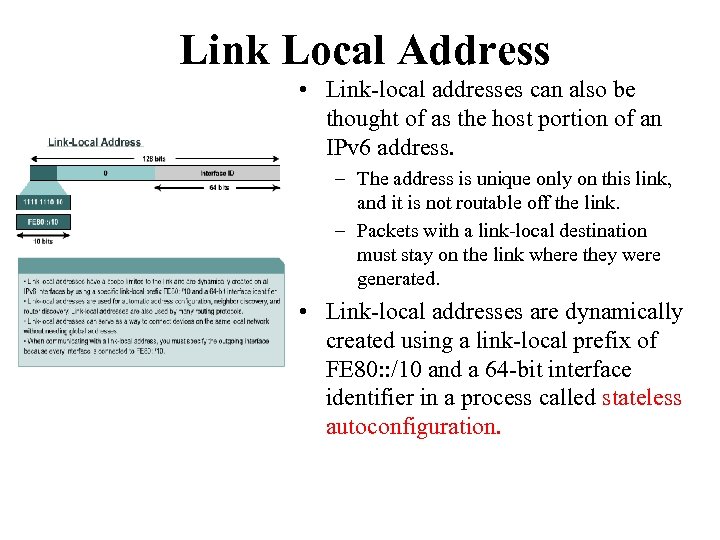 Link Local Address • Link-local addresses can also be thought of as the host portion of an IPv 6 address. – The address is unique only on this link, and it is not routable off the link. – Packets with a link-local destination must stay on the link where they were generated. • Link-local addresses are dynamically created using a link-local prefix of FE 80: : /10 and a 64 -bit interface identifier in a process called stateless autoconfiguration.
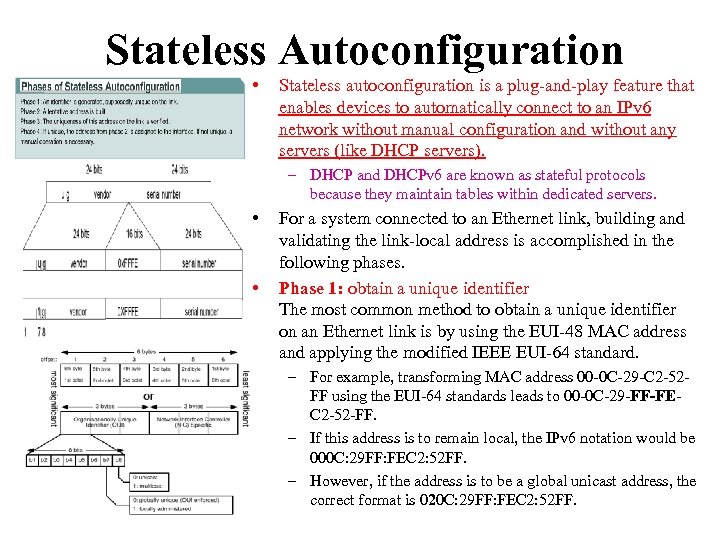 Stateless Autoconfiguration • Stateless autoconfiguration is a plug-and-play feature that enables devices to automatically connect to an IPv 6 network without manual configuration and without any servers (like DHCP servers). – DHCP and DHCPv 6 are known as stateful protocols because they maintain tables within dedicated servers. • • For a system connected to an Ethernet link, building and validating the link-local address is accomplished in the following phases. Phase 1: obtain a unique identifier The most common method to obtain a unique identifier on an Ethernet link is by using the EUI-48 MAC address and applying the modified IEEE EUI-64 standard. – For example, transforming MAC address 00 -0 C-29 -C 2 -52 FF using the EUI-64 standards leads to 00 -0 C-29 -FF-FEC 2 -52 -FF. – If this address is to remain local, the IPv 6 notation would be 000 C: 29 FF: FEC 2: 52 FF. – However, if the address is to be a global unicast address, the correct format is 020 C: 29 FF: FEC 2: 52 FF.
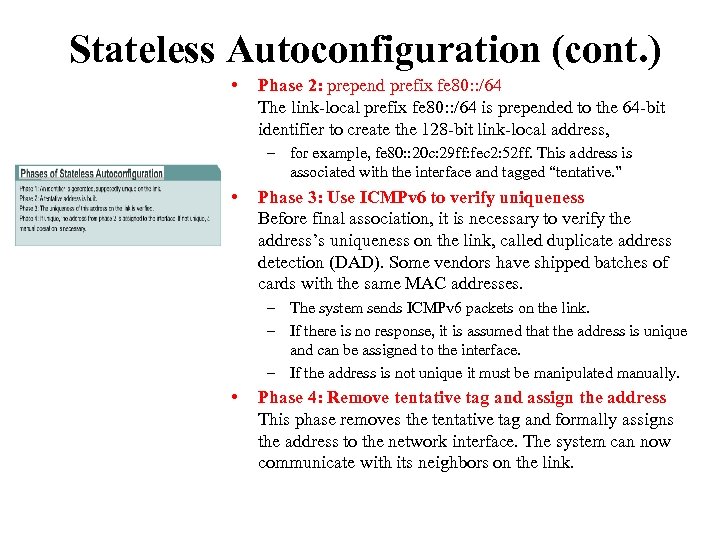 Stateless Autoconfiguration (cont. ) • Phase 2: prepend prefix fe 80: : /64 The link-local prefix fe 80: : /64 is prepended to the 64 -bit identifier to create the 128 -bit link-local address, – for example, fe 80: : 20 c: 29 ff: fec 2: 52 ff. This address is associated with the interface and tagged “tentative. ” • Phase 3: Use ICMPv 6 to verify uniqueness Before final association, it is necessary to verify the address’s uniqueness on the link, called duplicate address detection (DAD). Some vendors have shipped batches of cards with the same MAC addresses. – The system sends ICMPv 6 packets on the link. – If there is no response, it is assumed that the address is unique and can be assigned to the interface. – If the address is not unique it must be manipulated manually. • Phase 4: Remove tentative tag and assign the address This phase removes the tentative tag and formally assigns the address to the network interface. The system can now communicate with its neighbors on the link.
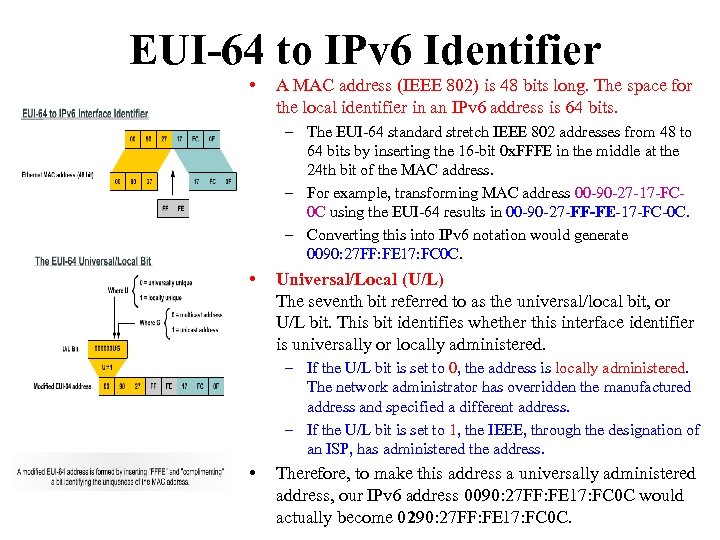 EUI-64 to IPv 6 Identifier • A MAC address (IEEE 802) is 48 bits long. The space for the local identifier in an IPv 6 address is 64 bits. – The EUI-64 standard stretch IEEE 802 addresses from 48 to 64 bits by inserting the 16 -bit 0 x. FFFE in the middle at the 24 th bit of the MAC address. – For example, transforming MAC address 00 -90 -27 -17 -FC 0 C using the EUI-64 results in 00 -90 -27 -FF-FE-17 -FC-0 C. – Converting this into IPv 6 notation would generate 0090: 27 FF: FE 17: FC 0 C. • Universal/Local (U/L) The seventh bit referred to as the universal/local bit, or U/L bit. This bit identifies whether this interface identifier is universally or locally administered. – If the U/L bit is set to 0, the address is locally administered. The network administrator has overridden the manufactured address and specified a different address. – If the U/L bit is set to 1, the IEEE, through the designation of an ISP, has administered the address. • Therefore, to make this address a universally administered address, our IPv 6 address 0090: 27 FF: FE 17: FC 0 C would actually become 0290: 27 FF: FE 17: FC 0 C.
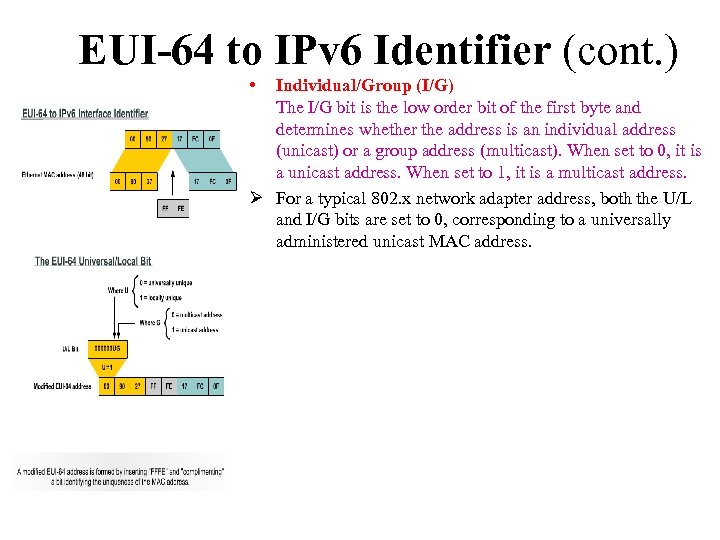 EUI-64 to IPv 6 Identifier (cont. ) • Individual/Group (I/G) The I/G bit is the low order bit of the first byte and determines whether the address is an individual address (unicast) or a group address (multicast). When set to 0, it is a unicast address. When set to 1, it is a multicast address. Ø For a typical 802. x network adapter address, both the U/L and I/G bits are set to 0, corresponding to a universally administered unicast MAC address.
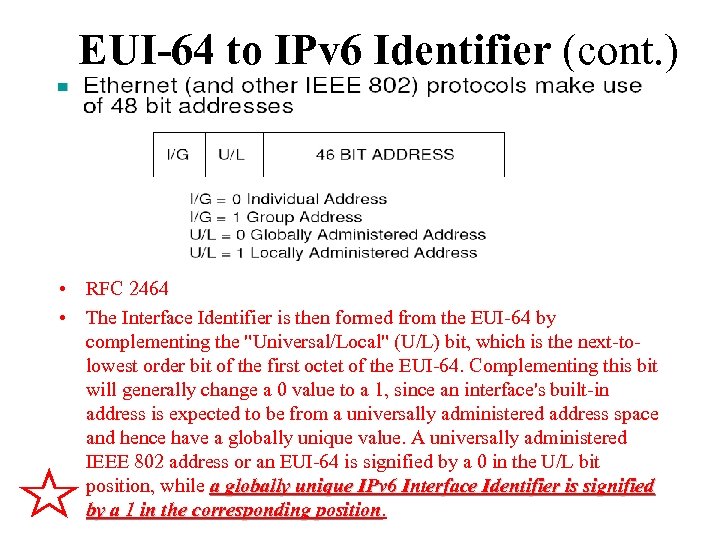 EUI-64 to IPv 6 Identifier (cont. ) • RFC 2464 • The Interface Identifier is then formed from the EUI-64 by complementing the "Universal/Local" (U/L) bit, which is the next-to- lowest order bit of the first octet of the EUI-64. Complementing this bit will generally change a 0 value to a 1, since an interface's built-in address is expected to be from a universally administered address space and hence have a globally unique value. A universally administered IEEE 802 address or an EUI-64 is signified by a 0 in the U/L bit position, while a globally unique IPv 6 Interface Identifier is signified by a 1 in the corresponding position
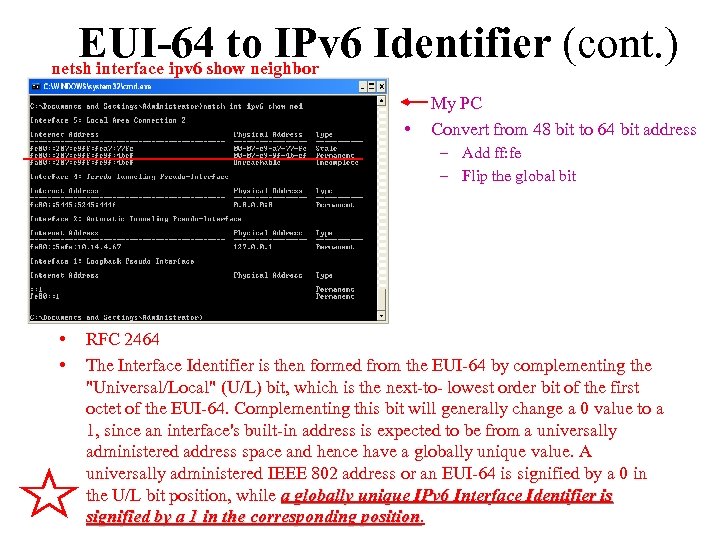 EUI-64 to IPv 6 Identifier (cont. ) netsh interface ipv 6 show neighbor • • My PC Convert from 48 bit to 64 bit address – Add ff: fe – Flip the global bit • • RFC 2464 The Interface Identifier is then formed from the EUI-64 by complementing the "Universal/Local" (U/L) bit, which is the next-to- lowest order bit of the first octet of the EUI-64. Complementing this bit will generally change a 0 value to a 1, since an interface's built-in address is expected to be from a universally administered address space and hence have a globally unique value. A universally administered IEEE 802 address or an EUI-64 is signified by a 0 in the U/L bit position, while a globally unique IPv 6 Interface Identifier is signified by a 1 in the corresponding position
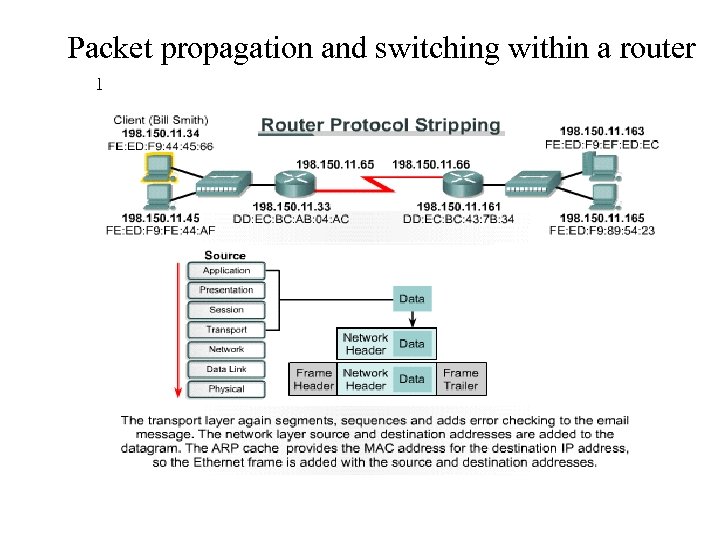 Packet propagation and switching within a router 1
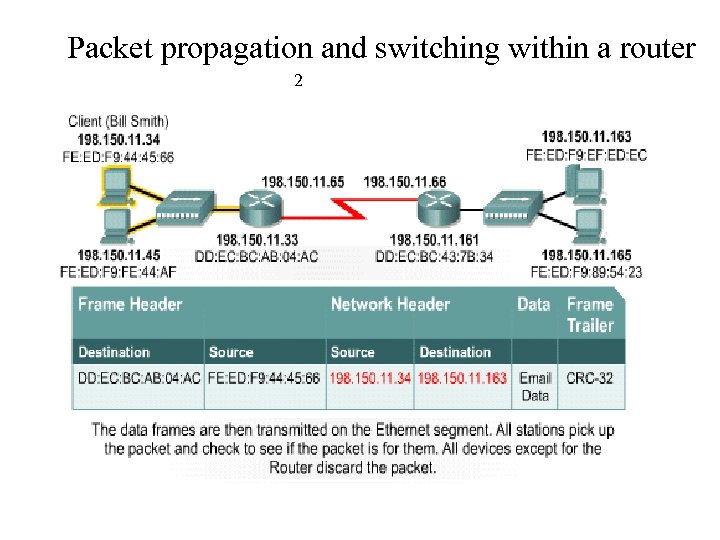 Packet propagation and switching within a router 2
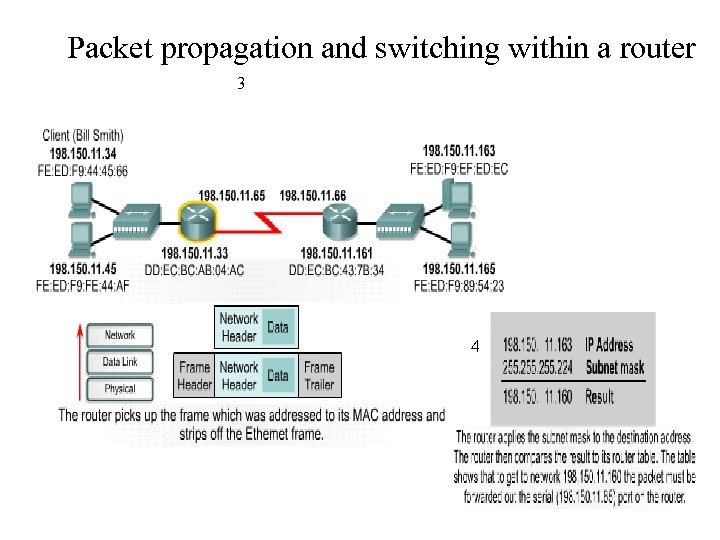 Packet propagation and switching within a router 3 4
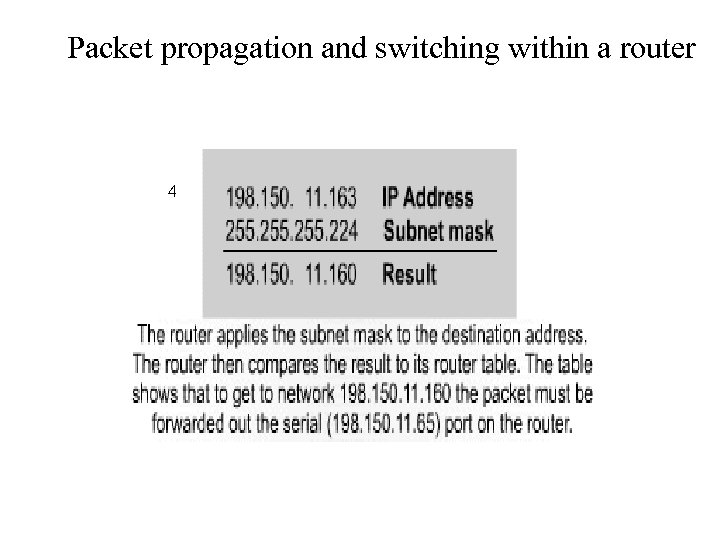 Packet propagation and switching within a router 4
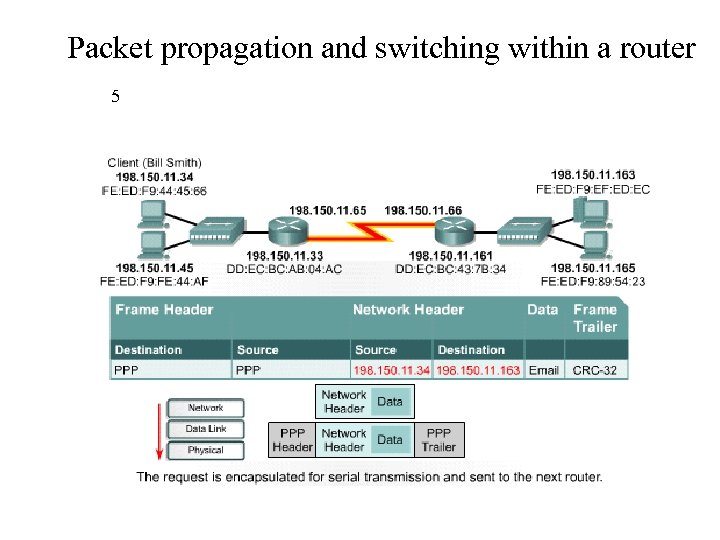 Packet propagation and switching within a router 5
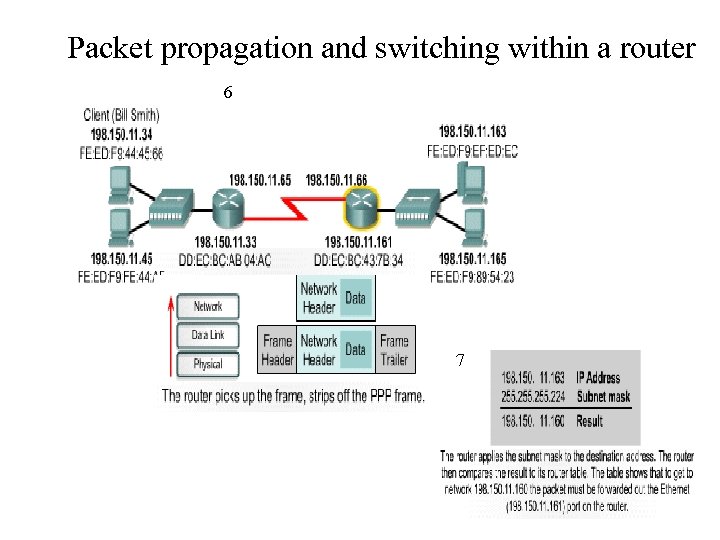 Packet propagation and switching within a router 6 7
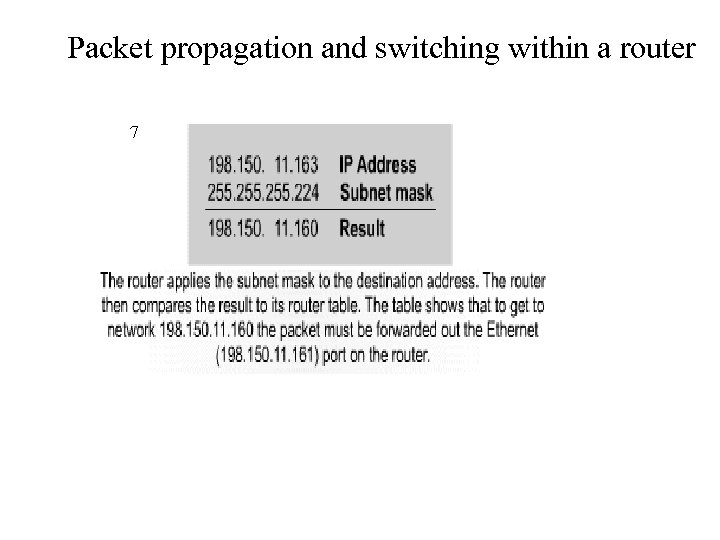 Packet propagation and switching within a router 7
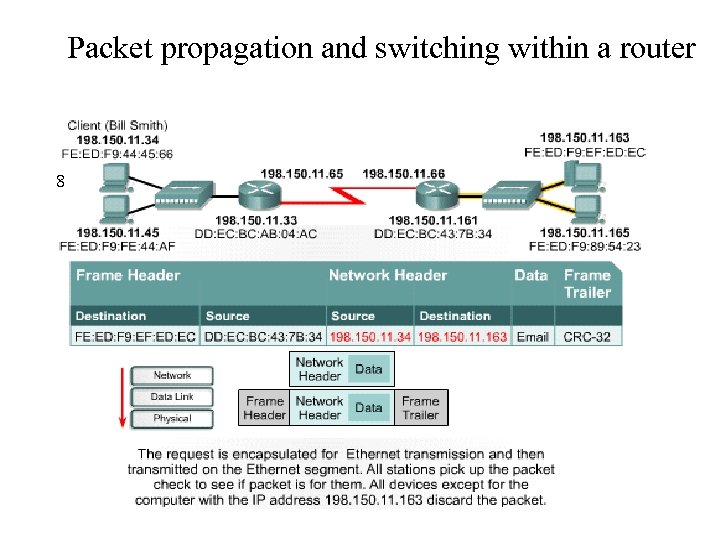 Packet propagation and switching within a router 8
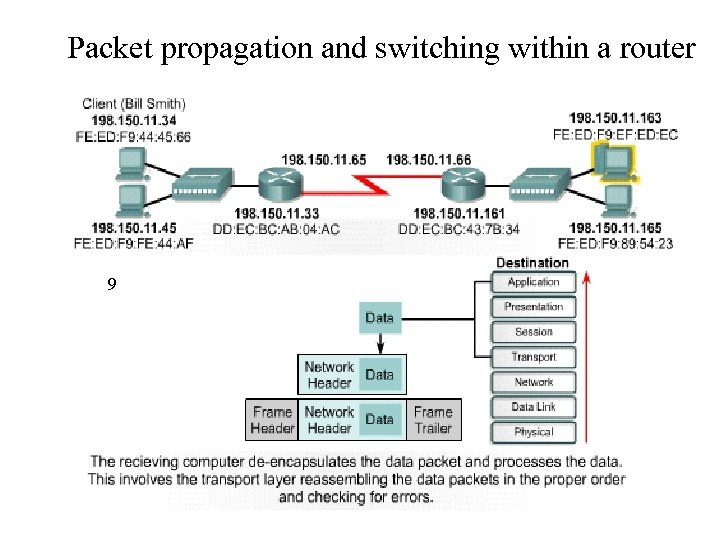 Packet propagation and switching within a router 9
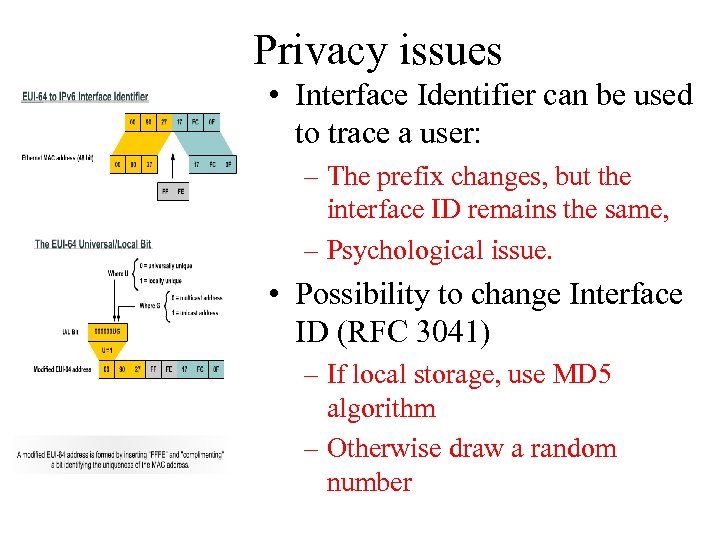 Privacy issues • Interface Identifier can be used to trace a user: – The prefix changes, but the interface ID remains the same, – Psychological issue. • Possibility to change Interface ID (RFC 3041) – If local storage, use MD 5 algorithm – Otherwise draw a random number
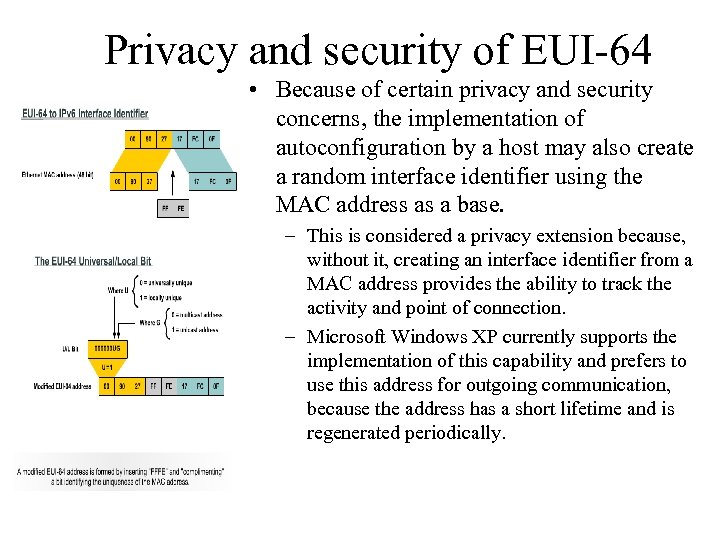 Privacy and security of EUI-64 • Because of certain privacy and security concerns, the implementation of autoconfiguration by a host may also create a random interface identifier using the MAC address as a base. – This is considered a privacy extension because, without it, creating an interface identifier from a MAC address provides the ability to track the activity and point of connection. – Microsoft Windows XP currently supports the implementation of this capability and prefers to use this address for outgoing communication, because the address has a short lifetime and is regenerated periodically.
 IPv 6 over Data Link Layers • • The data link layer defines how IPv 6 interface identifiers are created and how neighbor discovery deals with data link layer address resolution. IPv 6 is defined on most of the current data link layers, including the following: – – – – – Ethernet* PPP* High-Level Data Link Control (HDLC)* FDDI Token Ring Attached Resource Computer Network (ARCNET) Nonbroadcast multiaccess (NBMA) ATM** Frame Relay*** IEEE 1394 * Cisco supports these data link layers. ** Cisco supports only ATM permanent virtual circuit (PVC) and ATM LAN Emulation (LANE). *** Cisco supports only Frame Relay PVC.
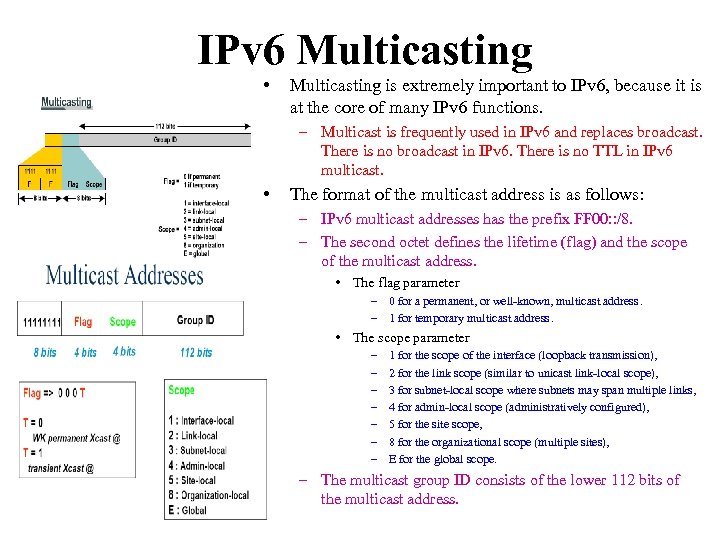 IPv 6 Multicasting • Multicasting is extremely important to IPv 6, because it is at the core of many IPv 6 functions. – Multicast is frequently used in IPv 6 and replaces broadcast. There is no broadcast in IPv 6. There is no TTL in IPv 6 multicast. • The format of the multicast address is as follows: – IPv 6 multicast addresses has the prefix FF 00: : /8. – The second octet defines the lifetime (flag) and the scope of the multicast address. • The flag parameter – 0 for a permanent, or well-known, multicast address. – 1 for temporary multicast address. • The scope parameter – – – – 1 for the scope of the interface (loopback transmission), 2 for the link scope (similar to unicast link-local scope), 3 for subnet-local scope where subnets may span multiple links, 4 for admin-local scope (administratively configured), 5 for the site scope, 8 for the organizational scope (multiple sites), E for the global scope. – The multicast group ID consists of the lower 112 bits of the multicast address.
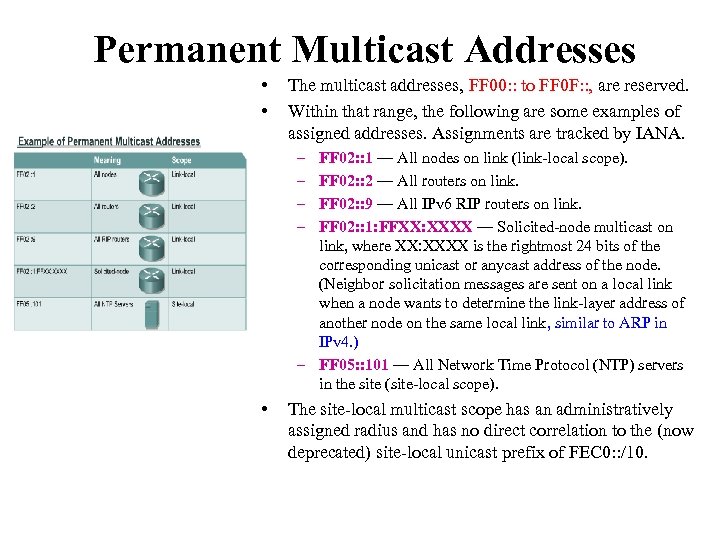 Permanent Multicast Addresses • • The multicast addresses, FF 00: : to FF 0 F: : , are reserved. Within that range, the following are some examples of assigned addresses. Assignments are tracked by IANA. – – FF 02: : 1 — All nodes on link (link-local scope). FF 02: : 2 — All routers on link. FF 02: : 9 — All IPv 6 RIP routers on link. FF 02: : 1: FFXX: XXXX — Solicited-node multicast on link, where XX: XXXX is the rightmost 24 bits of the corresponding unicast or anycast address of the node. (Neighbor solicitation messages are sent on a local link when a node wants to determine the link-layer address of another node on the same local link, similar to ARP in IPv 4. ) – FF 05: : 101 — All Network Time Protocol (NTP) servers in the site (site-local scope). • The site-local multicast scope has an administratively assigned radius and has no direct correlation to the (now deprecated) site-local unicast prefix of FEC 0: : /10.
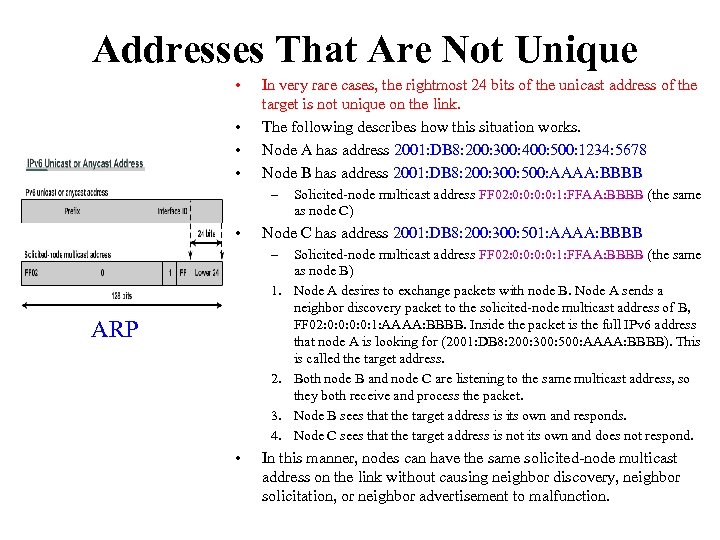 Addresses That Are Not Unique • • In very rare cases, the rightmost 24 bits of the unicast address of the target is not unique on the link. The following describes how this situation works. Node A has address 2001: DB 8: 200: 300: 400: 500: 1234: 5678 Node B has address 2001: DB 8: 200: 300: 500: AAAA: BBBB – • Node C has address 2001: DB 8: 200: 300: 501: AAAA: BBBB – 1. ARP 2. 3. 4. • Solicited-node multicast address FF 02: 0: 0: 1: FFAA: BBBB (the same as node C) Solicited-node multicast address FF 02: 0: 0: 1: FFAA: BBBB (the same as node B) Node A desires to exchange packets with node B. Node A sends a neighbor discovery packet to the solicited-node multicast address of B, FF 02: 0: 0: 1: AAAA: BBBB. Inside the packet is the full IPv 6 address that node A is looking for (2001: DB 8: 200: 300: 500: AAAA: BBBB). This is called the target address. Both node B and node C are listening to the same multicast address, so they both receive and process the packet. Node B sees that the target address is its own and responds. Node C sees that the target address is not its own and does not respond. In this manner, nodes can have the same solicited-node multicast address on the link without causing neighbor discovery, neighbor solicitation, or neighbor advertisement to malfunction.
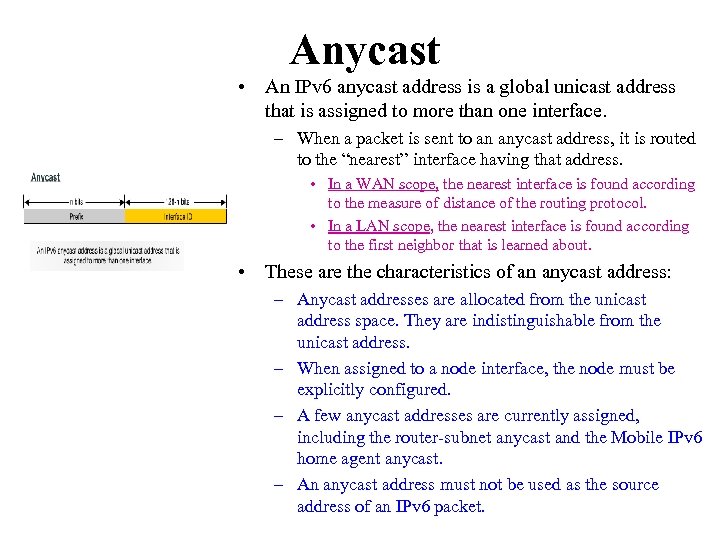 Anycast • An IPv 6 anycast address is a global unicast address that is assigned to more than one interface. – When a packet is sent to an anycast address, it is routed to the “nearest” interface having that address. • In a WAN scope, the nearest interface is found according to the measure of distance of the routing protocol. • In a LAN scope, the nearest interface is found according to the first neighbor that is learned about. • These are the characteristics of an anycast address: – Anycast addresses are allocated from the unicast address space. They are indistinguishable from the unicast address. – When assigned to a node interface, the node must be explicitly configured. – A few anycast addresses are currently assigned, including the router-subnet anycast and the Mobile IPv 6 home agent anycast. – An anycast address must not be used as the source address of an IPv 6 packet.
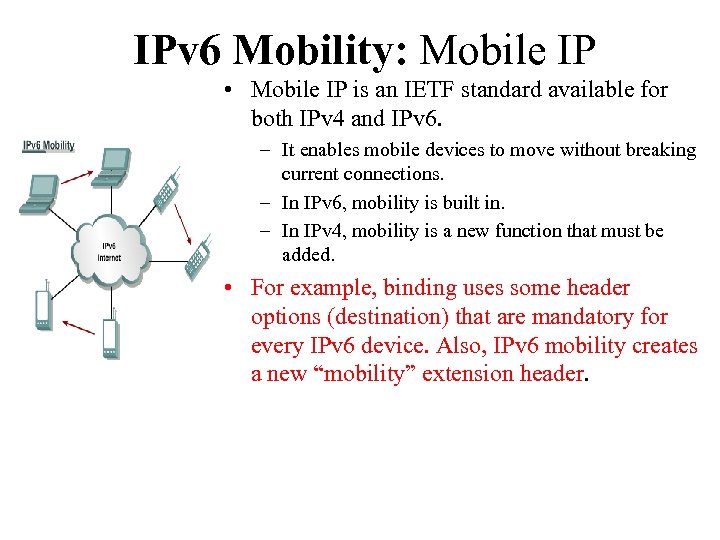 IPv 6 Mobility: Mobile IP • Mobile IP is an IETF standard available for both IPv 4 and IPv 6. – It enables mobile devices to move without breaking current connections. – In IPv 6, mobility is built in. – In IPv 4, mobility is a new function that must be added. • For example, binding uses some header options (destination) that are mandatory for every IPv 6 device. Also, IPv 6 mobility creates a new “mobility” extension header.
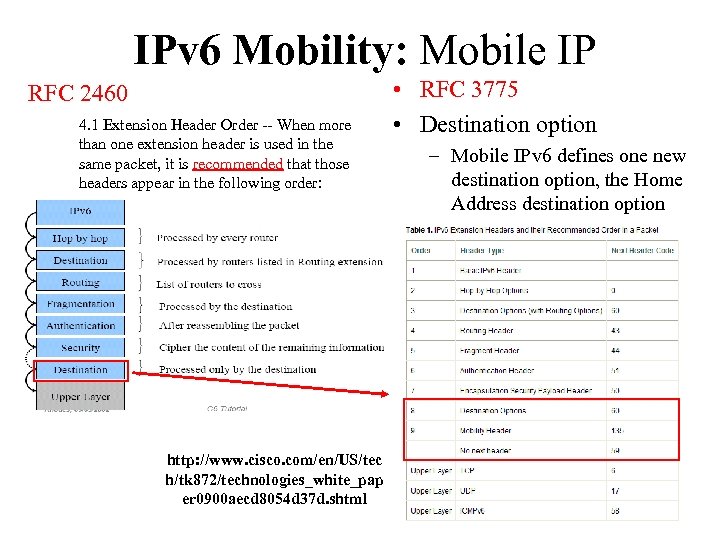 IPv 6 Mobility: Mobile IP RFC 2460 4. 1 Extension Header Order -- When more than one extension header is used in the same packet, it is recommended that those headers appear in the following order: http: //www. cisco. com/en/US/tec h/tk 872/technologies_white_pap er 0900 aecd 8054 d 37 d. shtml • RFC 3775 • Destination option – Mobile IPv 6 defines one new destination option, the Home Address destination option
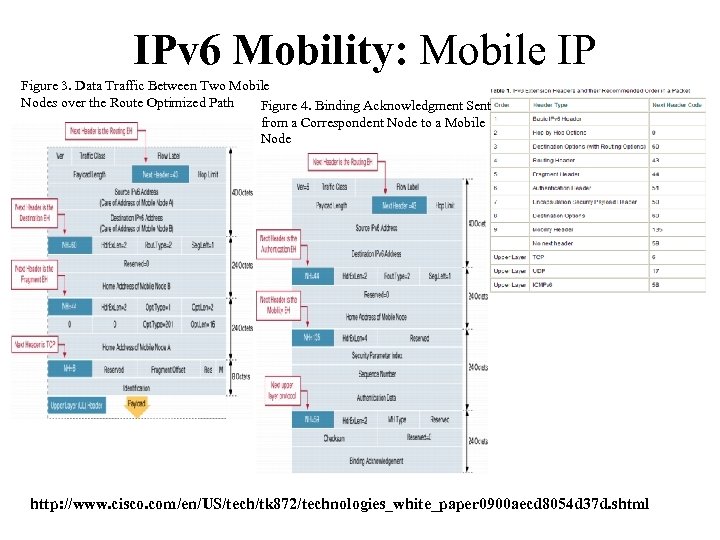 IPv 6 Mobility: Mobile IP Figure 3. Data Traffic Between Two Mobile Nodes over the Route Optimized Path Figure 4. Binding Acknowledgment Sent from a Correspondent Node to a Mobile Node http: //www. cisco. com/en/US/tech/tk 872/technologies_white_paper 0900 aecd 8054 d 37 d. shtml
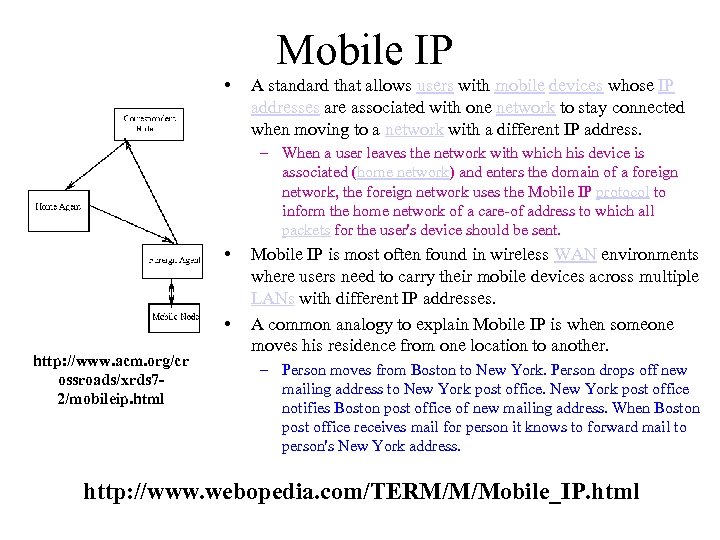 Mobile IP • A standard that allows users with mobile devices whose IP addresses are associated with one network to stay connected when moving to a network with a different IP address. – When a user leaves the network with which his device is associated (home network) and enters the domain of a foreign network, the foreign network uses the Mobile IP protocol to inform the home network of a care-of address to which all packets for the user's device should be sent. • • http: //www. acm. org/cr ossroads/xrds 72/mobileip. html Mobile IP is most often found in wireless WAN environments where users need to carry their mobile devices across multiple LANs with different IP addresses. A common analogy to explain Mobile IP is when someone moves his residence from one location to another. – Person moves from Boston to New York. Person drops off new mailing address to New York post office notifies Boston post office of new mailing address. When Boston post office receives mail for person it knows to forward mail to person's New York address. http: //www. webopedia. com/TERM/M/Mobile_IP. html
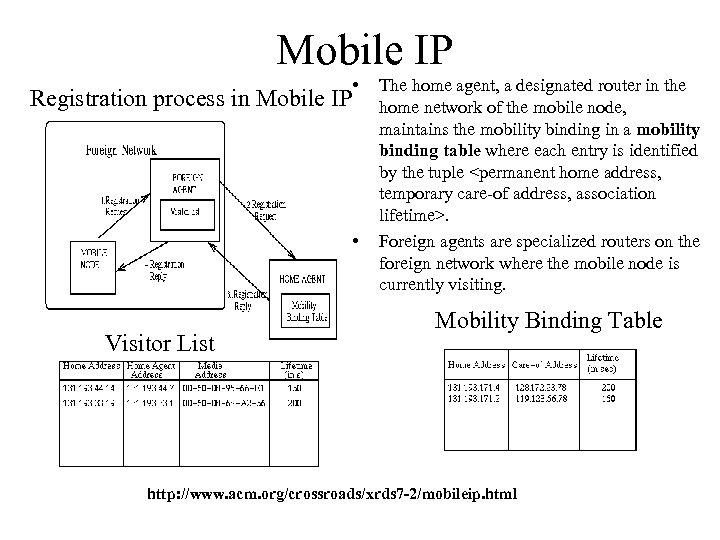 Mobile IP • Registration process in Mobile IP • Visitor List The home agent, a designated router in the home network of the mobile node, maintains the mobility binding in a mobility binding table where each entry is identified by the tuple
 Mobile IP http: //www. cisco. com/univercd/cc/td/doc/product/access/mar_3200/mar_conf/m 507 cfg. htm#wp 1034919
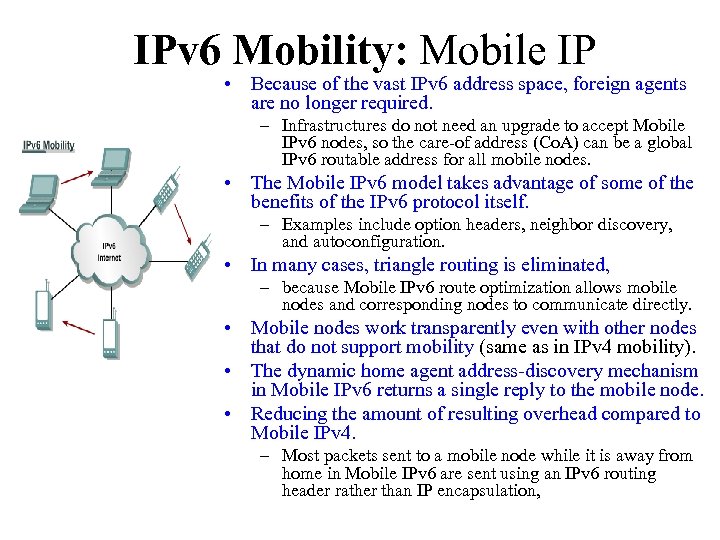 IPv 6 Mobility: Mobile IP • Because of the vast IPv 6 address space, foreign agents are no longer required. – Infrastructures do not need an upgrade to accept Mobile IPv 6 nodes, so the care-of address (Co. A) can be a global IPv 6 routable address for all mobile nodes. • The Mobile IPv 6 model takes advantage of some of the benefits of the IPv 6 protocol itself. – Examples include option headers, neighbor discovery, and autoconfiguration. • In many cases, triangle routing is eliminated, – because Mobile IPv 6 route optimization allows mobile nodes and corresponding nodes to communicate directly. • Mobile nodes work transparently even with other nodes that do not support mobility (same as in IPv 4 mobility). • The dynamic home agent address-discovery mechanism in Mobile IPv 6 returns a single reply to the mobile node. • Reducing the amount of resulting overhead compared to Mobile IPv 4. – Most packets sent to a mobile node while it is away from home in Mobile IPv 6 are sent using an IPv 6 routing header rather than IP encapsulation,
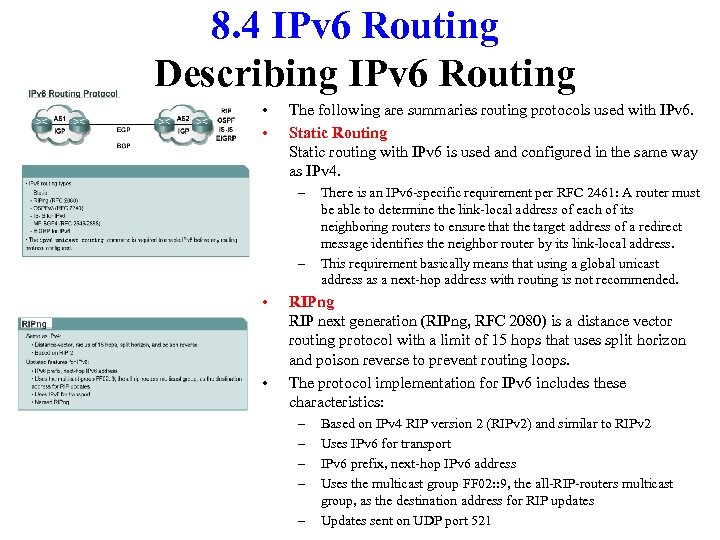 8. 4 IPv 6 Routing Describing IPv 6 Routing • • The following are summaries routing protocols used with IPv 6. Static Routing Static routing with IPv 6 is used and configured in the same way as IPv 4. – – • • There is an IPv 6 -specific requirement per RFC 2461: A router must be able to determine the link-local address of each of its neighboring routers to ensure that the target address of a redirect message identifies the neighbor router by its link-local address. This requirement basically means that using a global unicast address as a next-hop address with routing is not recommended. RIPng RIP next generation (RIPng, RFC 2080) is a distance vector routing protocol with a limit of 15 hops that uses split horizon and poison reverse to prevent routing loops. The protocol implementation for IPv 6 includes these characteristics: – – – Based on IPv 4 RIP version 2 (RIPv 2) and similar to RIPv 2 Uses IPv 6 for transport IPv 6 prefix, next-hop IPv 6 address Uses the multicast group FF 02: : 9, the all-RIP-routers multicast group, as the destination address for RIP updates Updates sent on UDP port 521
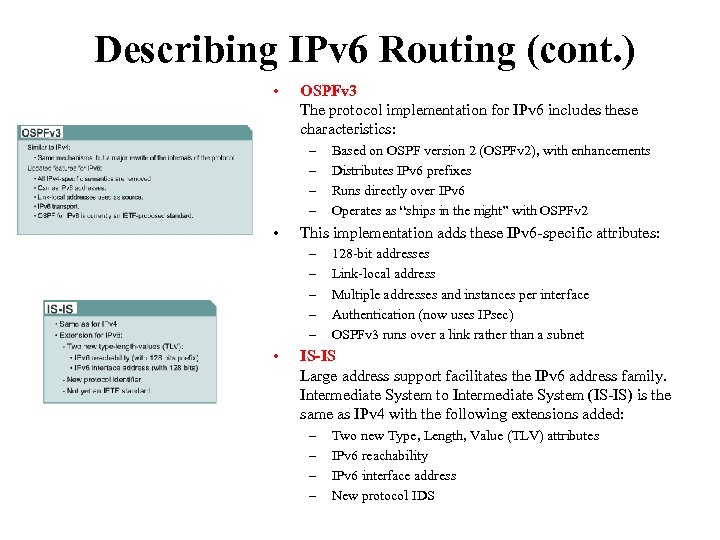 Describing IPv 6 Routing (cont. ) • OSPFv 3 The protocol implementation for IPv 6 includes these characteristics: – – • This implementation adds these IPv 6 -specific attributes: – – – • Based on OSPF version 2 (OSPFv 2), with enhancements Distributes IPv 6 prefixes Runs directly over IPv 6 Operates as “ships in the night” with OSPFv 2 128 -bit addresses Link-local address Multiple addresses and instances per interface Authentication (now uses IPsec) OSPFv 3 runs over a link rather than a subnet IS-IS Large address support facilitates the IPv 6 address family. Intermediate System to Intermediate System (IS-IS) is the same as IPv 4 with the following extensions added: – – Two new Type, Length, Value (TLV) attributes IPv 6 reachability IPv 6 interface address New protocol IDS
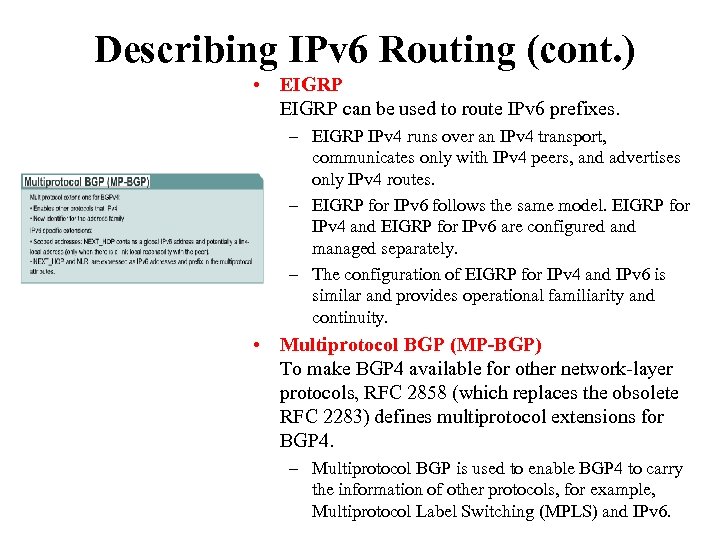 Describing IPv 6 Routing (cont. ) • EIGRP can be used to route IPv 6 prefixes. – EIGRP IPv 4 runs over an IPv 4 transport, communicates only with IPv 4 peers, and advertises only IPv 4 routes. – EIGRP for IPv 6 follows the same model. EIGRP for IPv 4 and EIGRP for IPv 6 are configured and managed separately. – The configuration of EIGRP for IPv 4 and IPv 6 is similar and provides operational familiarity and continuity. • Multiprotocol BGP (MP-BGP) To make BGP 4 available for other network-layer protocols, RFC 2858 (which replaces the obsolete RFC 2283) defines multiprotocol extensions for BGP 4. – Multiprotocol BGP is used to enable BGP 4 to carry the information of other protocols, for example, Multiprotocol Label Switching (MPLS) and IPv 6.
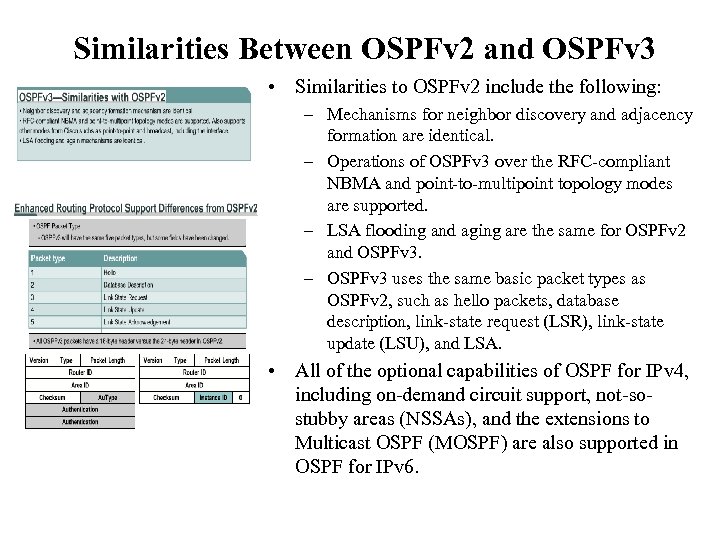 Similarities Between OSPFv 2 and OSPFv 3 • Similarities to OSPFv 2 include the following: – Mechanisms for neighbor discovery and adjacency formation are identical. – Operations of OSPFv 3 over the RFC-compliant NBMA and point-to-multipoint topology modes are supported. – LSA flooding and aging are the same for OSPFv 2 and OSPFv 3. – OSPFv 3 uses the same basic packet types as OSPFv 2, such as hello packets, database description, link-state request (LSR), link-state update (LSU), and LSA. • All of the optional capabilities of OSPF for IPv 4, including on-demand circuit support, not-sostubby areas (NSSAs), and the extensions to Multicast OSPF (MOSPF) are also supported in OSPF for IPv 6.
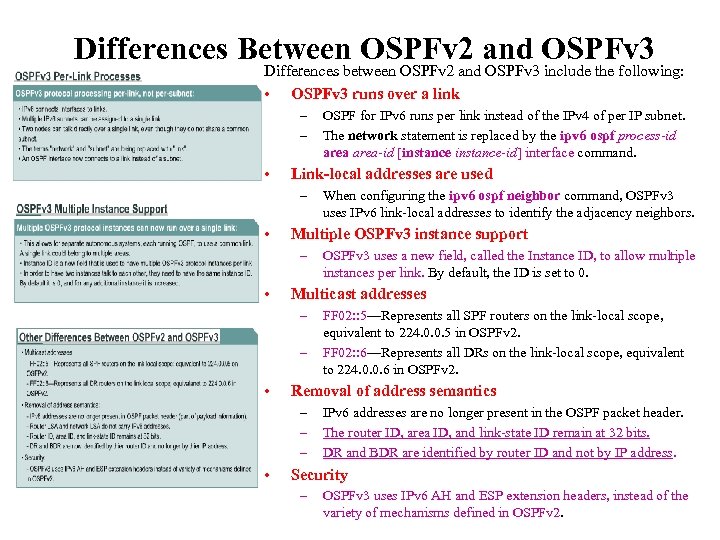 Differences Between OSPFv 2 and OSPFv 3 Differences between OSPFv 2 and OSPFv 3 include the following: • OSPFv 3 runs over a link – – • Link-local addresses are used – • – FF 02: : 5—Represents all SPF routers on the link-local scope, equivalent to 224. 0. 0. 5 in OSPFv 2. FF 02: : 6—Represents all DRs on the link-local scope, equivalent to 224. 0. 0. 6 in OSPFv 2. Removal of address semantics – – – • OSPFv 3 uses a new field, called the Instance ID, to allow multiple instances per link. By default, the ID is set to 0. Multicast addresses – • When configuring the ipv 6 ospf neighbor command, OSPFv 3 uses IPv 6 link-local addresses to identify the adjacency neighbors. Multiple OSPFv 3 instance support – • OSPF for IPv 6 runs per link instead of the IPv 4 of per IP subnet. The network statement is replaced by the ipv 6 ospf process-id area-id [instance-id] interface command. IPv 6 addresses are no longer present in the OSPF packet header. The router ID, area ID, and link-state ID remain at 32 bits. DR and BDR are identified by router ID and not by IP address. Security – OSPFv 3 uses IPv 6 AH and ESP extension headers, instead of the variety of mechanisms defined in OSPFv 2.
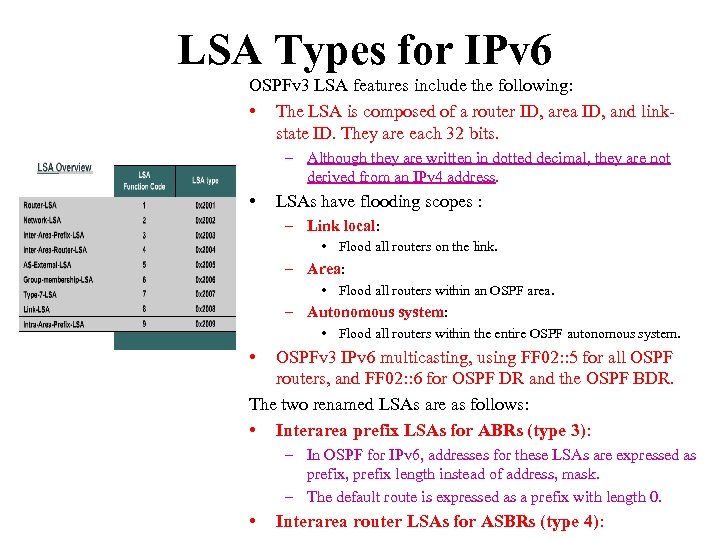 LSA Types for IPv 6 OSPFv 3 LSA features include the following: • The LSA is composed of a router ID, area ID, and linkstate ID. They are each 32 bits. – Although they are written in dotted decimal, they are not derived from an IPv 4 address. • LSAs have flooding scopes : – Link local: • Flood all routers on the link. – Area: • Flood all routers within an OSPF area. – Autonomous system: • Flood all routers within the entire OSPF autonomous system. • OSPFv 3 IPv 6 multicasting, using FF 02: : 5 for all OSPF routers, and FF 02: : 6 for OSPF DR and the OSPF BDR. The two renamed LSAs are as follows: • Interarea prefix LSAs for ABRs (type 3): – In OSPF for IPv 6, addresses for these LSAs are expressed as prefix, prefix length instead of address, mask. – The default route is expressed as a prefix with length 0. • Interarea router LSAs for ASBRs (type 4):
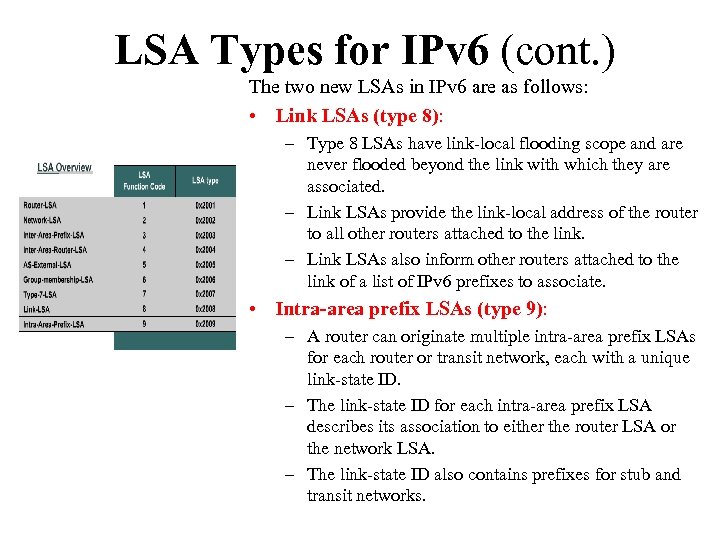 LSA Types for IPv 6 (cont. ) The two new LSAs in IPv 6 are as follows: • Link LSAs (type 8): – Type 8 LSAs have link-local flooding scope and are never flooded beyond the link with which they are associated. – Link LSAs provide the link-local address of the router to all other routers attached to the link. – Link LSAs also inform other routers attached to the link of a list of IPv 6 prefixes to associate. • Intra-area prefix LSAs (type 9): – A router can originate multiple intra-area prefix LSAs for each router or transit network, each with a unique link-state ID. – The link-state ID for each intra-area prefix LSA describes its association to either the router LSA or the network LSA. – The link-state ID also contains prefixes for stub and transit networks.
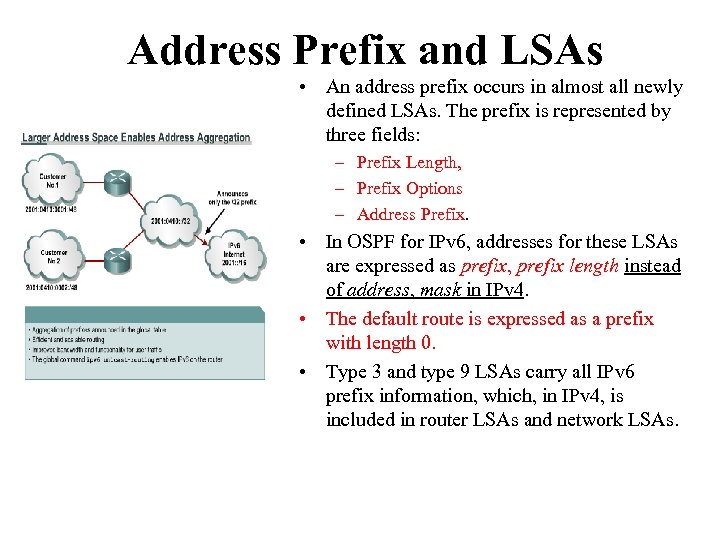 Address Prefix and LSAs • An address prefix occurs in almost all newly defined LSAs. The prefix is represented by three fields: – Prefix Length, – Prefix Options – Address Prefix. • In OSPF for IPv 6, addresses for these LSAs are expressed as prefix, prefix length instead of address, mask in IPv 4. • The default route is expressed as a prefix with length 0. • Type 3 and type 9 LSAs carry all IPv 6 prefix information, which, in IPv 4, is included in router LSAs and network LSAs.
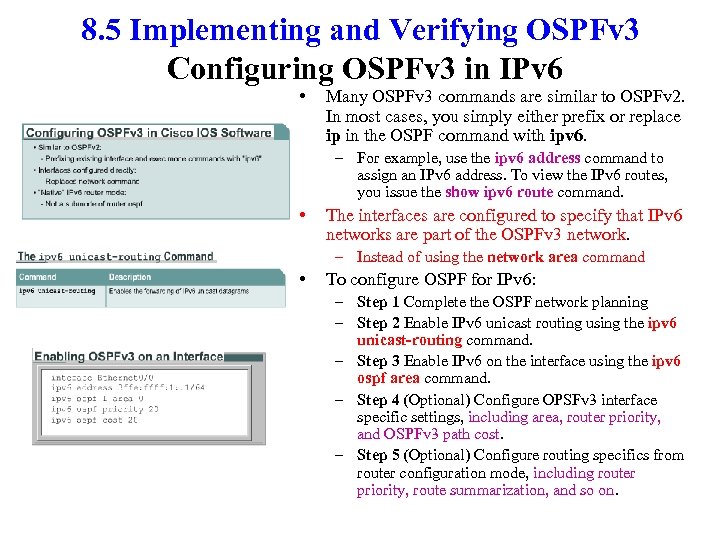 8. 5 Implementing and Verifying OSPFv 3 Configuring OSPFv 3 in IPv 6 • Many OSPFv 3 commands are similar to OSPFv 2. In most cases, you simply either prefix or replace ip in the OSPF command with ipv 6. – For example, use the ipv 6 address command to assign an IPv 6 address. To view the IPv 6 routes, you issue the show ipv 6 route command. • The interfaces are configured to specify that IPv 6 networks are part of the OSPFv 3 network. – Instead of using the network area command • To configure OSPF for IPv 6: – Step 1 Complete the OSPF network planning – Step 2 Enable IPv 6 unicast routing using the ipv 6 unicast-routing command. – Step 3 Enable IPv 6 on the interface using the ipv 6 ospf area command. – Step 4 (Optional) Configure OPSFv 3 interface specific settings, including area, router priority, and OSPFv 3 path cost. – Step 5 (Optional) Configure routing specifics from router configuration mode, including router priority, route summarization, and so on.
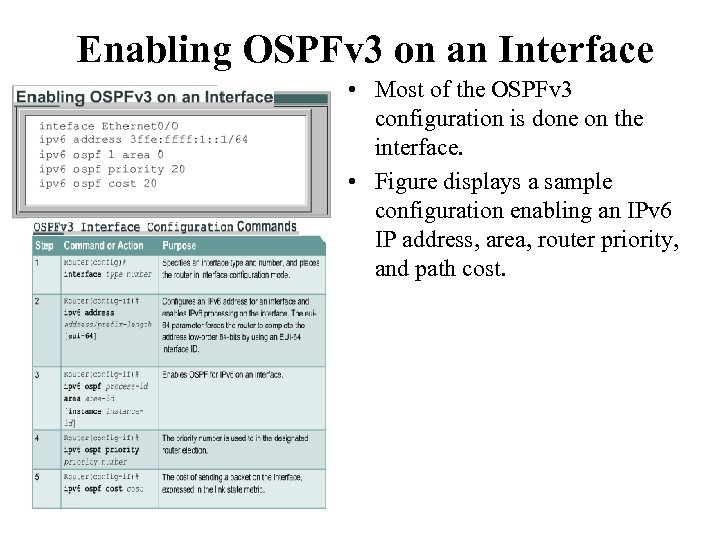 Enabling OSPFv 3 on an Interface • Most of the OSPFv 3 configuration is done on the interface. • Figure displays a sample configuration enabling an IPv 6 IP address, area, router priority, and path cost.
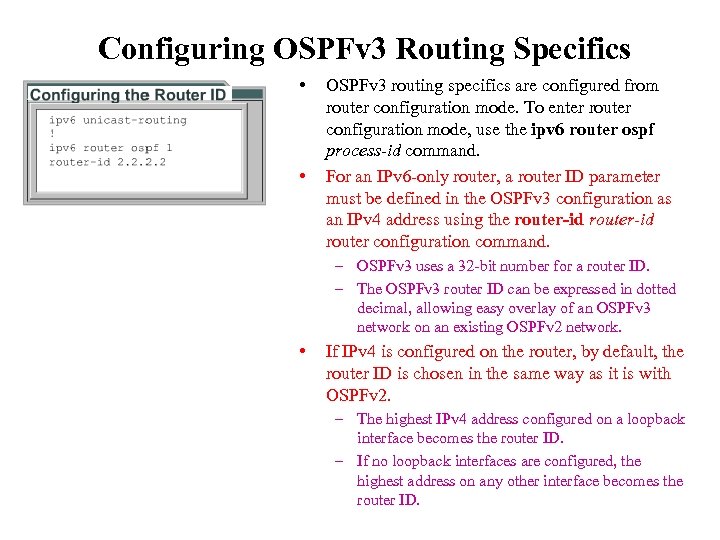 Configuring OSPFv 3 Routing Specifics • • OSPFv 3 routing specifics are configured from router configuration mode. To enter router configuration mode, use the ipv 6 router ospf process-id command. For an IPv 6 -only router, a router ID parameter must be defined in the OSPFv 3 configuration as an IPv 4 address using the router-id router configuration command. – OSPFv 3 uses a 32 -bit number for a router ID. – The OSPFv 3 router ID can be expressed in dotted decimal, allowing easy overlay of an OSPFv 3 network on an existing OSPFv 2 network. • If IPv 4 is configured on the router, by default, the router ID is chosen in the same way as it is with OSPFv 2. – The highest IPv 4 address configured on a loopback interface becomes the router ID. – If no loopback interfaces are configured, the highest address on any other interface becomes the router ID.
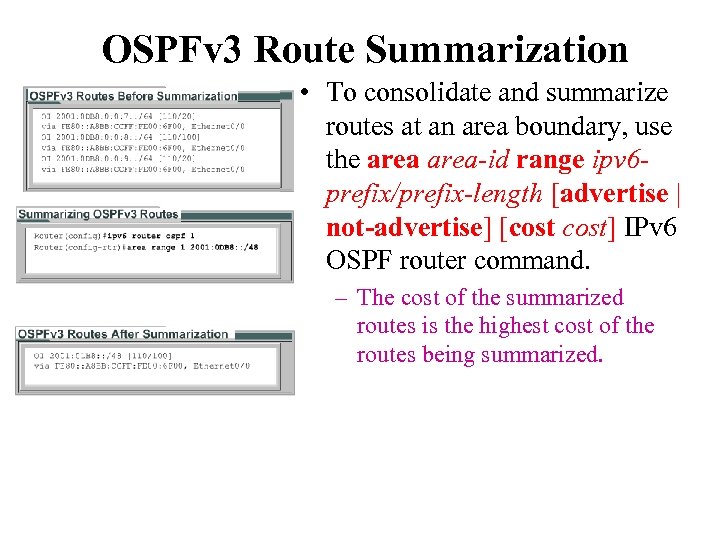 OSPFv 3 Route Summarization • To consolidate and summarize routes at an area boundary, use the area-id range ipv 6 prefix/prefix-length [advertise | not-advertise] [cost] IPv 6 OSPF router command. – The cost of the summarized routes is the highest cost of the routes being summarized.
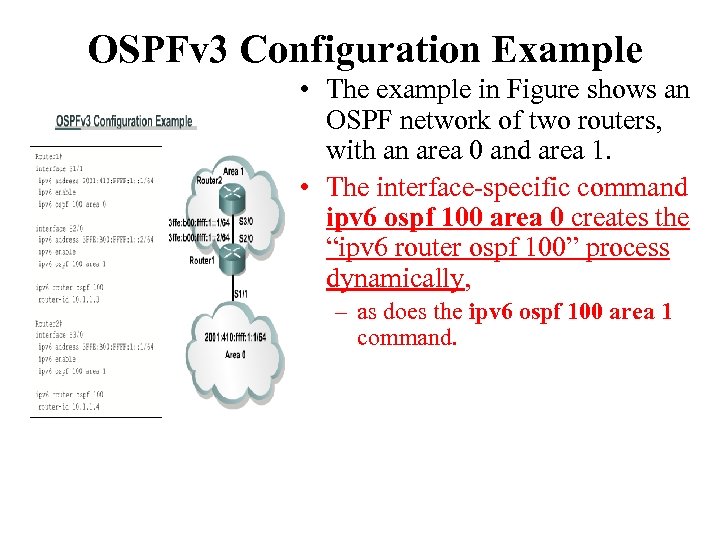 OSPFv 3 Configuration Example • The example in Figure shows an OSPF network of two routers, with an area 0 and area 1. • The interface-specific command ipv 6 ospf 100 area 0 creates the “ipv 6 router ospf 100” process dynamically, – as does the ipv 6 ospf 100 area 1 command.
![Verifying OSPFv 3 • The show ipv 6 ospf [process-id] [area -id] interface [interface]](https://present5.com/presentation/2bbfc40f30ba844c362ad7bbbf63b78b/image-87.jpg "Verifying OSPFv 3 • The show ipv 6 ospf [process-id] [area -id] interface [interface]") Verifying OSPFv 3 • The show ipv 6 ospf [process-id] [area -id] interface [interface] command. – This command generates OSPF-related interface information. • The clear ipv 6 ospf [process-id] {process | force-spf | redistribution | counters [neighborinterface | neighbor-id]]} command triggers SPF recalculation and repopulation of the Routing Information Base (RIB). • The show ipv 6 ospf [process-id] [area -id] command displays general information about OSPF processes.
Verifying OSPFv 3 • The show ipv 6 ospf [process-id] [area -id] interface [interface] command. – This command generates OSPF-related interface information. • The clear ipv 6 ospf [process-id] {process | force-spf | redistribution | counters [neighborinterface | neighbor-id]]} command triggers SPF recalculation and repopulation of the Routing Information Base (RIB). • The show ipv 6 ospf [process-id] [area -id] command displays general information about OSPF processes.
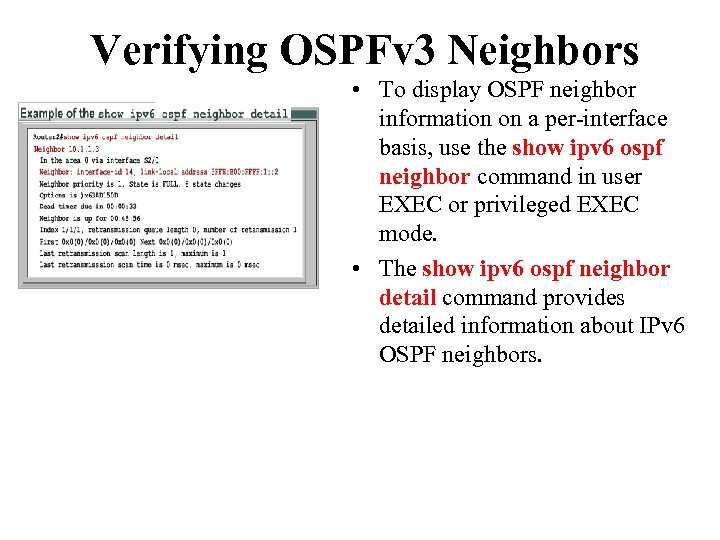 Verifying OSPFv 3 Neighbors • To display OSPF neighbor information on a per-interface basis, use the show ipv 6 ospf neighbor command in user EXEC or privileged EXEC mode. • The show ipv 6 ospf neighbor detail command provides detailed information about IPv 6 OSPF neighbors.
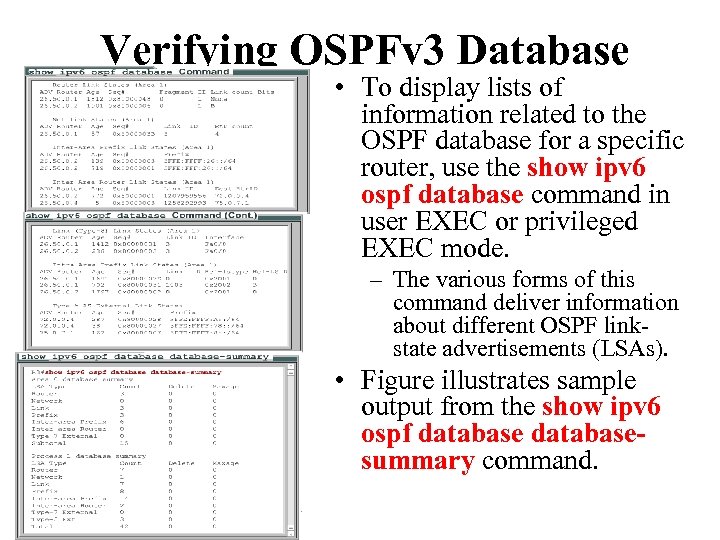 Verifying OSPFv 3 Database • To display lists of information related to the OSPF database for a specific router, use the show ipv 6 ospf database command in user EXEC or privileged EXEC mode. – The various forms of this command deliver information about different OSPF linkstate advertisements (LSAs). • Figure illustrates sample output from the show ipv 6 ospf databasesummary command.
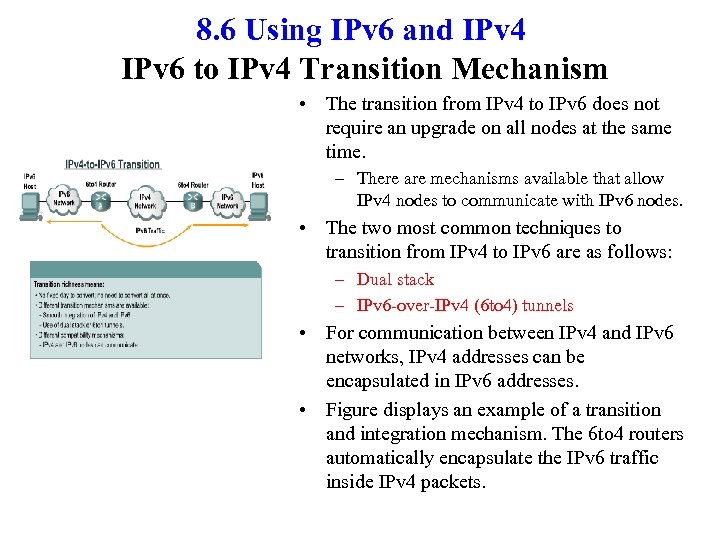 8. 6 Using IPv 6 and IPv 4 IPv 6 to IPv 4 Transition Mechanism • The transition from IPv 4 to IPv 6 does not require an upgrade on all nodes at the same time. – There are mechanisms available that allow IPv 4 nodes to communicate with IPv 6 nodes. • The two most common techniques to transition from IPv 4 to IPv 6 are as follows: – Dual stack – IPv 6 -over-IPv 4 (6 to 4) tunnels • For communication between IPv 4 and IPv 6 networks, IPv 4 addresses can be encapsulated in IPv 6 addresses. • Figure displays an example of a transition and integration mechanism. The 6 to 4 routers automatically encapsulate the IPv 6 traffic inside IPv 4 packets.
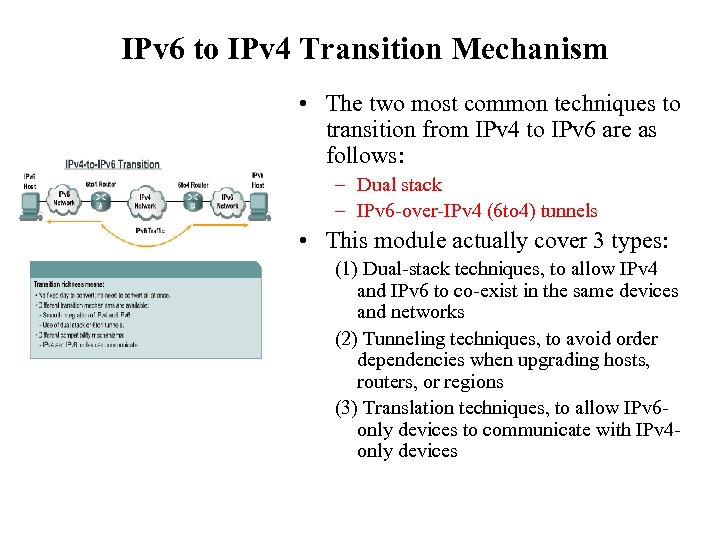 IPv 6 to IPv 4 Transition Mechanism • The two most common techniques to transition from IPv 4 to IPv 6 are as follows: – Dual stack – IPv 6 -over-IPv 4 (6 to 4) tunnels • This module actually cover 3 types: (1) Dual-stack techniques, to allow IPv 4 and IPv 6 to co-exist in the same devices and networks (2) Tunneling techniques, to avoid order dependencies when upgrading hosts, routers, or regions (3) Translation techniques, to allow IPv 6 only devices to communicate with IPv 4 only devices
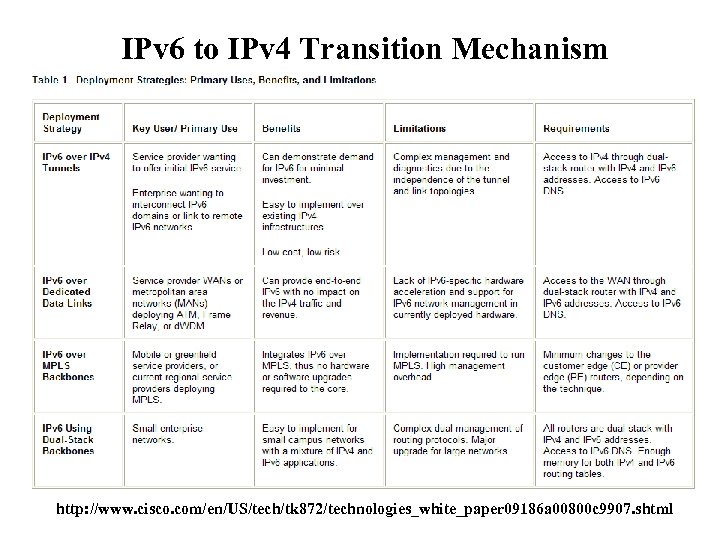 IPv 6 to IPv 4 Transition Mechanism http: //www. cisco. com/en/US/tech/tk 872/technologies_white_paper 09186 a 00800 c 9907. shtml
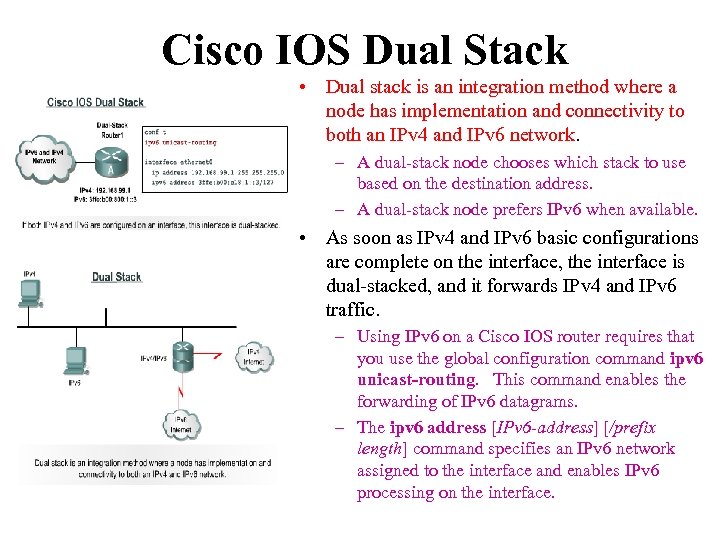 Cisco IOS Dual Stack • Dual stack is an integration method where a node has implementation and connectivity to both an IPv 4 and IPv 6 network. – A dual-stack node chooses which stack to use based on the destination address. – A dual-stack node prefers IPv 6 when available. • As soon as IPv 4 and IPv 6 basic configurations are complete on the interface, the interface is dual-stacked, and it forwards IPv 4 and IPv 6 traffic. – Using IPv 6 on a Cisco IOS router requires that you use the global configuration command ipv 6 unicast-routing. This command enables the forwarding of IPv 6 datagrams. – The ipv 6 address [IPv 6 -address] [/prefix length] command specifies an IPv 6 network assigned to the interface and enables IPv 6 processing on the interface.
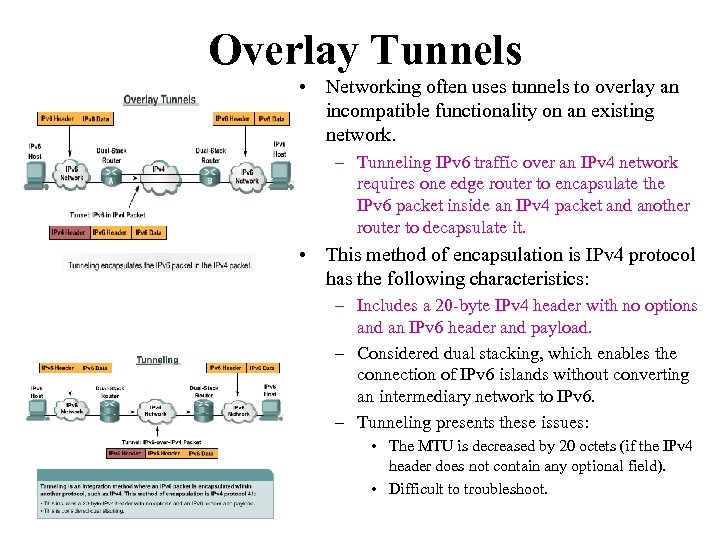 Overlay Tunnels • Networking often uses tunnels to overlay an incompatible functionality on an existing network. – Tunneling IPv 6 traffic over an IPv 4 network requires one edge router to encapsulate the IPv 6 packet inside an IPv 4 packet and another router to decapsulate it. • This method of encapsulation is IPv 4 protocol has the following characteristics: – Includes a 20 -byte IPv 4 header with no options and an IPv 6 header and payload. – Considered dual stacking, which enables the connection of IPv 6 islands without converting an intermediary network to IPv 6. – Tunneling presents these issues: • The MTU is decreased by 20 octets (if the IPv 4 header does not contain any optional field). • Difficult to troubleshoot.
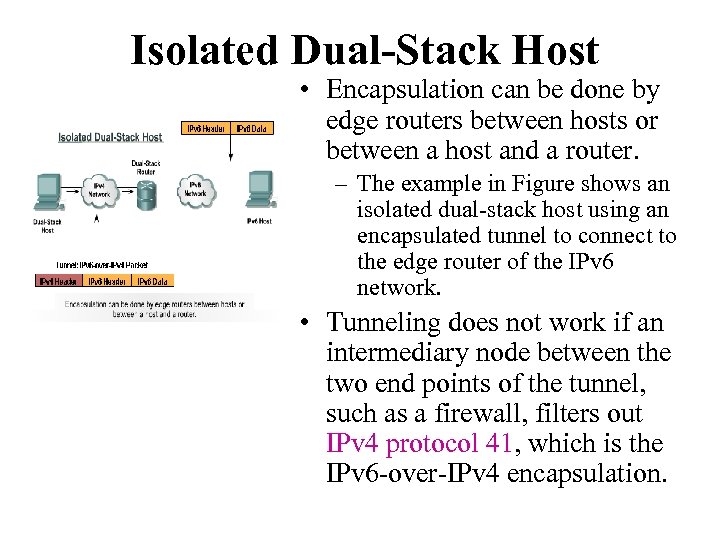 Isolated Dual-Stack Host • Encapsulation can be done by edge routers between hosts or between a host and a router. – The example in Figure shows an isolated dual-stack host using an encapsulated tunnel to connect to the edge router of the IPv 6 network. • Tunneling does not work if an intermediary node between the two end points of the tunnel, such as a firewall, filters out IPv 4 protocol 41, which is the IPv 6 -over-IPv 4 encapsulation.
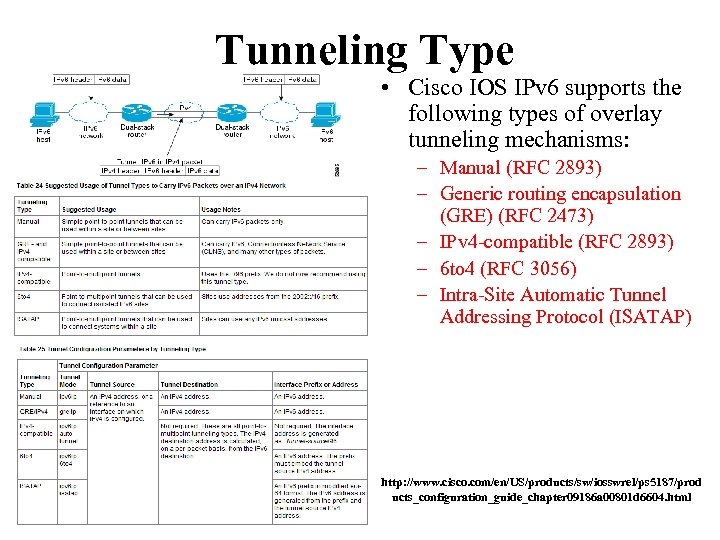 Tunneling Type • Cisco IOS IPv 6 supports the following types of overlay tunneling mechanisms: – Manual (RFC 2893) – Generic routing encapsulation (GRE) (RFC 2473) – IPv 4 -compatible (RFC 2893) – 6 to 4 (RFC 3056) – Intra-Site Automatic Tunnel Addressing Protocol (ISATAP) http: //www. cisco. com/en/US/products/sw/iosswrel/ps 5187/prod ucts_configuration_guide_chapter 09186 a 00801 d 6604. html
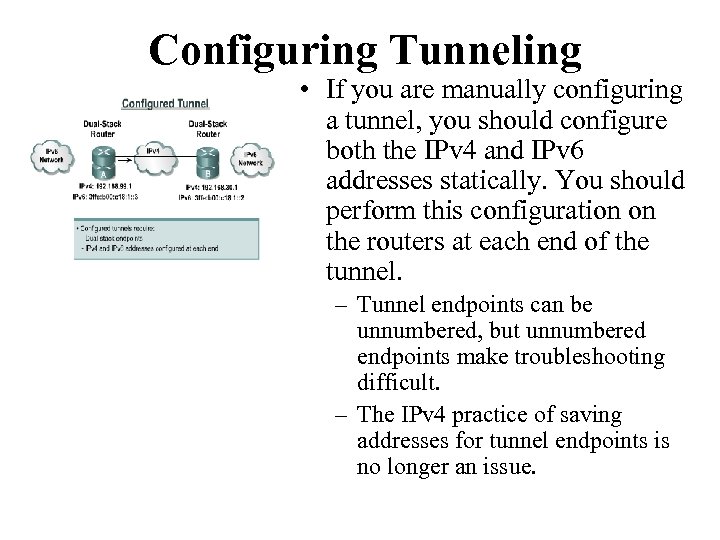 Configuring Tunneling • If you are manually configuring a tunnel, you should configure both the IPv 4 and IPv 6 addresses statically. You should perform this configuration on the routers at each end of the tunnel. – Tunnel endpoints can be unnumbered, but unnumbered endpoints make troubleshooting difficult. – The IPv 4 practice of saving addresses for tunnel endpoints is no longer an issue.
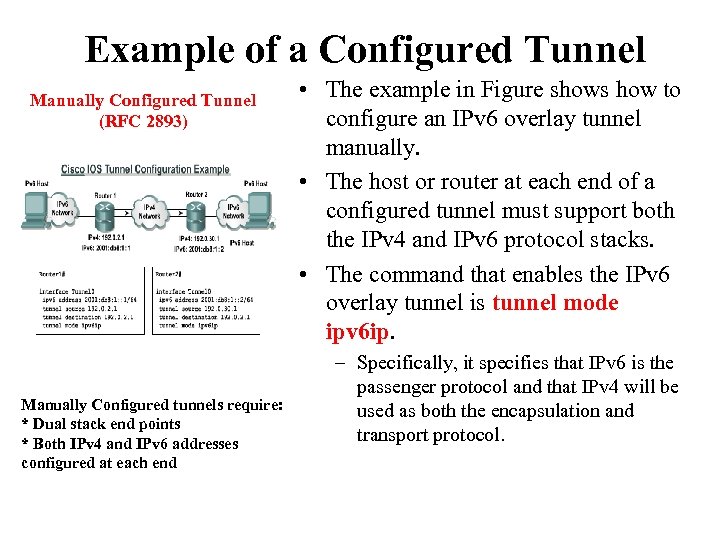 Example of a Configured Tunnel Manually Configured Tunnel (RFC 2893) Manually Configured tunnels require: * Dual stack end points * Both IPv 4 and IPv 6 addresses configured at each end • The example in Figure shows how to configure an IPv 6 overlay tunnel manually. • The host or router at each end of a configured tunnel must support both the IPv 4 and IPv 6 protocol stacks. • The command that enables the IPv 6 overlay tunnel is tunnel mode ipv 6 ip. – Specifically, it specifies that IPv 6 is the passenger protocol and that IPv 4 will be used as both the encapsulation and transport protocol.
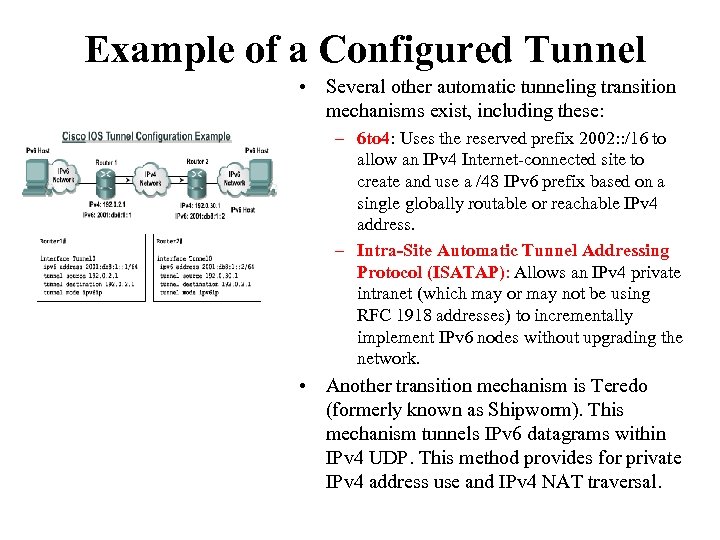 Example of a Configured Tunnel • Several other automatic tunneling transition mechanisms exist, including these: – 6 to 4: Uses the reserved prefix 2002: : /16 to allow an IPv 4 Internet-connected site to create and use a /48 IPv 6 prefix based on a single globally routable or reachable IPv 4 address. – Intra-Site Automatic Tunnel Addressing Protocol (ISATAP): Allows an IPv 4 private intranet (which may or may not be using RFC 1918 addresses) to incrementally implement IPv 6 nodes without upgrading the network. • Another transition mechanism is Teredo (formerly known as Shipworm). This mechanism tunnels IPv 6 datagrams within IPv 4 UDP. This method provides for private IPv 4 address use and IPv 4 NAT traversal.
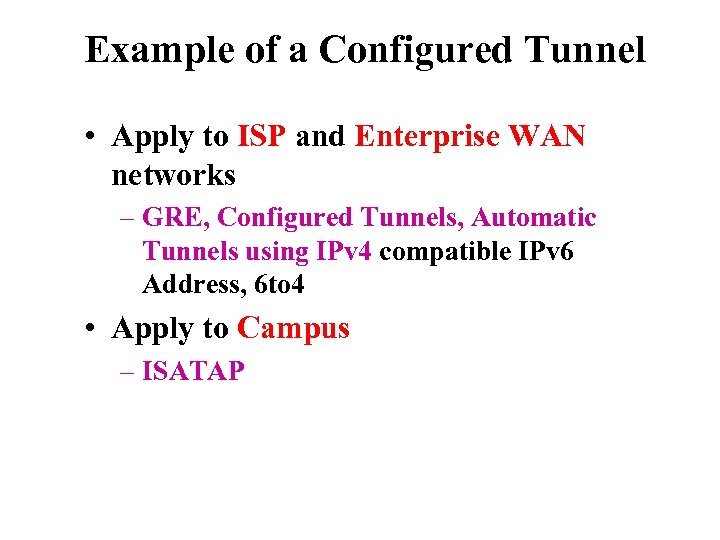 Example of a Configured Tunnel • Apply to ISP and Enterprise WAN networks – GRE, Configured Tunnels, Automatic Tunnels using IPv 4 compatible IPv 6 Address, 6 to 4 • Apply to Campus – ISATAP
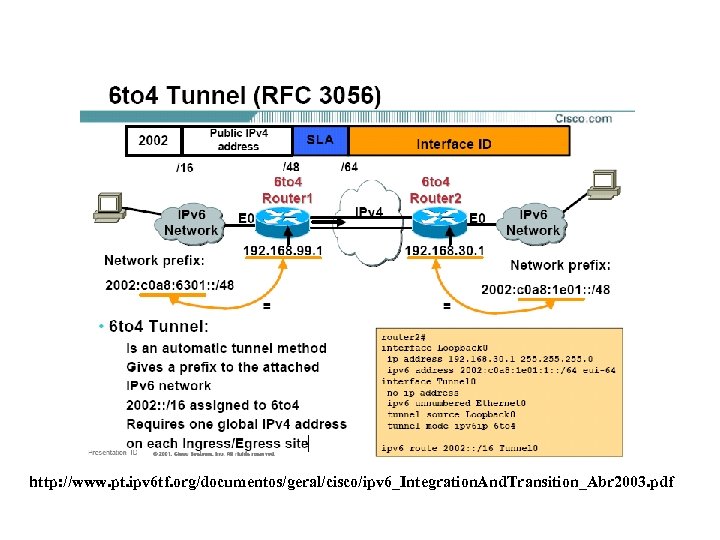
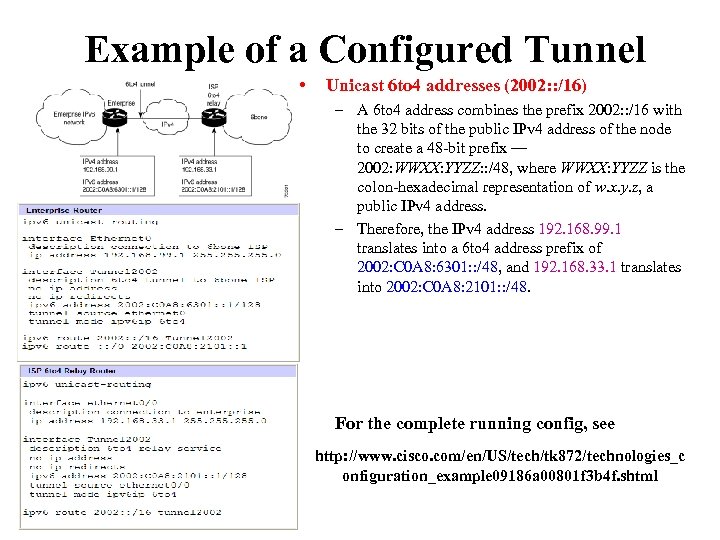 Example of a Configured Tunnel • Unicast 6 to 4 addresses (2002: : /16) – A 6 to 4 address combines the prefix 2002: : /16 with the 32 bits of the public IPv 4 address of the node to create a 48 -bit prefix — 2002: WWXX: YYZZ: : /48, where WWXX: YYZZ is the colon-hexadecimal representation of w. x. y. z, a public IPv 4 address. – Therefore, the IPv 4 address 192. 168. 99. 1 translates into a 6 to 4 address prefix of 2002: C 0 A 8: 6301: : /48, and 192. 168. 33. 1 translates into 2002: C 0 A 8: 2101: : /48. For the complete running config, see http: //www. cisco. com/en/US/tech/tk 872/technologies_c onfiguration_example 09186 a 00801 f 3 b 4 f. shtml
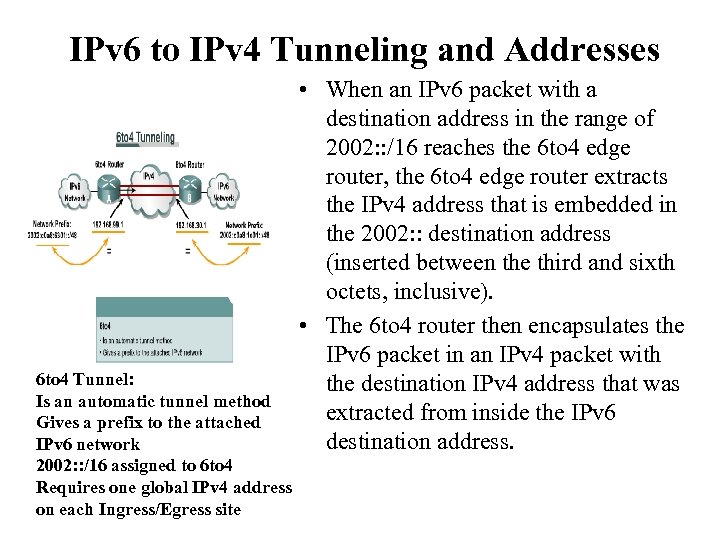 IPv 6 to IPv 4 Tunneling and Addresses 6 to 4 Tunnel: Is an automatic tunnel method Gives a prefix to the attached IPv 6 network 2002: : /16 assigned to 6 to 4 Requires one global IPv 4 address on each Ingress/Egress site • When an IPv 6 packet with a destination address in the range of 2002: : /16 reaches the 6 to 4 edge router, the 6 to 4 edge router extracts the IPv 4 address that is embedded in the 2002: : destination address (inserted between the third and sixth octets, inclusive). • The 6 to 4 router then encapsulates the IPv 6 packet in an IPv 4 packet with the destination IPv 4 address that was extracted from inside the IPv 6 destination address.
 http: //www. pt. ipv 6 tf. org/documentos/geral/cisco/ipv 6_Integration. And. Transition_Abr 2003. pdf
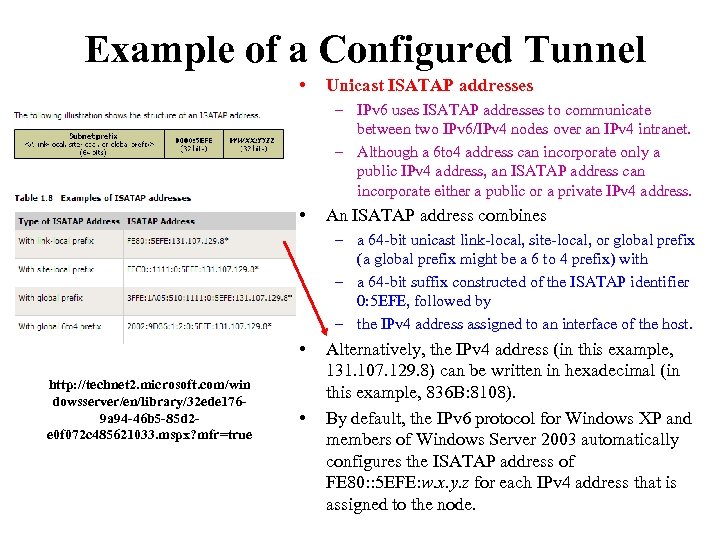 Example of a Configured Tunnel • Unicast ISATAP addresses – IPv 6 uses ISATAP addresses to communicate between two IPv 6/IPv 4 nodes over an IPv 4 intranet. – Although a 6 to 4 address can incorporate only a public IPv 4 address, an ISATAP address can incorporate either a public or a private IPv 4 address. • An ISATAP address combines – a 64 -bit unicast link-local, site-local, or global prefix (a global prefix might be a 6 to 4 prefix) with – a 64 -bit suffix constructed of the ISATAP identifier 0: 5 EFE, followed by – the IPv 4 address assigned to an interface of the host. • http: //technet 2. microsoft. com/win dowsserver/en/library/32 ede 1769 a 94 -46 b 5 -85 d 2 e 0 f 072 c 485621033. mspx? mfr=true • Alternatively, the IPv 4 address (in this example, 131. 107. 129. 8) can be written in hexadecimal (in this example, 836 B: 8108). By default, the IPv 6 protocol for Windows XP and members of Windows Server 2003 automatically configures the ISATAP address of FE 80: : 5 EFE: w. x. y. z for each IPv 4 address that is assigned to the node.
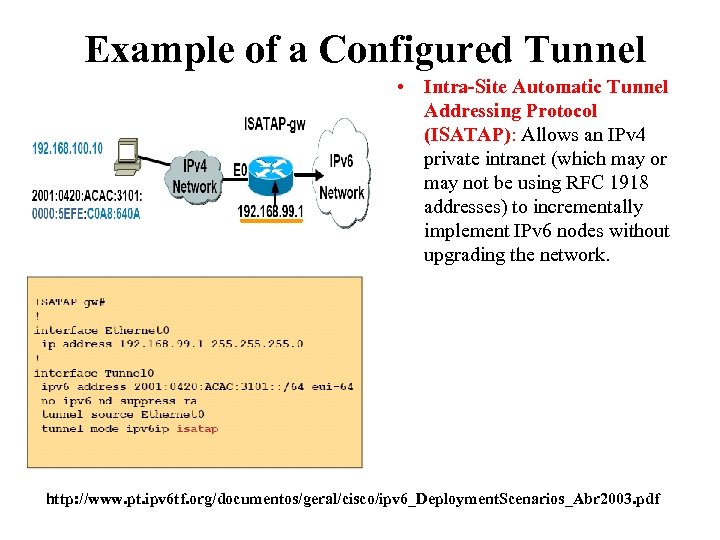 Example of a Configured Tunnel • Intra-Site Automatic Tunnel Addressing Protocol (ISATAP): Allows an IPv 4 private intranet (which may or may not be using RFC 1918 addresses) to incrementally implement IPv 6 nodes without upgrading the network. http: //www. pt. ipv 6 tf. org/documentos/geral/cisco/ipv 6_Deployment. Scenarios_Abr 2003. pdf
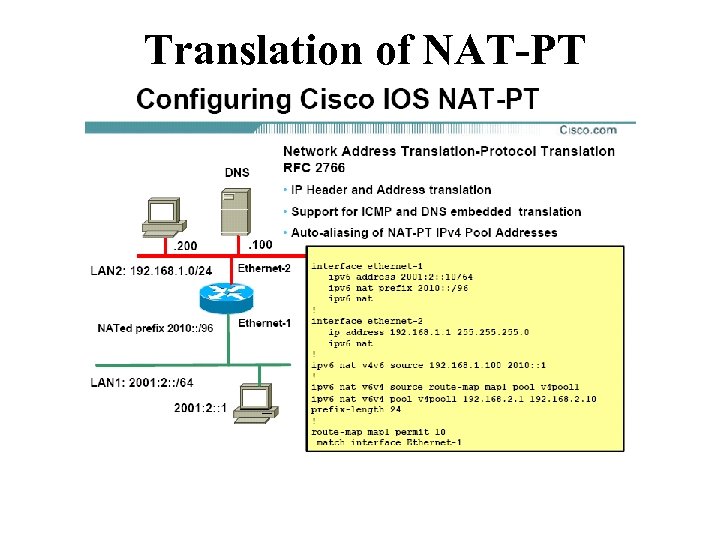
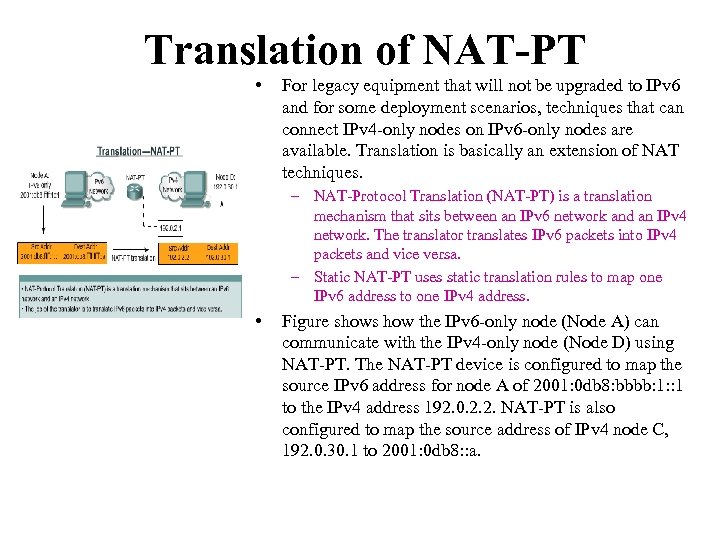 Translation of NAT-PT • For legacy equipment that will not be upgraded to IPv 6 and for some deployment scenarios, techniques that can connect IPv 4 -only nodes on IPv 6 -only nodes are available. Translation is basically an extension of NAT techniques. – NAT-Protocol Translation (NAT-PT) is a translation mechanism that sits between an IPv 6 network and an IPv 4 network. The translator translates IPv 6 packets into IPv 4 packets and vice versa. – Static NAT-PT uses static translation rules to map one IPv 6 address to one IPv 4 address. • Figure shows how the IPv 6 -only node (Node A) can communicate with the IPv 4 -only node (Node D) using NAT-PT. The NAT-PT device is configured to map the source IPv 6 address for node A of 2001: 0 db 8: bbbb: 1: : 1 to the IPv 4 address 192. 0. 2. 2. NAT-PT is also configured to map the source address of IPv 4 node C, 192. 0. 30. 1 to 2001: 0 db 8: : a.
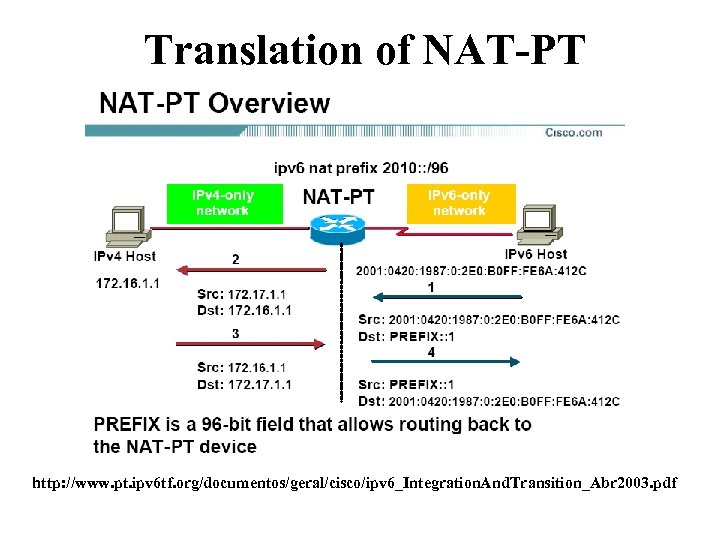 Translation of NAT-PT http: //www. pt. ipv 6 tf. org/documentos/geral/cisco/ipv 6_Integration. And. Transition_Abr 2003. pdf
 Translation of NAT-PT
 Configuring Windows XP
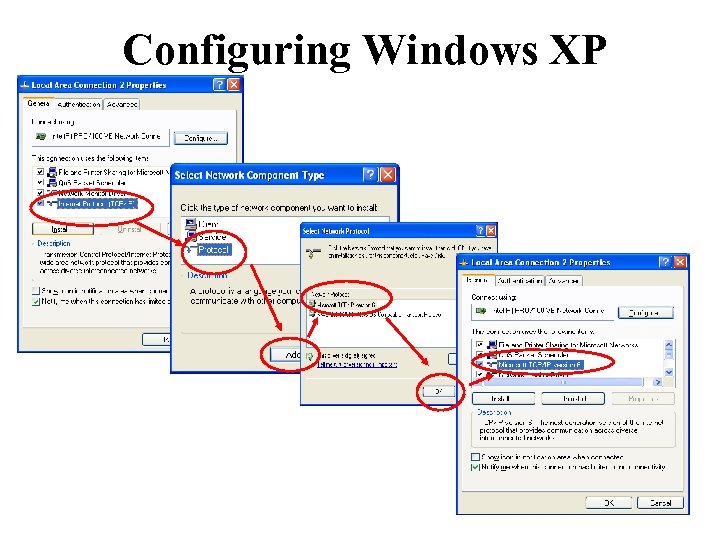 Configuring Windows XP
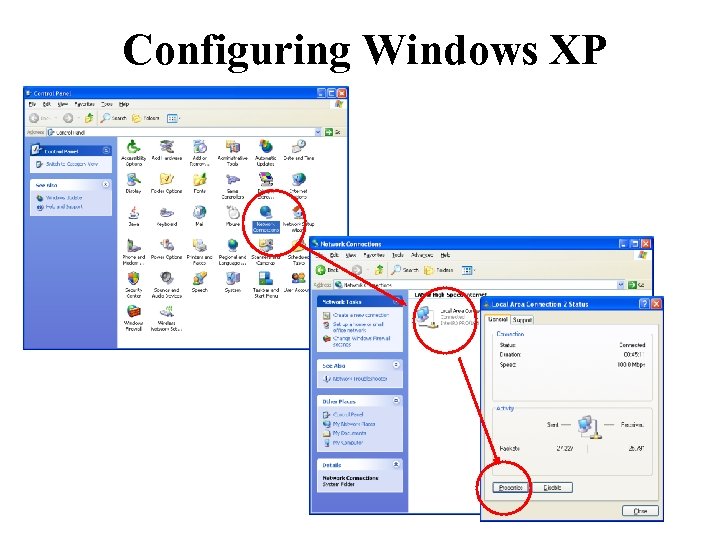
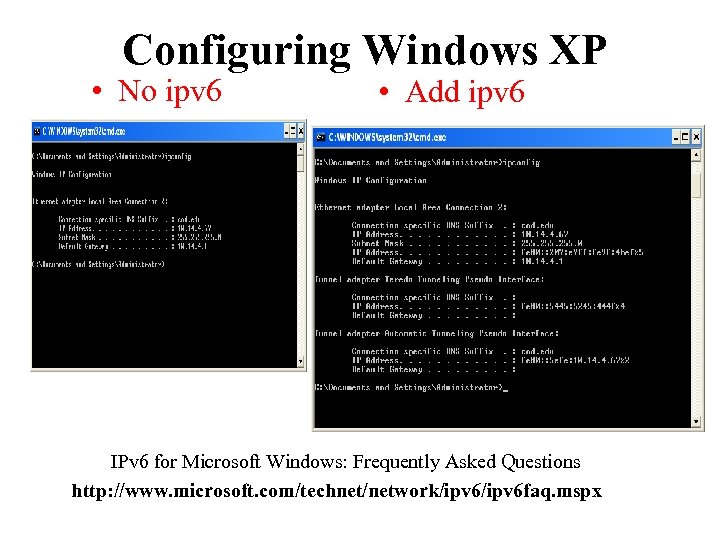 Configuring Windows XP • No ipv 6 • Add ipv 6 IPv 6 for Microsoft Windows: Frequently Asked Questions http: //www. microsoft. com/technet/network/ipv 6 faq. mspx
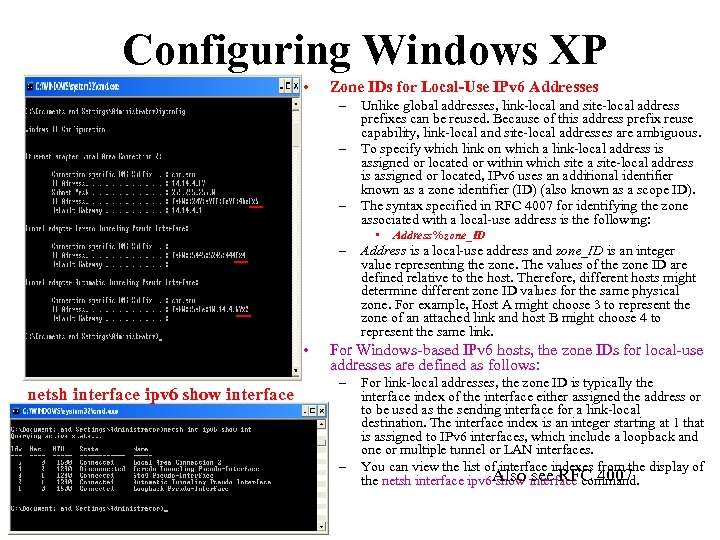 Configuring Windows XP • Zone IDs for Local-Use IPv 6 Addresses – – – Unlike global addresses, link-local and site-local address prefixes can be reused. Because of this address prefix reuse capability, link-local and site-local addresses are ambiguous. To specify which link on which a link-local address is assigned or located or within which site a site-local address is assigned or located, IPv 6 uses an additional identifier known as a zone identifier (ID) (also known as a scope ID). The syntax specified in RFC 4007 for identifying the zone associated with a local-use address is the following: • – • netsh interface ipv 6 show interface Address%zone_ID Address is a local-use address and zone_ID is an integer value representing the zone. The values of the zone ID are defined relative to the host. Therefore, different hosts might determine different zone ID values for the same physical zone. For example, Host A might choose 3 to represent the zone of an attached link and host B might choose 4 to represent the same link. For Windows-based IPv 6 hosts, the zone IDs for local-use addresses are defined as follows: – – For link-local addresses, the zone ID is typically the interface index of the interface either assigned the address or to be used as the sending interface for a link-local destination. The interface index is an integer starting at 1 that is assigned to IPv 6 interfaces, which include a loopback and one or multiple tunnel or LAN interfaces. You can view the list of interface indexes from the display of Also see RFC 4007 the netsh interface ipv 6 show interface command.
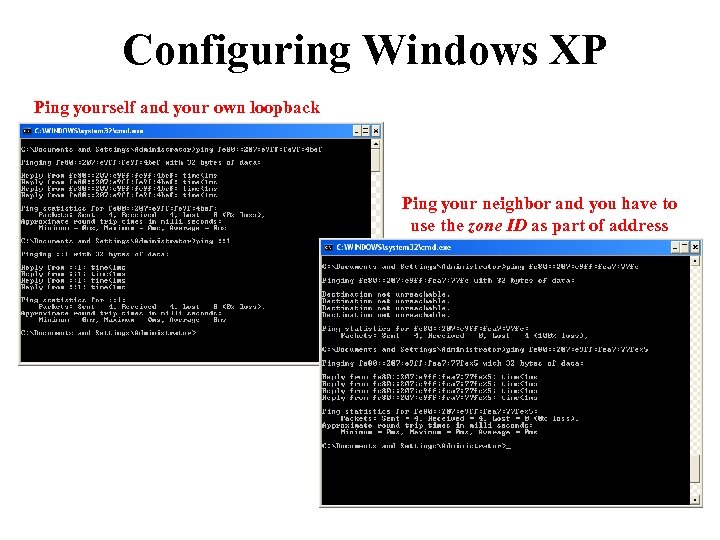 Configuring Windows XP Ping yourself and your own loopback Ping your neighbor and you have to use the zone ID as part of address
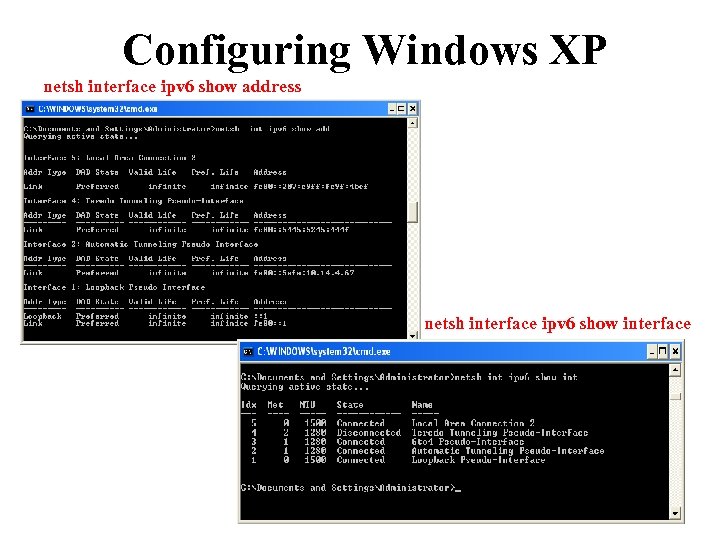 Configuring Windows XP netsh interface ipv 6 show address netsh interface ipv 6 show interface
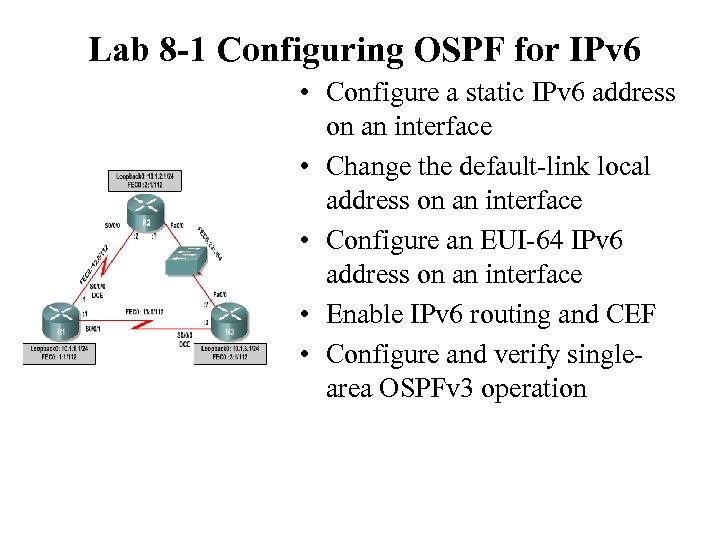 Lab 8 -1 Configuring OSPF for IPv 6 • Configure a static IPv 6 address on an interface • Change the default-link local address on an interface • Configure an EUI-64 IPv 6 address on an interface • Enable IPv 6 routing and CEF • Configure and verify singlearea OSPFv 3 operation
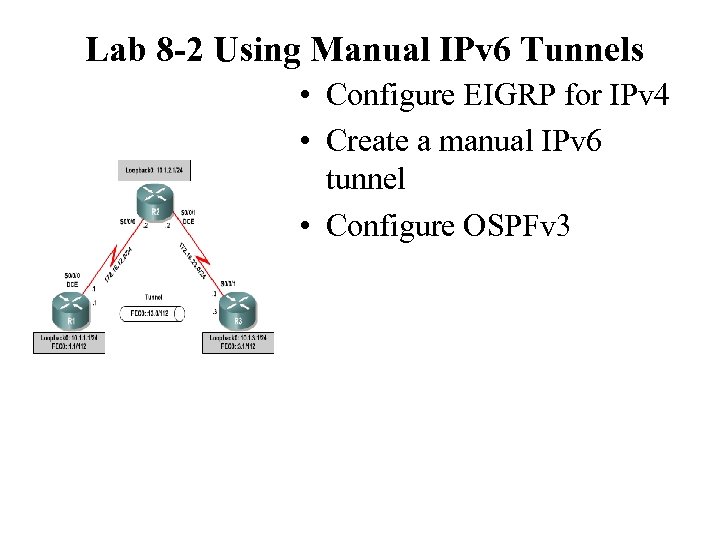 Lab 8 -2 Using Manual IPv 6 Tunnels • Configure EIGRP for IPv 4 • Create a manual IPv 6 tunnel • Configure OSPFv 3
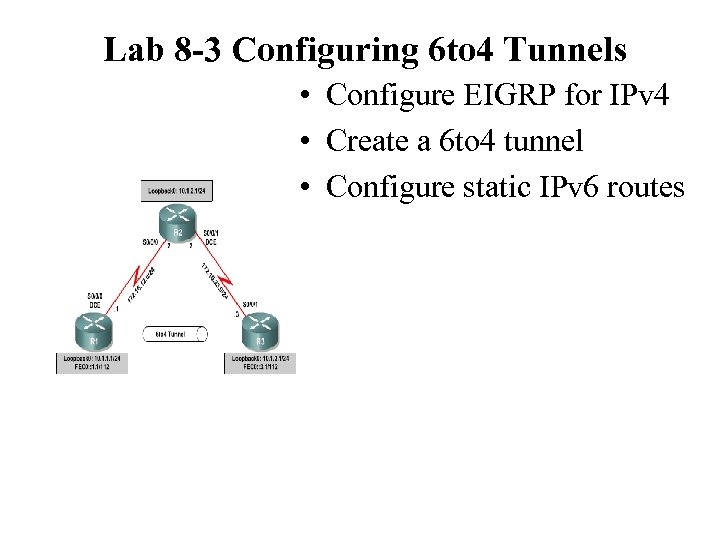 Lab 8 -3 Configuring 6 to 4 Tunnels • Configure EIGRP for IPv 4 • Create a 6 to 4 tunnel • Configure static IPv 6 routes
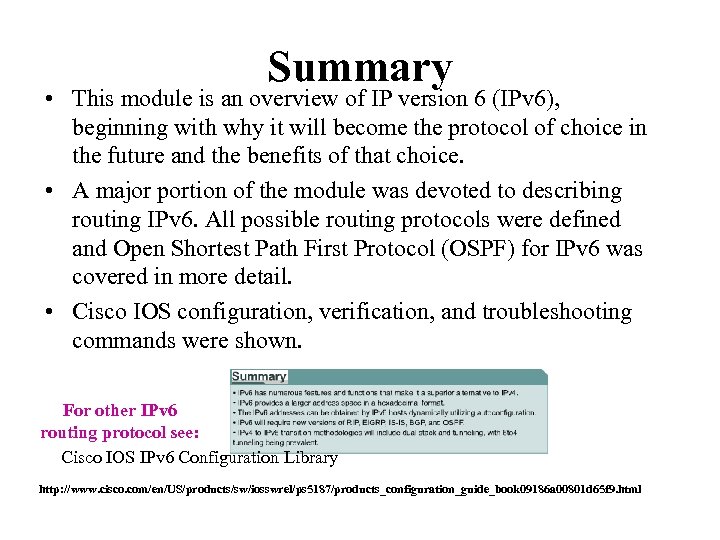 Summary • This module is an overview of IP version 6 (IPv 6), beginning with why it will become the protocol of choice in the future and the benefits of that choice. • A major portion of the module was devoted to describing routing IPv 6. All possible routing protocols were defined and Open Shortest Path First Protocol (OSPF) for IPv 6 was covered in more detail. • Cisco IOS configuration, verification, and troubleshooting commands were shown. For other IPv 6 routing protocol see: Cisco IOS IPv 6 Configuration Library http: //www. cisco. com/en/US/products/sw/iosswrel/ps 5187/products_configuration_guide_book 09186 a 00801 d 65 f 9. html
 The End • Questions? http: //www. cisco. com/en/US/tech/tk 872/tech_white_papers_list. html http: //www. ripe. net/ripe/meetings/ripe-43/tutorials/ripe 43 -ipv 6 -tutorial. pdf http: //www. nro. net/statistics/ http: //ipv 6. internet 2. edu/fiu/presentations/ http: //www. ip 6. com/us/book/index. html Cisco IOS IPv 6 Configuration Library http: //www. cisco. com/en/US/products/sw/iosswrel/ps 5187/products_configuration_guide_book 09186 a 00801 d 65 f 9. html
 More Information • CCO IPv 6 - http: //www. cisco. com/ipv 6 • The ABC of IPv 6 – http: //www. cisco. com/en/US/products/sw/iosswrel/products_abc_ios _overview. html • IPv 6 e-Learning [requires CCO username/password] – http: //www. cisco. com/warp/customer/732/Tech/ipv 6/elearning/ • IPv 6 Access Services : – http: //www. cisco. com/warp/public/732/Tech/ipv 6/docs/ipv 6_access_ wp_v 2. pdf • ICMPv 6 Packet Types and Codes Tech. Note: – http: //www. cisco. com/warp/customer/105/icmpv 6 codes. html • Cisco IOS IPv 6 Product Manager – pgrosset@cisco. com