 Скачать презентацию Code Access Security Securing mobile code in the
26a950c0a6b248cc6efc45c805879c11.ppt
- Количество слайдов: 42



Code Access Security Securing mobile code in the. NET Framework Part 1: motivation, permissions, and policy
Outline • • • The problem of mobile code Code Access Security (CAS) Evidence Permissions Policy 2
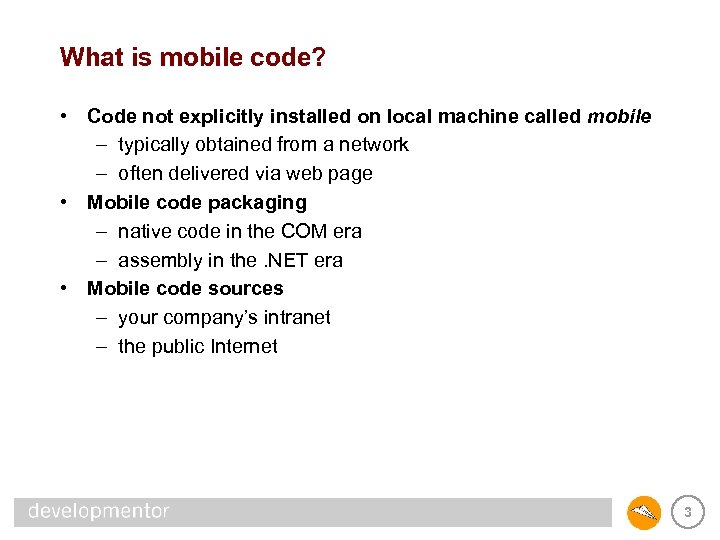
What is mobile code? • Code not explicitly installed on local machine called mobile – typically obtained from a network – often delivered via web page • Mobile code packaging – native code in the COM era – assembly in the. NET era • Mobile code sources – your company’s intranet – the public Internet 3
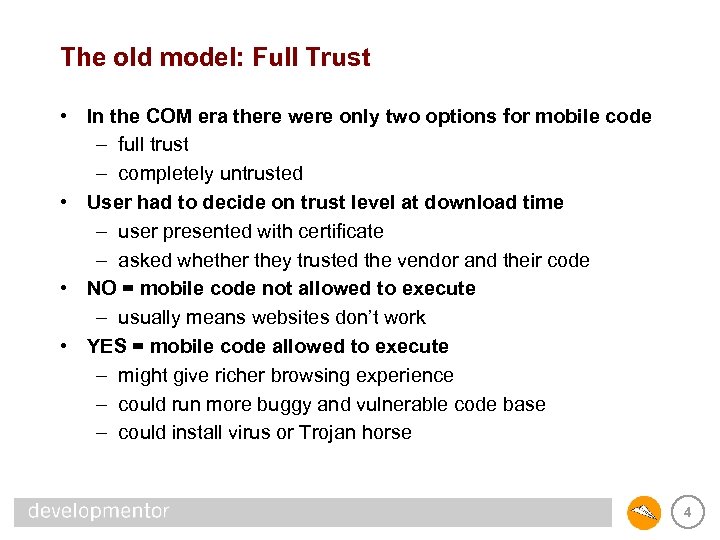
The old model: Full Trust • In the COM era there were only two options for mobile code – full trust – completely untrusted • User had to decide on trust level at download time – user presented with certificate – asked whether they trusted the vendor and their code • NO = mobile code not allowed to execute – usually means websites don’t work • YES = mobile code allowed to execute – might give richer browsing experience – could run more buggy and vulnerable code base – could install virus or Trojan horse 4
The COM loader and trust levels • Every line of COM code runs with the same level of privilege within a single process – COM code is packaged in native DLLs – DLL becomes an integral part of the process when loaded – can’t differentiate DLL code from original application code 5
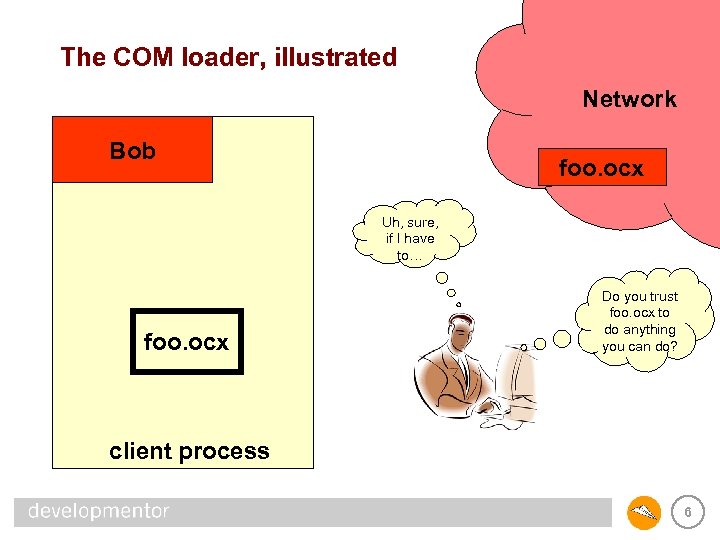
The COM loader, illustrated Network Bob foo. ocx Uh, sure, if I have to… foo. ocx Do you trust foo. ocx to do anything you can do? client process 6
The. NET assembly loader and trust levels • Each. NET assembly may run with different privileges – explicitly installed code usually trusted – mobile code typically restricted • . NET uses Code Access Security (CAS) model – assembly loader gathers evidence like source and public key – security policy used to evaluate evidence – assembly permissions determined from evidence and policy – CLR restricts assembly to actions allowed by its permissions – user never asked trust questions 7
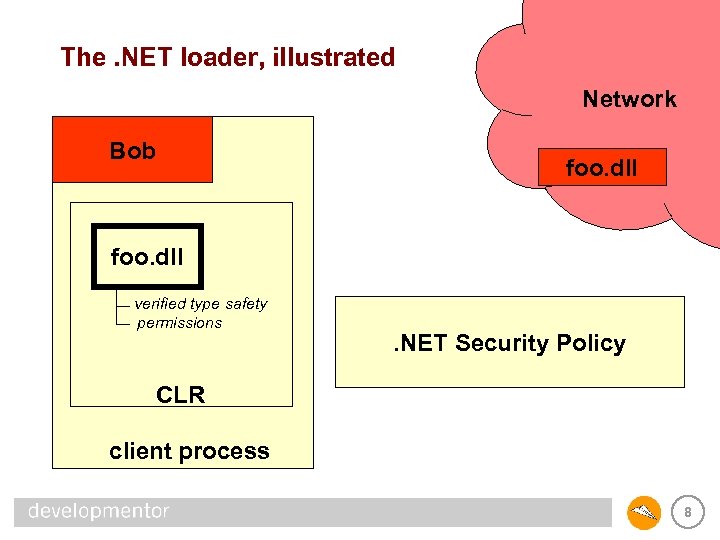
The. NET loader, illustrated Network Bob foo. dll verified type safety permissions . NET Security Policy CLR client process 8
The importance of type safety • CLR enforces permissions to constrain mobile code – possible because CLR type system is watertight – code is verified before execution to guarantee type safety – any bugs in the verification process compromises this system • COM based systems could not enforce type safety – C++ allowed arbitrary casts – VB 6 wasn’t exempt either – no way to verify behavior of code 9
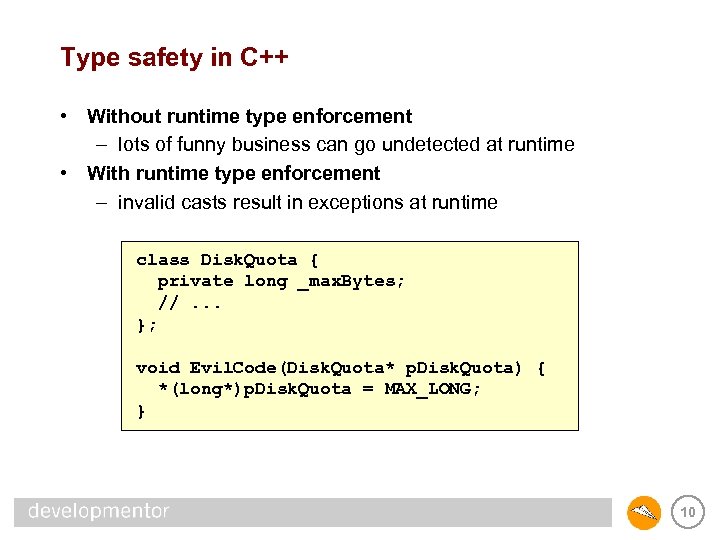
Type safety in C++ • Without runtime type enforcement – lots of funny business can go undetected at runtime • With runtime type enforcement – invalid casts result in exceptions at runtime class Disk. Quota { private long _max. Bytes; //. . . }; void Evil. Code(Disk. Quota* p. Disk. Quota) { *(long*)p. Disk. Quota = MAX_LONG; } 10
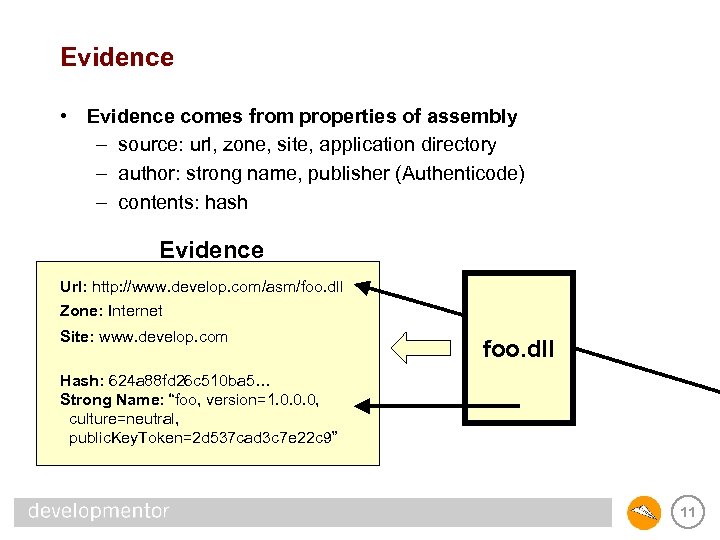
Evidence • Evidence comes from properties of assembly – source: url, zone, site, application directory – author: strong name, publisher (Authenticode) – contents: hash Evidence Url: http: //www. develop. com/asm/foo. dll Zone: Internet Site: www. develop. com foo. dll Hash: 624 a 88 fd 26 c 510 ba 5… Strong Name: “foo, version=1. 0. 0. 0, culture=neutral, public. Key. Token=2 d 537 cad 3 c 7 e 22 c 9” 11
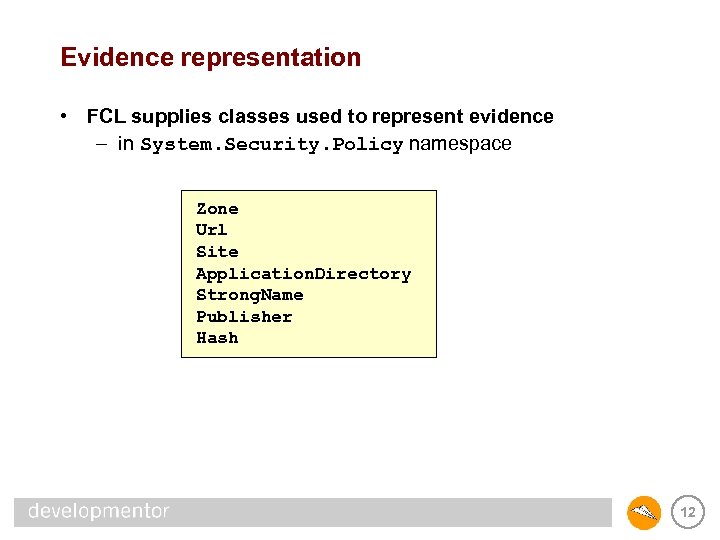
Evidence representation • FCL supplies classes used to represent evidence – in System. Security. Policy namespace Zone Url Site Application. Directory Strong. Name Publisher Hash 12
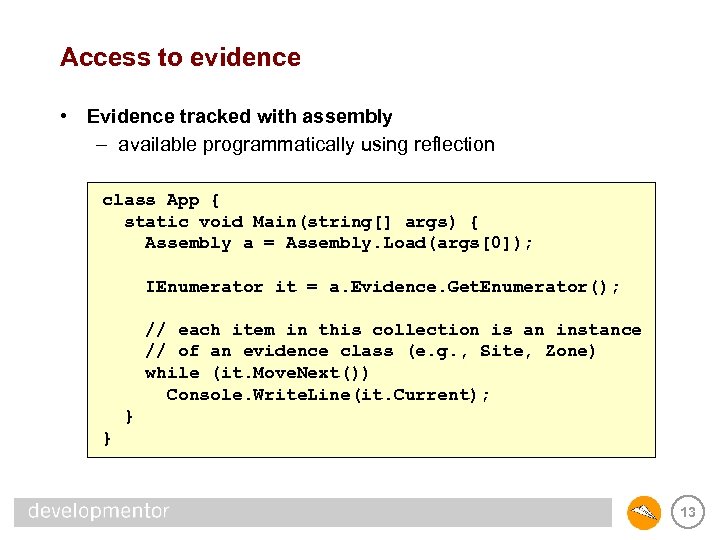
Access to evidence • Evidence tracked with assembly – available programmatically using reflection class App { static void Main(string[] args) { Assembly a = Assembly. Load(args[0]); IEnumerator it = a. Evidence. Get. Enumerator(); // each item in this collection is an instance // of an evidence class (e. g. , Site, Zone) while (it. Move. Next()) Console. Write. Line(it. Current); } } 13
Permissions • Permissions limit what an assembly can do – run if code not verifiable? – access file system? – access the network? – access certain environment variables? – call native code (COM objects, DLLs)? – access files or printers without asking user? 14
CAS permission classes • FCL supplies classes to represent permissions – in System. Security. Permissions namespace DBData. Permission Printing. Permission Message. Queue. Permission Dns. Permission Socket. Permission Web. Permission Environment. Permission File. Dialog. Permission File. IOPermission Isolated. Storage. File. Permission Reflection. Permission Registry. Permission Security. Permission UIPermission 15
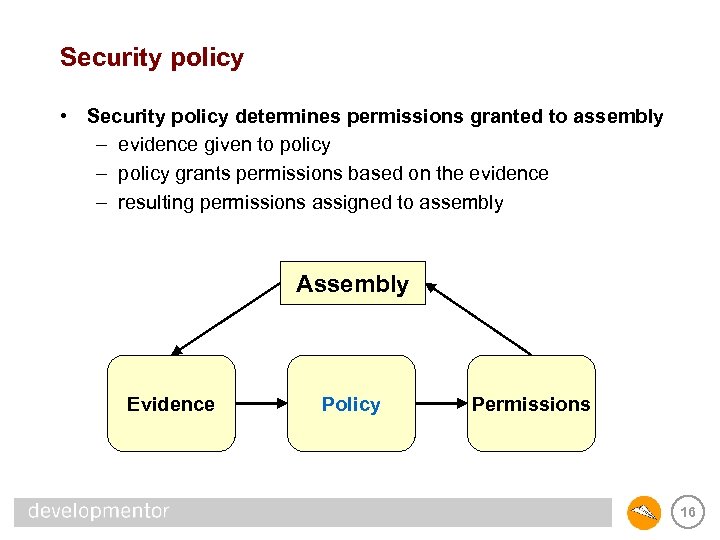
Security policy • Security policy determines permissions granted to assembly – evidence given to policy – policy grants permissions based on the evidence – resulting permissions assigned to assembly Assembly Evidence Policy Permissions 16
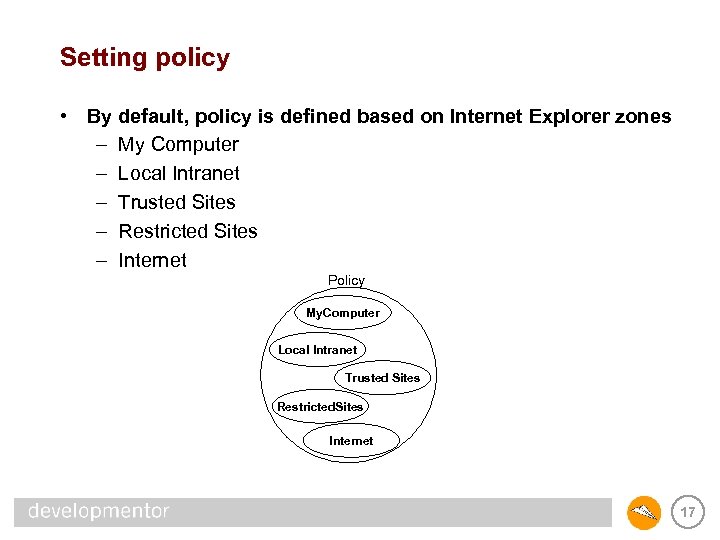
Setting policy • By default, policy is defined based on Internet Explorer zones – My Computer – Local Intranet – Trusted Sites – Restricted Sites – Internet Policy My. Computer Local Intranet Trusted Sites Restricted. Sites Internet 17
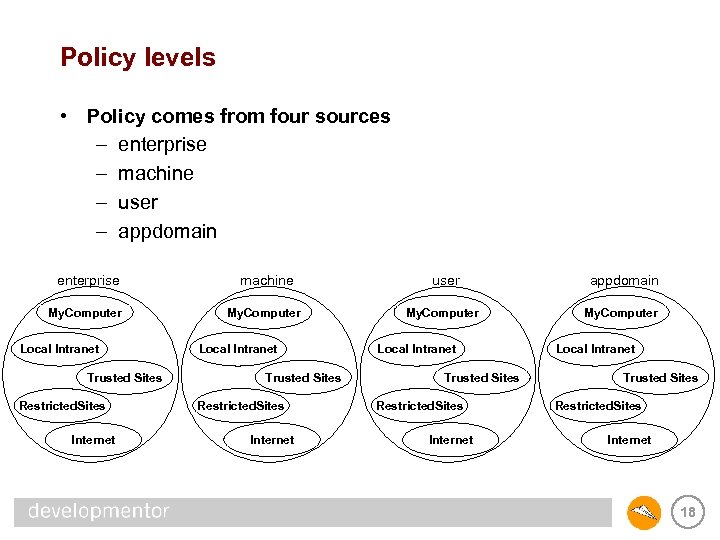
Policy levels • Policy comes from four sources – enterprise – machine – user – appdomain enterprise machine user appdomain My. Computer Local Intranet Trusted Sites Restricted. Sites Internet 18
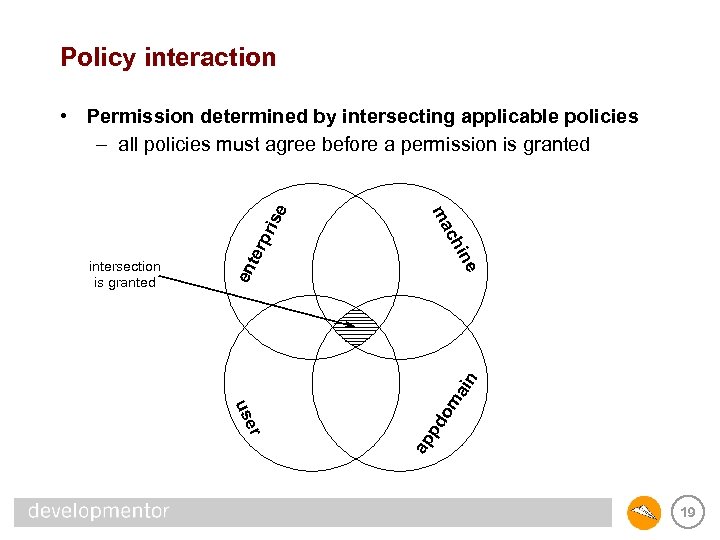
Policy interaction pri pd ap er us om ain en e ter in ch intersection is granted ma se • Permission determined by intersecting applicable policies – all policies must agree before a permission is granted 19
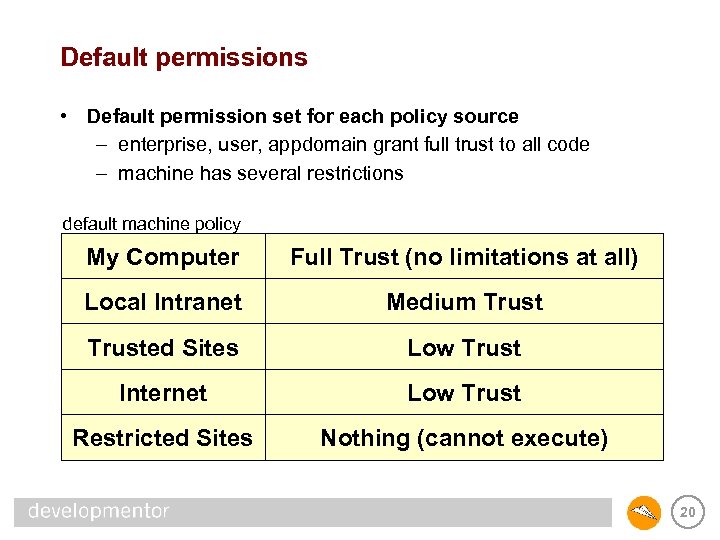
Default permissions • Default permission set for each policy source – enterprise, user, appdomain grant full trust to all code – machine has several restrictions default machine policy My Computer Full Trust (no limitations at all) Local Intranet Medium Trusted Sites Low Trust Internet Low Trust Restricted Sites Nothing (cannot execute) 20
Customizing policy • Can customize each policy level • Framework supplies tools to simplify task – predefined permission sets – wizards to select settings – editors for finer-grained control • Framework supplies policy classes – System. Security. Policy namespace – can alter policy programmatically for maximum control 21
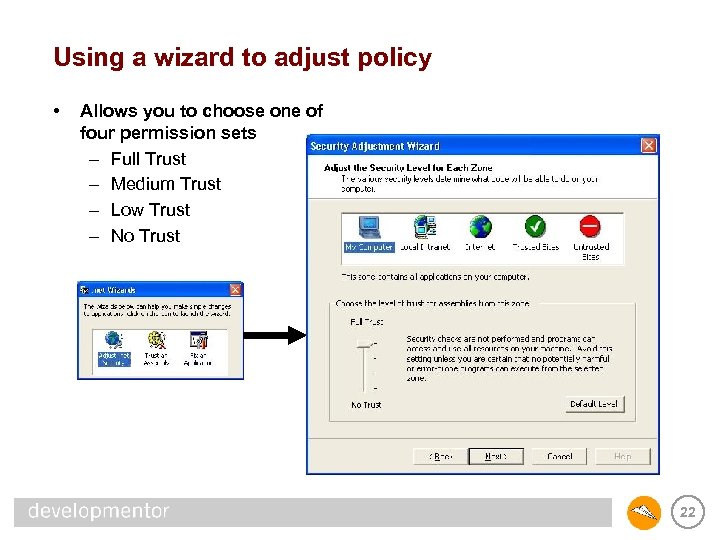
Using a wizard to adjust policy • Allows you to choose one of four permission sets – Full Trust – Medium Trust – Low Trust – No Trust 22
Full trust • No CAS restrictions whatsoever • Code doesn’t have to be verifiable – all code is verified by default unless it requests Skip. Verification • Can call out to native code without restriction – DLLs – COM objects • Don’t forget that the operating system still controls access to external resources based on tokens – File system, kernel objects, etc. – DCOM – Databases 23
Medium trust • • • • • Code may execute. Code must be verifiable and may not call directly into unmanaged code. Allowed to assert permissions (more on this later). May not suspend, resume, interrupt, abort other threads, or stop its own threads from being aborted by more trusted code. May not modify security policy. May not change the managed principal on a thread. May not create or control App. Domains. May not serialize objects using a Serialization. Formatter (allows access to private state). May not inject evidence for assemblies or App. Domains. May not configure System. Runtime. Remoting or add extensions such as remoting sinks. Denied access to all environment variables, except you may read USERNAME. May read or write to the local file system, but only by using open/save dialogs to get a stream (exception: may read directly from App. Base directory and any subdirectories) Unlimited isolated storage space for your assembly, scoped by user, assembly, and machine. May use reflection, but only to access public members of public types or to emit new types. May read and write from the clipboard and put up windows of any shape or size. May use DNS (Domain Name Service) without restriction. May submit print jobs directly to the default printer, or to any other printer using a common dialog. May read or write to existing event logs, and create event sources and logs. May not access the registry, SQL databases, message queues May use sockets, but only to connect to the site from which the code originated 24
Low trust • • • Same as Medium Trust, with the following further restrictions: May not assert permissions. May not read/write ANY environment variables. May not use the File. Save dialog to open files for writing (can still use File. Open to read). May not read (via File IO) from App. Base directly without a dialog. Isolated storage further restricted by quota (10240 bytes), also must be scoped not only by assembly and user, but also by application. May only display “safe top-level windows” which is supposed to help keep mobile code from spoofing login dialogs and the like. While writing to the clipboard is unrestricted, only intrinsic controls such as the Text. Box may read from the clipboard – user controls cannot. Cannot use reflection to emit code. Cannot use DNS (Domain Name Service) to resolve names. May not send print jobs directly to any printers. Must use the common print dialog in order to obtain the user’s consent. Only code from trusted sites can connect back to the original site 25
No Trust • No permissions are granted • Code is not even allowed to execute 26
Named permission sets • Permissions are organized into sets to ease administration • Four built-in permission sets used by the wizards – Full. Trust – Local. Intranet (a. k. a. “medium trust”) – Internet (a. k. a. “low trust”) – Nothing (a. k. a. “no trust”) • Three other built-in permission sets – Everything (all permissions defined by Microsoft) – Skip. Verification (grants the right to run unverifiable code) – Execution (grants the right to execute) • Can create others. . . 27
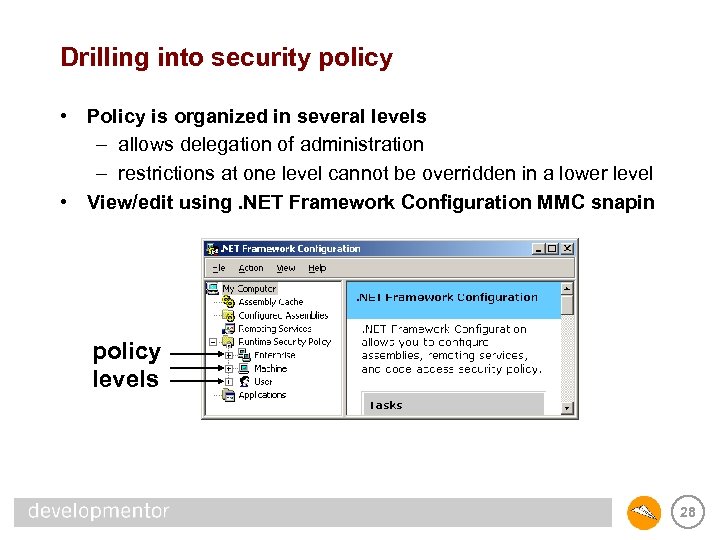
Drilling into security policy • Policy is organized in several levels – allows delegation of administration – restrictions at one level cannot be overridden in a lower level • View/edit using. NET Framework Configuration MMC snapin policy levels 28
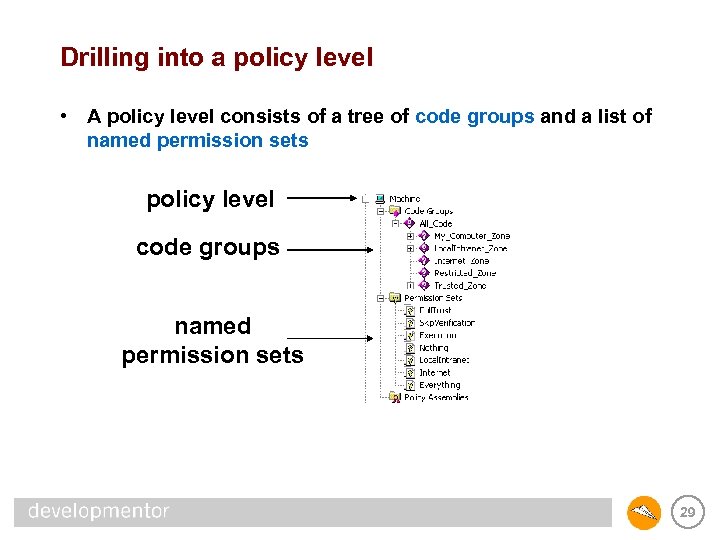
Drilling into a policy level • A policy level consists of a tree of code groups and a list of named permission sets policy level code groups named permission sets 29
Code groups • Each code group has two properties – a membership condition (a single test of the evidence) – a reference to a named permission set • Permission grant for a policy level comes from the union of all matching code groups – child nodes evaluated only if parent node matches 30
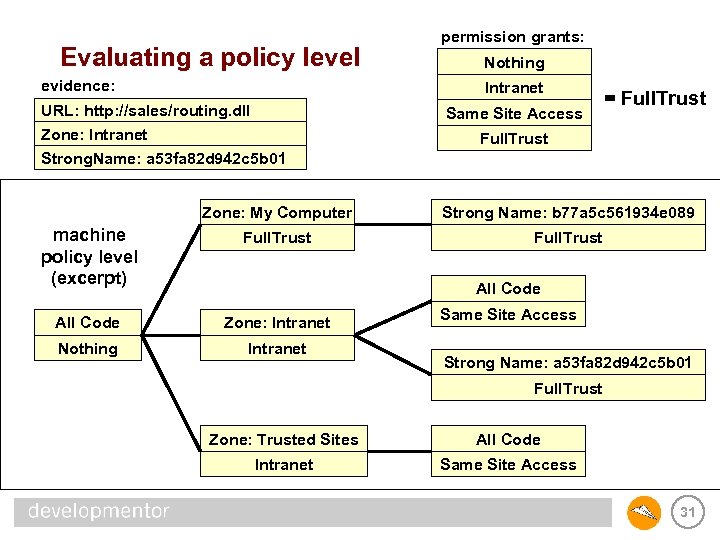
Evaluating a policy level evidence: permission grants: Nothing Intranet URL: http: //sales/routing. dll Zone: Intranet Strong. Name: a 53 fa 82 d 942 c 5 b 01 Same Site Access = Full. Trust Zone: My Computer Strong Name: b 77 a 5 c 561934 e 089 machine policy level (excerpt) Full. Trust All Code Zone: Intranet Nothing Intranet All Code Same Site Access Strong Name: a 53 fa 82 d 942 c 5 b 01 Full. Trust Zone: Trusted Sites All Code Intranet Same Site Access 31
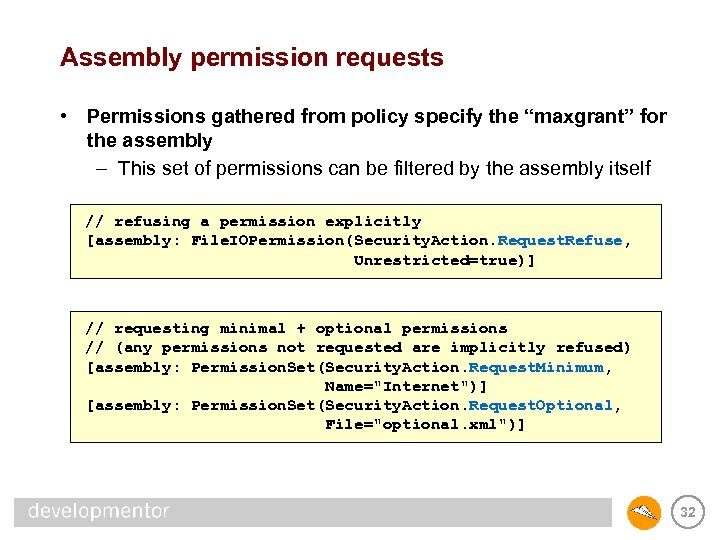
Assembly permission requests • Permissions gathered from policy specify the “maxgrant” for the assembly – This set of permissions can be filtered by the assembly itself // refusing a permission explicitly [assembly: File. IOPermission(Security. Action. Request. Refuse, Unrestricted=true)] // requesting minimal + optional permissions // (any permissions not requested are implicitly refused) [assembly: Permission. Set(Security. Action. Request. Minimum, Name="Internet")] [assembly: Permission. Set(Security. Action. Request. Optional, File="optional. xml")] 32
Assembly permission requests • Minimum permission set – if maxgrant doesn’t include all these permissions, fail to load – this is an easy way to make sure that the core functionality in the assembly can be provided without security exceptions • Optional permission set – permissions the assembly is willing to accept, but doesn’t absolutely need to perform its core functionality • Refused permission set – permissions the assembly absolutely does not want • Permission requests can break your code if you’re not careful – very often turns a fully trusted assembly into a partially trusted assembly – more on this later 33
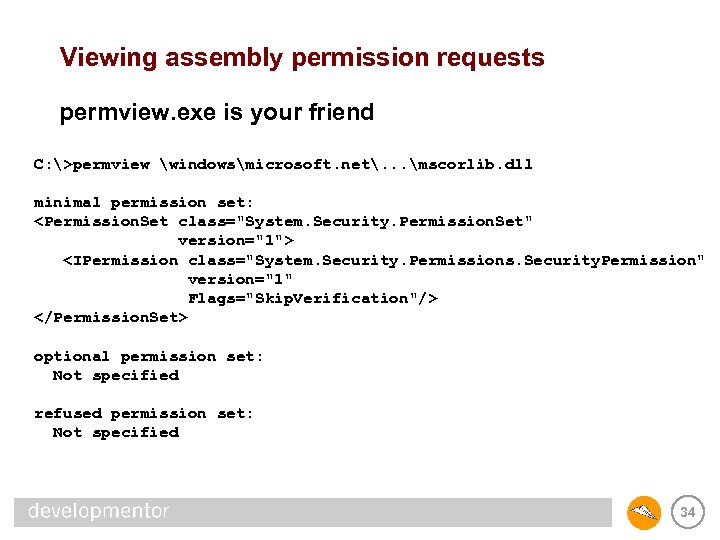
Viewing assembly permission requests permview. exe is your friend C: >permview windowsmicrosoft. net. . . mscorlib. dll minimal permission set: <Permission. Set class="System. Security. Permission. Set" version="1"> <IPermission class="System. Security. Permissions. Security. Permission" version="1" Flags="Skip. Verification"/> </Permission. Set> optional permission set: Not specified refused permission set: Not specified 34
Programmatically adjusting policy • Often the policy wizard is a bit heavy handed – zone-wide adjustments – even with further refinement, only have four choices for trust • Full, medium, low, or none • Can edit code groups and permission sets via UI – automating this almost always necessary • For full control, can program against policy manually – use Security. Manager to discover policy levels – use Named. Permission. Set to add new permission sets – use Union. Code. Group to add new code groups – don’t forget to save your changes via Security. Manager. Save. Policy. Level 35
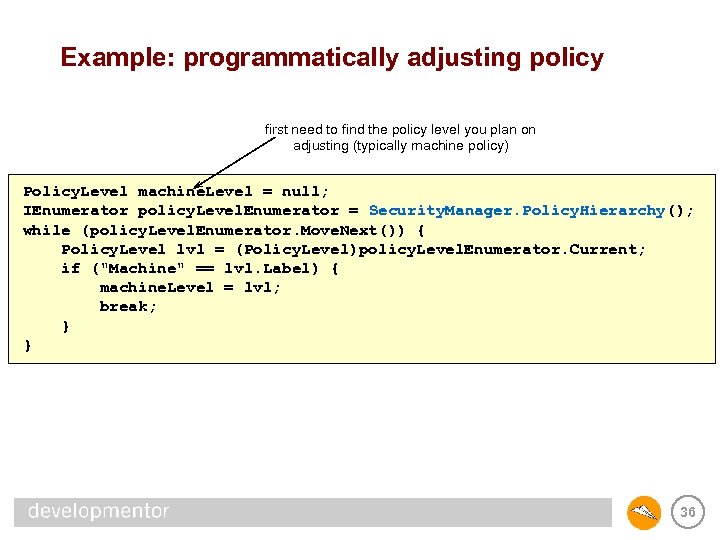
Example: programmatically adjusting policy first need to find the policy level you plan on adjusting (typically machine policy) Policy. Level machine. Level = null; IEnumerator policy. Level. Enumerator = Security. Manager. Policy. Hierarchy(); while (policy. Level. Enumerator. Move. Next()) { Policy. Level lvl = (Policy. Level)policy. Level. Enumerator. Current; if ("Machine" == lvl. Label) { machine. Level = lvl; break; } } 36
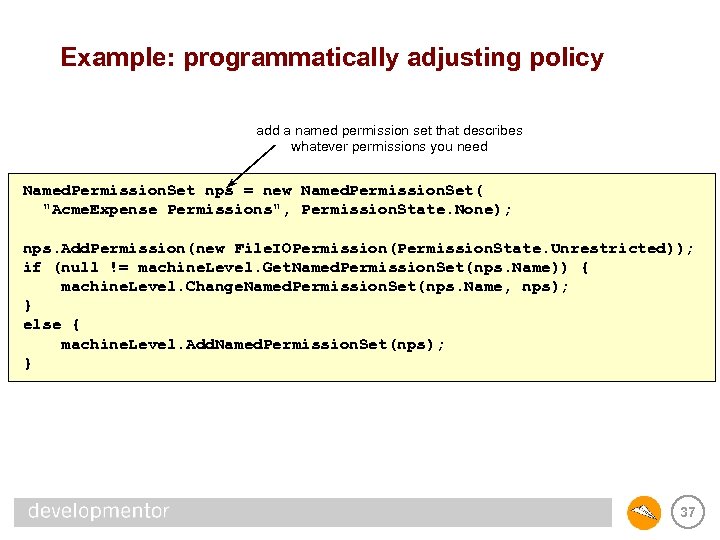
Example: programmatically adjusting policy add a named permission set that describes whatever permissions you need Named. Permission. Set nps = new Named. Permission. Set( "Acme. Expense Permissions", Permission. State. None); nps. Add. Permission(new File. IOPermission(Permission. State. Unrestricted)); if (null != machine. Level. Get. Named. Permission. Set(nps. Name)) { machine. Level. Change. Named. Permission. Set(nps. Name, nps); } else { machine. Level. Add. Named. Permission. Set(nps); } 37
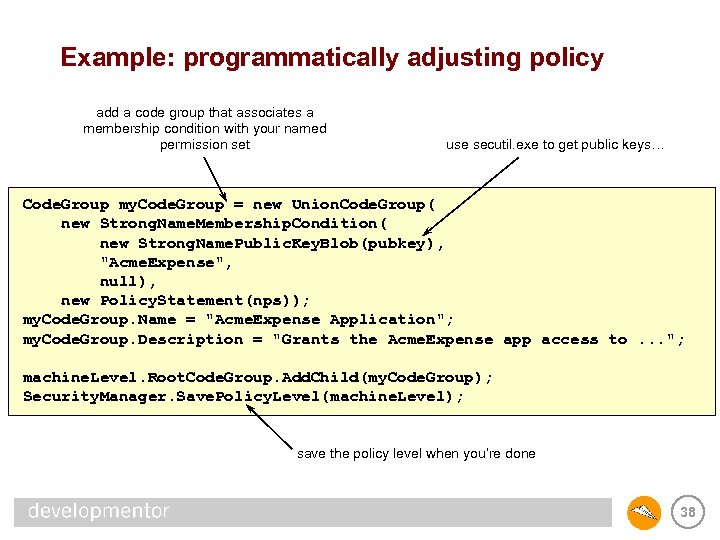
Example: programmatically adjusting policy add a code group that associates a membership condition with your named permission set use secutil. exe to get public keys… Code. Group my. Code. Group = new Union. Code. Group( new Strong. Name. Membership. Condition( new Strong. Name. Public. Key. Blob(pubkey), "Acme. Expense", null), new Policy. Statement(nps)); my. Code. Group. Name = "Acme. Expense Application"; my. Code. Group. Description = "Grants the Acme. Expense app access to. . . "; machine. Level. Root. Code. Group. Add. Child(my. Code. Group); Security. Manager. Save. Policy. Level(machine. Level); save the policy level when you’re done 38
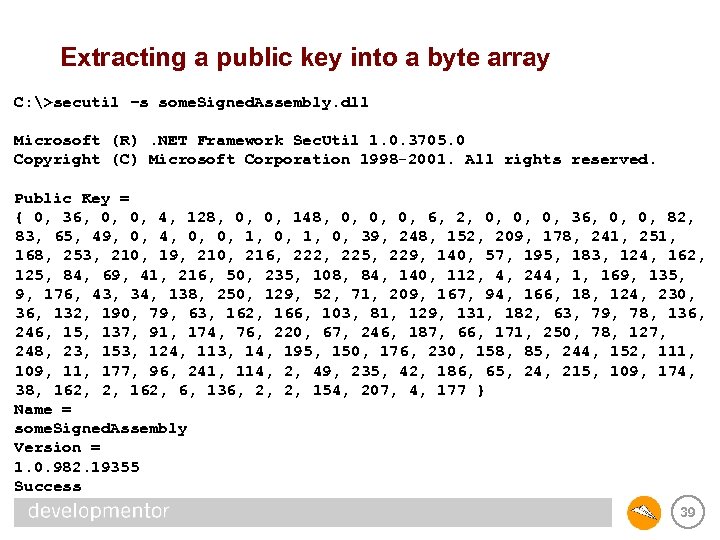
Extracting a public key into a byte array C: >secutil –s some. Signed. Assembly. dll Microsoft (R). NET Framework Sec. Util 1. 0. 3705. 0 Copyright (C) Microsoft Corporation 1998 -2001. All rights reserved. Public Key = { 0, 36, 0, 0, 4, 128, 0, 0, 148, 0, 0, 0, 6, 2, 0, 0, 0, 36, 0, 0, 82, 83, 65, 49, 0, 4, 0, 0, 1, 0, 39, 248, 152, 209, 178, 241, 251, 168, 253, 210, 19, 210, 216, 222, 225, 229, 140, 57, 195, 183, 124, 162, 125, 84, 69, 41, 216, 50, 235, 108, 84, 140, 112, 4, 244, 1, 169, 135, 9, 176, 43, 34, 138, 250, 129, 52, 71, 209, 167, 94, 166, 18, 124, 230, 36, 132, 190, 79, 63, 162, 166, 103, 81, 129, 131, 182, 63, 79, 78, 136, 246, 15, 137, 91, 174, 76, 220, 67, 246, 187, 66, 171, 250, 78, 127, 248, 23, 153, 124, 113, 14, 195, 150, 176, 230, 158, 85, 244, 152, 111, 109, 11, 177, 96, 241, 114, 2, 49, 235, 42, 186, 65, 24, 215, 109, 174, 38, 162, 2, 162, 6, 136, 2, 2, 154, 207, 4, 177 } Name = some. Signed. Assembly Version = 1. 0. 982. 19355 Success 39
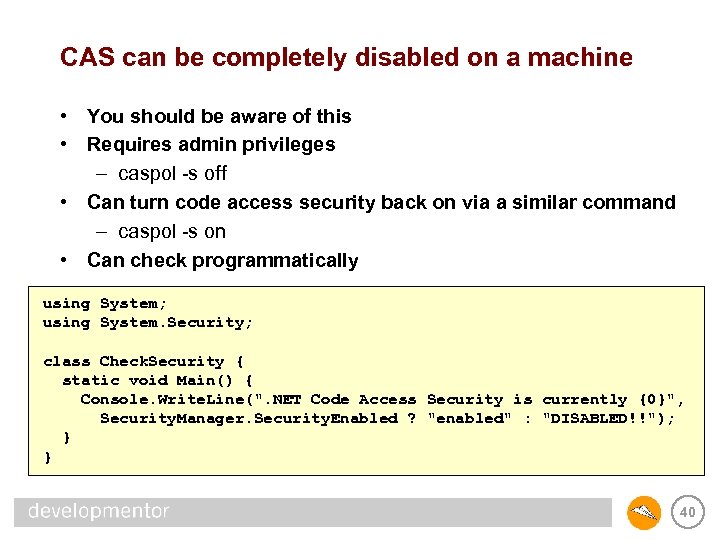
CAS can be completely disabled on a machine • You should be aware of this • Requires admin privileges – caspol -s off • Can turn code access security back on via a similar command – caspol -s on • Can check programmatically using System; using System. Security; class Check. Security { static void Main() { Console. Write. Line(". NET Code Access Security is currently {0}", Security. Manager. Security. Enabled ? "enabled" : "DISABLED!!"); } } 40
Policy wrap-up • Loader discovers evidence • Evidence is fed as input into policy • Each of the four policy levels are evaluated, one at a time – union of permission grants for each matching code group • Intersect the permissions granted at each level • Apply any assembly permission requests • Result is permissions granted to assembly 41
Summary • • CAS is the. NET security model for dealing with mobile code Evidence is discovered by the loader Policy takes evidence and turns it into permissions Permissions say what your code can and cannot do • …no point to any of this if CAS is disabled on the machine 42
Скачать презентацию Code Access Security Securing mobile code in the
26a950c0a6b248cc6efc45c805879c11.ppt