 Скачать презентацию cobol migration tutorial Alvina Nishimoto emulate or
0cbef044d9ac1d4625ec1e343c4cfb08.ppt
- Количество слайдов: 109



cobol migration tutorial Alvina Nishimoto
emulate or migrate? • how to manage the file system • library of software to translate turboimage to oracle? • message files named pipes? • go direct or use a layer of software
recompile or translate? • stay in the language you’re in on the 3000? • or translate to another language? • what to do about – vplus, – image – mpe intrinsics
cobol program • want to get off of cobol? • good tools to convert cobol to c • pitfalls: – manual rework – makes it easy to introduce bugs
do one thing at a time • separate the issues • don’t do new platform at the same time you change languages
recompile or translate • recompile – picking the right compiler – picking the right migration tool • translate – modern languages (java; legacyj) – move gradually
sticking with cobol? • language that your current staff is familiar with – take what you have and move it – then migrate to another language • if you don’t have a staff of programmers – how will you support and grow your applications?
maintaining the translated code • pro’s and cons to both approaches • translating • recompiling • “you’re not done when you finish recompiling
must decide how you’re going to handle your subsystems • if your programmers have written highly modular code, the migration will be easy – all the statements that must be modified will be in a single module – not typical
the more typical case • most programs laced with calls to vplus, turboimage and other proprietary mpe intrinsics • migrating this kind of code is much more difficult • may need to consider emulation as an alternative
to emulate, or not to emulate • often determined by – quality of staff – amount of code to migrate – emulators are available – retraining concerns
factors that make code difficult to migrate • • • turboimage calls vplus calls other mpe intrinsics system variables access to udcs file system
cobol - syntax • • Reserved Words Copy libs $INCLUDE Macro expansion
reserved words • example – using “window” as a data item name works with hp cobol – acucobol uses “window” as a reserved word • with compile options you can turn off this reserved word, allowing you to leave the item name
cobol - externals • Passing of parm and info in run command • Entry points • CIERROR • Job/session environment (e. g. Temp files)
cobol - file systems • File naming (FILE. GROUP. ACCT) • MPE file types • Record structure • Sharing file IDs (FDs as Intrinsic parameters) • Sort files • KSAM files • FILE equations. • Temporary files
Acucorp Support for HP COBOL Syntax • Most HP COBOL syntax and extensions are supported on all ACUCOBOL-GT platforms. • Most of the HP COBOL preprocessor and macros are supported on all ACUCOBOL-GT platforms. • Target platforms include hp-ux, Linux, Windows, etc. • More information at http: //www. acucorp. com/hp/ main. html
AD technologies • Migration from cobol to cobol • migration from spl to c • migration from fortran to c • migration from image to sql • target platforms include hp-ux, unix, Linux, NT • http: //www. adtech. com
Legacy. J • PERCobol is the modern advanced function COBOL compiler • PERCobol 3. 0 and View. J 3. 0 now available. • PERCobol contains a new IDE, MPE/i. X migration and COBOL 2002 features. • View. J provide platform independent HP e 3000 VPlus screen execution • http: //www. legacyj. com
Image - conversion • Data Structure Changes • Data Type Changes • Variable Name Changes • Image Access Changes • Data Migration
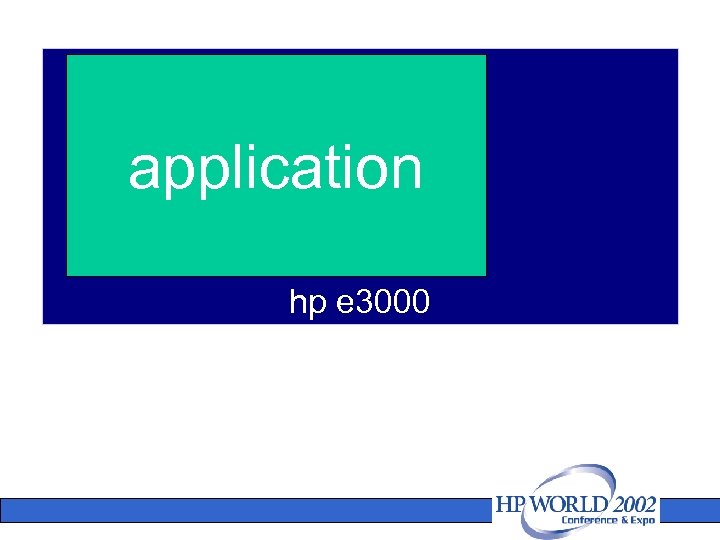
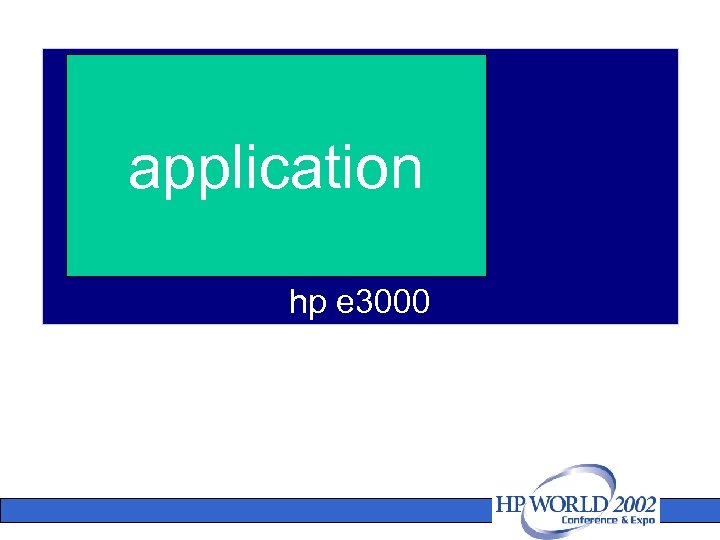
your application user code your application system calls application system code called by your application hp e 3000
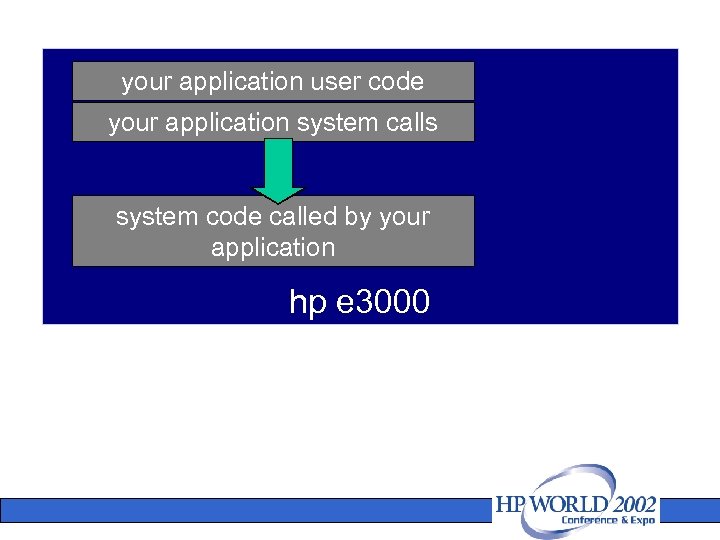
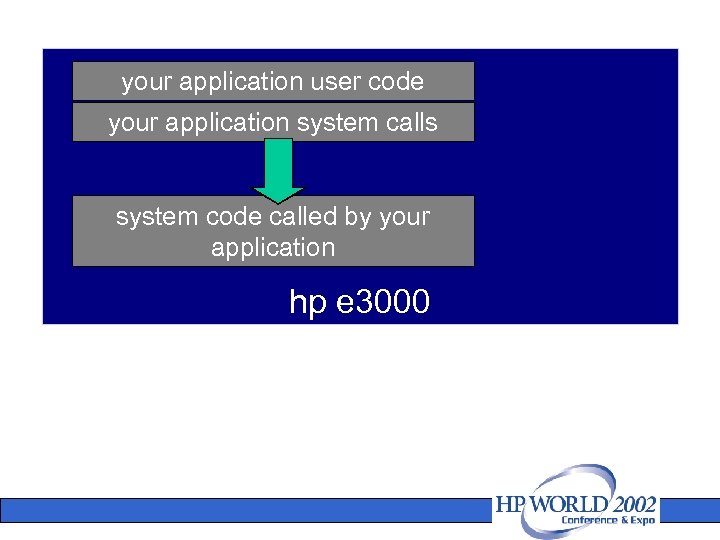
your application user code your application system calls system code called by your application hp e 3000
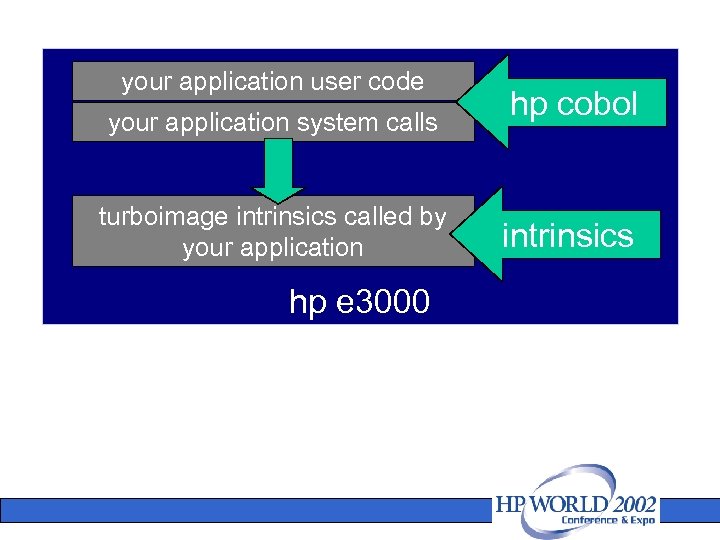
your application user code your application system calls turboimage intrinsics called by your application hp e 3000 hp cobol intrinsics
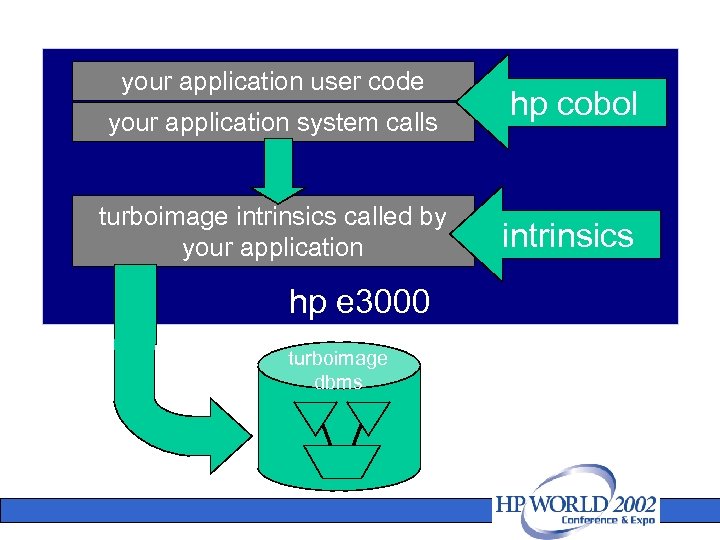
your application user code your application system calls turboimage intrinsics called by your application hp e 3000 turboimage dbms hp cobol intrinsics
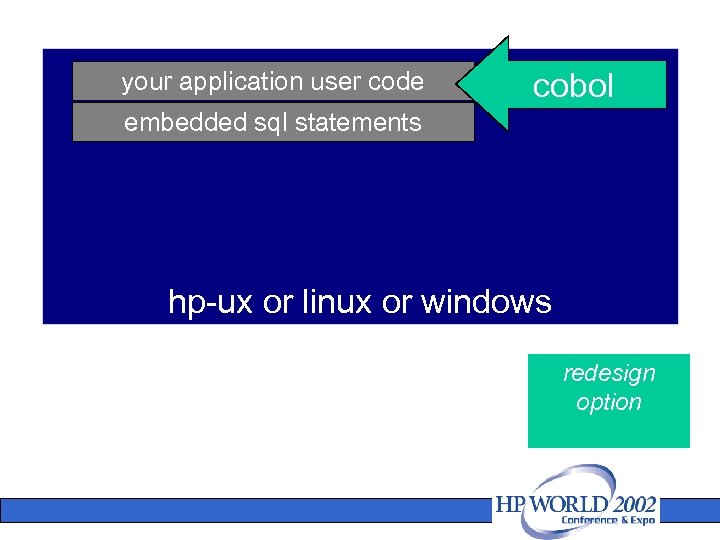
your application user code cobol embedded sql statements hp-ux or linux or windows redesign option
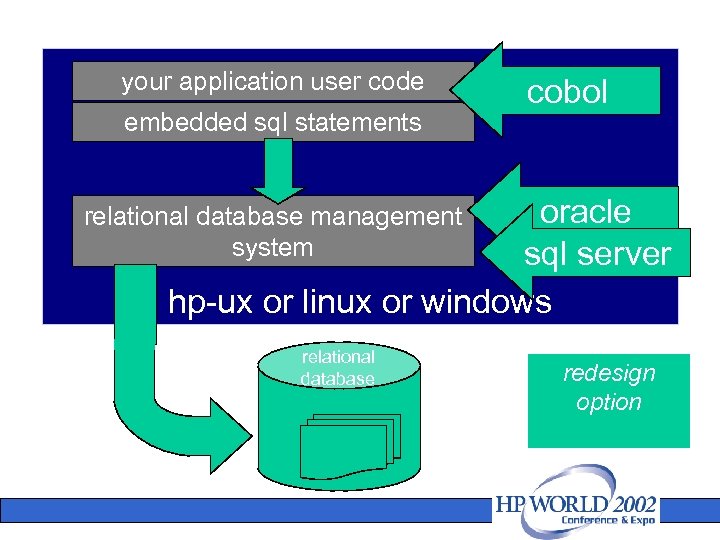
your application user code embedded sql statements cobol oracle sql server hp-ux or linux or windows relational database management system relational database redesign option
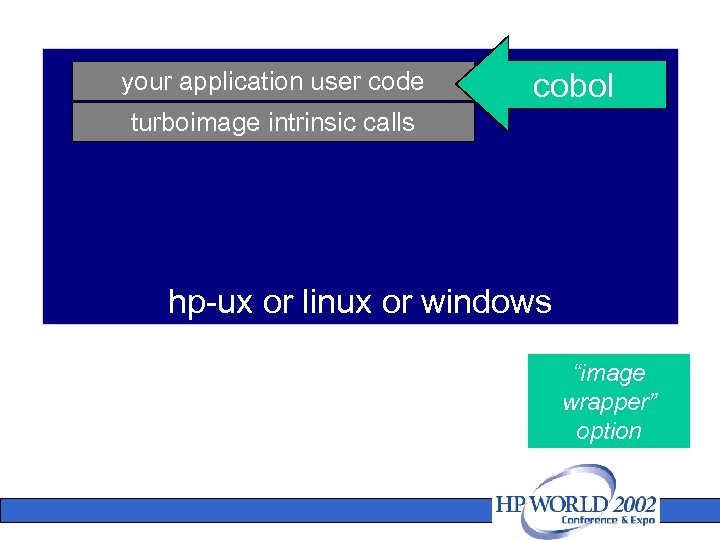
your application user code cobol turboimage intrinsic calls hp-ux or linux or windows “image wrapper” option
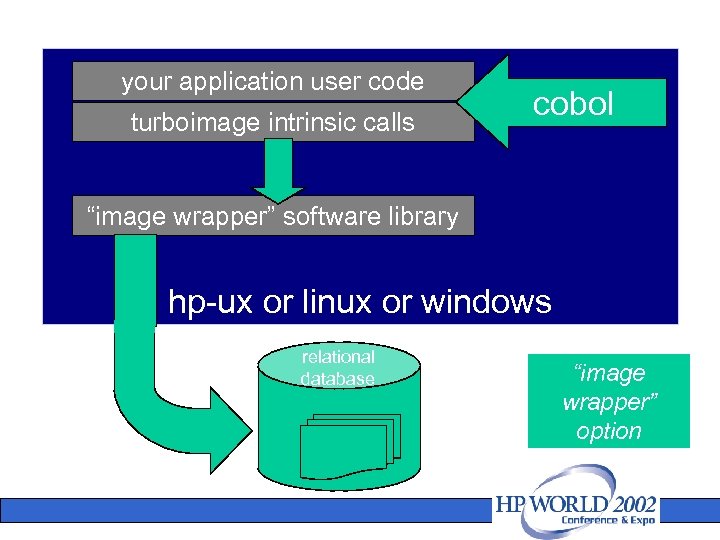
your application user code turboimage intrinsic calls cobol “image wrapper” software library hp-ux or linux or windows relational database “image wrapper” option
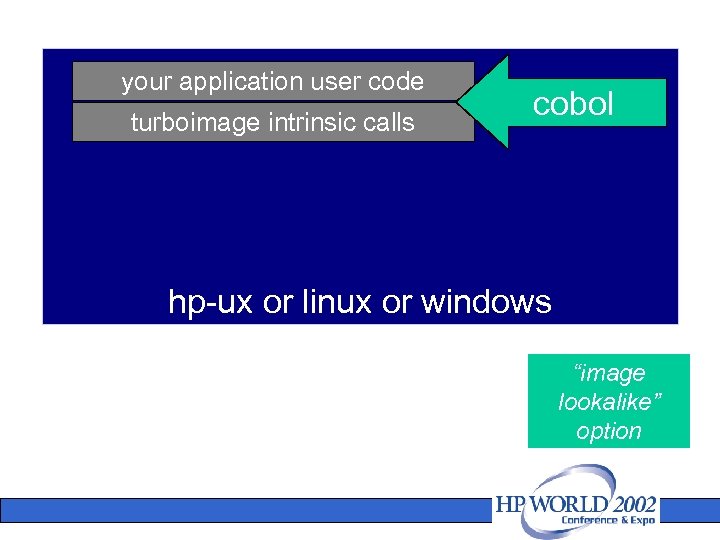
your application user code turboimage intrinsic calls cobol hp-ux or linux or windows “image lookalike” option
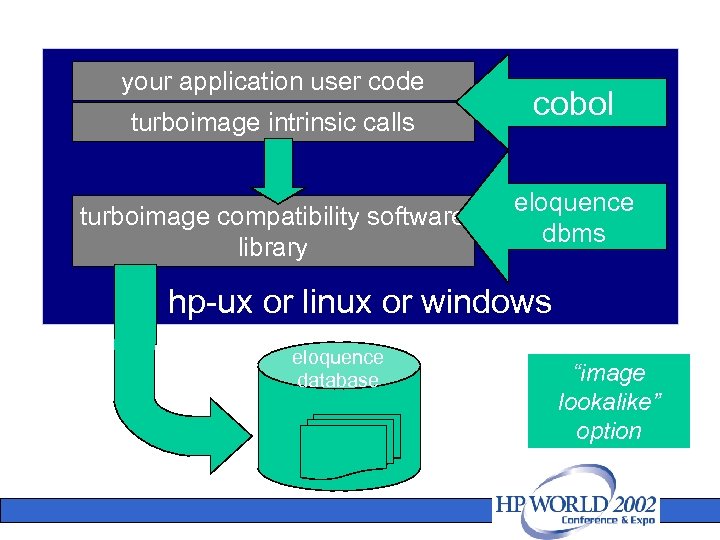
your application user code turboimage intrinsic calls turboimage compatibility software library cobol eloquence dbms hp-ux or linux or windows eloquence database “image lookalike” option
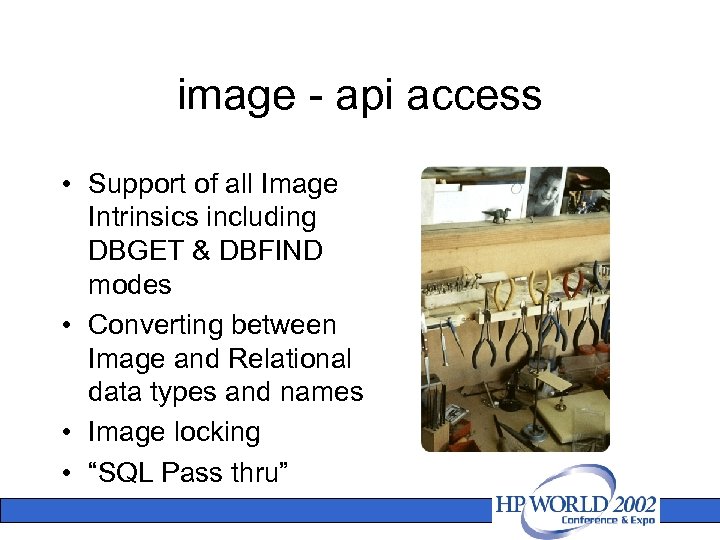
image - api access • Support of all Image Intrinsics including DBGET & DBFIND modes • Converting between Image and Relational data types and names • Image locking • “SQL Pass thru”
eloquence • what’s interesting about eloquence – compatibility with turboimage – cost effective – available on multiple platforms – a proven option, available now
components of eloquence • hp eloquence programming language (based on hp business basic) • hp eloquence database (based on image) • graphical user interface • development environment
eloquence overview • ~2, 000 sites worldwide • 60 vars/isvs • from a single-user laptop to server-based • several hundred concurrent users • terminal based or distributed gui env.
product overview • eloquence was first released in 1990 as a migration solution to move hp 250/hp 260 applications to hp-ux • since then eloquence has gone through continuous development
release a. 07 • scheduled for q 3 2003 – order from an eloquence partner or through the web – unlimited license – user-based entry license – option 3 k for ti compatibility • download via the web – cd-rom media option
product evaluation • an evaluation version is available for download from the hp eloquence web site – the “personal edition” provides a free two user license with a database up to 50 mb – a temporary license provides an unlimited version of hp eloquence for evaluation purposes
the database • based on turboimage – – – – uses indexing, not hashing integrated indexing options most things are dynamic new security subsystem extension of image password security additional locking options client/server environment multiple platforms online backup & odbc • turboimage compatible
performance • performance is better than mainstream databases – built to do image very well – optimized for image operations • when does eloquence make sense? – intended for low-medium size sites – 300+ users – can handle 400 users – >500 users should look at mainstream db.
scalability • 400 -500 users max – no dba team • a transitional tool? – eloquence certainly can be used as a stepping stone towards a mainstream db – if you have policy/staffing/ knowledge in place for mainstream db
client/server model • application linked with client library • database is accessed by server component • connected by network (or shared memory) • calls in client code submitted to server
turboimage compatibility • small wrapper implements image api • turboimage compatibility api – other api’s: management, catalog lookup • all turboimage intrinsics and almost all modes are supported and behave identical
where is the data kept? • data stored in volume files – not in the file system – maintained by the servers – containers of disk space – no root files – all db structure info is kept in a db - the catalog – replaces root files
scalability • limits exceed or match turboimage • a. 07. 00 limits of eloquence – – – 2048 data items 500 data sets 64 / 16 paths entry length 5120 bytes db size 500 gb / 32 tb no more than 500 users suggested
utilities • • • dbvolcreate dbvolextend dbvolchange dblogreset – data base volume management dbfsck – database volume consistency check and simple repair tool dbctl – server management utility http status monitor dbrecover dbutil: security and structural maintenance schema: same as ti - acceots ti schema files dbtables: cross ref prschema: recreate schema from db… (more)
more utilities • • dbdumpcat dbexport dbimport export/import data base content to/from flat file • query utility • different from hp’s query program
compatibility • all turboimage intrinsics and almost all modes are supported and behave identically • hp e 3000 applications can usually be ported with no or only minor changes • currently not supported: – btree indexing (“super-chains”) – dbctl modes for btree maintenance – item level security
locking • locking is optional • additional dblock and dbunlock modes are available • transaction isolation does not expose uncommitted changes to concurrent sessions • transactions cover all databases
hashing & transactions • eloquence uses indexing instead of hashing – hashing causes migrating secondaries – indexes require more disk accesses, but with caching, this doesn’t represent a limitation – indexes are more flexible, with no performance penalty • transactions – different from ti – don’t expose uncommitted changes to concurrent sessions
compatibility • compatibility goes beyond the intrinsics – compatible performance profile – utility programs make it easy to apply existing knowledge
CSL • Linkway® Bridge. Master is the 'MPE to Anywhere Tool'. It allows an HPe 3000 program access to any external data source as though it were resident on the HPe 3000. • read data directly from DB 2, Oracle, Informix, Sybase, MS SQLServer, MS Access etc. • write data directly to DB 2, Oracle, Informix, Sybase, MS SQLServer, MS Access etc.
IMAXSOFT (Lee. Tech) • Open. TURBO transforms MPETURBO applications into N-tier UNIX-ORACLE and Window NTSQL SERVER platforms either without any or with very minimum code change • Open. TURBO utilities convert Turbo. IMAGE data and its internal structure to Oracle or SQL Server • Open. TURBO enables your MPE TURBO applications to run concurrently on HP/3000 and HP/9000
vplus • Migrating the Screen • Migrating the Processing Specs • STDLIST • Maintenance
your application user code your application system calls application system code called by your application hp e 3000
your application user code your application system calls system code called by your application hp e 3000
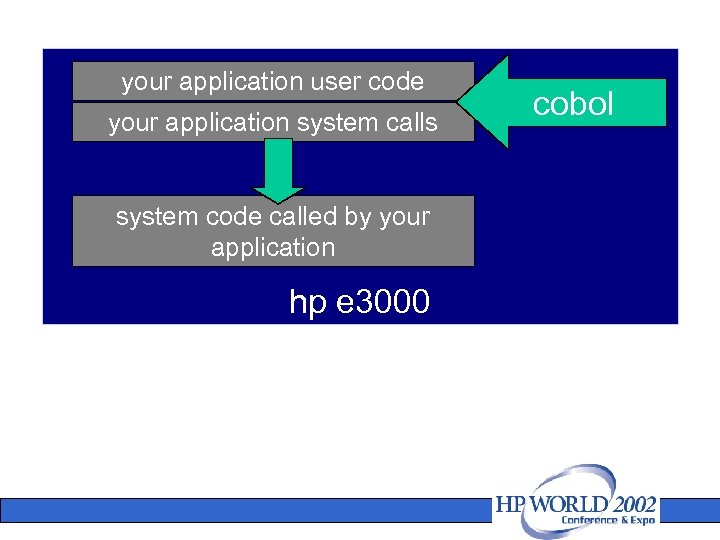
your application user code your application system calls system code called by your application hp e 3000 cobol
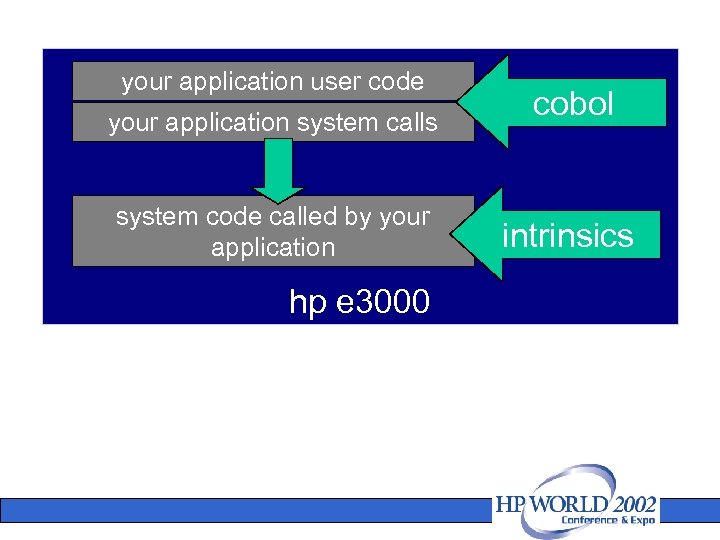
your application user code your application system calls system code called by your application hp e 3000 cobol intrinsics
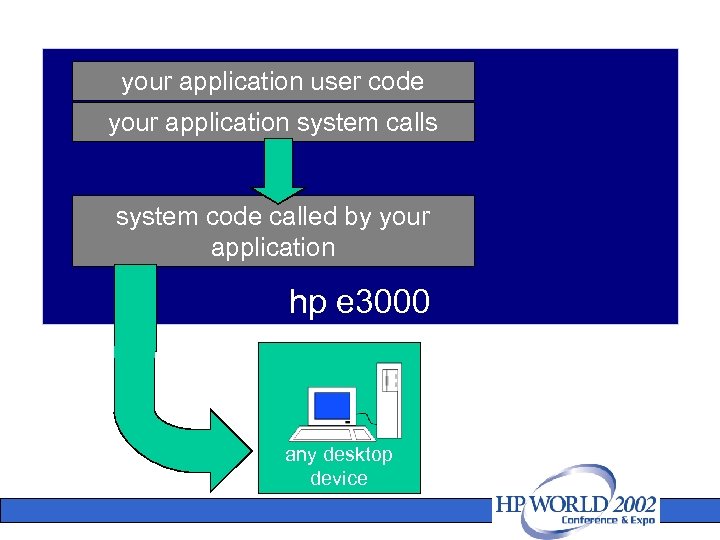
your application user code your application system calls system code called by your application hp e 3000 any desktop device
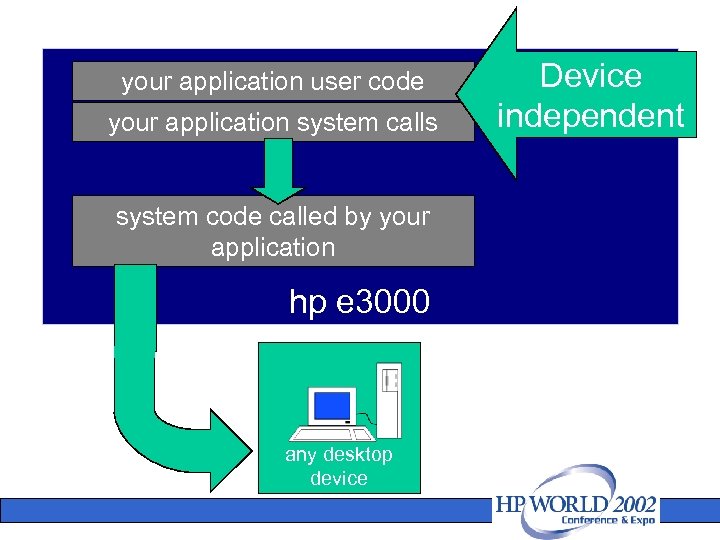
your application user code your application system calls system code called by your application hp e 3000 any desktop device Device independent
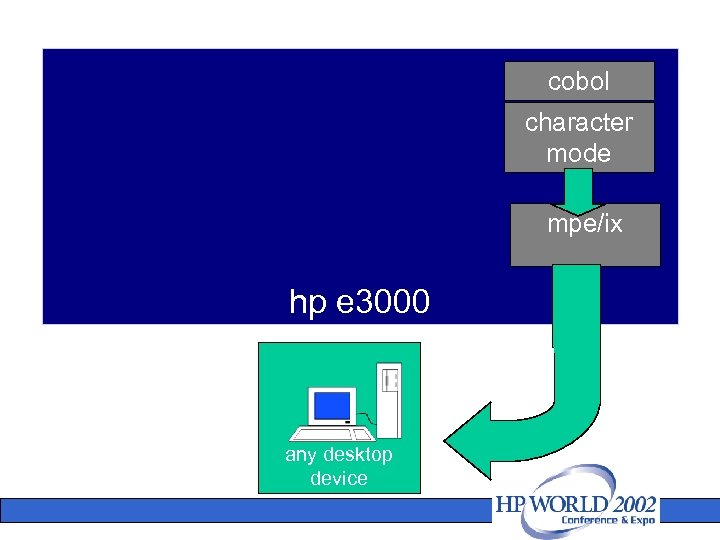
cobol character mode mpe/ix hp e 3000 any desktop device
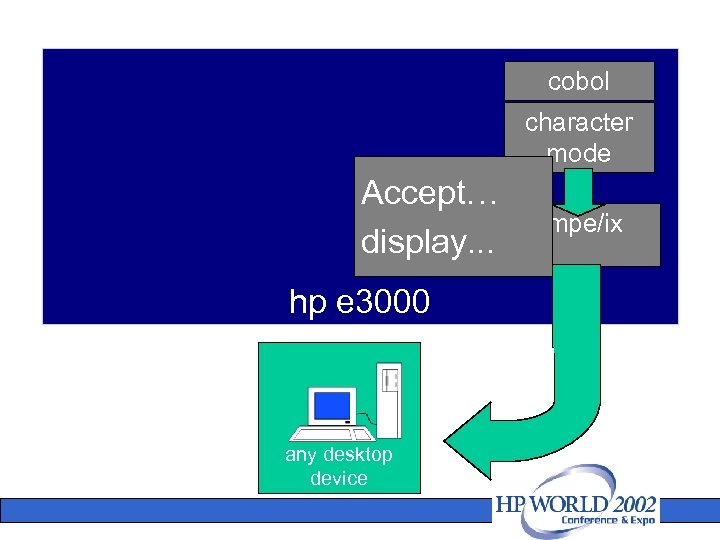
cobol character mode Accept… display. . . hp e 3000 any desktop device mpe/ix
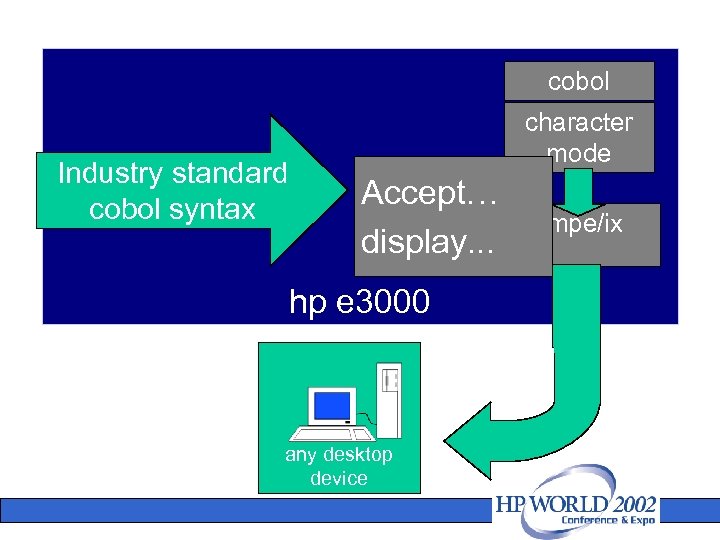
cobol Industry standard cobol syntax character mode Accept… display. . . hp e 3000 any desktop device mpe/ix
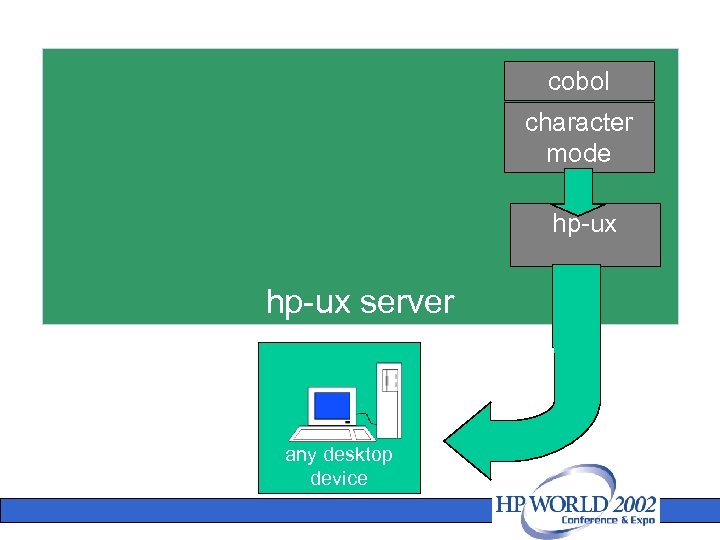
cobol character mode hp-ux server any desktop device
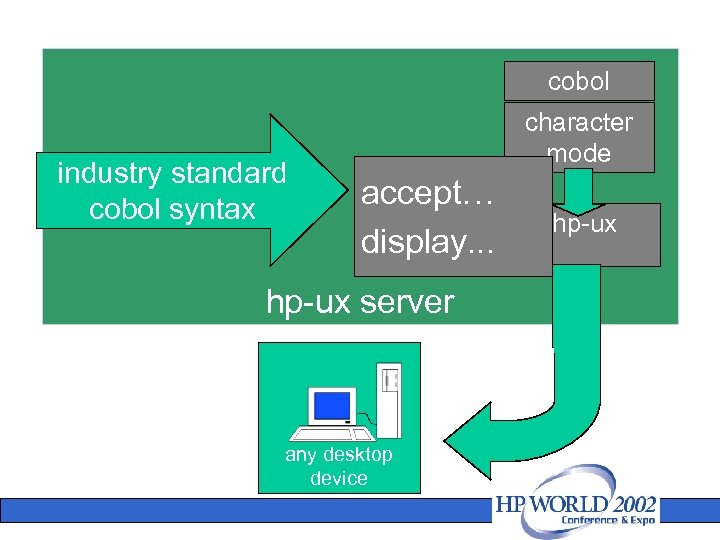
cobol industry standard cobol syntax character mode accept… display. . . hp-ux server any desktop device hp-ux
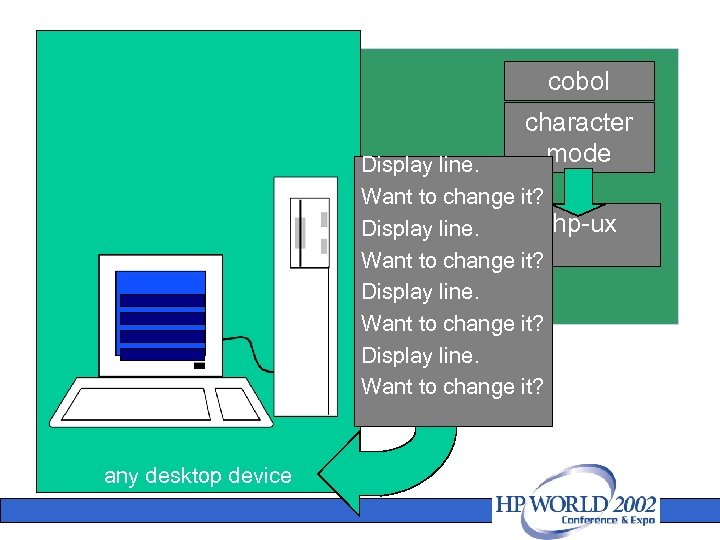
cobol character mode Display line. Want to change it? hp-ux Display line. Want to change it? any desktop device
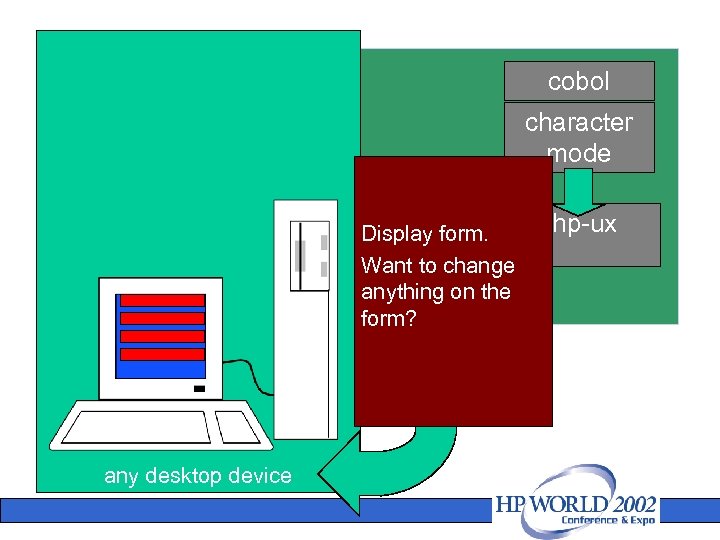
cobol character mode Display form. Want to change anything on the form? any desktop device hp-ux
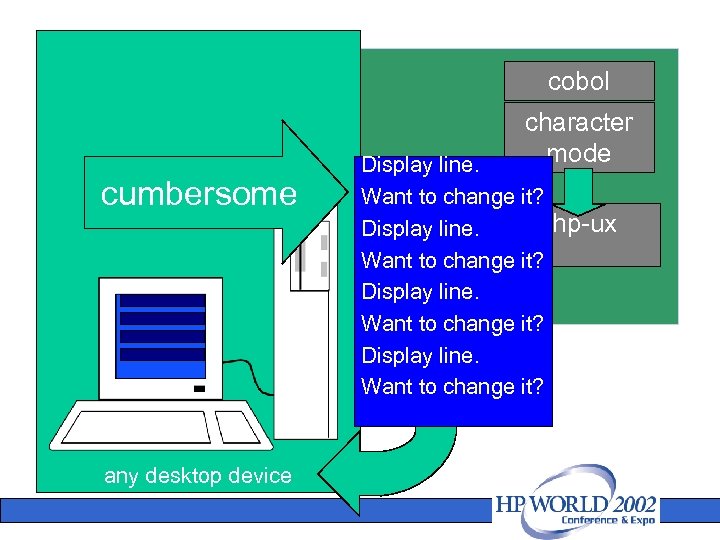
cobol character mode cumbersome any desktop device Display line. Want to change it? hp-ux Display line. Want to change it?
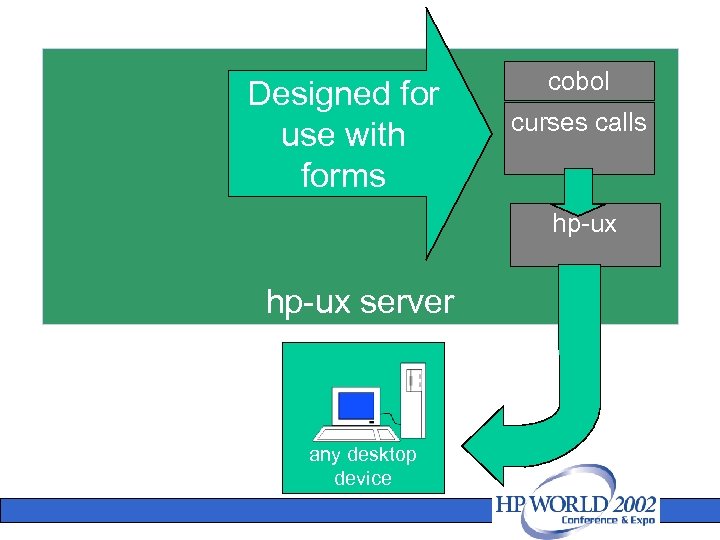
Designed for use with forms cobol curses calls hp-ux server any desktop device
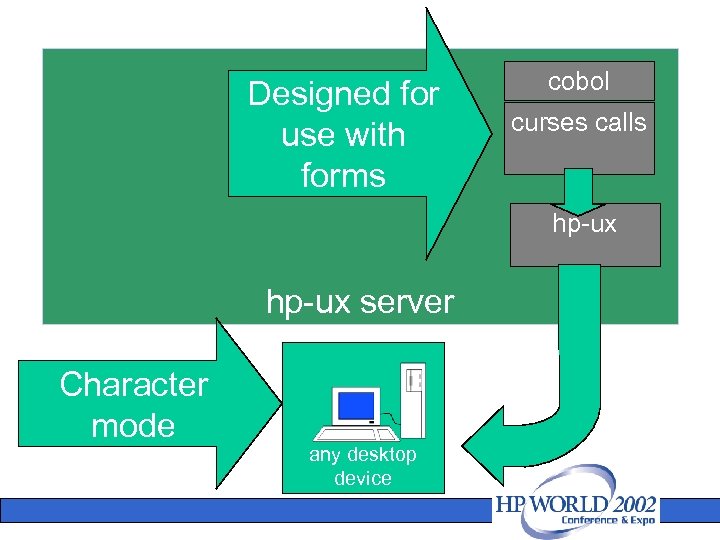
Designed for use with forms cobol curses calls hp-ux server Character mode any desktop device
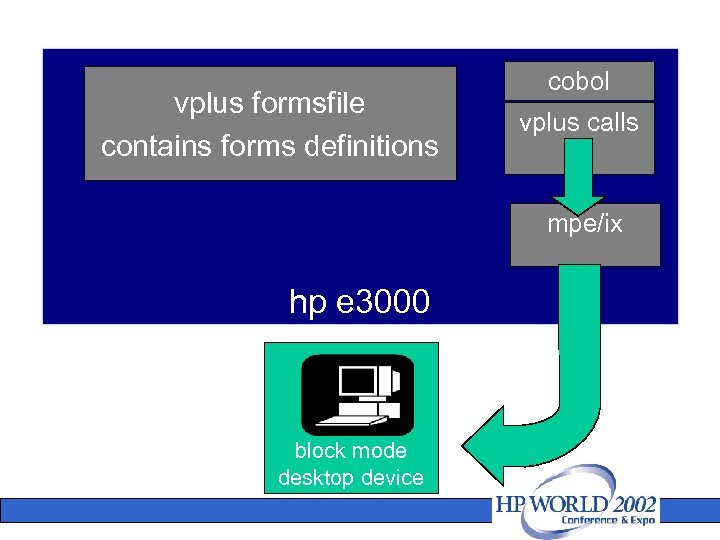
vplus formsfile contains forms definitions cobol vplus calls mpe/ix hp e 3000 block mode desktop device
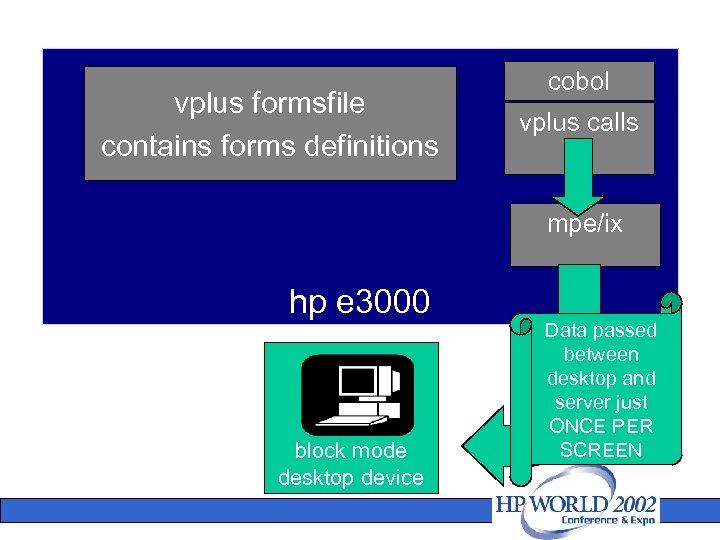
vplus formsfile contains forms definitions cobol vplus calls mpe/ix hp e 3000 block mode desktop device Data passed between desktop and server just ONCE PER SCREEN
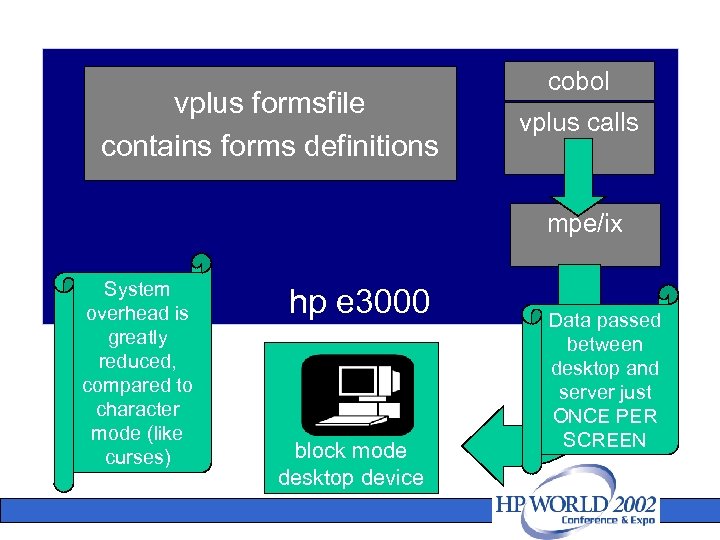
vplus formsfile contains forms definitions cobol vplus calls mpe/ix System overhead is greatly reduced, compared to character mode (like curses) hp e 3000 block mode desktop device Data passed between desktop and server just ONCE PER SCREEN
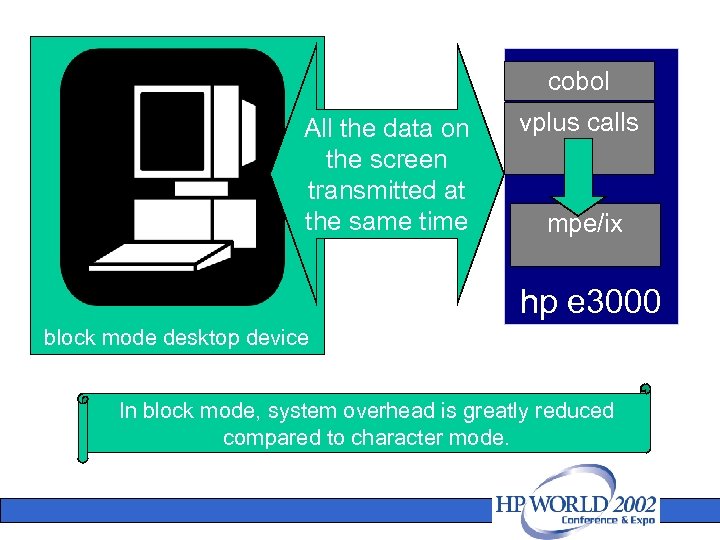
cobol All the data on the screen transmitted at the same time vplus calls mpe/ix hp e 3000 block mode desktop device In block mode, system overhead is greatly reduced compared to character mode.
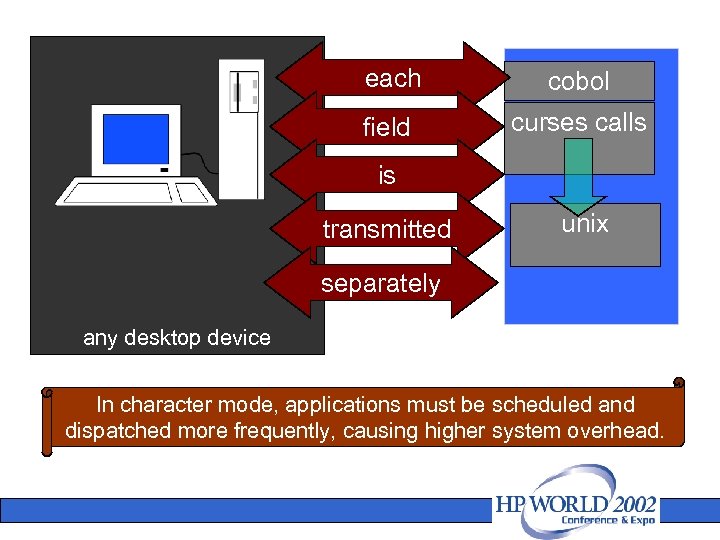
each cobol field curses calls is transmitted unix separately any desktop device In character mode, applications must be scheduled and dispatched more frequently, causing higher system overhead.
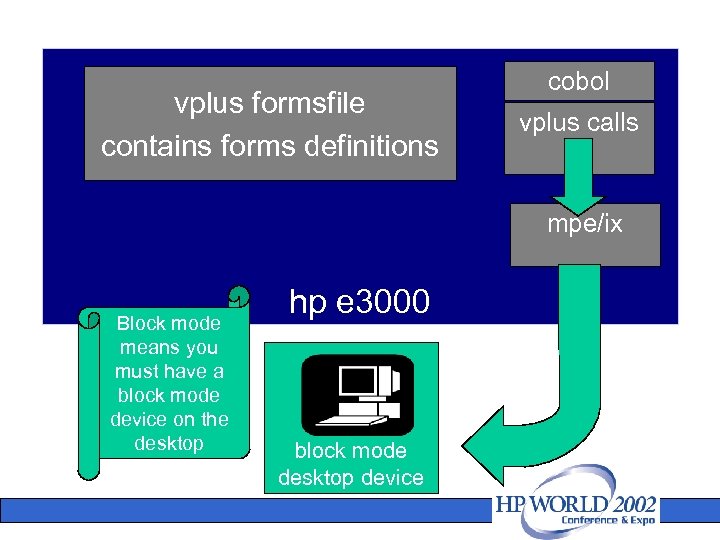
vplus formsfile contains forms definitions cobol vplus calls mpe/ix Block mode means you must have a block mode device on the desktop hp e 3000 block mode desktop device
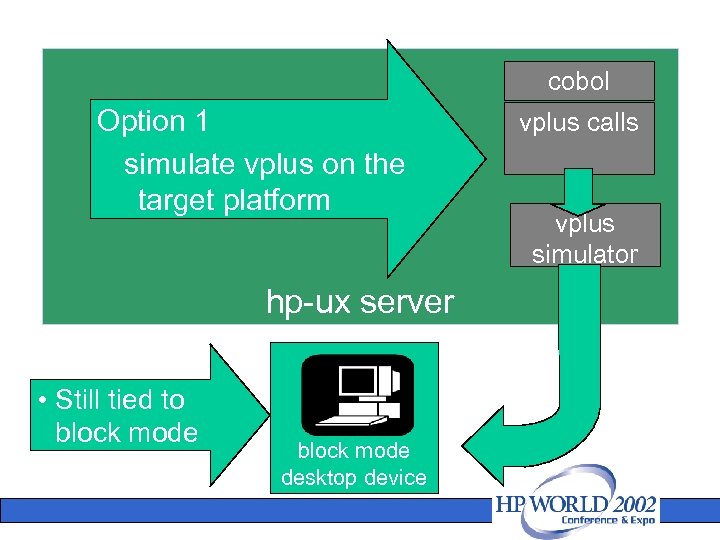
cobol Option 1 simulate vplus on the target platform hp-ux server • Still tied to block mode desktop device vplus calls vplus simulator
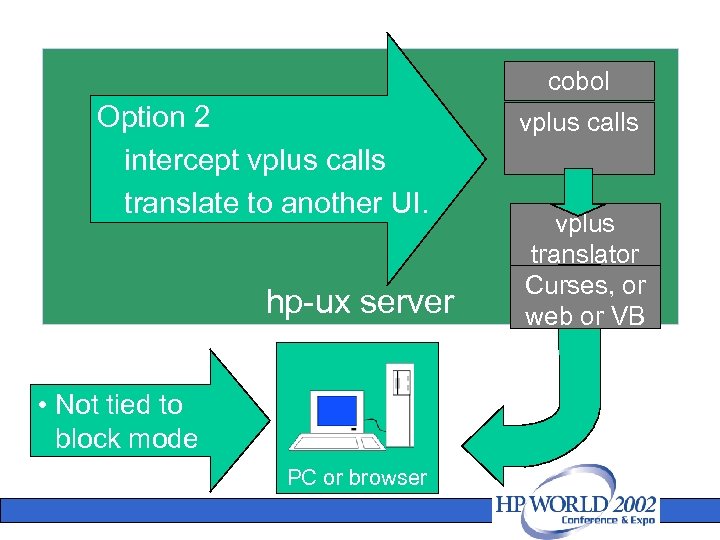
cobol Option 2 intercept vplus calls translate to another UI. hp-ux server • Not tied to block mode PC or browser vplus calls vplus translator Curses, or web or VB
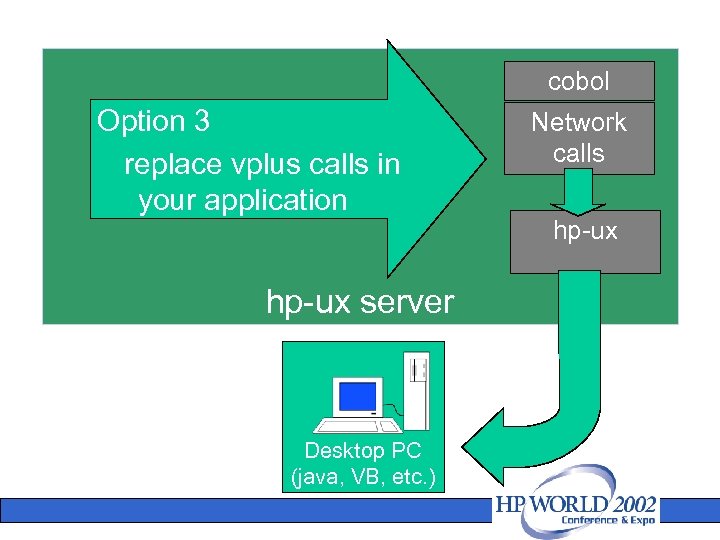
cobol Option 3 replace vplus calls in your application hp-ux server Desktop PC (java, VB, etc. ) Network calls hp-ux
things to think about • migration options – character mode architecture – client/server GUI – web GUI • choosing an option – depends on language, UI being used – knowledge of UI design • emulation of all (or part) of the mpe environment?
one application can have multiple UI’s • classic manman application (mfg) • six different user interfaces • knowledge of user interface design
UI design resources • Graphic arts experience • could be a graphics arts person who works on brochures • Applies in environment in which you’re re-engineering the whole application
tools to move what you have • 40%-60% of the customers have vplus screens • easily migrated • vplus library • code is unchanged
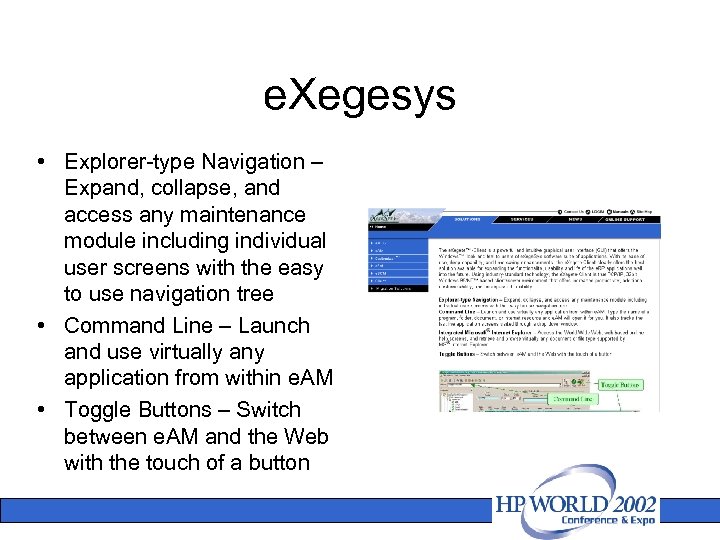
e. Xegesys • Explorer-type Navigation – Expand, collapse, and access any maintenance module including individual user screens with the easy to use navigation tree • Command Line – Launch and use virtually any application from within e. AM • Toggle Buttons – Switch between e. AM and the Web with the touch of a button
GUI Innovations, Limited • Move Sequential files, KSAM and Image data to MS Access, MS SQL Server, My. Sql • GUI 3000 - Control MPE and UNIX from the same screen
Pixel Group • Host Access Gateway – Serverbased screen-scraping host integration technology turns virtually any green-screen application into data objects used by web, wireless and composite applications • Host Access Open Object. Quickly enhances, rejuvenates or extends any legacy host application by integrating terminal emulation in a browser to easily create new graphical interfaces
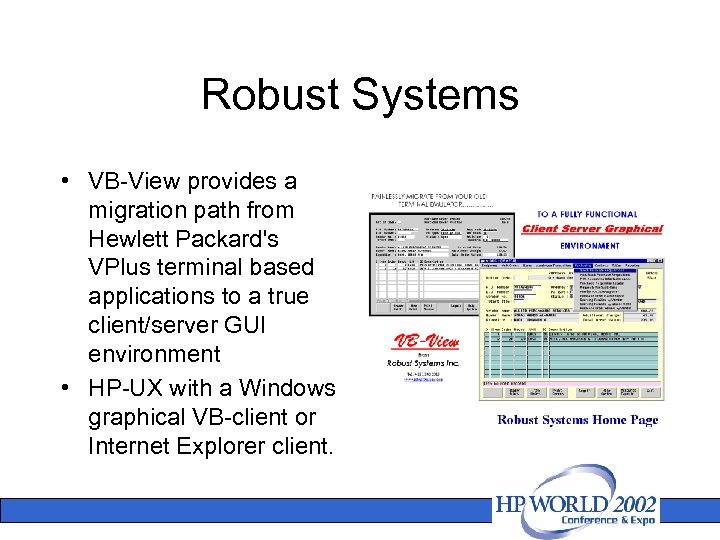
Robust Systems • VB-View provides a migration path from Hewlett Packard's VPlus terminal based applications to a true client/server GUI environment • HP-UX with a Windows graphical VB-client or Internet Explorer client.
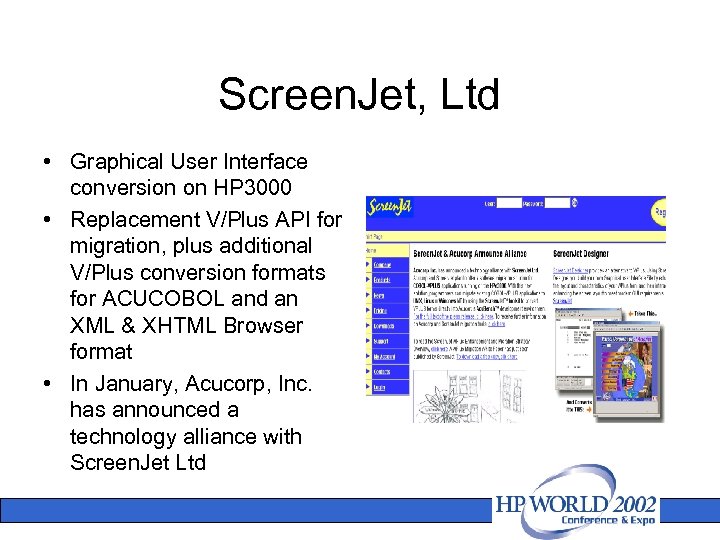
Screen. Jet, Ltd • Graphical User Interface conversion on HP 3000 • Replacement V/Plus API for migration, plus additional V/Plus conversion formats for ACUCOBOL and an XML & XHTML Browser format • In January, Acucorp, Inc. has announced a technology alliance with Screen. Jet Ltd
file system • MPE naming (FILE. GROUP. ACCT) • File Types • File Attributes • File Labels • File Equations
intrinsics • Stand Alone • Pass Thru • Complex
platinum tools and partners • hp e 3000 Platinum tools – – – Denkart DISC Near. Tek Sungard/Bi-Tech Transoft • hp e 3000 platinum partners – Lund – MB Foster – Speedware
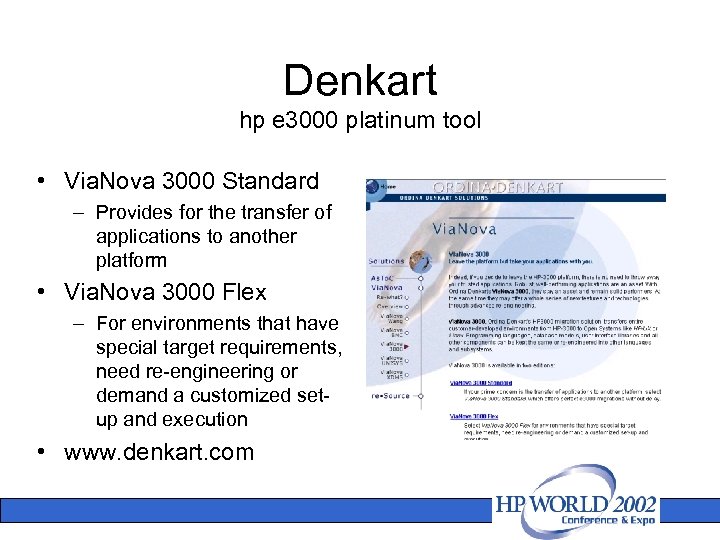
Denkart hp e 3000 platinum tool • Via. Nova 3000 Standard – Provides for the transfer of applications to another platform • Via. Nova 3000 Flex – For environments that have special target requirements, need re-engineering or demand a customized setup and execution • www. denkart. com
DISC hp e 300 platinum tool • • OMNIDEX on desired database and hardware platform Network Services to facilitate data migration across platforms Omni. Access cross-platform database and operating system API MPE Library that converts key Turbo. Image, MPE File System, and MPE Operating System calls to the Omni. Access crossplatform library Turbo. Image-to-SQL DDL (Data Definition Language) program that generates DB 2, Oracle or SQL Server-specific DDL from an existing Turbo. Image database JDBC and ODBC, API, and drivers for standards-based application development of converted applications www. disc. com
neartek hp e 3000 platinum tool • neartek's AMXW software migration tool • moves data from image, ksam and flat files to other platforms • runs hp e 3000 jcl • most hp e 3000 intrinsics covered through a shared library • hp cobol to microfocus cobol • target platforms include unix, windows, and linux. • http: //www. neartek. com/virtuals toragesoftware/amxw. htm
Sungard/Bi-Tech hp e 3000 platinum tool • since 1988 • automated translation of native mpe-based systems to unix • transport™ will currently convert and transfer cobol source code, copylibs, image schemas, image data and vplus forms files. • emulates most mpe commands • most mpe intrinsics have also been emulated. • http: //sungardbi-tech. com • http: //transport. bi-tech. com
Transoft hp e 3000 platinum tool • • • Provide an I/O mapping module that converts access to IMAGE data to Oracle and SQL Server Utility programs to unload IMAGE, KSAM, Allbase and HP flat files and transfer them to the target platform Utility that emulates VPLUS on UNIX and Windows platforms, in a dumb terminal or java based graphical environment Convert JCL to PERL scripts HP Intrinsic emulations in COBOL and C, allowing direct replacement of Intrinsics www. transoft. com
maintenance and support • Continued Application Evolution • Run Times
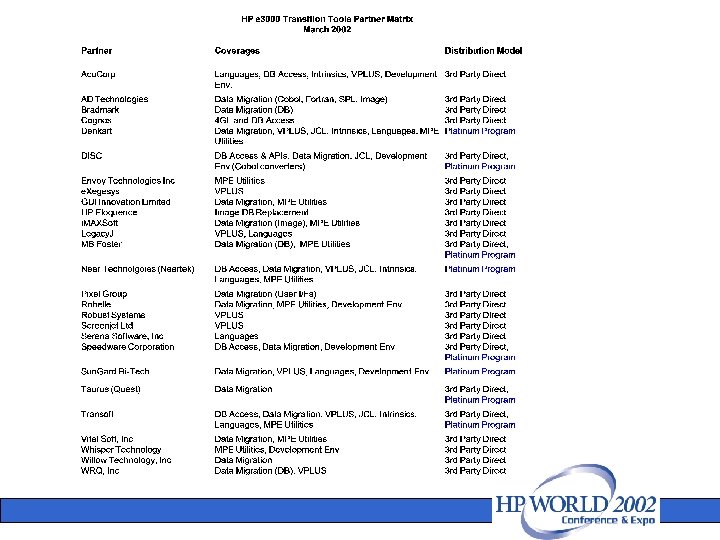
transition tools & services matrices • visit HP website for latest transition partners program (tools & services matrix): http: //www. hp. com/go/ e 3000 partners • tools: click “hp e 3000 transition tools partners” • services: click “hp e 3000 transition services partners”
Ceridian • Ceridian takes the hp e 3000 migration plunge with some help from hp services’ consulting
challenges • leading provider of managed business solutions for human resources to Fortune 500 companies • $1 billion in revenues • need for an open, scalable, multi-tiered application architecture to keep in step with the rapid business growth being experienced • to be in a positive position to take advantage of emerging technologies • y 2 k testing Ceridian takes the hp e 3000 migration plunge with some help from hp Services’ consulting
solution • hp services’ consulting • conversion from the hp e 3000 997/600 and 987/200 to 2 v-class hp 9000 servers • Powerhouse on MPE converted to Powerhouse on HP-UX • HP Open. View Network Node Manager • IT Operations Ceridian takes the hp e 3000 migration plunge with some help from hp Services’ consulting
solution (cont. ) • Taurus/Quest Bridgeware tool • 206 different IMAGE datasets across 10 databases • 400 million records totalling 38 GB had to be moved • ran HP 3000 and HP 9000 in parallel for most of the two year project Ceridian takes the hp e 3000 migration plunge with some help from hp Services’ consulting
solution (cont. ) • iteratively tested bulk moves from the HP 3000. Once the logic was proven, the logic for moving incremental HP 3000 data changes was tested • Bridge. Ware moved and kept in synch some 38 GB of critical data, moving up to 17 million records per hour • more problems with data cleansing than anticipated Ceridian takes the hp e 3000 migration plunge with some help from hp Services’ consulting
lessons learned • hp project management avoided project slippage due to the complexity of the migration • not all the code and JCL were used or needed, analysis would have avoided some of the unnecessary conversion Ceridian takes the hp e 3000 migration plunge with some help from hp Services’ consulting
results • improved performance • greater scalability – 30% better than 3000 • better integration capabilities • internet access Ceridian takes the hp e 3000 migration plunge with some help from hp Services’ consulting
why hp? • hp and Ceridian teams worked efficiently together • maintained overall responsibility and accountability for entire migration activity • good solid team of people Ceridian takes the hp e 3000 migration plunge with some help from hp Services’ consulting
what Ceridian is saying “Ceridian’s migration from the HP e 3000 to the HP 9000 was a success! What we did was the right thing to do. Ceridian is much better off than it was before. . . the HP people were great and they built a solid team that stuck it out until the project was completed. ” David Goodman Senior Vice President of Product Development for Ceridian
 Скачать презентацию cobol migration tutorial Alvina Nishimoto emulate or
0cbef044d9ac1d4625ec1e343c4cfb08.ppt