 Скачать презентацию CMS Professional Website Research Themes Professional
21962f8b0a5b679ff51b6913f7d40e19.ppt
- Количество слайдов: 12




CMS, Professional Website & Research Themes
Professional Website (PWP) Purpose: To represent college staff’s professional work through a personal website (The content, format and controls have been defined by the PWP sub-group) SOURCE of DATA College system information HR for personal information and security for the security photo Publications The Library’s Reference Manager Database Other personal information - formatted This is where the content is to follow a set format e. g. Awards to have the following fields: Award title, Awarding Body, Year of Award Information is stored in a PWP database Other personal information – free text This is where the content can be anything the owner would like e. g. text, images, files etc Information is stored in portal
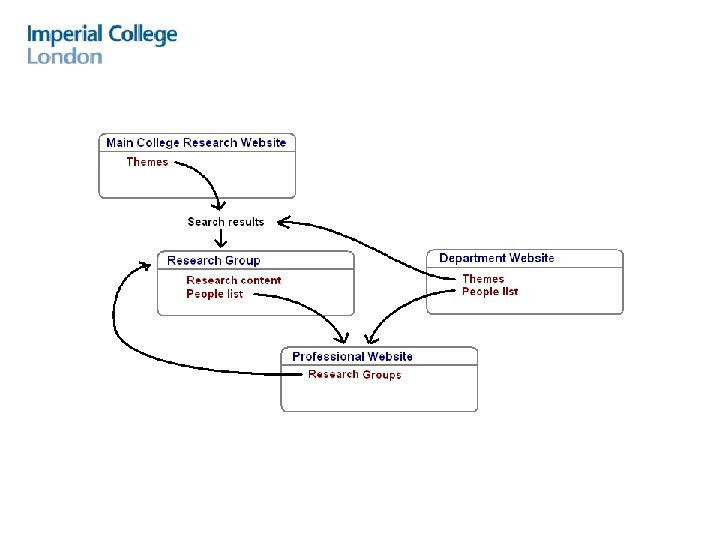
Professional Website (PWP) Purpose: To represent college staff’s professional work through a personal website (The content, format and controls have been defined by the PWP sub-group) Show the PWP for an individual. Demonstrate updating content. How a user can set up a link(s) from their Professional website to their research groups. Set up a new PWP.
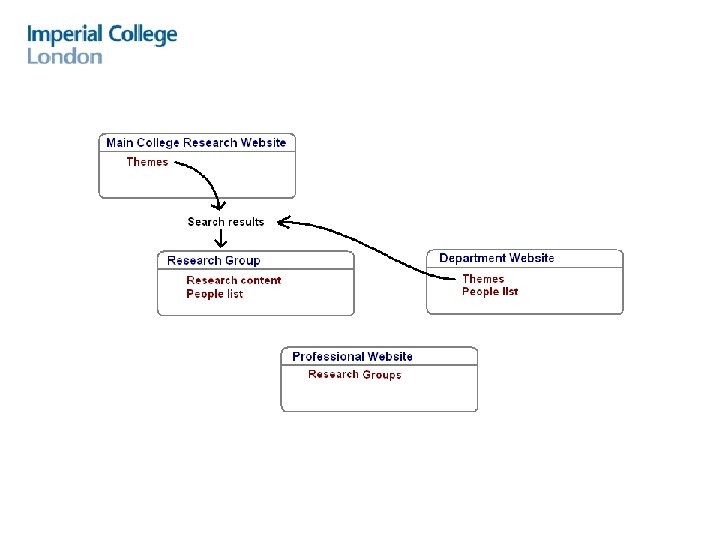
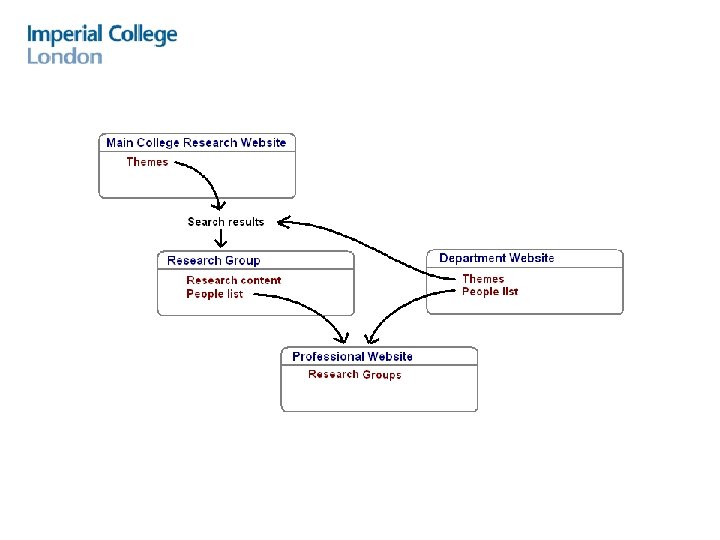
Research themes Purpose: To make college research more visible & accessible on the web To do this through a research taxonomy (Themes) To enable users to find cross departmental research on a particular category (This approach has been defined by the Research sub-group) Current ways Research Groups display their content 1. Within the department’s website 2. A separate website using the departmental branding 3. A separate website using non-departmental branding Explain themes concept. Demonstrate how a research content owner assigns Themes to their research content. Demonstrate the Themes tree to search for research content. Demonstrate how research groups, that are not in portal, can be included in research themes.
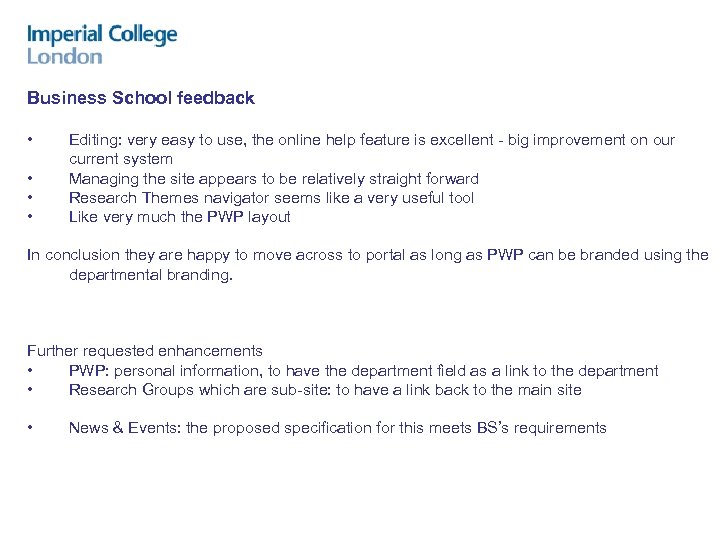
Business School feedback • • Editing: very easy to use, the online help feature is excellent - big improvement on our current system Managing the site appears to be relatively straight forward Research Themes navigator seems like a very useful tool Like very much the PWP layout In conclusion they are happy to move across to portal as long as PWP can be branded using the departmental branding. Further requested enhancements • PWP: personal information, to have the department field as a link to the department • Research Groups which are sub-site: to have a link back to the main site • News & Events: the proposed specification for this meets BS’s requirements

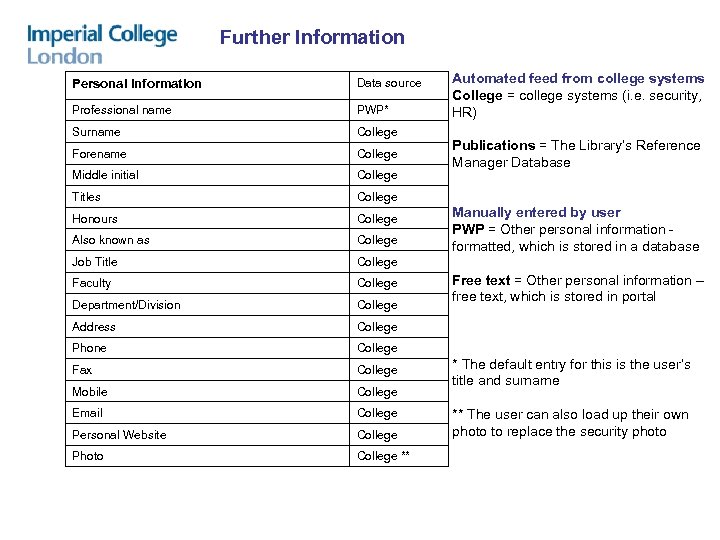
Further Information Personal Information Data source Professional name PWP* Surname College Forename College Middle initial College Titles College Honours College Also known as College Job Title College Faculty College Department/Division College Address College Phone College Fax College Mobile College Email College Personal Website College Photo College ** Automated feed from college systems College = college systems (i. e. security, HR) Publications = The Library’s Reference Manager Database Manually entered by user PWP = Other personal information formatted, which is stored in a database Free text = Other personal information – free text, which is stored in portal * The default entry for this is the user’s title and surname ** The user can also load up their own photo to replace the security photo
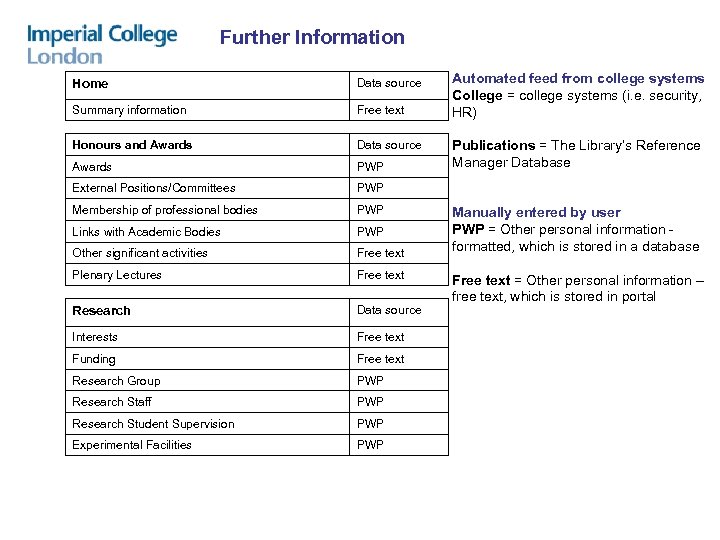
Further Information Home Data source Summary information Free text Honours and Awards Data source Awards PWP External Positions/Committees PWP Membership of professional bodies PWP Links with Academic Bodies PWP Other significant activities Free text Plenary Lectures Free text Research Data source Interests Free text Funding Free text Research Group PWP Research Staff PWP Research Student Supervision PWP Experimental Facilities PWP Automated feed from college systems College = college systems (i. e. security, HR) Publications = The Library’s Reference Manager Database Manually entered by user PWP = Other personal information formatted, which is stored in a database Free text = Other personal information – free text, which is stored in portal
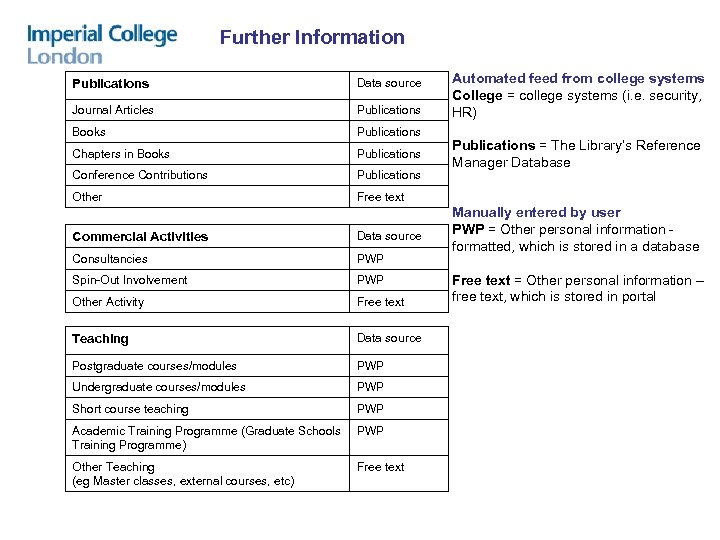
Further Information Publications Data source Journal Articles Publications Books Publications Chapters in Books Publications Conference Contributions Publications Other Automated feed from college systems College = college systems (i. e. security, HR) Free text Commercial Activities Data source Consultancies PWP Spin-Out Involvement PWP Other Activity Free text Teaching Data source Postgraduate courses/modules PWP Undergraduate courses/modules PWP Short course teaching PWP Academic Training Programme (Graduate Schools Training Programme) PWP Other Teaching (eg Master classes, external courses, etc) Free text Publications = The Library’s Reference Manager Database Manually entered by user PWP = Other personal information formatted, which is stored in a database Free text = Other personal information – free text, which is stored in portal
Скачать презентацию CMS Professional Website Research Themes Professional
21962f8b0a5b679ff51b6913f7d40e19.ppt