


 Скачать презентацию Client Server Programming in Android Eclipse IDE
cs423_Android_cs_bw.ppt
- Количество слайдов: 39
 Client / Server Programming in Android Eclipse IDE Android Development Tools (ADT) Android SDK http: //www. vogella. com/articles/Android/article. html
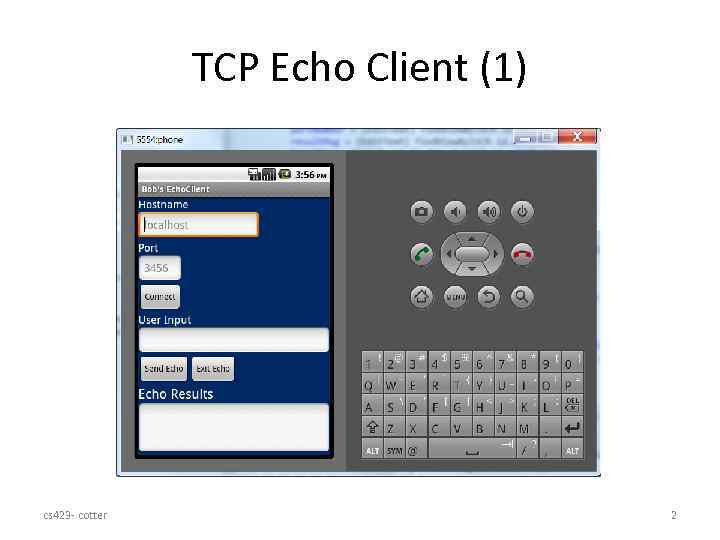 TCP Echo Client (1) cs 423 - cotter 2
 Android Mobile Development 1. 2. 3. 4. Install Eclipse IDE Install Android Development Tools (ADT) Install Android SDK Install specific Android Versions through SDK Manager 5. Create / install an Android Virtual Device (AVD) cs 423 - cotter 3
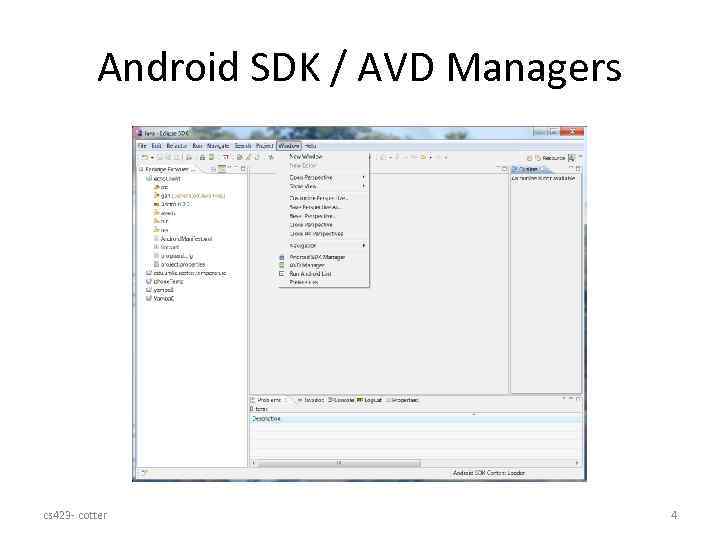 Android SDK / AVD Managers cs 423 - cotter 4
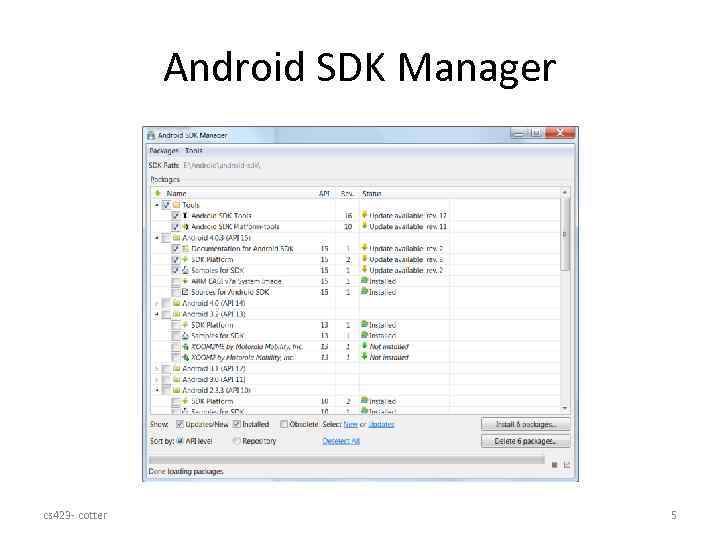 Android SDK Manager cs 423 - cotter 5
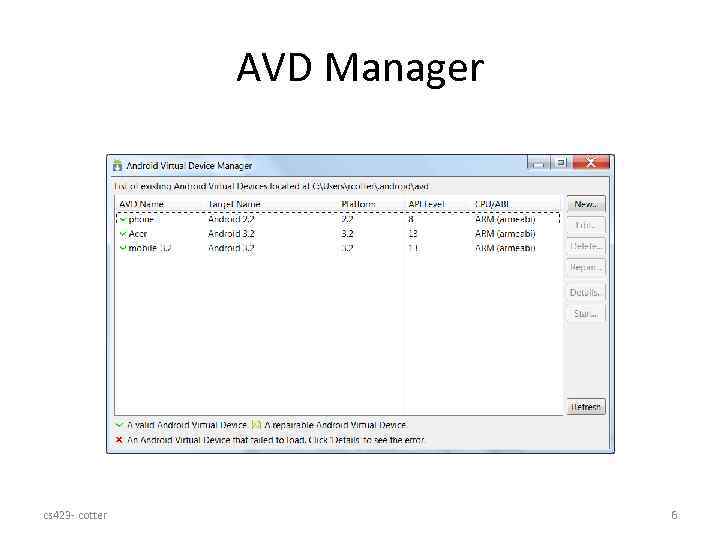 AVD Manager cs 423 - cotter 6
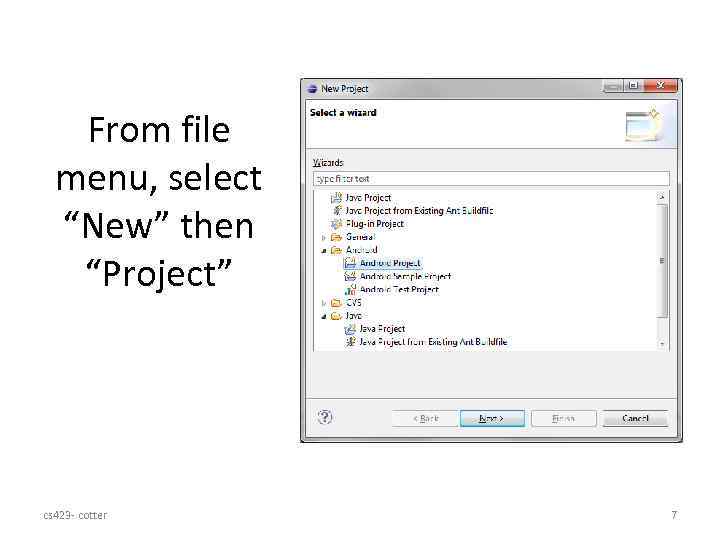 From file menu, select “New” then “Project” cs 423 - cotter 7
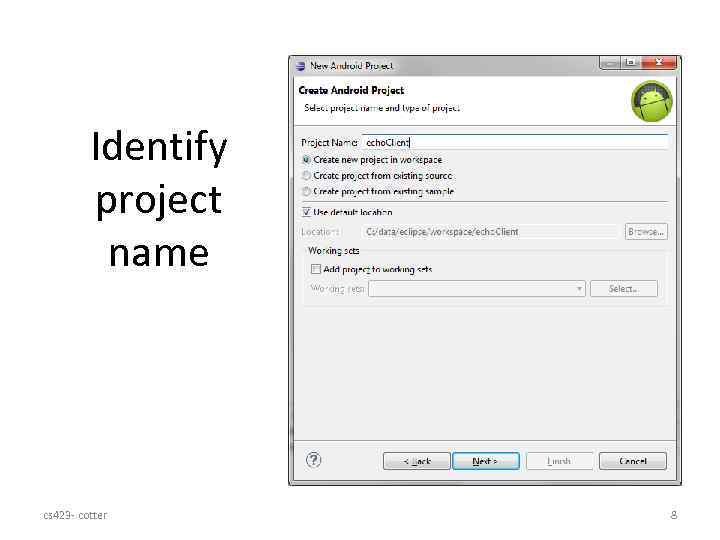 Identify project name cs 423 - cotter 8
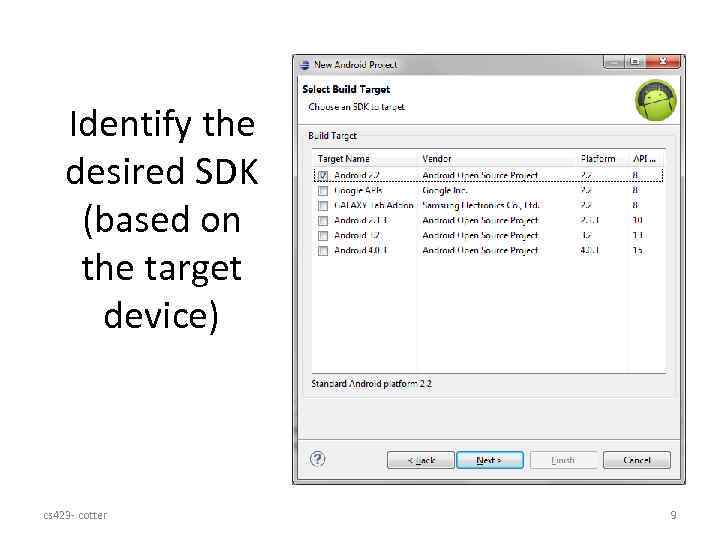 Identify the desired SDK (based on the target device) cs 423 - cotter 9
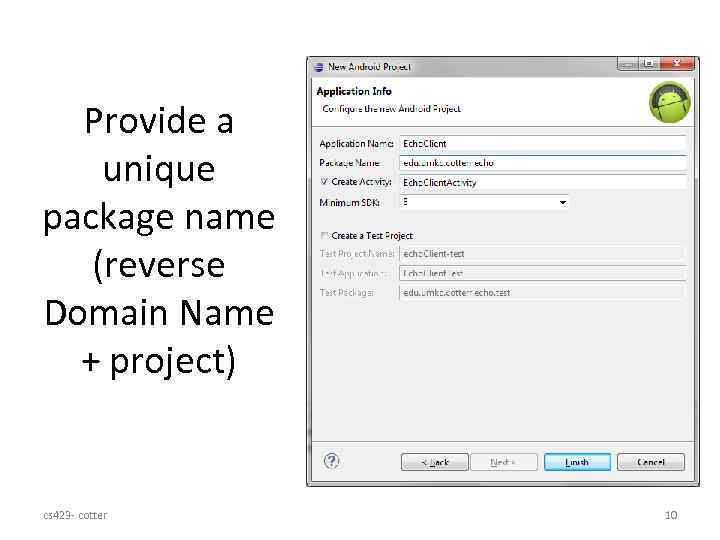 Provide a unique package name (reverse Domain Name + project) cs 423 - cotter 10
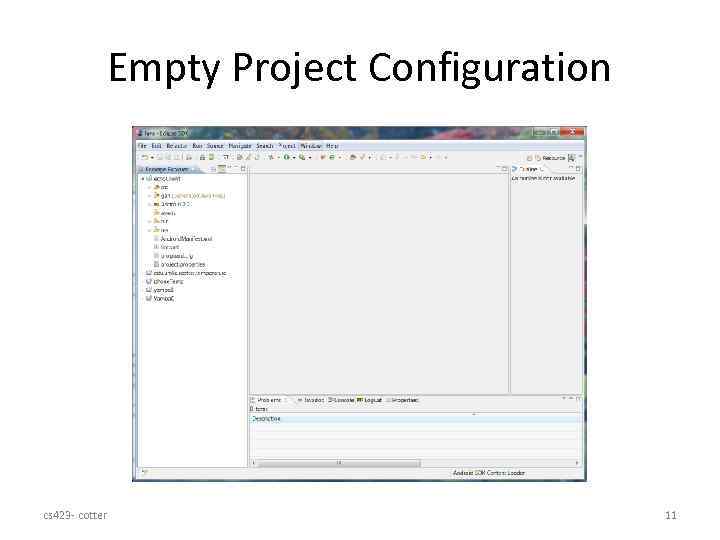 Empty Project Configuration cs 423 - cotter 11
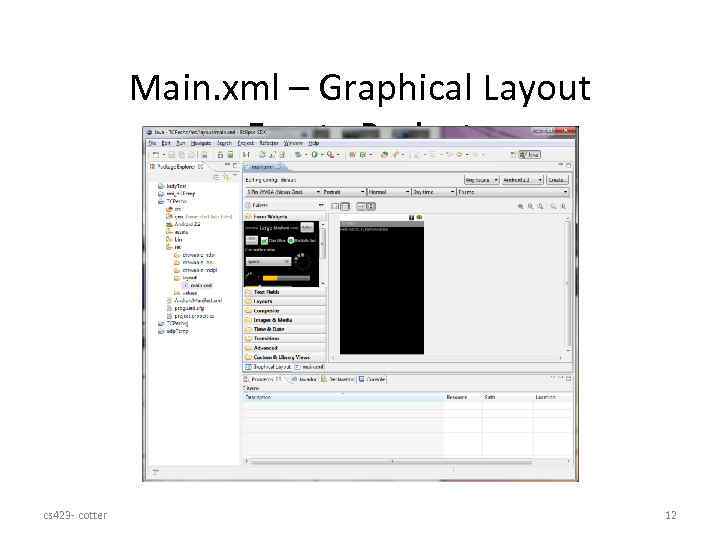 Main. xml – Graphical Layout Empty Project cs 423 - cotter 12
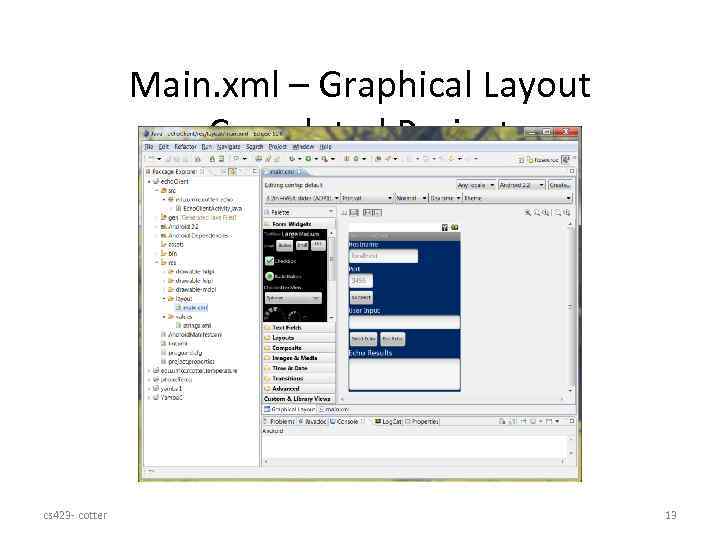 Main. xml – Graphical Layout Completed Project cs 423 - cotter 13
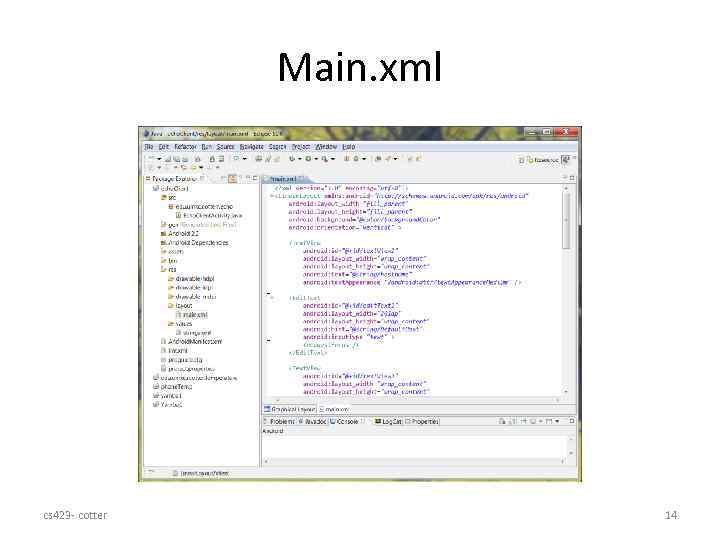 Main. xml cs 423 - cotter 14
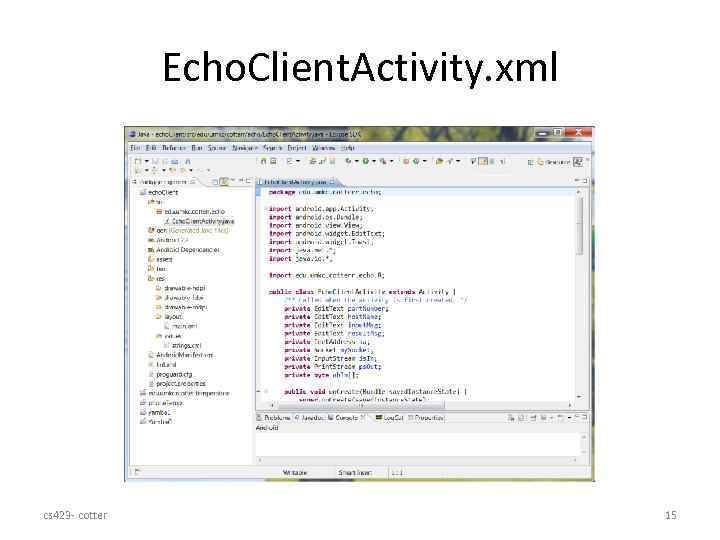 Echo. Client. Activity. xml cs 423 - cotter 15
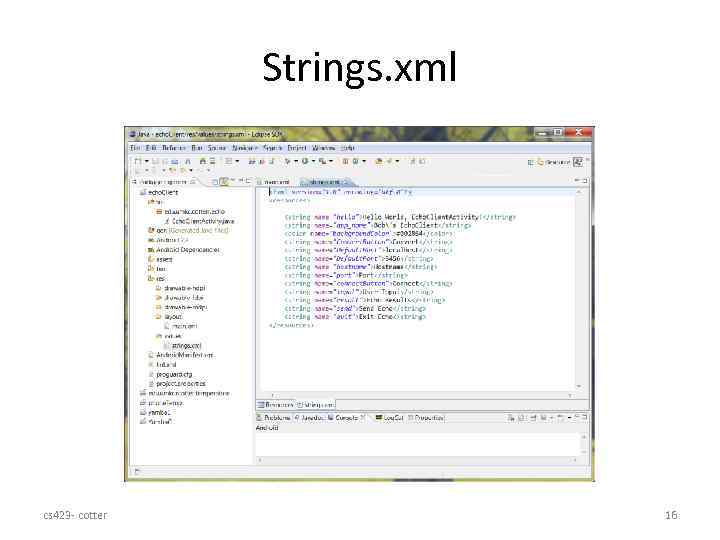 Strings. xml cs 423 - cotter 16
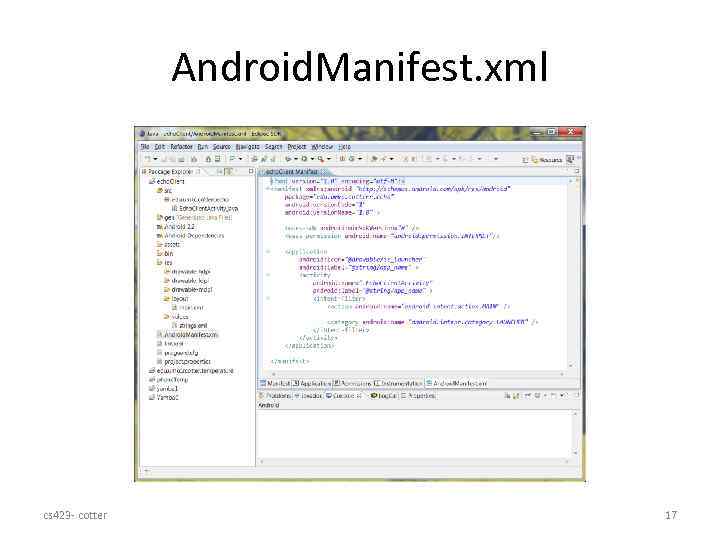 Android. Manifest. xml cs 423 - cotter 17
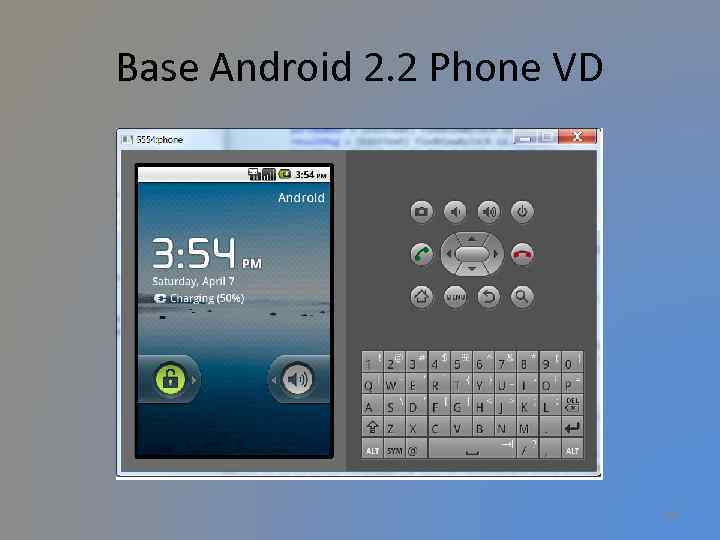 Base Android 2. 2 Phone VD cs 423 - cotter 18
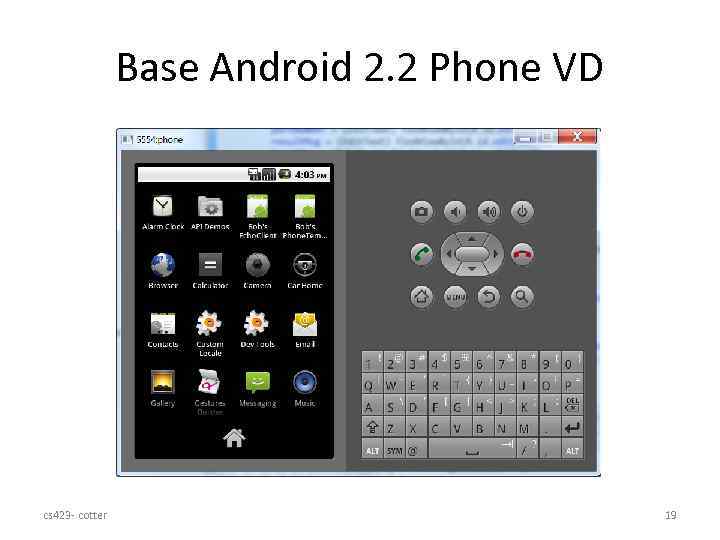 Base Android 2. 2 Phone VD cs 423 - cotter 19
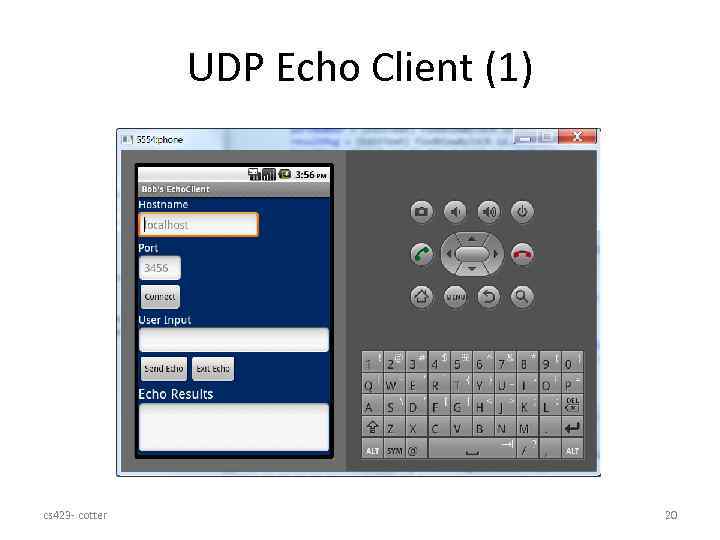 UDP Echo Client (1) cs 423 - cotter 20
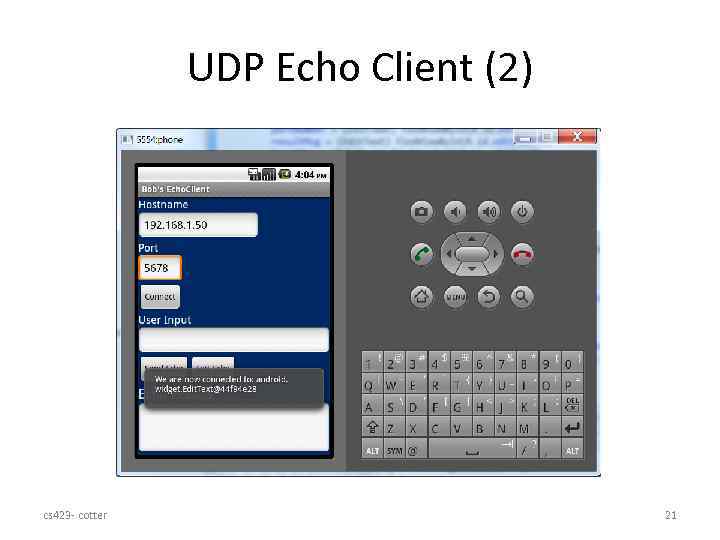 UDP Echo Client (2) cs 423 - cotter 21
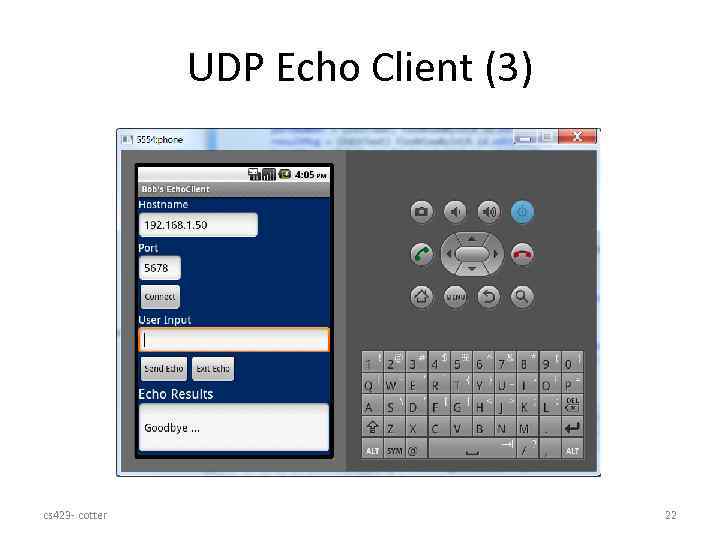 UDP Echo Client (3) cs 423 - cotter 22
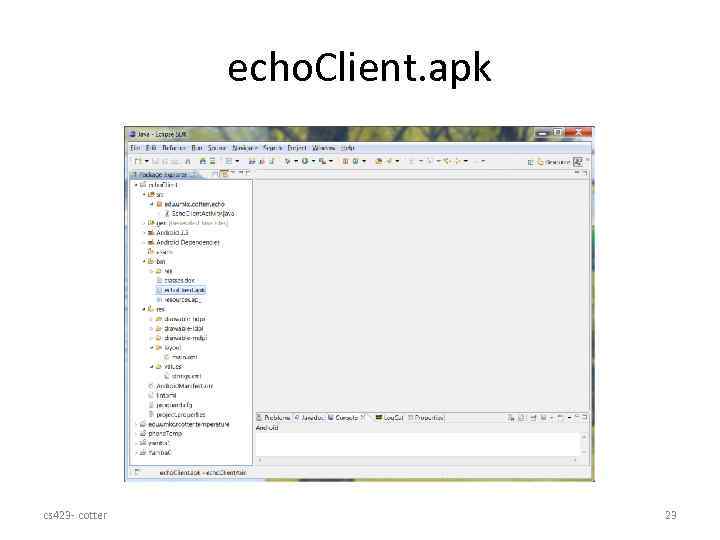 echo. Client. apk cs 423 - cotter 23
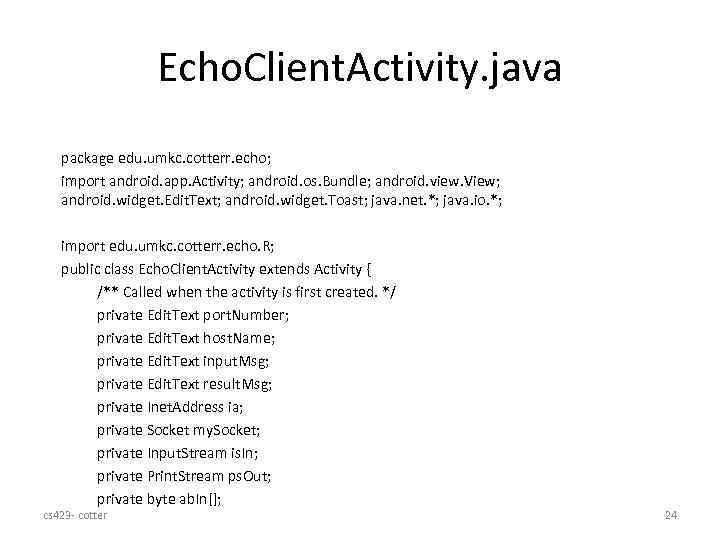 Echo. Client. Activity. java package edu. umkc. cotterr. echo; import android. app. Activity; android. os. Bundle; android. view. View; android. widget. Edit. Text; android. widget. Toast; java. net. *; java. io. *; import edu. umkc. cotterr. echo. R; public class Echo. Client. Activity extends Activity { /** Called when the activity is first created. */ private Edit. Text port. Number; private Edit. Text host. Name; private Edit. Text input. Msg; private Edit. Text result. Msg; private Inet. Address ia; private Socket my. Socket; private Input. Stream is. In; private Print. Stream ps. Out; private byte ab. In[]; cs 423 - cotter 24
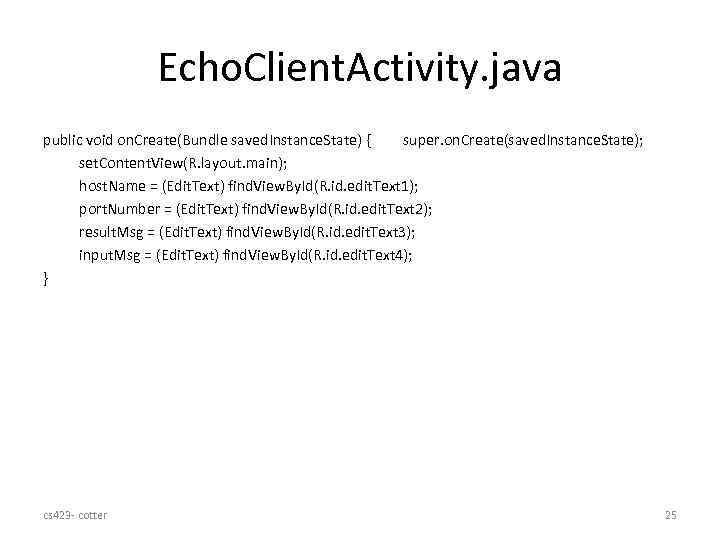 Echo. Client. Activity. java public void on. Create(Bundle saved. Instance. State) { super. on. Create(saved. Instance. State); set. Content. View(R. layout. main); host. Name = (Edit. Text) find. View. By. Id(R. id. edit. Text 1); port. Number = (Edit. Text) find. View. By. Id(R. id. edit. Text 2); result. Msg = (Edit. Text) find. View. By. Id(R. id. edit. Text 3); input. Msg = (Edit. Text) find. View. By. Id(R. id. edit. Text 4); } cs 423 - cotter 25
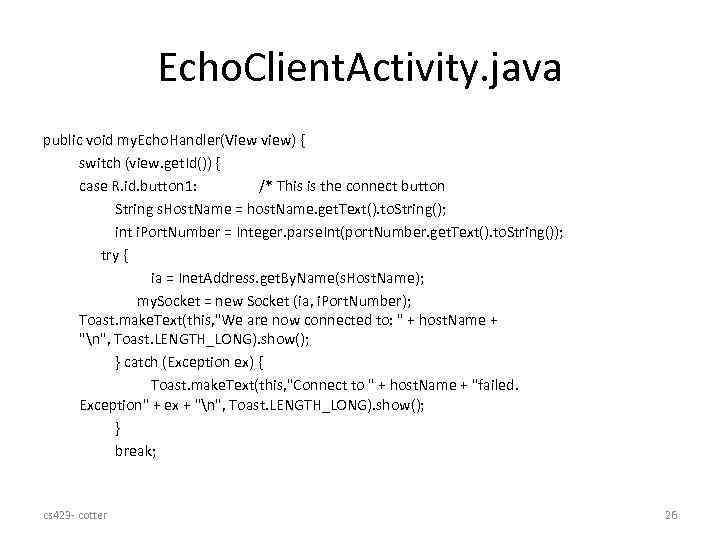 Echo. Client. Activity. java public void my. Echo. Handler(View view) { switch (view. get. Id()) { case R. id. button 1: /* This is the connect button String s. Host. Name = host. Name. get. Text(). to. String(); int i. Port. Number = Integer. parse. Int(port. Number. get. Text(). to. String()); try { ia = Inet. Address. get. By. Name(s. Host. Name); my. Socket = new Socket (ia, i. Port. Number); Toast. make. Text(this, "We are now connected to: " + host. Name + "n", Toast. LENGTH_LONG). show(); } catch (Exception ex) { Toast. make. Text(this, "Connect to " + host. Name + "failed. Exception" + ex + "n", Toast. LENGTH_LONG). show(); } break; cs 423 - cotter 26
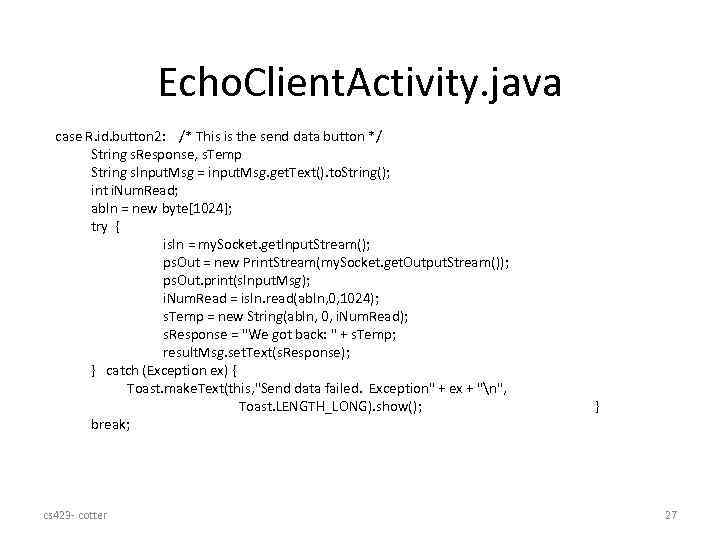 Echo. Client. Activity. java case R. id. button 2: /* This is the send data button */ String s. Response, s. Temp String s. Input. Msg = input. Msg. get. Text(). to. String(); int i. Num. Read; ab. In = new byte[1024]; try { is. In = my. Socket. get. Input. Stream(); ps. Out = new Print. Stream(my. Socket. get. Output. Stream()); ps. Out. print(s. Input. Msg); i. Num. Read = is. In. read(ab. In, 0, 1024); s. Temp = new String(ab. In, 0, i. Num. Read); s. Response = "We got back: " + s. Temp; result. Msg. set. Text(s. Response); } catch (Exception ex) { Toast. make. Text(this, "Send data failed. Exception" + ex + "n", Toast. LENGTH_LONG). show(); break; cs 423 - cotter } 27
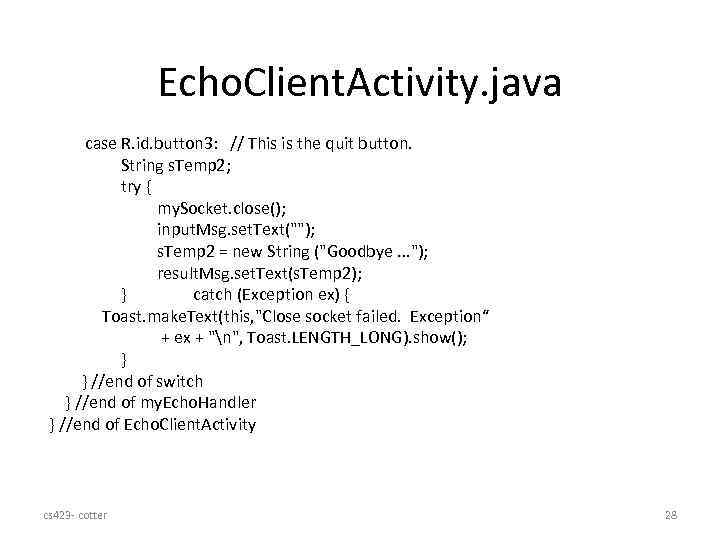 Echo. Client. Activity. java case R. id. button 3: // This is the quit button. String s. Temp 2; try { my. Socket. close(); input. Msg. set. Text(""); s. Temp 2 = new String ("Goodbye. . . "); result. Msg. set. Text(s. Temp 2); } catch (Exception ex) { Toast. make. Text(this, "Close socket failed. Exception“ + ex + "n", Toast. LENGTH_LONG). show(); } } //end of switch } //end of my. Echo. Handler } //end of Echo. Client. Activity cs 423 - cotter 28
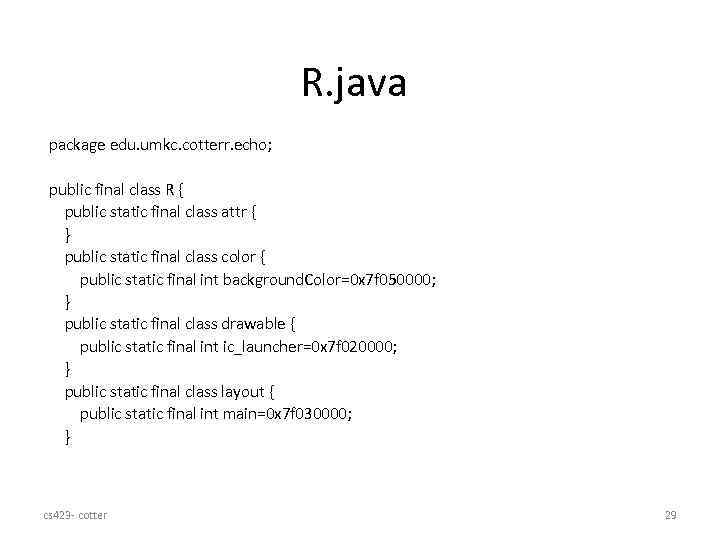 R. java package edu. umkc. cotterr. echo; public final class R { public static final class attr { } public static final class color { public static final int background. Color=0 x 7 f 050000; } public static final class drawable { public static final int ic_launcher=0 x 7 f 020000; } public static final class layout { public static final int main=0 x 7 f 030000; } cs 423 - cotter 29
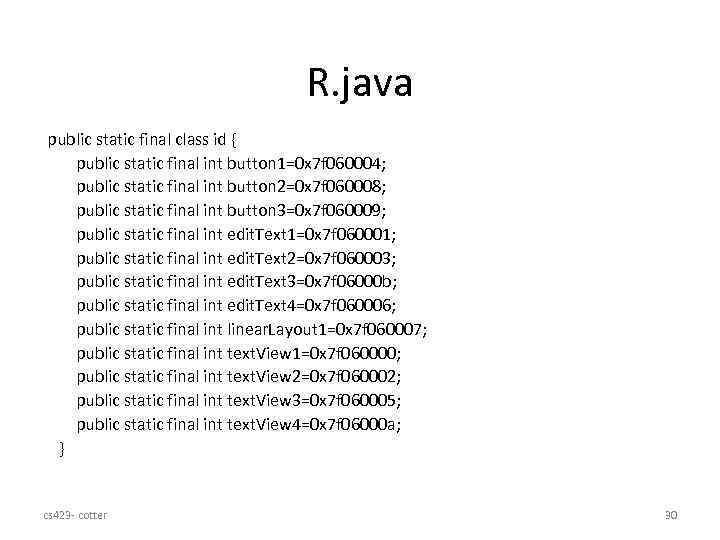 R. java public static final class id { public static final int button 1=0 x 7 f 060004; public static final int button 2=0 x 7 f 060008; public static final int button 3=0 x 7 f 060009; public static final int edit. Text 1=0 x 7 f 060001; public static final int edit. Text 2=0 x 7 f 060003; public static final int edit. Text 3=0 x 7 f 06000 b; public static final int edit. Text 4=0 x 7 f 060006; public static final int linear. Layout 1=0 x 7 f 060007; public static final int text. View 1=0 x 7 f 060000; public static final int text. View 2=0 x 7 f 060002; public static final int text. View 3=0 x 7 f 060005; public static final int text. View 4=0 x 7 f 06000 a; } cs 423 - cotter 30
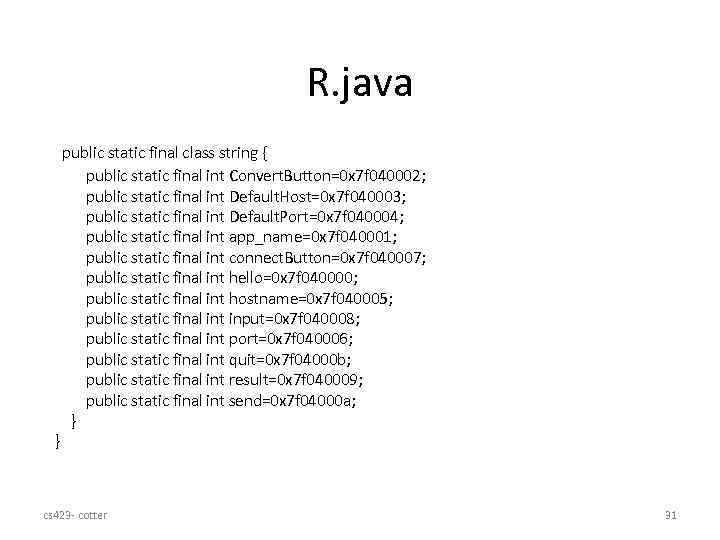 R. java } public static final class string { public static final int Convert. Button=0 x 7 f 040002; public static final int Default. Host=0 x 7 f 040003; public static final int Default. Port=0 x 7 f 040004; public static final int app_name=0 x 7 f 040001; public static final int connect. Button=0 x 7 f 040007; public static final int hello=0 x 7 f 040000; public static final int hostname=0 x 7 f 040005; public static final int input=0 x 7 f 040008; public static final int port=0 x 7 f 040006; public static final int quit=0 x 7 f 04000 b; public static final int result=0 x 7 f 040009; public static final int send=0 x 7 f 04000 a; } cs 423 - cotter 31
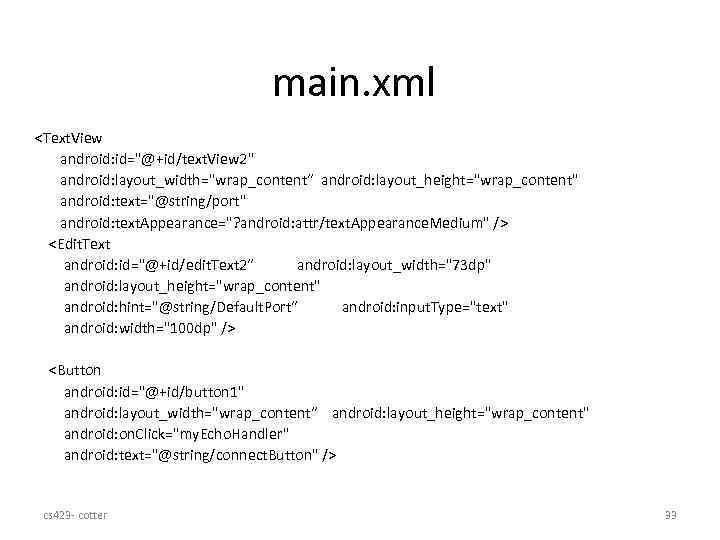 main. xml
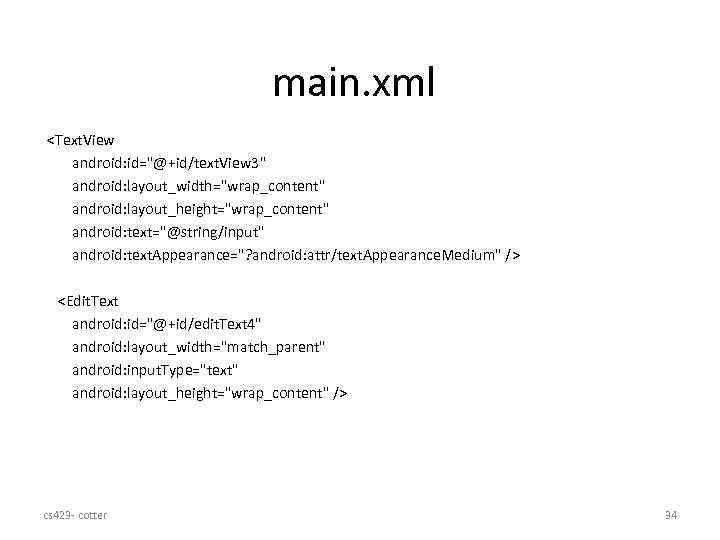 main. xml
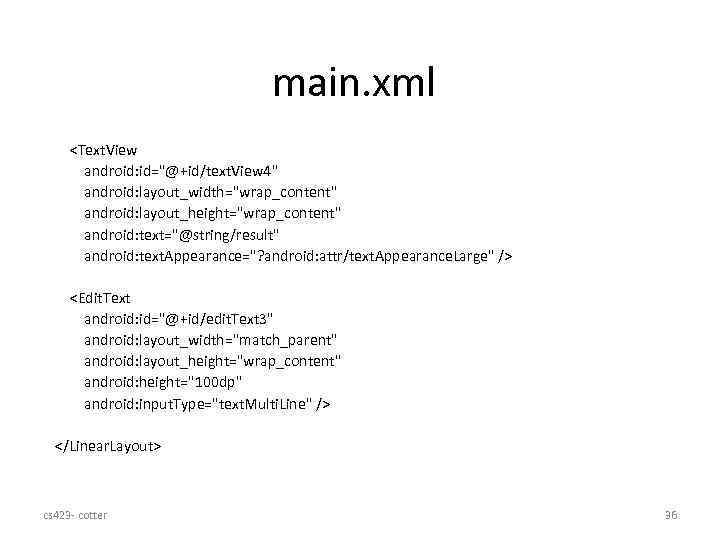 main. xml
 Summary • Android Development has strong support in Eclipse IDE • Core Android language is Java, with a full library of Android classes cs 423 - cotter 39