


 Скачать презентацию Classy Cooking with DHCP Keith Neufeld Lead Network
c25b35d2d38cbd5f7259f421a7bea0e2.ppt
- Количество слайдов: 67
 Classy Cooking with DHCP Keith Neufeld Lead Network Engineer Wichita State University Kan. REN Representatives Conference April 12, 2005 Slideshow and all files will be posted to: http: //www. kanren. net/events/reps_conference/2005/ files/dhcp/
 Housekeeping ● Audience mix – – ● Responsible for DHCP server? – ● Using DHCP? Using ISC server? Ask questions any time Presentation and materials will be available online: http: //www. kanren. net/events/reps_conference/ 2005/files/dhcp/
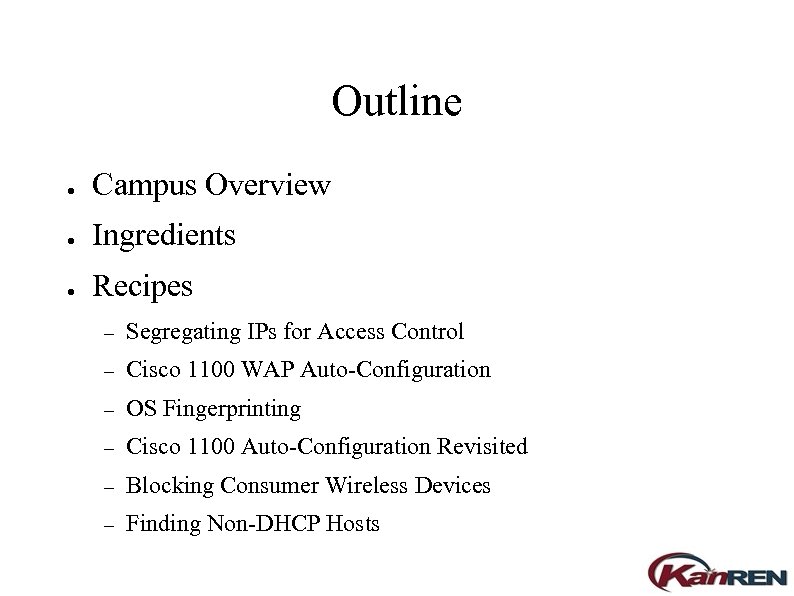 Outline ● Campus Overview ● Ingredients ● Recipes – Segregating IPs for Access Control – Cisco 1100 WAP Auto-Configuration – OS Fingerprinting – Cisco 1100 Auto-Configuration Revisited – Blocking Consumer Wireless Devices – Finding Non-DHCP Hosts
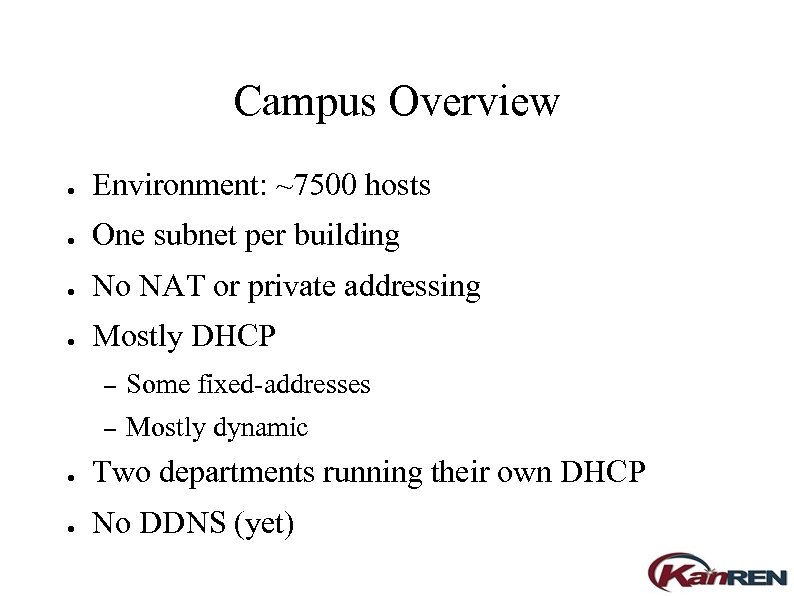 Campus Overview ● Environment: ~7500 hosts ● One subnet per building ● No NAT or private addressing ● Mostly DHCP – Some fixed-addresses – Mostly dynamic ● Two departments running their own DHCP ● No DDNS (yet)
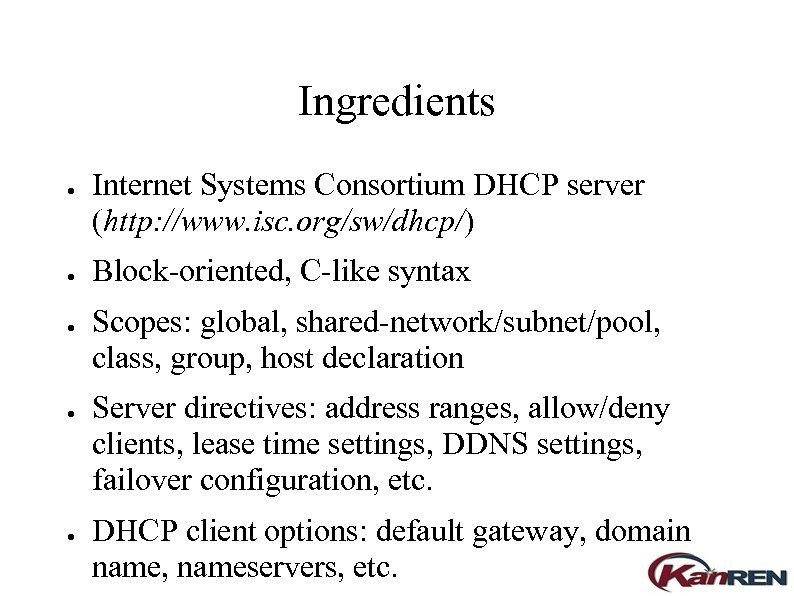 Ingredients ● ● ● Internet Systems Consortium DHCP server (http: //www. isc. org/sw/dhcp/) Block-oriented, C-like syntax Scopes: global, shared-network/subnet/pool, class, group, host declaration Server directives: address ranges, allow/deny clients, lease time settings, DDNS settings, failover configuration, etc. DHCP client options: default gateway, domain name, nameservers, etc.
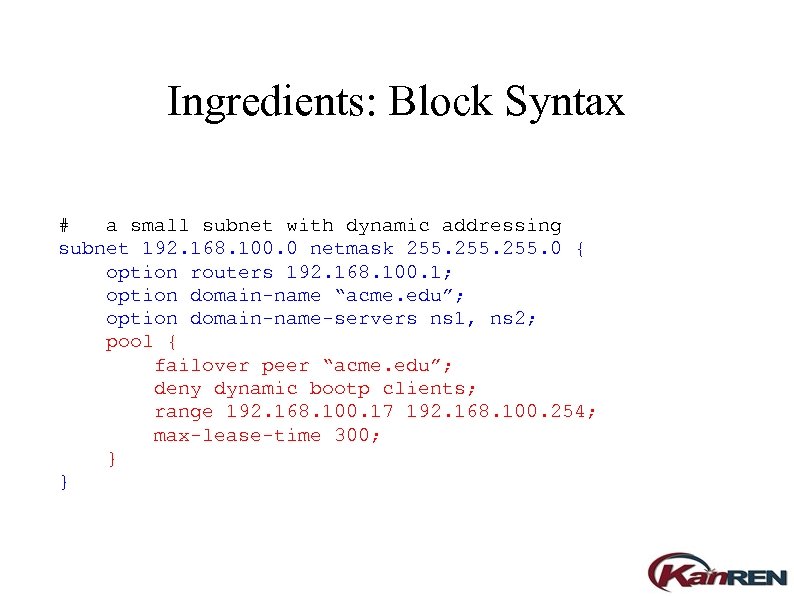 Ingredients: Block Syntax # a small subnet with dynamic addressing subnet 192. 168. 100. 0 netmask 255. 0 { option routers 192. 168. 100. 1; option domain-name “acme. edu”; option domain-name-servers ns 1, ns 2; pool { failover peer “acme. edu”; deny dynamic bootp clients; range 192. 168. 100. 17 192. 168. 100. 254; max-lease-time 300; } }
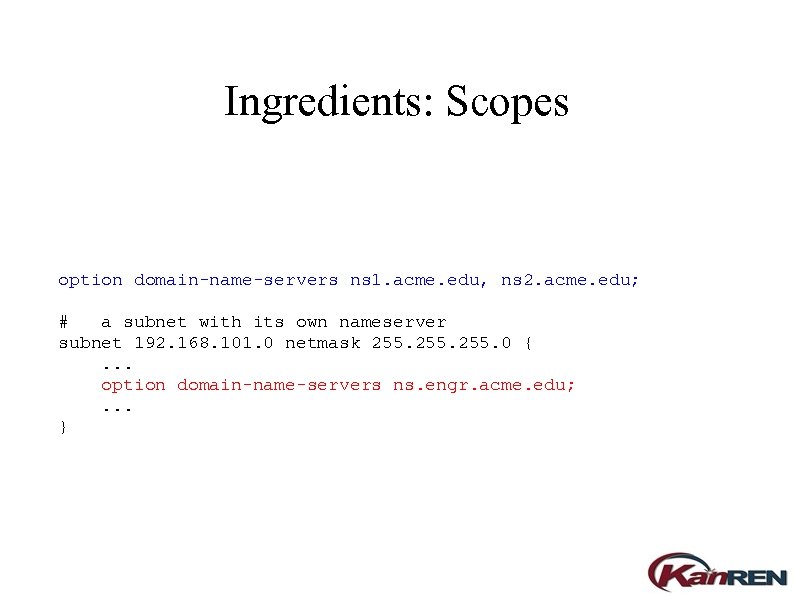 Ingredients: Scopes option domain-name-servers ns 1. acme. edu, ns 2. acme. edu; # a subnet with its own nameserver subnet 192. 168. 101. 0 netmask 255. 0 {. . . option domain-name-servers ns. engr. acme. edu; . . . }
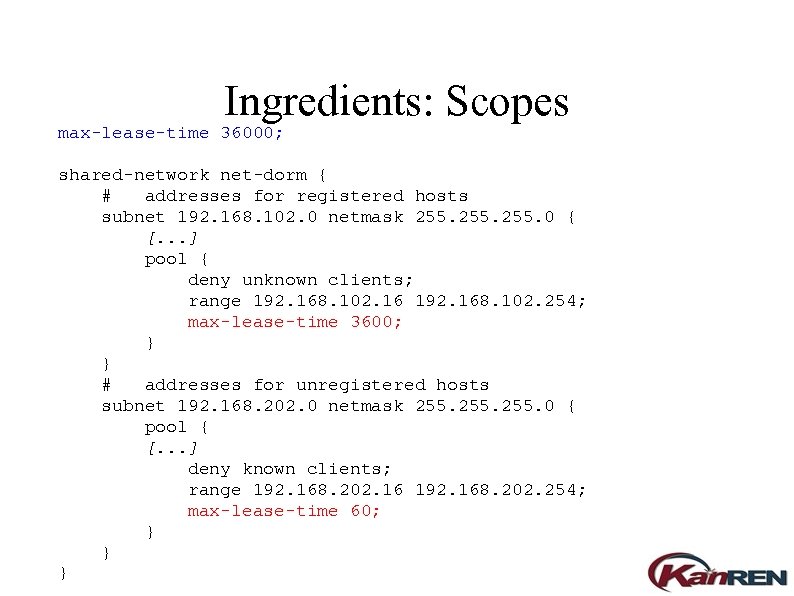 Ingredients: Scopes max-lease-time 36000; shared-network net-dorm { # addresses for registered hosts subnet 192. 168. 102. 0 netmask 255. 0 { [. . . ] pool { deny unknown clients; range 192. 168. 102. 16 192. 168. 102. 254; max-lease-time 3600; } } # addresses for unregistered hosts subnet 192. 168. 202. 0 netmask 255. 0 { pool { [. . . ] deny known clients; range 192. 168. 202. 16 192. 168. 202. 254; max-lease-time 60; } } }
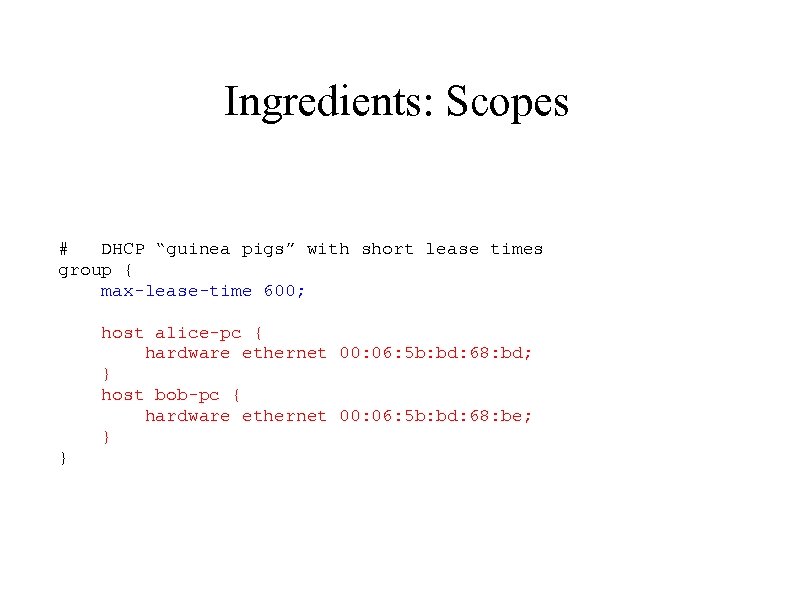 Ingredients: Scopes # DHCP “guinea pigs” with short lease times group { max-lease-time 600; host alice-pc { hardware ethernet 00: 06: 5 b: bd: 68: bd; } host bob-pc { hardware ethernet 00: 06: 5 b: bd: 68: be; } }
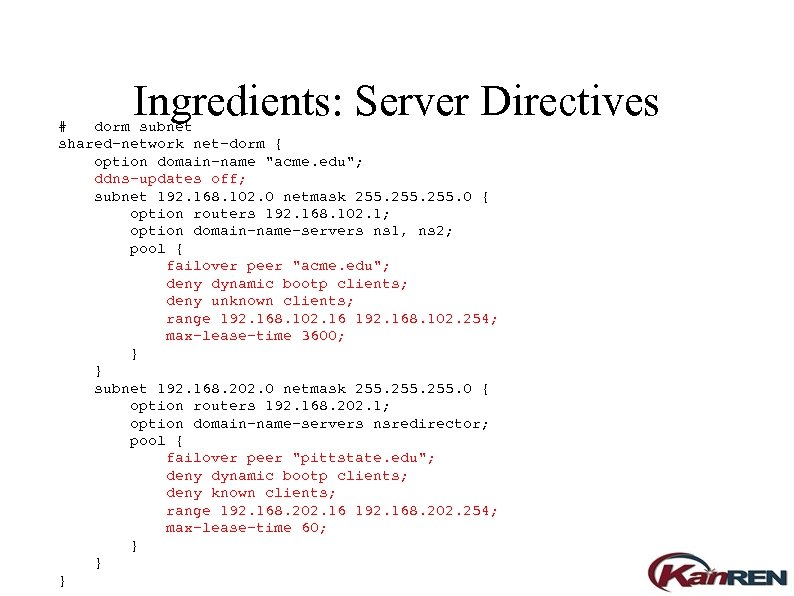 Ingredients: Server Directives # dorm subnet shared-network net-dorm { option domain-name "acme. edu"; ddns-updates off; subnet 192. 168. 102. 0 netmask 255. 0 { option routers 192. 168. 102. 1; option domain-name-servers ns 1, ns 2; pool { failover peer "acme. edu"; deny dynamic bootp clients; deny unknown clients; range 192. 168. 102. 16 192. 168. 102. 254; max-lease-time 3600; } } subnet 192. 168. 202. 0 netmask 255. 0 { option routers 192. 168. 202. 1; option domain-name-servers nsredirector; pool { failover peer "pittstate. edu"; deny dynamic bootp clients; deny known clients; range 192. 168. 202. 16 192. 168. 202. 254; max-lease-time 60; } } }
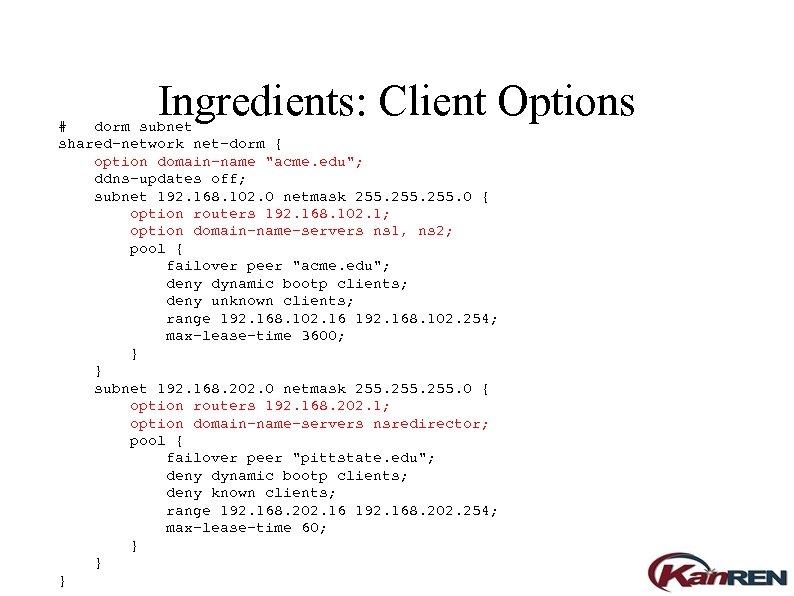 Ingredients: Client Options # dorm subnet shared-network net-dorm { option domain-name "acme. edu"; ddns-updates off; subnet 192. 168. 102. 0 netmask 255. 0 { option routers 192. 168. 102. 1; option domain-name-servers ns 1, ns 2; pool { failover peer "acme. edu"; deny dynamic bootp clients; deny unknown clients; range 192. 168. 102. 16 192. 168. 102. 254; max-lease-time 3600; } } subnet 192. 168. 202. 0 netmask 255. 0 { option routers 192. 168. 202. 1; option domain-name-servers nsredirector; pool { failover peer "pittstate. edu"; deny dynamic bootp clients; deny known clients; range 192. 168. 202. 16 192. 168. 202. 254; max-lease-time 60; } } }
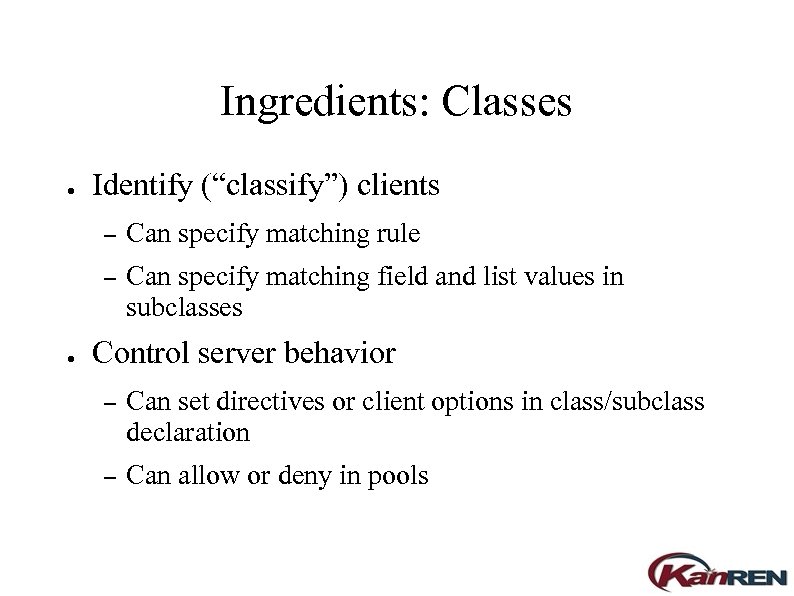 Ingredients: Classes ● Identify (“classify”) clients – – ● Can specify matching rule Can specify matching field and list values in subclasses Control server behavior – Can set directives or client options in class/subclass declaration – Can allow or deny in pools
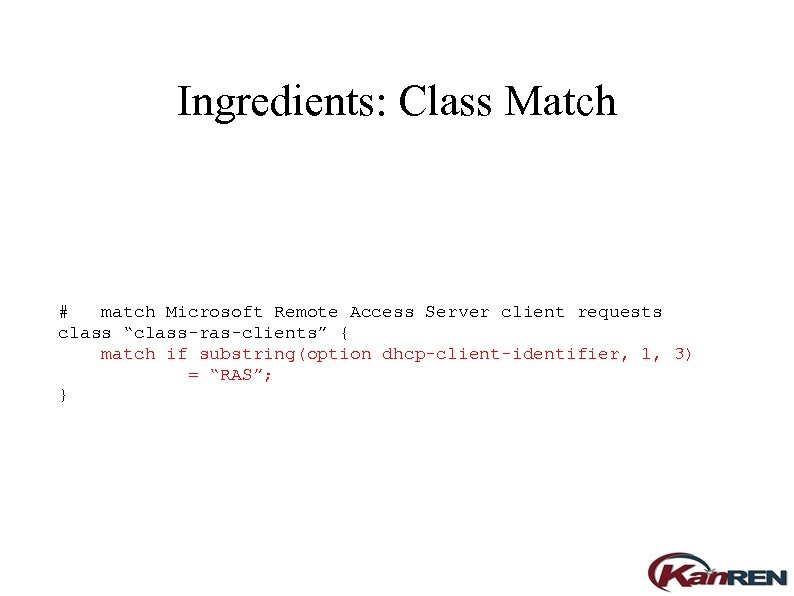 Ingredients: Class Match # match Microsoft Remote Access Server client requests class “class-ras-clients” { match if substring(option dhcp-client-identifier, 1, 3) = “RAS”; }
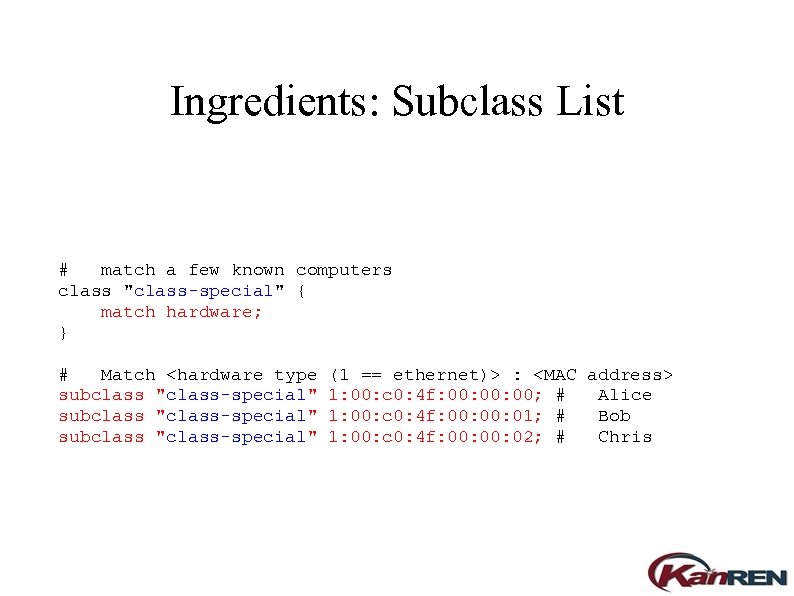 Ingredients: Subclass List # match a few known computers class "class-special" { match hardware; } # Match
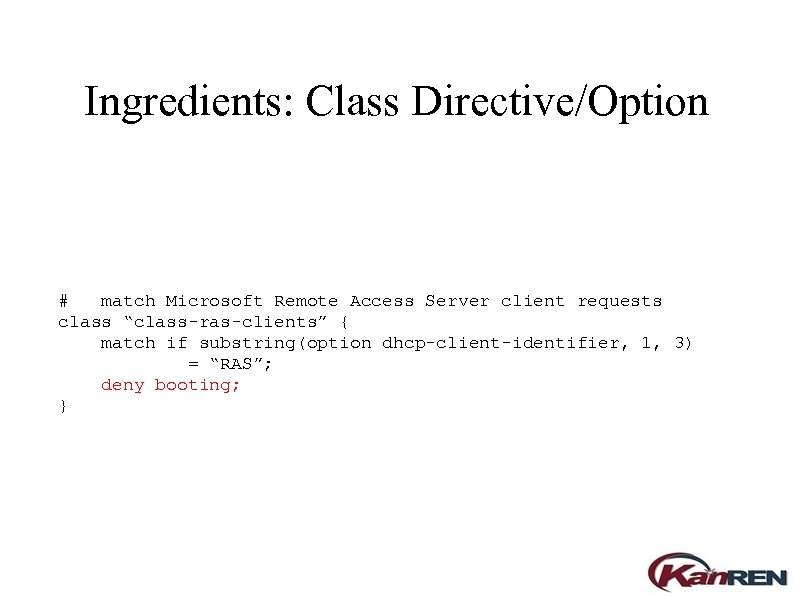 Ingredients: Class Directive/Option # match Microsoft Remote Access Server client requests class “class-ras-clients” { match if substring(option dhcp-client-identifier, 1, 3) = “RAS”; deny booting; }
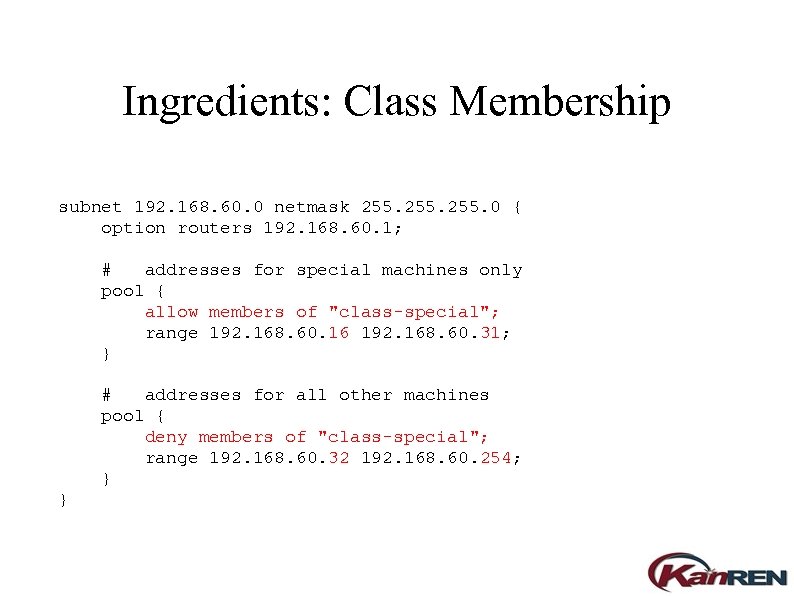 Ingredients: Class Membership subnet 192. 168. 60. 0 netmask 255. 0 { option routers 192. 168. 60. 1; # addresses for special machines only pool { allow members of "class-special"; range 192. 168. 60. 16 192. 168. 60. 31; } # addresses for all other machines pool { deny members of "class-special"; range 192. 168. 60. 32 192. 168. 60. 254; } }
 Problem 1: Segregating Client IPs You need to allow only the payroll office to access the dedicated check printer. (Borrowed from last year's presentation as a warmup to class usage. )
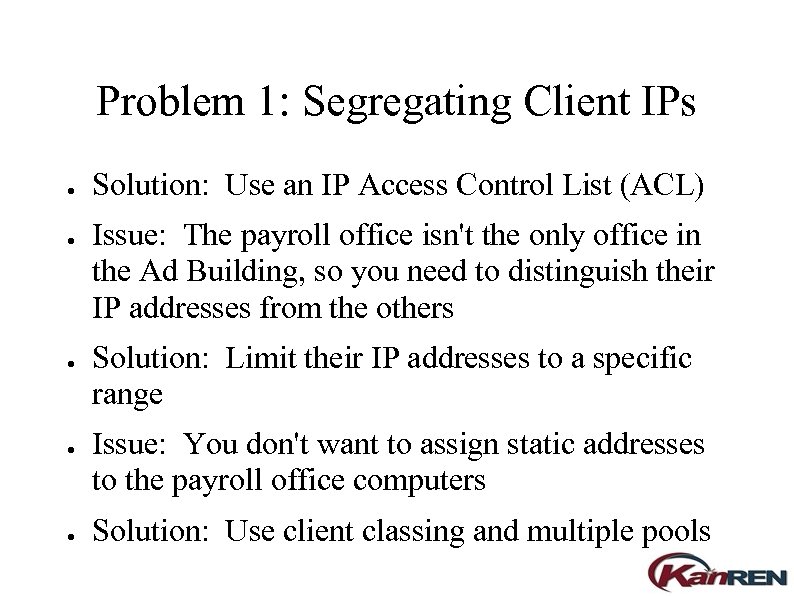 Problem 1: Segregating Client IPs ● ● ● Solution: Use an IP Access Control List (ACL) Issue: The payroll office isn't the only office in the Ad Building, so you need to distinguish their IP addresses from the others Solution: Limit their IP addresses to a specific range Issue: You don't want to assign static addresses to the payroll office computers Solution: Use client classing and multiple pools
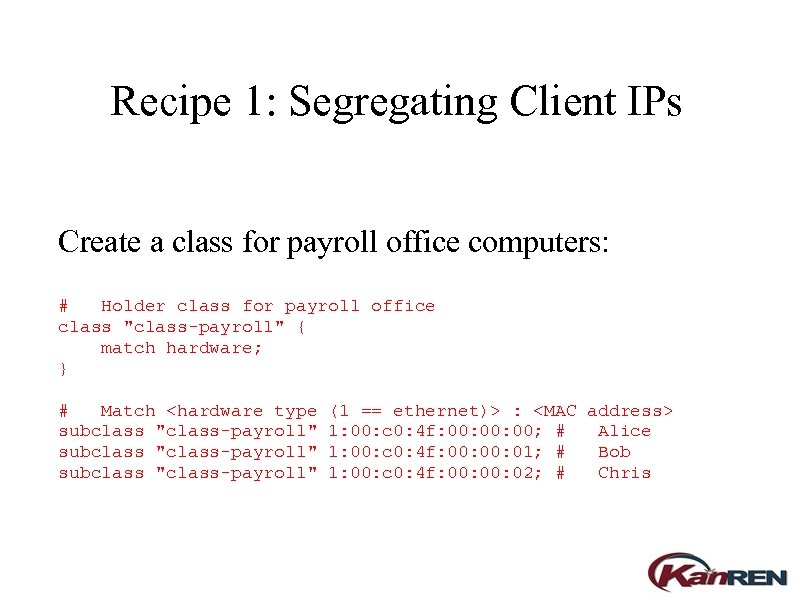 Recipe 1: Segregating Client IPs Create a class for payroll office computers: # Holder class for payroll office class "class-payroll" { match hardware; } # Match
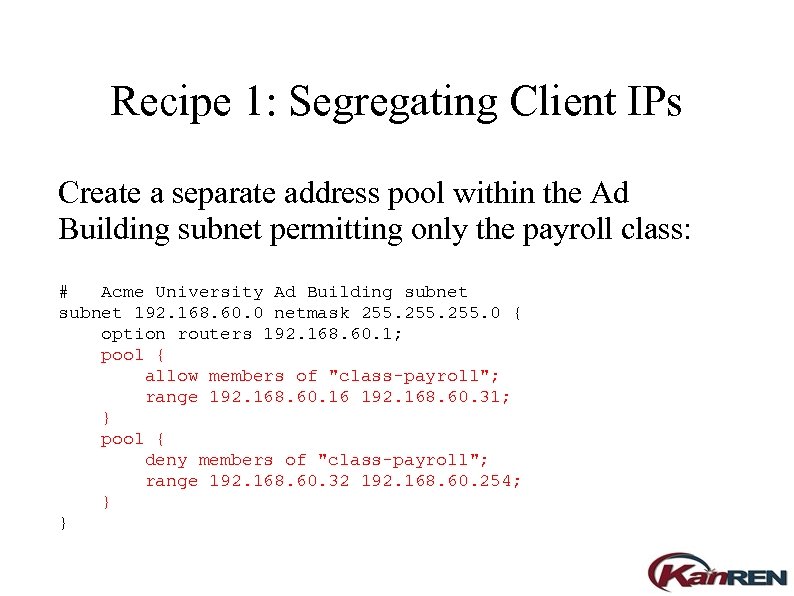 Recipe 1: Segregating Client IPs Create a separate address pool within the Ad Building subnet permitting only the payroll class: # Acme University Ad Building subnet 192. 168. 60. 0 netmask 255. 0 { option routers 192. 168. 60. 1; pool { allow members of "class-payroll"; range 192. 168. 60. 16 192. 168. 60. 31; } pool { deny members of "class-payroll"; range 192. 168. 60. 32 192. 168. 60. 254; } }
 Recipe 1: Segregating Client IPs Finally, add an ACL to limit access to the check printer to the smaller IP range for payroll office computers. This ACL might be in the router, or in the printer's network interface configuration. When controlling access to a server, put the ACL in the server's application configuration.
 Problem 2: Setting up Cisco 1100 Wireless Access Points You have a shipment of wireless access points to configure and install.
 Problem 2: Cisco WAP Setup ● ● Issue: Cisco 1100 WAPs have no console port, so you can't configure via serial cable. Issue: Cisco 1100 WAPs can get their initial address from DHCP, but you don't know what it will be. Issue: Cisco 1100 WAPs like to release and change the address they got from DHCP. Solution: Have the DHCP server identify the WAP and assign it an address from a pool of one.
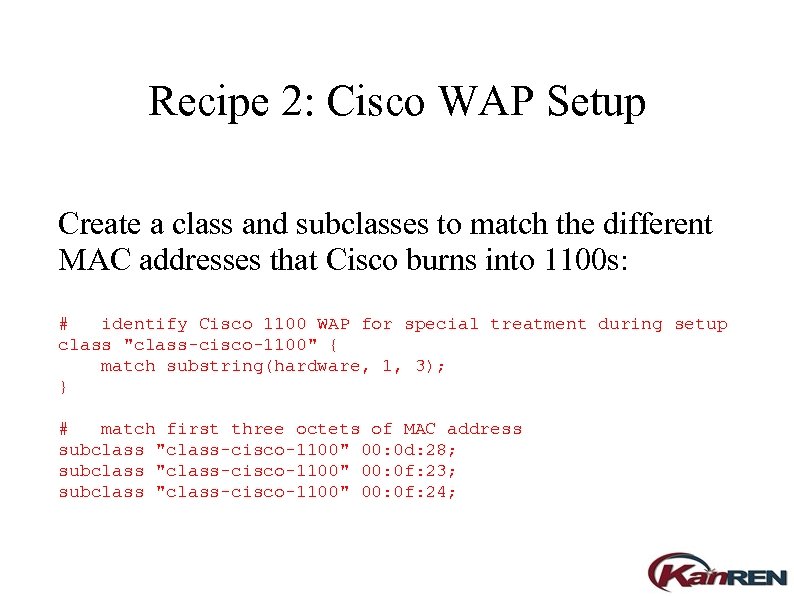 Recipe 2: Cisco WAP Setup Create a class and subclasses to match the different MAC addresses that Cisco burns into 1100 s: # identify Cisco 1100 WAP for special treatment during setup class "class-cisco-1100" { match substring(hardware, 1, 3); } # match first three octets of MAC address subclass "class-cisco-1100" 00: 0 d: 28; subclass "class-cisco-1100" 00: 0 f: 23; subclass "class-cisco-1100" 00: 0 f: 24;
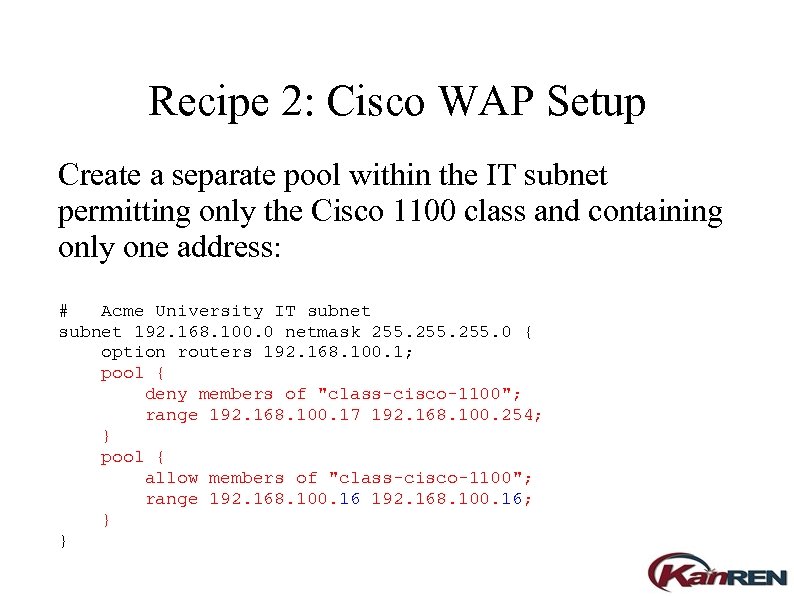 Recipe 2: Cisco WAP Setup Create a separate pool within the IT subnet permitting only the Cisco 1100 class and containing only one address: # Acme University IT subnet 192. 168. 100. 0 netmask 255. 0 { option routers 192. 168. 100. 1; pool { deny members of "class-cisco-1100"; range 192. 168. 100. 17 192. 168. 100. 254; } pool { allow members of "class-cisco-1100"; range 192. 168. 100. 16; } }
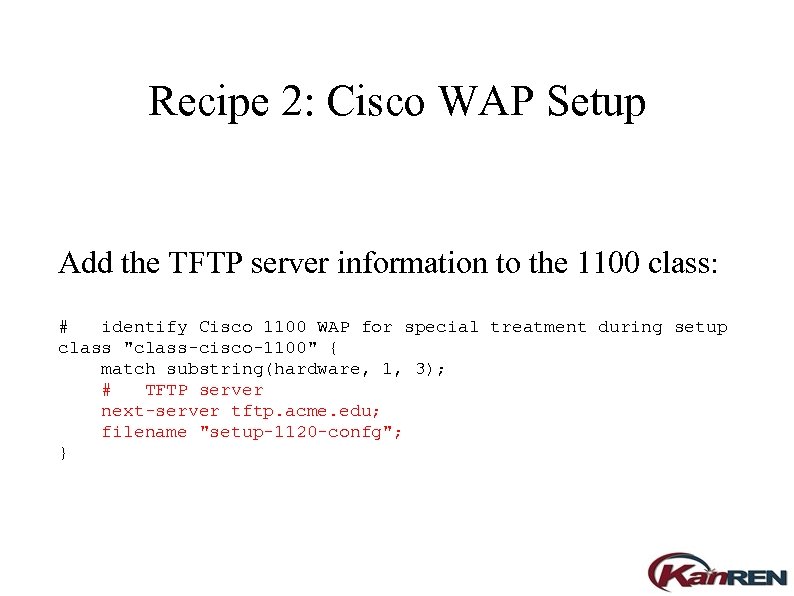 Recipe 2: Cisco WAP Setup Add the TFTP server information to the 1100 class: # identify Cisco 1100 WAP for special treatment during setup class "class-cisco-1100" { match substring(hardware, 1, 3); # TFTP server next-server tftp. acme. edu; filename "setup-1120 -confg"; }
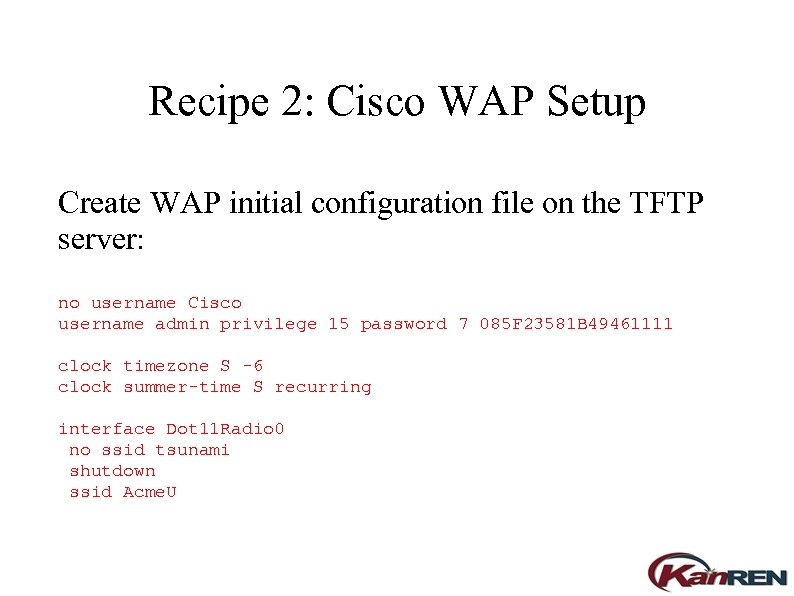 Recipe 2: Cisco WAP Setup Create WAP initial configuration file on the TFTP server: no username Cisco username admin privilege 15 password 7 085 F 23581 B 49461111 clock timezone S -6 clock summer-time S recurring interface Dot 11 Radio 0 no ssid tsunami shutdown ssid Acme. U
 Recipe 2: Cisco WAP Setup Now any 1100 placed on the IT subnet will always get the same IP address, and will load its initial customizations via TFTP. You can then login to the access point and finalize the configuration of radio channels, etc.
 Problem 3: OS Fingerprinting You want to know what operating systems are being used on your network.
 Problem 3: OS Fingerprinting ● ● ● Solution: Use DHCP OS fingerprinting via the parameter request list (discovered at Kansas University). Caveat: DHCP OS fingerprints are discovered anecdotally and may not always be complete nor accurate. Caveat: You can only fingerprint hosts that are powered on and using DHCP.
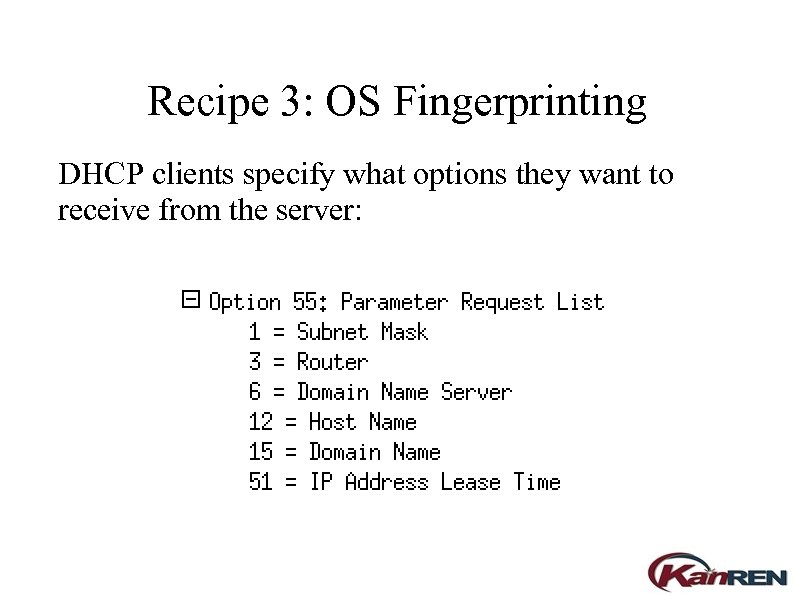 Recipe 3: OS Fingerprinting DHCP clients specify what options they want to receive from the server:
 Recipe 3: OS Fingerprinting While writing a DHCP server, Kansas University staff observed that DHCP clients on different operating systems request parameter lists containing different options in different orders. The parameter request list can thus be used to identify the operating system of the client. KU implemented this feature on their in-house server. It has since been reimplemented on the ISC DHCP server.
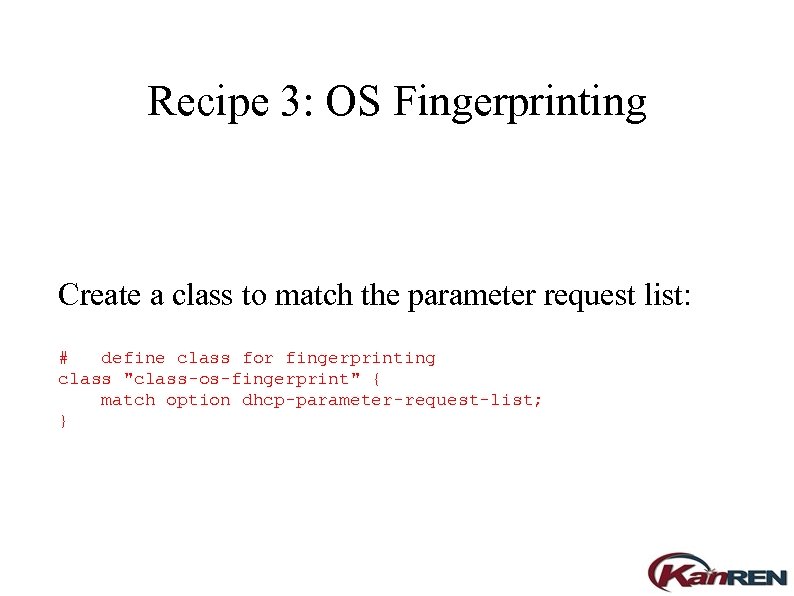 Recipe 3: OS Fingerprinting Create a class to match the parameter request list: # define class for fingerprinting class "class-os-fingerprint" { match option dhcp-parameter-request-list; }
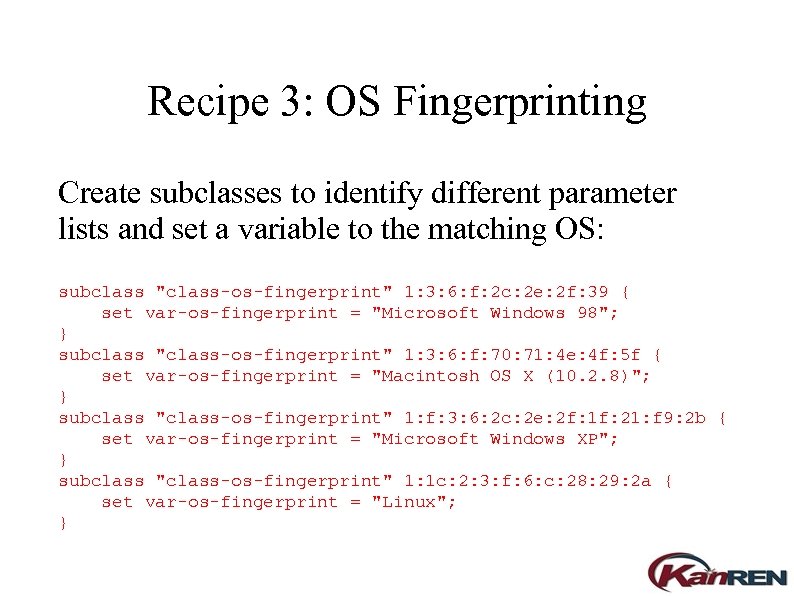 Recipe 3: OS Fingerprinting Create subclasses to identify different parameter lists and set a variable to the matching OS: subclass "class-os-fingerprint" 1: 3: 6: f: 2 c: 2 e: 2 f: 39 { set var-os-fingerprint = "Microsoft Windows 98"; } subclass "class-os-fingerprint" 1: 3: 6: f: 70: 71: 4 e: 4 f: 5 f { set var-os-fingerprint = "Macintosh OS X (10. 2. 8)"; } subclass "class-os-fingerprint" 1: f: 3: 6: 2 c: 2 e: 2 f: 1 f: 21: f 9: 2 b { set var-os-fingerprint = "Microsoft Windows XP"; } subclass "class-os-fingerprint" 1: 1 c: 2: 3: f: 6: c: 28: 29: 2 a { set var-os-fingerprint = "Linux"; }
![Recipe 3: OS Fingerprinting Log the resulting information: [. . . ] log(info, concat(](https://present5.com/presentation/c25b35d2d38cbd5f7259f421a7bea0e2/image-35.jpg "Recipe 3: OS Fingerprinting Log the resulting information: [. . . ] log(info, concat(") Recipe 3: OS Fingerprinting Log the resulting information: [. . . ] log(info, concat( "fingerprint host ", binary-to-ascii(16, 8, ": ", substring(hardware, 1, 6)), " (", binary-to-ascii(10, 8, ". ", leased-address), ") has parameter list ", binary-to-ascii(16, 8, ": ", option dhcp-parameter-request-list), " and appears to be ", var-os-fingerprint ) ); [. . . ]
Recipe 3: OS Fingerprinting Log the resulting information: [. . . ] log(info, concat( "fingerprint host ", binary-to-ascii(16, 8, ": ", substring(hardware, 1, 6)), " (", binary-to-ascii(10, 8, ". ", leased-address), ") has parameter list ", binary-to-ascii(16, 8, ": ", option dhcp-parameter-request-list), " and appears to be ", var-os-fingerprint ) ); [. . . ]
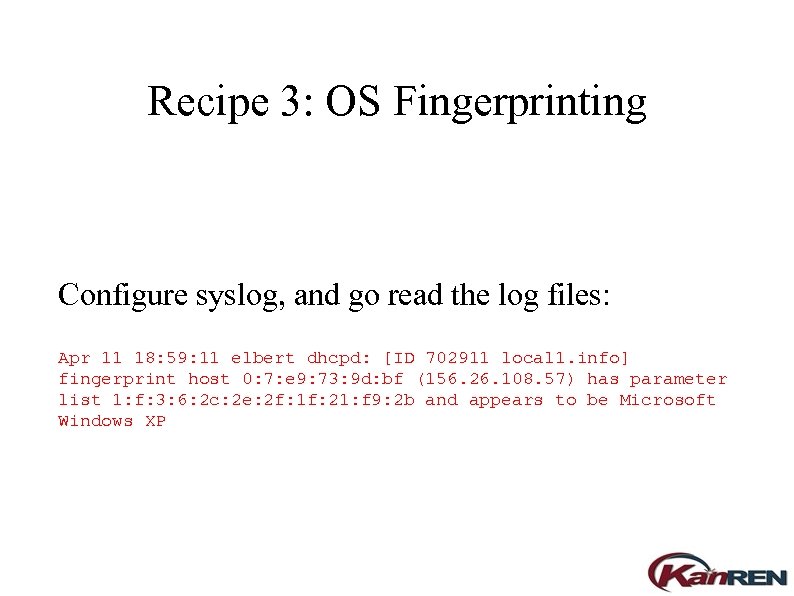 Recipe 3: OS Fingerprinting Configure syslog, and go read the log files: Apr 11 18: 59: 11 elbert dhcpd: [ID 702911 local 1. info] fingerprint host 0: 7: e 9: 73: 9 d: bf (156. 26. 108. 57) has parameter list 1: f: 3: 6: 2 c: 2 e: 2 f: 1 f: 21: f 9: 2 b and appears to be Microsoft Windows XP
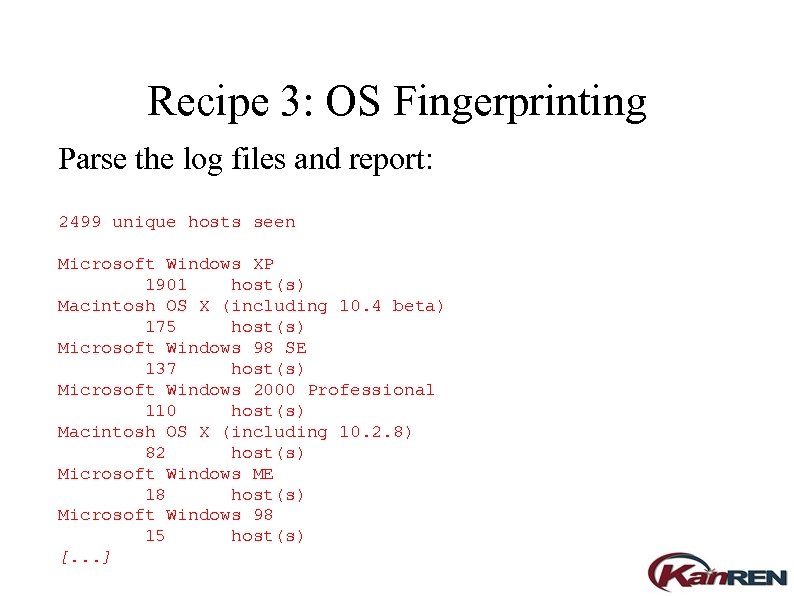 Recipe 3: OS Fingerprinting Parse the log files and report: 2499 unique hosts seen Microsoft Windows XP 1901 host(s) Macintosh OS X (including 10. 4 beta) 175 host(s) Microsoft Windows 98 SE 137 host(s) Microsoft Windows 2000 Professional 110 host(s) Macintosh OS X (including 10. 2. 8) 82 host(s) Microsoft Windows ME 18 host(s) Microsoft Windows 98 15 host(s) [. . . ]
 Problem 4: Revenge of Cisco 1100 Your Cisco PCMCIA wireless card keeps getting the IP address that's supposed to be reserved for 1100 access point setup.
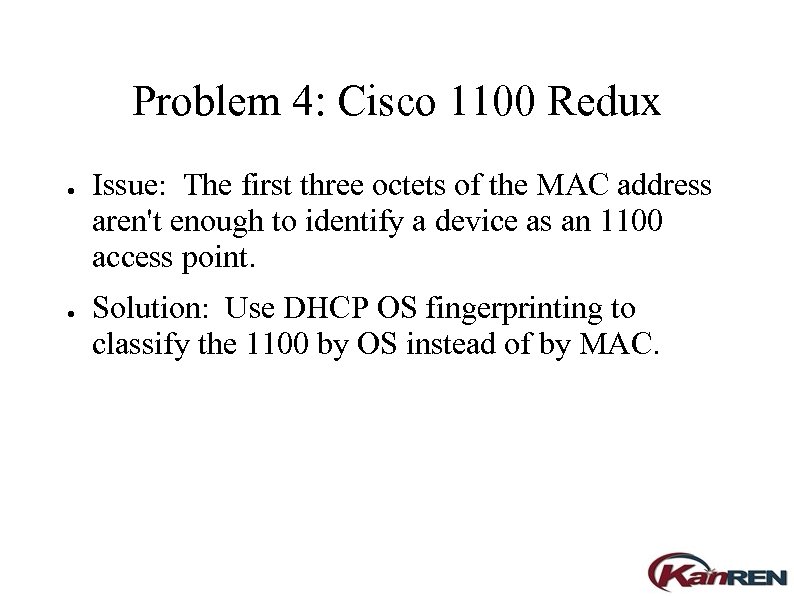 Problem 4: Cisco 1100 Redux ● ● Issue: The first three octets of the MAC address aren't enough to identify a device as an 1100 access point. Solution: Use DHCP OS fingerprinting to classify the 1100 by OS instead of by MAC.
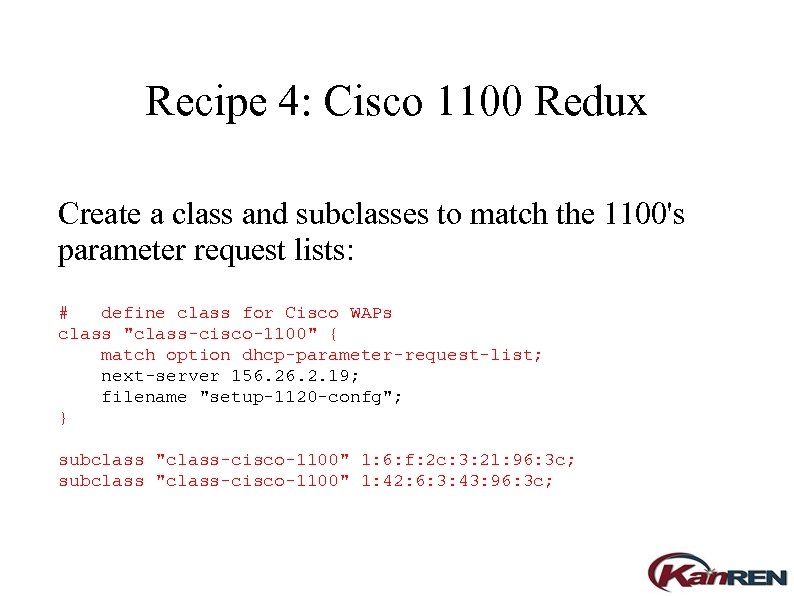 Recipe 4: Cisco 1100 Redux Create a class and subclasses to match the 1100's parameter request lists: # define class for Cisco WAPs class "class-cisco-1100" { match option dhcp-parameter-request-list; next-server 156. 2. 19; filename "setup-1120 -confg"; } subclass "class-cisco-1100" 1: 6: f: 2 c: 3: 21: 96: 3 c; subclass "class-cisco-1100" 1: 42: 6: 3: 43: 96: 3 c;
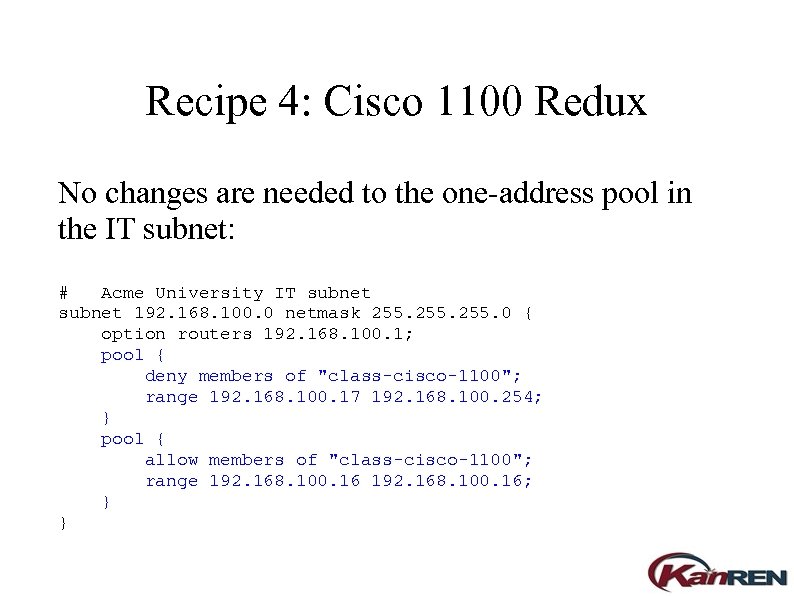 Recipe 4: Cisco 1100 Redux No changes are needed to the one-address pool in the IT subnet: # Acme University IT subnet 192. 168. 100. 0 netmask 255. 0 { option routers 192. 168. 100. 1; pool { deny members of "class-cisco-1100"; range 192. 168. 100. 17 192. 168. 100. 254; } pool { allow members of "class-cisco-1100"; range 192. 168. 100. 16; } }
 Recipe 4: Cisco 1100 Redux Now the 1100 gets its own IP address, and the PCMCIA wireless card gets a normal address again.
 Problem 5: Unauthorized Wireless Access Points You don't want students and faculty plugging in their own wireless access points.
 Problem 5: Unauthorized WAPs ● ● ● Solution: Make a policy that only the IT department can deploy wireless access points. Issue: The FCC explicitly states that only they may regulate the radio spectrum, and you may not prohibit tenants from deploying wireless access points. So you can stop your faculty by controlling employee behavior, but you can't stop students in the residence halls. Solution: Use DHCP OS fingerprinting to identify the wireless access points and keep them from connecting to your LAN.
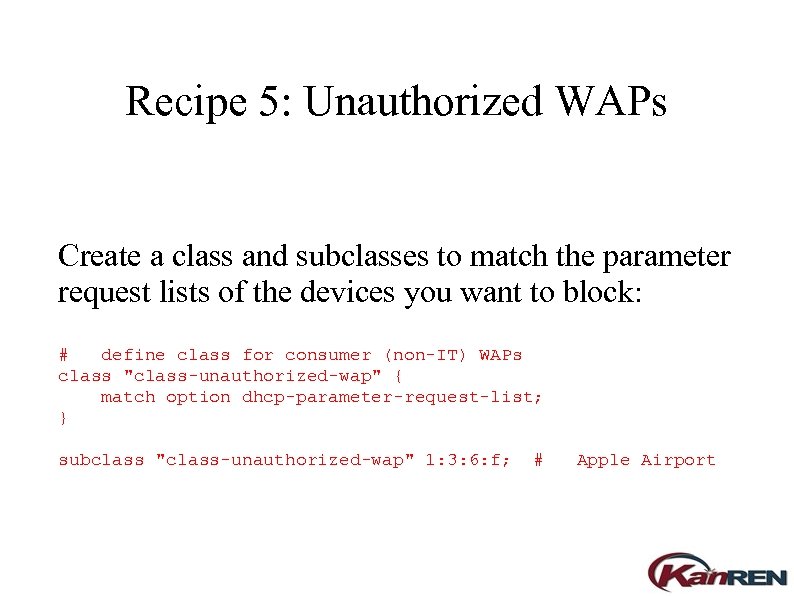 Recipe 5: Unauthorized WAPs Create a class and subclasses to match the parameter request lists of the devices you want to block: # define class for consumer (non-IT) WAPs class "class-unauthorized-wap" { match option dhcp-parameter-request-list; } subclass "class-unauthorized-wap" 1: 3: 6: f; # Apple Airport
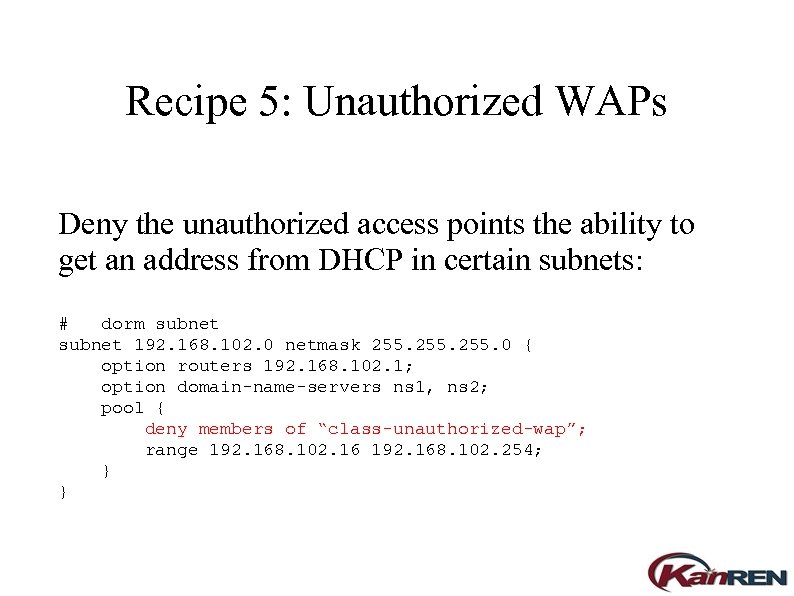 Recipe 5: Unauthorized WAPs Deny the unauthorized access points the ability to get an address from DHCP in certain subnets: # dorm subnet 192. 168. 102. 0 netmask 255. 0 { option routers 192. 168. 102. 1; option domain-name-servers ns 1, ns 2; pool { deny members of “class-unauthorized-wap”; range 192. 168. 102. 16 192. 168. 102. 254; } }
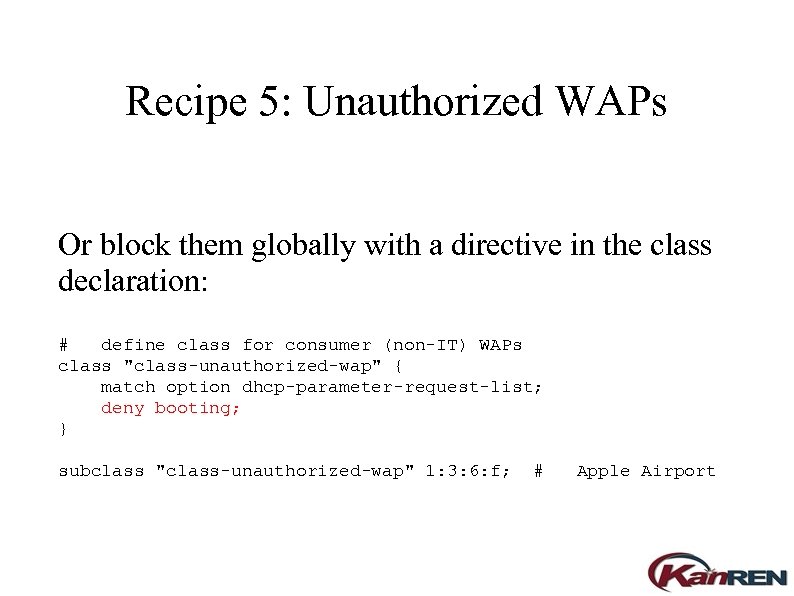 Recipe 5: Unauthorized WAPs Or block them globally with a directive in the class declaration: # define class for consumer (non-IT) WAPs class "class-unauthorized-wap" { match option dhcp-parameter-request-list; deny booting; } subclass "class-unauthorized-wap" 1: 3: 6: f; # Apple Airport
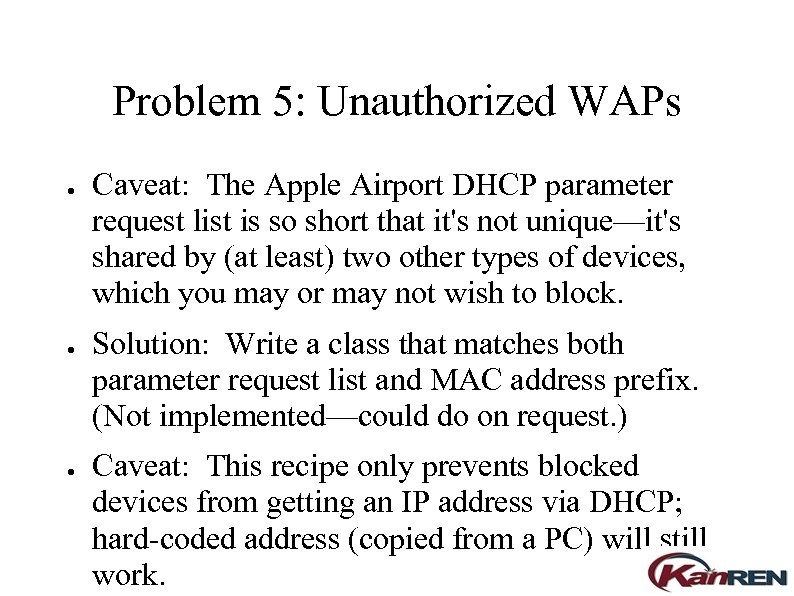 Problem 5: Unauthorized WAPs ● ● ● Caveat: The Apple Airport DHCP parameter request list is so short that it's not unique—it's shared by (at least) two other types of devices, which you may or may not wish to block. Solution: Write a class that matches both parameter request list and MAC address prefix. (Not implemented—could do on request. ) Caveat: This recipe only prevents blocked devices from getting an IP address via DHCP; hard-coded address (copied from a PC) will still work.
 Problem 6: Clients with Hard-Coded IP Addresses You want all hosts on your network to use DHCP.
 Problem 6: Non-DHCP Clients ● Solution: Make a policy that all clients must use DHCP. Problem solved!
 Problem 6: Non-DHCP Clients ● Issue: Just kidding.
 Problem 6: Non-DHCP Clients ● ● Restatement: Find all hosts on the network not using DHCP. Caveat: The first time, I said clients, not all hosts. Servers and network infrastructure probably have static addresses.
 Problem 6: Non-DHCP Clients ● ● Restatement: Find all hosts on the network not using DHCP, but only report the clients. Restatement: Find all hosts on the network. Subtract the ones using DHCP, and the ones that aren't clients, and report what's left. ● Solution 1: ARP cache ● Solution 2: Ping sweep ● Solution 3: Traffic sniffer
 Problem 6: Non-DHCP Clients Solution 1: ARP cache ● ● Get the ARP cache of your router(s) with SNMP. Get the lease file from the DHCP server and subtract. ● Subtract server and infrastructure devices. ● Report.
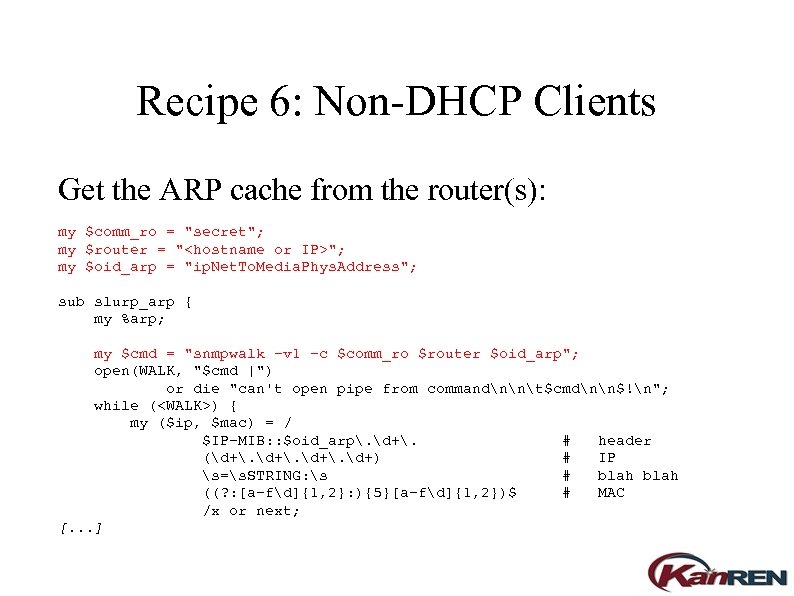 Recipe 6: Non-DHCP Clients Get the ARP cache from the router(s): my $comm_ro = "secret"; my $router = "
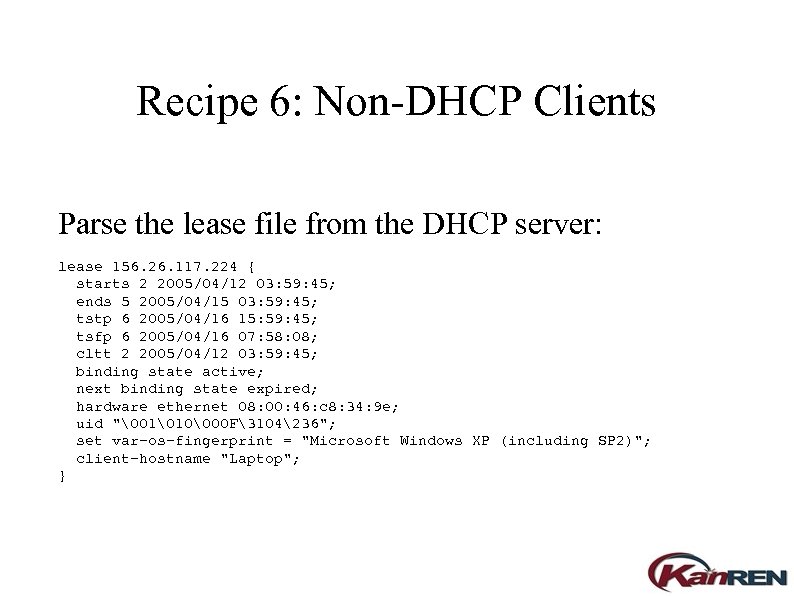 Recipe 6: Non-DHCP Clients Parse the lease file from the DHCP server: lease 156. 26. 117. 224 { starts 2 2005/04/12 03: 59: 45; ends 5 2005/04/15 03: 59: 45; tstp 6 2005/04/16 15: 59: 45; tsfp 6 2005/04/16 07: 58: 08; cltt 2 2005/04/12 03: 59: 45; binding state active; next binding state expired; hardware ethernet 08: 00: 46: c 8: 34: 9 e; uid "011000 F3104236"; set var-os-fingerprint = "Microsoft Windows XP (including SP 2)"; client-hostname "Laptop"; }
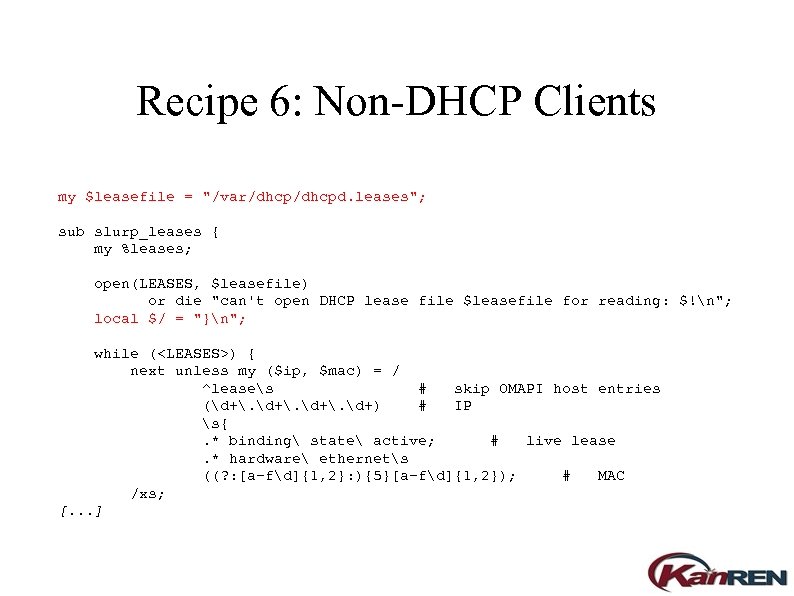 Recipe 6: Non-DHCP Clients my $leasefile = "/var/dhcpd. leases"; sub slurp_leases { my %leases; open(LEASES, $leasefile) or die "can't open DHCP lease file $leasefile for reading: $!n"; local $/ = "}n"; while (
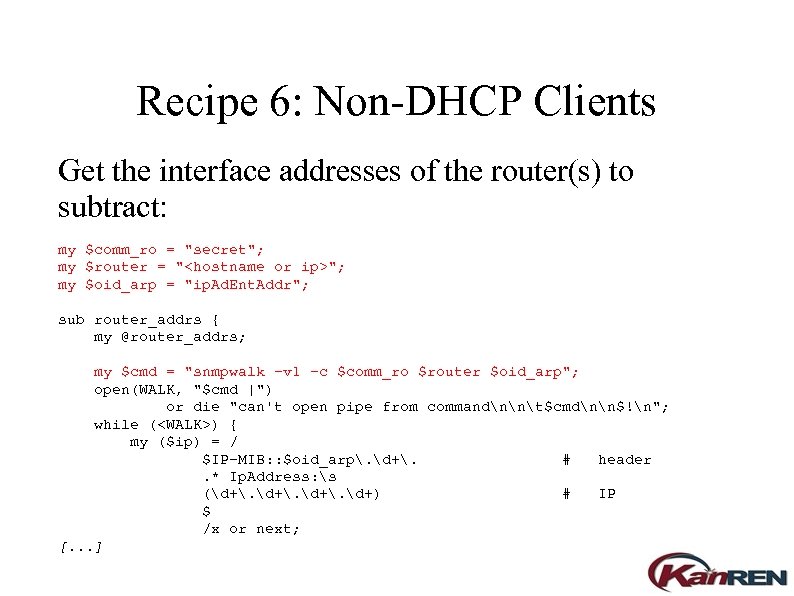 Recipe 6: Non-DHCP Clients Get the interface addresses of the router(s) to subtract: my $comm_ro = "secret"; my $router = "
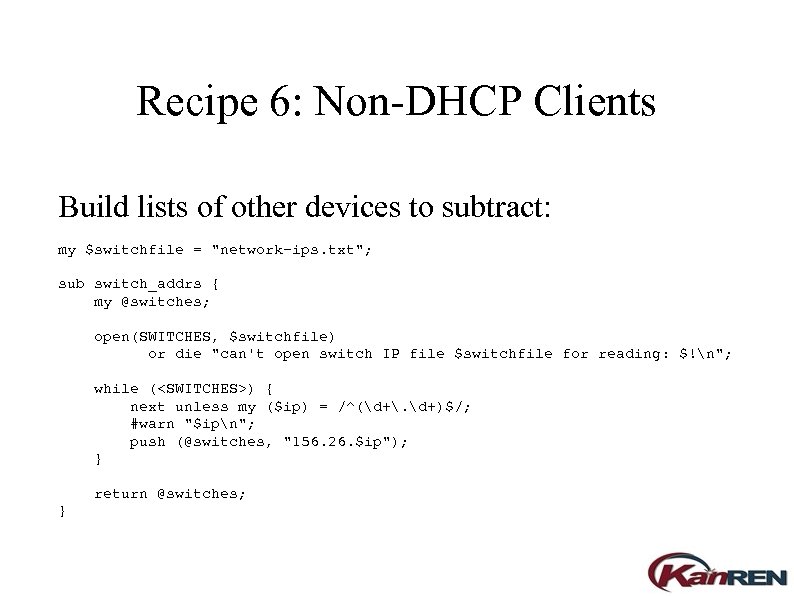 Recipe 6: Non-DHCP Clients Build lists of other devices to subtract: my $switchfile = "network-ips. txt"; sub switch_addrs { my @switches; open(SWITCHES, $switchfile) or die "can't open switch IP file $switchfile for reading: $!n"; while (
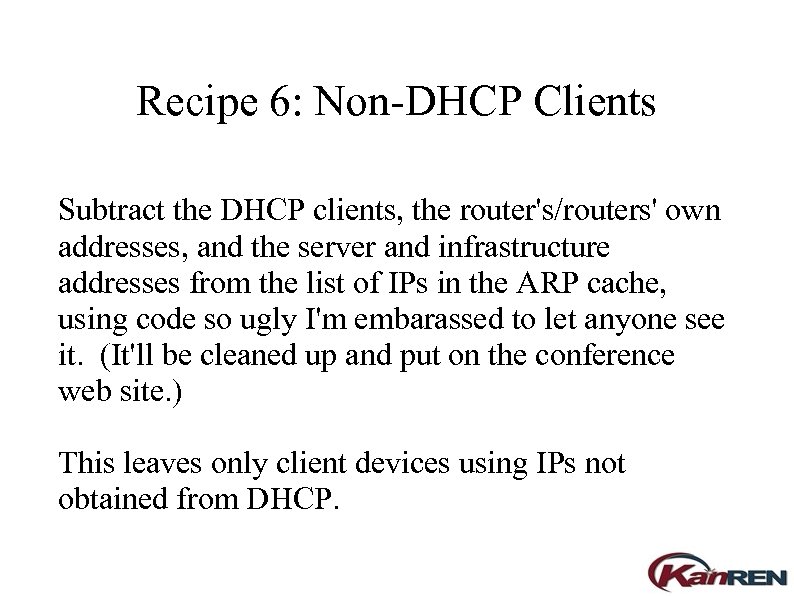 Recipe 6: Non-DHCP Clients Subtract the DHCP clients, the router's/routers' own addresses, and the server and infrastructure addresses from the list of IPs in the ARP cache, using code so ugly I'm embarassed to let anyone see it. (It'll be cleaned up and put on the conference web site. ) This leaves only client devices using IPs not obtained from DHCP.
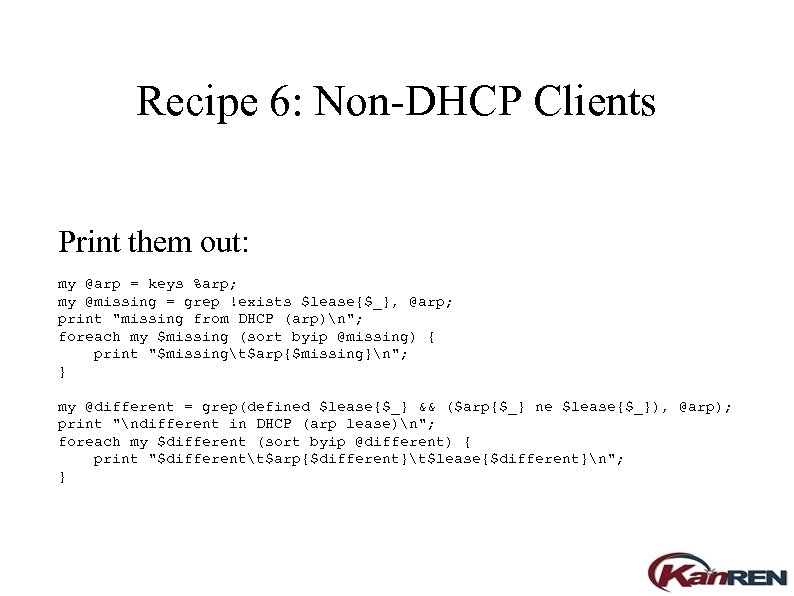 Recipe 6: Non-DHCP Clients Print them out: my @arp = keys %arp; my @missing = grep !exists $lease{$_}, @arp; print "missing from DHCP (arp)n"; foreach my $missing (sort byip @missing) { print "$missingt$arp{$missing}n"; } my @different = grep(defined $lease{$_} && ($arp{$_} ne $lease{$_}), @arp); print "ndifferent in DHCP (arp lease)n"; foreach my $different (sort byip @different) { print "$differentt$arp{$different}t$lease{$different}n"; }
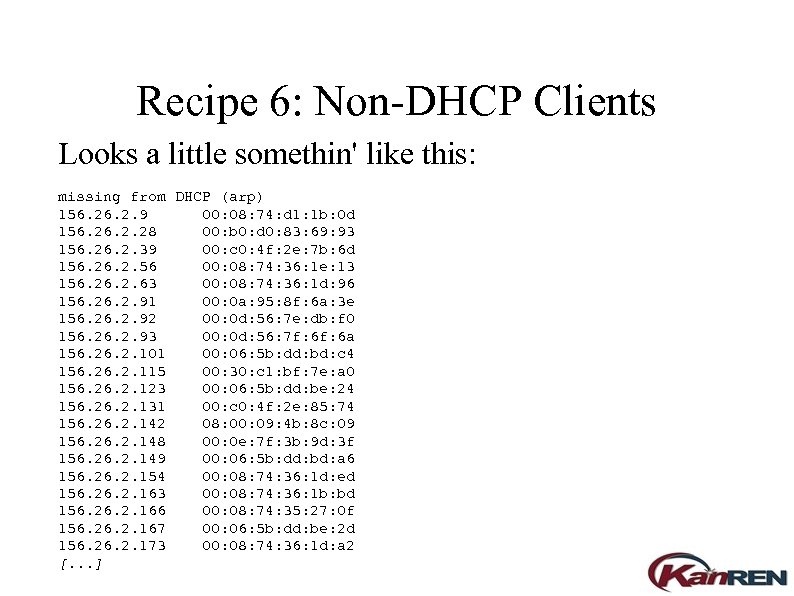 Recipe 6: Non-DHCP Clients Looks a little somethin' like this: missing from DHCP (arp) 156. 2. 9 00: 08: 74: d 1: 1 b: 0 d 156. 2. 28 00: b 0: d 0: 83: 69: 93 156. 2. 39 00: c 0: 4 f: 2 e: 7 b: 6 d 156. 2. 56 00: 08: 74: 36: 1 e: 13 156. 2. 63 00: 08: 74: 36: 1 d: 96 156. 2. 91 00: 0 a: 95: 8 f: 6 a: 3 e 156. 2. 92 00: 0 d: 56: 7 e: db: f 0 156. 2. 93 00: 0 d: 56: 7 f: 6 a 156. 2. 101 00: 06: 5 b: dd: bd: c 4 156. 2. 115 00: 30: c 1: bf: 7 e: a 0 156. 2. 123 00: 06: 5 b: dd: be: 24 156. 2. 131 00: c 0: 4 f: 2 e: 85: 74 156. 2. 142 08: 00: 09: 4 b: 8 c: 09 156. 2. 148 00: 0 e: 7 f: 3 b: 9 d: 3 f 156. 2. 149 00: 06: 5 b: dd: bd: a 6 156. 2. 154 00: 08: 74: 36: 1 d: ed 156. 2. 163 00: 08: 74: 36: 1 b: bd 156. 2. 166 00: 08: 74: 35: 27: 0 f 156. 2. 167 00: 06: 5 b: dd: be: 2 d 156. 2. 173 00: 08: 74: 36: 1 d: a 2 [. . . ]
 Recipe 6: Non-DHCP Clients Now hunt them down (probably tracing to switchports with SNMP and cross-referencing to cabling records) and fix them.
 Problem 6: Non-DHCP Clients ● ● Issue: Oops, forgot to exclude subnets of departments running their own DHCP. Solution: Subtract those subnets from the ARP cache too. (Implemented but not worth displaying. )
 Problem 6: Non-DHCP Clients ● ● Issue: Only looks at leases that are active right now, but the ARP cache is up to four hours old. Solution: Enhance lease file processor to retain leases that have expired within the last four hours. (Not implemented; will make available when done. )
 Problem 6: Non-DHCP Clients ● Future: Thread on mailing list about DHCP server advertising black-hole routes for addresses of inactive leases.
 Q&A http: //www. kanren. net/events/reps_conference/ 2005/files/dhcp/ keith. neufeld@wichita. edu