Скачать презентацию Classical Call Center IT Setup ERP CTI Server
e32800067bf33868f16e883eaa4fee28.ppt
- Количество слайдов: 27

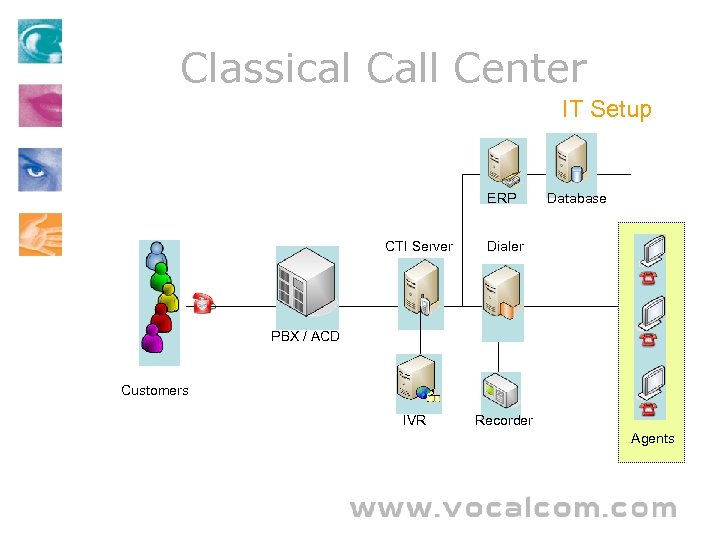 Classical Call Center IT Setup ERP CTI Server Dialer IVR Database Recorder PBX / ACD Customers Agents
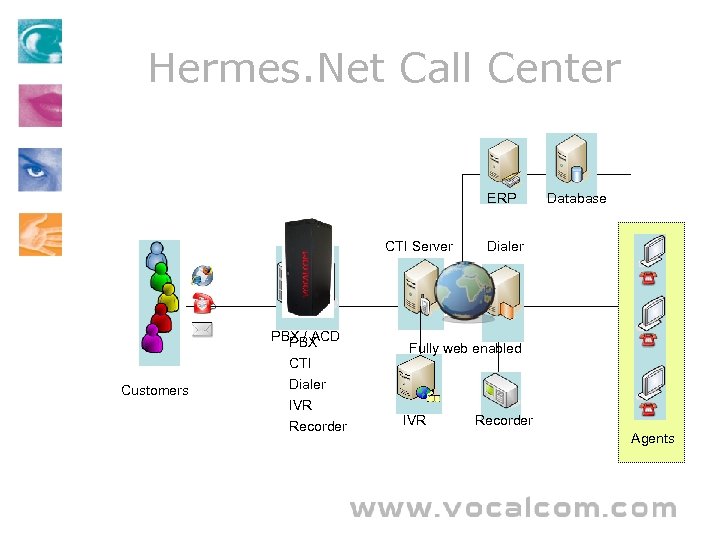 Hermes. Net Call Center ERP CTI Server Customers PBX / ACD PBX CTI Dialer IVR Recorder Database Dialer Fully web enabled IVR Recorder Agents
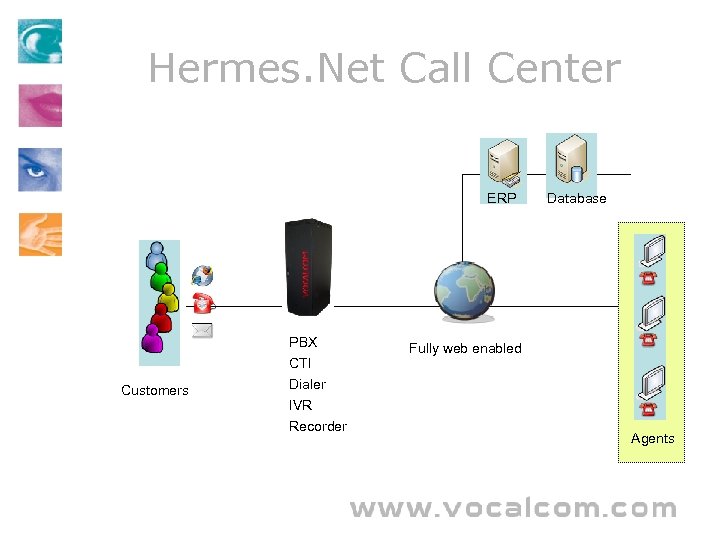 Hermes. Net Call Center ERP Customers PBX CTI Dialer IVR Recorder Database Fully web enabled Agents
 About Hermes. Net Internet born Contact Center • Integrated multi channel contact center solution. – It contains all the applications needed for a contact center – Handle multiple media from the same software • Central server driven through a web interface. – There is no need to install software on individual workstations. – Users can log on from anywhere in the world, simply with a PC with an Internet connection. • Customizable – Hermes. Net is highly scriptable and includes connectivity to most popular databases.
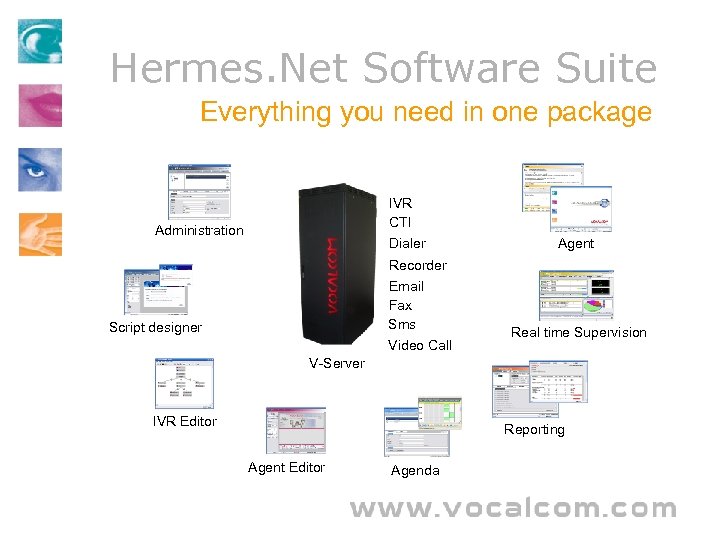 Hermes. Net Software Suite Everything you need in one package IVR CTI Dialer Administration Recorder Email Fax Sms Video Call Script designer Agent Real time Supervision V-Server IVR Editor Reporting Agent Editor Agenda
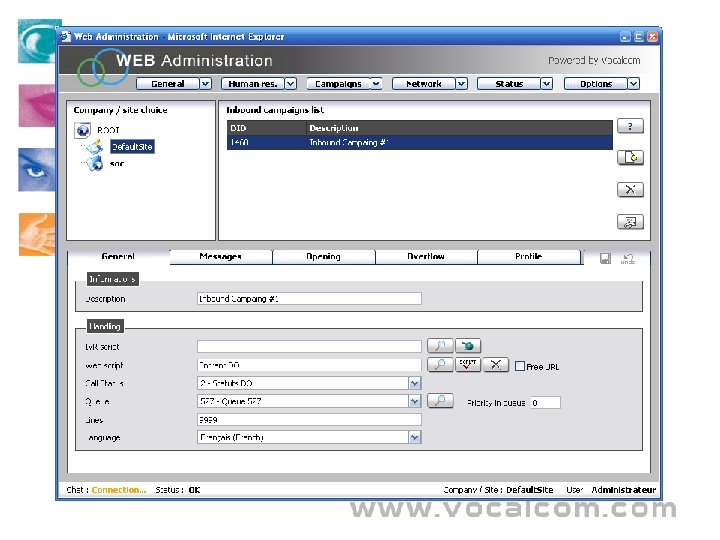
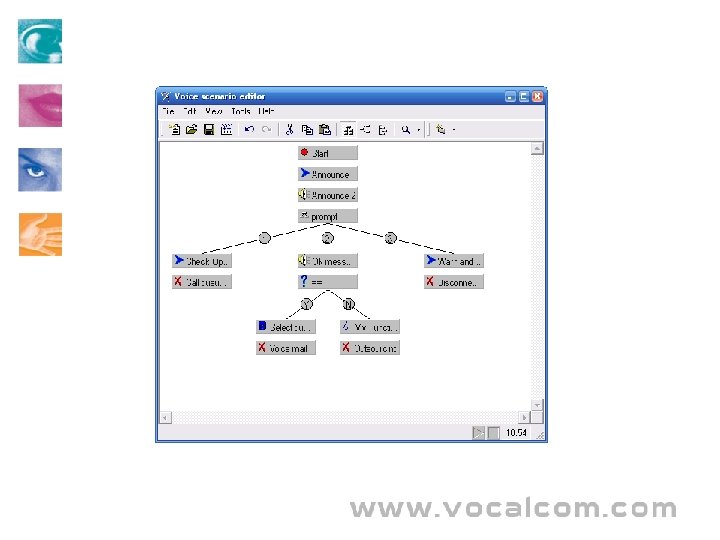
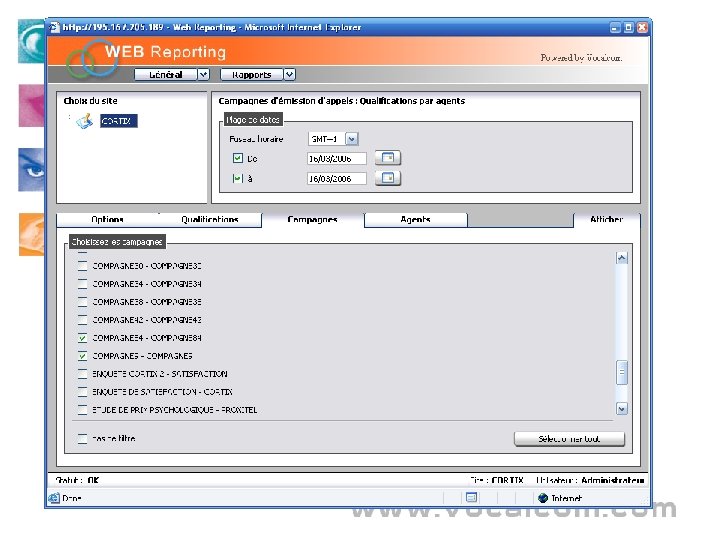
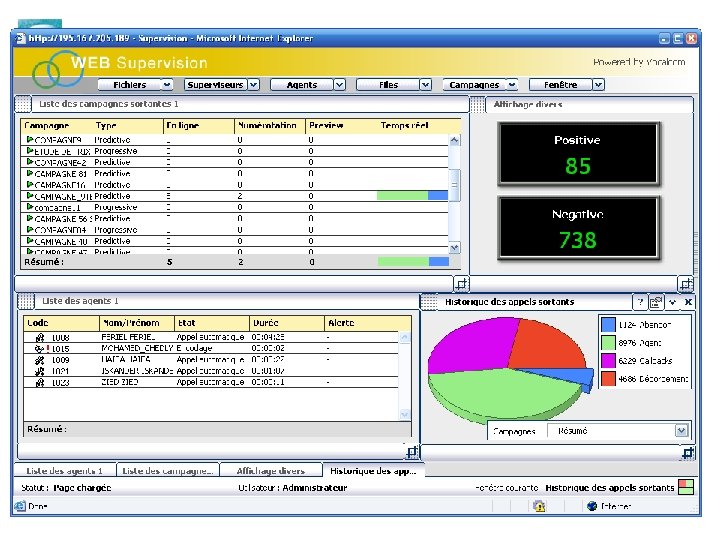
 Hermes. Net Software Suite Description • V-Server – – • Vocalcom’s ACD based on Intel Dialogic & HMP technology Works with any other already installed PBX or in standalone mode Administration – Configure campaigns settings • • – • Script designer – – • – Generate reports on your production statistics. (Number and type of calls by period, by agent, etc. ) Supervision – • Visually design automated voice response scenario with pre-recorded message or speech synthesis. Connect to external databases and web-services. Reporting – • Visually design workflow script for the agents. Display information from databases and proprietary applications. IVR Editor – • Inbound, outbound, e-mail, web-callback. Call files, Dial plan, Overflow strategy, IVR and sound messages. Manage Human resource (Skills and supervision group, opening hours, holidays) Monitor your agents and production statistics in real time, define custom alerts, listen, whisper or intrude in any conversation. Customize the interface to see only what you need. Agent – Provide the agent with all the telephony function and access to the script workflow
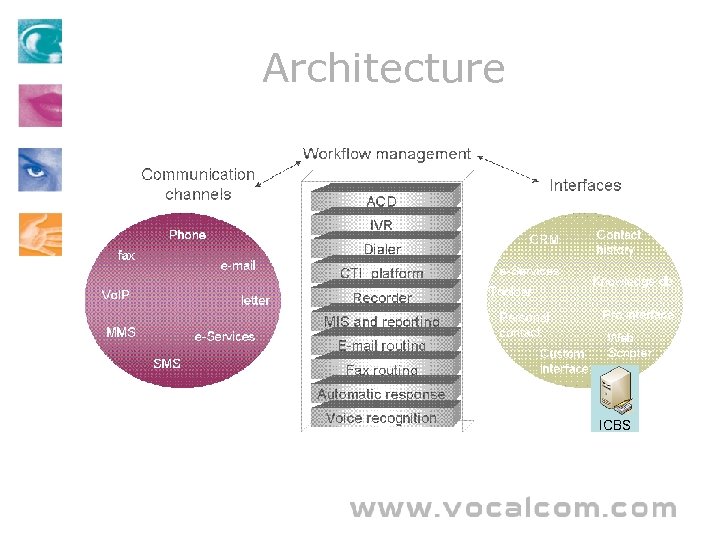 Architecture ICBS
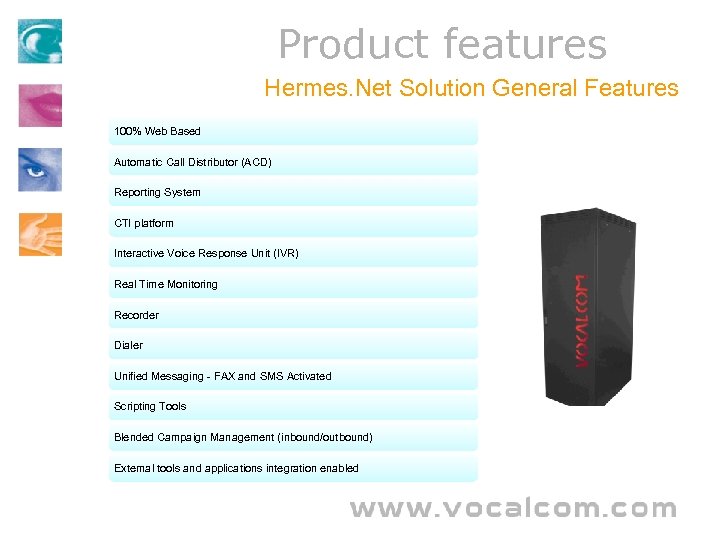 Product features Hermes. Net Solution General Features 100% Web Based Automatic Call Distributor (ACD) Reporting System CTI platform Interactive Voice Response Unit (IVR) Real Time Monitoring Recorder Dialer Unified Messaging - FAX and SMS Activated Scripting Tools Blended Campaign Management (inbound/outbound) External tools and applications integration enabled
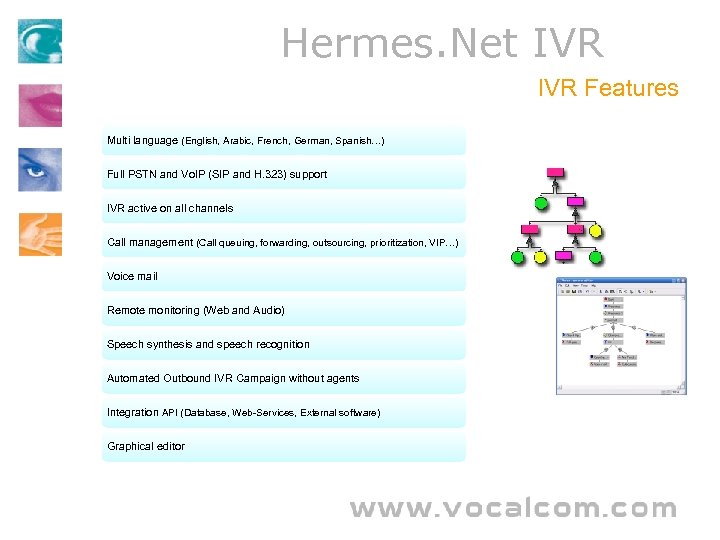 Hermes. Net IVR Features Multi language (English, Arabic, French, German, Spanish…) Full PSTN and Vo. IP (SIP and H. 323) support IVR active on all channels Call management (Call queuing, forwarding, outsourcing, prioritization, VIP…) Voice mail Remote monitoring (Web and Audio) Speech synthesis and speech recognition Automated Outbound IVR Campaign without agents Integration API (Database, Web-Services, External software) Graphical editor
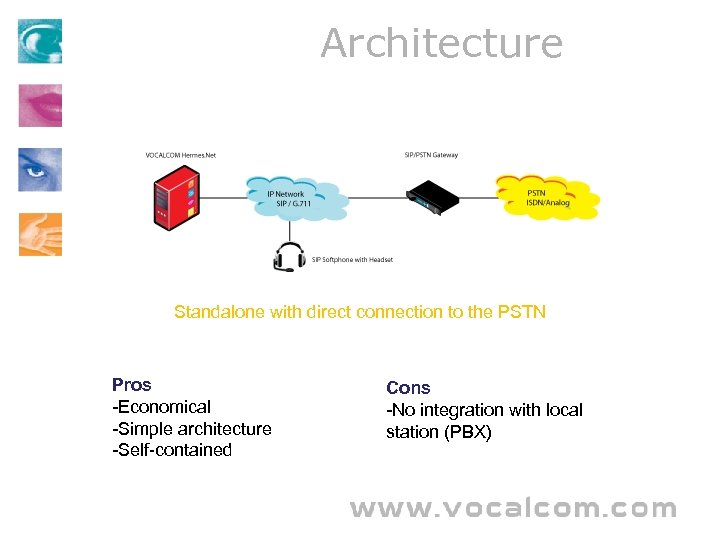 Architecture Standalone with direct connection to the PSTN Pros -Economical -Simple architecture -Self-contained Cons -No integration with local station (PBX)
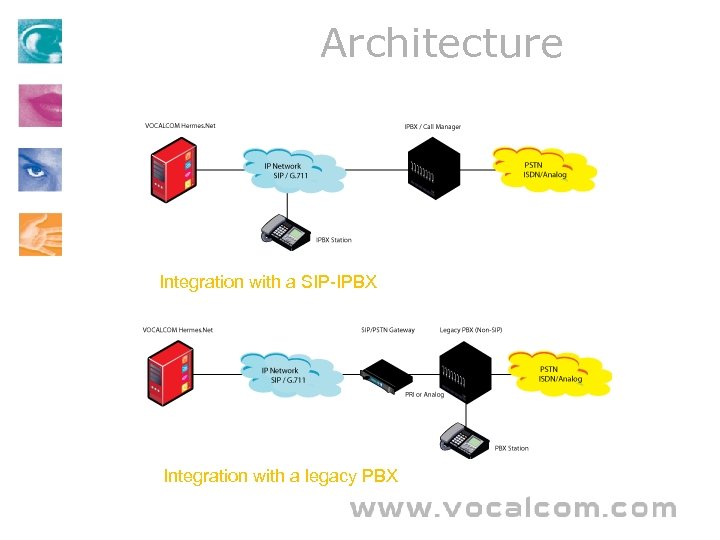 Architecture Integration with a SIP-IPBX Integration with a legacy PBX
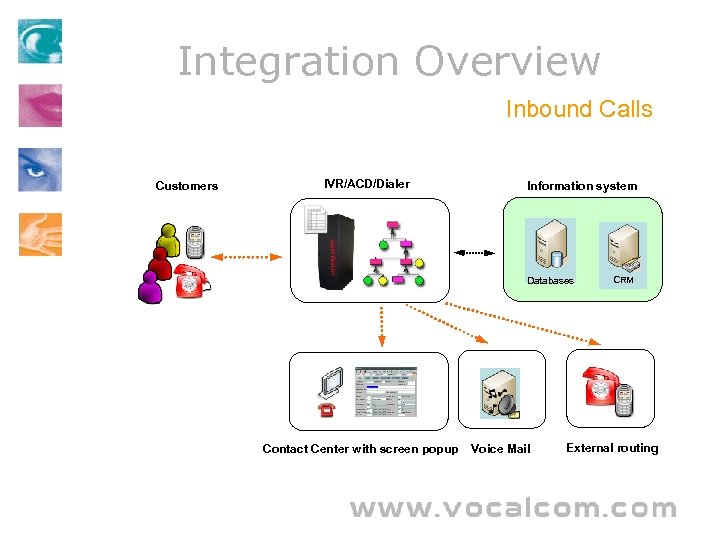 Integration Overview Inbound Calls Customers IVR/ACD/Dialer Information system Databases Contact Center with screen popup Voice Mail CRM External routing
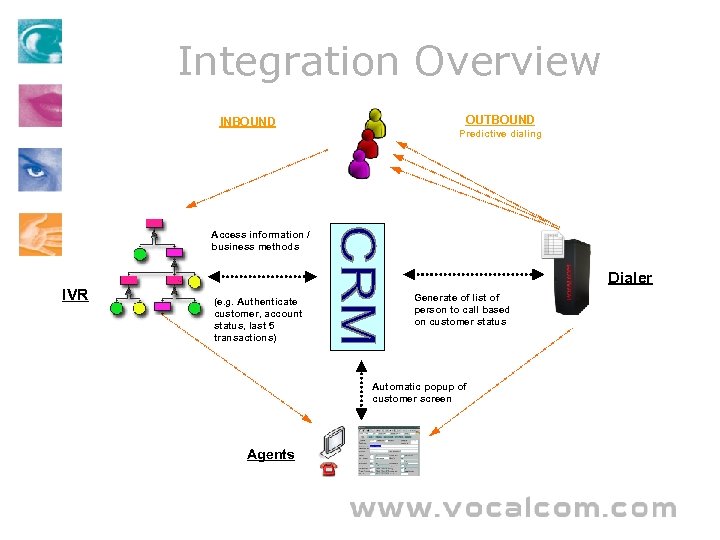 Integration Overview INBOUND OUTBOUND Predictive dialing Access information / business methods IVR Dialer (e. g. Authenticate customer, account status, last 5 transactions) Generate of list of person to call based on customer status Automatic popup of customer screen Agents
 Contact Center 101
 Contact Center From Call Centers to Contact Centers • Traditionally, contact centers have been called call centers. • Call centers have evolved to support a larger range of communication channels than just phone communications. • Contact centers communicate with customers on many medium – – – – • Faxes E-mails Internet chat Web-callback SMS IVR Telephone Every medium is routed like a phone call to the appropriate agent thus optimizing handling time and costs
 Operation Mode Inbound / Outbound There are two main types of operation mode for contact centers. They can either be contacted by customers (Inbound) or contacting customers. (Outbound) Outbound call center Call center services that consist of calls made by a company representative out to customers. Outbound call center calls are primarily telemarketing calls but company may found other purpose to call customers like debt collection or help-desk follow-up. Inbound call center Call center services that support calls received from a customer. Inbound call center calls typically include customer support and help desk calls. Some contact centers works in a mode called blended where the Agents handle both inbound and outbound contacts.
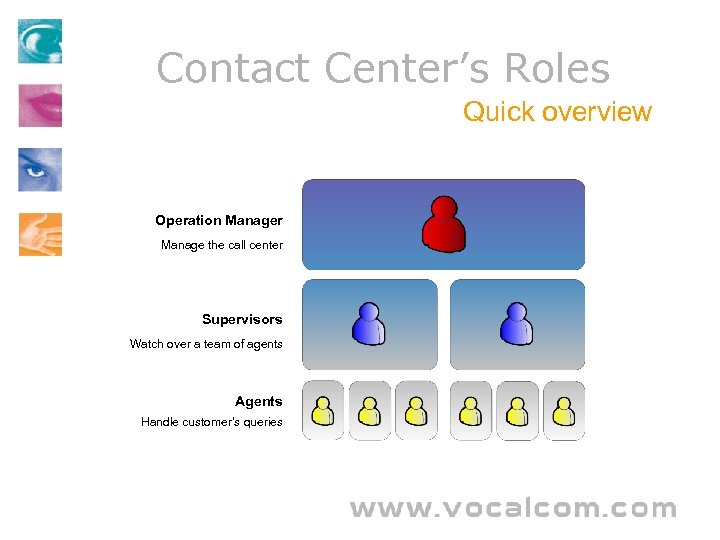 Contact Center’s Roles Quick overview Operation Manager Manage the call center Supervisors Watch over a team of agents Agents Handle customer’s queries
 Contact Center’s Roles Descriptive Overview Those are positions specific to the contact center universe • Agent • Supervisor • Operation Manager Agent or Operator represents more than 90 percent of the workforce of a contact center. They are responsible for handling customer’s queries on every medium available to the contact center. The duties and the level of qualification required will depend on the type of products or services that the organization provides and the type of clients he is servicing. Supervisors, as team leader, have the responsibility to coach agents and monitor the real time operation status of the contact center. Call centre managers are responsible for the daily running and management of a call centre through the effective use of resources ensuring the call center runs smoothly.
 Contact Center 101 Keys for a successful contact center • Productivity & HR Cost – – Flexible workforce management Minimize Workforce • • • – • Minimize Average Handling Time Self Service Optimize processing time Training Customer satisfaction – – – • Competence of staff Time to service / Personalization of service Multiple ways of accessing the service Match Business objectives – Contact center must integrate the company’s processes Tools: Call and media blending, Profile based routing, Predictive dialers, Fully customizable IVR and Scripts, Custom Supervision and Reporting, Automated callbacks, Integration with 3 rd party
 Web Thin-clients Benefits • Save time: by centralizing the software on a single application server, installations, updates and repairs • Lower cost of ownership: sending support staff to individual workstations for updates or repairs is • Respond quicker: as all changes can be carried out in one location, the contact center can respond • Simplify IT management: as it is not necessary to carry out changes, upgrades or installations on • Hardware flexibility: because processing is done on a main server, workstation power is less important • Lower risks: centralized control of an enterprise-wide application improves the application of best • Remote access to data: users can log on from anywhere in the world, simply with a PC with an are done much quicker, resulting in significant time savings. not only time-consuming, but also very expensive. Being able to carry out changes on a single server rather than on each workstation separately, results into a substantial lowering of costs. much faster to changing conditions. Responsiveness is a key success factor in the contact center. individual pc’s, IT management becomes much more straightforward. Furthermore, one central application server means better control over all applications the users can access. than in a client/server network, thus reducing the need to continually upgrade hardware. practices and reduces risks because all control is in the hands of a centralized authority. This also includes lower risks for failures, viruses, and so on. Internet connection. It is especially useful for companies who decide to delocalize or decentralize their contact centers or employ home workers or tele-workers.
 Screen-Shots