 Скачать презентацию Classes and Objects Wanda Dann wpdann andrew cmu edu
de1bb830125d30df5d5ecfafcfff61ab.ppt
- Количество слайдов: 17



Classes and Objects Wanda Dann wpdann@andrew. cmu. edu Don Slater dslater@cmu. edu Copyright 2012 Wanda Dann, Don Slater All rights reserved
Alice Environment Scene Editor Code Editor Classes Objects Copyright 2012 Wanda Dann, Don Slater All rights reserved
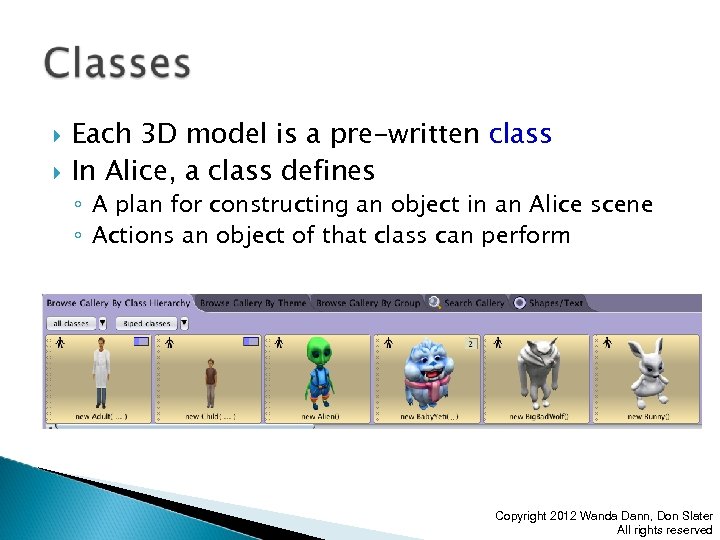
Each 3 D model is a pre-written class In Alice, a class defines ◦ A plan for constructing an object in an Alice scene ◦ Actions an object of that class can perform Copyright 2012 Wanda Dann, Don Slater All rights reserved
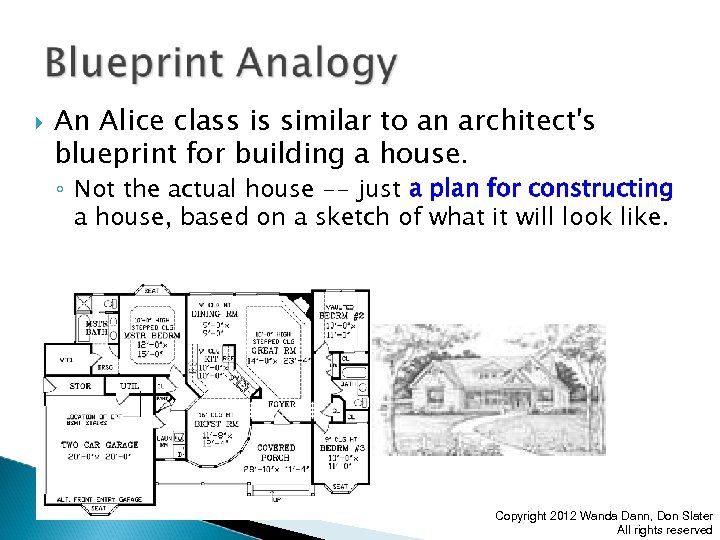
An Alice class is similar to an architect's blueprint for building a house. ◦ Not the actual house -- just a plan for constructing a house, based on a sketch of what it will look like. Copyright 2012 Wanda Dann, Don Slater All rights reserved
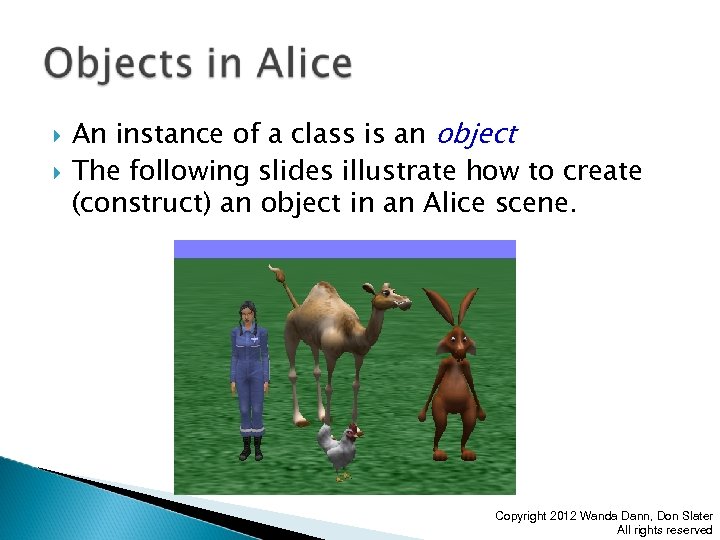
An instance of a class is an object The following slides illustrate how to create (construct) an object in an Alice scene. Copyright 2012 Wanda Dann, Don Slater All rights reserved
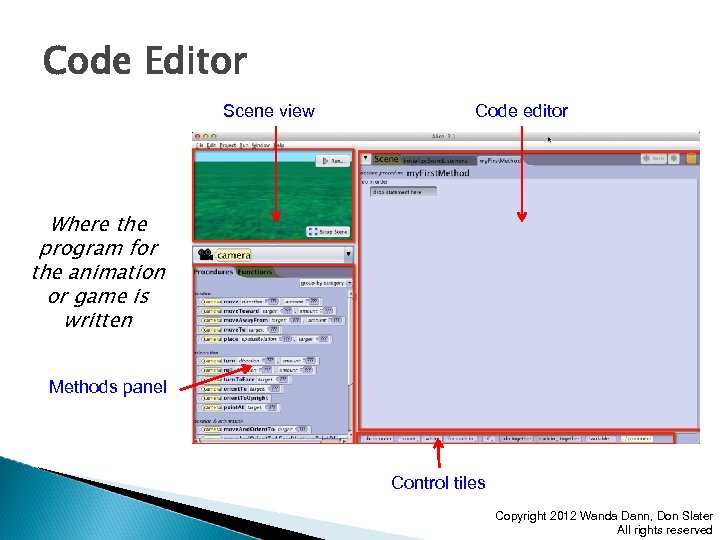
Code Editor Scene view Code editor Where the program for the animation or game is written Methods panel Control tiles Copyright 2012 Wanda Dann, Don Slater All rights reserved
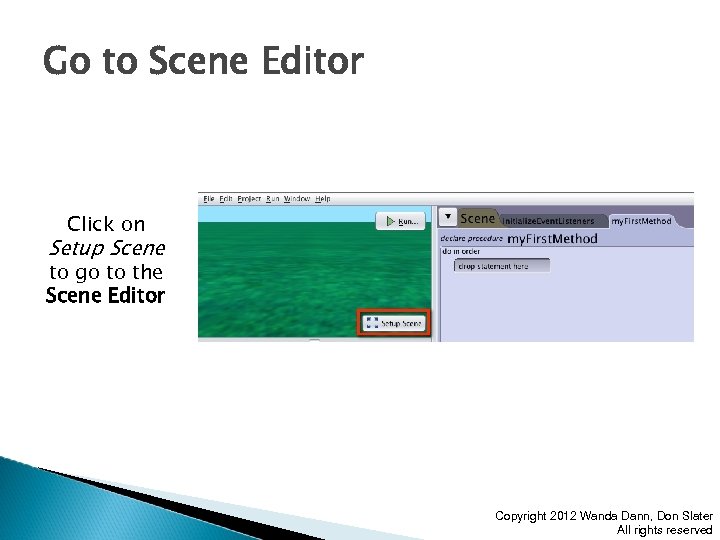
Go to Scene Editor Click on Setup Scene to go to the Scene Editor Copyright 2012 Wanda Dann, Don Slater All rights reserved
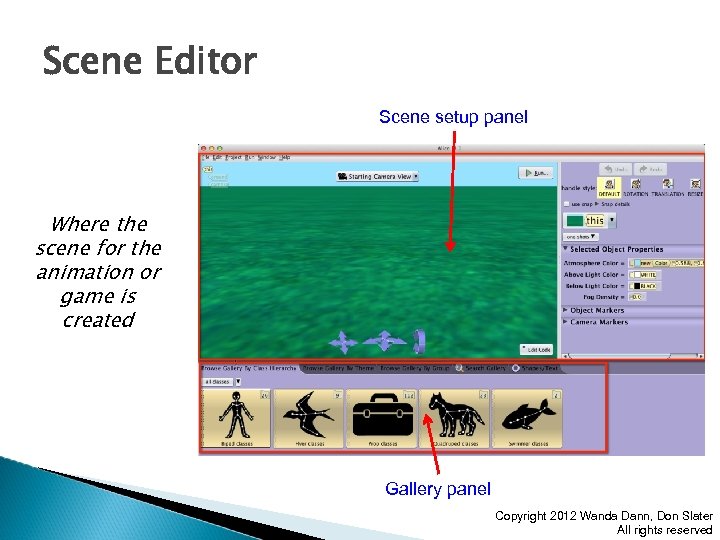
Scene Editor Scene setup panel Where the scene for the animation or game is created Gallery panel Copyright 2012 Wanda Dann, Don Slater All rights reserved
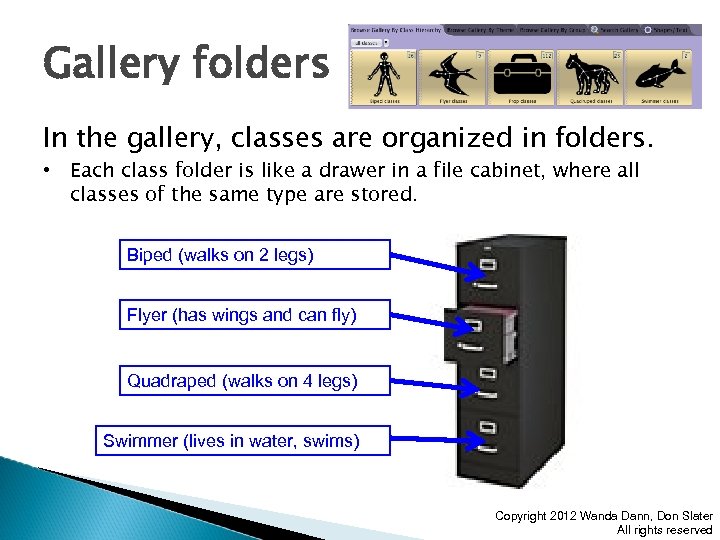
Gallery folders In the gallery, classes are organized in folders. • Each class folder is like a drawer in a file cabinet, where all classes of the same type are stored. Biped (walks on 2 legs) Flyer (has wings and can fly) Quadraped (walks on 4 legs) Swimmer (lives in water, swims) Copyright 2012 Wanda Dann, Don Slater All rights reserved
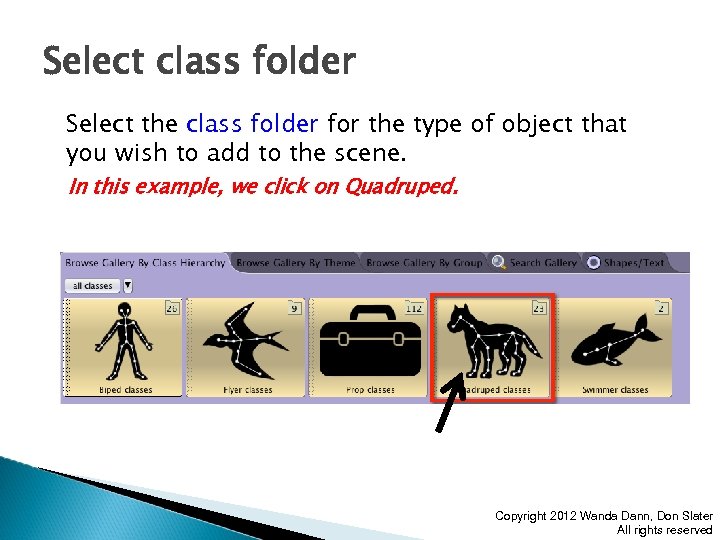
Select class folder Select the class folder for the type of object that you wish to add to the scene. In this example, we click on Quadruped. Copyright 2012 Wanda Dann, Don Slater All rights reserved
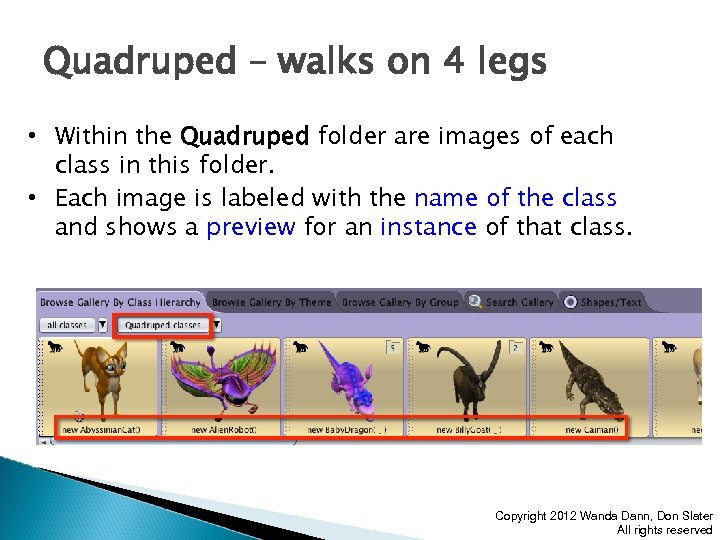
Quadruped – walks on 4 legs • Within the Quadruped folder are images of each class in this folder. • Each image is labeled with the name of the class and shows a preview for an instance of that class. Copyright 2012 Wanda Dann, Don Slater All rights reserved
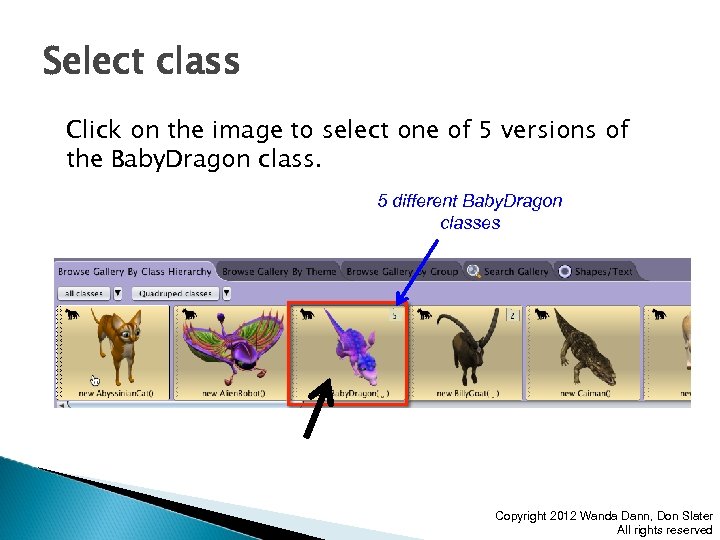
Select class Click on the image to select one of 5 versions of the Baby. Dragon class. 5 different Baby. Dragon classes Copyright 2012 Wanda Dann, Don Slater All rights reserved
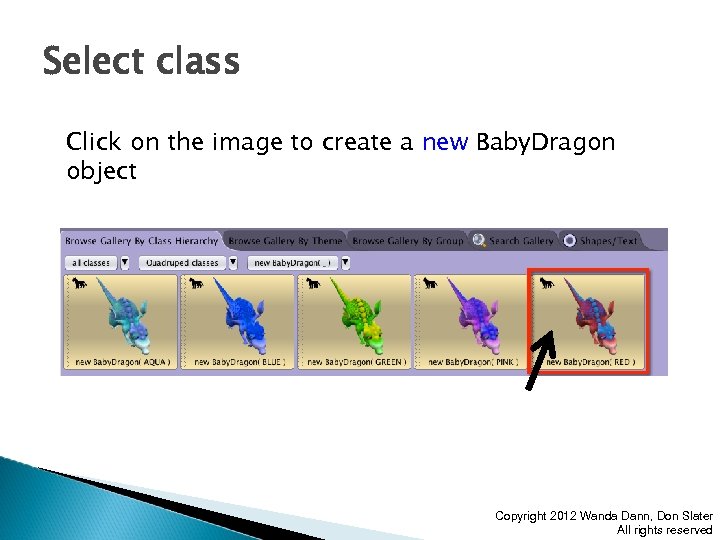
Select class Click on the image to create a new Baby. Dragon object Copyright 2012 Wanda Dann, Don Slater All rights reserved
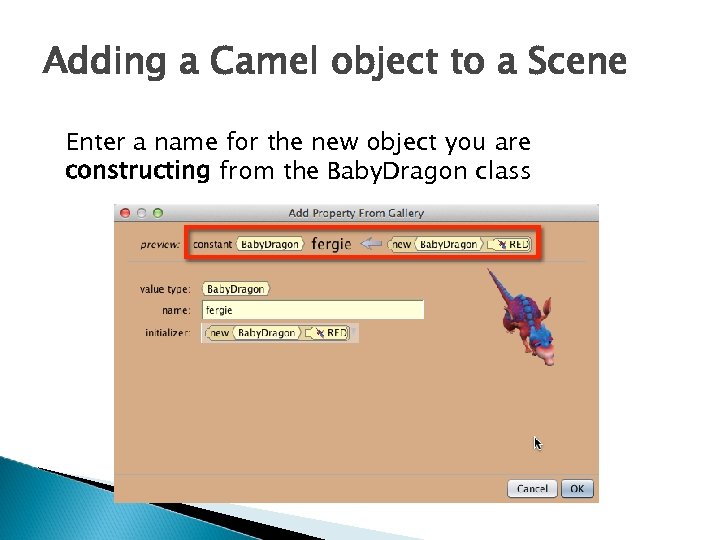
Adding a Camel object to a Scene Enter a name for the new object you are constructing from the Baby. Dragon class
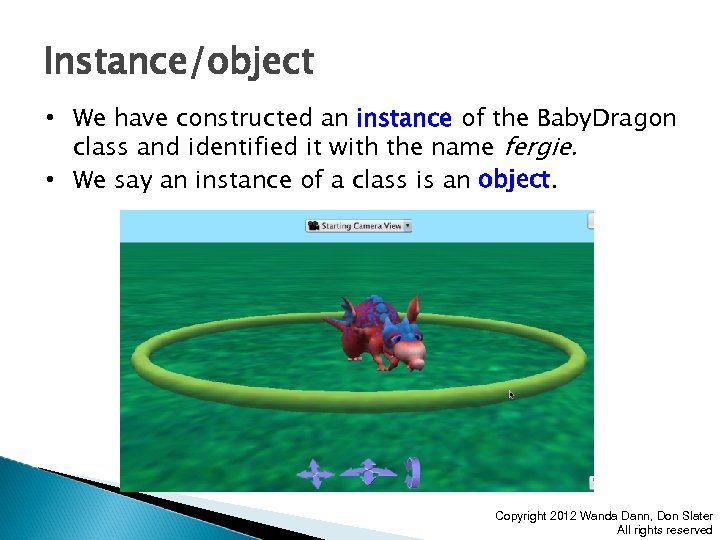
Instance/object • We have constructed an instance of the Baby. Dragon class and identified it with the name fergie. • We say an instance of a class is an object. Copyright 2012 Wanda Dann, Don Slater All rights reserved
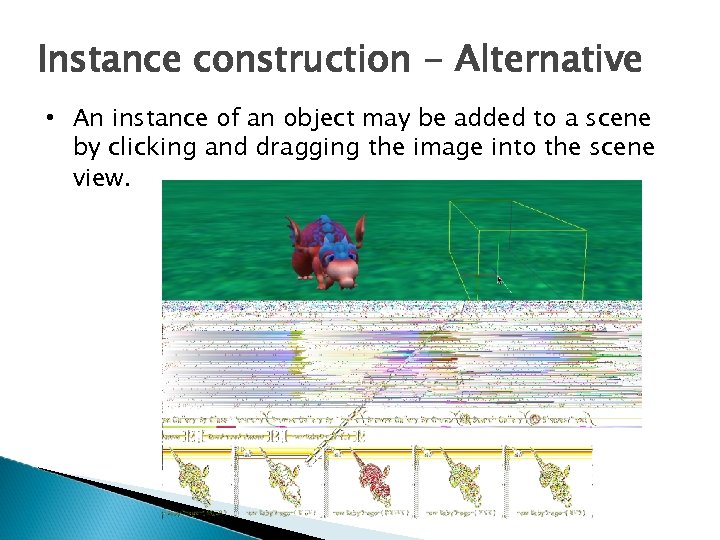
Instance construction - Alternative • An instance of an object may be added to a scene by clicking and dragging the image into the scene view.
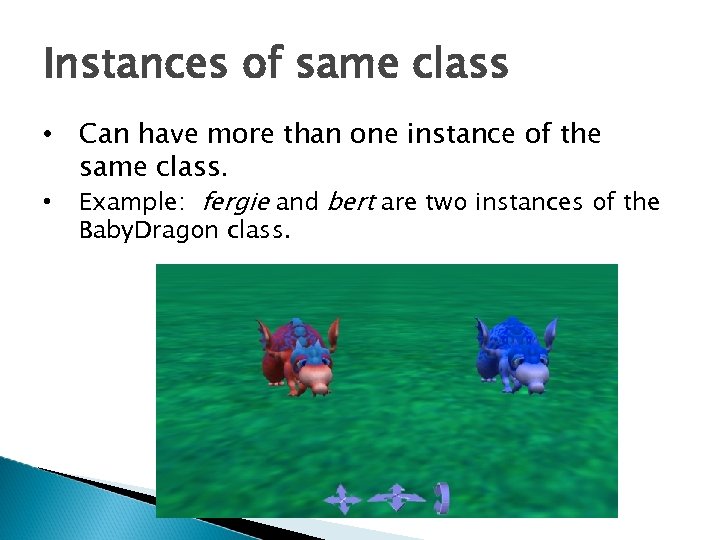
Instances of same class • Can have more than one instance of the same class. • Example: fergie and bert are two instances of the Baby. Dragon class.
Скачать презентацию Classes and Objects Wanda Dann wpdann andrew cmu edu
de1bb830125d30df5d5ecfafcfff61ab.ppt