


 Скачать презентацию Clap On Clap Off Introductory Presentation Opening
8946e3e6caafa6b3b4fd6634b84d5029.ppt
- Количество слайдов: 18
 Clap On, Clap Off Introductory Presentation
 Opening Activity What is a sensor? Can you give examples? ?
 Opening Activity A sensor is something that receives and responds to stimuli. If the sensor is an electrical device, it can do things like measure temperature, volume, etc. Examples: Eyes Ears Motion sensor (turns on your lights at your house) Clap-on lights Thermostat
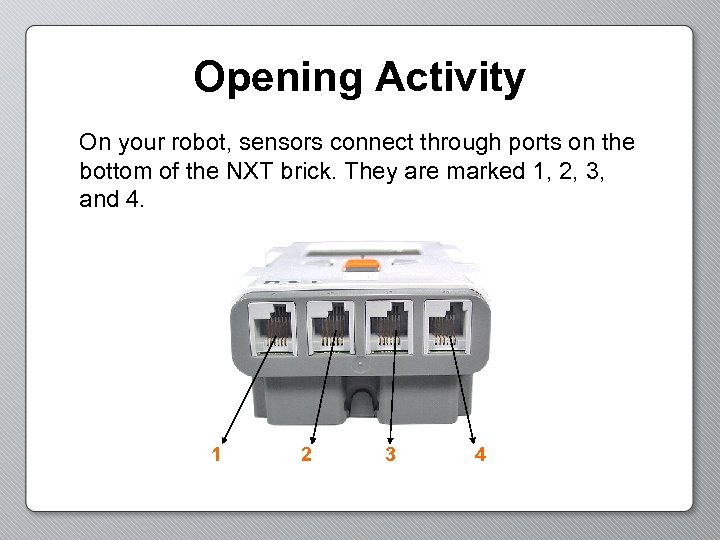 Opening Activity On your robot, sensors connect through ports on the bottom of the NXT brick. They are marked 1, 2, 3, and 4. 1 2 3 4
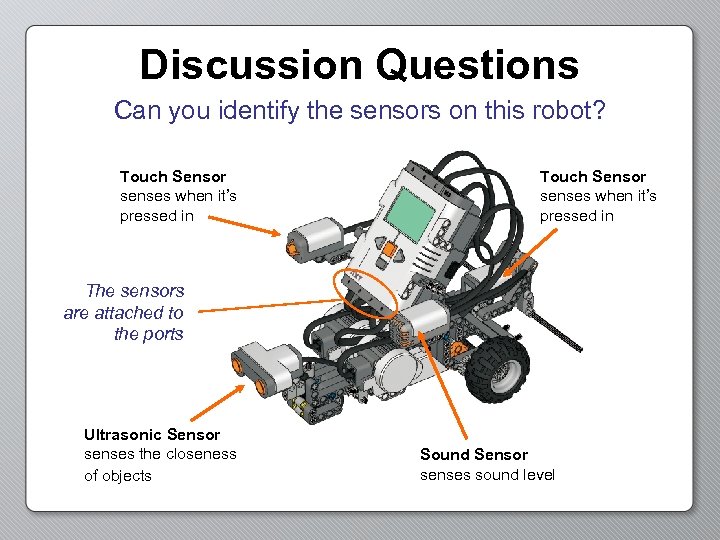 Discussion Questions Can you identify the sensors on this robot? Touch Sensor senses when it’s pressed in The sensors are attached to the ports Ultrasonic Sensor senses the closeness of objects Sound Sensor senses sound level
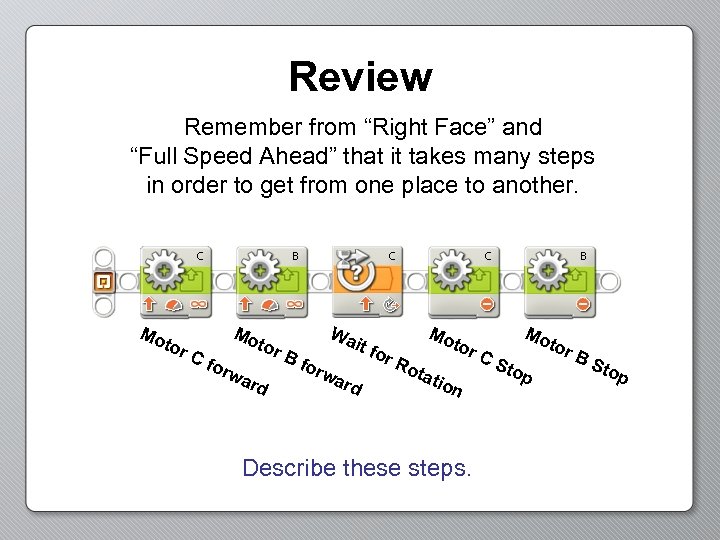 Review Remember from “Right Face” and “Full Speed Ahead” that it takes many steps in order to get from one place to another. Mo tor Cf Mo orw tor ard Bf Wa it f orw or ard Mo Ro tor tat io n Describe these steps. Mo CS top tor BS top
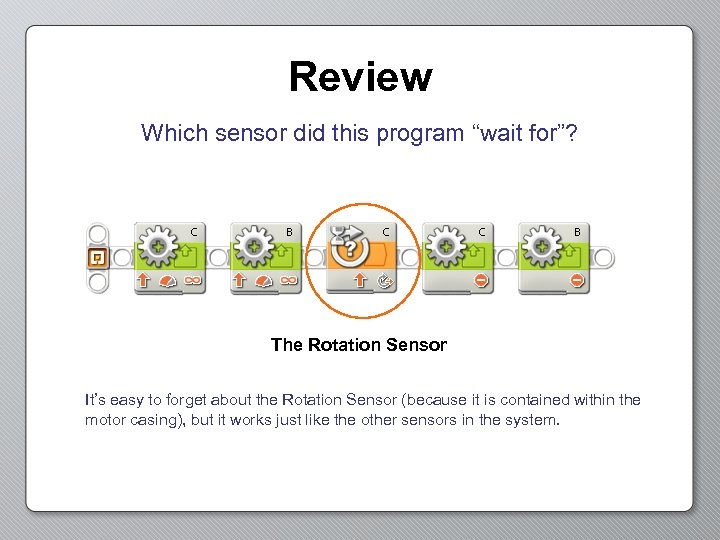 Review Which sensor did this program “wait for”? The Rotation Sensor It’s easy to forget about the Rotation Sensor (because it is contained within the motor casing), but it works just like the other sensors in the system.
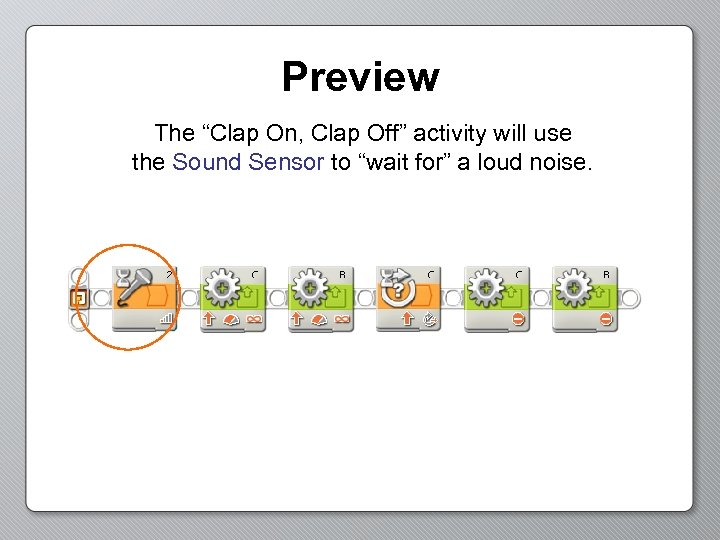 Preview The “Clap On, Clap Off” activity will use the Sound Sensor to “wait for” a loud noise.
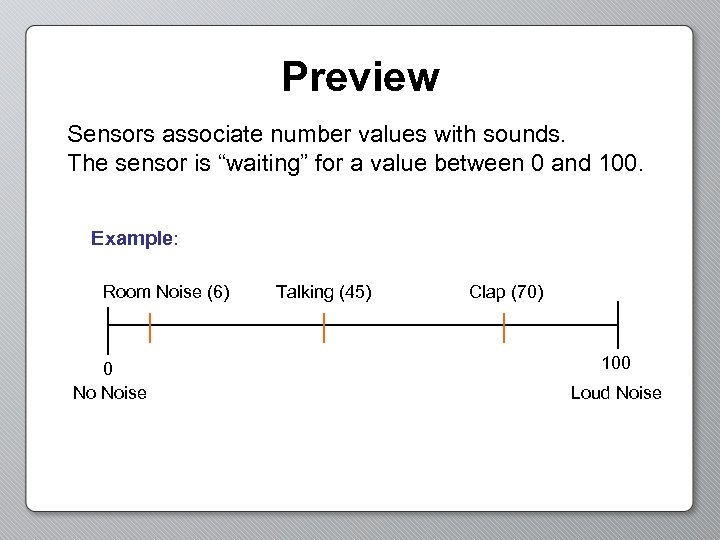 Preview Sensors associate number values with sounds. The sensor is “waiting” for a value between 0 and 100. Example: Room Noise (6) 0 No Noise Talking (45) Clap (70) 100 Loud Noise
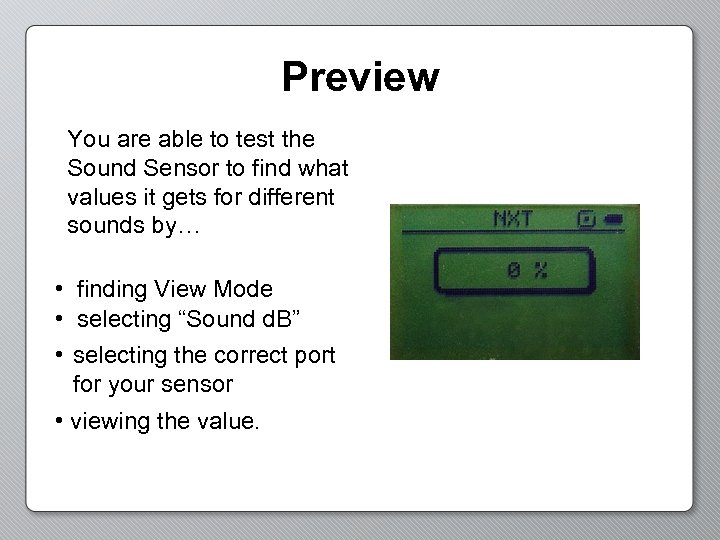 Preview You are able to test the Sound Sensor to find what values it gets for different sounds by… • finding View Mode • selecting “Sound d. B” • selecting the correct port for your sensor • viewing the value.
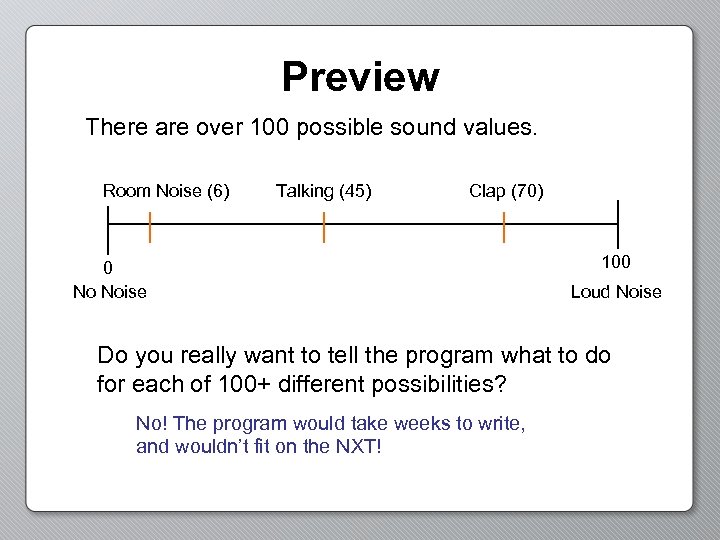 Preview There are over 100 possible sound values. Room Noise (6) Talking (45) Clap (70) 0 No Noise 100 Loud Noise Do you really want to tell the program what to do for each of 100+ different possibilities? No! The program would take weeks to write, and wouldn’t fit on the NXT!
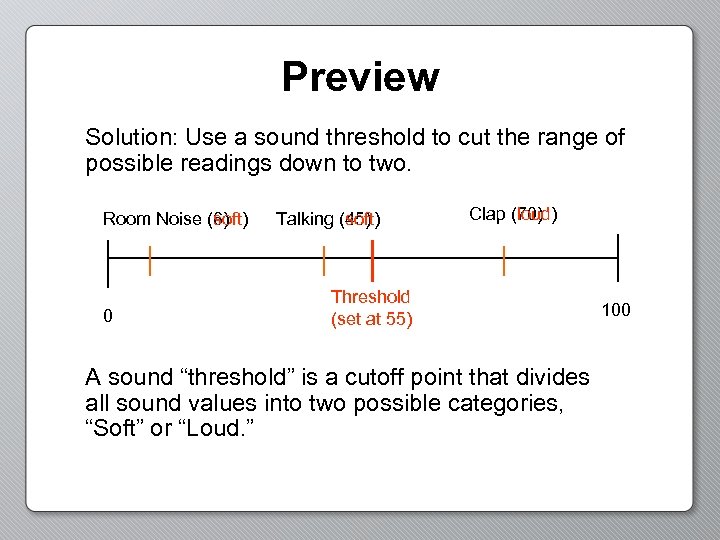 Preview Solution: Use a sound threshold to cut the range of possible readings down to two. Room Noise (6) (soft) 0 Talking (45) (soft) Clap (loud) (70) Threshold (set at 55) A sound “threshold” is a cutoff point that divides all sound values into two possible categories, “Soft” or “Loud. ” 100
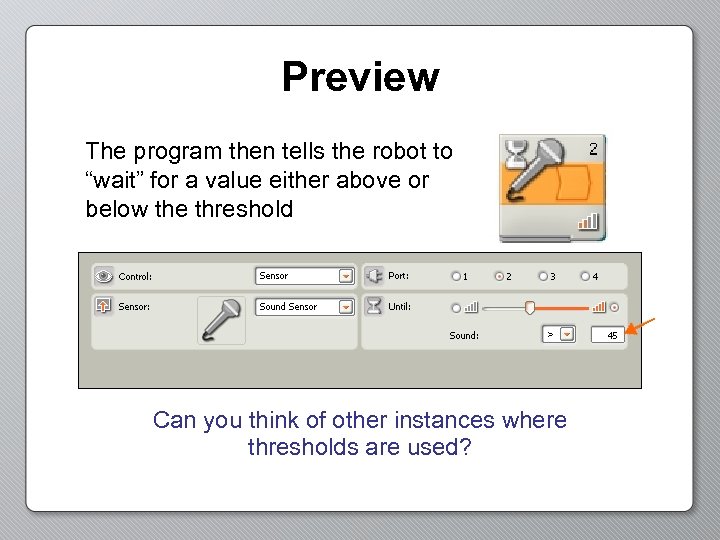 Preview The program then tells the robot to “wait” for a value either above or below the threshold Can you think of other instances where thresholds are used?
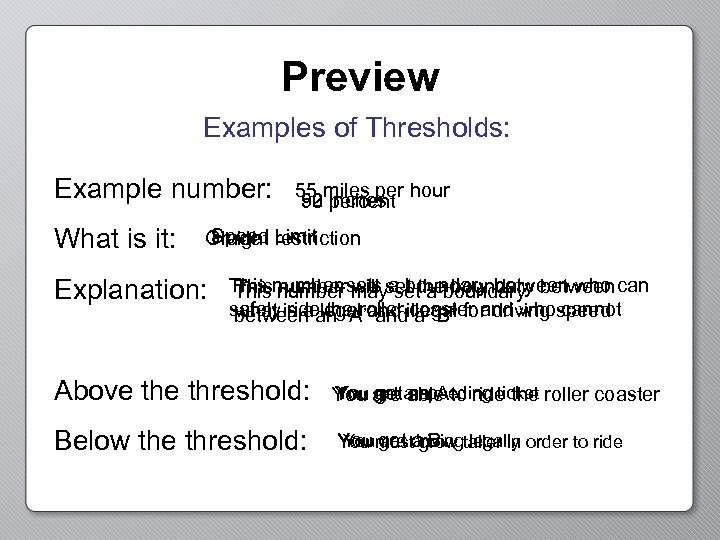 Preview Examples of Thresholds: Example number: What is it: 55 miles per hour 52 inches 90 percent Speed Limit Grade restriction Height Explanation: This number sets set theboundary between can This number will set a boundary This number maya boundary between who safely is a an “A”and illegal for driving speed what ride the and a “B” between legalroller coaster and who cannot Above threshold: Below the threshold: You get an A You get able to ride the You are a speeding ticket roller coaster You mustdrivingtaller in order to ride You are grow legally You get a B
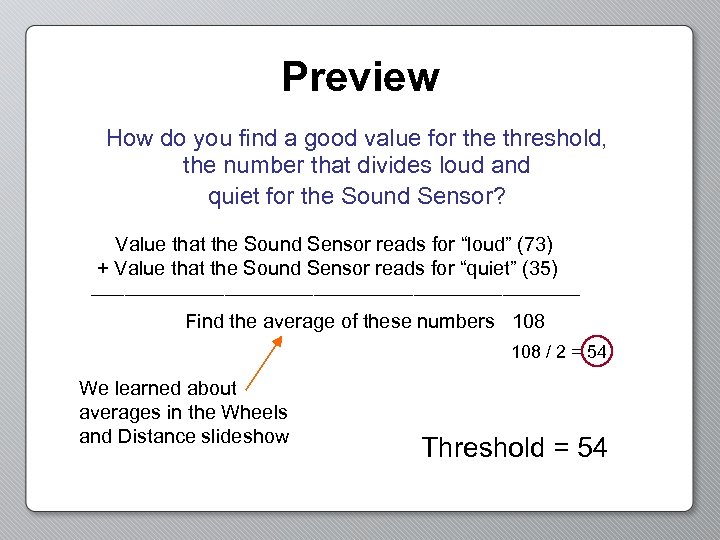 Preview How do you find a good value for the threshold, the number that divides loud and quiet for the Sound Sensor? Value that the Sound Sensor reads for “loud” (73) + Value that the Sound Sensor reads for “quiet” (35) ______________________ Find the average of these numbers 108 / 2 = 54 We learned about averages in the Wheels and Distance slideshow Threshold = 54
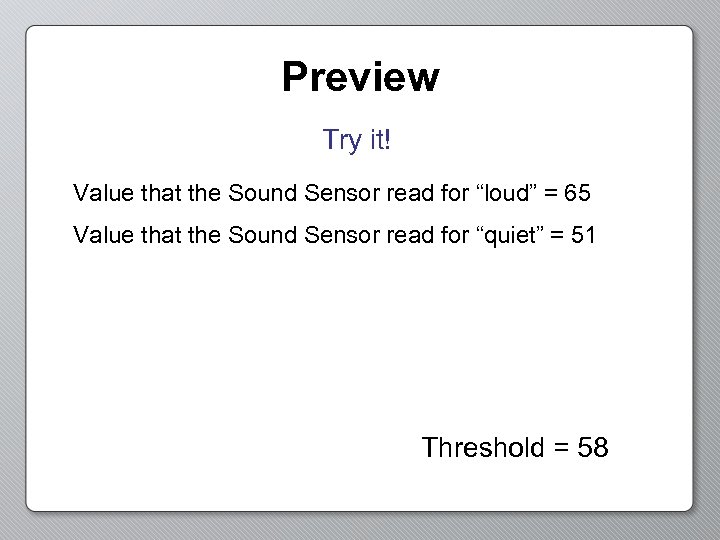 Preview Try it! Value that the Sound Sensor read for “loud” = 65 Value that the Sound Sensor read for “quiet” = 51 Threshold = 58
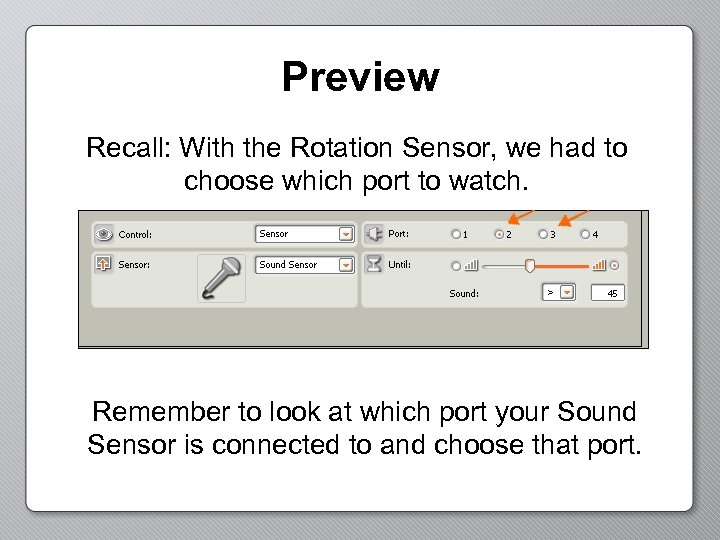 Preview Recall: With the Rotation Sensor, we had to choose which port to watch. Remember to look at which port your Sound Sensor is connected to and choose that port.
 Good Luck! Now you have the necessary knowledge to get started in the Clap On, Clap Off Activity.