


 Скачать презентацию City of Yakima Washington 911 CAD AVL GPS Applications Tom
b302141e9845bf0428f2b7db8573c9bf.ppt
- Количество слайдов: 66
 City of Yakima, Washington 911 CAD/AVL/GPS Applications Tom Sellsted – Supervising Senior Analyst
 Information About Yakima, WA § Located in Central Washington § Agriculturally Based – Apples, Pears, Soft Fruits, Hops and Livestock § Area Climate – Semi-arid – 8 inches of rain – 300+days of sunshine § Population Statistics – Yakima – 81, 000 – Urban Area - 115, 000 – Yakima County – 215, 000
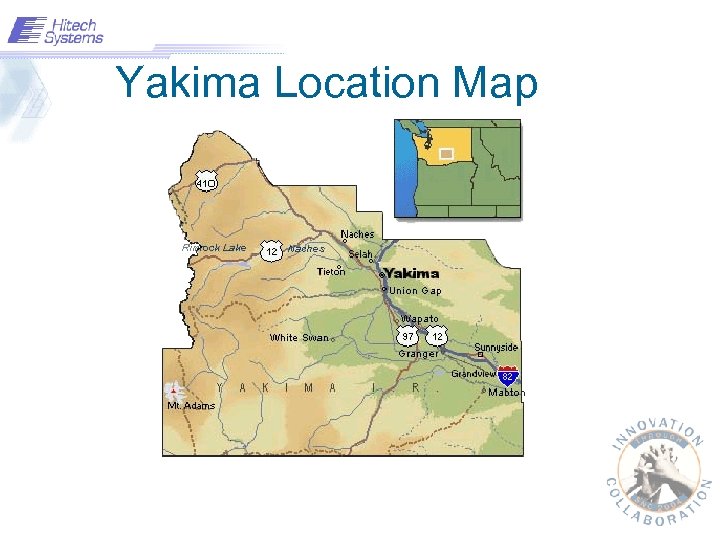 Yakima Location Map
 Dispatch Information § Calls taken in 2003 – Police calls – 86, 897 – Fire calls – 13, 314 – 911 calls – 131, 592
 Objectives § § § GIS Basics Geo-coding AVL Server Concepts Unit Recommendation Concepts Dispatch Mapping (Cad. GIS)
 A Definition of GIS is a System of computer software, hardware and data, and personnel to help manipulate, analyze and present information that is tied to a spatial location – • spatial location – usually a geographic location • information – visualization of analysis of data • system – linking software, hardware, data • personnel – a thinking explorer who is key to the power of GIS
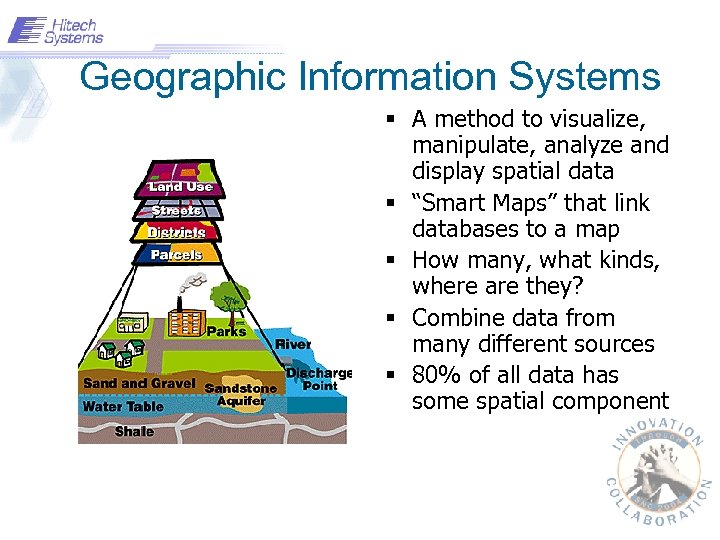 Geographic Information Systems § A method to visualize, manipulate, analyze and display spatial data § “Smart Maps” that link databases to a map § How many, what kinds, where are they? § Combine data from many different sources § 80% of all data has some spatial component
 Data – Data § Location Data – How many – What kind – Where § Scale of Data – Local to Global § Data Presentation – Words, Charts, Graphs, Tables or Maps Exploring Data with GIS turns data into Information into knowledge
 What is NOT GIS… § GPS – Global Positioning System § A Static Map – Paper or Digital – Maps are often a product of GIS – A way to visualize the Analysis § A Software Package
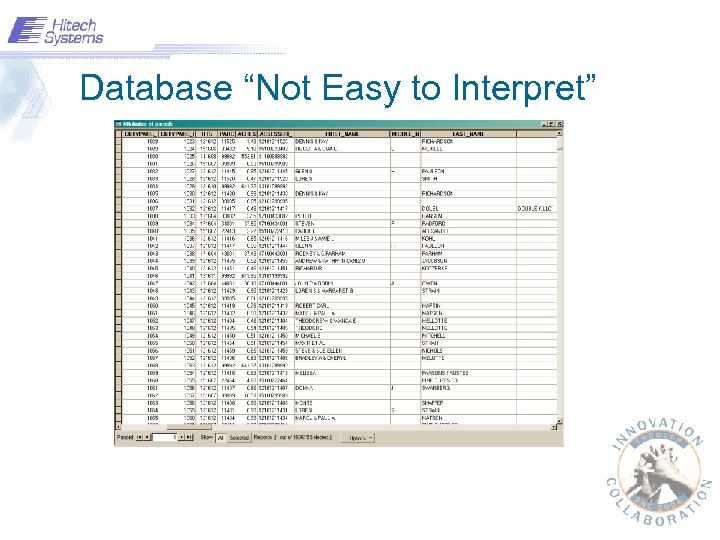 Database “Not Easy to Interpret”
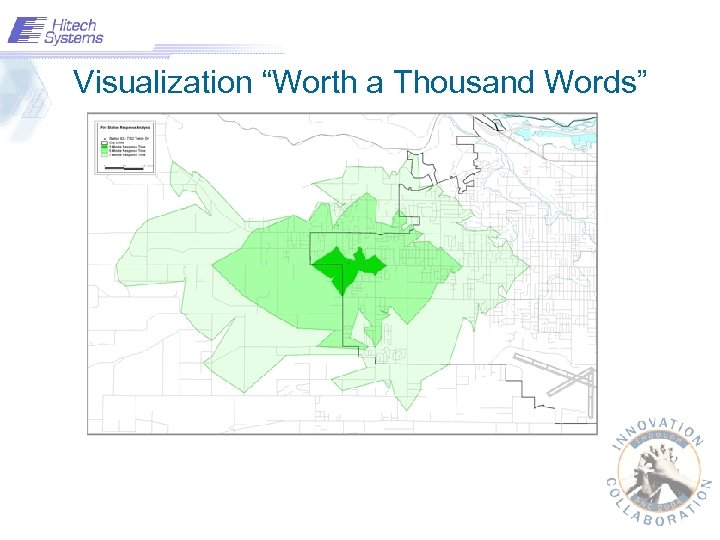 Visualization “Worth a Thousand Words”
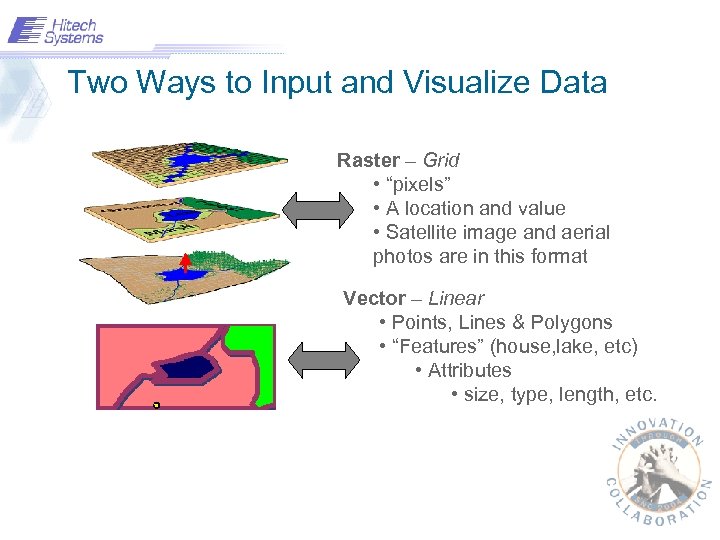 Two Ways to Input and Visualize Data Raster – Grid • “pixels” • A location and value • Satellite image and aerial photos are in this format Vector – Linear • Points, Lines & Polygons • “Features” (house, lake, etc) • Attributes • size, type, length, etc.
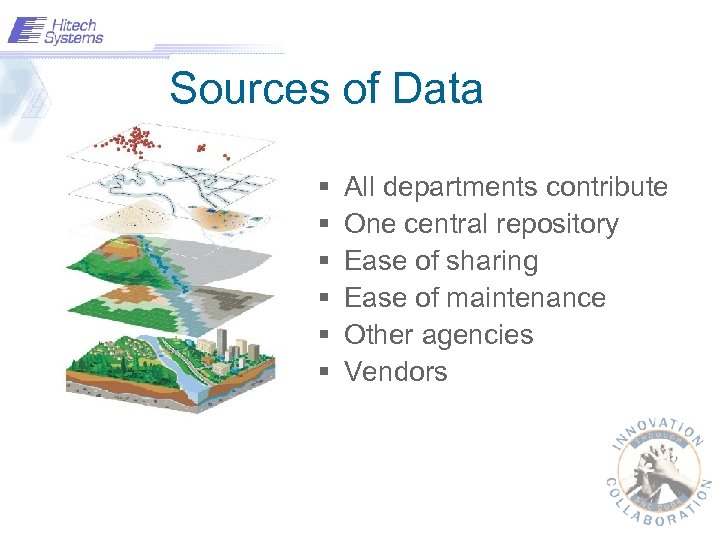 Sources of Data § § § All departments contribute One central repository Ease of sharing Ease of maintenance Other agencies Vendors
 Geographic Inquiry means delving into § § § Knowing where Seeing Patterns Finding Relationships Querying Geography Monitoring Change Linking Observation and Research
 Introduction to Geocoding
 Geocoding Primer § Each line has specific attributes § Line direction is important § Use accurate address ranges to prevent stacking § Interpolation is used for placement of approximate address
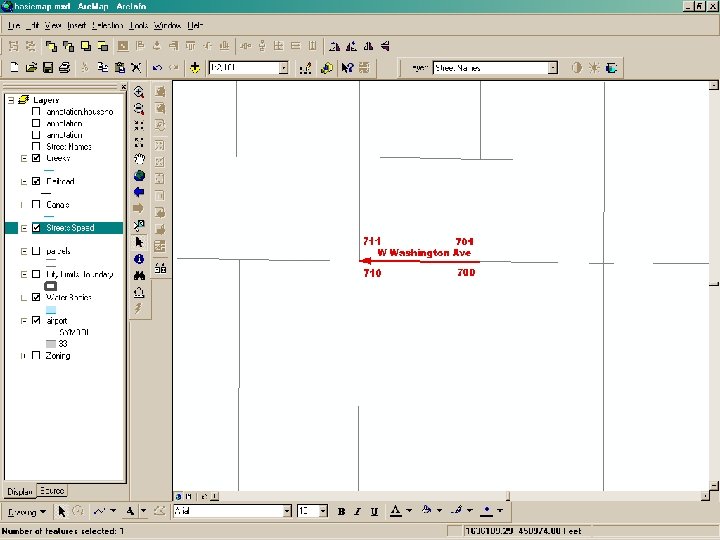 Geocoding Slide Demo
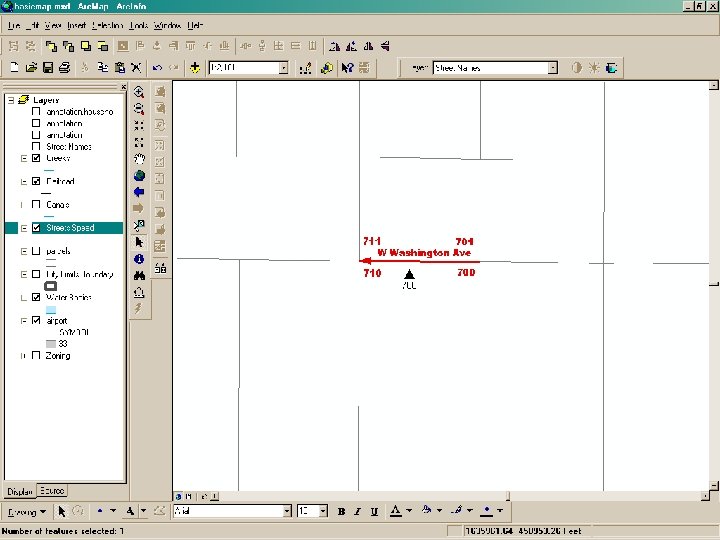 Geocoding Slide Demo II
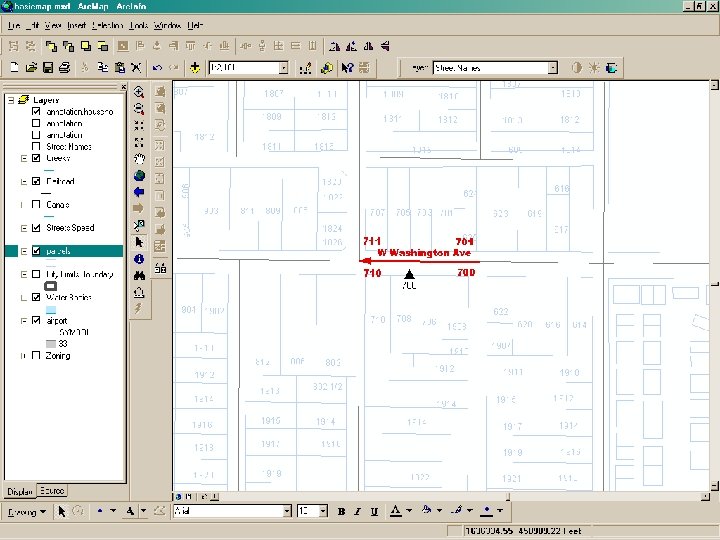 Geocoding Slide Demo III
 Adding other attributes… § § Maintain Area, District, Beat, etc… Done to minimize maintenance One file to import Two passes through one file – for hundred block – for intersection § Zip codes versus Jurisdictions
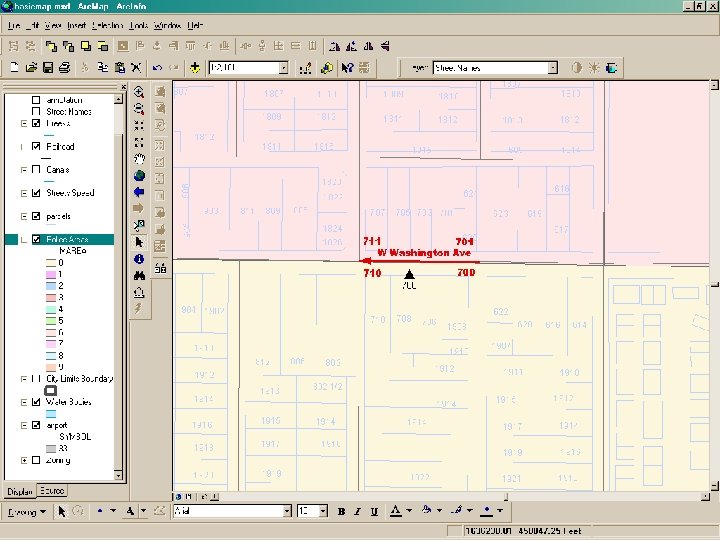 Police Districts
 Using GIS to Update the Safety. Net CAD Geofile
 CAD GEOFILE GIS Interface § Originally tried to match events – Poor match rate 50 -60% – Inconsistent addresses – Spatial and tabular alignment necessary
 CAD GEOFILE GIS Interface (contd) § Street Centerlines used to update GEOFILE – Contains address ranges and area/district information – Key to standardizing addresses – Improves quality of spatial and tabular data – Get 99. 5% match rate – Improves quality of other geocoding applications – Simplest way to turn tabular data into spatial data
 Updating the Geofile things to be aware of… § Does not delete records § Intersections – 2 way vs 3 way – Matching nodes create intersections § Change in the beginning block number creates a new Geofile record. – May be overlapping § Does not change “AD” types § BOLO verify to HB § AD verified to HB Continued…
 Things to be aware of… continued § Modifying AD – does not check to HB for area, district, beat, zip code…
 Updating the Geofile § Still do manual corrections but then update the street centerlines § Somewhat manual process – hope to fully integrate § Very quick to update when boundaries change
 How do you get started? § Street Centerlines are a must – Several Vendors sell accurate streets files § Mark Boundaries for beats, areas districts etc… § Match against current events § Make corrections as necessary
 Geocoding Conclusions… § Simplified from our first methodology § Build a better match rate the is constantly improving § Changing area, district, beat boundaries is visual and much simpler § Improved quality for other geocoding applications § Not as scary as it might sound
 Automated Vehicle Locations § § Need to have accurate ambulance locations Uses CDPD communication technology GPS option was inexpensive GPS Accuracy – +/- 15 foot position quality – Differential Corrections not necessary – Do. D Selective Availability § Easy to setup each vehicle. § Side benefits: Unit recommendation, unit/event analysis, and pursuit path analyses
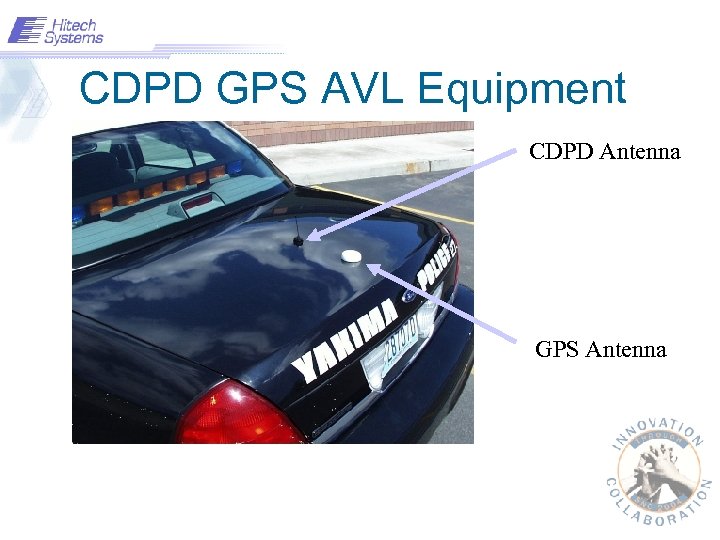 CDPD GPS AVL Equipment CDPD Antenna GPS Antenna
 AVL Server § § § Single, central application Receives and processes all GPS messages Displays GPS status of units Allows for configuration of units remotely Forwards location information to CAD server and other locations if needed.
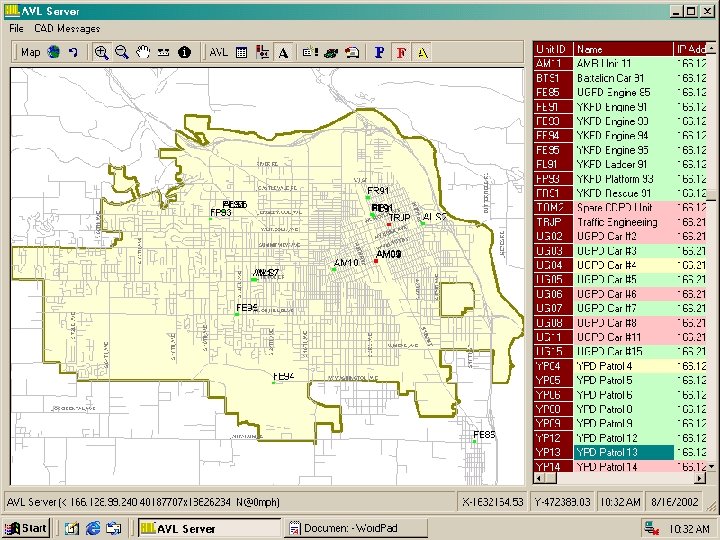 AVL Server
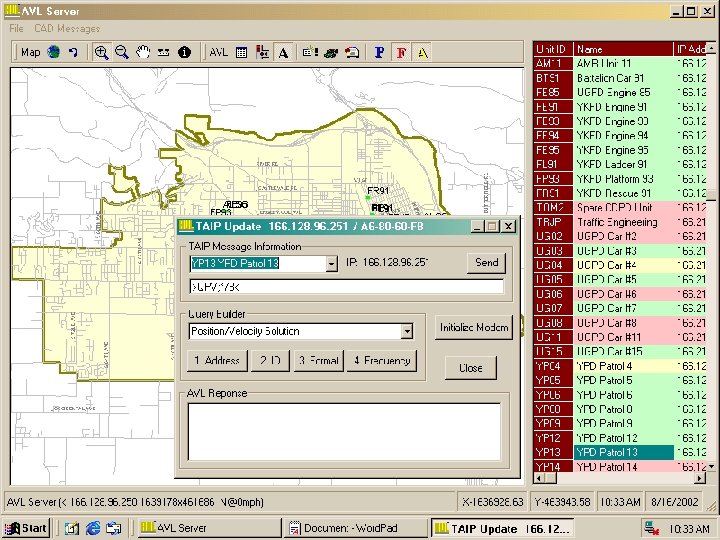 AVL TAIP
 Unit Recommendations § Methods of choosing which vehicles to send to an event: – General Area – Proximity to an event – Modeled impedance and route
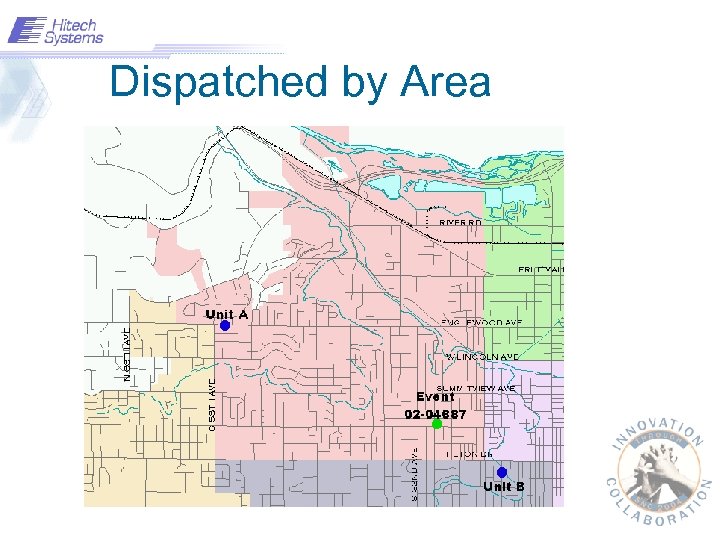 Dispatched by Area
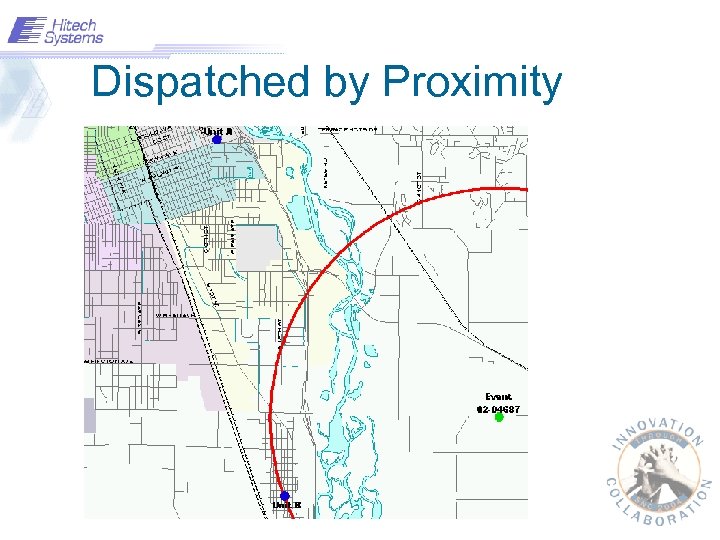 Dispatched by Proximity
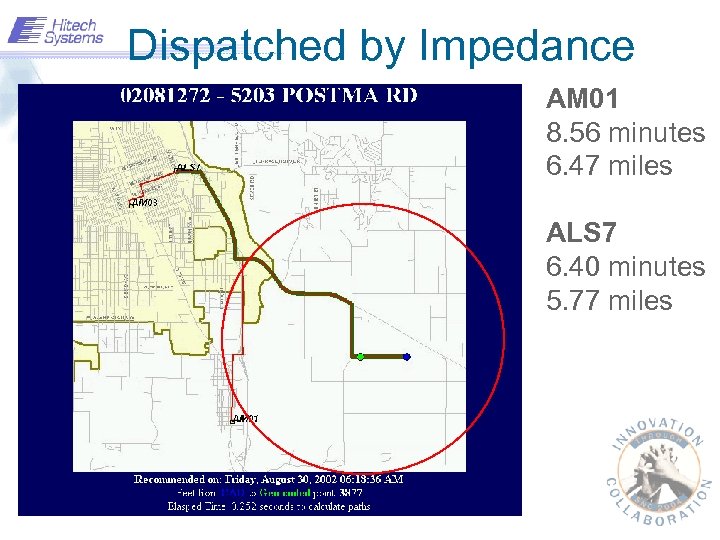 Dispatched by Impedance AM 01 8. 56 minutes 6. 47 miles ALS 7 6. 40 minutes 5. 77 miles
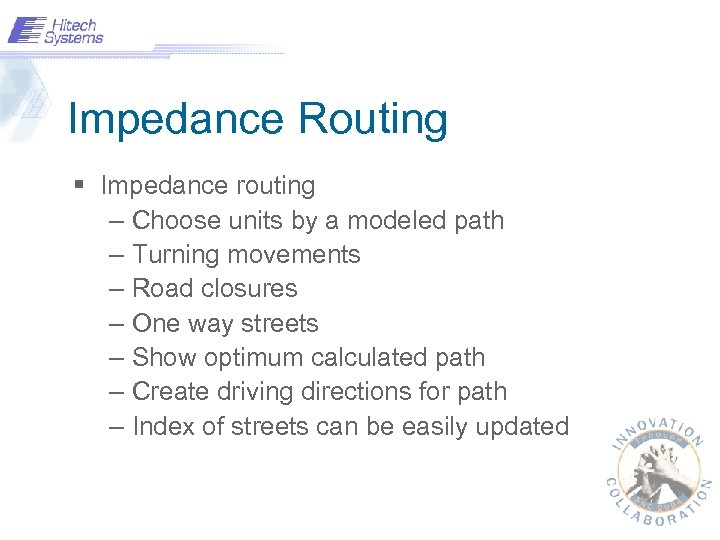 Impedance Routing § Impedance routing – Choose units by a modeled path – Turning movements – Road closures – One way streets – Show optimum calculated path – Create driving directions for path – Index of streets can be easily updated
 Safety. Net Interface § CAD Queries – Travel times for a number of units to an address – Driving directions for a unit to an address – Address based on vehicle’s position – Open and closing of streets
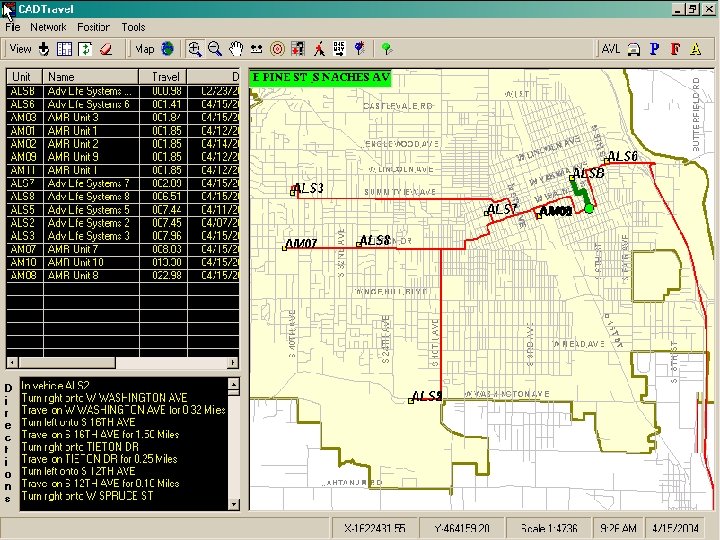 CADTravel
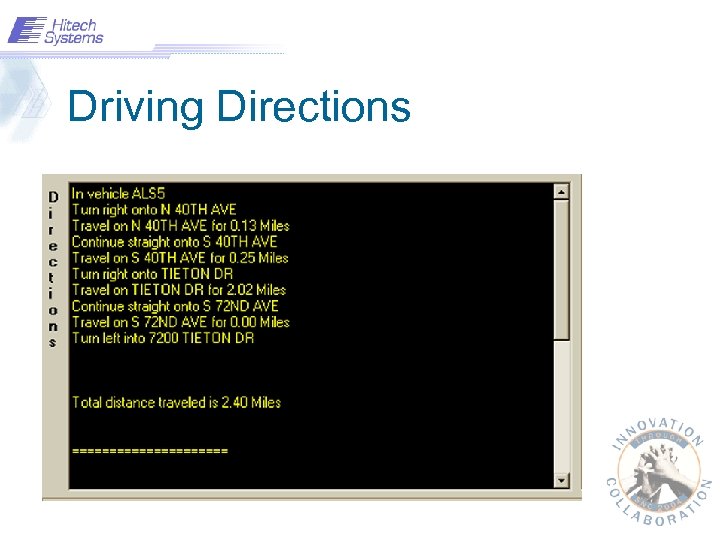 Driving Directions
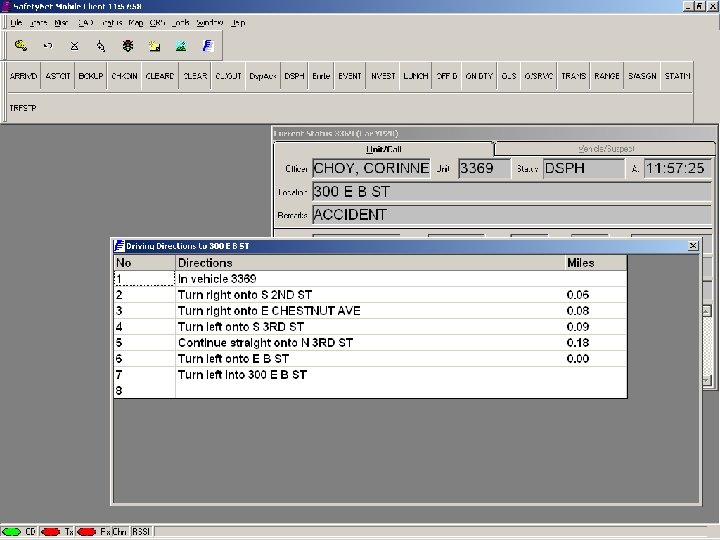 Driving Directions II
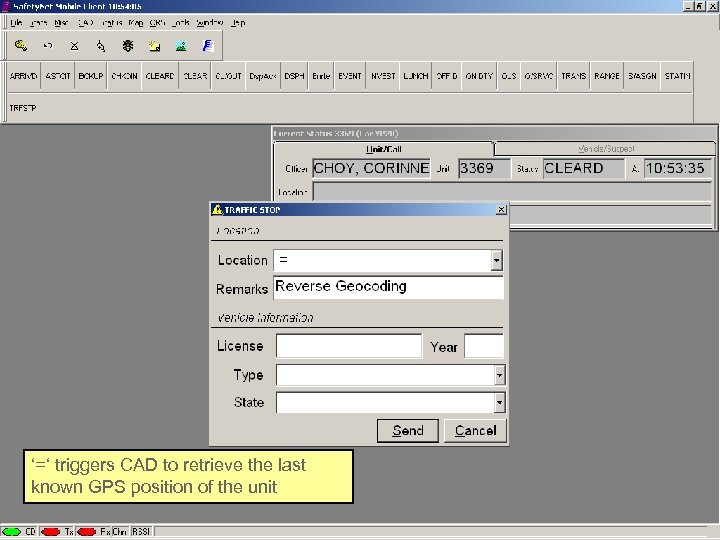 Reverse Geo-coding ‘=‘ triggers CAD to retrieve the last known GPS position of the unit
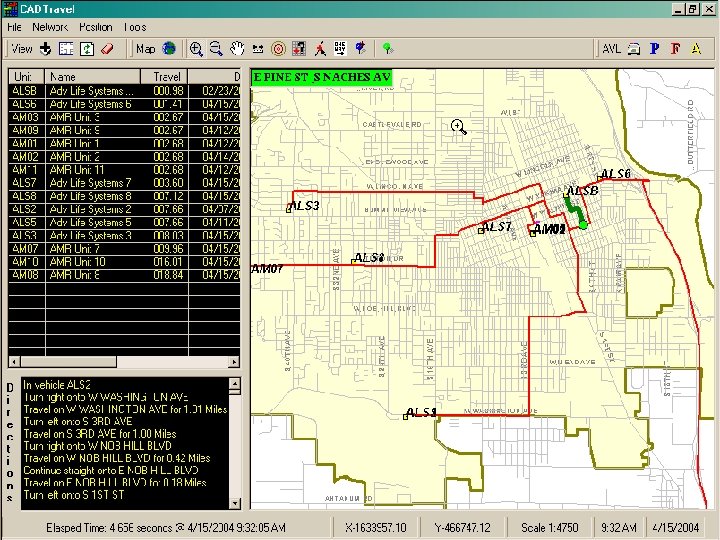 CADTravel Road Closure
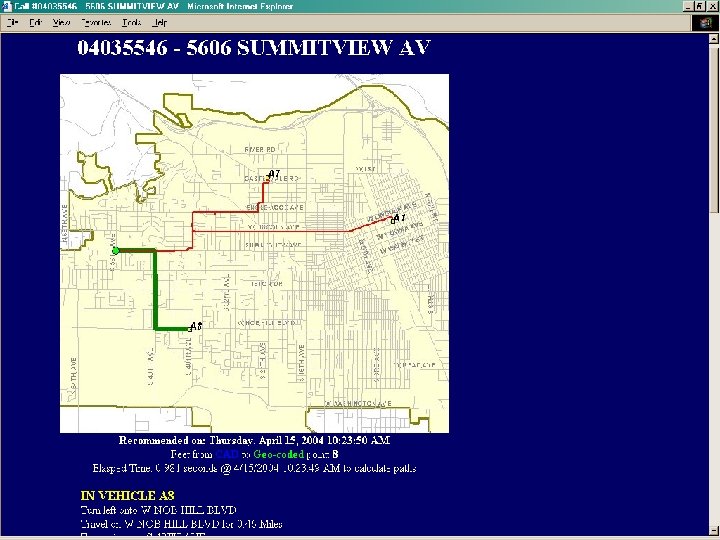
 Unit Recommendation Proofing § Create map showing event and vehicle positions § Circle the outermost unit dispatched. § Any available units inside the circle? § Results and features – show paths taken in a pursuit – multiple vehicles can be shown – event and unit analysis
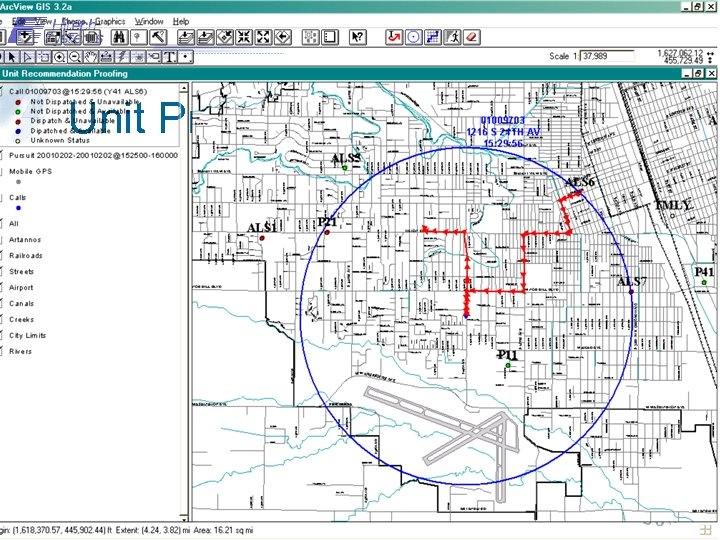 Unit Proofing
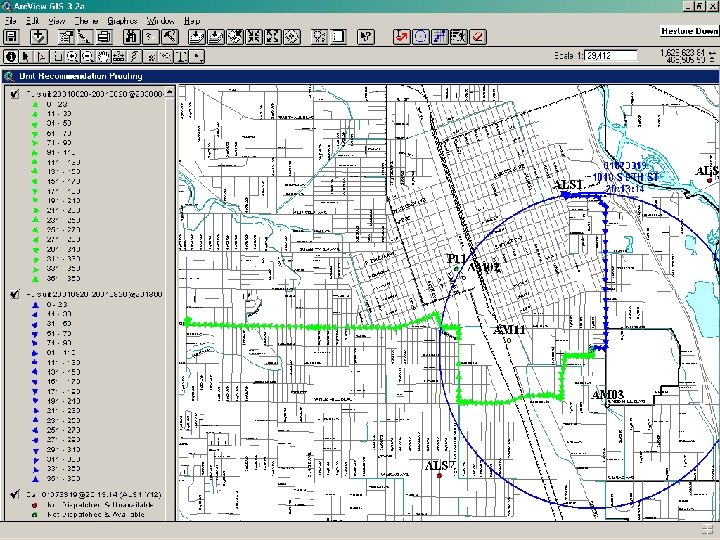 Unit Proofing
 Web Unit Proofing
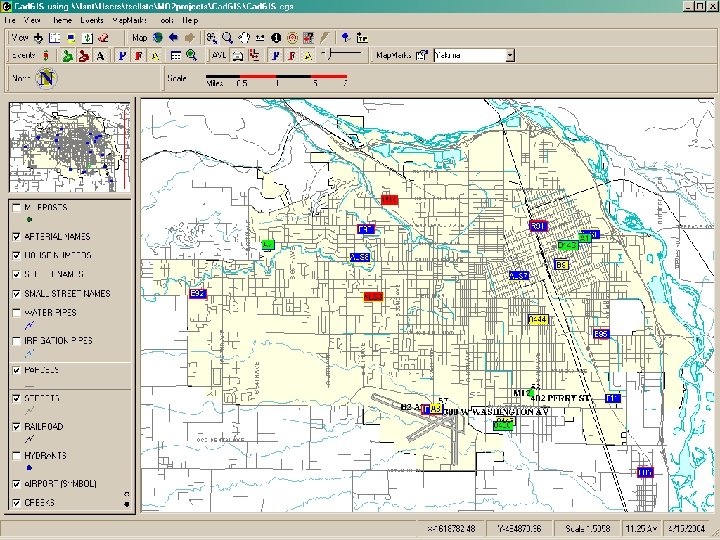
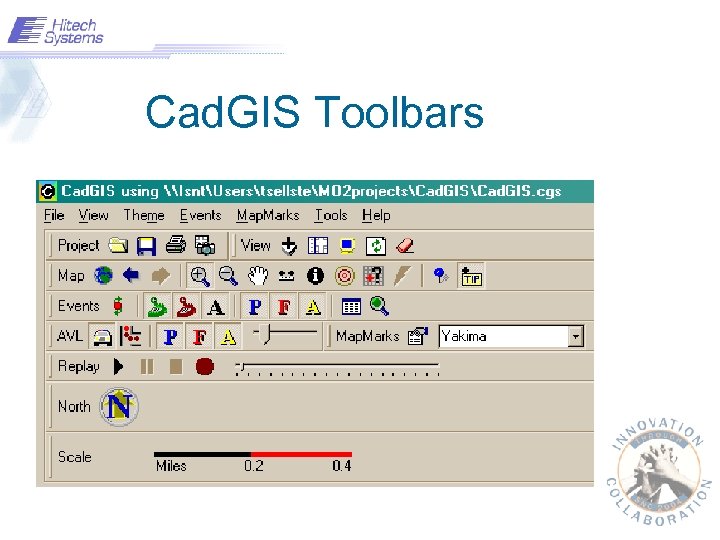
 Cad. GIS – Dispatch Mapping § Integrated Mapping Application – Can be used as a stand alone mapping application – Integrated with Safety. Net CAD to display events and vehicles in real time – Generically designed (not specifically for Yakima) – Each user can customize the map display
 Cad. GIS
 Cad. GIS Toolbars
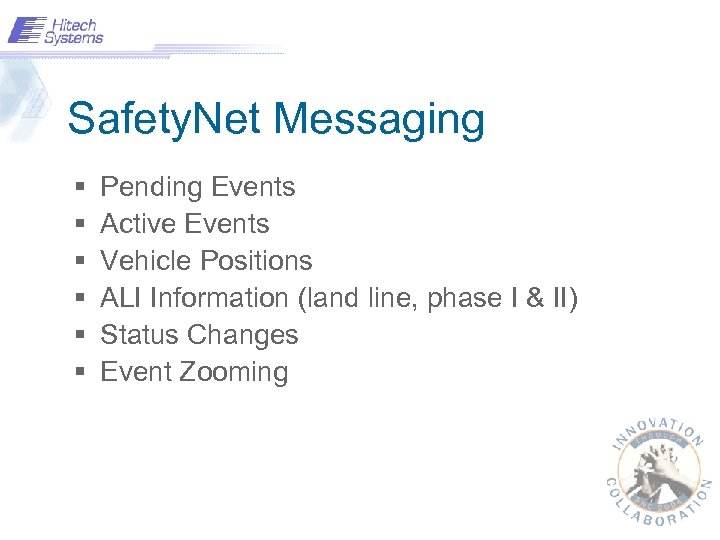 Safety. Net Messaging § § § Pending Events Active Events Vehicle Positions ALI Information (land line, phase I & II) Status Changes Event Zooming
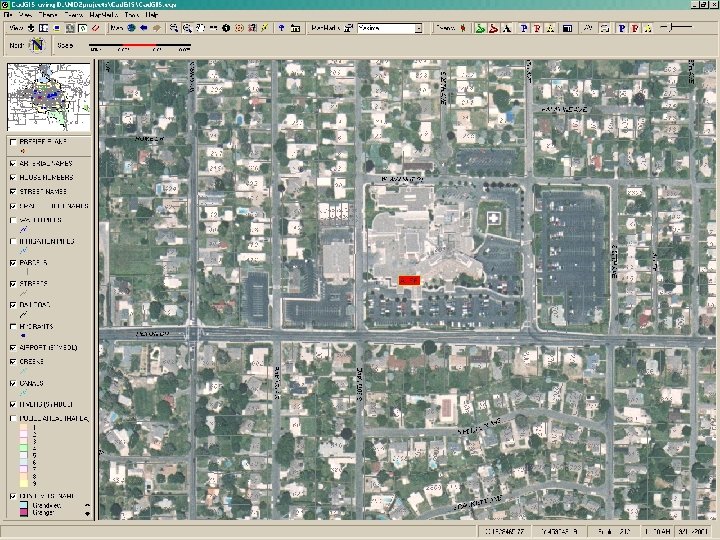 Cad. GIS Aerial Photo
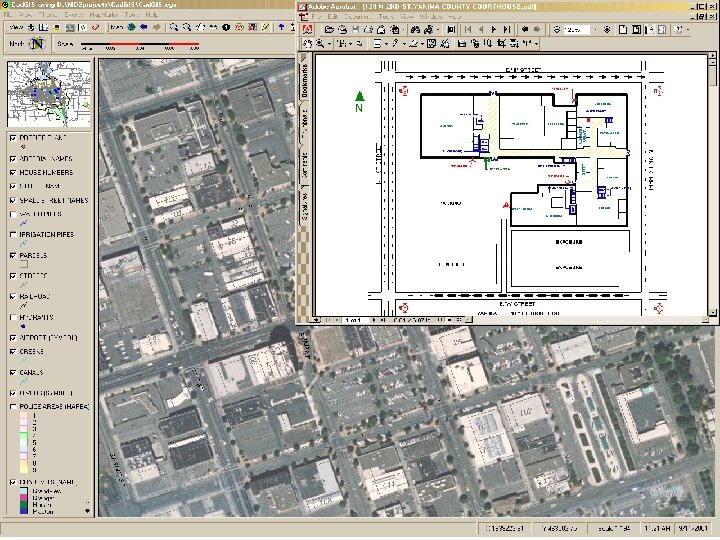 Cad. GIS Prefire Plans
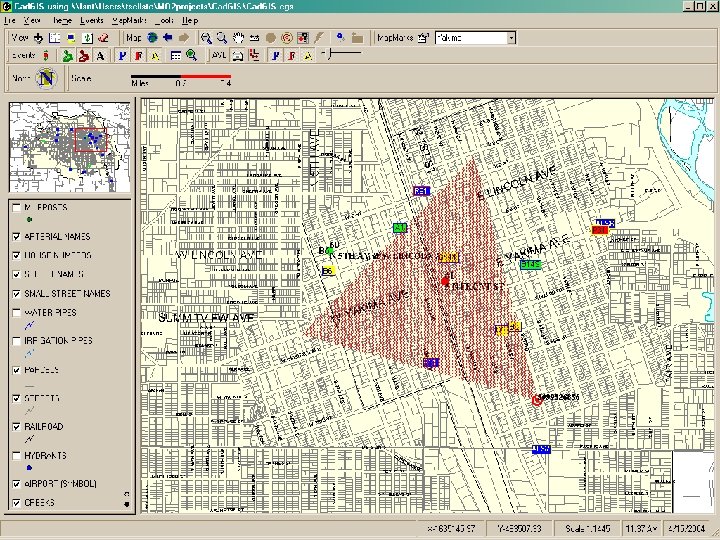 Cad. GIS Map ALI I
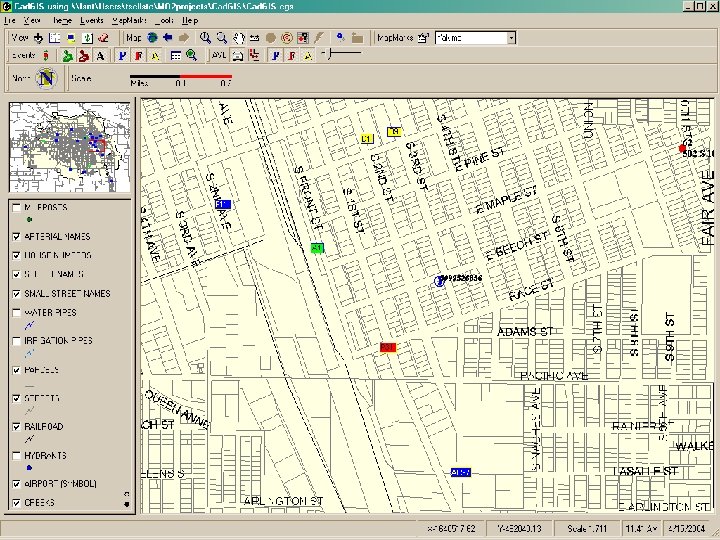 Cad. GIS Map ALI II
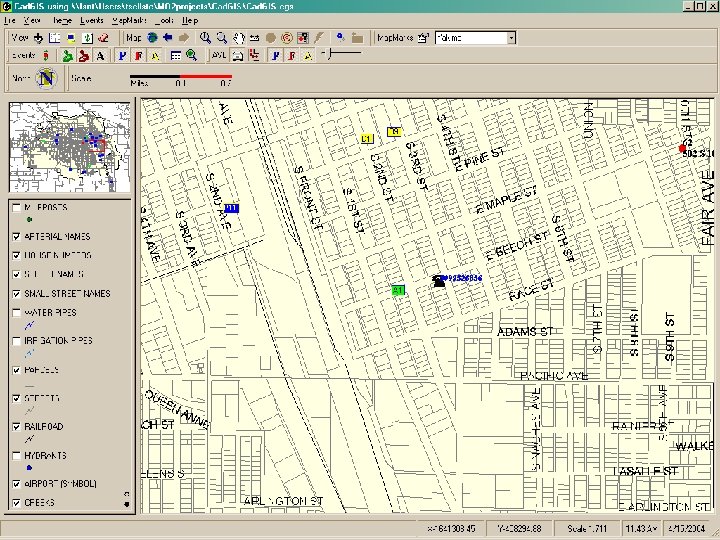 Cad. GIS Map ALI III
 Mobile. Client and Mobile. GIS § Same basic functionality as Cad. GIS § Events and vehicles are snapshots. § Runs within Mobile. Client
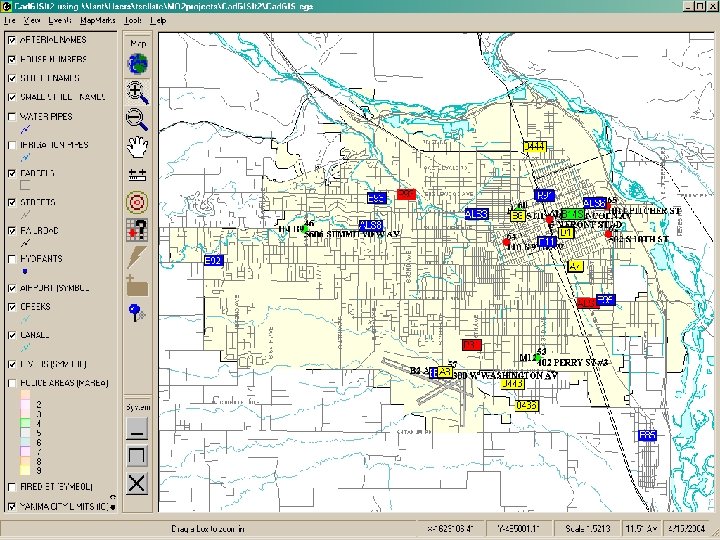 Mobile. GIS
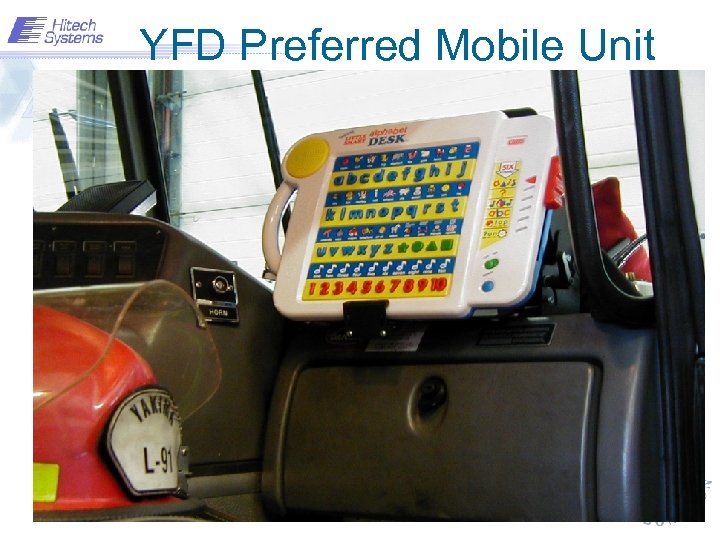 YFD Preferred Mobile Unit
 When things go wrong… § § Network connections Vehicles not initializing Please pay your phone bill Firing Center Activity
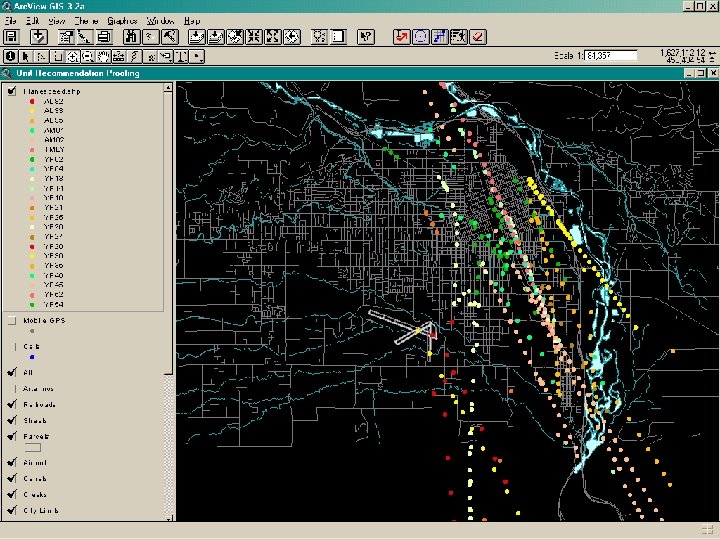 GPS Gone Gonzo…
 Conclusions… § Improved spatial and tabular data quality § Real Time event and vehicle tracking § Efficient unit recommendations § Visual Analysis tools
 Cad. GIS Demonstration
 For More Information Tom E Sellsted City of Yakima, Washington Tsellste@ci. yakima. wa. us http: //www. ci. yakima. wa. us/gis