 Скачать презентацию Citrix Technical Overview Access Gateway Basic
765f517ab846c2fe622e22c73eb93fba.ppt
- Количество слайдов: 45



Citrix Technical Overview
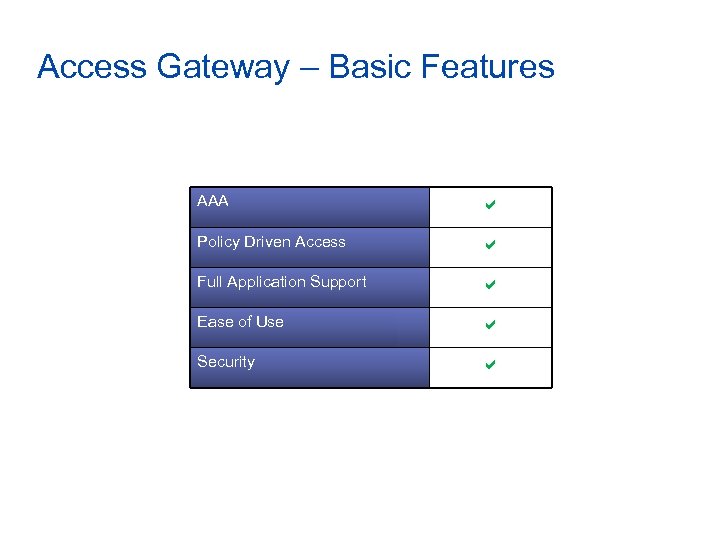
Access Gateway – Basic Features AAA a Policy Driven Access a Full Application Support a Ease of Use a Security a
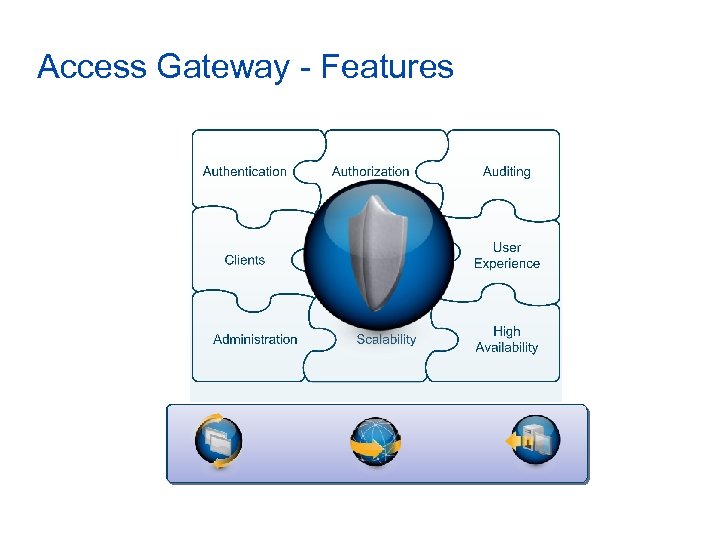
Access Gateway - Features Differentiators
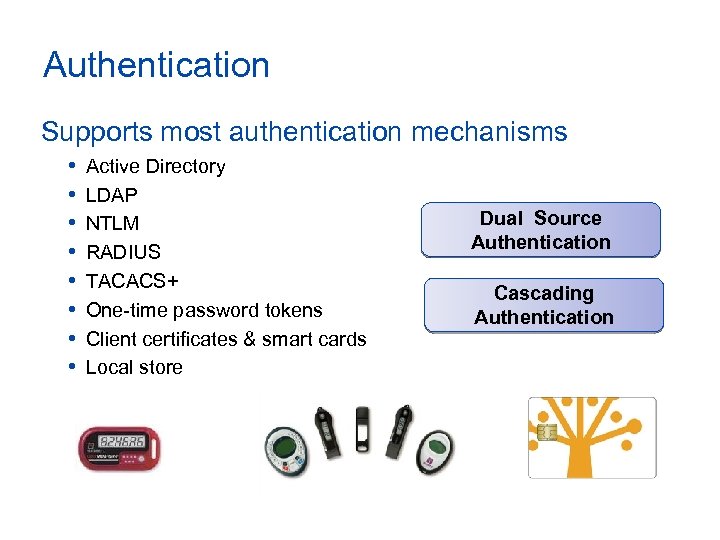
Authentication Supports most authentication mechanisms • • Active Directory LDAP NTLM RADIUS TACACS+ One-time password tokens Client certificates & smart cards Local store Dual Source Authentication Cascading Authentication
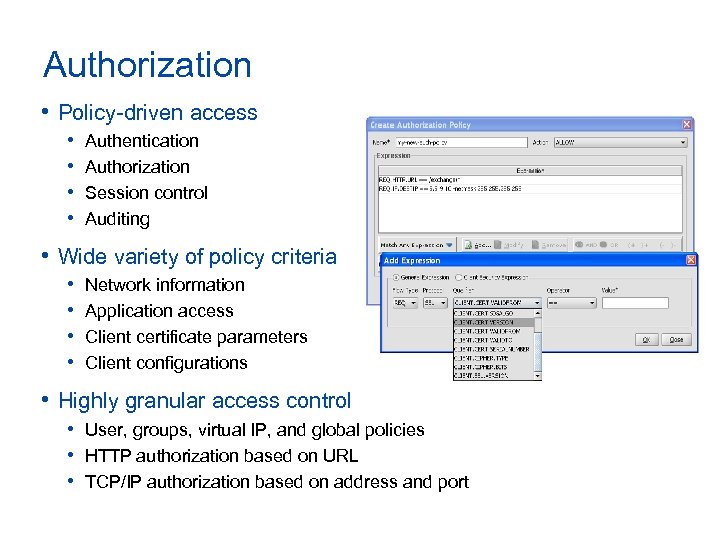
Authorization • Policy-driven access • • Authentication Authorization Session control Auditing • Wide variety of policy criteria • • Network information Application access Client certificate parameters Client configurations • Highly granular access control • User, groups, virtual IP, and global policies • HTTP authorization based on URL • TCP/IP authorization based on address and port
Auditing • Full administrative audit trail • All management operations logged • Full user activity audit trail • All session activity • All network flows • All system events logged • Support for external logging servers
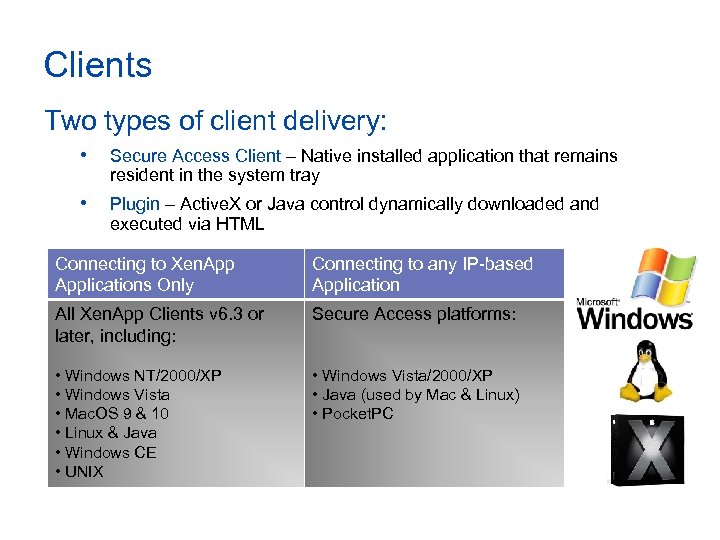
Clients Two types of client delivery: • Secure Access Client – Native installed application that remains resident in the system tray • Plugin – Active. X or Java control dynamically downloaded and executed via HTML Connecting to Xen. Applications Only Connecting to any IP-based Application All Xen. App Clients v 6. 3 or later, including: Secure Access platforms: • Windows NT/2000/XP • Windows Vista • Mac. OS 9 & 10 • Linux & Java • Windows CE • UNIX • Windows Vista/2000/XP • Java (used by Mac & Linux) • Pocket. PC
Endpoint Analysis • Checking for specific client criteria • Scans can be run pre and post logon • Results used for policy evaluation and Smart. Access decisions • Connecting Windows machines can be scanned for any combination of: • • Files Processes Registry entries System services Operating System Hotfixes Client certificates
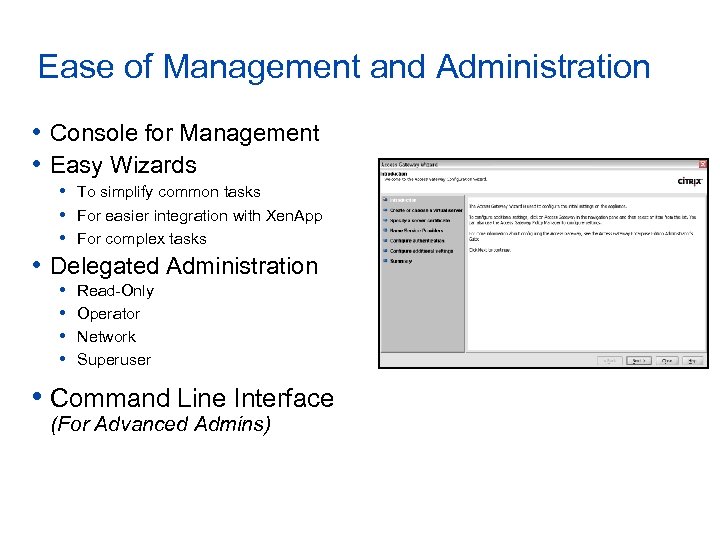
Ease of Management and Administration • Console for Management • Easy Wizards • To simplify common tasks • For easier integration with Xen. App • For complex tasks • Delegated Administration • • Read-Only Operator Network Superuser • Command Line Interface (For Advanced Admins)
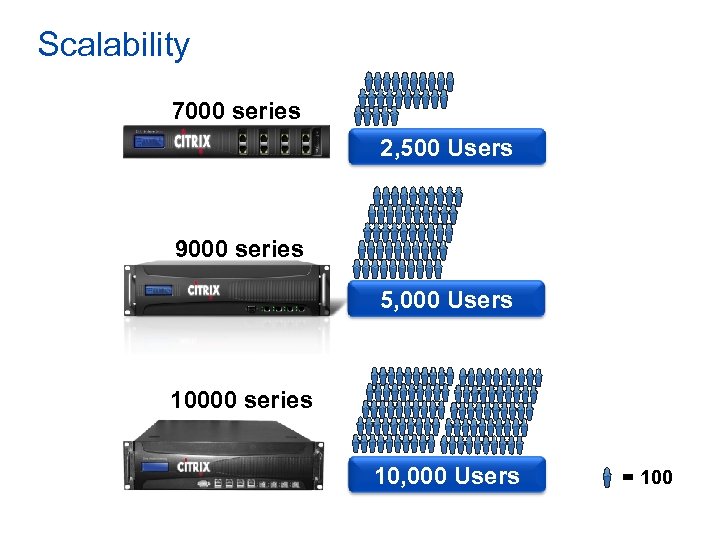
Scalability 7000 series 2, 500 Users 9000 series 5, 000 Users 10000 series 10, 000 Users = 100
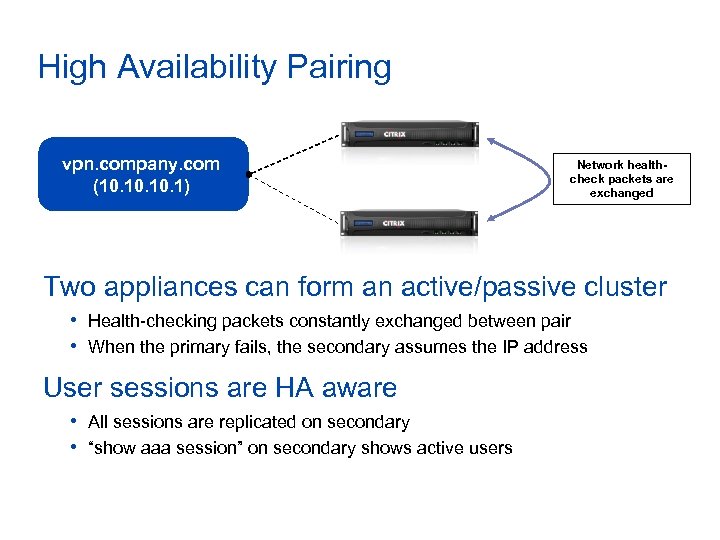
High Availability Pairing Master vpn. company. com (10. 10. 1) Backup Network healthcheck packets are exchanged Two appliances can form an active/passive cluster • Health-checking packets constantly exchanged between pair • When the primary fails, the secondary assumes the IP address User sessions are HA aware • All sessions are replicated on secondary • “show aaa session” on secondary shows active users
Other Features • Vo. IP support • Universal licensing • Client-side cleanup • Server-initiated connections • FIPS 140 -2 compliance • *Common Criteria Certification (H 2 -2008) AG Universal License
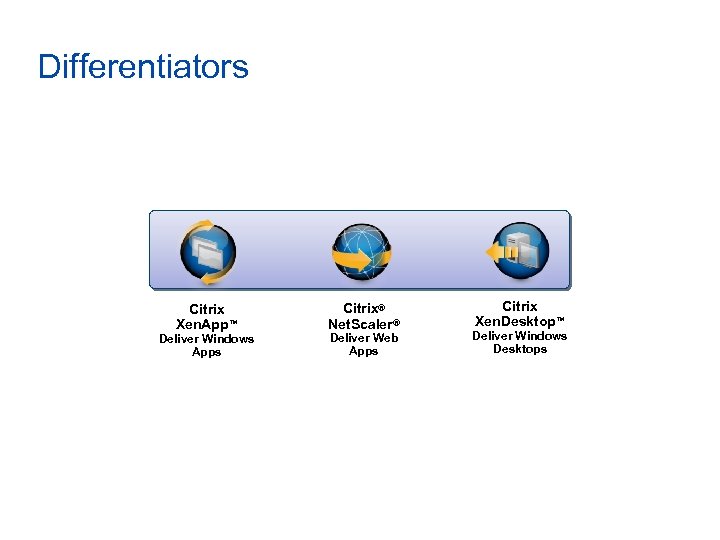
Differentiators Citrix Xen. App™ Deliver Windows Apps Citrix® Net. Scaler® Deliver Web Apps Citrix Xen. Desktop™ Deliver Windows Desktops
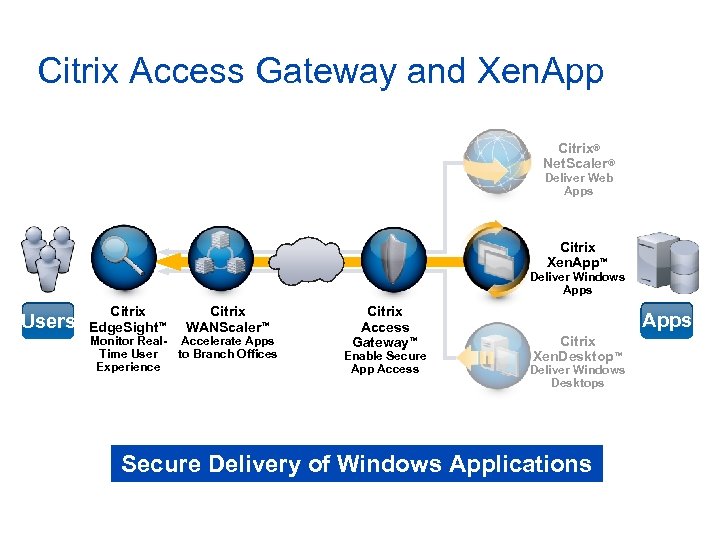
Citrix Access Gateway and Xen. App Citrix® Net. Scaler® Deliver Web Apps Citrix Xen. App™ Deliver Windows Apps Users Citrix Edge. Sight™ Citrix WANScaler™ Monitor Real- Accelerate Apps Time User to Branch Offices Experience Citrix Access Gateway™ Enable Secure App Access Apps Citrix Xen. Desktop™ Deliver Windows Desktops Secure Delivery of Windows Applications
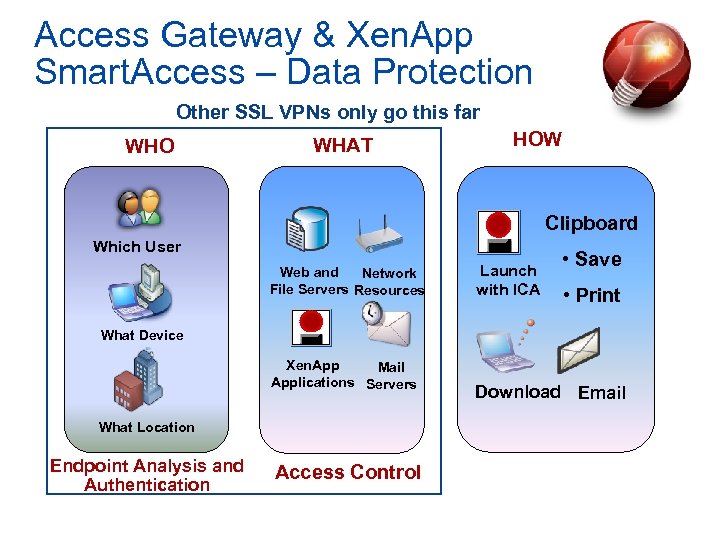
Access Gateway & Xen. App Smart. Access – Data Protection Other SSL VPNs only go this far WHO WHAT HOW Clipboard Which User Web and Network File Servers Resources Launch with ICA • Save • Print What Device Xen. App Mail Applications Servers What Location Endpoint Analysis and Authentication Access Control Download Email
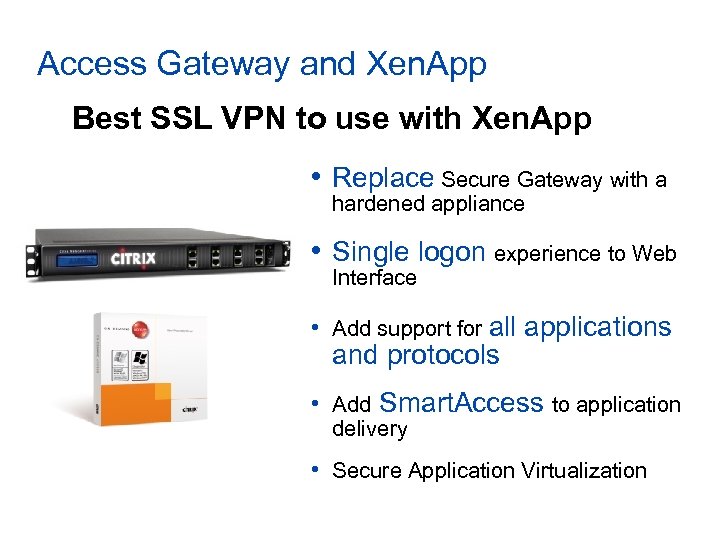
Access Gateway and Xen. App Best SSL VPN to use with Xen. App • Replace Secure Gateway with a hardened appliance • Single logon experience to Web Interface • Add support for all applications and protocols • Add Smart. Access to application delivery • Secure Application Virtualization
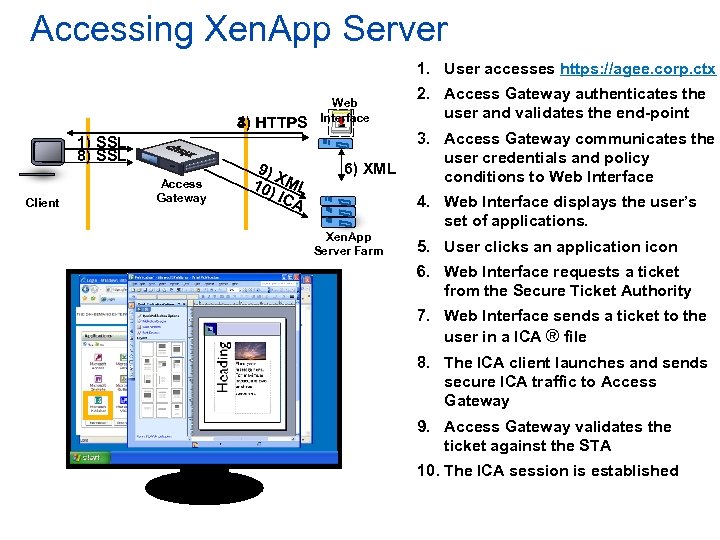
Accessing Xen. App Server 1. User accesses https: //agee. corp. ctx 3) HTTPS 4) 1) SSL 8) SSL Client Access Gateway 9) X 10) ML ICA Web Interface 6) XML 2. Access Gateway authenticates the user and validates the end-point 3. Access Gateway communicates the user credentials and policy conditions to Web Interface 4. Web Interface displays the user’s set of applications. Xen. App Server Farm 5. User clicks an application icon 6. Web Interface requests a ticket from the Secure Ticket Authority 7. Web Interface sends a ticket to the user in a ICA ® file 8. The ICA client launches and sends secure ICA traffic to Access Gateway 9. Access Gateway validates the ticket against the STA 10. The ICA session is established
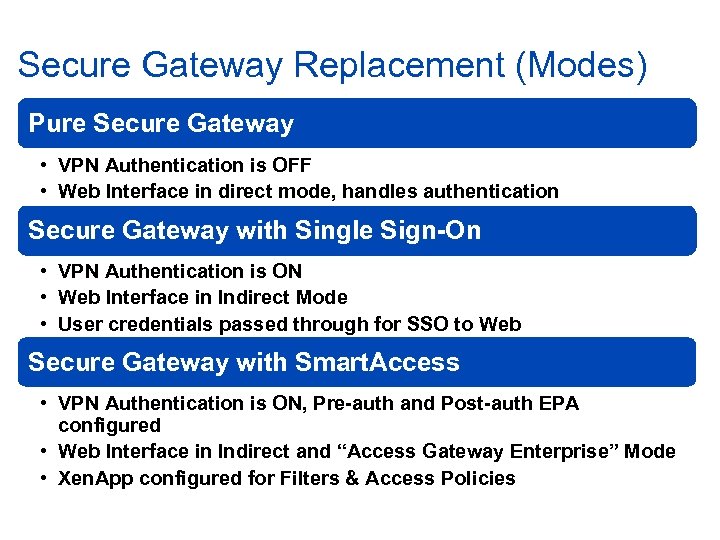
Secure Gateway Replacement (Modes) Pure Secure Gateway • VPN Authentication is OFF • Web Interface in direct mode, handles authentication Secure Gateway with Single Sign-On • VPN Authentication is ON • Web Interface in Indirect Mode • User credentials passed through for SSO to Web Secure Gateway with Smart. Access • VPN Authentication is ON, Pre-auth and Post-auth EPA configured • Web Interface in Indirect and “Access Gateway Enterprise” Mode • Xen. App configured for Filters & Access Policies
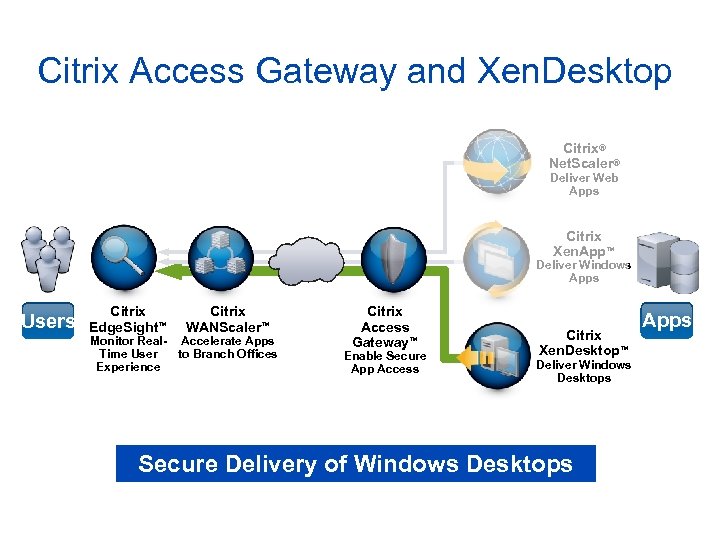
Citrix Access Gateway and Xen. Desktop Citrix® Net. Scaler® Deliver Web Apps Citrix Xen. App™ Deliver Windows Apps Users Citrix Edge. Sight™ Citrix WANScaler™ Monitor Real- Accelerate Apps Time User to Branch Offices Experience Citrix Access Gateway™ Enable Secure App Access Citrix Xen. Desktop™ Deliver Windows Desktops Secure Delivery of Windows Desktops Apps
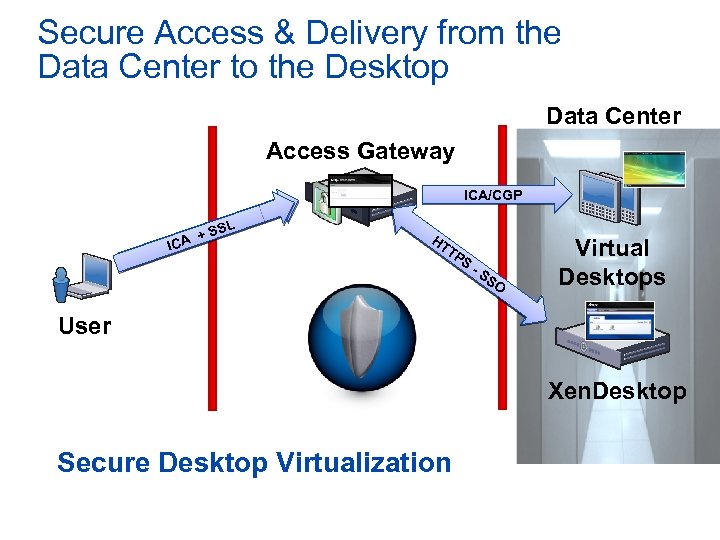
Secure Access & Delivery from the Data Center to the Desktop Data Center Access Gateway ICA/CGP L + PS TTS H A IC HT TP XS M-L SS O Virtual Desktops User Xen. Desktop Secure Desktop Virtualization
Secure Desktop Delivery with Access Gateway & Xen. Desktop • Secures remote desktop delivery • Secure delivery of Desktop Virtualization • Smart. Access policies • Provides strongest data delivery protection • Hosted desktop and data stay in the data center • End point device compliance with security policies • Hosted desktop isolated from local desktop • Enables "Bring-Your-Own-PC" asset model • Dramatically simplifies Desktop Management • Reduces cost of Desktop Computing by up to 40%
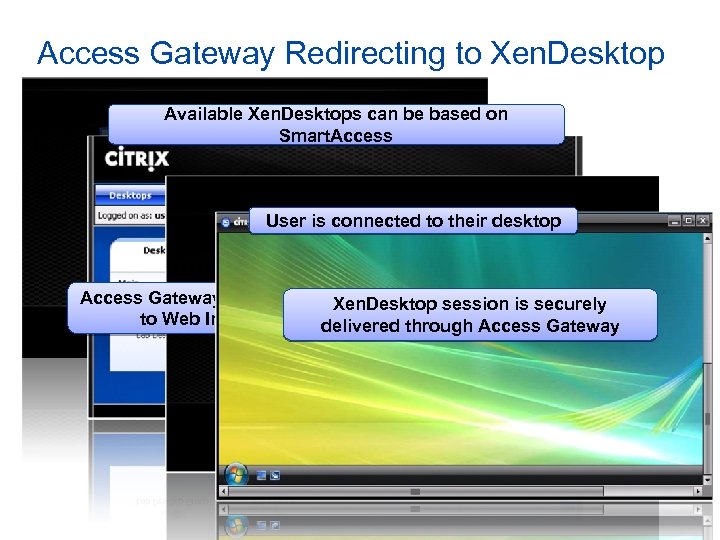
Access Gateway Redirecting to Xen. Desktop Available Xen. Desktops can be based on Smart. Access User is connected to their desktop Access Gateway supports single sign-on session is securely Xen. Desktop to Web Interface by default delivered through Access Gateway
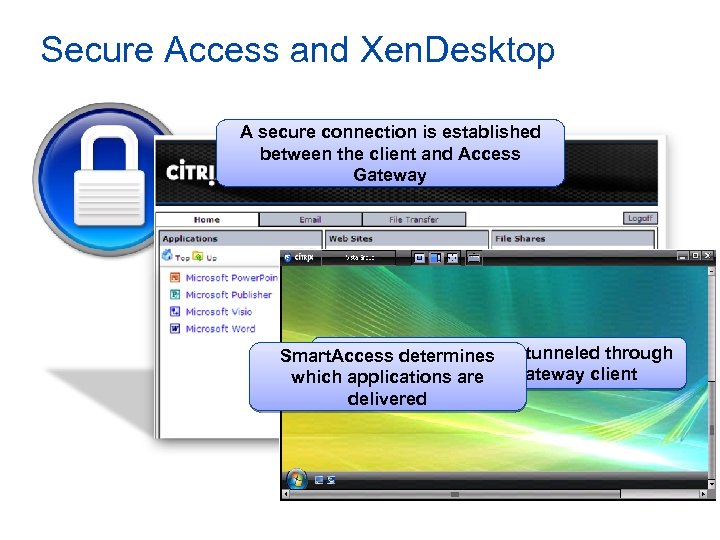
Secure Access and Xen. Desktop A secure connection is established between the client and Access Gateway Xen. Desktop session Smart. Access determines is tunneled through the Citrix Access Gateway client which applications are delivered
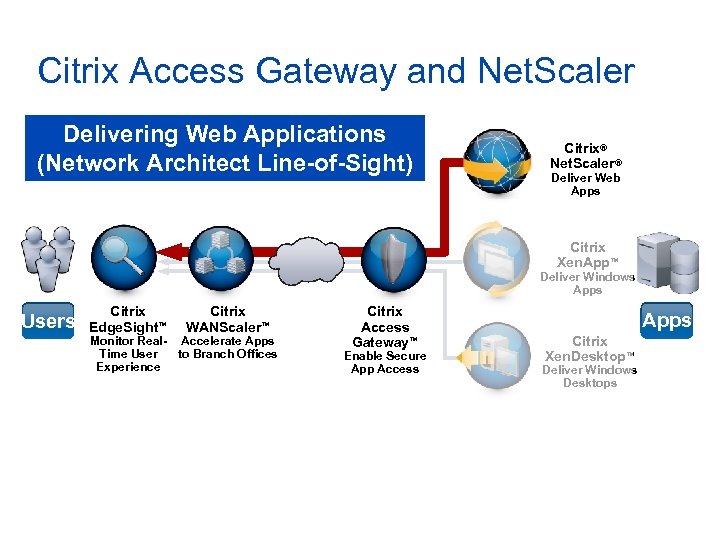
Citrix Access Gateway and Net. Scaler Delivering Web Applications (Network Architect Line-of-Sight) Citrix® Net. Scaler® Deliver Web Apps Citrix Xen. App™ Deliver Windows Apps Users Citrix Edge. Sight™ Citrix WANScaler™ Monitor Real- Accelerate Apps Time User to Branch Offices Experience Citrix Access Gateway™ Enable Secure App Access Apps Citrix Xen. Desktop™ Deliver Windows Desktops
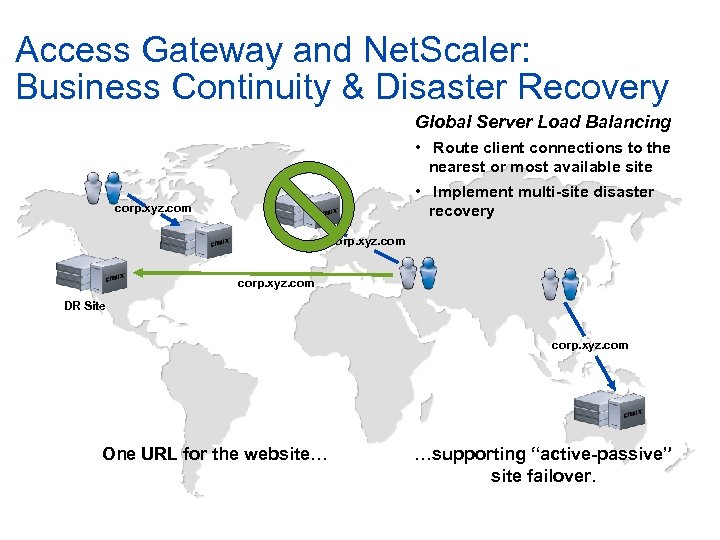
Access Gateway and Net. Scaler: Business Continuity & Disaster Recovery Global Server Load Balancing • Route client connections to the nearest or most available site • Implement multi-site disaster recovery corp. xyz. com DR Site corp. xyz. com One URL for the website… …supporting “active-passive” site failover.
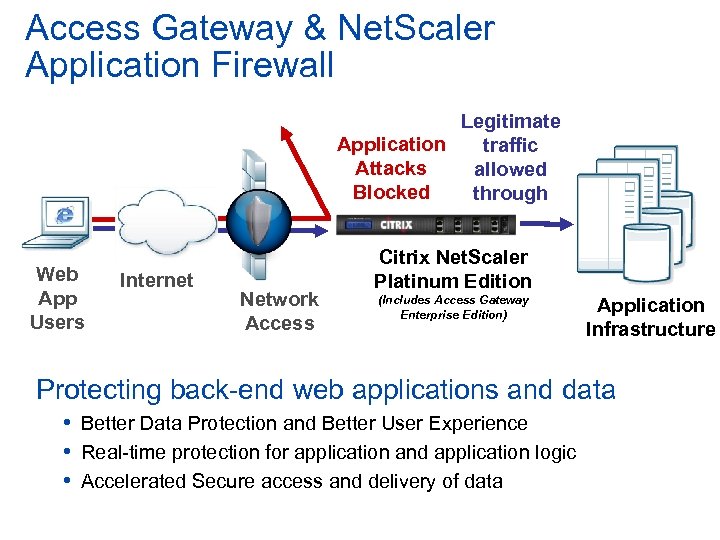
Access Gateway & Net. Scaler Application Firewall Legitimate Application traffic Attacks allowed Blocked through Web App Users Internet Network Access Citrix Net. Scaler Platinum Edition (Includes Access Gateway Enterprise Edition) Application Infrastructure Protecting back-end web applications and data • Better Data Protection and Better User Experience • Real-time protection for application and application logic • Accelerated Secure access and delivery of data
New Features in 8. 1
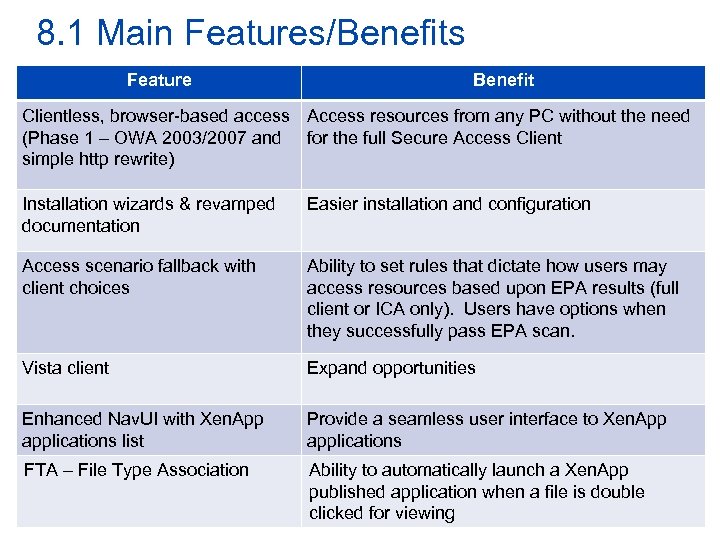
8. 1 Main Features/Benefits Feature Benefit Clientless, browser-based access Access resources from any PC without the need (Phase 1 – OWA 2003/2007 and for the full Secure Access Client simple http rewrite) Installation wizards & revamped documentation Easier installation and configuration Access scenario fallback with client choices Ability to set rules that dictate how users may access resources based upon EPA results (full client or ICA only). Users have options when they successfully pass EPA scan. Vista client Expand opportunities Enhanced Nav. UI with Xen. App applications list Provide a seamless user interface to Xen. App applications FTA – File Type Association Ability to automatically launch a Xen. App published application when a file is double clicked for viewing
Clientless Access – URL Rewriting • Allows a secure clientless connection • Supports • • Portal page Generic web sites Outlook Web Access Light Outlook Web Access Premium
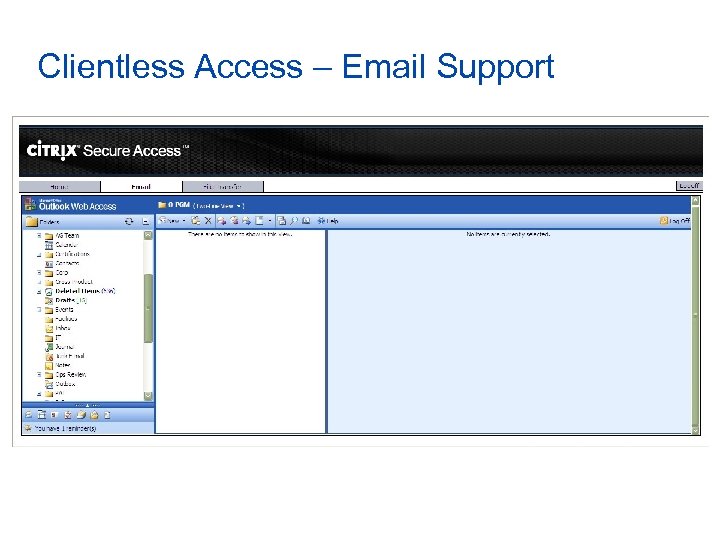
Clientless Access – Email Support
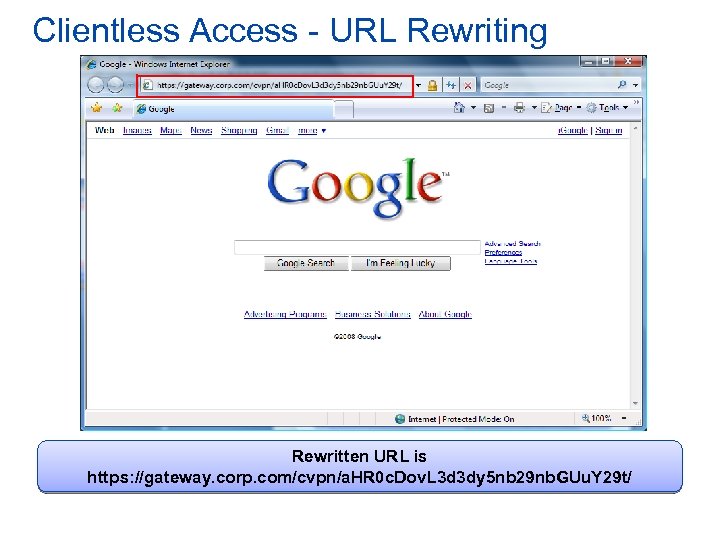
Clientless Access - URL Rewriting Rewritten URL is https: //gateway. corp. com/cvpn/a. HR 0 c. Dov. L 3 d 3 dy 5 nb 29 nb. GUu. Y 29 t/
Access Gateway Wizards • Create or edit an SSL VPN virtual server – New! • Configure certificates – New! • Configure name resolution • Configure authorization • Default authorization action – New! • Configure port 80 redirection – New! • Configure clientless access – New! • Published Applications – New! • ICA connections – New!
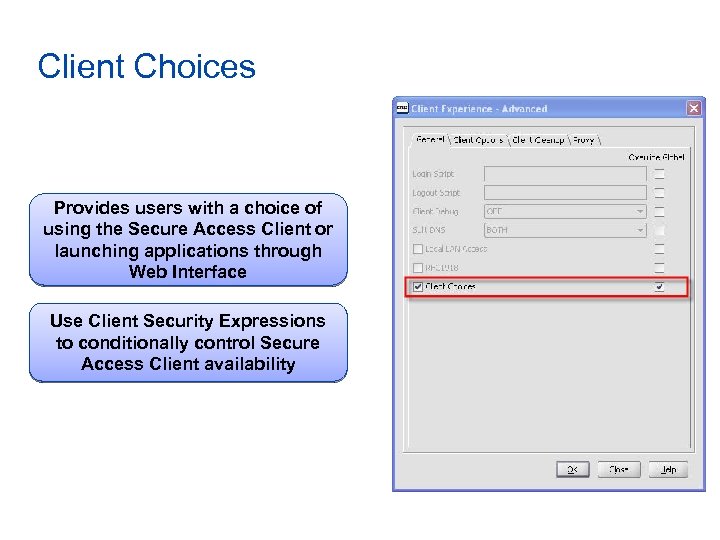
Client Choices Provides users with a choice of using the Secure Access Client or launching applications through Web Interface Use Client Security Expressions to conditionally control Secure Access Client availability
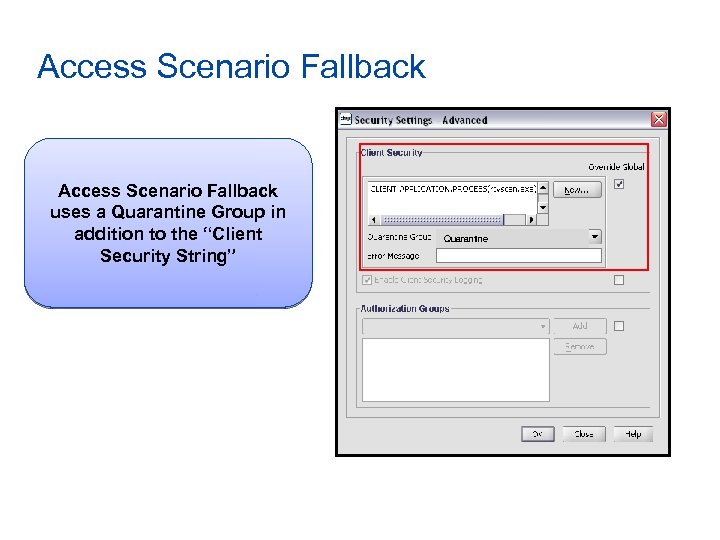
Access Scenario Fallback uses a Quarantine Group in addition to the “Client Security String” Quarantine
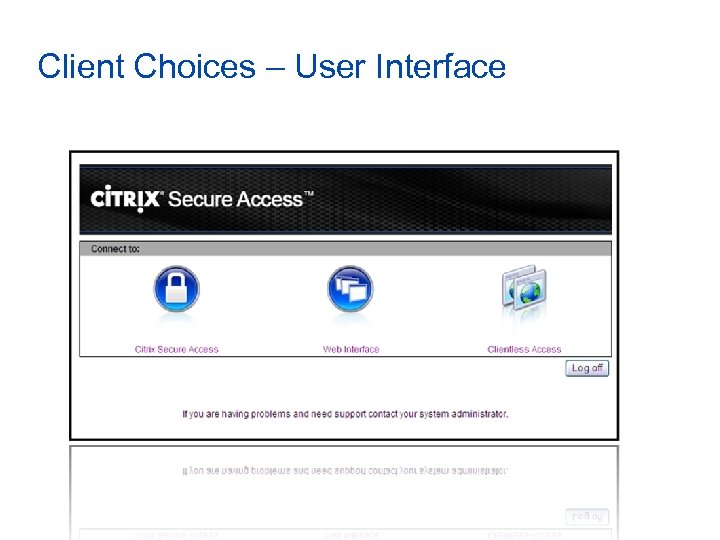
Client Choices – User Interface
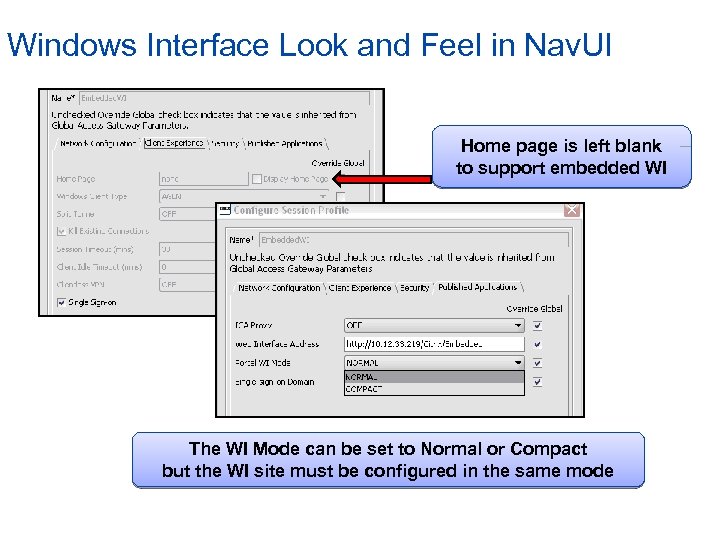
Windows Interface Look and Feel in Nav. UI Home page is left blank to support embedded WI The WI Mode can be set to Normal or Compact but the WI site must be configured in the same mode
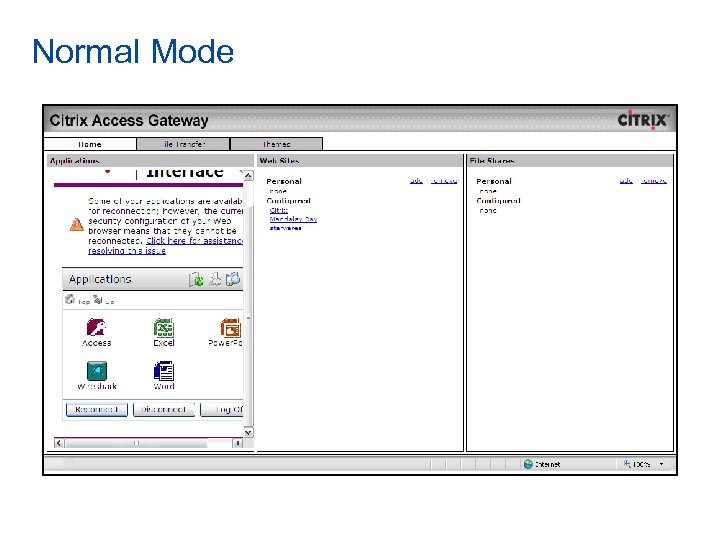
Normal Mode
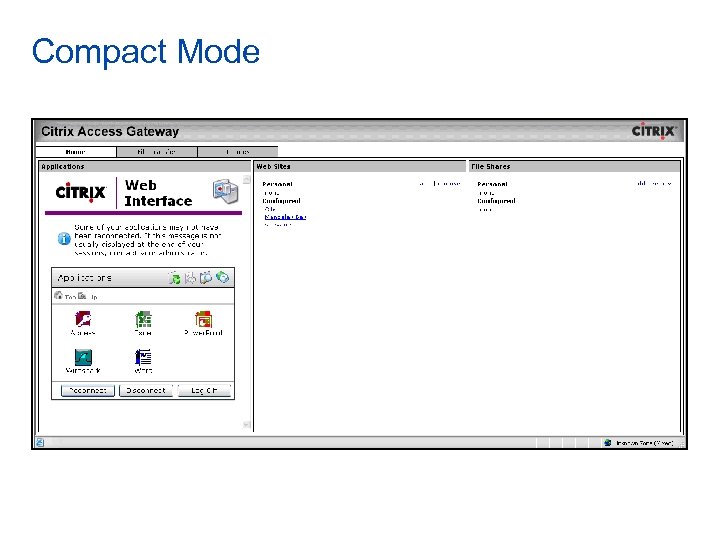
Compact Mode
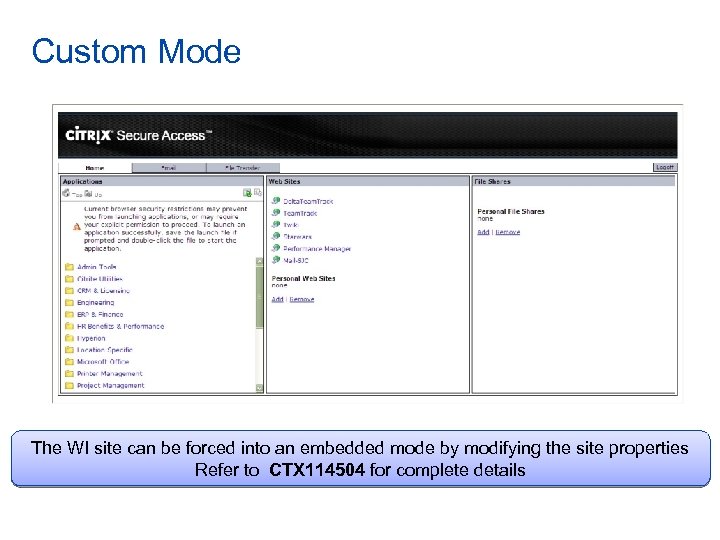
Custom Mode The WI site can be forced into an embedded mode by modifying the site properties Refer to CTX 114504 for complete details
Network Overview
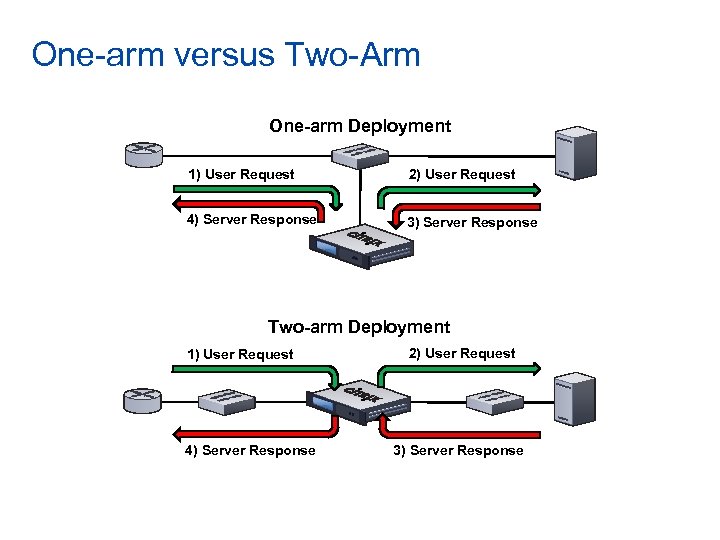
One-arm versus Two-Arm One-arm Deployment 1) User Request 2) User Request 4) Server Response 3) Server Response Two-arm Deployment 1) User Request 4) Server Response 2) User Request 3) Server Response
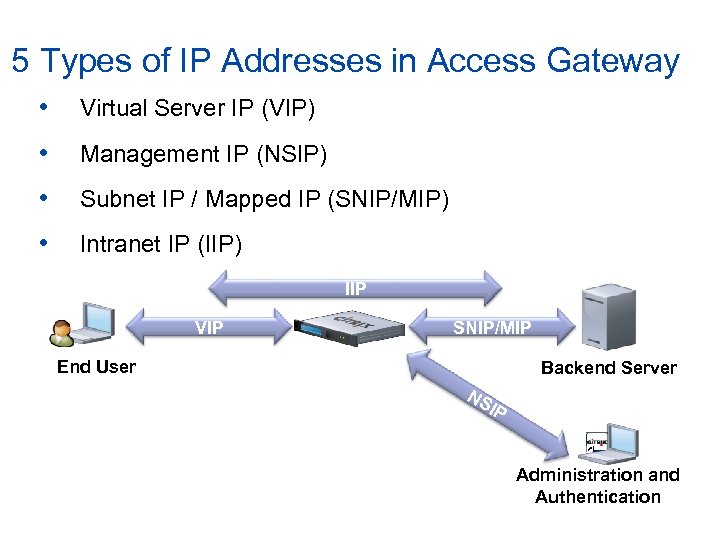
5 Types of IP Addresses in Access Gateway • Virtual Server IP (VIP) • Management IP (NSIP) • Subnet IP / Mapped IP (SNIP/MIP) • Intranet IP (IIP) IIP VIP SNIP/MIP End User Backend Server NS IP Administration and Authentication
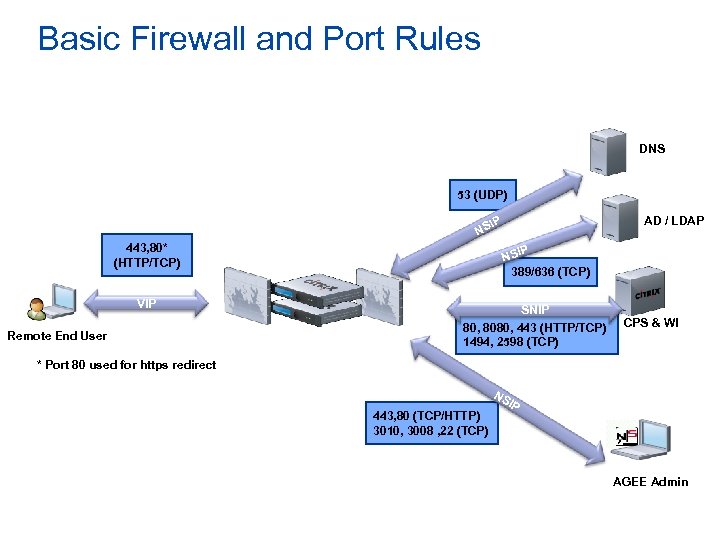
Basic Firewall and Port Rules DNS 53 (UDP) NS 443, 80* (HTTP/TCP) VIP Remote End User AD / LDAP IP P NSI 389/636 (TCP) SNIP 80, 8080, 443 (HTTP/TCP) 1494, 2598 (TCP) CPS & WI * Port 80 used for https redirect NS 443, 80 (TCP/HTTP) 3010, 3008 , 22 (TCP) IP AGEE Admin
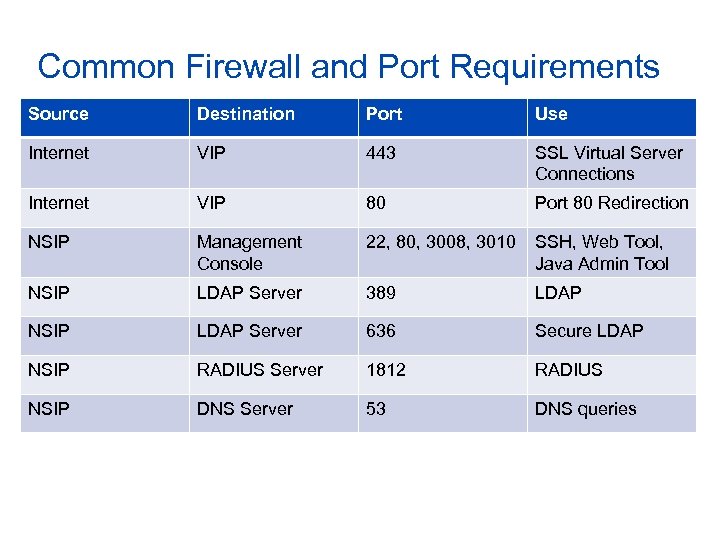
Common Firewall and Port Requirements Source Destination Port Use Internet VIP 443 SSL Virtual Server Connections Internet VIP 80 Port 80 Redirection NSIP Management Console 22, 80, 3008, 3010 SSH, Web Tool, Java Admin Tool NSIP LDAP Server 389 LDAP NSIP LDAP Server 636 Secure LDAP NSIP RADIUS Server 1812 RADIUS NSIP DNS Server 53 DNS queries
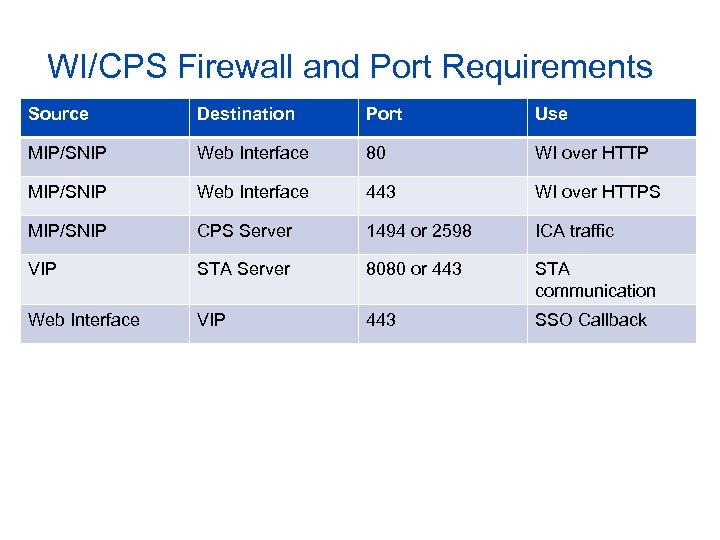
WI/CPS Firewall and Port Requirements Source Destination Port Use MIP/SNIP Web Interface 80 WI over HTTP MIP/SNIP Web Interface 443 WI over HTTPS MIP/SNIP CPS Server 1494 or 2598 ICA traffic VIP STA Server 8080 or 443 STA communication Web Interface VIP 443 SSO Callback
Скачать презентацию Citrix Technical Overview Access Gateway Basic
765f517ab846c2fe622e22c73eb93fba.ppt