


 Скачать презентацию Cit y W ide Wir eles s Ser
bdd5c7ed7d4eb96c37244e7fe9c5347f.ppt
- Количество слайдов: 60
 Cit y. W ide Wir eles s Ser vic es Serving Fairfax City
 Agenda n n n n CWWS Team Introduction Project Goals Assumptions Technical Approach & Design Business Plan Project Timeline Summary Why CWWS? 2
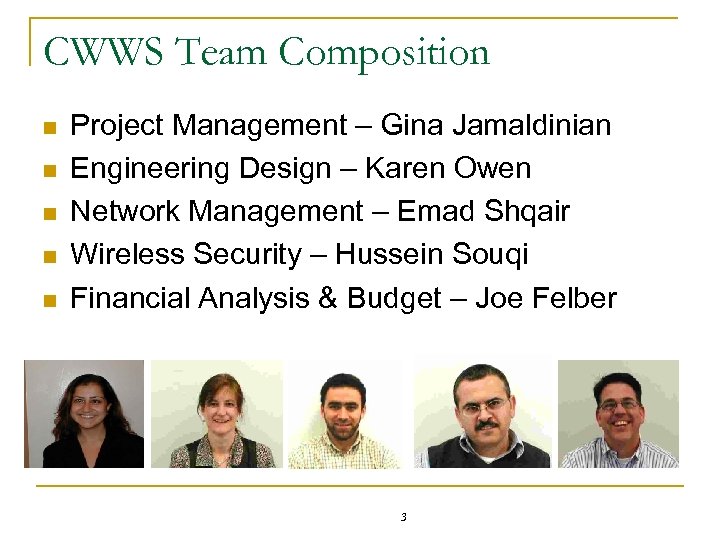 CWWS Team Composition n n Project Management – Gina Jamaldinian Engineering Design – Karen Owen Network Management – Emad Shqair Wireless Security – Hussein Souqi Financial Analysis & Budget – Joe Felber 3
 Project Goals § Design a Prototype Municipal Wireless § § Telecommunications System for two Fairfax City Government Stakeholders Explore Provisioning Wireless Services for City Residents & Commercial Businesses Propose a Viable Business Model for Financial Stability by the end of five years Develop an RF Safety Public Relations Strategy Ensure Technical & Administrative Support Services are covered within the proposal 4
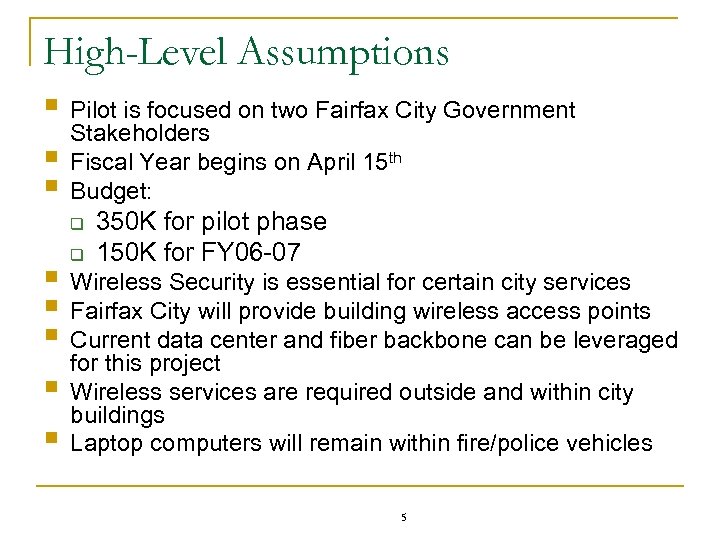 High-Level Assumptions § Pilot is focused on two Fairfax City Government Stakeholders § Fiscal Year begins on April 15 th § Budget: q q 350 K for pilot phase 150 K for FY 06 -07 § Wireless Security is essential for certain city services § Fairfax City will provide building wireless access points § Current data center and fiber backbone can be leveraged for this project § Wireless services are required outside and within city buildings § Laptop computers will remain within fire/police vehicles 5
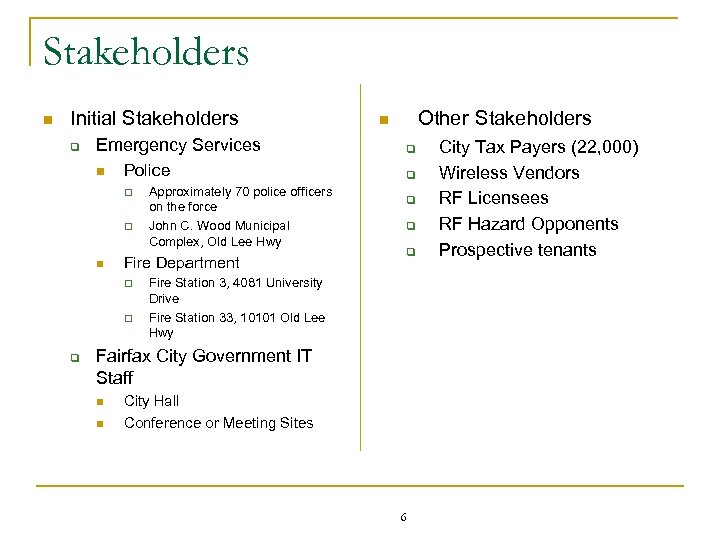 Stakeholders n Initial Stakeholders q Emergency Services n Police q q n Fire Department q q q Approximately 70 police officers on the force John C. Wood Municipal Complex, Old Lee Hwy Other Stakeholders n q q q Fire Station 3, 4081 University Drive Fire Station 33, 10101 Old Lee Hwy Fairfax City Government IT Staff n n City Hall Conference or Meeting Sites 6 City Tax Payers (22, 000) Wireless Vendors RF Licensees RF Hazard Opponents Prospective tenants
 Technical Approach & Design 7
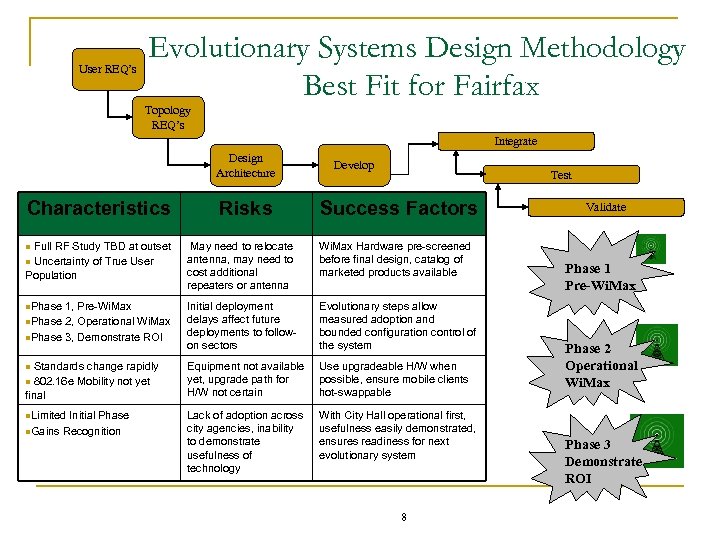 User REQ’s Evolutionary Systems Design Methodology Best Fit for Fairfax Topology REQ’s Integrate Design Architecture Characteristics n Full RF Study TBD at outset n Uncertainty of True User Population n. Phase 1, Pre-Wi. Max n. Phase 2, Operational Wi. Max n. Phase 3, Demonstrate ROI n Standards change rapidly n 802. 16 e Mobility not yet final n. Limited Initial Phase n. Gains Recognition Risks Develop Test Success Factors May need to relocate antenna, may need to cost additional repeaters or antenna Wi. Max Hardware pre-screened before final design, catalog of marketed products available Initial deployment delays affect future deployments to followon sectors Evolutionary steps allow measured adoption and bounded configuration control of the system Equipment not available yet, upgrade path for H/W not certain Use upgradeable H/W when possible, ensure mobile clients hot-swappable Lack of adoption across city agencies, inability to demonstrate usefulness of technology With City Hall operational first, usefulness easily demonstrated, ensures readiness for next evolutionary system 8 Validate Phase 1 Pre-Wi. Max Phase 2 Operational Wi. Max Phase 3 Demonstrate ROI
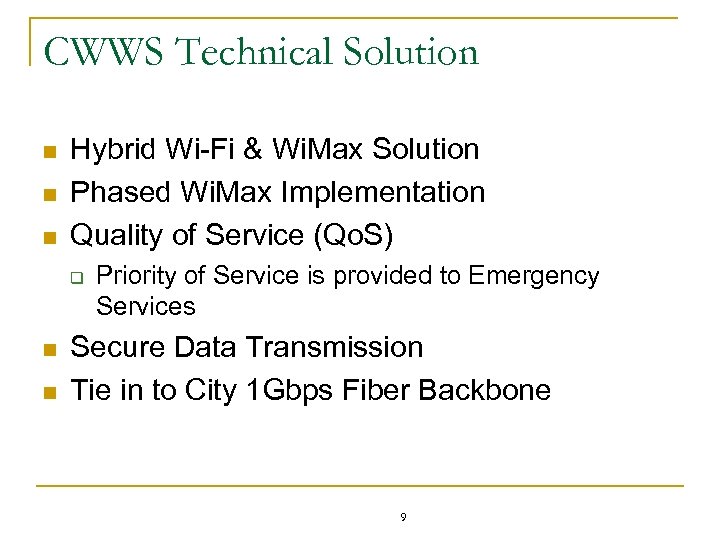 CWWS Technical Solution n Hybrid Wi-Fi & Wi. Max Solution Phased Wi. Max Implementation Quality of Service (Qo. S) q n n Priority of Service is provided to Emergency Services Secure Data Transmission Tie in to City 1 Gbps Fiber Backbone 9
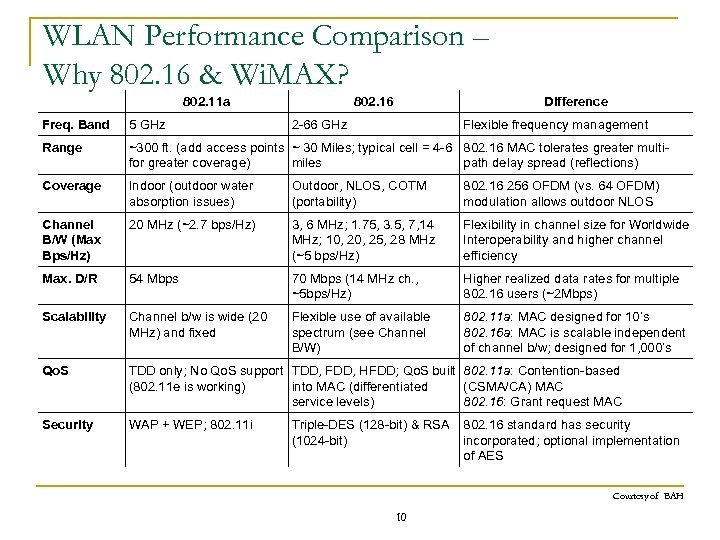 WLAN Performance Comparison – Why 802. 16 & Wi. MAX? 802. 11 a 802. 16 Difference Freq. Band 5 GHz 2 -66 GHz Flexible frequency management Range ~300 ft. (add access points ~ 30 Miles; typical cell = 4 -6 802. 16 MAC tolerates greater multifor greater coverage) miles path delay spread (reflections) Coverage Indoor (outdoor water absorption issues) Outdoor, NLOS, COTM (portability) 802. 16 256 OFDM (vs. 64 OFDM) modulation allows outdoor NLOS Channel B/W (Max Bps/Hz) 20 MHz (~2. 7 bps/Hz) 3, 6 MHz; 1. 75, 3. 5, 7, 14 MHz; 10, 25, 28 MHz (~5 bps/Hz) Flexibility in channel size for Worldwide Interoperability and higher channel efficiency Max. D/R 54 Mbps 70 Mbps (14 MHz ch. , ~5 bps/Hz) Higher realized data rates for multiple 802. 16 users (~2 Mbps) Scalability Channel b/w is wide (20 MHz) and fixed Flexible use of available spectrum (see Channel B/W) 802. 11 a: MAC designed for 10’s 802. 16 a: MAC is scalable independent of channel b/w; designed for 1, 000’s Qo. S TDD only; No Qo. S support TDD, FDD, HFDD; Qo. S built 802. 11 a: Contention-based (802. 11 e is working) into MAC (differentiated (CSMA/CA) MAC service levels) 802. 16: Grant request MAC Security WAP + WEP; 802. 11 i Triple-DES (128 -bit) & RSA 802. 16 standard has security (1024 -bit) incorporated; optional implementation of AES Courtesy of BAH 10
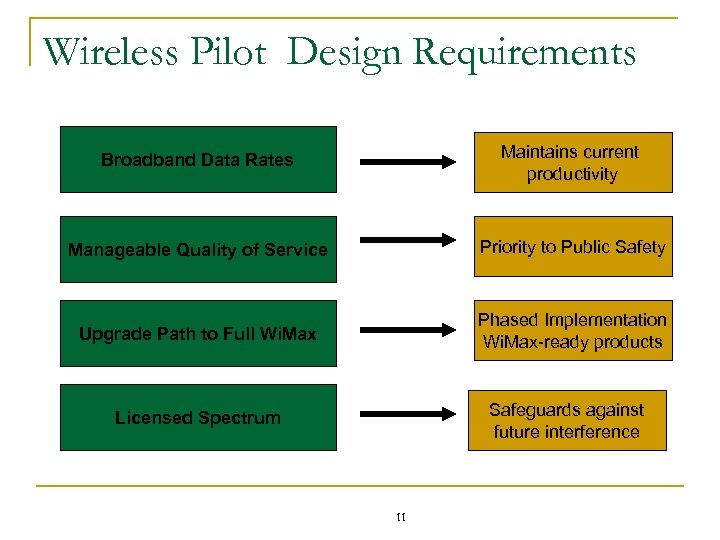 Wireless Pilot Design Requirements Broadband Data Rates Maintains current productivity Manageable Quality of Service Priority to Public Safety Upgrade Path to Full Wi. Max Phased Implementation Wi. Max-ready products Safeguards against future interference Licensed Spectrum 11
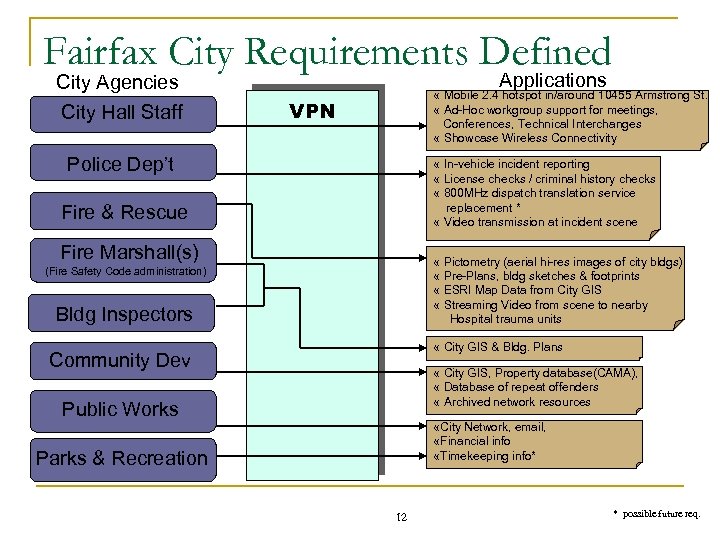 Fairfax City Requirements Defined City Agencies City Hall Staff Applications « Mobile 2. 4 hotspot in/around 10455 Armstrong St. « Ad-Hoc workgroup support for meetings, Conferences, Technical Interchanges « Showcase Wireless Connectivity VPN Police Dep’t « In-vehicle incident reporting « License checks / criminal history checks « 800 MHz dispatch translation service replacement * « Video transmission at incident scene Fire & Rescue Fire Marshall(s) « Pictometry (aerial hi-res images of city bldgs) « Pre-Plans, bldg sketches & footprints « ESRI Map Data from City GIS « Streaming Video from scene to nearby Hospital trauma units (Fire Safety Code administration) Bldg Inspectors « City GIS & Bldg. Plans Community Dev « City GIS, Property database(CAMA), « Database of repeat offenders « Archived network resources Public Works «City Network, email, «Financial info «Timekeeping info* Parks & Recreation 12 * possible future req.
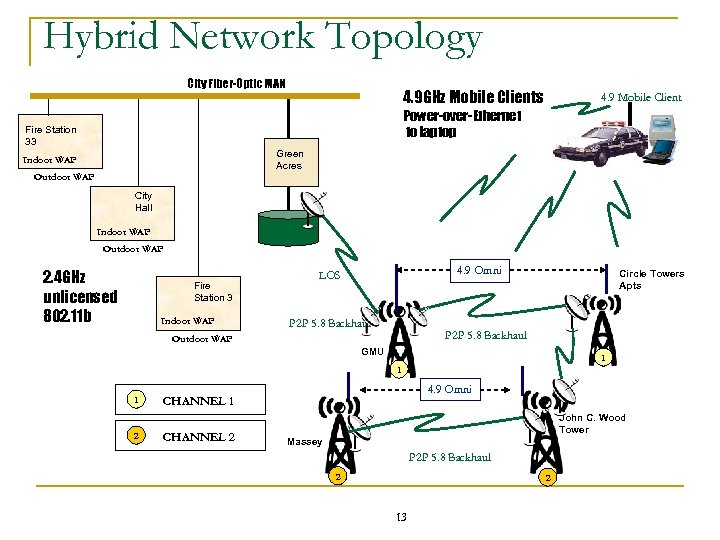 Hybrid Network Topology City Fiber-Optic MAN 4. 9 GHz Mobile Clients 4. 9 Mobile Client Power-over-Ethernet to laptop Fire Station 33 Green Acres Indoor WAP Outdoor WAP City Hall Indoor WAP Outdoor WAP 2. 4 GHz unlicensed 802. 11 b Fire Station 3 Indoor WAP 4. 9 Omni LOS P 2 P 5. 8 Backhaul Circle Towers Apts P 2 P 5. 8 Backhaul Outdoor WAP GMU 1 1 1 2 4. 9 Omni CHANNEL 1 CHANNEL 2 John C. Wood Tower Massey P 2 P 5. 8 Backhaul 2 2 13
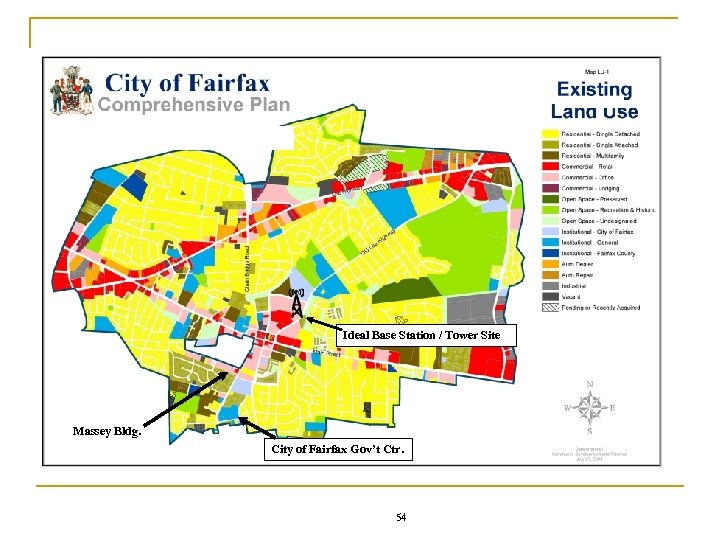
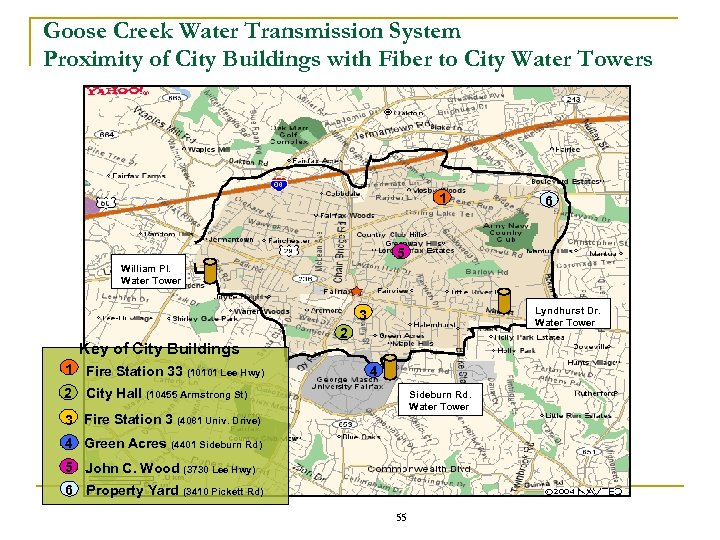
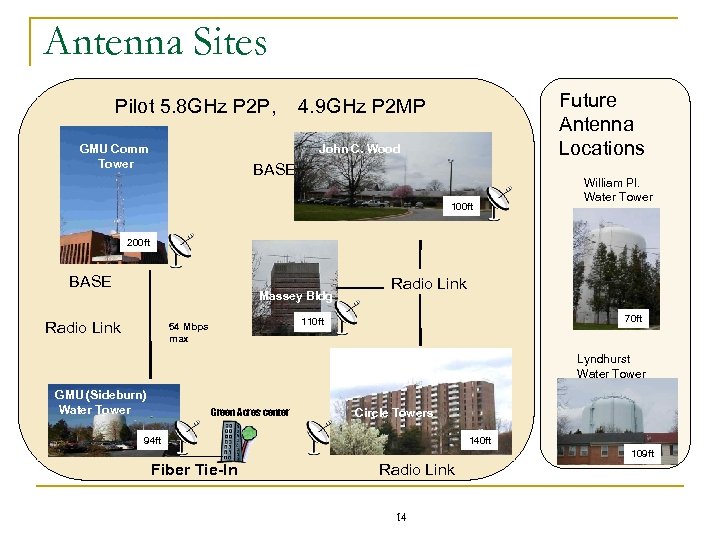 Antenna Sites Future Antenna Locations Pilot 5. 8 GHz P 2 P, 4. 9 GHz P 2 MP GMU Comm Tower John C. Wood BASE 100 ft William Pl. Water Tower 200 ft BASE Massey Bldg Radio Link 70 ft 110 ft 54 Mbps max Lyndhurst Water Tower GMU (Sideburn) Water Tower Green Acres center Circle Towers 94 ft 140 ft 109 ft Fiber Tie-In Radio Link 14
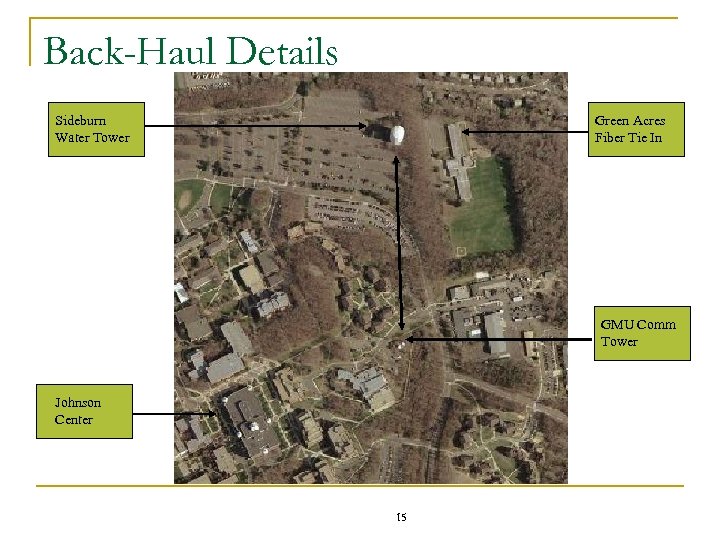 Back-Haul Details Sideburn Water Tower Green Acres Fiber Tie In GMU Comm Tower Johnson Center 15
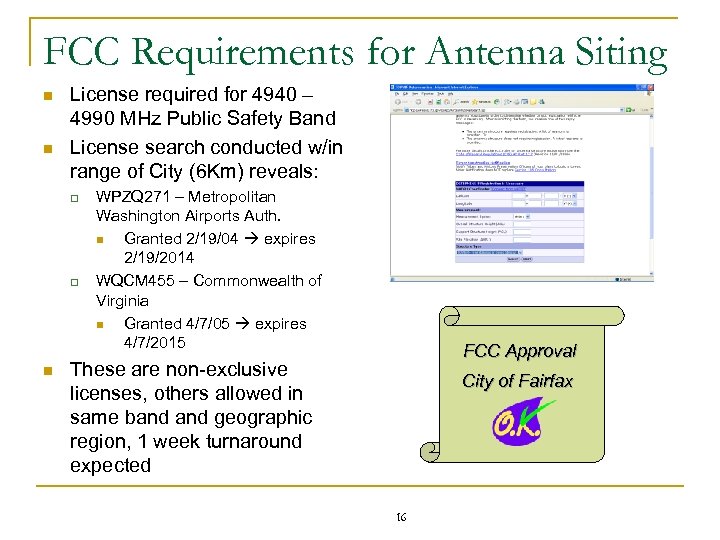 FCC Requirements for Antenna Siting n n License required for 4940 – 4990 MHz Public Safety Band License search conducted w/in range of City (6 Km) reveals: q q n WPZQ 271 – Metropolitan Washington Airports Auth. n Granted 2/19/04 expires 2/19/2014 WQCM 455 – Commonwealth of Virginia n Granted 4/7/05 expires 4/7/2015 FCC Approval These are non-exclusive licenses, others allowed in same band geographic region, 1 week turnaround expected City of Fairfax 16
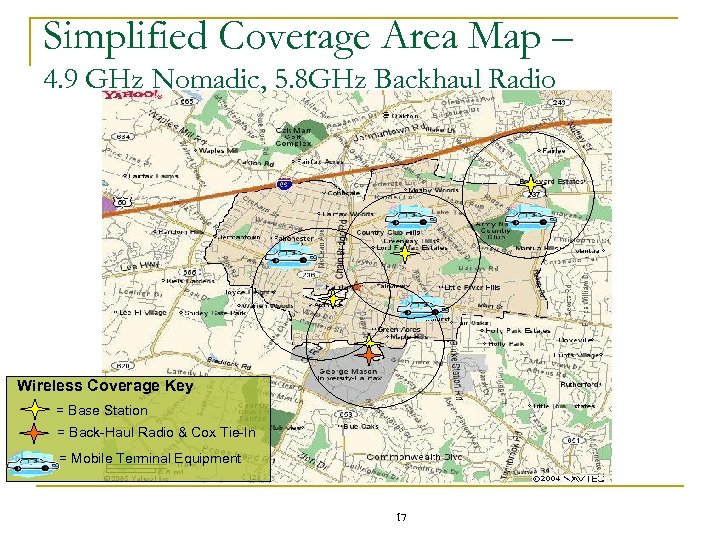 Simplified Coverage Area Map – 4. 9 GHz Nomadic, 5. 8 GHz Backhaul Radio Wireless Coverage Key = Base Station = Back-Haul Radio & Cox Tie-In = Mobile Terminal Equipment 17
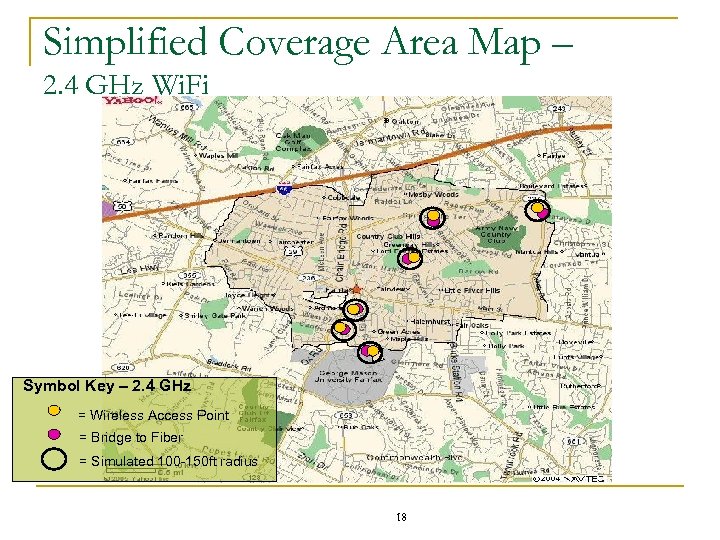 Simplified Coverage Area Map – 2. 4 GHz Wi. Fi Symbol Key – 2. 4 GHz = Wireless Access Point = Bridge to Fiber = Simulated 100 -150 ft radius 18
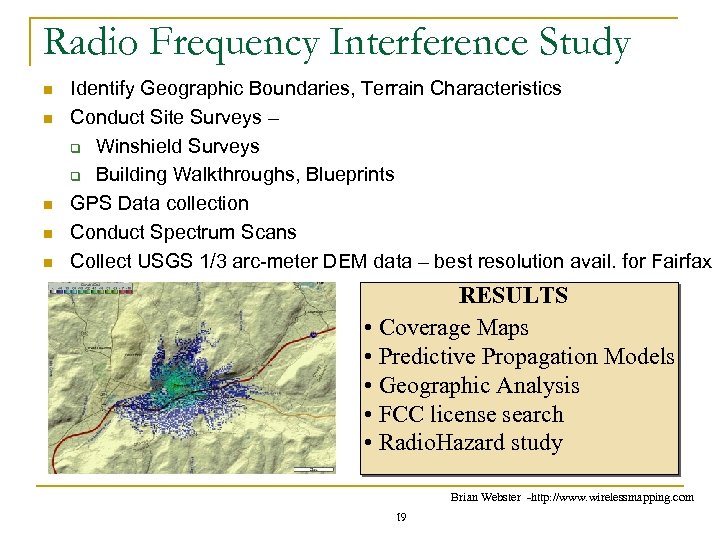 Radio Frequency Interference Study n n n Identify Geographic Boundaries, Terrain Characteristics Conduct Site Surveys – q Winshield Surveys q Building Walkthroughs, Blueprints GPS Data collection Conduct Spectrum Scans Collect USGS 1/3 arc-meter DEM data – best resolution avail. for Fairfax RESULTS • Coverage Maps • Predictive Propagation Models • Geographic Analysis • FCC license search • Radio. Hazard study Brian Webster -http: //www. wirelessmapping. com 19
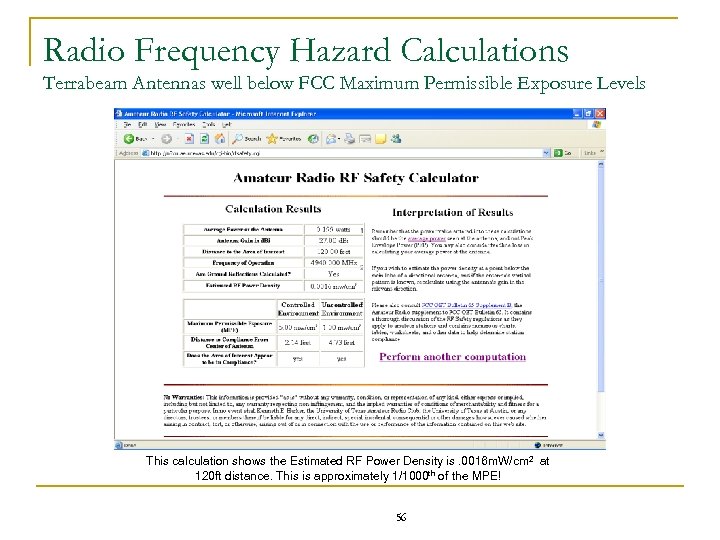
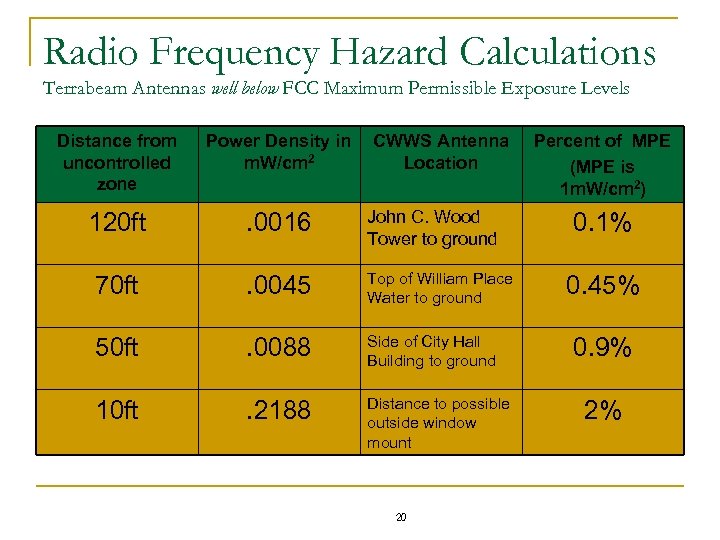 Radio Frequency Hazard Calculations Terrabeam Antennas well below FCC Maximum Permissible Exposure Levels Distance from uncontrolled zone Power Density in CWWS Antenna m. W/cm 2 Location 120 ft . 0016 John C. Wood Tower to ground 70 ft . 0045 Top of William Place Water to ground 50 ft . 0088 Side of City Hall Building to ground 10 ft . 2188 Distance to possible outside window mount 20 Percent of MPE (MPE is 1 m. W/cm 2) 0. 1% 0. 45% 0. 9% 2%
 Wireless Network Management 21
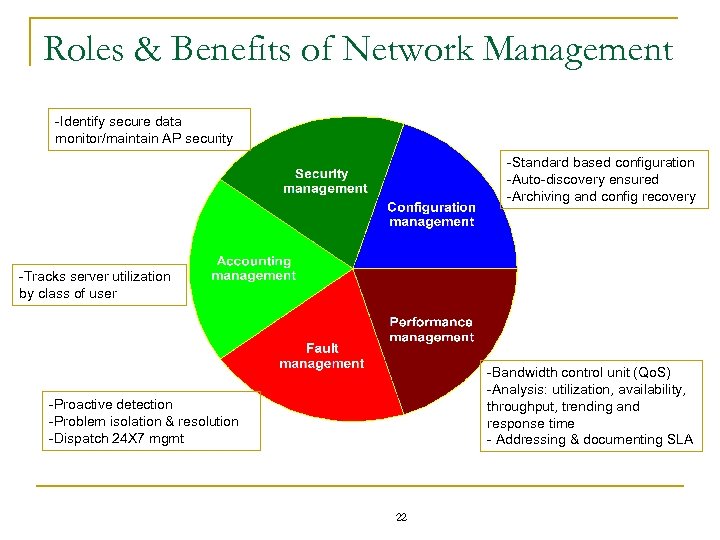 Roles & Benefits of Network Management -Identify secure data monitor/maintain AP security -Standard based configuration -Auto-discovery ensured -Archiving and config recovery -Tracks server utilization by class of user -Bandwidth control unit (Qo. S) -Analysis: utilization, availability, throughput, trending and response time - Addressing & documenting SLA -Proactive detection -Problem isolation & resolution -Dispatch 24 X 7 mgmt 22
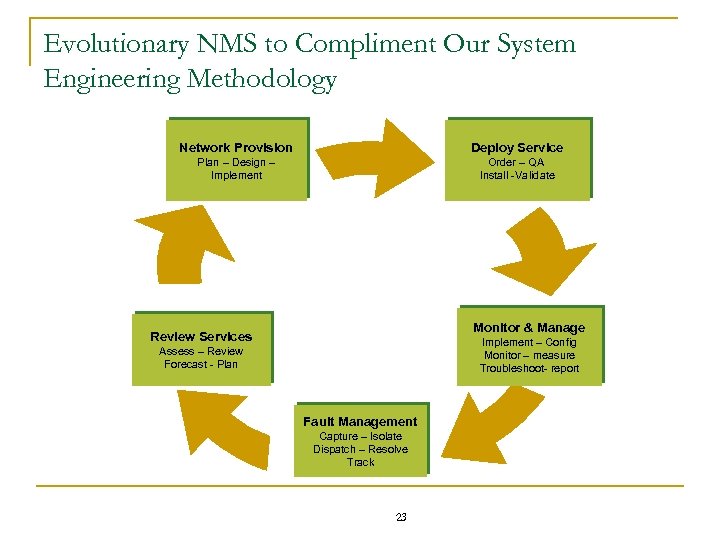 Evolutionary NMS to Compliment Our System Engineering Methodology Network Provision Deploy Service Plan – Design – Implement Order – QA Install -Validate Monitor & Manage Review Services Implement – Config Monitor – measure Troubleshoot- report Assess – Review Forecast - Plan Fault Management Capture – Isolate Dispatch – Resolve Track 23
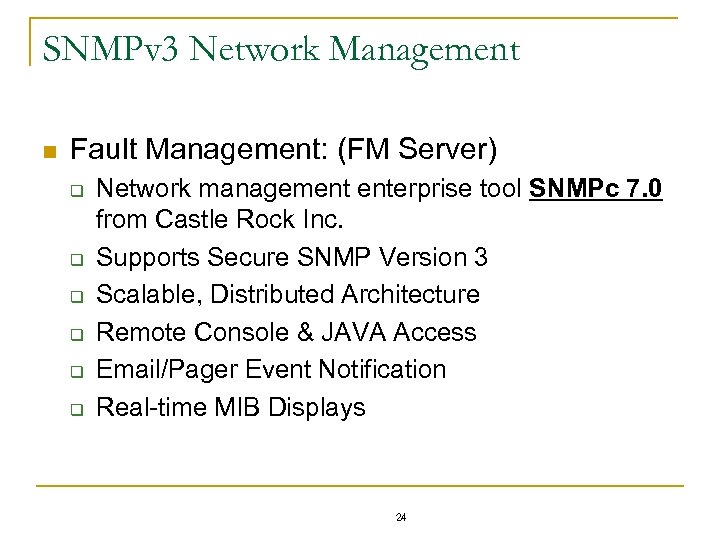 SNMPv 3 Network Management n Fault Management: (FM Server) q q q Network management enterprise tool SNMPc 7. 0 from Castle Rock Inc. Supports Secure SNMP Version 3 Scalable, Distributed Architecture Remote Console & JAVA Access Email/Pager Event Notification Real-time MIB Displays 24
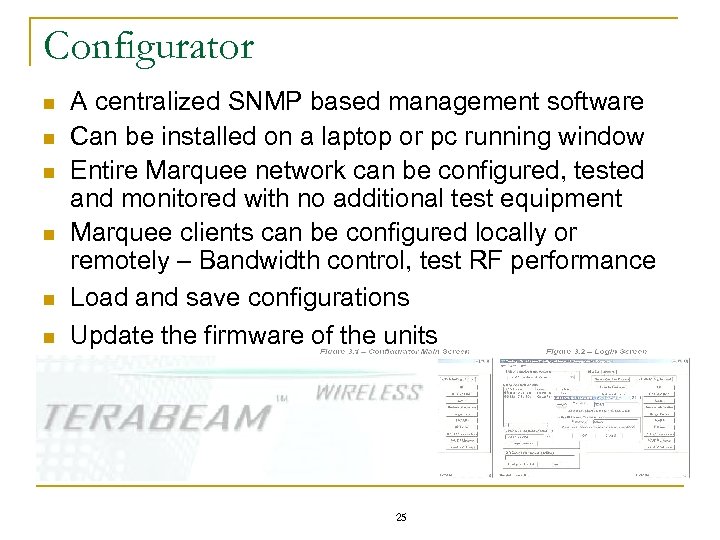 Configurator n n n A centralized SNMP based management software Can be installed on a laptop or pc running window Entire Marquee network can be configured, tested and monitored with no additional test equipment Marquee clients can be configured locally or remotely – Bandwidth control, test RF performance Load and save configurations Update the firmware of the units 25
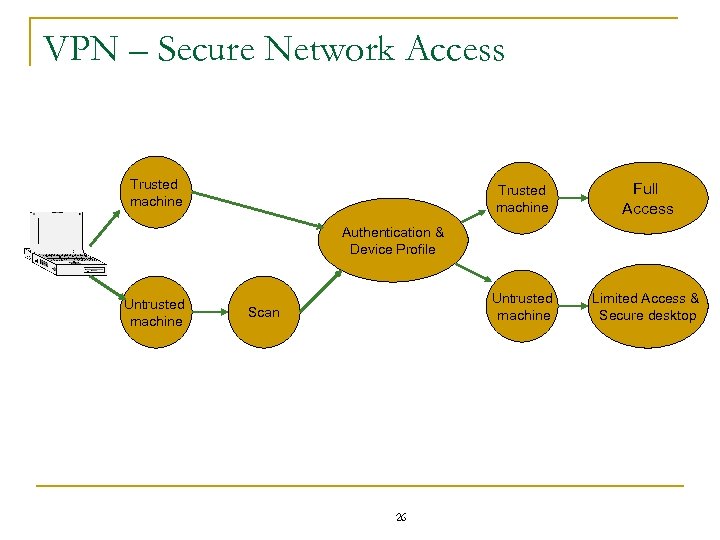 VPN – Secure Network Access Trusted machine Full Access Untrusted machine Limited Access & Secure desktop Authentication & Device Profile Untrusted machine Scan 26
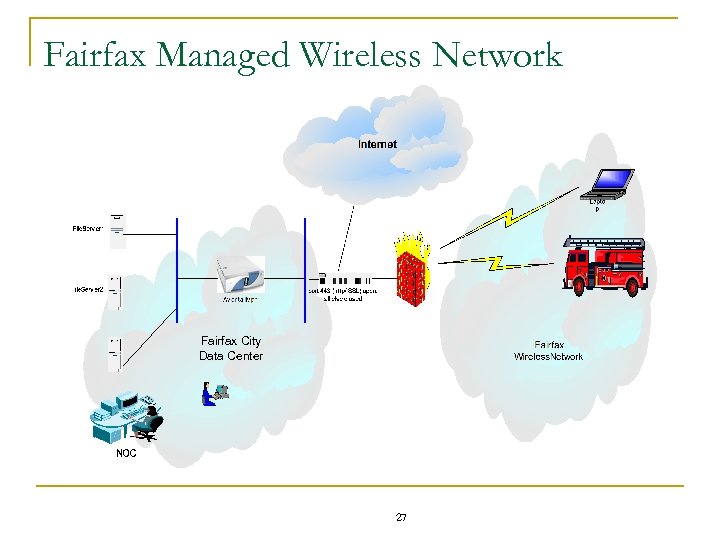 Fairfax Managed Wireless Network Fairfax City Data Center 27
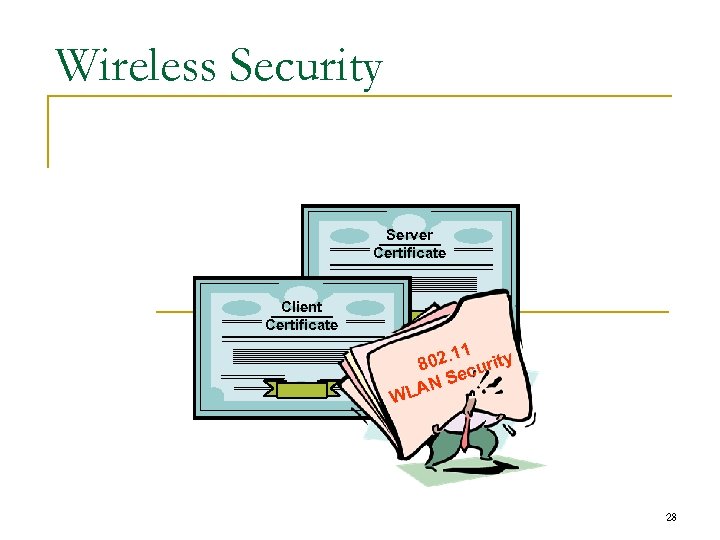 Wireless Security Server Certificate Client Certificate 1 y. 1 802 curit Se AN L W 28
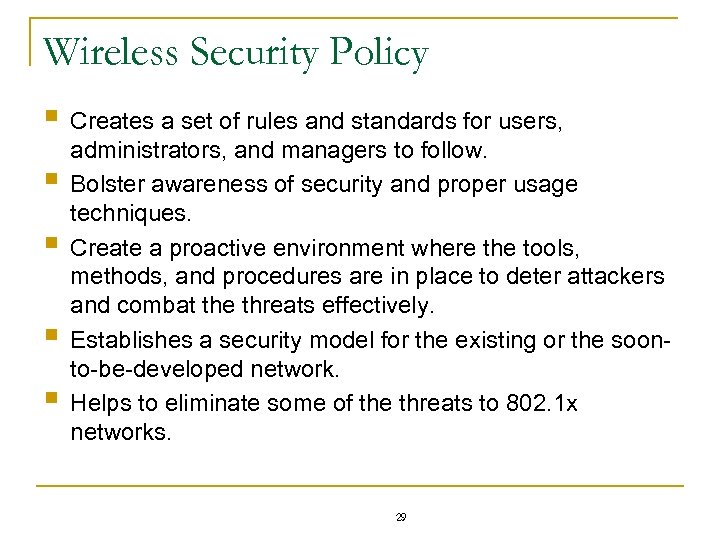 Wireless Security Policy § Creates a set of rules and standards for users, § § administrators, and managers to follow. Bolster awareness of security and proper usage techniques. Create a proactive environment where the tools, methods, and procedures are in place to deter attackers and combat the threats effectively. Establishes a security model for the existing or the soonto-be-developed network. Helps to eliminate some of the threats to 802. 1 x networks. 29
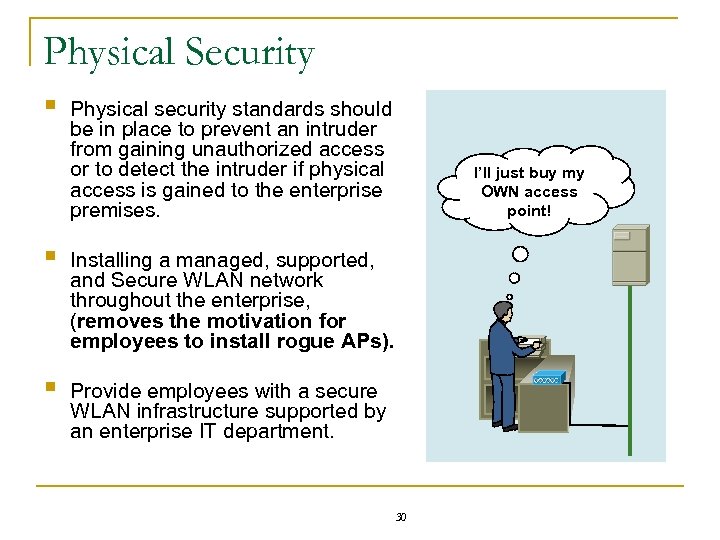 Physical Security § Physical security standards should be in place to prevent an intruder from gaining unauthorized access or to detect the intruder if physical access is gained to the enterprise premises. § Installing a managed, supported, and Secure WLAN network throughout the enterprise, (removes the motivation for employees to install rogue APs). § Provide employees with a secure WLAN infrastructure supported by an enterprise IT department. 30 I’ll just buy my OWN access point!
 How to Secure your WLAN § § § Install Firewall in the Data Center to secure network. Install personal firewall software on all connected PCs and laptops. Remove rogue unauthorized Access Point from the network. Use password protection on all sensitive folders and files. Install Anti-Virus on all PCs and laptops. 31
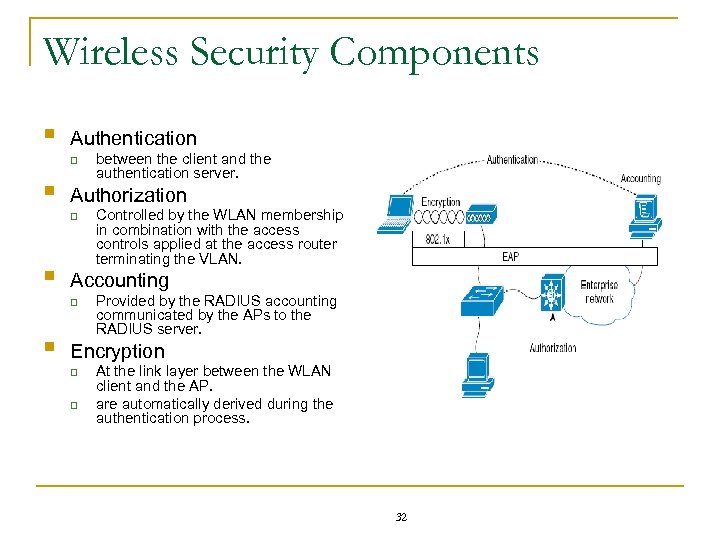 Wireless Security Components § Authentication q § Authorization q § Controlled by the WLAN membership in combination with the access controls applied at the access router terminating the VLAN. Accounting q § between the client and the authentication server. Provided by the RADIUS accounting communicated by the APs to the RADIUS server. Encryption q q At the link layer between the WLAN client and the AP. are automatically derived during the authentication process. 32
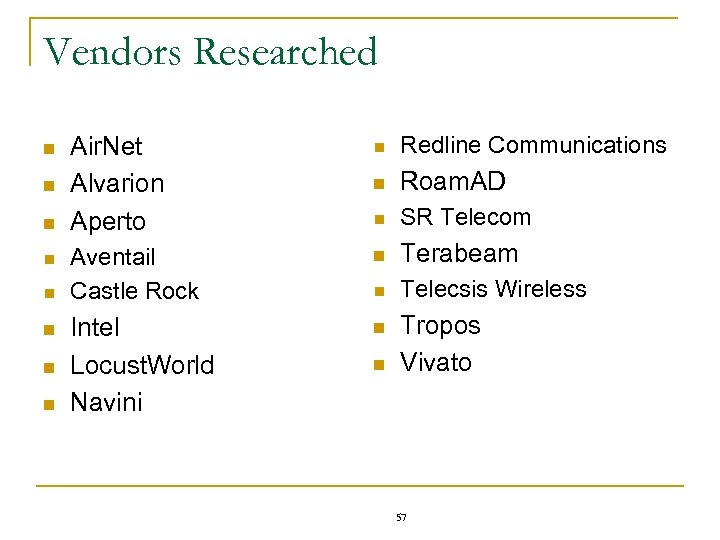
 Tera. Max Security Support § Enhanced Security q q WEP+ encryption Encryption n q DES (56 -bit) Blowfish (128 bit) AES (128 Bit) Authentication n n WPA 2 § Supports q q q RADIUS Authentication Accounting Firewall 33
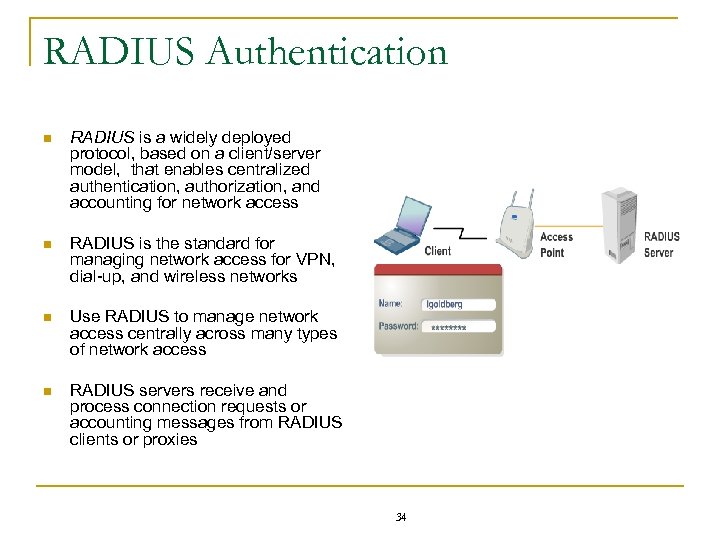 RADIUS Authentication n RADIUS is a widely deployed protocol, based on a client/server model, that enables centralized authentication, authorization, and accounting for network access n RADIUS is the standard for managing network access for VPN, dial-up, and wireless networks n Use RADIUS to manage network access centrally across many types of network access n RADIUS servers receive and process connection requests or accounting messages from RADIUS clients or proxies 34
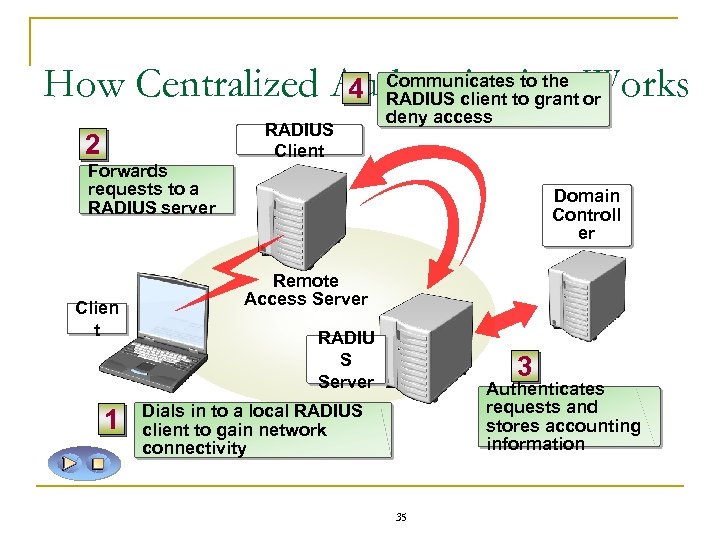 How Centralized Authentication Works 4 Communicates to the RADIUS client to grant or 2 Forwards requests to a RADIUS server Clien t 1 RADIUS Client deny access Domain Controll er Remote Access Server RADIU S Server 3 Authenticates requests and stores accounting information Dials in to a local RADIUS client to gain network connectivity 35
 Financial Analysis and Business Plan 36
 Cost & Budget Assumptions n n n n n Revenue will be generated once wireless services are offered to City residents and businesses Under Budget Savings can be applied to future years Residents will be charged $15 per month Businesses will be charged $150 per month Residential and Business Wireless Growth will increase through FY 2010 Equipment will decrease in price as the wireless market matures No Marketing costs will be incurred during the prototype Marketing costs will be driven by user uptake metrics Support Salaries will increase by 2. 5% each year 37
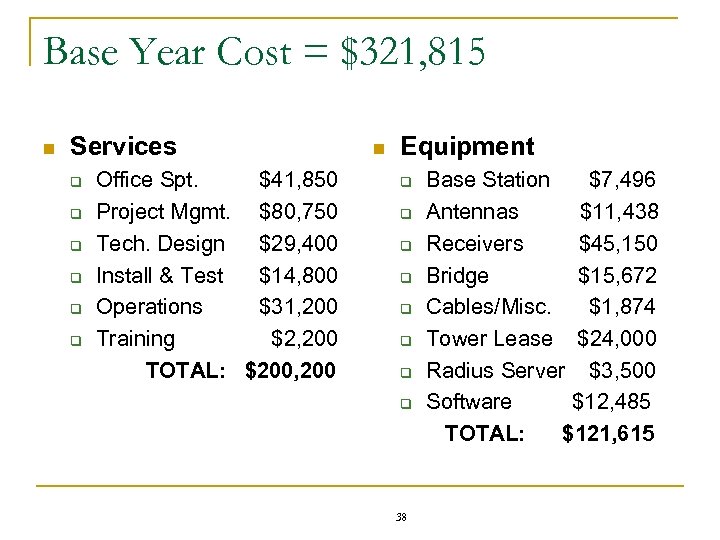 Base Year Cost = $321, 815 n Services q q q Office Spt. $41, 850 Project Mgmt. $80, 750 Tech. Design $29, 400 Install & Test $14, 800 Operations $31, 200 Training $2, 200 TOTAL: $200, 200 n Equipment q q q q 38 Base Station $7, 496 Antennas $11, 438 Receivers $45, 150 Bridge $15, 672 Cables/Misc. $1, 874 Tower Lease $24, 000 Radius Server $3, 500 Software $12, 485 TOTAL: $121, 615
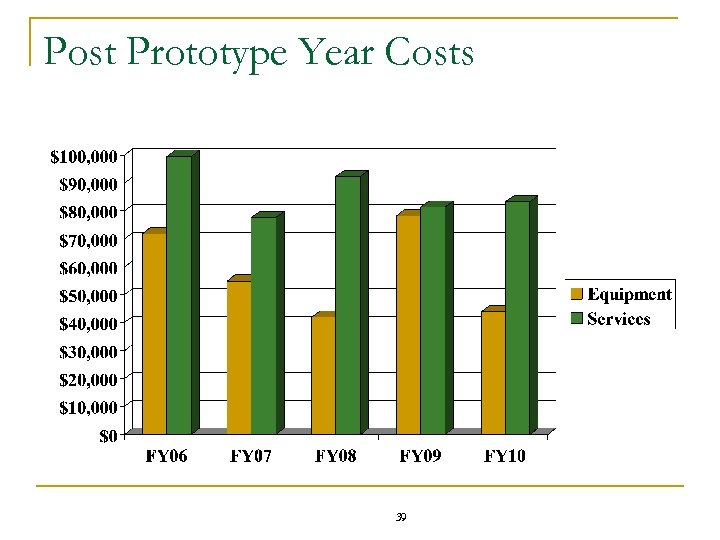 Post Prototype Year Costs 39
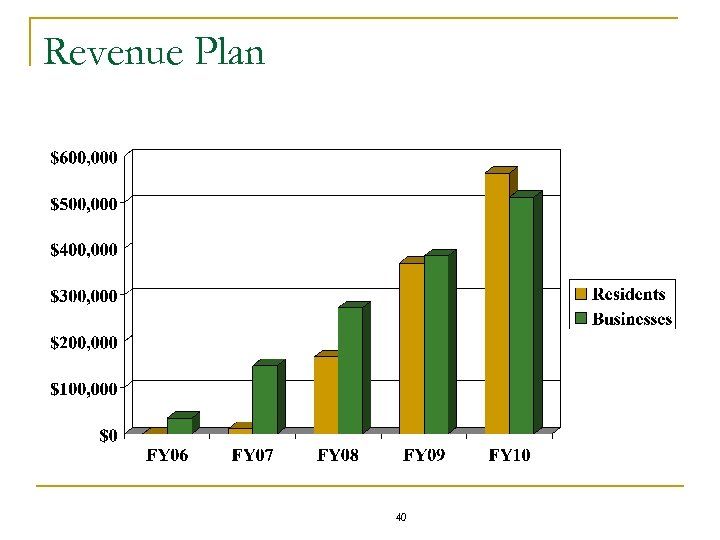 Revenue Plan 40
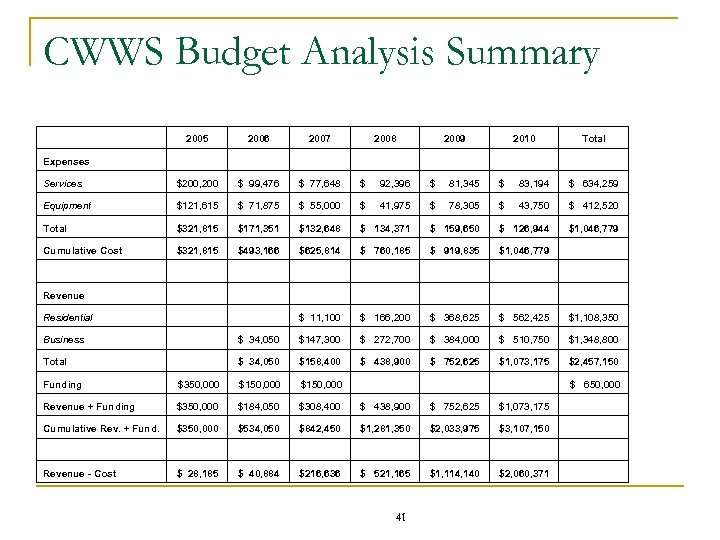 CWWS Budget Analysis Summary 2005 2006 2007 2008 2009 2010 Total Services $200, 200 $ 99, 476 $ 77, 648 $ 92, 396 $ 81, 345 $ 83, 194 $ 634, 259 Equipment $121, 615 $ 71, 875 $ 55, 000 $ 41, 975 $ 78, 305 $ 43, 750 $ 412, 520 Total $321, 815 $171, 351 $132, 648 $ 134, 371 $ 159, 650 $ 126, 944 $1, 046, 779 Cumulative Cost $321, 815 $493, 166 $625, 814 $ 760, 185 $ 919, 835 $1, 046, 779 Revenue Residential $ 11, 100 $ 166, 200 $ 368, 625 $ 562, 425 $1, 108, 350 Business $ 34, 050 $147, 300 $ 272, 700 $ 384, 000 $ 510, 750 $1, 348, 800 Total $ 34, 050 $158, 400 $ 438, 900 $ 752, 625 $1, 073, 175 $2, 457, 150 Funding $350, 000 $150, 000 $ 650, 000 Revenue + Funding $350, 000 $184, 050 $308, 400 $ 438, 900 $ 752, 625 $1, 073, 175 Cumulative Rev. + Fund. $350, 000 $534, 050 $842, 450 $1, 281, 350 $2, 033, 975 $3, 107, 150 Revenue - Cost $ 28, 185 $ 40, 884 $216, 636 $ 521, 165 $1, 114, 140 $2, 060, 371 Expenses 41
 Marketing Plan & PR Strategy n Marketing material will be developed prior to large scale deployment and contain info on: q q q Timeframe for City Wide Availability Wireless Service and Equipment Cost Who to call and how to obtain service n q q City of Fairfax News and Events Line (703. 273. 1776) Where on-line and classroom training can be obtained Radio Frequency Hazards and Safety 42
 Marketing Plan & PR Strategy (Con’t) n Marketing Material/Distribution will consist of: q q Cityscene, Fairfax Connection and Fairfax Journal Advertisements Cue Bus Placards n n q q q External: $200 -250 per month per bus (12 buses total) Internal: $100 per month for all buses Signs placed at the Regional Library, Cue bus stops, City Hall, Post Offices, GMU Email to city employees City Government Website (www. fairfaxva. gov) 43
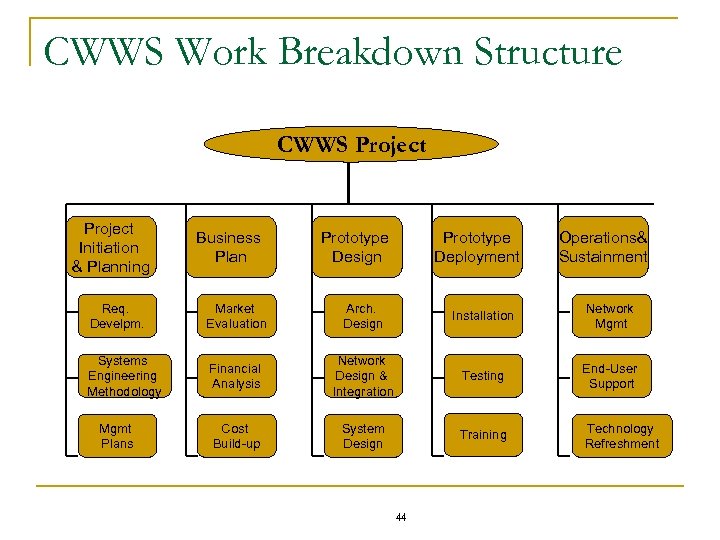 CWWS Work Breakdown Structure CWWS Project Initiation & Planning Business Plan Prototype Design Prototype Deployment Operations& Sustainment Req. Develpm. Market Evaluation Arch. Design Installation Network Mgmt Systems Engineering Methodology Financial Analysis Network Design & Integration Testing End-User Support Cost Build-up System Design Training Technology Refreshment Mgmt Plans 44
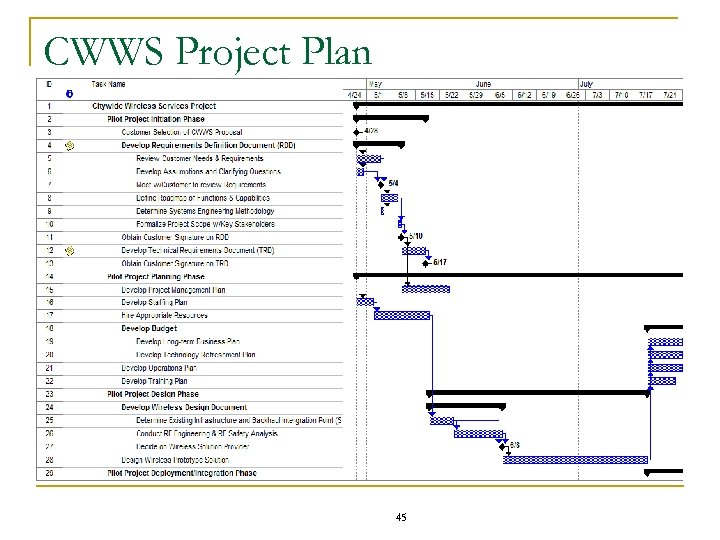 CWWS Project Plan 45
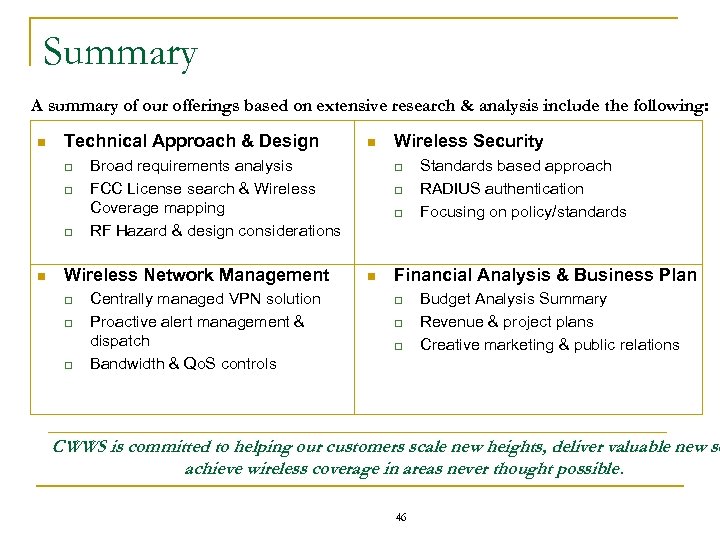 Summary A summary of our offerings based on extensive research & analysis include the following: n Technical Approach & Design q q q n Broad requirements analysis FCC License search & Wireless Coverage mapping RF Hazard & design considerations Wireless Network Management q q q n Centrally managed VPN solution Proactive alert management & dispatch Bandwidth & Qo. S controls Wireless Security q q q n Standards based approach RADIUS authentication Focusing on policy/standards Financial Analysis & Business Plan q q q Budget Analysis Summary Revenue & project plans Creative marketing & public relations CWWS is committed to helping our customers scale new heights, deliver valuable new se achieve wireless coverage in areas never thought possible. 46
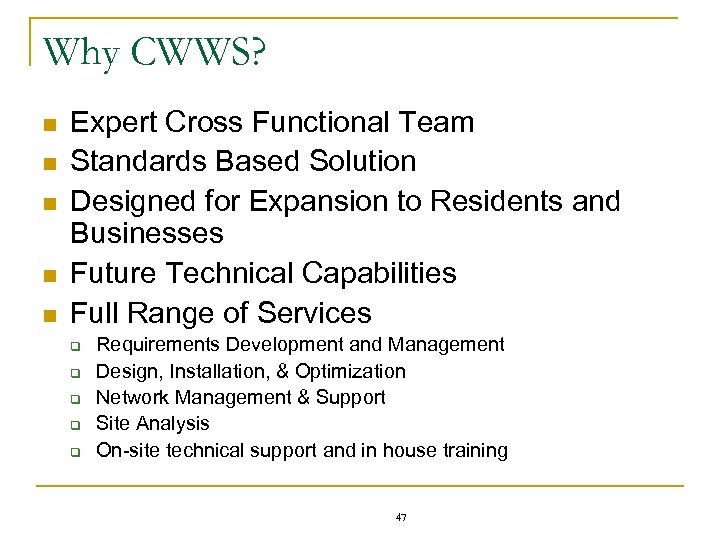 Why CWWS? n n n Expert Cross Functional Team Standards Based Solution Designed for Expansion to Residents and Businesses Future Technical Capabilities Full Range of Services q q q Requirements Development and Management Design, Installation, & Optimization Network Management & Support Site Analysis On-site technical support and in house training 47
 Backup Slides & Supporting Material 48
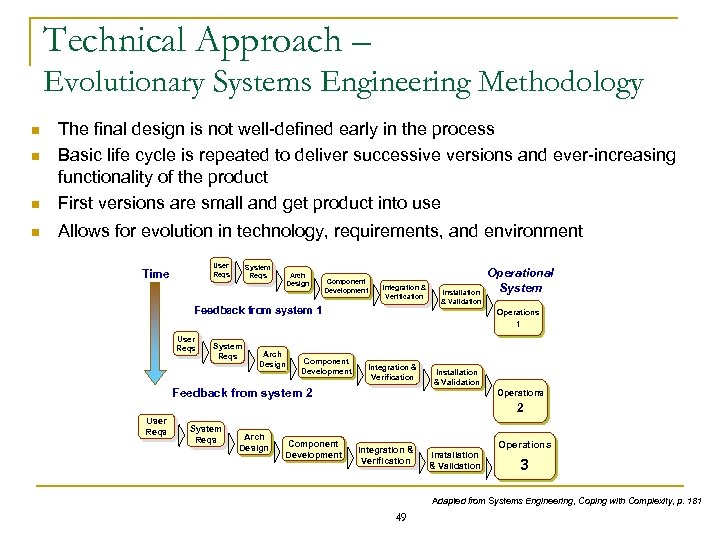 Technical Approach – Evolutionary Systems Engineering Methodology n The final design is not well-defined early in the process Basic life cycle is repeated to deliver successive versions and ever-increasing functionality of the product First versions are small and get product into use n Allows for evolution in technology, requirements, and environment n n User Reqs Time System Reqs Arch Design Component Development Integration & Verification Feedback from system 1 Installation & Validation Operational System Operations 1 User Reqs System Reqs Arch Design Component Development Integration & Verification Feedback from system 2 Installation & Validation Operations 2 User Reqs System Reqs Arch Design Component Development Integration & Verification Installation & Validation Operations 3 Adapted from Systems Engineering, Coping with Complexity, p. 181 49
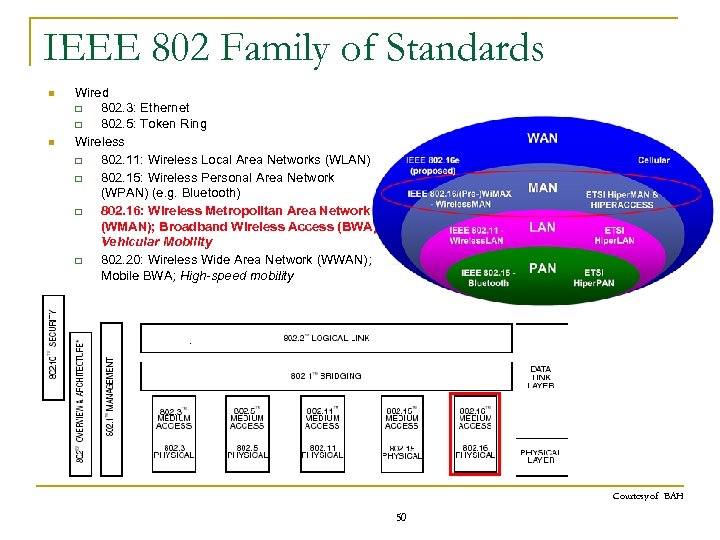 IEEE 802 Family of Standards n n Wired q 802. 3: Ethernet q 802. 5: Token Ring Wireless q 802. 11: Wireless Local Area Networks (WLAN) q 802. 15: Wireless Personal Area Network (WPAN) (e. g. Bluetooth) q 802. 16: Wireless Metropolitan Area Network (WMAN); Broadband Wireless Access (BWA); Vehicular Mobility q 802. 20: Wireless Wide Area Network (WWAN); Mobile BWA; High-speed mobility Courtesy of BAH 50
 Design Overview Wireless broadband (speeds > 1. 2 Mbps) throughout city n Initial user base: 5 police cruisers, City Hall (ad-hoc conference setup), Fire & Rescue (vehicles & trucks) n Service Mix: Internet, City VPN Access, email, n File transfer, and VOIP capabilities n Nomadic use within city perimeter n Access to city’s private network for city employees and authorized support service contractors n Outdoor, and limited indoor use n 51
 Current Design Requirements n n n n n Nomadic Use (w/in single cell, future mobile support) Data at broadband speeds (~1 Mbps) Qo. S for Public Safety needs Service mix: Internet, email, video, city VPN Private network, public access considered later Public (city-owned) Base Station Antenna placement sought Mixed outdoor and indoor use Service in licensed band (4940 Mhz or 4990 Mhz) 200 users possible, if enough wireless CPE’s purchased 52
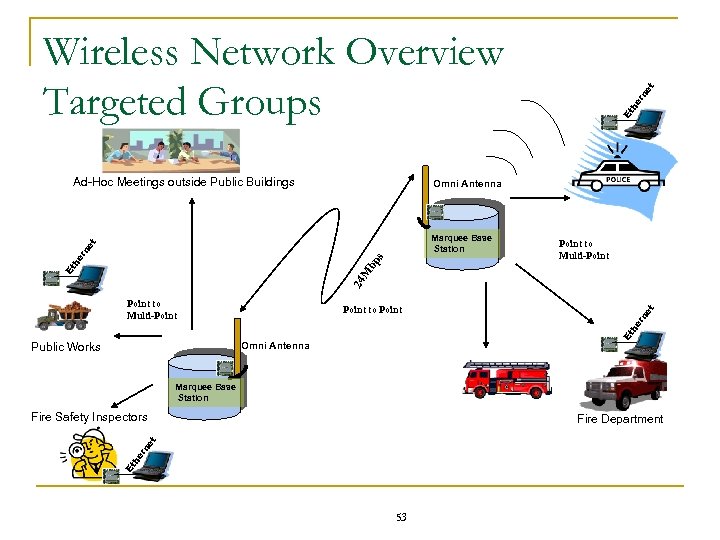 Ad-Hoc Meetings outside Public Buildings rn he Et Omni Antenna et Marquee Base Station Point to Multi-Point to Point Omni Antenna Public Works Et he rn et 24 M bp s Et he rn et Wireless Network Overview Targeted Groups Marquee Base Station Fire Safety Inspectors Et he rn et Fire Department 53
 Ideal Base Station / Tower Site Massey Bldg. City of Fairfax Gov’t Ctr. 54
 Goose Creek Water Transmission System Proximity of City Buildings with Fiber to City Water Towers 1 6 5 William Pl. Water Tower Lyndhurst Dr. Water Tower 3 Key of City Buildings 1 Fire Station 33 (10101 Lee Hwy) 2 2 4 City Hall (10455 Armstrong St) Sideburn Rd. Water Tower 3 Fire Station 3 (4081 Univ. Drive) 4 Green Acres (4401 Sideburn Rd) 5 John C. Wood (3730 Lee Hwy) 6 Property Yard (3410 Pickett Rd) 55
 Radio Frequency Hazard Calculations Terrabeam Antennas well below FCC Maximum Permissible Exposure Levels This calculation shows the Estimated RF Power Density is. 0016 m. W/cm 2 at 120 ft distance. This is approximately 1/1000 th of the MPE! 56
 Vendors Researched n n n n Air. Net Alvarion Aperto n Redline Communications n Roam. AD n SR Telecom Aventail Castle Rock n Terabeam n Telecsis Wireless Intel Locust. World Navini n Tropos Vivato n 57
 Wi. Max Summary § § 802. 16 is the first single common mandatory mode for worldwide WMAN/BWA networks (Both 802. 16 a and ETSI-HIPERMAN support 256 OFDM) q Economies of scale q Interoperability q Scalability Infrastructure Uses q Multiple T 1 line access for SMEs: 802. 16 complements 802. 11 by creating a complete MAN-LAN solution (Wi-Fi backhaul) n 802. 11 is optimized for license-exempt LAN operation n 802. 16 is optimized for license-exempt and licensed MAN operation. q Residential Opportunities: Small Office/Home Office (SOHO) n Complementary to DSL (incumbents and newcomers) – augments areas where DSL/cable connectivity is not available n Backhaul for neighborhood cells 58
 If RF Analysis shows inadequate signal strength… 59
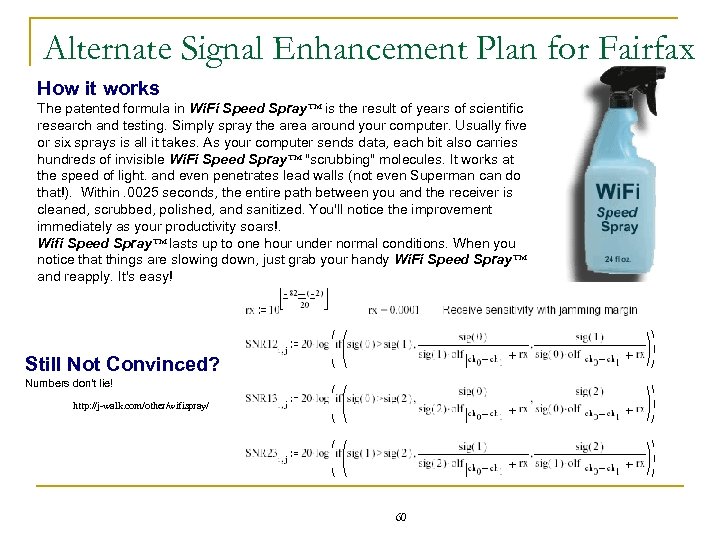 Alternate Signal Enhancement Plan for Fairfax How it works The patented formula in Wi. Fi Speed Spray™ is the result of years of scientific research and testing. Simply spray the area around your computer. Usually five or six sprays is all it takes. As your computer sends data, each bit also carries hundreds of invisible Wi. Fi Speed Spray™ "scrubbing" molecules. It works at the speed of light. and even penetrates lead walls (not even Superman can do that!). Within. 0025 seconds, the entire path between you and the receiver is cleaned, scrubbed, polished, and sanitized. You'll notice the improvement immediately as your productivity soars!. Wifi Speed Spray™ lasts up to one hour under normal conditions. When you notice that things are slowing down, just grab your handy Wi. Fi Speed Spray™ and reapply. It's easy! Still Not Convinced? Numbers don't lie! http: //j-walk. com/other/wifispray/ 60