


 Скачать презентацию CISC 370 — Class Today Project Notes
a6eda41dea4a781811b09e57be3f7442.ppt
- Количество слайдов: 41
 CISC 370 - Class Today • Project Notes • Satellites Cell/Wireless • Lab 2 3/16/2018 R. Smith - University of St Thomas - Minnesota 1
 Project Notes • Presentation schedule is available on Blackboard – Time: 15 -20 minutes per group • I need one exam question from each project – – – No “true vs false” MUST be covered in your presentation! Good ideas: • Define a key term – not something in the book • List major elements – not in the book • Describe a problem/solution presented in the project – E-mail the exam question on Tuesday (paper deadline) 3/16/2018 R. Smith - University of St Thomas - Minnesota 2
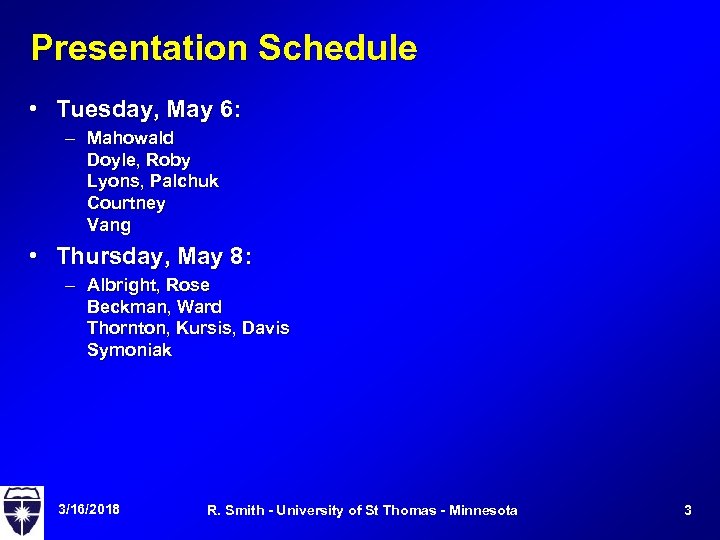 Presentation Schedule • Tuesday, May 6: – Mahowald Doyle, Roby Lyons, Palchuk Courtney Vang • Thursday, May 8: – Albright, Rose Beckman, Ward Thornton, Kursis, Davis Symoniak 3/16/2018 R. Smith - University of St Thomas - Minnesota 3
 Cell Phones • Based on low power transmitters and lots of frequencies – Each "cell" has a "base station" at the center • Layout in a honeycomb (hexagons) = equidistant base stations – This is the default design – Honeycomb is varied according to topography, call load, etc. • • Each cell is assigned a group of frequencies Adjacent cells use different frequencies 3/16/2018 R. Smith - University of St Thomas - Minnesota 4
 Cell System Geography • “Beehive” arrangement – Squares are easier to lay out (‘sections’ in homesteading) – Hexagons are simplest simulation of packed circles • Equidistant centers between cells • Not all cell towers are identical – Impact of cell traffic load • Geometry and frequency bands limit a cell’s load • Most cells are far below their potential capacity – Cell versus ‘microcell’ • Microcell has smaller transmitter power • Covers smaller area, usually used in cities • More cells = more capacity 3/16/2018 R. Smith - University of St Thomas - Minnesota 5
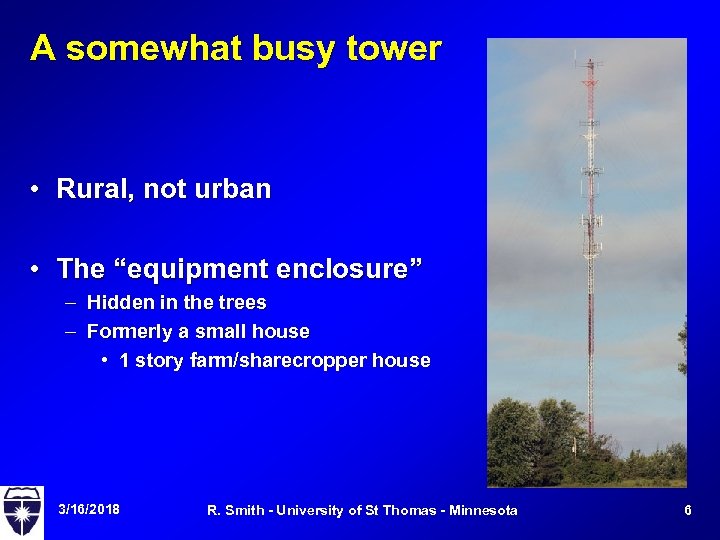 A somewhat busy tower • Rural, not urban • The “equipment enclosure” – Hidden in the trees – Formerly a small house • 1 story farm/sharecropper house 3/16/2018 R. Smith - University of St Thomas - Minnesota 6
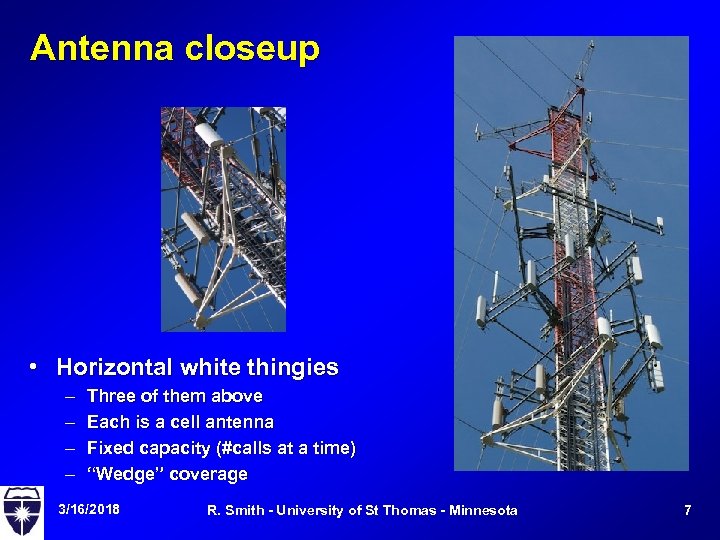 Antenna closeup • Horizontal white thingies – – Three of them above Each is a cell antenna Fixed capacity (#calls at a time) “Wedge” coverage 3/16/2018 R. Smith - University of St Thomas - Minnesota 7
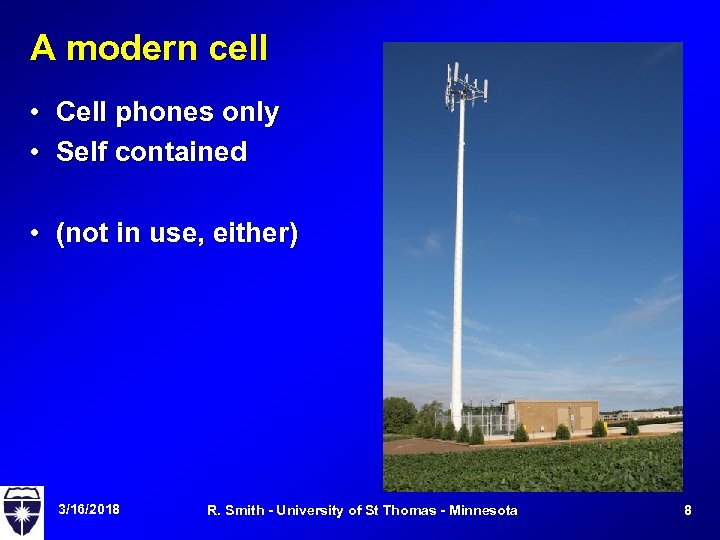 A modern cell • Cell phones only • Self contained • (not in use, either) 3/16/2018 R. Smith - University of St Thomas - Minnesota 8
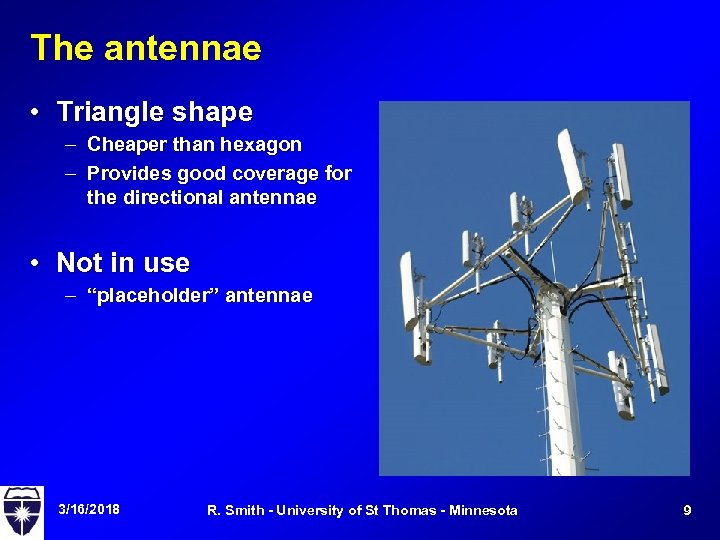 The antennae • Triangle shape – Cheaper than hexagon – Provides good coverage for the directional antennae • Not in use – “placeholder” antennae 3/16/2018 R. Smith - University of St Thomas - Minnesota 9
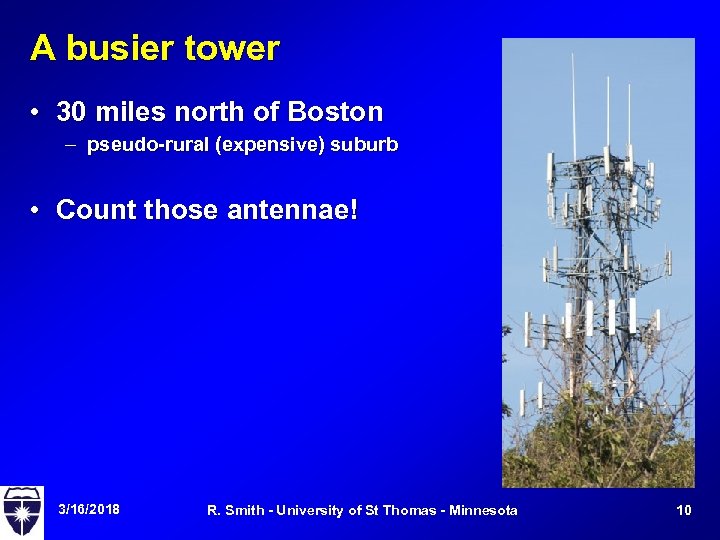 A busier tower • 30 miles north of Boston – pseudo-rural (expensive) suburb • Count those antennae! 3/16/2018 R. Smith - University of St Thomas - Minnesota 10
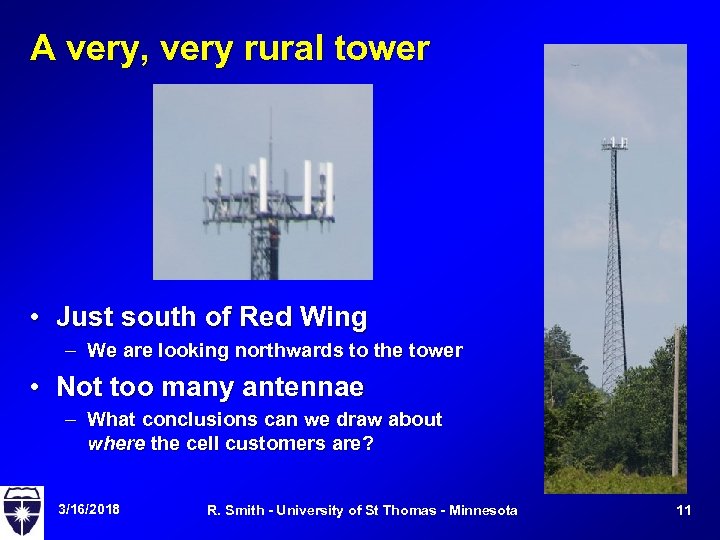 A very, very rural tower • Just south of Red Wing – We are looking northwards to the tower • Not too many antennae – What conclusions can we draw about where the cell customers are? 3/16/2018 R. Smith - University of St Thomas - Minnesota 11
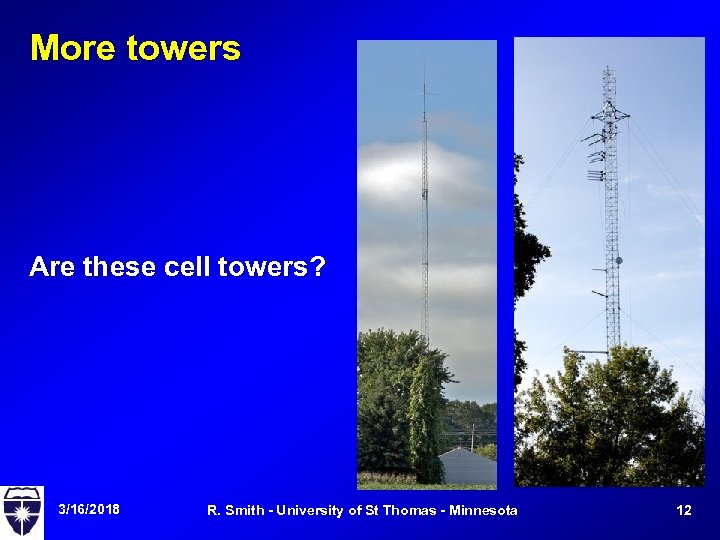 More towers Are these cell towers? 3/16/2018 R. Smith - University of St Thomas - Minnesota 12
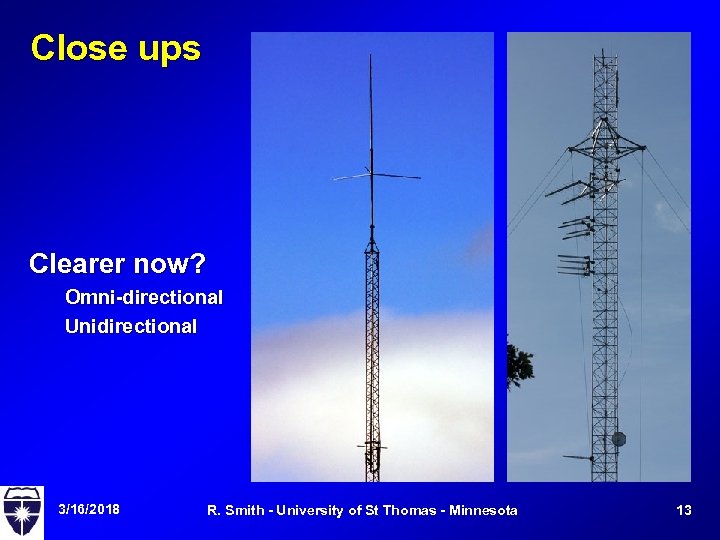 Close ups Clearer now? Omni-directional Unidirectional 3/16/2018 R. Smith - University of St Thomas - Minnesota 13
 Summary • How do we assess a cell phone network? • What do the antennae tell us? – Current traffic levels – Direction of traffic levels – Available room for growth • What about cell phone antennae on buildings? – Apartments on the Cretin/Grand corner – Apartments along I-94 near Dale exit 3/16/2018 R. Smith - University of St Thomas - Minnesota 14
 Cell Operation • Organization – Base stations connect to a mobile switching office – Mobile switching office connects to POTS • Handling a call – Turn on the phone - it searches for a nearby cell – Phone does handshake with strongest base station • "Setup channel" is identified to handle calls • Base station registers the phone's location for incoming calls 3/16/2018 R. Smith - University of St Thomas - Minnesota 15
 Operation, continued • Outgoing call – – Phone checks to see if setup channel is free Once channel is free, sends the call request Mobile switching office tries to make call. If succeeds, the base station assigns a channel to the phone • Handoff – If the phone moves out of range, it contacts the nearest strong base station – New base station provides a new control channel – If a call is in progress, they assign a new channel to the call and new base station handles it 3/16/2018 R. Smith - University of St Thomas - Minnesota 16
 Increasing cell system capacity • Add new channels – Look at a base station and count the vertical antenna elements – Busy stations have lots of elements, less busy ones have fewer • Frequency borrowing – A more-busy station borrows a frequency from a less-busy neighbor • Cell splitting – Change the geographic coverage of adjacent cells to fit in another base station – If you get a lot of cells in a small area, you may get "microcells" that use lower power base stations • Cell sectoring – Use directional antennas and assign specific channels to specific directions. – Yields wedge-shaped channel coverage areas 3/16/2018 R. Smith - University of St Thomas - Minnesota 17
 Satellite System Architecture • Earth stations – Fixed locations with big satellite antennas – or small, mobile devices like cel phones • Satellites – Orbiting devices that relay the messages, – usually from a mobile device to a fixed station – Or vice versa (pagers) • Elements – + Uplink - message going from earth station to satellite – + Downlink - opposite direction – + Transponder - typical satellite function - simply echoes the uplink signal onto a downlink. 3/16/2018 R. Smith - University of St Thomas - Minnesota 18
 Remember strong vs weak • Portable devices usually have weak signals – battery and portability limitations • Satellites have signal limitations – How much circuitry can we launch into orbit and keep there? – How much power can we get from solar cells? • Fixed Earth Station – The Most powerful element is the fixed earth station: • big antenna, lots of power • Sends strong signal to satellite • detects weak signals in a downlink • Can reduce the satellite’s needs 3/16/2018 R. Smith - University of St Thomas - Minnesota 19
 Classic Satellite Applications • Earth surveillance (weather, spying, etc) – Satellite collects sensor data, transmits to base station – Powerful base station, huge antenna • Network Television – Powerful Earth station transmits the program signal – Smaller (but still huge) antennas to receive the signal • Pagers – Earth station transmits the signal, bounces off the satellite – Activates small, low powered receiver 3/16/2018 R. Smith - University of St Thomas - Minnesota 20
 New Tech applications • Home Television – Powered Earth station transmitters, powered (small) receivers – Satellite simply bounces the signal • Telephones (Iridium, others) – Weak base stations (phones) – Satellites talk to phones, Earth stations, and each other – Earth stations provide local phone company connection • GPS – Satellites transmit standard, coded signals – Earth receivers are small, portable, vulnerable to signal blockage 3/16/2018 R. Smith - University of St Thomas - Minnesota 21
 Satellite constellations • GEO • LEO • MEO 3/16/2018 R. Smith - University of St Thomas - Minnesota 22
 o GEO - geostationary orbit • + Fixed in one location – 35, 863 km above earth (about 21 K miles) on the Equator • + "Geosynchronous“ – that height, but not necessarily a fixed location • + Easiest type of satellite to handle – location never changes 3/16/2018 R. Smith - University of St Thomas - Minnesota 23
 GEO • Benefits – – – # No frequency shift problems from Doppler effect # Easy to track from earth, since it doesn't move # Fewer satellites (3) can cover entire habitable surface • Problems – – – # Signal gets really weak after travelling 35 K km # Polar regions are hard to cover from the equator # Distance causes delays even at the speed of light • Examples: – TV - delay isn't a problem for 1 -way broadcast video – ICO started with GEO satellite 3/16/2018 R. Smith - University of St Thomas - Minnesota 24
 LEO - low earth orbit • Orbit at 500 to 1500 KM above the earth • Benefits – Very low transmission delay (20 ms) – Strong signals • Problem: lower altitude = higher speed – Harder to track – Doppler shifts affect frequencies • Problem: lower altitude = smaller signal footprint – Each satellite only covers circle with 8000 KM diameter – Each satellite is visible for only 20 minutes at a time - must have "hand off" between satellites or you lose the connection • Need LOTS of satellites to cover the whole planet 3/16/2018 R. Smith - University of St Thomas - Minnesota 25
 Examples • ORBCOMM – – called a 'little LEO' – – small bandwidth satellites for paging and short text msgs • Globalstar – called a 'big LEO‘ – higher data rates – 48 satellites, pure transponders • Iridium – 66 satellites @ 485 mile altitude – they had to develop satellite mass production techniques to make this work – satellites will to each other as well as to ground stations 3/16/2018 R. Smith - University of St Thomas - Minnesota 26
 o MEO - Medium Earth Orbit • • + Height of 5000 to 12, 000 KM + Signal delay ~ 50 ms + Footprint = 10 K-15 K km + Less handoff, less Doppler shift, fewer satellites than LEO • + Less round trip delay than GEO • + Example: ICO ("New ICO") with planned set of 12 satellites at 10, 400 km orbits • Imagery http: //www. ee. surrey. ac. uk/Personal/L. Wood/constellati ons/globalstar. html 3/16/2018 R. Smith - University of St Thomas - Minnesota 27
 Thursday • Homework Due • Will work Case Studies 6 and 7
 Firewall Lab • Configuring the Linksys router/firewall – Blocking – Network address translation • A configuration problem – We need to watch with Wire. Shark – Hub technology is lagging the network technology • Due in a couple of weeks
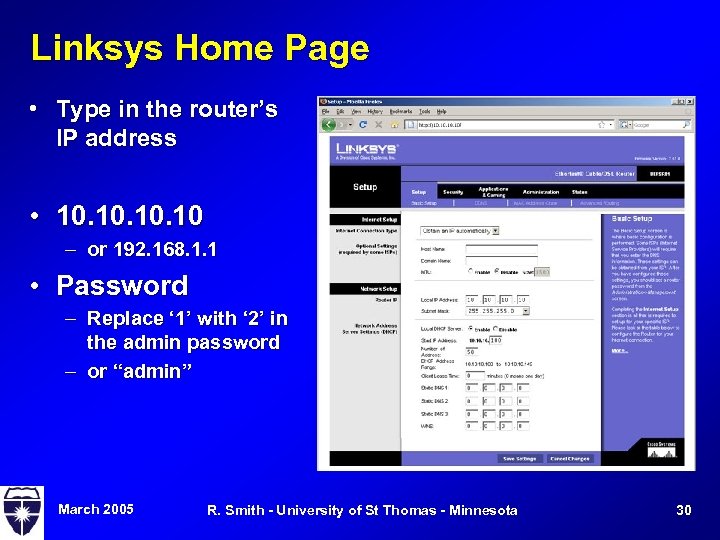 Linksys Home Page • Type in the router’s IP address • 10. 10. 10 – or 192. 168. 1. 1 • Password – Replace ‘ 1’ with ‘ 2’ in the admin password – or “admin” March 2005 R. Smith - University of St Thomas - Minnesota 30
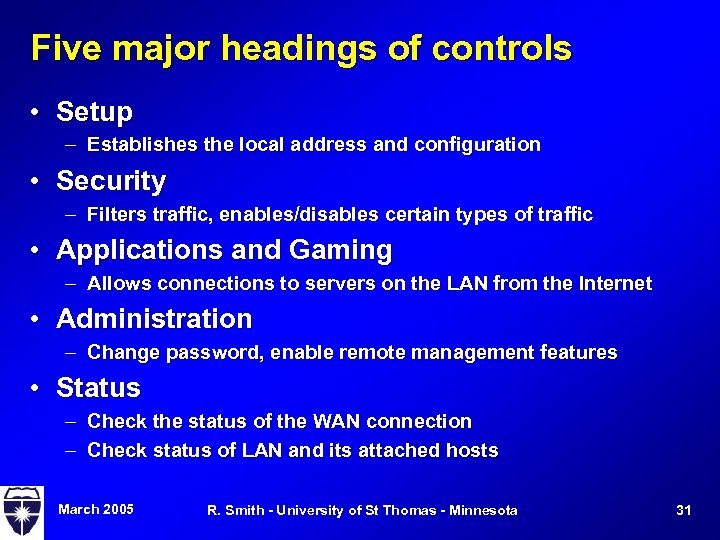 Five major headings of controls • Setup – Establishes the local address and configuration • Security – Filters traffic, enables/disables certain types of traffic • Applications and Gaming – Allows connections to servers on the LAN from the Internet • Administration – Change password, enable remote management features • Status – Check the status of the WAN connection – Check status of LAN and its attached hosts March 2005 R. Smith - University of St Thomas - Minnesota 31
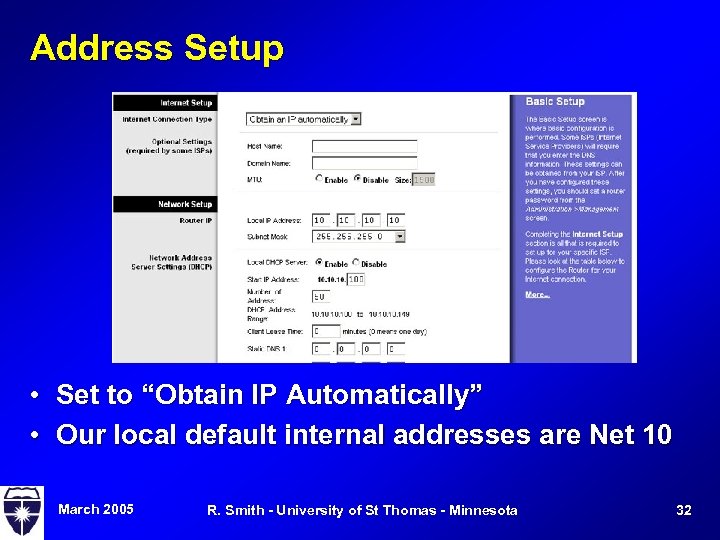 Address Setup • Set to “Obtain IP Automatically” • Our local default internal addresses are Net 10 March 2005 R. Smith - University of St Thomas - Minnesota 32
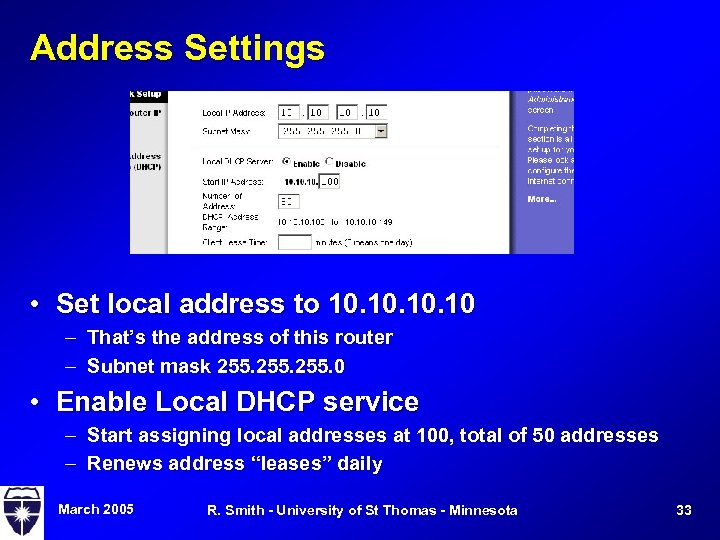 Address Settings • Set local address to 10. 10. 10 – That’s the address of this router – Subnet mask 255. 0 • Enable Local DHCP service – Start assigning local addresses at 100, total of 50 addresses – Renews address “leases” daily March 2005 R. Smith - University of St Thomas - Minnesota 33
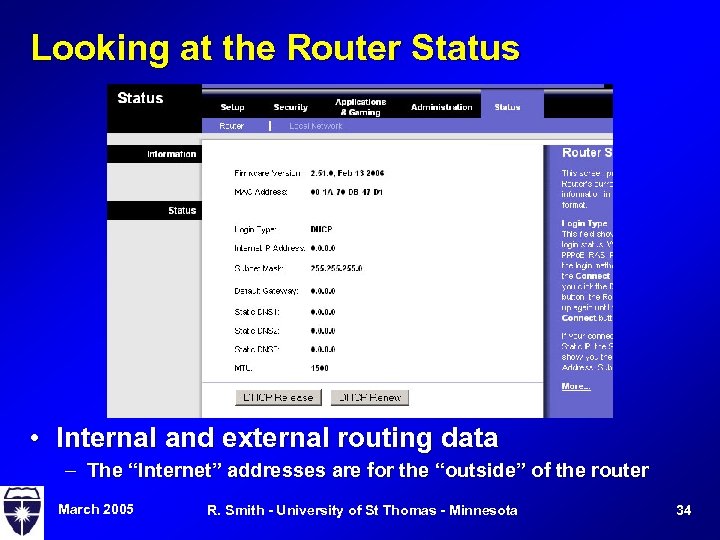 Looking at the Router Status • Internal and external routing data – The “Internet” addresses are for the “outside” of the router March 2005 R. Smith - University of St Thomas - Minnesota 34
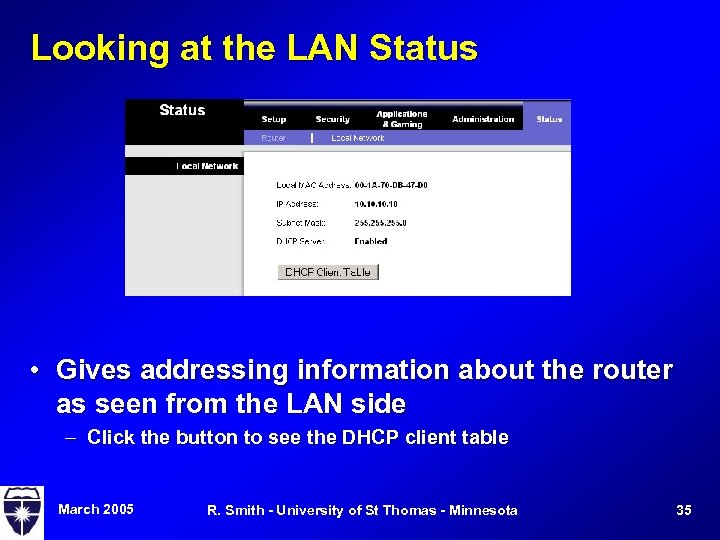 Looking at the LAN Status • Gives addressing information about the router as seen from the LAN side – Click the button to see the DHCP client table March 2005 R. Smith - University of St Thomas - Minnesota 35
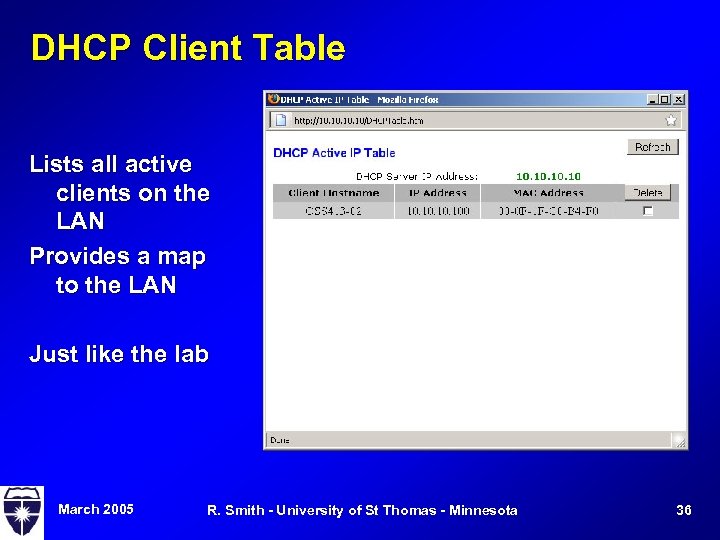 DHCP Client Table Lists all active clients on the LAN Provides a map to the LAN Just like the lab March 2005 R. Smith - University of St Thomas - Minnesota 36
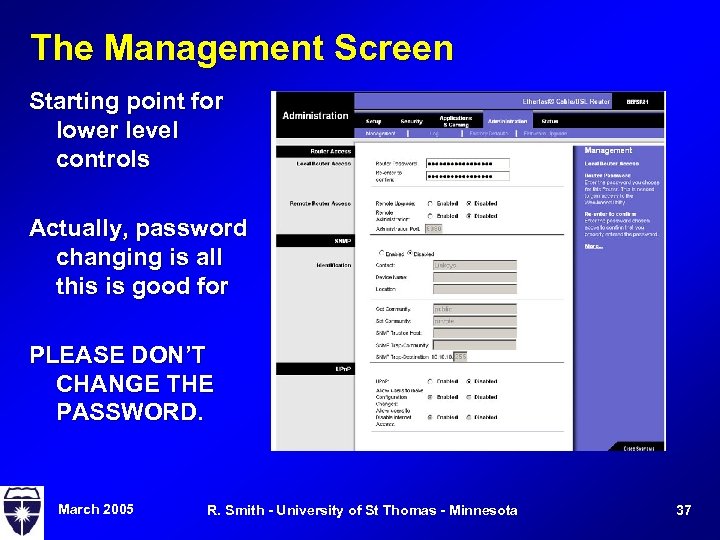 The Management Screen Starting point for lower level controls Actually, password changing is all this is good for PLEASE DON’T CHANGE THE PASSWORD. March 2005 R. Smith - University of St Thomas - Minnesota 37
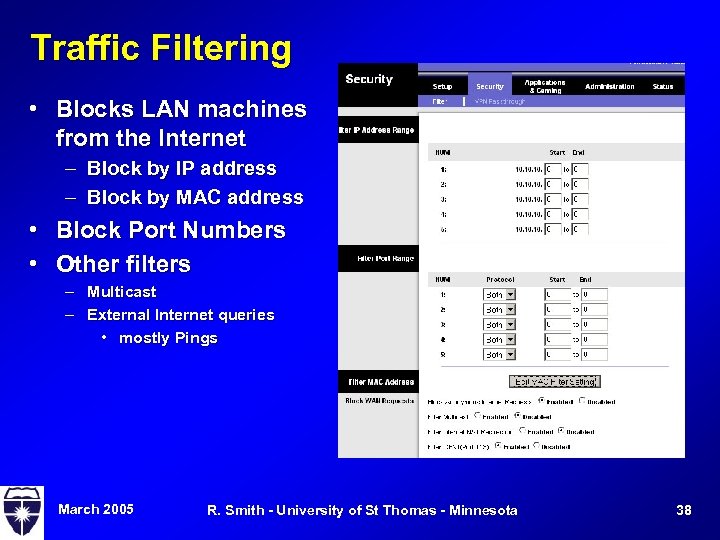 Traffic Filtering • Blocks LAN machines from the Internet – Block by IP address – Block by MAC address • Block Port Numbers • Other filters – Multicast – External Internet queries • mostly Pings March 2005 R. Smith - University of St Thomas - Minnesota 38
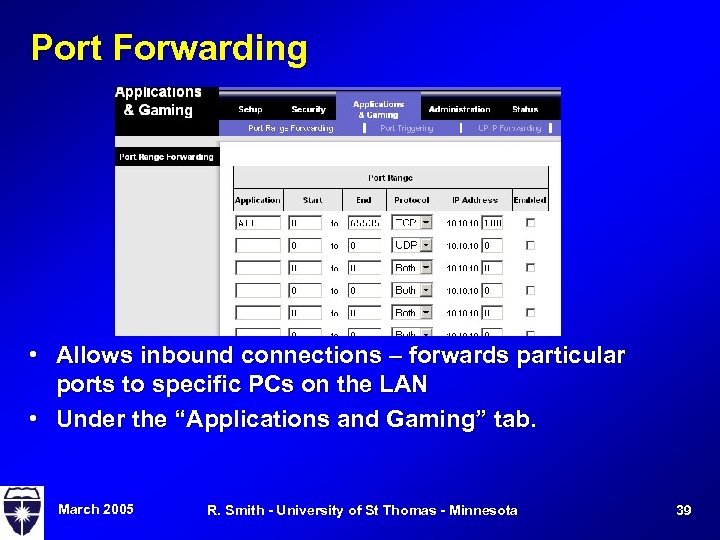 Port Forwarding • Allows inbound connections – forwards particular ports to specific PCs on the LAN • Under the “Applications and Gaming” tab. March 2005 R. Smith - University of St Thomas - Minnesota 39
 Firewall Lab • Overview – – Rewire the lab to use the firewall Map the rewired lab Demonstrate host blocking through the firewall Demonstrate NAT through the firewall March 2005 R. Smith - University of St Thomas - Minnesota 40
 Creative Commons License This work is licensed under the Creative Commons Attribution-Share Alike 3. 0 United States License. To view a copy of this license, visit http: //creativecommons. org/licenses/bysa/3. 0/us/ or send a letter to Creative Commons, 171 Second Street, Suite 300, San Francisco, California, 94105, USA. 3/16/2018 R. Smith - University of St Thomas - Minnesota 41