


 Скачать презентацию CIC Photonics IRGAS Training Schedule — Day
11f0430de8009c94c675ad328f0f8a59.ppt
- Количество слайдов: 72
 CIC Photonics IRGAS Training
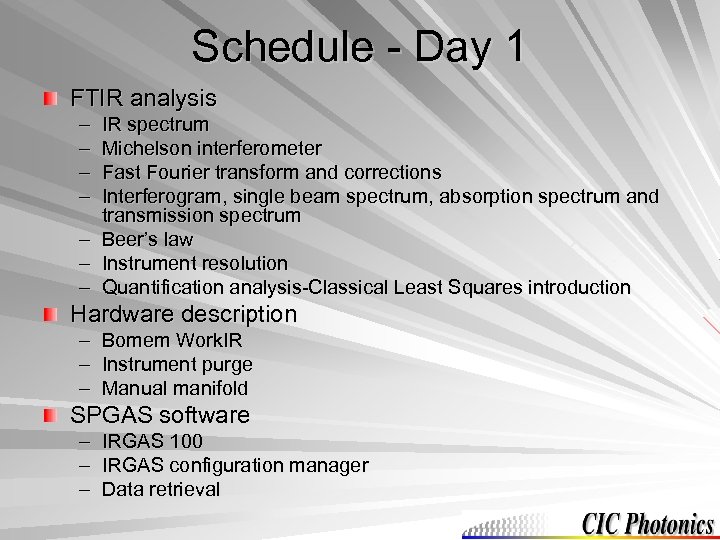 Schedule - Day 1 FTIR analysis – – IR spectrum Michelson interferometer Fast Fourier transform and corrections Interferogram, single beam spectrum, absorption spectrum and transmission spectrum – Beer’s law – Instrument resolution – Quantification analysis-Classical Least Squares introduction Hardware description – Bomem Work. IR – Instrument purge – Manual manifold SPGAS software – – – IRGAS 100 IRGAS configuration manager Data retrieval
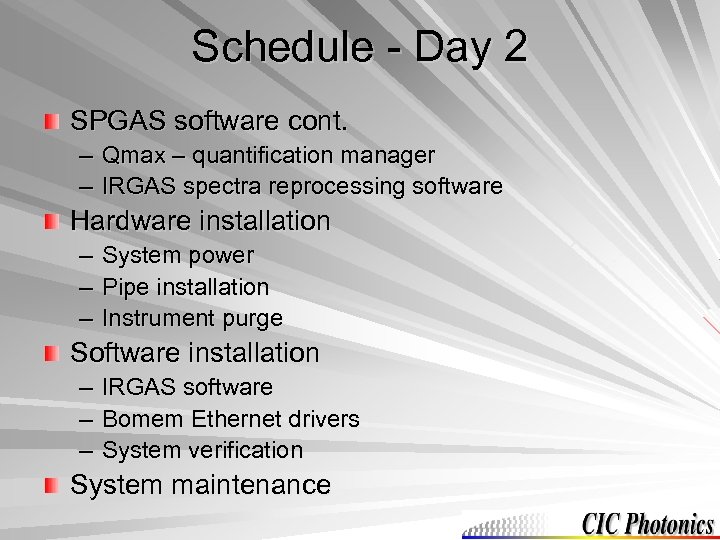 Schedule - Day 2 SPGAS software cont. – Qmax – quantification manager – IRGAS spectra reprocessing software Hardware installation – System power – Pipe installation – Instrument purge Software installation – IRGAS software – Bomem Ethernet drivers – System verification System maintenance
 FTIR Analysis Tab 1
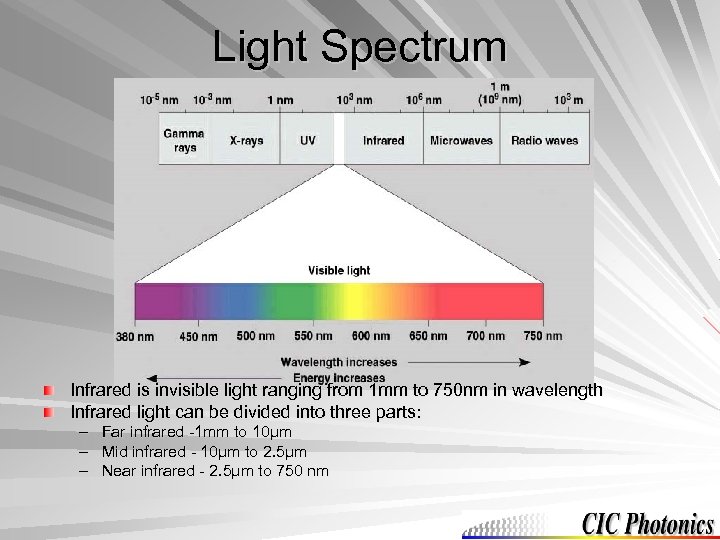 Light Spectrum Infrared is invisible light ranging from 1 mm to 750 nm in wavelength Infrared light can be divided into three parts: – – – Far infrared -1 mm to 10µm Mid infrared - 10µm to 2. 5µm Near infrared - 2. 5µm to 750 nm
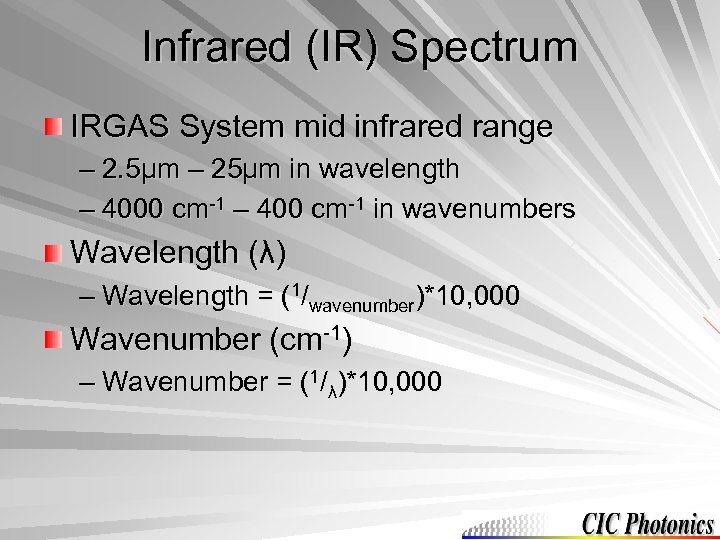 Infrared (IR) Spectrum IRGAS System mid infrared range – 2. 5µm – 25µm in wavelength – 4000 cm-1 – 400 cm-1 in wavenumbers Wavelength (λ) – Wavelength = (1/wavenumber)*10, 000 Wavenumber (cm-1) – Wavenumber = (1/λ)*10, 000
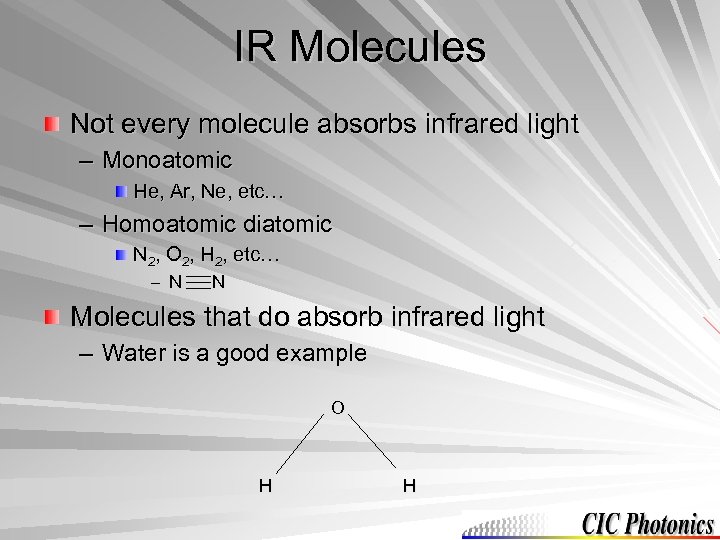 IR Molecules Not every molecule absorbs infrared light – Monoatomic He, Ar, Ne, etc… – Homoatomic diatomic N 2, O 2, H 2, etc… – N N Molecules that do absorb infrared light – Water is a good example O H H
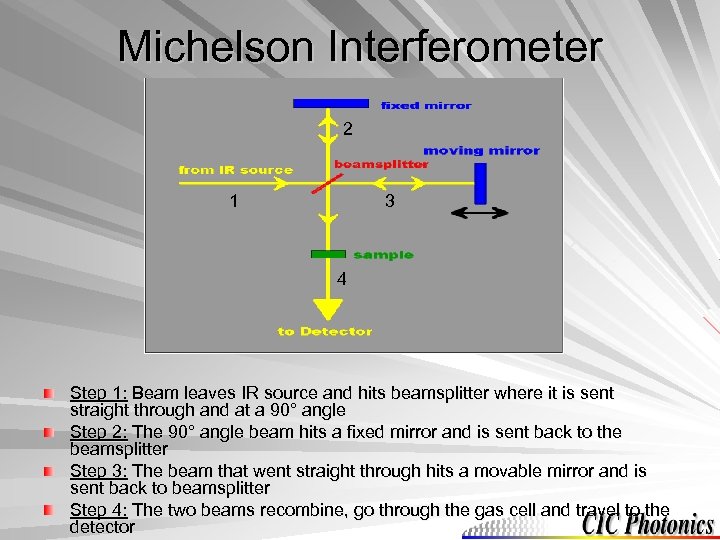 Michelson Interferometer 2 1 3 4 Step 1: Beam leaves IR source and hits beamsplitter where it is sent straight through and at a 90° angle Step 2: The 90° angle beam hits a fixed mirror and is sent back to the beamsplitter Step 3: The beam that went straight through hits a movable mirror and is sent back to beamsplitter Step 4: The two beams recombine, go through the gas cell and travel to the detector
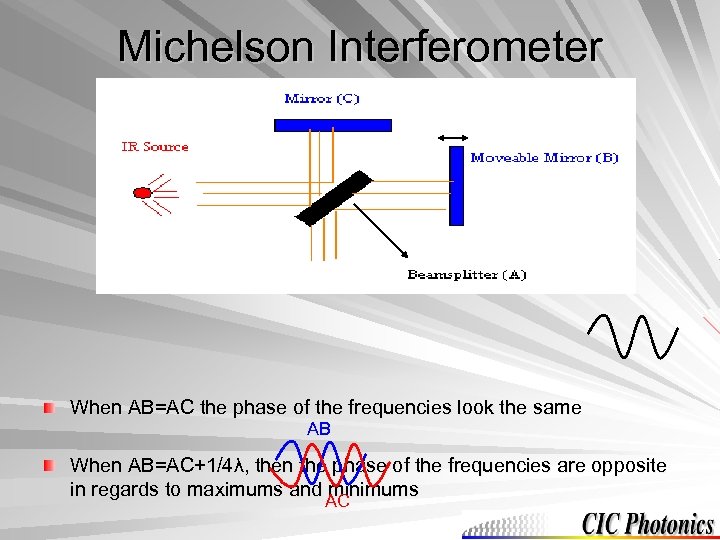 Michelson Interferometer When AB=AC the phase of the frequencies look the same AB When AB=AC+1/4λ, then the phase of the frequencies are opposite in regards to maximums and minimums AC
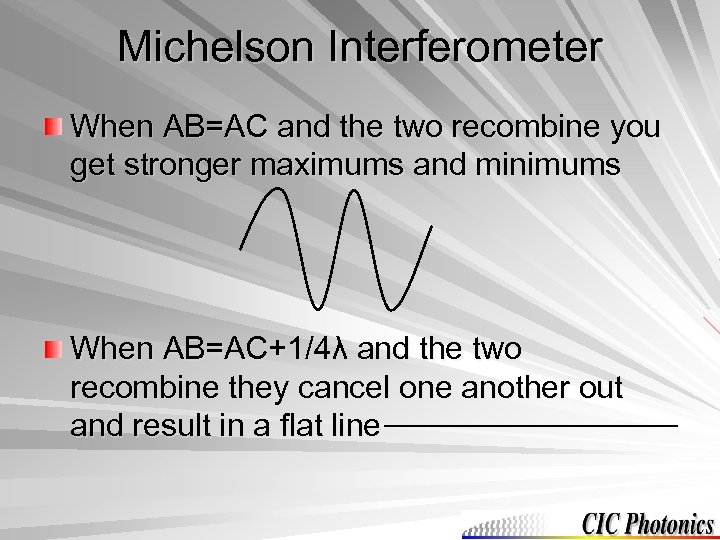 Michelson Interferometer When AB=AC and the two recombine you get stronger maximums and minimums When AB=AC+1/4λ and the two recombine they cancel one another out and result in a flat line
 ABB Bomem Michelson Interferometer It has two sets of mirrors that move by a pivoting motion This design is called a wishbone configuration – This configuration is more robust It can be placed in any orientation This configuration only has to be smooth at one point vs. the traditional interferogram that has to be smooth along a rail
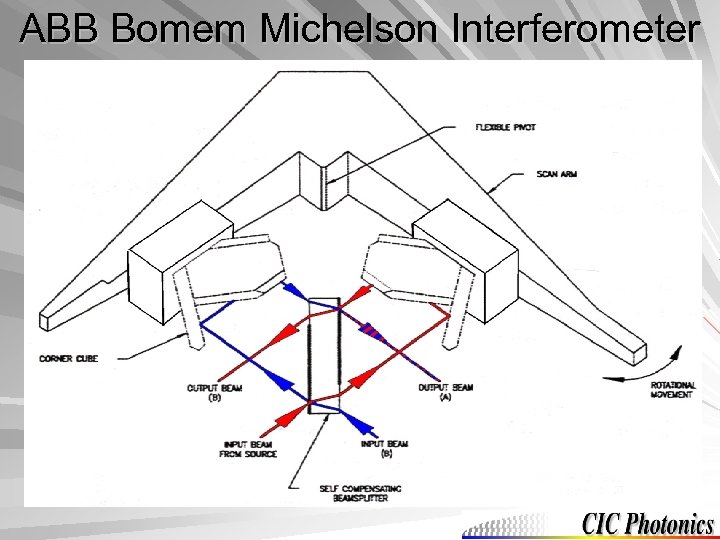 ABB Bomem Michelson Interferometer
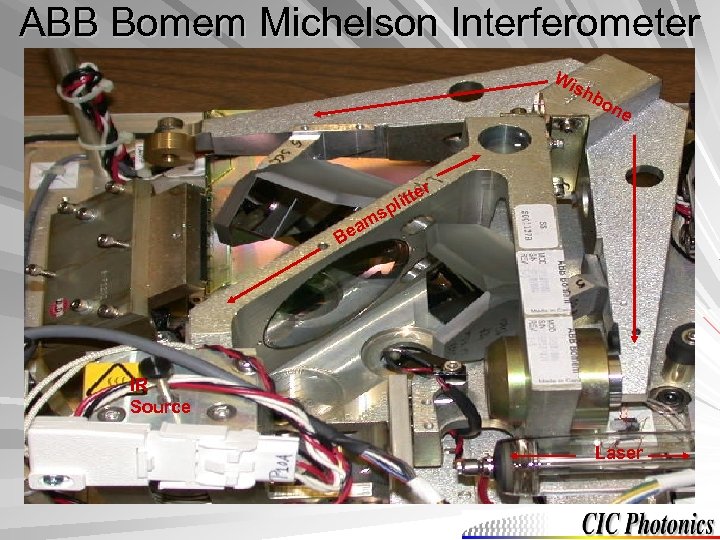 ABB Bomem Michelson Interferometer Wi sh b on e r e litt p s m ea B IR Source Laser
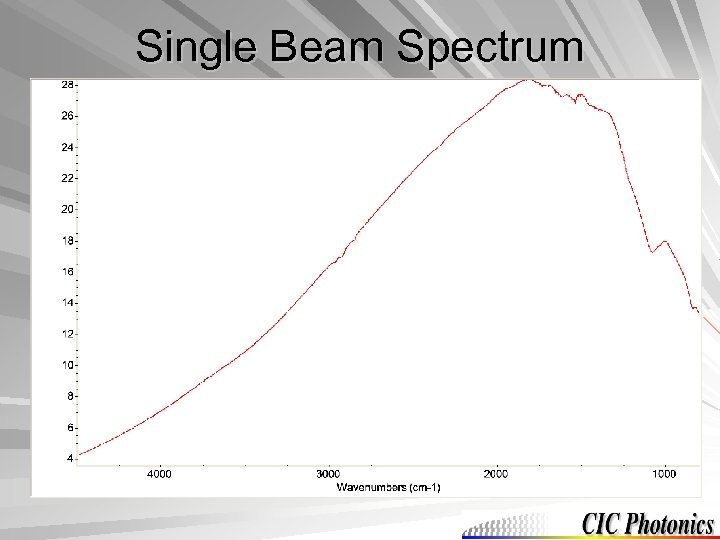
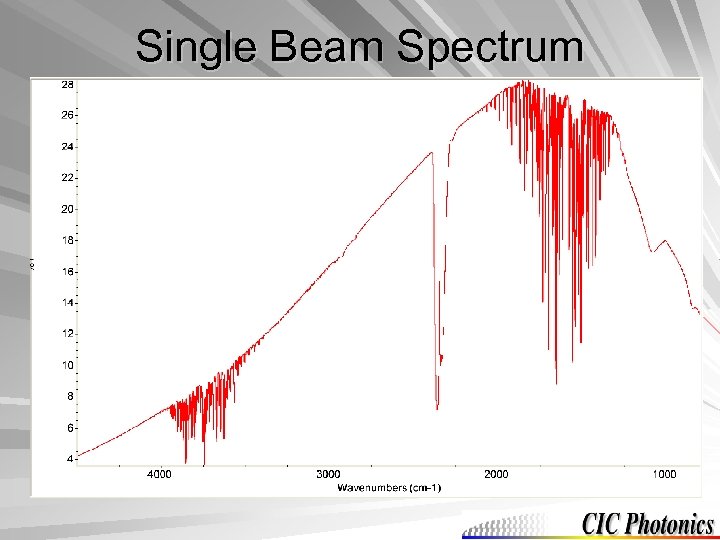
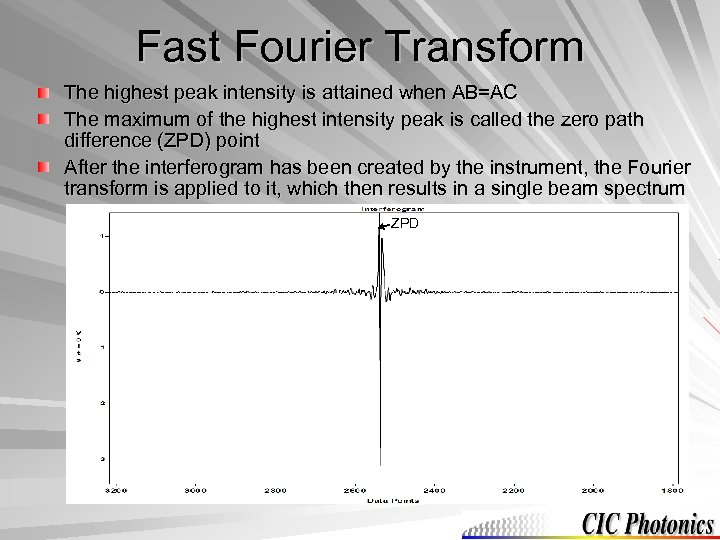 Fast Fourier Transform The highest peak intensity is attained when AB=AC The maximum of the highest intensity peak is called the zero path difference (ZPD) point After the interferogram has been created by the instrument, the Fourier transform is applied to it, which then results in a single beam spectrum ZPD
 Single Beam Spectrum
 Single Beam Spectrum
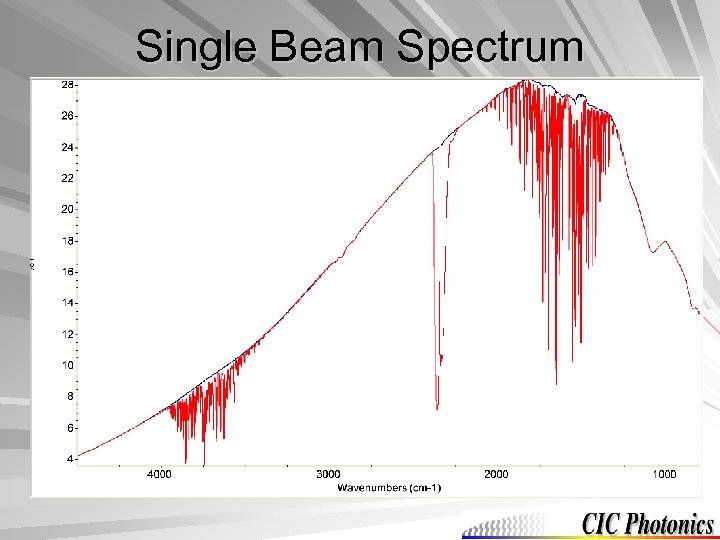 Single Beam Spectrum
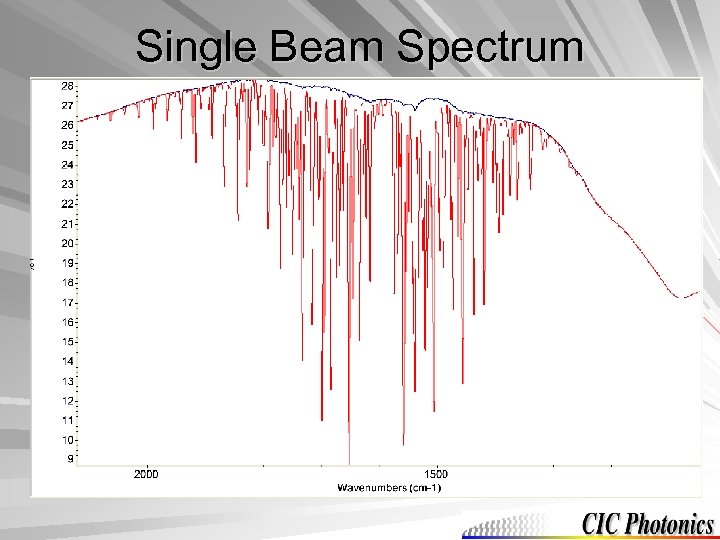 Single Beam Spectrum
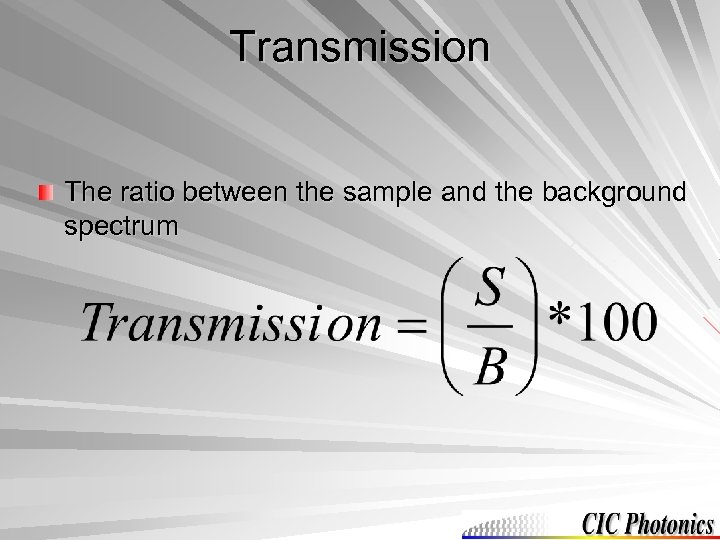 Transmission The ratio between the sample and the background spectrum
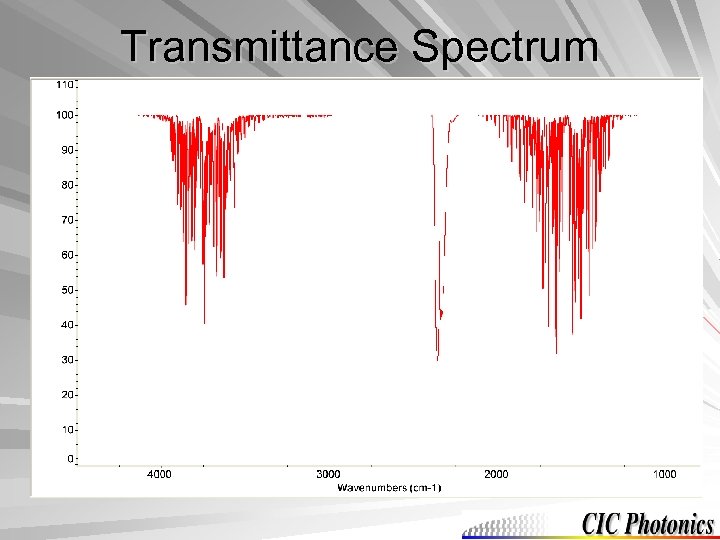 Transmittance Spectrum
 Chemometrics Based on the transmission spectrum chemometrics can be applied – Chemometrics: The application of statistical and mathematical methods for the design or optimization of chemical experiments and for the efficient extraction of information from chemical data Two types of chemometrics: – Qualitative (identification) – Quantitative (quantity)
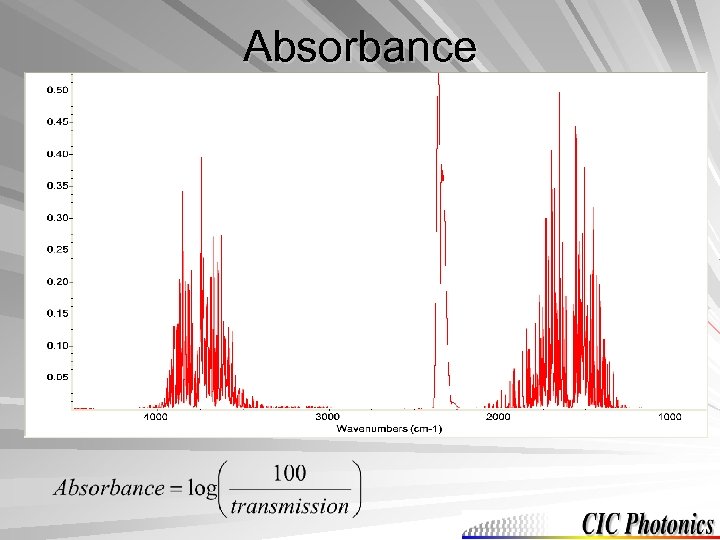 Absorbance
 Beer’s Law Says that concentration is directly proportional to absorbance (linearity) Beer’s law equation is A= ab. C – Where A = absorbance a = absorptivity of the molecule b = pathlength that the light travels C = concentration
 Instrument Resolution The more points per peak the higher the resolution The higher the resolution the more noise, but the better peak separation Common resolution used for an ABB Bomem instrument is 2 cm-1 Ranges between 1 cm-1 to 128 cm-1
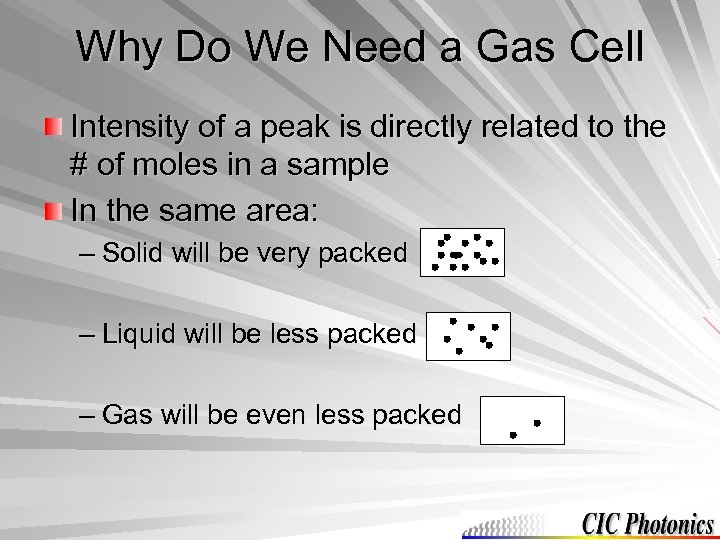 Why Do We Need a Gas Cell Intensity of a peak is directly related to the # of moles in a sample In the same area: – Solid will be very packed – Liquid will be less packed – Gas will be even less packed
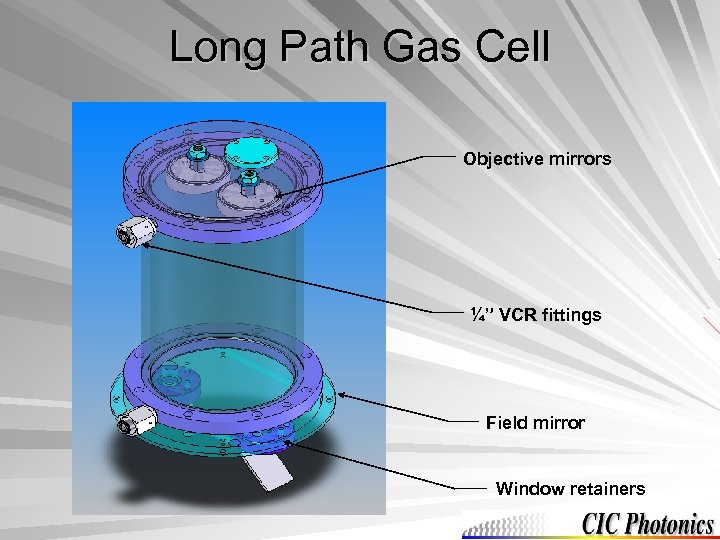 Long Path Gas Cell Objective mirrors ¼” VCR fittings Field mirror Window retainers
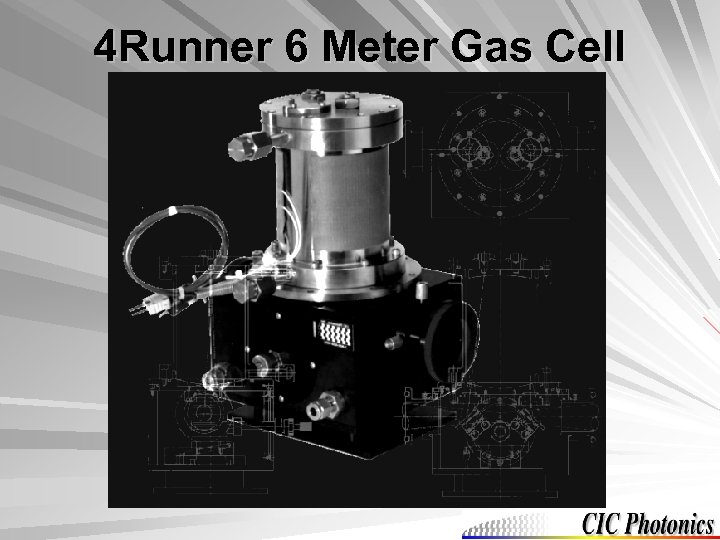 4 Runner 6 Meter Gas Cell
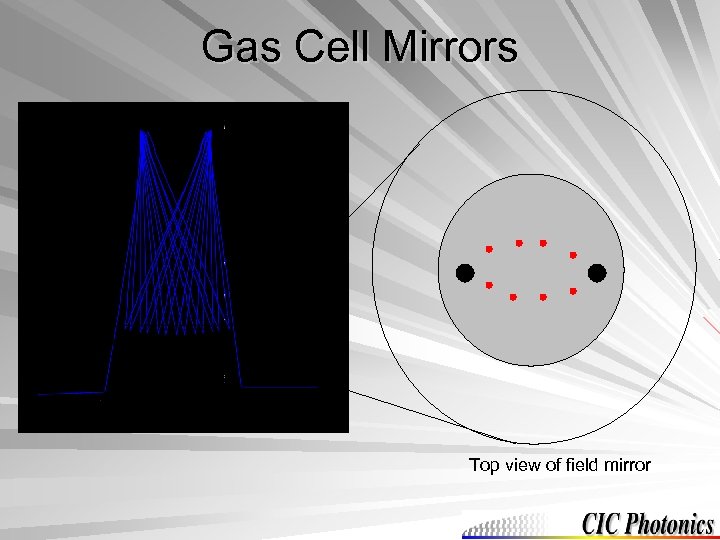 Gas Cell Mirrors Top view of field mirror
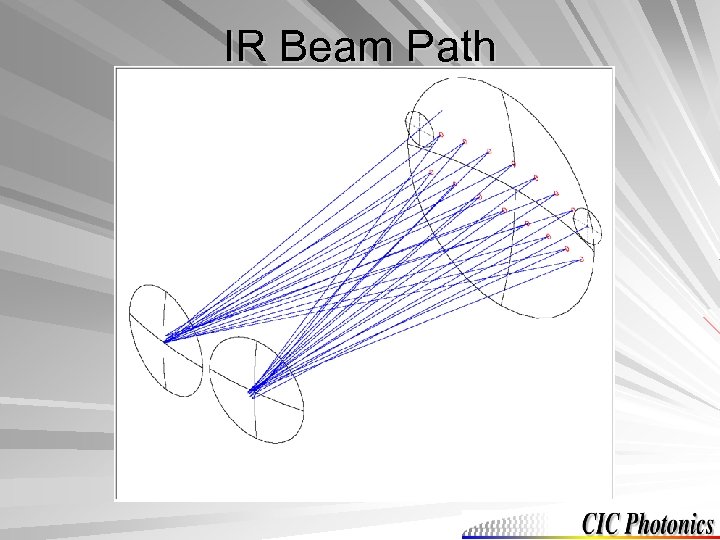 IR Beam Path
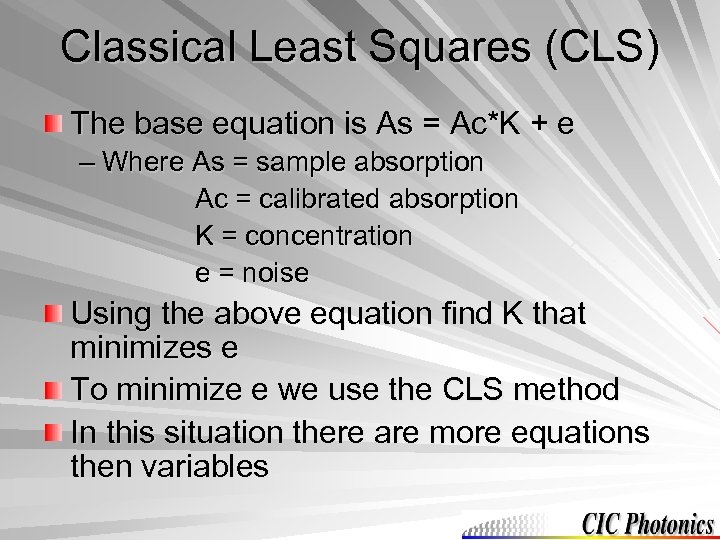 Classical Least Squares (CLS) The base equation is As = Ac*K + e – Where As = sample absorption Ac = calibrated absorption K = concentration e = noise Using the above equation find K that minimizes e To minimize e we use the CLS method In this situation there are more equations then variables
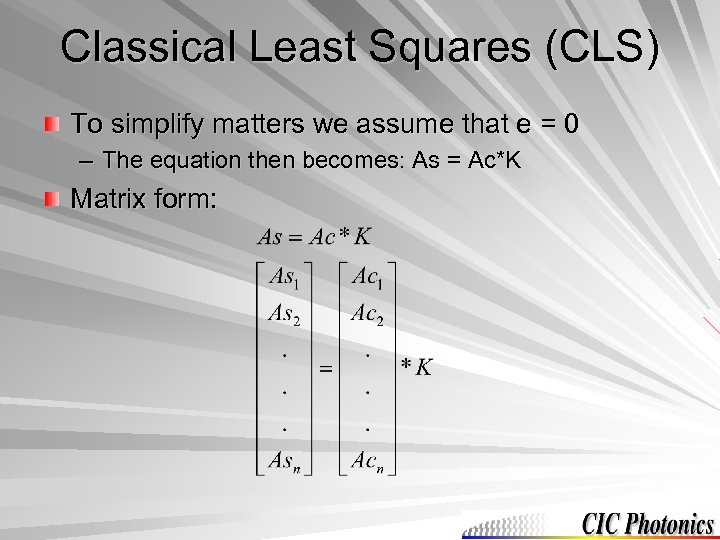 Classical Least Squares (CLS) To simplify matters we assume that e = 0 – The equation then becomes: As = Ac*K Matrix form:
 Classical Least Squares (CLS) In order to solve for K (Ac-1*As = K), Ac needs to be an inverse matrix – Therefore: Ac. T*As = (Ac. TAc)*K (1 x 1) = (1 x 1)*K
 Problems with Initial CLS Approach Baseline becomes unstable throughout the day – It can shift, slope, or curve These changes can be compensated for in the calibrated absorption matrix
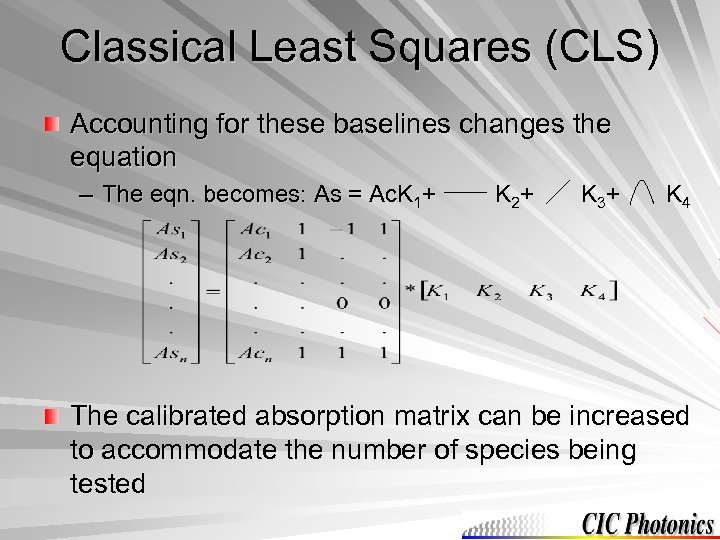 Classical Least Squares (CLS) Accounting for these baselines changes the equation – The eqn. becomes: As = Ac. K 1+ K 2+ K 3+ K 4 The calibrated absorption matrix can be increased to accommodate the number of species being tested
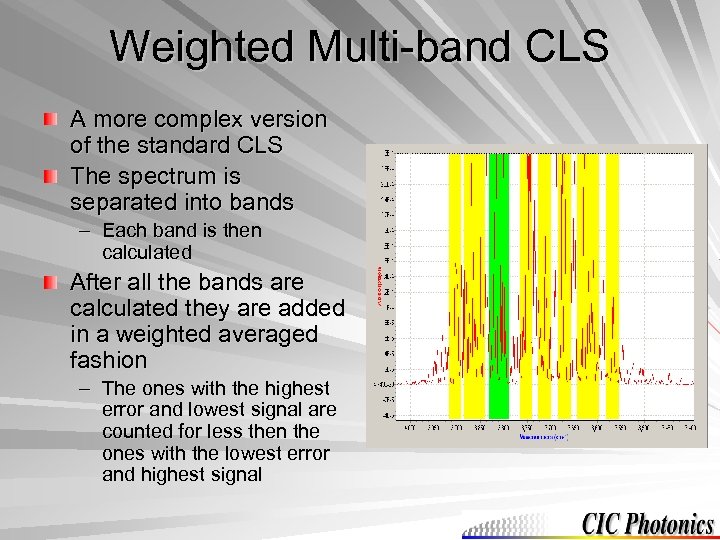 Weighted Multi-band CLS A more complex version of the standard CLS The spectrum is separated into bands – Each band is then calculated After all the bands are calculated they are added in a weighted averaged fashion – The ones with the highest error and lowest signal are counted for less then the ones with the lowest error and highest signal
 Hardware Description Tab 2, 3, & 4
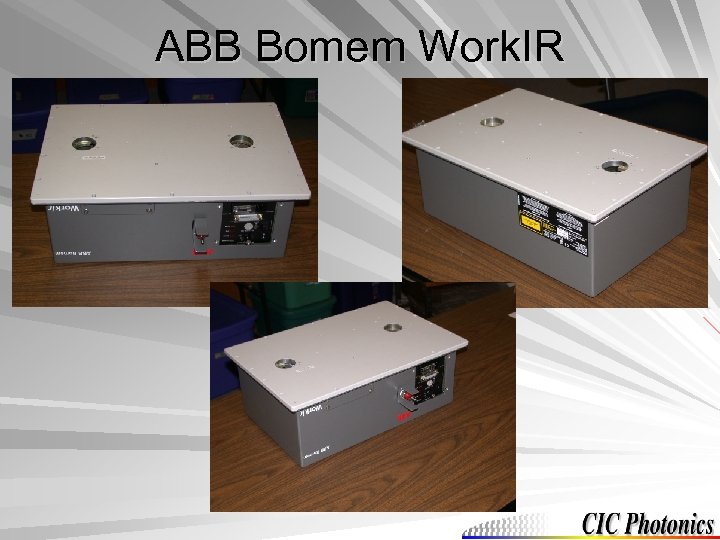 ABB Bomem Work. IR
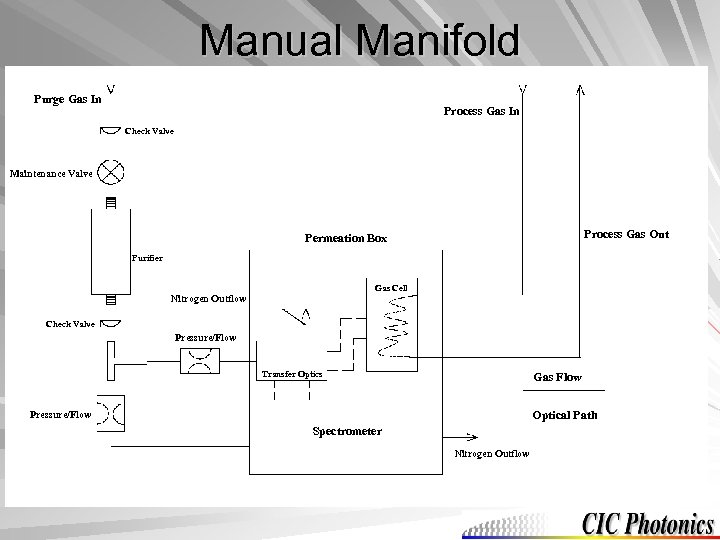 Manual Manifold Purge Gas In Process Gas In Check Valve Maintenance Valve Process Gas Out Permeation Box Purifier Gas Cell Nitrogen Outflow Check Valve Pressure/Flow Transfer Optics Gas Flow Optical Path Pressure/Flow Spectrometer Nitrogen Outflow
 Manifold Parameters Flow Restrictor – A flow of 30 psi in will give a flow of 5 slpm to the instrument Purifier – Gives dry N 2 to below 2 ppb – Has a lifetime of more than a year if it is used 24/7
 Vibrations There a number of designs of suspension systems to counteract vibrations These designs help to keep the data from being affected by a simple bump of the instrument bench
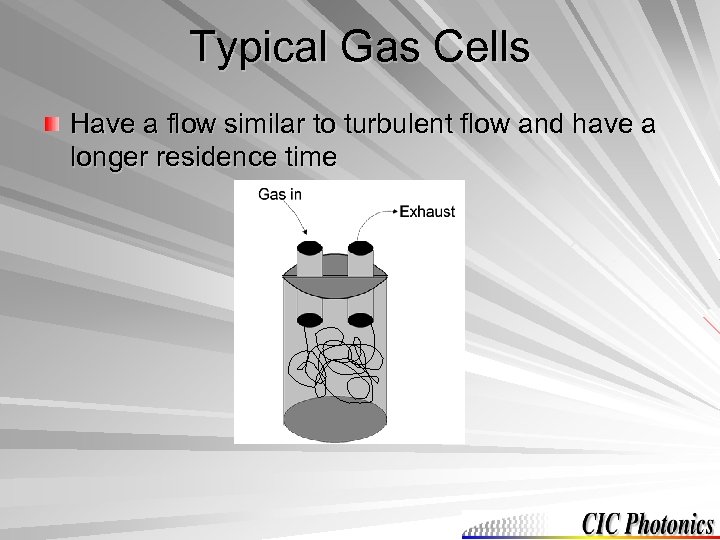 Typical Gas Cells Have a flow similar to turbulent flow and have a longer residence time
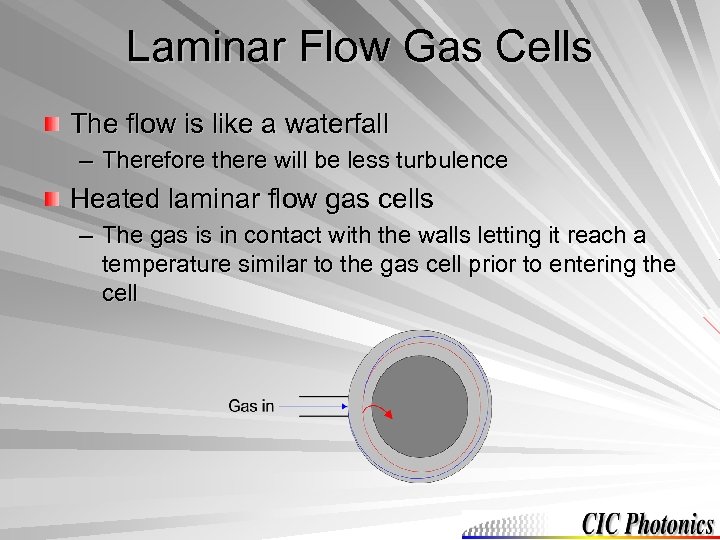 Laminar Flow Gas Cells The flow is like a waterfall – Therefore there will be less turbulence Heated laminar flow gas cells – The gas is in contact with the walls letting it reach a temperature similar to the gas cell prior to entering the cell
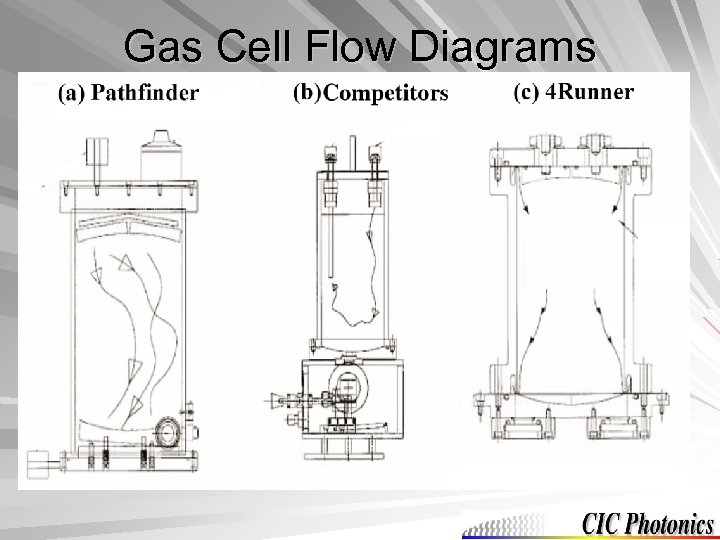 Gas Cell Flow Diagrams
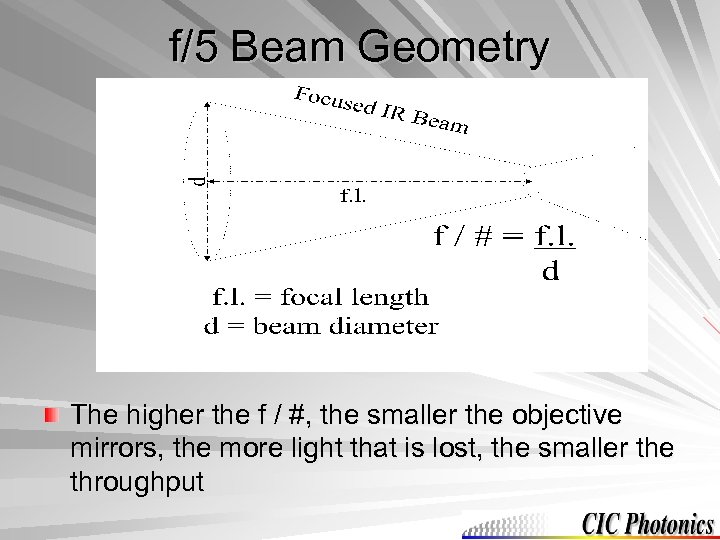 f/5 Beam Geometry The higher the f / #, the smaller the objective mirrors, the more light that is lost, the smaller the throughput
 SPGAS Software Tab 6, 7, 8, 9, & 10
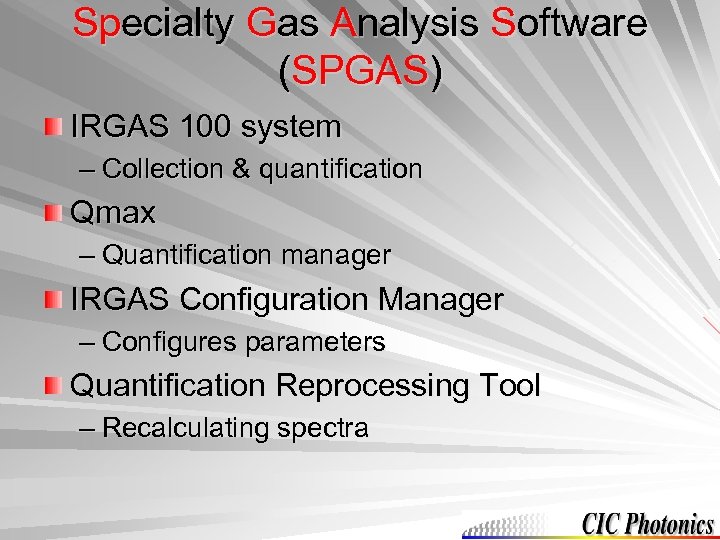 Specialty Gas Analysis Software (SPGAS) IRGAS 100 system – Collection & quantification Qmax – Quantification manager IRGAS Configuration Manager – Configures parameters Quantification Reprocessing Tool – Recalculating spectra
 IRGAS 100 System After opening the software the first window is the monitor screen – On the right side there is the available species – On the bottom is the legend of the species that are being shown in the top window – The top shows the concentration of all the species over time
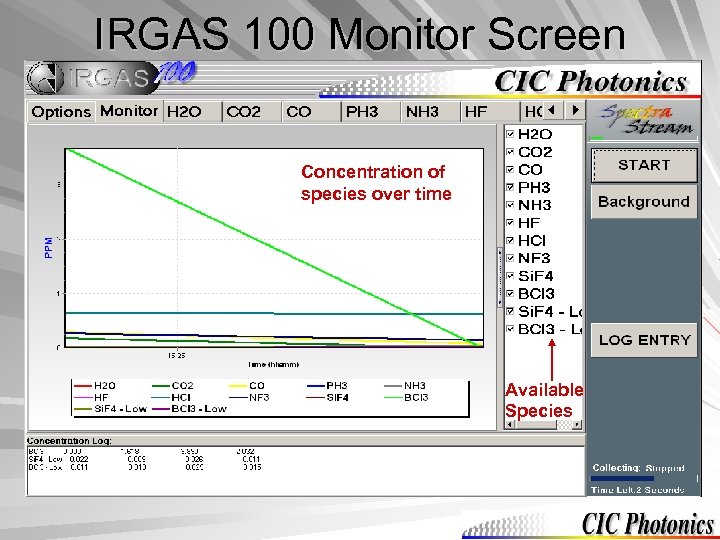 IRGAS 100 Monitor Screen Concentration of species over time Available Species
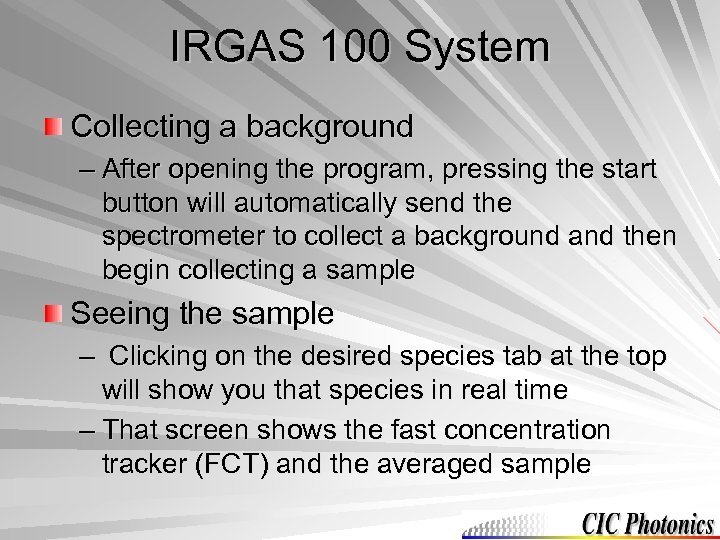 IRGAS 100 System Collecting a background – After opening the program, pressing the start button will automatically send the spectrometer to collect a background and then begin collecting a sample Seeing the sample – Clicking on the desired species tab at the top will show you that species in real time – That screen shows the fast concentration tracker (FCT) and the averaged sample
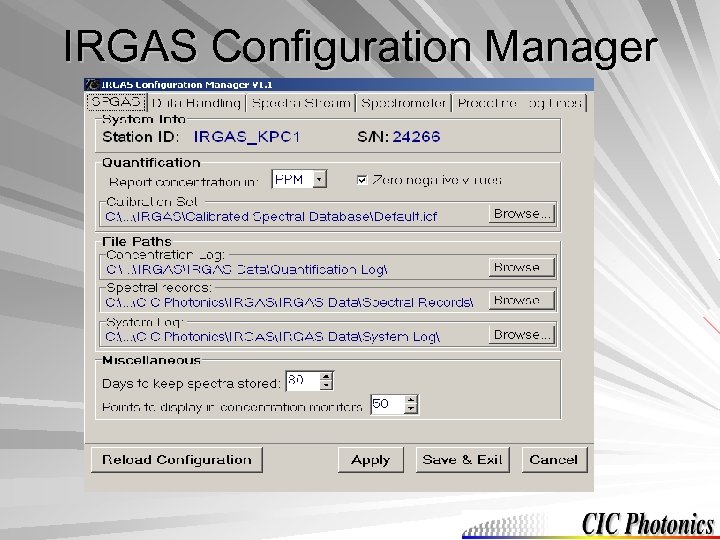 IRGAS Configuration Manager
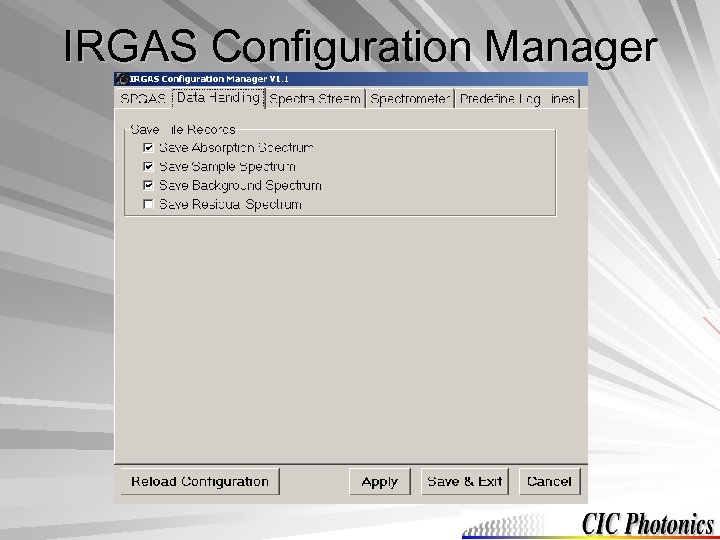 IRGAS Configuration Manager
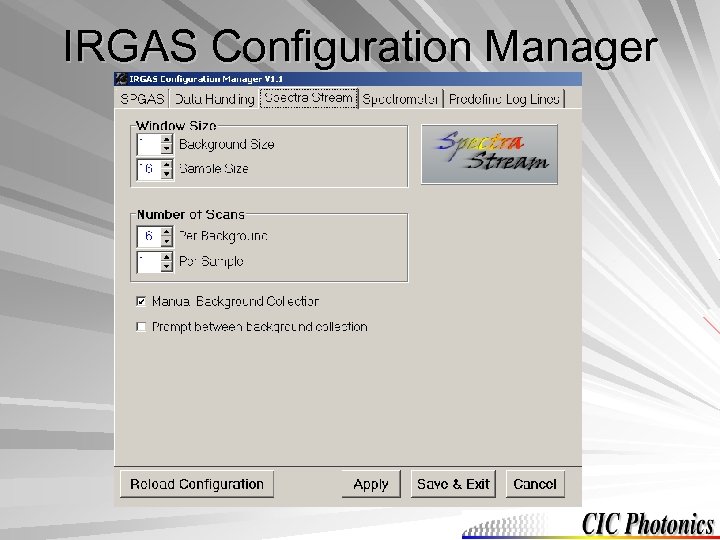 IRGAS Configuration Manager
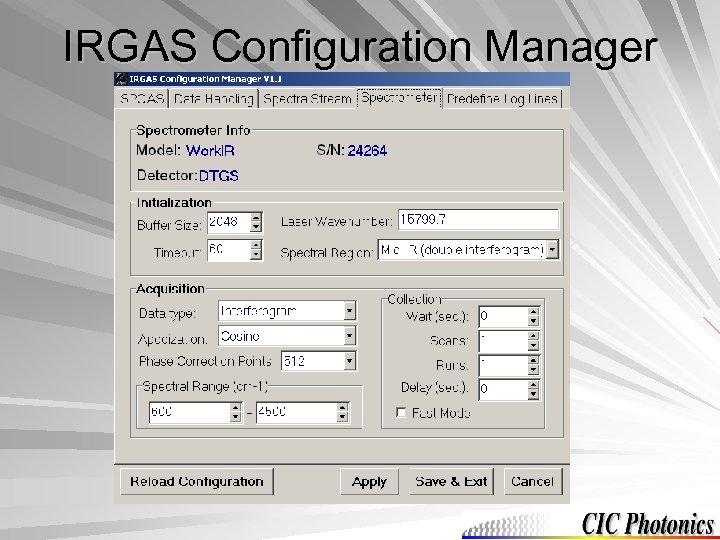 IRGAS Configuration Manager
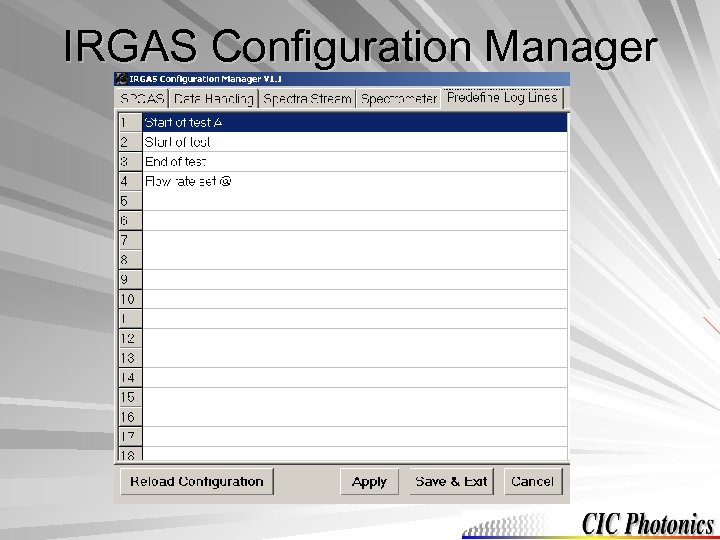 IRGAS Configuration Manager
 Data Retrieval Data storage – By default the data gets stored on the C drive C: Program FilesCIC PhotonicsIRGAS – IRGAS data Quantification log Spectral records
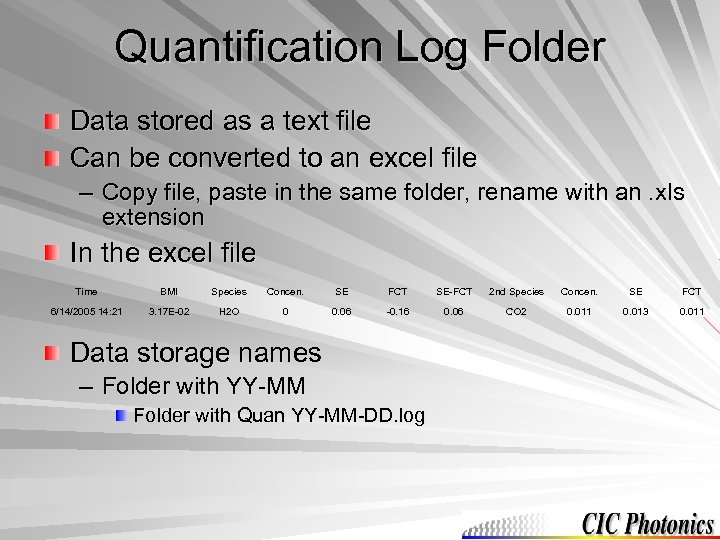 Quantification Log Folder Data stored as a text file Can be converted to an excel file – Copy file, paste in the same folder, rename with an. xls extension In the excel file Time BMI Species Concen. SE FCT SE-FCT 2 nd Species Concen. SE FCT 6/14/2005 14: 21 3. 17 E-02 H 2 O 0 0. 06 -0. 16 0. 06 CO 2 0. 011 0. 013 0. 011 Data storage names – Folder with YY-MM Folder with Quan YY-MM-DD. log
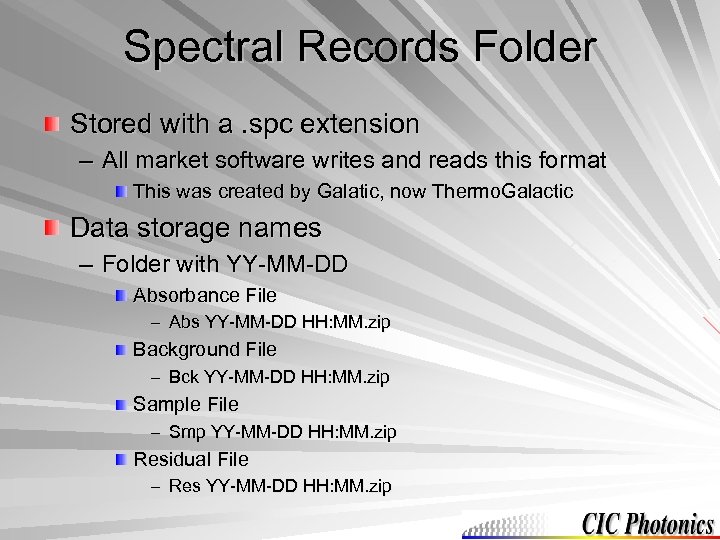 Spectral Records Folder Stored with a. spc extension – All market software writes and reads this format This was created by Galatic, now Thermo. Galactic Data storage names – Folder with YY-MM-DD Absorbance File – Abs YY-MM-DD HH: MM. zip Background File – Bck YY-MM-DD HH: MM. zip Sample File – Smp YY-MM-DD HH: MM. zip Residual File – Res YY-MM-DD HH: MM. zip
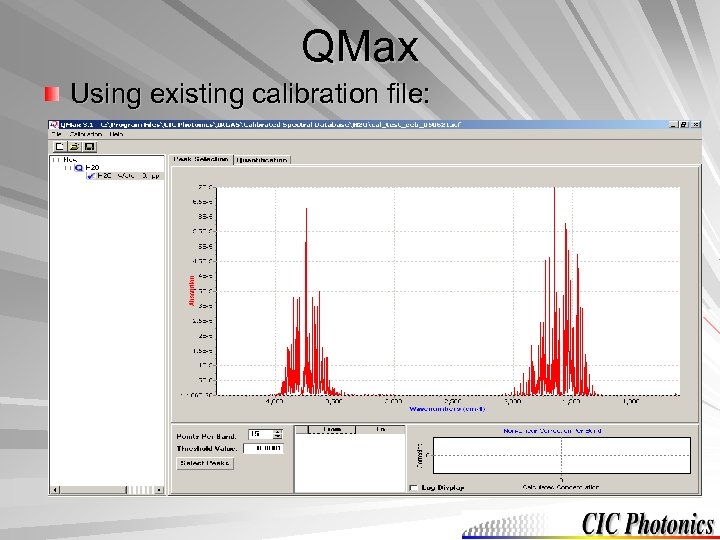 QMax Using existing calibration file:
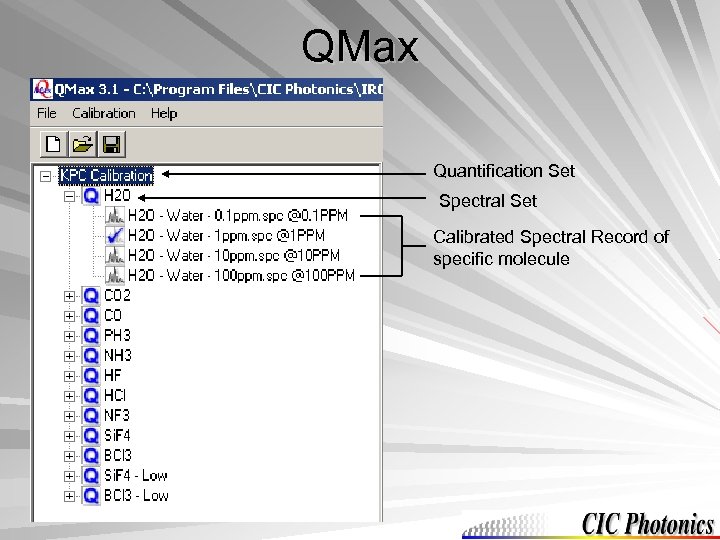 QMax Quantification Set Spectral Set Calibrated Spectral Record of specific molecule
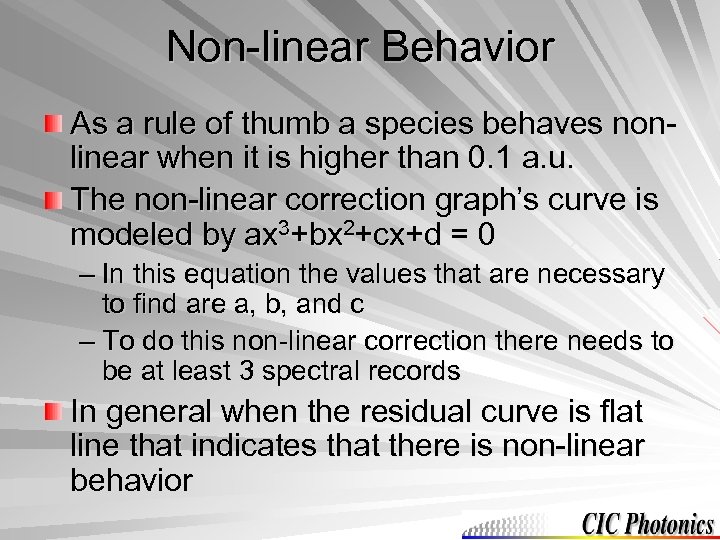 Non-linear Behavior As a rule of thumb a species behaves nonlinear when it is higher than 0. 1 a. u. The non-linear correction graph’s curve is modeled by ax 3+bx 2+cx+d = 0 – In this equation the values that are necessary to find are a, b, and c – To do this non-linear correction there needs to be at least 3 spectral records In general when the residual curve is flat line that indicates that there is non-linear behavior
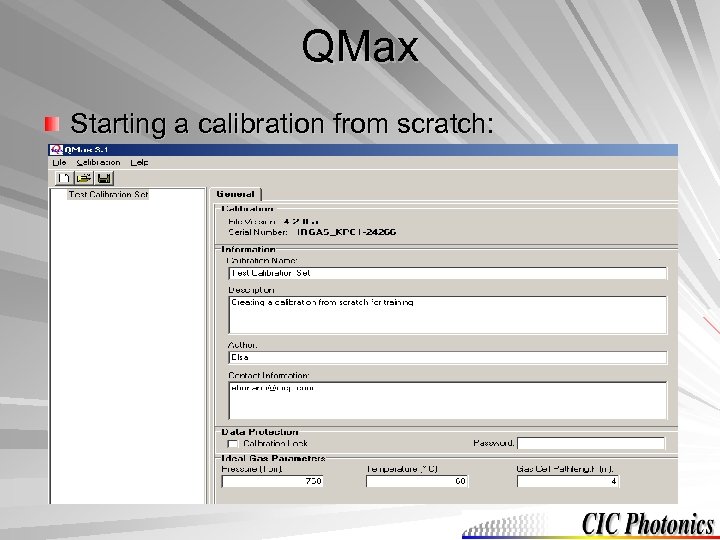 QMax Starting a calibration from scratch:
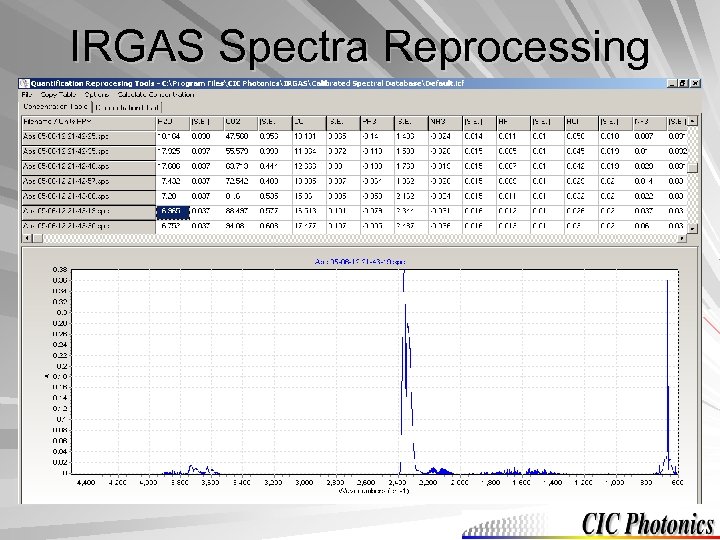 IRGAS Spectra Reprocessing
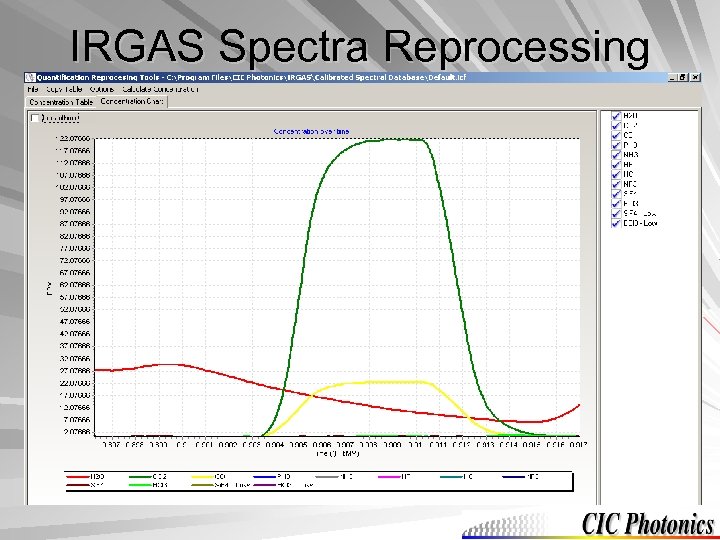 IRGAS Spectra Reprocessing
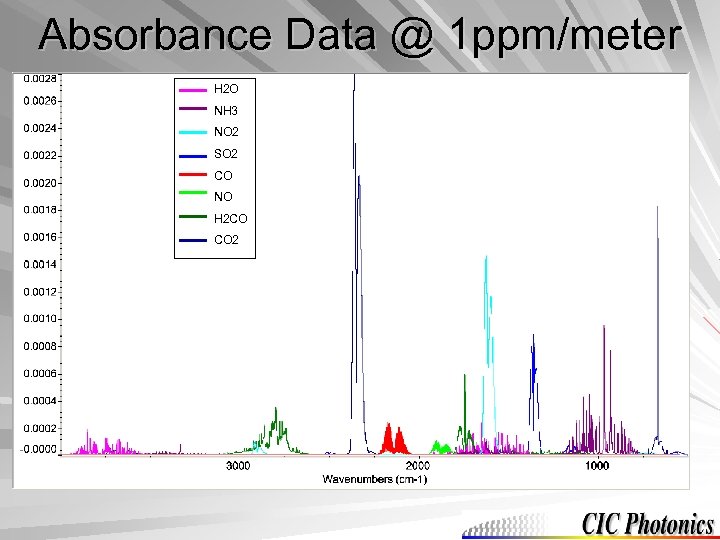 Absorbance Data @ 1 ppm/meter H 2 O NH 3 NO 2 SO 2 CO NO H 2 CO CO 2
 Software Installation
 Software Installation The installation window should automatically pop-up After the installation has been completed, check that the computer and spectrometer are communicating with each other
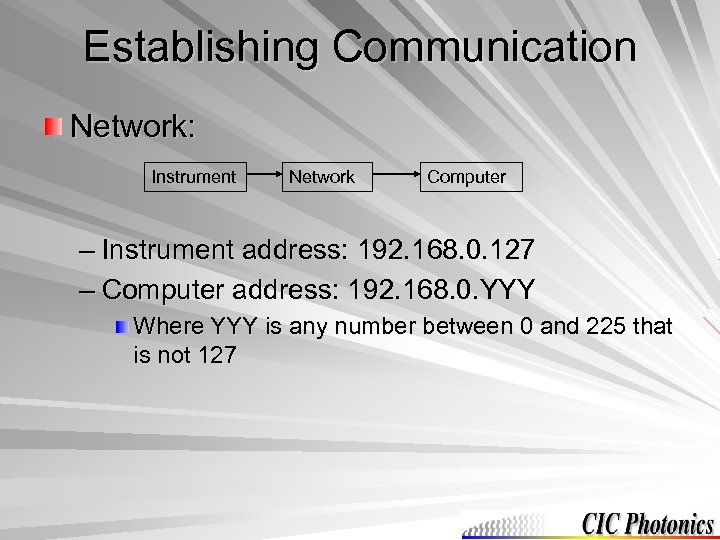 Establishing Communication Network: Instrument Network Computer – Instrument address: 192. 168. 0. 127 – Computer address: 192. 168. 0. YYY Where YYY is any number between 0 and 225 that is not 127
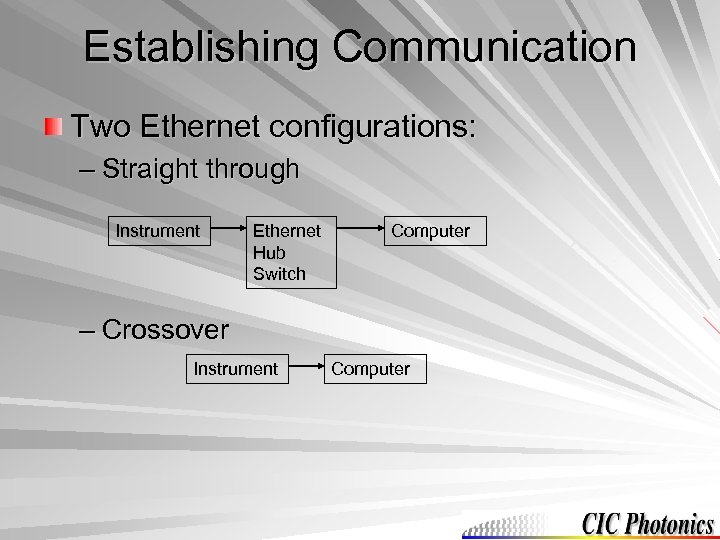 Establishing Communication Two Ethernet configurations: – Straight through Instrument Ethernet Hub Switch Computer – Crossover Instrument Computer
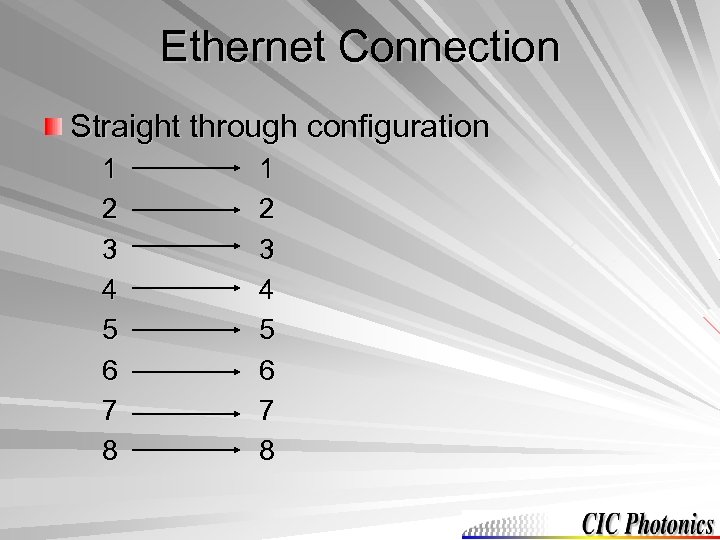 Ethernet Connection Straight through configuration 1 2 3 4 5 6 7 8
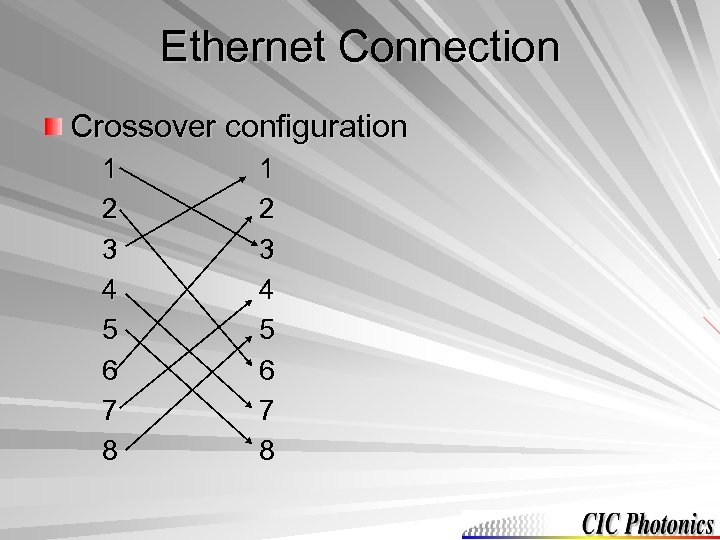 Ethernet Connection Crossover configuration 1 2 3 4 5 6 7 8
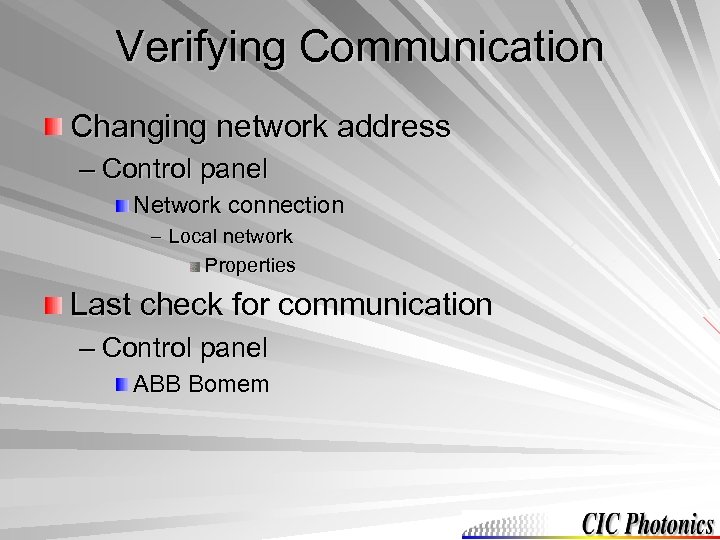 Verifying Communication Changing network address – Control panel Network connection – Local network Properties Last check for communication – Control panel ABB Bomem
 Contact Information (505) 343 -1489 (505) 343 -9520 Tech. Support@cicp. com