

Christopher Evans Technical Art Lead, Crytek Responsibilities: Artist

Christopher Evans Technical Art Lead, Crytek Responsibilities: Artist in R&D Pipeline tools Character technology Digital Janitor
Mathias Lindner Technical Animator, Crytek Responsibilities 3rd Person Human Animations Animation Tools Motion Capture
What is this stuff? A look at some scripted tools development at Crytek. Beginner Maxscript Tutorial Using example code from tools at Crytek We started our maxscript journey from scratch Crysis Scripted Tool Examples A close look at the Animation tools/pipeline
Intended Audience Beginner to Advanced Code examples in slides for beginners Tool videos/source online for advanced Technical Artists/Animators Anyone who wants to work faster and better in 3dsMax
Session Overview CryTools Background Beginner Tutorial Easy Street Basics Loops Animation Transformations User Feedback Hacking with DOS Production Examples
Session Overview Animation Tools Structure Function definitions Motion Capture Cleanup
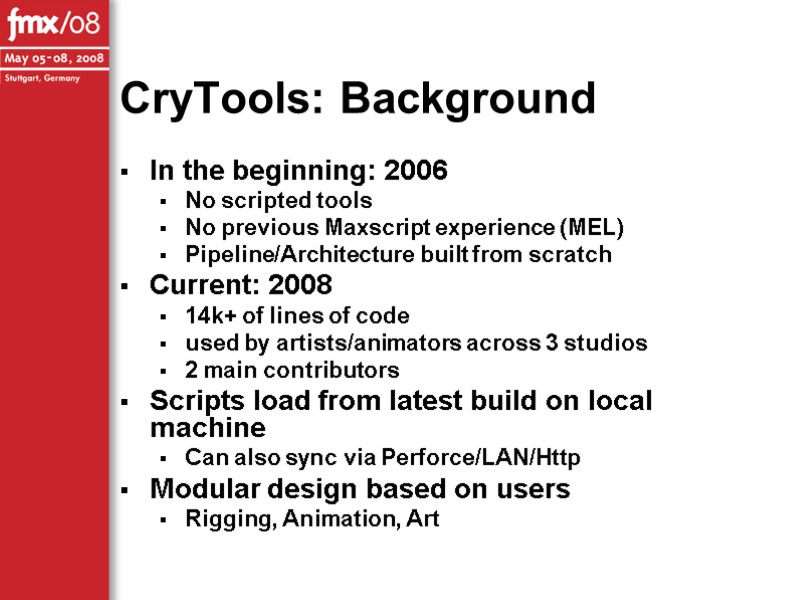
CryTools: Background In the beginning: 2006 No scripted tools No previous Maxscript experience (MEL) Pipeline/Architecture built from scratch Current: 2008 14k+ of lines of code used by artists/animators across 3 studios 2 main contributors Scripts load from latest build on local machine Can also sync via Perforce/LAN/Http Modular design based on users Rigging, Animation, Art
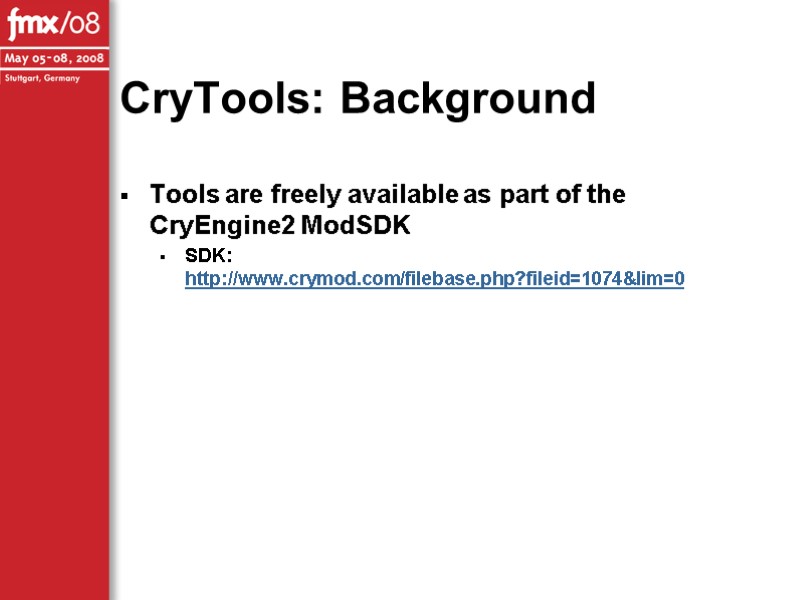
CryTools: Background Tools are freely available as part of the CryEngine2 ModSDK SDK: http://www.crymod.com/filebase.php?fileid=1074&lim=0
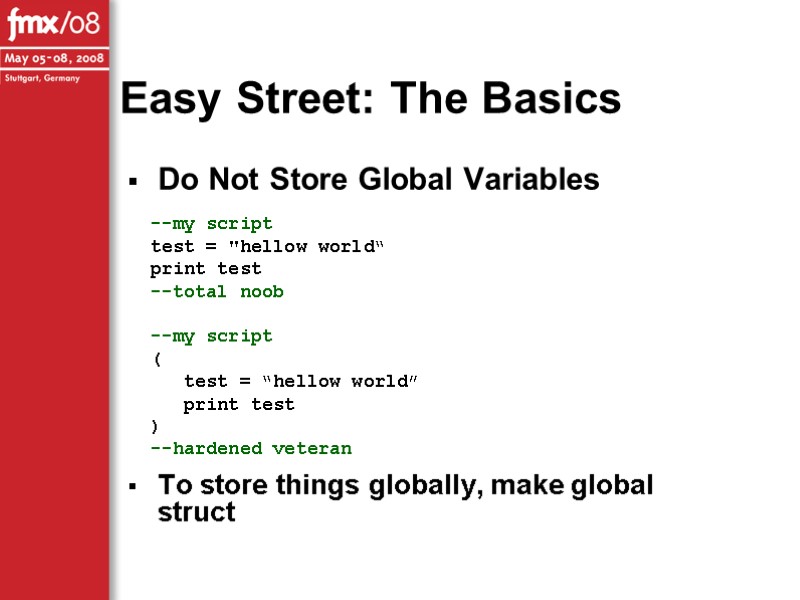
Easy Street: The Basics Do Not Store Global Variables To store things globally, make global struct --my script test = "hellow world“ print test --total noob --my script ( test = “hellow world” print test ) --hardened veteran
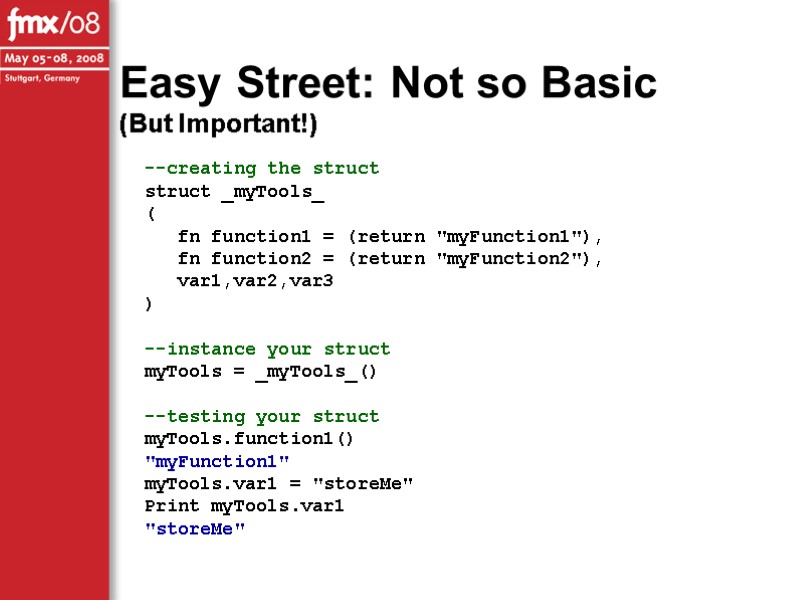
Easy Street: Not so Basic (But Important!) --creating the struct struct _myTools_ ( fn function1 = (return "myFunction1"), fn function2 = (return "myFunction2"), var1,var2,var3 ) --instance your struct myTools = _myTools_() --testing your struct myTools.function1() "myFunction1" myTools.var1 = "storeMe" Print myTools.var1 "storeMe"
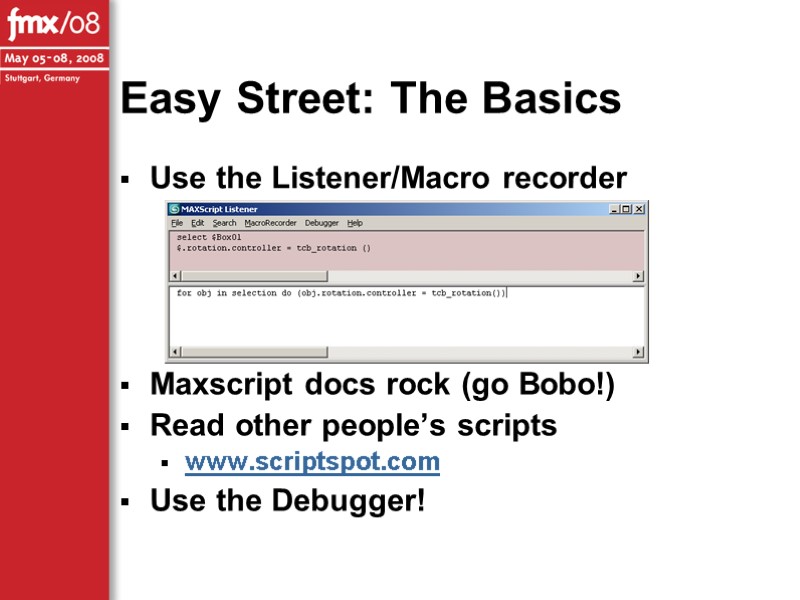
Easy Street: The Basics Use the Listener/Macro recorder Maxscript docs rock (go Bobo!) Read other people’s scripts www.scriptspot.com Use the Debugger!
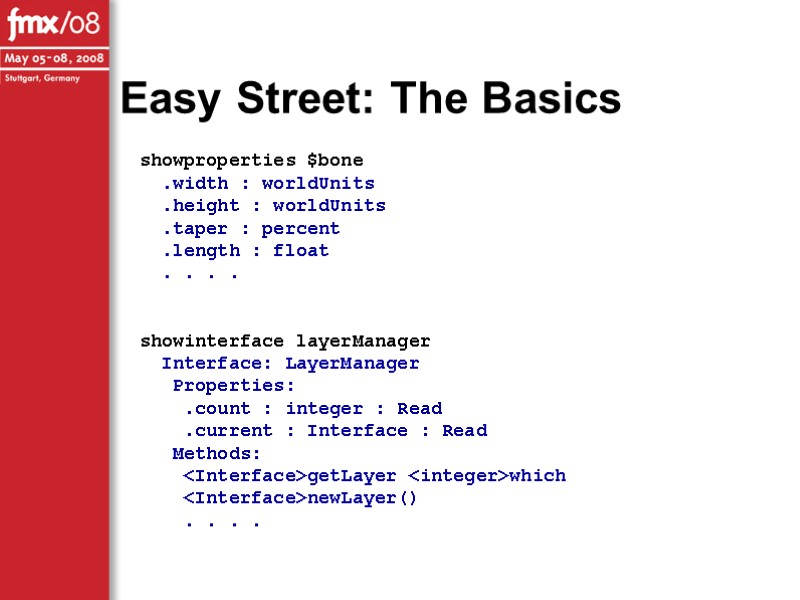
Easy Street: The Basics showproperties $bone .width : worldUnits .height : worldUnits .taper : percent .length : float . . . . showinterface layerManager Interface: LayerManager Properties: .count : integer : Read .current : Interface : Read Methods:
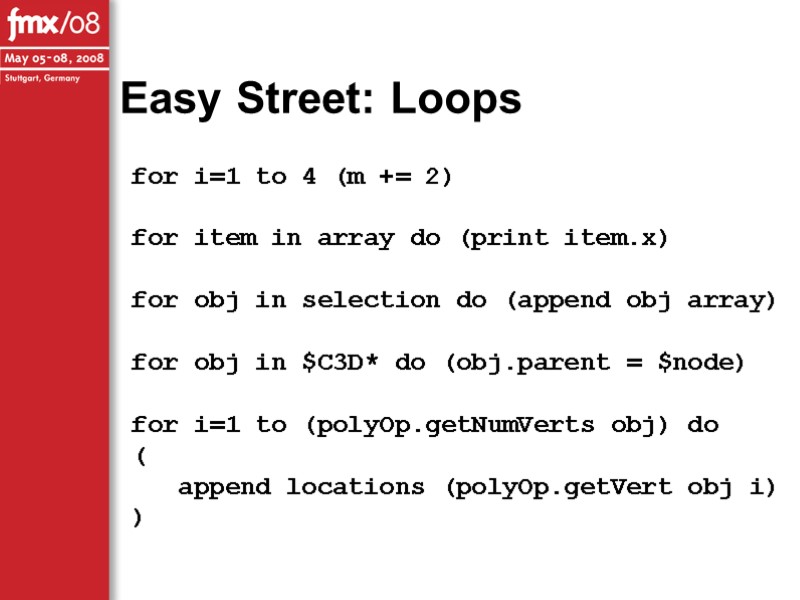
Easy Street: Loops for i=1 to 4 (m += 2) for item in array do (print item.x) for obj in selection do (append obj array) for obj in $C3D* do (obj.parent = $node) for i=1 to (polyOp.getNumVerts obj) do ( append locations (polyOp.getVert obj i) )
![Easy Street: Loops --sometimes you want to start later ss = SplineShape pos:(obj.position.keys[1].value) addNewSpline](https://present5.com/presentacii-2/20171211\23888-evans_lindner_fmx08.ppt\23888-evans_lindner_fmx08_16.jpg "Easy Street: Loops --sometimes you want to start later ss = SplineShape pos:(obj.position.keys[1].value) addNewSpline")
Easy Street: Loops --sometimes you want to start later ss = SplineShape pos:(obj.position.keys[1].value) addNewSpline ss for i = 2 to obj.position.keys.count do ( addKnot ss 1 #corner #line obj.position.keys[i].value ) --or end sooner for i=1 to (items.count-1) do ( rotBind items[i] root 0 0 180 false ) rotBind items[items.count] root 0 0 180 true
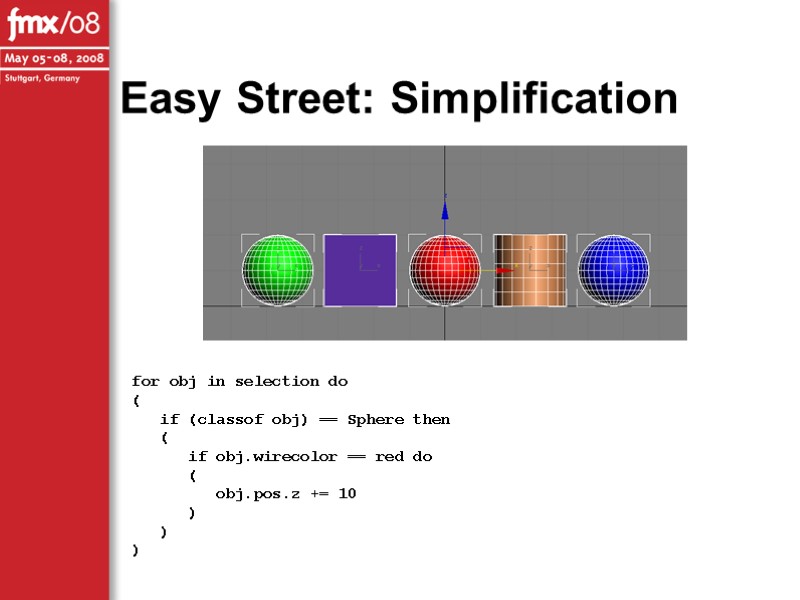
Easy Street: Simplification for obj in selection do ( if (classof obj) == Sphere then ( if obj.wirecolor == red do ( obj.pos.z += 10 ) ) )
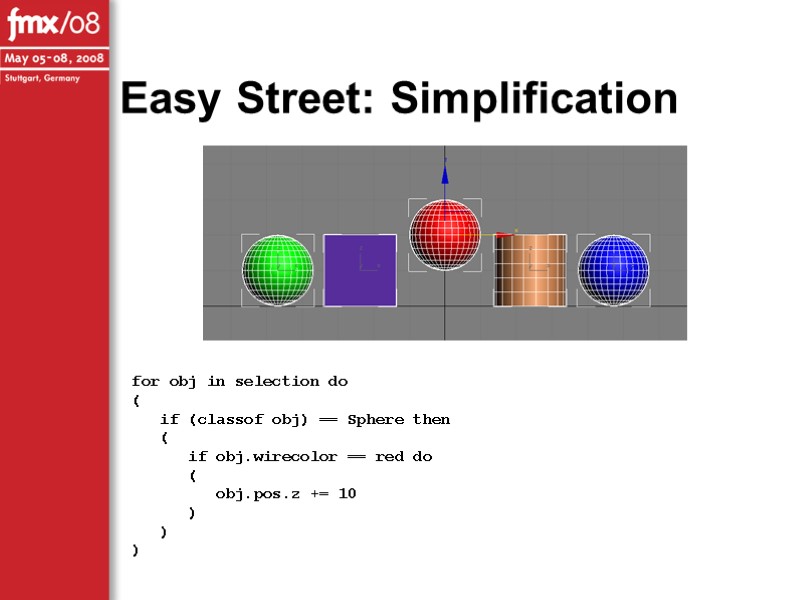
Easy Street: Simplification for obj in selection do ( if (classof obj) == Sphere then ( if obj.wirecolor == red do ( obj.pos.z += 10 ) ) )
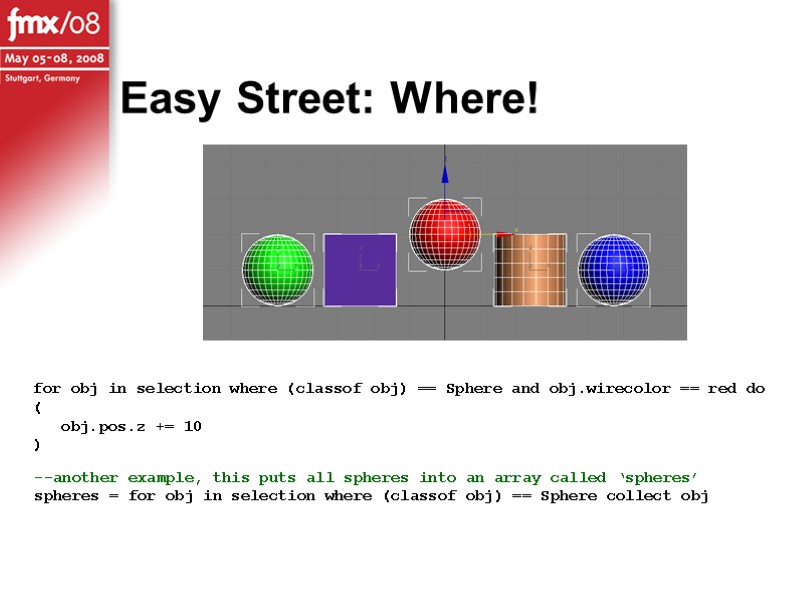
Easy Street: Where! for obj in selection where (classof obj) == Sphere and obj.wirecolor == red do ( obj.pos.z += 10 ) --another example, this puts all spheres into an array called ‘spheres’ spheres = for obj in selection where (classof obj) == Sphere collect obj
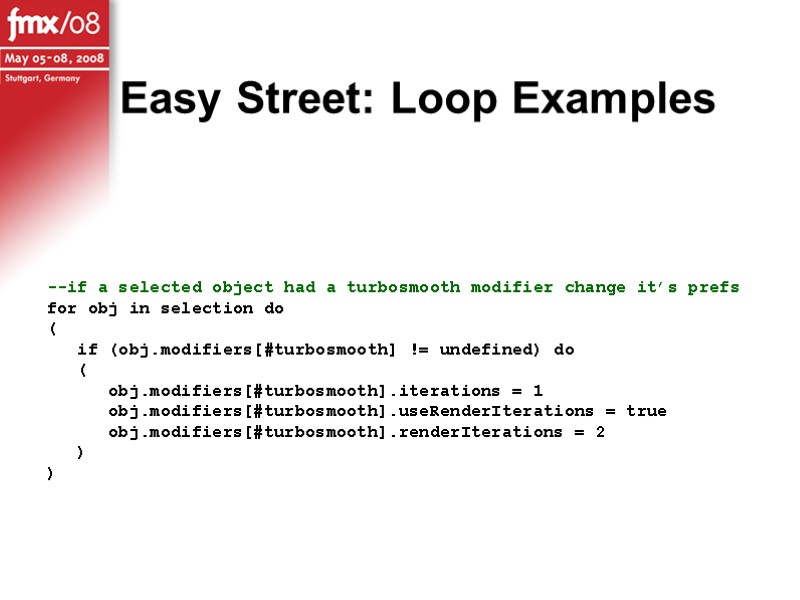
Easy Street: Loop Examples --if a selected object had a turbosmooth modifier change it’s prefs for obj in selection do ( if (obj.modifiers[#turbosmooth] != undefined) do ( obj.modifiers[#turbosmooth].iterations = 1 obj.modifiers[#turbosmooth].useRenderIterations = true obj.modifiers[#turbosmooth].renderIterations = 2 ) )
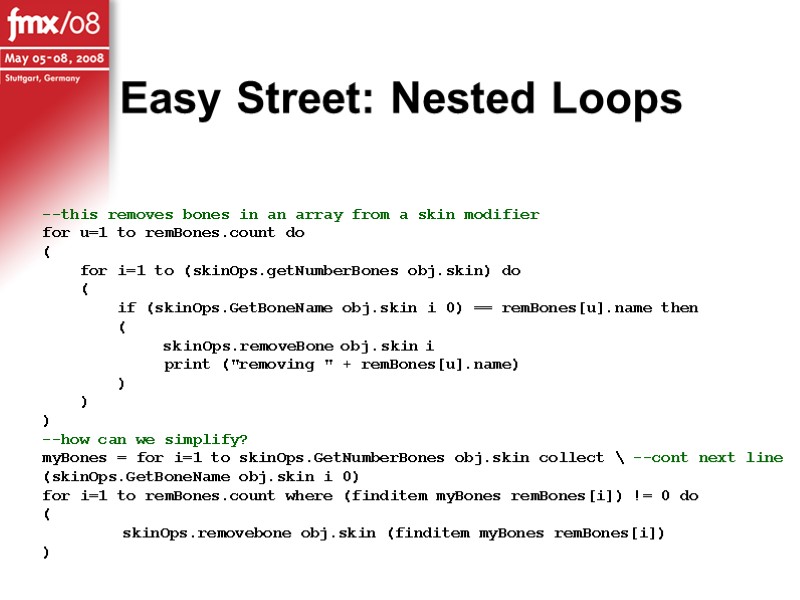
Easy Street: Nested Loops --this removes bones in an array from a skin modifier for u=1 to remBones.count do ( for i=1 to (skinOps.getNumberBones obj.skin) do ( if (skinOps.GetBoneName obj.skin i 0) == remBones[u].name then ( skinOps.removeBone obj.skin i print ("removing " + remBones[u].name) ) ) ) --how can we simplify? myBones = for i=1 to skinOps.GetNumberBones obj.skin collect \ --cont next line (skinOps.GetBoneName obj.skin i 0) for i=1 to remBones.count where (finditem myBones remBones[i]) != 0 do ( skinOps.removebone obj.skin (finditem myBones remBones[i]) )
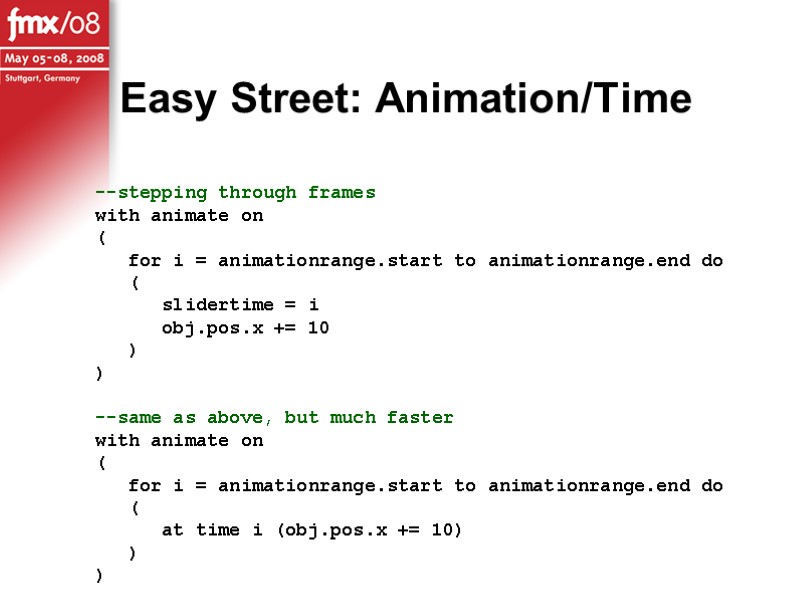
--stepping through frames with animate on ( for i = animationrange.start to animationrange.end do ( slidertime = i obj.pos.x += 10 ) ) --same as above, but much faster with animate on ( for i = animationrange.start to animationrange.end do ( at time i (obj.pos.x += 10) ) ) Easy Street: Animation/Time
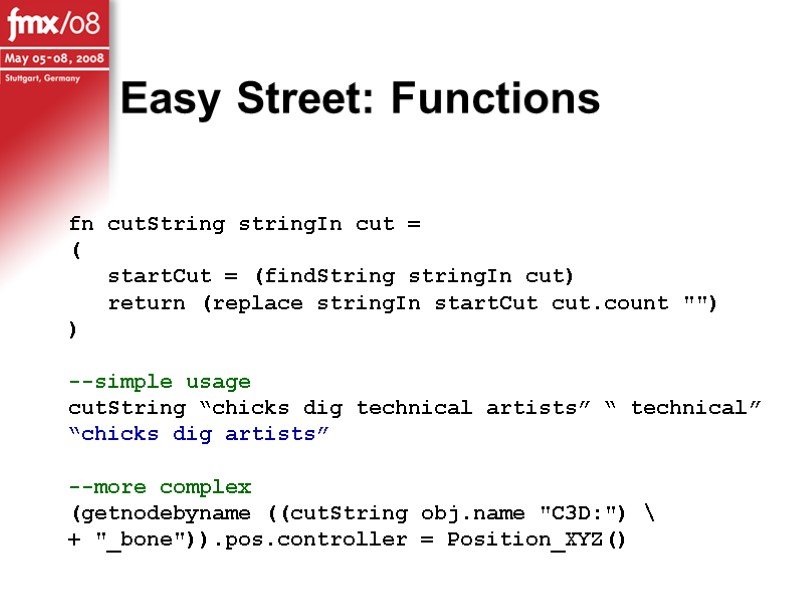
fn cutString stringIn cut = ( startCut = (findString stringIn cut) return (replace stringIn startCut cut.count "") ) --simple usage cutString “chicks dig technical artists” “ technical” “chicks dig artists” --more complex (getnodebyname ((cutString obj.name "C3D:") \ + "_bone")).pos.controller = Position_XYZ() Easy Street: Functions
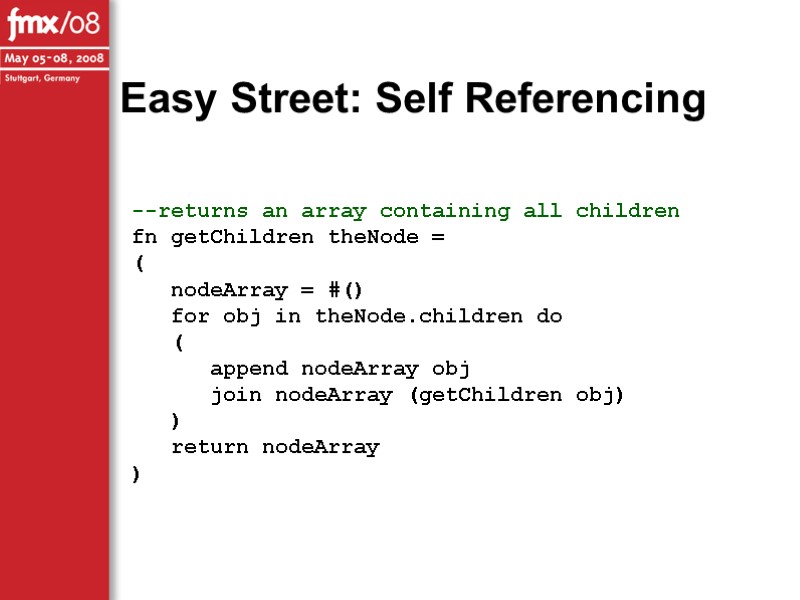
--returns an array containing all children fn getChildren theNode = ( nodeArray = #() for obj in theNode.children do ( append nodeArray obj join nodeArray (getChildren obj) ) return nodeArray ) Easy Street: Self Referencing
![$.transform (matrix3 [1,0,0] [0,1,0] [0,0,1] [23.1612,0.667526,0])](https://present5.com/presentacii-2/20171211\23888-evans_lindner_fmx08.ppt\23888-evans_lindner_fmx08_25.jpg "$.transform (matrix3 [1,0,0] [0,1,0] [0,0,1] [23.1612,0.667526,0])")
$.transform (matrix3 [1,0,0] [0,1,0] [0,0,1] [23.1612,0.667526,0]) [-----orientation-----] [-----position-----] --maxscript cannot set parts of a transform like so: $.transform[1] = [1,0,0] --but this will work: new = $.transform new[1] = [1,0,0] $.transform = new Transformations
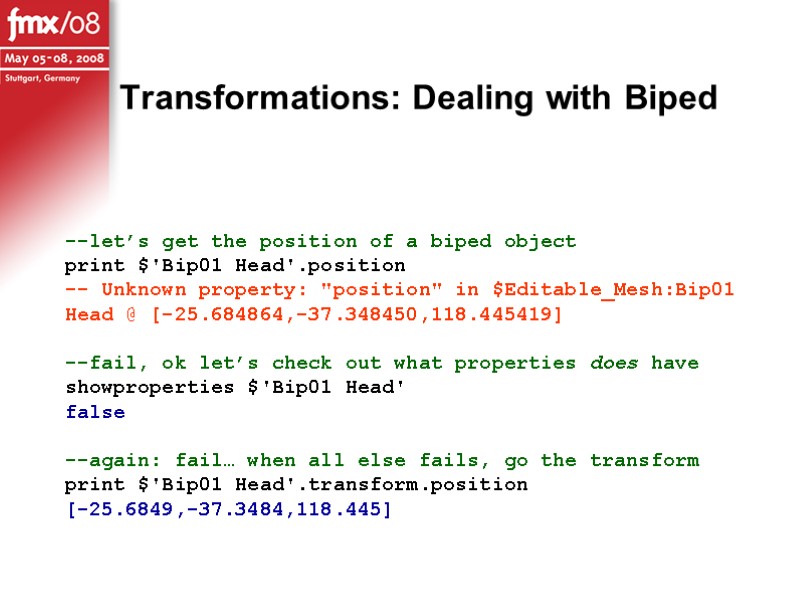
Transformations: Dealing with Biped --let’s get the position of a biped object print $'Bip01 Head'.position -- Unknown property: "position" in $Editable_Mesh:Bip01 Head @ [-25.684864,-37.348450,118.445419] --fail, ok let’s check out what properties does have showproperties $'Bip01 Head' false --again: fail… when all else fails, go the transform print $'Bip01 Head'.transform.position [-25.6849,-37.3484,118.445]
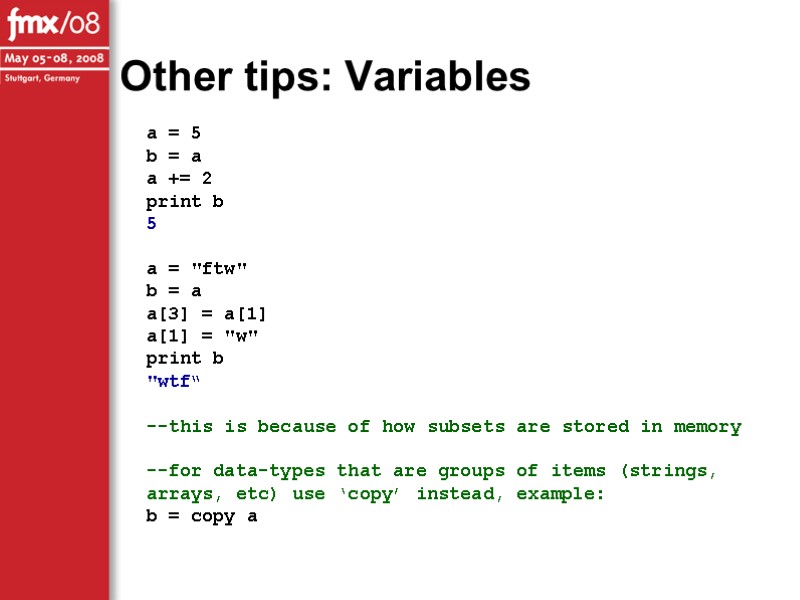
a = 5 b = a a += 2 print b 5 a = "ftw" b = a a[3] = a[1] a[1] = "w" print b "wtf“ --this is because of how subsets are stored in memory --for data-types that are groups of items (strings, arrays, etc) use ‘copy’ instead, example: b = copy a Other tips: Variables
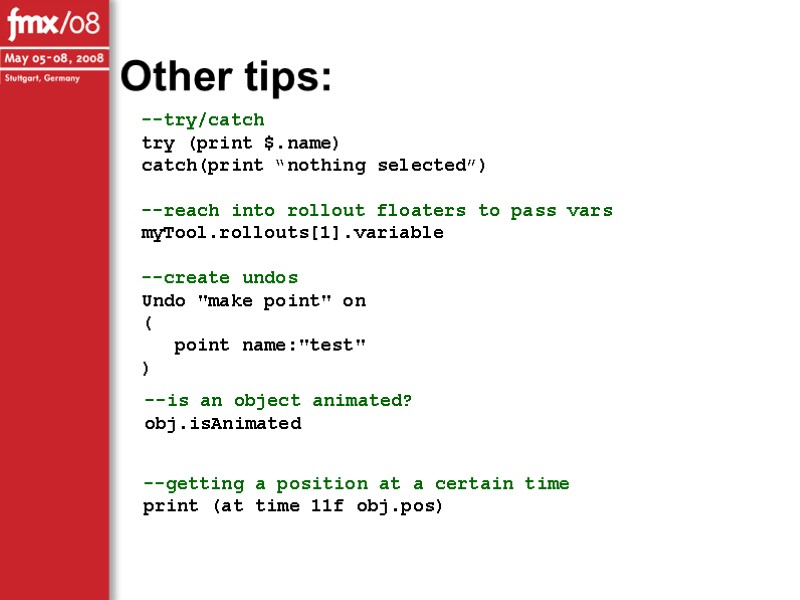
Other tips: --try/catch try (print $.name) catch(print “nothing selected”) --reach into rollout floaters to pass vars myTool.rollouts[1].variable --create undos Undo "make point" on ( point name:"test" ) --is an object animated? obj.isAnimated --getting a position at a certain time print (at time 11f obj.pos)
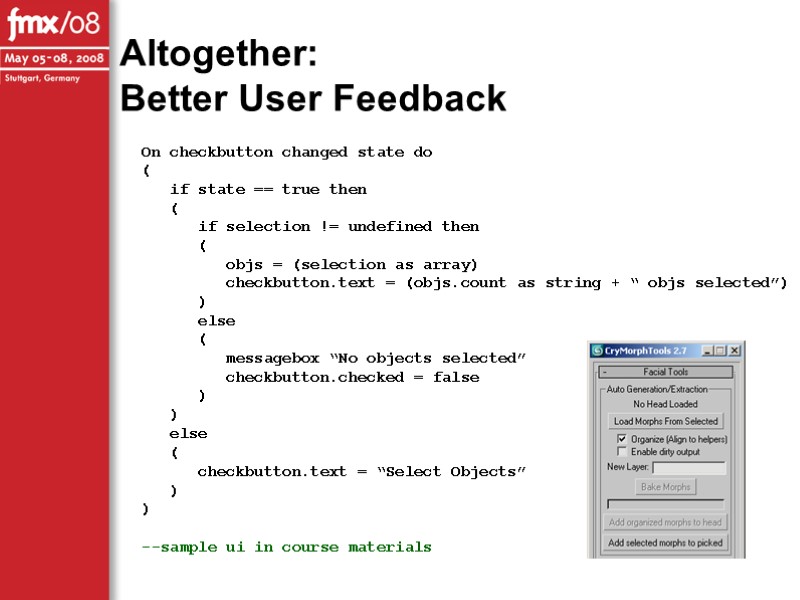
Altogether: Better User Feedback On checkbutton changed state do ( if state == true then ( if selection != undefined then ( objs = (selection as array) checkbutton.text = (objs.count as string + “ objs selected”) ) else ( messagebox “No objects selected” checkbutton.checked = false ) ) else ( checkbutton.text = “Select Objects” ) ) --sample ui in course materials
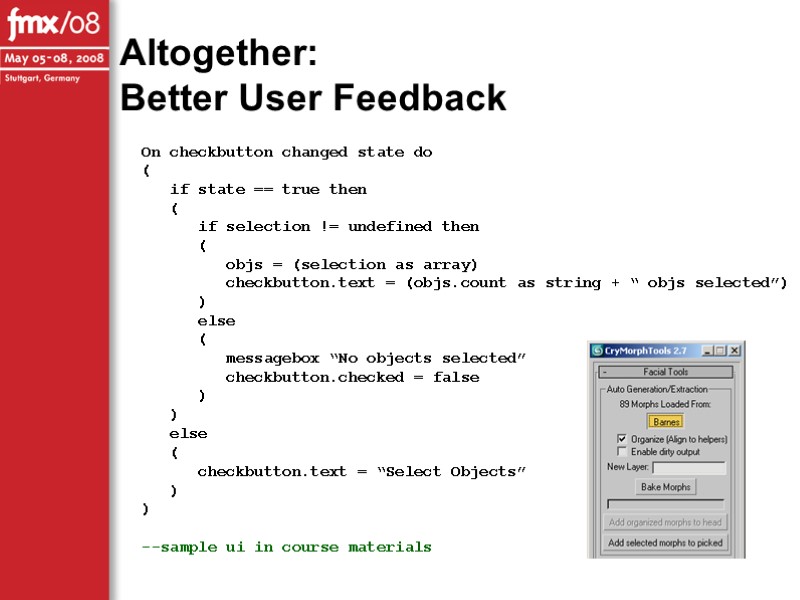
Altogether: Better User Feedback On checkbutton changed state do ( if state == true then ( if selection != undefined then ( objs = (selection as array) checkbutton.text = (objs.count as string + “ objs selected”) ) else ( messagebox “No objects selected” checkbutton.checked = false ) ) else ( checkbutton.text = “Select Objects” ) ) --sample ui in course materials
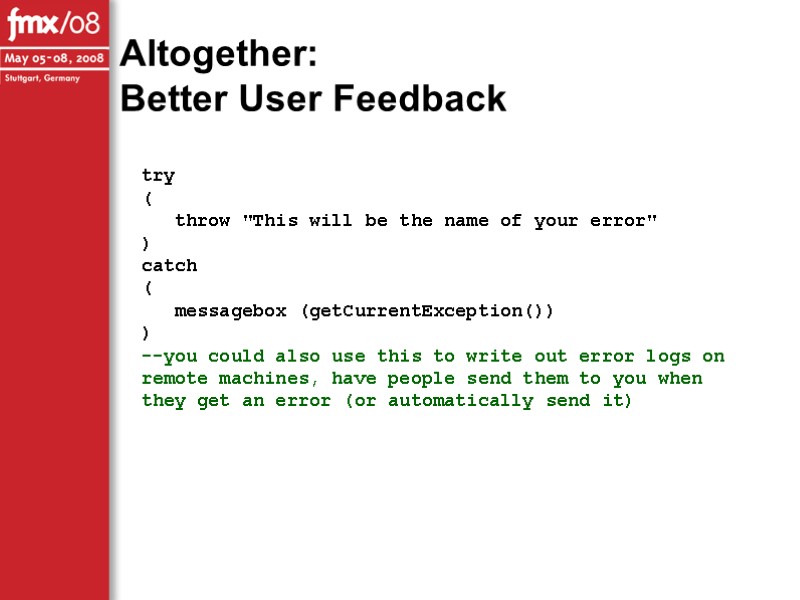
Altogether: Better User Feedback try ( throw "This will be the name of your error" ) catch ( messagebox (getCurrentException()) ) --you could also use this to write out error logs on remote machines, have people send them to you when they get an error (or automatically send it)
![Hacking Things in DOS DOSCommand [command <string>] CryTools has a silent command line fn](https://present5.com/presentacii-2/20171211\23888-evans_lindner_fmx08.ppt\23888-evans_lindner_fmx08_32.jpg "Hacking Things in DOS DOSCommand [command <string>] CryTools has a silent command line fn")
Hacking Things in DOS DOSCommand [command
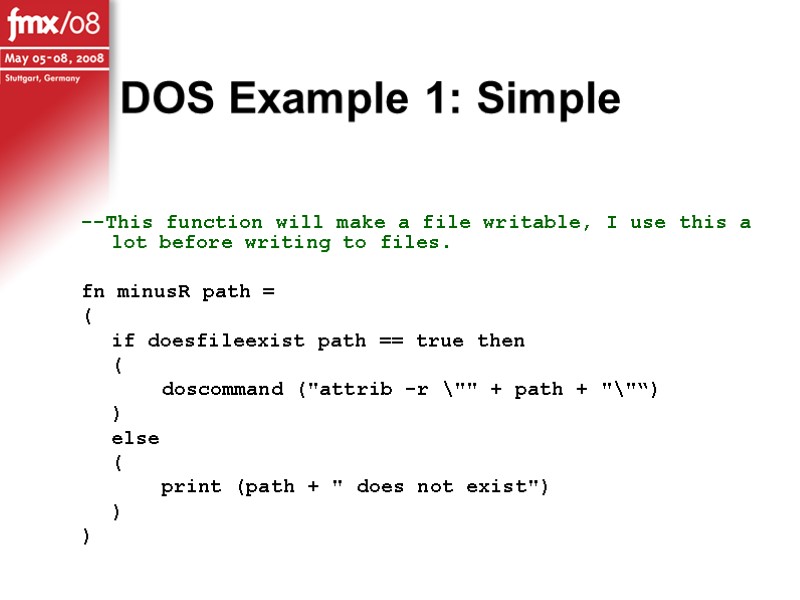
DOS Example 1: Simple --This function will make a file writable, I use this a lot before writing to files. fn minusR path = ( if doesfileexist path == true then ( doscommand ("attrib -r \"" + path + "\"“) ) else ( print (path + " does not exist") ) )
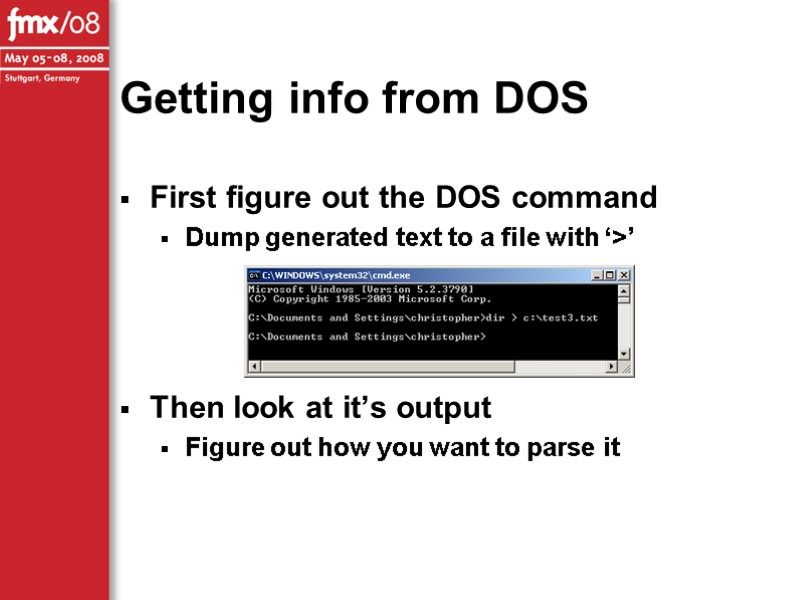
Getting info from DOS First figure out the DOS command Dump generated text to a file with ‘>’ Then look at it’s output Figure out how you want to parse it
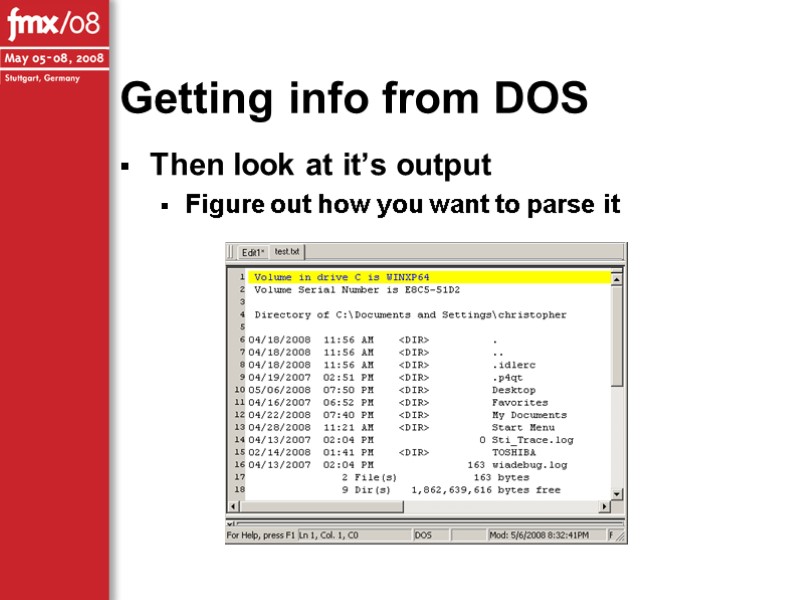
Getting info from DOS Then look at it’s output Figure out how you want to parse it
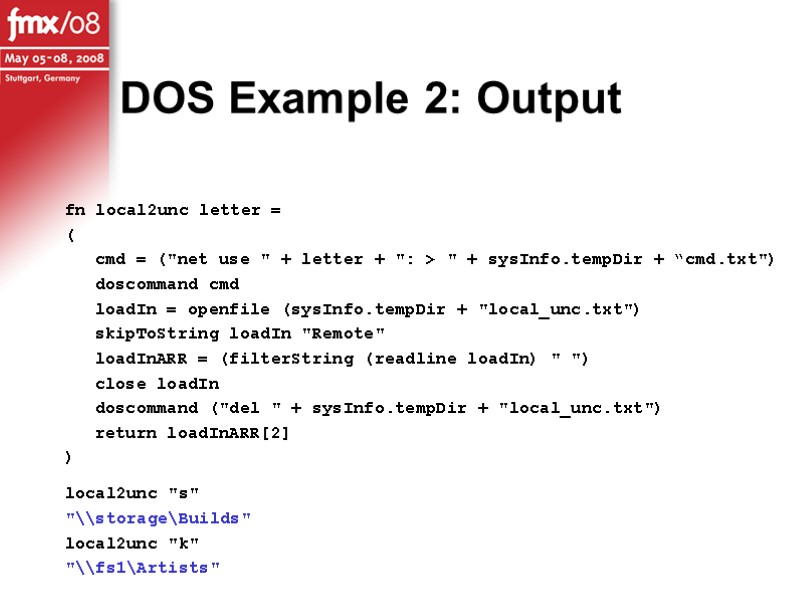
DOS Example 2: Output fn local2unc letter = ( cmd = ("net use " + letter + ": > " + sysInfo.tempDir + “cmd.txt") doscommand cmd loadIn = openfile (sysInfo.tempDir + "local_unc.txt") skipToString loadIn "Remote" loadInARR = (filterString (readline loadIn) " ") close loadIn doscommand ("del " + sysInfo.tempDir + "local_unc.txt") return loadInARR[2] ) local2unc "s" "\\storage\Builds" local2unc "k" "\\fs1\Artists"
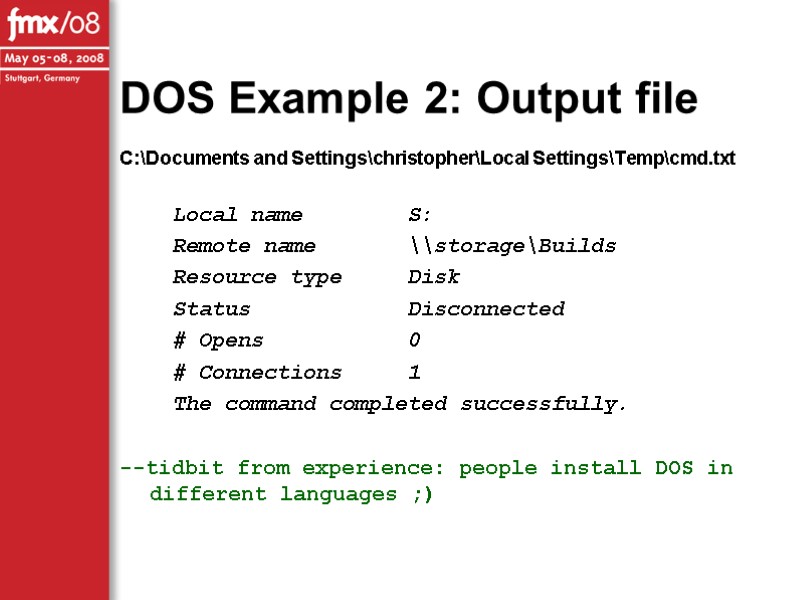
DOS Example 2: Output file C:\Documents and Settings\christopher\Local Settings\Temp\cmd.txt Local name S: Remote name \\storage\Builds Resource type Disk Status Disconnected # Opens 0 # Connections 1 The command completed successfully. --tidbit from experience: people install DOS in different languages ;)
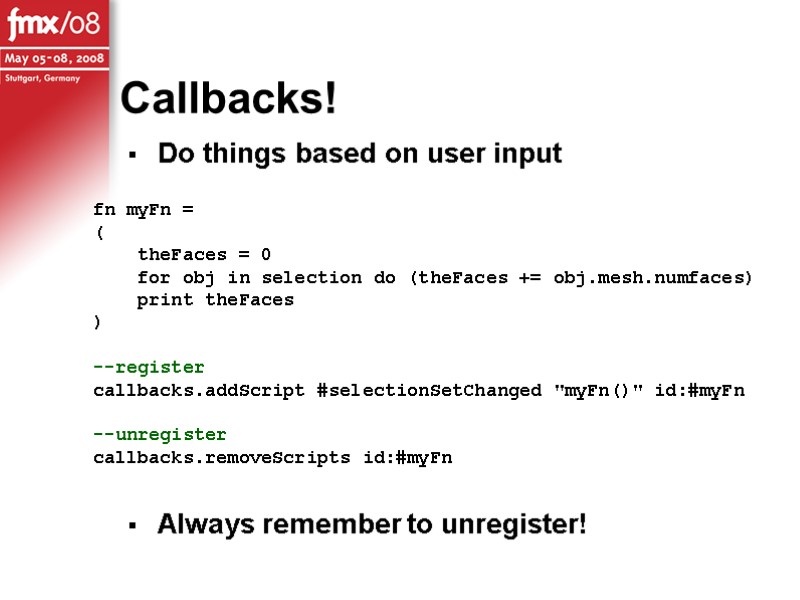
Callbacks! Do things based on user input Always remember to unregister! fn myFn = ( theFaces = 0 for obj in selection do (theFaces += obj.mesh.numfaces) print theFaces ) --register callbacks.addScript #selectionSetChanged "myFn()" id:#myFn --unregister callbacks.removeScripts id:#myFn
![CryTools: Examples Transfer Facial Morphs [ transfer_morphs.avi ] Mirror Morphs/Deformation [ mirrorMorphs.avi ] Hierarchy](https://present5.com/presentacii-2/20171211\23888-evans_lindner_fmx08.ppt\23888-evans_lindner_fmx08_39.jpg "CryTools: Examples Transfer Facial Morphs [ transfer_morphs.avi ] Mirror Morphs/Deformation [ mirrorMorphs.avi ] Hierarchy")
CryTools: Examples Transfer Facial Morphs [ transfer_morphs.avi ] Mirror Morphs/Deformation [ mirrorMorphs.avi ] Hierarchy to Bones [ hierarch2bones.avi ] Hierarchy Tools [hierarchy_tools.avi] CryInfo [ cryinfo.avi ]
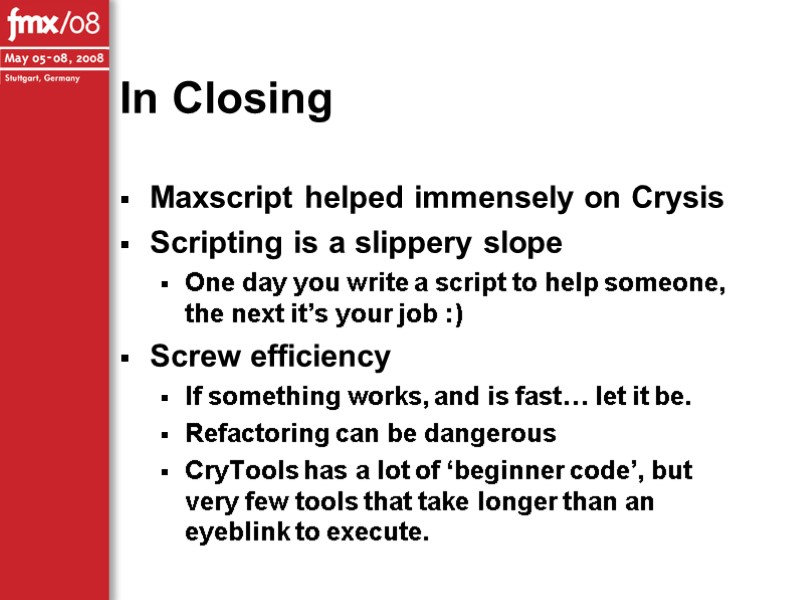
In Closing Maxscript helped immensely on Crysis Scripting is a slippery slope One day you write a script to help someone, the next it’s your job :) Screw efficiency If something works, and is fast… let it be. Refactoring can be dangerous CryTools has a lot of ‘beginner code’, but very few tools that take longer than an eyeblink to execute.
Animation Tools Overview Structure How we used structures Function definitions How we used functions Motion Capture Cleanup Problems and solutions
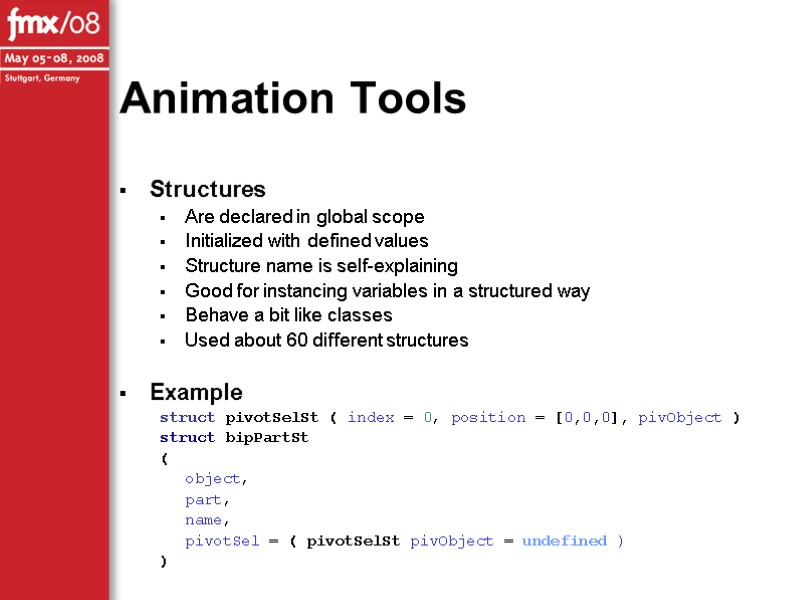
Animation Tools Structures Are declared in global scope Initialized with defined values Structure name is self-explaining Good for instancing variables in a structured way Behave a bit like classes Used about 60 different structures Example struct pivotSelSt ( index = 0, position = [0,0,0], pivObject ) struct bipPartSt ( object, part, name, pivotSel = ( pivotSelSt pivObject = undefined ) )
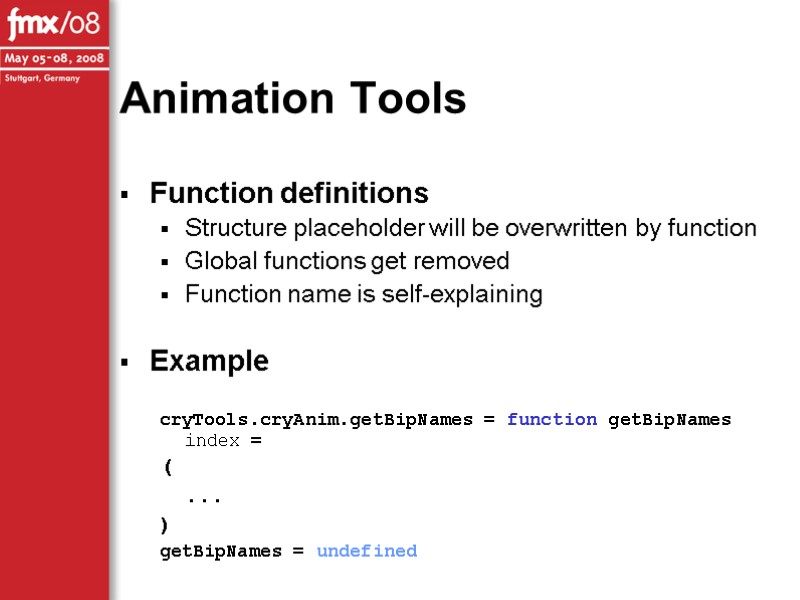
Animation Tools Function definitions Structure placeholder will be overwritten by function Global functions get removed Function name is self-explaining Example cryTools.cryAnim.getBipNames = function getBipNames index = ( ... ) getBipNames = undefined
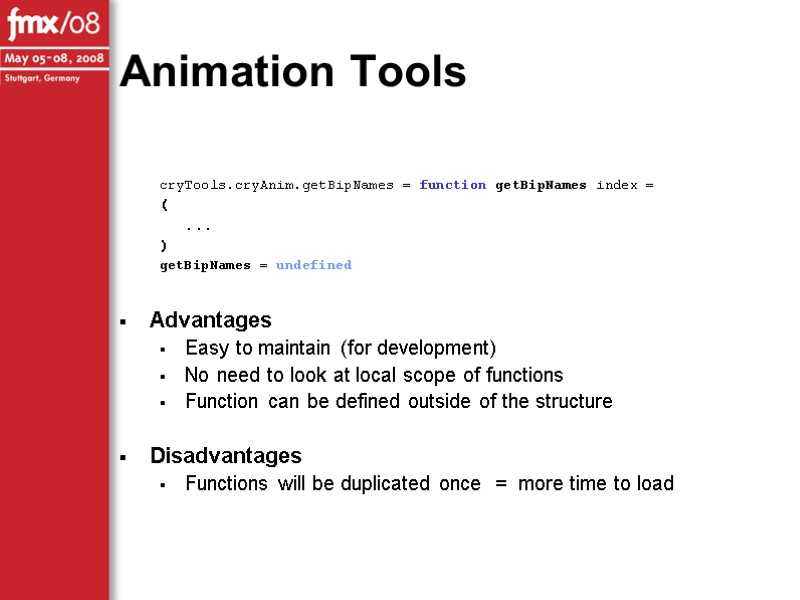
Animation Tools cryTools.cryAnim.getBipNames = function getBipNames index = ( ... ) getBipNames = undefined Advantages Easy to maintain (for development) No need to look at local scope of functions Function can be defined outside of the structure Disadvantages Functions will be duplicated once = more time to load
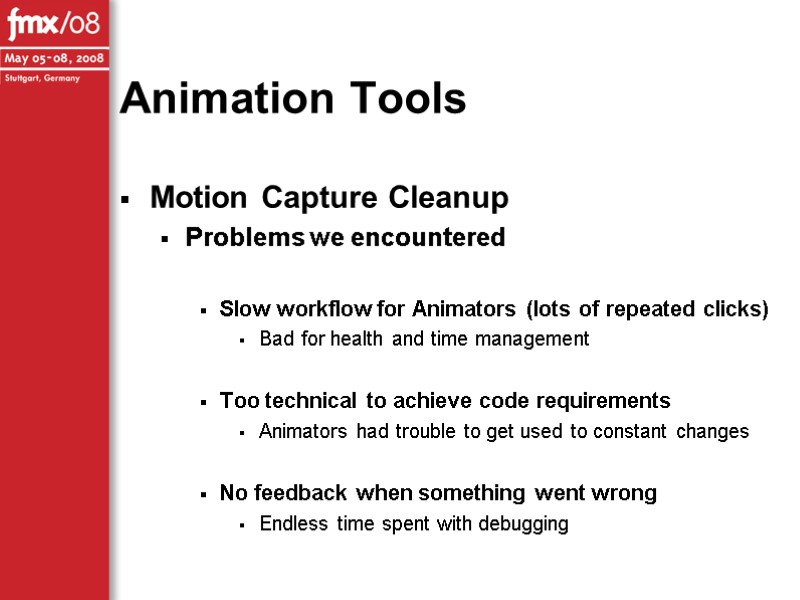
Animation Tools Motion Capture Cleanup Problems we encountered Slow workflow for Animators (lots of repeated clicks) Bad for health and time management Too technical to achieve code requirements Animators had trouble to get used to constant changes No feedback when something went wrong Endless time spent with debugging
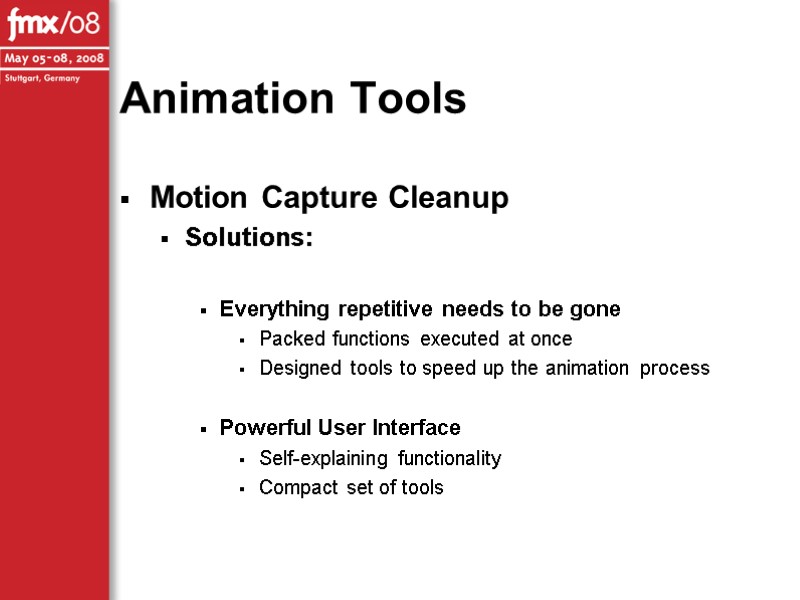
Animation Tools Motion Capture Cleanup Solutions: Everything repetitive needs to be gone Packed functions executed at once Designed tools to speed up the animation process Powerful User Interface Self-explaining functionality Compact set of tools
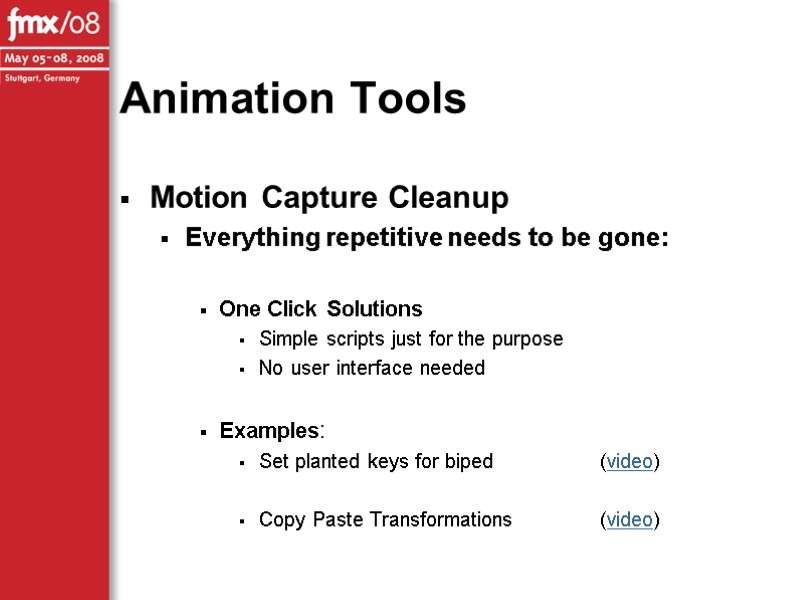
Animation Tools Motion Capture Cleanup Everything repetitive needs to be gone: One Click Solutions Simple scripts just for the purpose No user interface needed Examples: Set planted keys for biped (video) Copy Paste Transformations (video)
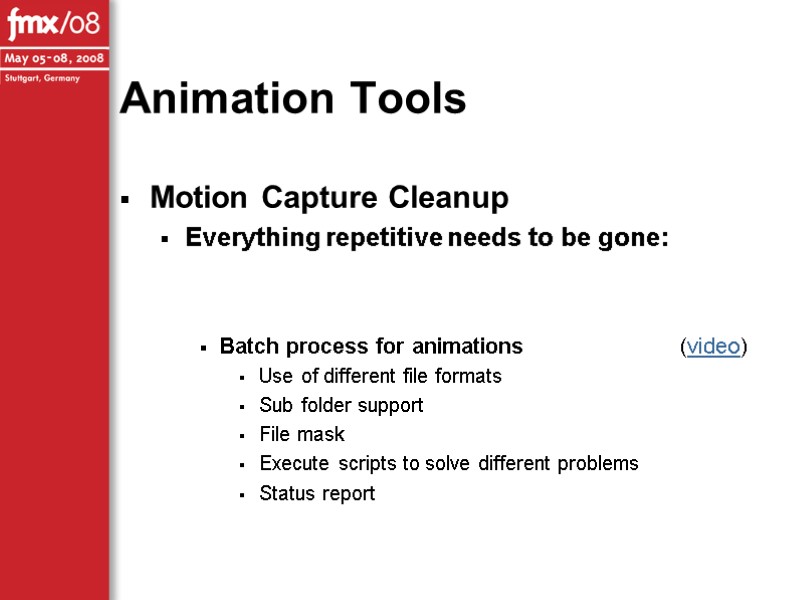
Animation Tools Motion Capture Cleanup Everything repetitive needs to be gone: Batch process for animations (video) Use of different file formats Sub folder support File mask Execute scripts to solve different problems Status report
Motion Capture Cleanup Powerful User Interface: Goals: Fast production of assets Compact functionality in one place Animator should not care about technical things Solutions for complex bone behavior User Customization Animator can change the look and functionality of dialogs Animation Tools
Motion Capture Cleanup Powerful User Interface - Solutions: Fast production of assets Fast loading and saving of assets (video) Load files directly out of the production folder Export files into the game Using snapshots for foot alignment (video) Speed up hand and foot cleanup How it works (video) Animation Tools
Motion Capture Cleanup Powerful User Interface - Solutions: Animators should not care about technical things Locomotion Locator animation (video) Used for linking the animation to the character in-game In some cases complex behaviour Weapon / Item adjustment (video) Specific bones to carry weapons / items in the game Rotation and position can change for each item Animation Tools
Motion Capture Cleanup Powerful User Interface - Solutions: User Customization No hardcoded values / states Dialog should represent the needs of Animators Easy to add new elements Animation Tools
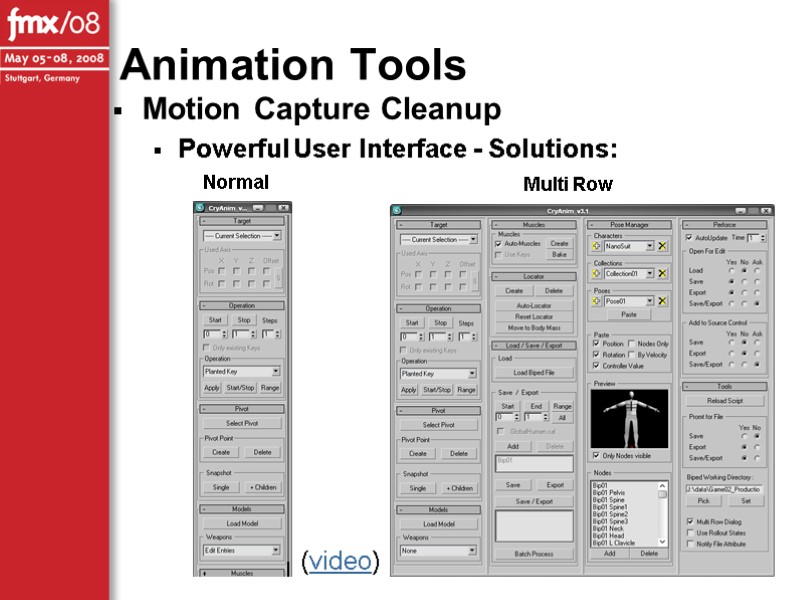
Motion Capture Cleanup Powerful User Interface - Solutions: Animation Tools Normal Multi Row (video)
Thank you for your attention
Questions?
Full Source of Examples at: www.ChrisEvans3D.com/files/fmx08.rar Crytools/Source at: www.ChrisEvans3D.com/files/crytools.rar Should be up by 12/05/08
Questions or comments via email? Christopher Evans [email protected] Mathias Lindner [email protected]
 Скачать презентацию Christopher Evans Technical Art Lead, Crytek Responsibilities: Artist
23888-evans_lindner_fmx08.ppt
- Количество слайдов: 57