 Скачать презентацию Chapter 9 E-Commerce Software Before we start
201dd1779c4c827a5f038e5604d72302.ppt
- Количество слайдов: 55



Chapter 9 E-Commerce Software
Before we start … we need to ask … 1. What’s the expected size of the enterprise and its projected traffic and sales? 2. Budget? 3. What’s your target audience? 4. Use a full-service ISP or host the electronic commerce site in-house? 2
Electronic Commerce Requirements 1. A catalog display 2. Shopping cart capabilities 3. Transaction processing 4. Tools to populate the store catalog and to facilitate storefront display choices 3
1. Catalog Display • A small commerce site can have a simple catalog, which is a static listing of goods and services • Larger catalog has photos of items, descriptions, and a search feature • For example, “MP 3. com” is a large commerce site and “Women in Music” is a small site 4
2. Shopping Cart • Online forms were used for online shopping • A new way of online shopping is through shopping carts • Quick. Buy is one company that makes this type of shopping cart software • Cookies are bits of shopping information stored on a client computer 5
3. Transaction Processing • Transaction processing occurs when the shopper proceeds to the virtual checkout counter • Software needs to calculate price, volume discounts, sales tax, and shipping costs • Sales tax may vary in different regions, countries, etc 6
Questions • • Which online site was the easiest to use? Which has the best catalogue display? Which is the best shopping cart? Do you return to that shop because of functionality? • Do you avoid any shops because of functionality? • What are the best features which such a site should have? 7
4. Electronic Commerce Tools • Inexpensive (monthly rate + per transaction) storefronts that are offered by established portals, such as Yahoo! • Robust software suites that run on large, dedicated computers and interact with database systems such as Oracle @ $1000$5000 • B 2 B systems must be able to connect to existing legacy systems, including ERP software packages 8
Web Services • Software tools that let application software in one organisation communicate with other applications • SOAP – Simple Object Access Protocol • UDDI – Universal Description, Discovery and Integration • WSDL – Web Services Description Language 9
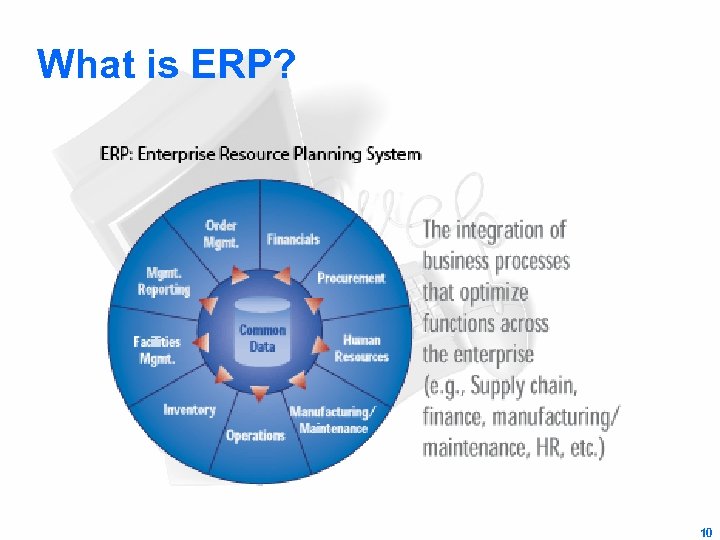
What is ERP? 10
Enterprise Resource Planning • Large systems integrating – – planning manufacturing sales marketing • Losing grounds to B 2 B via Web – – e-procurement supply chains e-marketplaces vortals • Vertical industry portals providing information and resources for a particular industry (www. webopedia. com) 11
Do you need to market your site? • Visibility of Web sites is important • Registering your own domain name helps visibility • Also, including a META tag in your store’s home page • Submitting your website via submitting services such as Submitit! • Any more ideas? 12
Some marketing tips … • Search Engines – Use other tools www. ineedhits. com • Directories – Manual submission • Exchange links • Publish your e. Zine on e. Zine directories • Write an article – Publish it on someone else’s website (and include links) • • • Free classified Banner Exchange Signature file in your email (with link) Buy advertisement Pop-up or Pop-under windows 13
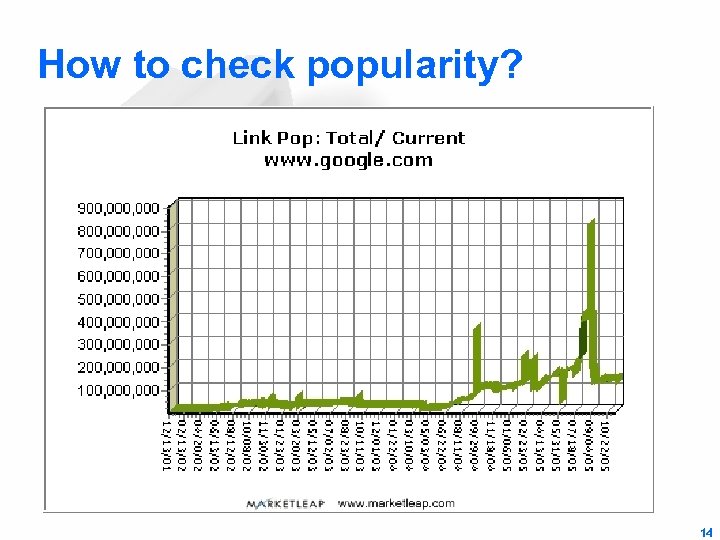
How to check popularity? 14
Hosting Services • The total costs of setting up your own in-house Web commerce site are expensive • Web hosting services allow businesses to start electronic commerce inexpensively • Web hosting services provide all the services that an ISP does. 15
Types of hosting services • What’s the difference? What are the pros and cons? • Self-hosting • Shared hosting – With other sites • Dedicated hosting – A server just for you • Collocated hosting – Your server in our premises 16
Implications of Self-hosting • The online business owns and maintains the server and all its software • It implies full control, instant hardware access, and complete flexibility • Business must have additional staff, Web expertise, expensive equipment, and a highspeed direct Internet connection 17
Implications of Shared Hosting • Your Web or commerce site resides on the same server as several other sites • It is inexpensive, requires very little of an online store’s time to maintain • It has a very high-speed connection to the Internet • Fewer options might be available • Security concerns arise from unrelated online businesses sharing the same server 18
Implications of Dedicated Hosting • A Web host provides a server for your Web site alone • More Web and commerce software options, a good high-speed connection, more control to site’s design become available • Higher software costs and maintenance costs can be incurred 19
Implications of Collocated Hosting • The server is owned by the online store but is located at the Web host’s site • The Web host provides maintenance based on the level of service the online business requires • Maintenance costs are higher than self-hosting • “Value. Web” is an example of a Web hosting service – It provides services of shared hosting, dedicated hosting, and collocation services 20
Comparison of Web Hosting • Electronic commerce stores get a variety of services for a low monthly fee • Web hosting customers have their own domain name and IP address • Advantages of a shared web host over dedicated hosting or self-hosting: – Low setup fee – No staff and capital costs – Free technical support 21
Web Host Services 1. Basic Packages 2. Midrange Packages 3. Enterprise Packages 22
Basic Packages • Basic packages are free or low-cost electronic commerce software supplied by the Web host for building Web sites • The host makes money from advertising banners placed on the storefront’s Web pages • B-City, Biz. Land. com and Hyper. Mart are examples of these types of hosts • Customer purchase transactions are handled by e-mail in this host service 23
Banner Advertising Exchange Sites • Banner exchange sites (BESs) are Web sites that help electronic merchant promote their stores online • The BES organizes the banner exchange among members, enforces rules, and collects statistics of banner advertisement • Examples of BESs are Banner. Exchange. com, Eurobanner, Exchange-it, Link. Exchange, etc • click-through count – #visitors who access site through a link 24
Full-Service, Shared Mall-Style Hosting • Full-service shared hosting sites provide online stores with good service, good Web creation tools, and little or no banner advertising clutter • Costs – one-time setup fees – a monthly fee – customer transaction fee • Yahoo! Store, Geo. Shops, Shop. Builder, and Virtual Spin Internet Store are examples of this type of Web hosts 25
Yahoo! Store • Yahoo! Store is a good value among full-service shared hosting sites • Merchants can create, change, and maintain their Yahoo! storefronts through a Web browser • On its own site, Yahoo! Holds all the stores’ pages in a proprietary format • Yahoo’s management page contains many management, reporting, and global site setting tools 26
Bigstep. com • Bigstep. com provides a well-designed storefront package without charging hosting fees • Bigstep enables merchants to create, change, and maintain a storefront through a Web browser • Bigstep’s reports provide data mining capabilities – Looking for hidden patterns in data • Data mining can help business find customers with common interests • Free service – Optional add-on services at a cost (e. g. Card. Service) • Let’s see how it works … 27
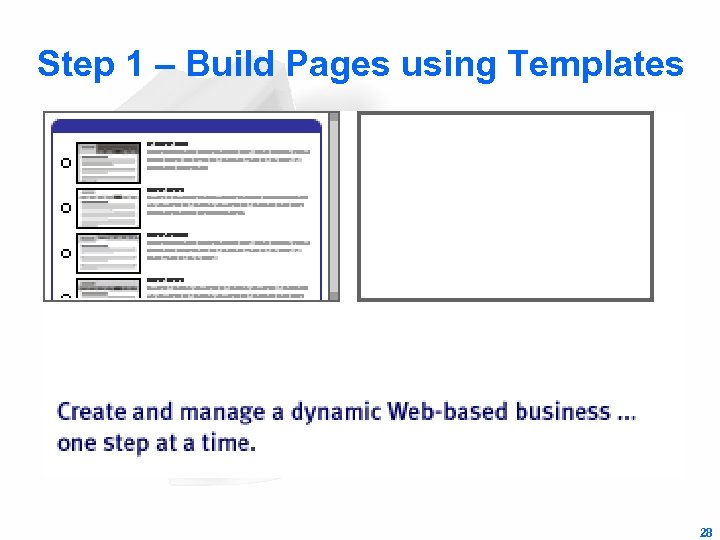
Step 1 – Build Pages using Templates 28
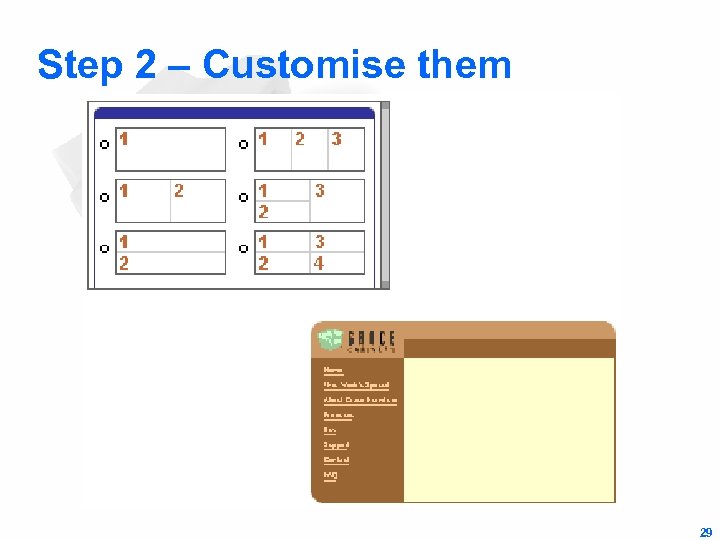
Step 2 – Customise them 29
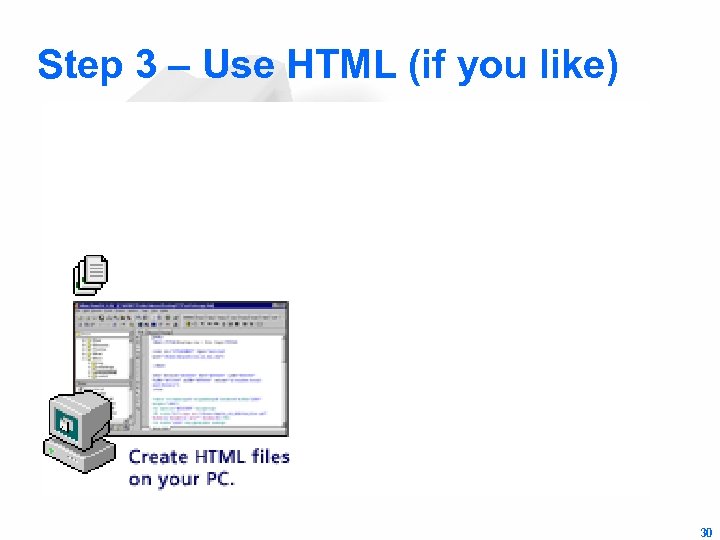
Step 3 – Use HTML (if you like) 30
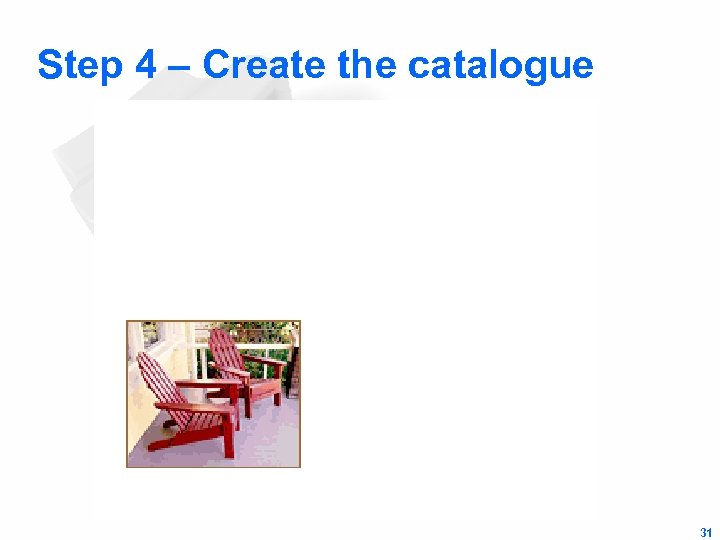
Step 4 – Create the catalogue 31
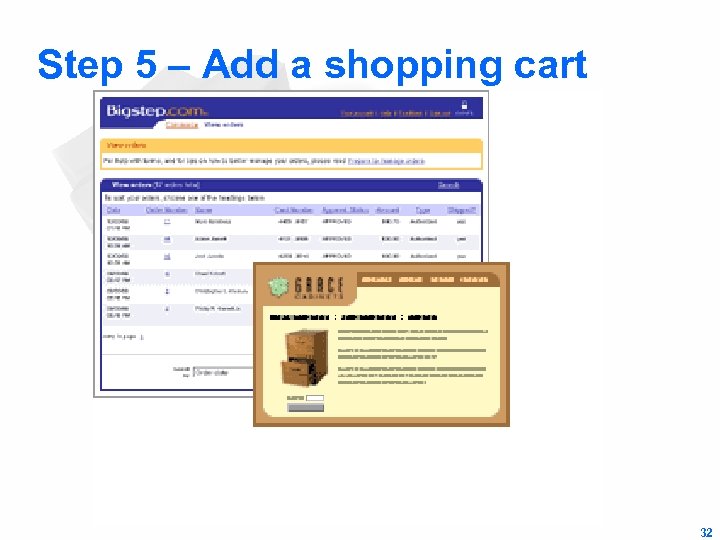
Step 5 – Add a shopping cart 32
Step 6 – Advertise it! 33
Step 7 – Don’t forget your customers! 34
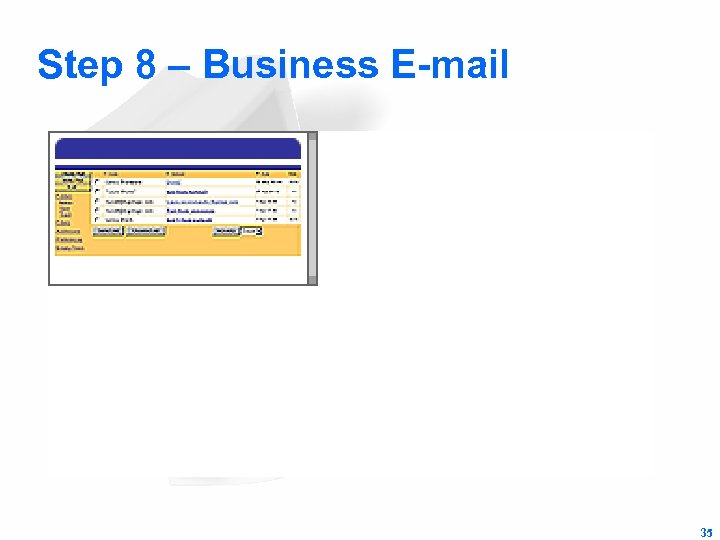
Step 8 – Business E-mail 35
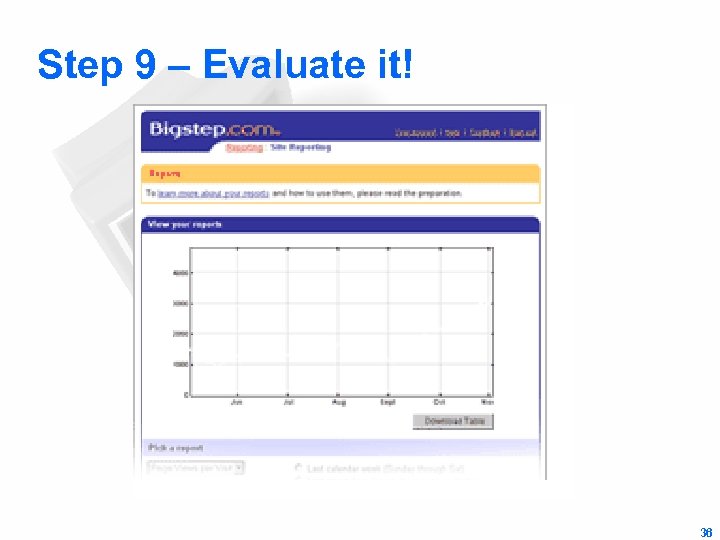
Step 9 – Evaluate it! 36
Step 10 – Relax 37
Estimated Operating Expenses • The first-year operating cost can vary depending on the Web host selected • A good guideline for processing fees is to multiply your expected annual gross sales by 3% • Setup and Web site maintenance costs – – equipment communications physical location Staff 38
Midrange Packages • Midrange packages allow the merchant to have explicit control over merchandising choices, site layout, internal architecture, and remote and local management options • Midrange software has connectivity with database systems and store catalog information – Web Development Tools • Dream. Weaver MX • Microsoft Front. Page + Visual Studio. NET – Intershop Enfinity – Web. Sphere – Commerce Server 2000 39
Inter. Shop Enfinity • Intershop enfinity is produced by Intershop Communications Inc • This software provides: – – search and catalog capabilities electronic shopping carts online credit card transaction processing connection to existing business systems and databases, such as DB 2 and Oracle • It has setup wizards and catalog and data management tools • Automated email facility for order confirmation • Secure Transaction support 40
Intershop Enfinity Transactivity Server • Intelligent Merchandiser – B 2 C Interface • Remote XML Interface – B 2 B interface • Transaction Engine – Secure processing of business logic • Pipeline Orchestrator – Integration of e-commerce flows • Cartridge API – Third party API products 41
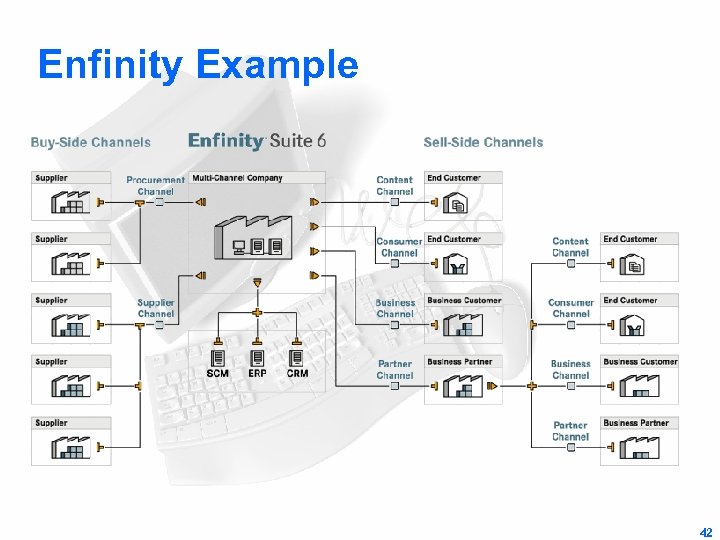
Enfinity Example 42
Web. Sphere Commerce Suite • IBM produces the Web. Sphere Commerce Suite • It comes complete with catalog templates, setup wizards, and advanced catalog tools • It can be used both for B 2 B and B 2 C applications • This system runs on Solaris, and Windows • Works on a progressive store model – One Stop Shop – Personal Delivery Store – Business-to-Business Store • Customizable through coding – Skills or consultants needed! 43
Microsoft Commerce Server 2009 • Commerce Server 2009 provides tools for: – – – User profiling and management Transaction processing Product and service management Target audience marketing Reporting • Wizards for – Administration – Store Construction 44
Microsoft Commerce Server 2009 • Microsoft pipelines model a series of business processes: – The Commerce Interchange Pipeline for B 2 B – The Order-processing Pipeline for B 2 C • Commerce Server has tools for – – Advertising Promotions cross-selling customer targeting and personalization. 45
Enterprise Solutions for Large Firms • Enterprise-level commerce software is called ebusiness software • E-business software interacts with a wide variety of existing back office systems – – – Database Accounting Fulfillment (inventory) Certificate Servers Payment Servers ERP systems. 46
Enterprise Solutions for Large Firms • An enterprise-scale solution requires: – – – A Domain Name Server (DNS) An SMTP system to handle e-mail An HTTP server An FTP server for upload and download capabilities A database server 47
Enterprise Solutions for Large Firms • Examples of e-business systems: – IBM’s Web. Sphere Commerce Suite, Pro Edition – Oracle’s e-Business Suite – Broad. Vision One-to-One Commerce 48
Customer Relationship Management ($200, 000+) • Helping customized a service or product to the customer’s needs • Needs data from – – – sales automation customer service center operations marketing campaigns customer activities on web site other points of customer contact • to help managers in – – – analytical activities gathering business intelligence planning marketing strategies customer behavior modeling product and service customization 49
Supply Chain Mgmt • Software to help coordinate planning and operations with industry partners • Eg. i 2 Technologies – demand planning – supply planning – demand fulfillment • Eg. Manugistics – constraint-based master planning system controlling transport management, replenishment management, manufacturing planning, scheduling, purchase planning and materials control • Cost based on number of stores: – 500: $4 -10 million – 4: $1 million 50
Content Management Software • Software to help share information between employees, customers, suppliers and partners • Provides ability to add/change online information, online • Costs between $200, 000 - $500, 000 51
Knowledge Management • Conversion of written documents into electronic form + • Ability to search through the documents • Support for a variety of document formats • Costs between $50, 000 and $1 million • Eg. – IBM Lotus Discovery – Microsoft Sharepoint Technologies 52
Case Studies (1) • Will help us see … – the ways in which different e. Commerce solutions can be implemented within real-life organizations – the business benefits that such solutions can deliver – the positive impact that effective e. Commerce solutions can have on the customer/supplier relationship 53
Case Studies (2) • The pitfalls – Not all the information might be available • Companies don’t like to disclose details • Especially on things which give them a competitive edge – Normally maintained by the supplier of the solution • Generally biased towards a tool – Most of the important lessons are learnt when things go wrong • But no one likes to highlight his own errors! 54
Case Studies (3) • Identify … – how a business or organization identified the need to implement an e. Commerce solution (was it reactive or proactive? ) – how it reacted to this need in terms of assessing its business? – how it chose the particular solution? – how it implemented the solution? – what impact/s the solution had on its business? – which e. Commerce tools were used? – which communications options were used? – Suggest any improvements … 55
Скачать презентацию Chapter 9 E-Commerce Software Before we start
201dd1779c4c827a5f038e5604d72302.ppt