


 Скачать презентацию Chapter 8 The Design Environment Stephan Clemens Marcello
9a37627021481e9589474eee5f575300.ppt
- Количество слайдов: 42
 Chapter 8 The Design Environment Stephan Clemens Marcello La Rosa Arthur ter Hofstede a university for the real world R © 2009, www. yawlfoundation. org
 Outlook • The GUI of the Editor • Setting up Control Logic • Specifying Data Aspects • Defining Resource Perspective • Error Reporting • Specification File real a university for the © 2009, www. yawlfoundation. org world R 2
 The Editor GUI a university for the real world R © 2009, www. yawlfoundation. org
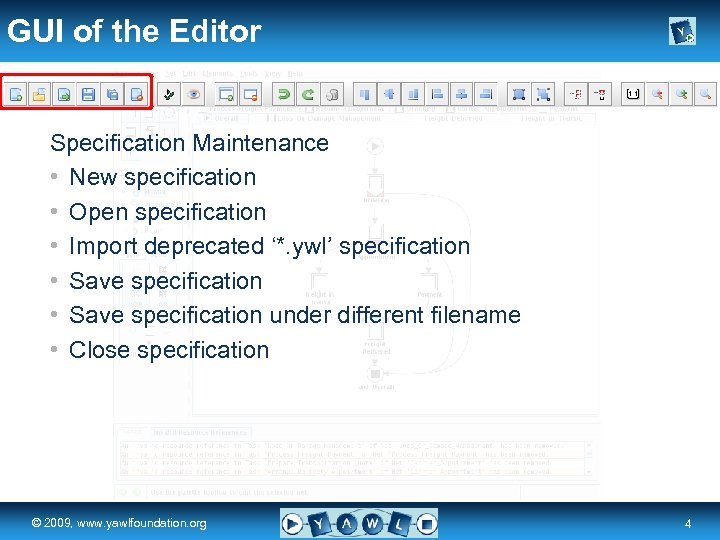 GUI of the Editor Specification Maintenance • New specification • Open specification • Import deprecated ‘*. ywl’ specification • Save specification under different filename • Close specification real a university for the © 2009, www. yawlfoundation. org world R 4
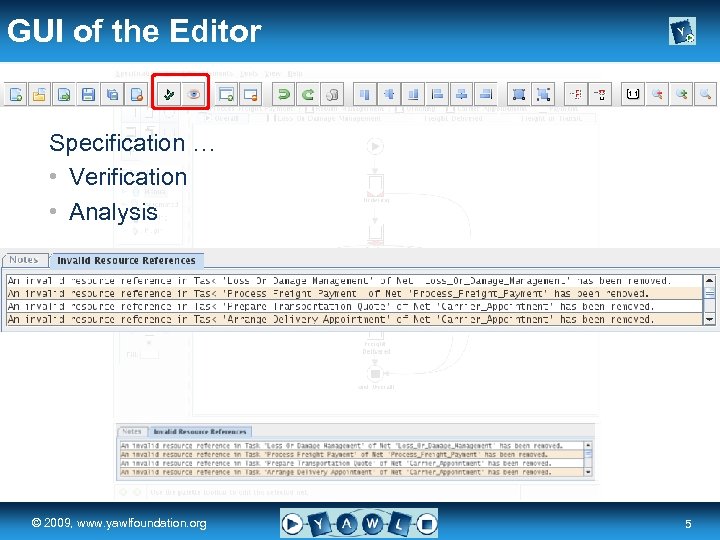 GUI of the Editor Specification … • Verification • Analysis real a university for the © 2009, www. yawlfoundation. org world R 5
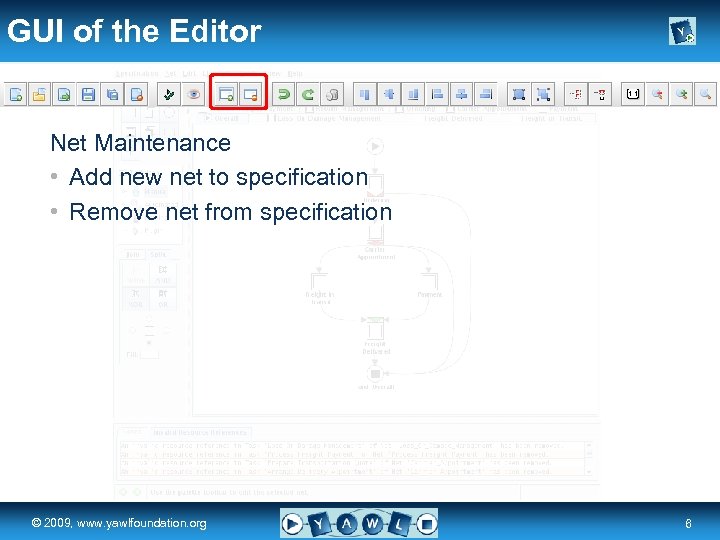 GUI of the Editor Net Maintenance • Add new net to specification • Remove net from specification real a university for the © 2009, www. yawlfoundation. org world R 6
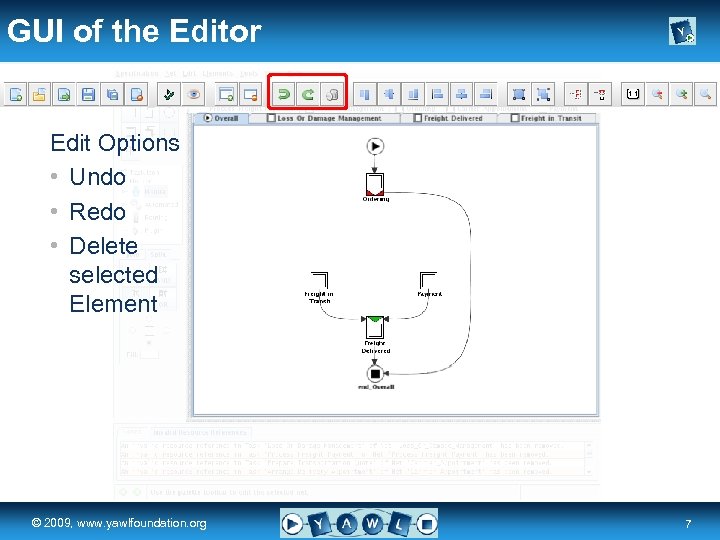 GUI of the Editor Edit Options • Undo • Redo • Delete selected Element real a university for the © 2009, www. yawlfoundation. org world R 7
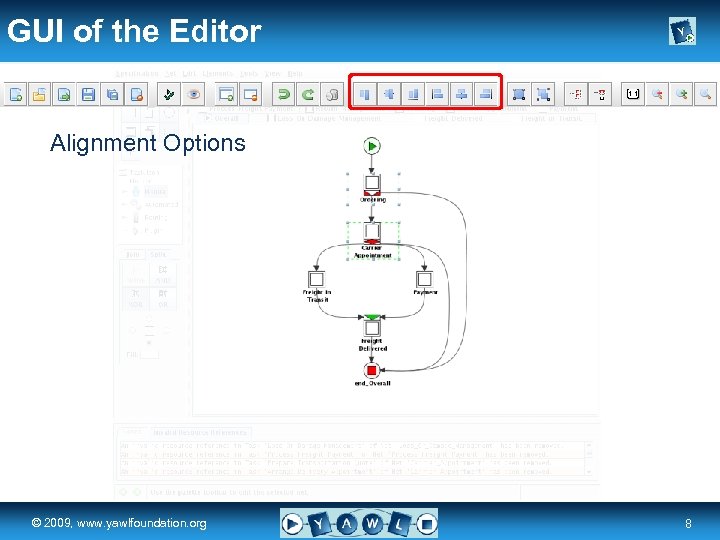 GUI of the Editor Alignment Options real a university for the © 2009, www. yawlfoundation. org world R 8
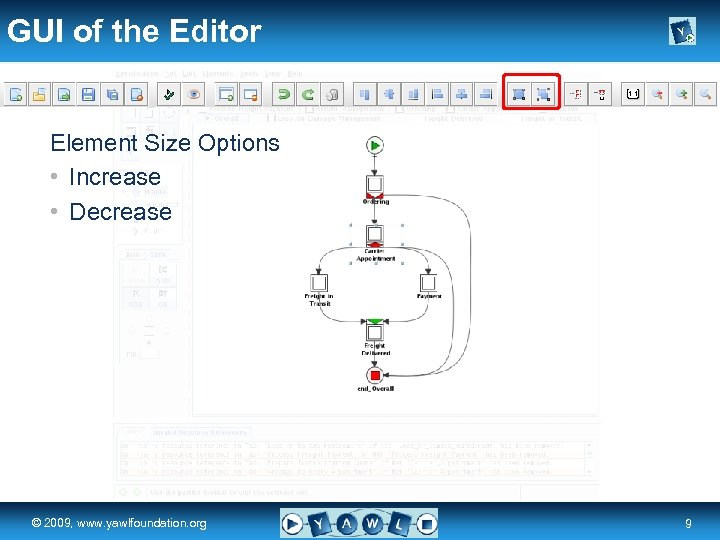 GUI of the Editor Element Size Options • Increase • Decrease real a university for the © 2009, www. yawlfoundation. org world R 9
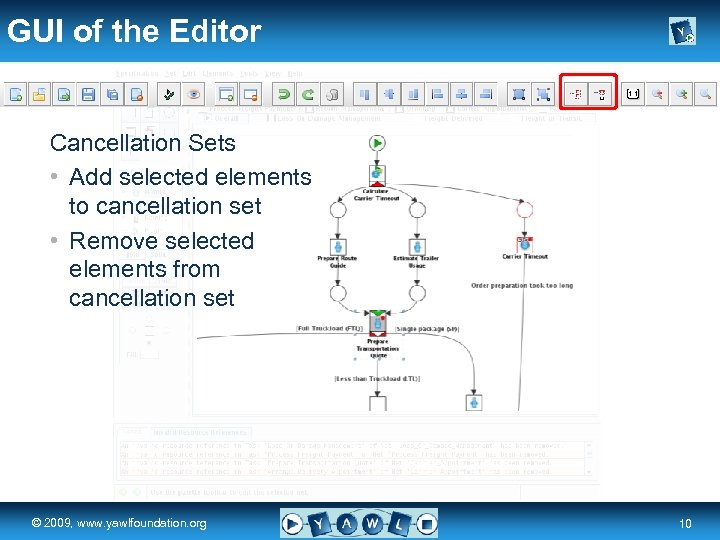 GUI of the Editor Cancellation Sets • Add selected elements to cancellation set • Remove selected elements from cancellation set real a university for the © 2009, www. yawlfoundation. org world R 10
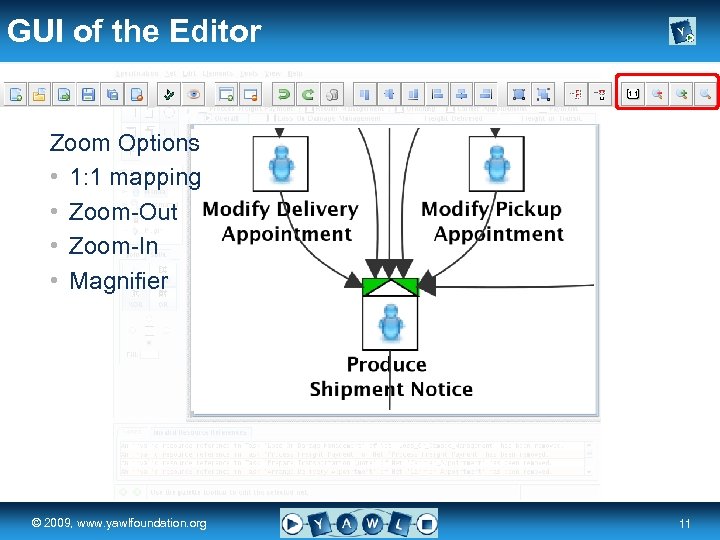 GUI of the Editor Zoom Options • 1: 1 mapping • Zoom-Out • Zoom-In • Magnifier real a university for the © 2009, www. yawlfoundation. org world R 11
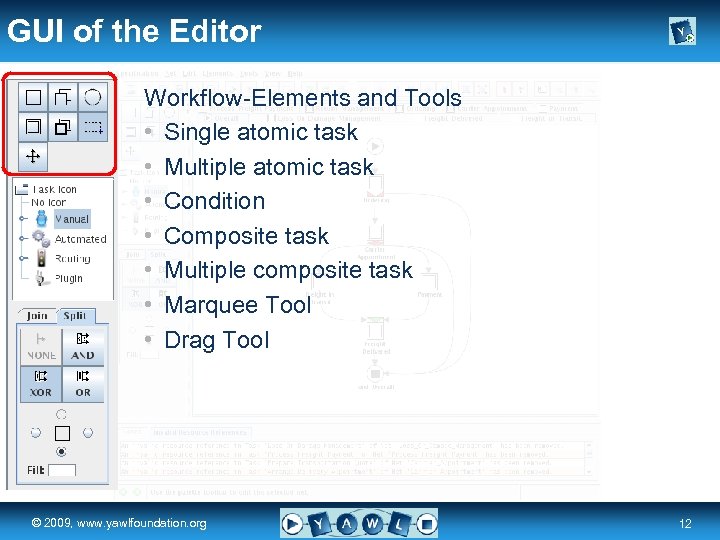 GUI of the Editor Workflow-Elements and Tools • Single atomic task • Multiple atomic task • Condition • Composite task • Multiple composite task • Marquee Tool • Drag Tool real a university for the © 2009, www. yawlfoundation. org world R 12
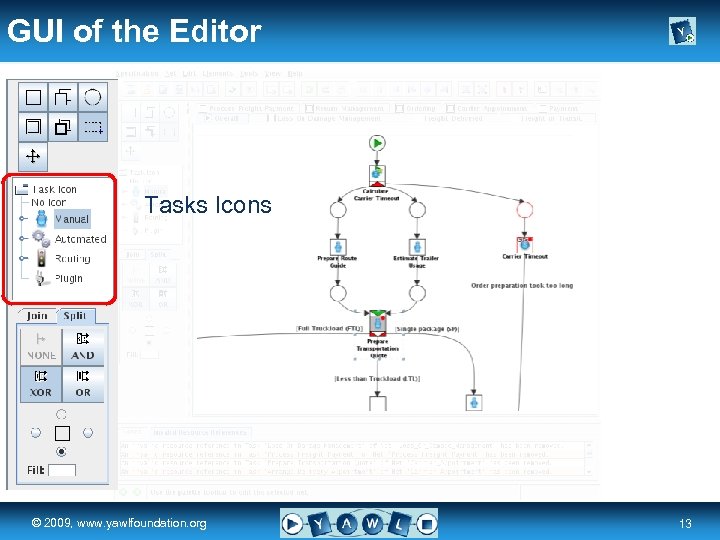 GUI of the Editor Tasks Icons real a university for the © 2009, www. yawlfoundation. org world R 13
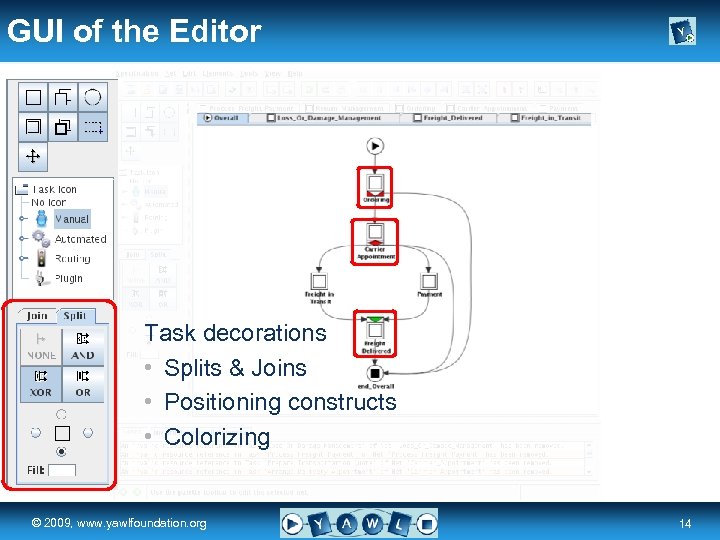 GUI of the Editor Task decorations • Splits & Joins • Positioning constructs • Colorizing real a university for the © 2009, www. yawlfoundation. org world R 14
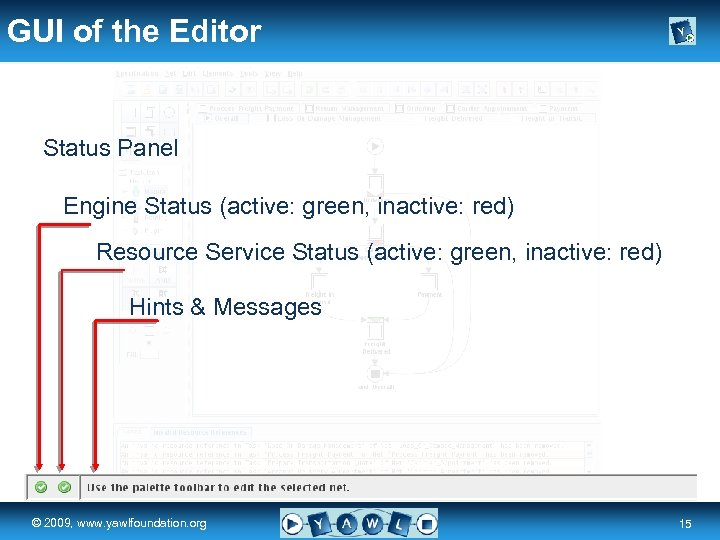 GUI of the Editor Status Panel Engine Status (active: green, inactive: red) Resource Service Status (active: green, inactive: red) Hints & Messages real a university for the © 2009, www. yawlfoundation. org world R 15
 Process Control Logic a university for the real world R © 2009, www. yawlfoundation. org
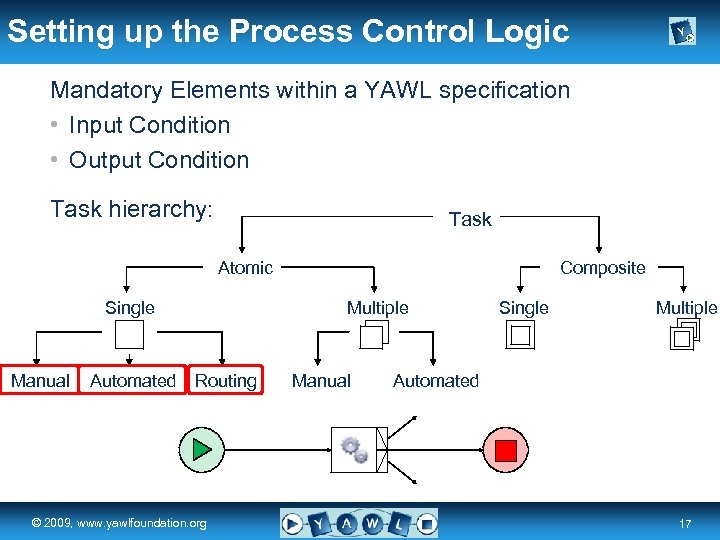 Setting up the Process Control Logic Mandatory Elements within a YAWL specification • Input Condition • Output Condition Task hierarchy: Task Atomic Single Manual Composite Multiple Automated Routing real a university for the © 2009, www. yawlfoundation. org world Manual Single Multiple Automated R 17
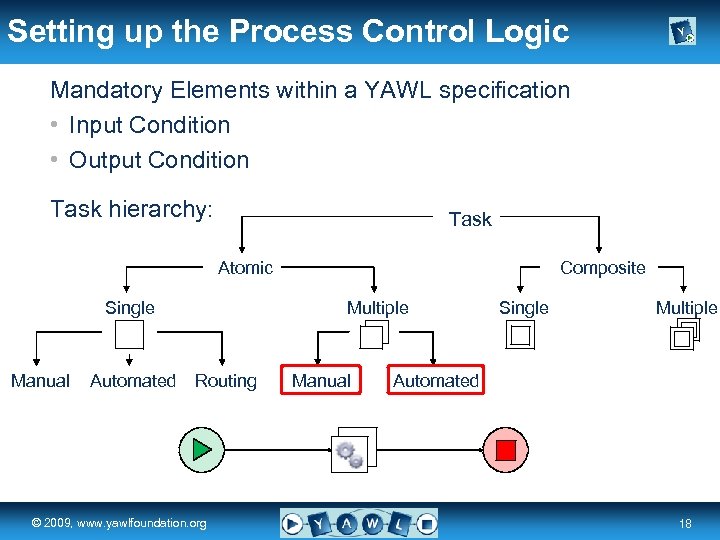 Setting up the Process Control Logic Mandatory Elements within a YAWL specification • Input Condition • Output Condition Task hierarchy: Task Atomic Single Manual Composite Multiple Automated Routing real a university for the © 2009, www. yawlfoundation. org world Manual Single Multiple Automated R 18
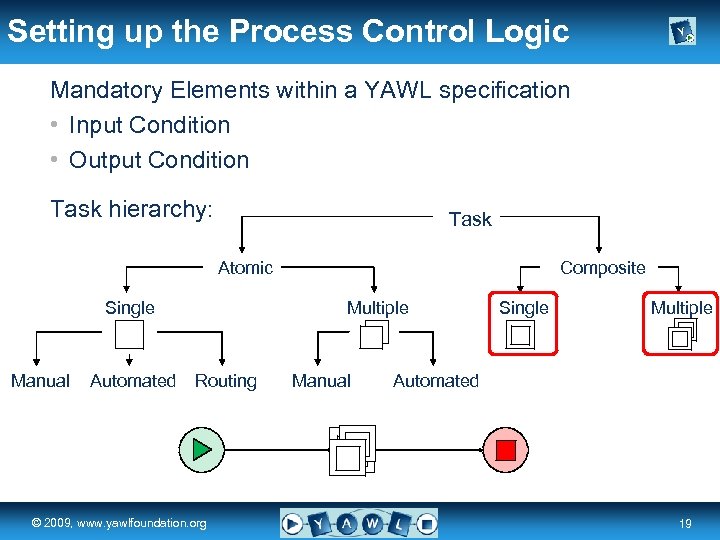 Setting up the Process Control Logic Mandatory Elements within a YAWL specification • Input Condition • Output Condition Task hierarchy: Task Atomic Single Manual Composite Multiple Automated Routing real a university for the © 2009, www. yawlfoundation. org world Manual Single Multiple Automated R 19
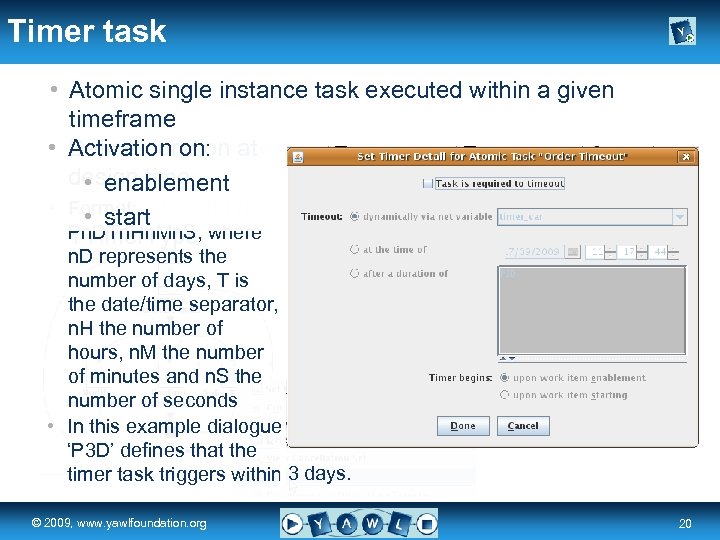 Timer task • Atomic single instance task executed within a given timeframe • Define durationtime Activation on: Point inpoint in at time or design time at • design time duration defined via enablement • Format: net start • variable of type Pn. DTn. Hn. Mn. S, where YTimer. Type n. D represents the number of days, T is the date/time separator, n. H the number of hours, n. M the number of minutes and n. S the number of seconds • In this example dialogue ‘P 3 D’ defines that the timer task triggers within 3 days. real a university for the © 2009, www. yawlfoundation. org world R 20
 Routing conditions • A task with multiple incoming/outgoing flows need to be decorated with a join/split construct • Routing conditions need to be applied for XOR- and OR -splits • Conditions are expressed based on XPath • In terms of XOR-splits the condition order determines the evaluation order of predicates – Control is passed to first target task whose predicate evaluates to true – The last entry within the ordered conditions is the default flow. I. e. if no predicate evaluates to true, control is passed to the target task of the last ordered flow • In case of OR-splits, control is passed to all target tasks whose predicates evaluate to true real a university for the © 2009, www. yawlfoundation. org world R 21
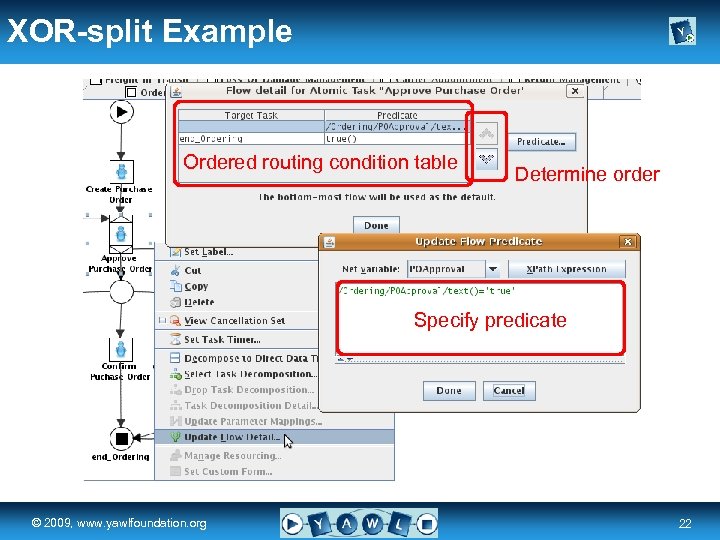 XOR-split Example Ordered routing condition table Determine order Specify predicate real a university for the © 2009, www. yawlfoundation. org world R 22
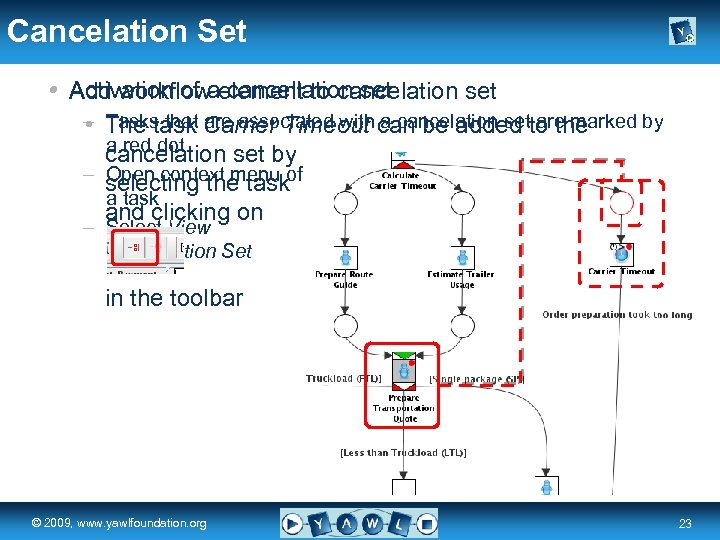 Cancelation Set Activation of cancellation set • Add workflowaelement to cancelation set – The task Carrier Timeout can be added to the • Tasks that are associated with a cancelation set are marked by a red dot cancelation set by – selecting the taskof Open context menu a task and clicking on – Select View Cancellation Set in the toolbar real a university for the © 2009, www. yawlfoundation. org world R 23
 Data Aspects a university for the real world R © 2009, www. yawlfoundation. org
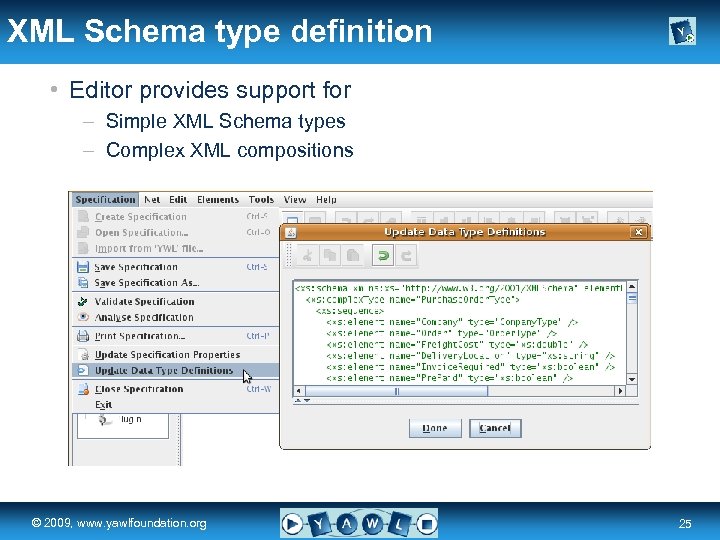 XML Schema type definition • Editor provides support for – Simple XML Schema types – Complex XML compositions real a university for the © 2009, www. yawlfoundation. org world R 25
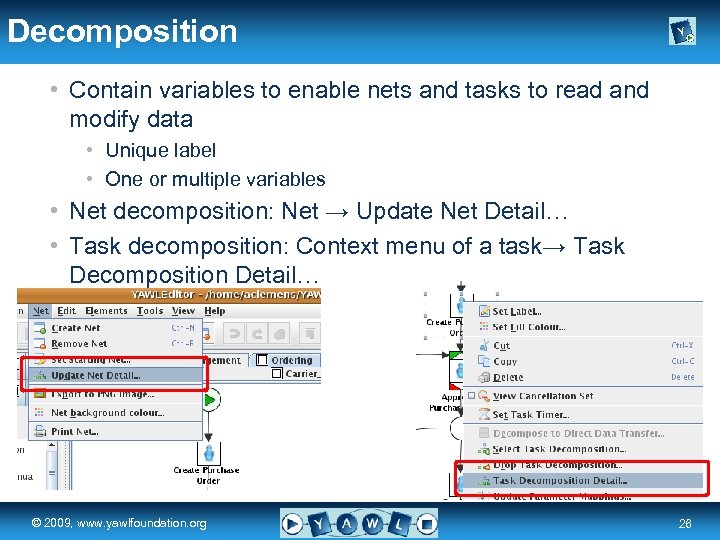 Decomposition • Contain variables to enable nets and tasks to read and modify data • Unique label • One or multiple variables • Net decomposition: Net → Update Net Detail… • Task decomposition: Context menu of a task→ Task Decomposition Detail… real a university for the © 2009, www. yawlfoundation. org world R 26
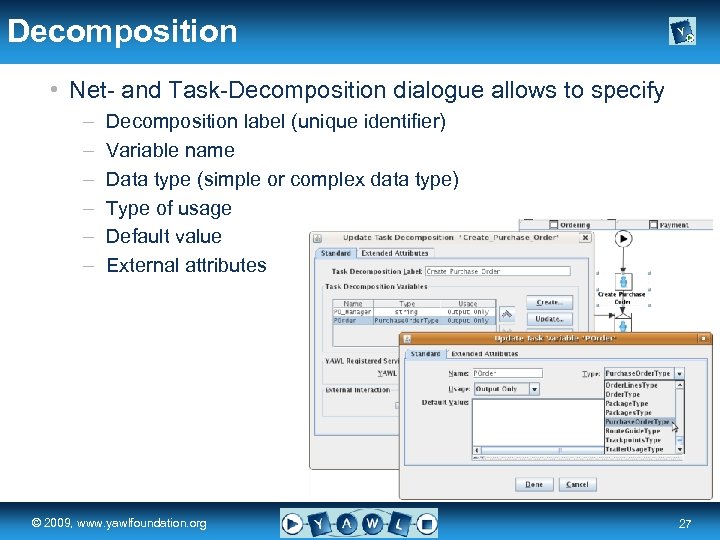 Decomposition • Net- and Task-Decomposition dialogue allows to specify – – – Decomposition label (unique identifier) Variable name Data type (simple or complex data type) Type of usage Default value External attributes real a university for the © 2009, www. yawlfoundation. org world R 27
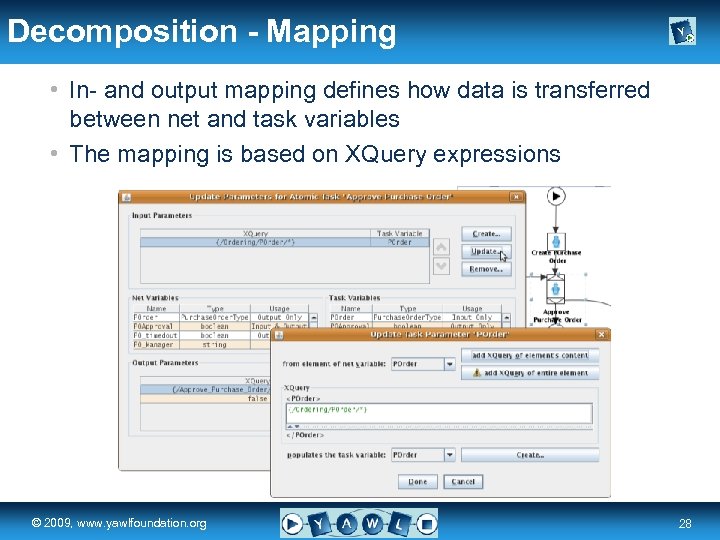 Decomposition - Mapping • In- and output mapping defines how data is transferred between net and task variables • The mapping is based on XQuery expressions real a university for the © 2009, www. yawlfoundation. org world R 28
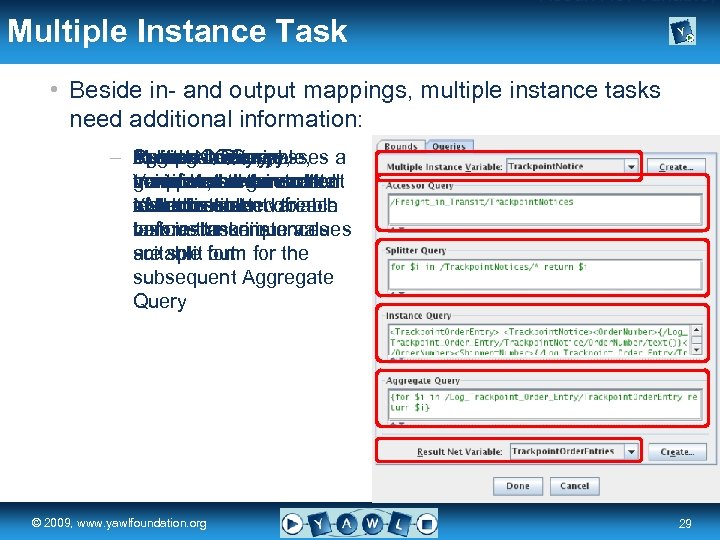 – Result Net Variable, Multiple Instance Task • Beside in- and output mappings, multiple instance tasks need additional information: – Multiple. Query, passes a Result Aggregate Variable, Instance Splitter. Net Query, Accessor. Query, contains data generates the content transformsthe overall unique value toreturned manipulates theeach Variable, the generated overall result XML instance to instance task of thedistributedof each to be document variable task instance into values before task instances variousthe unique a suitable out are split form for the subsequent Aggregate Query real a university for the © 2009, www. yawlfoundation. org world R 29
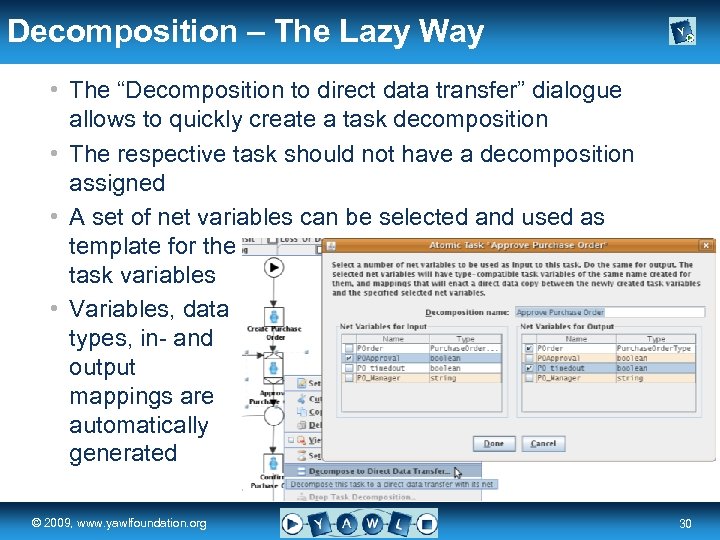 Decomposition – The Lazy Way • The “Decomposition to direct data transfer” dialogue allows to quickly create a task decomposition • The respective task should not have a decomposition assigned • A set of net variables can be selected and used as template for the task variables • Variables, data types, in- and output mappings are automatically generated real a university for the © 2009, www. yawlfoundation. org world R 30
 Resource Perspective a university for the real world R © 2009, www. yawlfoundation. org
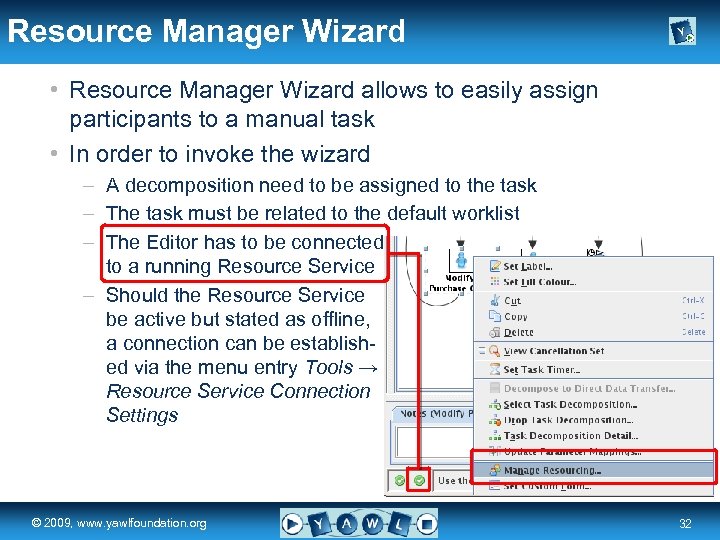 Resource Manager Wizard • Resource Manager Wizard allows to easily assign participants to a manual task • In order to invoke the wizard – A decomposition need to be assigned to the task – The task must be related to the default worklist – The Editor has to be connected to a running Resource Service – Should the Resource Service be active but stated as offline, a connection can be established via the menu entry Tools → Resource Service Connection Settings real a university for the © 2009, www. yawlfoundation. org world R 32
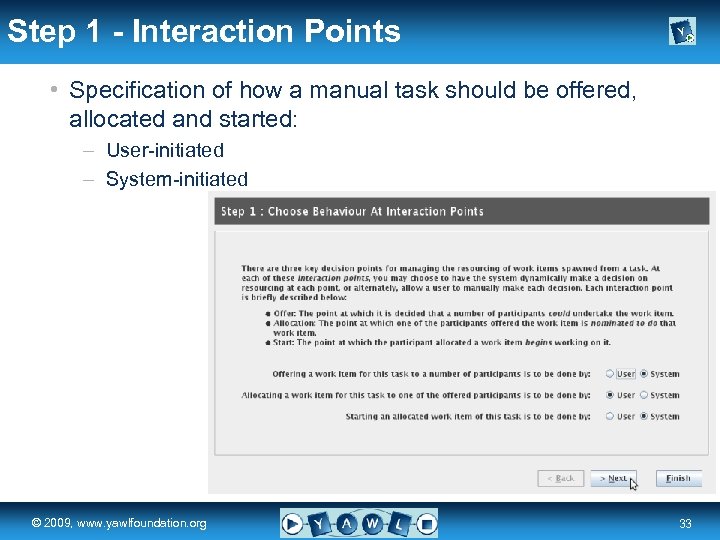 Step 1 - Interaction Points • Specification of how a manual task should be offered, allocated and started: – User-initiated – System-initiated real a university for the © 2009, www. yawlfoundation. org world R 33
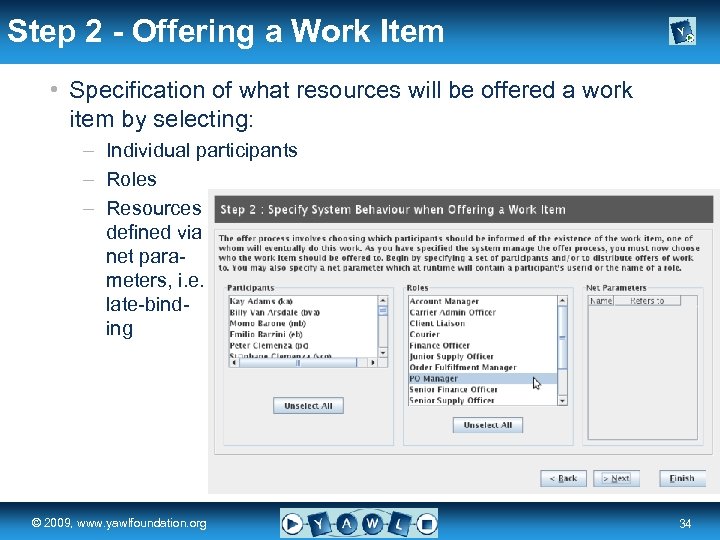 Step 2 - Offering a Work Item • Specification of what resources will be offered a work item by selecting: – Individual participants – Roles – Resources defined via net parameters, i. e. late-binding real a university for the © 2009, www. yawlfoundation. org world R 34
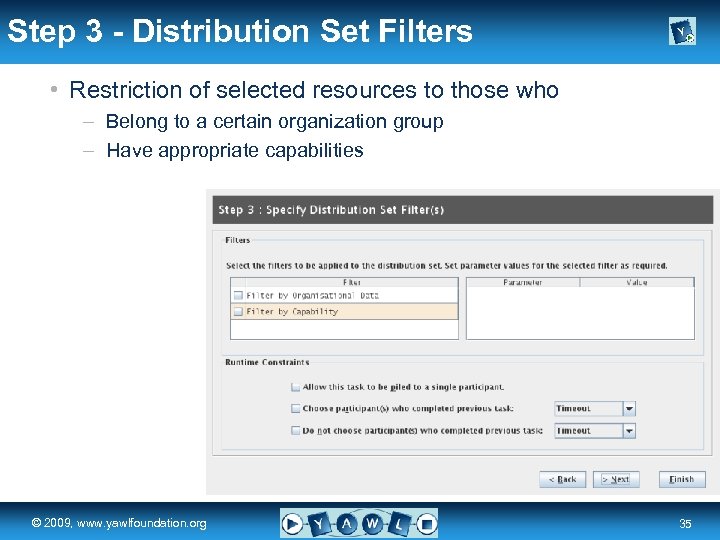 Step 3 - Distribution Set Filters • Restriction of selected resources to those who – Belong to a certain organization group – Have appropriate capabilities real a university for the © 2009, www. yawlfoundation. org world R 35
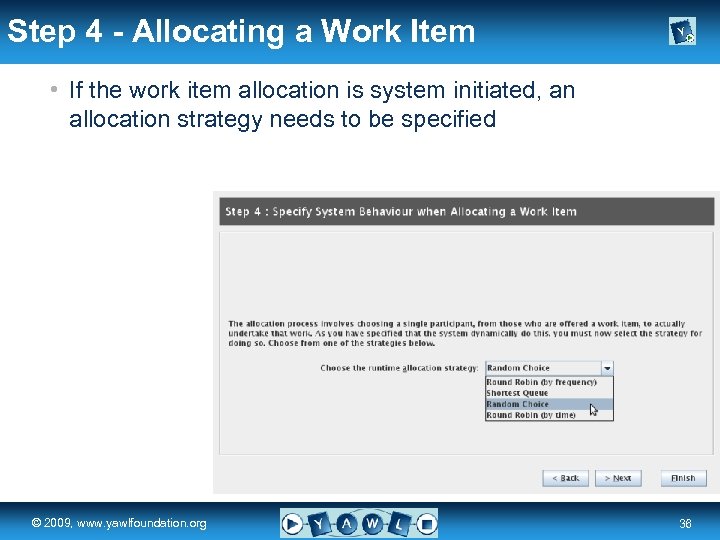 Step 4 - Allocating a Work Item • If the work item allocation is system initiated, an allocation strategy needs to be specified real a university for the © 2009, www. yawlfoundation. org world R 36
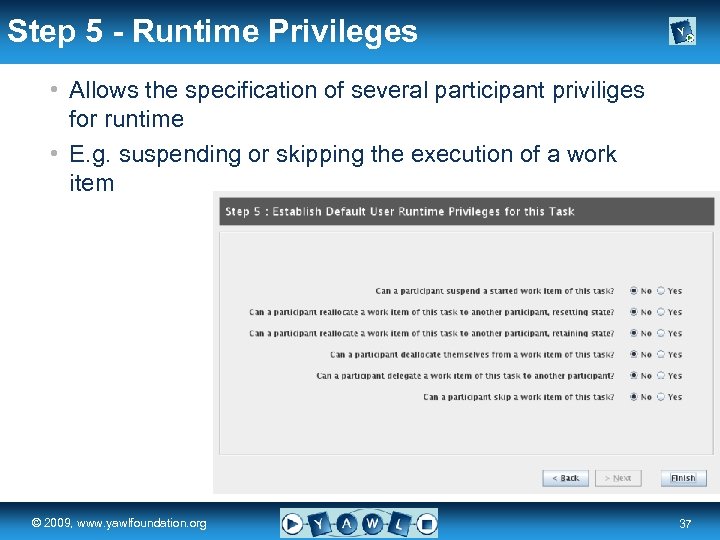 Step 5 - Runtime Privileges • Allows the specification of several participant priviliges for runtime • E. g. suspending or skipping the execution of a work item real a university for the © 2009, www. yawlfoundation. org world R 37
 Error Reporting & Specification File a university for the real world R © 2009, www. yawlfoundation. org
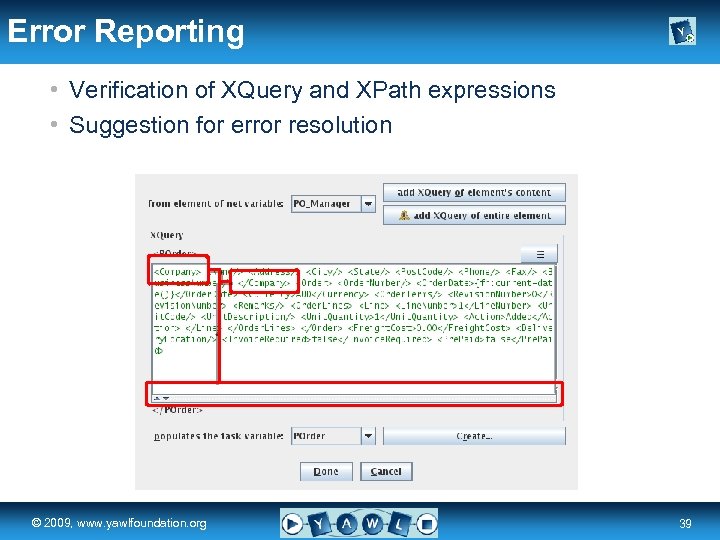 Error Reporting • Verification of XQuery and XPath expressions • Suggestion for error resolution real a university for the © 2009, www. yawlfoundation. org world R 39
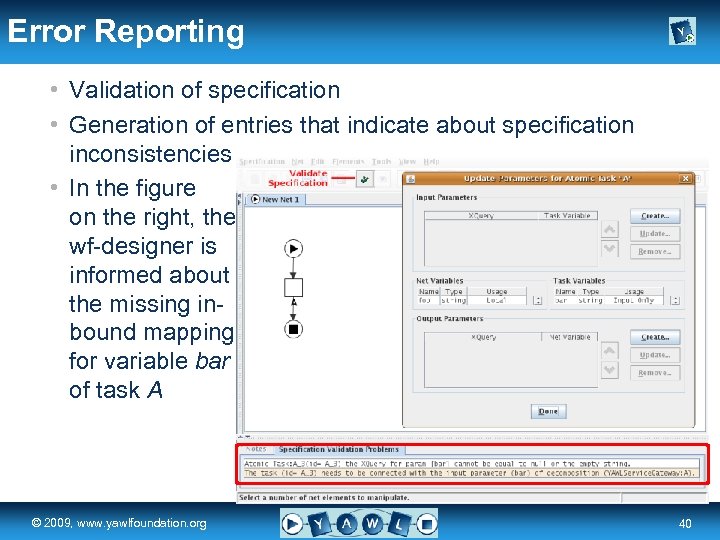 Error Reporting • Validation of specification • Generation of entries that indicate about specification inconsistencies • In the figure on the right, the wf-designer is informed about the missing inbound mapping for variable bar of task A real a university for the © 2009, www. yawlfoundation. org world R 40
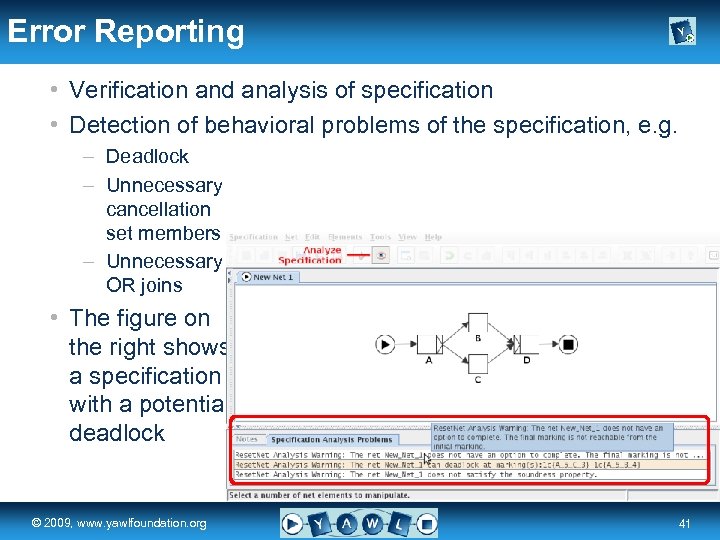 Error Reporting • Verification and analysis of specification • Detection of behavioral problems of the specification, e. g. – Deadlock – Unnecessary cancellation set members – Unnecessary OR joins • The figure on the right shows a specification with a potential deadlock real a university for the © 2009, www. yawlfoundation. org world R 41
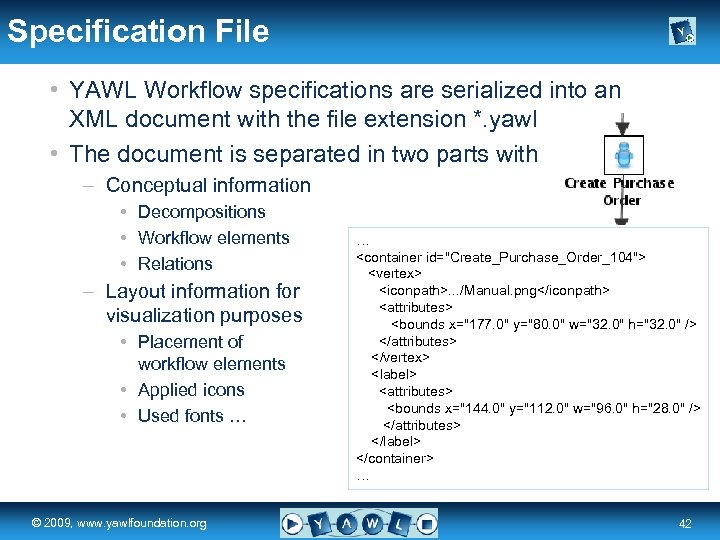 Specification File • YAWL Workflow specifications are serialized into an XML document with the file extension *. yawl • The document is separated in two parts with – Conceptual information • Decompositions • Workflow elements • Relations – Layout information for visualization purposes • Placement of workflow elements • Applied icons • Used fonts … real a university for the © 2009, www. yawlfoundation. org world …